38. Practical Exercise: Version 18
38.1. Implementation
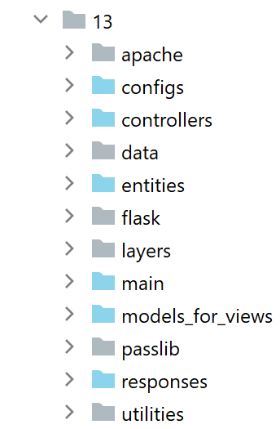
The [impots/http-servers/13] folder is initially created by copying the [impots/http-servers/12] folder and then partially modified.
We start by adding a new parameter to the [configs/parameters] file:
…
        # token csrf
        "with_csrftoken": False,
        # bases gérées MySQL (mysql), PostgreSQL (pgres)
        "databases": ["mysql", "pgres"],
        # préfixe des URL de l'application
        # mettre la chaîne vide si on ne veut pas de préfixe ou /préfixe sinon
        "prefix_url": "/do",
        # url racine du serveur Apache - mettre la chaîne vide pour une exécution en-dehors d'Apache
        "application_root": "/impots"
…
Line 10: The [application_root] parameter will represent the WSGI alias of the Apache virtual server.
With this parameter, we can correct the [responses/HtmlResponse] directive that caused the error:
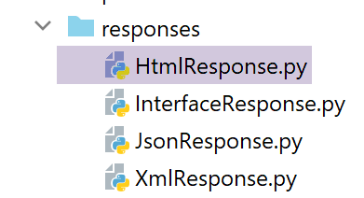
…
# now it's time to generate the URL redirection, not forgetting the CSRF token if requested
        if config['parameters']['with_csrftoken']:
            csrf_token = f"/{generate_csrf()}"
        else:
            csrf_token = ""

        # redirect response
        return redirect(f"{config['parameters']['application_root']}{config['parameters']['prefix_url']}{ads['to']}{csrf_token}")
, status.HTTP_302_FOUND
- line 9: we added the application root to the beginning of the redirect target URL;
We also need to correct all fragments so that the URLs they contain start with the application root (or WSGI alias):
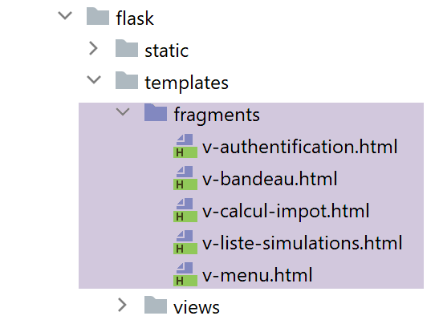
The [v-authentication] fragment
<!-- form HTML - post its values with the [authenticate-user] action -->
<form method="post" action="{{modèle.application_root}}{{modèle.prefix_url}}/authentifier-utilisateur{{modèle.csrf_token}}"
>

    <!-- title -->
    <div class="alert alert-primary" role="alert">
        <h4>Veuillez vous authentifier</h4>
    </div>
…

</form>
The [v-calcul-impot] fragment
<!-- form HTML posted -->
<form method="post" action="{{modèle.application_root}}{{modèle.prefix_url}}/calculer-impot{{modèle.csrf_token}}">
    <!-- 12-column message on blue background -->
    …

</form>
The [v-liste-simulations] fragment
…

{% if modèle.simulations is defined and modèle.simulations|length!=0 %}
…

<!-- simulation table -->
<table class="table table-sm table-hover table-striped">
    …
    <tr>
        <th scope="row">{{simulation.id}}</th>
        <td>{{simulation.marié}}</td>
        <td>{{simulation.enfants}}</td>
        <td>{{simulation.salaire}}</td>
        <td>{{simulation.impôt}}</td>
        <td>{{simulation.surcôte}}</td>
        <td>{{simulation.décôte}}</td>
        <td>{{simulation.réduction}}</td>
        <td>{{simulation.taux}}</td>
        <td><a href="{{modèle.application_root}}{{modèle.prefix_url}}/supprimer-simulation/{{simulation.id}}{{modèle.csrf_token}}">Supprimer</a></td>
    </tr>
    {% endfor %}
    </tr>
    </tbody>
</table>
{% endif %}
The [v-menu] fragment
<!-- bootstrap menu -->
<nav class="nav flex-column">
    <!-- display a list of links HTML -->
    {% for optionMenu in modèle.optionsMenu %}
    <a class="nav-link" href="{{modèle.application_root}}{{modèle.prefix_url}}{{optionMenu.url}}{{modèle.csrf_token}}">{{optionMenu.text}}</a>
    {% endfor %}
</nav>
The fragments above all use the [model.application_root] model. Currently, the [application_root] key does not exist in the models generated by the model classes.
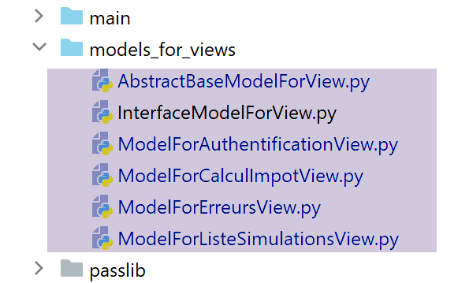
The [AbstractBaseModelForView] class, which is the parent class of all classes that generate a template, becomes the following:
- line 15: the [update_model] method is responsible for adding the following to the view template:
- line 24: the CSRF token;
- line 26: the URL prefix;
- line 28: the application root or WSGI alias;
The four child classes call the parent class with the following code:
…
        # actions possibles à partir de la vue
        modèle['actions_possibles'] = ["afficher-vue-authentification", "authentifier-utilisateur"]

        # finition du modèle par la classe parent
        super().update_model(modèle, config)

        # on rend le modèle
        return modèle
- line 6: each child class calls its parent class to update the model it created;
Version 18 is ready. We reuse the two Apache virtual servers from version 17 and modify them:
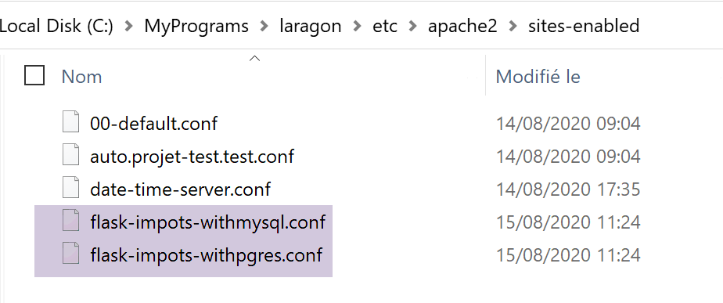
The two [flask-impots-withXX.conf] files are modified in only one place:
# dossier du script .wsgi
define ROOT "C:/Data/st-2020/dev/python/cours-2020/python3-flask-2020/impots/http-servers/13/apache"

# nom du site web configuré par ce fichier
# ici il s'appellera flask-impots-withmysql
# les URL seront du type http(s)://flask-impots-withmysql/path
define SITE "flask-impots-withmysql"

# mettre l'adresse IP 127.0.0.1 pour site SITE dans c:/windows/system32/drivers/etc/hosts

# mettre ici les chemins des bibliothèques Python à utiliser - les séparer par des virgules
# ici les bibliothèques d'un environnement virtuel Python
WSGIPythonPath  "C:/Data/st-2020/dev/python/cours-2020/python3-flask-2020/venv/lib/site-packages"

# Python Home - nécessaire uniquement s'il y a plusieurs versions de Python installées
# WSGIPythonHome "C:/Program Files/Python38"

# URL HTTP
<VirtualHost *:80>
    # avec l'alias / les URL auront la forme /{prefixe_url}/action/...
    # avec l'alias /impots les URL auront la forme /impots/{prefixe_url}/action/...
    # où [prefixe_url] est défini dans parameters.py
    WSGIScriptAlias /impots "${ROOT}/main_withmysql.wsgi"
    …
</VirtualHost>

# URL sécurisées avec HTTPS
<VirtualHost *:443>
    # avec l'alias / les URL auront la forme /{prefixe_url}/action/...
    # avec l'alias /impots les URL auront la forme /impots/{prefixe_url}/action/...
    # où [prefixe_url] est défini dans parameters.py
    WSGIScriptAlias /impots "${ROOT}/main_withmysql.wsgi"
    ..

</VirtualHost>
- Line 12: We are now using the [taxes/http-servers/13/apache] directory.
We are ready to test version 18 running on Apache. The configuration is as follows:
- the WSGI alias is /impots in both virtual server configuration files;
- in the configuration file [configs/parameters], the parameters are as follows:
        # token csrf
        "with_csrftoken": False,
        # préfixe des URL de l'application
        # mettre la chaîne vide si on ne veut pas de préfixe ou /préfixe sinon
        "prefix_url": "/do",
        # url racine du serveur Apache - mettre la chaîne vide pour une exécution en-dehors d'Apache
        "application_root": "/impots"
We start the Apache server and the two DBMSs. We request the URL [https://flask-impots-withmysql/impots/do]. The server's response is as follows:
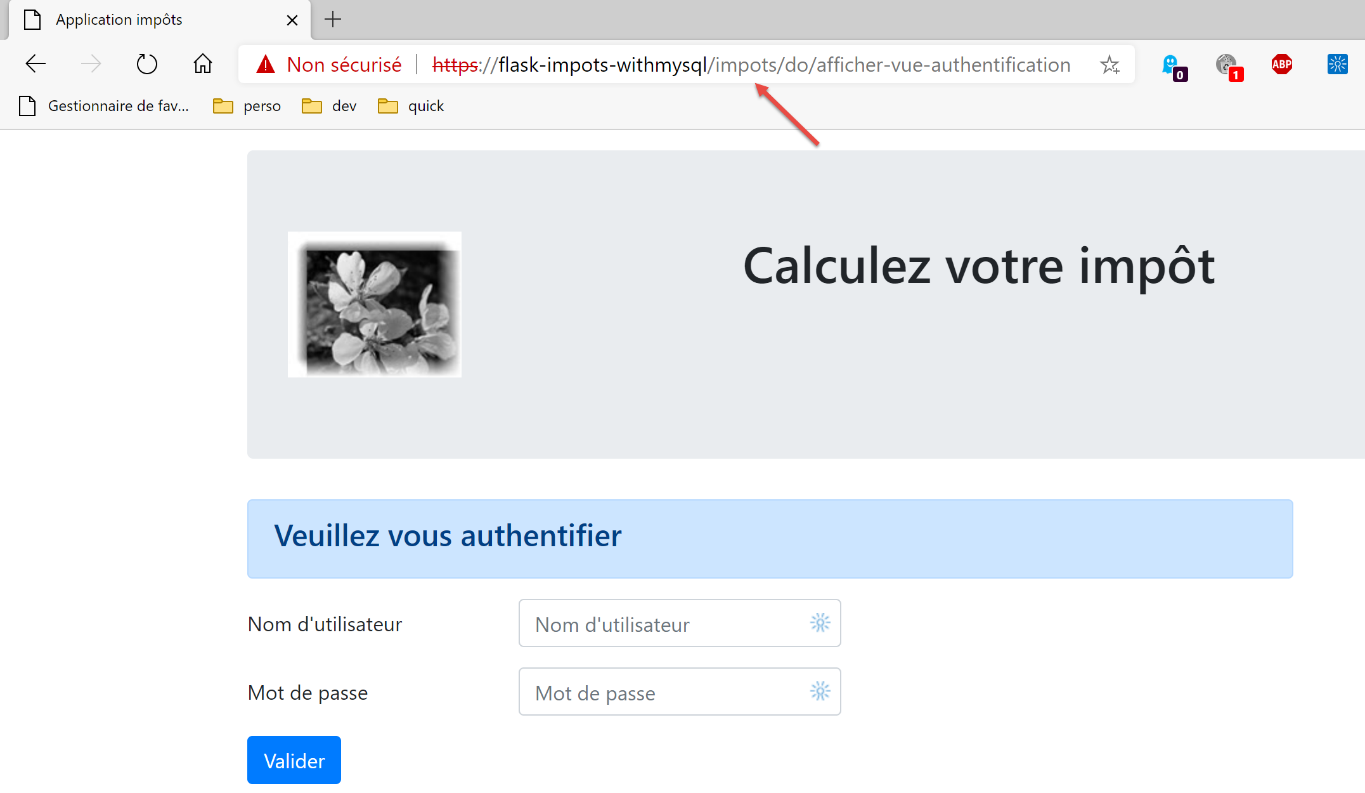
We successfully see the authentication page, which we were unable to access in the previous version. The rest of the application works normally.
Now we test the other virtual server. We request the URL [https://flask-impots-withpgres/impots/do]. The server’s response is as follows:
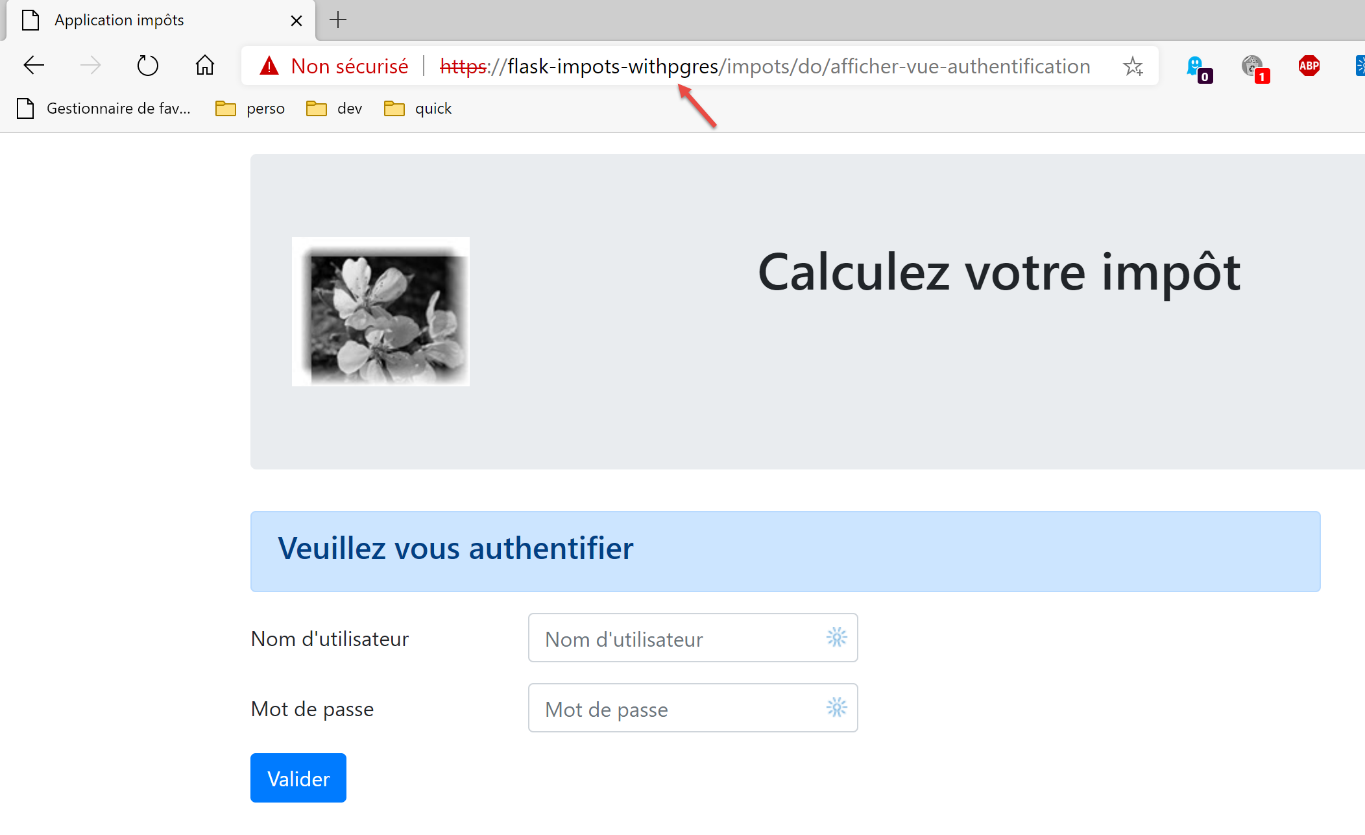
The concepts of WSGI aliases and URL prefixes serve the same purpose. One of these two concepts is redundant. Thus, to prefix Apache server URLs with the string [/impots/do], there are three ways to do this:
1 – [WGSIAlias /impots] and [prefix_url=’/do’];
2 – [WGSIAlias /] and [prefix_url=’/impots/do’];
3 – [WGSIAlias /impots/do] and [prefix_url=’’];
38.2. Console tests
We use the client console tests [http-clients/09] again:
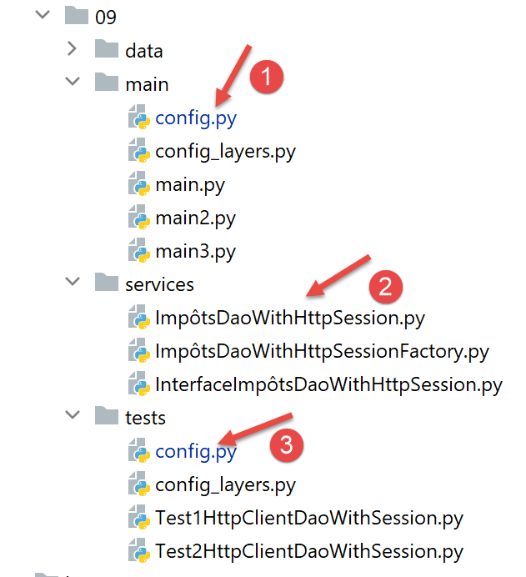
- the server URL must be modified in configurations [1] and [3];
- a change must be made to the [dao] layer so that it supports the Apache server’s HTTPS protocol;
In the [config] files, the server URL becomes the following:
        "server": {
            # "urlServer": "http://127.0.0.1:5000",
            # "urlServer": "http://127.0.0.1:5000/do",
            "urlServer": "https://flask-impots-withmysql/impots/do",
            "user": {
                "login": "admin",
                "password": "admin"
            },
            "url_services": {
                …
            }
        },
        # mode debug
        "debug": True,
        # csrf_token
        "with_csrftoken": False,
- line 4: the new server URL. For the first time in this document, the client uses the HTTPS protocol;
The [ImpôtsDaoWihHttpSession] class in the [dao] layer evolves as follows:
- On line 26, we add the [verify=False] parameter because of the HTTPS protocol used by the Apache server. The [requests] module (line 19) natively supports the HTTPS protocol. By default, it verifies the validity of the security certificate sent by the HTTPS server and raises an exception if the received certificate is invalid. This is the case here, where Laragon’s Apache server sends a self-signed certificate. To avoid the exception, we use the [verify=False] parameter to tell the [requests] module not to raise an exception. [requests] then simply displays a warning on the console.
With these changes made, all console tests should work.