26. From dictionary to XML and vice versa
Here, we’ll explore the [xml2dict] module, which allows you to convert:
- an XML string into a dictionary:
- a dictionary into an XML string;
Before the advent of JSON, web service responses were often in XML (eXtended Markup Language). Furthermore, the protocol for these web services was often SOAP (Simple Object Access Protocol). SOAP is a protocol based on the web’s HTTP protocol. Currently (2020), web services are mostly of the REST (Representational State Transfer) type. The web services we have studied are not of either of these types but are definitely closer to REST than to SOAP. Nevertheless, I prefer to say that they are of the ‘free’ or ‘unknown’ type because they do not follow all the rules of REST.
We’ll show how easy it is to transform our JSON client/server architectures into XML client/server architectures. All you need to do is use the [xmltodict] module.
We’ll start by installing it in a Python terminal:
(venv) C:\Data\st-2020\dev\python\cours-2020\python3-flask-2020\packages>pip install xmltodict
Collecting xmltodict
  Using cached xmltodict-0.12.0-py2.py3-none-any.whl (9.2 kB)
Installing collected packages: xmltodict
Successfully installed xmltodict-0.12.0
Now that this is done, let’s look at an example of what we can do with this module:
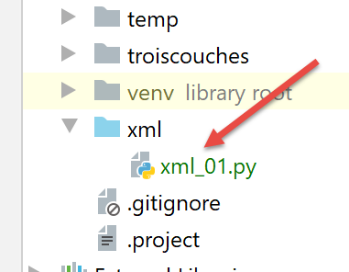
The [xml_01] script is as follows:
- lines 14–25: the [transform] function takes a text to be written [message] and a dictionary [dictionary];
- line 16: displays the message;
- Line 17: The received dictionary is displayed;
- lines 19–20: this dictionary is converted into an XML string, which is then displayed. The method that performs this operation is [xmltodict.unparse];
- lines 21–23: the previous XML string is converted into a dictionary, which is then displayed. The method that performs this task is [xmltodict.parse]. This method does not produce a dictionary of type [dict] but of type [OrderedDict] (line 1);
- lines 24–25: the resulting [OrderedDict] type is converted to [dict] using the (not yet written) method [ordereddict2dict]. This method works recursively. If certain values in the dictionary are of type [OrderedDict, list], the values of these collections are examined to determine whether they, too, are of type [OrderedDict]. If so, they are converted to type [dict]. Note that the [xmltodict.parse] method does not produce any dictionaries of type [dict];
Before examining the missing functions, let’s look at the results to see what we’re looking for:
Test 1 (lines 28–29) produces the following results:
test 1-------
dictionnaire={'nom': 'séléné'}
xml=<?xml version="1.0" encoding="utf-8"?>
<nom>séléné</nom>
ordereddict_dictionary1=OrderedDict([('nom', 'séléné')])
dict_dictionary1={'nom': 'séléné'}
- line 2: the dictionary being tested. Note an important point: the [xml2dict.unparse] method requires that the dictionary be in the form {‘key’: value}, where [value] can then be a dictionary, a list, or a simple type;
- Lines 3–4: The XML string generated from the dictionary. It is preceded by the header [<?xml version="1.0" encoding="utf-8"?>\n], which is normally the first line of an XML file;
- line 5: the [OrderedDict] type obtained by the [xml2dict.parse] method, which takes the preceding XML string as a parameter;
- line 6: the dictionary of type [dict] obtained by applying the [ordereddict2dict] method to the previous type. This is the original dictionary from line 2;
All other tests follow the same pattern and should help you understand how to convert from a dictionary to an XML string and then from that XML string back to the original dictionary.
The other tests yield the following results:
test 2-------
dictionnaire={'famille': {'père': {'prénom': 'andré'}, 'mère': {'prénom': 'angèle'}, 'nom': 'séléné'}}
xml=<?xml version="1.0" encoding="utf-8"?>
<famille><père><prénom>andré</prénom></père><mère><prénom>angèle</prénom></mère><nom>séléné</nom></famille>
ordereddict_dictionary1=OrderedDict([('famille', OrderedDict([('père', OrderedDict([('prénom', 'andré')])), ('mère', OrderedDict([('prénom', 'angèle')])), ('nom', 'séléné')]))])
dict_dictionary1={'famille': {'père': {'prénom': 'andré'}, 'mère': {'prénom': 'angèle'}, 'nom': 'séléné'}}

test 3-------
dictionnaire={'famille': {'nom': 'séléné', 'père': {'prénom': 'andré'}, 'mère': {'prénom': 'angèle'}, 'hobbies': ['chant', 'footing']}}
xml=<?xml version="1.0" encoding="utf-8"?>
<famille><nom>séléné</nom><père><prénom>andré</prénom></père><mère><prénom>angèle</prénom></mère><hobbies>chant</hobbies><hobbies>footing</hobbies></famille>
ordereddict_dictionary1=OrderedDict([('famille', OrderedDict([('nom', 'séléné'), ('père', OrderedDict([('prénom', 'andré')])), ('mère', OrderedDict([('prénom', 'angèle')])), ('hobbies', ['chant', 'footing'])]))])
dict_dictionary1={'famille': {'nom': 'séléné', 'père': {'prénom': 'andré'}, 'mère': {'prénom': 'angèle'}, 'hobbies': ['chant', 'footing']}}

test 4-------
dictionnaire={'réponse': {'erreurs': ['Méthode GET requise avec les seuls paramètres [marié, enfants, salaire]', 'paramètre [marié] manquant', 'paramètre [enfants] manquant', 'paramètre [salaire] manquant']}}
xml=<?xml version="1.0" encoding="utf-8"?>
<réponse><erreurs>Méthode GET requise avec les seuls paramètres [marié, enfants, salaire]</erreurs><erreurs>paramètre [marié] manquant</erreurs><erreurs>paramètre [enfants] manquant</erreurs><erreurs>paramètre [salaire] manquant</erreurs></réponse>
ordereddict_dictionary1=OrderedDict([('réponse', OrderedDict([('erreurs', ['Méthode GET requise avec les seuls paramètres [marié, enfants, salaire]', 'paramètre [marié] manquant', 'paramètre [enfants] manquant', 'paramètre [salaire] manquant'])]))])
dict_dictionary1={'réponse': {'erreurs': ['Méthode GET requise avec les seuls paramètres [marié, enfants, salaire]', 'paramètre [marié] manquant', 'paramètre [enfants] manquant', 'paramètre [salaire] manquant']}}

test 5-------
dictionnaire={'réponse': {'result': {'id': 0, 'marié': 'oui', 'enfants': 2, 'salaire': 50000, 'impôt': 1384, 'décôte': 384, 'surcôte': 0, 'réduction': 347, 'taux': 0.14}}}
xml=<?xml version="1.0" encoding="utf-8"?>
<réponse><result><id>0</id><marié>oui</marié><enfants>2</enfants><salaire>50000</salaire><impôt>1384</impôt><décôte>384</décôte><surcôte>0</surcôte><réduction>347</réduction><taux>0.14</taux></result></réponse>
ordereddict_dictionary1=OrderedDict([('réponse', OrderedDict([('result', OrderedDict([('id', '0'), ('marié', 'oui'), ('enfants', '2'), ('salaire', '50000'), ('impôt', '1384'), ('décôte', '384'), ('surcôte', '0'), ('réduction', '347'), ('taux', '0.14')]))]))])
dict_dictionary1={'réponse': {'result': {'id': '0', 'marié': 'oui', 'enfants': '2', 'salaire': '50000', 'impôt': '1384', 'décôte': '384', 'surcôte': '0', 'réduction': '347', 'taux': '0.14'}}}

test 6-------
dictionnaire={'root': {'liste': ['un', 'deux', 'trois']}}
xml=<?xml version="1.0" encoding="utf-8"?>
<root><liste>un</liste><liste>deux</liste><liste>trois</liste></root>
ordereddict_dictionary1=OrderedDict([('root', OrderedDict([('liste', ['un', 'deux', 'trois'])]))])
dict_dictionary1={'root': {'liste': ['un', 'deux', 'trois']}}

test 7-------
dictionnaire={'root': {'liste': [{'un': [10, 11]}, {'deux': [20, 21]}, {'trois': [30, 31]}]}}
xml=<?xml version="1.0" encoding="utf-8"?>
<root><liste><un>10</un><un>11</un></liste><liste><deux>20</deux><deux>21</deux></liste><liste><trois>30</trois><trois>31</trois></liste></root>
ordereddict_dictionary1=OrderedDict([('root', OrderedDict([('liste', [OrderedDict([('un', ['10', '11'])]), OrderedDict([('deux', ['20', '21'])]), OrderedDict([('trois', ['30', '31'])])])]))])
dict_dictionary1={'root': {'liste': [{'un': ['10', '11']}, {'deux': ['20', '21']}, {'trois': ['30', '31']}]}}

Process finished with exit code 0
- Lines 23 and 27 highlight an important point:
- line 23: the values associated with the keys of the [result] dictionary are numbers;
- line 26: the values associated with the keys of the [ordereddict_dictionary1] dictionary are strings. This is a limitation of the [xmltodict] library. Its [parse] method produces only strings. This is easily understood:
- line 25: the XML string from which the dictionary is generated. In this string, there is no indication of the data type encapsulated within the XML tags. [xmltodict.parse] does what makes the most sense: it leaves everything as strings in the resulting dictionary. There are other libraries similar to [xmltodict] where the type of the encapsulated data is specified in the tags. For example, one might find the tag [<children type='int'>2</children>];
- the consequence of this is that when using a dictionary produced by the [xmltodict] module, one must know the type of the data it encapsulates in order to convert from the ‘str’ type to the actual data type;
Let's now take a closer look at the [ordereddict2dict] method, which converts an [OrderedDict] type to a [dict] type:
- line 30: the [ordereddict2dict] function takes an [OrderedDict] type as a parameter;
- line 32: the dictionary of type [dict] that will be returned on line 37 by the function;
- line 33: we iterate over all the (key, value) tuples in the [ordered_dictionary] dictionary;
- Line 35: In the new dictionary, the key [key] is retained, but the associated value is not [value] but [check(value)]. The function [check(value)] is responsible for finding, if [value] is a collection, all elements of type [OrderedDict] and converting them to type [dict];
The [check] method is defined on lines 5–16:
- line 5: we do not know the type of [value], so we could not write [value: type];
- lines 7–8: if [value] is of type [OrderedDict], then we recursively call the function [ordereddict2dict] that we just commented out;
- lines 9–11: another possible case is that [value] is a list. In this case, on line 11, we call the function [list2list] from lines 19–27;
- lines 12–14: the final case is that [value] is not a collection but a simple type. The function [check], like the functions [ordereddict2dict] and [list2list], is recursive. We know that in this case, we must always handle the situation where the recursion terminates. Lines 12–14 handle this case;
- line 16: the [check] function, whether called recursively or not, produces a value [value2] that must replace the [value] parameter in line 5;
The [list2list] method defined in lines 19–27 processes a list passed as a parameter. It will traverse it and replace any [OrderedDict] values found within it with a [dict] type.
- line 21: the new list that the function will create;
- Lines 23–25: All [value] values in the list are traversed and replaced with the value [check(value)]. This [value] may itself contain elements of type [list] or [OrderedDict]. They will be handled correctly by the recursive function [check];