26. From the dictionary to XML and vice versa
Here, we will explore the [xml2dict] module, which allows you to convert:
- a XML string into a dictionary:
- a dictionary into a XML string;
Before the advent of jSON, the response from web services was often XML (eXtended Markup Language). Furthermore, the protocol for these web services was often SOAP (Simple Object Process Protocol). SOAP is a protocol based on the HTTP web protocol. Currently (2020), web services are mostly of the REST (Representational State Transfer) type. The web services we studied are not of any of these types but are definitely closer to REST than to SOAP. Nevertheless, I prefer to say that they are of the ‘free’ or ‘unknown’ type because they do not follow all the rules of REST.
We’ll show how easy it is to transform our jSON client/server architectures into XML client/server architectures. All you need to do is use the [xmltodict] module.
We start by installing it in a Python terminal:
(venv) C:\Data\st-2020\dev\python\cours-2020\python3-flask-2020\packages>pip install xmltodict
Collecting xmltodict
  Using cached xmltodict-0.12.0-py2.py3-none-any.whl (9.2 kB)
Installing collected packages: xmltodict
Successfully installed xmltodict-0.12.0
Now that this is done, let’s look at an example of what we can do with this module:
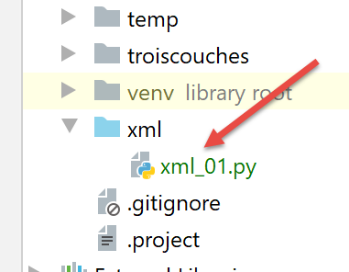
The [xml_01] script is as follows:
from collections import OrderedDict

import xmltodict


# xmltodict.parse pour passer du XML au dictionnaire. Le dictionnaire doit avoir une racine
# the dictionary produced is of type OrderedDict
# xmltodict.unparse to go from the dictionary to XML

def ordereddict2dict(ordered_dictionary) -> dict:
    …


def transform(message: str, dictionary: dict):
    # logs
    print(f"\n{message}-------")
    print(f"dictionnaire={dictionary}")
    # dict -> xml
    xml1 = xmltodict.unparse(dictionary)
    print(f"xml={xml1}")
    # xml -> OrderedDict
    ordereddict_dictionary1 = xmltodict.parse(xml1)
    print(f"ordereddict_dictionary1={ordereddict_dictionary1}")
    # OrderedDict -> dict
    print(f"dict_dictionary1={ordereddict2dict(ordereddict_dictionary1)}")


# test 1
transform("test 1", {"nom": "séléné"})
# test 2
transform("test 2", {"famille": {"père": {"prénom": "andré"}, "mère": {"prénom": "angèle"}, "nom": "séléné"}})
# test 3
transform("test 3", {"famille": {"nom": "séléné", "père": {"prénom": "andré"}, "mère": {"prénom": "angèle"},
                                 "hobbies": ["chant", "footing"]}})
# test 4
transform("test 4", {'réponse': {
    'erreurs': ['Méthode GET requise avec les seuls paramètres [marié, enfants, salaire]', 'paramètre [marié] manquant',
                'paramètre [enfants] manquant', 'paramètre [salaire] manquant']}})
# test 5
transform("test 5", {'réponse': {
    'result': {'id': 0, 'marié': 'oui', 'enfants': 2, 'salaire': 50000, 'impôt': 1384, 'décôte': 384, 'surcôte': 0,
               'réduction': 347, 'taux': 0.14}}})
# test 6
transform("test 6", {"root": {'liste': ["un", "deux", "trois"]}})
# test 7
transform("test 7", {"root": {'liste': [{"un": [10, 11]}, {"deux": [20, 21]}, {"trois": [30, 31]}]}})
- lines 14–25: the function [transform] receives text to be written [message] and a dictionary [dictionary];
- line 16: display the message;
- line 17: the received dictionary is displayed;
- lines 19-20: this dictionary is converted into a string XML, which is then displayed. The method that performs this conversion is [xmltodict.unparse];
- lines 21–23: the previous string XML is converted into a dictionary, and the dictionary is displayed. The method that performs this operation is [xmltodict.parse]. This method does not produce a dictionary of type [dict] but of type [OrderedDict] (line 1);
- lines 24–25: the resulting [OrderedDict] type is converted to [dict] using the (not yet written) method [ordereddict2dict]. This method works recursively. If certain values in the dictionary are of type [OrderedDict, list], the values of these collections are examined to determine whether they too are of type [OrderedDict]. If so, they are converted to type [dict]. Note that the [xmltodict.parse] method does not produce any dictionaries of type [dict];
Before looking at the missing functions, let’s examine the results to see what we’re looking for:
Test 1 (lines 28–29) produces the following results:
test 1-------
dictionnaire={'nom': 'séléné'}
xml=<?xml version="1.0" encoding="utf-8"?>
<nom>séléné</nom>
ordereddict_dictionary1=OrderedDict([('nom', 'séléné')])
dict_dictionary1={'nom': 'séléné'}
- line 2: the dictionary being tested. It is important to note that the [xml2dict.unparse] method requires the dictionary to be in the form {‘key’: value}, where [valeur] can then be a dictionary, a list, or a simple type;
- lines 3–4: the string XML derived from the dictionary. It is preceded by the header [<?xml version="1.0" encoding="utf-8"?>\n], which is normally the first line of a XML file;
- line 5: the type [OrderedDict] obtained by the method [xml2dict.parse], which takes the preceding string XML as a parameter;
- line 6: the dictionary of type [dict] obtained by applying the method [ordereddict2dict] to the previous type. We find the original dictionary from line 2;
All other tests follow the same pattern and should help you understand how to go from a dictionary to a string XML and then from this string XML back to the original dictionary.
The other tests yield the following results:
test 2-------
dictionnaire={'famille': {'père': {'prénom': 'andré'}, 'mère': {'prénom': 'angèle'}, 'nom': 'séléné'}}
xml=<?xml version="1.0" encoding="utf-8"?>
<famille><père><prénom>andré</prénom></père><mère><prénom>angèle</prénom></mère><nom>séléné</nom></famille>
ordereddict_dictionary1=OrderedDict([('famille', OrderedDict([('père', OrderedDict([('prénom', 'andré')])), ('mère', OrderedDict([('prénom', 'angèle')])), ('nom', 'séléné')]))])
dict_dictionary1={'famille': {'père': {'prénom': 'andré'}, 'mère': {'prénom': 'angèle'}, 'nom': 'séléné'}}

test 3-------
dictionnaire={'famille': {'nom': 'séléné', 'père': {'prénom': 'andré'}, 'mère': {'prénom': 'angèle'}, 'hobbies': ['chant', 'footing']}}
xml=<?xml version="1.0" encoding="utf-8"?>
<famille><nom>séléné</nom><père><prénom>andré</prénom></père><mère><prénom>angèle</prénom></mère><hobbies>chant</hobbies><hobbies>footing</hobbies></famille>
ordereddict_dictionary1=OrderedDict([('famille', OrderedDict([('nom', 'séléné'), ('père', OrderedDict([('prénom', 'andré')])), ('mère', OrderedDict([('prénom', 'angèle')])), ('hobbies', ['chant', 'footing'])]))])
dict_dictionary1={'famille': {'nom': 'séléné', 'père': {'prénom': 'andré'}, 'mère': {'prénom': 'angèle'}, 'hobbies': ['chant', 'footing']}}

test 4-------
dictionnaire={'réponse': {'erreurs': ['Méthode GET requise avec les seuls paramètres [marié, enfants, salaire]', 'paramètre [marié] manquant', 'paramètre [enfants] manquant', 'paramètre [salaire] manquant']}}
xml=<?xml version="1.0" encoding="utf-8"?>
<réponse><erreurs>Méthode GET requise avec les seuls paramètres [marié, enfants, salaire]</erreurs><erreurs>paramètre [marié] manquant</erreurs><erreurs>paramètre [enfants] manquant</erreurs><erreurs>paramètre [salaire] manquant</erreurs></réponse>
ordereddict_dictionary1=OrderedDict([('réponse', OrderedDict([('erreurs', ['Méthode GET requise avec les seuls paramètres [marié, enfants, salaire]', 'paramètre [marié] manquant', 'paramètre [enfants] manquant', 'paramètre [salaire] manquant'])]))])
dict_dictionary1={'réponse': {'erreurs': ['Méthode GET requise avec les seuls paramètres [marié, enfants, salaire]', 'paramètre [marié] manquant', 'paramètre [enfants] manquant', 'paramètre [salaire] manquant']}}

test 5-------
dictionnaire={'réponse': {'result': {'id': 0, 'marié': 'oui', 'enfants': 2, 'salaire': 50000, 'impôt': 1384, 'décôte': 384, 'surcôte': 0, 'réduction': 347, 'taux': 0.14}}}
xml=<?xml version="1.0" encoding="utf-8"?>
<réponse><result><id>0</id><marié>oui</marié><enfants>2</enfants><salaire>50000</salaire><impôt>1384</impôt><décôte>384</décôte><surcôte>0</surcôte><réduction>347</réduction><taux>0.14</taux></result></réponse>
ordereddict_dictionary1=OrderedDict([('réponse', OrderedDict([('result', OrderedDict([('id', '0'), ('marié', 'oui'), ('enfants', '2'), ('salaire', '50000'), ('impôt', '1384'), ('décôte', '384'), ('surcôte', '0'), ('réduction', '347'), ('taux', '0.14')]))]))])
dict_dictionary1={'réponse': {'result': {'id': '0', 'marié': 'oui', 'enfants': '2', 'salaire': '50000', 'impôt': '1384', 'décôte': '384', 'surcôte': '0', 'réduction': '347', 'taux': '0.14'}}}

test 6-------
dictionnaire={'root': {'liste': ['un', 'deux', 'trois']}}
xml=<?xml version="1.0" encoding="utf-8"?>
<root><liste>un</liste><liste>deux</liste><liste>trois</liste></root>
ordereddict_dictionary1=OrderedDict([('root', OrderedDict([('liste', ['un', 'deux', 'trois'])]))])
dict_dictionary1={'root': {'liste': ['un', 'deux', 'trois']}}

test 7-------
dictionnaire={'root': {'liste': [{'un': [10, 11]}, {'deux': [20, 21]}, {'trois': [30, 31]}]}}
xml=<?xml version="1.0" encoding="utf-8"?>
<root><liste><un>10</un><un>11</un></liste><liste><deux>20</deux><deux>21</deux></liste><liste><trois>30</trois><trois>31</trois></liste></root>
ordereddict_dictionary1=OrderedDict([('root', OrderedDict([('liste', [OrderedDict([('un', ['10', '11'])]), OrderedDict([('deux', ['20', '21'])]), OrderedDict([('trois', ['30', '31'])])])]))])
dict_dictionary1={'root': {'liste': [{'un': ['10', '11']}, {'deux': ['20', '21']}, {'trois': ['30', '31']}]}}

Process finished with exit code 0
- Lines 23 and 27 highlight an important point:
- line 23: the values associated with the keys of the dictionary [result] are numbers;
- line 26: the values associated with the keys of the [ordereddict_dictionary1] dictionary are strings. This is a weakness of the [xmltodict] library. Its method [parse] produces only strings. This is easily understood:
- line 25: the string XML from which the dictionary is generated. In this string, there is no indication of the type of data encapsulated within the XML tags. [xmltodict.parse] does what makes the most sense: it leaves everything as a string in the generated dictionary. There are other libraries similar to [xmltodict] where the type of the encapsulated data is specified in the tags. For example, one might find the tag [<enfants type=’int’>2</enfants>];
- the consequence of this is that when using a dictionary produced by the [xmltodict] module, one must know the type of the data it encapsulates in order to convert from the ‘str’ type to the actual data type;
Let us now focus on the [ordereddict2dict] method, which transforms a [OrderedDict] type into a [dict] type:
# xmltodict.parse pour passer du XML au dictionnaire. Le dictionnaire doit avoir une racine
# the dictionary produced is of type OrderedDict
# xmltodict.unparse to go from the dictionary to XML

def check(value):
    # if the value is of type OrderedDict, we transform it
    if isinstance(value, OrderedDict):
        value2 = ordereddict2dict(value)
    # if the value is of type list, we transform it
    elif isinstance(value, list):
        value2 = list2list(value)
    else:
        # we're dealing with a simple type, not a collection
        value2 = value
    # we return the new value
    return value2


def list2list(liste: list) -> list:
    # the new list
    newliste = []
    # the elements of the parameter list are used
    for value in liste:
        # add value to the new list
        newliste.append(check(value))
    # return the new list
    return newliste


def ordereddict2dict(ordered_dictionary: OrderedDict) -> dict:
    # OrderedDict -> recursive dictation
    newdict = {}
    for key, value in ordered_dictionary.items():
        # store the value in the new dictionary
        newdict[key] = check(value)
    # we return the dictionary
    return newdict
- line 30: the function [ordereddict2dict] receives a type [OrderedDict] as a parameter;
- line 32: the dictionary of type [dict], which will be returned on line 37 by the function;
- line 33: we iterate over all (key, value) tuples in the [ordered_dictionary] dictionary;
- line 35: in the new dictionary, the key [key] is retained, but the associated value is not [value] but [check(value)]. The function [check(value)] is responsible for finding, if [value] is a collection, all elements of type [OrderedDict] and converting them to type [dict];
The [check] method is defined on lines 5–16:
- line 5: the type of [value] is unknown, so [value : type] could not be written;
- lines 7–8: if [value] is of type [OrderedDict], then we recursively call the function [ordereddict2dict], which we just commented out;
- lines 9–11: another possible case is that [value] is a list. In this case, on line 11, we call the function [list2list] from lines 19–27;
- Lines 12–14: The final case is that [value] is not a collection but a simple type. The function [check], like the functions [ordereddict2dict] and [list2list], is recursive. We know that in such cases, we must always account for the situation where the recursion terminates. Lines 12–14 handle this case;
- line 16: the function [check], whether called recursively or not, produces a value [valeur2] that must replace the parameter [value] on line 5;
The method [list2list] defined in lines 19–27 processes a list passed as a parameter. It will traverse it and replace any value of type [OrderedDict] found within it with a type [dict].
- Line 21: the new list that the function will create;
- lines 23–25: all [value] values in the list are iterated over and replaced with the value [check(value)]. This value [value] may itself contain elements of type [list] or [OrderedDict]. They will be processed correctly by the recursive function [check];