38. Application Exercise: version 18
38.1. Implementation
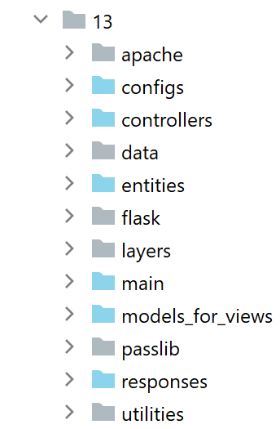
The [impots/http-servers/13] file is initially obtained by copying the [impots/http-servers/12] file and then partially modified.
We start by adding a new parameter to the [configs/parameters] file:
…
        # token csrf
        "with_csrftoken": False,
        # bases managed MySQL (mysql), PostgreSQL (pgres)
        "databases": ["mysql", "pgres"],
        # application URL prefix
        # put empty string if no prefix or /prefix otherwise
        "prefix_url": "/do",
        # url root of Apache server - set string empty for execution outside Apache
        "application_root": "/impots"
…
Line 10: The parameter [application_root] will represent the alias WSGI for the Apache virtual server.
With this parameter, we can correct the [responses/HtmlResponse] directive that caused the error:
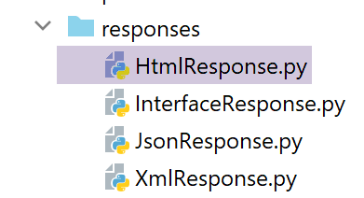
…
# now it's time to generate the URL redirection, not forgetting the CSRF token if requested
        if config['parameters']['with_csrftoken']:
            csrf_token = f"/{generate_csrf()}"
        else:
            csrf_token = ""

        # redirect response
        return redirect(f"{config['parameters']['application_root']}{config['parameters']['prefix_url']}{ads['to']}{csrf_token}")
, status.HTTP_302_FOUND
- line 9: we added the application root to the beginning of the URL redirect target;
We also need to correct all fragments so that the URL they contain start with the application root (or alias WSGI):
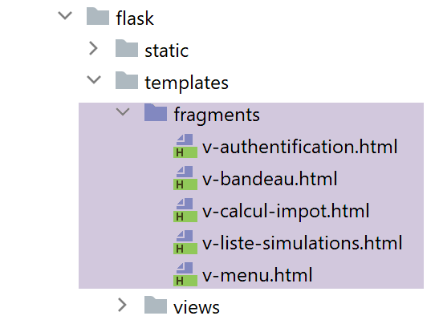
The [v-authentification] fragment
<!-- form HTML - post values with [authentifier-utilisateur] action -->
<form method="post" action="{{modèle.application_root}}{{modèle.prefix_url}}/authentifier-utilisateur{{modèle.csrf_token}}"
>

    <!-- title -->
    <div class="alert alert-primary" role="alert">
        <h4>Veuillez vous authentifier</h4>
    </div>
…

</form>
The fragment [v-calcul-impot]
<!-- form HTML posted -->
<form method="post" action="{{modèle.application_root}}{{modèle.prefix_url}}/calculer-impot{{modèle.csrf_token}}">
    <!-- 12-column message on blue background -->
    …

</form>
The fragment [v-liste-simulations]
…

{% if modèle.simulations is defined and modèle.simulations|length!=0 %}
…

<!-- simulation table -->
<table class="table table-sm table-hover table-striped">
    …
    <tr>
        <th scope="row">{{simulation.id}}</th>
        <td>{{simulation.marié}}</td>
        <td>{{simulation.enfants}}</td>
        <td>{{simulation.salaire}}</td>
        <td>{{simulation.impôt}}</td>
        <td>{{simulation.surcôte}}</td>
        <td>{{simulation.décôte}}</td>
        <td>{{simulation.réduction}}</td>
        <td>{{simulation.taux}}</td>
        <td><a href="{{modèle.application_root}}{{modèle.prefix_url}}/supprimer-simulation/{{simulation.id}}{{modèle.csrf_token}}">Supprimer</a></td>
    </tr>
    {% endfor %}
    </tr>
    </tbody>
</table>
{% endif %}
The fragment [v-menu]
<!-- bootstrap menu -->
<nav class="nav flex-column">
    <!-- display a list of links HTML -->
    {% for optionMenu in modèle.optionsMenu %}
    <a class="nav-link" href="{{modèle.application_root}}{{modèle.prefix_url}}{{optionMenu.url}}{{modèle.csrf_token}}">{{optionMenu.text}}</a>
    {% endfor %}
</nav>
The fragments above all use the [modèle.application_root] template. Currently, the [application_root] key does not exist in the templates generated by the template classes.
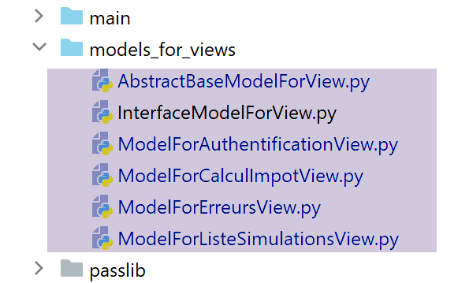
The [AbstractBaseModelForView] class, which is the parent class of all classes that generate a template, becomes the following:
from abc import abstractmethod

from flask import Request
from flask_wtf.csrf import generate_csrf
from werkzeug.local import LocalProxy

from InterfaceModelForView import InterfaceModelForView

class AbstractBaseModelForView(InterfaceModelForView):

    @abstractmethod
    def get_model_for_view(self, request: Request, session: LocalProxy, config: dict, résultat: dict) -> dict:
        pass

    def update_model(self, modèle: dict, config: dict):
        # token calculation CSRF
        if config['parameters']['with_csrftoken']:
            csrf_token = f"/{generate_csrf()}"
        else:
            csrf_token = ""
        # update the model passed in parameter
        modèle.update({
            # csrf token
            'csrf_token': csrf_token,
            # prefix_url
            'prefix_url': config["parameters"]["prefix_url"],
            # application_root
            'application_root': config["parameters"]["application_root"],
        })
- line 15: the [update_model] method is used to insert the following into the view template:
- line 24: the token CSRF;
- line 26: the prefix URL;
- line 28: the application root or alias WSGI;
The four child classes call the parent class with the following code:
…
        # possible actions from the view
        modèle['actions_possibles'] = ["afficher-vue-authentification", "authentifier-utilisateur"]

        # finishing the model with the parent class
        super().update_model(modèle, config)

        # we render the model
        return modèle
- line 6: each child class calls its parent class to update the model it created;
version 18 is ready. We take the two Apache virtual servers from version 17 and modify them:
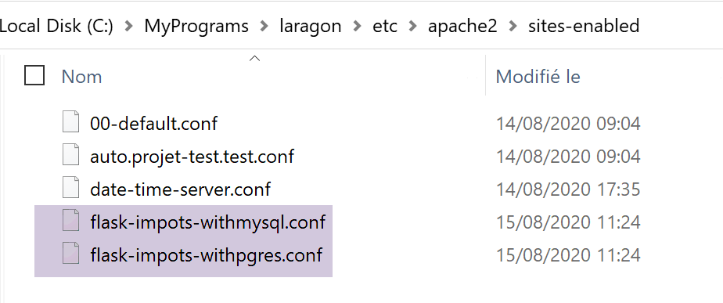
The two [flask-impots-withXX.conf] files are modified in only one place:
# dossier du script .wsgi
define ROOT "C:/Data/st-2020/dev/python/cours-2020/python3-flask-2020/impots/http-servers/13/apache"

# nom du site web configuré par ce fichier
# ici il s'appellera flask-impots-withmysql
# les URL seront du type http(s)://flask-impots-withmysql/path
define SITE "flask-impots-withmysql"

# mettre l'adresse IP 127.0.0.1 pour site SITE dans c:/windows/system32/drivers/etc/hosts

# mettre ici les chemins des bibliothèques Python à utiliser - les séparer par des virgules
# ici les bibliothèques d'un environnement virtuel Python
WSGIPythonPath  "C:/Data/st-2020/dev/python/cours-2020/python3-flask-2020/venv/lib/site-packages"

# Python Home - nécessaire uniquement s'il y a plusieurs versions de Python installées
# WSGIPythonHome "C:/Program Files/Python38"

# URL HTTP
<VirtualHost *:80>
    # avec l'alias / les URL auront la forme /{prefixe_url}/action/...
    # avec l'alias /impots les URL auront la forme /impots/{prefixe_url}/action/...
    # où [prefixe_url] est défini dans parameters.py
    WSGIScriptAlias /impots "${ROOT}/main_withmysql.wsgi"
    …
</VirtualHost>

# URL sécurisées avec HTTPS
<VirtualHost *:443>
    # avec l'alias / les URL auront la forme /{prefixe_url}/action/...
    # avec l'alias /impots les URL auront la forme /impots/{prefixe_url}/action/...
    # où [prefixe_url] est défini dans parameters.py
    WSGIScriptAlias /impots "${ROOT}/main_withmysql.wsgi"
    ..

</VirtualHost>
- Line 12: We are now using the [impots/http-servers/13/apache] directory.
We are ready to test version 18 on Apache. The configuration is as follows:
- the alias for WSGI is /impots in both virtual server configuration files;
- in the [configs/parameters] configuration file, the settings are as follows:
        # token csrf
        "with_csrftoken": False,
        # application URL prefix
        # put empty string if no prefix or /prefix otherwise
        "prefix_url": "/do",
        # url root of Apache server - set string empty for execution outside Apache
        "application_root": "/impots"
We start the Apache server along with the two SGBD files. We request the URL and [https://flask-impots-withmysql/impots/do] files. The server’s response is as follows:
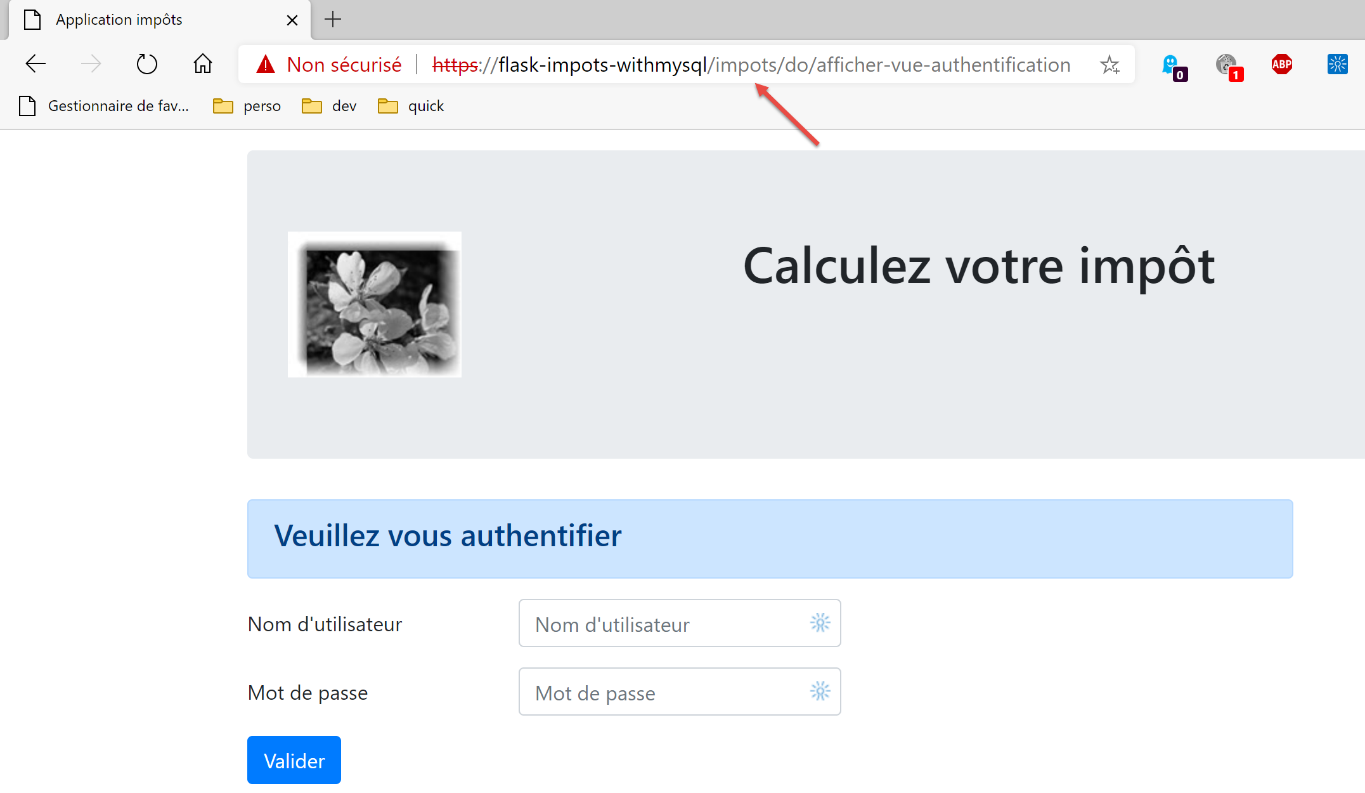
We successfully get the authentication page that we were unable to obtain in the previous version. The rest of the application works normally.
Now we test the other virtual server. We request URL [https://flask-impots-withpgres/impots/do]. The server’s response is as follows:
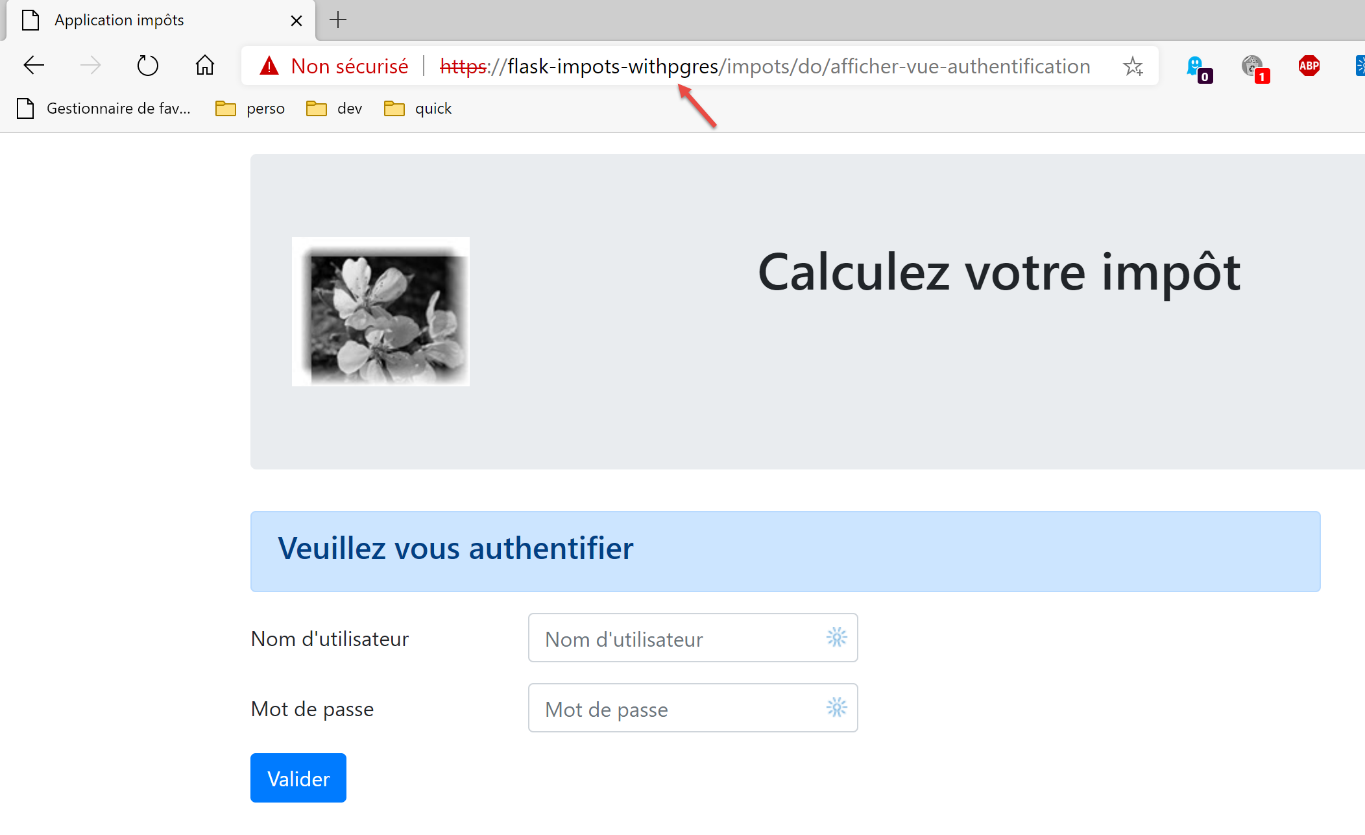
The concepts of alias WSGI and prefix URL serve the same purpose. One of these two concepts is redundant. Thus, to prefix the URL URLs from the Apache server with the string [/impots/do], there are three possible approaches:
1 – [WGSIAlias /impots] and [prefix_url=’/do’];
2 – [WGSIAlias /] and [prefix_url=’/impots/do’];
3 – [WGSIAlias /impots/do] and [prefix_url=’’];
38.2. Console tests
We are again using the console tests for client [http-clients/09]:
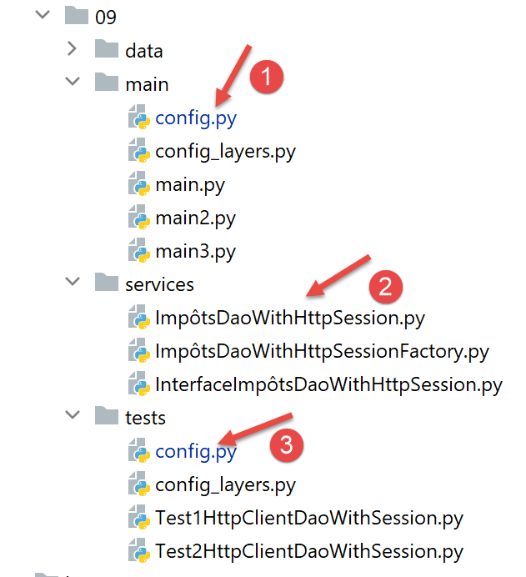
- the server’s URL must be modified in the [1] and [3] configurations;
- a modification must be made to the [dao] layer so that it supports the HTTPS protocol of the Apache server;
In the [config] files, the server's URL becomes the following:
        "server": {
            # "urlServer": "http://127.0.0.1:5000",
            # "urlServer": "http://127.0.0.1:5000/do",
            "urlServer": "https://flask-impots-withmysql/impots/do",
            "user": {
                "login": "admin",
                "password": "admin"
            },
            "url_services": {
                …
            }
        },
        # mode debug
        "debug": True,
        # csrf_token
        "with_csrftoken": False,
- line 4: the server's new URL. For the first time in this document, the client uses the HTTPS protocol;
The [ImpôtsDaoWihHttpSession] class in the [dao] layer evolves as follows:
…
    # request / response stage
    def get_response(self, method: str, url_service: str, data_value: dict = None, json_value=None):
        # [method]: HTTP GET or POST method
        # [url_service] : URL of service
        # [data]: POST parameters in x-www-form-urlencoded
        # [json]: parameters from POST to json
        # [cookies]: cookies to be included in the request

        # you must have a XML or JSON session, otherwise you won't be able to handle the response
        if self.__session_type not in ['json', 'xml']:
            raise ImpôtsError(73, "il n'y a pas de session valide en cours")

        # we add the CSRF token to the URL service token
        if self.__csrf_token:
            url_service = f"{url_service}/{self.__csrf_token}"

        # query execution
        response = requests.request(method,
                                    url_service,
                                    data=data_value,
                                    json=json_value,
                                    cookies=self.__cookies,
                                    allow_redirects=True,
                                    # for the https protocol
                                    verify=False)

        # mode debug ?
        if self.__debug:
            # logger
            if not self.__logger:
                self.__logger = self.__config['logger']
            # log on
            self.__logger.write(f"{response.text}\n")

        …

        # we return the result
        return résultat['réponse']
- line 26, we add the parameter [verify=False] because of the HTTPS protocol used by the Apache server. The [requests] module (line 19) natively supports the HTTPS protocol. By default, it verifies the validity of the security certificate sent to it by the HTTPS server and throws an exception if the received certificate is invalid. This is the case here, where Laragon’s Apache server sends a self-signed certificate. To avoid the exception, we use the [verify=False] parameter to tell the [requests] module not to throw an exception. [requests] then simply displays a warning on the console.
Once these changes are made, all console tests should work.