34. 实践练习:第 14 版
版本 14 的 [http-servers/09] 文件夹是通过复制版本 13 的 [http-servers/08] 文件夹获得的。
34.1. 简介
CSRF(跨站请求伪造)是一种会话劫持技术。维基百科(https://fr.wikipedia.org/wiki/Cross-site_request_forgery)对此解释如下:
- 玛洛丽设法找到了允许她删除该帖子的链接。
- 玛洛丽向爱丽丝发送了一条包含待显示伪图片(实际上是一个脚本)的消息。该图片的URL正是指向删除目标消息的脚本链接。
- 爱丽丝的浏览器中必须已打开玛洛莉目标网站的会话。这是攻击悄无声息地成功实施的先决条件,否则会触发身份验证请求,从而引起爱丽丝的警觉。该会话必须具备执行玛洛莉破坏性请求所需的权限。目标网站的浏览器标签页无需处于打开状态,甚至浏览器无需正在运行,只要会话处于活动状态即可。
- 爱丽丝阅读了玛洛丽的消息;她的浏览器利用了爱丽丝的已建立会话,并未请求交互式身份验证。浏览器尝试获取图片内容。在此过程中,浏览器触发了链接并删除了消息,随后将一个纯文本网页作为图片内容返回。 由于浏览器无法识别该图片的关联类型,因此不会显示图片,爱丽丝也并未意识到玛洛丽刚刚迫使她违背意愿删除了这条消息。
即便这样解释,CSRF 技术仍难以理解。让我们画个图示:
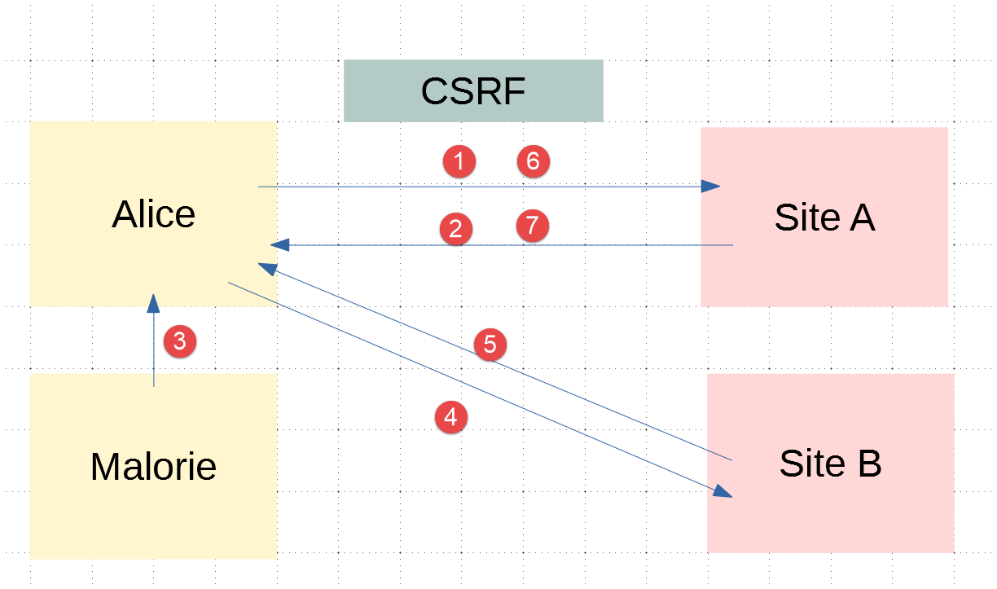
- 在[1-2]中,爱丽丝与论坛(网站A)进行通信。该论坛为每位用户维护一个会话。爱丽丝的浏览器将此会话cookie存储在本地,并在每次向网站A发出新请求时将其发回;
- 在[3]中,玛洛莉向爱丽丝发送了一条消息。爱丽丝在浏览器中阅读了这条消息。该消息采用HTML格式,其中包含一个指向网站B上某张图片的链接。实际上,这个链接指向的是一段JavaScript脚本,该脚本会在到达爱丽丝的浏览器后自动运行;
- 随后,该 JavaScript 脚本向网站 A 发起请求。爱丽丝的浏览器会自动将该请求连同本地存储的会话 Cookie 一并发送出去。攻击就在此时发生:玛洛莉已成功利用爱丽丝的会话凭据访问了网站 A。从这一刻起,无论后续发生什么,攻击都已得逞;
为防范此类攻击,网站 A 可采取以下措施:
- 在与爱丽丝的每次交互[1-2]中,网站A都会发送一个密钥(以下简称CSRF令牌),爱丽丝必须在下次请求中返回该令牌。因此,每次请求时,爱丽丝必须发送两项信息:
- 会话 Cookie;
- 上次向网站 A 发送请求时在响应中收到的 CSRF 令牌;
保护机制的原理在于:虽然浏览器会自动将会话 Cookie 发回给网站 A,但不会自动发送 CSRF 令牌。因此,攻击脚本执行的第 6-7 次交互将被拒绝,因为第 6 次请求中并未包含 CSRF 令牌;
对于 HTML 应用程序,网站 A 可以通过多种方式向爱丽丝发送 CSRF 令牌:
- 它可以在每次请求中发送一个HTML页面,其中所有链接都包含CSRF令牌,例如 [http://siteA/chemin/csrf_token]。当爱丽丝在下次请求中点击其中一个链接时,网站A只需从请求URL中提取CSRF令牌并验证其有效性。本文将采用此方法;
- 对于包含表单的 HTML 页面,网站 A 可以发送一个包含隐藏字段 [input type='hidden'] 的表单,该字段中包含 CSRF 令牌。当爱丽丝提交页面时,该令牌将随表单自动提交。网站 A 将从请求主体中提取 CSRF 令牌;
- 还有其他可能的技术;
34.2. 配置
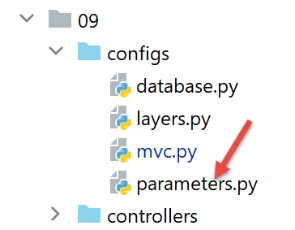
我们在应用程序的 [parameters] 配置中添加两个布尔值:
- [with_redissession]:设置为 True 时,应用程序使用 Redis 会话;设置为 False 时,应用程序使用标准的 Flask 会话;
- [with_csrftoken]:当设置为 True 时,应用程序的 URL 中包含一个 CSRF 令牌;
        # durée pause thread en secondes
        "sleep_time": 0,
        # serveur Redis
        "with_redissession": True,
        "redis": {
            "host": "127.0.0.1",
            "port": 6379
        },
        # token csrf
        "with_csrftoken": False,
34.3. CSRF 实现
我们将确保在以下情况下:
config['parameters']['with_csrftoken']
设置为 [True] 时,应用程序发送给客户端浏览器的网页链接中将包含一个 CSRF 令牌。
34.3.1. [flask_wtf] 模块
CSRF 令牌将通过 [flask_wtf] 模块实现,我们可在 PyCharm 终端中安装该模块:
(venv) C:\Data\st-2020\dev\python\cours-2020\python3-flask-2020\packages>pip install flask_wtf
Collecting flask_wtf
…
34.3.2. 视图模板
我们在模型中引入了一个新类:
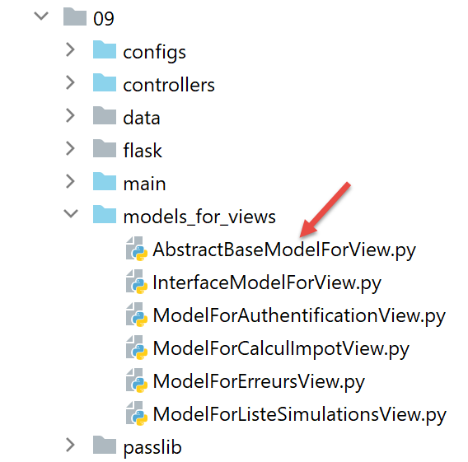
[AbstractBaseModelForView] 类如下所示:
- 第 9 行:[AbstractBaseModelForView] 类实现了由模型类实现的 [InterfaceModelForView] 接口;
- 第 11–13 行:[get_model_for_view] 方法未实现;
- 第 15–20 行:如果应用程序已配置为使用 CSRF 令牌,[get_csrftoken] 方法将生成 CSRF 令牌。根据具体情况,该函数会返回一个前面带斜杠 (/) 的令牌或一个空字符串。[generate_csrf] 函数对于给定的客户端请求总是生成相同的值。 处理请求涉及执行多个函数。在这些函数中使用 [generate_csrf] 始终会生成相同的值。但在下一次请求时,将生成一个新的 CSRF 令牌;
视图 V 的所有 M 模型都将按以下方式包含 CSRF 令牌:
- 每个模型类都继承自基类 [AbstractBaseModelForView];
- 第 8 行:从父类请求 CSRF 令牌。 我们得到的要么是空字符串,要么是类似 [/Ijk4NjQ2ZDdjZjI0ZDJiYTVjZTZjYmFhZGNjMjE3Y2U5M2I3ODI0NzYi.Xy5Okg.n-kSR_nslkndfT7AFVy2UDtdb8c] 的字符串;
34.3.3. 视图
根据刚才的讨论,所有视图 V 都会在其模板 M 中包含 CSRF 令牌。因此,它们可以在其中的链接中使用该令牌。让我们看几个示例:
身份验证片段 [v_authentification.html]
<!-- form HTML - post its values with the [authenticate-user] action -->
<form method="post" action="/authentifier-utilisateur{{modèle.csrf_token}}">
<!-- title -->
<div class="alert alert-primary" role="alert">
<h4>Veuillez vous authentifier</h4>
</div>
…
</form>
- 第 2 行:根据刚才所见,[action] 属性的 URL 将为:
[/authentifier-utilisateur/Ijk4NjQ2ZDdjZjI0ZDJiYTVjZTZjYmFhZGNjMjE3Y2U5M2I3ODI0NzYi.Xy5Okg.n-kSR_nslkndfT7AFVy2UDtdb8c]
或
这取决于应用程序是否已配置为使用 CSRF 令牌;
税费计算片段 [v-calcul-impot.html]
<!-- form HTML posted -->
<form method="post" action="/calculer-impot{{modèle.csrf_token}}">
<!-- 12-column message on blue background -->
<div class="col-md-12">
<div class="alert alert-primary" role="alert">
<h4>Remplissez le formulaire ci-dessous puis validez-le</h4>
</div>
</div>
…
</form>
模拟部分 [v-liste-simulations.html]
{% if modèle.simulations is undefined or modèle.simulations|length==0 %}
<!-- message on blue background -->
<div class="alert alert-primary" role="alert">
<h4>Votre liste de simulations est vide</h4>
</div>
{% endif %}
{% if modèle.simulations is defined and modèle.simulations|length!=0 %}
<!-- message on blue background -->
<div class="alert alert-primary" role="alert">
<h4>Liste de vos simulations</h4>
</div>
<!-- simulation table -->
<table class="table table-sm table-hover table-striped">
…
<!-- table body (data displayed) -->
<tbody>
<!-- display each simulation by browsing the simulation table -->
{% for simulation in modèle.simulations %}
<!-- display a table row with 6 columns - <tr> tag -->
<!-- column 1: row header (simulation no.) - <th scope='row' tag -->
<!-- column 2: parameter value [married] - <td> tag -->
<!-- column 3: parameter value [children] - <td> tag -->
<!-- column 4: parameter value [salary] - <td> tag -->
<!-- column 5: [tax] parameter value - <td> tag -->
<!-- column 6: parameter value [surcôte] - <td> tag -->
<!-- column 7: parameter value [discount] - <td> tag -->
<!-- column 8: parameter value [reduction] - <td> tag -->
<!-- column 9: parameter value [rate] (of tax) - <td> tag -->
<!-- column 10: link to delete simulation - <td> tag -->
<tr>
<th scope="row">{{simulation.id}}</th>
<td>{{simulation.marié}}</td>
<td>{{simulation.enfants}}</td>
<td>{{simulation.salaire}}</td>
<td>{{simulation.impôt}}</td>
<td>{{simulation.surcôte}}</td>
<td>{{simulation.décôte}}</td>
<td>{{simulation.réduction}}</td>
<td>{{simulation.taux}}</td>
<td><a href="/supprimer-simulation/{{simulation.id}}{{modèle.csrf_token}}">Supprimer</a></td>
</tr>
{% endfor %}
</tr>
</tbody>
</table>
{% endif %}
菜单代码片段 [v-menu.html]
<!-- bootstrap menu -->
<nav class="nav flex-column">
<!-- display a list of links HTML -->
{% for optionMenu in modèle.optionsMenu %}
<a class="nav-link" href="{{optionMenu.url}}{{modèle.csrf_token}}">{{optionMenu.text}}</a>
{% endfor %}
</nav>
34.3.4. 路由
目前有两种类型的路由,取决于它们是否使用 CSRF 令牌:
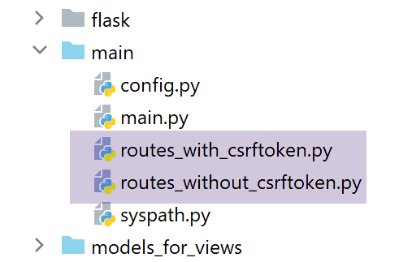
- [routes_without_csrftoken] 指不使用 CSRF 令牌的路由。这些是上一版本中的路由;
- [routes_with_csrftoken] 是包含 CSRF 令牌的路由。
在 [routes_with_csrftoken] 中,路由现在多了一个参数,即 CSRF 令牌:
现在所有路由的参数中都包含 CSRF 令牌,包括 [/init-session] 路由。这意味着客户端无法通过直接输入 URL [/init-session/html] 来启动应用程序,因为此时会缺少 CSRF 令牌。现在必须通过第 7–10 行中的 [/] URL 进行访问。
路由是在主脚本 [main] 中选定的:
- 第 9–13 行:根据应用程序是否使用 CSRF 令牌来选择路由;
34.3.5. [MainController]
对于每个请求,服务器必须验证 CSRF 令牌是否存在。我们将在主控制器 [MainController] 中实现这一功能,该控制器负责处理所有请求:
- 第 20 行:从表单的请求 URL [http://machine:port/path/action/param1/param2/…/csrf_token] 中获取 CSRF 令牌。会话令牌总是 URL 的最后一个元素;
- 第 23 行:将从 URL 获取的 CSRF 令牌与会话的 CSRF 令牌进行有效性校验。若无效,[validate_csrf] 函数将抛出 [ValidationError] 异常(第 27 行);
- 第 41 行:将 CSRF 令牌包含在发送给客户端的响应中。JSON 和 XML 客户端需要该令牌。这是因为这些客户端收到的 HTML 页面中,链接内并不包含 CSRF 令牌。因此,它们将通过服务器发送的 JSON 或 XML 响应获取该令牌;
注意:第 23 行的 [validate_csrf] 函数并不检查是否完全匹配。CSRF 令牌存储在会话中,键名为 [csrf_token]。 测试结果表明,只要 CSRF 令牌是在当前会话期间生成的,它就是有效的。因此,如果你手动将浏览器中显示的 URL 中的 CSRF 令牌 [xyz](例如 (/lister-simulations/xyz))替换为之前在某次操作中接收到的另一个令牌 [abc],那么 [/lister-simulations] 操作将成功;
34.4. 浏览器测试
首先:
- 以 [with_csrftoken] 参数设为 [True] 的方式启动服务器;
- 使用浏览器请求 URL [http://localhost:5000];
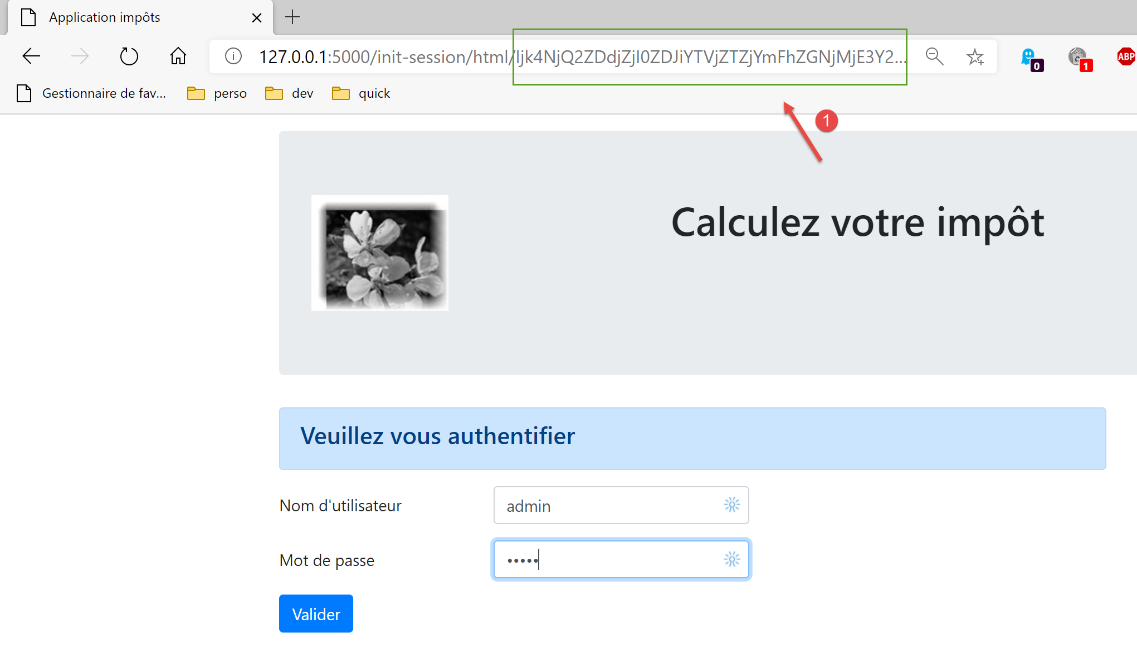
- 在 [1] 中,CSRF 令牌;
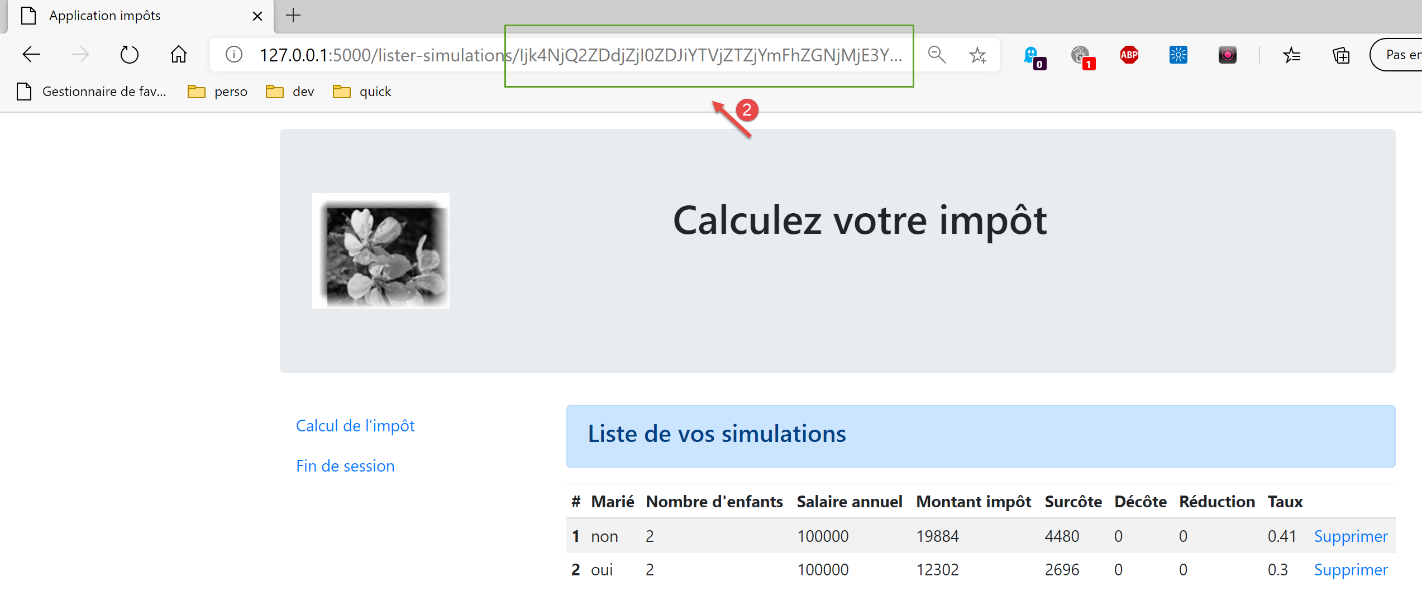
让我们执行一些操作,直到获得一组模拟列表:
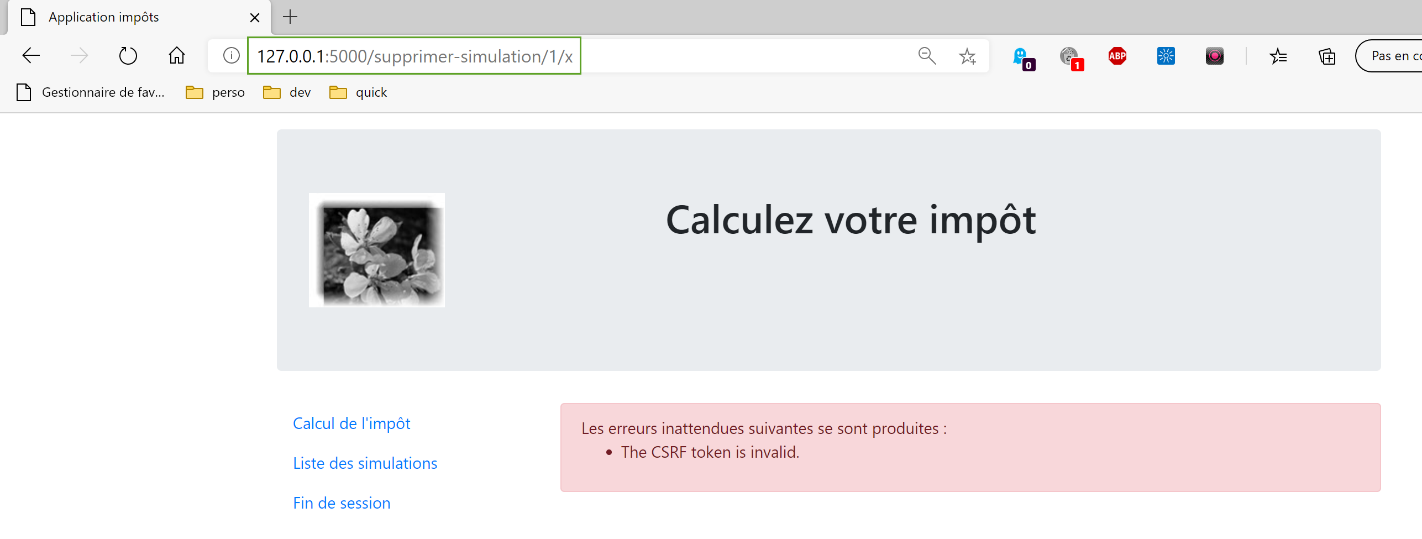
现在,手动输入 URL [http://localhost:5000/supprimer-simulation/1/x] 以删除 id=1 的模拟。我们故意输入一个错误的 CSRF 令牌,以观察会发生什么。服务器的响应如下:
注 1:不能确定此处使用的方法总能有效抵御 CSRF 攻击。让我们回到攻击示意图:
如果在 [5] 处下载的 JavaScript 脚本能够读取爱丽丝使用的浏览器历史记录,它将能够获取浏览器执行过的 URL,例如 [/target/csrf_token]。随后,它便能获取会话令牌 [csrf_token] 并在 [6-7] 处实施攻击。然而,浏览器仅允许访问脚本运行所在的浏览器窗口的历史记录。 因此,如果爱丽丝没有使用同一个窗口与网站 A 进行交互 [1-2] 并阅读玛洛莉的消息 [3],CSRF 攻击将无法实现。
34.5. 控制台客户端
测试应用程序第 14 版另一种方法是复用第 12 版的测试用例,并将其适配到新服务器上。
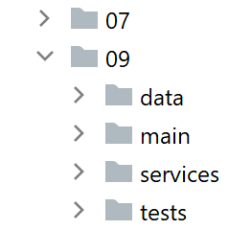
[impots/http-clients/09] 文件夹最初是通过复制 [impots/http-clients/07] 文件夹创建的,随后对其进行了修改。
让我们回到初始化会话的路由:
以下这些路由都不适合用于初始化 JSON 或 XML 会话:
- 第 2–5 行:[/] 路由初始化的是 HTML 会话;
- 第 8–11 行:[/init-session] 路由需要一个我们不知道的 CSRF 令牌;
我们决定在服务器上添加一个新路由:
- 第 2 行:新的路由。它不期望 CSRF 令牌。因此,我们回到了上一版本的 [/init-session] 路由;
- 第 4-5 行:我们将客户端(JSON、XML、HTML)重定向至 [/init-session] 路由,该路由的参数中包含 CSRF 令牌;
您可以在浏览器中测试此新路由:

服务器的响应(配置为 [with_csrftoken=True])如下:

- 在 [1] 中,服务器被重定向到 [/init-session] 路由,CSRF 令牌包含在 URL 中;
- 在 [2] 中,CSRF 令牌位于服务器发送的 JSON 字典中,与 [csrf_token] 键相关联;
让我们回到客户端代码:
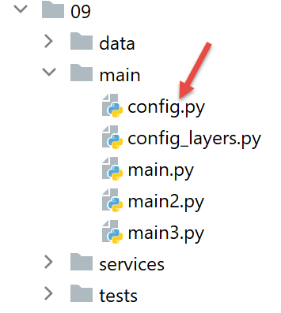
我们将 [config] 配置修改如下:
config.update({
# fichier des contribuables
"taxpayersFilename": f"{script_dir}/../data/input/taxpayersdata.txt",
# fichier des résultats
"resultsFilename": f"{script_dir}/../data/output/résultats.json",
# fichier des erreurs
"errorsFilename": f"{script_dir}/../data/output/errors.txt",
# fichier de logs
"logsFilename": f"{script_dir}/../data/logs/logs.txt",
# le serveur de calcul de l'impôt
"server": {
"urlServer": "http://127.0.0.1:5000",
"user": {
"login": "admin",
"password": "admin"
},
"url_services": {
"calculate-tax": "/calculer-impot",
"get-admindata": "/get-admindata",
"calculate-tax-in-bulk-mode": "/calculer-impots",
"init-session": "/init-session-without-csrftoken",
"end-session": "/fin-session",
"authenticate-user": "/authentifier-utilisateur",
"get-simulations": "/lister-simulations",
"delete-simulation": "/supprimer-simulation",
}
},
# mode debug
"debug": True,
# csrf_token
"with_csrftoken": True,
}
)
…
# route init-session
url_services = config['server']['url_services']
if config['with_csrftoken']:
url_services['init-session'] = '/init-session-without-csrftoken'
else:
url_services['init-session'] = '/init-session'
- 第 31 行:一个布尔值将向客户端指示其所连接的服务器是否支持 CSRF 令牌;
- 第 37–40 行:设置 [init-session] 操作的服务 URL:
- 如果服务器使用 CSRF 令牌,则服务 URL 为 [/init-session-without-csrftoken];
- 否则,服务 URL 为 [/init-session];
已引入路由 [/init-session-without-csrftoken]。它允许 JSON/XML 客户端在没有 CSRF 令牌的情况下与服务器建立会话。客户端将在服务器的响应中找到该令牌。
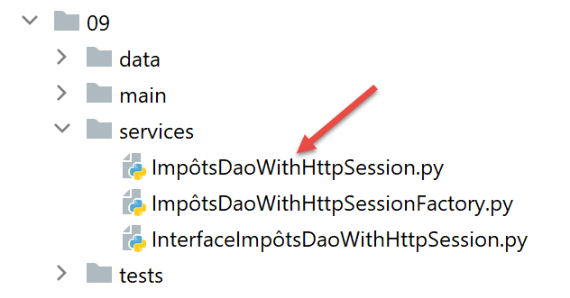
接下来,我们修改实现客户 [dao] 层的 [ImpôtsDaoWithHttpSession] 类:
1 2 3 4 5 6 7 8 9 10 11 12 13 14 15 16 17 18 19 20 21 22 23 24 25 26 27 28 29 30 31 32 33 34 35 36 37 38 39 40 41 42 43 44 45 46 47 48 49 50 51 52 53 54 55 56 57 58 59 60 61 62 63 64 65 66 67 68 69 70 71 72 73 74 75 76 77 78 79 80 81 82 83 84 85 86 87 88 89 90 91 92 93 94 95 96 97 98 99 100 101 102 103 104 105 106 107 | |
- 第 38–92 行:CSRF 令牌的处理主要在 [get_response] 方法中进行;
- 第 60 行:关键点在于 [allow_redirects=True] 参数。这是其默认值,但我们特意将其突出显示;
在 [with_csrftoken=True] 模式下:
- 客户端通过调用路由 [/init-session_without_csftoken/type_response] 开始与服务器的交互;
- 服务器对此请求的响应是重定向至 [/init-session/type_response/csrf_token] 路由;
- 由于 [allow_redirects=True] 参数的作用,客户端将跟随此重定向 [requests];
- 在第 72 行和第 74 行获取的结果中,将找到与键 [csrf_token] 关联的 CSRF 令牌;
在 [with_csrftoken=False] 模式下:
- (待续)
- 客户端通过调用路由 [/init-session/type_response] 开始与服务器的交互;
- 服务器对此请求的响应是重定向至 [/init-session/type_response] 路由;
- 由于 [allow_redirects=True] 参数,客户端 [requests] 会跟随此重定向;
- 第 81–82 行中没有 CSRF 令牌可获取。因此,属性 [self.__csrf_token] 仍为 None(第 36 行);
- 第 51–52 行:对于所有后续请求,如果存在 CSRF 令牌,则将其添加到初始路由中;
- 第 81–82 行:服务器为每个新客户端请求生成的令牌会被本地存储,以便在第 52 行随下一次请求一并返回;
此外,[init_session] 方法也略有调整:
这里需要记住的是,我们创建了一个路由 [/init-session-without-csrftoken/<response-type>],用于在不使用 CSRF 令牌的情况下初始化客户端/服务器对话。 然而,我们可以看到,代码第 12 行调用的 [get_response] 方法会系统地将存储在 [self.__csrf_token] 中的 CSRF 令牌追加到服务 URL 的末尾。这就是为什么在代码第 6 行,如果存在该 CSRF 令牌,我们会将其移除。
就这样。为了测试,我们将运行:
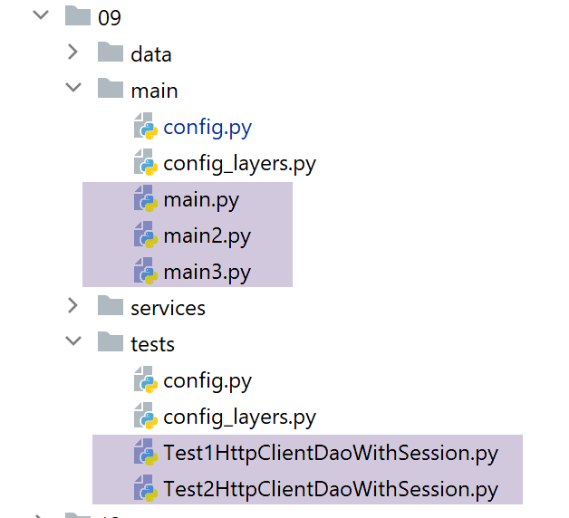
- the console clients [main, main2, main3];
- 测试类 [Test1HttpClientDaoWithSession] 和 [Test2HttpClientDaoWithSession];
通过依次将配置参数 [with_csrftoken] 设置为 True,然后设置为 False。
以下是在 [with_csrftoken=True] 条件下运行 [main json] 客户端时获得的日志示例:
2020-08-08 16:33:23.317903, MainThread : début du calcul de l'impôt des contribuables
2020-08-08 16:33:23.317903, Thread-1 : début du calcul de l'impôt des 4 contribuables
2020-08-08 16:33:23.317903, Thread-2 : début du calcul de l'impôt des 2 contribuables
2020-08-08 16:33:23.317903, Thread-3 : début du calcul de l'impôt des 4 contribuables
2020-08-08 16:33:23.317903, Thread-4 : début du calcul de l'impôt des 1 contribuables
2020-08-08 16:33:23.379221, Thread-2 : {"action": "init-session", "état": 700, "réponse": ["session démarrée avec le type de réponse json"], "csrf_token": "ImFiZmZkYjZmMzFkZDc2YWRjNWYwOGM0NTBmMGM4ODJjYzViOWI4NGEi.Xy63sw.H5L0--yWsvfaWvggrGw78z5VnN0"}
2020-08-08 16:33:23.381073, Thread-4 : {"action": "init-session", "état": 700, "réponse": ["session démarrée avec le type de réponse json"], "csrf_token": "ImY5YzQyMjlkYzcyYmM4YmZiMGI0NWY5MjE4MzIzNDExZjc0MGQ3MWQi.Xy63sw.q6olg7IP_g2ro_RBFRCX1BX90g8"}
2020-08-08 16:33:23.386982, Thread-3 : {"action": "init-session", "état": 700, "réponse": ["session démarrée avec le type de réponse json"], "csrf_token": "IjkxZGNlN2YyMmUxMjQ0M2Y0MTdjNDQ4ZmQ1MDMxZjkwNjBhNzAzZjMi.Xy63sw.-6buL11No3UJBlElpW4tX4B-lp0"}
2020-08-08 16:33:23.390269, Thread-1 : {"action": "init-session", "état": 700, "réponse": ["session démarrée avec le type de réponse json"], "csrf_token": "IjIxNmU4MDQyZDFmZmIyZDlmZjE4MzNlNDUzYzFjMGYxMWYxYzEwNGYi.Xy63sw.fgs6Cm2owsJf4NjTm7gKrVESabI"}
2020-08-08 16:33:23.413206, Thread-2 : {"action": "authentifier-utilisateur", "état": 200, "réponse": "Authentification réussie", "csrf_token": "ImFiZmZkYjZmMzFkZDc2YWRjNWYwOGM0NTBmMGM4ODJjYzViOWI4NGEi.Xy63sw.H5L0--yWsvfaWvggrGw78z5VnN0"}
2020-08-08 16:33:23.422877, Thread-2 : {"action": "calculer-impots", "état": 1500, "réponse": [{"marié": "non", "enfants": 3, "salaire": 100000, "impôt": 16782, "surcôte": 7176, "taux": 0.41, "décôte": 0, "réduction": 0, "id": 1}, {"marié": "oui", "enfants": 3, "salaire": 100000, "impôt": 9200, "surcôte": 2180, "taux": 0.3, "décôte": 0, "réduction": 0, "id": 2}], "csrf_token": "ImFiZmZkYjZmMzFkZDc2YWRjNWYwOGM0NTBmMGM4ODJjYzViOWI4NGEi.Xy63sw.H5L0--yWsvfaWvggrGw78z5VnN0"}
2020-08-08 16:33:23.428622, Thread-4 : {"action": "authentifier-utilisateur", "état": 200, "réponse": "Authentification réussie", "csrf_token": "ImY5YzQyMjlkYzcyYmM4YmZiMGI0NWY5MjE4MzIzNDExZjc0MGQ3MWQi.Xy63sw.q6olg7IP_g2ro_RBFRCX1BX90g8"}
2020-08-08 16:33:23.429127, Thread-3 : {"action": "authentifier-utilisateur", "état": 200, "réponse": "Authentification réussie", "csrf_token": "IjkxZGNlN2YyMmUxMjQ0M2Y0MTdjNDQ4ZmQ1MDMxZjkwNjBhNzAzZjMi.Xy63sw.-6buL11No3UJBlElpW4tX4B-lp0"}
2020-08-08 16:33:23.429127, Thread-1 : {"action": "authentifier-utilisateur", "état": 200, "réponse": "Authentification réussie", "csrf_token": "IjIxNmU4MDQyZDFmZmIyZDlmZjE4MzNlNDUzYzFjMGYxMWYxYzEwNGYi.Xy63sw.fgs6Cm2owsJf4NjTm7gKrVESabI"}
2020-08-08 16:33:23.429127, Thread-2 : {"action": "fin-session", "état": 400, "réponse": "session réinitialisée", "csrf_token": "IjU1YjlmZDA0OWRhNTJlODFmYjgyYjlhM2ExYWNhZmUzNTk2NjA5NGIi.Xy63sw.nyNSvkcG6iG0oIMBjtYPo8ySgdw"}
2020-08-08 16:33:23.438519, Thread-2 : fin du calcul de l'impôt des 2 contribuables
2020-08-08 16:33:23.443033, Thread-4 : {"action": "calculer-impots", "état": 1500, "réponse": [{"marié": "oui", "enfants": 3, "salaire": 200000, "impôt": 42842, "surcôte": 17283, "taux": 0.41, "décôte": 0, "réduction": 0, "id": 1}], "csrf_token": "ImY5YzQyMjlkYzcyYmM4YmZiMGI0NWY5MjE4MzIzNDExZjc0MGQ3MWQi.Xy63sw.q6olg7IP_g2ro_RBFRCX1BX90g8"}
2020-08-08 16:33:23.446510, Thread-3 : {"action": "calculer-impots", "état": 1500, "réponse": [{"marié": "oui", "enfants": 5, "salaire": 100000, "impôt": 4230, "surcôte": 0, "taux": 0.14, "décôte": 0, "réduction": 0, "id": 1}, {"marié": "non", "enfants": 0, "salaire": 100000, "impôt": 22986, "surcôte": 0, "taux": 0.41, "décôte": 0, "réduction": 0, "id": 2}, {"marié": "oui", "enfants": 2, "salaire": 30000, "impôt": 0, "surcôte": 0, "taux": 0.0, "décôte": 0, "réduction": 0, "id": 3}, {"marié": "non", "enfants": 0, "salaire": 200000, "impôt": 64210, "surcôte": 7498, "taux": 0.45, "décôte": 0, "réduction": 0, "id": 4}], "csrf_token": "IjkxZGNlN2YyMmUxMjQ0M2Y0MTdjNDQ4ZmQ1MDMxZjkwNjBhNzAzZjMi.Xy63sw.-6buL11No3UJBlElpW4tX4B-lp0"}
2020-08-08 16:33:23.453477, Thread-1 : {"action": "calculer-impots", "état": 1500, "réponse": [{"marié": "oui", "enfants": 2, "salaire": 55555, "impôt": 2814, "surcôte": 0, "taux": 0.14, "décôte": 0, "réduction": 0, "id": 1}, {"marié": "oui", "enfants": 2, "salaire": 50000, "impôt": 1384, "surcôte": 0, "taux": 0.14, "décôte": 384, "réduction": 347, "id": 2}, {"marié": "oui", "enfants": 3, "salaire": 50000, "impôt": 0, "surcôte": 0, "taux": 0.14, "décôte": 720, "réduction": 0, "id": 3}, {"marié": "non", "enfants": 2, "salaire": 100000, "impôt": 19884, "surcôte": 4480, "taux": 0.41, "décôte": 0, "réduction": 0, "id": 4}], "csrf_token": "IjIxNmU4MDQyZDFmZmIyZDlmZjE4MzNlNDUzYzFjMGYxMWYxYzEwNGYi.Xy63sw.fgs6Cm2owsJf4NjTm7gKrVESabI"}
2020-08-08 16:33:23.457912, Thread-4 : {"action": "fin-session", "état": 400, "réponse": "session réinitialisée", "csrf_token": "IjQ0ZDQxODgzN2M5NjRiYWI0NjA2MTk5YWFkNGFhMzY1M2IxNWMyNDIi.Xy63sw.mOa5MKXvJ-EXf_qEok-OqC5j_mg"}
2020-08-08 16:33:23.458442, Thread-4 : fin du calcul de l'impôt des 1 contribuables
2020-08-08 16:33:23.459045, Thread-3 : {"action": "fin-session", "état": 400, "réponse": "session réinitialisée", "csrf_token": "ImQ0NDZlYmViYjY1ZDUxYzJhMTNmM2JiZTRkMjBjZGJkYzE0OGVkYzMi.Xy63sw.fviTJz4zFDqVLlVlkrosT_JRPww"}
2020-08-08 16:33:23.459700, Thread-3 : fin du calcul de l'impôt des 4 contribuables
2020-08-08 16:33:23.460492, Thread-1 : {"action": "fin-session", "état": 400, "réponse": "session réinitialisée", "csrf_token": "Ijg3MjQ1NGUyYTUyOGEyNTdmZmNmYWZkMmU2OTgyMzUwNjI1YTlhZjIi.Xy63sw.I0xBl9Q8DzsuXPSgOdeARc_VKBA"}
2020-08-08 16:33:23.460492, Thread-1 : fin du calcul de l'impôt des 4 contribuables
2020-08-08 16:33:23.460492, MainThread : fin du calcul de l'impôt des contribuables
如果我们观察依次接收到的CSRF令牌,会发现它们各不相同。