38. 实践练习:版本 18
38.1. 实现
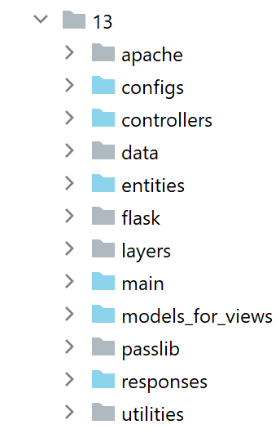
[impots/http-servers/13] 文件夹最初是通过复制 [impots/http-servers/12] 文件夹创建的,随后进行了部分修改。
首先,我们在 [configs/parameters] 文件中添加一个新参数:
…
        # token csrf
        "with_csrftoken": False,
        # bases gérées MySQL (mysql), PostgreSQL (pgres)
        "databases": ["mysql", "pgres"],
        # préfixe des URL de l'application
        # mettre la chaîne vide si on ne veut pas de préfixe ou /préfixe sinon
        "prefix_url": "/do",
        # url racine du serveur Apache - mettre la chaîne vide pour une exécution en-dehors d'Apache
        "application_root": "/impots"
…
第 10 行:[application_root] 参数将代表 Apache 虚拟服务器的 WSGI 别名。
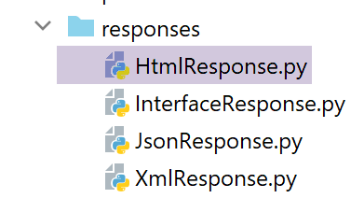
借助此参数,我们可以修正导致错误的 [responses/HtmlResponse] 指令:
…
# now it's time to generate the URL redirection, not forgetting the CSRF token if requested
        if config['parameters']['with_csrftoken']:
            csrf_token = f"/{generate_csrf()}"
        else:
            csrf_token = ""

        # redirect response
        return redirect(f"{config['parameters']['application_root']}{config['parameters']['prefix_url']}{ads['to']}{csrf_token}")
, status.HTTP_302_FOUND
- 第 9 行:我们在重定向目标 URL 的开头添加了应用程序根路径;
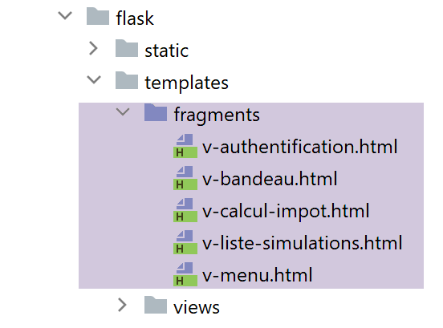
我们还需要修正所有片段,确保其中包含的 URL 以应用程序根目录(或 WSGI 别名)开头:
[v-authentication] 片段
<!-- form HTML - post its values with the [authenticate-user] action -->
<form method="post" action="{{modèle.application_root}}{{modèle.prefix_url}}/authentifier-utilisateur{{modèle.csrf_token}}"
>

    <!-- title -->
    <div class="alert alert-primary" role="alert">
        <h4>Veuillez vous authentifier</h4>
    </div>
…

</form>
[v-calcul-impot] 片段
<!-- form HTML posted -->
<form method="post" action="{{modèle.application_root}}{{modèle.prefix_url}}/calculer-impot{{modèle.csrf_token}}">
    <!-- 12-column message on blue background -->
    …

</form>
[v-liste-simulations] 片段
…

{% if modèle.simulations is defined and modèle.simulations|length!=0 %}
…

<!-- simulation table -->
<table class="table table-sm table-hover table-striped">
    …
    <tr>
        <th scope="row">{{simulation.id}}</th>
        <td>{{simulation.marié}}</td>
        <td>{{simulation.enfants}}</td>
        <td>{{simulation.salaire}}</td>
        <td>{{simulation.impôt}}</td>
        <td>{{simulation.surcôte}}</td>
        <td>{{simulation.décôte}}</td>
        <td>{{simulation.réduction}}</td>
        <td>{{simulation.taux}}</td>
        <td><a href="{{modèle.application_root}}{{modèle.prefix_url}}/supprimer-simulation/{{simulation.id}}{{modèle.csrf_token}}">Supprimer</a></td>
    </tr>
    {% endfor %}
    </tr>
    </tbody>
</table>
{% endif %}
[v-menu] 片段
<!-- bootstrap menu -->
<nav class="nav flex-column">
    <!-- display a list of links HTML -->
    {% for optionMenu in modèle.optionsMenu %}
    <a class="nav-link" href="{{modèle.application_root}}{{modèle.prefix_url}}{{optionMenu.url}}{{modèle.csrf_token}}">{{optionMenu.text}}</a>
    {% endfor %}
</nav>
上述片段均使用了 [model.application_root] 模型。目前,模型类生成的模型中并不存在 [application_root] 键。
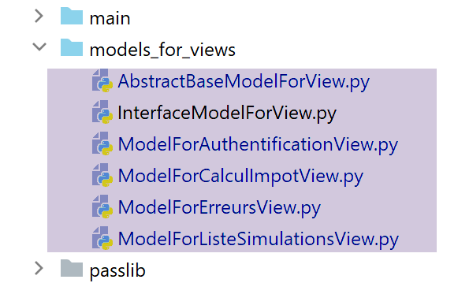
作为所有生成模板的类的父类,[AbstractBaseModelForView] 类变为如下形式:
- 第 15 行:[update_model] 方法负责在视图模板中添加以下内容:
- 第 24 行:CSRF 令牌;
- 第 26 行:URL 前缀;
- 第 28 行:应用程序根目录或 WSGI 别名;
这四个子类通过以下代码调用父类:
…
        # actions possibles à partir de la vue
        modèle['actions_possibles'] = ["afficher-vue-authentification", "authentifier-utilisateur"]

        # finition du modèle par la classe parent
        super().update_model(modèle, config)

        # on rend le modèle
        return modèle
- 第 6 行:每个子类都会调用其父类来更新其创建的模型;
第 18 版已准备就绪。我们将沿用第 17 版中的两个 Apache 虚拟主机,并对它们进行修改:
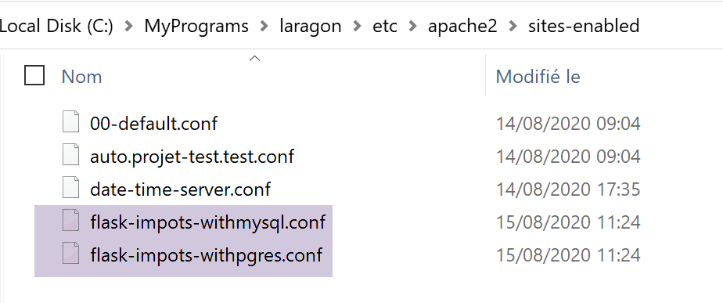
两个 [flask-imports-withXX.conf] 文件仅在以下一处进行了修改:
# dossier du script .wsgi
define ROOT "C:/Data/st-2020/dev/python/cours-2020/python3-flask-2020/impots/http-servers/13/apache"

# nom du site web configuré par ce fichier
# ici il s'appellera flask-impots-withmysql
# les URL seront du type http(s)://flask-impots-withmysql/path
define SITE "flask-impots-withmysql"

# mettre l'adresse IP 127.0.0.1 pour site SITE dans c:/windows/system32/drivers/etc/hosts

# mettre ici les chemins des bibliothèques Python à utiliser - les séparer par des virgules
# ici les bibliothèques d'un environnement virtuel Python
WSGIPythonPath  "C:/Data/st-2020/dev/python/cours-2020/python3-flask-2020/venv/lib/site-packages"

# Python Home - nécessaire uniquement s'il y a plusieurs versions de Python installées
# WSGIPythonHome "C:/Program Files/Python38"

# URL HTTP
<VirtualHost *:80>
    # avec l'alias / les URL auront la forme /{prefixe_url}/action/...
    # avec l'alias /impots les URL auront la forme /impots/{prefixe_url}/action/...
    # où [prefixe_url] est défini dans parameters.py
    WSGIScriptAlias /impots "${ROOT}/main_withmysql.wsgi"
    …
</VirtualHost>

# URL sécurisées avec HTTPS
<VirtualHost *:443>
    # avec l'alias / les URL auront la forme /{prefixe_url}/action/...
    # avec l'alias /impots les URL auront la forme /impots/{prefixe_url}/action/...
    # où [prefixe_url] est défini dans parameters.py
    WSGIScriptAlias /impots "${ROOT}/main_withmysql.wsgi"
    ..

</VirtualHost>
- 第 12 行:我们现在使用 [taxes/http-servers/13/apache] 目录。
我们已准备好测试在 Apache 上运行的第 18 版。配置如下:
- 两个虚拟服务器配置文件中的 WSGI 别名均为 /impots;
- 在配置文件 [configs/parameters] 中,参数设置如下:
        # token csrf
        "with_csrftoken": False,
        # préfixe des URL de l'application
        # mettre la chaîne vide si on ne veut pas de préfixe ou /préfixe sinon
        "prefix_url": "/do",
        # url racine du serveur Apache - mettre la chaîne vide pour une exécution en-dehors d'Apache
        "application_root": "/impots"
我们启动 Apache 服务器和两个数据库管理系统。我们请求 URL [https://flask-impots-withmysql/impots/do]。服务器的响应如下:
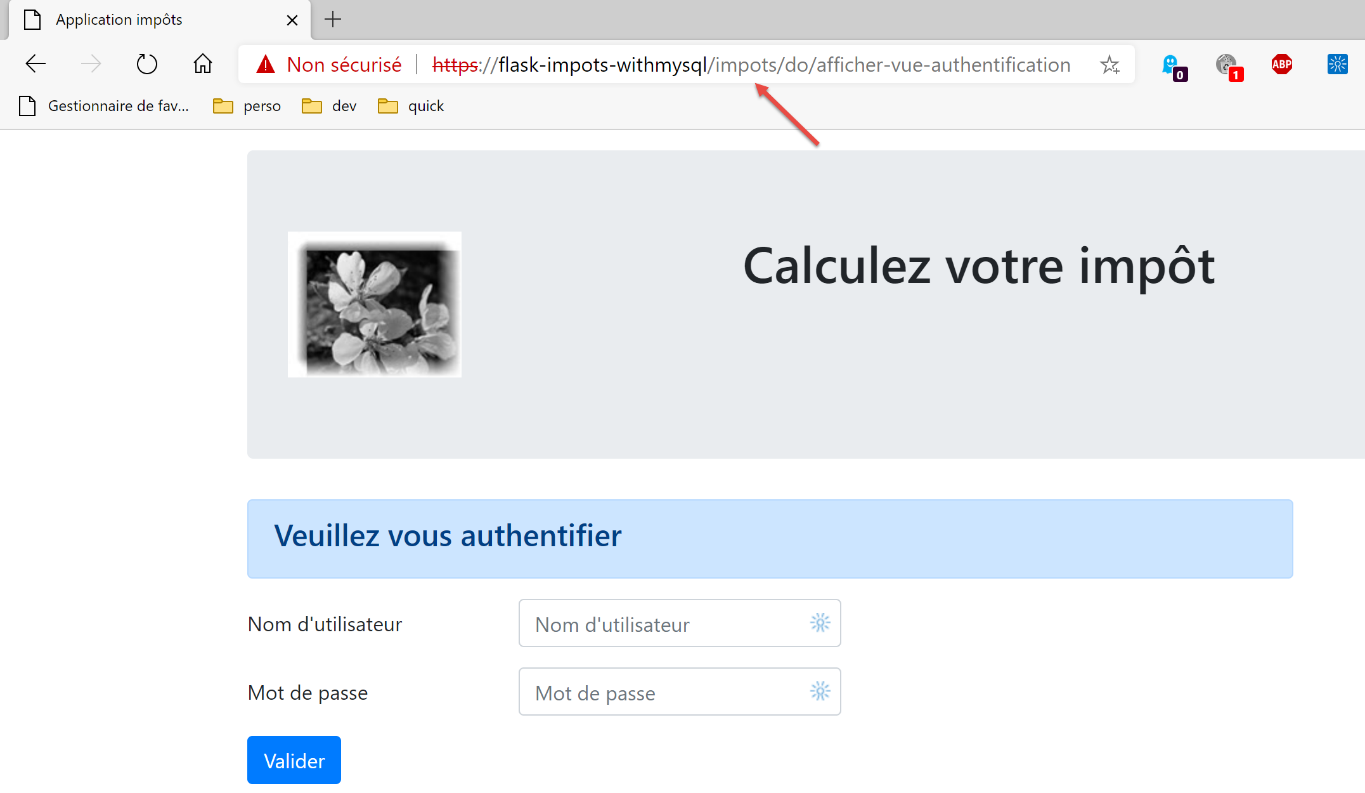
我们成功看到了身份验证页面,而在之前的版本中我们无法访问该页面。应用程序的其他部分运行正常。
现在我们测试另一个虚拟服务器。我们请求 URL [https://flask-impots-withpgres/impots/do]。服务器的响应如下:
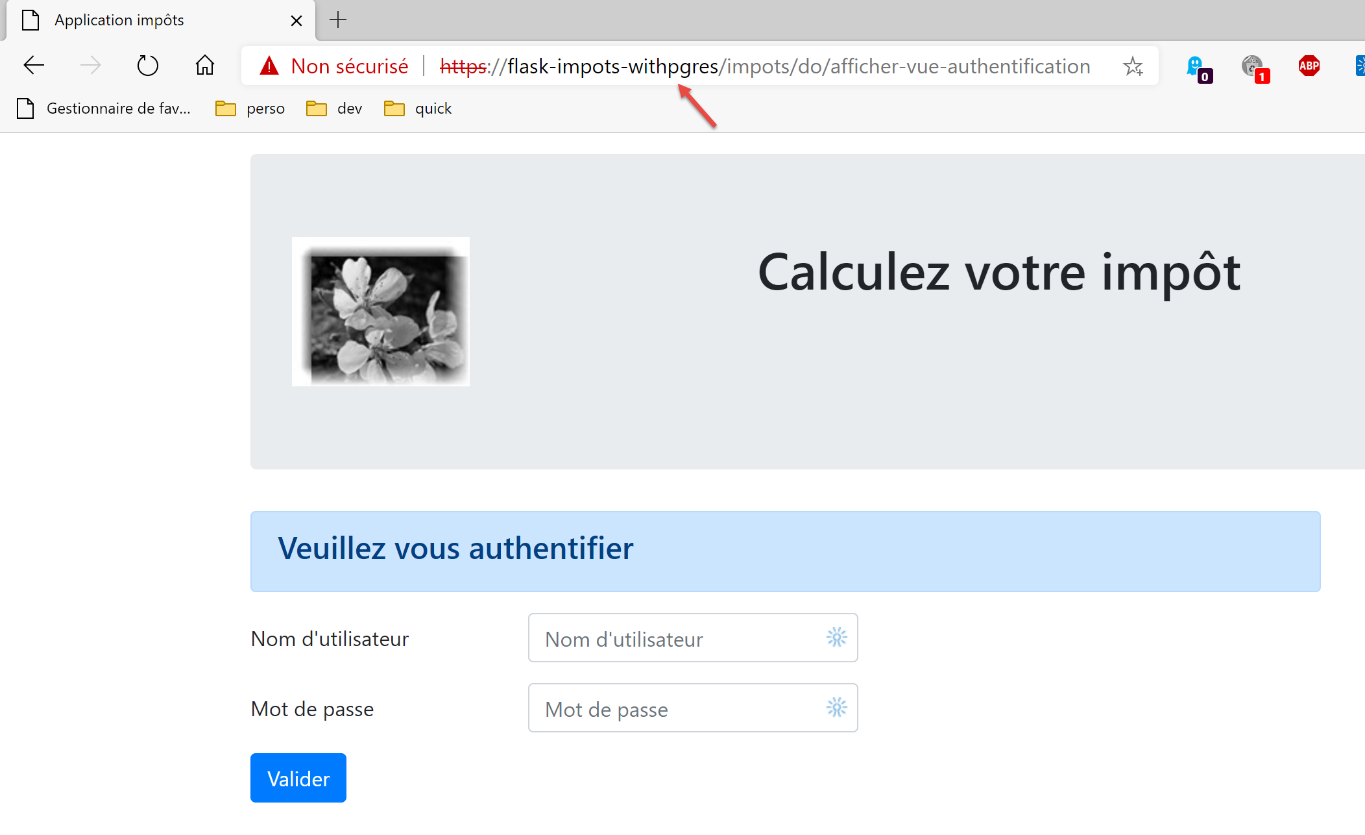
WSGI 别名和 URL 前缀的概念具有相同的功能。这两个概念中有一个是多余的。因此,要在 Apache 服务器的 URL 前添加字符串 [/imports/do],有三种实现方式:
1 – [WGSIAlias /impots] 且 [prefix_url=’/do’];
2 – [WGSIAlias /] 配合 [prefix_url=’/impots/do’];
3 – [WGSIAlias /impots/do] 配合 [prefix_url=’’];
38.2. 控制台测试
我们再次使用客户端控制台测试 [http-clients/09]:
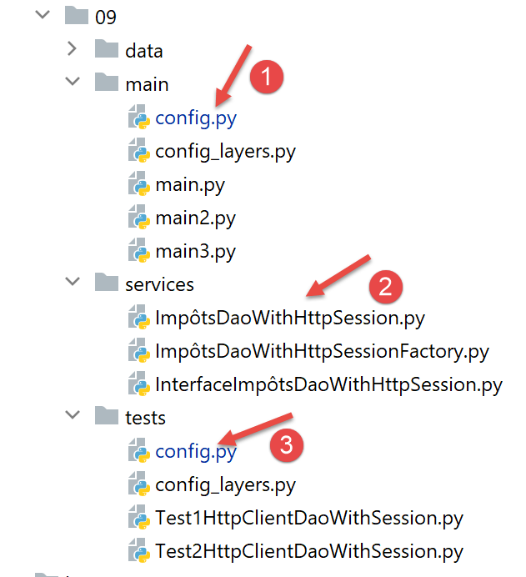
- 必须在配置 [1] 和 [3] 中修改服务器 URL;
- 必须对 [dao] 层进行修改,使其支持 Apache 服务器的 HTTPS 协议;
在 [config] 文件中,服务器 URL 变为如下形式:
        "server": {
            # "urlServer": "http://127.0.0.1:5000",
            # "urlServer": "http://127.0.0.1:5000/do",
            "urlServer": "https://flask-impots-withmysql/impots/do",
            "user": {
                "login": "admin",
                "password": "admin"
            },
            "url_services": {
                …
            }
        },
        # mode debug
        "debug": True,
        # csrf_token
        "with_csrftoken": False,
- 第 4 行:新的服务器 URL。本文档中首次出现客户端使用 HTTPS 协议;
[dao] 层中的 [ImpôtsDaoWihHttpSession] 类演变如下:
- 在第 26 行,我们添加了 [verify=False] 参数,因为 Apache 服务器使用的是 HTTPS 协议。[requests] 模块(第 19 行)原生支持 HTTPS 协议。 默认情况下,它会验证 HTTPS 服务器发送的安全证书的有效性,如果收到的证书无效,则会引发异常。本例中正是如此,因为 Laragon 的 Apache 服务器发送的是自签名证书。为避免异常,我们使用 [verify=False] 参数告知 [requests] 模块不要引发异常。此时 [requests] 仅会在控制台显示一条警告。
完成这些修改后,所有控制台测试都应能正常运行。