18. [Course]: Cross-Origin Resource Sharing
Keywords: CORS (Cross-Origin Resource Sharing).
This chapter is somewhat outside the scope of the tutorial. It has been included because it introduces web programming and JavaScript programming. It is important to remember that one of the objectives of this tutorial is to present concepts frequently used in JEE development, i.e., web development based on Java frameworks. Here, we extend the web server used in the product and category database study to enable it to accept cross-domain requests.
In the document [AngularJS / Spring 4 Tutorial], we develop a client/server application where the client is an AngularJS application:
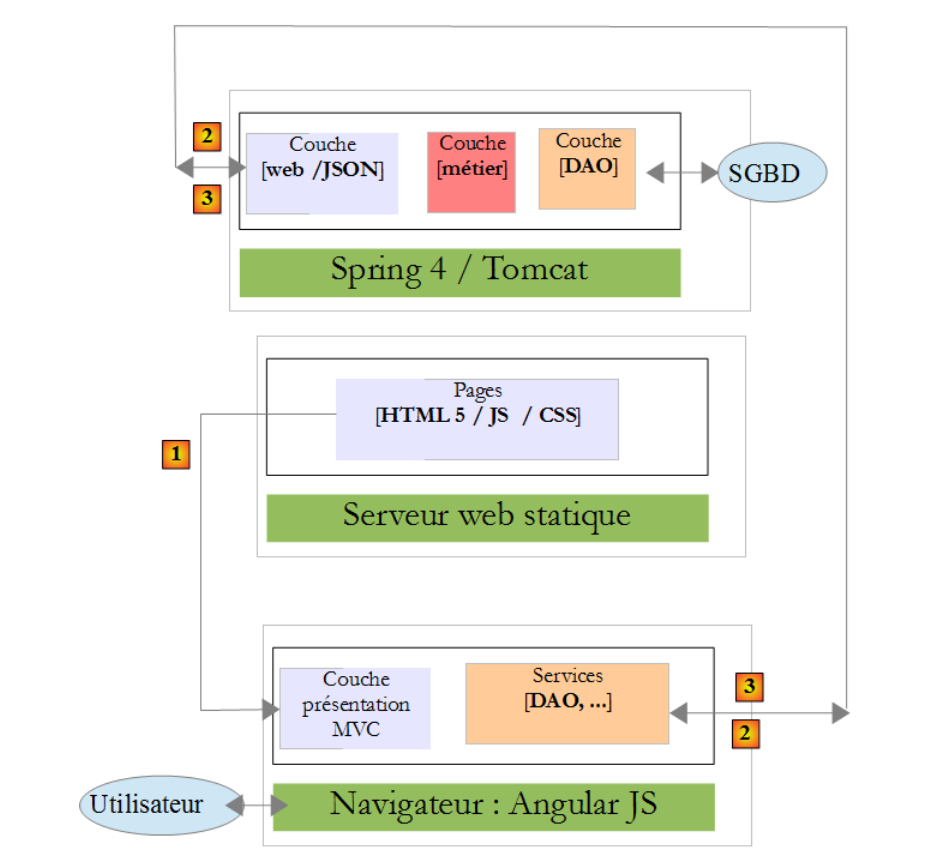 |
- the HTML/CSS/JS pages of the Angular application come from server [1];
- in [2], the [dao] service makes a request to another server, server [2]. Well, that is prohibited by the browser running the Angular application because it is a security vulnerability. The application can only query the server from which it originates, i.e., server [1];
In fact, it is inaccurate to say that the browser prevents the Angular application from querying server [2]. It actually queries it to ask whether it allows a client that does not originate from it to query it. This sharing technique is called CORS (Cross-Origin Resource Sharing). Server [2] grants permission by sending specific HTTP headers.
We will create the following architecture:
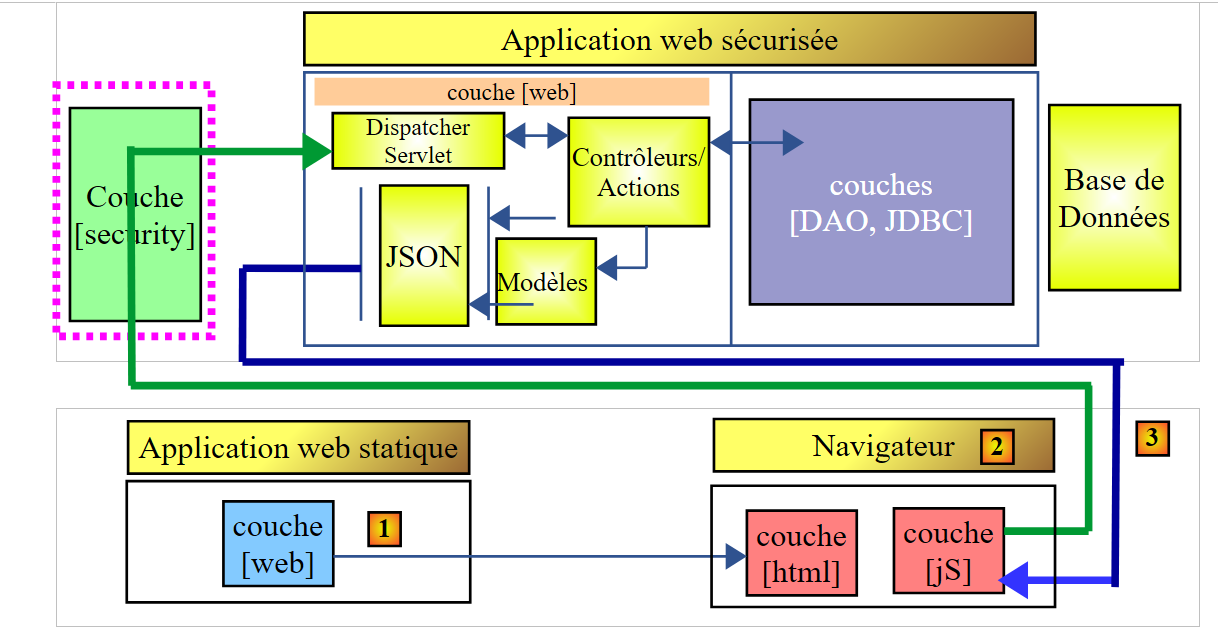 |
- in [1], a web application delivers HTML/JS pages;
- in [2], the browser executes the JavaScript embedded in the HTML pages to query the secure web service [3];
18.1. Support
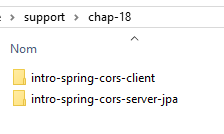 |
The projects for this chapter can be found in the [support / chap-18] folder.
18.2. The client project
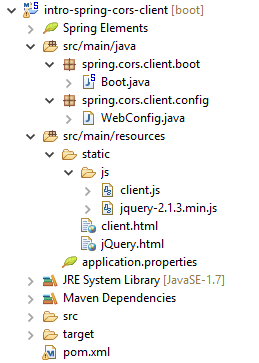
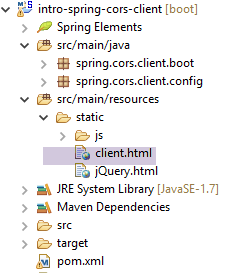
Create the following Eclipse project:
 |
18.3. Maven Configuration
The project is a Maven project with the following [pom.xml] file:
<project xmlns="http://maven.apache.org/POM/4.0.0" xmlns:xsi="http://www.w3.org/2001/XMLSchema-instance"
    xsi:schemaLocation="http://maven.apache.org/POM/4.0.0 http://maven.apache.org/xsd/maven-4.0.0.xsd">
    <modelVersion>4.0.0</modelVersion>
    <groupId>istia.st.webjson</groupId>
    <artifactId>intro-server-webjson-01</artifactId>
    <version>0.0.1-SNAPSHOT</version>

    <name>intro-server-webjson-01</name>
    <description>démo spring mvc</description>

    <parent>
        <groupId>org.springframework.boot</groupId>
        <artifactId>spring-boot-starter-parent</artifactId>
        <version>1.2.7.RELEASE</version>
    </parent>

    <dependencies>
        <dependency>
            <groupId>istia.st.springdata</groupId>
            <artifactId>intro-spring-data-01</artifactId>
            <version>0.0.1-SNAPSHOT</version>
        </dependency>
        <dependency>
            <groupId>org.springframework.boot</groupId>
            <artifactId>spring-boot-starter-web</artifactId>
        </dependency>
    </dependencies>

    <build>
        <plugins>
            <plugin>
                <groupId>org.springframework.boot</groupId>
                <artifactId>spring-boot-maven-plugin</artifactId>
            </plugin>
            <plugin>
                <groupId>org.apache.maven.plugins</groupId>
                <artifactId>maven-surefire-plugin</artifactId>
                <version>2.18.1</version>
            </plugin>
        </plugins>
    </build>

</project>
- lines 11–15: this is a Spring Boot project;
- lines 23–26: we use the [spring-boot-starter-web] dependency, which includes a Tomcat server and Spring MVC;
18.4. Spring Configuration
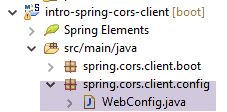 |
The [WebConfig] class that configures the Spring project is as follows:
package spring.cors.client.config;

import org.springframework.beans.factory.annotation.Autowired;
import org.springframework.boot.context.embedded.EmbeddedServletContainerFactory;
import org.springframework.boot.context.embedded.ServletRegistrationBean;
import org.springframework.boot.context.embedded.tomcat.TomcatEmbeddedServletContainerFactory;
import org.springframework.context.ApplicationContext;
import org.springframework.context.annotation.Bean;
import org.springframework.web.context.WebApplicationContext;
import org.springframework.web.servlet.DispatcherServlet;
import org.springframework.web.servlet.config.annotation.EnableWebMvc;
import org.springframework.web.servlet.config.annotation.ResourceHandlerRegistry;
import org.springframework.web.servlet.config.annotation.WebMvcConfigurerAdapter;

@EnableWebMvc
public class WebConfig extends WebMvcConfigurerAdapter {

    // -------------------------------- layer configuration [web]
    @Autowired
    private ApplicationContext context;

    @Bean
    public DispatcherServlet dispatcherServlet() {
        DispatcherServlet servlet = new DispatcherServlet((WebApplicationContext) context);
        return servlet;
    }

    @Bean
    public ServletRegistrationBean servletRegistrationBean(DispatcherServlet dispatcherServlet) {
        return new ServletRegistrationBean(dispatcherServlet, "/*");
    }

    @Bean
    public EmbeddedServletContainerFactory embeddedServletContainerFactory() {
        return new TomcatEmbeddedServletContainerFactory("", 8081);
    }

    @Override
    public void addResourceHandlers(ResourceHandlerRegistry registry) {
        registry.addResourceHandler("/*.html").addResourceLocations("classpath:/static/");
        registry.addResourceHandler("/*.js").addResourceLocations("classpath:/static/js/");
    }
}
- line 15: the class configures a Spring MVC project;
- line 16: the class extends the [WebMvcConfigurerAdapter] class to override some of its methods;
- lines 18–36: we have already encountered these beans, for example in section 13.5.3.1. Note, on line 35, that the web service will run on port 8081;
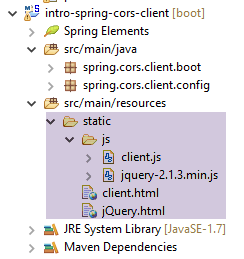
- lines 38–42: the [addResourceHandlers] method allows you to define static resources, i.e., resources not handled by the [DispatcherServlet] on line 23;
- line 40: any request for a resource with an .html suffix will return the file requested by the request and found in the [static] folder of the project’s classpath;
- line 41: any request for a resource with a .js suffix will return the JavaScript file requested by the request and found in the [static/js] folder of the project's classpath;
 |
18.5. Basics of jQuery and JavaScript
The client's HTML page will be as follows:
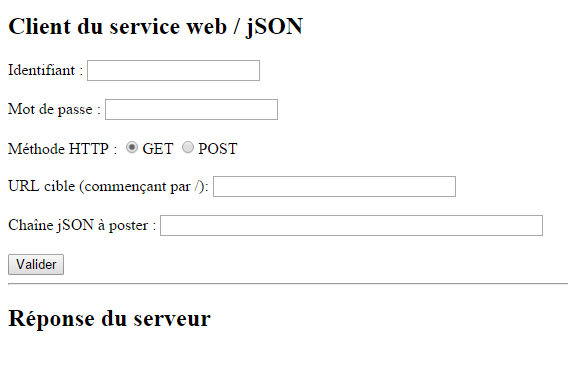 |
It will include JavaScript (JS) code that runs in the browser. We will cover some basics of JavaScript to help us understand the code. The client will make HTTP requests using the jQuery library [https://jquery.com/], which provides many functions that simplify JavaScript development. We create a static HTML file [jQuery.html] and place it in the [static] folder:
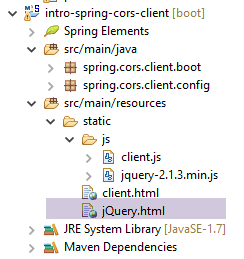 |
This file will have the following content:
<!DOCTYPE html>
<html xmlns="http://www.w3.org/1999/xhtml">
<head>
<meta http-equiv="Content-Type" content="text/html; charset=utf-8" />
<title>JQuery-01</title>
<script type="text/javascript" src="/jquery-2.1.3.min.js"></script>
</head>
<body>
    <h3>Rudiments de JQuery</h3>
    <div id="element1">Elément 1</div>
</body>
</html>
- line 6: importing jQuery;
- Lines 10–12: a page element with the ID [element1]. We’re going to work with this element.
We need to download the file [jquery-2.1.3.min.js]. The latest version of jQuery can be found at the URL [http://jquery.com/download/]:
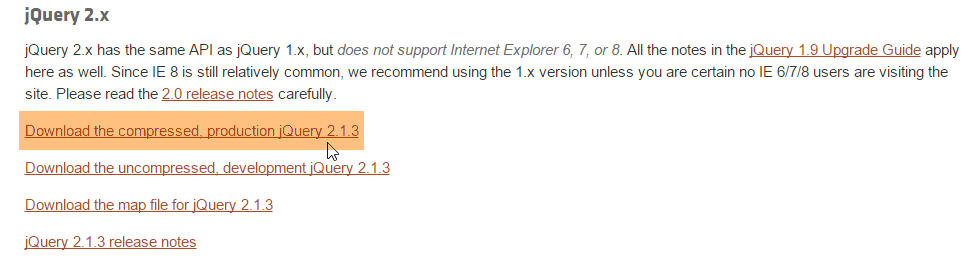
Place the downloaded file in the [static/js] folder and update line 6 of the HTML file to match the installed version.
Once that’s done, open the static view [jQuery.html] in Chrome [1-2]:
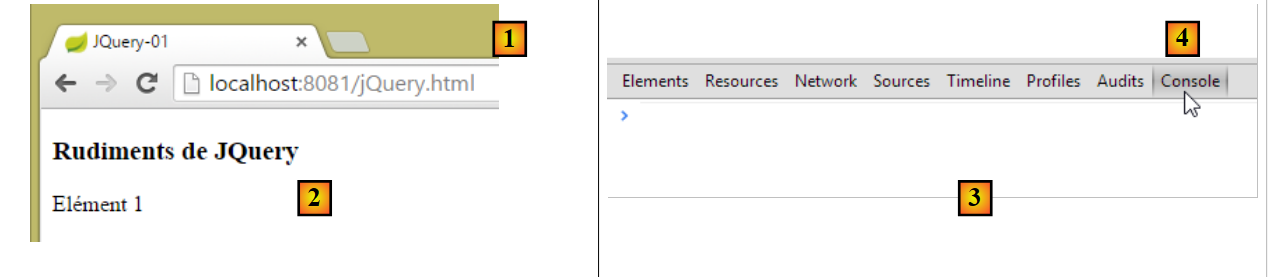 |
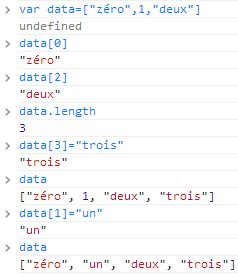
In Google Chrome, press [Ctrl-Shift-I] to open the developer tools [3]. The [Console] tab [4] allows you to run JavaScript code. Below, we provide JavaScript commands to type and explain what they do.
|
: returns the collection of all elements with the ID [element1], so normally a collection of 0 or 1 element because you cannot have two identical IDs on an HTML page. | 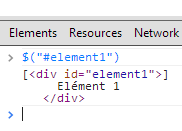 |
|
: sets the text [blabla] for all elements in the collection. This changes the content displayed by the page |  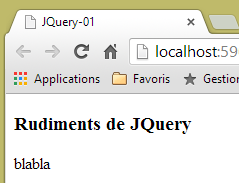 |
|
hides the elements in the collection. The text [blabla] is no longer displayed. |  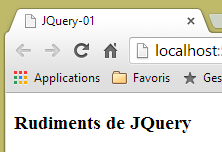 |
|
: displays the collection again. This allows us to see that the element with the ID [element1] has the CSS attribute style='display: none;', which the element to be hidden. |  |
|
: displays the elements in the collection. The text [blabla] appears again. It is the style='display: block;' that ensures this display. |  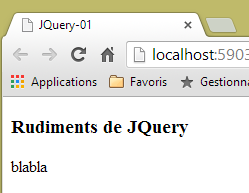 |
|
: sets an attribute on all elements in the collection. The attribute here is [style] and its value [color: red]. The text [blabla] turns red. |  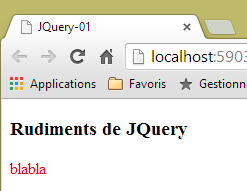 |
 | |
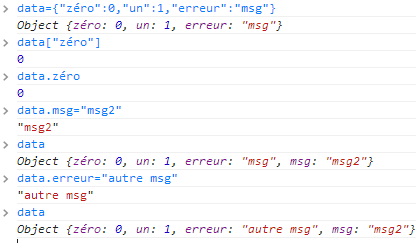 |
Note that the browser’s URL did not change during all these operations. There was no communication with the web server. Everything happens within the browser. Now, let’s view the page’s source code:
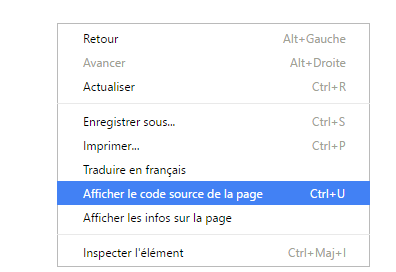 | 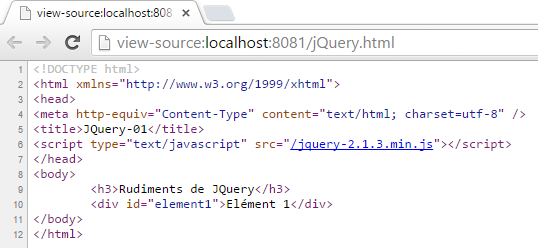 |
This is the initial text. It does not reflect the changes we made to the element in lines 10–12. It is important to remember this when debugging JavaScript. It is therefore often unnecessary to view the source code of the displayed page.
18.6. The application’s JavaScript code
Let’s return to the client application page that will query the web service / jSON:
 |
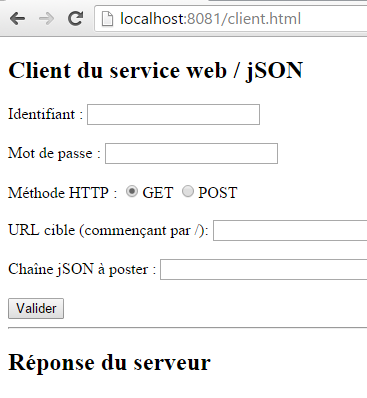 |
The HTML code for this page is as follows:
<!DOCTYPE html>
<html>
<head>
<meta charset="UTF-8">
<title>Spring MVC</title>
<script type="text/javascript" src="/jquery-2.1.3.min.js"></script>
<script type="text/javascript" src="/client.js"></script>
</head>
<body>
    <h2>Client du service web / jSON</h2>
    <form id="formulaire">
        <!--  identifier -->
        Identifiant :
        <!--  -->
        <input type="text" id="identifiant" name="identifiant" value="" />
        <!--  password -->
        <br /> <br /> Mot de passe :
        <!--  -->
        <input type="text" id="password" name="password" value="" />
        <!--  method HTTP -->
        <br /> <br /> Méthode HTTP :
        <!--  -->
        <input type="radio" id="get" name="method" value="get"
            checked="checked" />GET
        <!--  -->
        <input type="radio" id="post" name="method" value="post" />POST
        <!--  URL -->
        <br /> <br />URL cible (commençant par /): <input type="text"
            id="url" size="30"><br />
        <!-- posted value -->
        <br /> Chaîne jSON à poster : <input type="text" id="posted"
            size="50" />
        <!-- validation button -->
        <br /> <br /> <input type="button" value="Valider"
            onclick="javascript:requestServer()"></input>
    </form>
    <hr />
    <h2>Réponse du serveur</h2>
    <div id="response"></div>
</body>
</html>
- line 6: we import the jQuery library;
- line 7: we import code that we will write;
- Lines 15, 19, 26, 29, 31: Note the [id] identifiers of the page components. The JavaScript references these components via these identifiers;
The [client.js] code is as follows:
// global data
var url;
var posted;
var response;
var method;
var baseUrl = 'http://localhost:8080';
var identifiant;
var password;
var authorizationHeader;

function requestServer() {
    // information retrieval
    var urlValue = url.val();
    var postedValue = posted.val();
    var identifiantValue = identifiant.val();
    var passwordValue = password.val();
    var method = document.forms[0].elements['method'].value;
    authorizationCode = btoa(identifiantValue + ':' + passwordValue);
    // delete the previous answer
    response.text("");
    // make a manual Ajax call
    if (method === "get") {
        doGet(urlValue);
    } else {
        doPost(urlValue, postedValue);
    }
}

function doGet(url) {
    // make a manual Ajax call
    $.ajax({
        headers : {
            'Authorization':'Basic '+authorizationCode
        },
        url : baseUrl + url,
        type : 'GET',
        dataType : 'text',
        beforeSend : function() {
        },
        success : function(data) {
            // text result
            response.text(data);
        },
        complete : function() {
        },
        error : function(jqXHR) {
            // system error
            response.text(JSON.stringify(jqXHR.statusCode()));
        }
    })
}

function doPost(url, posted) {
    // make a manual Ajax call
    $.ajax({
        headers : {
            'Authorization':'Basic '+authorizationCode
        },
        url : baseUrl + url,
        type : 'POST',
        contentType : 'application/json; charset=UTF-8',
        data : posted,
        dataType : 'text',
        beforeSend : function() {
        },
        success : function(data) {
            // text result
            response.text(data);
        },
        complete : function() {
        },
        error : function(jqXHR) {
            // system error
            response.text(JSON.stringify(jqXHR.statusCode()));
        }
    })
}

// document loading
$(document).ready(function() {
    // retrieve page component references
    identifiant = $("#identifiant");
    password = $("#password");
    url = $("#url");
    posted = $("#posted");
    response = $("#response");
});
- lines 80–87: JavaScript code executed after the document has finished loading in the browser;
- lines 81-86: retrieves the references of the various elements in the HTML document via their [id] identifiers;
- lines 2-9: global variables accessible throughout all functions defined in the JavaScript file;
- line 13: retrieves the URL entered by the user;
- line 14: retrieves the value the user wants to post (empty if a GET operation);
- line 15: retrieve the username entered by the user;
- line 16: retrieve their password;
- line 17: retrieves the method [get] or [post] to use when requesting the URL from line 9:
- [document] refers to the document loaded by the browser, known as the DOM (Document Object Model),
- [document.forms[0]] refers to the first form in the document; a document may contain multiple forms. Here, there is only one,
- [document.forms[0].elements['method']] refers to the form element with the [name='method'] attribute. There are two:
<input type="radio" id="get" name="method" value="get" checked="checked" />GET
<input type="radio" id="post" name="method" value="post" />POST
- (continued)
- [document.forms[0].elements['method'].value] is the value that will be submitted for the component with the [name='method'] attribute. We know that the submitted value is the value of the [value] attribute of the selected radio button. Here, it will therefore be one of the strings ['get', 'post'];
- line 18: we construct the Base74 encoding of the string `username:password`. This encoded string will be used in the HTTP [Authorization] header that we will send to the server to authenticate the request;
- lines 22–26: depending on the HTTP method to be used, we execute the [doGet] or [doPost] method;
- The jQuery method [$.ajax] makes an HTTP request;
- lines 32–34: we communicate with a server that requires an HTTP header [Authorization: Basic code];
- line 35: the user will enter URLs of the form [/cors-getAllCategories,/cors-addProduits, ...]. These URLs must therefore be supplemented with the server URL from line 6;
- line 36: HTTP method to use;
- line 37: the server returns JSON. We specify the type [text] as the result type in order to display it exactly as received;
- line 42: display the server's text response;
- lines 48-49: display any error message;
- line 53: the [doPost] method receives a second parameter, which is the value to be posted;
- line 61: to indicate that the posted value will be in the form of a JSON string;
18.7. Client Execution
The client application is a Spring Boot application launched by the following [Boot] executable class:
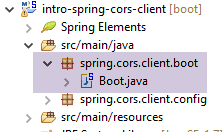 |
package spring.cors.client.boot;

import org.springframework.boot.SpringApplication;

import spring.cors.client.config.WebConfig;

public class Boot {

    public static void main(String[] args) {
        SpringApplication.run(WebConfig.class, args);
    }
}
- Line 10: The [SpringApplication.run] method uses the [WebConfig] configuration file. The [client.html] page will be deployed to the Tomcat server present in the project's classpath;
18.8. The URL [/getAllCategories]
We launch:
- the web/JSON server on port 8080;
- the client for this server on port 8081;
then we request the URL [http://localhost:8081/client.html] [1]:
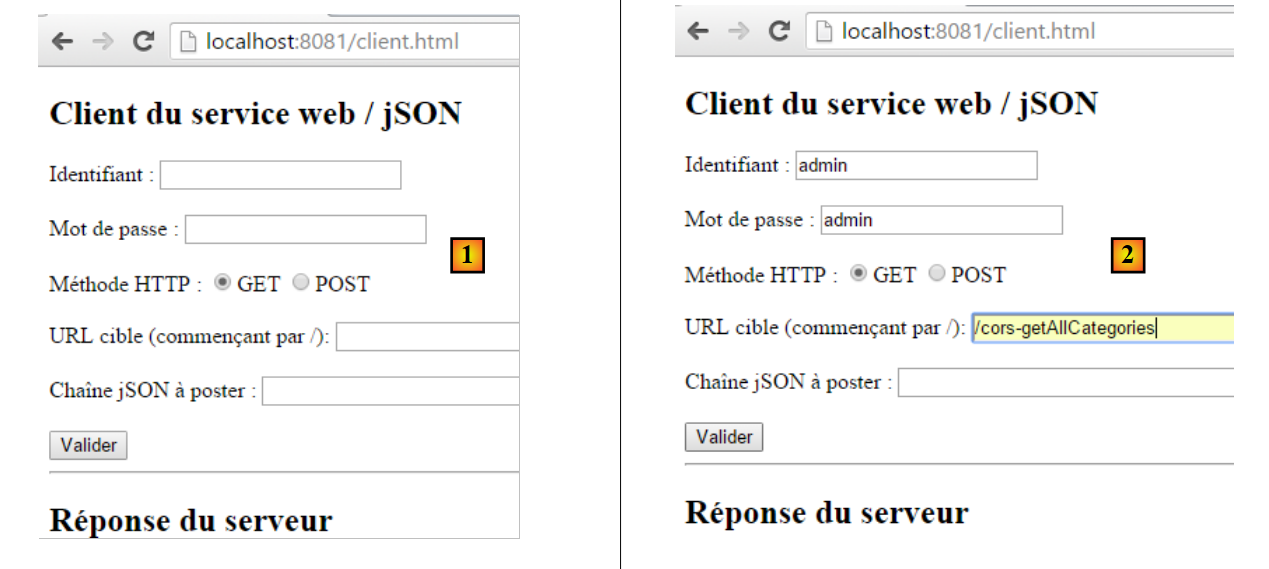 |
- in [2], we perform a GET request on the URL [http://localhost:8080/getAllCategories];
We do not receive a response from the server. When we look at the Chrome developer console (Ctrl-Shift-I), we see an error:
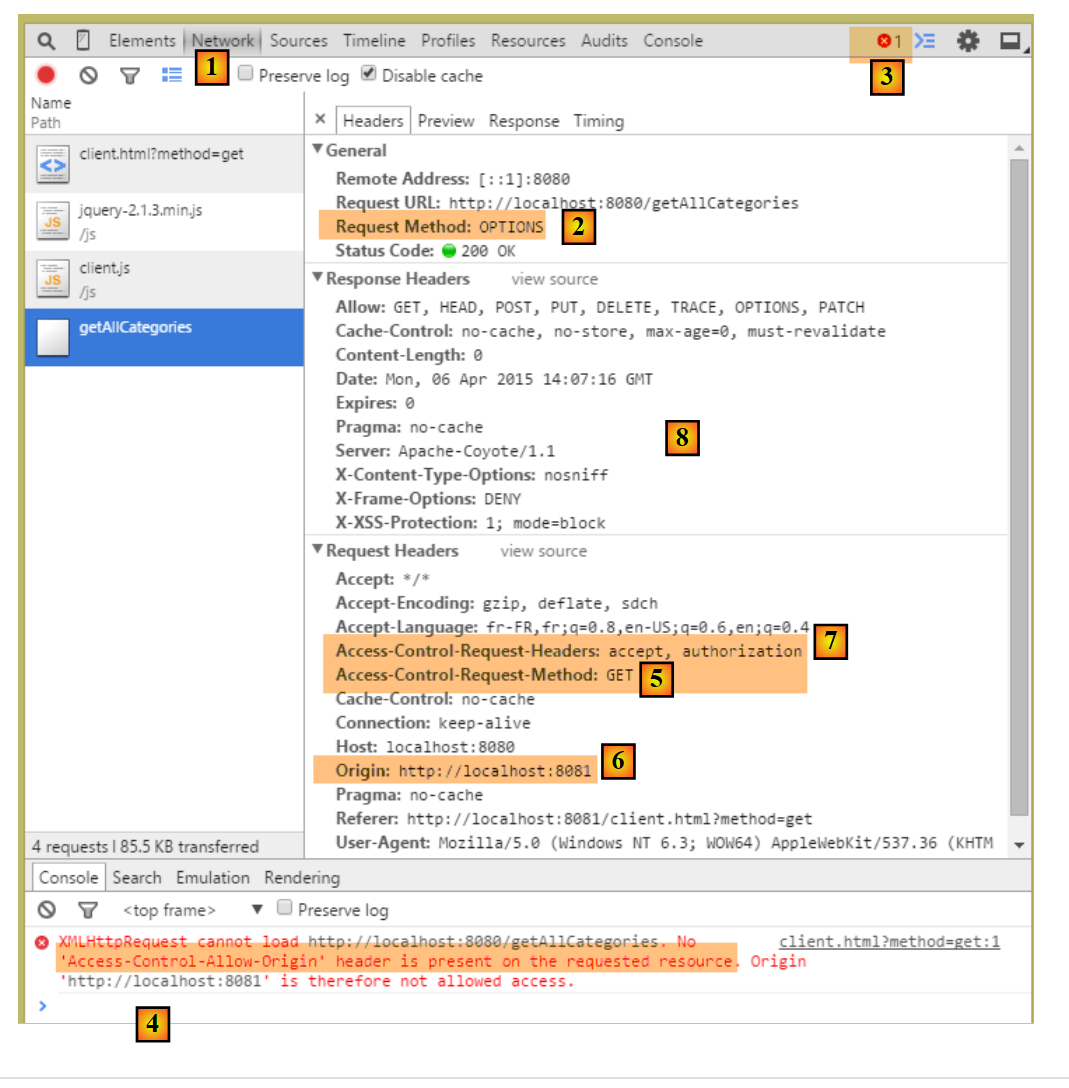 |
- in [1], we are in the [Network] tab;
- In [2], we see that the HTTP request made is not [GET] but [OPTIONS]. In the case of a cross-domain request, the browser checks with the server to ensure that certain conditions are met by sending an [OPTIONS] HTTP request. In this instance, the requests are those indicated by the markers [5-6];
- in [5], the browser asks whether the target URL can be reached with a GET. The [Access-Control-Request-Method] request header requests a response with an [Access-Control-Allow-Methods] HTTP header indicating that the requested method is accepted;
- in [6], the browser sends the HTTP header [Origin: http://localhost:8081]. This header requests a response in an HTTP header [Access-Control-Allow-Origin] indicating that the specified origin is accepted;
- In [7], the browser asks whether the HTTP headers [Accept] and [Authorization] are accepted. The request header [Access-Control-Request-Headers] expects a response with an HTTP header [Access-Control-Allow-Headers] indicating that the requested headers are accepted;
- an error occurs in [3]. Clicking the icon results in error [4];
- in [4], the message indicates that the server did not send the [Access-Control-Allow-Origin] HTTP header, which specifies whether the request origin is accepted;
- In [8], we can see that the server did indeed not send this header. As a result, the browser refused to make the HTTP GET request that was initially requested;
We need to modify the web server / JSON.
18.9. The new web service / json
We create a new Maven project [intro-spring-cors-server-jpa]:
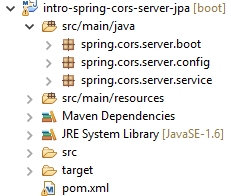 | 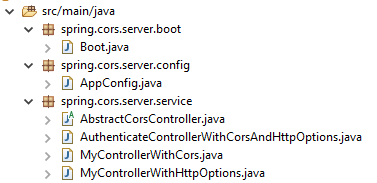 |
18.9.1. Maven Configuration
The Maven configuration for the new web service is as follows:
<project xmlns="http://maven.apache.org/POM/4.0.0" xmlns:xsi="http://www.w3.org/2001/XMLSchema-instance"
    xsi:schemaLocation="http://maven.apache.org/POM/4.0.0 http://maven.apache.org/xsd/maven-4.0.0.xsd">
    <modelVersion>4.0.0</modelVersion>
    <groupId>istia.st.cors</groupId>
    <artifactId>spring-cors-server-jpa</artifactId>
    <version>0.0.1-SNAPSHOT</version>

    <name>spring-cors-server-jpa</name>
    <description>démo spring cors</description>

    <properties>
        <project.build.sourceEncoding>UTF-8</project.build.sourceEncoding>
        <java.version>1.8</java.version>
    </properties>

    <parent>
        <groupId>org.springframework.boot</groupId>
        <artifactId>spring-boot-starter-parent</artifactId>
        <version>1.2.7.RELEASE</version>
    </parent>

    <dependencies>
        <dependency>
            <groupId>istia.st.spring.security</groupId>
            <artifactId>intro-spring-security-server-01</artifactId>
            <version>0.0.1-SNAPSHOT</version>
        </dependency>
    </dependencies>

    <!-- plugins -->
    <build>
        <plugins>
            <plugin>
                <groupId>org.springframework.boot</groupId>
                <artifactId>spring-boot-maven-plugin</artifactId>
            </plugin>
            <plugin>
                <groupId>org.apache.maven.plugins</groupId>
                <artifactId>maven-surefire-plugin</artifactId>
                <version>2.18.1</version>
            </plugin>
        </plugins>
    </build>

</project>
- Lines 23–27: We retrieve all the data from the work done so far by accessing the secure web server /json archive;
18.9.2. Spring Configuration
The configuration class [AppConfig] is as follows:
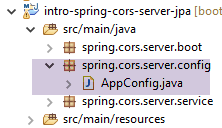 |
package spring.cors.server.config;

import org.springframework.context.annotation.Bean;
import org.springframework.context.annotation.ComponentScan;
import org.springframework.context.annotation.Configuration;
import org.springframework.context.annotation.Import;

import spring.security.config.SecurityConfig;

@Configuration
@ComponentScan(basePackages = { "spring.cors.server.service" })
@Import({ SecurityConfig.class })
public class AppConfig {

    // cross-domain queries
    @Bean
    public boolean isCorsEnabled() {
        return true;
    }
}
- line 10: the class is a Spring configuration class;
- line 11: other Spring components can be found in the [spring.cors.server.service] package;
- lines 16–19: we create a Spring component named [isCorsEnabled] that indicates whether or not clients outside the server’s domain are accepted;
18.9.3. The [AbstractCorsController] class
The [AbstractCorsController] class, which will be the parent class of all controllers in this application:
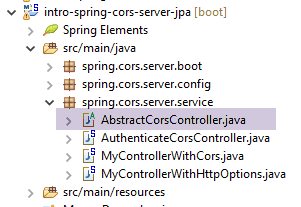 |
Its code is as follows:
package spring.cors.server.service;

import javax.servlet.http.HttpServletResponse;

import org.springframework.beans.factory.annotation.Autowired;

public abstract class AbstractCorsController {

    @Autowired
    private boolean isCorsEnabled;

    // sending options to the customer
    public void setHeaders(String origin, HttpServletResponse response) {
        // Cors allowed ?
        if (!isCorsEnabled || origin == null || !origin.startsWith("http://localhost")) {
            return;
        }
        // set header CORS
        response.addHeader("Access-Control-Allow-Origin", origin);
        // certain headers are allowed
        response.addHeader("Access-Control-Allow-Headers", "accept, authorization");
        // we authorize GET
        response.addHeader("Access-Control-Allow-Methods", "GET");
    }
}
- line 7: the [CorsController] class is abstract because it is designed to be extended, not instantiated;
- lines 13–24: the [setHeaders] method adds the HTTP headers required by cross-domain requests to the [HttpServletResponse response] (line 13) sent to the client;
- line 33: the [setHeaders] method accepts as parameters:
- the string [origin] present in the [Origin] HTTP header of cross-domain requests:
Here, the [origin] parameter on line 13 would have the value [http://localhost:8081]. If the request does not contain the [Origin] HTTP header, we will ensure that [origin==null];
- (continued)
- the [HttpServletResponse response] object that will be returned to the client who made the request;
These two parameters are injected by Spring;
- lines 15–175: if the application is configured to accept cross-domain requests, and if the sender has sent the [Origin] HTTP header, and if this origin begins with [http://localhost], then the cross-domain request is accepted; otherwise, it is rejected;
- Line 19: If the client is in the domain [http://localhost:port], we send the HTTP header:
Access-Control-Allow-Origin: http://localhost:port
which means that the server accepts the client's origin;
- line 21: we have specified two specific HTTP headers in the [OPTIONS] HTTP request:
In response to the [Access-Control-Request-X] HTTP header, the server responds with an [Access-Control-Allow-X] HTTP header specifying what is allowed. Lines 20–23 simply repeat the client’s request to indicate that it is accepted;
18.9.4. The controller [MyControllerWithHttpOptions]
To avoid having to modify the insecure web/JSON server [intro-server-webjson-01] discussed in Section 13.5.3, we will create a new controller. Whereas the insecure server handles the URL [/url], the new controller will handle the URL [/cors-url], and this URL will accept cross-origin requests.
The [MyControllerWithHttpOptions] class is the controller that will handle HTTP requests of type [OPTIONS]:
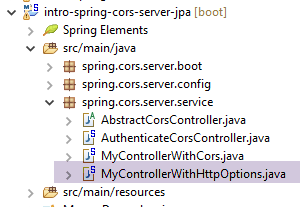 |
package spring.cors.server.service;

import javax.servlet.http.HttpServletRequest;
import javax.servlet.http.HttpServletResponse;

import org.springframework.stereotype.Controller;
import org.springframework.web.bind.annotation.PathVariable;
import org.springframework.web.bind.annotation.RequestHeader;
import org.springframework.web.bind.annotation.RequestMapping;
import org.springframework.web.bind.annotation.RequestMethod;

import com.fasterxml.jackson.core.JsonProcessingException;

@Controller
public class MyControllerWithHttpOptions extends AbstractCorsController {

    @RequestMapping(value = "/cors-getAllCategories", method = RequestMethod.OPTIONS)
    public void getAllCategories(@RequestHeader(value = "Origin", required = false) String origin,
            HttpServletResponse httpServletResponse){
        // headers CORS
        setHeaders(origin, httpServletResponse);
    }
...
- line 14: the class is a Spring MVC controller;
- line 15: the [MyControllerWithHttpOptions] class extends the [AbstractCorsController] class we just described;
- lines 17–18: the [getAllCategories] method (line 18) handles the URL ["/cors-getAllCategories"] when requested with the HTTP [OPTIONS] method;
- line 18: the [getAllCategories] method accepts two parameters:
- [@RequestHeader(value = "Origin", required = false) String origin] to retrieve the value of the HTTP header [Origin:http://localhost:8081] when it is present. In this example, the [String origin] parameter will receive the value [http://localhost:8081]. This header is not required [required = false]. When it is not present, the [String origin] parameter will have the value null;
- [HttpServletResponse httpServletResponse]: the response that will be sent to the client;
- line 21: we send the HTTP headers that enable cross-origin requests. The [setHeaders] method is defined in the parent class [AbstractCorsController];
This is done for all URLs exposed by the unsecured web/JSON server [intro-server-webjson-01] discussed in Section 13.5.3. When this service exposes the URL [/url], the [MyControllerWithHttpOptions] class above exposes the URL [/cors-url].
18.9.5. The [MyControllerWithCors] controller
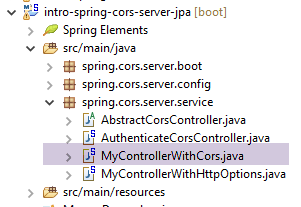 |
The [MyControllerWithCors] class is the controller that will handle [GET] and [POST] HTTP requests:
package spring.cors.server.service;

import javax.servlet.http.HttpServletRequest;
import javax.servlet.http.HttpServletResponse;

import org.springframework.beans.factory.annotation.Autowired;
import org.springframework.web.bind.annotation.PathVariable;
import org.springframework.web.bind.annotation.RequestHeader;
import org.springframework.web.bind.annotation.RequestMapping;
import org.springframework.web.bind.annotation.RequestMethod;
import org.springframework.web.bind.annotation.ResponseBody;

import com.fasterxml.jackson.core.JsonProcessingException;

import spring.webjson.service.MyController;

@Controller
public class MyControllerWithCors extends AbstractCorsController {

    // spring dependencies
    @Autowired
    private MyController myController;

...
    @RequestMapping(value = "/cors-getAllCategories", method = RequestMethod.GET, produces = "application/json; charset=UTF-8")
    @ResponseBody
    public String getAllCategories(@RequestHeader(value = "Origin", required = false) String origin,
            HttpServletResponse httpServletResponse) throws JsonProcessingException {
        // answer
        return myController.getAllCategories();
    }
...
- line 17: the [MyControllerWithCors] class is a Spring MVC controller
- line 18: it extends the [AbstractCorsController] class;
- lines 21–22: injection of the [MyController] controller from the unsecured web server / JSON [intro-server-webjson-01] discussed in Section 13.5.3;
- lines 25–27: the [getAllCategories] method handles the URL [/cors-getAllCategories] (line 28) when requested using the HTTP [GET] method;
- line 26: the result of the [getAllCategories] method will be sent to the client. This result is a JSON stream (the [produces] attribute on line 27 and the [String] type of the result on line 25);
- line 27: the method receives the same parameters as the [getAllCategories] method of the [MyControllerWithHttpOptions] controller we just examined;
- line 30: the [myController.getAllCategories()] method is called to send the response;
Ultimately, it is the [myController.getAllCategories()] method of the unsecured server that sends the response. We have simply enriched its response with the headers required for cross-domain requests.
This is done for all URLs exposed by the insecure web/JSON server [intro-server-webjson-01] discussed in Section 13.5.3. When this service exposes the URL [/url], the [MyControllerWithCors] class above exposes the URL [/cors-url].
A cross-domain request will proceed as follows:
- the client’s JavaScript code requests the URL [/cors-url] using an HTTP GET or POST request;
- the browser executing this code intercepts the request and first requests the URL [/cors-url] using an HTTP OPTIONS request to verify that the target web service accepts cross-origin requests;
- one of the methods in the [MyControllerWithHttpOptions] controller sends the cross-domain headers expected by the browser;
- the browser then requests the initial URL [/cors-url] using an HTTP GET or POST request;
- one of the methods in the controller [MyControllerWithCors] then responds;
18.9.6. Tests
The boot class for the [intro-spring-cors-server-jpa] project is as follows:
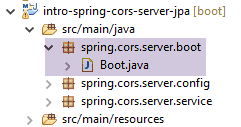 |
package spring.cors.server.boot;

import org.springframework.boot.SpringApplication;

import spring.cors.server.config.AppConfig;

public class Boot {

    public static void main(String[] args) {
        SpringApplication.run(AppConfig.class, args);
    }
}
- Line 10: The static method [SpringApplication.run] is executed with the Spring configuration [AppConfig]. As a result of this configuration, the Tomcat server embedded in the project archives is started, and the web application [intro-spring-cors-server-jpa] is deployed on it. The web application of the unsecured server [intro-server-webjson-01], which is part of the project archives, is also deployed on it. Since the project [intro-spring-security-server-01] is also part of the archives, two types of URLs are ultimately exposed:
- those of the secure web service: /url;
- those of the web service accepting cross-domain requests: /cors-url;
We are now ready for further testing. We launch the new version of the web service and find that the problem persists. Nothing has changed. If we add a console output statement on line 7 below, it is never displayed, indicating that the [getAllCategories] method of the [MyControllerWithHttpOptions] class is never called;
@Controller
public class MyControllerWithHttpOptions extends AbstractCorsController {

    @RequestMapping(value = "/cors-getAllCategories", method = RequestMethod.OPTIONS)
    public void getAllCategories(@RequestHeader(value = "Origin", required = false) String origin,
            HttpServletResponse httpServletResponse){
        System.out.println(un_texte) ;
        // headers CORS
        setHeaders(origin, httpServletResponse);
    }
After some research, we discover that by default, Spring MVC handles HTTP [OPTIONS] requests itself. Therefore, it is always Spring that responds, and never the [getAllCategories] method on line 5 above. This default behavior of Spring MVC can be changed. We modify the existing [AppConfig] class:
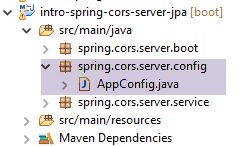 |
package spring.cors.server.config;

import javax.annotation.PostConstruct;

import org.springframework.beans.factory.annotation.Autowired;
import org.springframework.context.annotation.Bean;
import org.springframework.context.annotation.ComponentScan;
import org.springframework.context.annotation.Configuration;
import org.springframework.context.annotation.Import;
import org.springframework.web.servlet.DispatcherServlet;

import spring.security.config.SecurityConfig;

@Configuration
@ComponentScan(basePackages = { "spring.cors.server.service" })
@Import({ SecurityConfig.class })
public class AppConfig {

    // cross-domain queries
    @Bean
    public boolean isCorsEnabled() {
        return true;
    }

    @Autowired
    private DispatcherServlet dispatcherServlet;

    @PostConstruct
    public void init() {
        // the application processes requests itself HTTP [OPTIONS]
        dispatcherServlet.setDispatchOptionsRequest(true);
    }
}
- lines 25-26: injection of the [dispatcherServlet] bean, which handles client requests. This bean was defined in the configuration of the unsecured web/JSON server [intro-server-webjson-01] discussed in section 13.5.3;
- lines 28-29: the [init] method (line 29) will be executed as soon as the [AppConfig] class has been instantiated and the Spring injections have been performed. Therefore, when it executes, the field on line 26 has already been initialized;
- line 31: we configure the [dispatcherServlet] bean so that it allows the web application to handle [OPTIONS] HTTP requests itself;
We rerun the tests with this new configuration. We get the following result:
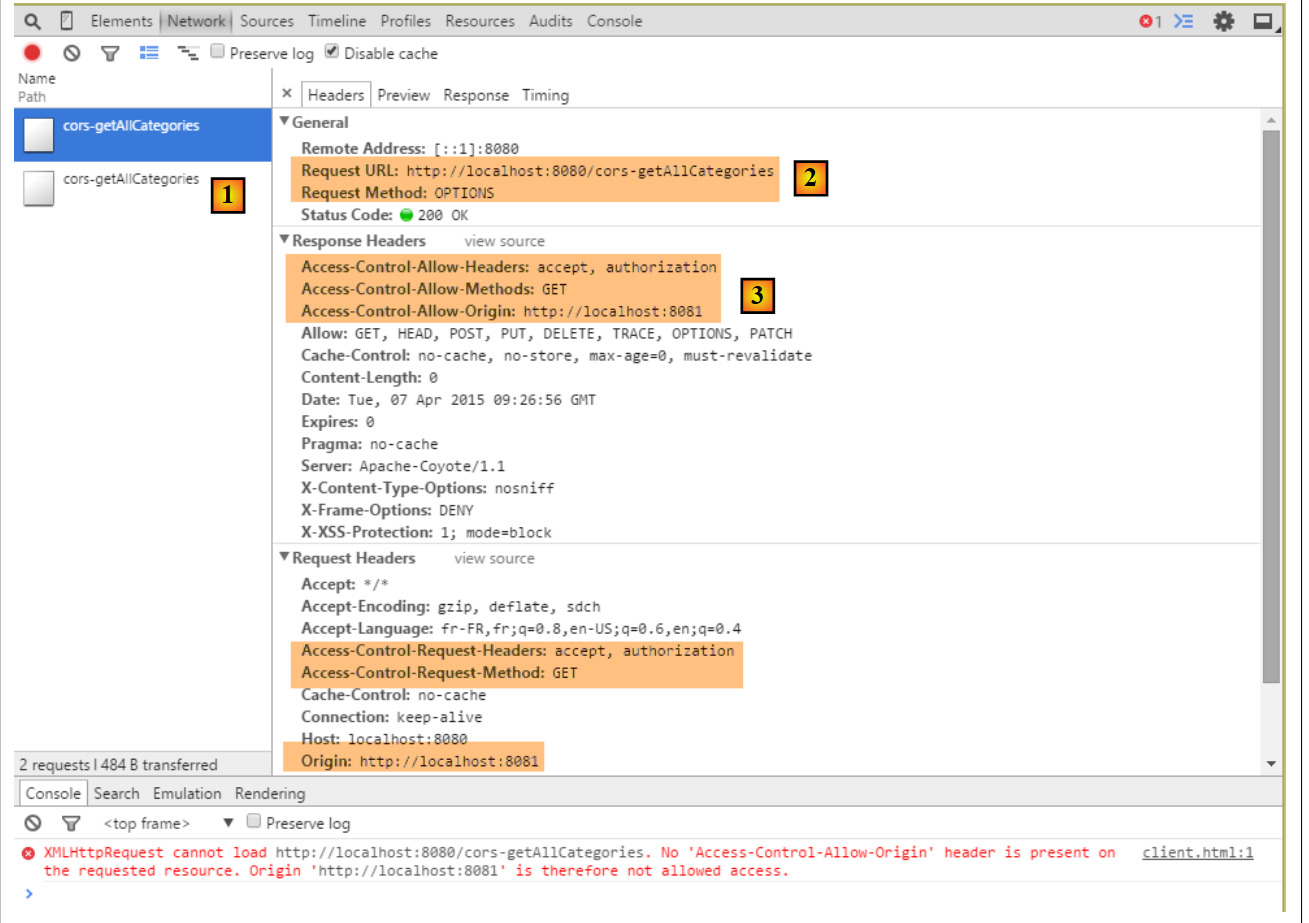 |
- in [1], we see that there are two HTTP requests to the URL [http://localhost:8080/cors-getAllCategories];
- in [2], the [OPTIONS] request;
- in [3], the three HTTP headers we just configured in the server’s response;
Now let’s examine the second request:
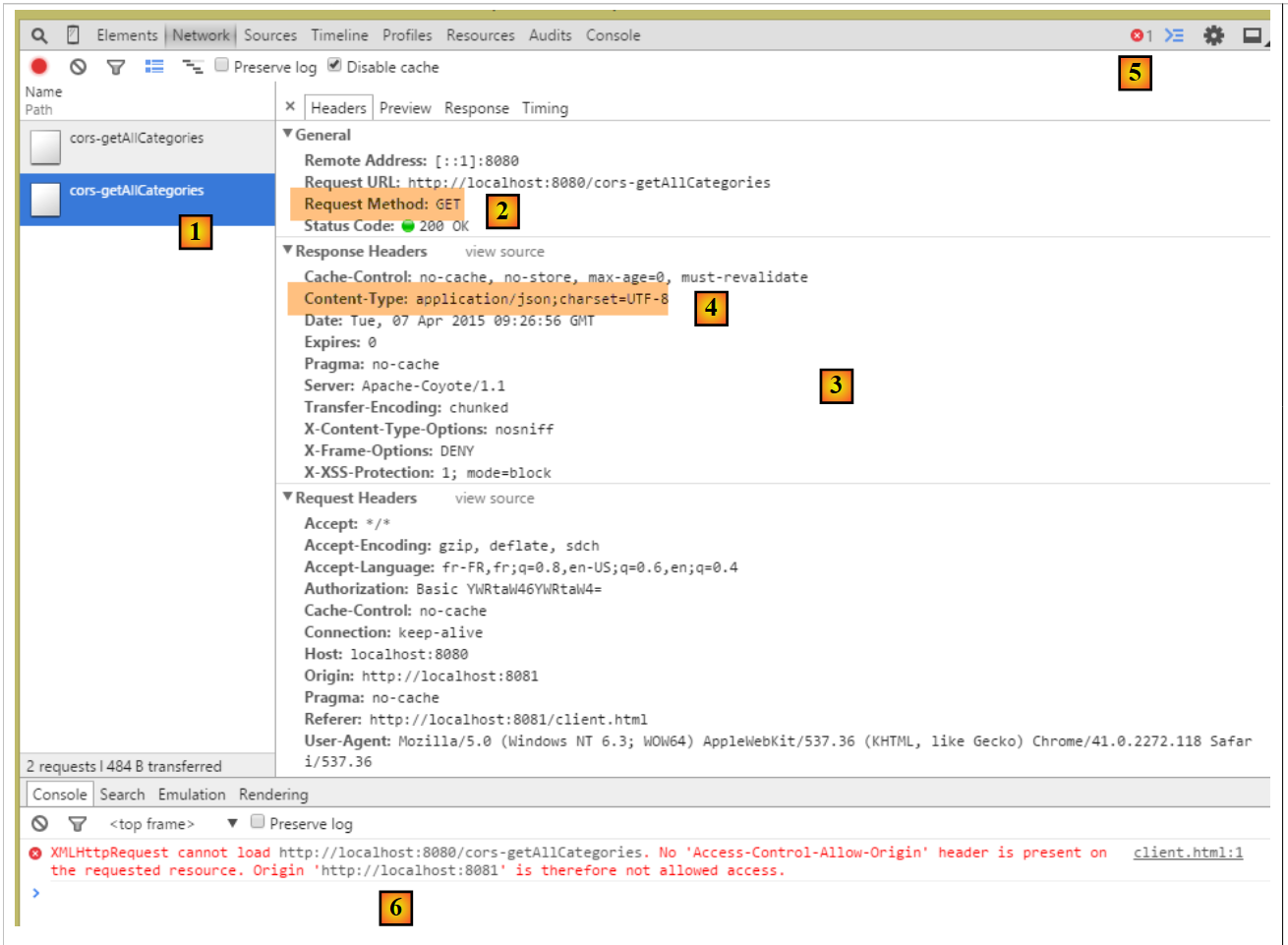 |
- in [1], the request being examined;
- in [2], this is the GET request. Thanks to the first [OPTIONS] request, the browser received the information it requested. It is now performing the [GET] request that was initially requested;
- in [3], the server’s response;
- in [4], the server sends JSON;
- in [5], an error occurred;
- in [6], the error message;
It is more difficult to explain what happened here. The server’s response [3] is normal [HTTP/1.1 200 OK]. We should therefore have the requested document. It is possible that the server did indeed send the document but that the browser is preventing its use because it requires that, for the GET request as well, the response include the HTTP header [Access-Control-Allow-Origin:http://localhost:8081].
We will then modify the controller [MyControllerWithCors] so that it also sends the headers required for cross-origin requests:
    @RequestMapping(value = "/cors-getAllCategories", method = RequestMethod.GET, produces = "application/json; charset=UTF-8")
    @ResponseBody
    public String getAllCategories(@RequestHeader(value = "Origin", required = false) String origin,
            HttpServletResponse httpServletResponse) throws JsonProcessingException {
        // headers CORS
        setHeaders(origin, httpServletResponse);
        // answer
        return myController.getAllCategories();
}
- line 6: the headers required for cross-domain requests are included in the response;
After this change, the results are as follows:
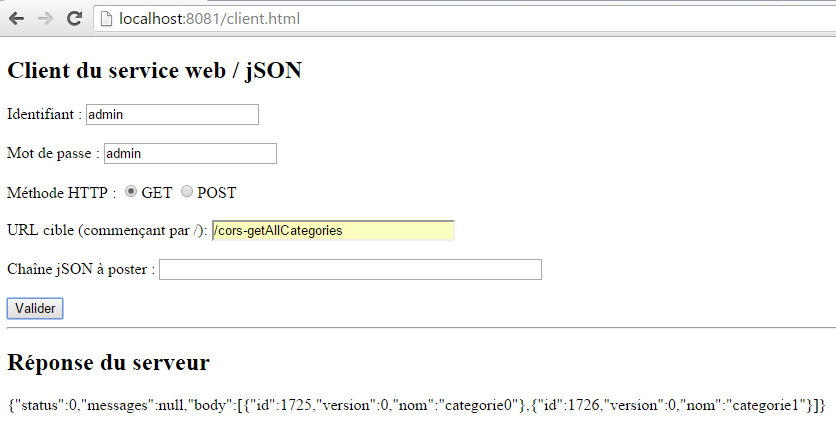 |
We have successfully obtained the list of categories.
18.10. The other [GET] URLs
In the [MyControllerWithCors, MyControllerWithHttpOptions] controllers, the code for the actions that handle the requested [GET] URLs follows the pattern of the actions that previously handled the [/cors-getAllCategories] URL. The reader can verify the code in the examples provided with this document. Here is an example for the [/cors-getAllProducts] URL:
in [MyControllerWithHttpOptions]
    @RequestMapping(value = "/cors-getAllProduits", method = RequestMethod.OPTIONS)
    public void getAllProduits(@RequestHeader(value = "Origin", required = false) String origin,
            HttpServletResponse httpServletResponse) {
        // headers CORS
        setHeaders(origin, httpServletResponse);
}
in [MyControllerWithCors]
    @RequestMapping(value = "/cors-getAllProduits", method = RequestMethod.GET, produces = "application/json; charset=UTF-8")
    @ResponseBody
    public String getAllProduits(@RequestHeader(value = "Origin", required = false) String origin,
            HttpServletResponse httpServletResponse) throws JsonProcessingException {
        // headers CORS
        setHeaders(origin, httpServletResponse);
        // answer
        return myController.getAllProduits();
}
The result obtained is as follows:
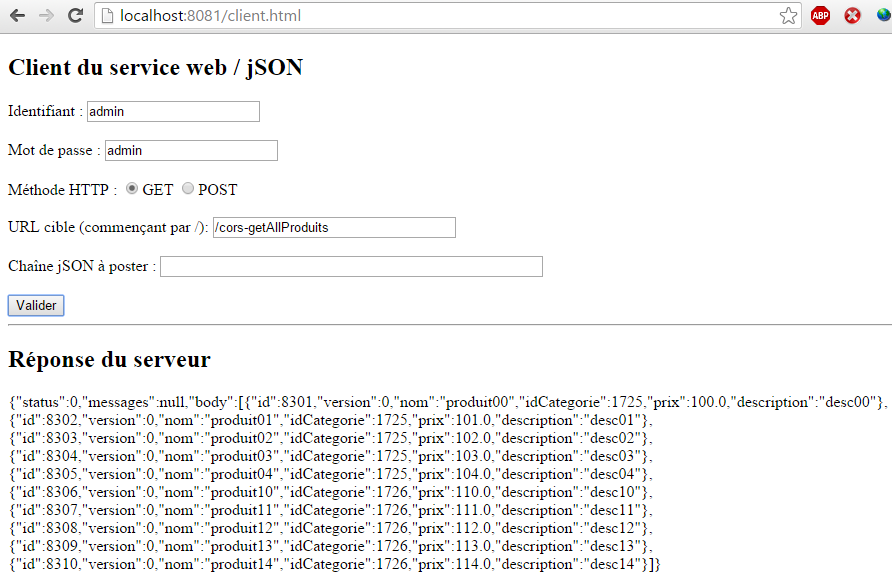 |
18.11. [POST] URLs
Let's examine the following scenario:
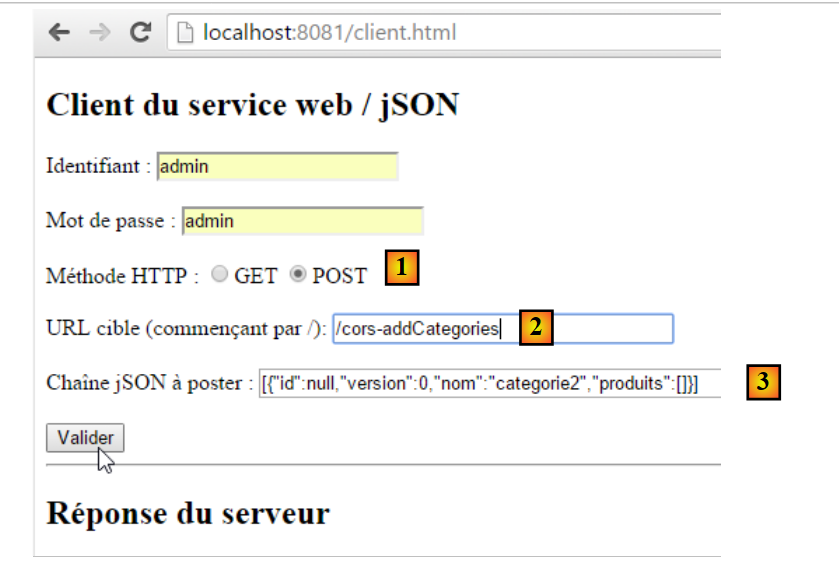 |
- We make a POST [1] to the URL [2];
- in [3], the posted value. This is a JSON string;
- Overall, we are trying to create a category called [category2];
We are not modifying any code at this time. The result obtained is as follows:
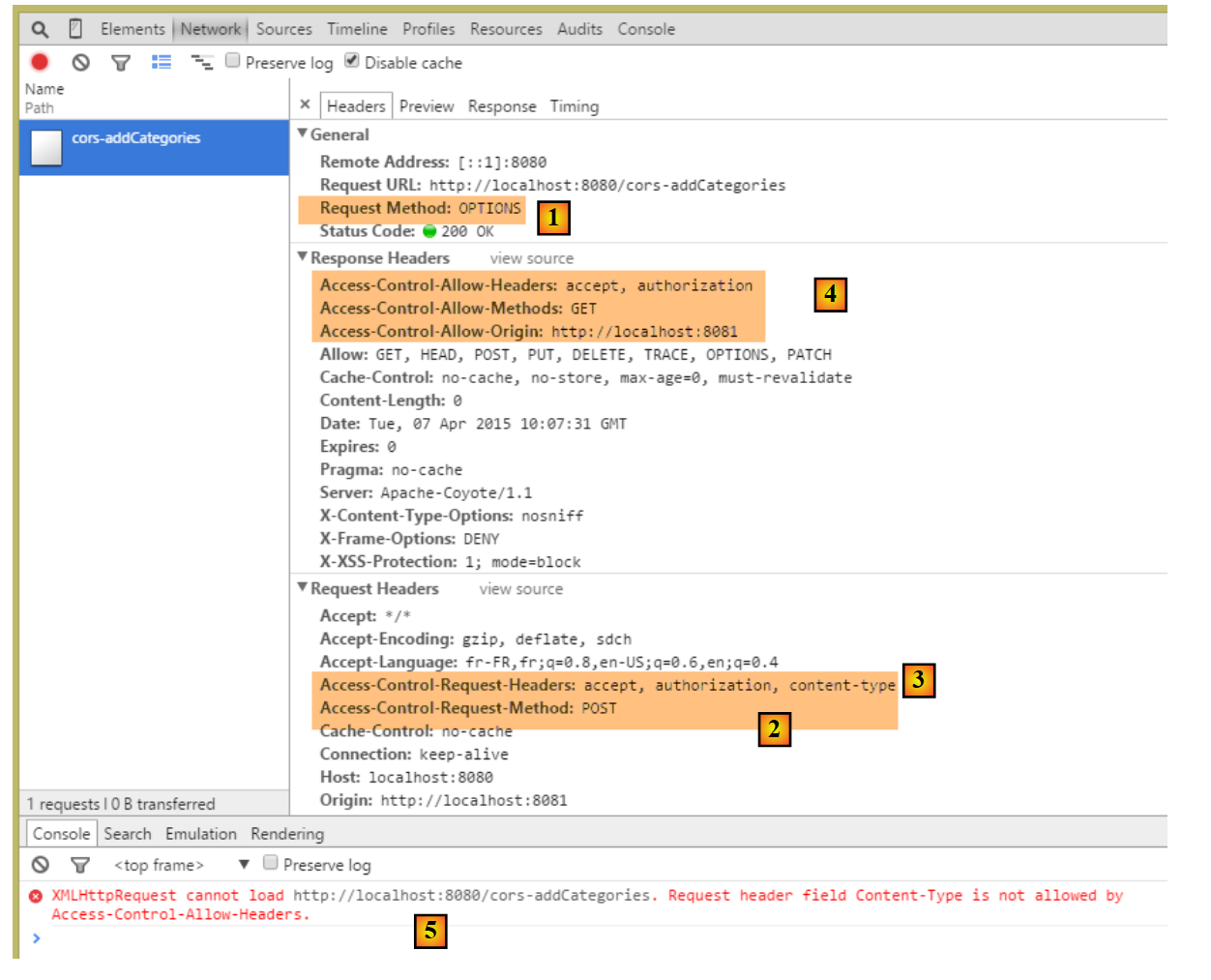 |
- in [1], as with [GET] requests, an [OPTIONS] request is made by the browser;
- in [2], it requests access authorization for a [POST] request. Previously, it was [GET];
- in [3], it requests authorization to send the HTTP headers [accept, authorization, content-type]. Previously, we only had the first two headers;
- in [4], the web service does not grant all the requested permissions, which causes error [5];
We modify the [AbstractController.sendHeaders] method as follows:
package spring.cors.server.service;

import javax.servlet.http.HttpServletResponse;

import org.springframework.beans.factory.annotation.Autowired;

public abstract class AbstractCorsController {

    @Autowired
    private boolean isCorsEnabled;

    // sending options to the customer
    public void setHeaders(String origin, HttpServletResponse response) {
        // Cors allowed ?
        if (!isCorsEnabled || origin == null || !origin.startsWith("http://localhost")) {
            return;
        }
        // set header CORS
        response.addHeader("Access-Control-Allow-Origin", origin);
        // certain headers are allowed
        response.addHeader("Access-Control-Allow-Headers", "accept, authorization, content-type");
        // we authorize GET and POST
        response.addHeader("Access-Control-Allow-Methods", "GET, POST");
    }
}
- line 21: we added the HTTP header [Content-Type] (case is not sensitive);
- line 23: we added the HTTP method [POST];
This means that [POST] methods are handled the same way as [GET] requests. Here is an example of the URL [/cors-addArticles]:
in [MyControllerWithCors]
    @RequestMapping(value = "/cors-addCategories", method = RequestMethod.POST, consumes = "application/json; charset=UTF-8", produces = "application/json; charset=UTF-8")
    @ResponseBody
    public String addCategories(HttpServletRequest request,
            @RequestHeader(value = "Origin", required = false) String origin, HttpServletResponse httpServletResponse)
                    throws JsonProcessingException {
        // headers CORS
        setHeaders(origin, httpServletResponse);
        // answer
        return myController.addCategories(request);
}
in [MyControllerWithHttpOptions]
    @RequestMapping(value = "/cors-addCategories", method = RequestMethod.OPTIONS)
    public void addCategories(HttpServletRequest request,
            @RequestHeader(value = "Origin", required = false) String origin, HttpServletResponse httpServletResponse)
                    throws JsonProcessingException {
        // headers CORS
        setHeaders(origin, httpServletResponse);
}
The result is as follows:
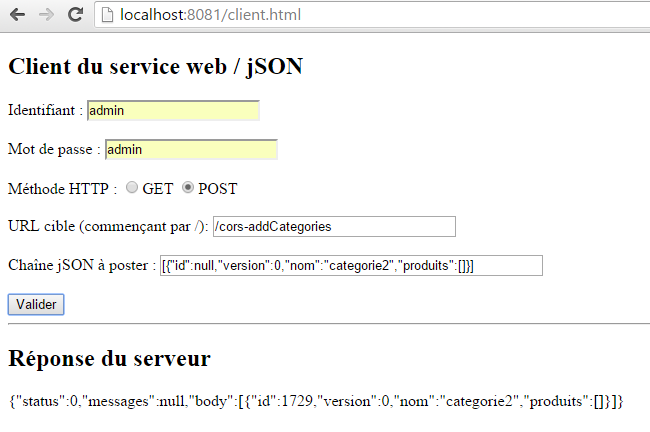 |
The category [categorie2] has been successfully added to the database. The DBMS assigned it the primary key 1729.
18.12. The [AuthenticateCorsController]
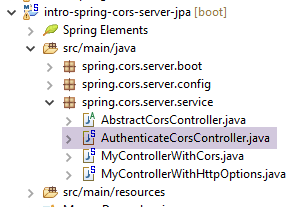 |
The [AuthenticateCorsController] controller is there to provide the URL [/cors-authenticate], which allows you to call the existing URL [/authenticate] with a cross-domain request. Its code is as follows:
package spring.cors.server.service;

import javax.servlet.http.HttpServletResponse;

import org.springframework.beans.factory.annotation.Autowired;
import org.springframework.stereotype.Controller;
import org.springframework.web.bind.annotation.RequestHeader;
import org.springframework.web.bind.annotation.RequestMapping;
import org.springframework.web.bind.annotation.RequestMethod;
import org.springframework.web.bind.annotation.ResponseBody;

import com.fasterxml.jackson.core.JsonProcessingException;

import spring.security.service.AuthenticateController;

@Controller
public class AuthenticateCorsController extends AbstractCorsController {
    @Autowired
    private AuthenticateController authenticateController;

    @RequestMapping(value = "/cors-authenticate", method = RequestMethod.GET)
    @ResponseBody
    public String authenticate(@RequestHeader(value = "Origin", required = false) String origin,
            HttpServletResponse response) throws JsonProcessingException {
        // headers CORS
        setHeaders(origin, response);
        // original method
        return authenticateController.authenticate();
    }

    @RequestMapping(value = "/cors-authenticate", method = RequestMethod.OPTIONS)
    public void corsAuthenticate(@RequestHeader(value = "Origin", required = false) String origin,
            HttpServletResponse response) {
        // headers CORS
        setHeaders(origin, response);
    }

}
Here are two examples:
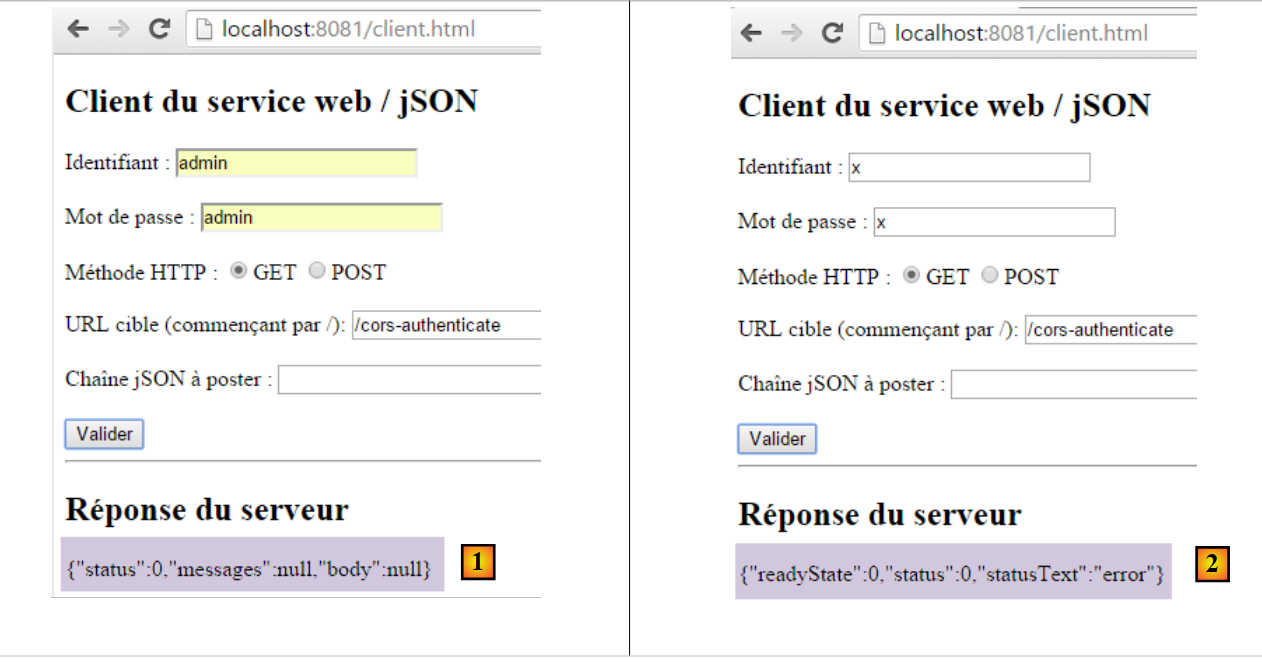 |
- The responses are displayed using the following JavaScript code:
function doGet(url) {
    // make a manual Ajax call
    $.ajax({
        headers : {
            'Authorization':'Basic '+authorizationCode
        },
        url : baseUrl + url,
        type : 'GET',
        dataType : 'text',
        beforeSend : function() {
        },
        success : function(data) {
            // text result
            response.text(data);
        },
        complete : function() {
        },
        error : function(jqXHR) {
            // system error
            response.text(JSON.stringify(jqXHR.statusCode()));
        }
    })
}
- The response [1] is displayed by line 14 of the [success] function;
- The response [2] is displayed by line 20 of the [error] function. The [JSON.stringify] function creates the JSON string of the [jqXHR.statusCode()] object, which is the object encapsulating the error that occurred. This object provides little information. It is possible to use other methods of the [jqXHR] object to obtain, for example, the HTTP headers returned by the server;
18.13. Conclusion
Our application now supports cross-domain requests. These can be enabled or disabled via configuration in the [AppConfig] class:
@ComponentScan(basePackages = { "spring.cors.server.service" })
@Import({ SecurityConfig.class })
public class AppConfig {

    // cross-domain queries
    @Bean
    public boolean isCorsEnabled() {
        return true;
    }

    @Autowired
    private DispatcherServlet dispatcherServlet;

    @PostConstruct
    public void init() {
        // the application processes requests itself HTTP [OPTIONS]
        dispatcherServlet.setDispatchOptionsRequest(true);
    }
}