21. Processing XML documents
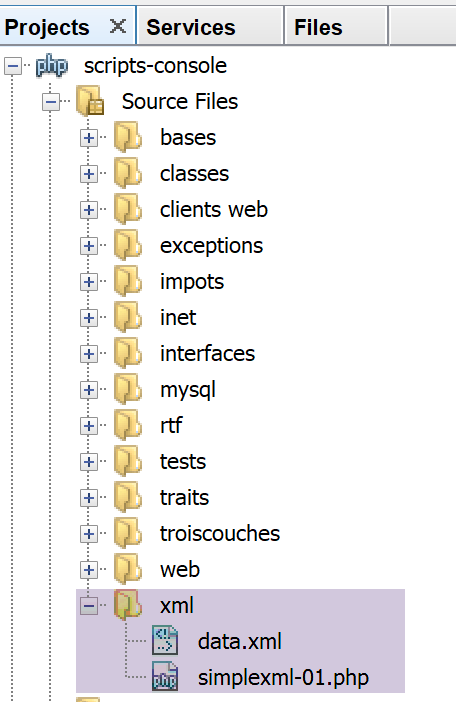
We consider the following XML [data.xml] file:
<?xml version="1.0" encoding="UTF-8"?>

<tribu>
    <enseignant>
        <personne sexe="M">
            <nom>dupont</nom>
            <prenom>jean</prenom>
            <age>28</age>
            ceci est un commentaire
        </personne>
        <section>27</section>
    </enseignant>
    <etudiant>
        <personne sexe="F">
            <nom>martin</nom>
            <prenom>charline</prenom>
            <age>22</age>
        </personne>
        <formation>dess IAIE</formation>
    </etudiant>
</tribu>
We parse this document using the following script:
<?php

// file XML to be processed
$FILE_NAME = "data.xml";
// operation
$xml = simplexml_load_file($FILE_NAME);
print_r($xml);
print_r($xml->enseignant->personne['sexe']);
$nom=$xml->enseignant->personne->nom;
print "nom=$nom\n";
$sexe=$xml->enseignant->personne['sexe'];
print "sexe=$sexe\n";
$formation=$xml->etudiant->formation;
print "formation=$formation\n";
print "isset=".isset($xml->enseignant->personne->nom)."\n";
print "isset=".isset($xml->enseignant->personne->xx)."\n";
Here we are using a module named PHP called [simpleXML], which allows us to process XML documents.
- line 6: loading the XML file;
- line 7: displaying the XML document;
- line 8: display the value of the 'gender' attribute of a teacher: <teacher><person gender='…'>;
- line 9: display the value of the first tag <teacher><person><name>;
Note that the root tag <tribe> does not appear in the code. It could be anything;
Console output
SimpleXMLElement Object
(
    [enseignant] => SimpleXMLElement Object
        (
            [personne] => SimpleXMLElement Object
                (
                    [@attributes] => Array
                        (
                            [sexe] => M
                        )

                    [nom] => dupont
                    [prenom] => jean
                    [age] => 28
                )

            [section] => 27
        )

    [etudiant] => SimpleXMLElement Object
        (
            [personne] => SimpleXMLElement Object
                (
                    [@attributes] => Array
                        (
                            [sexe] => F
                        )

                    [nom] => martin
                    [prenom] => charline
                    [age] => 22
                )

            [formation] => dess IAIE
        )

)
SimpleXMLElement Object
(
    [0] => M
)
nom=dupont
sexe=M
formation=dess IAIE
isset=1
isset=
- lines 1-37: the XML document in the form of a [simpleXML] object.
The previous script does not show us all the possibilities of the [simpleXML] module, but it is sufficient for us to write a new version for the application exercise.