23. Practical Exercise – version 12
In this chapter, we will write a web application that follows the MVC architecture (Model-View-Controller). The application will be able to return responses in three formats: jSON, XML, HTML. There is a significant increase in complexity between what we are about to do and what we have done previously. We will reuse most of the concepts covered so far and will detail all the steps leading to the final application.
23.1. MVC Architecture
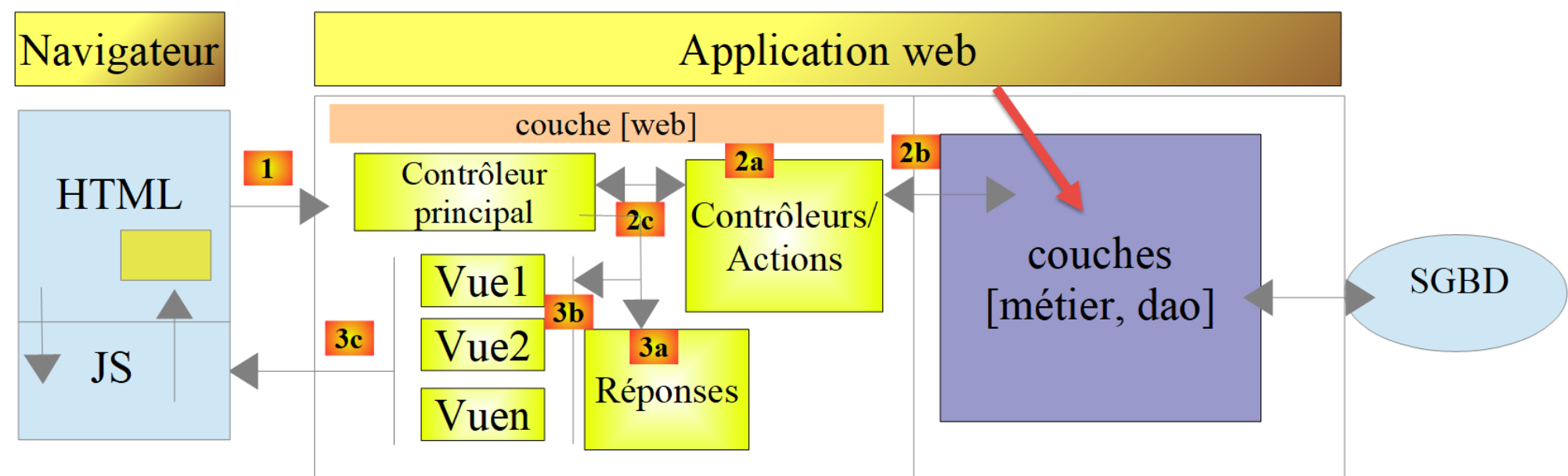
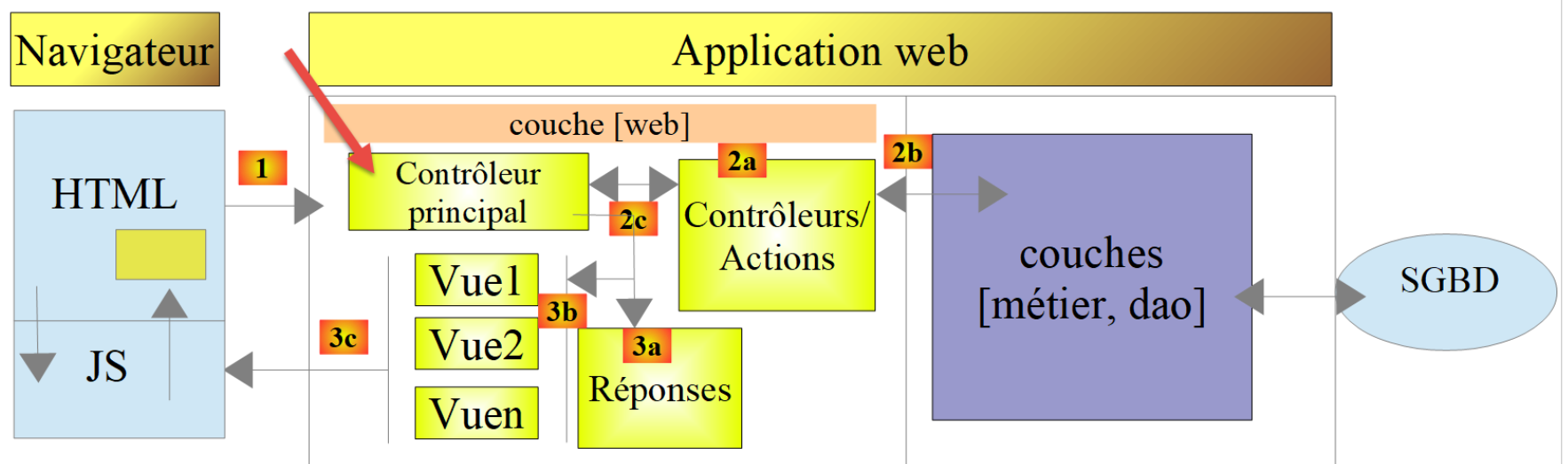
We will implement the so-called MVC architecture model (Model–View–Controller) as follows:
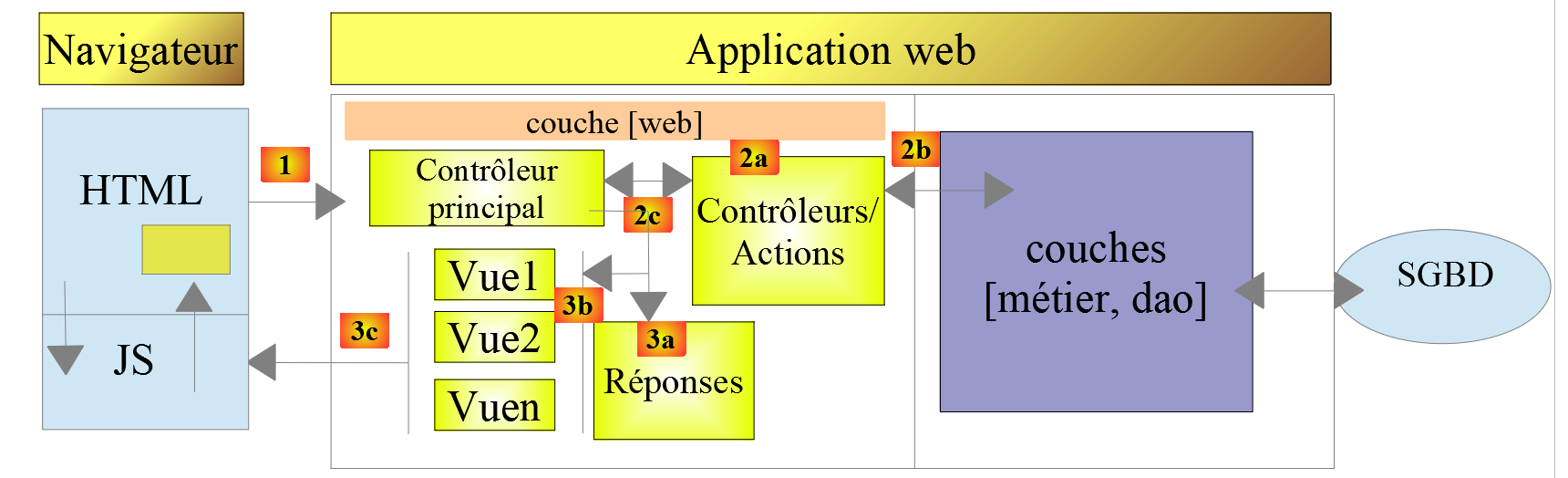
The processing of a client request will proceed as follows:
- 1 - Request
The requested URL URLs will be in the form http://machine:port/context/….?action=uneAction¶m1=v1¶m2=v2&… The [Contrôleur principal] will use a configuration file to "route" the request to the correct controller and the correct action within that controller. To do this, it will use the [action] field of the URL. The rest of the URL [param1=v1¶m2=v2&…] consists of optional parameters that will be passed to the action. The C in MVC is here the string [Contrôleur principal, Contrôleur / Action]. If no controller can handle the requested action, the web server will respond that the requested URL was not found.
- 2 - Processing
- The selected action [2a] can use the parami parameters that [Contrôleur principal] passed to it. These may come from several sources:
- the path [/param1/param2/…] of the URL,
- the [param1=v1¶m2=v2] parameters of the URL,
- from parameters posted by the browser with its request;
- when processing the user’s request, the action may require the [métier] and [2b] layers. Once the client’s request has been processed, it may trigger various responses. A classic example is:
- an error response if the request could not be processed correctly;
- a confirmation response otherwise;
- [Contrôleur / Action] will return its response [2c] to the main controller along with a status code. These status codes will uniquely represent the current state of the application. They will be either success codes or error codes;
- The selected action [2a] can use the parami parameters that [Contrôleur principal] passed to it. These may come from several sources:
- 3 - response
- depending on whether the client requested a response jSON, XML, or HTML, the [Contrôleur principal] will instantiate the appropriate response type, [3a], and instruct it to send the response to the client. [Contrôleur principal] will pass on to it both the response and the status code provided by the executed [Contrôleur / Action];
- if the desired response is of type jSON or XML, the selected response will format the response from [Contrôleur / Action] that was provided to it and send it via [3c]. The client capable of processing this response can be a PHP console script or a Javascript script embedded in a HTML page;
- if the desired response is of type HTML, the selected response will select one of the views [3b], HTML, or [Vuei] using the status code provided to it. This is the V for MVC. A single view corresponds to a single status code. This view V will display the response from the executed [Contrôleur / Action]. It formats the data from this response using HTML, CSS, and Javascript. This data is called the view model. It is the M in MVC. The client is most often a browser;
Now, let’s clarify the relationship between web architecture MVC and layered architecture. Depending on how the model is defined, these two concepts may or may not be related. Let’s consider a single-layer web application MVC:
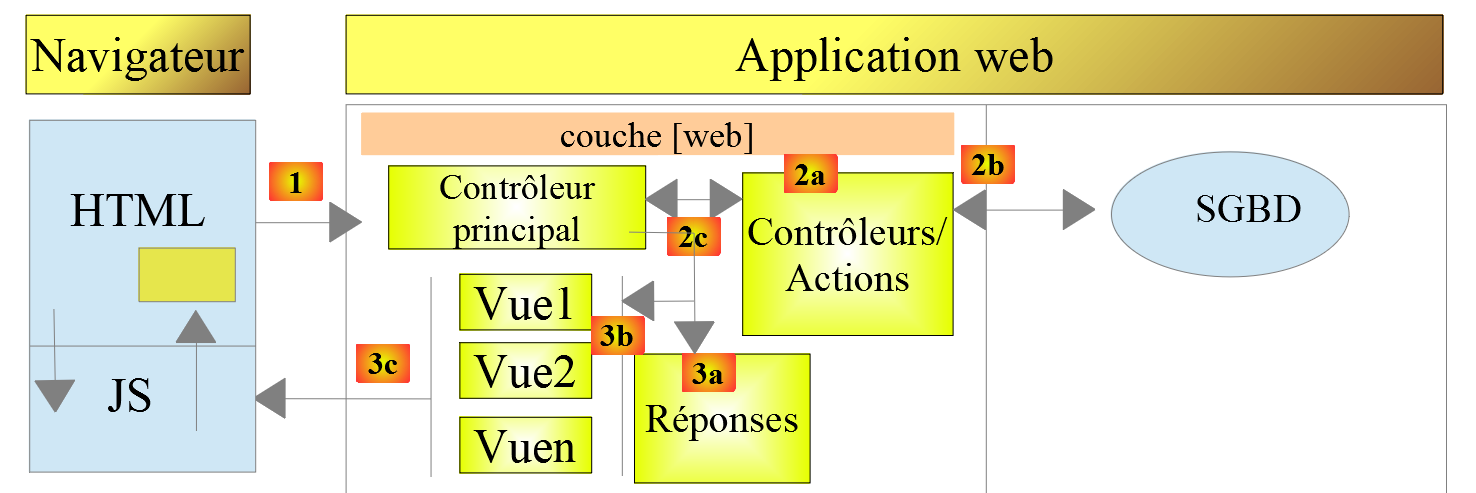
As shown above, each [Contrôleur / Action] layer incorporates parts of the [métier] and [dao] layers. In the [web] layer, we do have a MVC architecture, but the application as a whole does not have a layered architecture. Here, there is only one layer that does everything.
Now, let’s consider a multi-layer web architecture:
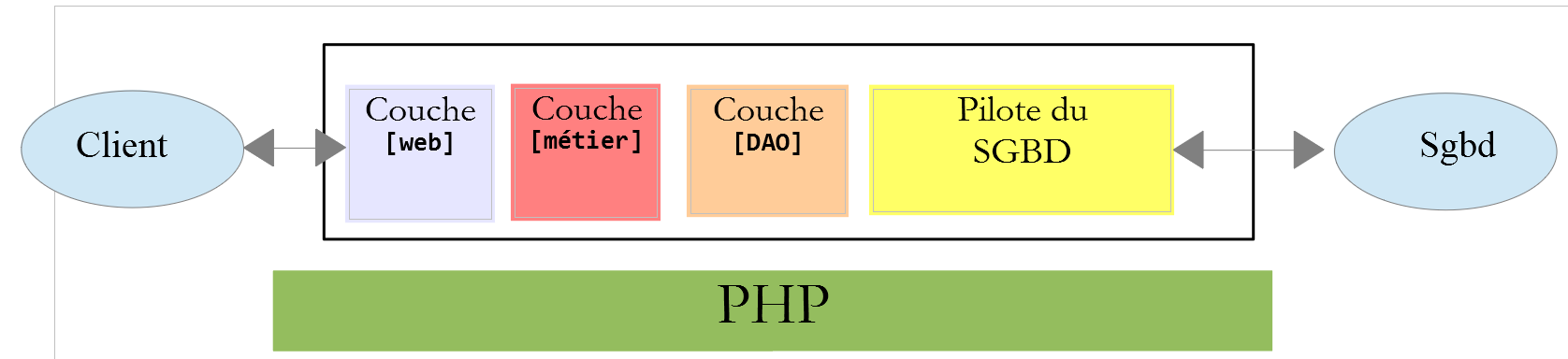
The [web] layer can be implemented without following the MVC model. We then have a multi-layer architecture, but the web layer does not implement the MVC model.
For example, in the .NET world, the [web] layercan be implemented with ASP.NET and MVC, resulting in a layered architecture with a [web] layer of type MVC. Once this is done, we can replace this ASP.NET MVC layer with a standard ASP.NET layer (WebForms) while keeping the rest (business logic, DAO, Driver) unchanged. We then have a layered architecture with a [web] layer that is no longer of type MVC.
In MVC, we stated that the M model was that of the V view, c.a.d—the set of data displayed by the V view. Another definition of the M model for MVC is provided:
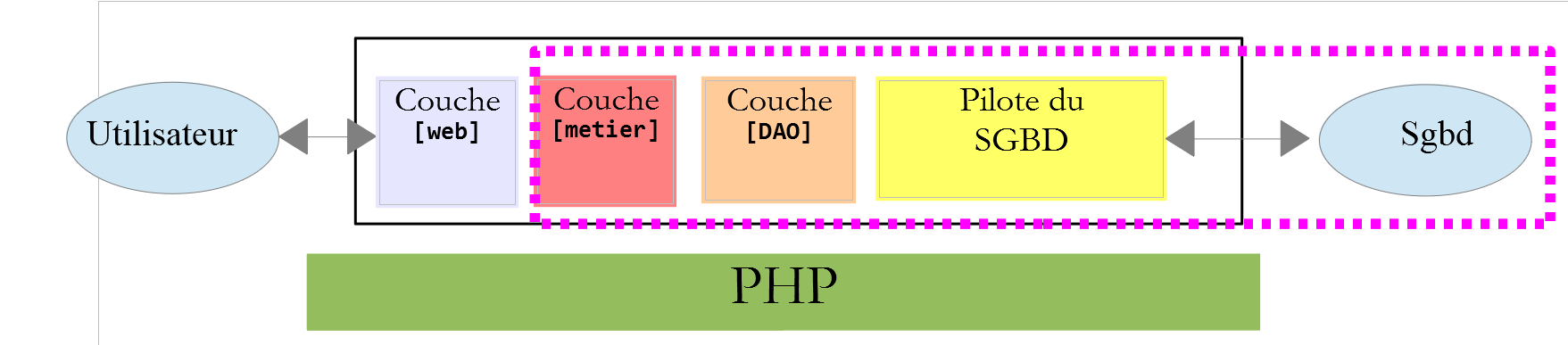
Many authors consider that what is to the right of the layer [web] forms the model M of MVC. To avoid ambiguities, we can refer to:
- the domain model when referring to everything to the right of the [web] layer;
- the view model when referring to the data displayed by a view V;
23.2. Project Tree for Netbeans
For the Netbeans project, we will adopt an architecture that reflects the MVC model:
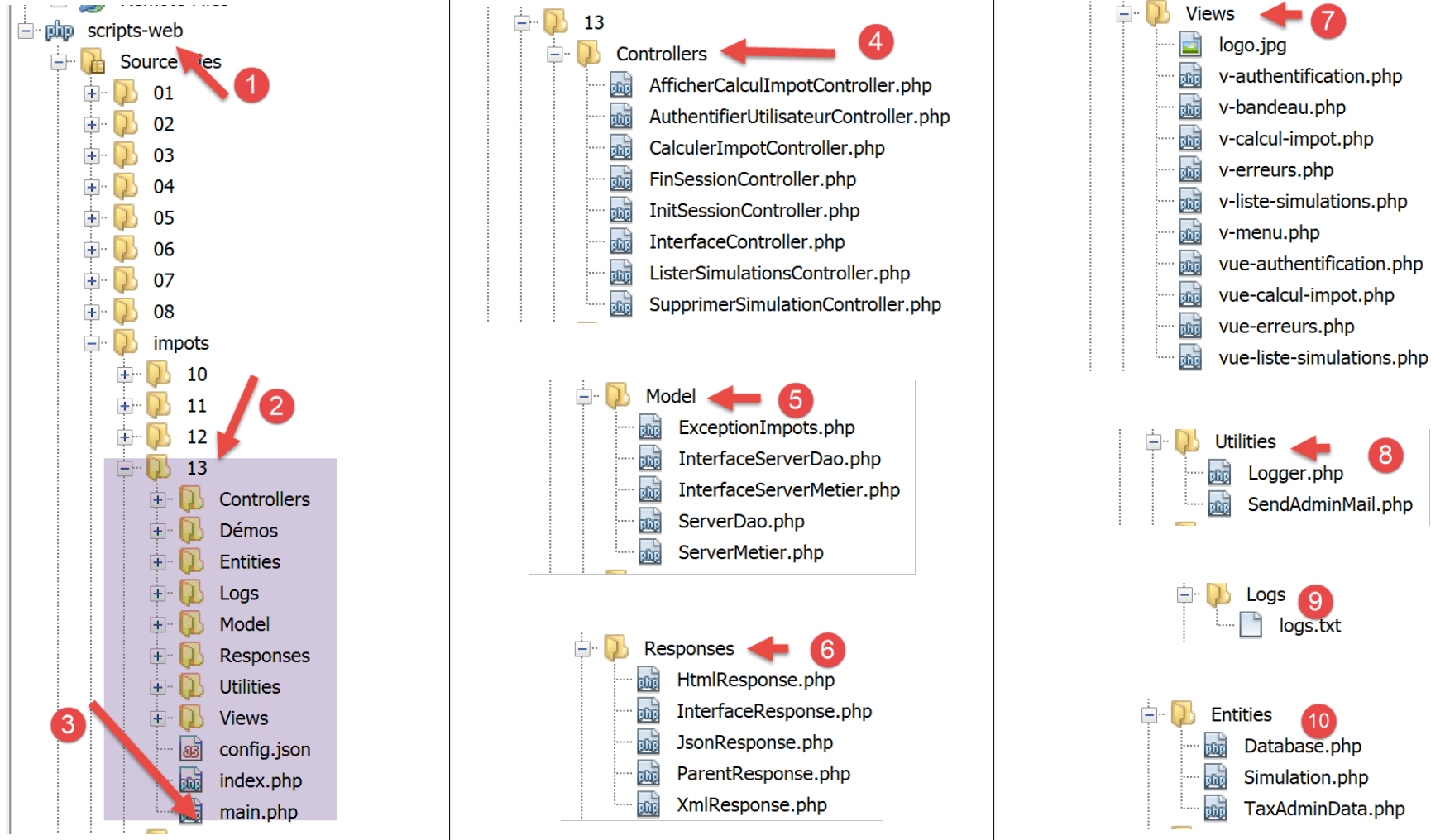
- [3]: [main.php] is the main controller of our MVC model. It is the C in MVC;
- [4]: The [Controllers] folder will contain the secondary controllers. Each handles a specific action. This action is indicated in the URL, for example […/main.php?action=authentifier-utilisateur]. With this action, [Contrôleur principal] and [main.php] will select a [Contrôleur secondaire]—in this case, [AuthentifierUtilisateurController]—to handle the requested action. These controllers are also part of the C of MVC;
- [5]: the [Model] folder will contain the [métier] and [dao] layers of the application. According to the terms adopted previously, these elements represent the domain model and, according to the terminology adopted for the M, may represent the M of MVC;
- [6]: the [Responses] folder contains the classes responsible for sending the response to the client. There is one class per desired response type:
- [JsonResponse]: for a response jSON;
- [XmlResponse]: for a response XML;
- [HtmlResponse]: for a response HTML;
- [7]: The [Views] folder contains the HTML views when a HTML response is desired. This is the V of MVC. They are activated by the [HtmlResponse] class, which transmits the data to be displayed to them. This data is the view model. According to the terminology adopted for the M, this data can be the M of MVC;
- [8]: the [Utilities] folder contains utilities:
- [Logger]: the class that allows logging to a text file;
- [Sendmail]: the class that allows you to send emails;
- [9]: the [Logs] folder contains the [logs.txt] log file;
- [10]: The [Entities] folder contains classes used by the various controllers;
Using this directory structure, we can describe the processing flow of an action requested by a client:
- [main.php] [3] receives the request;
- after performing some preliminary checks (is the action one of the accepted actions?), it forwards the request to the secondary controller [4] responsible for processing this action;
- the secondary controller performs its task. In doing so, it may require the layers [métier] and [dao] [5] as well as the entities in the folder [10]. It returns its response to the primary controller [main.php] that activated it;
- depending on the type of response [jSON, XML, HTML] requested by the client, the main controller [main.php] activates one of the responses from the folder [Responses] [6];
- the responses [JsonResponse, XmlResponse] send the response jSON or XML to the client, respectively;
- The response [HtmlResponse] uses one of the views from the folder [Views] [7] to send a response HTML to the client;
- the various controllers have access to the [Logger] class in the [8] folder to write logs to the log file in the [9] folder. The following are logged:
- the requested action;
- the controller’s response. This is recorded in the jSON format regardless of the requested [jSON, XML, HTML] type;
- in the event of a fatal error (HTTP_INTERNAL_SERVER_ERROR), the main controller [main.php] sends an email to the administrator using the [SendMail] class in the [8] folder;
23.3. Application Actions
The client sends the action to be executed to the web server in the form of a [action] parameter in the URL [/main.php?action=xxx]. The authorized actions are listed in the [config.json] file, which configures the main controller [main.php]:
"actions":
            {
                "init-session": "\\InitSessionController",
                "authentifier-utilisateur": "\\AuthentifierUtilisateurController",
                "calculer-impot": "\\CalculerImpotController",
                "lister-simulations": "\\ListerSimulationsController",
                "supprimer-simulation": "\\SupprimerSimulationController",
                "fin-session": "\\FinSessionController",
                "afficher-calcul-impot": "\\AfficherCalculImpotController"
},
- Line 1: The key [actions] from the dictionary jSON;
- lines 3–9: a dictionary [action:contrôleur]. Each action is associated with the secondary controller responsible for processing it;
- line 3: [init-session]: starts a session of tax calculation simulations. This action specifies the desired response type [jSON, XML, HTML];
- line 4: once the session type is set, the client must authenticate using the action [authentifier-utilisateur]. Until the client is identified, all other actions are prohibited except for [init-session];
- line 5: once identified, the client can perform a series of tax calculations using action [calculer-impot];
- line 6: at any time, the customer can request to view the list of simulations they have performed using action [lister-simulations];
- line 7: they can delete some of them using action [supprimer-simulation];
- line 8: the customer ends their simulation session using action [fin-session]. From that point on, they will need to log in again if they wish to use the application;
- line 9: in the HTML application, the [afficher-calcul-impot] action requests the display of the form for calculating the tax;
23.4. Web Application Configuration
The application is configured by the following jSON [config.json] file:
{
    "databaseFilename": "database.json",
    "rootDirectory": "C:/myprograms/laragon-lite/www/php7/scripts-web/impots/version-12",
    "relativeDependencies": [

        "/Entities/BaseEntity.php",
        "/Entities/Simulation.php",
        "/Entities/Database.php",
        "/Entities/TaxAdminData.php",
        "/Entities/ExceptionImpots.php",

        "/Utilities/Logger.php",
        "/Utilities/SendAdminMail.php",

        "/Model/InterfaceServerDao.php",
        "/Model/ServerDao.php",
        "/Model/ServerDaoWithSession.php",
        "/Model/InterfaceServerMetier.php",
        "/Model/ServerMetier.php",

        "/Responses/InterfaceResponse.php",
        "/Responses/ParentResponse.php",
        "/Responses/JsonResponse.php",
        "/Responses/XmlResponse.php",
        "/Responses/HtmlResponse.php",

        "/Controllers/InterfaceController.php",
        "/Controllers/InitSessionController.php",
        "/Controllers/ListerSimulationsController.php",
        "/Controllers/AuthentifierUtilisateurController.php",
        "/Controllers/CalculerImpotController.php",
        "/Controllers/SupprimerSimulationController.php",
        "/Controllers/FinSessionController.php",
        "/Controllers/AfficherCalculImpotController.php"
    ],
    "absoluteDependencies": [
        "C:/myprograms/laragon-lite/www/vendor/autoload.php",
        "C:/myprograms/laragon-lite/www/vendor/predis/predis/autoload.php"
    ],
    "users": [
        {
            "login": "admin",
            "passwd": "admin"
        }
    ],
    "adminMail": {
        "smtp-server": "localhost",
        "smtp-port": "25",
        "from": "guest@localhost",
        "to": "guest@localhost",
        "subject": "plantage du serveur de calcul d'impôts",
        "tls": "FALSE",
        "attachments": []
    },
    "logsFilename": "Logs/logs.txt",
    "actions":
            {
                "init-session": "\\InitSessionController",
                "authentifier-utilisateur": "\\AuthentifierUtilisateurController",
                "calculer-impot": "\\CalculerImpotController",
                "lister-simulations": "\\ListerSimulationsController",
                "supprimer-simulation": "\\SupprimerSimulationController",
                "fin-session": "\\FinSessionController",
                "afficher-calcul-impot": "\\AfficherCalculImpotController"
            },
    "types": {
        "json": "\\JsonResponse",
        "html": "\\HtmlResponse",
        "xml": "\\XmlResponse"
    },
    "vues": {
        "vue-authentification.php": [700, 221, 400],
        "vue-calcul-impot.php": [200, 300, 341, 350, 800],
        "vue-liste-simulations.php": [500, 600]
    },
    "vue-erreurs": "vue-erreurs.php"
}
Comments
- line 2: name of the jSON file containing the database access configuration;
- lines 3–39: configuration of project dependencies. All PHP scripts in the project directory tree are listed here;
- lines 40–44: the user authorized to use the application;
- lines 46–54: the email address of the application administrator;
- line 55: the path to the log file;
- lines 56–65: [action => contrôleur secondaire chargé de la traiter] associations;
- lines 66–70: [type de réponse => classe Response chargée d’envoyer la réponse au client] associations;
- lines 71–75: [vue HTML => tableau des codes d’état menant à cette vue] associations;
- line 76: the view [vue-erreurs] is displayed in a session HTML whenever an abnormal error occurs:
- An application jSON or XML is typically queried using a programmed client. The client passes parameters to the server, which may be missing or incorrect. All controllers handle these cases and return error codes to the client. All possible error cases must be handled;
- with a HTML application, it’s a little different. Under normal use, the web application utilizes only a subset of the possible use cases for clients, jSON, and XML. Let’s take an example: the [calculer-impot] action expects three posted parameters (sent by a POST): [marié, enfants, salaire].
- If we have a jSON client that allows us to enter URL manually, we can request the [calculer-impot] action with a GET instead of a POST, or with a POST without any posted parameters when three are required, etc… The jSON server must handle all these cases;
- with a web application, the [calculer-impot] action will be requested from a web form where neither of the two previous cases is possible: the [calculer-impot] action will be requested with a POST and the three [marié, enfants, salaire] parameters. Some of these parameters may have an incorrect value but will still be present. However, the user can reproduce certain errors by manually entering URL into the browser. For security reasons, this case must be handled;
- the [vue-erreurs] view will be displayed whenever a secondary controller returns a status code incompatible with the web application, i.e., a status code not present in lines 72–74 of the configuration file. We are opting for this solution for educational purposes. Another possible approach would be to do nothing and simply redisplay the view currently shown in the client’s browser so that the user gets the impression that the server is not responding to their hand-crafted requests;
23.5. Installation of Tools and Libraries
23.5.1. Postman
[Postman] is the tool that will allow us to query the various URL of our web application. It allows us to:
- use any URL: these are handcrafted;
- send requests to the web server using a GET, POST, PUT, OPTIONS…;
- specify the parameters of GET or POST;
- to set the HTTP headers for the request;
- to receive a response in the format jSON, XML, HTML,
- to access the HTTP headers of the response. We thus have access to the complete HTTP response from the server;
Since we are manually constructing the URL queries, we will be able to test all possible error cases and see how the server reacts.
[Postman] is available at URL [https://www.getpostman.com/downloads/]. The version, released in June 2019, is version 7.2. This version has a bug: when making successive requests to the web server, the [Postman 7.2] client does not automatically return the cookies that the server sends it, particularly the session cookie. To maintain the session, you must manually copy the session cookie into the HTTP headers of subsequent requests. It’s not very complicated, but it’s not practical. This is a bug that did not exist in previous versions. Aware of the bug, the [Postman] team fixed it in an alpha version (which may be unstable) called [Postman Canary], available at URL [https://www.getpostman.com/downloads/canary]. It is this version that is used here. We will describe its installation. If a stable version, [Postman 7.3], or later version is available, you can download it: the bug will likely have been fixed.
Proceed with the installation of your version or [Postman]. During the installation, you will be asked to create an account: this will not be needed here. The [Postman] account is used to synchronize different devices so that the configuration of one is replicated on another. None of this is necessary here.
Once installed, [Postman] displays the following interface:
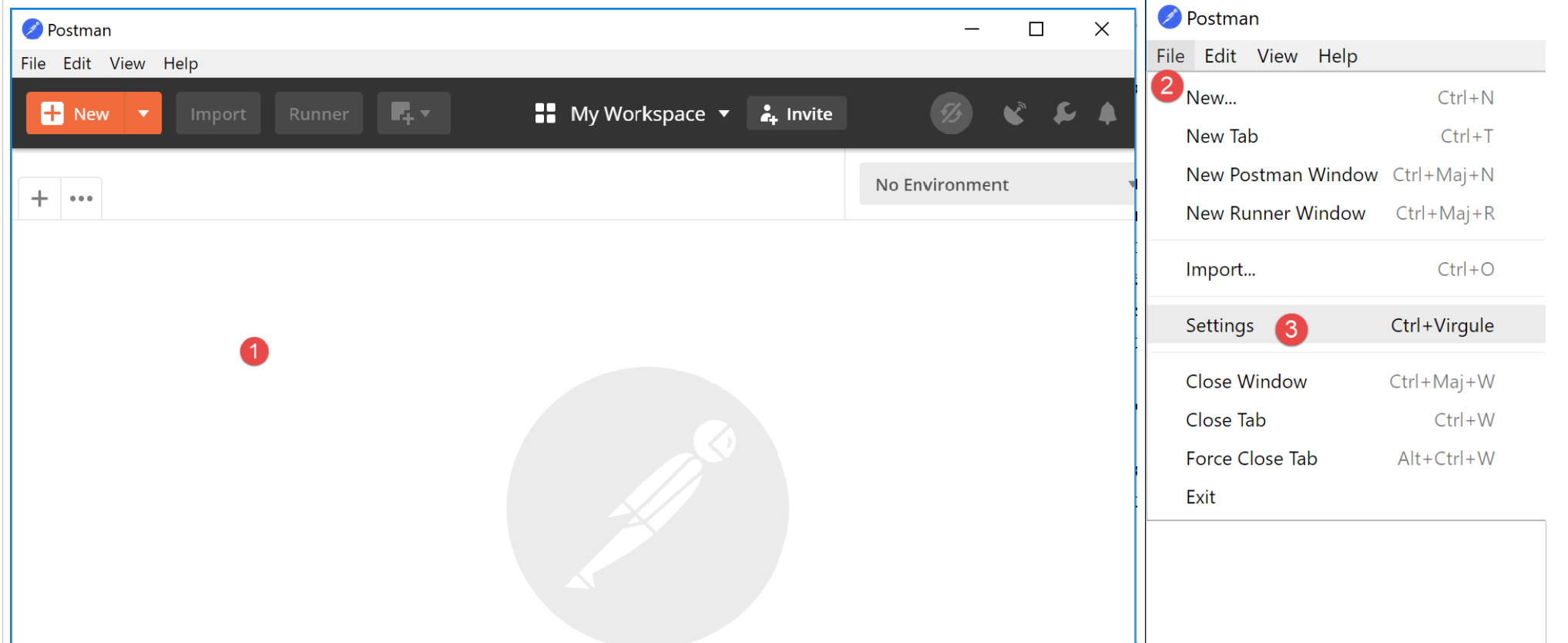
- in [2-3], you have access to the product settings;
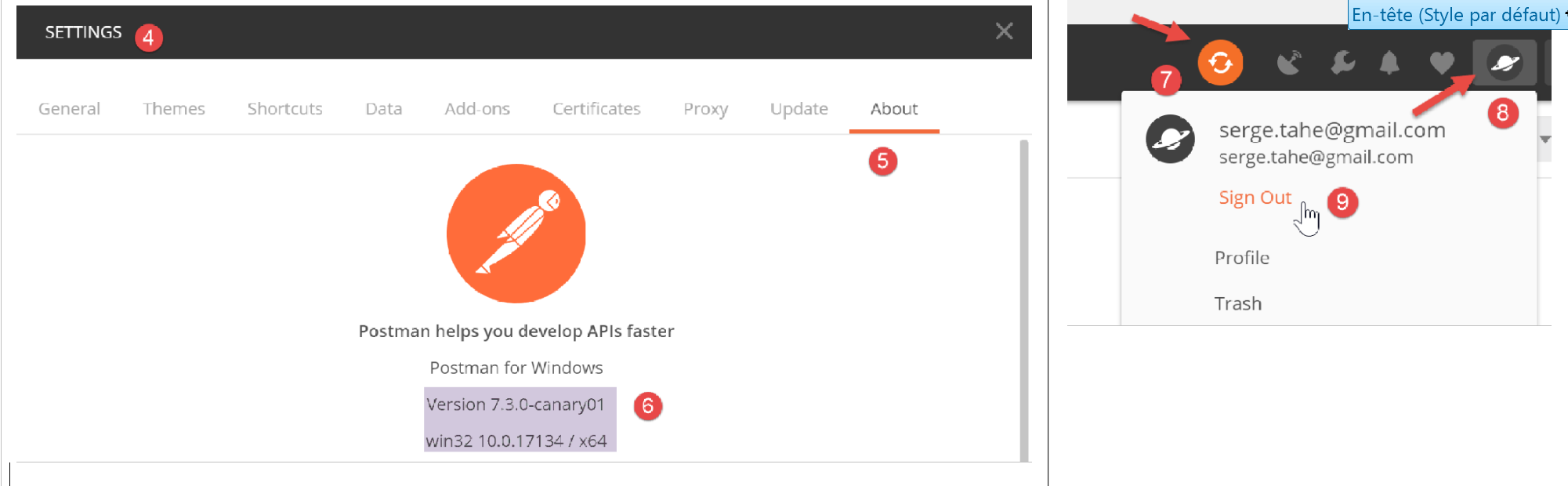
- in [6], the version used in this document;
- If you have created an account, synchronization occurs between your computer and a remote [Postman] server. This is indicated by the [7] wheel that spins every time you make changes to the [Postman] project. To stop this unnecessary synchronization, log out of [8-9];
23.5.2. The Symfony / Serializer library
To serialize objects in jSON and XML, we will use the [Symfony / Serializer] library. It offers two advantages here:
- it is consistent in its use for serializing to jSON or XML: this avoids having to learn two different API (Application Programming Interface) libraries;
- natively, it can serialize objects to jSON or XML, even if their attributes are private. Recall that in jSON, to serialize an object, its class had to implement the [\JsonSerializable] interface. The result obtained was a jSON string representing an associative array with the class’s attributes as keys. When deserializing this jSON string, the primitive associative array was recovered, which then had to be converted into an object of the class that had been serialized. With [Symfony / Serializer], deserialization immediately produces an object of the serialized class. It’s simpler;
The documentation for the [Symfony / Serializer] library is available at URL: [https://symfony.com/doc/current/components/serializer.html] (June 2019).
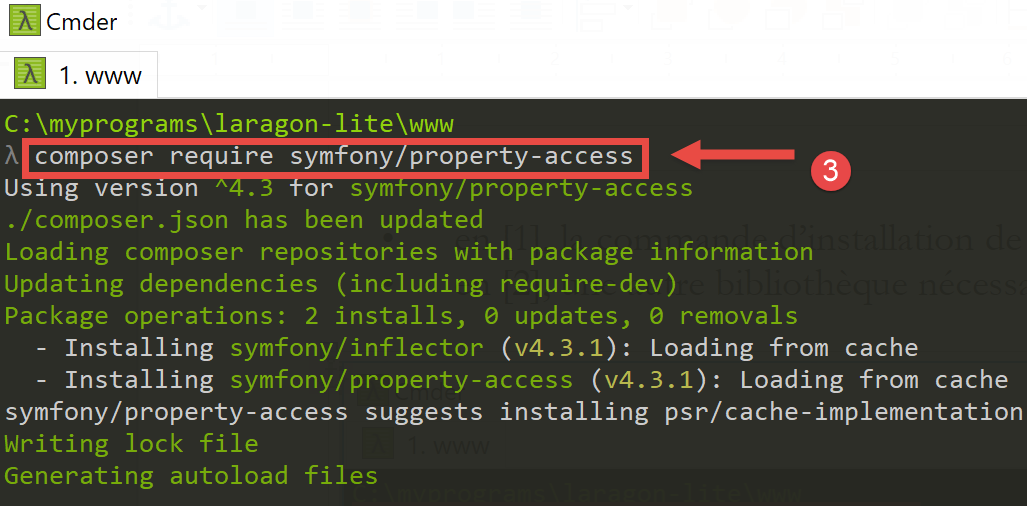
To install this library, open a Laragon terminal (see link in the paragraph) and type the following command:
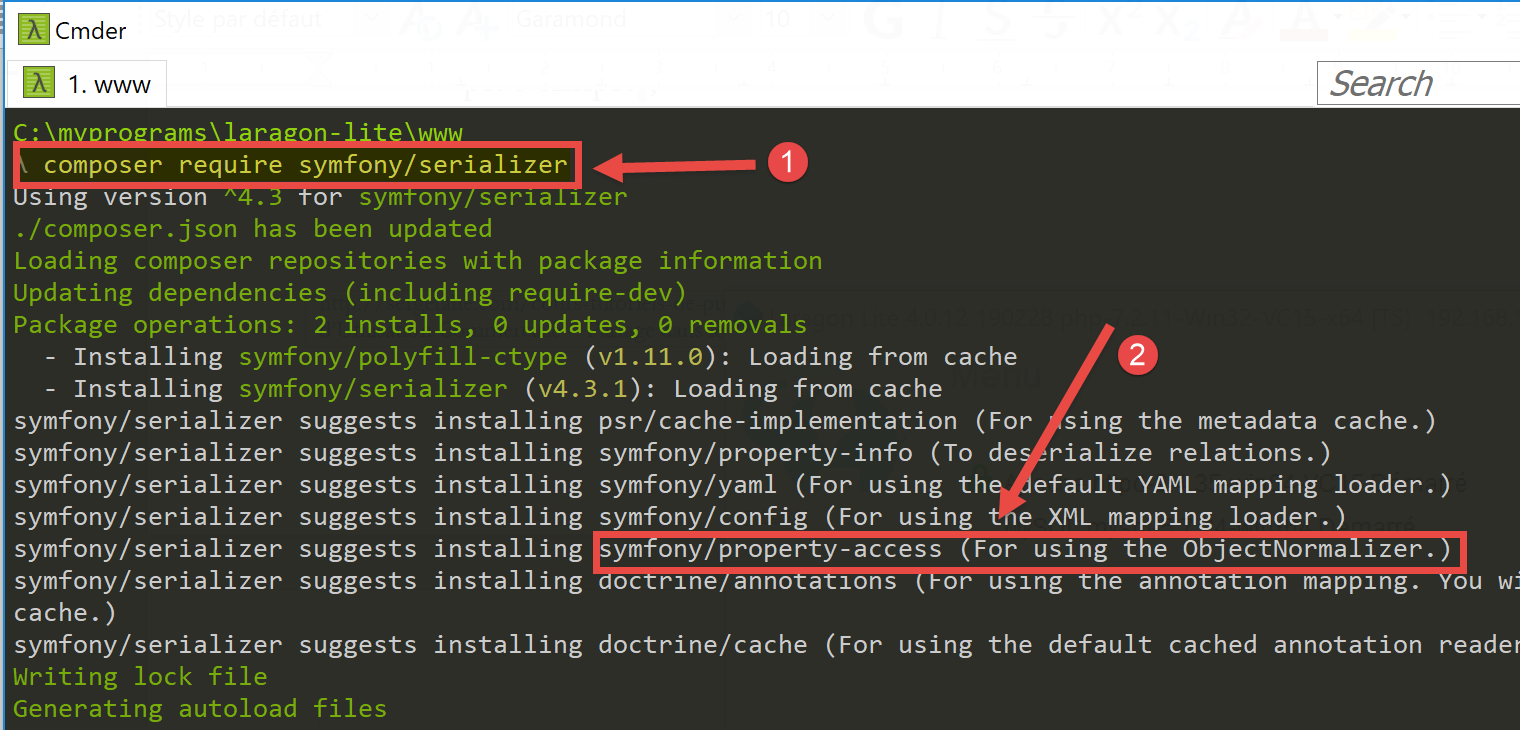
- in [1], the command to install the [symfony/serializer] library;
- in [2], another library required for our project: enables object serialization;
23.6. Application entities
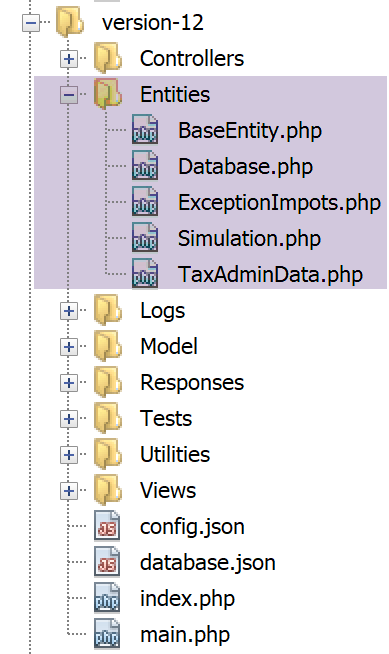
The [BaseEntity, Database, ExceptionImpots, TaxAdminData] entities have been used since version 08 of the web service (see link paragraph).
The [Simulation] class will be used to encapsulate the elements of a tax calculation simulation:
<?php

namespace Application;

class Simulation extends BaseEntity {
  // attributes of a tax calculation simulation
  protected $marié;
  protected $enfants;
  protected $salaire;
  protected $impôt;
  protected $surcôte;
  protected $décôte;
  protected $réduction;
  protected $taux;

  // getters
  public function getMarié() {
    return $this->marié;
  }

  public function getEnfants() {
    return $this->enfants;
  }

  public function getSalaire() {
    return $this->salaire;
  }

  public function getImpôt() {
    return $this->impôt;
  }

  public function getSurcôte() {
    return $this->surcôte;
  }

  public function getDécôte() {
    return $this->décôte;
  }

  public function getRéduction() {
    return $this->réduction;
  }

  public function getTaux() {
    return $this->taux;
  }

}
Comments
- line 5: the class [Simulation] extends the class [BaseEntity] and therefore inherits the methods:
- [setFromArrayOfAttributes($arrayOfAttributes)]: which allows you to initialize the class’s attributes;
- [__toString]: which returns the jSON string of the object;
- lines 7–14: the simulation’s attributes;
- lines 16–47: the class’s getters;
23.7. Application Utilities
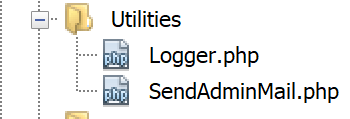
The [Logger] class allows you to log events to a text file. This class is described in the section linked below.
The [SendAdminMail] class allows you to send an email to the application administrator. This class is described in the link section.
23.8. The [métier] and [dao] layers
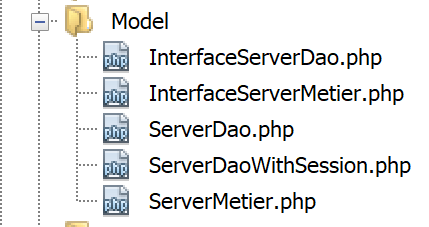
The classes and interfaces of the [métier] and [dao] layers are grouped in the [Model] folder. They have all been defined and used in previous versions:
ExceptionImpots | The class of exceptions thrown by the [dao] layer. Defined in the link section. |
InterfaceServerDao | Interface implemented by the server's [dao] layer. Defined in the link section. |
ServerDao | Implementation of the [InterfaceServerDao] interface. Implements the server’s [dao] layer. Defined in the link section. |
ServerDaoWithSession | Implementation of the [InterfaceServerDao] interface. Implements the [dao] layer of the server. Defined in the link section. |
InterfaceServerMetier | Interface implemented by the [métier] layer of the server. Defined in the link section. |
ServerMetier | Implementation of the [InterfaceMetier] interface. Implements the [metier] layer of the server. Defined in the link section. |
The application currently being developed makes extensive use of elements already presented and used:
- the [métier] and [dao] layers;
- the utilities [Logger] and [SendAdminMail];
- the [ExceptionImpots, TaxAdminData, Database] entities;
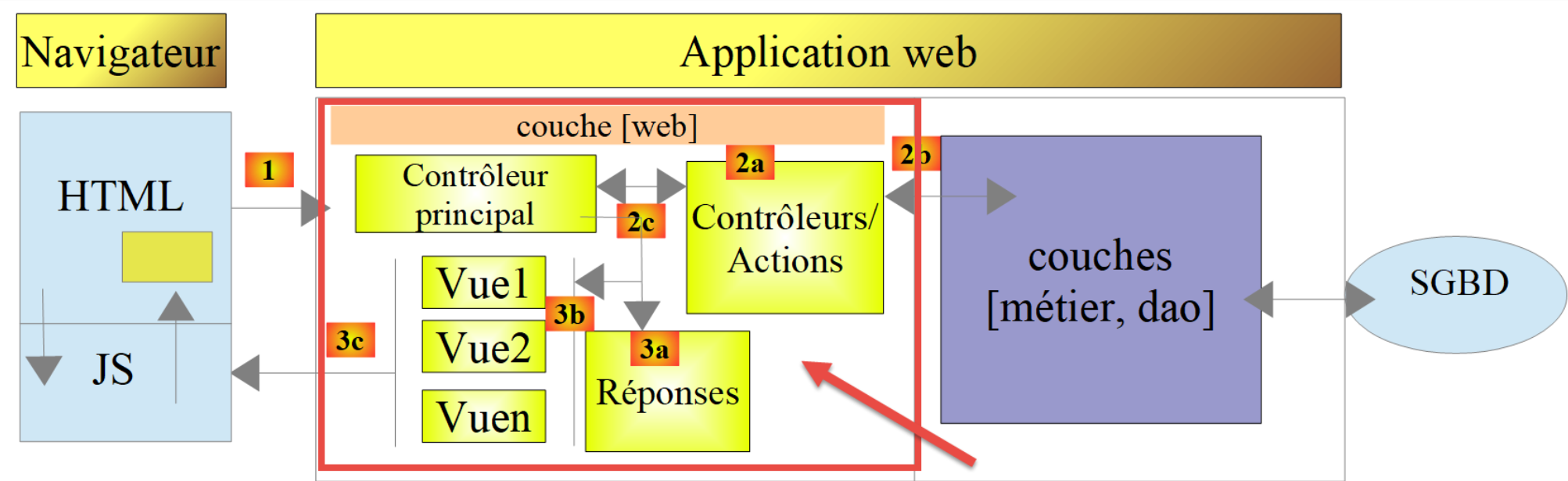
We will focus on the [web] layer of the application:
23.9. The main controller [main.php]
23.9.1. Introduction
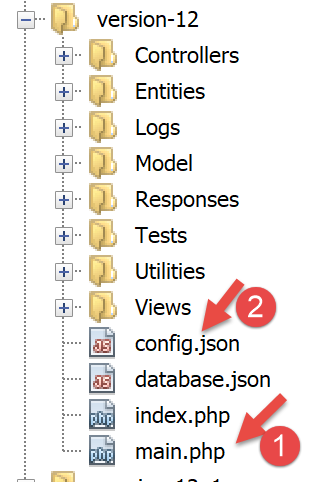
- [1-2]: the main controller [main.php] [1] is configured by the file [config.json] [2];
Let’s review the position of the main controller in our architecture MVC:
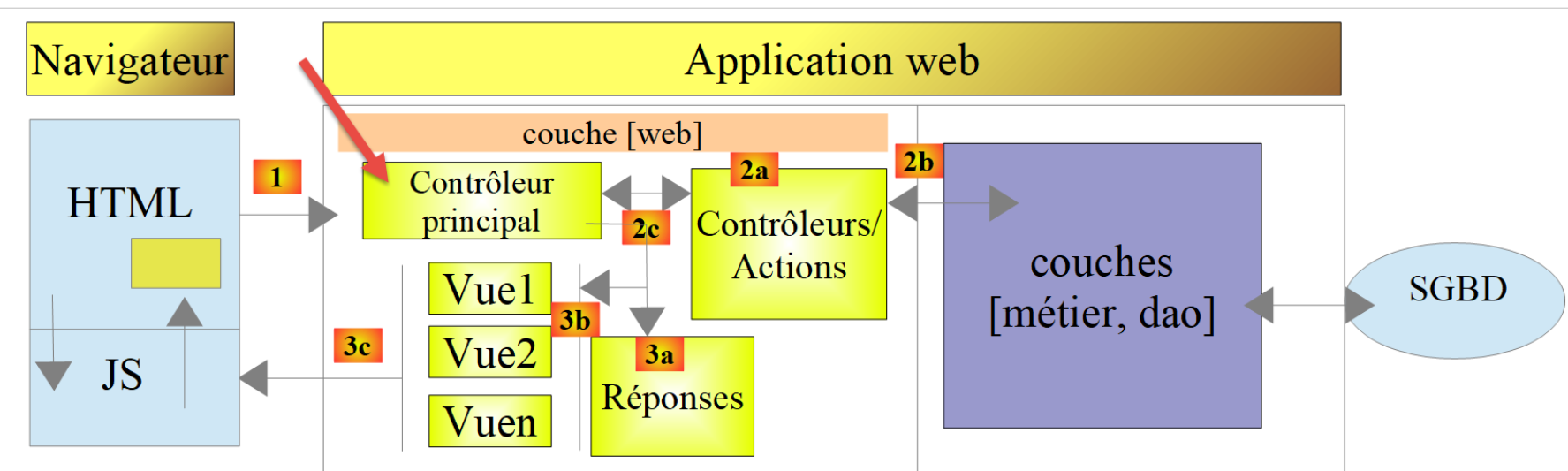
In [1], the main controller [main.php] is the first component of the MVC architecture to process the client’s request. It has several roles:
- First, it performs basic checks:
- does its configuration file exist and is it valid;
- loading all project dependencies. This amounts to loading all components of the MVC architecture;
- has the requested action been specified? If so, is it valid?
- if the requested action is valid, select [2a] the secondary controller that will process it and pass it the information it needs: the request HTTP, the session, the application configuration;
- Retrieve the response from the secondary controller. Depending on the type (jSON, XML, HTML) of the application requested by the client, select [3a] the response (JsonResponse, XmlResponse, HtmlResponse) responsible for sending the response to the client and passing it all the information it needs (the request HTTP, the session, the application configuration, the response from the secondary controller);
- once this response has been sent ([3c]), proceed to release the resources that may have been allocated for processing the request;
23.9.2. [main.php] - 1
The code for the main controller [main.php] is as follows:
<?php

// strict adherence to declared types of function parameters
declare (strict_types=1);

// namespace
namespace Application;

// symfony dependencies
use Symfony\Component\HttpFoundation\Request;
use Symfony\Component\HttpFoundation\Response;
use Symfony\Component\HttpFoundation\Session\Session;

// error handling by PHP
//ini_set("display_errors", "0");
error_reporting(E_ALL && !E_WARNING && !E_NOTICE);
// we retrieve the configuration
$configFilename = "config.json";
$fileContents = \file_get_contents($configFilename);
$erreur = FALSE;
// mistake?
if (!$fileContents) {
  // we note the error
  $état = 131;
  $erreur = TRUE;
  $message = "Le fichier de configuration [$configFilename] n'existe pas";
}
if (!$erreur) {
  // retrieve the JSON code from the configuration file in an associative array
  $config = \json_decode($fileContents, true);
  // mistake?
  if (!$config) {
    // we note the error
    $erreur = TRUE;
    $état = 132;
    $message = "Le fichier de configuration [$configFilename] n'a pu être exploité correctement";
  }
}
// mistake?
if ($erreur) {
  // prepare JSON server response
  // you can't use the configuration file
  // symfony dependencies
  require_once "C:/myprograms/laragon-lite/www/vendor/autoload.php";
  // response preparation
  $response = new Response();
  $response->headers->set("content-type", "application/json");
  $response->setCharset("utf-8");
  // status code
  $response->setStatusCode(Response::HTTP_INTERNAL_SERVER_ERROR);
  // content
  $response->setContent(json_encode(["action" => "", "état" => $état, "réponse" => $message], JSON_UNESCAPED_UNICODE));
  // shipping
  $response->send();
  // end
  exit;
}
…
Comments
- lines 10–12: the main controller uses the following Symfony objects:
- [Request]: the HTTP request currently being processed;
- [Session]: the web application session;
- [Response]: the response HTTP to the client;
- line 15: throughout development, this line will remain commented out: PHP errors are then included in the text stream sent to the client. If the client is a browser, this allows the errors encountered by the server to be viewed. This aids in debugging;
- line 16: all errors are reported (E_ALL) except warnings (! E_WARNING) and non-fatal information (! E_NOTICE). For example, if a file cannot be opened, PHP generates an error of type [E_NOTICE]. If line 15 enables error display, the file-opening error appears in the client browser. This is fine if you forgot to test the result of opening the file, but less so if you planned to test it: a line of [notice] then clutters the server’s response to the client. During development, line 16 should also be commented out: you don’t want to miss any errors;
- line 19: the configuration file is read;
- lines 22–27: if this read operation failed, the error is logged (line 25), the application is set to the [131] state, and an error message is prepared;
- line 30: the string jSON is decoded from the configuration file;
- lines 32–37: if this decoding fails, log the error (line 34), set the application to state [132], and prepare an error message;
- lines 40–57: if an error occurs while reading the configuration file, we cannot proceed further. We then prepare a jSON response for the client:
- line 44: since the configuration file was not read, the file [autoload] required by [Symfony] must be imported manually;
- lines 46–47: we prepare a response jSON;
- line 50: the response code HTTP will be 500 INTERNAL_SERVER_ERROR;
- line 52: the response content is set to jSON. All responses generated by the web application under consideration will have three keys:
- [action]: the action requested by the client;
- [état]: the state of the application after executing this action;
- [réponse]: the web server’s response;
- line 54: the response jSON is sent to the client;
23.9.3. Tests [Postman] - 1
We will verify the server's behavior when the configuration file is missing or incorrect:
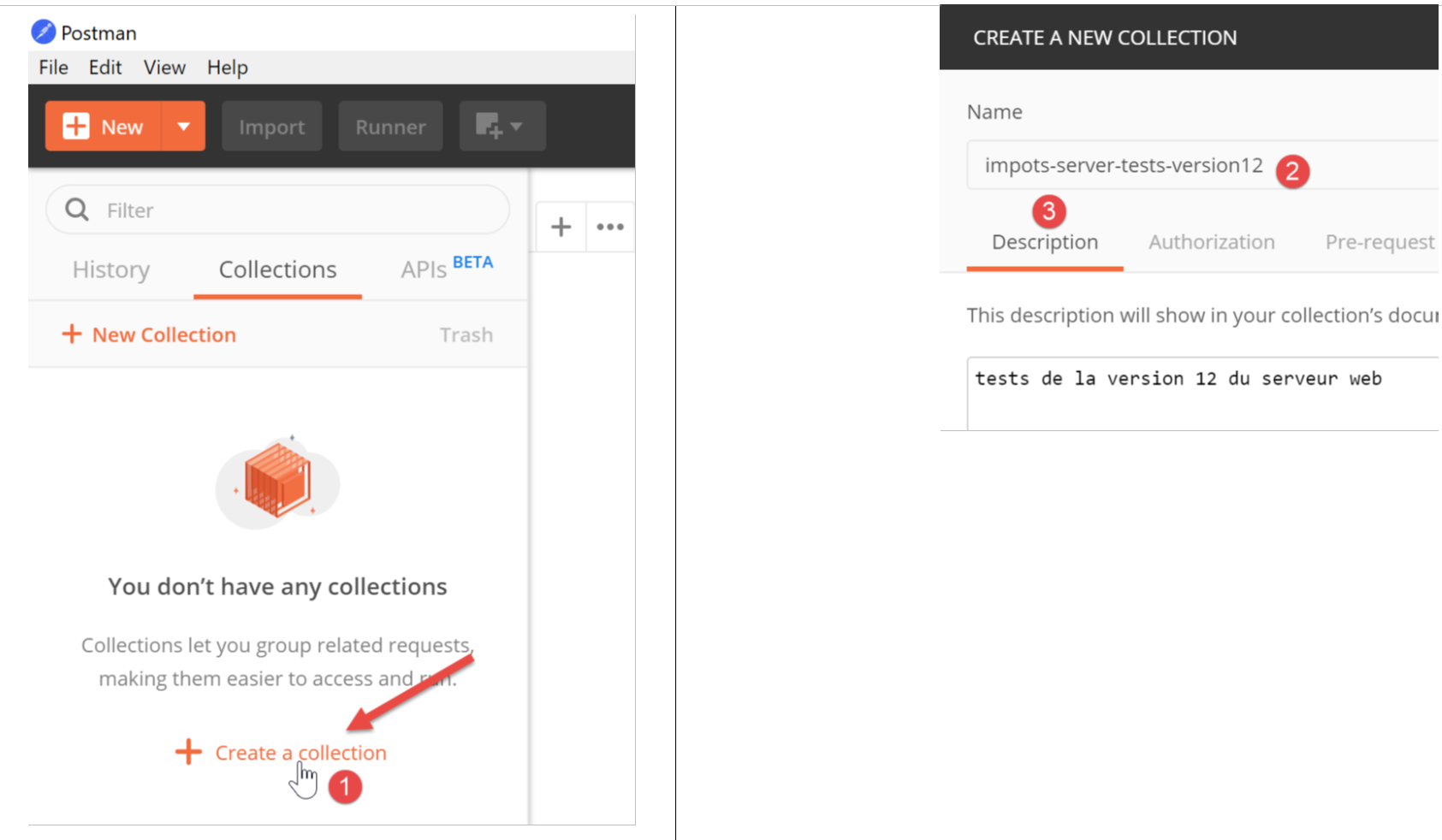
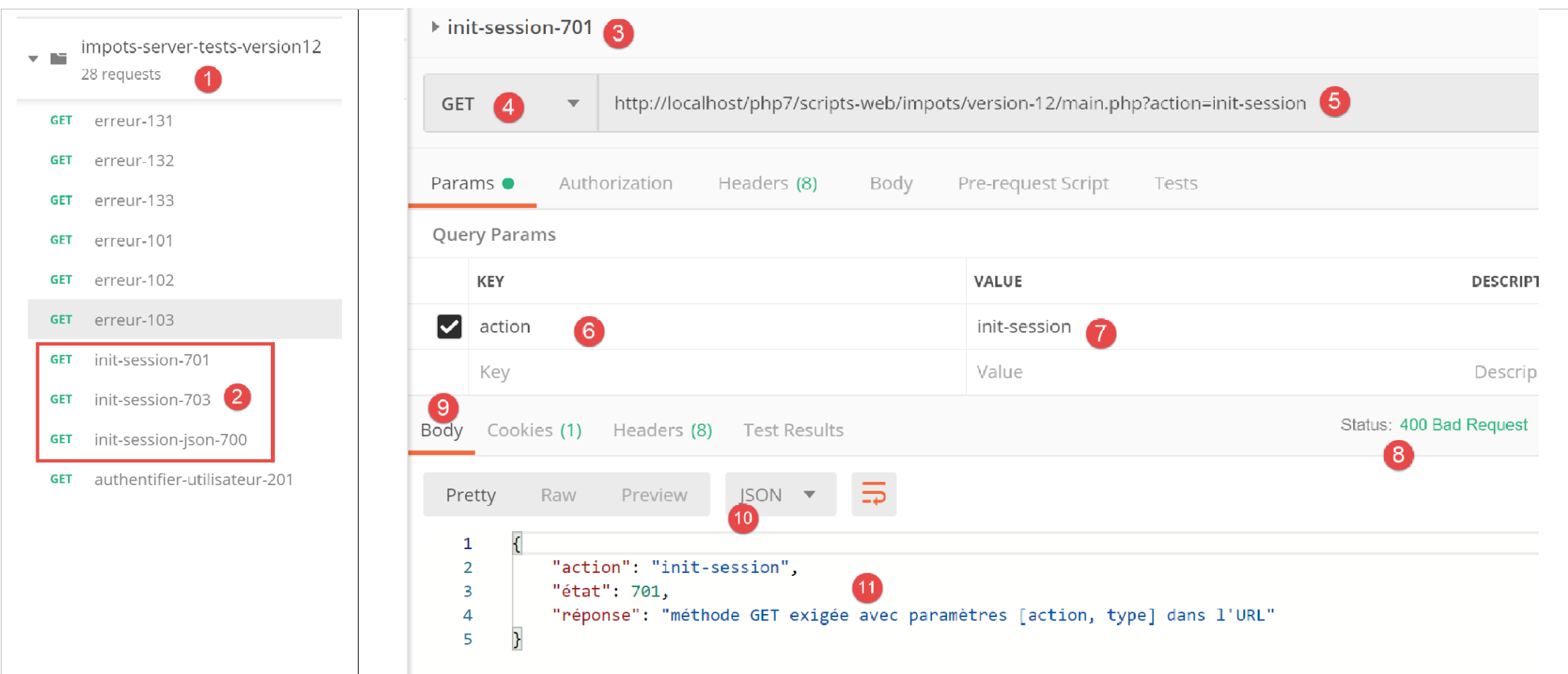
We will group the various requests that our client [Postman] will send to the tax server into collections.
- In [1], create a new collection;
- In [2], give it a name;
- In [3], the description is optional;
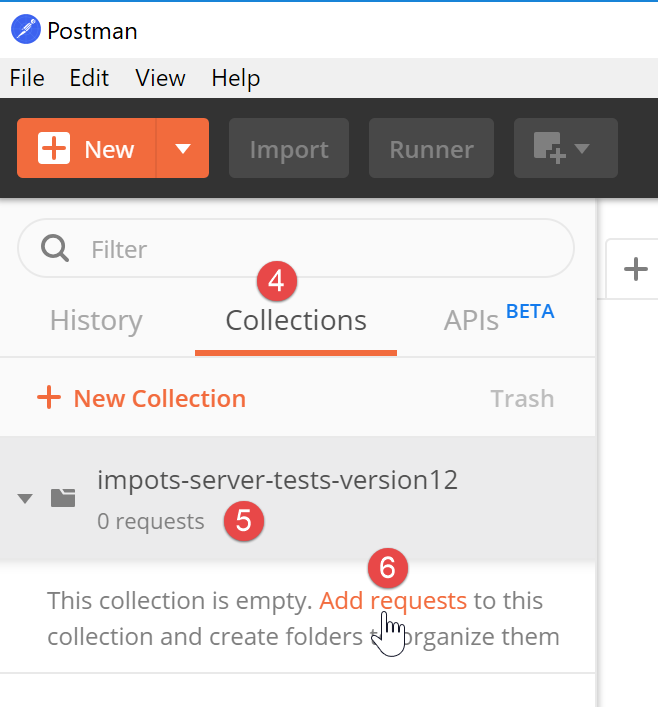
- In the collections [4], a collection named [impots-server-tests-version12] [5] now appears;
- in [6], you can add a new query to the collection;
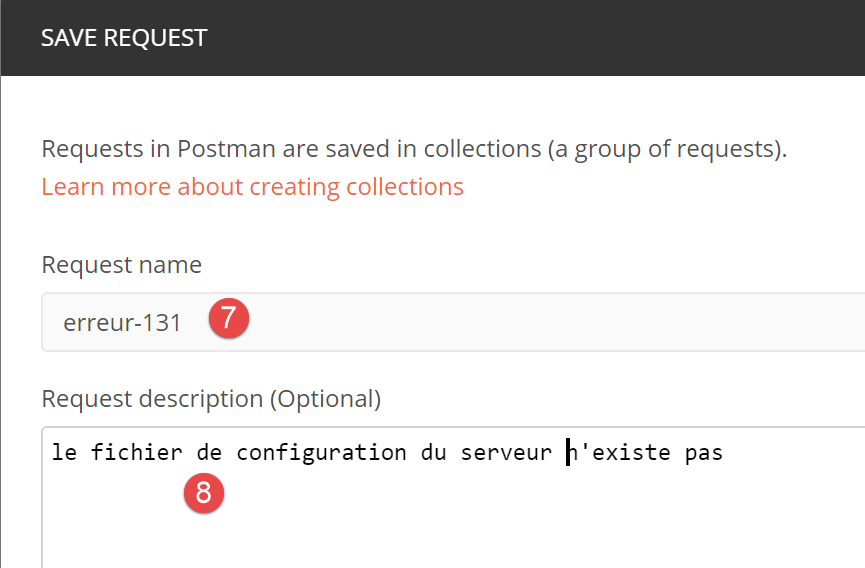
- in [7], a name is given to the query;
- in [8], the description is optional;
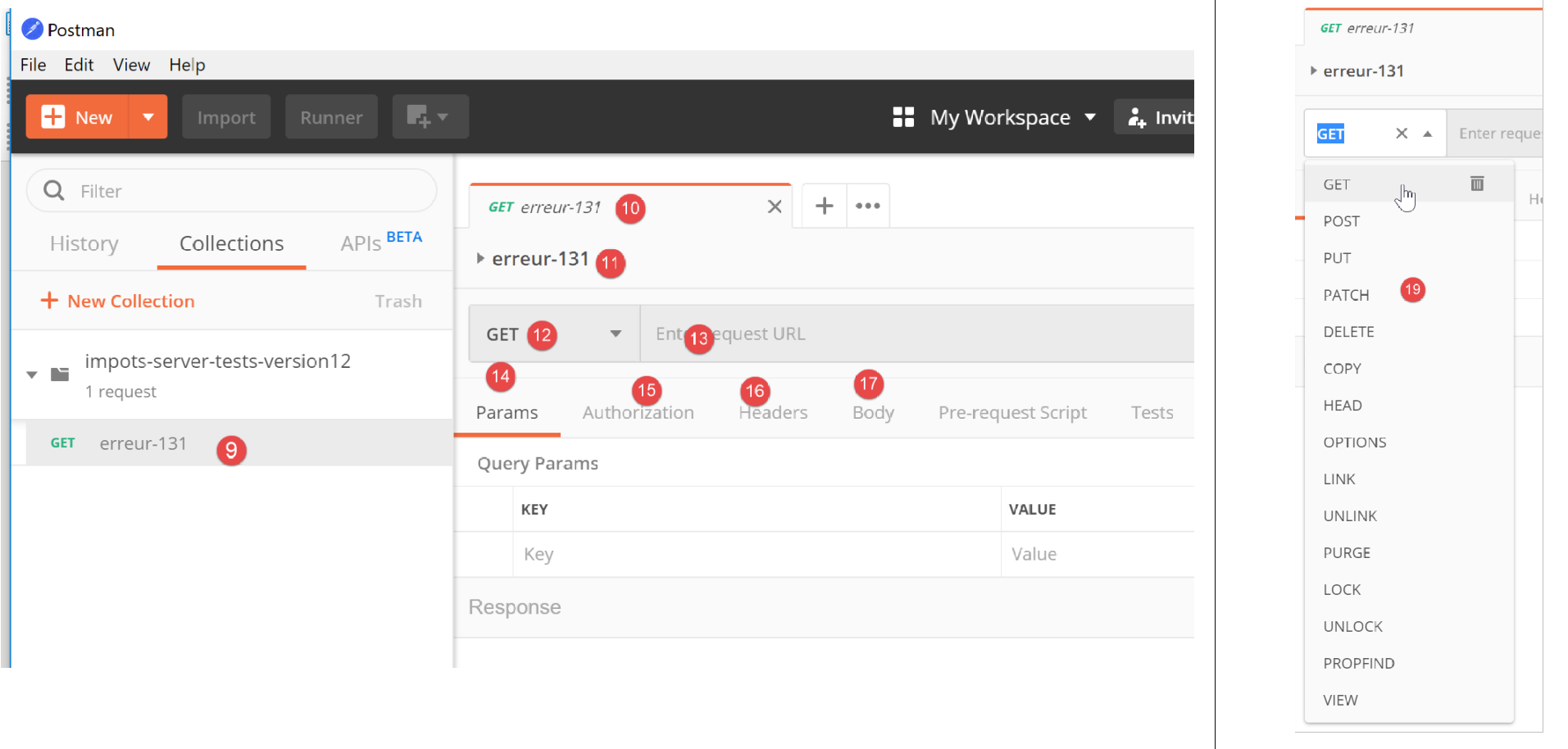
- in [9-11], the query is added to the collection;
- In [12], select the query type; here, a [GET] query. In [19], the different query types available;
- in [13], enter the server’s URL here;
- in [14], enter here the parameters added to the URL, which will therefore be parameters of the GET. The advantage of putting them here rather than directly in URL is that they will be URL-encoded by [Postman]. If you place them yourself in the URL, it will be up to you to URL-encode them;
- in [15], [Authorization] is used to define the user who will log in. We will not need to use this option;
- in [16], the headers HTTP that will accompany the request. A number of headers are automatically included in the request. You can add new ones here;
- In [17], [Body] specifies the parameters for a [POST] operation. We will need to use this option;
We will perform the following test:
- In [main.php], we specify that the configuration file is [config2.json], which does not exist:
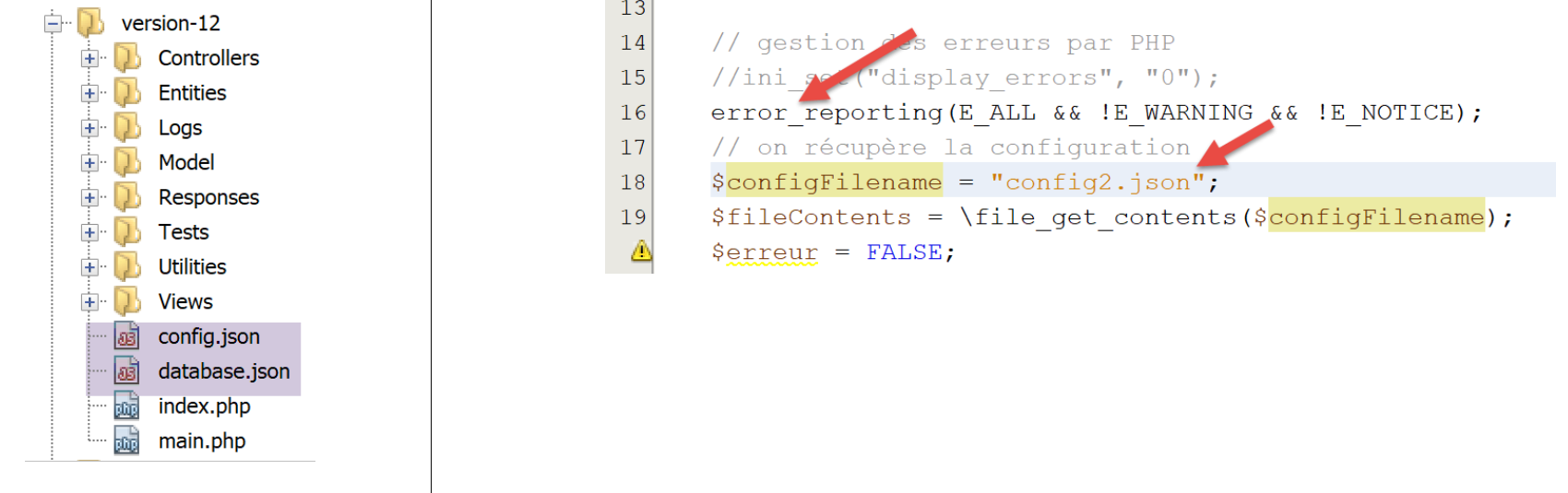
- Line 16 of the code must be uncommented;
- Line 18: the error regarding the configuration file name;
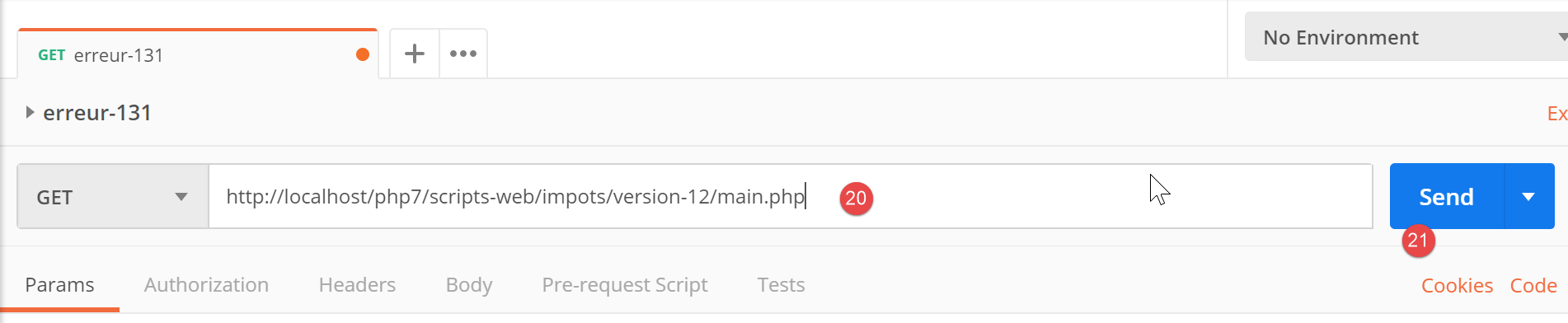
Let’s open [Postman] [13, 20], the URL from the tax calculation web server, and run it [21]:
The response returned by the server (Laragon must, of course, be running) is as follows:
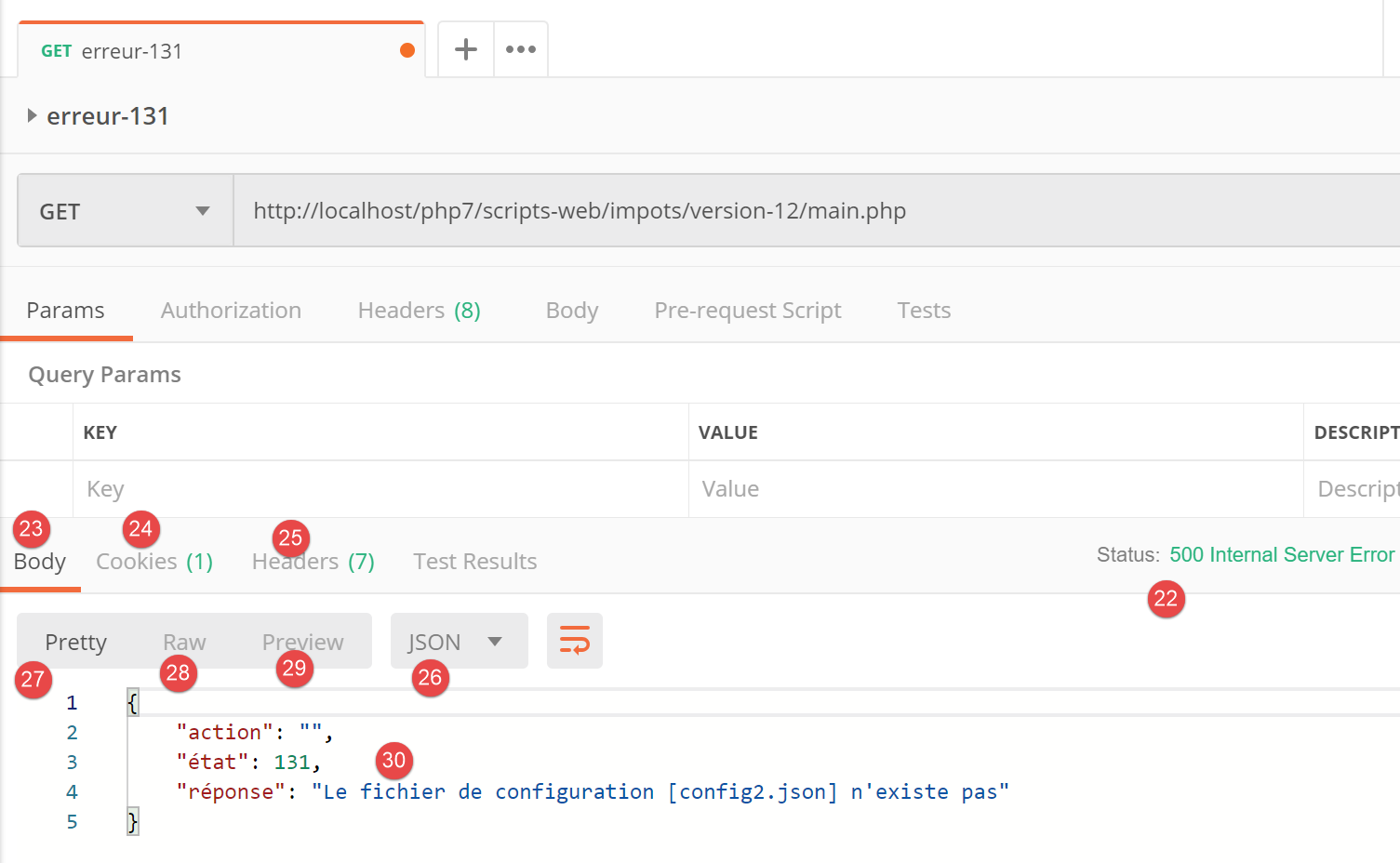
- in [22], the server returned a status code HTTP [500 Internal Server Error];
- in [23], [Body] refers to the body of the response, i.e., the document sent by the server behind the headers HTTP [28];
- in [26], we see that [Postman] received a response jSON;
- in [27], the formatted response jSON;
- In [28], the raw, unformatted response jSON;
- in [29], mode [Preview] is used when the response is HTML. Mode [Preview] then displays the received page;
- In [30], the server's response is jSON. This is indeed the one we were expecting;
In [25], the headers HTTP sent in the server's response are as follows:
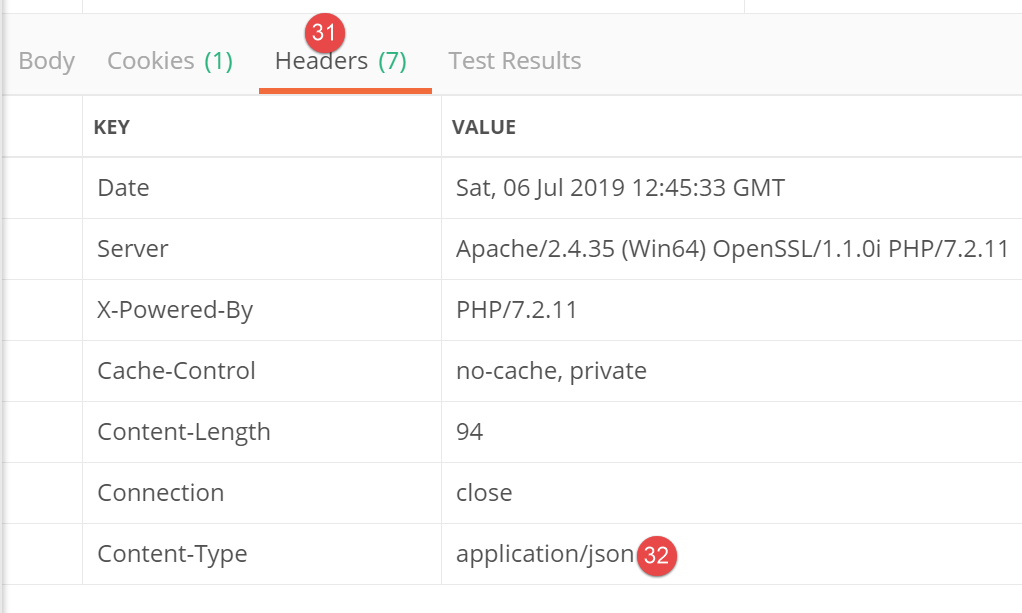
- In [32], the response type jSON;
This initial test showed us that we:
- can send any type of request to the tested server;
- can set the parameters of GET or POST;
- have the entire response: HTTP headers and the document following these [Body] headers;
Now, let’s run a second test:
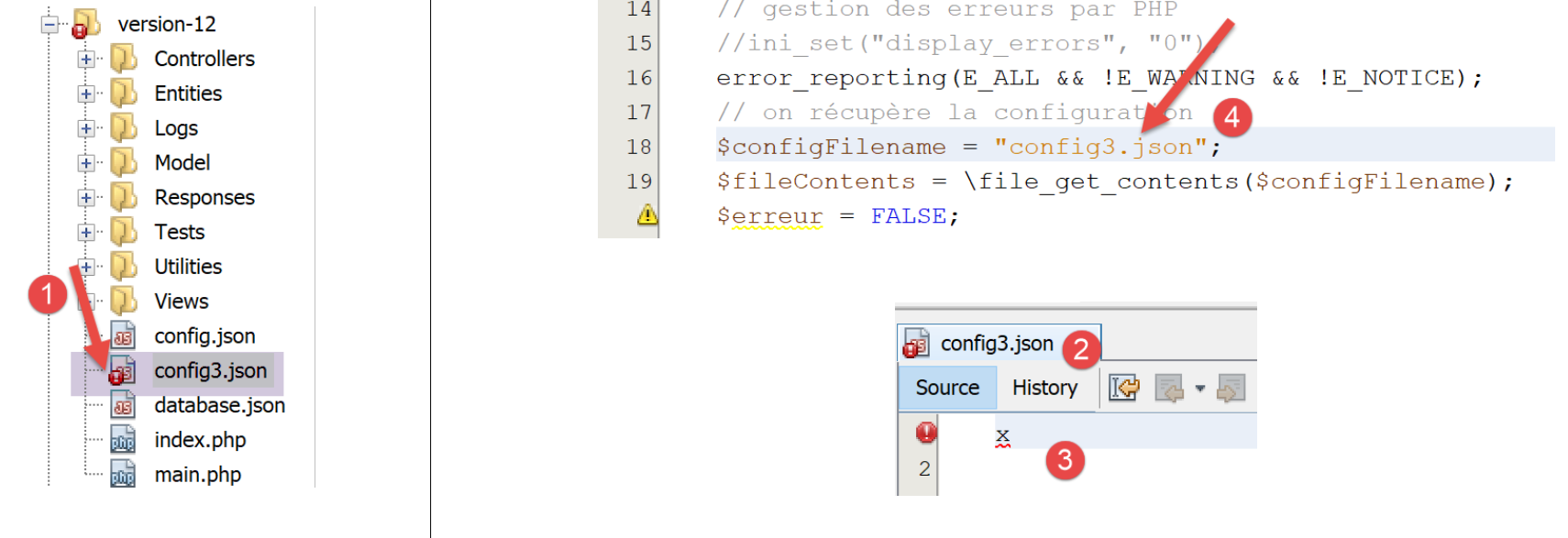
- in [1-3], the file [config3.json] is a syntactically incorrect jSON file;
- In [4], [main.php] is configured to use [config3.json];
We add a new query in [Postman]:
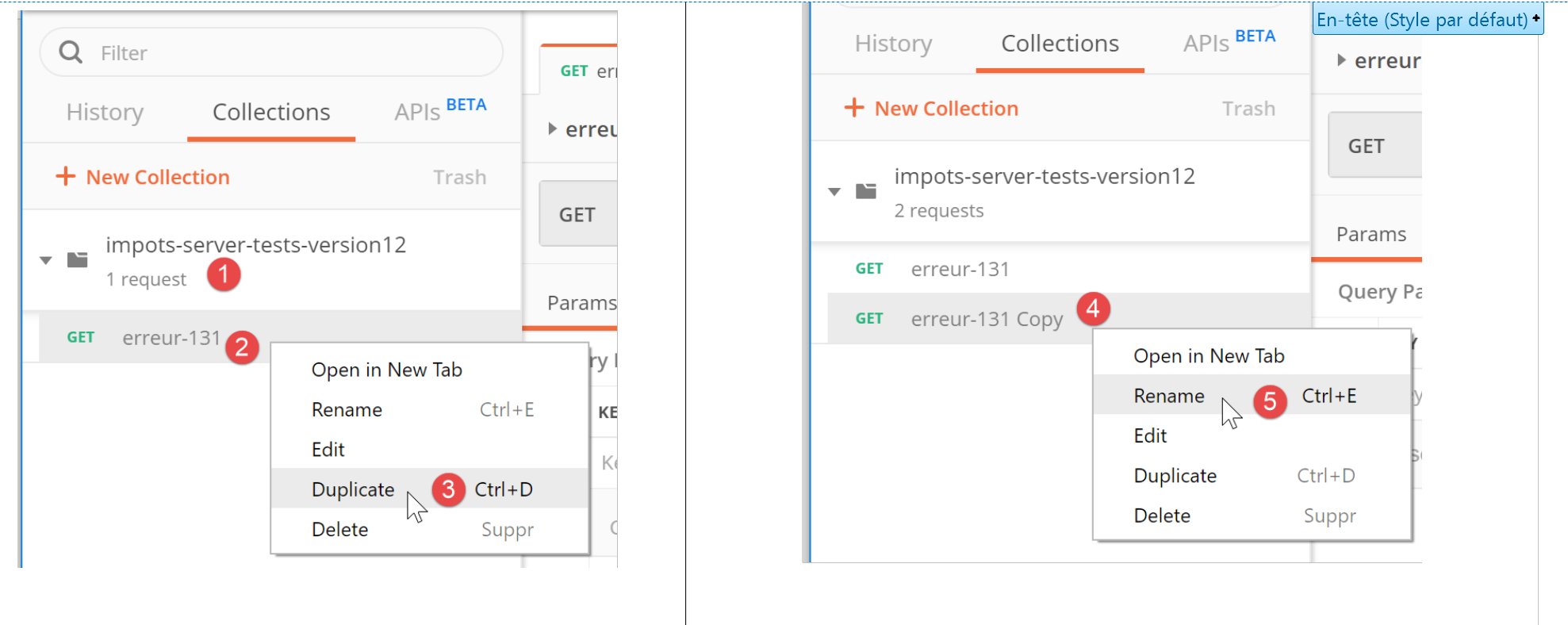
- In [1-3], right-click on [2] and select option or [duplicate] to duplicate the query [2];
- in [4], the new query has a default name that you change to [5];
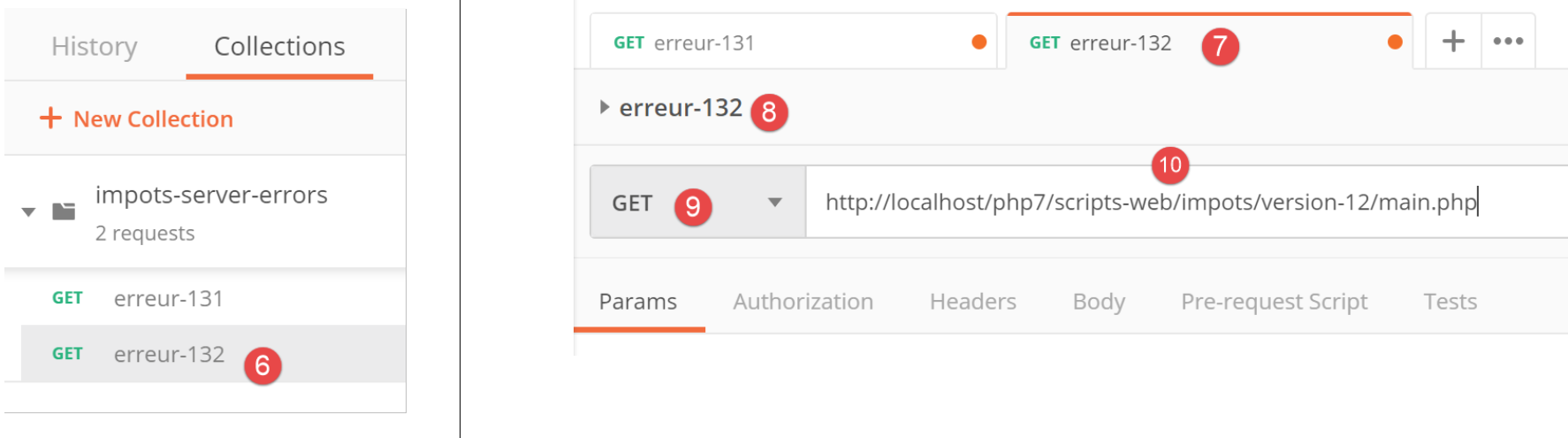
- to [6], the renamed query;
- in [9-10], we send the same request GET as before;
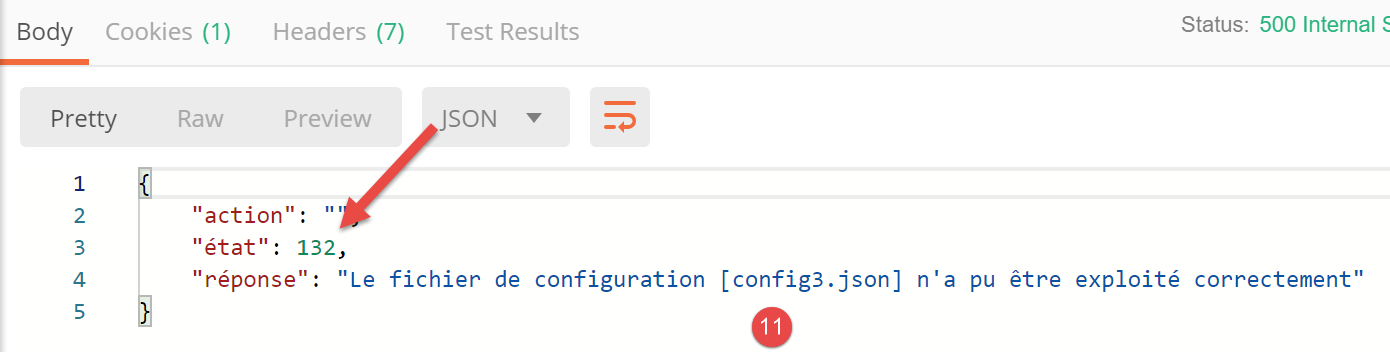
- to [11], the server’s response jSON;
Here we have shown how the various actions of the tax calculation web service would be tested.
23.9.4. [main.php] – 2
We resume our examination of the main controller code [main.php]:
<?php

// strict adherence to declared types of function parameters
declare (strict_types=1);

// namespace
namespace Application;

// symfony dependencies
use Symfony\Component\HttpFoundation\Request;
use Symfony\Component\HttpFoundation\Response;
use Symfony\Component\HttpFoundation\Session\Session;

// error handling by PHP
//ini_set("display_errors", "0");
error_reporting(E_ALL && !E_WARNING && !E_NOTICE);
// we retrieve the configuration
$configFilename = "config.json";
…
// include the necessary script dependencies
$rootDirectory = $config["rootDirectory"];
foreach ($config["relativeDependencies"] as $dependency) {
  require_once "$rootDirectory$dependency";
}
// absolute dependencies (third-party libraries)
foreach ($config["absoluteDependencies"] as $dependency) {
  require_once "$dependency";
}

// log file creation
try {
  $logger = new Logger($config['logsFilename']);
} catch (ExceptionImpots $ex) {
  // log file could not be created - internal server error
  $état = 133;
  (new JsonResponse())->send(
    NULL, NULL, $config,
    Response::HTTP_INTERNAL_SERVER_ERROR,
    ["action" => "non déterminée", "état" => $état, "réponse" => "Le fichier de logs [{$config['logsFilename']}] n'a pu être créé"],
    []);
  // completed
  exit;
}
Comments
- line 18: we now have a [config.json] configuration file that exists and is syntactically correct. We would also need to verify that the expected keys are present in this file. We will consider this to be part of the developer’s normal debugging work. We could have applied the same reasoning to the two previous errors;
- lines 20–28: we include all the dependencies required for the web project. We have already encountered this code several times;
- lines 31–43: we attempt to create the [Logger] object, which will allow us to log events to the file [$config['logsFilename']]. This creation may fail;
- lines 33–43: handling the error when creating the [Logger] object;
- line 35: we set a status number;
- lines 36–40: a response is sent (jSON);
- line 42: the script is terminated;
All responses sent to the client implement the following [InterfaceResponse] interface:
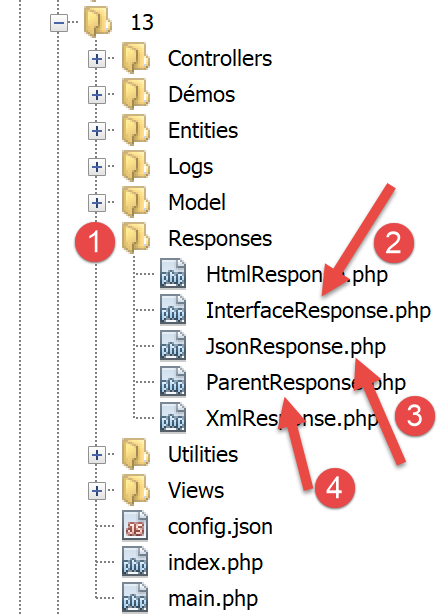
The code for the [InterfaceResponse] interface is as follows:
<?php

namespace Application;

// symfony dependencies
use Symfony\Component\HttpFoundation\Request;
use Symfony\Component\HttpFoundation\Session\Session;

interface InterfaceResponse {

  // Request $request: request currently being processed
  // Session $session: the web application session
  // array $config: application configuration
  // int statusCode: HTTP response status code
  // array $content: server response
  // array $headers: HTTP headers to be added to the response
  // Logger $logger: the logger for writing logs

  public function send(
    Request $request = NULL,
    Session $session = NULL,
    array $config,
    int $statusCode,
    array $content,
    array $headers,
    Logger $logger = NULL): void;
}
- lines 19–27: the [InterfaceResponse] interface has a single method, [send], for sending the response to the client;
- lines 11–17: the meaning of the various parameters of the [send] method;
- lines 23–25: the [$statusCode, $content, $headers] parameters are part of the standard output from the application’s secondary controllers. However, the response may require additional information. Therefore, we provide it with the first three parameters (lines 20–22), which grant it access to all information regarding the request, the session, and the configuration;
- line 26: the response requires [Logger] because it will log the response sent to the client;
The [JsonResponse] class implements the [InterfaceResponse] interface as follows:
<?php

namespace Application;

// symfony dependencies
use Symfony\Component\Serializer\Encoder\JsonEncode;
use Symfony\Component\Serializer\Encoder\JsonEncoder;
use Symfony\Component\Serializer\Normalizer\ObjectNormalizer;
use Symfony\Component\Serializer\Serializer;
use \Symfony\Component\HttpFoundation\Request;
use \Symfony\Component\HttpFoundation\Session\Session;

class JsonResponse extends ParentResponse implements InterfaceResponse {

  // Request $request: request currently being processed
  // Session $session: the web application session
  // array $config: application configuration
  // int statusCode: HTTP response status code
  // array $content: server response
  // array $headers: HTTP headers to be added to the response
  // Logger $logger: the logger for writing logs

  public function send(
    Request $request = NULL,
    Session $session = NULL,
    array $config,
    int $statusCode,
    array $content,
    array $headers,
    Logger $logger = NULL): void {

    // symfony serializer preparation
    $serializer = new Serializer(
      [
      // required for object serialization
      new ObjectNormalizer()],
      // encoder jSON
      // for options, make OU between the different options
      [new JsonEncoder(new JsonEncode([JsonEncode::OPTIONS => JSON_UNESCAPED_UNICODE]))]
    );
    // serialization jSON
    $json = $serializer->serialize($content, 'json');
    // headers
    $headers = array_merge($headers, ["content-type" => "application/json"]);
    // sending reply
    parent::sendResponse($statusCode, $json, $headers);
    // log
    if ($logger !== NULL) {
      $logger->write("réponse=$json\n");
    }
  }

}
Comments
- line 13: the class implements the [InterfaceResponse] interface;
- line 13: the class extends the [ParentResponse] class. All [Response] types extend this class. It is this parent class that sends the response to the client (line 46). Because this code was common to all [Response] types, it was factored into a parent class;
- lines 33–40: instantiation of the [Symfony] serializer, which will convert the response from the [$content] server into a jSON string (line 42);
- lines 34–36: the first parameter of the [Serializer] constructor is an array. In this array, we place an instance of the [ObjectNormalizer] class required for object serialization. This scenario occurs in this application with a list of simulations where each simulation is an instance of the [Simulation] class;
- line 39: the second parameter of the [Serializer] constructor is also an array: it contains all the encoders used in a serialization (XML, jSON, CSV…);
- Line 39: There will be only one encoder here, of type [JsonEncoder]. The parameterless constructor could have been sufficient. Here, we passed a parameter [JsonEncode] to the constructor, solely to pass encoding options jSON;
- line 39: the constructor parameter [JsonEncode] is an array of options. Here we use option [JSON_UNESCAPED_UNICODE] to request that the UTF-8 characters in the string jSON be rendered natively and not “escaped”;
- line 42: the body of the HTTP response is serialized into jSON using the previous serializer;
- line 44: the header HTTP is added, telling the client that jSON will be sent to it;
- line 46: we ask the parent class to send the response to the client;
- lines 48–50: we log the response jSON;
The code for the parent class [ParentResponse] is as follows:
<?php

namespace Application;

// symfony dependencies
use Symfony\Component\HttpFoundation\Response;

class ParentResponse {

  // int $statusCode: HTTP response status code
  // string $content: the body of the reply to be sent
  // depending on the case, this is a jSON, XML, HTML string
  // array $headers: HTTP headers to be added to the response

  public function sendResponse(
    int $statusCode,
    string $content,
    array $headers): void {

    // preparing the server's text response
    $response = new Response();
    $response->setCharset("utf-8");
    // status code
    $response->setStatusCode($statusCode);
    // headers
    foreach ($headers as $text => $value) {
      $response->headers->set($text, $value);
    }
    // we send the answer
    $response->setContent($content);
    $response->send();
  }
}
Comments
- lines 10–13: the meaning of the three parameters of the [send] method;
- line 17: note that the response body is of type [string] and is therefore ready to be sent (line 30);
- line 22: the response will contain UTF-8 characters;
- line 24: response status code HTTP;
- lines 26–28: addition of the HTTP headers provided by the calling code;
- lines 30–31: sending the response to the client;
We have detailed the entire cycle of a jSON response. We will not revisit this later. You simply need to remember the signature of the [InterfaceResponse] interface:
interface InterfaceResponse {

  // Request $request: request currently being processed
  // Session $session: the web application session
  // array $config: application configuration
  // int statusCode: HTTP response status code
  // array $content: server response
  // array $headers: HTTP headers to be added to the response
  // Logger $logger: the logger for writing logs

  public function send(
    Request $request = NULL,
    Session $session = NULL,
    array $config,
    int $statusCode,
    array $content,
    array $headers,
    Logger $logger = NULL): void;
}
The primary controller [main.php] must use this signature every time it requests that the response be sent to the client.
23.9.5. Tests [Postman] – 2
We modify the [config.json] file as follows:
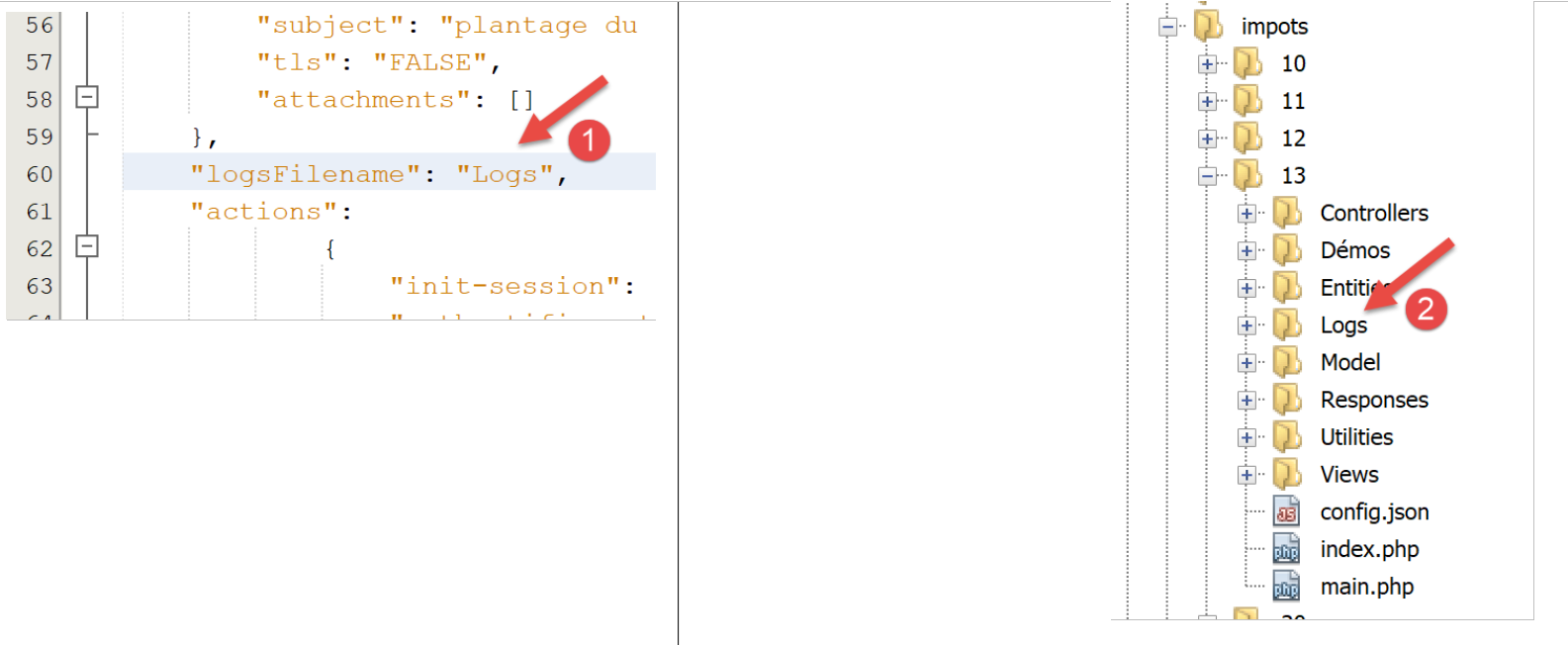
- In [1], we specify that the log file is [Logs], which is a folder named [2]. The creation of the file [Logs] should therefore fail;
We create a new request [Postman] [3], named [erreur-133]:
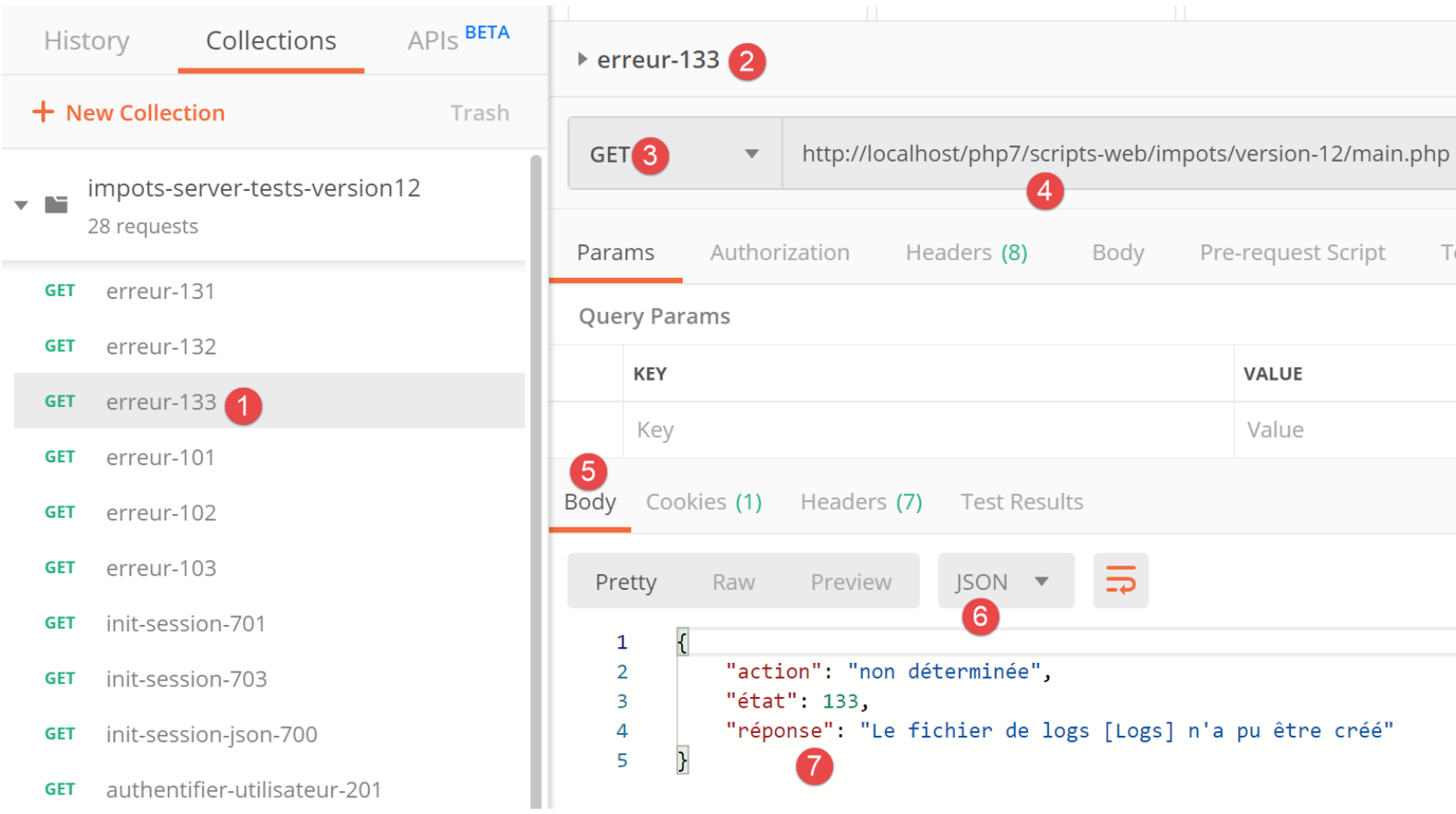
- [2-4]: we define the same request as in the two previous tests;
- [5-7]: we successfully retrieve the expected response jSON;
23.9.6. [main.php] – 3
Let’s continue examining the main controller [main.php]:
<?php

// strict adherence to declared types of function parameters
declare (strict_types=1);

// namespace
namespace Application;

// symfony dependencies
use Symfony\Component\HttpFoundation\Request;
use Symfony\Component\HttpFoundation\Response;
use Symfony\Component\HttpFoundation\Session\Session;

// error handling by PHP
…

// log file creation
…

// 1st log
$logger->write("\n---nouvelle requête\n");
// current query
$request = Request::createFromGlobals();

// session
$session = new Session();
$session->start();
// error list
$erreurs = [];
$erreur = FALSE;
// we manage the requested action
if (!$request->query->has("action")) {
  $erreurs[] = "paramètre [action] manquant";
  $erreur = TRUE;
  $état = 101;
  $action = "";
} else {
  // memorize the action
  $action = strtolower($request->query->get("action"));
}
// we log the action
$logger->write("action [$action] demandée\n");

// does the action exist?
if (!$erreur && !array_key_exists($action, $config["actions"])) {
  $erreurs[] = "action [$action] invalide";
  $erreur = TRUE;
  $état = 102;
}

// session type must be known before performing certain actions
if (!$erreur && !$session->has("type") && $action !== "init-session") {
  $erreurs[] = "pas de session en cours. Commencer par action [init-session]";
  $erreur = TRUE;
  $état = 103;
}

// some actions require authentication
if (!$erreur && !$session->has("user") && $action !== "authentifier-utilisateur" && $action !== "init-session") {
  $erreurs[] = "action demandée par utilisateur non authentifié";
  $erreur = TRUE;
  $état = 104;
}

// mistakes?
if ($erreurs) {
  // we prepare the answer without sending it
  $statusCode = Response::HTTP_BAD_REQUEST;
  $content = ["réponse" => $erreurs];
  $headers = [];
} else {
  // ---------------------------
  // execute the action using its controller
  $controller = __NAMESPACE__ . $config["actions"][$action];
  $logger->write("contrôleur : $controller\n");
  list($statusCode, $état, $content, $headers) = (new $controller())->execute($config, $request, $session);
}

// --------------------- we send the answer
// case of fatal error HTTP_INTERNAL_SERVER_ERROR
// send an e-mail to the administrator if you can
if ($statusCode === Response::HTTP_INTERNAL_SERVER_ERROR && $config['adminMail'] != NULL) {
  $infosMail = $config['adminMail'];
  $infosMail['message'] = json_encode($content, JSON_UNESCAPED_UNICODE);
  $sendAdminMail = new SendAdminMail($infosMail, $logger);
  $sendAdminMail->send();
}
// the answer depends on the session type
if ($session->has("type")) {
  // the session type is in the session
  $type = $session->get("type");
} else {
  // if no type in session, then the default response is jSON
  $type = "json";
}
// add the keys [action, state] to the controller response
$content = ["action" => $action, "état" => $état] + $content;
// instantiate the [Response] object responsible for sending the response to the client
$response = __NAMESPACE__ . $config["types"][$type]["response"];
(new $response())->send($request, $session, $config, $statusCode, $content, $headers, $logger);

// the reply has been sent - resources are released
$logger->close();
exit;
Comments
- once the initial checks have been performed and it knows it can proceed, the main controller focuses on the action requested of it: it must meet certain conditions;
- line 21: we log the fact that we have a new request. We couldn’t do this before because we weren’t sure we had a valid log file;
- line 23: we encapsulate all the information from the client’s request into the Symfony object [Request];
- line 26: we start a new session or retrieve the existing session if one exists;
- line 27: the session is activated;
- line 29: an array of error messages;
- line 30: a boolean that tells us, as testing progresses, whether or not an error has occurred;
- line 32: the parameter [action] must be part of URL in the form [main.php?action=uneAction]. The parameter [action] is then part of the parameters [$request→query];
- lines 33–36: case where the parameter [action] is missing from URL. The error is noted and a status of [101] is assigned to it;
- line 39: if the parameter [action] is present in URL, it is stored;
- line 42: the action type is logged;
- lines 45–49: if the parameter [action] is present, it must be valid. All authorized actions are defined in the associative array [$config["actions"]];
- lines 46–48: if the action is invalid, the error is logged and the status [102] is assigned to it;
- lines 52–56: the action is valid. It must still meet other conditions. The web application provides three response types (jSON, XML, HTML). This type is set by the action [init-session]. This action places the session type in the key [type];
- line 52: outside of action [init-session], any other action must be performed with key [type] in the session;
- lines 53–55: if this is not the case, the error is logged and the status [103] is assigned to it;
- lines 58–63: except for actions [init-session] and [authentifier-utilisateur], all other actions must be performed after authentication. This is done using action [authentifier-utilisateur], which, if authentication succeeds, sets a [user] key in the session;
- line 59: if the action is neither [init-session] nor [authentifier-utilisateur] and the key [user] is not in the session, then an error occurs;
- lines 60–62: the error is logged and assigned the status [104];
- lines 66-71: we check if the array [$erreurs] is non-empty. If so, then the requested action or its execution context is incorrect;
- lines 68–70: the response to be sent to the client is prepared but not yet sent;
- line 68: status code HTTP;
- line 69: response body;
- line 70: headers to add to the response; none here;
- Line 73: We have a valid action. We will ask its (secondary) controller to process it;
- Line 74: We construct the name of the controller class to be executed. [__NAMESPACE__] is the namespace we are in, here [Application] (line 7);
- the names of the secondary controller classes are in the file [config.json]:
"actions":
            {
                "init-session": "\\InitSessionController",
                "authentifier-utilisateur": "\\AuthentifierUtilisateurController",
                "calculer-impot": "\\CalculerImpotController",
                "lister-simulations": "\\ListerSimulationsController",
                "supprimer-simulation": "\\SupprimerSimulationController",
                "fin-session": "\\FinSessionController",
                "afficher-calcul-impot": "\\AfficherCalculImpotController"
            },
Each action corresponds to a secondary controller. If the action is [authentifier-utilisateur], the variable [$controller] on line 74 will therefore have the value [Application/AuthentifierUtilisateurController];
- line 75: the name of the secondary controller is logged for verification during development;
- line 76: the secondary controller is executed. We will return to secondary controllers a little later;
- line 76: all secondary controllers return the same type of result, which is an array:
- the first element of the array [$statusCode] is the status code HTTP of the response to be sent;
- the second element, [$état], is the application state after the controller has executed;
- the third element, [$content], is an associative array with the single key [réponse], which is the body of the response to be sent to the client;
- the fourth element [$headers] is an array of headers HTTP to be added to the response sent to the client;
- line 79: we arrive here:
- either because an error occurred (lines 68–70);
- or after executing a controller (lines 72–76);
- in both cases, the [$statusCode, $état, $content, $headers] elements required to construct the response to the client are known;
- lines 82–87: handle the specific case of status code [500 Internal Server Error]. If a controller has set this status code, it means the application cannot function. This is the case, for example, with tax calculation if the SGBD being used has not been launched or is no longer responding. An email is then sent to the application administrator to notify them. We will not comment specifically on this code. The use of the [SendAdminMail] class has already been described (see linked paragraph);
- lines 89–95: we determine the [jSON, XML, HTML] type of the web application. If the [init-session] action was executed successfully, this type is in the session associated with the [type] key (line 91). If this is not the case, then a type is arbitrarily set for the response, namely type jSON (line 94);
- Line 97: [$content] is an array with a single key, [réponse], and a single value—the body of the response to be sent to the client. The keys [action] and [état] are added to it. The key [action] will make it easier to track the logs of the file [logs.txt]. The key [état] will serve two purposes:
- it will allow clients, jSON, and XML to determine the state into which the executed action has placed the web application;
- in the case of a HTML response, it will allow selecting the HTML view to be sent to the client browser;
- line 99: we select the [Response] class to execute in order to send the response to the client;
We have already introduced the [JsonResponse] class in the link section. It implements the [InterfaceResponse] interface and extends the [ParentResponse] class. This is also the case for the other two classes, [XmlResponse] and [HtmlResponse].
The responses are collected in the [Responses] folder:
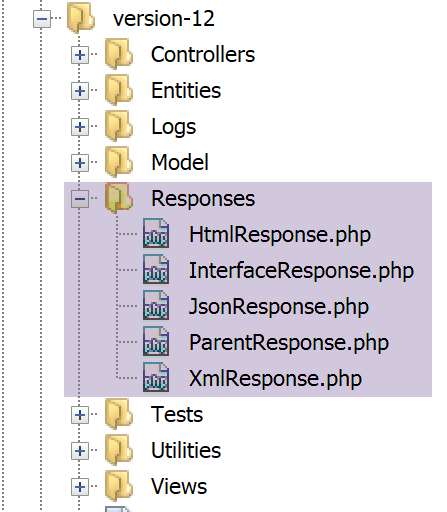
All of these classes implement the [InterfaceResponse] interface, which is also presented in the link section:
<?php

namespace Application;

// symfony dependencies
use Symfony\Component\HttpFoundation\Request;
use Symfony\Component\HttpFoundation\Session\Session;

interface InterfaceResponse {

  // Request $request: request currently being processed
  // Session $session: the web application session
  // array $config: application configuration
  // int statusCode: HTTP response status code
  // array $content: server response
  // array $headers: HTTP headers to be added to the response
  // Logger $logger: the logger for writing logs

  public function send(
    Request $request = NULL,
    Session $session = NULL,
    array $config,
    int $statusCode,
    array $content,
    array $headers,
    Logger $logger = NULL): void;
}
This interface has a single method, [send], responsible for sending the response to the client. This method has the 7 parameters described in lines 11–17. All classes and interfaces in the [Responses] folder are in the [Application] namespace (line 3).
Let’s return to the code for [main.php]:
…
// we add the keys [action, state] to the controller response
$content = ["action" => $action, "état" => $état] + $content;
// instantiate the [Response] object responsible for sending the response to the client
$response = __NAMESPACE__ . $config["types"][$type];
(new $response())->send($request, $session, $config, $statusCode, $content, $headers, $logger);

// the reply has been sent - resources are released
$logger->close();
exit;
- line 5: we instantiate the [Response] class that matches the application type. These classes are defined in the [config.json] file as follows:
"types": {
        "json": "\\JsonResponse",
        "html": "\\HtmlResponse",
        "xml": "\\XmlResponse"
    },
- line 5: the class name is prefixed with its namespace;
- line 6: the [Response] class is instantiated and its [send] method is called with the 7 parameters it expects. These parameters are those of the [InterfaceResponse] interface that all response classes implement. This sends the response to the client;
- Line 9: The log file is closed;
- line 10: the main controller has finished its work;
23.9.7. [Postman] Tests – 3
We will test various error scenarios for the [action] parameter of the URL.
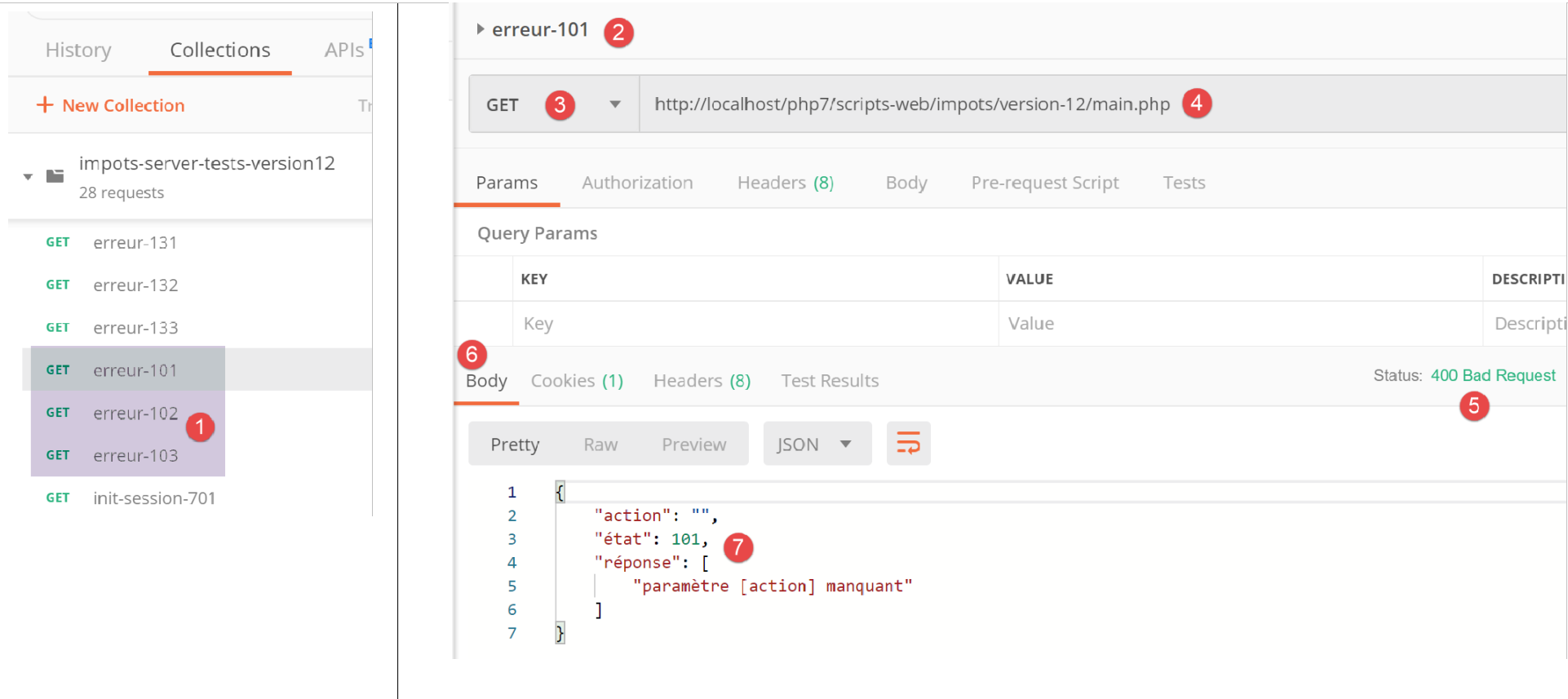
- In [1]:
- [erreur-101]: case where the [action] parameter is missing in URL;
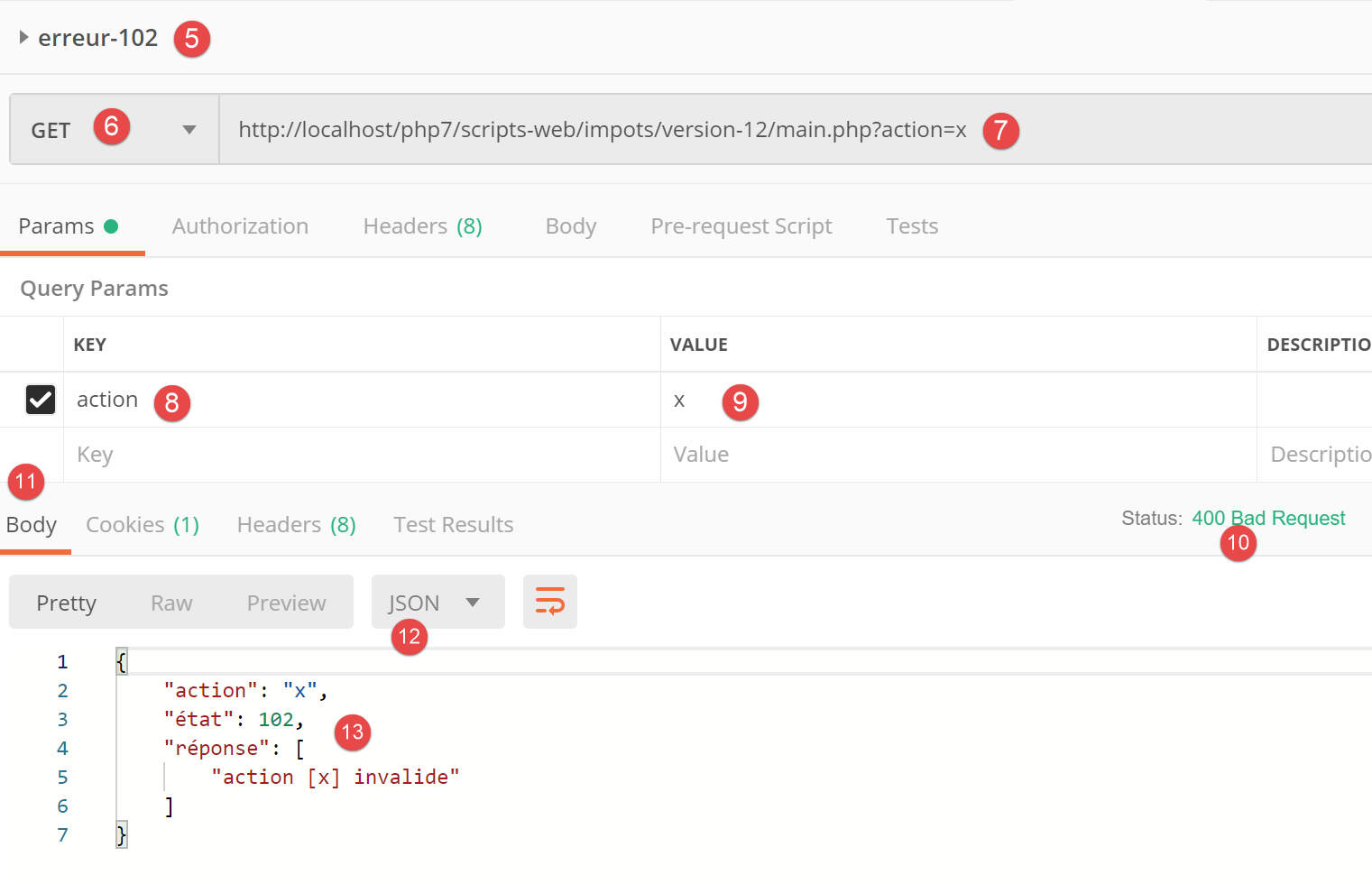
- [erreur-102]: case where the parameter [action] is present in URL but not recognized;
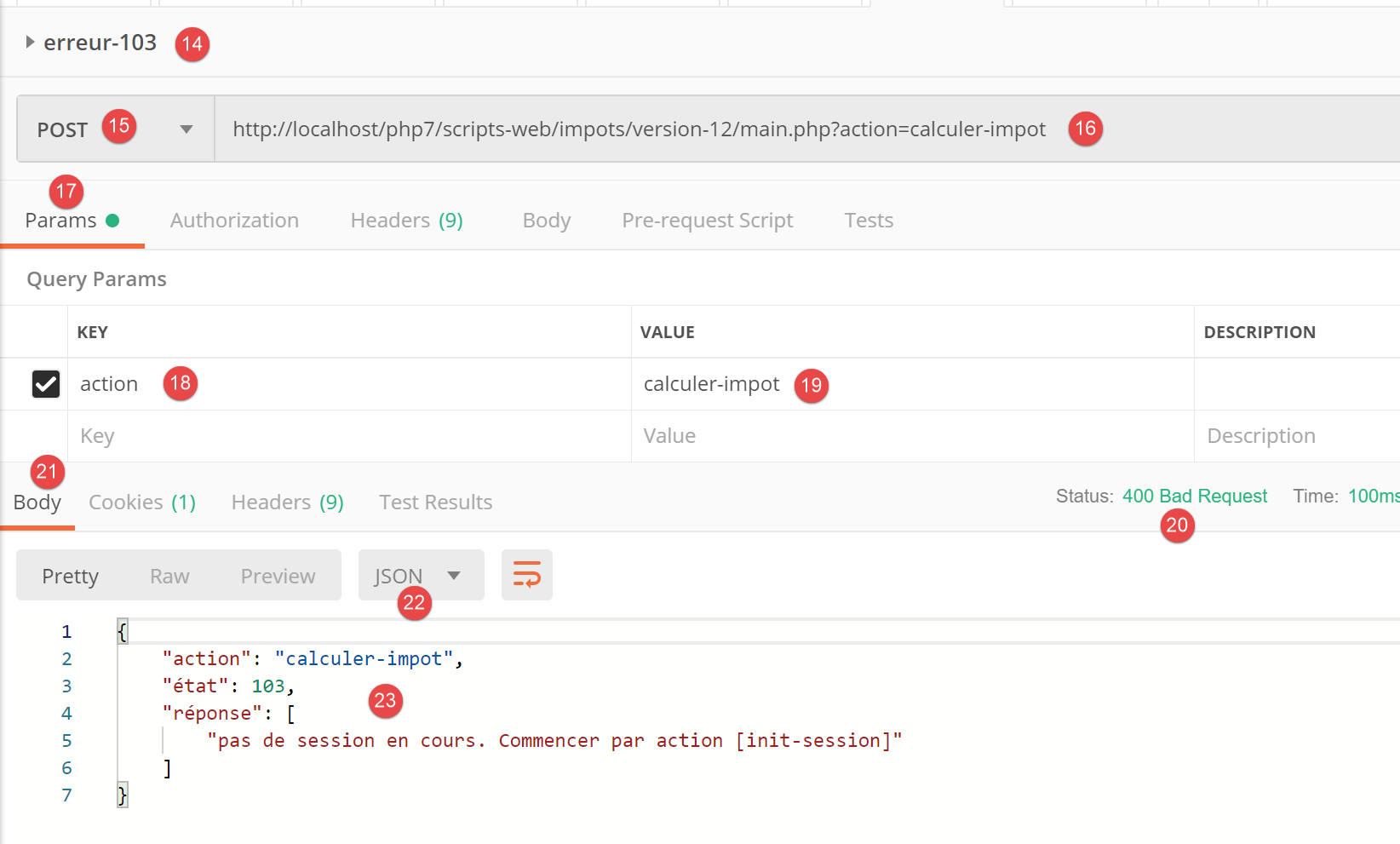
- [erreur-103]: case where the parameter [action] is present in URL, recognized but without the expected response type [json, xml, html] having been defined;
Each query is executed. We present the results obtained directly:
Above:
- in [2-4], a query without the parameter [action] in URL [4];
- in [5-7], the result jSON;
Above:
- in [5-9], a query with an invalid [action] parameter;
- in [10-13], the response jSON;
Above:
- in [14-19], an action recognized but the type (json, xml, html) has not yet been specified;
- in [20-23], the server’s response jSON;
23.10. Secondary controllers
Each action is executed by one of the controllers in the [Controllers] folder:
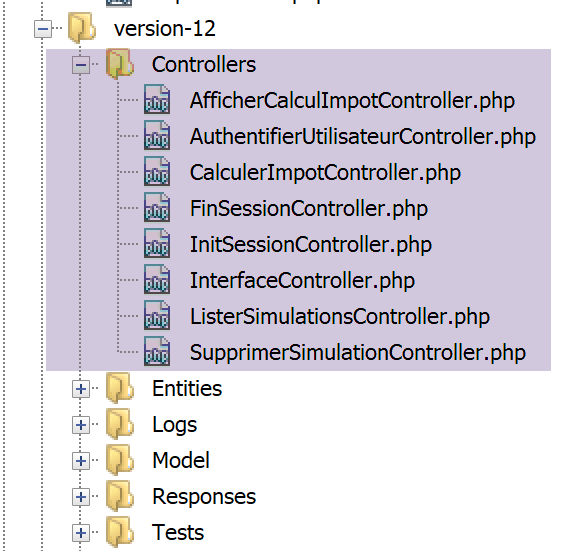
In the general architecture of the above application, the secondary controllers are in [2a].
Each controller implements the following [InterfaceController] interface:
<?php

namespace Application;

// symfony dependencies
use Symfony\Component\HttpFoundation\Request;
use Symfony\Component\HttpFoundation\Session\Session;

interface InterfaceController {

  // $config is the application configuration
  // request processing
  // useful session and can modify it
  // $infos is additional information specific to each controller

  // renders an array [$statusCode, $état, $content, $headers]
  public function execute(
    array $config,
    Request $request,
    Session $session,
    array $infos=NULL): array;
}
Comments
- All secondary controllers are executed via the [execute] method on line 17. We pass the known information from the main controller to this method:
- line 18: [array $config], which encapsulates the application configuration;
- line 19: [Request $request], which is the HTTP request currently being processed;
- line 20: [Session $session], which is the current session of the web application;
- line 21: [array $infos=NULL], which is an additional array of information for the controller in case the first three parameters of the method are insufficient. In this application, this parameter has never been used. It is included as a precaution;
- line 21: the method [execute] returns the array [$statusCode, $état, $content, $headers]
- [int $statusCode]: the status code of the response to HTTP;
- [int $état]: the state of the application at the end of execution;
- [array $content]: an associative array [réponse=>résultat] where [résultat] is of any type: this is the result produced by the controller and which will be sent to the client once this result has been serialized as a string;
- [array $headers]: the list of headers HTTP to be included in the server’s response HTTP;
Each secondary controller is called by the following code in the main controller:
// execute the action using its controller
 $controller = __NAMESPACE__ . $config["actions"][$action];
 list($statusCode, $état, $content, $headers) = (new $controller())->execute($config, $request, $session);
In line 3, we see that the 4th parameter [array $infos=NULL] of the [execute] method is not used.
23.11. The Actions
We will now review the various possible actions of the web service:
Action | Role | Execution context |
init-session | Used to set the type (json, xml, html) of the desired responses | Request GET main.php?action=init-session&type=x can be issued at any time |
authenticate-user | Authorizes or denies a user's login | Request POST main.php?action=authenticate-user The request must have two posted parameters [user, password] Can only be issued if the session type (json, xml, html) is known |
tax-calculator | Perform a tax calculation simulation | Query POST main.php?action=calculate-tax The request must have three posted parameters [marié, enfants, salaire] Can only be issued if the session type (json, xml, html) is known and the user is authenticated |
list-simulations | Request to view the list of simulations performed since the start of the session | Query GET main.php?action=list-simulations The request does not accept any other parameters Can only be issued if the session type (json, xml, html) is known and the user is authenticated |
delete-simulation | Deletes a simulation from the list of simulations | Query GET main.php?action=list-simulations&number=x The request does not accept any other parameters Can only be issued if the session type (json, xml, html) is known and the user is authenticated |
end-session | Ends the simulation session. | Technically, the old web session is deleted and a new session is created Can only be issued if the session type (json, xml, html) is known and the user is authenticated |
All secondary controllers proceed in the same way:
- they check their parameters. These are found in the [Request→query] object for parameters present in URL and in the [Request→request] object for those that are posted (POST request);
- A controller is similar to a function or method that checks the validity of its parameters. For the controller, however, it is a bit more complicated:
- the expected parameters may be missing;
- the expected parameters are all strings, whereas a function can specify the type of its parameters. If the expected parameter is a number, then you must verify that the parameter string is indeed that of a number;
- once verified that the expected parameters are present and syntactically correct, you must verify that they are valid within the current execution context. This context is present in the session. The authentication example is an example of an execution context. Certain actions should only be processed once the client has been authenticated. Generally, a key in the session indicates whether this authentication has taken place or not;
- once the previous checks have been completed, the secondary controller can proceed. This parameter verification process is very important. We cannot accept a client sending us arbitrary data at any point during the application’s lifecycle. We must maintain full control over its lifecycle;
- Once its work is done, the secondary controller returns the [$statusCode, $état, $content, $headers] array expected by the primary controller that called it;
We will now review the various controllers—or, in other words, the various actions that drive the web application’s lifecycle.
23.11.1. The [init-session] action
The [init-session] action is handled by the following [InitSessionController] controller:
<?php

namespace Application;

// symfony dependencies
use Symfony\Component\HttpFoundation\Request;
use Symfony\Component\HttpFoundation\Response;
use Symfony\Component\HttpFoundation\Session\Session;

class InitSessionController implements InterfaceController {

  // $config is the application configuration
  // request processing
  // useful session and can modify it
  // $infos is additional information specific to each controller

  // renders an array [$statusCode, $état, $content, $headers]
  public function execute(
    array $config,
    Request $request,
    Session $session,
    array $infos = NULL): array {

    // you must have a GET and a single parameter other than [action]
    $method = strtolower($request->getMethod());
    $erreur = $method !== "get" || $request->query->count() != 2;
    if ($erreur) {
      $état = 701;
      $message = "méthode GET exigée avec paramètres [action, type] dans l'URL";
      return [Response::HTTP_BAD_REQUEST, $état, ["réponse" => $message], []];
    }
    // retrieve the GET parameters
    $erreur = FALSE;
    // type
    if (!$request->query->has("type")) {
      $erreur = TRUE;
      $état = 702;
      $message = "paramètre [type] manquant";
    } else {
      $type = strtolower($request->query->get("type"));
    }
    // type verification
    if (!$erreur && !array_key_exists($type, $config["types"])) {
      $erreur = TRUE;
      $état = 703;
      $message = "paramètre type [$type] invalide";
    }
    // mistake?
    if ($erreur) {
      return [Response::HTTP_BAD_REQUEST, $état, ["réponse" => $message], []];
    }
    // put the session type in the session
    $session->set("type", $type);
    // message of success
    $message = "session démarrée avec type [$type]";
    $état = 700;
    return [Response::HTTP_OK, $état, ["réponse" => $message], []];
  }

}
Comments
- We are expecting a [GET main.php?action=init-session&type=xxx] request
- lines 25-26: we verify that the request is a GET request with two parameters in the URL;
- lines 27-31: if this is not the case, log the error and send a [$statusCode, $état, $content, $headers] result to the main controller;
- lines 35–39: we verify that the [type] parameter is present in the URL. If this is not the case, we log the error;
- line 40: the session type is logged;
- lines 43–47: verify that the session type is one of the following (json, xml, html). If not, log the error;
- lines 49–51: if an error occurred, a result of [$statusCode, $état, $content, $headers] is sent to the main controller;
- line 53: the session type is set in the web application session;
- lines 55-57: the controller has finished its work. A successful result [$statusCode, $état, $content, $headers] is sent to the main controller;
Let’s review what the main controller does with the responses from the secondary controllers:
// mistakes?
if ($erreurs) {
  // we prepare the answer without sending it
  $statusCode = Response::HTTP_BAD_REQUEST;
  $content = ["réponse" => $erreurs];
  $headers = [];
} else {
  // ---------------------------
  // execute the action using its controller
  $controller = __NAMESPACE__ . $config["actions"][$action];
  $logger->write("contrôleur : $controller\n");
  list($statusCode, $état, $content, $headers) = (new $controller())->execute($config, $request, $session);
}

// --------------------- we send the answer
// case of fatal error HTTP_INTERNAL_SERVER_ERROR
// send an e-mail to the administrator if you can
if ($statusCode === Response::HTTP_INTERNAL_SERVER_ERROR && $config['adminMail'] != NULL) {
  $infosMail = $config['adminMail'];
  $infosMail['message'] = json_encode($content, JSON_UNESCAPED_UNICODE);
  $sendAdminMail = new SendAdminMail($infosMail, $logger);
  $sendAdminMail->send();
}
// the answer depends on the session type
if ($session->has("type")) {
  // the session type is in the session
  $type = $session->get("type");
} else {
  // if no type in session, then the default response is jSON
  $type = "json";
}
// add the keys [action, state] to the controller response
$content = ["action" => $action, "état" => $état] + $content;
// instantiate the [Response] object responsible for sending the response to the client
$response = __NAMESPACE__ . $config["types"][$type]["response"];
(new $response())->send($request, $session, $config, $statusCode, $content, $headers, $logger);

// the reply has been sent - resources are released
$logger->close();
exit;
- line 12: the main controller retrieves the result from the secondary controller;
- lines 35-36: after some checks, it sends the response by instantiating one of the [JsonResponse, XmlResponse, HtmlResponse] classes depending on the type (json, xml, html) of the current session;
Next, we will perform [Postman] tests as part of a simulation session using the [json] type. The functionality of the [JsonResponse] class was presented in the linked section.
23.11.2. [Postman] Tests
Above:
- in [2], three new tests;
- in [3-7], the action [init-session] with the missing parameter [type];
- in [8-11], the server's response jSON;
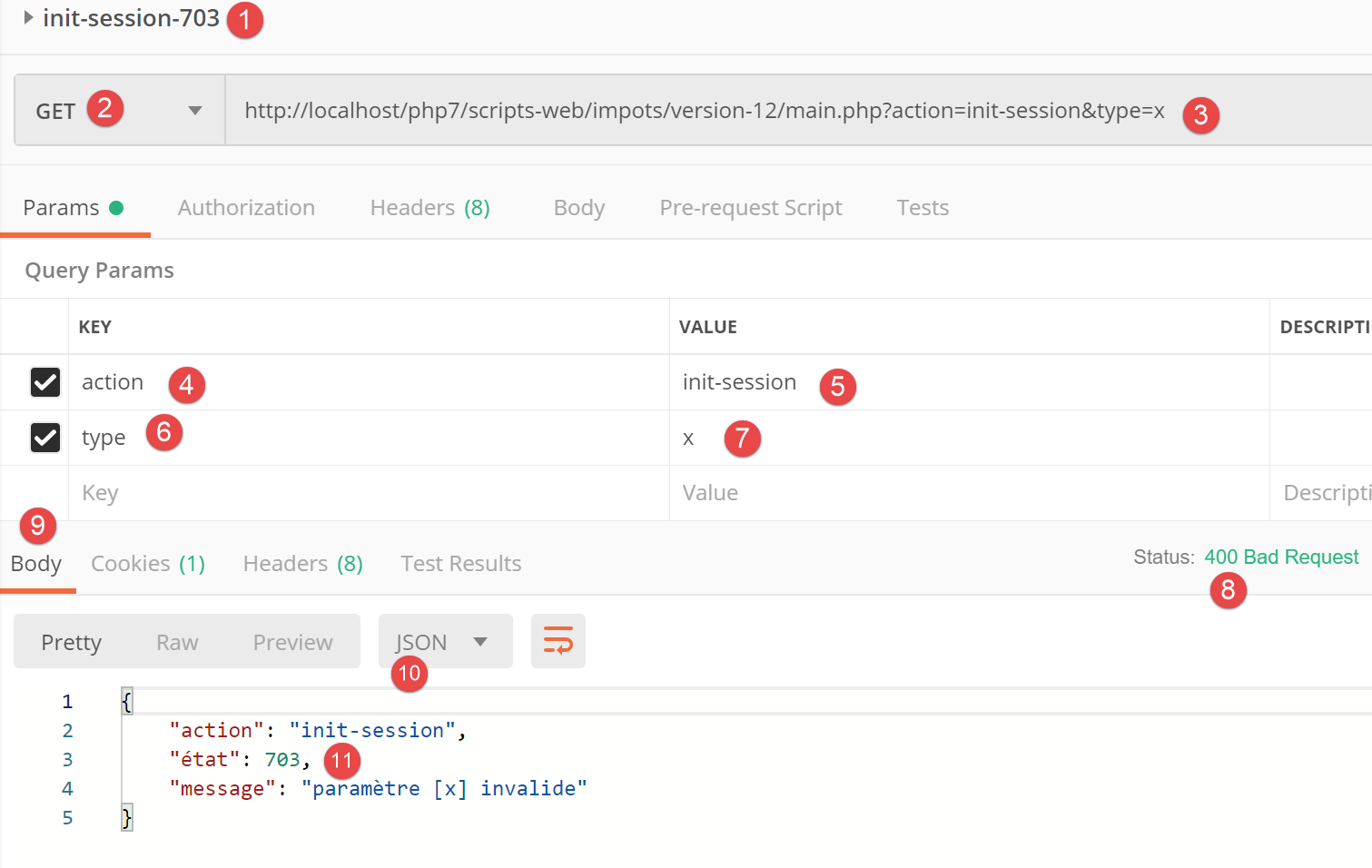
Above:
- in [1-7], the action [init-session] with an incorrect parameter [type];
- in [8-11], the server's response jSON;
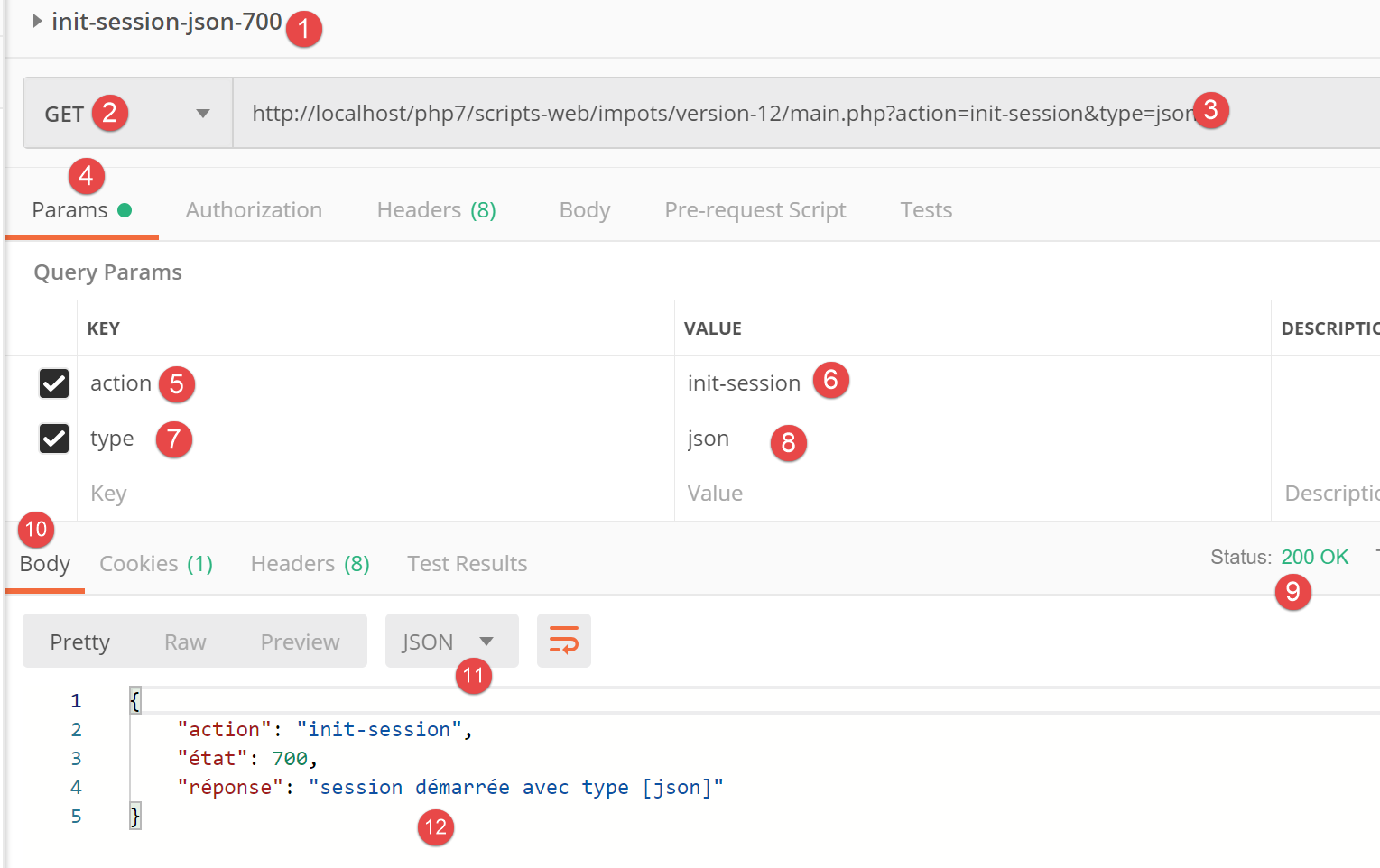
Above:
- in [1-8], the action [init-session] with the type jSON;
- in [9-12], the server's response jSON;
23.11.3. Action [authentifier-utilisateur]
The action [authentifier-utilisateur] is executed by the following controller [AuthentifierUtilisateurController]:
<?php

namespace Application;

// symfony dependencies
use \Symfony\Component\HttpFoundation\Response;
use \Symfony\Component\HttpFoundation\Request;
use \Symfony\Component\HttpFoundation\Session\Session;

class AuthentifierUtilisateurController implements InterfaceController {

  // $config is the application configuration
  // request processing
  // useful session and can modify it
  // $infos is additional information specific to each controller
  // renders an array [$statusCode, $état, $content, $headers]
  public function execute(
    array $config,
    Request $request,
    Session $session,
    array $infos = NULL): array {

    // you must have a POST and a single GET parameter
    $method = strtolower($request->getMethod());
    $erreur = $method !== "post" || $request->query->count() != 1;
    if ($erreur) {
      $état = 201;
      $message = "méthode POST requise, paramètre [action] dans l'URL, paramètres postés [user,password]";
      // return the result to the main controller
      return [Response::HTTP_BAD_REQUEST, $état, ["réponse" => $message], []];
    }
    // retrieve POST parameters
    $erreurs = [];
    // user
    $état = 210;
    if (!$request->request->has("user")) {
      $état += 2;
      $erreurs[] = "paramètre [user] manquant";
    } else {
      $user = $request->request->get("user");
    }
    // password
    if (!$request->request->has("password")) {
      $état += 4;
      $erreurs[] = "paramètre [password] manquant";
    } else {
      $password = trim($request->request->get("password"));
    }
    // mistake?
    if ($erreurs) {
      // return the result to the main controller
      return [Response::HTTP_BAD_REQUEST, $état, ["réponse" => $erreurs], []];
    }
    // verification of user credentials
    // does the user exist?
    $users = $config["users"];
    $i = 0;
    $trouvé = FALSE;
    while (!$trouvé && $i < count($users)) {
      $trouvé = ($user === $users[$i]["login"] && $users[$i]["passwd"] === $password);
      $i++;
    }
    // found?
    if (!$trouvé) {
      // error message
      $message = "Echec de l'authentification [$user, $password]";
      $état = 221;
      // return the result to the main controller
      return [Response::HTTP_UNAUTHORIZED, $état, ["réponse" => $message], []];
    } else {
      // we note in the session that we have authenticated the user
      $session->set("user", TRUE);
      // message of success
      $message = "Authentification réussie [$user, $password]";
      $état = 200;
      // return the result to the main controller
      return [Response::HTTP_OK, $état, ["réponse" => $message], []];
    }
  }

}
Comments
- We expect a request [POST main.php?action=authentifier-utilisateur] with two posted parameters [user, password];
- lines 24-25: we verify that we have a request POST with a single parameter in URL;
- lines 26–31: if there is an error, log it and return a result [$statusCode, $état, $content, $headers] to the main controller;
- lines 36–39: check for the presence of the [user] parameter in the posted values. If it is not present, log the error;
- lines 43–45: check for the presence of the parameter [password] in the posted values. If it is not present, log the error;
- lines 50–53: if any of the posted values are missing, a result [$statusCode, $état, $content, $headers] is returned to the main controller;
- lines 56-62: Check that the retrieved pair [$user,$password] is present in the array [$config[‘users’]] of the configuration file;
- lines 64–69: if this is not the case, the error is logged. The status code HTTP is set to [Response::HTTP_UNAUTHORIZED], and the result [$statusCode, $état, $content, $headers] is returned to the main controller;
- line 72: authentication was successful. This is noted in the session by placing the key [user] in it. The presence of this key indicates successful authentication;
- lines 73–77: a success result [$statusCode, $état, $content, $headers] is returned to the main controller;
23.11.4. [Postman] Tests
We perform [Postman] tests on the [AuthentifierUtilisateurController] controller in jSON mode;
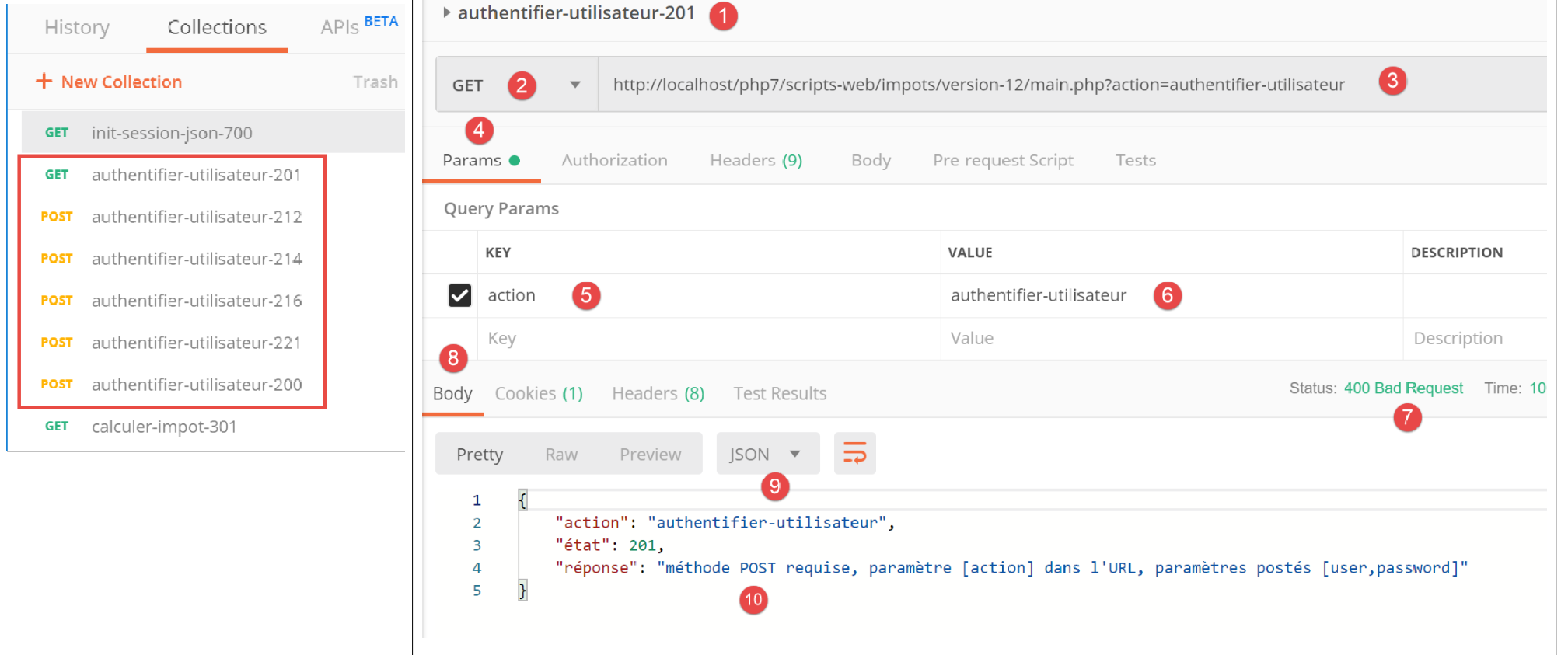
Above:
- in [1-6], the action [authentifier-utilisateur] with a GET [2], whereas a POST is required;
- in [7-10], the server’s response jSON;
Let's replace GET with POST or [2] without including any parameters in the body of the response [7]:
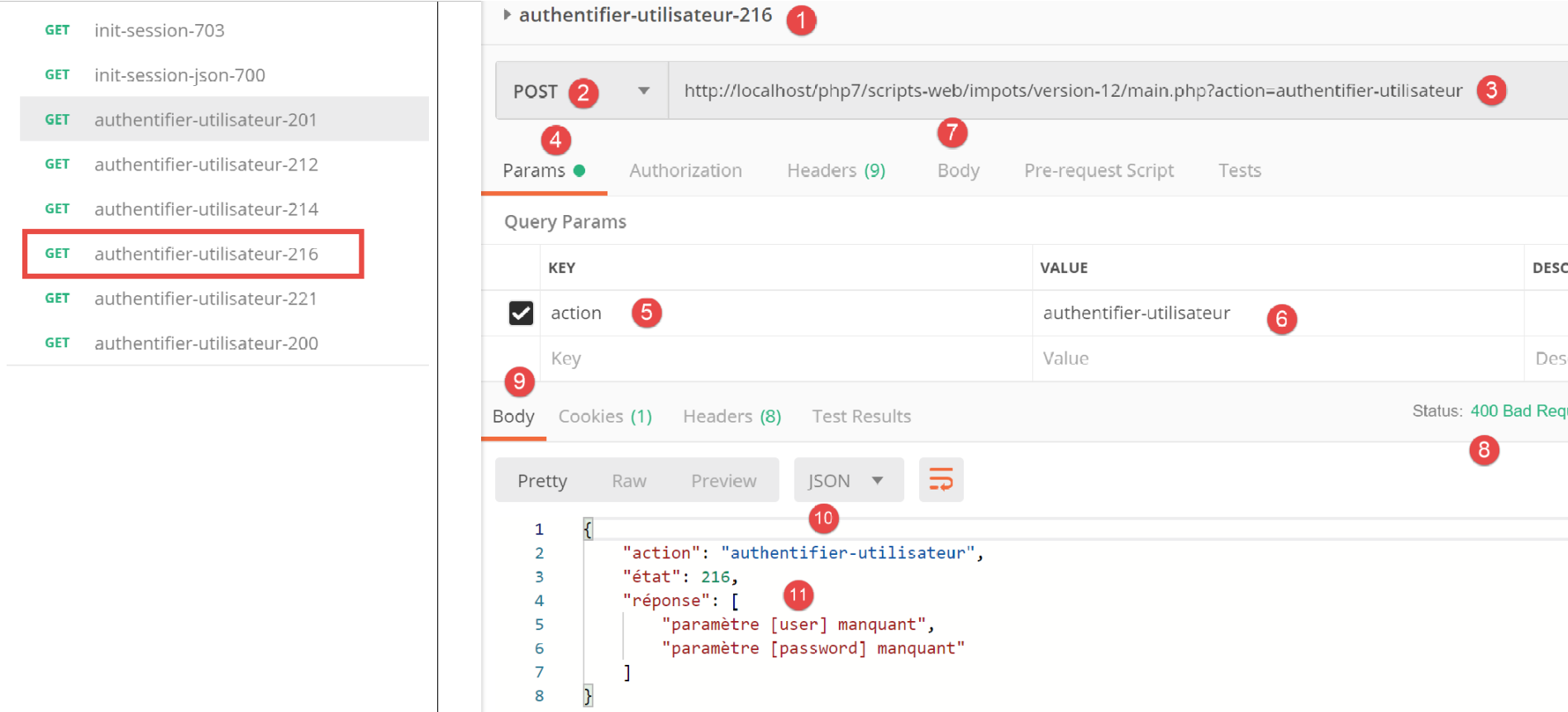
Above:
- in [1-7], the POST without parameters posted in [7];
- in [8-11], the server's response jSON;
Now let’s add a parameter [password] to the body (body) [4] of the request:
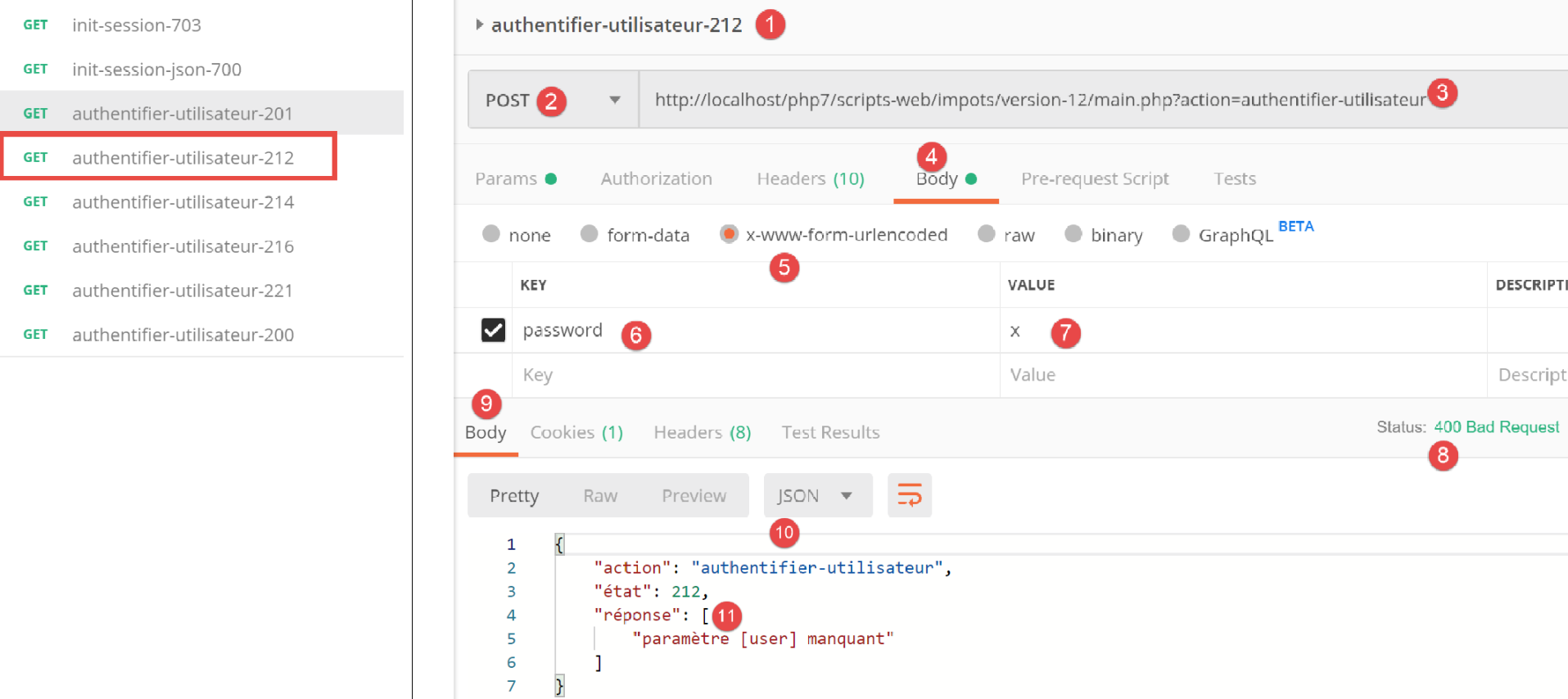
Above:
- in [1-6], a request POST [2] with a parameter [password] posted [4-6]. The posted parameters must be added to the body of the [4] request. There are several ways to post values to the server. We choose the [x-www-form-urlencoded] [5] method;
- in [8-10], the server’s response jSON;
Now let’s define the [user] parameter without the [password] parameter:
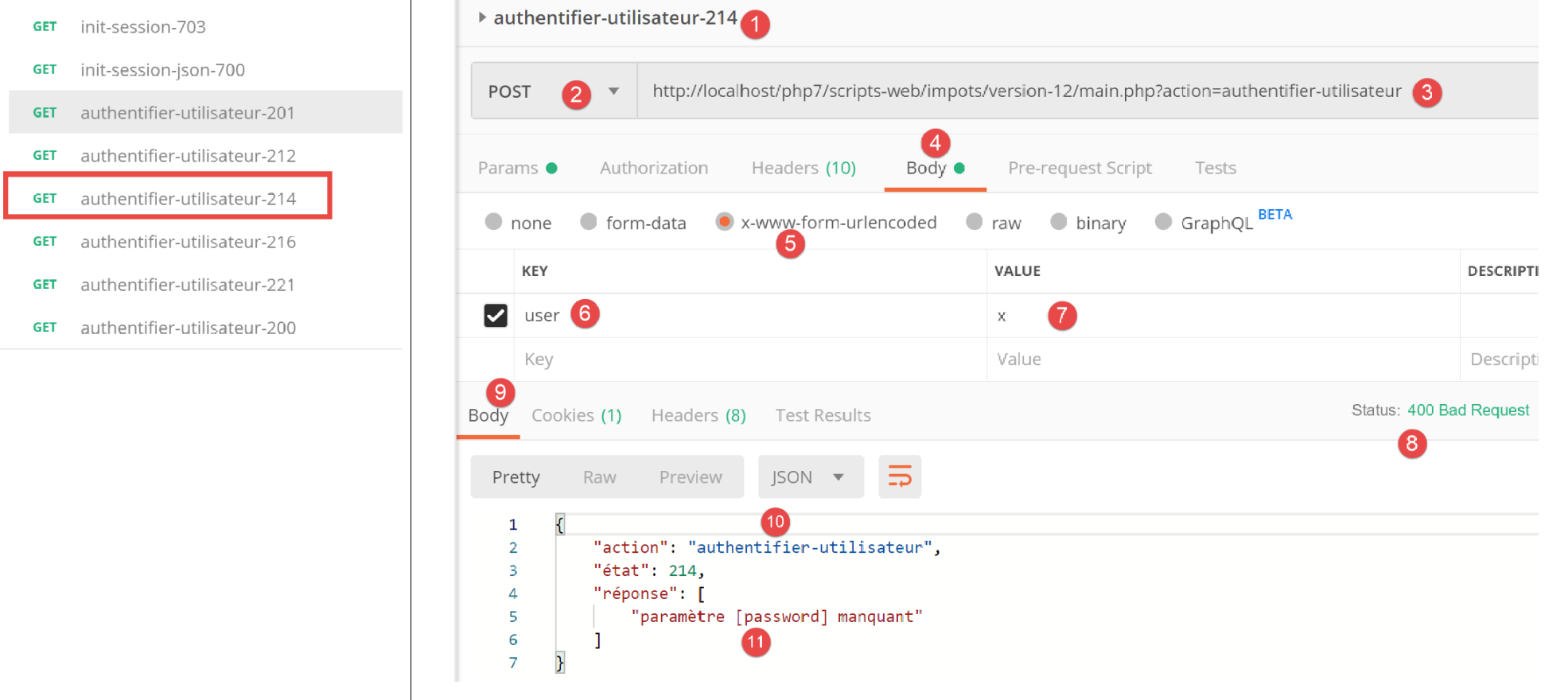
Above:
- in [1-7], a request POST without the parameter [password] [4-7];
- in [8-11], the server’s response jSON;
Now let’s define the two posted parameters [user, password] but with values that cause authentication to fail:
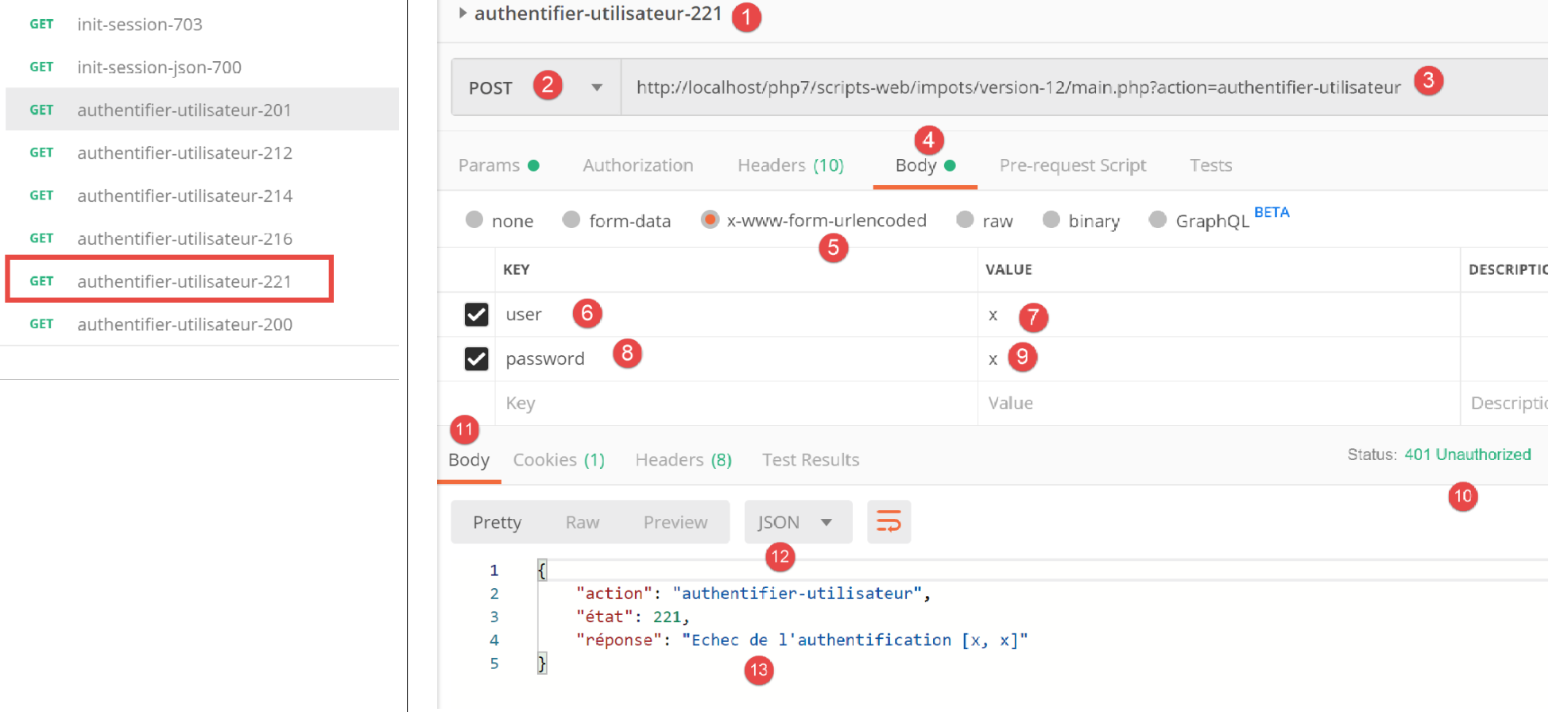
Above:
- in [1-9], a request POST with incorrect posted parameters [user, password];
- in [10-13], the server’s response jSON. Note the response’s status code [401 Unauthorized] [10];
Now a request POST with valid credentials:
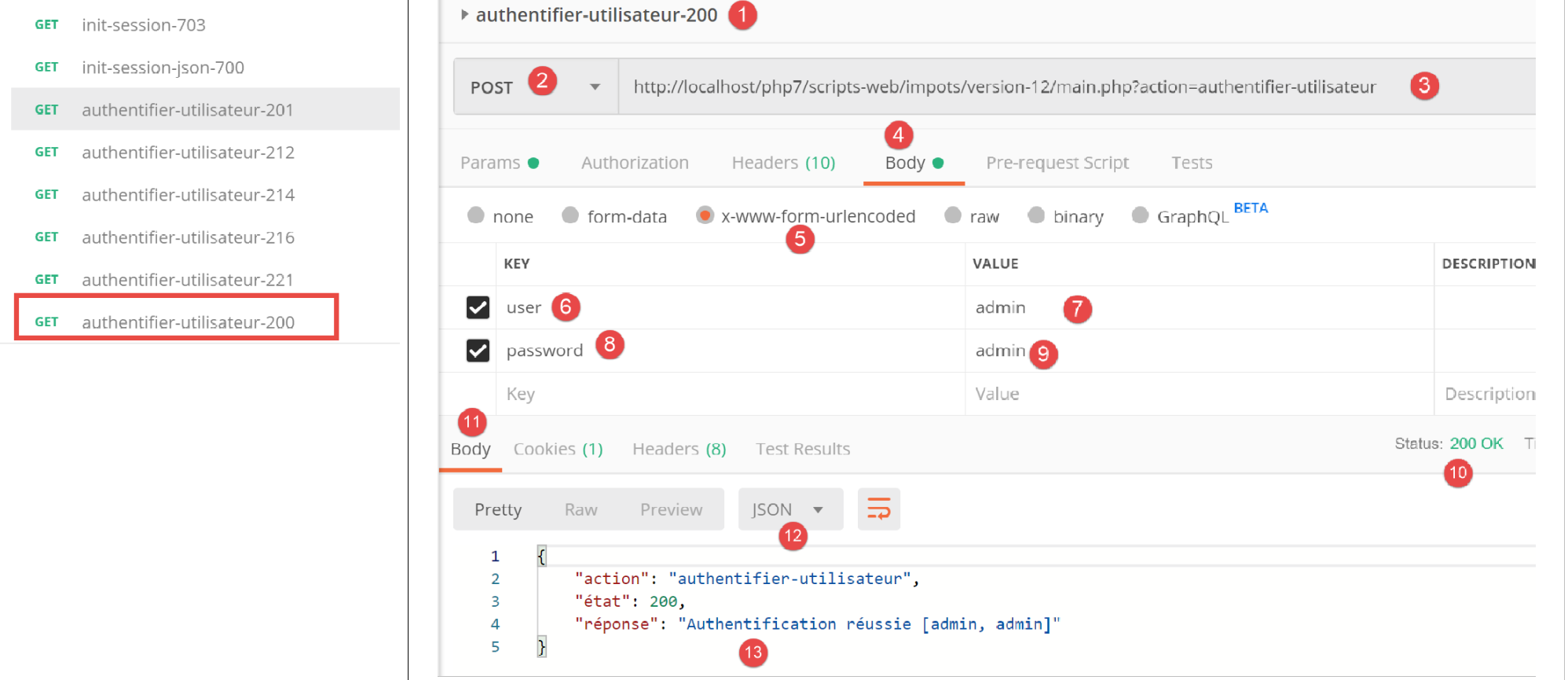
Above:
- in [1-9], the request POST [2] with valid credentials [6-9];
- in [10-13], the server’s response jSON. Note the status code HTTP [200 OK] in [10];
23.11.5. Action [calculer-impot]
The action [calculer-impot] is handled by the following controller [CalculerImpotController]:
<?php

namespace Application;

// symfony dependencies
use \Symfony\Component\HttpFoundation\Response;
use \Symfony\Component\HttpFoundation\Request;
use \Symfony\Component\HttpFoundation\Session\Session;
// layer alias [dao]
use \Application\ServerDaoWithSession as ServerDaoWithRedis;

class CalculerImpotController implements InterfaceController {

  // $config is the application configuration
  // request processing
  // session and can modify it
  // $infos is additional information specific to each controller
  // renders an array [$statusCode, $état, $content, $headers]
  public function execute(
    array $config,
    Request $request,
    Session $session,
    array $infos = NULL): array {

    // you must have one GET parameter and three POST parameters
    $method = strtolower($request->getMethod());
    $erreur = $method !== "post" || $request->query->count() != 1;
    if ($erreur) {
      // we note the error
      $message = "il faut utiliser la méthode [post] avec [action] dans l'URL et les paramètres postés [marié, enfants, salaire]";
      $état = 301;
      // return result to main controller
      return [Response::HTTP_BAD_REQUEST, $état, ["réponse" => $message], []];
    }
    // retrieve POST parameters
    $erreurs = [];
    $état = 310;
    // marital status
    if (!$request->request->has("marié")) {
      $état += 2;
      $erreurs[] = "paramètre [marié] manquant";
    } else {
      $marié = trim(strtolower($request->request->get("marié")));
      $erreur = $marié !== "oui" && $marié !== "non";
      if ($erreur) {
        $état += 4;
        $erreurs[] = "valeur [$marié] invalide pour le paramètre [marié]";
      }
    }
    // the number of children
    if (!$request->request->has("enfants")) {
      $état += 8;
      $erreurs[] = "paramètre [enfants] manquant";
    } else {
      $enfants = trim($request->request->get("enfants"));
      $erreur = !preg_match("/^\d+$/", $enfants);
      if ($erreur) {
        $état += 9;
        $erreurs[] = "valeur [$enfants] invalide pour le paramètre [enfants]";
      }
    }
    // we recover the annual salary
    if (!$request->request->has("salaire")) {
      $erreurs[] = "paramètre [salaire] manquant";
      $état += 16;
    } else {
      $salaire = trim($request->request->get("salaire"));
      $erreur = !preg_match("/^\d+$/", $salaire);
      if ($erreur) {
        $état += 17;
        $erreurs[] = "valeur [$salaire] invalide pour le paramètre [salaire]";
      }
    }
    // mistake?
    if ($erreurs) {
      // return result to main controller
      return [Response::HTTP_BAD_REQUEST, $état, ["réponse" => $erreurs], []];
    }

    // we have everything you need to work
    // Redis
    \Predis\Autoloader::register();
    try {
      // customer [predis]
      $redis = new \Predis\Client();
      // connect to the server to see if it's there
      $redis->connect();
    } catch (\Predis\Connection\ConnectionException $ex) {
      // it didn't go well
      // return result with error to main controller
      $état = 350;
      return [Response::HTTP_INTERNAL_SERVER_ERROR, $état,
        ["réponse" => "[redis], " . utf8_encode($ex->getMessage())], []];
    }

    // we have valid parameters
    // creation of the [dao] layer
    if (!$redis->get("taxAdminData")) {
      try {
        // retrieve tax data from the database
        $dao = new ServerDaoWithRedis($config["databaseFilename"], NULL);
        // put the recovered data into redis
        $redis->set("taxAdminData", $dao->getTaxAdminData());
      } catch (\RuntimeException $ex) {
        // it didn't go well
        // return result with error to main controller
        $état = 340;
        return [Response::HTTP_INTERNAL_SERVER_ERROR, $état,
          ["réponse" => utf8_encode($ex->getMessage())], []];
      }
    } else {
      // tax data are taken from the [application] scope memory
      $arrayOfAttributes = \json_decode($redis->get("taxAdminData"), true);
      $taxAdminData = (new TaxAdminData())->setFromArrayOfAttributes($arrayOfAttributes);
      // isntanciation of layer [dao]
      $dao = new ServerDaoWithRedis(NULL, $taxAdminData);
    }
    // creation of the [business] layer
    $métier = new ServerMetier($dao);

    // we have everything we need to work - tax calculation
    $résultat = $métier->calculerImpot($marié, (int) $enfants, (int) $salaire);
    // we add the simulation just run to the session
    $simulation = new Simulation();
    $résultat = ["marié" => $marié, "enfants" => $enfants, "salaire" => $salaire] + $résultat;
    $simulation->setFromArrayOfAttributes($résultat);
    // is there a list of in-session simulations?
    if (!$session->has("simulations")) {
      $simulations = [];
    } else {
      $simulations = $session->get("simulations");
    }
    // add simulation to simulation list
    $simulations[] = $simulation;
    // simulations are put back into session
    $session->set("simulations", $simulations);
    // return result to main controller
    $état = 300;
    return [Response::HTTP_OK, $état, ["réponse" => $résultat], []];
  }

}
Comments
- The expected request is [POST main.php?action=calculer-impot] with three posted parameters [marié, enfants, salaire]:
- [marié] must have a value within the range of [oui, non];
- [enfants, salaire] must be positive integers or zero;
- lines 26–27: we verify that there is indeed a POST with a single parameter in URL;
- lines 28–34: if this is not the case, an error result is sent to the main controller;
- line 36: we will accumulate the error messages in the [$erreurs] array;
- lines 39–41: we check for the presence of the parameter [marié]. If it is not present, the error is logged;
- lines 43–49: we check that [marié] has a value in [oui, non]. If this is not the case, the error is logged;
- lines 51–54: Check for the presence of parameter [enfants]. If it is not present, the error is logged;
- lines 55-61: we verify that the value of parameter [enfants] is a positive number or zero. If this is not the case, the error is logged;
- lines 63–66: Check for the presence of parameter [salaire]. If it is not present, an error is logged;
- lines 67–72: Check that the value of parameter [salaire] is a positive number or zero. If this is not the case, the error is logged;
- lines 75–78: if the array [$erreurs] is not empty, errors have occurred. The error array is included in the response, and the result is returned to the main controller;
- line 80: the parameters are valid. The tax can be calculated. To do this, we must construct the layers [dao] and [métier], which are capable of performing this calculation;
- lines 82–94: we create a client [Redis];
- lines 88–94: if we were unable to connect to the server [Redis], we send a code [500 Internal Server Error] to the client;
- Line 98: We check whether the server [Redis] has the key [taxAdminData]. This key represents the tax authority data. If the key is not present, then the tax data must be retrieved from the database;
- Line 101: Construction of the [dao] layer when tax data must be retrieved from the database. The [ServerDaoWithRedis] class was described in the link section;
- line 103: the data retrieved from the database is stored in memory [Redis] with the key [taxAdminData];
- lines 104–110: if the database query failed, the error returned by layer [dao] is logged and included in the result returned to the main controller;
- line 109: the error message returned by layer [PDO] is encoded in [iso-8859-1]. It is encoded in [utf-8];
- lines 111–117: if the key [taxAdminData] exists in the [Redis] memory, then the tax data is passed directly to the [dao] layer constructor;
- line 119: the layer [métier] is created. The class [ServerMetier] was described in the link section;
- lines 124–126: With the calculated tax amount, a [Simulation] object is created. The [Simulation] class encapsulates the data from a simulation and was described in the “link” section;
- lines 128–132: the simulation that has just been constructed must be added to the list of simulations already calculated. This list is in session unless no simulation has been performed yet;
- lines 133–136: the simulation is added to the list of simulations, and the list is returned to the session;
- lines 137–139: the result is returned to the main controller;
23.11.6. Tests [Postman]
We are performing [Postman] tests on the [CalculerImpotController] controller in jSON mode;
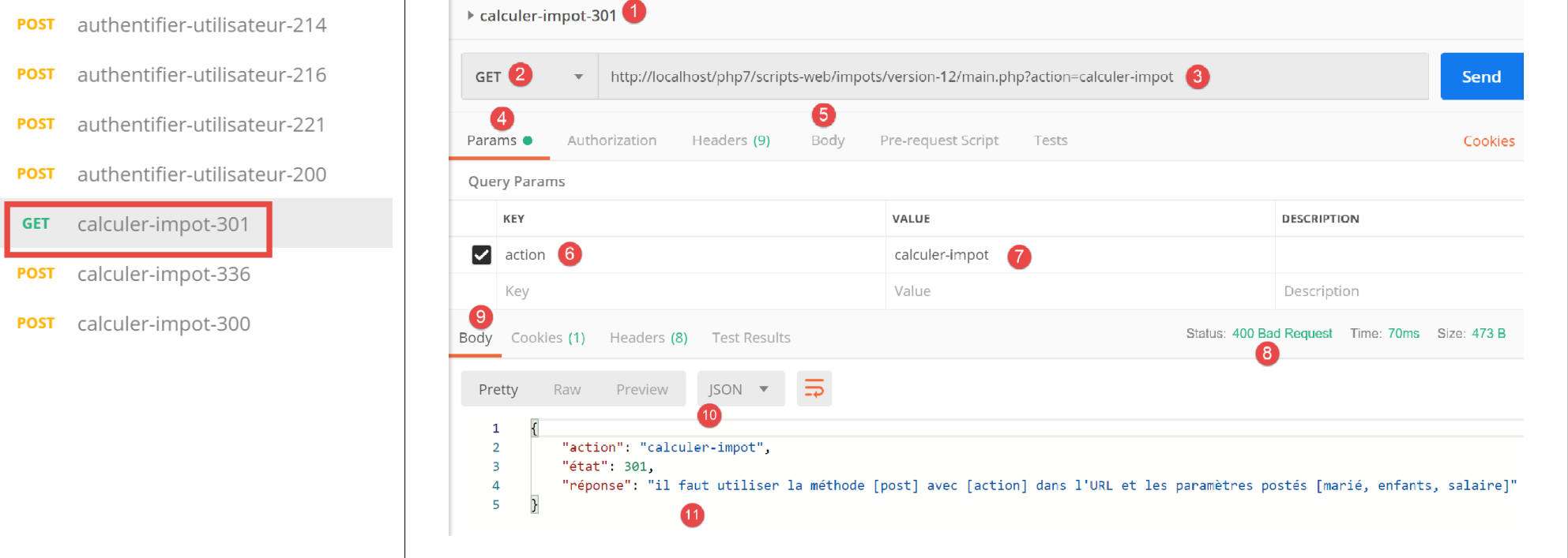
Above:
- in [1-7], we make a [GET] request instead of [POST];
- In [8-11], the server’s response is jSON;
Now, let’s use a [POST] method, with or without posted parameters, as well as with invalid posted parameters:
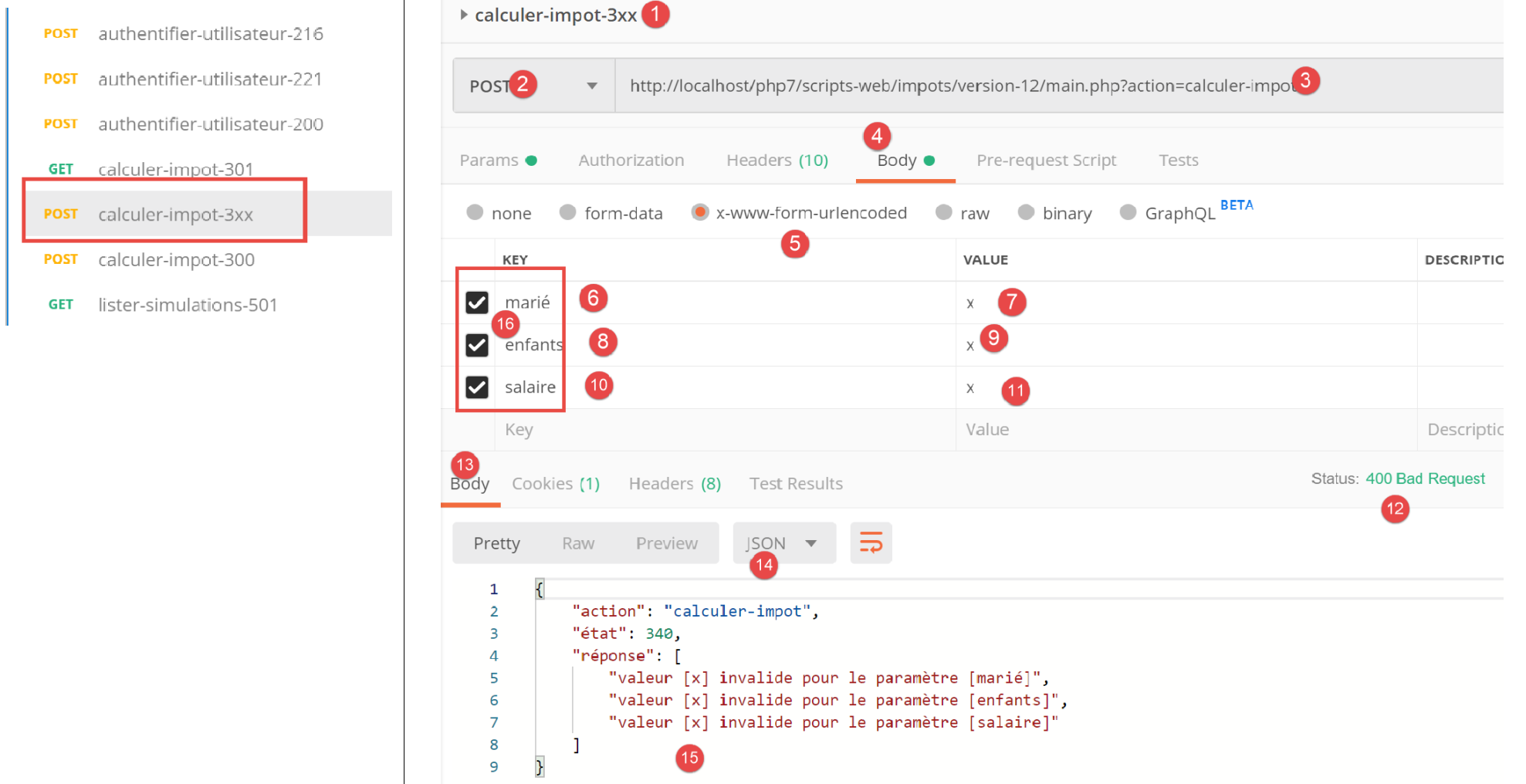
Above:
- we make a [POST] [2] request with invalid posted parameters [6-11] [marié, enfants, salaire]. You can choose not to post one of these parameters by unchecking its box in [16]. This will allow you to test different scenarios. In the screenshot above, all three parameters are present and all are invalid;
- in [12-15], the server’s response jSON;
Now let’s uncheck two of the three posted parameters:
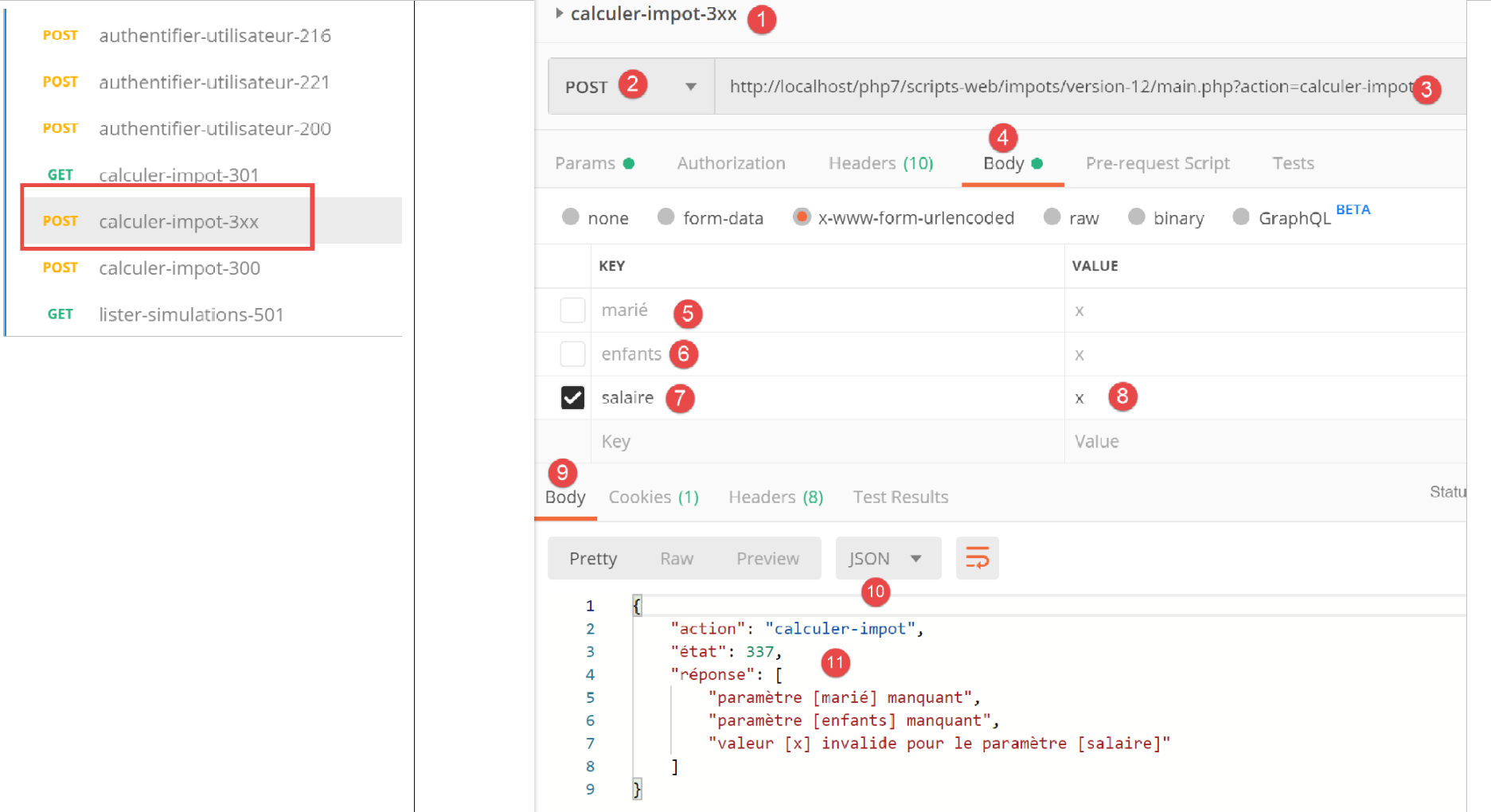
Above,
- in [5-8], only the parameter [salaire] is posted, and furthermore, it is invalid;
- in [9-11], the server’s response jSON;
Now let’s perform a tax calculation with valid parameters:
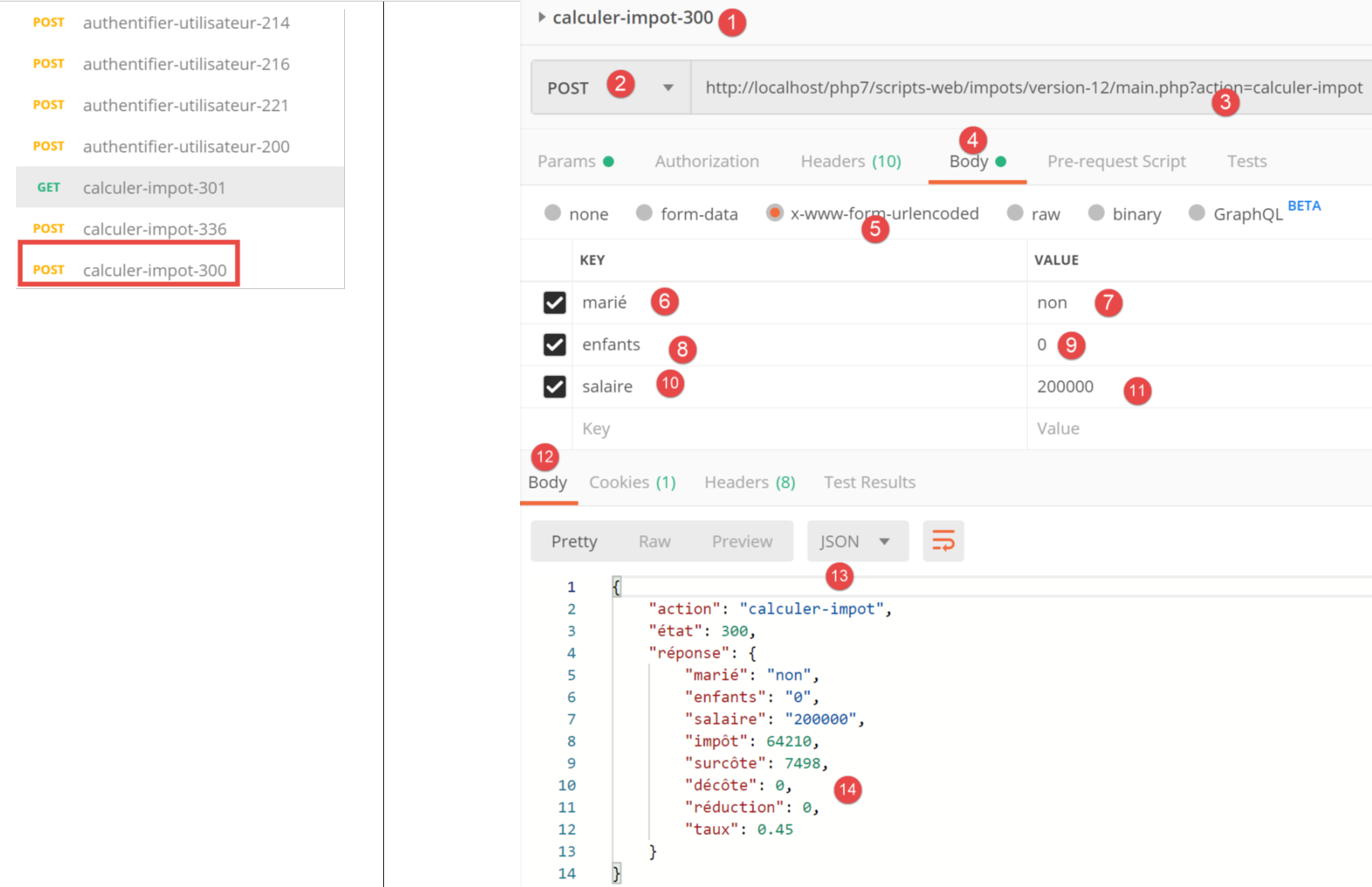
Above:
- in [1118], a request with valid parameters [6-8];
- in [12-14], the server's response jSON;
23.11.7. Action [lister-simulations]
The action [lister-simulations] is handled by the following secondary controller [ListerSimulationsController]:
<?php

namespace Application;

// symfony dependencies
use \Symfony\Component\HttpFoundation\Response;
use \Symfony\Component\HttpFoundation\Request;
use \Symfony\Component\HttpFoundation\Session\Session;

class ListerSimulationsController {

  // $config is the application configuration
  // request processing
  // session and can modify it
  // $infos is additional information specific to each controller
  // renders an array [$statusCode, $état, $content, $headers]
  public function execute(
    array $config,
    Request $request,
    Session $session,
    array $infos = NULL): array {

    // you must have a single parameter GET
    $method = strtolower($request->getMethod());
    $erreur = $method !== "get" || $request->query->count() != 1;
    if ($erreur) {
      $état = 501;
      $message = "GET requis, avec l'unique paramètre [action] dans l'URL";
      // return an error result to the main controller
      return [Response::HTTP_BAD_REQUEST, $état, ["réponse" => $message], []];
    }
    // retrieve the list of simulations in the session
    if (!$session->has("simulations")) {
      $simulations = [];
    } else {
      $simulations = $session->get("simulations");
    }
    // a successful result is returned to the main controller
    $état = 500;
    return [Response::HTTP_OK, $état, ["réponse" => $simulations], []];
  }

}
Comments
- request [GET main.php?action=lister-simulations];
- lines 24-25: we verify that we have a GET request with a single parameter;
- lines 26–31: if this is not the case, an error result is returned to the main controller;
- lines 33-37: retrieve the list of simulations from the session if it is present (line 36), otherwise this list is empty (line 34);
- lines 39-40: the list of simulations is returned to the main controller;
23.11.8. Tests [Postman]
We will create two tests, one for an error and one for a success.
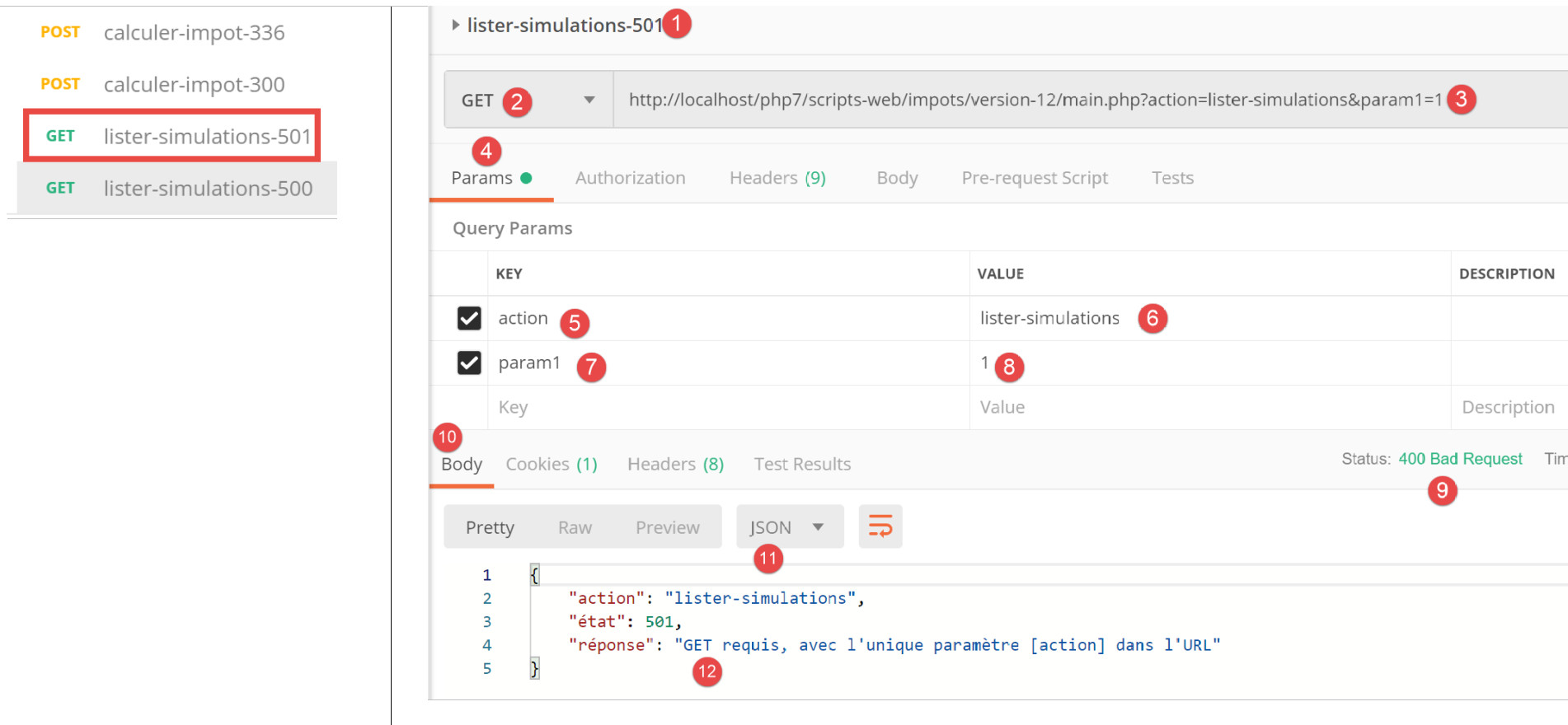
Above:
- in [1-8], we make a request [GET] with an extra parameter [param1] in the URL [3, 7-8];
- In [9-12], the server’s response is jSON;
Now let’s make a valid request:
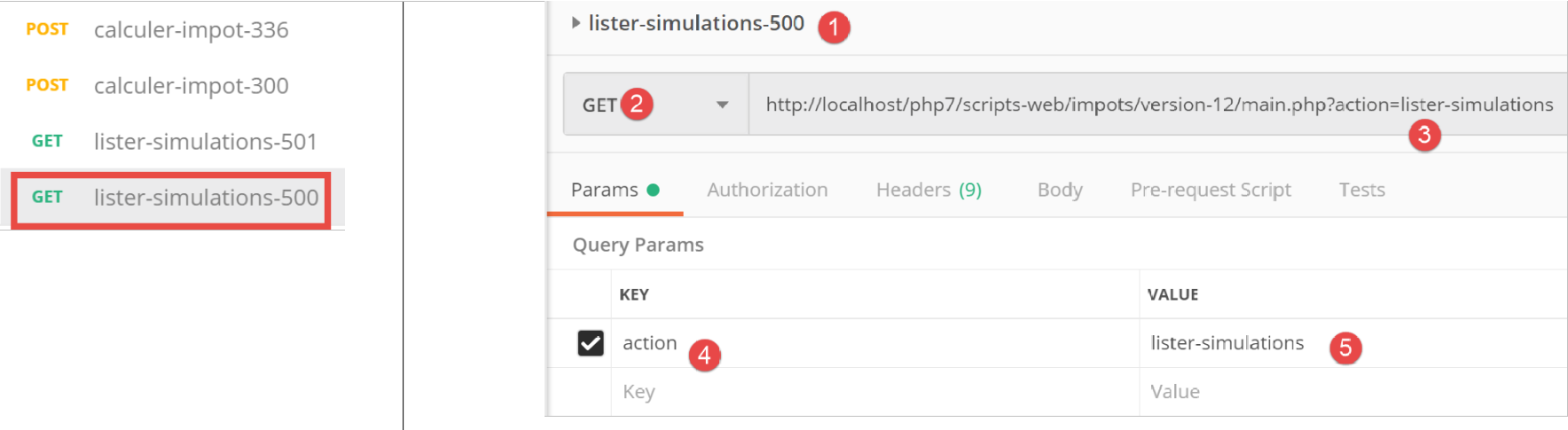
Above:
- in [1-5], a valid request;
The result of the request is as follows:
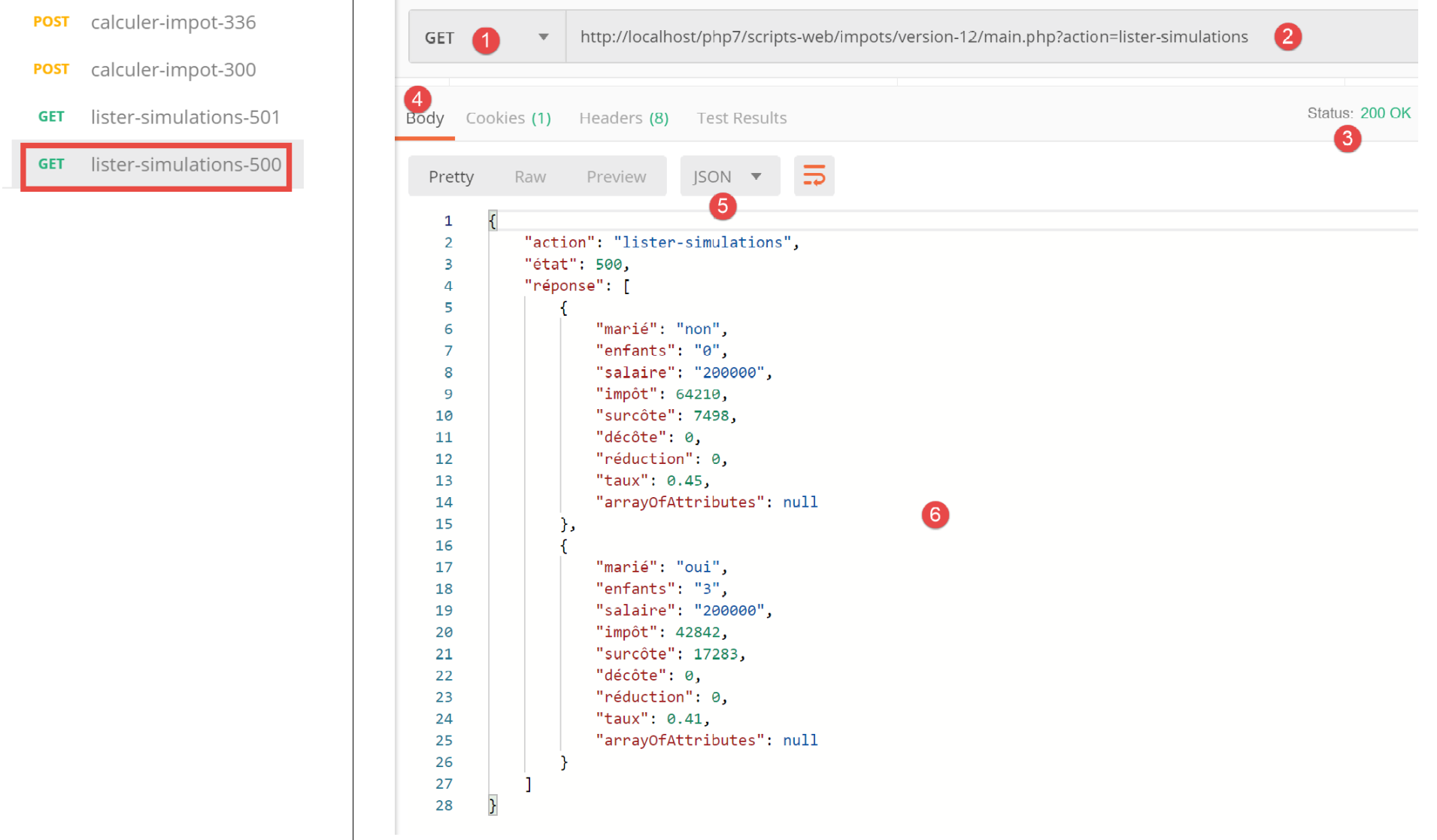
- in [3-6], the server's response jSON. Prior to this test, the test [Postman] [calculer-impot-300] had been run several times to create simulations in the server's web session;
23.11.9. Action [supprimer-simulation]
Action [supprimer-simulation] is handled by the following secondary controller [SupprimerSessionController]:
<?php

namespace Application;

// symfony dependencies
use \Symfony\Component\HttpFoundation\Response;
use \Symfony\Component\HttpFoundation\Request;
use \Symfony\Component\HttpFoundation\Session\Session;

class SupprimerSimulationController {

  /// $config is the application configuration
  // request processing
  // session and can modify it
  // $infos is additional information specific to each controller
  // renders an array [$statusCode, $état, $content, $headers]
  public function execute(
    array $config,
    Request $request,
    Session $session,
    array $infos = NULL): array {

    // you must have two GET parameters
    $method = strtolower($request->getMethod());
    $erreur = $method !== "get" || $request->query->count() != 2;
    $état = 600;
    if ($erreur) {
      $état += 2;
      $message = "GET requis, avec les paramètres [action, numéro]";
    }
    // parameter [number] must exist
    if (!$erreur) {
      $état += 4;
      $erreur = !$request->query->has("numéro");
      if ($erreur) {
        $message = "paramètre [numéro] manquant";
      }
    }
    // parameter [number] must be valid
    if (!$erreur) {
      $état += 8;
      $numéro = $request->query->get("numéro");
      $erreur = !preg_match("/^\d+$/", $numéro);
      if ($erreur) {
        $message = "paramètre [$numéro] invalide";
      }
    }
    // parameter [number] must be in the range [0,n-1]
    // if n is the number of simulations
    if (!$erreur) {
      $numéro = (int) $numéro;
      $erreur = !$session->has("simulations");
      if (!$erreur) {
        $simulations = $session->get("simulations");
        $erreur = $numéro < 0 || $numéro >= count($simulations);
      }
      if ($erreur) {
        $état += 16;
        $message = "la simulation n° [$numéro] n'existe pas";
      }
    }
    // mistake?
    if ($erreur) {
      // return the result to the main controller
      return [Response::HTTP_BAD_REQUEST, $état, ["réponse" => $message], []];
    }
    // delete the $numéro simulation
    unset($simulations[$numéro]);
    $simulations = array_values($simulations);
    // put the simulations back in the session
    $session->set("simulations", $simulations);
    // we return the list of simulations to the customer
    $état = 600;
    return [Response::HTTP_OK, $état, ["réponse" => $simulations], []];
  }

}
Comments
- request [GET main.php?action=supprimer-simulation&numéro=x];
- lines 24-30: we verify that we have a GET request with two parameters;
- lines 32-38: verify that the parameter [numéro] exists in the parameters of URL;
- lines 40–47: verify that the value of the [numéro] parameter is syntactically correct;
- lines 50–61: verify that simulation no. [numéro] actually exists. There are two possible errors:
- the list of simulations cannot be found in the session (line 52);
- the simulation ID [numéro] to be deleted does not exist in the list of simulations;
- lines 63–66: in case of an error, an error result is returned to the main controller;
- line 68: simulation no. [numéro] is deleted;
- line 69: operation [unset] does not change the indices [0, n-1] in the list. To update them, the values from array [$simulations] are requested to remove the missing simulation;
- line 71: the new simulation table is returned to the session;
- lines 73–74: the new list of simulations is returned to the main controller;
23.11.10. [Postman] Tests
We will perform success and failure tests:
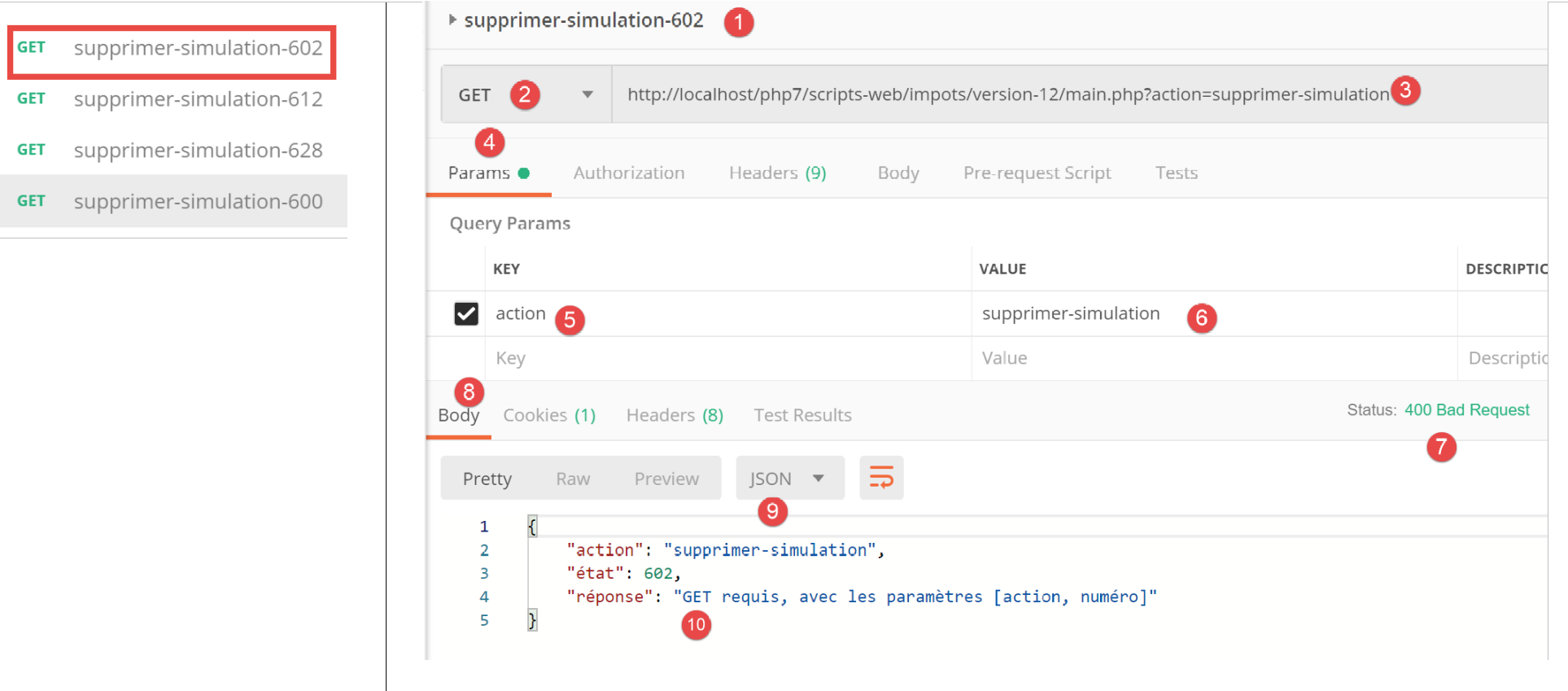
Above:
- in [1-6], a GET request without the [numéro] parameter;
- In [7-10], the server’s response jSON;
Now a request with a syntactically incorrect number:
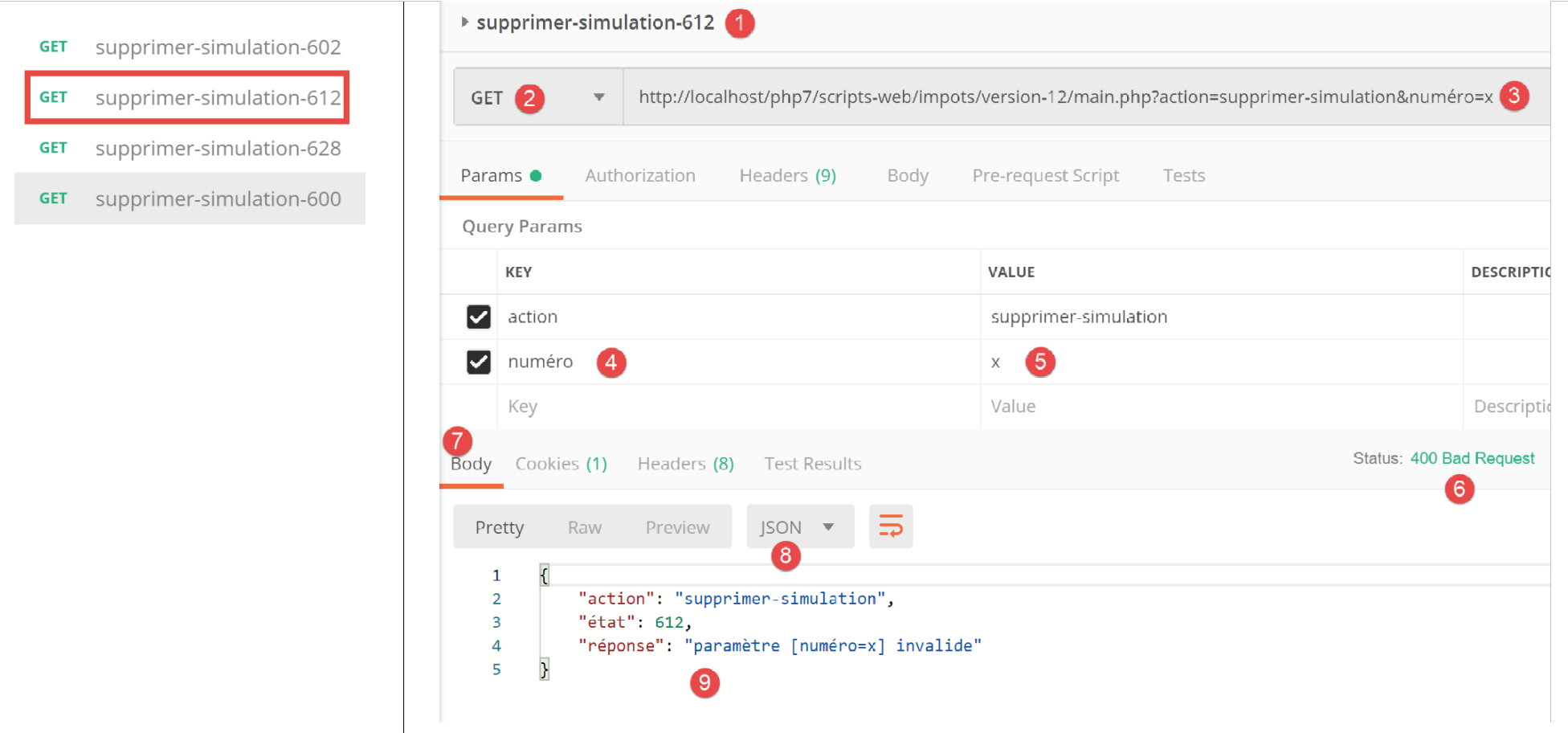
Above:
- in [1-5], a request GET with an invalid parameter [numéro] [3, 5];
- in [6-9], the server’s response jSON;
Now a request with a simulation number that does not exist:
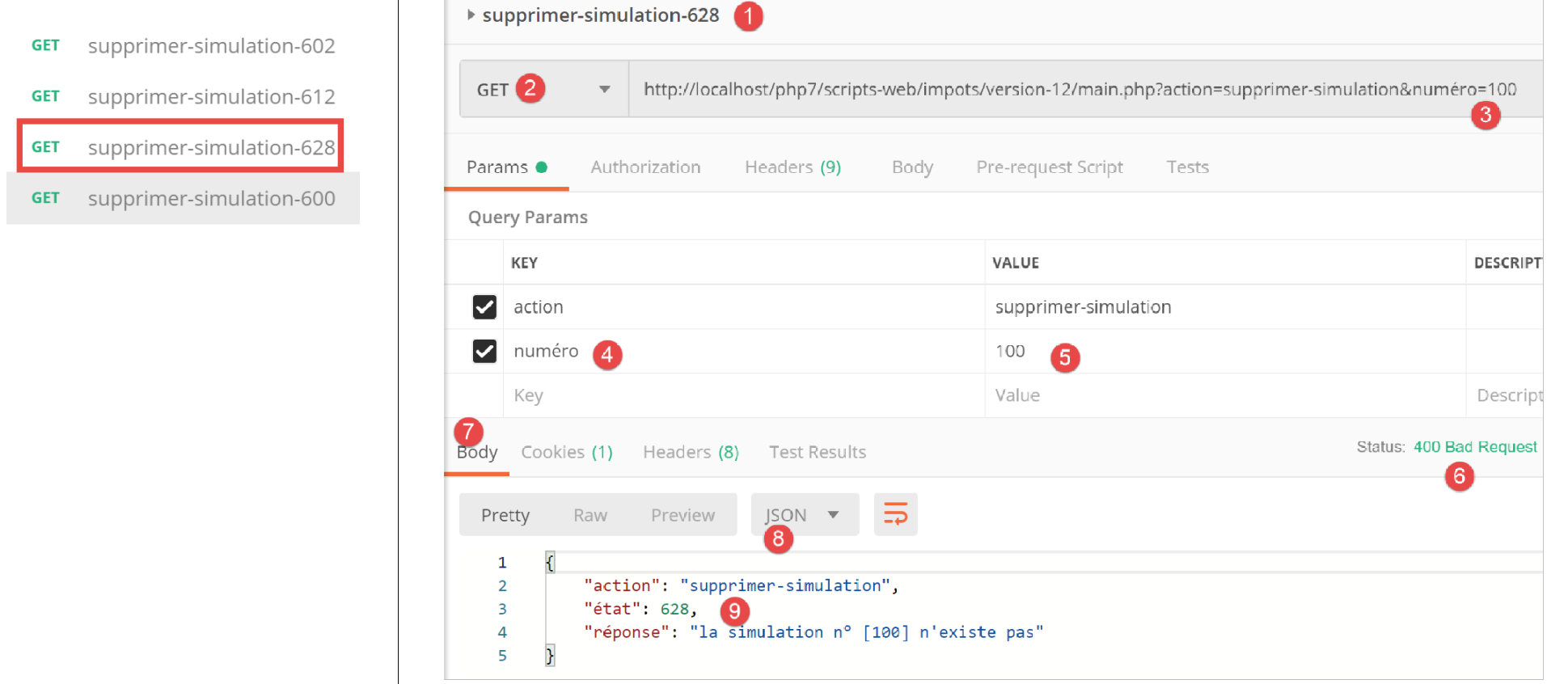
Above:
- in [1-5], a request with a simulation number equal to 100 that does not exist in the list of simulations;
- in [6-9], the server's response jSON;
Now, we will remove simulation #0 from the list, i.e., the first simulation. First, let’s request this list again with the query [lister-simulations-500]:
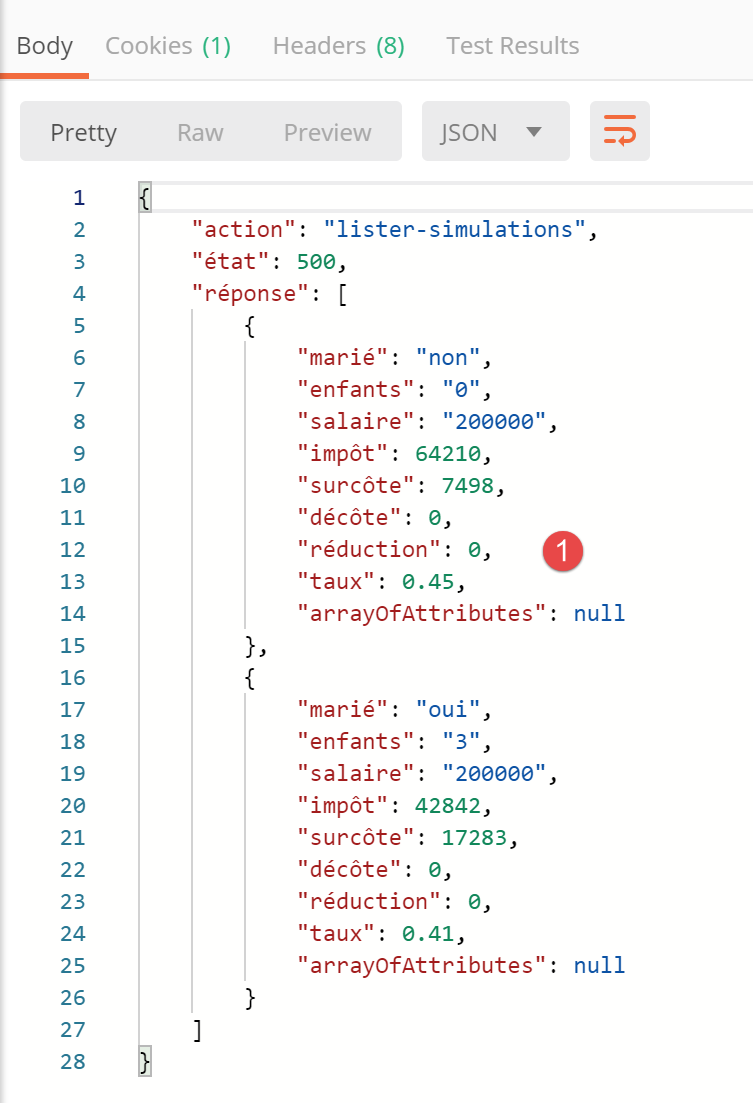
- in [1], there are currently 2 simulations;
We delete the first simulation (number 0):
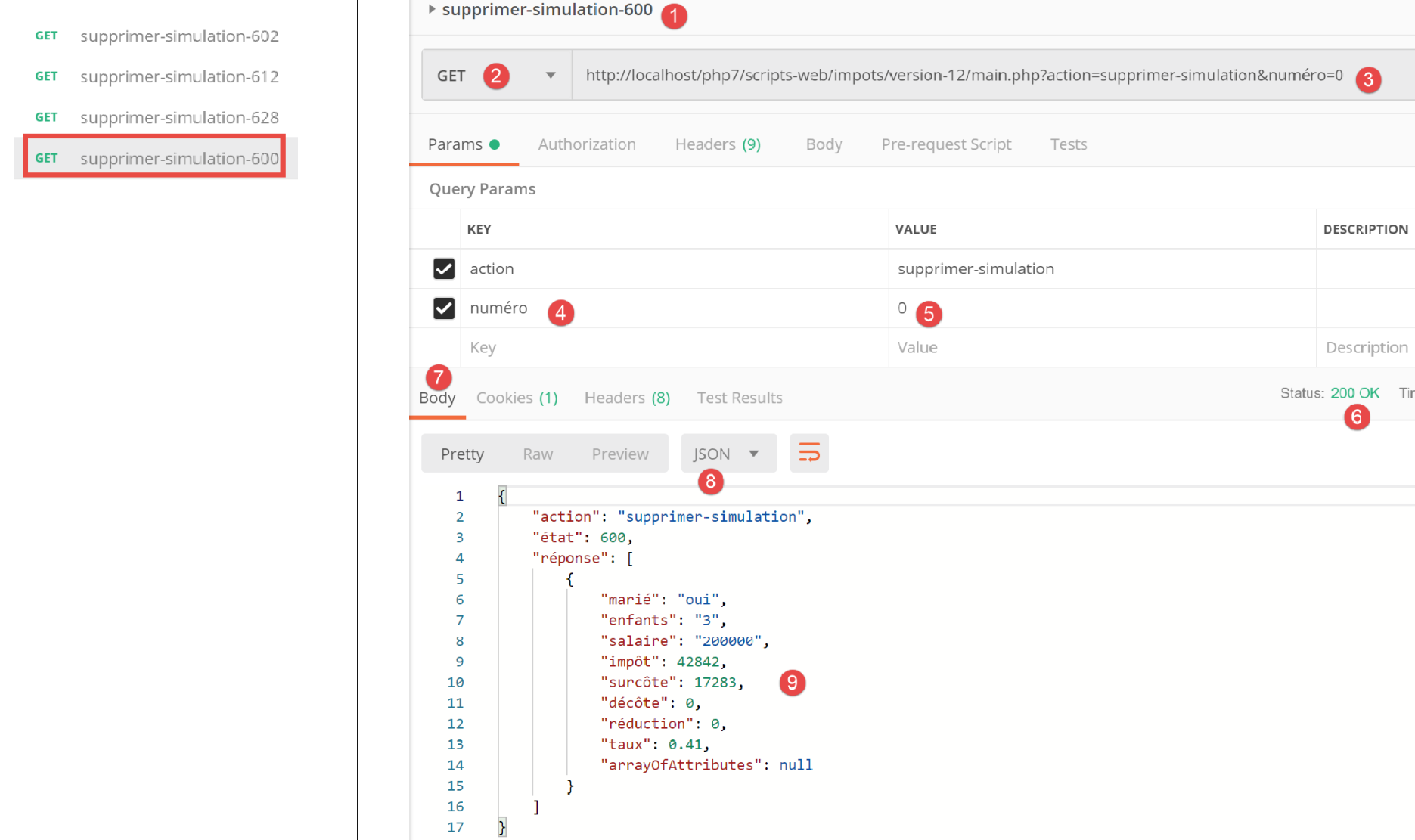
Above:
- In [1-5], we delete simulation #0 ([5]);
- In [6-9], the server’s response jSON. We can see that simulation #0 has been deleted;
Let’s repeat this operation:
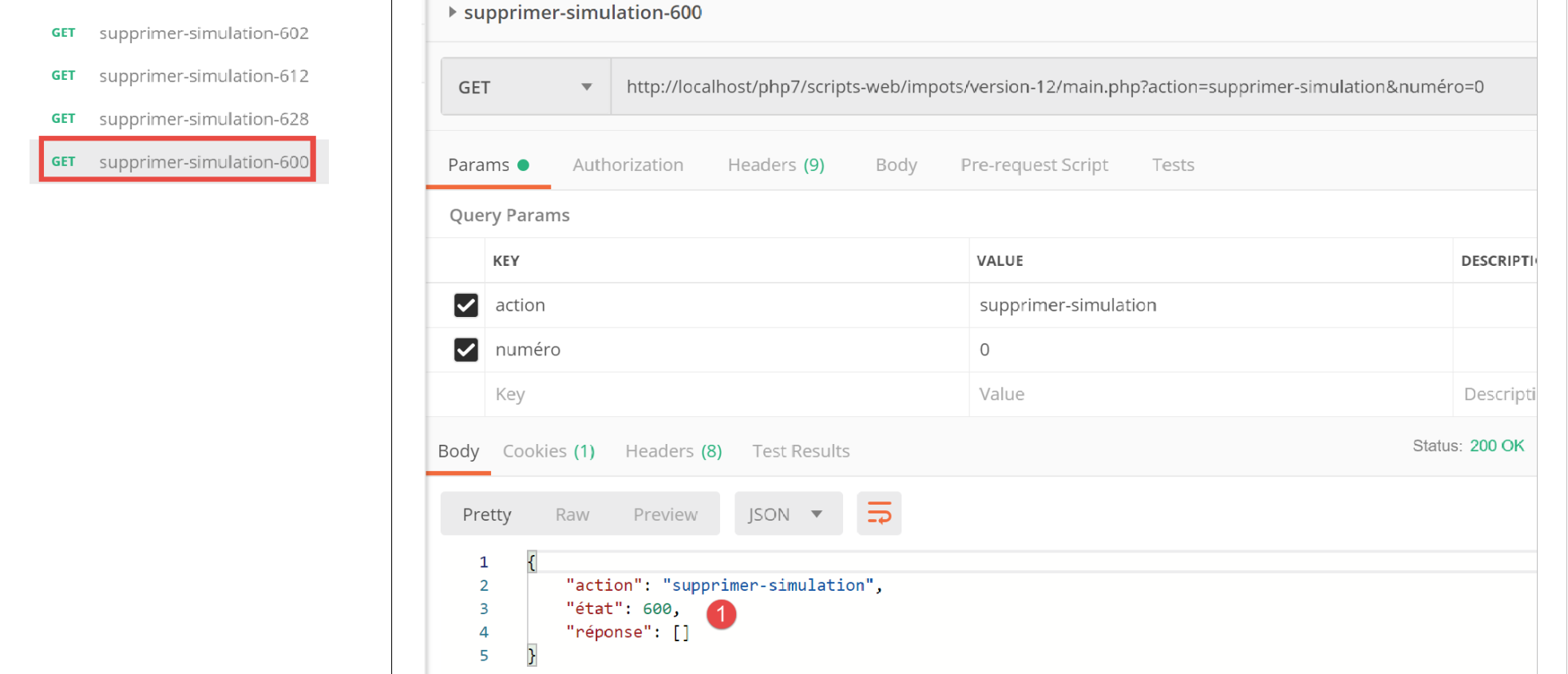
Above:
- In [1], there are no more simulations left in the server's web session;
23.11.11. Action [fin-session]
Action [fin-session] is handled by the following secondary controller [FinSessionController]:
<?php

namespace Application;

// symfony dependencies
use \Symfony\Component\HttpFoundation\Response;
use \Symfony\Component\HttpFoundation\Request;
use \Symfony\Component\HttpFoundation\Session\Session;

class FinSessionController implements InterfaceController {

  // $config is the application configuration
  // request processing
  // session and can modify it
  // $infos is additional information specific to each controller
  // renders an array [$statusCode, $état, $content, $headers]

  public function execute(
    array $config,
    Request $request,
    Session $session,
    array $infos = NULL): array {

    // you must have a single parameter GET
    $method = strtolower($request->getMethod());
    $erreur = $method !== "get" || $request->query->count() != 1;
    // mistake?
    if ($erreur) {
      $état = 401;
      // result to main controller
      $message = "GET requis avec le seul paramètre [action] dans l'URL";
      return [Response::HTTP_BAD_REQUEST, $état, ["réponse" => $message], []];
    }

    // memorize the session type
    $type = $session->get("type");
    // the current session is invalidated
    $session->invalidate();
    // put the type back in the new session
    $session->set("type", $type);
    // reply sent
    $état = 400;
    // result to main controller
    $content = ["réponse" => "session supprimée"];
    return [Response::HTTP_OK, $état, $content, []];
  }

}
Comments
- request [GET main.php?action=fin-session];
- lines 25-33: we verify that the action is a GET with the single parameter [fin-action];
- line 38: the current session is invalidated. This deletes the data stored in it and a new session is started;
- line 36: before the session ends, we store its type, [json, xml, html];
- line 40: the type of the previous session is restored in the new session. Finally, we proceed with a new session having the unique key [type];
- lines 44–45: the result is returned to the main controller;
23.11.12. Tests [Postman]
We will perform an error test and a success test:
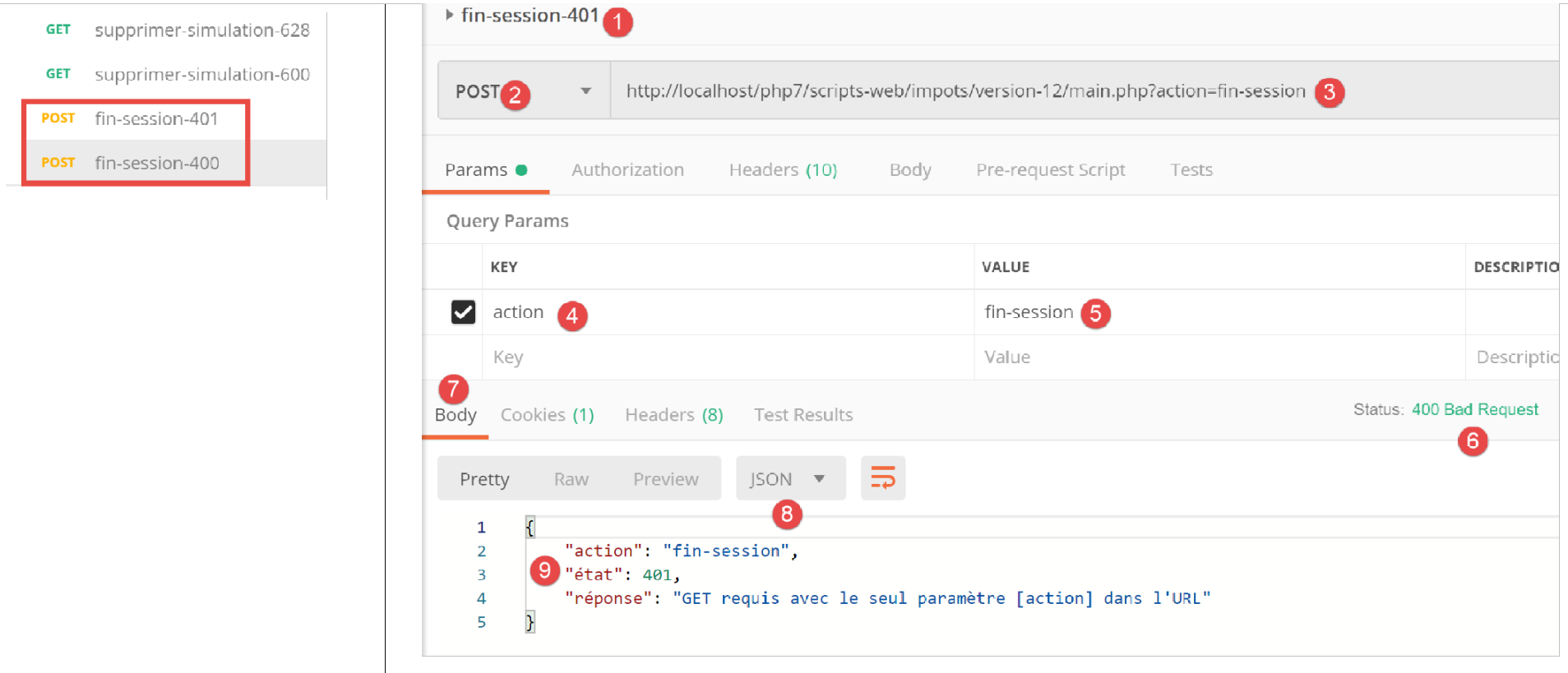
Above:
- in [1-5], we request the end of session [5] with a POST [2] instead of the expected GET;
- in [6-9], the server’s response jSON;
Now, an example of a successful attempt. Let’s first look at the session cookie exchanged between the client [Postman] and the server during the last test performed:
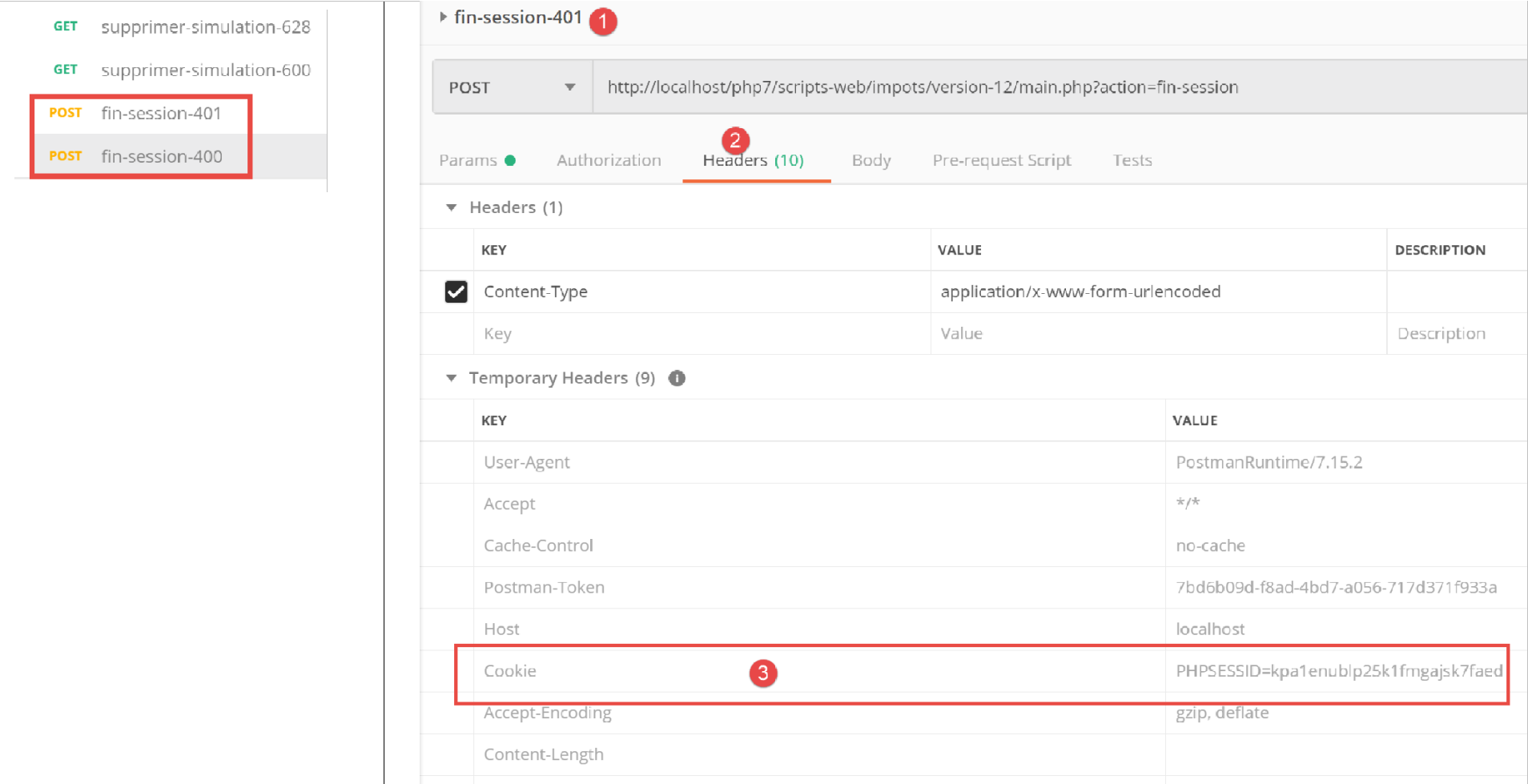
Above:
- in [3], the session cookie sent by the client [Postman] to the server;
Now let’s look at the headers HTTP sent by the server in its response:
Above:
- in [3-4], the session cookie is not in the server’s response. This is normal. The server sends it only once: at the start of a new web session;
Now let's run a valid [fin-session] action:
Above:
- in [1-3], a valid [fin-session] action;
- in [4-7], the server's response jSON;
Let’s look at the HTTP headers sent in the server’s response:
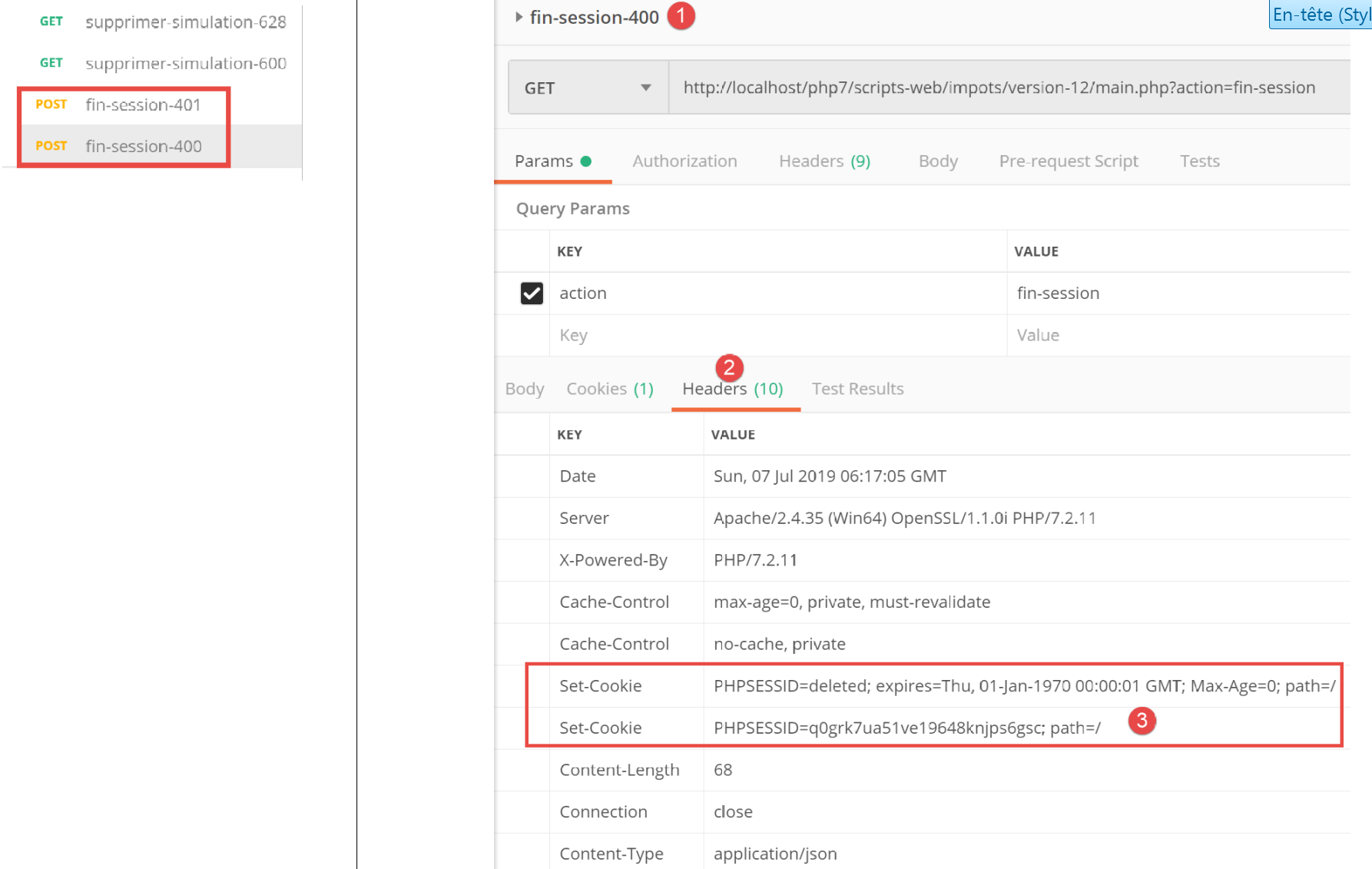
- in [3], the server sends the header [Set-Cookie], thereby indicating that a new web session is starting;
23.12. Server response types
23.12.1. Introduction
Let’s review the application’s general architecture:
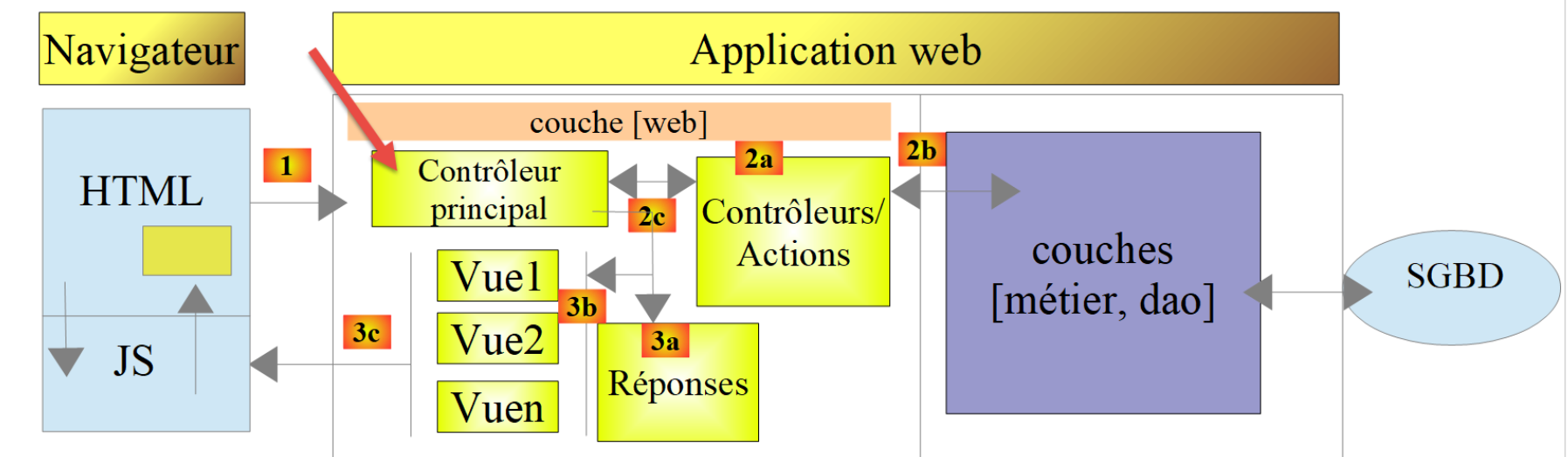
We will present the possible response types [3a]. These are grouped in the [Responses] folder of the project:
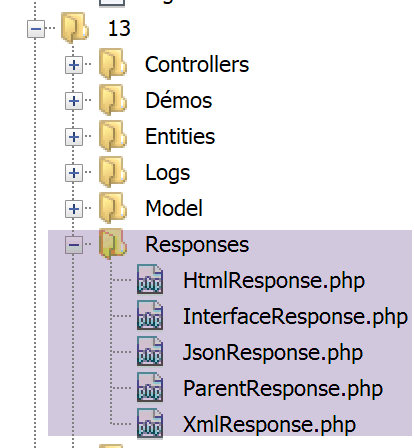
We have already introduced the [JsonResponse] class in the link section. It implements the [InterfaceResponse] interface and extends the [ParentResponse] class. This is also the case for the other two classes, [XmlResponse] and [HtmlResponse].
Recall the definition of the [InterfaceResponse] interface:
<?php

namespace Application;

// symfony dependencies
use Symfony\Component\HttpFoundation\Request;
use Symfony\Component\HttpFoundation\Session\Session;

interface InterfaceResponse {

  // Request $request: request currently being processed
  // Session $session: the web application session
  // array $config: application configuration
  // int statusCode: HTTP response status code
  // array $content: server response
  // array $headers: HTTP headers to be added to the response
  // Logger $logger: the logger for writing logs

  public function send(
    Request $request = NULL,
    Session $session = NULL,
    array $config,
    int $statusCode,
    array $content,
    array $headers,
    Logger $logger = NULL): void;
}
- lines 19–27: the [InterfaceResponse] interface has a single method, [send], for sending the response to the client;
- lines 11–17: the meaning of the various parameters of the [send] method;
- lines 23–25: the [$statusCode, $content, $headers] parameters are the standard response from the application’s secondary controllers. However, the response may require additional information. Therefore, we provide it with the first three parameters (lines 20–22), which give it access to all information regarding the request, the session, and the configuration;
- line 26: the response requires [Logger] because it will log the response sent to the client;
Let’s now review the code for the [ParentResponse] class, the parent class of the three response types that abstracts what they have in common: the actual sending of a text response to the client:
<?php

namespace Application;

// symfony dependencies
use Symfony\Component\HttpFoundation\Response;

class ParentResponse {

  // int $statusCode: HTTP response status code
  // string $content: the body of the reply to be sent
  // depending on the case, this is a jSON, XML, HTML string
  // array $headers: HTTP headers to be added to the response

  public function sendResponse(
    int $statusCode,
    string $content,
    array $headers): void {

    // preparing the server's text response
    $response = new Response();
    $response->setCharset("utf-8");
    // status code
    $response->setStatusCode($statusCode);
    // headers
    foreach ($headers as $text => $value) {
      $response->headers->set($text, $value);
    }
    // we send the answer
    $response->setContent($content);
    $response->send();
  }
}
Comments
- lines 10–13: the meaning of the three parameters of the [send] method;
- line 17: note that the response body is of type [string] and is therefore ready to be sent (line 30);
- line 22: the response will contain UTF-8 characters;
- line 24: response status code HTTP;
- lines 26–28: addition of the HTTP headers provided by the calling code;
- lines 30–31: sending the response to the client;
Finally, let’s recall the code for the main controller that requests the response be sent to the client:
// we add the keys [action, state] to the controller response
$content = ["action" => $action, "état" => $état] + $content;
// instantiate the [Response] object responsible for sending the response to the client
$response = __NAMESPACE__ . $config["types"][$type]["response"];
(new $response())->send($request, $session, $config, $statusCode, $content, $headers, $logger);

// the reply has been sent - resources are released
$logger->close();
exit;
- line 4: we set the name of the [Response] class to instantiate;
- line 5: we instantiate it and send the response to the client using the [send($request, $session, $config, $statusCode, $content, $headers, $logger)] method. Because they implement the same [InterfaceResponse] interface, the [send] methods for the different response types all have the same signature;
23.12.2. The [JsonResponse] class
It has already been presented in the previous section. However, we are reproducing its code here to better highlight the consistency of the three response classes:
The [JsonResponse] class implements the [InterfaceResponse] interface as follows:
<?php

namespace Application;

// symfony dependencies
use Symfony\Component\Serializer\Encoder\JsonEncode;
use Symfony\Component\Serializer\Encoder\JsonEncoder;
use Symfony\Component\Serializer\Normalizer\ObjectNormalizer;
use Symfony\Component\Serializer\Serializer;
use \Symfony\Component\HttpFoundation\Request;
use \Symfony\Component\HttpFoundation\Session\Session;

class JsonResponse extends ParentResponse implements InterfaceResponse {

  // Request $request: request currently being processed
  // Session $session: the web application session
  // array $config: application configuration
  // int statusCode: HTTP response status code
  // array $content: server response
  // array $headers: HTTP headers to be added to the response
  // Logger $logger: the logger for writing logs

  public function send(
    Request $request = NULL,
    Session $session = NULL,
    array $config,
    int $statusCode,
    array $content,
    array $headers,
    Logger $logger = NULL): void {

    // symfony serializer preparation
    $serializer = new Serializer(
      [
      // required for object serialization
      new ObjectNormalizer()],
      // encoder jSON
      // for options, make OU between the different options
      [new JsonEncoder(new JsonEncode([JsonEncode::OPTIONS => JSON_UNESCAPED_UNICODE]))]
    );
    // serialization jSON
    $json = $serializer->serialize($content, 'json');
    // headers
    $headers = array_merge($headers, ["content-type" => "application/json"]);
    // sending reply
    parent::sendResponse($statusCode, $json, $headers);
    // log
    if ($logger !== NULL) {
      $logger->write("réponse=$json\n");
    }
  }

}
Comments
- line 13: the class implements the [InterfaceResponse] interface;
- line 13: the class extends the [ParentResponse] class. All [Response] types extend this class. It is this parent class that sends the response to the client (line 46). Because this code was common to all [Response] types, it was factored into a parent class;
- lines 33–40: instantiation of the [Symfony] serializer, which will convert the response from the [$content] server into a jSON string (line 42);
- lines 34–36: the first parameter of the [Serializer] constructor is an array. In this array, we place an instance of the [ObjectNormalizer] class required for object serialization. This scenario occurs in this application with a list of simulations where each simulation is an instance of the [Simulation] class;
- line 39: the second parameter of the [Serializer] constructor is also an array: it contains all the encoders used in a serialization (XML, jSON, CSV…);
- Line 39: There will be only one encoder here, of type [JsonEncoder]. The parameterless constructor could have been sufficient. Here, we passed a parameter [JsonEncode] to the constructor, solely to pass encoding options jSON;
- line 39: the constructor parameter [JsonEncode] is an array of options. Here we use option [JSON_UNESCAPED_UNICODE] to request that the UTF-8 characters in the string jSON be rendered natively and not “escaped”;
- line 42: the body of the HHTP response is serialized into jSON using the previous serializer;
- line 44: the header HTTP is added, telling the client that jSON will be sent to it;
- line 46: we ask the parent class to send the response to the client;
- lines 48–50: we log the response jSON;
23.12.3. The [XmlResponse] class
The [XmlResponse] class implements the [InterfaceResponse] interface as follows:
<?php

namespace Application;

// symfony dependencies
use Symfony\Component\HttpFoundation\Request;
use Symfony\Component\HttpFoundation\Session\Session;
use Symfony\Component\Serializer\Encoder\JsonEncode;
use Symfony\Component\Serializer\Encoder\JsonEncoder;
use Symfony\Component\Serializer\Encoder\XmlEncoder;
use Symfony\Component\Serializer\Normalizer\ObjectNormalizer;
use Symfony\Component\Serializer\Serializer;

class XmlResponse extends ParentResponse implements InterfaceResponse {

  // Request $request: request currently being processed
  // Session $session: the web application session
  // array $config: application configuration
  // int statusCode: HTTP response status code
  // array $content: server response
  // array $headers: HTTP headers to be added to the response
  // Logger $logger: the logger for writing logs

  public function send(
    Request $request = NULL,
    Session $session = NULL,
    array $config,
    int $statusCode,
    array $content,
    array $headers,
    Logger $logger = NULL): void {

    // symfony serializer preparation
    $serializer = new Serializer(
      // required for object serialization
      [new ObjectNormalizer()],
      [
      // serialization XML
      new XmlEncoder(
        [
        XmlEncoder::ROOT_NODE_NAME => 'root',
        XmlEncoder::ENCODING => 'utf-8'
        ]
      ),
      // serialization jSON
      new JsonEncoder(new JsonEncode([JsonEncode::OPTIONS => JSON_UNESCAPED_UNICODE]))
      ]
    );
    // serialization XML
    $xml = $serializer->serialize($content, 'xml');
    // headers
    $headers = array_merge($headers, ["content-type" => "application/xml"]);
    // sending reply
    parent::sendResponse($statusCode, $xml, $headers);
    // log
    if ($logger !== NULL) {
      // log in jSON
      $log = $serializer->serialize($content, 'json');
      $logger->write("réponse=$log\n");
    }
  }

}
Comments
- lines 34–48: instantiation of a Symfony serializer. The constructor accepts two array parameters;
- line 36: the first array contains an instance of type [ObjectNormalizer], which is used in object serialization;
- lines 37–47: the second array contains the encoders used for serialization. Various types of serialization can be specified using the same serializer;
- lines 38–44: the XML encoder;
- line 41: the root of the generated XML code is set. It will have the form <root>[autres balises XML]</root>;
- line 42: the encoding will use UTF-8 characters;
- line 46: the jSON encoder. This will be used to log the response in the [logs.txt] file, which is encoded in jSON;
- line 50: the body of the response sent to the client is serialized in XML;
- line 52: the header HTTP is added to the headers received as parameters (line 30), indicating to the client that a XML document is being sent to them;
- line 54: the parent class actually sends the response to the client;
- Lines 56–60: Log the response in jSON;
23.12.4. [Postman] Tests
We have already performed all possible error tests in jSON. There is nothing further to do in XML. We show two examples of XML responses:
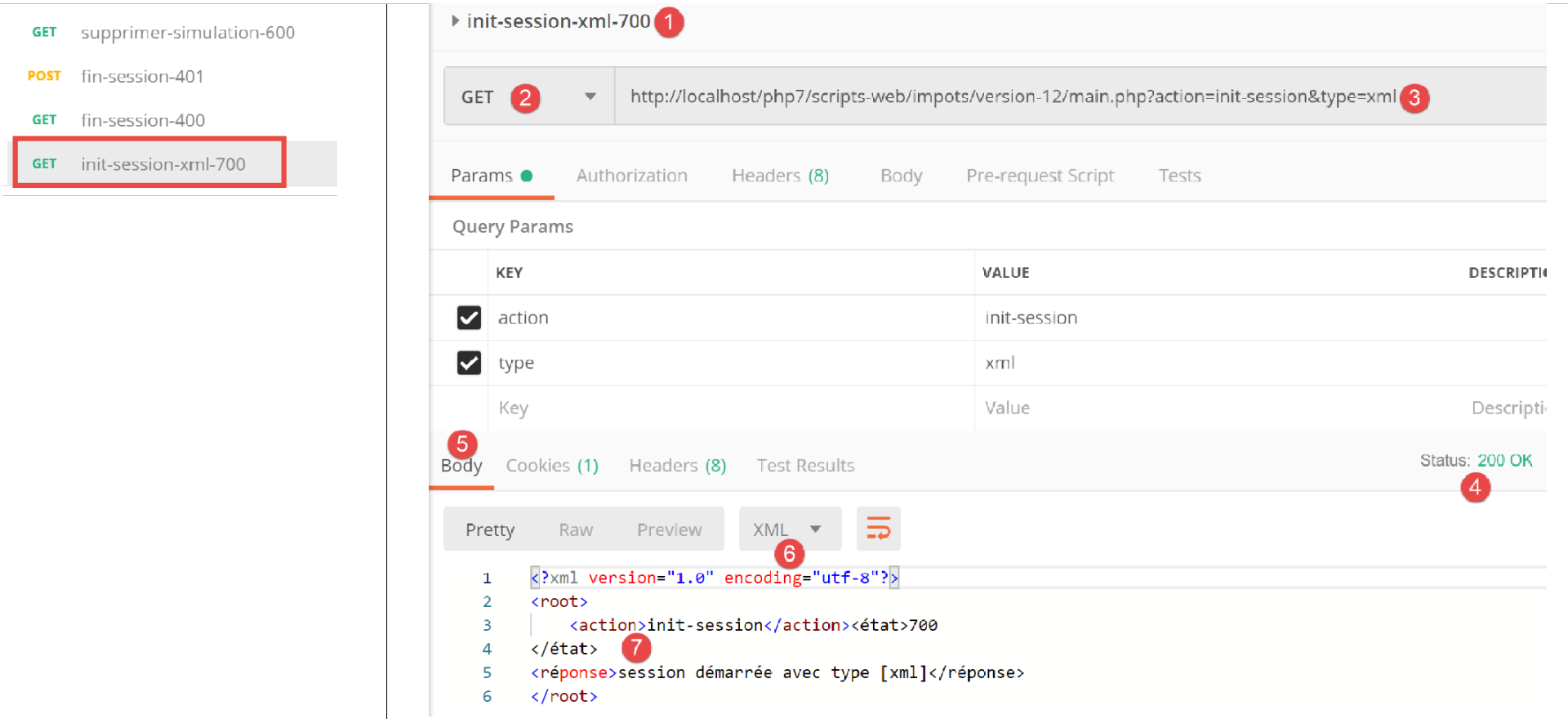
Above:
- in [1-3], the session start request XML;
- in [4-7], the server’s response XML;
From now on, all server responses will be in XML. We can reuse all requests already used in [Postman] without changing them, and for each one we will have a response XML. Let’s perform a successful authentication, for example:
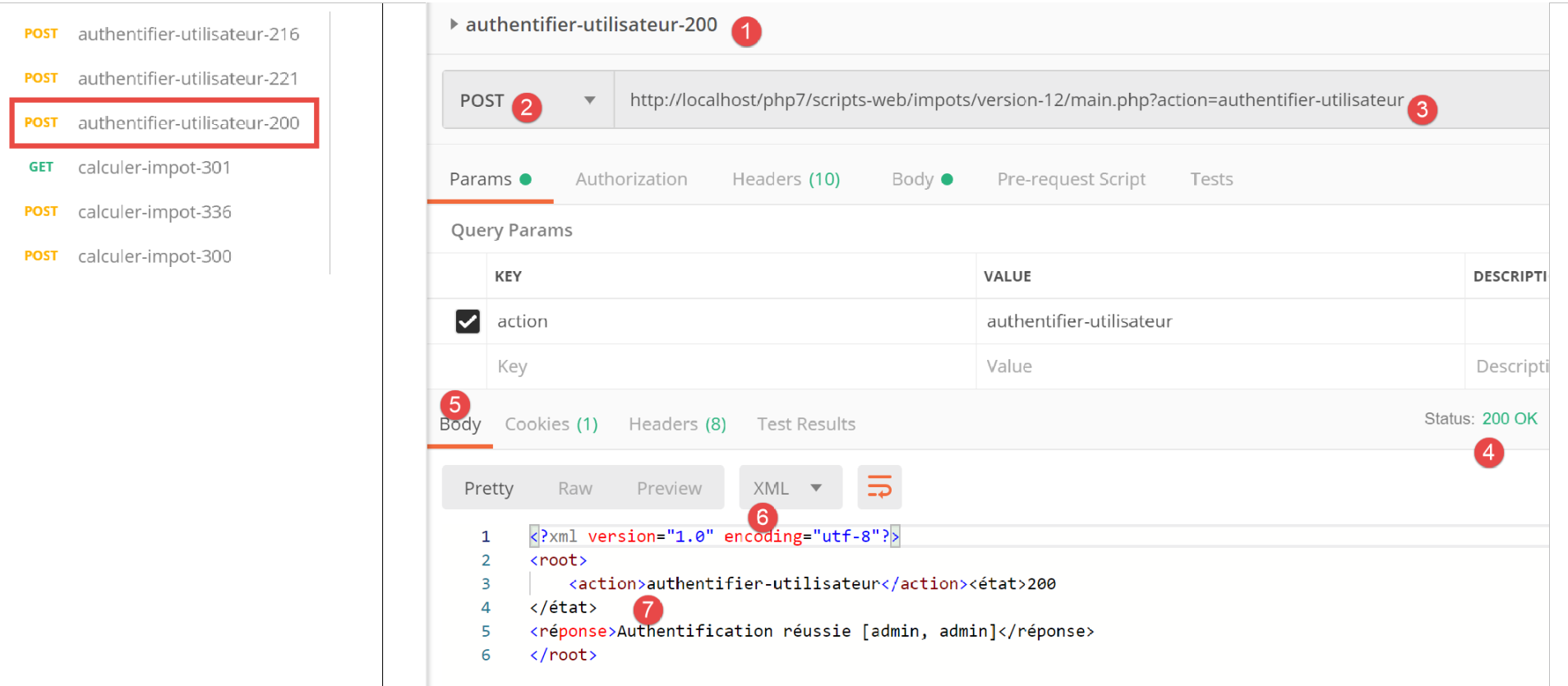
Above:
- in [1-3], a valid authentication request;
- in [4-7], the server’s response XML;
23.12.5. The response [HtmlResponse]
When the session type is [html], an object of type [HtmlResponse] is instantiated to send the response to the client. This will send the client a HTML stream that depends on the status code returned by the secondary controller that processed the action. This [état=>vue] mapping is entered in the [config.json] configuration file as follows:
"vues": {
        "vue-authentification.php": [700, 221, 400],
        "vue-calcul-impot.php": [200, 300, 341, 350, 800],
        "vue-liste-simulations.php": [500, 600]
    },
"vue-erreurs": "vue-erreurs.php"
This configuration is read as follows: [‘nom de la vue’ => ‘états associés à cette vue’]
- line 2: if the secondary controller returned a state from the [700, 221, 400] table, then the [vue-authentification.php] view must be displayed;
- line 3: if the secondary controller returned an array state of [200, 300, 341, 350, 800], then the view [vue-calcul-impot.php] must be displayed;
- line 4: if the secondary controller returned a status from table [500, 600], then display view [vue-liste-simulations.php];
- line 6: if the secondary controller has returned a status that is not in any of the previous tables, then display view [vue-erreurs.php];
The views are located in the [Views] folder of the project:
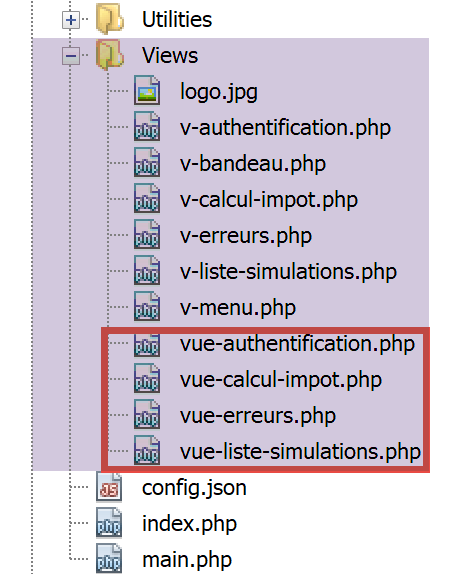
The code for the [HtmlResponse] class is as follows:
<?php

namespace Application;

// symfony dependencies
use Symfony\Component\HttpFoundation\Request;
use Symfony\Component\HttpFoundation\Session\Session;
use Symfony\Component\Serializer\Encoder\JsonEncode;
use Symfony\Component\Serializer\Encoder\JsonEncoder;
use Symfony\Component\Serializer\Normalizer\ObjectNormalizer;
use Symfony\Component\Serializer\Serializer;

class HtmlResponse extends ParentResponse implements InterfaceResponse {

  // Request $request: request currently being processed
  // Session $session: the web application session
  // array $config: application configuration
  // int statusCode: HTTP response status code
  // array $content: server response
  // array $headers: HTTP headers to be added to the response
  // Logger $logger: the logger for writing logs

  public function send(
    Request $request = NULL,
    Session $session = NULL,
    array $config,
    int $statusCode,
    array $content,
    array $headers,
    Logger $logger = NULL): void {

    // symfony serializer preparation
    $serializer = new Serializer(
      [
      // for object serialization
      new ObjectNormalizer()],
      [
      // for jSON serialization of the response log
      new JsonEncoder(new JsonEncode([JsonEncode::OPTIONS => JSON_UNESCAPED_UNICODE]))
      ]
    );
    // the HTML response depends on the status code returned by the controller
    $état = $content["état"];
    // a view corresponds to a state - look for it in the application configuration
    // view list
    $vues = array_keys($config["vues"]);
    $trouvé = false;
    $i = 0;
    // browse the list of views
    while (!$trouvé && $i < count($vues)) {
      // states associated with view n° i
      $états = $config["vues"][$vues[$i]];
      // is the state you're looking for in the states associated with view n° I?
      if (in_array($état, $états)) {
        // the view displayed will be view n° i
        $vueRéponse = $vues[$i];
        $trouvé = true;
      }
      // next view
      $i++;
    }
    // found?
    if (!$trouvé) {
      // if no view exists for the current state of the application
      // render error view
      $vueRéponse = $config["vue-erreurs"];
    }
    // retrieve the HTML view to be displayed in a character string
    ob_start();
    require __DIR__ . "/../Views/$vueRéponse";
    $html = ob_get_clean();
    // we indicate in the headers that we're going to send HTML
    $headers = array_merge($headers, ["content-type" => "text/html"]);
    // the parent class handles the actual sending of the response
    parent::sendResponse($statusCode, $html, $headers);
    // log in jSON of the response without the HTML
    if ($logger !== NULL) {
      // log in jSON of the response from the secondary controller that processed the action
      $log = $serializer->serialize($content, 'json');
      $logger->write("réponse=$log\n");
    }
  }

}
Comments
- lines 32–41: we instantiate a Symfony serializer. This is required for logging the response from the controller that handled the action (lines 72–82);
- lines 42-57: We search the application configuration for the view that should be displayed. This depends on the status code returned by the controller that handled the action. This code is in [$content[‘état’]] (line 43);
- lines 42–61: the view corresponding to this state is searched for;
- lines 62–67: if no view is found, then we are dealing with an abnormal status code for the application HTML. We will explain this concept of abnormal states in more detail later. In this case, an error view is displayed;
- lines 68-70: the code PHP of the selected view is interpreted, and the result is stored in the variable [$html] (line 71);
- this code warrants some explanation. Let’s imagine that the selected view is [vue-authentification.php], which displays a web authentication form:
- line 69: the function [ob_start] initiates what the documentation calls an output delay. Everything written by print, require, and similar operations—which would normally be sent immediately to the client—is placed in an output buffer (ob) without being sent to the client;
- line 70: the view [vue-authentification.php] is loaded; this is a dynamic HTML view containing PHP code. Two things then happen:
- the PHP code from the [vue-authentification.php] view is loaded and interpreted. The result is a view we will call [vue-authentification.html], which contains only HTML code, or even CSS and Javascript, but no more PHP;
- this code HTML is normally sent to the client. This is in fact the case for any text encountered by the PHP interpreter that is not PHP code. Due to the output delay, this code HTML is placed in the output buffer without being sent to the client;
- line 71: the [ob_get_clean] function does two things:
- it places the contents of the output buffer—that is, the page [vue-authentification.html] that was placed there—into the variable [$html];
- It clears the output buffer. As far as the output buffer is concerned, it’s as if nothing had happened. Furthermore, the client still hasn’t received anything;
- Line 70: Here, we are in the middle of executing the [HtmlResponse] class, which is located in the [Responses] folder. To find the view, you must therefore go up one level to [..] and then move to the [Views] folder. [__DIR__] is the absolute name of the folder containing the currently running script; in our example, this is the [C:/myprograms/laragon-lite/www/php7/scripts-web/impots/13/Responses] folder;
- line 73: we add to the HTTP headers received as a parameter (line 29) the header that tells the client we are going to send them HTML;
- line 75: we ask the parent class to actually send the response to the client;
- lines 77–81: log the response [$content] provided by the secondary controller that processed the current action as jSON;
23.12.6. [Postman] Tests
To truly test the HTML mode of the session, we would need to review all the views. We will do that later. We will perform the following test:
Let’s look at the list of views in the configuration file:
"vues": {
        "vue-authentification.php": [700, 221, 400],
        "vue-calcul-impot.php": [200, 300, 341, 350, 800],
        "vue-liste-simulations.php": [500, 600]
    },
    "vue-erreurs": "vue-erreurs.php"
The context generating some of the status codes above can be found by looking at the [Postman] tests performed:
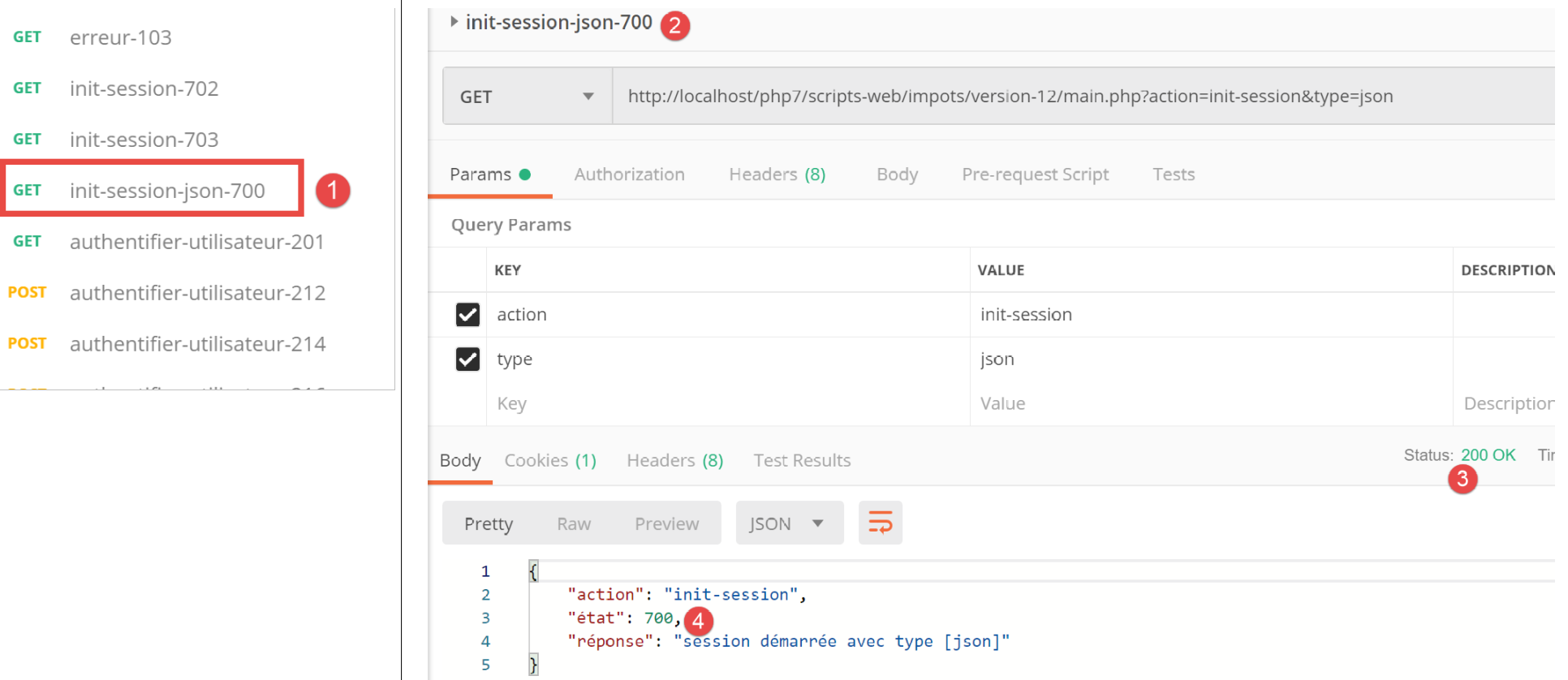
We can see that the status code [700] corresponds to a successful [init-session] action ([2]). Above, we have a jSON response, but it could be of type XML or HTML. It is the latter case that will be tested. According to the configuration file, the view [vue-authentification.php] constitutes the response HTML. Let’s check.
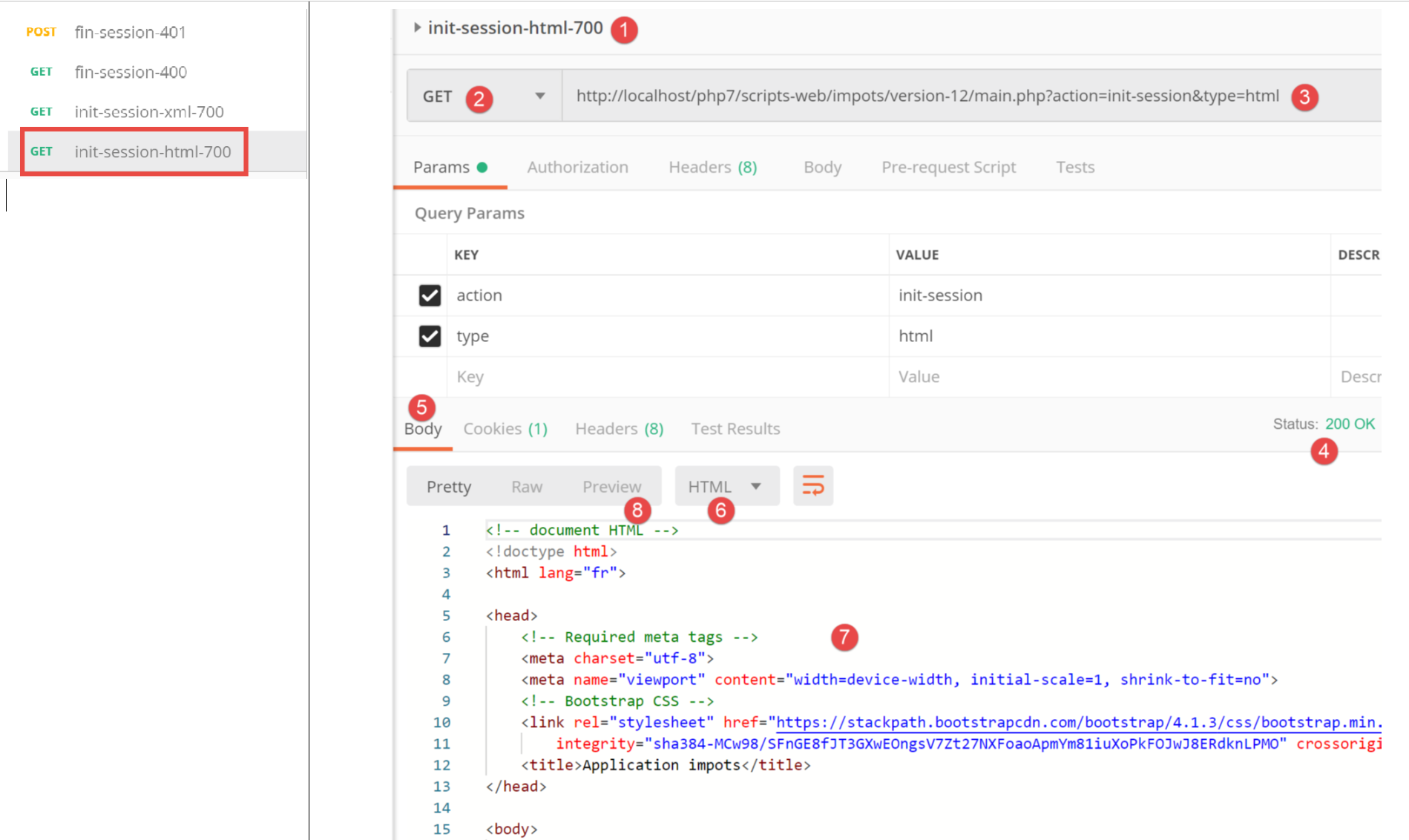
Above:
- in [1-3], a session HTML is initialized. We therefore expect a response HTML;
- in [4-8], the server’s response HTML;
- the [8] tab provides a preview of the received HTML code;
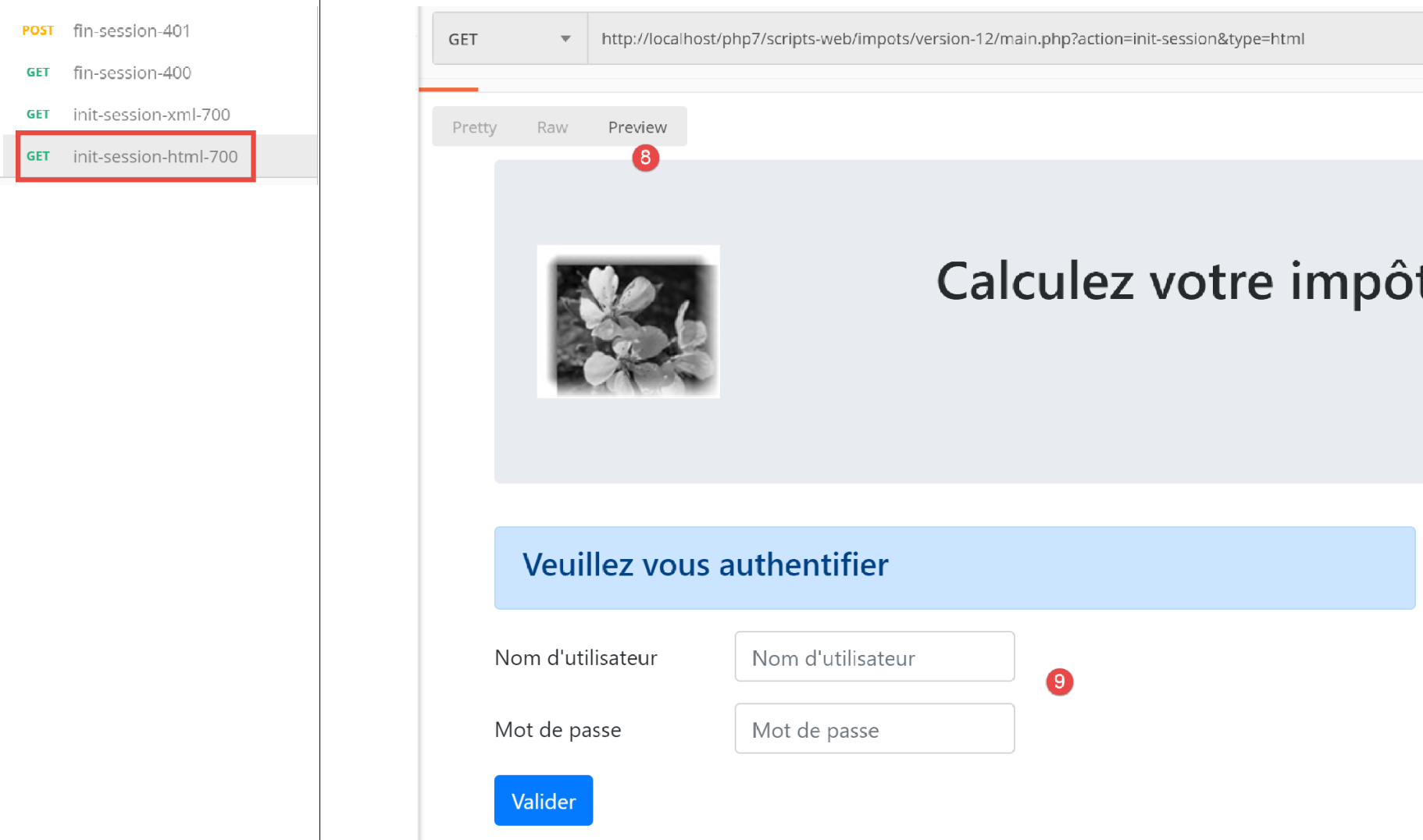
- in [8-9], a preview of the view HTML;
23.13. The HTML web application
23.13.1. Overview of Views
The HTML web application will use four views:
The authentication view:
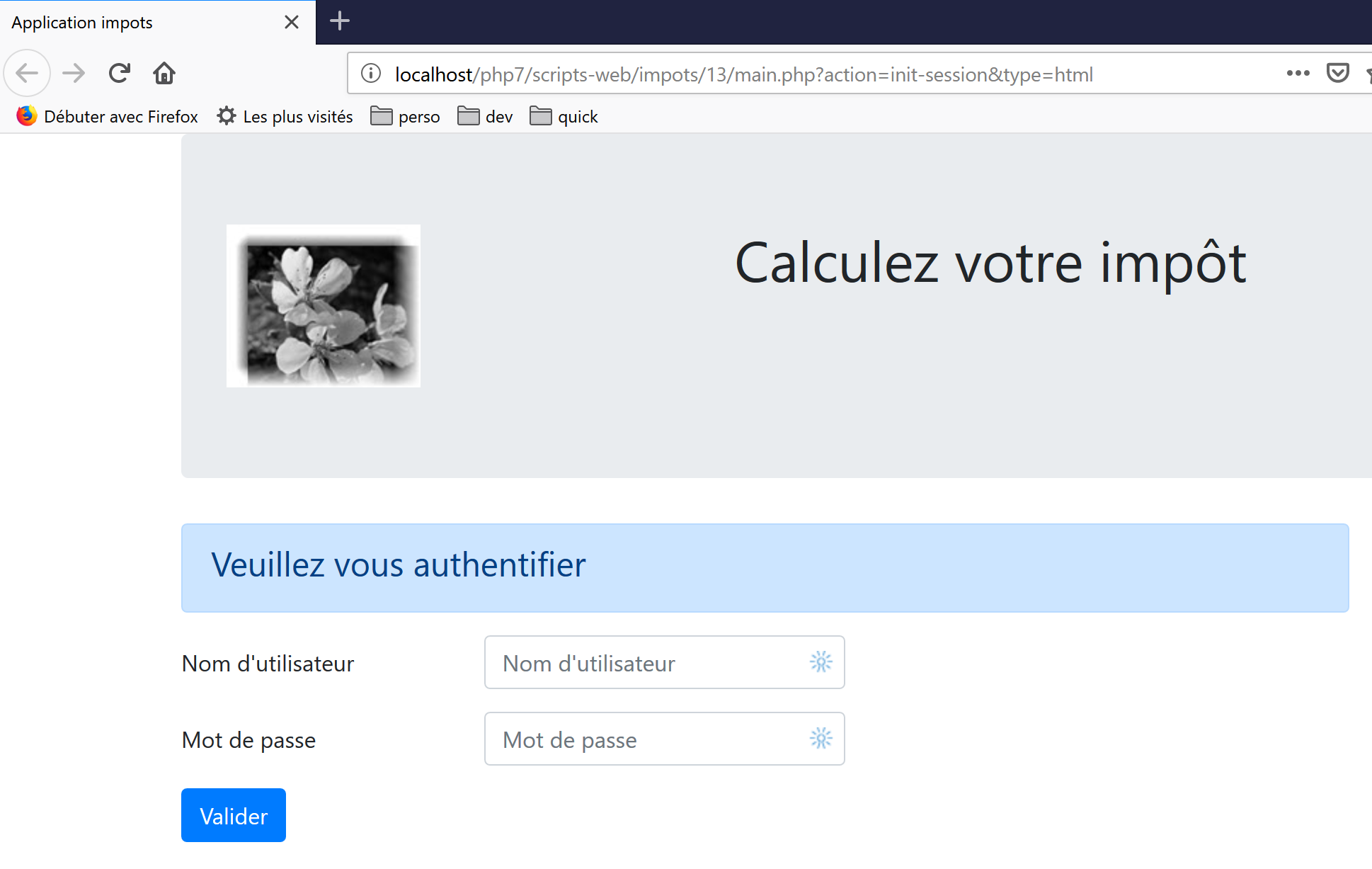
The tax calculation view:
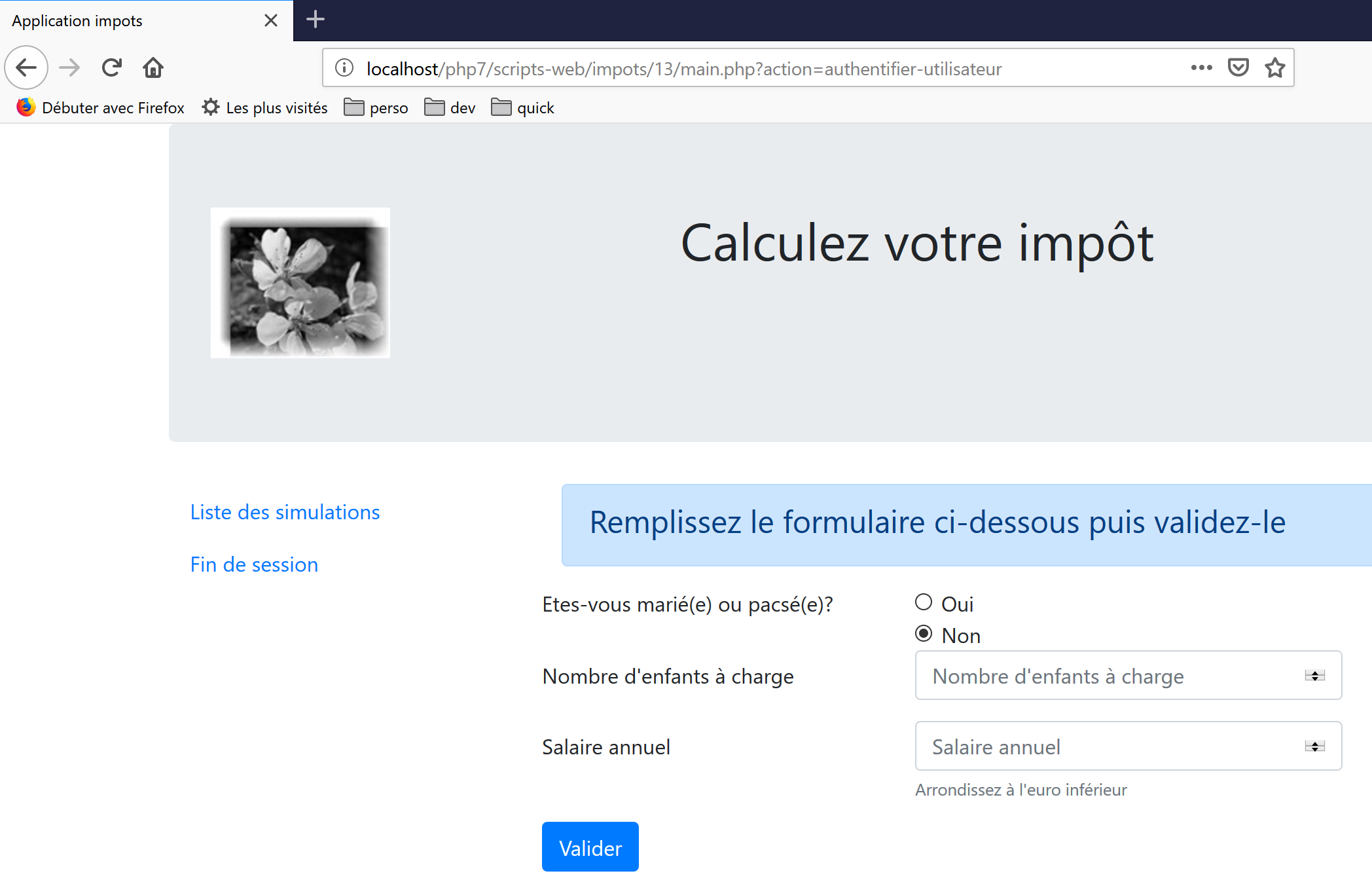
The simulation list view:
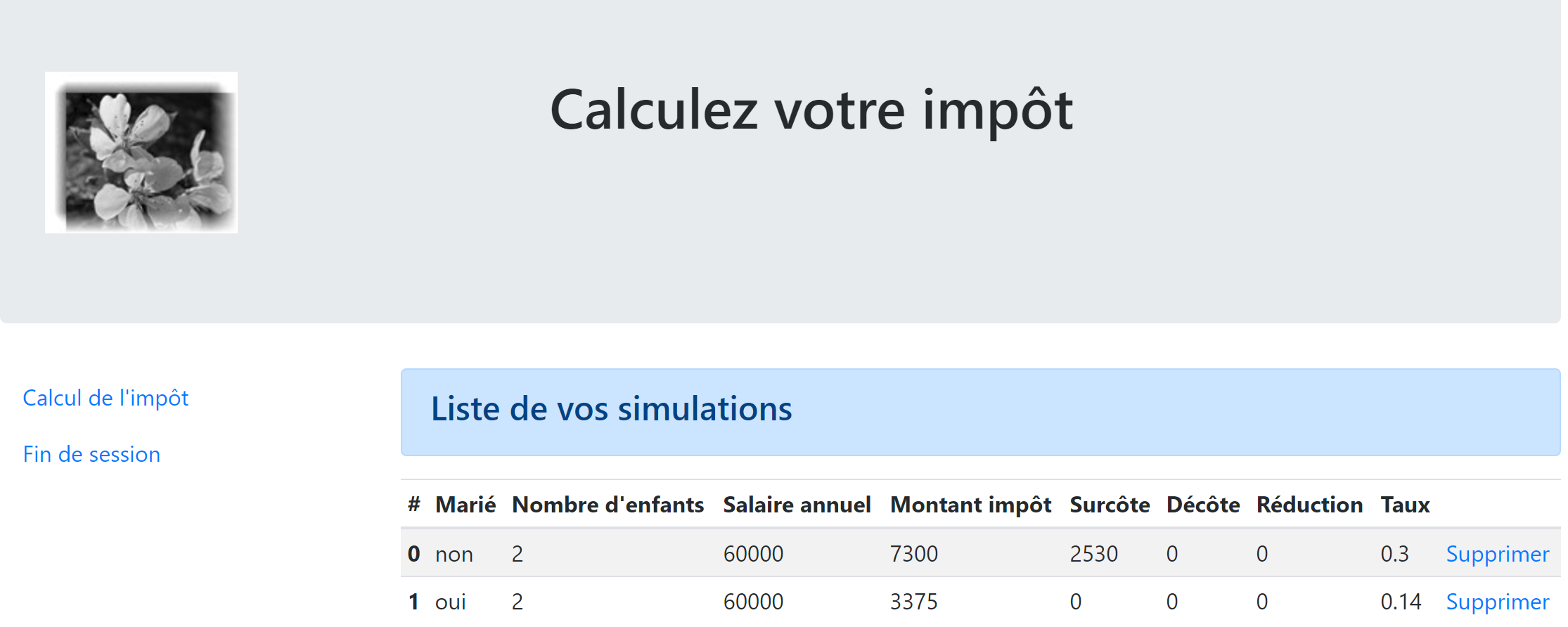
The unexpected errors view:
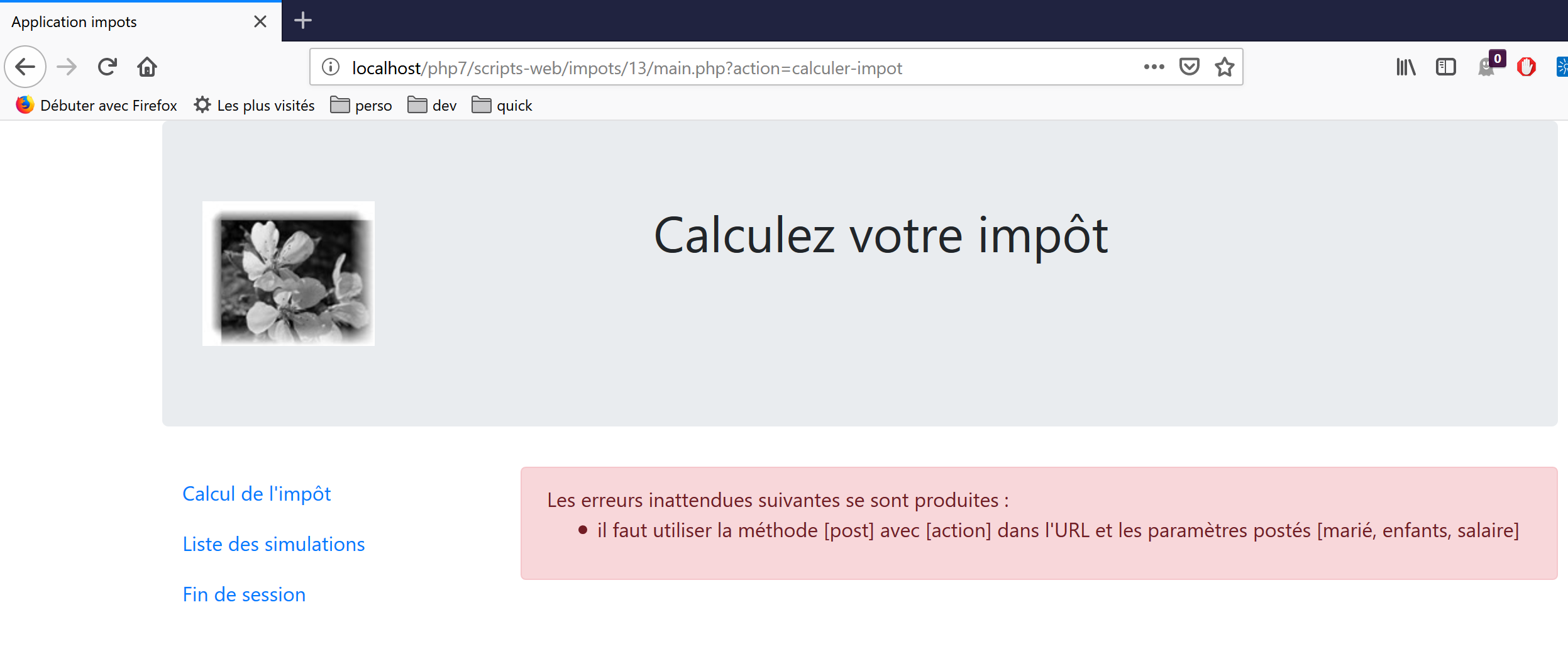
We will describe these views one by one.
23.13.2. The authentication view
23.13.2.1. Overview of the View
The authentication view is as follows:
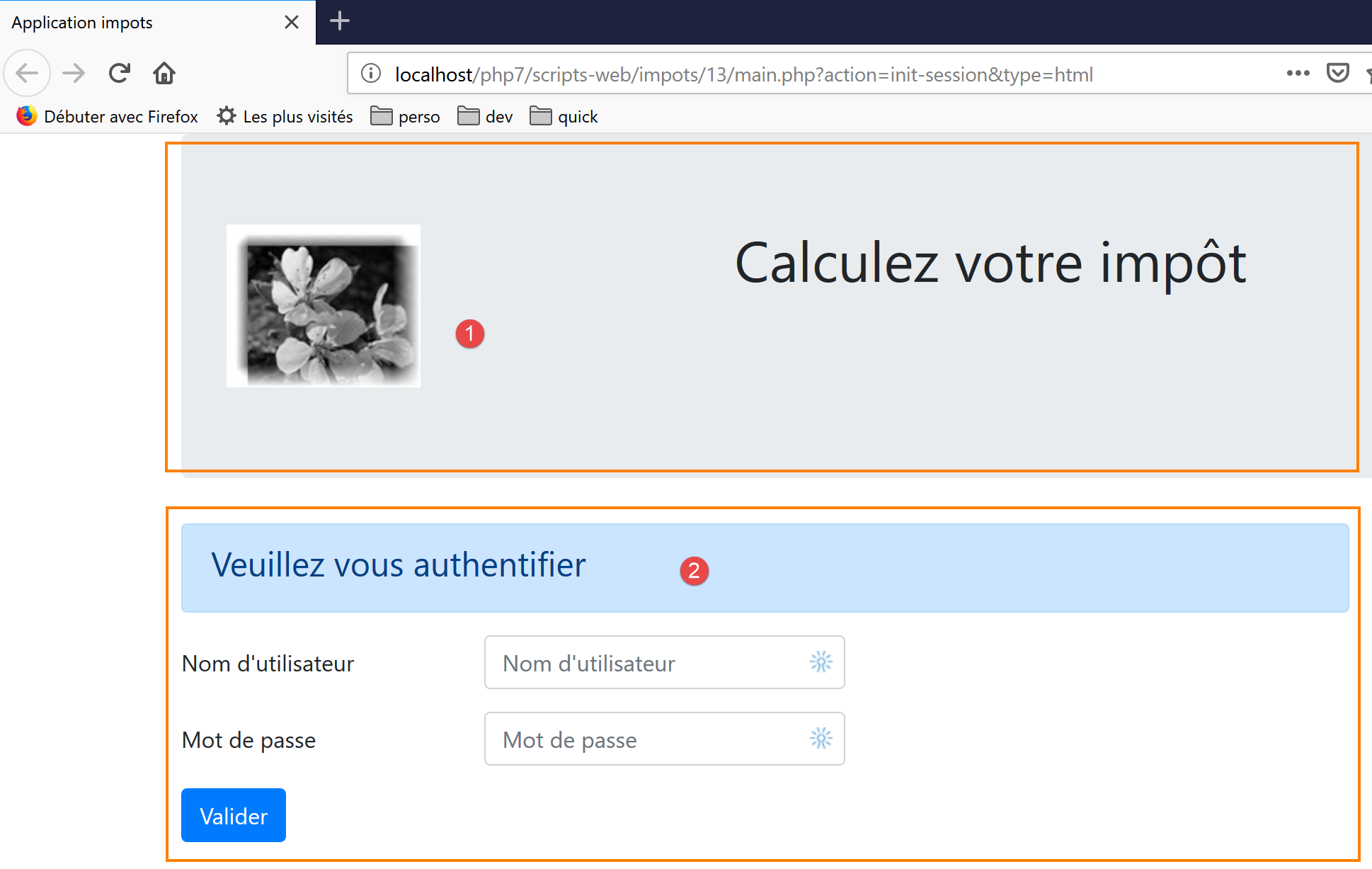
The view consists of two elements, which we will call fragments:
- the fragment [1] is generated by a script [v-bandeau.php];
- the fragment [2] is generated by a script [v-authentification.php];
The authentication view is generated by the following page [vue-authentification.php]:
<?php
// page test data
// encapsulate paged data in $page
…
?>

<!doctype html>
<html lang="fr">
    <head>
        <!-- Required meta tags -->
        <meta charset="utf-8">
        <meta name="viewport" content="width=device-width, initial-scale=1, shrink-to-fit=no">
        <!-- Bootstrap CSS -->
        <link rel="stylesheet" href="https://stackpath.bootstrapcdn.com/bootstrap/4.1.3/css/bootstrap.min.css" integrity="sha384-MCw98/SFnGE8fJT3GXwEOngsV7Zt27NXFoaoApmYm81iuXoPkFOJwJ8ERdknLPMO" crossorigin="anonymous">
        <title>Application impots</title>
    </head>
    <body>
        <div class="container">
            <!-- bandeau sur 1 ligne et 12 colonnes -->
            <?php require "v-bandeau.php"; ?>
            <!-- formulaire d'authentification sur 9 colonnes -->
            <div class="row">
                <div class="col-md-9">
                    <?php require "v-authentification.php" ?>
                </div>
            </div>
            <?php
            // if error - displays an error alert
            if ($modèle->error) {
              print <<<EOT
            <div class="row">
                <div class="col-md-9">
                    <div class="alert alert-danger" role="alert">
                      Les erreurs suivantes se sont produites :
                      <ul>$modèle->erreurs</ul>
                    </div>
                </div>
            </div>
EOT;
            }
            ?>
        </div>
    </body>
</html>
Comments
- line 7: a HTML document begins with this line;
- lines 8–44: the HTML page is enclosed within the tags <html> </html>;
- lines 9–16: header (head) of the HTML document;
- line 11: the <meta charset> tag indicates that the document is encoded in UTF-8;
- line 12: the <meta name=’viewport’> tag sets the initial display of the view: across the full width of the screen displaying it (width) at its initial size (initial-scale) without resizing to fit a smaller screen (shrink-to-fit);
- line 14: the <link rel='stylesheet'> tag specifies the CSS file that governs the view’s appearance. Here we are using the Bootstrap 4.1.3 framework CSS [https://getbootstrap.com/docs/4.0/getting-started/introduction/] ;
- line 15: the <title> tag sets the page title:
- lines 17–43: the body of the web page is enclosed in the body and /body tags;
- Lines 18–42: The div tag defines a section of the displayed page. The [class] attributes used in the view all refer to the CSS Bootstrap framework. The tag defines a Bootstrap container;
- line 20: the [v-bandeau.php] script is included. This script generates the [1] header of the page. We will describe it shortly;
- lines 22–26: the tag defines a Bootstrap row. These rows consist of 12 columns;
- line 23: the tag defines a 9-column section;
- line 24: we include the script [v-authentification.php], which displays the page’s [2] authentication form. We will describe it shortly;
- line 27: the <?php tag inserts PHP code into the HTML page. This code is executed before the HTML page is displayed and can modify it;
- line 29: all dynamic data from the displayed view will be encapsulated in a [$modèle] object of type [stdClass]. This is an arbitrary choice. An associative array could have been chosen instead to achieve the same result;
- line 29: authentication fails if the user enters incorrect credentials. In this case, the authentication view is redisplayed with an error message. The [$modèle→error] attribute indicates whether to display this error message;
- lines 30–39: this syntax writes all text placed between the symbols PHP <<<EOT (line 30 – you can enter anything you want in place of EOT=End Of Text) and the symbol EOT on line 39 (must be identical to the symbol used on line 30). The symbol must be written in the first column of line 39. The variables PHP located in the text between the two symbols EOT are interpreted;
- lines 33–36: define an area with a pink background (class="alert alert-danger") (line 33);
- line 34: text;
- line 35: the HTML tag <ul> (unordered list) displays a bulleted list. Each list item must have the syntax <li>item</li>;
Let’s note the dynamic elements to be defined in this code:
- [$modèle→error]: to display an error message;
- [$modèle→erreurs]: a list (in the HTML sense of the term) of error messages;
23.13.2.2. The fragment [v-bandeau.php]
The fragment [v-bandeau.php] displays the top banner of all views in the web application:
The code for the [v-bandeau.php] fragment is as follows:
<!-- Bootstrap Jumbotron -->
<div class="jumbotron">
    <div class="row">
        <div class="col-md-4">
            <img src="<?= $logo ?>" alt="Cerisier en fleurs" />
        </div>
        <div class="col-md-8">
            <h1>
                Calculez votre impôt
            </h1>
        </div>
    </div>
</div>
Comments
- lines 2–13: the banner is wrapped in a Bootstrap Jumbotron section with the class [<div class="jumbotron">]. This Bootstrap class styles the displayed content in a specific way to make it stand out;
- lines 3-12: a Bootstrap row;
- lines 4-6: a [img] image is placed in the first four columns of the row;
- line 5: the syntax [<?= $logo ?>] is equivalent to the syntax [<?php print $logo ?>]. In other words, the value of the [src] attribute will be the value of the PHP [$logo] variable;
- lines 7–11: the other 8 columns in the row (note that there are 12 in total) will be used to place text (line 9) in large font (<h1>, lines 8–10);
Dynamic elements:
- [$logo]: URL from the image displayed in the banner;
23.13.2.3. The fragment [v-authentification.php]
The fragment [v-authentification .php] displays the web application’s authentication form:
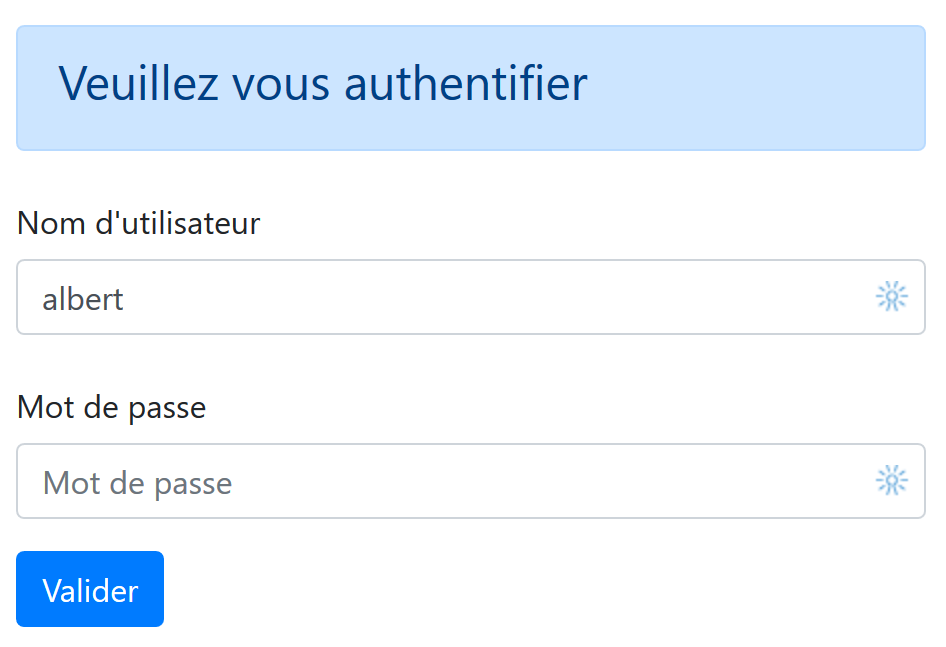
The code for the [v-authentification.php] fragment is as follows:
<!-- form HTML - post its values with the [authenticate-user] action -->
<form method="post" action="main.php?action=authentifier-utilisateur">

    <!-- title -->
    <div class="alert alert-primary" role="alert">
        <h4>Veuillez vous authentifier</h4>
    </div>

    <!-- bootstrap form -->
    <fieldset class="form-group">
        <!-- 1st line -->
        <div class="form-group row">
            <!-- wording -->
            <label for="user" class="col-md-3 col-form-label">Nom d'utilisateur</label>
            <div class="col-md-4">
                <!-- text input field -->
                <input type="text" class="form-control" id="user" name="user"
                       placeholder="Nom d'utilisateur" value="<?= $modèle->login ?>">
            </div>
        </div>
        <!-- 2nd line -->
        <div class="form-group row">
            <!-- wording -->
            <label for="password" class="col-md-3 col-form-label">Mot de passe</label>
            <!-- text input field -->
            <div class="col-md-4">
                <input type="password" class="form-control" id="password" name="password"
                       placeholder="Mot de passe">
            </div>
        </div>
        <!-- submit] button on a 3rd line-->
        <div class="form-group row">
            <div class="col-md-2">
                <button type="submit" class="btn btn-primary">Valider</button>
            </div>
        </div>
    </fieldset>

</form>
Comments
- Lines 2–39: The <form> tag defines a HTML form. This form generally has the following characteristics:
- it defines input fields (the <input> tags on lines 17 and 27);
- it has a [submit] button (line 34) that sends the entered values to the URL specified in the [action] attribute of the [form] tag (line 2). The HTTP method used to query this URL is specified in the [method] attribute of the [form] tag (line 2);
- here, when the user clicks the [Valider] button (line 34), the browser will submit (line 2) the values entered in the form to the URL [main.php?action=authentifier-utilisateur] (line 2);
- The posted values are the values entered by the user in the input fields on lines 17 and 27. They will be posted in the form [user=xx&password=yy]. The names of the [user, password] parameters are those of the [name] attributes of the input fields on lines 17 and 27;
- Lines 5–7: a Bootstrap section to display a title on a blue background:
- lines 10–37: a Bootstrap form. All form elements will then be styled in a specific way;
- lines 12–20: define the first line of the form:

- line 14 defines the label [1] across three columns. The [for] attribute of the [label] tag links the label to the [id] attribute of the input field on line 17;
- Lines 15–19: places the input field in a four-column layout;
- line 17: the HTML [input] tag describes an input field. It has several parameters:
- [type=’text’]: this is a text input field. You can type anything in it;
- [class=’form-control’]: Bootstrap style for the input field;
- [id=’user’]: ID of the input field. This ID is generally used by CSS and the code Javascript;
- [name=’user’]: name of the input field. This is the name under which the value entered by the user will be submitted by the browser [user=xx];
- [placeholder=’invite’]: the text displayed in the input field when the user has not yet typed anything;

- [value=’valeur’]: the text ‘value’ will be displayed in the input field as soon as it appears, before the user enters anything else. This mechanism is used in the event of an error to display the input that caused the error. Here, this value will be the value of the variable PHP [$modèle→login];
- lines 21–30: a similar code for password entry;
- line 27: [type=’password’] creates a text input field (you can type anything) but the characters typed are hidden:

- lines 32–36: a third line for the [Valider] button;
- line 34: because it has the [type=submit] attribute, clicking this button triggers the browser to send the entered values to the server, as explained previously. The CSS [class="btn btn-primary"] attribute displays a blue button:
There is one last thing to explain. Line 2: the [action="main.php?action=authentifier-utilisateur"] attribute defines an incomplete URL (it does not start with http://machine:port/path). In our example, all URL entries in the application are of the form [http://localhost/php7/scripts-web/impots/version-12/main.php?action=xx]. The authentication view will be obtained using various URL entries:
- [http://localhost/php7/scripts-web/impots/version-12/main.php?action=init-session&type=html];
- [http://localhost/php7/scripts-web/impots/version-12/main.php?action=authentifier-utilisateur]
These URL references refer to a [main.php] document in the [http://localhost/php7/scripts-web/impots/version-12] path. This will be the case for all URL references in this application. The [action="main.php?action=authentifier-utilisateur"] parameter will be prefixed with this path when the entered values are sent. These values will therefore be posted to the URL and [http://localhost/php7/scripts-web/impots/version-12/main.php?action=authentifier-utilisateur].
23.13.2.4. Visual Testing
We can test the views well before integrating them into the application. The goal here is to test their visual appearance. We will gather all the test views in the [Tests] folder of the project:
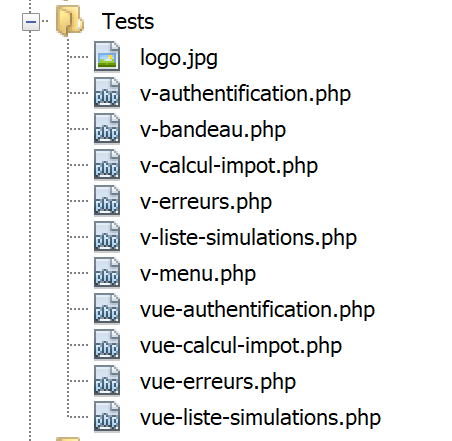
To test the [vue-authentification.php] view, we need to create the data model it will display:
<?php
// page test data
//
// calculate the view model
$modèle = getModelForThisView();

function getModelForThisView(): object {
  // encapsulate paged data in $modèle
  $modèle = new \stdClass();
  // user code
  $modèle->login = "albert";
  // error list
  $modèle->error = TRUE;
  $erreurs = ["erreur1", "erreur2"];
  // build a HTML list of errors
  $content = "";
  foreach ($erreurs as $erreur) {
    $content .= "<li>$erreur</li>";
  }
  $modèle->erreurs = $content;
  // banner image
  $modèle->logo = "http://localhost/php7/scripts-web/impots/version-12/Tests/logo.jpg";
  // we render the model
  return $modèle;
}
?>

<!-- document HTML -->
<!doctype html>
<html lang="fr">
    <head>
        <!-- Required meta tags -->
        …
    </head>
    <body>
        ….
    </body>
</html>
Comments
- Lines 1–5: The authentication view has dynamic parts controlled by the [$modèle] object. This object is called the view template. According to one of the two definitions given for the abbreviation MVC, this is the M in MVC;
- line 5: the view template is calculated by the function [getModelForThisView];
- line 9: the view model will be encapsulated in a [stdClass] type;
- lines 10–22: test values are defined for the dynamic elements of the authentication view;
The visual test can be performed using Netbeans:
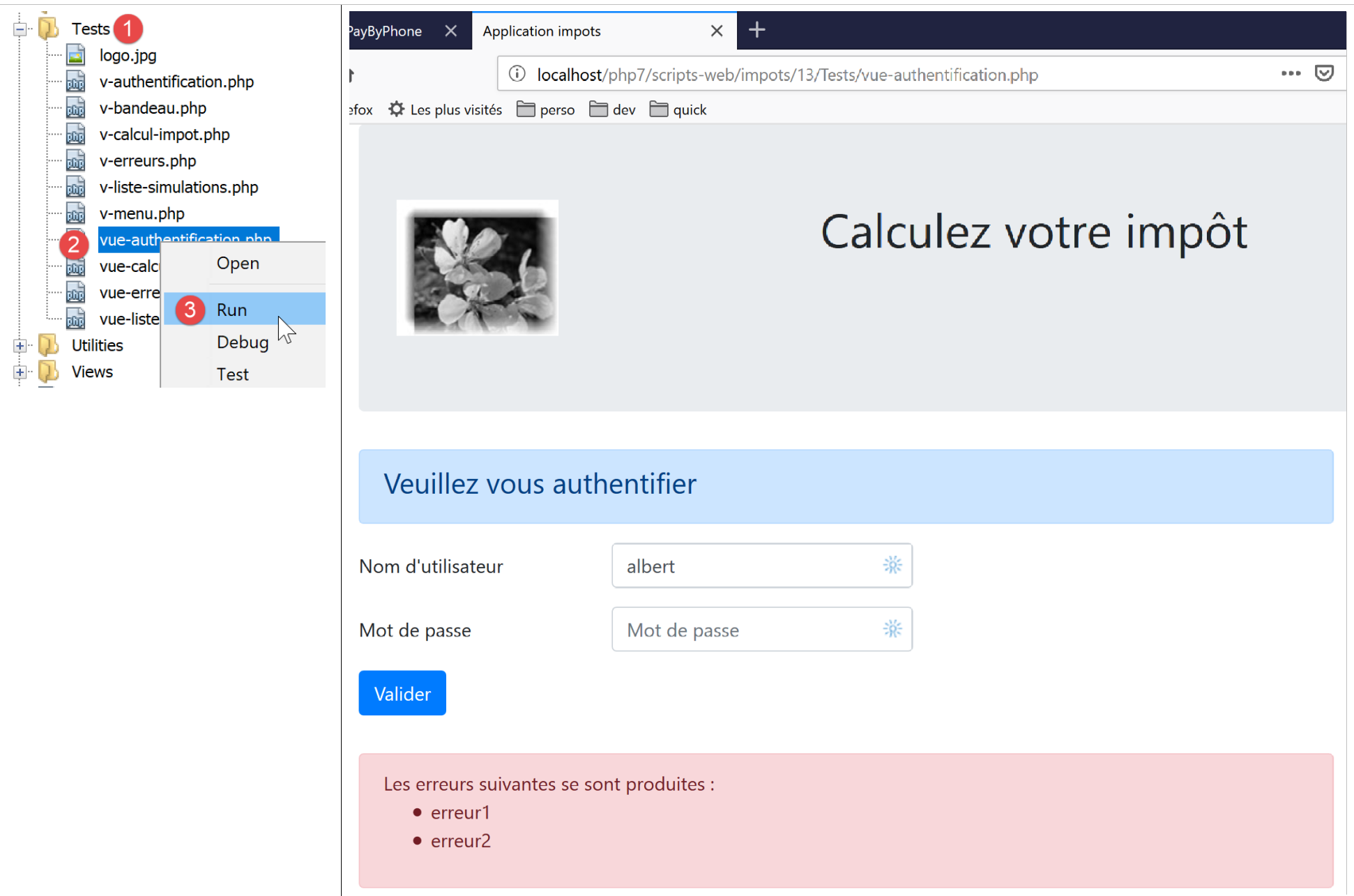
We continue these visual tests until we are satisfied with the result.
23.13.2.5. Calculating the view model
Once the visual appearance of the view has been determined, we can proceed to calculate the view model under real-world conditions. Recall the state codes that lead to this view. They can be found in the configuration file:
"vues": {
        "vue-authentification.php": [700, 221, 400],
        "vue-calcul-impot.php": [200, 300, 341, 350, 800],
        "vue-liste-simulations.php": [500, 600]
    },
"vue-erreurs": "vue-erreurs.php"
These are the status codes [700, 221, 400] that trigger the display of the authentication view. To determine the meaning of these codes, we can refer to the [Postman] tests performed on the jSON application:
- [init-session-json-700]: 700 is the status code following a successful [init-session] action: the authentication form is then displayed empty;
- [authentifier-utilisateur-221]: 221 is the status code following a failed [authentifier-utilisateur] action (unrecognized credentials): the authentication form is then displayed so that it can be corrected;
- [fin-session-400]: 400 is the status code following a successful [fin-session] action: the empty authentication form is then displayed;
Now that we know when the authentication form should be displayed, we can calculate its template in [vue-authentification.php]:
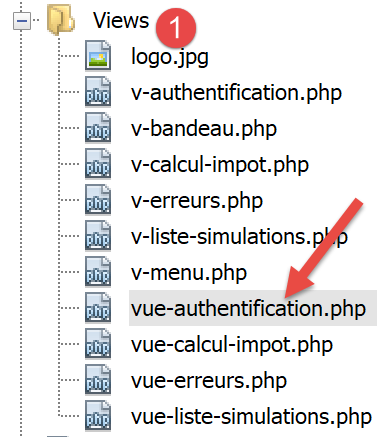
The code for calculating the view template for [vue-authentification.php] is as follows:
<?php
// we inherit the following variables
// Request $request: the current request
// Session $session: the application session
// array $config: application configuration
// array $content: controller response
//
// symfony dependencies
use Symfony\Component\HttpFoundation\Request;
use Symfony\Component\HttpFoundation\Session\Session;

// calculate the view model
$modèle = getModelForThisView($request, $session, $config, $content);

function getModelForThisView(Request $request, Session $session, array $config, array $content): object {
  // encapsulate paged data in $modèle
  $modèle = new stdClass();
  // application status
  $état = $content["état"];
  // the model depends on the state
  switch ($état) {
    case 700:
    case 400:
      // case of empty form display
      $modèle->login = "";
      // no error to display
      $modèle->error = FALSE;
      break;
    case 221:
      // false authentication
      // the user initially entered is redisplayed
      $modèle->login = $request->request->get("user");
      // there is an error to display
      $modèle->error = TRUE;
      // list HTML of error msg - here only one
      $modèle->erreurs = "<li>Echec de l'authentification</li>";
  }
  // result
  return $modèle;
}
?>

<!-- document HTML -->
<!doctype html>
<html lang="fr">
    <head>
        …
    </head>
    <body>
        …
    </body>
</html>
Comments
- lines 3–6: the variables inherited from the [HtmlResponse] class are declared; this class causes a [require] to display the [vue-authentification.php] view;
- lines 9-10: the Symfony classes used in the view code;
- lines 15–40: the [getModelForThisView] function is responsible for calculating the view template;
- line 19: the status code returned by the controller that processed the current action is retrieved;
- lines 21–37: the template depends on this status code;
- lines 22–28: case where a blank authentication form must be displayed;
- lines 29–37: case of failed authentication: the user’s entered ID is displayed, along with an error message. The user can then try another authentication attempt;
A specific template has been written for banner [v-bandeau.php]:
<?php
  // logo
  $scheme = $request->server->get('REQUEST_SCHEME'); // http
  $host = $request->server->get('SERVER_NAME'); // localhost
  $port = $request->server->get('SERVER_PORT'); // 80
  $uri = $request->server->get('REQUEST_URI'); // /php7/scripts-web/impots/version-12/main.php?action=xxx
  $champs = [];
  preg_match("/(.+)\/.+?$/", $uri, $champs);
  $root = $champs[1]; // /php7/scripts-web/impots/version-12
  $modèle->logo = "$scheme://$host:$port$root/Views/logo.jpg"; // http://localhost:80/php7/scripts-web/impots/version-12/Views/logo.jpg
?>
<!-- Bootstrap Jumbotron -->
<div class="jumbotron">
    <div class="row">
        <div class="col-md-4">
            <img src="<?= $modèle->logo ?>" alt="Cerisier en fleurs" />
        </div>
        <div class="col-md-8">
            <h1>
                Calculez votre impôt
            </h1>
        </div>
    </div>
</div>
Comments
- Line 16 uses the variable [$modèle→logo], which is the URL of the banner logo. Rather than calculating this variable four times for the four views of the application, this calculation is factored into the fragment [v-bandeau.php];
- Lines 1–11 show how to construct URL and [http://localhost:80/php7/scripts-web/impots/version-12/Views/logo.jpg] from information found in the server environment [$request→server];
23.13.2.6. [Postman] Tests
We have already created queries that generate the [700, 221, 400] codes, which display the authentication screen. Here they are again:
- [init-session-html-700]: 700 is the status code following a successful [init-session] action; the empty authentication form is then displayed;
- [authentifier-utilisateur-221]: 221 is the status code following a failed [authentifier-utilisateur] action (unrecognized credentials): the authentication form is then displayed so that it can be corrected;
- [fin-session-400]: 400 is the status code following a successful [fin-session] action: the empty authentication form is then displayed;
Simply reuse them and check if they correctly display the authentication view. We will show only two tests here:
- [init-session-html-700]: start of a HTML session;
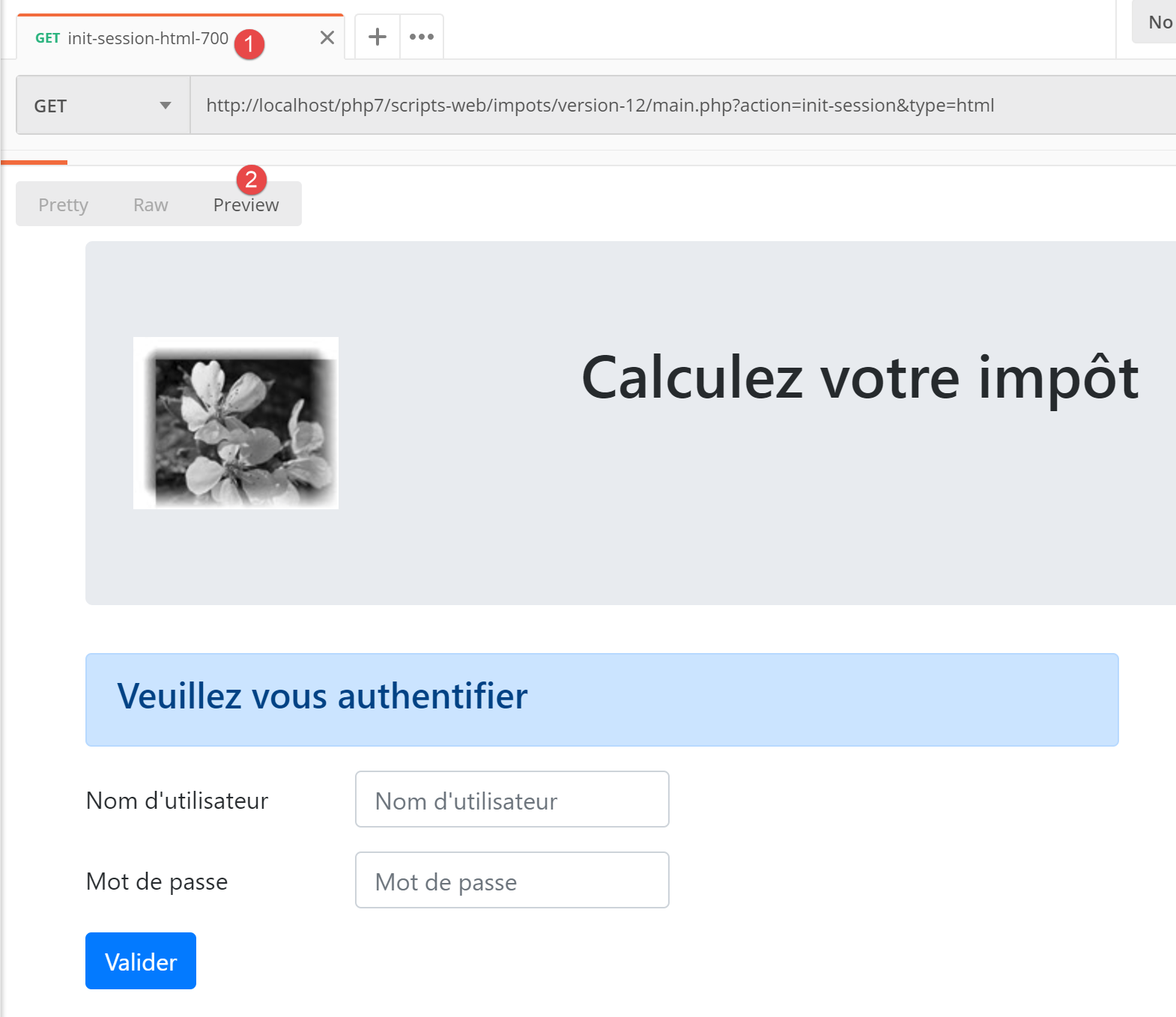
- [authentifier-utilisateur-221]: user authentication for [x, x];
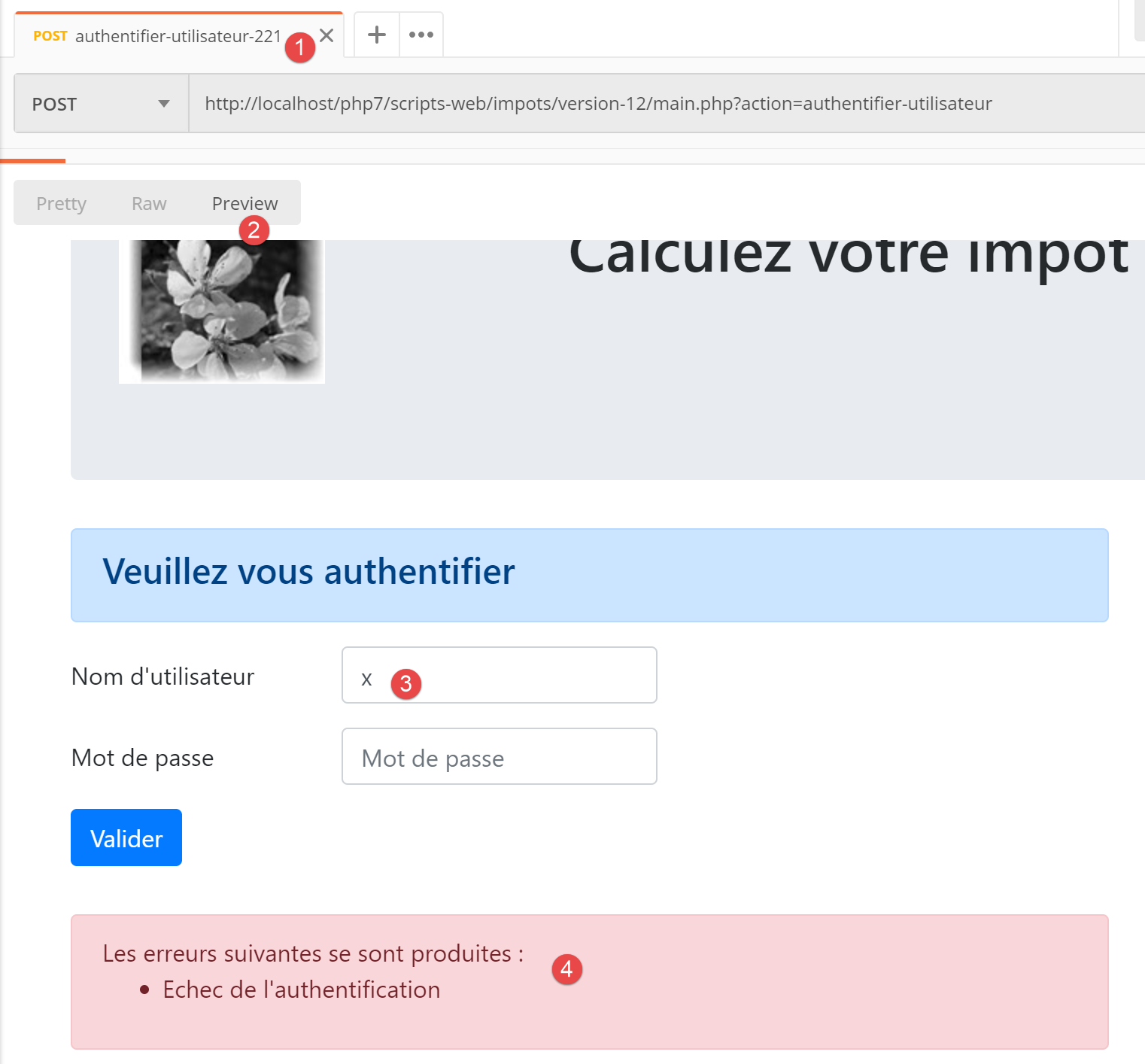
Above:
- the request posted the string [user=x&password=x];
- in [4], an error message is displayed;
- in [3], the incorrect user was displayed again;
23.13.2.7. Conclusion
We were able to test the view [vue-authentification.php] without having written the other views. This was possible because:
- all controllers are written;
- [Postman] allows us to send requests to the server without needing views. When writing controllers, one must be aware that anyone can do this. You must therefore be prepared to handle requests that no view would allow. These are manually created in [Postman]. You should never assume a priori that “this request is impossible.” You must verify;
23.13.3. The tax calculation view
23.13.3.1. View Overview
The tax calculation view is as follows:
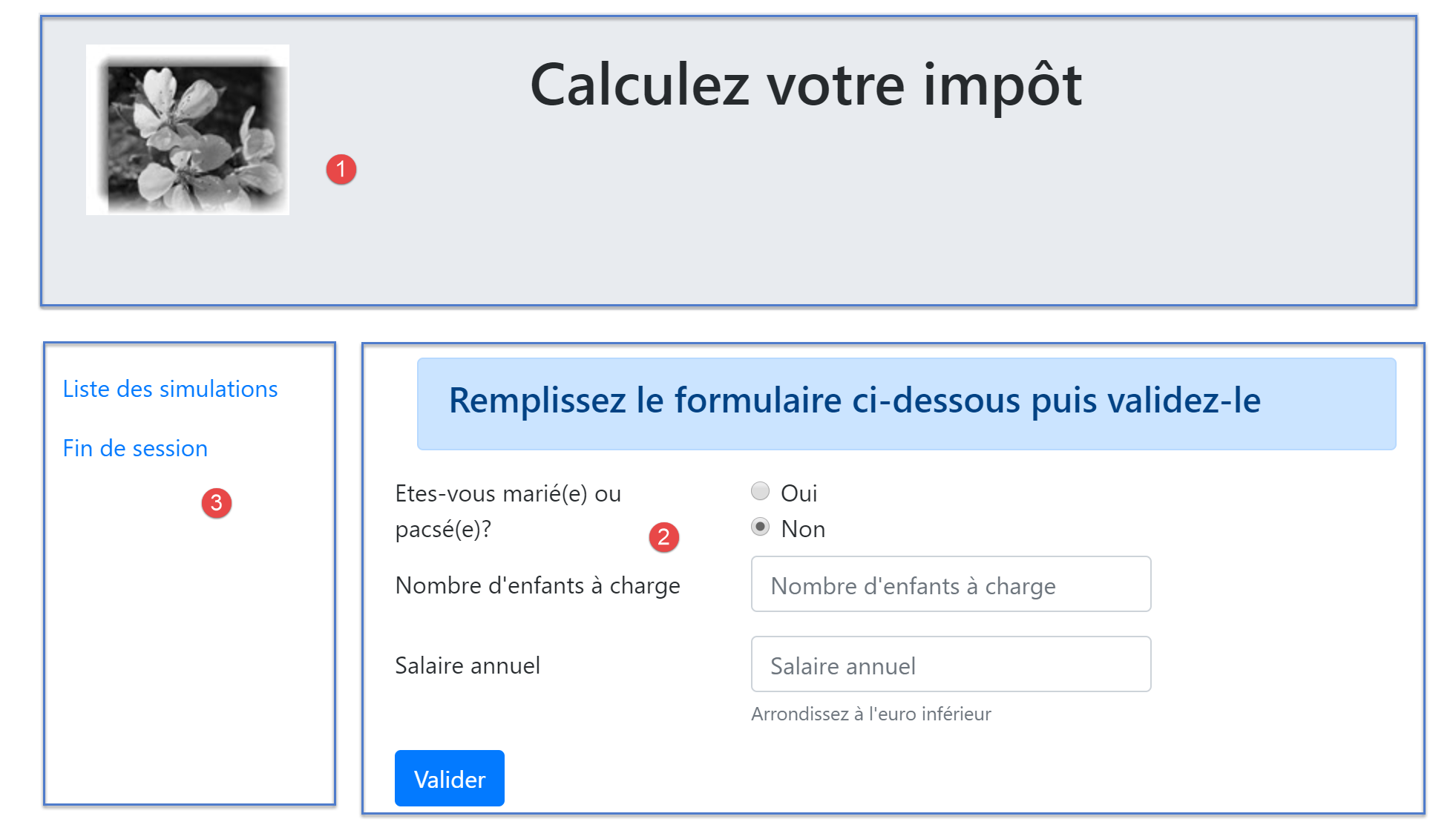
The view has three parts:
- 1: The top banner is generated by the fragment [v-bandeau.php], which has already been presented;
- 2: the tax calculation form generated by fragment [v-calcul-impot.php];
- 3: a menu with two links, generated by the fragment [v-menu.php];
The tax calculation view is generated by the following script [vue-calcul-impot.php]:
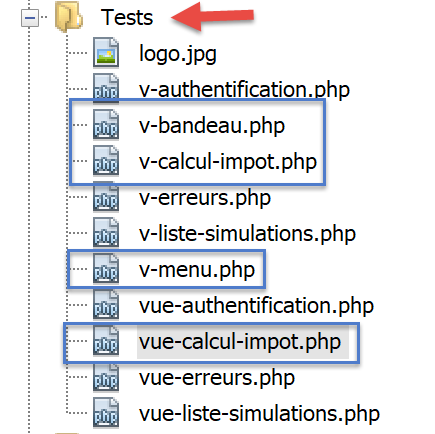
<?php
// we inherit the following variables
// Request $request: the current request
// Session $session: the application session
// array $config: application configuration
// array $content: response from the controller that processed the action
//
// symfony dependencies
use Symfony\Component\HttpFoundation\Request;
use Symfony\Component\HttpFoundation\Session\Session;

// calculate the view model
$modèle = getModelForThisView($request, $session, $config, $content);

function getModelForThisView(Request $request, Session $session, array $config, array $content): object {
  // encapsulate paged data in $modèle
  $modèle = new \stdClass();
  …
  // we render the model
  return $modèle;
}
?>
<!-- document HTML -->
<!doctype html>
<html lang="fr">
    <head>
        <!-- Required meta tags -->
        <meta charset="utf-8">
        <meta name="viewport" content="width=device-width, initial-scale=1, shrink-to-fit=no">
        <!-- Bootstrap CSS -->
        <link rel="stylesheet" href="https://stackpath.bootstrapcdn.com/bootstrap/4.1.3/css/bootstrap.min.css" integrity="sha384-MCw98/SFnGE8fJT3GXwEOngsV7Zt27NXFoaoApmYm81iuXoPkFOJwJ8ERdknLPMO" crossorigin="anonymous">
        <title>Application impots</title>
    </head>
    <body>
        <div class="container">
            <!-- bandeau -->
            <?php require "v-bandeau.php"; ?>
            <!-- ligne à deux colonnes -->
            <div class="row">
                <!-- le menu -->
                <div class="col-md-3">
                    <?php require "v-menu.php" ?>
                </div>
                <!-- le formulaire de calcul -->
                <div class="col-md-9">
                    <?php require "v-calcul-impot.php" ?>
                </div>
            </div>
            <!-- cas du succès -->
            <?php
            if ($modèle->success) {
              // a success alert is displayed
              print <<<EOT1
            <div class="row">
                <div class="col-md-3">

                </div>
                <div class="col-md-9">
                    <div class="alert alert-success" role="alert">
                        $modèle->impôt</br>
                        $modèle->décôte</br>\n
                        $modèle->réduction</br>\n
                        $modèle->surcôte</br>\n
                        $modèle->taux</br>\n
                    </div>
                </div>
            </div>
EOT1;
            }
            ?>
            <?php
            if ($modèle->error) {
              // 9-column error list
              print <<<EOT2
                <div class="row">
                  <div class="col-md-3">

                  </div>
                  <div class="col-md-9">
                      <div class="alert alert-danger" role="alert">
                        L'erreur suivante s'est produite :
                        <ul>$modèle->erreurs</ul>
                      </div>
                  </div>
                </div>
EOT2;
            }
            ?>
        </div>
    </body>
</html>
Comments
- We only comment on new features that haven't been encountered yet;
- line 37: inclusion of the view's top banner in the view's first Bootstrap row;
- lines 41–43: inclusion of the menu, which will occupy three columns of the view’s second Bootstrap row;
- lines 45–47: inclusion of the tax calculation form, which will occupy nine columns of the view’s second Bootstrap row;
- lines 51–69: if the tax calculation succeeds ([$modèle→success=TRUE]), then the result of the tax calculation is displayed in a green frame (lines 59–65). This frame is in the third Bootstrap row of the view (line 54) and occupies nine columns (line 58) to the right of three empty columns (lines 55–57). This frame will therefore be immediately below the tax calculation form;
- lines 71–87: if the tax calculation fails ([$modèle→error=TRUE]), then an error message is displayed in a pink frame (lines 80–83). This frame is in the third Bootstrap row of the view (line 75) and occupies nine columns (line 79) to the right of three empty columns (lines 76–78). This frame will therefore be immediately below the tax calculation form;
23.13.3.2. The fragment [v-calcul-impot.php]
The fragment [v-calcul-impot.php] displays the web application’s authentication form:
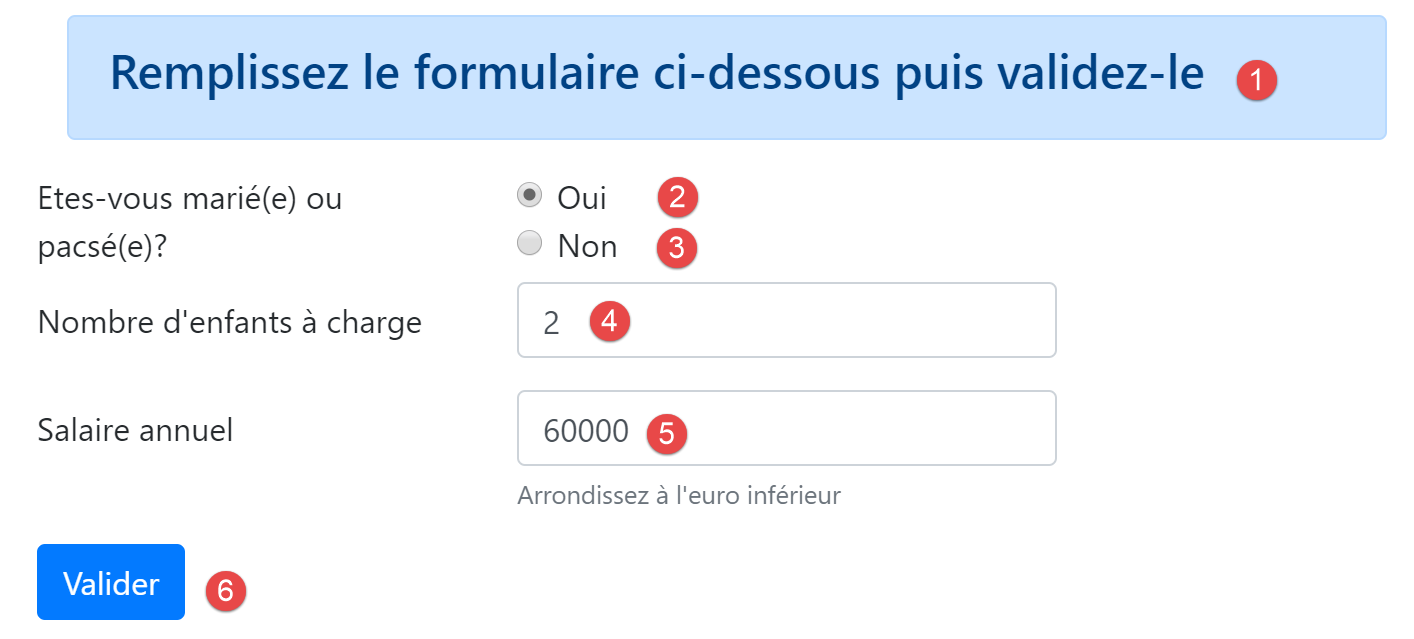
The code for fragment [v-calcul-impot.php] is as follows:
<!-- form HTML posted -->
<form method="post" action="main.php?action=calculer-impot">
    <!-- 12-column message on blue background -->
    <div class="col-md-12">
        <div class="alert alert-primary" role="alert">
            <h4>Remplissez le formulaire ci-dessous puis validez-le</h4>
        </div>
    </div>
    <!-- form elements -->
    <fieldset class="form-group">
        <!-- first row of 9 columns -->
        <div class="row">
            <!-- 4-column wording -->
            <legend class="col-form-label col-md-4 pt-0">Etes-vous marié(e) ou pacsé(e)?</legend>
            <!-- 5-column radio buttons-->
            <div class="col-md-5">
                <div class="form-check">
                    <input class="form-check-input" type="radio" name="marié" id="gridRadios1" value="oui" <?= $modèle->checkedOui ?>>
                    <label class="form-check-label" for="gridRadios1">
                        Oui
                    </label>
                </div>
                <div class="form-check">
                    <input class="form-check-input" type="radio" name="marié" id="gridRadios2" value="non" <?= $modèle->checkedNon ?>>
                    <label class="form-check-label" for="gridRadios2">
                        Non
                    </label>
                </div>
            </div>
        </div>
        <!-- second row of 9 columns -->
        <div class="form-group row">
            <!-- 4-column wording -->
            <label for="enfants" class="col-md-4 col-form-label">Nombre d'enfants à charge</label>
            <!-- 5-column numerical entry field for number of children -->
            <div class="col-md-5">
                <input type="number" min="0" step="1" class="form-control" id="enfants" name="enfants" placeholder="Nombre d'enfants à charge" value="<?= $modèle->enfants ?>">
            </div>
        </div>
        <!-- third row of 9 columns -->
        <div class="form-group row">
            <!-- 4-column wording -->
            <label for="salaire" class="col-md-4 col-form-label">Salaire annuel</label>
            <!-- 5-column numeric input field for wages -->
            <div class="col-md-5">
                <input type="number" min="0" step="1" class="form-control" id="salaire" name="salaire" placeholder="Salaire annuel" aria-describedby="salaireHelp" value="<?= $modèle->salaire ?>">
                <small id="salaireHelp" class="form-text text-muted">Arrondissez à l'euro inférieur</small>
            </div>
        </div>
        <!-- fourth row, 5-column [submit] button -->
        <div class="form-group row">
            <div class="col-md-5">
                <button type="submit" class="btn btn-primary">Valider</button>
            </div>
        </div>
    </fieldset>

</form>
Comments
- Line 2: Form HTML will be posted (attribute [method]) to URL [main.php?action=calculer-impot] (attribute [action]). The posted values will be the values of the input fields:
- the value of the selected radio button in the form:
- [marié=oui] if the radio button [Oui] is selected (lines 16–22). [marié] is the value of the [name] attribute in line 18, [oui] is the value of the [value] attribute in line 18;
- [marié=non] if the radio button [Non] is checked (lines 23–28). [marié] is the value of the [name] attribute in line 24, [non] is the value of the [value] attribute in line 24;
- the value of the numeric input field on line 37 in the form [enfants=xx], where [enfants] is the value of the [name] attribute on line 37, and [xx] is the value entered by the user via the keyboard;
- the value of the numeric input field on line 46 in the form [salaire=xx], where [salaire] is the value of the [name] attribute on line 46, and [xx] is the value entered by the user via the keyboard;
- the value of the selected radio button in the form:
Finally, the posted value will be in the form [marié=xx&enfants=yy&salaire=zz].
- The entered values will be posted when the user clicks the button of type [submit] on line 53;
- Lines 16–30: The two radio buttons:
The two radio buttons are part of the same radio button group because they have the same [name] attribute (lines 18, 24). The browser ensures that within a radio button group, only one is selected at any given time. Therefore, clicking one deselects the one that was previously selected;
- they are radio buttons because of the [type="radio"] attribute (lines 18, 24);
- When the form is displayed (before data entry), one of the radio buttons must be selected: to do this, simply add the attribute [checked=’checked’] to the relevant <input type="radio"> tag. This is achieved using dynamic variables:
- [<?= $modèle->checkedOui ?>] on line 18;
- [<?= $modèle->checkedNon ?>] on line 24;
These variables will be part of the view template.
- Line 37: a numeric input field [type="number"] with a minimum value of 0 [min="0"]. In modern browsers, this means the user can only enter a number >=0. In these same modern browsers, the input can be made using a slider that can be clicked up or down. The [step="1"] attribute on line 37 indicates that the slider will operate in 1-unit increments. As a result, the slider will only accept integer values ranging from 0 to n in 1-unit increments. For manual input, this means that numbers with decimals will not be accepted;

- Line 37: In certain displays, the children’s input field must be pre-filled with the last entry made in that field. To do this, we use the attribute [value], which sets the value to be displayed in the input field. This value will be dynamic and generated by the variable [$modèle→enfants];
- Line 46: The same explanations apply to salary entry as to those for children;
- line 53: the button of type [submit], which triggers the POST of the values entered in the URL and [main.php?action=calculer-impot];
23.13.3.3. The [v-menu.php] fragment
This fragment displays a menu to the left of the tax calculation form:
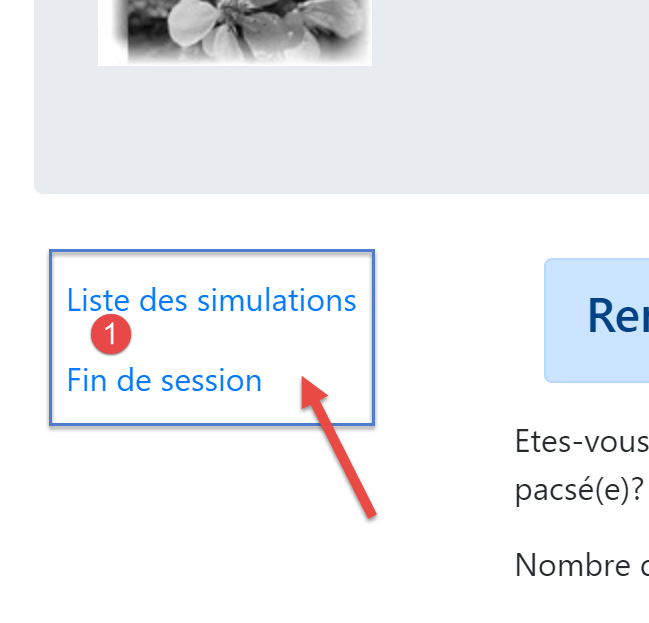
The code for this fragment is as follows:
<!-- bootstrap menu -->
<nav class="nav flex-column">
    <?php
    // affichage d'une liste de liens HTML
    foreach($modèle->optionsMenu as $texte=>$url){
      print <<<EOT3
      <a class="nav-link" href="$url">$texte</a>
EOT3;
    }
    ?>
</nav>
Comments
- lines 2–11: the HTML [nav] tag encloses a portion of the HTML document containing links from navigation to other documents;
- line 7: the HTML [a] tag introduces a link from navigation:
- [$url]: is the URL to which one navigates when clicking on the [$texte] link. This is then a [GET $url] operation performed by the browser. If [$url] is a relative URL, then it is prefixed by the root of the URL currently displayed in the browser’s address bar. Thus, to obtain the link [1], when the browser’s current URL is of the type [http://chemin/main.php?paramètres], we will create the link:
- Line 5: The [$modèle→optionsMenu] template for the fragment will be a table in the following format:
[‘ Liste des simulations’=>’main.php?action=liste-simulations’,
‘ Fin de session’=>’main.php?action=fin-session’]
- Lines 2, 7: The classes CSS and [nav, flex-column, nav-link] are Bootstrap classes that define the menu’s appearance;
23.13.3.4. Visual test
We gather these various elements in the [Tests] folder and create a test template for the [vue-calcul-impot.php] view:
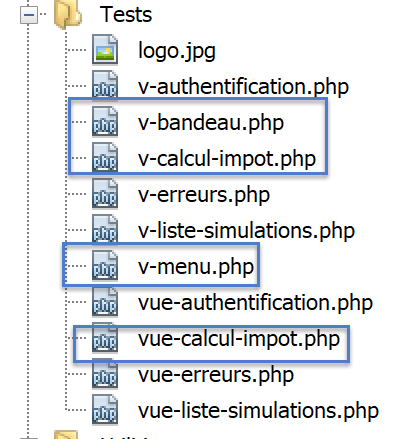
The data model for the [vue-calcul-impot] view will be as follows:
<?php
// page test data
//
// calculate the view model
$modèle = getModelForThisView();

function getModelForThisView(): object {
  // encapsulate paged data in $modèle
  $modèle = new \stdClass();
  // form
  $modèle->checkedOui = "";
  $modèle->checkedNon = 'checked="checked"';
  $modèle->enfants = 2;
  $modèle->salaire = 300000;
  // message of success
  $modèle->success = TRUE;
  $modèle->impôt = "Montant de l'impôt : 1000 euros";
  $modèle->décôte = "Décôte : 15 euros";
  $modèle->réduction = "Réduction : 20 euros";
  $modèle->surcôte = "Surcôte : 0 euros";
  $modèle->taux = "Taux d'imposition : 14 %";
  // error message
  $modèle->error = TRUE;
  $erreurs = ["erreur1", "erreur2"];
  // build a HTML list of errors
  $content = "";
  foreach ($erreurs as $erreur) {
    $content .= "<li>$erreur</li>";
  }
  $modèle->erreurs = $content;
  // menu
  $modèle->optionsMenu = [
    'Liste des simulations' => 'main.php?action=liste-simulations',
    'Fin de session' => 'main.php?action=fin-session'];
  // banner image
  $modèle->logo = "http://localhost/php7/scripts-web/impots/version-12/Tests/logo.jpg";
  // we render the model
  return $modèle;
}

?>
<!-- document HTML -->
<!doctype html>
<html lang="fr">
    <head>
        …
    </head>
    <body>
        …
    </body>
</html>
Comments
- lines 7-39: initialize all dynamic parts of view [vue-calcul-impot.php] and fragments [v-calcul-impot.php] and [v-menu.php];
We test the view [vue-calcul-impot.php]:
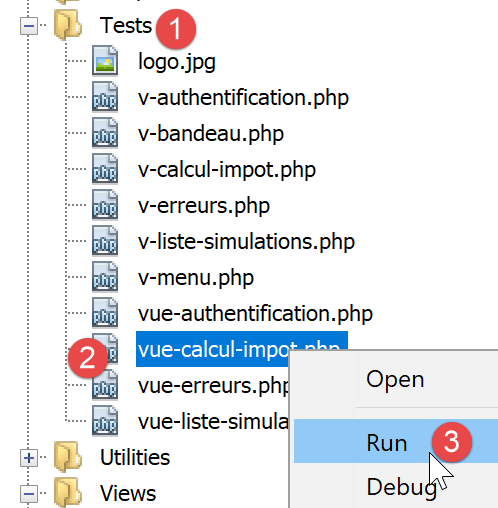
We obtain the following result:
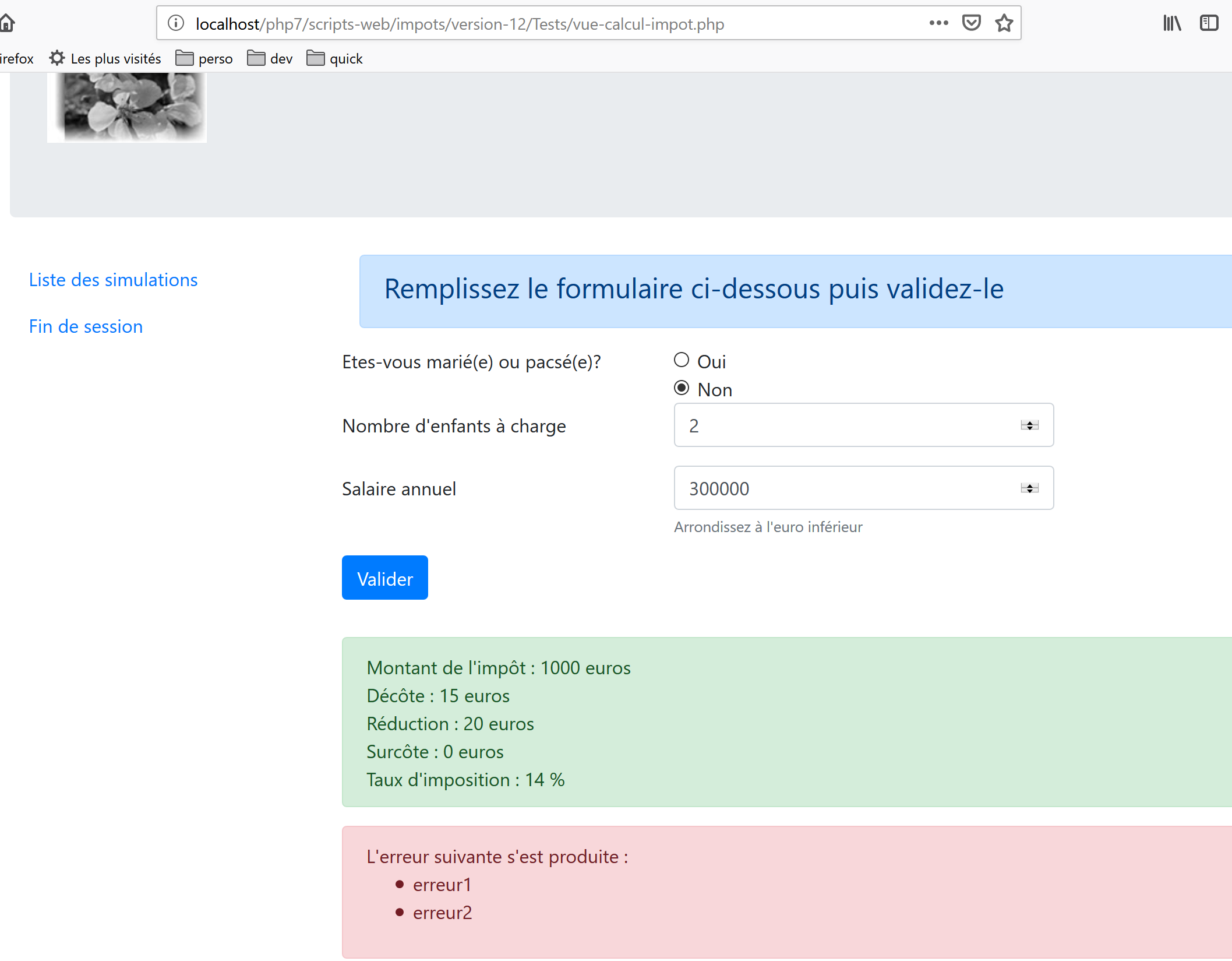
We work on this view until we are satisfied with the visual result. We can then proceed to integrate the view into the web application currently under development.
23.13.3.5. Calculating the view model
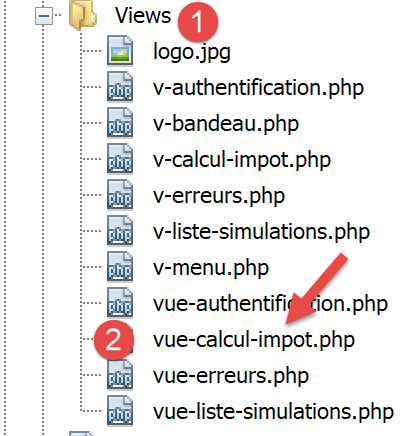
Once the visual appearance of the view has been determined, we can proceed to calculate the view model under real-world conditions. Let’s review the state codes that lead to this view. They can be found in the configuration file:
"vues": {
        "vue-authentification.php": [700, 221, 400],
        "vue-calcul-impot.php": [200, 300, 341, 350, 800],
        "vue-liste-simulations.php": [500, 600]
    },
"vue-erreurs": "vue-erreurs.php"
The status codes [200, 300, 341, 350, 800] are therefore what trigger the display of the authentication screen. To determine the meaning of these codes, you can refer to the [Postman] tests performed on the jSON application:
- [authentifier-utilisateur-200]: 200 is the status code following a successful [authentifier-itilisateur] action: the empty tax calculation form is then displayed;
- [calculer-impot-300]: 300 is the status code following a successful [calculer-impot] action. The calculation form is then displayed with the data entered and the tax amount. The user can then perform another calculation;
- [fin-session-400]: 400 is the status code following a successful [fin-session] action: the empty authentication form is then displayed;
- The status code [341] is returned for a valid tax calculation, but the lack of a connection to SGBD causes an error;
- The status code [350] is returned for a valid tax calculation, but the lack of a connection to the [Redis] server causes an error;
- The status code [800] will be presented later. We have not encountered it yet;
- We have assumed here that the user is using a modern browser. Thus, with the form under consideration, it is not possible to enter negative numbers, non-numeric character strings, or decimal numbers in the [enfants, salaire] input fields. With older browsers, this would be possible. We will treat these errors as unexpected errors and then display the view [vue-erreurs];
Now that we know when the tax calculation form should be displayed, we can define its template in [vue-calcul-impot.php]:
<?php
// we inherit the following variables
// Request $request: the current request
// Session $session: the application session
// array $config: application configuration
// array $content: response from the controller that processed the action
//
// symfony dependencies
use Symfony\Component\HttpFoundation\Request;
use Symfony\Component\HttpFoundation\Session\Session;

// calculate the view model
$modèle = getModelForThisView($request, $session, $config, $content);

function getModelForThisView(Request $request, Session $session, array $config, array $content): object {
  // encapsulate paged data in $modèle
  $modèle = new \stdClass();
  // application status
  $état = $content["état"];
  // the model depends on the state
  switch ($état) {
    case 200 :
    case 800:
      // initial display of an empty form
      $modèle->success = FALSE; $modèle->errror = FALSE;
      $modèle->checkedNon = 'checked="checked"';
      $modèle->checkedOui = "";
      $modèle->enfants = "";
      $modèle->salaire = "";
      break;
    case 300:
      // successful calculation - result display
      $modèle->success = TRUE;
      $modèle->error = FALSE;
      $modèle->impôt = "Montant de l'impôt : {$content["réponse"]["impôt"]} euros";
      $modèle->décôte = "Décôte : {$content["réponse"]["décôte"]} euros";
      $modèle->réduction = "Réduction : {$content["réponse"]["réduction"]} euros";
      $modèle->surcôte = "Surcôte : {$content["réponse"]["surcôte"]} euros";
      $modèle->taux = "Taux d'imposition : " . ($content["réponse"]["taux"] * 100) . " %";
      // form restored with values entered
      $modèle->checkedOui = $request->request->get("marié") === "oui" ? 'checked="checked"' : "";
      $modèle->checkedNon = $request->request->get("marié") === "oui" ? "" : 'checked="checked"';
      $modèle->enfants = $request->request->get("enfants");
      $modèle->salaire = $request->request->get("salaire");
      break;
    case 341:
    // database HS
    case 350:
      // redis server HS
      // form restored with values entered
      $modèle->checkedOui = $request->request->get("marié") === "oui" ? 'checked="checked"' : "";
      $modèle->checkedNon = $request->request->get("marié") === "oui" ? "" : 'checked="checked"';
      $modèle->enfants = $request->request->get("enfants");
      $modèle->salaire = $request->request->get("salaire");
      // error
      $modèle->success = FALSE;
      $modèle->error = TRUE;
      $modèle->erreurs = "<li>{$content["réponse"]}</li>";
      break;
  }
  //menu
  $modèle->optionsMenu = [
    "Liste des simulations" => "main.php?action=lister-simulations",
    "Fin de session" => "main.php?action=fin-session"];
  // we render the model
  return $modèle;
}
?>
<!-- document HTML -->
<!doctype html>
<html lang="fr">
    <head>
        …
        <title>Application impots</title>
    </head>
    <body>
        …
    </body>
</html>
Comments
- lines 22–30: display of an empty form;
- lines 31-45: successful tax calculation. The entered values and the tax amount are displayed again;
- lines 46-59: case where the tax calculation fails due to the unavailability of one of the servers [Redis] or [MySQL];
- lines 62-64: calculation of the two menu options;
23.13.3.6. [Postman] Tests
The [calculer-impot-300] test returns status code 300. This indicates a successful tax calculation:
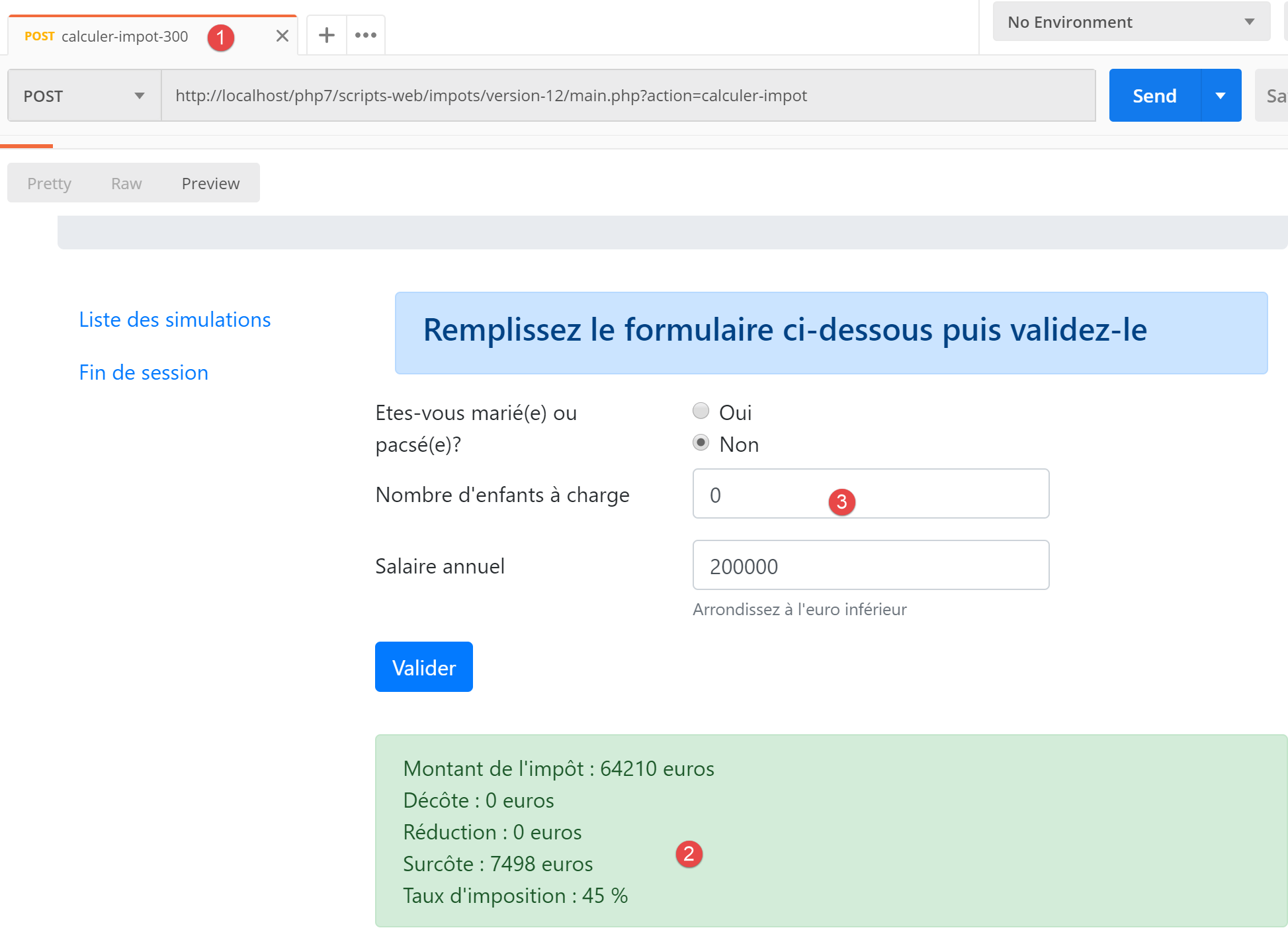
- in [3], the values that led to the result [2];
Let’s try an error case: the error [350] due to server unavailability [Redis]:
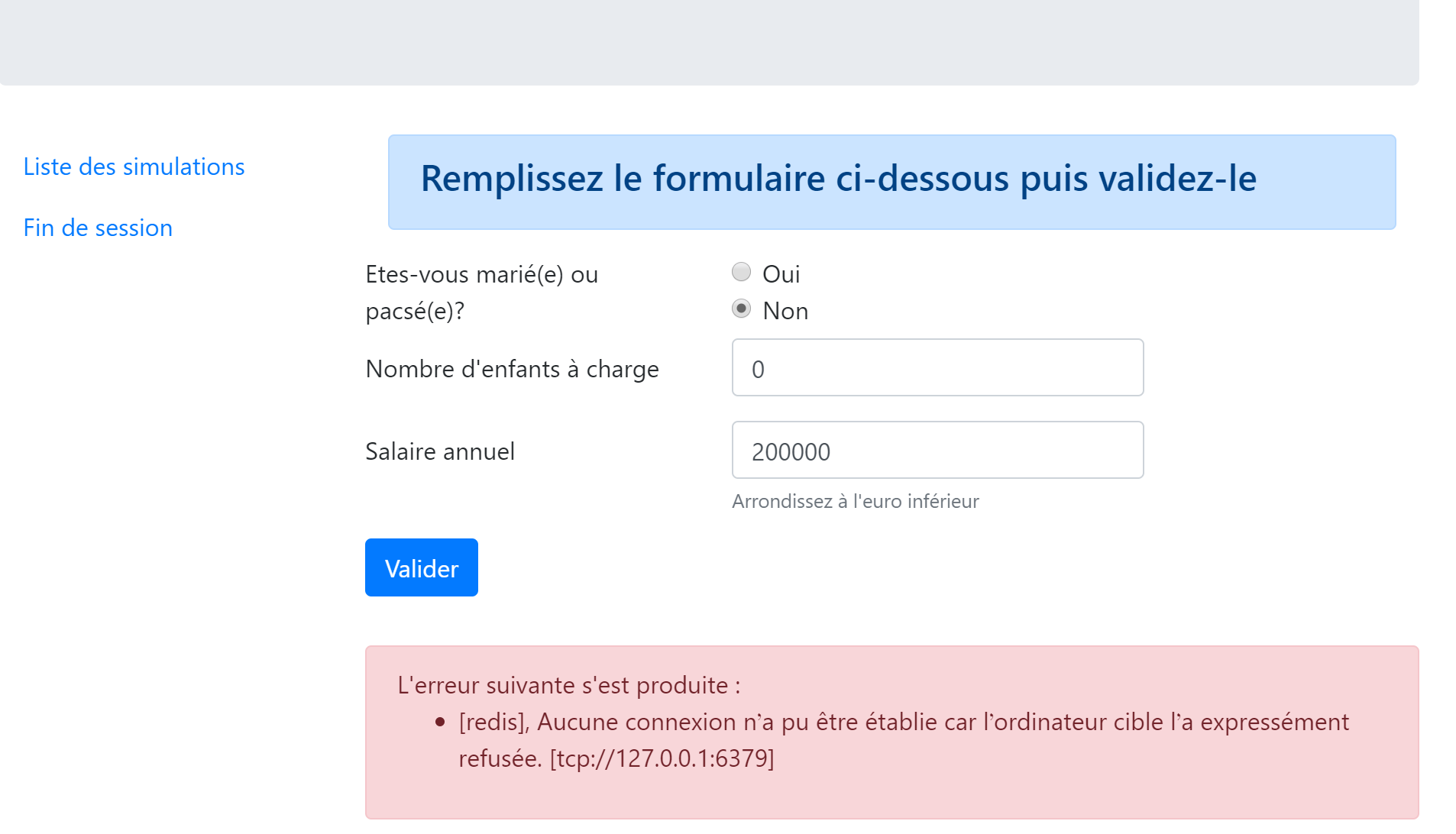
23.13.4. The simulation list view
23.13.4.1. View overview
The view displaying the list of simulations is as follows:
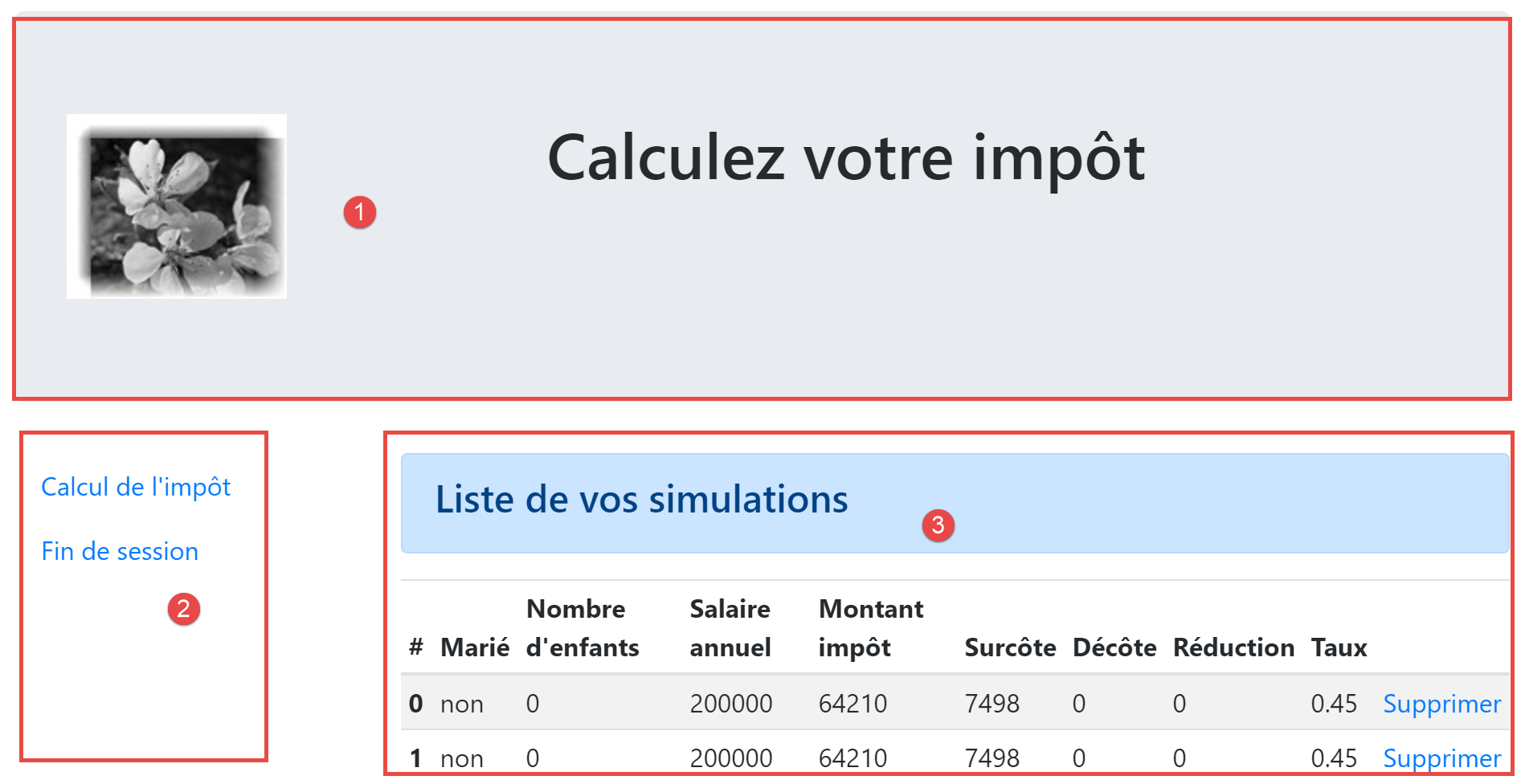
The view generated by the script [vue-liste-simulations] has three parts:
- 1: The top banner is generated by the [v-bandeau.php] fragment already presented;
- 2: the simulation table generated by the fragment [v-liste-simulations.php];
- 3: a menu with two links, generated by the fragment [v-menu.php];
The simulation view is generated by the following script: [vue-liste-simulations.php]:
<?php

// calculate the view model
$modèle = getModelForThisView();

function getModelForThisView(Request $request, Session $session, array $config, array $content): object {
  // encapsulate paged data in $modèle
  $modèle = new \stdClass();
  …
  // we render the model
  return $modèle;
}
?>
<!-- document HTML -->
<!doctype html>
<html lang="fr">
    <head>
        <!-- Required meta tags -->
        <meta charset="utf-8">
        <meta name="viewport" content="width=device-width, initial-scale=1, shrink-to-fit=no">
        <!-- Bootstrap CSS -->
        <link rel="stylesheet" href="https://stackpath.bootstrapcdn.com/bootstrap/4.1.3/css/bootstrap.min.css" integrity="sha384-MCw98/SFnGE8fJT3GXwEOngsV7Zt27NXFoaoApmYm81iuXoPkFOJwJ8ERdknLPMO" crossorigin="anonymous">
        <title>Application impots</title>
    </head>
    <body>
        <div class="container">
            <!-- bandeau -->
            <?php require "v-bandeau.php"; ?>
            <!-- ligne à deux colonnes -->
            <div class="row">
                <!-- menu sur trois colonnes-->
                <div class="col-md-3">
                    <?php require "v-menu.php" ?>
                </div>
                <!-- liste des simulations sur 9 colonnes-->
                <div class="col-md-9">
                    <?php require "v-liste-simulations.php" ?>
                </div>
            </div>
        </div>
    </body>
</html>
Comments
- line 28: inclusion of the [1] application banner;
- line 33: inclusion of the [2] menu. It will be displayed in three columns below the banner;
- line 37: inclusion of the [3] simulation table. It will be displayed in nine columns below the banner and to the right of the menu;
We have already commented on two of the three fragments of this view:
The fragment [v-liste-simulations.php] is as follows:
<!-- message on blue background -->
<div class="alert alert-primary" role="alert">
    <h4>Liste de vos simulations</h4>
</div>
<!-- simulation table -->
<table class="table table-sm table-hover table-striped">
    <!-- headers of the six table columns -->
    <thead>
        <tr>
            <th scope="col">#</th>
            <th scope="col">Marié</th>
            <th scope="col">Nombre d'enfants</th>
            <th scope="col">Salaire annuel</th>
            <th scope="col">Montant impôt</th>
            <th scope="col">Surcôte</th>
            <th scope="col">Décôte</th>
            <th scope="col">Réduction</th>
            <th scope="col">Taux</th>
            <th scope="col"></th>
        </tr>
    </thead>
    <!-- table body (data displayed) -->
    <tbody>
        <?php
        $i = 0;
        // on affiche chaque simulation en parcourant le tableau des simulations
        foreach ($modèle->simulations as $simulation) {
          // affichage d'une ligne du tableau avec 6 colonnes - balise <tr>
          // colonne 1 : entête ligne (n° simulation) - balise <th scope='row'>
          // colonne 2 : valeur paramètre [marié] - balise <td>
          // colonne 3 : valeur paramètre [enfants] - balise <td>
          // colonne 4 : valeur paramètre [salaire] - balise <td>
          // colonne 5 : valeur paramètre [impôt] (de l'impôt) - balise <td>
          // colonne 6 : valeur paramètre [surcôte] - balise <td>
          // colonne 7 : valeur paramètre [décôte] - balise <td>
          // colonne 8 : valeur paramètre [réduction] - balise <td>
          // colonne 9 : valeur paramètre [taux] (de l'impôt) - balise <td>
          // colonne 10 : lien de suppression de la simulation - balise <td>
          print <<<EOT
        <tr>
          <th scope="row">$i</th>
          <td>{$simulation["marié"]}</td>
          <td>{$simulation["enfants"]}</td>
          <td>{$simulation["salaire"]}</td>
          <td>{$simulation["impôt"]}</td>
          <td>{$simulation["surcôte"]}</td>
          <td>{$simulation["décôte"]}</td>
          <td>{$simulation["réduction"]}</td>
          <td>{$simulation["taux"]}</td>
          <td><a href="main.php?action=supprimer-simulation&numéro=$i">Supprimer</a></td>
        </tr>
EOT;
          $i++;
        }
        ?>
        </tr>
    </tbody>
</table>
Comments
- A table named HTML is created using the <table> tag (lines 6 and 58);
- the table column headers are defined within a <thead> tag (table head, lines 8, 21). The <tr> tag (table row, lines 9 and 20) delimits a row. Lines 10–15: the <th> tag (table header) defines a column header. There are therefore ten of them. [scope="col"] indicates that the header applies to the column. [scope="row"] indicates that the header applies to the row;
- Lines 23–57: The <tbody> tag encloses the data displayed by the table;
- lines 40–51: the <tr> tag encloses a row of the table;
- line 41: the <th scope='row'> tag defines the row header;
- lines 42–50: each td tag defines a column of the row;
- line 27: the list of simulations is found in the [$modèle→simulations] model, which is an associative array;
- line 50: a link to delete the simulation. The URL uses the number displayed in the first column of the table (line 41);
23.13.4.2. Visual test
We combine these various elements into the [Tests] folder and create a test template for the [vue-liste-simulations.php] view:
The data model for the [vue-liste-simulations] view will be as follows:
<?php
// calculate the view model
$modèle = getModelForThisView();

function getModelForThisView(): object {
  // encapsulate paged data in $modèle
  $modèle = new \stdClass();
  // put the simulations in the format expected by the page
  $modèle->simulations = [
    [
      "marié" => "oui",
      "enfants" => 2,
      "salaire" => 60000,
      "impôt" => 448,
      "décôte" => 100,
      "réduction" => 20,
      "surcôte" => 0,
      "taux" => 0.14
    ],
    [
      "marié" => "non",
      "enfants" => 2,
      "salaire" => 200000,
      "impôt" => 25600,
      "décôte" => 0,
      "réduction" => 0,
      "surcôte" => 8400,
      "taux" => 0.45
    ]
  ];
  // menu options
  $modèle->optionsMenu = [
    "Calcul de l'impôt" => "main.php?action=afficher-calcul-impot",
    "Fin de session" => "main.php?action=fin-session"];
  // banner image
  $modèle->logo = "http://localhost/php7/scripts-web/impots/version-12/Tests/logo.jpg";
  // we render the model
  return $modèle;
}
?>
<!-- document HTML -->
<!doctype html>
<html lang="fr">
    <head>
        …
    </head>
    <body>
        …
    </body>
</html>
Comments
- lines 9–30: the simulation table displayed by table HTML;
- lines 32-34: the table of menu options;
Let's display this view:
We get the following result:
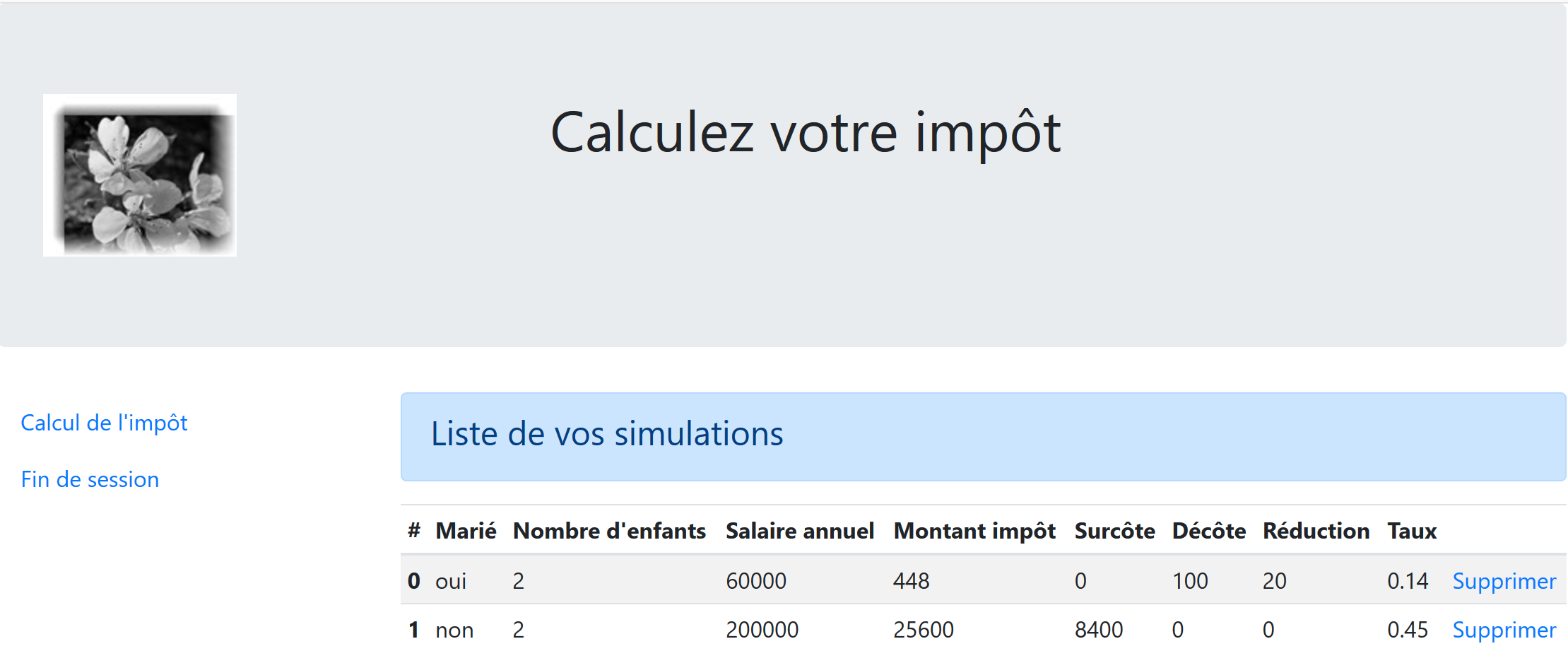
We work on this view until we are satisfied with the visual result. We can then proceed to integrate the view into the web application currently under development.
23.13.4.3. Calculating the view model
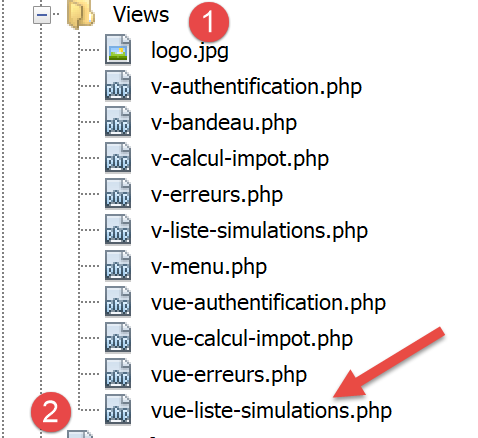
Once the visual appearance of the view has been determined, we can proceed to calculate the view model under real-world conditions. Let’s review the state codes that lead to this view. They can be found in the configuration file:
"vues": {
        "vue-authentification.php": [700, 221, 400],
        "vue-calcul-impot.php": [200, 300, 341, 350, 800],
        "vue-liste-simulations.php": [500, 600]
    },
"vue-erreurs": "vue-erreurs.php"
These are the [500, 600] status codes that display the simulation view. To determine the meaning of these codes, you can refer to the [Postman] tests performed on the jSON application:
- [lister-simulations-500]: 500 is the status code following a successful [lister-simulations] action: the list of simulations performed by the user is then displayed;
- [supprimer-simulation-600]: 600 is the status code following a successful [supprimer-simulation] action. The new list of simulations obtained after this deletion is then displayed;
Now that we know when the list of simulations should be displayed, we can calculate its template in [vue-liste-simulations.php]:
<?php
// we inherit the following variables
// Request $request: the current request
// Session $session: the application session
// array $config: application configuration
// array $content: controller response
// no errors possible
// array $content: controller response
//
// symfony dependencies
use Symfony\Component\HttpFoundation\Request;
use Symfony\Component\HttpFoundation\Session\Session;

// calculate the view model
$modèle = getModelForThisView($request, $session, $config, $content);

function getModelForThisView(Request $request, Session $session, array $config, array $content): object {
  // encapsulate paged data in $modèle
  $modèle = new \stdClass();
  // put the simulations in the format expected by the page
  // they are found in the response of the controller that executed the action
  // as an array of objects of type [Simulation]
  $objetsSimulation = $content["réponse"];
  // each [Simulation] object will be transformed into an associative array
  $modèle->simulations = [];
  foreach ($objetsSimulation as $objetSimulation) {
    $modèle->simulations[] = [
      "marié" => $objetSimulation->getMarié(),
      "enfants" => $objetSimulation->getEnfants(),
      "salaire" => $objetSimulation->getSalaire(),
      "impôt" => $objetSimulation->getImpôt(),
      "surcôte" => $objetSimulation->getSurcôte(),
      "décôte" => $objetSimulation->getdécôte(),
      "réduction" => $objetSimulation->getRéduction(),
      "taux" => $objetSimulation->getTaux()
    ];
  }
  // menu options
  $modèle->optionsMenu = [
    "Calcul de l'impôt" => "main.php?action=afficher-calcul-impot",
    "Fin de session" => "main.php?action=fin-session"];
  // we render the model
  return $modèle;
}
?>
<!-- document HTML -->
<!doctype html>
<html lang="fr">
    <head>
        …
    </head>
    <body>
       …
    </body>
</html>
Comments
- lines 26–36: calculation of the [$modèle→simulations] model used by the [v-liste-simulations.php] fragment;
- lines 39-41: calculation of model [$modèle→optionsMenu] used by fragment [v-menu.php];
23.13.4.4. [Postman] Tests
The [lister-simulations-500] test returns status code 500. This corresponds to a request to view the simulations:
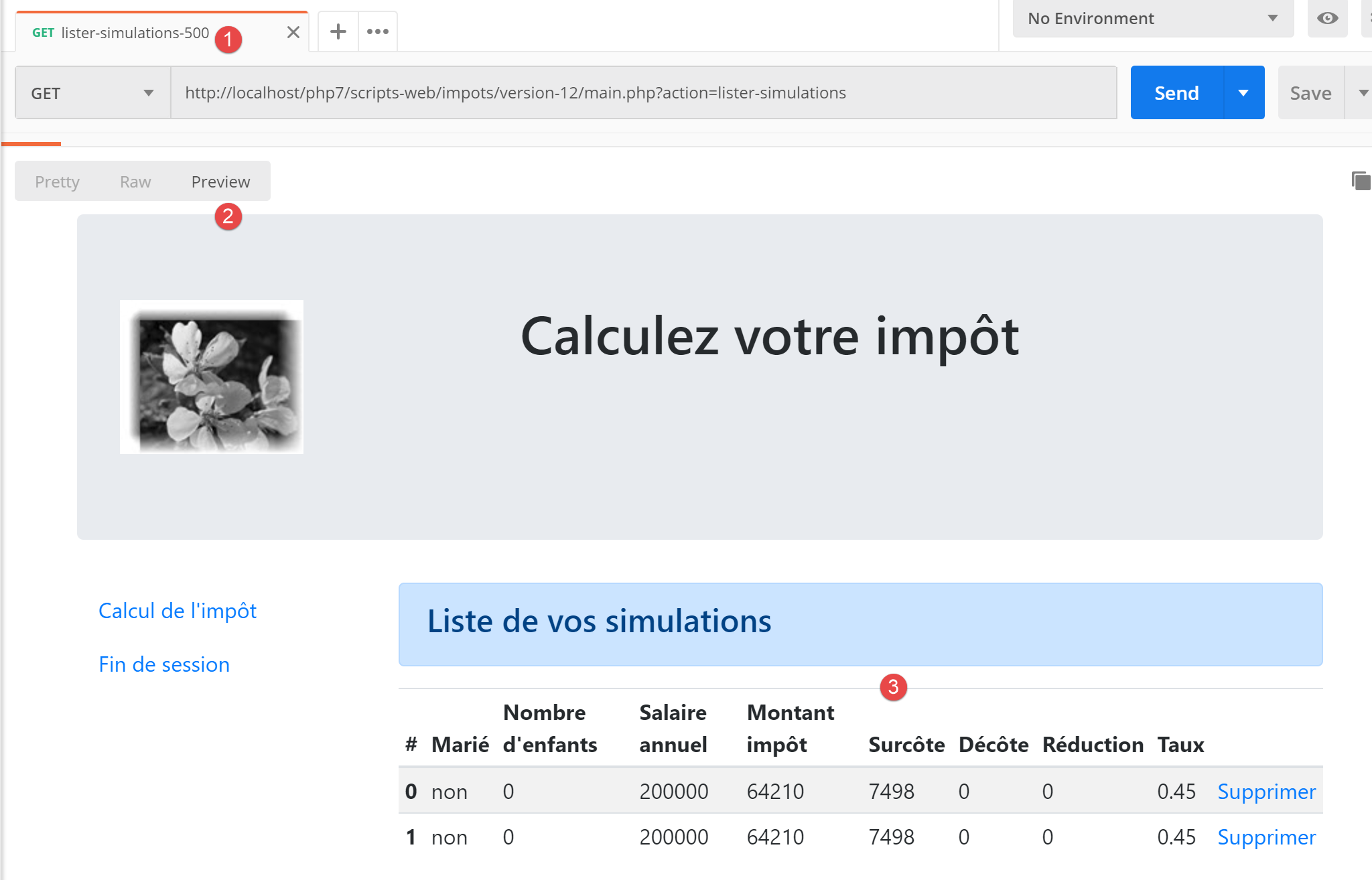
The [supprimer-simulation-600] test returns a 600 status code. This corresponds to the successful deletion of simulation #0. The result returned is a list of simulations with one simulation missing:
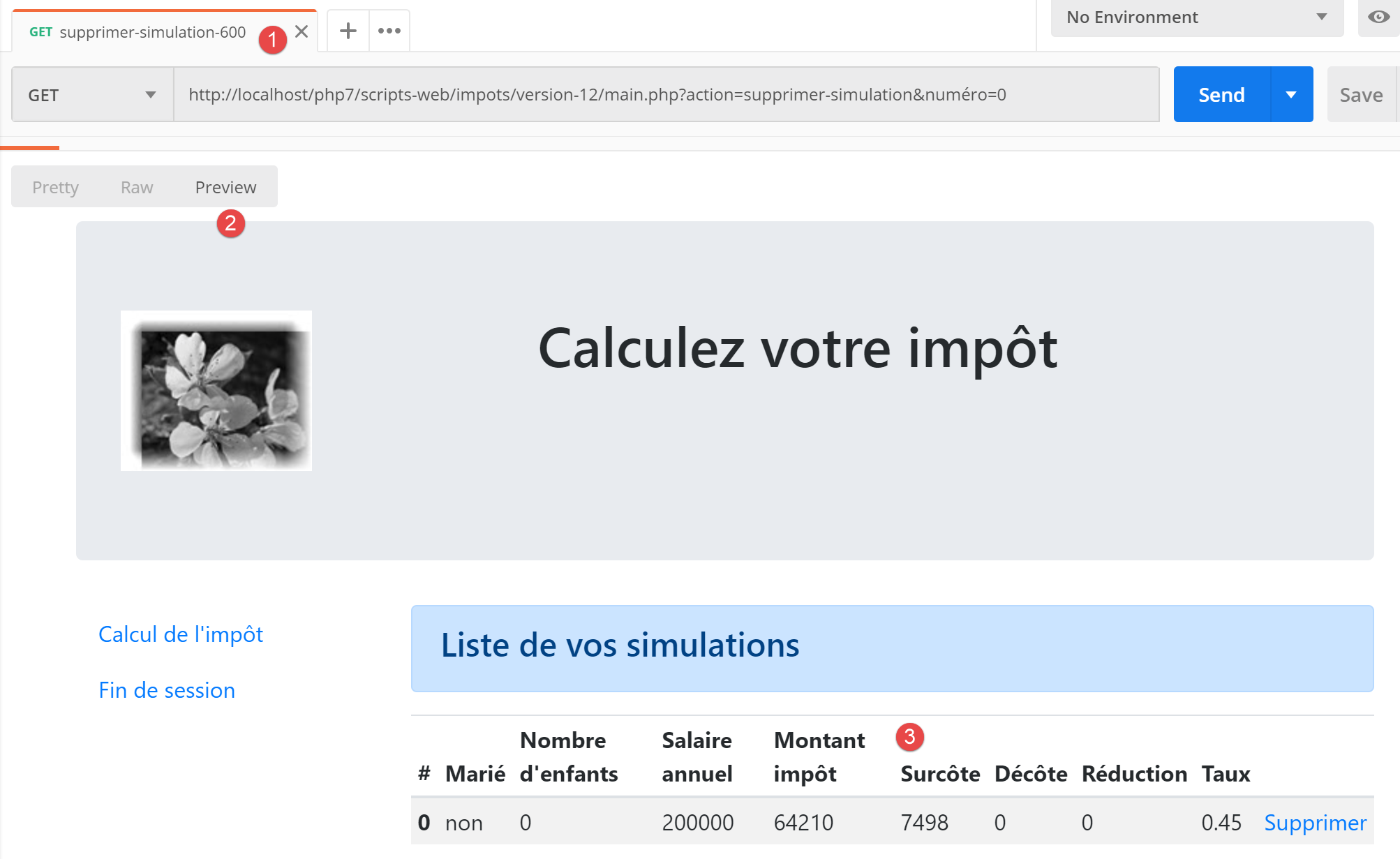
23.13.5. Viewing Unexpected Errors
Here, an unexpected error is defined as an error that should not have occurred during normal use of the web application.
Let’s take as an example the test [Postman] [calculer-impot-3xx] defined as follows:
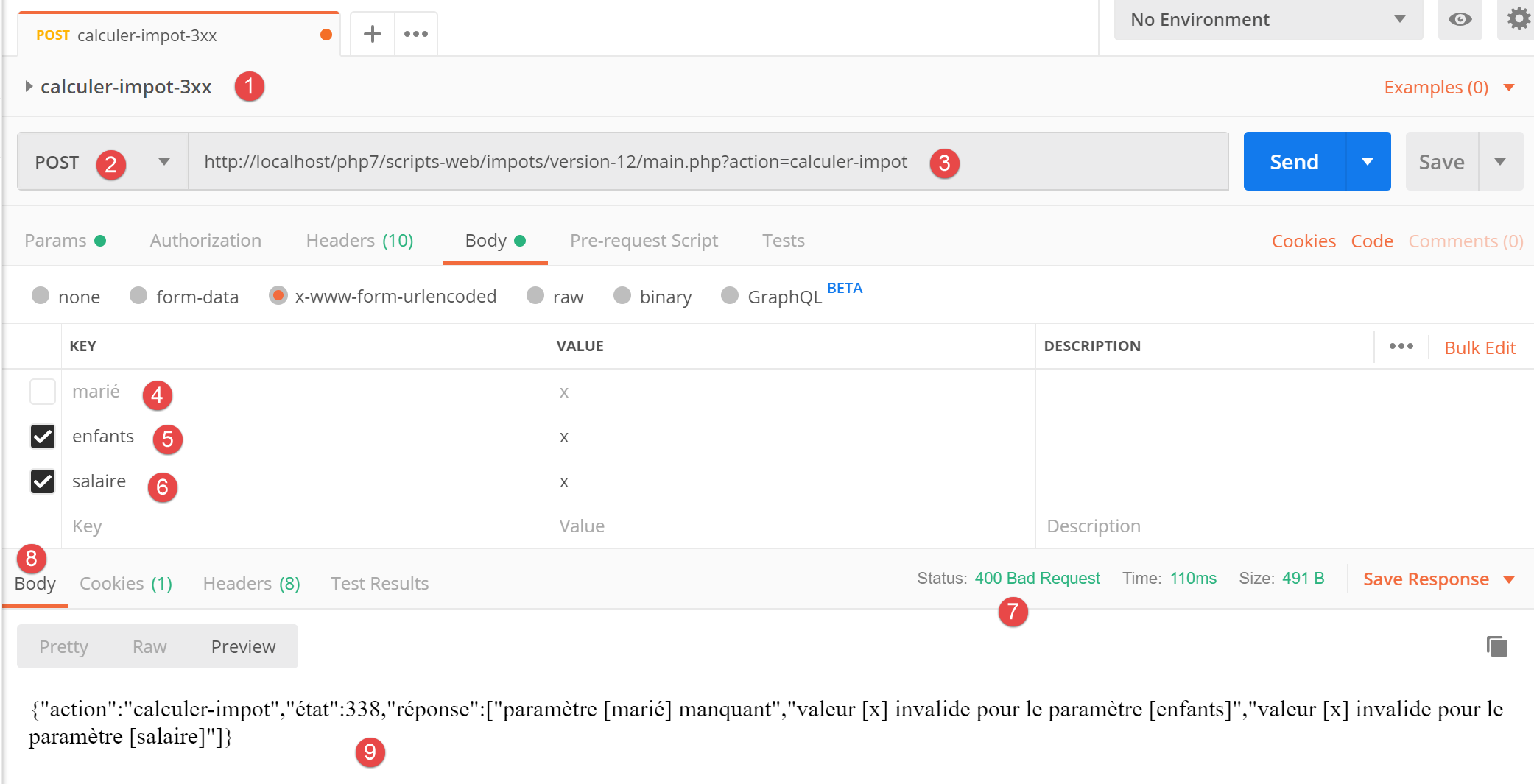
- in [1-3], a request POST with the action [calculer-impot];
- in [4-6]: here you can define whatever you want for the three parameters of POST:
- [4]: the [marié] parameter is missing;
- [5-6]: the [enfants, salaire] parameters are present but invalid;
- In [9], these three errors are reported with status code 338;
However, in the HTML form of the web application, this situation cannot occur:
- all parameters are present;
- the parameter [marié], which takes its value from the [value] attributes of two radio buttons, must have one of the values [oui] or [non];
- with a modern browser, the <input type='number' min='0' step='1' …> attributes ensure that the entries for children and salary are necessarily integers >=0;
However, nothing prevents a user from selecting [Postman] and sending the [calcul-impot-3xx] test above to our server. We have seen that our web application was able to respond correctly to this request. We will refer to an “unexpected error” as an error that should not occur within the context of the HTML application. If it does occur, it is likely that someone is attempting to “hack” the application. For educational purposes, we have decided to display an error page for these cases. In reality, we could re-display the last page sent to the client. To do this, we simply need to store the last HTML response sent in the session. In the event of an unexpected error, we return this response. This way, the user will have the impression that the server is not responding to their errors since the displayed page does not change.
23.13.5.1. View Overview
The view that displays unexpected errors is as follows:
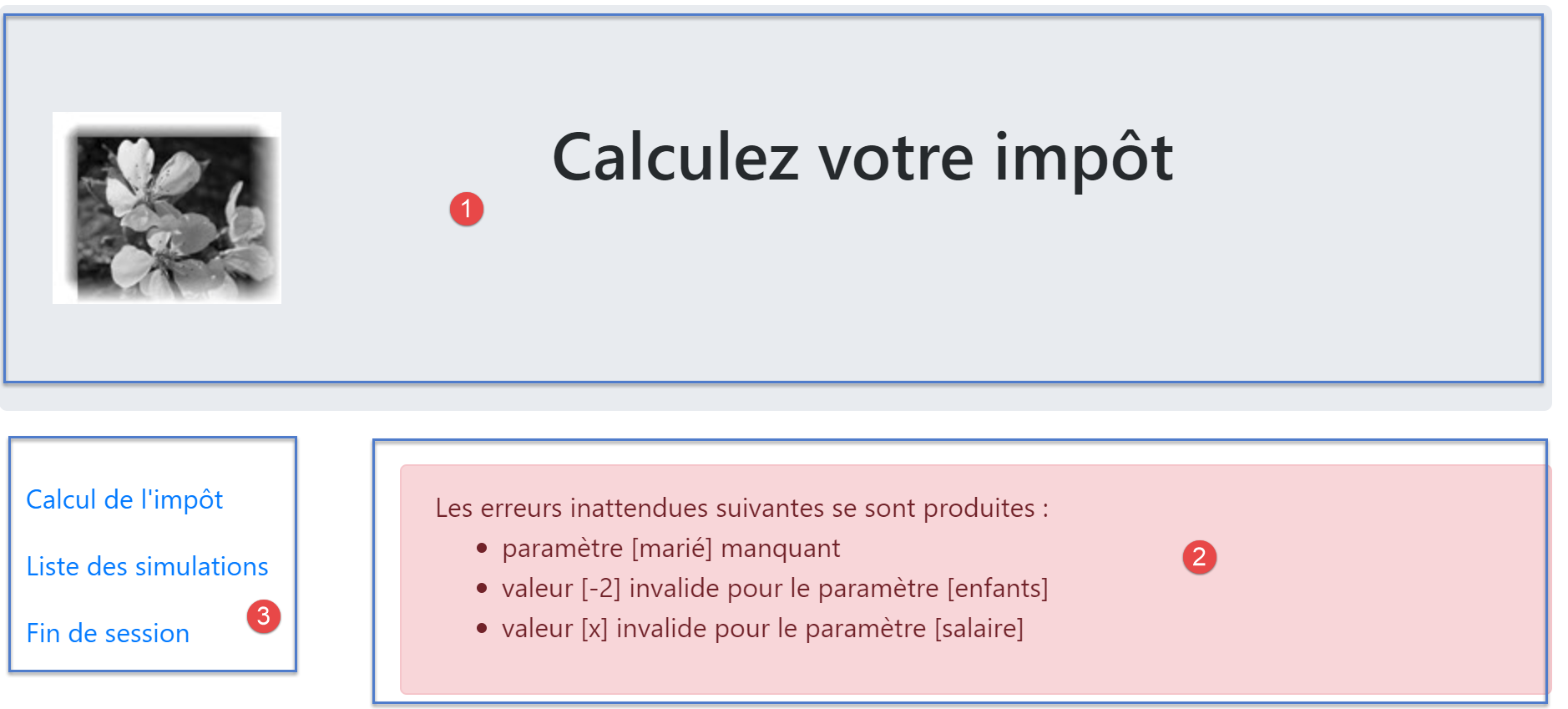
The view generated by the [vue-erreurs.php] script has three parts:
- 1: The top banner is generated by the [v-bandeau.php] fragment already presented;
- 2: the unexpected error(s);
- 3: a menu with three links, generated by the fragment [v-menu.php];
The view of the unexpected errors is generated by the following script [vue-erreurs.php]:
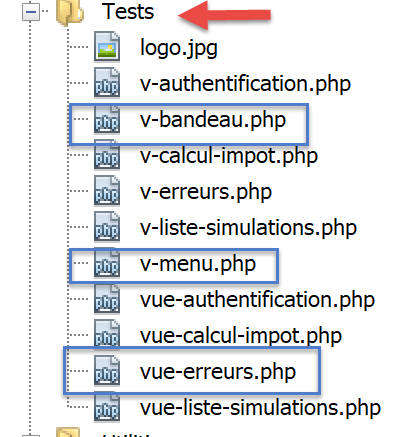
<?php
// calculate the view model
$modèle = getModelForThisView();

function getModelForThisView(): object {
  // encapsulate paged data in $modèle
  $modèle = new \stdClass();
…
  // we return the model
  return $modèle;
}
?>
<!-- document HTML -->
<!doctype html>
<html lang="fr">
    <head>
        <!-- Required meta tags -->
        <meta charset="utf-8">
        <meta name="viewport" content="width=device-width, initial-scale=1, shrink-to-fit=no">
        <!-- Bootstrap CSS -->
        <link rel="stylesheet" href="https://stackpath.bootstrapcdn.com/bootstrap/4.1.3/css/bootstrap.min.css" integrity="sha384-MCw98/SFnGE8fJT3GXwEOngsV7Zt27NXFoaoApmYm81iuXoPkFOJwJ8ERdknLPMO" crossorigin="anonymous">
        <title>Application impots</title>
    </head>
    <body>
        <div class="container">
            <!-- bandeau sur 12 colonnes -->
            <?php require "v-bandeau.php"; ?>
            <!-- ligne à deux colonnes -->
            <div class="row">
                <!-- menu sur 3 colonnes-->
                <div class="col-md-3">
                    <?php require "v-menu.php" ?>
                </div>
                <!-- liste des erreurs -->
                <div class="col-md-9">
                    <?php
                    print <<<EOT
                      <div class="alert alert-danger" role="alert">
                        Les erreurs inattendues suivantes se sont produites :
                        <ul>$modèle->erreurs</ul>
                      </div>
EOT;
                    ?>
                </div>
            </div>
        </div>
    </body>
</html>
Comments
- line 27: inclusion of the [1] application banner;
- line 32: inclusion of the [2] menu. It will be displayed in three columns below the banner;
- lines 34–44: display of the error area across nine columns;
- lines 37-44: the [print] operation that displays unexpected errors;
- line 38: this display will appear in a Bootstrap container with a pink background;
- line 39: introductory text;
- line 40: the <ul> tag encloses a bulleted list. This bulleted list is provided by the [$modèle->erreurs] template;
We have already commented on the two fragments of this view:
23.13.5.2. Visual test
We gather these various elements in the [Tests] folder and create a test template for the [vue-erreurs.php] view:
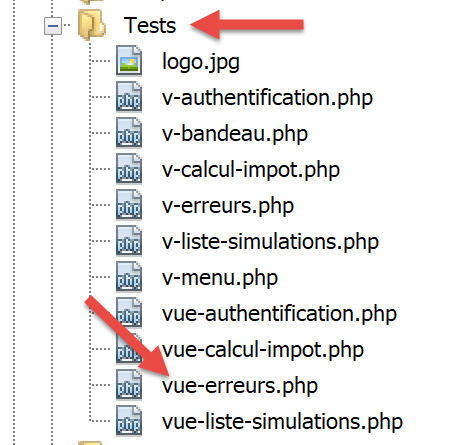
The data model for the [vue-erreurs.php] view will be as follows:
<?php
// calculate the view model
$modèle = getModelForThisView();

function getModelForThisView(): object {
  // encapsulate paged data in $modèle
  $modèle = new \stdClass();

  // the table of unexpected errors
  $erreurs = ["erreur1", "erreur2"];
  // build the HTML list of errors
  $modèle->erreurs = "";
  foreach ($erreurs as $erreur) {
    $modèle->erreurs .= "<li>$erreur</li>";
  }
  // menu options
  $modèle->optionsMenu = [
    "Calcul de l'impôt" => "main.php?action=afficher-calcul-impot",
    "Liste des simulations" => "main.php?action=lister-simulations",
    "Fin de session" => "main.php?action=fin-session",];
  // banner image
  $modèle->logo = "http://localhost/php7/scripts-web/impots/version-12/Tests/logo.jpg";
  // we return the model
  return $modèle;
}
?>
<!-- document HTML -->
<!doctype html>
<html lang="fr">
    <head>
        …
    </head>
    <body>
        …
    </body>
</html>
Comments
- lines 9-15: construction of the HTML error list;
- lines 17-20: the menu options table;
Let's display this view:
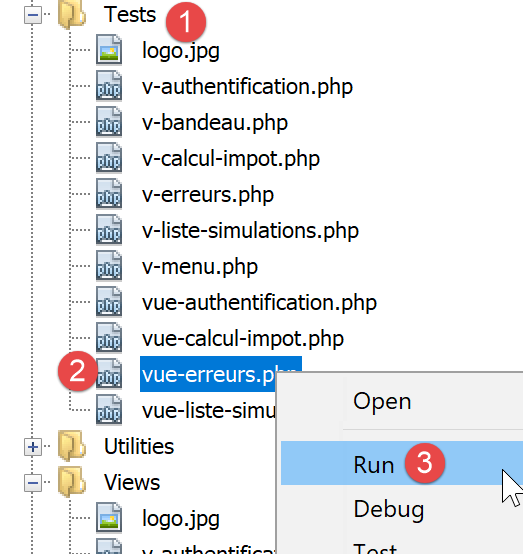
We get the following result:
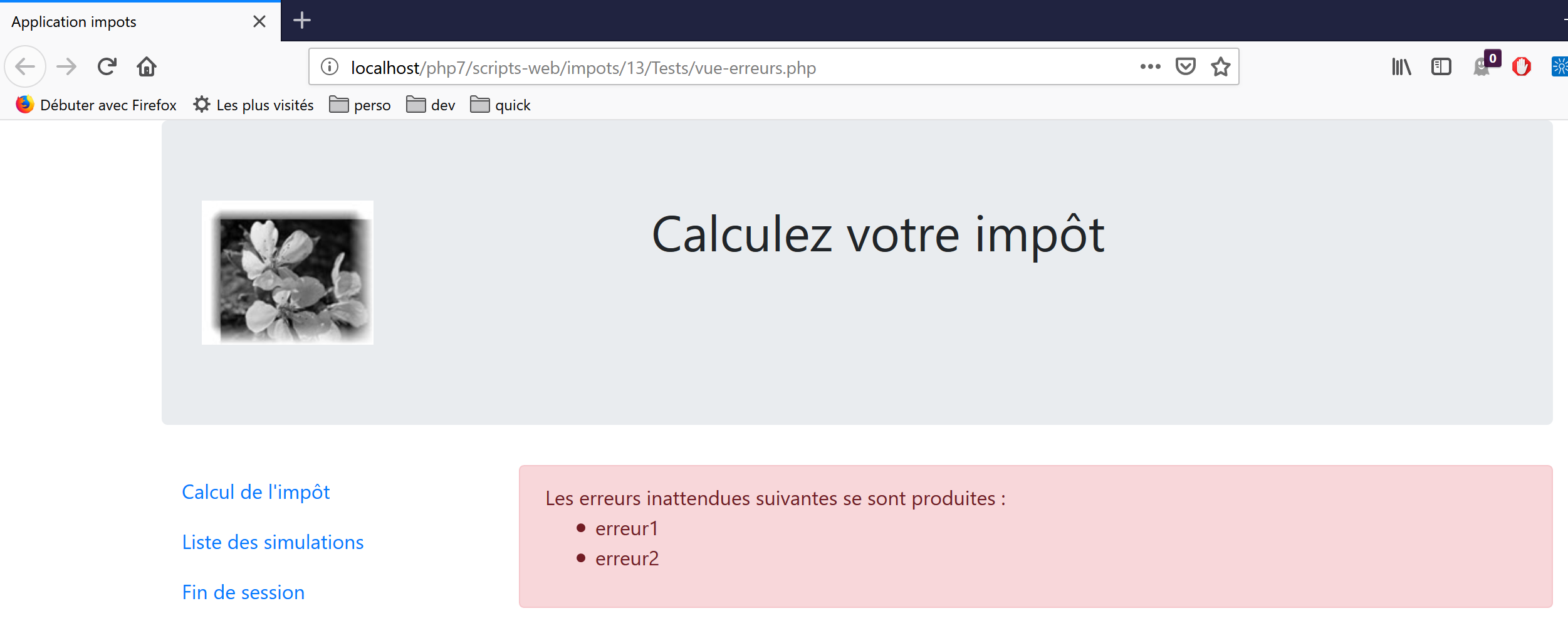
We work on this view until we are satisfied with the visual result. We can then proceed to integrate the view into the web application currently being developed.
23.13.5.3. Calculating the view model
Once the visual appearance of the view has been determined, we can proceed to calculate the view model under real-world conditions. Let’s review the state codes that lead to this view. They can be found in the configuration file:
"vues": {
        "vue-authentification.php": [700, 221, 400],
        "vue-calcul-impot.php": [200, 300, 341, 350, 800],
        "vue-liste-simulations.php": [500, 600]
    },
"vue-erreurs": "vue-erreurs.php"
Therefore, it is the status codes not included in the [2-4] lines that cause the unexpected errors view to be displayed.
The calculation code for the [vue-erreurs.php] view template is as follows:
<?php
// we inherit the following variables
// Request $request: the current request
// Session $session: the application session
// array $config: application configuration
// array $content: controller response
//
// symfony dependencies
use Symfony\Component\HttpFoundation\Request;
use Symfony\Component\HttpFoundation\Session\Session;

// calculate the view model
$modèle = getModelForThisView($request, $session, $config, $content);

function getModelForThisView(Request $request, Session $session, array $config, array $content): object {
  // encapsulate paged data in $modèle
  $modèle = new \stdClass();

  // recover errors from the controller response
  $réponse = $content["réponse"];
  if (!is_array($réponse)) {
    // a single error message
    $erreurs = [$réponse];
  } else {
    // several error messages
    $erreurs = $réponse;
  }
  // build the HTML list of errors
  $modèle->erreurs = "";
  foreach ($erreurs as $erreur) {
    $modèle->erreurs .= "<li>$erreur</li>";
  }
  // menu options
  $modèle->optionsMenu = [
    "Calcul de l'impôt" => "main.php?action=afficher-calcul-impot",
    "Liste des simulations" => "main.php?action=lister-simulations",
    "Fin de session" => "main.php?action=fin-session",];

  // we return the model
  return $modèle;
}
?>
<!-- document HTML -->
<!doctype html>
<html lang="fr">
    <head>
        …
    </head>
    <body>
        …
    </body>
</html>
Comments
- lines 19–32: calculation of the [$modèle→erreurs] model used by the [vue-erreurs.php] view;
- lines 34-37: calculation of the [$modèle→optionsMenu] model used by the [v-menu.php] fragment;
23.13.5.4. [Postman] Tests
The [calculer-impot-3xx] test returns status code 338, which is not an expected status code. The HTML response is as follows:
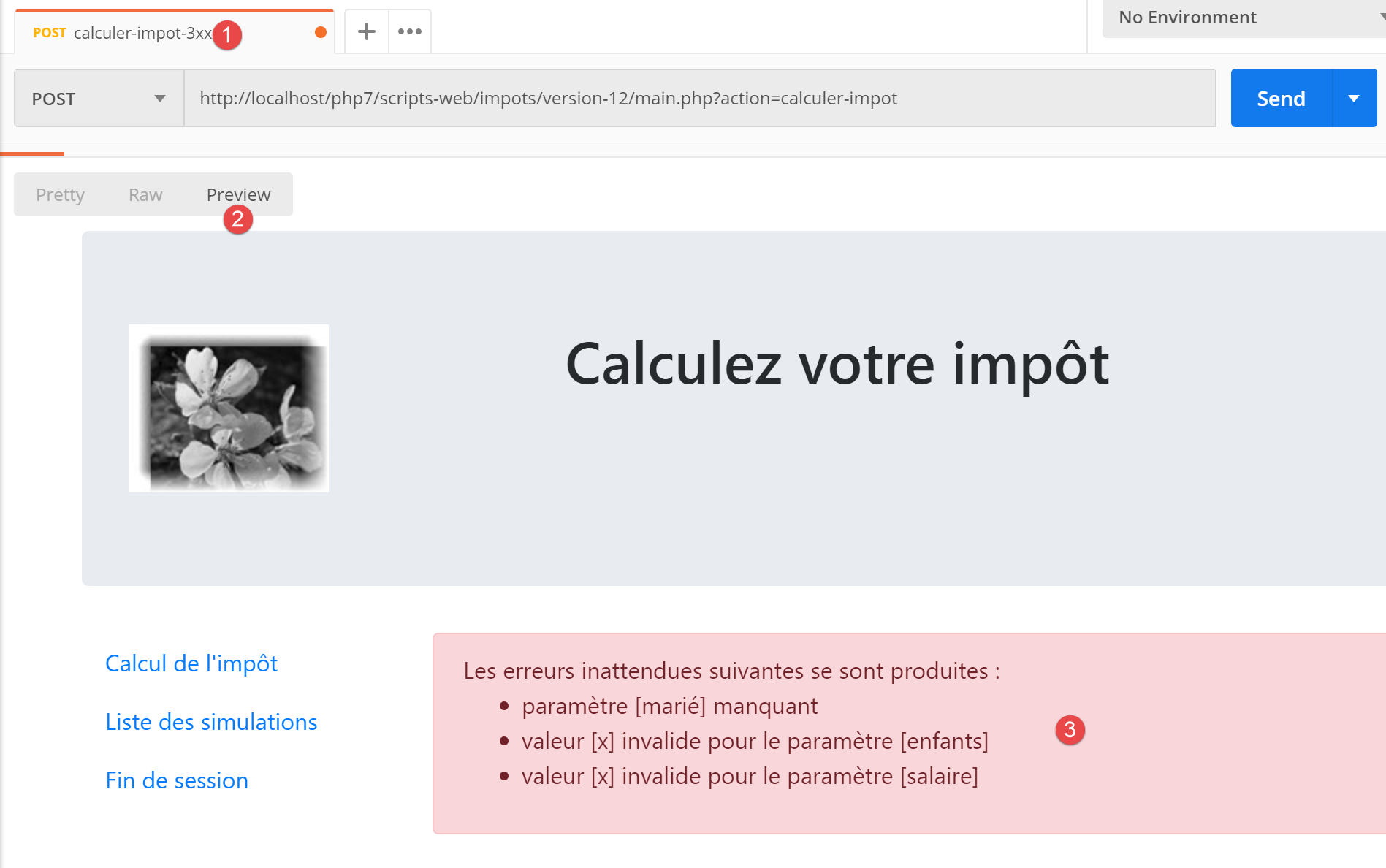
23.13.6. Implementation of the application menu actions
Here we will discuss the implementation of menu actions. Let’s review the meaning of the links we’ve encountered
View | Link | Target | Role |
Tax Calculation | [Liste des simulations] | [main.php?action=lister-simulations] | Request the list of simulations |
[Fin de session] | |||
List of simulations | [Calcul de l’impôt] | [main.php?action=afficher-calcul-impot] | Display the tax calculation view |
[Fin de session] | |||
Unexpected errors | [Calcul de l’impôt] | [main.php?action=afficher-calcul-impot] | Display the tax calculation view |
[Liste des simulations] | |||
[Fin de session] |
Note that clicking a link triggers a GET to the link’s target. The [lister-simulations, fin-session] actions have been implemented with a GET operation, which allows us to use them as link targets. When the action is performed via a POST, using a link is no longer possible unless it is combined with a Javascript.
From the actions above, it appears that the [afficher-calcul-impot] action has not yet been implemented. This is a navigation operation between two views: the jSON or XML server has no reason to implement it because they do not have the concept of a view. It is the HTML server that introduces this concept.
We therefore need to implement the [afficher-calcul-impot] action. This will allow us to review the procedure for implementing an action within the server.
First, we need to add a new secondary controller. We’ll call it [AfficherCalculImpotController]:
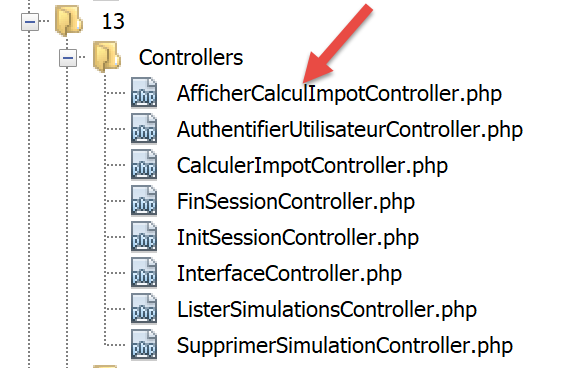
This controller must be added to the configuration file [config.json]:
{
    "databaseFilename": "database.json",
    "rootDirectory": "C:/myprograms/laragon-lite/www/php7/scripts-web/impots/version-12",
    "relativeDependencies": [

        …

        "/Controllers/InterfaceController.php",
        "/Controllers/InitSessionController.php",
        "/Controllers/ListerSimulationsController.php",
        "/Controllers/AuthentifierUtilisateurController.php",
        "/Controllers/CalculerImpotController.php",
        "/Controllers/SupprimerSimulationController.php",
        "/Controllers/FinSessionController.php",
        "/Controllers/AfficherCalculImpotController.php"
    ],
    "absoluteDependencies": [
        "C:/myprograms/laragon-lite/www/vendor/autoload.php",
        "C:/myprograms/laragon-lite/www/vendor/predis/predis/autoload.php"
    ],
    …
    "actions":
            {
                "init-session": "\\InitSessionController",
                "authentifier-utilisateur": "\\AuthentifierUtilisateurController",
                "calculer-impot": "\\CalculerImpotController",
                "lister-simulations": "\\ListerSimulationsController",
                "supprimer-simulation": "\\SupprimerSimulationController",
                "fin-session": "\\FinSessionController",
                "afficher-calcul-impot": "\\AfficherCalculImpotController"
            },
    …
    "vues": {
        "vue-authentification.php": [700, 221, 400],
        "vue-calcul-impot.php": [200, 300, 341, 350, 800],
        "vue-liste-simulations.php": [500, 600]
    },
    "vue-erreurs": "vue-erreurs.php"
}
- line 15: the new controller;
- line 30: the new action and its controller;
- line 35: the new controller will return status code 800. There can be no error when changing views;
The [AfficherCalculImpotController.php] controller will be as follows:
<?php

namespace Application;

// symfony dependencies
use Symfony\Component\HttpFoundation\Request;
use Symfony\Component\HttpFoundation\Session\Session;
use Symfony\Component\HttpFoundation\Response;

class AfficherCalculImpotController implements InterfaceController {

  // $config is the application configuration
  // request processing
  // session and can modify it
  // $infos is additional information specific to each controller
  // renders an array [$statusCode, $état, $content, $headers]

  public function execute(
    array $config,
    Request $request,
    Session $session,
    array $infos = NULL): array {

    // view change - just a status code to set
    return [Response::HTTP_OK, 800, ["réponse" => ""], []];
  }

}
Comments
- line 10: like the other secondary controllers, the new controller implements the [InterfaceController] interface;
- View changes are easy to implement: simply return the status code associated with the target view, in this case code 800 as seen above;
23.13.7. Real-world testing
The code has been written and each action tested with [Postman]. We still need to test the view sequence in a real-world scenario. We need a way to initialize the HTML session. We know that we need to send the [action=init-session&type=html] parameters to the server. To avoid having to type them into the browser’s address bar, we will add the [index.php] script to our application:
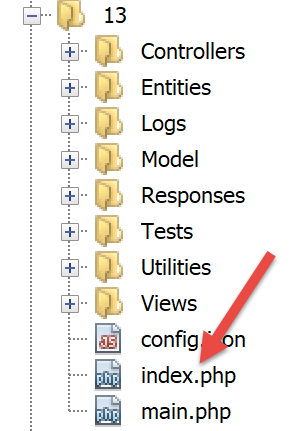
The [index.php] script will be as follows:
<?php

// redirection to [main.php] in [html] mode
header('Location: main.php?action=init-session&type=html');
- line 4: [header] is a PHP function that adds a HTTP header to the response. The HTTP [Location: main.php?action=init-session&type=html] header instructs the client browser to redirect to the URL target specified in [Location]. The script [index.php] is requested with URL and [http://localhost/php7/scripts-web/impots/version-12/index.php]. When the client browser receives the redirection to the relative URL from [main.php?action=init-session&type=html], it will request the absolute URL from [http://localhost/php7/scripts-web/impots/version-12/main.php?action=init-session&type=html], and the HTML session will start;
The startup URL can be simplified to [http://localhost/php7/scripts-web/impots/version-12/]. If no page is specified in URL, the [index.html, index.php] pages are used by default. In this case, the [index.php] script will therefore be used;
Let’s get started: we’ll now present a few view sequences.
In our browser, we enable developer tools (F12 in Firefox) and request the URL startup page [https://localhost/php7/scripts-web/impots/version-12/]:
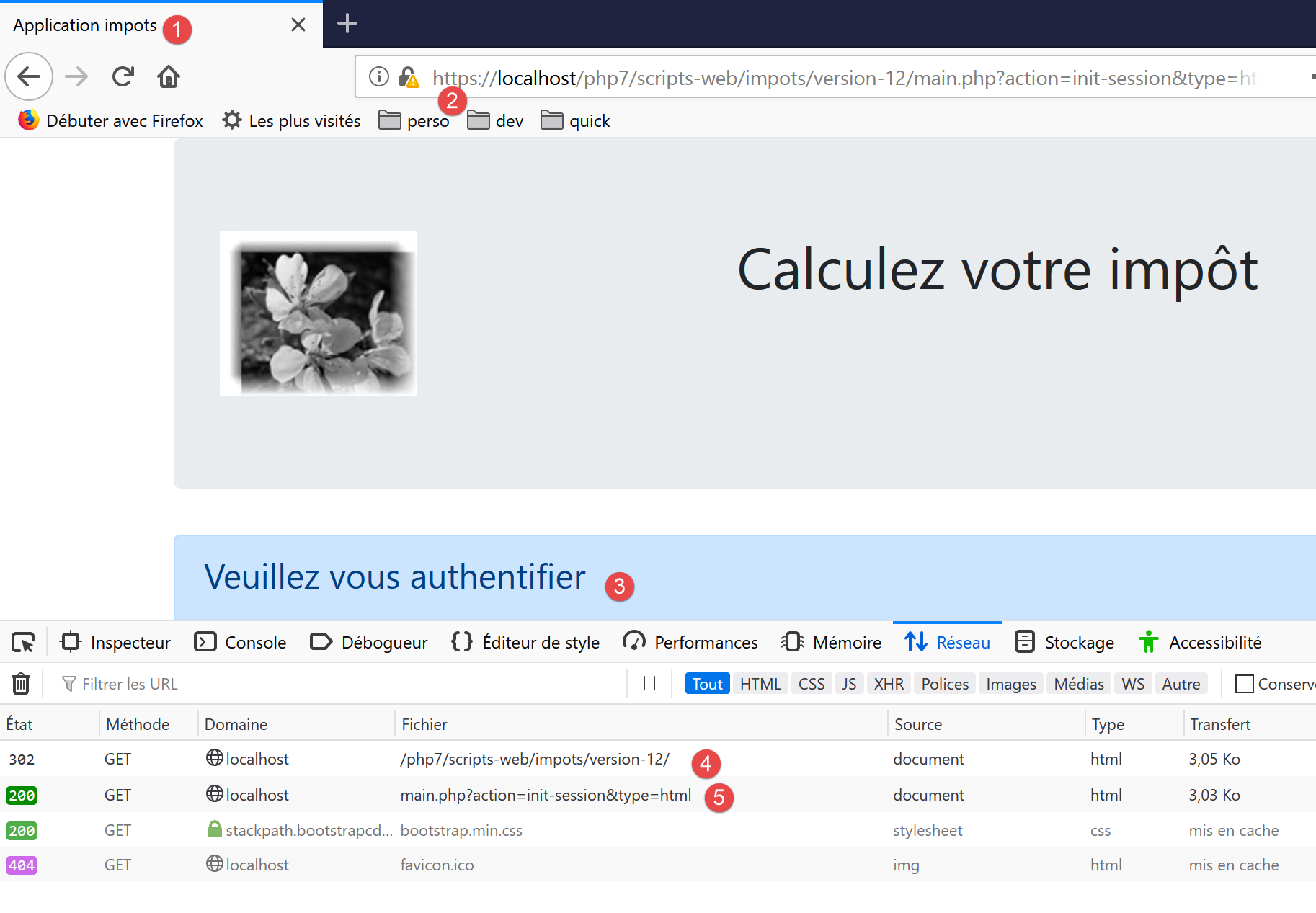
- In [4], the server’s first response is a 302 redirect:
- in [5], a new request is made to URL [http://localhost/php7/scripts-web/impots/13/main.php?action=init-session&type=html];
Let’s take a closer look at the 302 redirect:
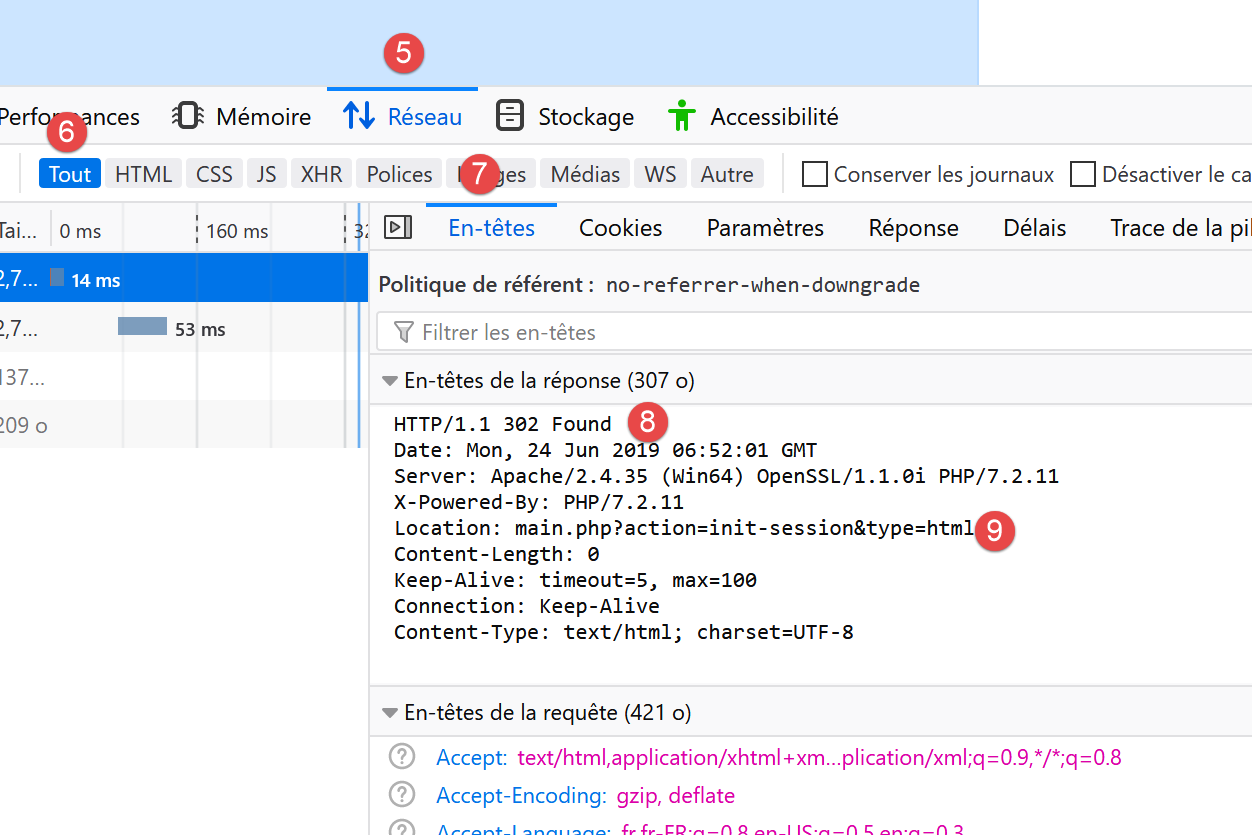
- In [8], the code HTTP [302] is a redirect code: the client browser is told that the requested URL has been moved. The new URL is specified as [9]. The browser will follow this redirect with a new request for GET:
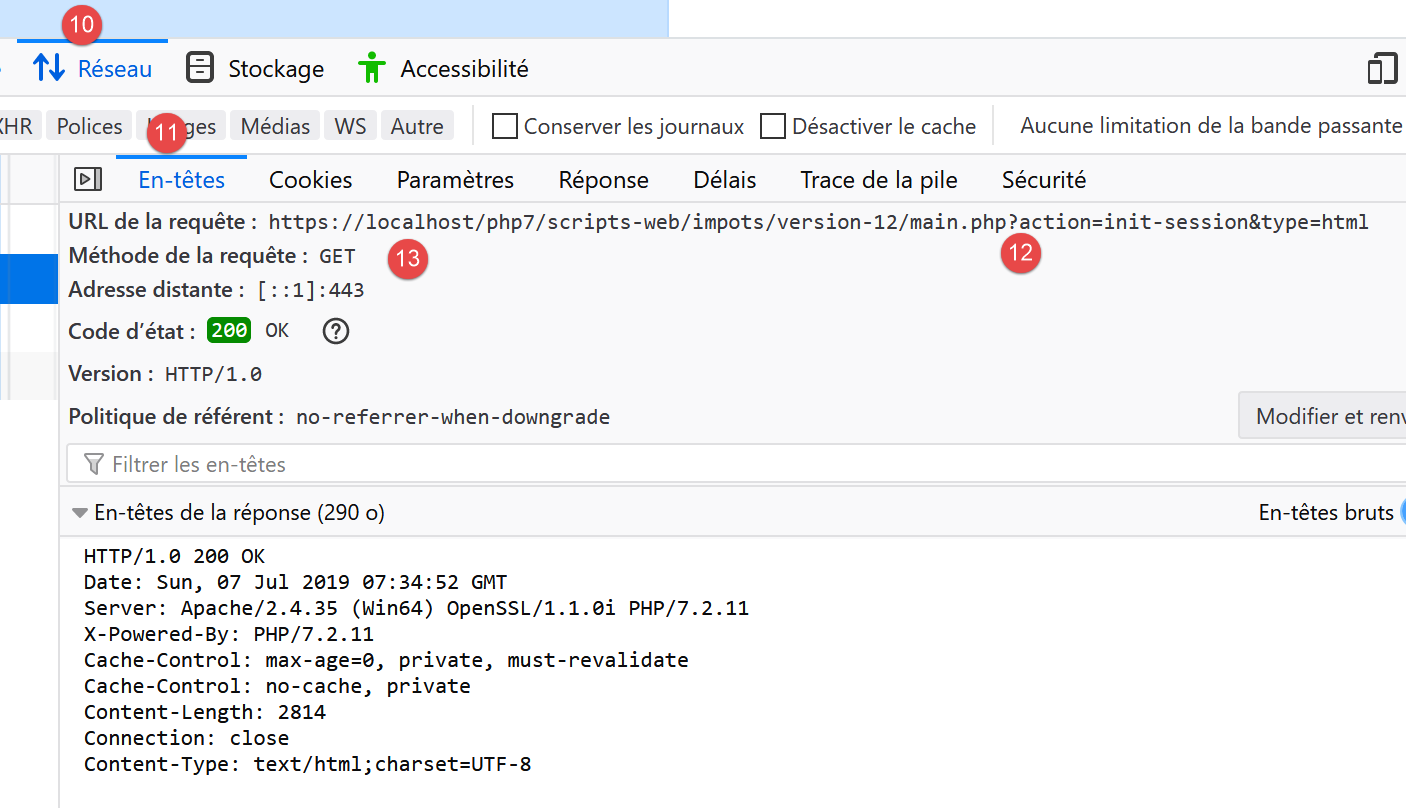
- in [12-13], the new request made by the browser;
Let’s fill out the form we received;
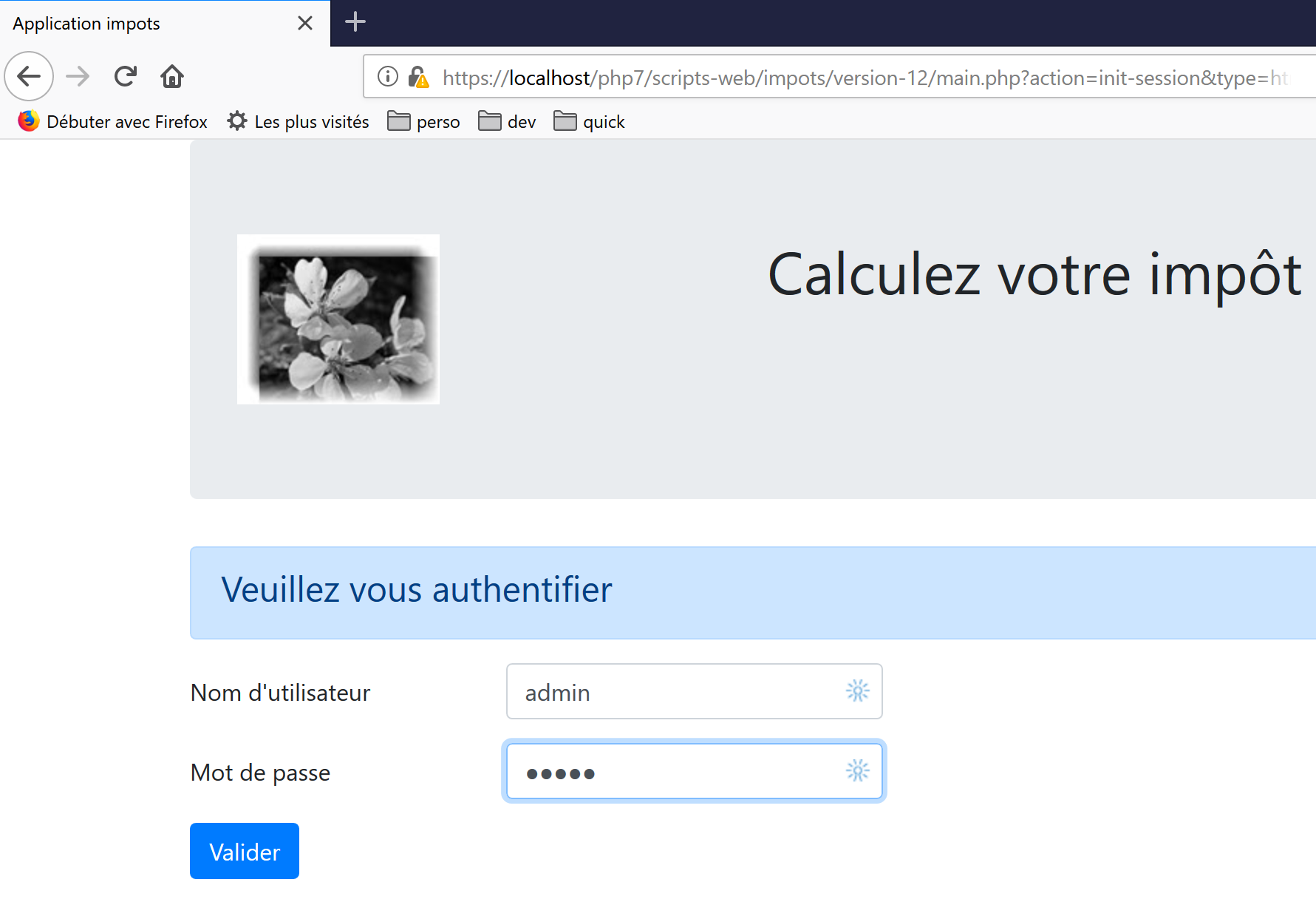
Then let’s run a few simulations:
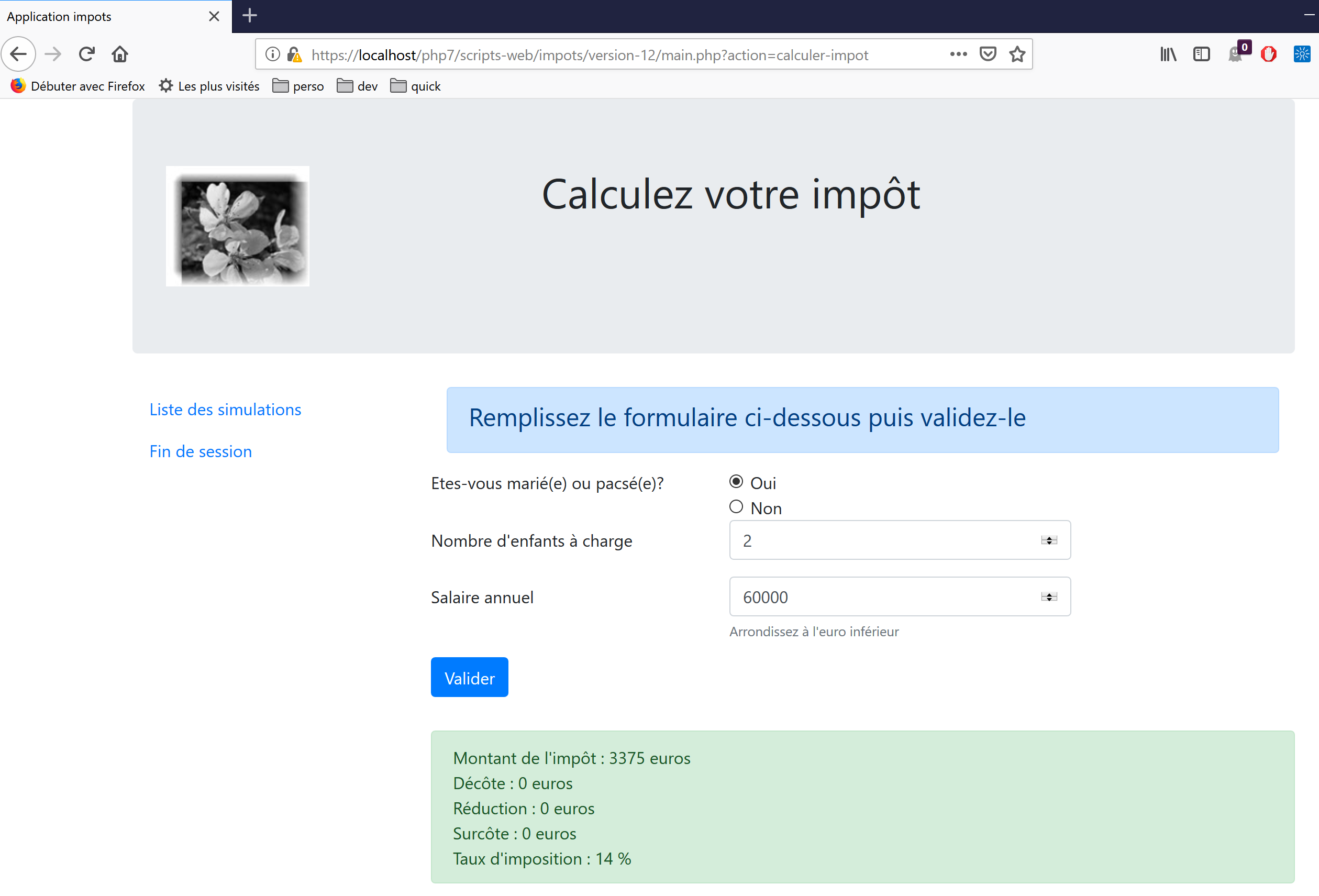
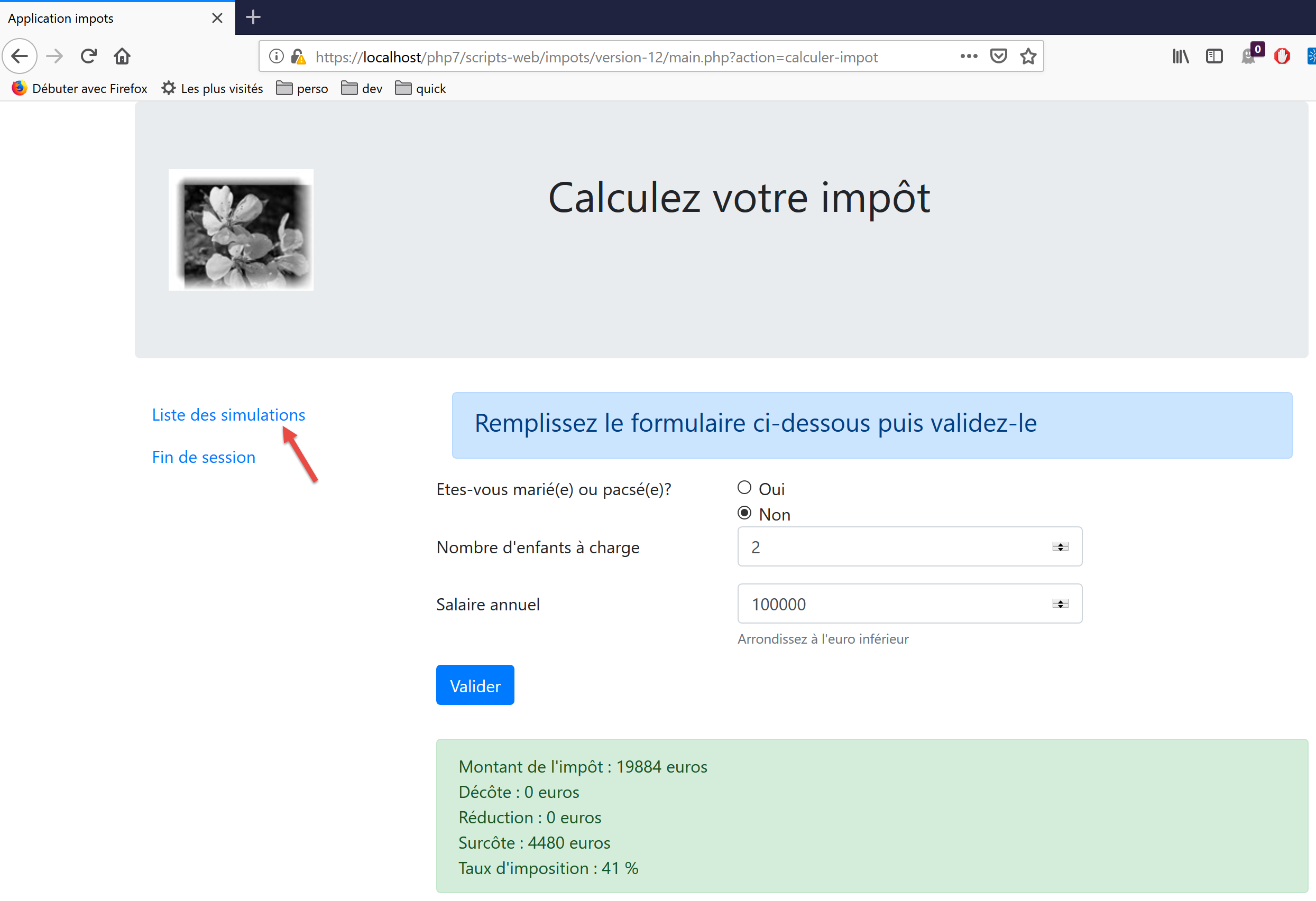
Request the list of simulations:
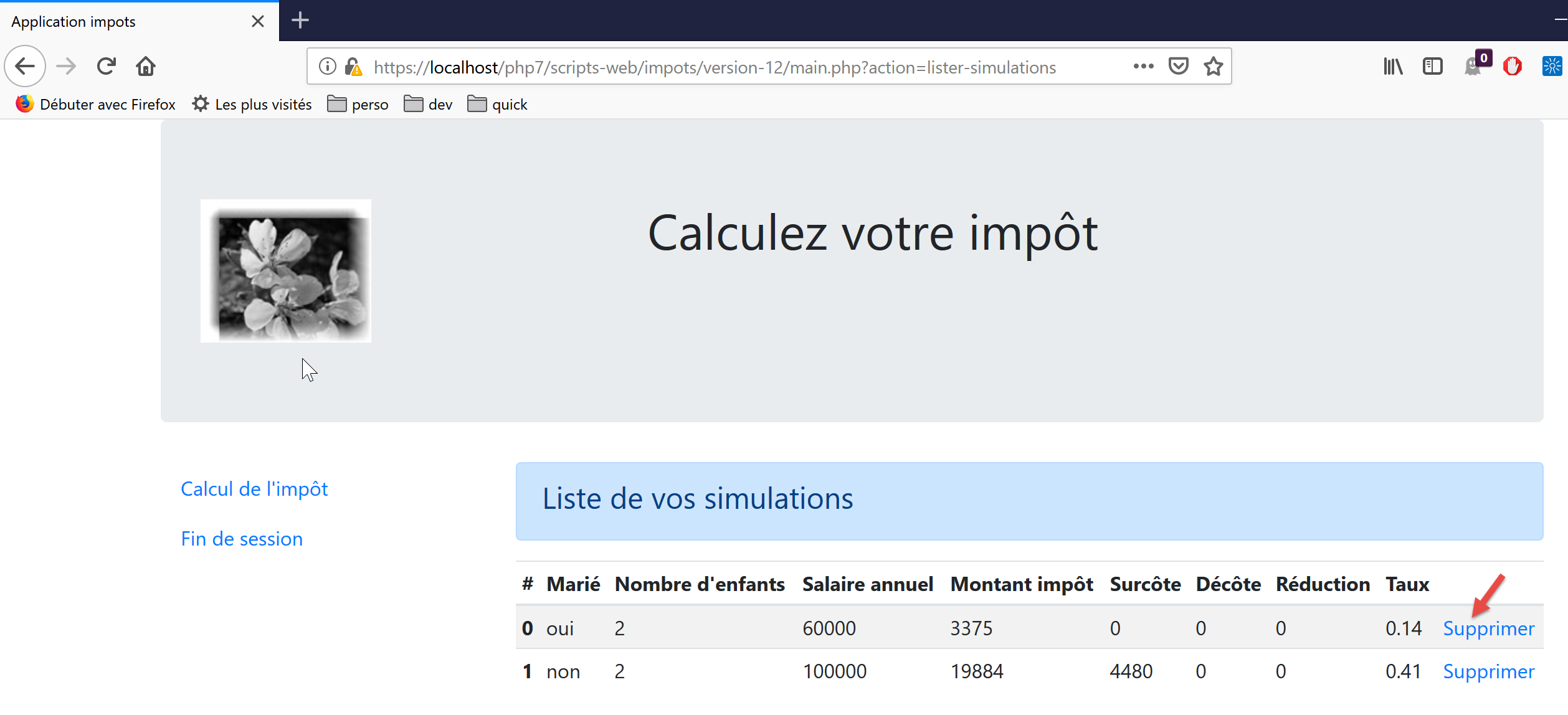
Delete the first simulation:
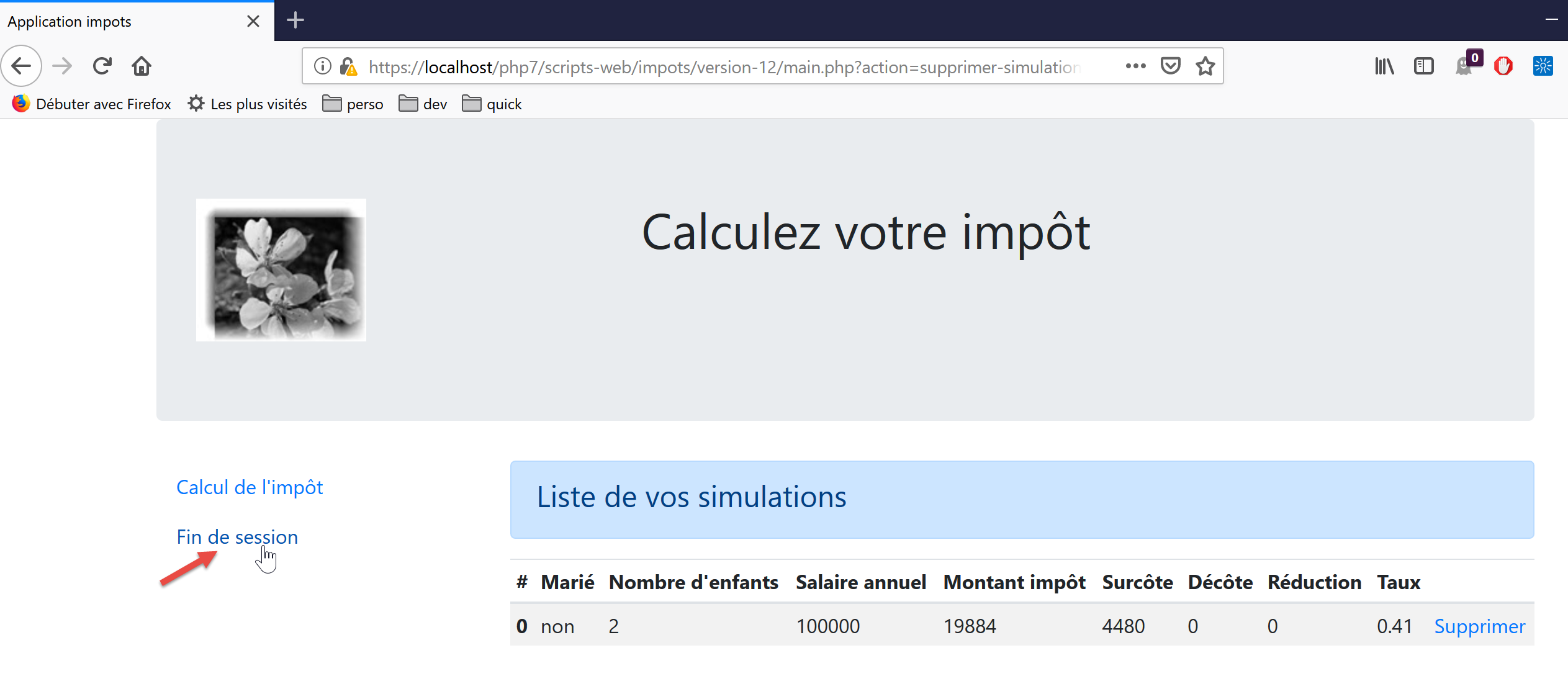
End the session:
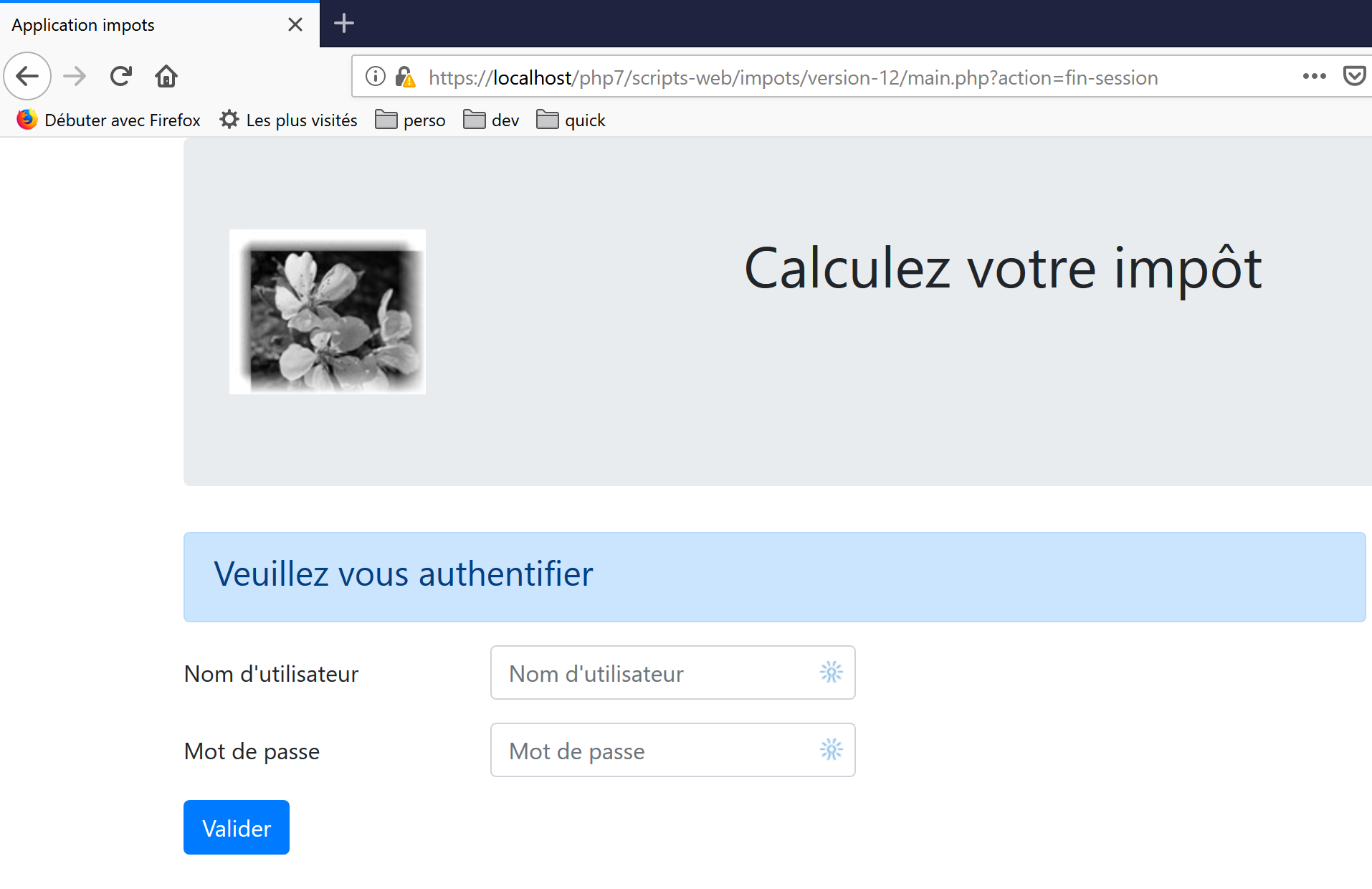
The reader is invited to perform additional tests.
23.14. Client of the jSON web service
23.14.1. Client/server architecture
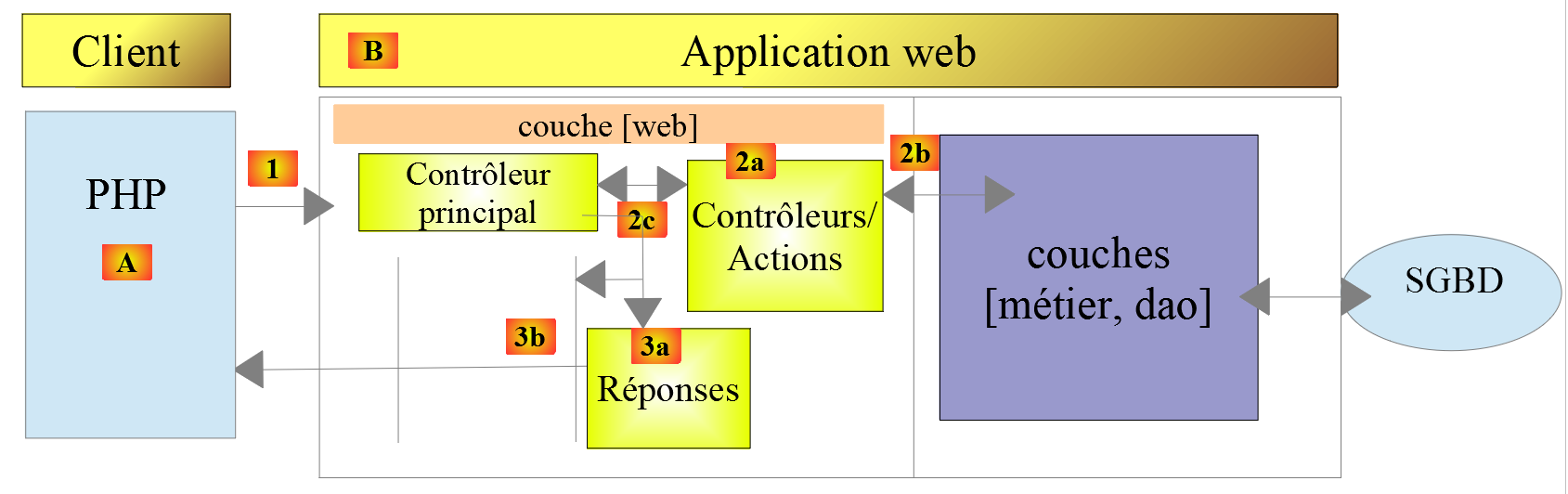
We will now focus on the client jSON [A] of the web service [B]. The [A] client, like the [B] web service, has a layered structure:

This architecture is reflected in the following code organization:
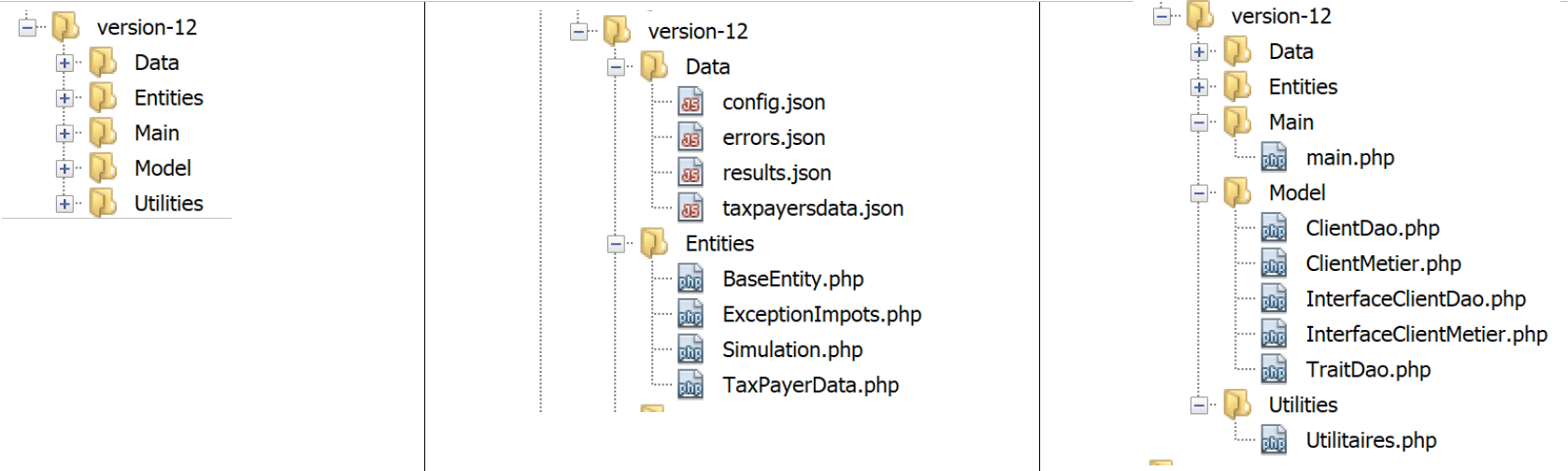
Most of the classes have already been introduced and explained:
link paragraph. | |
link paragraph. | |
link paragraph. | |
paragraph link. | |
paragraph link. | |
Paragraph link. |
23.14.2. The [dao] layer

23.14.2.1. Interface
The interface for layer [dao] will be as follows [InterfaceClientDao.php]:
<?php

// namespace
namespace Application;

interface InterfaceClientDao {

  // reading taxpayer data
  public function getTaxPayersData(string $taxPayersFilename, string $errorsFilename): array;

  // calculating a taxpayer's taxes
  public function calculerImpot(string $marié, int $enfants, int $salaire): Simulation;

  // recording results
  public function saveResults(string $resultsFilename, array $simulations): void;

  // authentication
  public function authentifierUtilisateur(String $user, string $password): void;

  // list of simulations
  public function listerSimulations(): array;

  // delete a simulation
  public function supprimerSimulation(int $numéro): array;

  // start of session
  public function initSession(string $type = 'json'): void;

  // end of session
  public function finSession(): void;
}
Comments
- line 9: the [getTaxPayersData] method allows you to process the jSON file containing taxpayer data. This method is implemented by the [TraitDao] trait, which has already been discussed (see the "link" section);
- line 15: the [saveResults] method allows the results of several tax calculations to be saved in a jSON file. Here too, this method is implemented by the [TraitDao] trait already discussed (link paragraph);
- lines 12, 18, 21, 27, 30: a method has been created for each of the actions accepted by the web service;
23.14.2.2. Implementation
The [InterfaceClientDao] interface is implemented by the following [ClientDao] class:
<?php

namespace Application;

// dependencies
use Symfony\Component\HttpClient\HttpClient;
use Symfony\Component\HttpClient\Response\CurlResponse;

class ClientDao implements InterfaceClientDao {
  // using a Trait
  use TraitDao;
  // attributes
  private $urlServer;
  private $sessionCookie;
  private $verbose;

  // manufacturer
  public function __construct(string $urlServer, bool $verbose = TRUE) {
    $this->urlServer = $urlServer;
    $this->verbose = $verbose;
  }
…
}
Comments
- lines 18–21: the constructor receives two parameters:
- the URL [$urlServer] from the jSON web service;
- a Boolean [$verbose] which, at TRUE, indicates that the class must display the server’s responses on the console;
- line 14: the session cookie. Its role was described in the client’s version 09 (link paragraph);
- line 11: the class uses the [TraitDao] trait, which implements two methods of the interface:
- [getTaxPayersData(string $taxPayersFilename, string $errorsFilename): array];
- [function calculerImpot(string $marié, int $enfants, int $salaire): Simulation];
23.14.2.2.1. Method [initSession]
The [initSession] method is implemented as follows:
public function initSession(string $type = 'json'): void {
    // create a HTTP customer
    $httpClient = HttpClient::create();
    // make the request to the server without authentication
    $response = $httpClient->request('GET', $this->urlServer,
      ["query" => [
          "action" => "init-session",
          "type" => $type
        ],
        "verify_peer" => false
    ]);
    // the answer is retrieved
    $this->getResponse($response);
    // retrieve the session cookie
    $headers = $response->getHeaders();
    if (isset($headers["set-cookie"])) {
      // session cookie ?
      foreach ($headers["set-cookie"] as $cookie) {
        $match = [];
        $match = preg_match("/^PHPSESSID=(.+?);/", $cookie, $champs);
        if ($match) {
          $this->sessionCookie = "PHPSESSID=" . $champs[1];
        }
      }
    }
  }
Since the action [init-session] is the first action requested from the web service, the method [initSession] will be the first method in the [dao] layer to be called.
Comments
- line 1: the desired session type is passed as a parameter. If no parameter is provided, a jSON session will be started;
- Lines 5–11: A GET request is made to the web service;
- lines 7-8: the two parameters of GET;
- line 10: in the case of secure exchanges (HTTPS), the security certificate sent by the web service will not be verified;
- line 13: the [getResponse] method retrieves the server’s response. It returns it as an array. Here, the result of the method is not used. The [getResponse] method throws an exception if the HTTP code in the web service response is not 200 OK;
- lines 14–25: Since the [initSession] method is the first method in the [dao] layer to be executed, the session cookie is retrieved so that subsequent methods can send it back to the web service. This code has already been commented on in version 09;
23.14.2.2.2. The [getResponse] method
The [getResponse] method is responsible for processing the web service response:
private function getResponse(CurlResponse $response) {
    // the answer is retrieved
    $json = $response->getContent(false);
    // logs
    if ($this->verbose) {
      print "$json\n";
    }
    // retrieve response status
    $statusCode = $response->getStatusCode();
    // mistake?
    if ($statusCode !== 200) {
      // we have an error
      throw new ExceptionImpots($json);
    }
    // we give our answer
    $array = json_decode($json, true);
    return $array["réponse"];
  }
Comments
- line 1: the method is private;
- line 1: the method parameter is the web service response of type [Symfony\Component\HttpClient\Response\CurlResponse], the Symfony response type, when [HttpClient] is implemented by [CurlClient], i.e., by the [curl] library;
- line 3: we retrieve the jSON response from the server. Note that the [false] parameter is there to prevent Symfony from throwing an exception when the status of the server’s HTTP response is in the [3xx, 4xx, 5xx] range;
- lines 5–7: if we are in [$verbose] mode, then we display the server’s response on the console;
- lines 9–14: if the server’s response status HTTP is not 200, then an exception is thrown with the server’s response jSON as the error message;
- line 16: the string jSON is parsed into an array;
- line 17: the useful information is in [$array["réponse"]];
23.14.2.2.3. The [authentifierUtilisateur] method
The [authentifierUtilisateur] method is as follows:
public function authentifierUtilisateur(string $user, string $password): void {
    // create a HTTP customer
    $httpClient = HttpClient::create();
    // make a request to the server with authentication
    $response = $httpClient->request('POST', $this->urlServer,
      ["query" => [
          "action" => "authentifier-utilisateur"
        ],
        "body" => [
          "user" => $user,
          "password" => $password
        ],
        "verify_peer" => false,
        "headers" => ["Cookie" => $this->sessionCookie]
    ]);
    // the answer is retrieved
    $this->getResponse($response);
  }
Comments
- line 5: the client request is a POST;
- lines 6–8: parameters in the URL;
- lines 9–12: parameters in the POST;
- line 14: the session cookie;
- line 17: the response is read. We know that in the event of an error (HTTP code other than 200), the [getResponse] method itself throws an exception;
23.14.2.2.4. The [calculerImpot] method
public function calculerImpot(string $marié, int $enfants, int $salaire): Simulation {
    // create a HTTP customer
    $httpClient = HttpClient::create();
    // make the request to the server without authentication but with the session cookie
    $response = $httpClient->request('POST', $this->urlServer,
      ["query" => [
          "action" => "calculer-impot"],
        "body" => [
          "marié" => $marié,
          "enfants" => $enfants,
          "salaire" => $salaire
        ],
        "verify_peer" => false,
        "headers" => ["Cookie" => $this->sessionCookie]
    ]);
    // the answer is retrieved
    $array = $this->getResponse($response);
    return (new Simulation())->setFromArrayOfAttributes($array);
  }
Comments
- lines 6-7: the single parameter of URL;
- lines 8–12: the three parameters of POST (line 5);
- line 17: the response is processed;
- line 18: if we reach this point, it means that the [getResponse] method did not throw an exception. We return a [Simulation] object initialized with the array returned by [getResponse];
23.14.2.2.5. The [listerSimulations] method
public function listerSimulations(): array {
    // create a HTTP customer
    $httpClient = HttpClient::create();
    // make the request to the server without authentication but with the session cookie
    $response = $httpClient->request('GET', $this->urlServer,
      ["query" => [
          "action" => "lister-simulations"
        ],
        "verify_peer" => false,
        "headers" => ["Cookie" => $this->sessionCookie]
    ]);
    // the answer is retrieved
    return $this->getSimulations($response);
  }
Comments
- line 5: method GET;
- lines 6–8: the single parameter of GET;
- line 13: retrieving the simulations is handled by the private method [getSimulations];
23.14.2.2.6. The [getSimulations] method
private function getSimulations(CurlResponse $response): array {
    // we retrieve the JSON response
    $array = $this->getResponse($response);
    // we have an array of associative objects
    // we'll turn it into an array of Simulation objects
    $simulations = [];
    foreach ($array as $simulation) {
      $simulations [] = (new Simulation())->setFromArrayOfAttributes($simulation);
    }
    // we render the Simulation object list
    return $simulations;
}
Comments
- line 3: we retrieve the array from the response. It is an array of arrays, each of which has all the attributes of a [Simulation] object;
- line 6: if we reach this point, it means the [getResponse] method did not throw an exception;
- lines 6–9: we use the response to construct an array of [Simulation] objects;
- line 11: we return this array;
23.14.2.2.7. The [SupprimerSimulation] method
public function supprimerSimulation(int $numéro): array {
    // create a HTTP customer
    $httpClient = HttpClient::create();
    // make the request to the server without authentication but with the session cookie
    $response = $httpClient->request('GET', $this->urlServer,
      ["query" => [
          "action" => "supprimer-simulation",
          "numéro" => $numéro
        ],
        "verify_peer" => false,
        "headers" => ["Cookie" => $this->sessionCookie]
    ]);
    // the answer is retrieved
    return $this->getSimulations($response);
  }
Comments
- line 5: we make a GET request;
- lines 6–9: the two parameters of URL;
- line 14: after a deletion, the server returns the new simulation table. We return this table;
23.14.2.2.8. The [finSession] method
A work session with the web service normally ends with a call to the [finSession] method:
public function finSession(): void {
    // create a HTTP customer
    $httpClient = HttpClient::create();
    // make the request to the server without authentication but with the session cookie
    $response = $httpClient->request('GET', $this->urlServer,
      ["query" => [
          "action" => "fin-session"
        ],
        "verify_peer" => false,
        "headers" => ["Cookie" => $this->sessionCookie]
    ]);
    // the answer is retrieved
    $this->getResponse($response);
  }
Comments
- line 5: we make a GET request;
- lines 6–8: the single parameter of the URL;
- line 13: we read the response. An exception will be thrown if the response code is not 200;
23.14.3. The [métier] layer

23.14.3.1. The interface
The interface of the [métier] layer is as follows: [InterfaceClientMetier.php]:
<?php

// namespace
namespace Application;

interface InterfaceClientMetier {

  // calculating a taxpayer's taxes
  public function calculerImpot(string $marié, int $enfants, int $salaire): Simulation;

  // batch mode tax calculation
  public function executeBatchImpots(string $taxPayersFileName, string $resultsFilename, string $errorsFileName): void;

  // authentication
  public function authentifierUtilisateur(String $user, string $password): void;

  // list of simulations
  public function listerSimulations(): array;

  // recording results
  public function saveResults(string $resultsFilename, array $simulations): void;

  // delete a simulation
  public function supprimerSimulation(int $numéro): array;

  // start of session
  public function initSession(string $type = 'json'): void;

  // end of session
  public function finSession(): void;
}
Comments
- Only the [executeBatchImpots] method on line 12 is specific to the [métier] layer. All others belong to the [dao] layer, which implements them;
23.14.3.2. The [ClientMetier] class
The class implementing the [métier] layer is as follows:
<?php

namespace Application;

class ClientMetier implements InterfaceClientMetier {
  // attribute
  private $clientDao;

  // manufacturer
  public function __construct(InterfaceClientDao $clientDao) {
    $this->clientDao = $clientDao;
  }

  // tAX CALCULATION
  public function calculerImpot(string $marié, int $enfants, int $salaire): Simulation {
    return $this->clientDao->calculerImpot($marié, $enfants, $salaire);
  }

  // batch mode tax calculation
  public function executeBatchImpots(string $taxPayersFileName, string $resultsFileName, string $errorsFileName): void {
    // exceptions from the [dao] layer are allowed to bubble up
    // retrieve taxpayer data
    $taxPayersData = $this->clientDao->getTaxPayersData($taxPayersFileName, $errorsFileName);
    // results table
    $simulations = [];
    // we exploit them
    foreach ($taxPayersData as $taxPayerData) {
      // tax calculation
      $simulations [] = $this->calculerImpot(
        $taxPayerData->getMarié(),
        $taxPayerData->getEnfants(),
        $taxPayerData->getSalaire());
    }
    // recording results
    if ($resultsFileName !== NULL) {
      $this->clientDao->saveResults($resultsFileName, $simulations);
    }
  }

  public function authentifierUtilisateur(String $user, string $password): void {
    $this->clientDao->authentifierUtilisateur($user, $password);
  }

  public function listerSimulations(): array {
    return $this->clientDao->listerSimulations();
  }

  public function saveResults(string $resultsFilename, array $simulations): void {
    $this->clientDao->saveResults($resultsFilename, $simulations);
  }

  public function supprimerSimulation(int $numéro): array {
    return $this->clientDao->supprimerSimulation($numéro);
  }

  public function finSession(): void {
    $this->clientDao->finSession();
  }

  public function initSession(string $type = 'json'): void {
    $this->clientDao->initSession($type);
  }

}
Comments
- lines 10–12: to be constructed, the [métier] layer requires a reference to the [dao] layer;
- lines 20–38: only the [executeBatchImpots] method is specific to the [métier] layer. The implementation of the other methods delegates the work to methods with the same names in the [dao] layer;
- line 23: the [dao] layer is called upon to retrieve taxpayer data into an array of [TaxPayerData] objects;
- line 25: the various calculated simulations are aggregated into the [$simulations] array;
- lines 27–33: the tax for each taxpayer in the [$taxPayersData] array is calculated;
- lines 35–37: the results obtained in table [$simulations] are saved to a file named jSON;
Note: The [métier] layer does almost nothing. We could decide to remove it and consolidate everything into the [dao] layer.
23.14.4. The main script

The main script is configured by the following [config.json] file:
{
    "taxPayersDataFileName": "Data/taxpayersdata.json",
    "resultsFileName": "Data/results.json",
    "errorsFileName": "Data/errors.json",
    "rootDirectory": "C:/Data/st-2019/dev/php7/poly/scripts-console/impots/version-12",
    "dependencies": [
        "/Entities/BaseEntity.php",
        "/Entities/TaxPayerData.php",
        "/Entities/Simulation.php",
        "/Entities/ExceptionImpots.php",
        "/Utilities/Utilitaires.php",
        "/Model/InterfaceClientDao.php",
        "/Model/TraitDao.php",
        "/Model/ClientDao.php",
        "/Model/InterfaceClientMetier.php",
        "/Model/ClientMetier.php"
    ],
    "absoluteDependencies": [
        "C:/myprograms/laragon-lite/www/vendor/autoload.php"
    ],
    "user": {
        "login": "admin",
        "passwd": "admin"
    },
    "urlServer": "https://localhost:443/php7/scripts-web/impots/version-12/main.php"
}
The main script [main.php] is as follows:
<?php

// strict adherence to declared types of function parameters
declare(strict_types = 1);

// namespace
namespace Application;

// error handling by PHP
// ini_set("display_errors", "0");
//
// configuration file path
define("CONFIG_FILENAME", "../Data/config.json");

// we retrieve the configuration
$config = \json_decode(file_get_contents(CONFIG_FILENAME), true);

// include the necessary script dependencies
$rootDirectory = $config["rootDirectory"];
foreach ($config["dependencies"] as $dependency) {
  require "$rootDirectory/$dependency";
}
// absolute dependencies (third-party libraries)
foreach ($config["absoluteDependencies"] as $dependency) {
  require "$dependency";
}

// definition of constants
define("TAXPAYERSDATA_FILENAME", "$rootDirectory/{$config["taxPayersDataFileName"]}");
define("RESULTS_FILENAME", "$rootDirectory/{$config["resultsFileName"]}");
define("ERRORS_FILENAME", "$rootDirectory/{$config["errorsFileName"]}");
//
// symfony dependencies
use Symfony\Component\HttpClient\HttpClient;

// creation of the [dao] layer
$clientDao = new ClientDao($config["urlServer"]);
// creation of the [business] layer
$clientMetier = new ClientMetier($clientDao);

// tax calculation in batch mode
try {
  // session initialization
  $clientMetier->initSession('json');
  // authentication
  $clientMetier->authentifierUtilisateur($config["user"]["login"], $config["user"]["passwd"]);
  // tax calculation without saving results
  $clientMetier->executeBatchImpots(TAXPAYERSDATA_FILENAME, NULL, ERRORS_FILENAME);
  // list of simulations
  $clientMetier->listerSimulations();
  // deleting a simulation
  $simulations = $clientMetier->supprimerSimulation(1);
  // saving results
  $clientMetier->saveResults(RESULTS_FILENAME, $simulations);
  // end of session
  $clientMetier->finSession();
  // action without being authenticated - must crash
  $clientMetier->listerSimulations();
} catch (ExceptionImpots $ex) {
  // error is displayed
  print "Une erreur s'est produite : " . $ex->getMessage() . "\n";
}
// end
print "Terminé\n";
exit();
Comments
- lines 12-16: processing the configuration file [config.json];
- lines 18-26: loading all dependencies;
- lines 28-34: definition of constants and aliases;
- lines 36-39: building the [dao] and [métier] layers;
- line 44: initialization of a jSON session;
- line 46: authenticating with the server;
- line 48: calculation of the tax for a series of taxpayers. The results are not saved (2nd parameter NULL);
- line 50: request the results of all these calculations;
- line 52: delete simulation #1 (the second one in the list);
- line 54: the remaining simulations are saved;
- line 56: the session is ended. This means the session cookie is deleted;
- line 58: we request the list of simulations. Since the session cookie has been destroyed, authentication must be performed again. We should therefore get an exception stating that we are not authenticated;
The file [taxpayersdata.json] is as follows:
[
    {
        "marié": "oui",
        "enfants": 2,
        "salaire": 55555
    },
    {
        "marié": "ouix",
        "enfants": "2x",
        "salaire": "55555x"
    },
    {
        "marié": "oui",
        "enfants": "2",
        "salaire": 50000
    },
    {
        "marié": "oui",
        "enfants": 3,
        "salaire": 50000
    },
    {
        "marié": "non",
        "enfants": 2,
        "salaire": 100000
    },
    {
        "marié": "non",
        "enfants": 3,
        "salaire": 100000
    },
    {
        "marié": "oui",
        "enfants": 3,
        "salaire": 100000
    },
    {
        "marié": "oui",
        "enfants": 5,
        "salaire": 100000
    },
    {
        "marié": "non",
        "enfants": 0,
        "salaire": 100000
    },
    {
        "marié": "oui",
        "enfants": 2,
        "salaire": 30000
    },
    {
        "marié": "non",
        "enfants": 0,
        "salaire": 200000
    },
    {
        "marié": "oui",
        "enfants": 3,
        "salaire": 20000
    }
]
There are 12 taxpayers, 1 of whom is incorrect. That makes a total of 11 simulations. One of them will be deleted. There should be 10 left.
After running the main script, the file jSON [results.json] is as follows:
[
    {
        "marié": "oui",
        "enfants": "2",
        "salaire": "55555",
        "impôt": 2814,
        "surcôte": 0,
        "décôte": 0,
        "réduction": 0,
        "taux": 0.14
    },
    {
        "marié": "oui",
        "enfants": "3",
        "salaire": "50000",
        "impôt": 0,
        "surcôte": 0,
        "décôte": 720,
        "réduction": 0,
        "taux": 0.14
    },
    {
        "marié": "non",
        "enfants": "2",
        "salaire": "100000",
        "impôt": 19884,
        "surcôte": 4480,
        "décôte": 0,
        "réduction": 0,
        "taux": 0.41
    },
    {
        "marié": "non",
        "enfants": "3",
        "salaire": "100000",
        "impôt": 16782,
        "surcôte": 7176,
        "décôte": 0,
        "réduction": 0,
        "taux": 0.41
    },
    {
        "marié": "oui",
        "enfants": "3",
        "salaire": "100000",
        "impôt": 9200,
        "surcôte": 2180,
        "décôte": 0,
        "réduction": 0,
        "taux": 0.3
    },
    {
        "marié": "oui",
        "enfants": "5",
        "salaire": "100000",
        "impôt": 4230,
        "surcôte": 0,
        "décôte": 0,
        "réduction": 0,
        "taux": 0.14
    },
    {
        "marié": "non",
        "enfants": "0",
        "salaire": "100000",
        "impôt": 22986,
        "surcôte": 0,
        "décôte": 0,
        "réduction": 0,
        "taux": 0.41
    },
    {
        "marié": "oui",
        "enfants": "2",
        "salaire": "30000",
        "impôt": 0,
        "surcôte": 0,
        "décôte": 0,
        "réduction": 0,
        "taux": 0
    },
    {
        "marié": "non",
        "enfants": "0",
        "salaire": "200000",
        "impôt": 64210,
        "surcôte": 7498,
        "décôte": 0,
        "réduction": 0,
        "taux": 0.45
    },
    {
        "marié": "oui",
        "enfants": "3",
        "salaire": "20000",
        "impôt": 0,
        "surcôte": 0,
        "décôte": 0,
        "réduction": 0,
        "taux": 0
    }
]
There are indeed 10 simulations.
The file jSON [errors.json] has the following content:
{
    "numéro": 1,
    "erreurs": [
        {
            "marié": "ouix"
        },
        {
            "enfants": "2x"
        },
        {
            "salaire": "55555x"
        }
    ]
}
The console output is as follows (in verbose mode, the server's jSON responses are displayed on the console):
{"action":"init-session","état":700,"réponse":"session démarrée avec type [json]"}
{"action":"authentifier-utilisateur","état":200,"réponse":"Authentification réussie [admin, admin]"}
{"action":"calculer-impot","état":300,"réponse":{"marié":"oui","enfants":"2","salaire":"55555","impôt":2814,"surcôte":0,"décôte":0,"réduction":0,"taux":0.14}}
{"action":"calculer-impot","état":300,"réponse":{"marié":"oui","enfants":"2","salaire":"50000","impôt":1384,"surcôte":0,"décôte":384,"réduction":347,"taux":0.14}}
{"action":"calculer-impot","état":300,"réponse":{"marié":"oui","enfants":"3","salaire":"50000","impôt":0,"surcôte":0,"décôte":720,"réduction":0,"taux":0.14}}
{"action":"calculer-impot","état":300,"réponse":{"marié":"non","enfants":"2","salaire":"100000","impôt":19884,"surcôte":4480,"décôte":0,"réduction":0,"taux":0.41}}
{"action":"calculer-impot","état":300,"réponse":{"marié":"non","enfants":"3","salaire":"100000","impôt":16782,"surcôte":7176,"décôte":0,"réduction":0,"taux":0.41}}
{"action":"calculer-impot","état":300,"réponse":{"marié":"oui","enfants":"3","salaire":"100000","impôt":9200,"surcôte":2180,"décôte":0,"réduction":0,"taux":0.3}}
{"action":"calculer-impot","état":300,"réponse":{"marié":"oui","enfants":"5","salaire":"100000","impôt":4230,"surcôte":0,"décôte":0,"réduction":0,"taux":0.14}}
{"action":"calculer-impot","état":300,"réponse":{"marié":"non","enfants":"0","salaire":"100000","impôt":22986,"surcôte":0,"décôte":0,"réduction":0,"taux":0.41}}
{"action":"calculer-impot","état":300,"réponse":{"marié":"oui","enfants":"2","salaire":"30000","impôt":0,"surcôte":0,"décôte":0,"réduction":0,"taux":0}}
{"action":"calculer-impot","état":300,"réponse":{"marié":"non","enfants":"0","salaire":"200000","impôt":64210,"surcôte":7498,"décôte":0,"réduction":0,"taux":0.45}}
{"action":"calculer-impot","état":300,"réponse":{"marié":"oui","enfants":"3","salaire":"20000","impôt":0,"surcôte":0,"décôte":0,"réduction":0,"taux":0}}
{"action":"lister-simulations","état":500,"réponse":[{"marié":"oui","enfants":"2","salaire":"55555","impôt":2814,"surcôte":0,"décôte":0,"réduction":0,"taux":0.14,"arrayOfAttributes":null},{"marié":"oui","enfants":"2","salaire":"50000","impôt":1384,"surcôte":0,"décôte":384,"réduction":347,"taux":0.14,"arrayOfAttributes":null},{"marié":"oui","enfants":"3","salaire":"50000","impôt":0,"surcôte":0,"décôte":720,"réduction":0,"taux":0.14,"arrayOfAttributes":null},{"marié":"non","enfants":"2","salaire":"100000","impôt":19884,"surcôte":4480,"décôte":0,"réduction":0,"taux":0.41,"arrayOfAttributes":null},{"marié":"non","enfants":"3","salaire":"100000","impôt":16782,"surcôte":7176,"décôte":0,"réduction":0,"taux":0.41,"arrayOfAttributes":null},{"marié":"oui","enfants":"3","salaire":"100000","impôt":9200,"surcôte":2180,"décôte":0,"réduction":0,"taux":0.3,"arrayOfAttributes":null},{"marié":"oui","enfants":"5","salaire":"100000","impôt":4230,"surcôte":0,"décôte":0,"réduction":0,"taux":0.14,"arrayOfAttributes":null},{"marié":"non","enfants":"0","salaire":"100000","impôt":22986,"surcôte":0,"décôte":0,"réduction":0,"taux":0.41,"arrayOfAttributes":null},{"marié":"oui","enfants":"2","salaire":"30000","impôt":0,"surcôte":0,"décôte":0,"réduction":0,"taux":0,"arrayOfAttributes":null},{"marié":"non","enfants":"0","salaire":"200000","impôt":64210,"surcôte":7498,"décôte":0,"réduction":0,"taux":0.45,"arrayOfAttributes":null},{"marié":"oui","enfants":"3","salaire":"20000","impôt":0,"surcôte":0,"décôte":0,"réduction":0,"taux":0,"arrayOfAttributes":null}]}
{"action":"supprimer-simulation","état":600,"réponse":[{"marié":"oui","enfants":"2","salaire":"55555","impôt":2814,"surcôte":0,"décôte":0,"réduction":0,"taux":0.14,"arrayOfAttributes":null},{"marié":"oui","enfants":"3","salaire":"50000","impôt":0,"surcôte":0,"décôte":720,"réduction":0,"taux":0.14,"arrayOfAttributes":null},{"marié":"non","enfants":"2","salaire":"100000","impôt":19884,"surcôte":4480,"décôte":0,"réduction":0,"taux":0.41,"arrayOfAttributes":null},{"marié":"non","enfants":"3","salaire":"100000","impôt":16782,"surcôte":7176,"décôte":0,"réduction":0,"taux":0.41,"arrayOfAttributes":null},{"marié":"oui","enfants":"3","salaire":"100000","impôt":9200,"surcôte":2180,"décôte":0,"réduction":0,"taux":0.3,"arrayOfAttributes":null},{"marié":"oui","enfants":"5","salaire":"100000","impôt":4230,"surcôte":0,"décôte":0,"réduction":0,"taux":0.14,"arrayOfAttributes":null},{"marié":"non","enfants":"0","salaire":"100000","impôt":22986,"surcôte":0,"décôte":0,"réduction":0,"taux":0.41,"arrayOfAttributes":null},{"marié":"oui","enfants":"2","salaire":"30000","impôt":0,"surcôte":0,"décôte":0,"réduction":0,"taux":0,"arrayOfAttributes":null},{"marié":"non","enfants":"0","salaire":"200000","impôt":64210,"surcôte":7498,"décôte":0,"réduction":0,"taux":0.45,"arrayOfAttributes":null},{"marié":"oui","enfants":"3","salaire":"20000","impôt":0,"surcôte":0,"décôte":0,"réduction":0,"taux":0,"arrayOfAttributes":null}]}
{"action":"fin-session","état":400,"réponse":"session supprimée"}
{"action":"lister-simulations","état":103,"réponse":["pas de session en cours. Commencer par action [init-session]"]}
Une erreur s'is produced: {"action": "lister-simulations", "état":103, "réponse":["pas de session en cours. Start with action [init-session]"]}
Terminé
23.14.5. [Codeception] Tests
As with the previous clients, the client of version 12 can be tested using [Codeception]:
The code for the client’s [métier] layer test class is similar to that of the test classes for the previous clients:
<?php

// strict adherence to declared types of function parameters
declare (strict_types=1);

// namespace
namespace Application;

// definition of constants
define("ROOT", "C:/Data/st-2019/dev/php7/poly/scripts-console/impots/version-12");
// configuration file path
define("CONFIG_FILENAME", ROOT . "/Data/config.json");

// we retrieve the configuration
$config = \json_decode(\file_get_contents(CONFIG_FILENAME), true);

// include the necessary script dependencies
$rootDirectory = $config["rootDirectory"];
foreach ($config["dependencies"] as $dependency) {
  require "$rootDirectory$dependency";
}
// absolute dependencies (third-party libraries)
foreach ($config["absoluteDependencies"] as $dependency) {
  require "$dependency";
}
// symfony dependencies
use Symfony\Component\HttpClient\HttpClient;

// test class
class ClientDaoTest extends \Codeception\Test\Unit {
  // layer dao
  private $clientDao;

  public function __construct() {
    parent::__construct();
    // we retrieve the configuration
    $config = \json_decode(\file_get_contents(CONFIG_FILENAME), true);
    // creation of the [dao] layer
    $clientDao = new ClientDao($config["urlServer"]);
    // creation of the [business] layer
    $this->métier = new ClientMetier($clientDao);
    // session initialization
    $this->métier->initSession("json");
    // authentication
    $this->métier->authentifierUtilisateur("admin", "admin");
  }

  // tests
  public function test1() {
    $simulation = $this->métier->calculerImpot("oui", 2, 55555);
    $this->assertEqualsWithDelta(2815, $simulation->getImpôt(), 1);
    $this->assertEqualsWithDelta(0, $simulation->getSurcôte(), 1);
    $this->assertEqualsWithDelta(0, $simulation->getDécôte(), 1);
    $this->assertEqualsWithDelta(0, $simulation->getRéduction(), 1);
    $this->assertEquals(0.14, $simulation->getTaux());
  }

  public function test2() {
    ….
  }

  …
  public function test11() {
    …
  }

}
Comments
- lines 34–46: note that the test class constructor is executed before each test;
- lines 38–41: construction of layers [dao] and [métier];
- lines 42–45: the [test1…, test11] test methods test the [calculerImpot] method. To make this possible, a jSON session must first be initialized and authentication performed;
The test results are as follows:
Many other tests should be performed:
- test the various methods of the [dao] layer;
- test the statuses returned by the web server. These statuses are important because their value determines which HTML page to display;