17. Example [nuxt-20]: Porting the [vuejs-22] example
17.1. Introduction
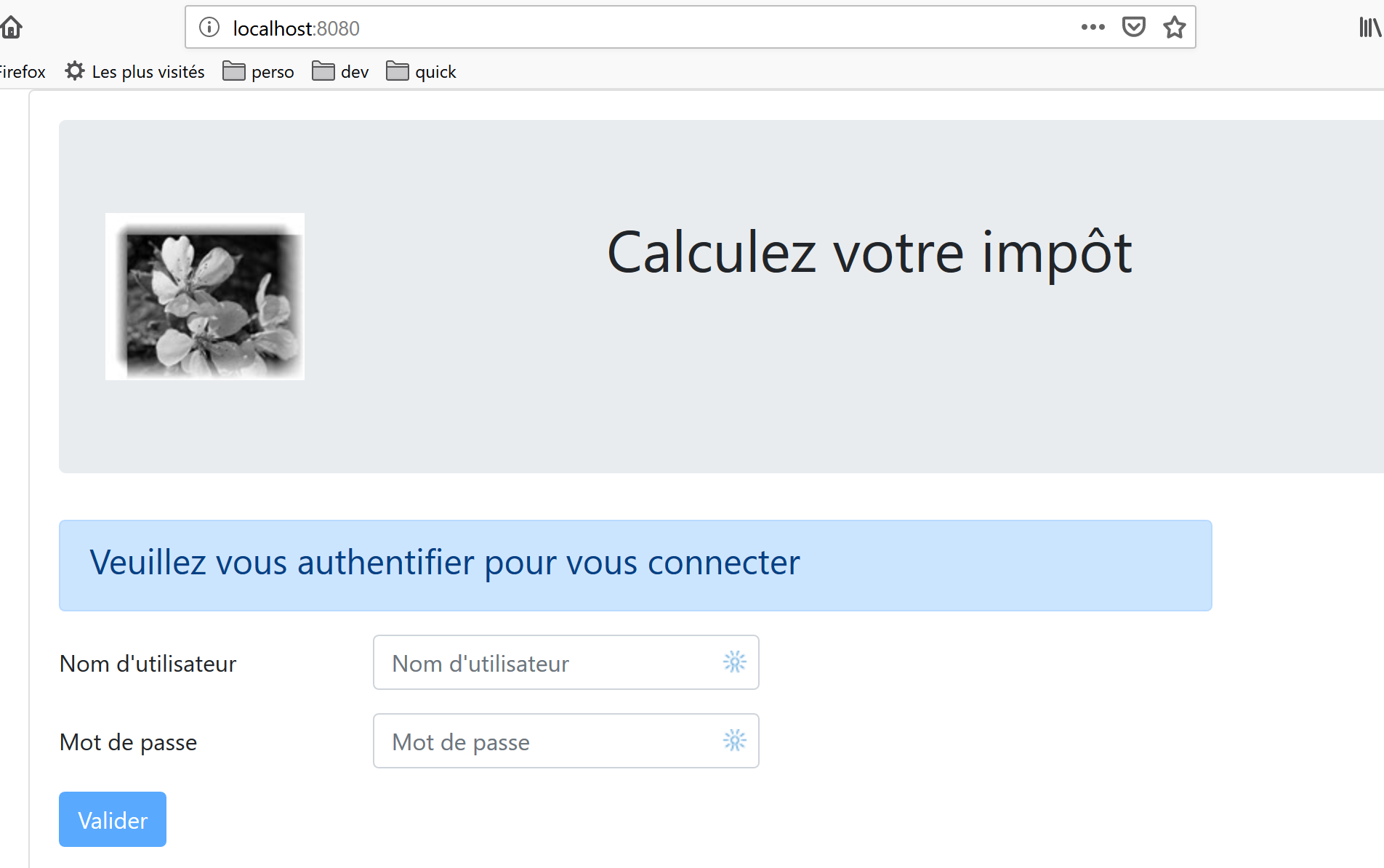
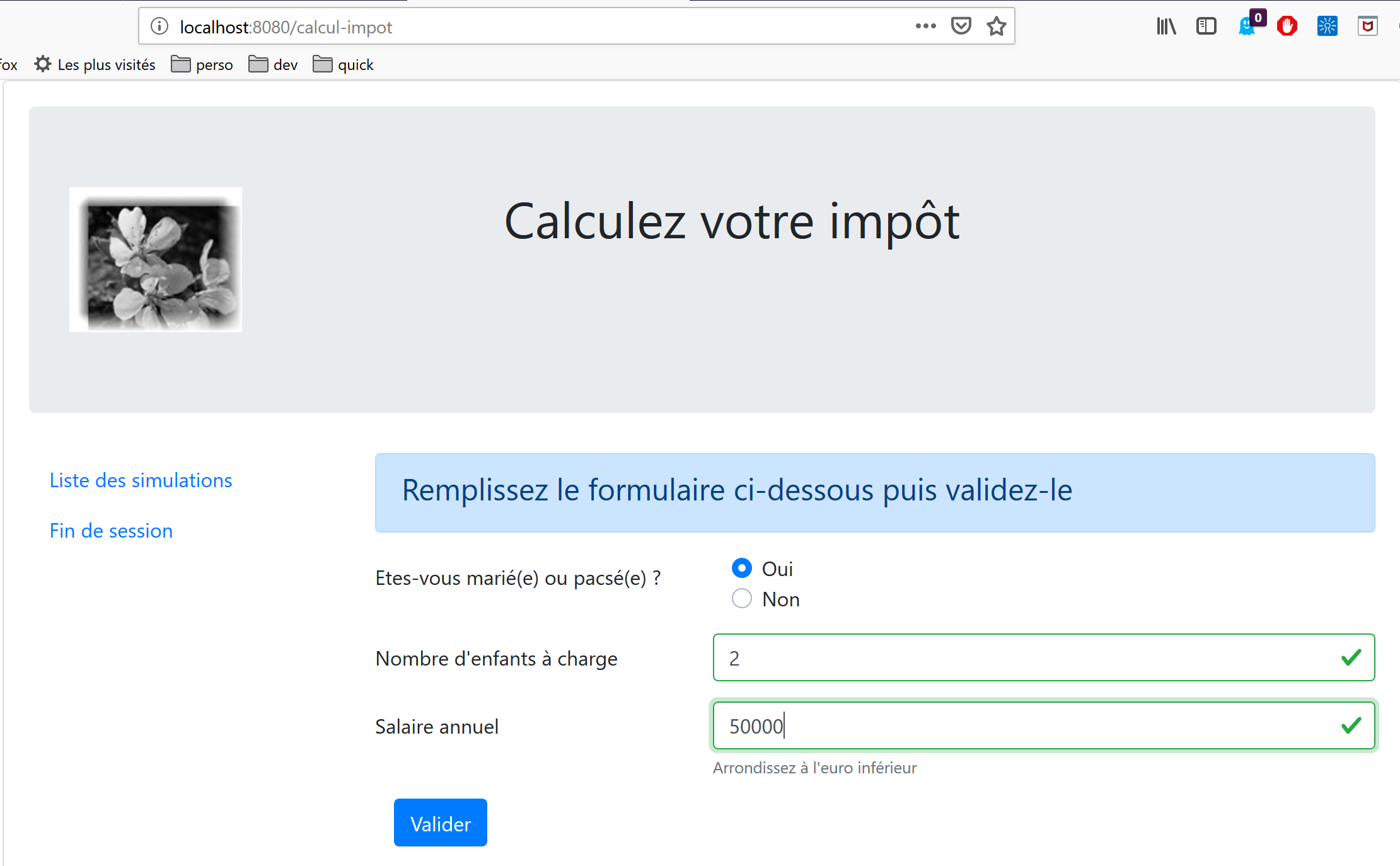
Here, we propose to port the [vuejs-22] example, which was a [vue.js] SPA-type application, into a [nuxt] SSR context. [vuejs-22] was a client application for the tax calculation server that presented the following views:
The first view is the authentication view:
The second view is the tax calculation view:
The third view displays the list of simulations performed by the user:
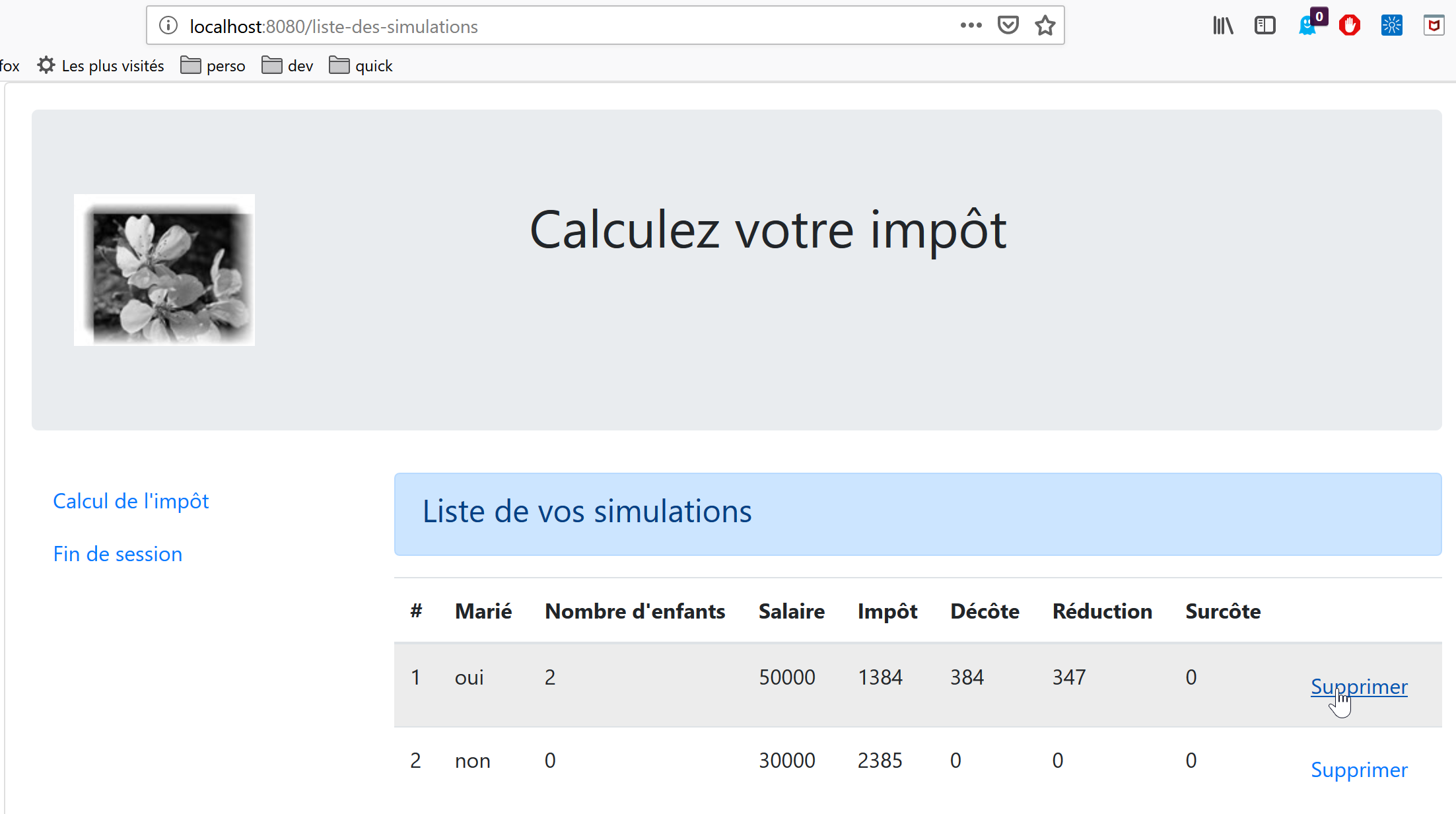
The screen above shows that simulation #1 can be deleted. This results in the following view:
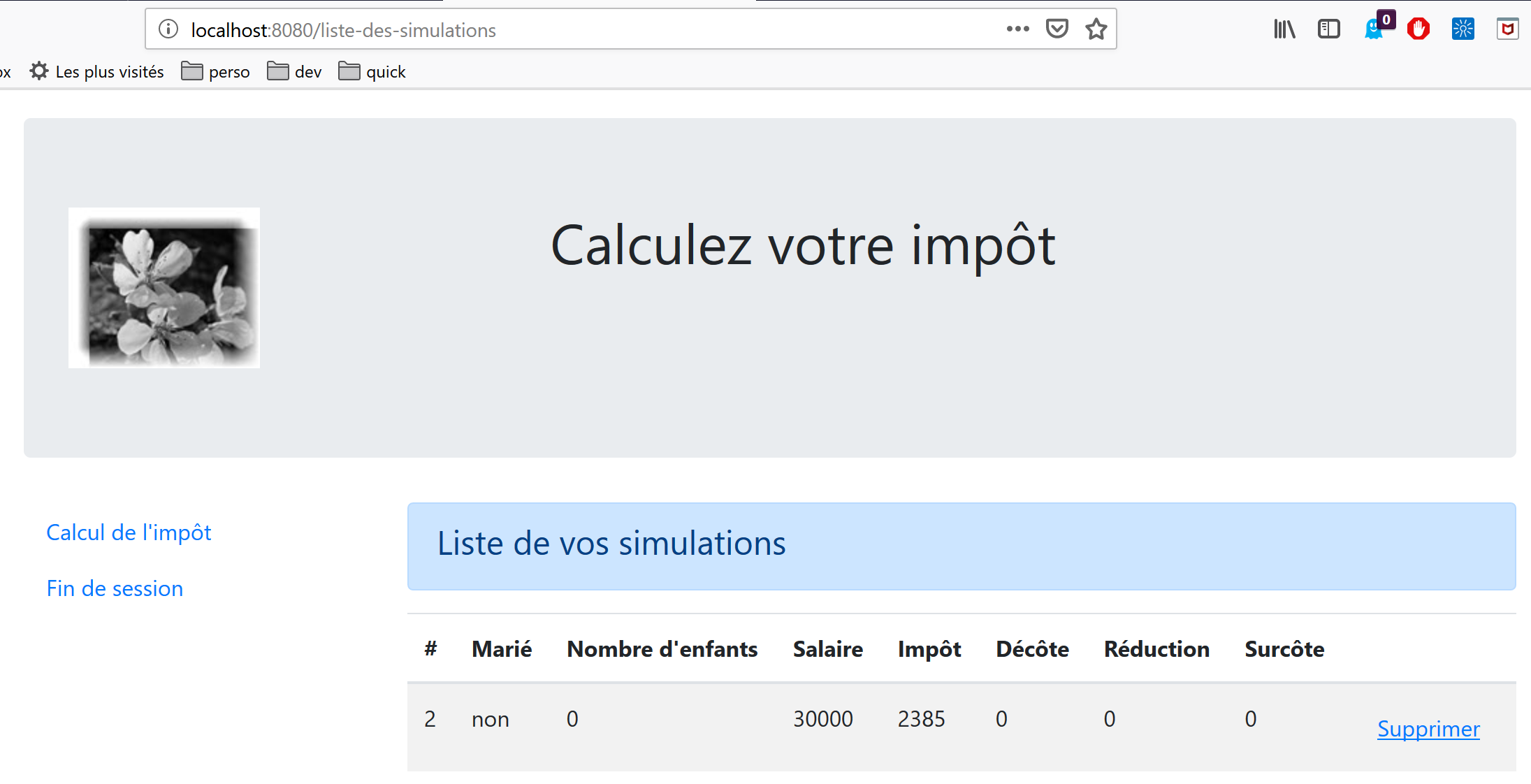
If we now delete the last simulation, we get the following new view:
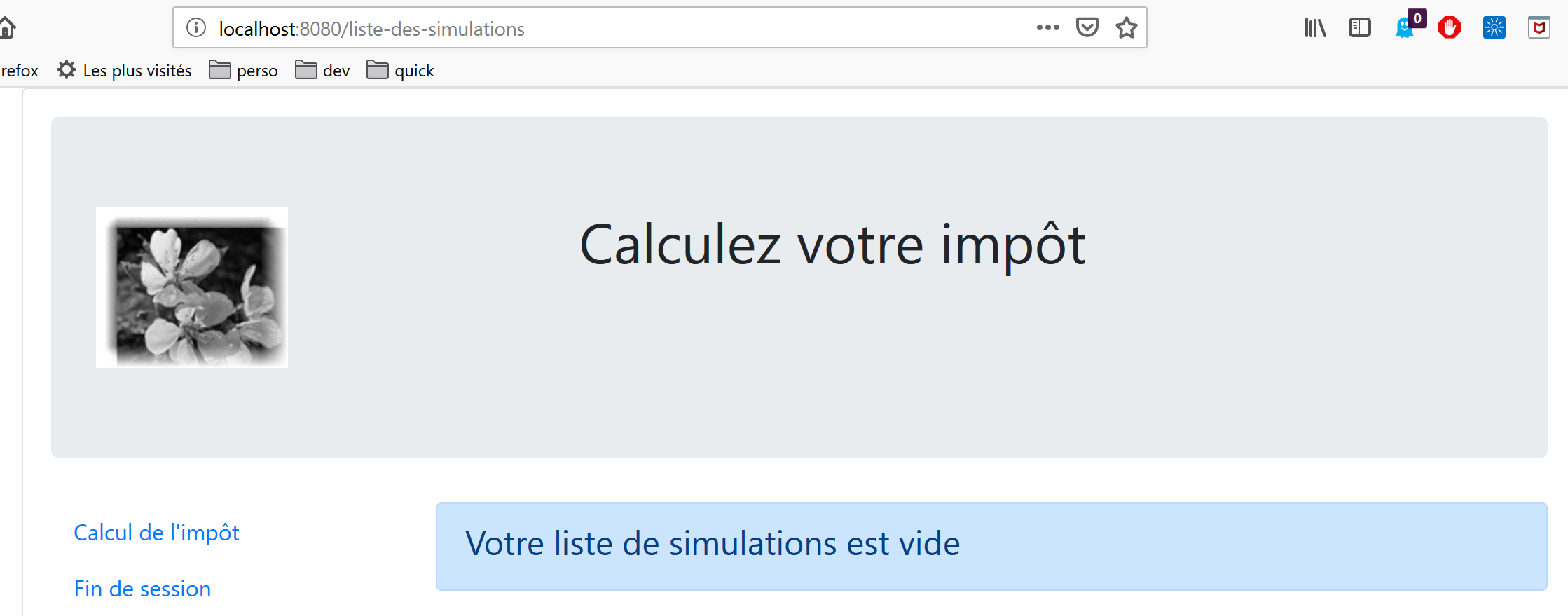
We will gradually migrate the [vuejs-22] application to the [nuxt-20] application. We will not re-explain the code from [vuejs-22]. Readers are encouraged to review the document |Introduction to the VUE.JS Framework Through Examples|. The various steps should highlight the differences between a [vuejs] application and a [nuxt] application.
17.2. Step 1
The [nuxt-20] project is initially created by cloning the [nuxt-12] project. This is indeed a good starting point:
- it can communicate with the tax calculation server;
- it correctly handles the errors the server sends;
- the [Nuxt] client and server can communicate via a [Nuxt] session;
We therefore have a solid starting infrastructure. Our main task should be to modify:
- the pages. We’ll use those from the [vuejs-22] project, which will need to be adapted to the new environment;
- store management. Additional information should appear (list of simulations), and other information may become unnecessary;
- client and server [nuxt] routing management;
So first, we create the [nuxt-20] project by cloning the [nuxt-12] project:
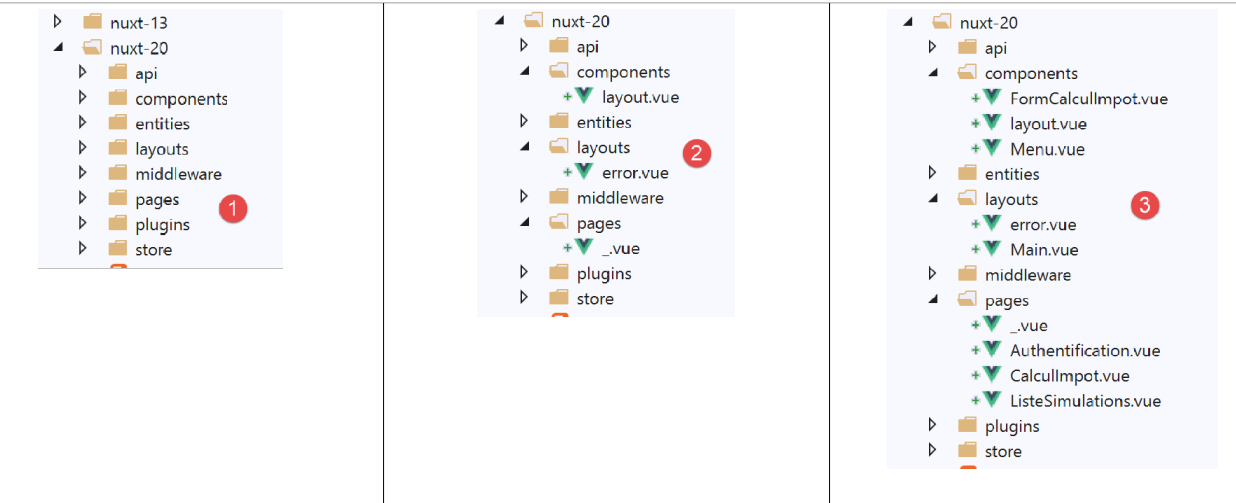
Then we remove the pages and components that are no longer needed [2]:
- the [components/navigation] component disappears;
- the layout [layout/default] disappears;
- the pages [index, authentication, get-admindata, end-session] are removed;
Then we integrate elements from [vuejs-22] into [nuxt-20] [3]:
- the three pages [Authentication, TaxCalculation, SimulationList] from the [vuejs-22] application go into the [pages] folder;
- the components [FormCalculImpot, Menu, Layout] from the [vuejs-22] application go into the [components] folder;
- the [Main] page from [vuejs-22], which served as the [layout] for the [vuejs-22] application, goes into the [layouts] folder;
We rename the integrated elements [4]:
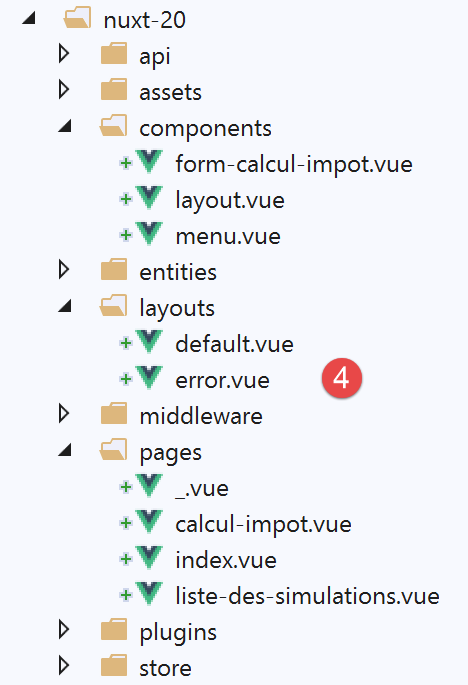
- in [layouts], [Main] has become [default] since that is the default name for a [nuxt] application’s layout;
- in [pages], the [Authentication] page has become [index], since [Authentication] served this role in the [vuejs-22] application;
At this point, we can compile the project to see the first errors. We modify the [nuxt.config] file from the [nuxt-12] example to now run [nuxt-20]:
export default {
  mode: 'universal',
  /*
   ** Headers of the page
   */
  head: {
    title: 'Introduction à [nuxt.js]',
    meta: [
      { charset: 'utf-8' },
      { name: 'viewport', content: 'width=device-width, initial-scale=1' },
      {
        hid: 'description',
        name: 'description',
        content: 'ssr routing loading asyncdata middleware plugins store'
      }
    ],
    link: [{ rel: 'icon', type: 'image/x-icon', href: '/favicon.ico' }]
  },
  /*
   ** Customize the progress-bar color
   */
  loading: false,

  /*
   ** Global CSS
   */
  css: [],
  /*
   ** Plugins to load before mounting the App
   */
  plugins: [
    { src: '@/plugins/client/plgSession', mode: 'client' },
    { src: '@/plugins/server/plgSession', mode: 'server' },
    { src: '@/plugins/client/plgDao', mode: 'client' },
    { src: '@/plugins/server/plgDao', mode: 'server' },
    { src: '@/plugins/client/plgEventBus', mode: 'client' }
  ],
  /*
   ** Nuxt.js dev-modules
   */
  buildModules: [
    // Doc: https://github.com/nuxt-community/eslint-module
    '@nuxtjs/eslint-module'
  ],
  /*
   ** Nuxt.js modules
   */
  modules: [
    // Doc: https://bootstrap-vue.js.org
    'bootstrap-vue/nuxt',
    // Doc: https://axios.nuxtjs.org/usage
    '@nuxtjs/axios',
    // https://www.npmjs.com/package/cookie-universal-nuxt
    'cookie-universal-nuxt'
  ],
  /*
   ** Axios module configuration
   ** See https://axios.nuxtjs.org/options
   */
  axios: {},
  /*
   ** Build configuration
   */
  build: {
    /*
     ** You can extend webpack config here
     */
    extend(config, ctx) {}
  },
  // source code directory
  srcDir: 'nuxt-20',
  // router
  router: {
    // application URL root
    base: '/nuxt-20/',
    // routing middleware
    middleware: ['routing']
  },
  // server
  server: {
    // service port, default 3000
    port: 81,
    // network addresses listened to, default localhost: 127.0.0.1
    // 0.0.0.0 = all the machine's network addresses
    host: 'localhost'
  },
  // environment
  env: {
    // axios configuration
    timeout: 2000,
    withCredentials: true,
    baseURL: 'http://localhost/php7/scripts-web/impots/version-14',
    // session cookie configuration [nuxt]
    maxAge: 60 * 5
  }
}
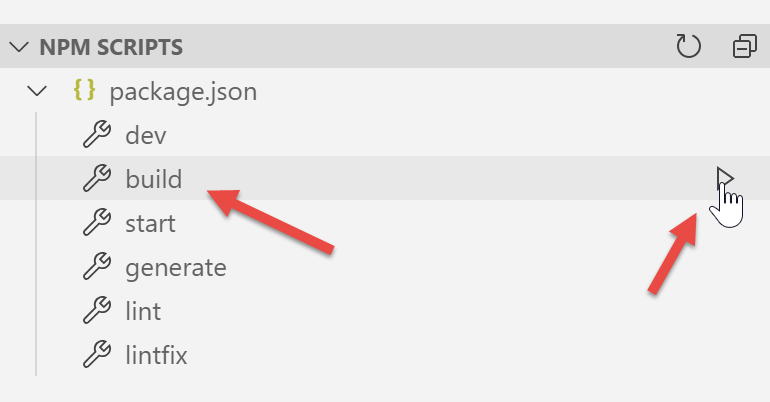
Next, we [build] the project:
The following errors are reported:
- The error on line 1 indicates that a non-existent image is being referenced. We will retrieve it in [vuejs-22];
- The error on line 2 shows that the [./FormCalculImpot] component does not exist. Indeed, this component is now in [@/components/form-calcul-impot];
- The errors on lines [3-5] show that the component [./Layout] does not exist. In fact, this component is now located in [@/components/layout];
- the errors on lines [6-7] indicate that the component [./Menu] does not exist. Indeed, it is now named [@/components/menu];
We add the image [assets/logo.jpg] to the [nuxt-20] project:
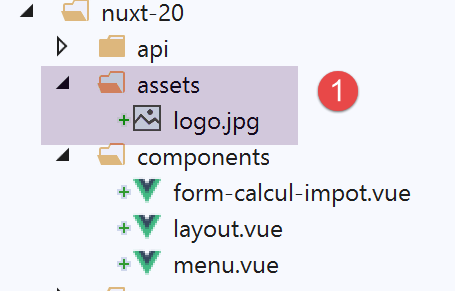
Additionally, we will correct the component paths on all pages. Let’s take the [calcul-impot] page as an example:
<!-- definition HTML of the view -->
<template>
  <div>
    <Layout :left="true" :right="true">
      <!-- tax calculation form on the right -->
      <FormCalculImpot slot="right" @resultatObtenu="handleResultatObtenu" />
      <!-- left-hand navigation menu -->
      <Menu slot="left" :options="options" />
    </Layout>
    <!-- display area for tax calculation results under the form -->
    <b-row v-if="résultatObtenu" class="mt-3">
      <!-- empty three-column zone -->
      <b-col sm="3" />
      <!-- nine-column zone -->
      <b-col sm="9">
        <b-alert show variant="success">
          <span v-html="résultat"></span>
        </b-alert>
      </b-col>
    </b-row>
  </div>
</template>

<script>
// imports
import FormCalculImpot from './FormCalculImpot'
import Menu from './Menu'
import Layout from './Layout'

export default {
  // composants utilisés
  components: {
    Layout,
    FormCalculImpot,
    Menu
  },
The three [import] statements on lines 26–28 become:
// imports
import FormCalculImpot from '@/components/form-calcul-impot'
import Menu from '@/components/menu'
import Layout from '@/components/layout'
Check and, if necessary, correct the [import] statements for all components, layouts, and pages. Once these corrections are made, you can try a new [build]. Normally, there should be no more errors.
You can then try running the application:
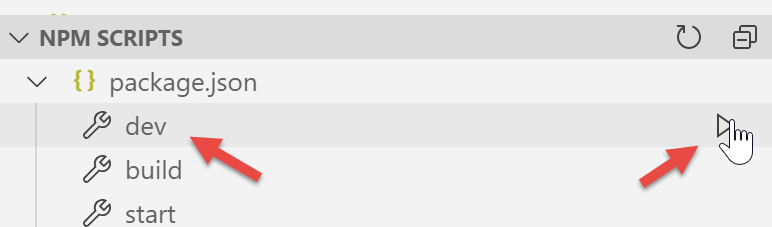
Errors appear:
We can see that the [dev] command combined with the [eslint] module is more strict, syntactically speaking, than the [build] command. Here, it requires that the comparison operator [!=] be written as [!==], which is a stricter operator (it also checks the type of the operands). These errors occur in the [index.vue] page.
We correct the above errors and rerun the project. We then get a warning from the [eslint] module:
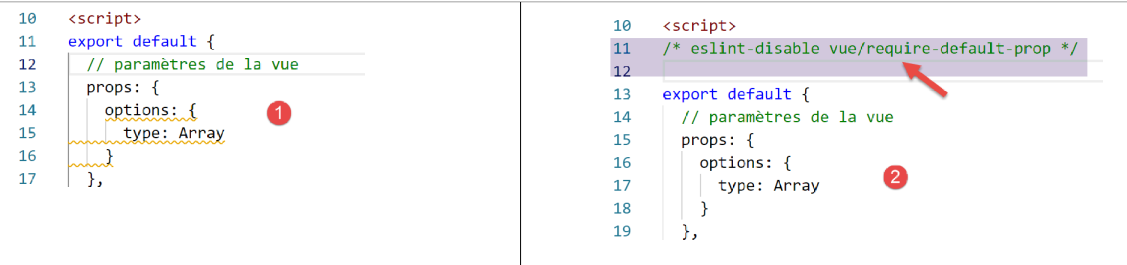
We fix this error using the [Quick fix] from the [eslint] module [2].
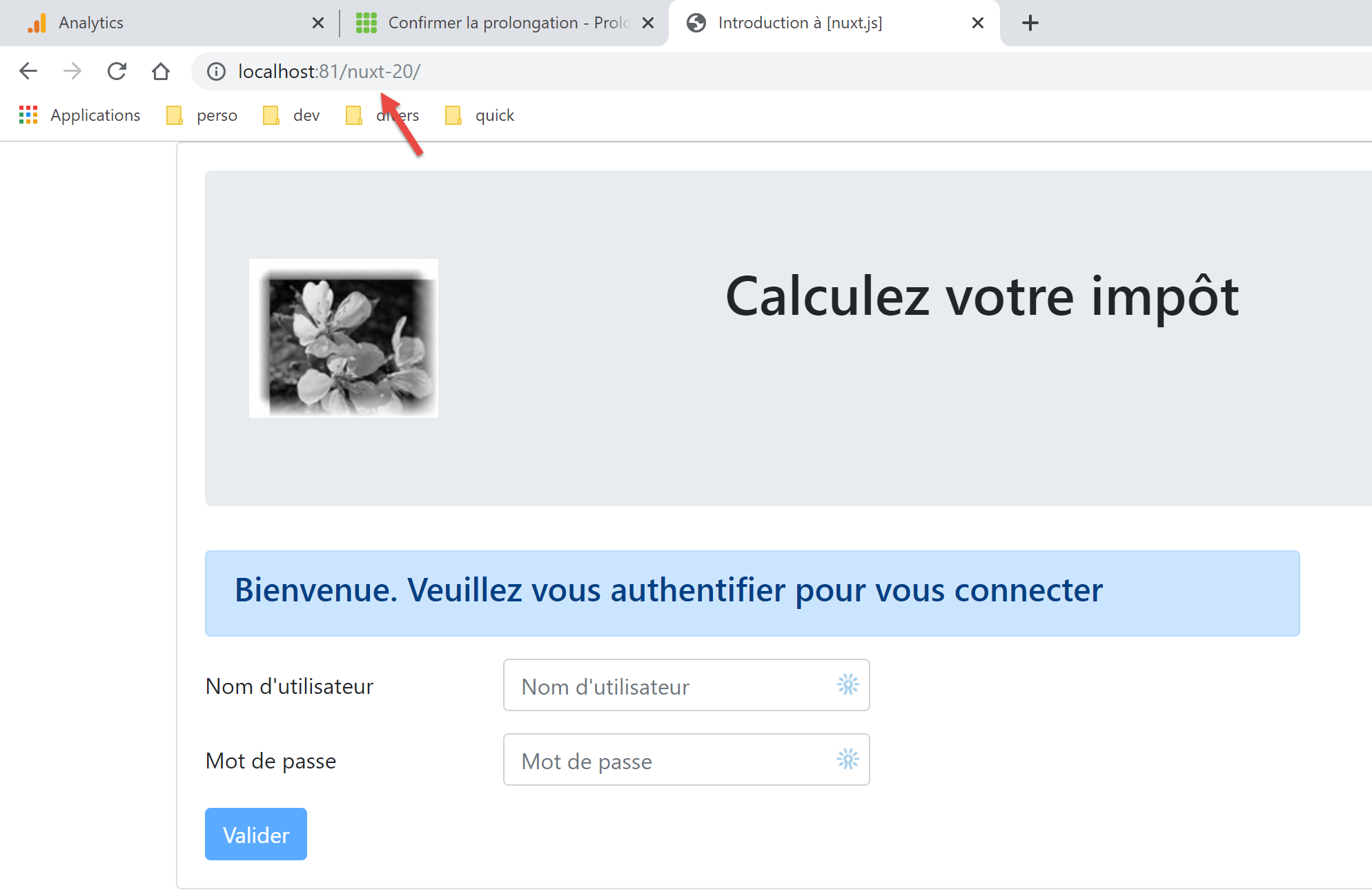
We restart the project. There are no more compilation errors. We then request the URL [http://localhost:81/nuxt-20/] in a browser. We get a runtime error:
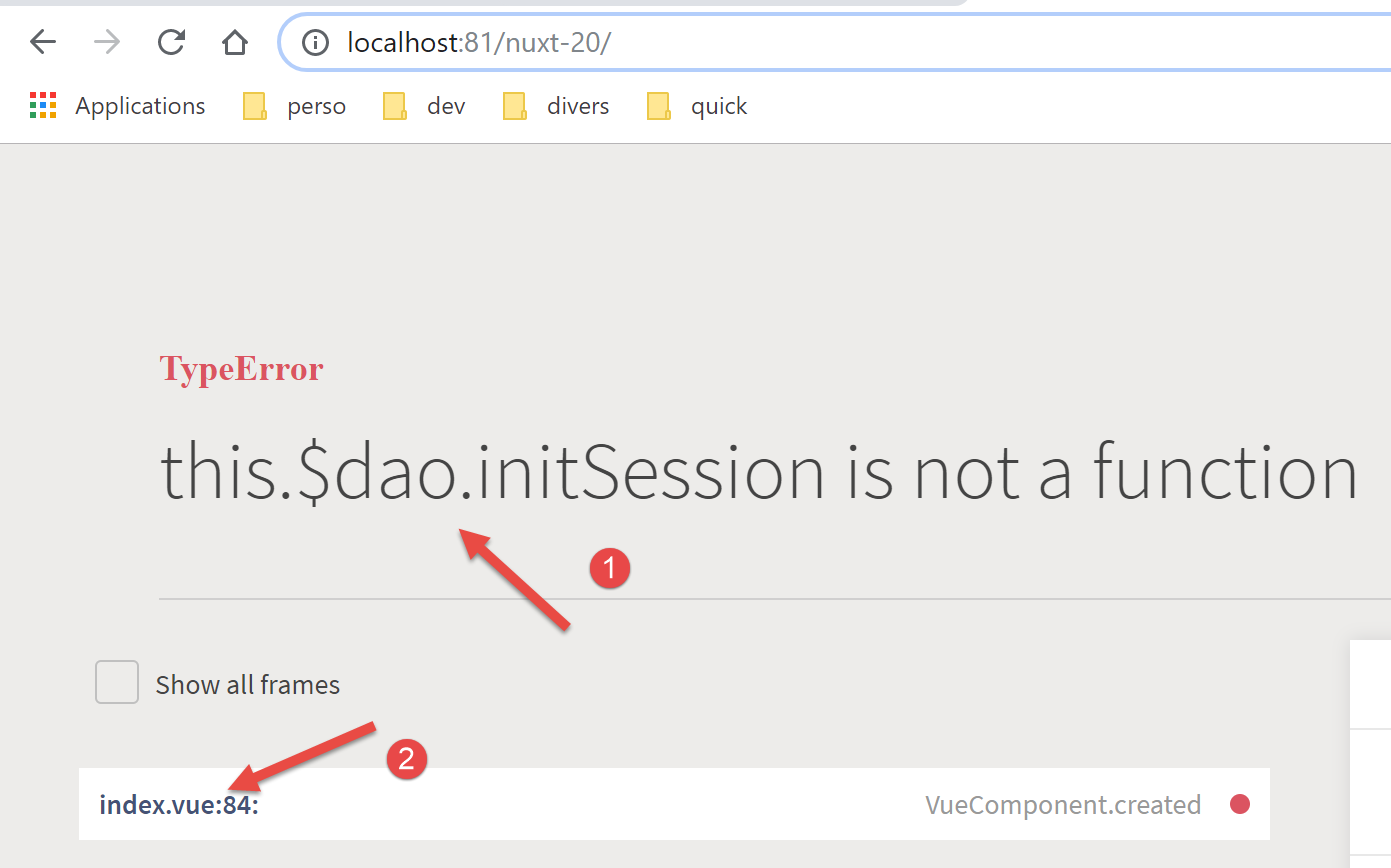
The error is in [index.vue] [2]. The error [1] stems from the fact that in [vuejs-22], the [dao] layer was available in [this.$dao], whereas in [nuxt-12], whose infrastructure we have adopted, it is available in the function [this.$dao()].
The error is in the [created] function of the [index] page lifecycle:
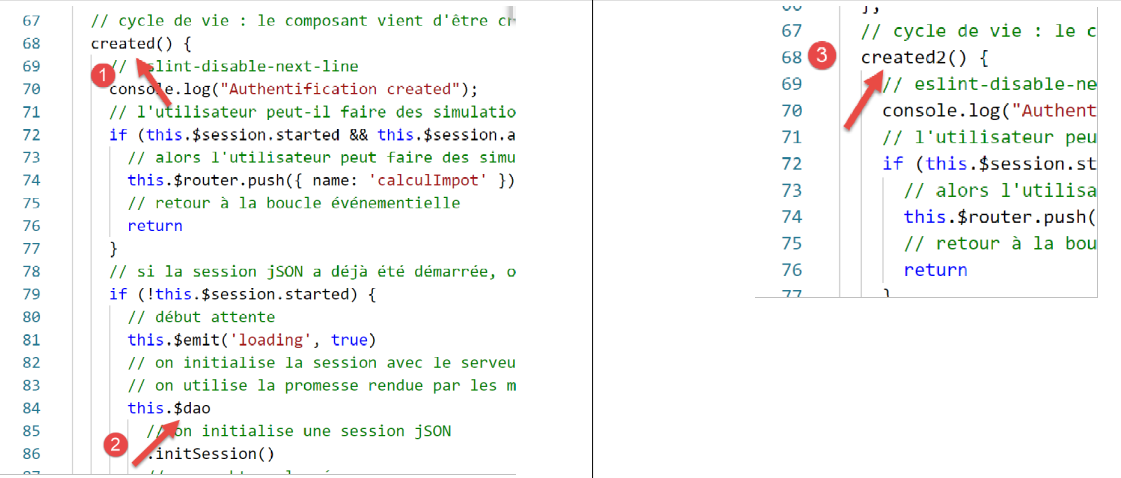
For now, we’ll simply rename [created] to [created2] so that the [created] lifecycle function isn’t executed [3].
We save the change and reload the [index] page in the browser. This time it works:
17.3. Step 2
The pages of the [vuejs-22] project used the following injected elements:
- $dao: for the [dao] layer of the [vue.js] client;
- $session: for a session stored in the browser’s [localStorage];
These elements no longer exist in the [nuxt-12] project infrastructure that we copied:
- there are now two [dao] layers, one for the [nuxt] client and the other for the [nuxt] server. Both are available via an injected function called [$dao]. This means that in the application’s pages, [this.$dao] must be replaced with [this.$dao()];
- the [nuxt] session managed by the [nuxt-20] application no longer has anything to do with the [$session] object from the [vuejs-22] application, where there was no concept of session cookies. Nevertheless, they serve a similar purpose: storing persistent information as the user interacts with the application. The [nuxt] session stores information in the store rather than directly in the session. In the application’s pages, [this.$session] must be replaced with [this.$store] when storing information in the session, and with [this.$session()] when manipulating the session itself;
- to check the state of a property P in the store, you must write [this.$store.state.P];
- To change the property P of the store, you must write [this.$store.commit('replace', {P:value}]
We make these changes in the [index] page:
<!-- définition HTML de la vue -->
<template>
  <Layout :left="false" :right="true">
    <template slot="right">
      <!-- formulaire HTML - on poste ses valeurs avec l'action [authentifier-utilisateur] -->
      <b-form @submit.prevent="login">
        <!-- titre -->
        <b-alert show variant="primary">
          <h4>Bienvenue. Veuillez vous authentifier pour vous connecter</h4>
        </b-alert>
        <!-- 1ère ligne -->
        <b-form-group label="Nom d'utilisateur" label-for="user" label-cols="3">
          <!-- zone de saisie user -->
          <b-col cols="6">
            <b-form-input id="user" v-model="user" type="text" placeholder="Nom d'utilisateur" />
          </b-col>
        </b-form-group>
        <!-- 2ième ligne -->
        <b-form-group label="Mot de passe" label-for="password" label-cols="3">
          <!-- zone de saisie password -->
          <b-col cols="6">
            <b-input id="password" v-model="password" type="password" placeholder="Mot de passe" />
          </b-col>
        </b-form-group>
        <!-- 3ième ligne -->
        <b-alert v-if="showError" show variant="danger" class="mt-3">L'erreur suivante s'est produite : {{ message }}</b-alert>
        <!-- bouton de type [submit] sur une 3ième ligne -->
        <b-row>
          <b-col cols="2">
            <b-button :disabled="!valid" variant="primary" type="submit">Valider</b-button>
          </b-col>
        </b-row>
      </b-form>
    </template>
  </Layout>
</template>

<!-- dynamique de la vue -->
<script>
/* eslint-disable no-console */
import Layout from '@/components/layout'
export default {
  // components used
  components: {
    Layout
  },
  // component status
  data() {
    return {
      // user
      user: '',
      // password
      password: '',
      // controls the display of an error msg
      showError: false,
      // the error message
      message: ''
    }
  },

  // calculated properties
  computed: {
    // valid entries
    valid() {
      return this.user && this.password && this.$store.state.started
    }
  },
  // life cycle: the component has just been created
  mounted() {
    // eslint-disable-next-line
    console.log("Authentification mounted");
    // can the user run simulations?
    if (this.$store.state.started && this.$store.state.authenticated && this.$métier.taxAdminData) {
      // then the user can run simulations
      this.$router.push({ name: 'calculImpot' })
      // return to event loop
      return
    }
    // if the jSON session has already been started, it is not restarted again
    if (!this.$store.state.started) {
      // start waiting
      this.$emit('loading', true)
      // initialize the session with the server - asynchronous request
      // we use the promise rendered by the [dao] layer methods
      this.$dao()
        // initialize a jSON session
        .initSession()
        // we got the answer
        .then((response) => {
          // end waiting
          this.$emit('loading', false)
          // response analysis
          if (response.état !== 700) {
            // error is displayed
            this.message = response.réponse
            this.showError = true
            // return to event loop
            return
          }
          // the session has started
          this.$store.commit('replace', { started: true })
          console.log('[authentification], session=', this.$session())
        })
        // in case of error
        .catch((error) => {
          // the error is traced back to the [Main] view
          this.$emit('error', error)
        })
        // in all cases
        .finally(() => {
          // save the session
          this.$session().save()
        })
    }
  },

  // event managers
  methods: {
    // ----------- authentication
    async login() {
      try {
        // start waiting
        this.$emit('loading', true)
        // you are not yet authenticated
        this.$store.commit('replace', { authenticated: false })
        // blocking server authentication
        const response = await this.$dao().authentifierUtilisateur(this.user, this.password)
        // end of loading
        this.$emit('loading', false)
        // server response analysis
        if (response.état !== 200) {
          // error is displayed
          this.message = response.réponse
          this.showError = true
          // return to event loop
          return
        }
        // no error
        this.showError = false
        // you are authenticated
        this.$store.commit('replace', { authenticated: true })
        // --------- we now request data from the tax authorities
        // initially, no data
        this.$métier.setTaxAdminData(null)
        // start waiting
        this.$emit('loading', true)
        // blocking request to the server
        const response2 = await this.$dao().getAdminData()
        // end of loading
        this.$emit('loading', false)
        // response analysis
        if (response2.état !== 1000) {
          // error is displayed
          this.message = response2.réponse
          this.showError = true
          // return to event loop
          return
        }
        // no error
        this.showError = false
        // the received data is stored in the [business] layer
        this.$métier.setTaxAdminData(response2.réponse)
        // we can move on to tax calculation
        this.$router.push({ name: 'calculImpot' })
      } catch (error) {
        // the error is traced back to the main component
        this.$emit('error', error)
      } finally {
        // maj store
        this.$store.commit('replace', { métier: this.$métier })
        // save the session
        this.$session().save()
      }
    }
  }
}
</script>
Note the following points:
- line 69: the [created2] function has been renamed to [mounted] so that the [nuxt] server does not execute it (it does not execute either [beforeMount] or [mounted]). Only the [nuxt] client will execute it, as was the case with the [vuejs-22] example;
- line 73: we reference [this.$business], which does not currently exist;
- line 75: we have never used this method in a [nuxt] application. We’ll need to see if it works in a [nuxt] context;
- lines 112, 172: in [vuejs-22], the project session was saved this way. With the [nuxt-20] project, the [save] method must receive the current context. We know that in a [nuxt] page, the [context] object is available in [this.$nuxt.context];
Lines 112 and 172 are therefore rewritten as follows:
this.$session().save(this.$nuxt.context)
Note that this code is not optimized. Rather than using the [this.$session()] function multiple times, it would be better to write:
const session=this.$session()
and then use the [session] variable. The same reasoning applies to the [this.$dao()] function.
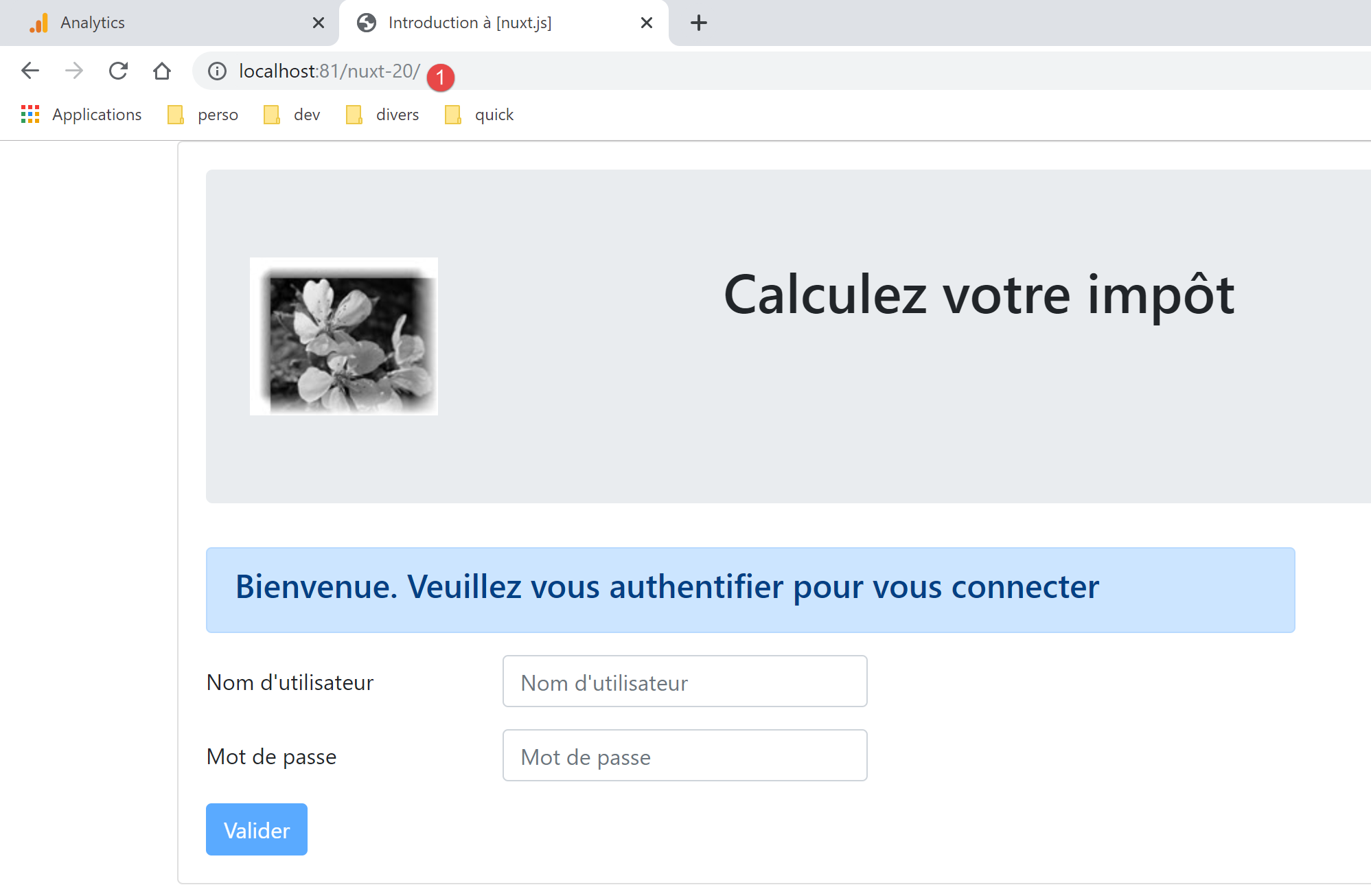
With these corrections made, we can reload the URL [http://localhost:81/nuxt-20/] in a browser. We still get the same page as before:
Let’s look at the browser logs:
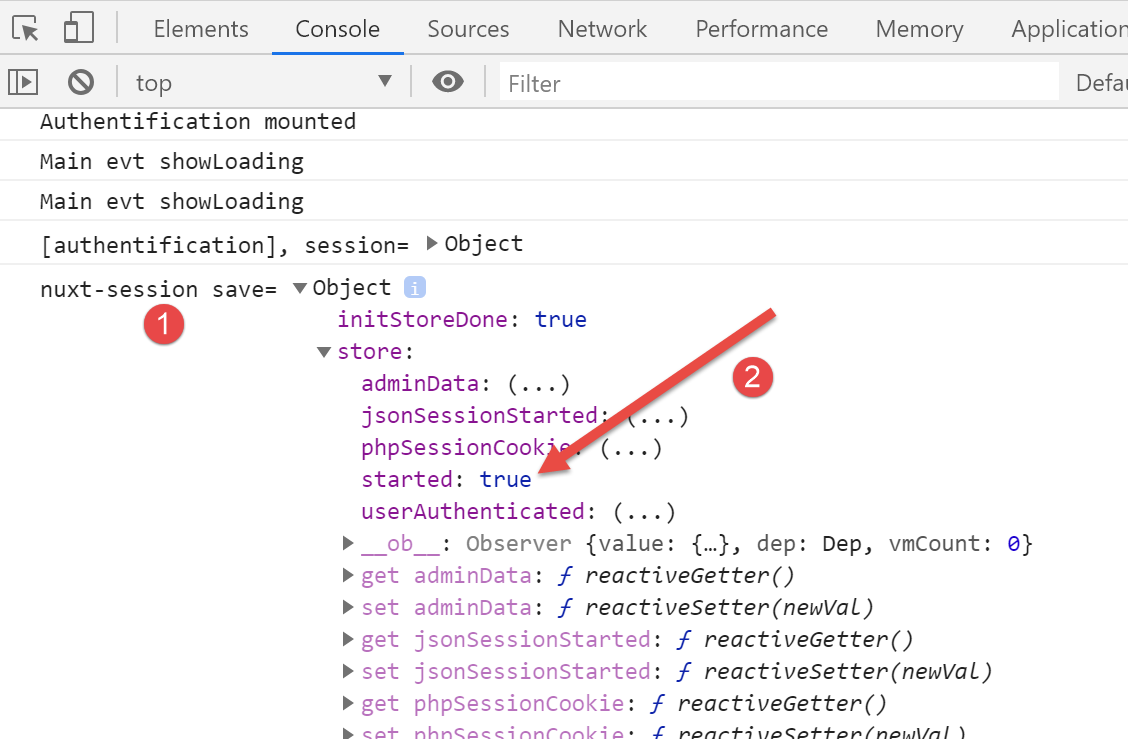
Log [1] is the last log generated by the [nuxt] client. In [2], we see that the [started] property is set to [true], which means that the [mounted] function successfully started a JSON session with the tax calculation server. We also see that the store has properties that will need to be either discarded or renamed. Remember that we are using the store from the [nuxt-12] example.
Now let’s request the URL [http://localhost:81/nuxt-20/] again while the tax calculation server is not running. First, we make sure to delete the [nuxt] session cookie:
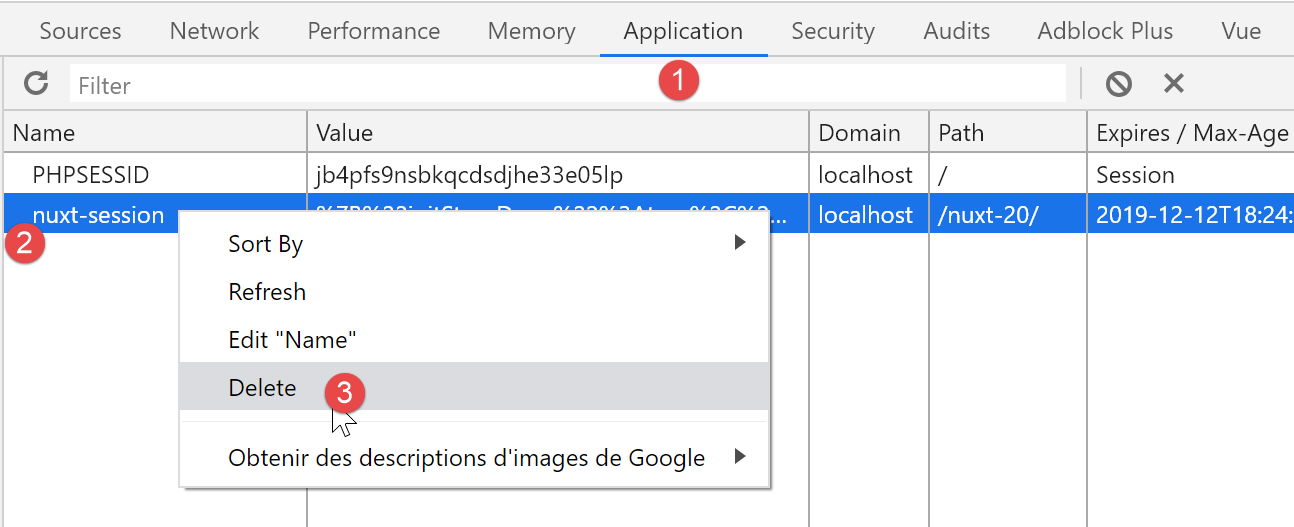
The screenshot above is a Chrome screenshot. Once this is done, the URL [http://localhost:81/nuxt-20/] returns the following result:
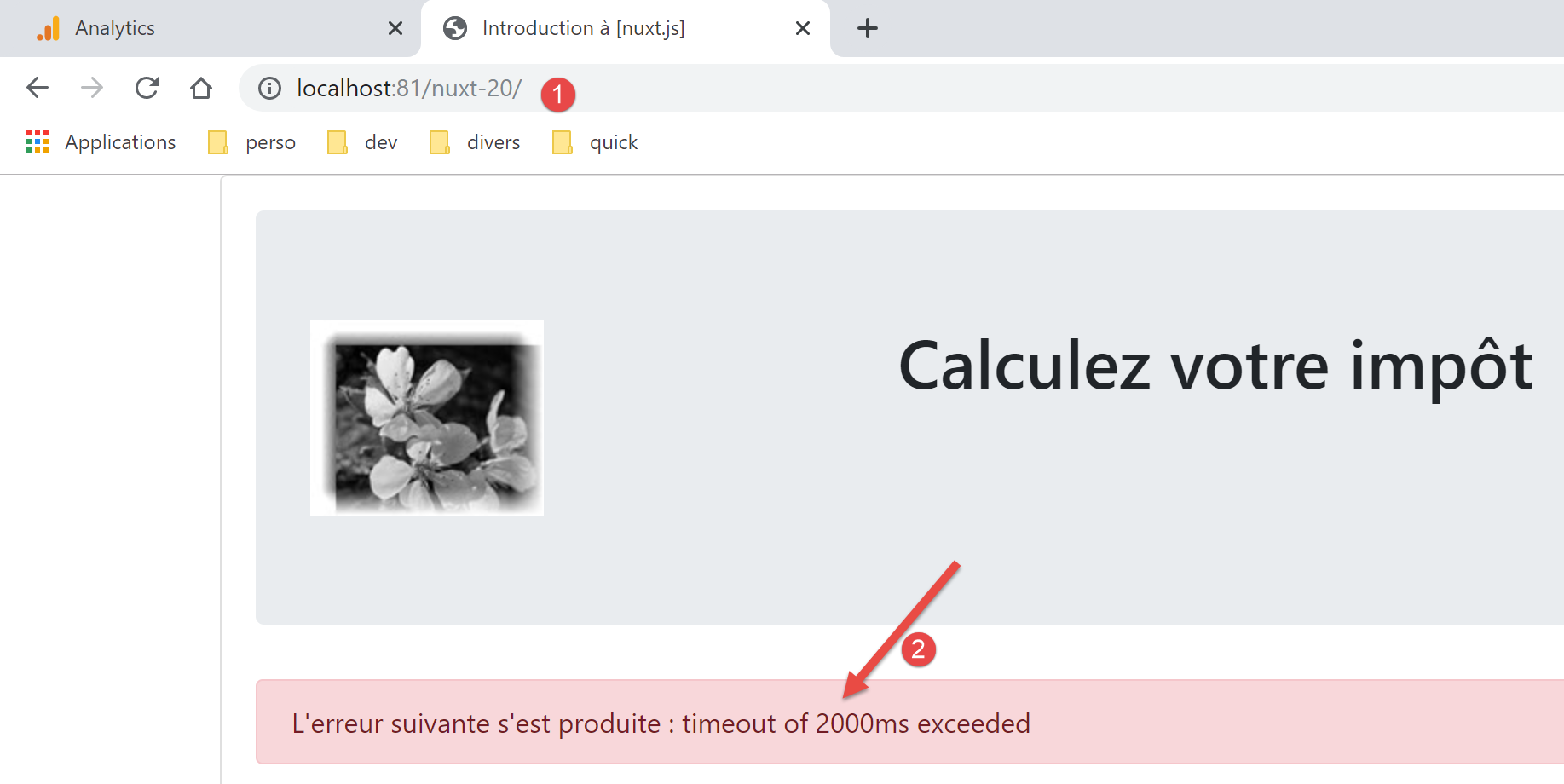
The error was handled correctly by the [vuejs-22] project. It continues to be handled correctly by the [nuxt-20] project.
17.4. Step 3
Now that we have the authentication page, we need to look at the code that runs when the user clicks the [Validate] button:
// event managers
  methods: {
    // ----------- authentication
    async login() {
      try {
        // start waiting
        this.$emit('loading', true)
        // you are not yet authenticated
        this.$store.commit('replace', { authenticated: false })
        // blocking server authentication
        const response = await this.$dao().authentifierUtilisateur(this.user, this.password)
        // end of loading
        this.$emit('loading', false)
        // server response analysis
        if (response.état !== 200) {
          // error is displayed
          this.message = response.réponse
          this.showError = true
          // return to event loop
          return
        }
        // no error
        this.showError = false
        // you are authenticated
        this.$store.commit('replace', { authenticated: true })
        // --------- we now request data from the tax authorities
        // initially, no data
        this.$métier.setTaxAdminData(null)
        // start waiting
        this.$emit('loading', true)
        // blocking request to the server
        const response2 = await this.$dao().getAdminData()
        // end of loading
        this.$emit('loading', false)
        // response analysis
        if (response2.état !== 1000) {
          // error is displayed
          this.message = response2.réponse
          this.showError = true
          // return to event loop
          return
        }
        // no error
        this.showError = false
        // the received data is stored in the [business] layer
        this.$métier.setTaxAdminData(response2.réponse)
        // we can move on to tax calculation
        this.$router.push({ name: 'calculImpot' })
      } catch (error) {
        // the error is traced back to the main component
        this.$emit('error', error)
      } finally {
        // maj store
        this.$store.commit('replace', { métier: this.$métier })
        // save the session
        this.$session().save(this.$nuxt.context)
      }
    }
  }
The main issue here seems to be the absence of the [this.$métier] data. To fix this, we will:
- include the [Métier] class from the [vuejs-22] example. We will place it in the [api] folder;
- inject a [$métier] function into the [nuxt] client context, which will provide access to this class;
First, copy the [Métier] class into the [api] folder:
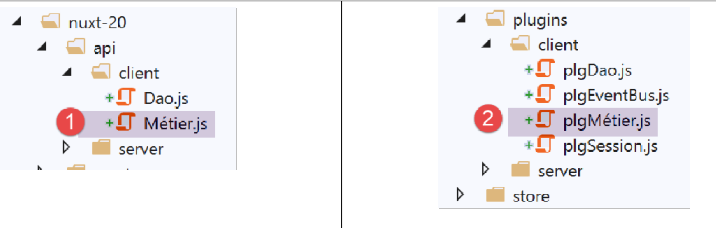
Once the [Métier] class is in the project, we’ll create a new plugin for the [nuxt] client. This plugin, called [pluginMétier], will inject a [$métier] function that provides access to the [Métier] class:
/* eslint-disable no-console */
// on crée un point d'accès à la couche [métier]
import Métier from '@/api/client/Métier'
export default (context, inject) => {
  // instanciation de la couche [métier]
  const métier = new Métier()
  // injection d'une fonction [$métier] dans le contexte
  inject('métier', () => métier)
  // log
  console.log('[fonction client $métier créée]')
}
Now that this is done, we can update the [index] page:
// life cycle: the component has just been created
  mounted() {
    // eslint-disable-next-line
    console.log("Authentification mounted");
    // can the user run simulations?
    if (this.$store.state.started && this.$store.state.authenticated && this.$métier().taxAdminData) {
      // then the user can run simulations
      this.$router.push({ name: 'calcul-impot' })
      // return to event loop
      return
    }
    // if the jSON session has already been started, it is not restarted again
    ...
  },

  // event managers
  methods: {
    // ----------- authentication
    async login() {
      try {
        // start waiting
        this.$emit('loading', true)
        // you are not yet authenticated
        this.$store.commit('replace', { authenticated: false })
        // blocking server authentication
        const response = await this.$dao().authentifierUtilisateur(this.user, this.password)
        // end of loading
        this.$emit('loading', false)
        // server response analysis
        if (response.état !== 200) {
          // error is displayed
          this.message = response.réponse
          this.showError = true
          // return to event loop
          return
        }
        // no error
        this.showError = false
        // you are authenticated
        this.$store.commit('replace', { authenticated: true })
        // --------- we now request data from the tax authorities
        // initially, no data
        this.$métier().setTaxAdminData(null)
        // start waiting
        this.$emit('loading', true)
        // blocking request to the server
        const response2 = await this.$dao().getAdminData()
        // end of loading
        this.$emit('loading', false)
        // response analysis
        if (response2.état !== 1000) {
          // error is displayed
          this.message = response2.réponse
          this.showError = true
          // return to event loop
          return
        }
        // no error
        this.showError = false
        // the received data is stored in the [business] layer
        this.$métier().setTaxAdminData(response2.réponse)
        // we can move on to tax calculation
        this.$router.push({ name: 'calcul-impot' })
      } catch (error) {
        // the error is traced back to the main component
        this.$emit('error', error)
      } finally {
        // maj store
        this.$store.commit('replace', { métier: this.$métier() })
        // save the session
        this.$session().save(this.$nuxt.context)
      }
    }
  }
- lines 43, 61, 69: [this.$métier] has been replaced by [this.$métier()];
- lines 8, 63: the name of the page [CalculImpot] in the [vuejs-22] project has become the page [calcul-impot] in the [nuxt-20] project;
With these corrections made, we can try to validate the authentication page:
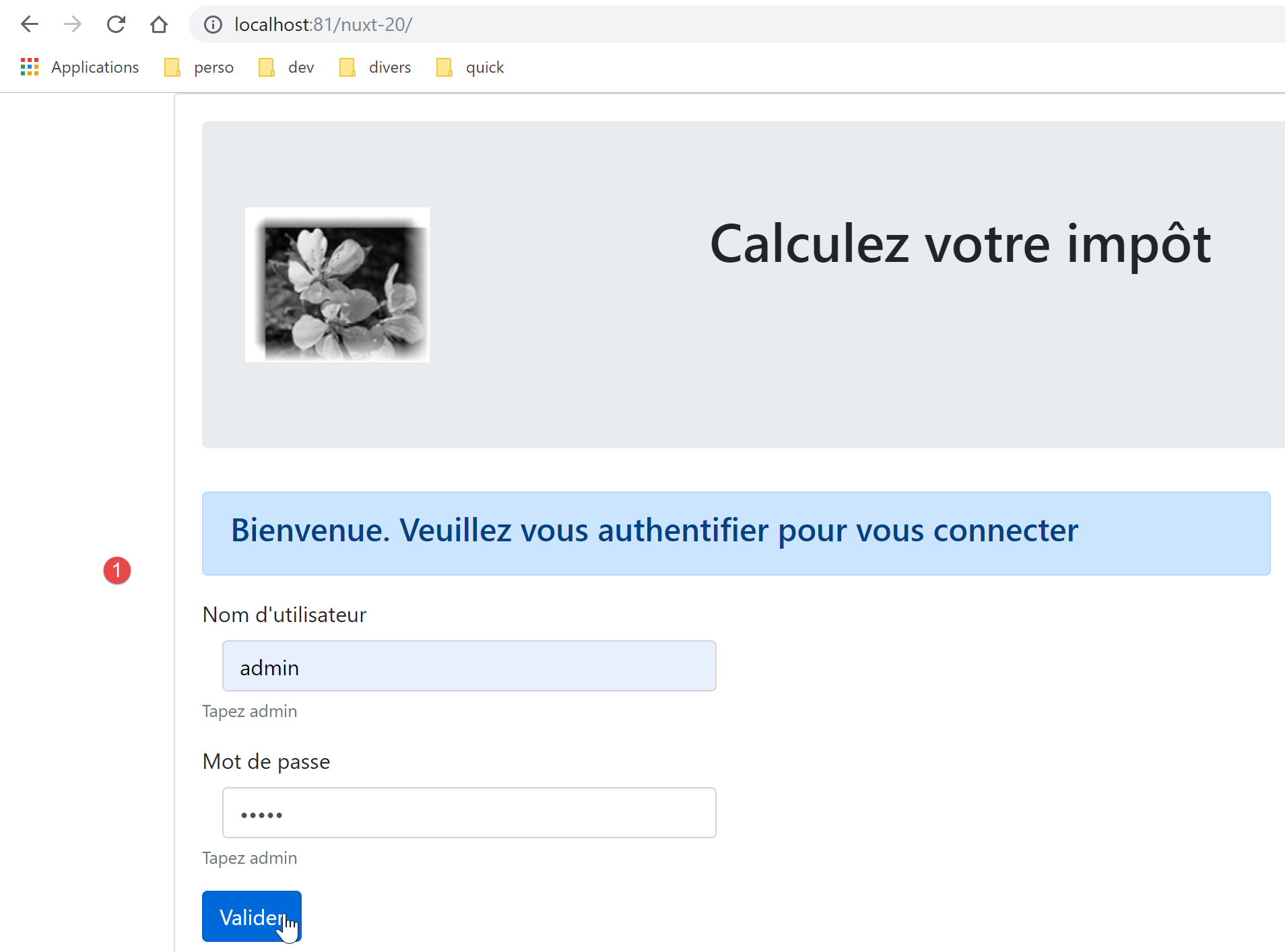
The resulting page is as follows:
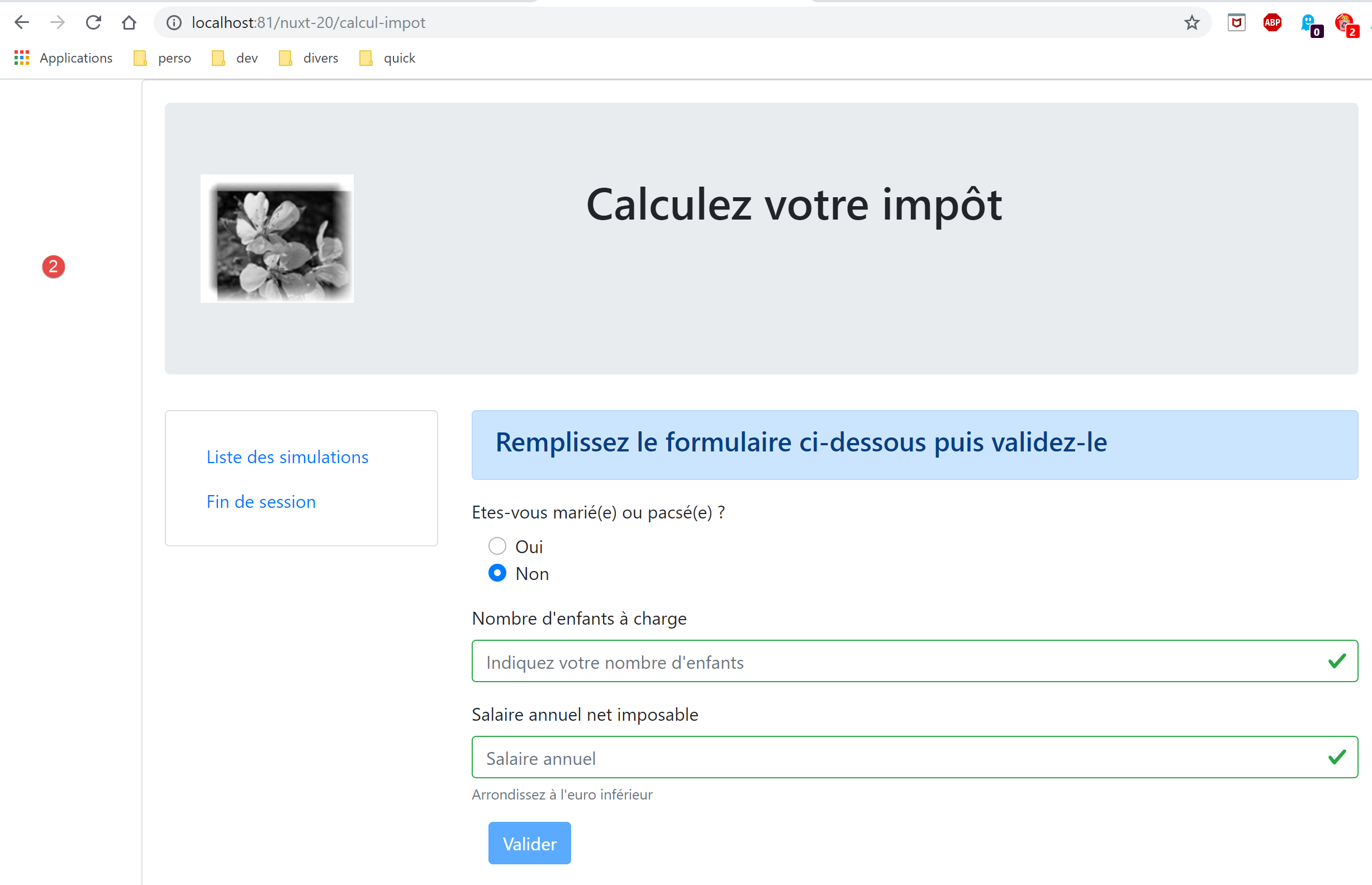
We have successfully reached the tax calculation page. Now let’s look at the logs:
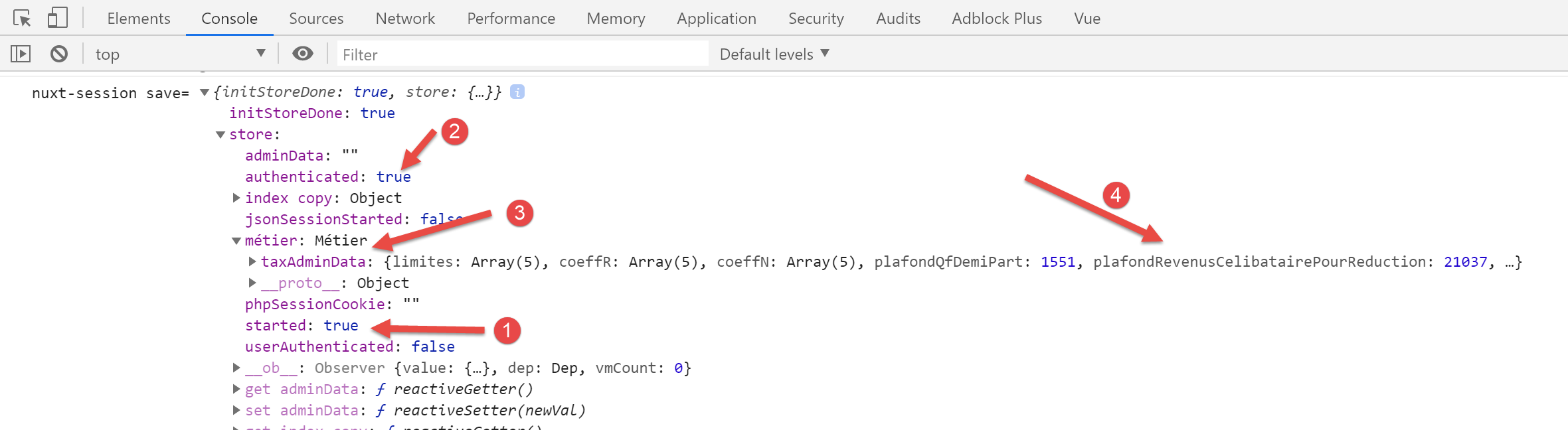
In [2], we see that the authentication status has been correctly stored. In [3-4], we see that the [taxAdminData] data has been retrieved, which allows the tax to be calculated by the [Métier] class.
17.5. Step 4
Let’s examine the [calcul-impot] page we obtained:
<!-- definition HTML of the view -->
<template>
  <div>
    <Layout :left="true" :right="true">
      <!-- tax calculation form on the right -->
      <FormCalculImpot slot="right" @resultatObtenu="handleResultatObtenu" />
      <!-- left-hand navigation menu -->
      <Menu slot="left" :options="options" />
    </Layout>
    <!-- display area for tax calculation results under the form -->
    <b-row v-if="résultatObtenu" class="mt-3">
      <!-- empty three-column zone -->
      <b-col sm="3" />
      <!-- nine-column zone -->
      <b-col sm="9">
        <b-alert show variant="success">
          <span v-html="résultat"></span>
        </b-alert>
      </b-col>
    </b-row>
  </div>
</template>

<script>
// imports
import FormCalculImpot from '@/components/form-calcul-impot'
import Menu from '@/components/menu'
import Layout from '@/components/layout'

export default {
  // composants utilisés
  components: {
    Layout,
    FormCalculImpot,
    Menu
  },
  // état interne
  data() {
    return {
      // options du menu
      options: [
        {
          text: 'Liste des simulations',
          path: '/liste-des-simulations'
        },
        {
          text: 'Fin de session',
          path: '/fin-session'
        }
      ],
      // résultat du calcul de l'impôt
      résultat: '',
      résultatObtenu: false
    }
  },
  // cycle de vie
  created() {
    // eslint-disable-next-line
    console.log("CalculImpot created");
  },
  // méthodes de gestion des évts
  methods: {
    // résultat du calcul de l'impôt
    handleResultatObtenu(résultat) {
      // on construit le résultat en chaîne HTML
      const impôt = "Montant de l'impôt : " + résultat.impôt + ' euro(s)'
      const décôte = 'Décôte : ' + résultat.décôte + ' euro(s)'
      const réduction = 'Réduction : ' + résultat.réduction + ' euro(s)'
      const surcôte = 'Surcôte : ' + résultat.surcôte + ' euro(s)'
      const taux = "Taux d'imposition : " + résultat.taux
      this.résultat = impôt + '<br/>' + décôte + '<br/>' + réduction + '<br/>' + surcôte + '<br/>' + taux
      // affichage du résultat
      this.résultatObtenu = true
      // ---- maj du store [Vuex]
      // une simulation de +
      this.$store.commit('addSimulation', résultat)
      // on sauvegarde la session
      this.$session.save()
    }
  }
}
</script>
- lines 44 and 48: the navigation menu links are correct. The page [/fin-session] does not exist. The [vuejs-22] project solved this problem with routing. We will do the same with the [nuxt-20] project;
- line 76: we are referencing a method [addSimulation] that does not currently exist. We will create it;
- line 78: as in the [index] page, we need to write [this.$session().save(this.$nuxt.context)];
Let’s modify the store [store/index]. Inherited from the [nuxt-12] project, it currently looks like this:
/* eslint-disable no-console */

// awning status
export const state = () => ({
  // session jSON started
  jsonSessionStarted: false,
  // authenticated user
  userAuthenticated: false,
  // session cookie PHP
  phpSessionCookie: '',
  // adminData
  adminData: ''
})

// changes in the awning
export const mutations = {
  // state replacement
  replace(state, newState) {
    for (const attr in newState) {
      state[attr] = newState[attr]
    }
  },
  // awning reset
  reset() {
    this.commit('replace', { jsonSessionStarted: false, userAuthenticated: false, phpSessionCookie: '', adminData: '' })
  }
}

// awning actions
export const actions = {
  nuxtServerInit(store, context) {
    // who executes this code?
    console.log('nuxtServerInit, client=', process.client, 'serveur=', process.server, 'env=', context.env)
    // init session
    initStore(store, context)
  }
}

function initStore(store, context) {
  // store is the blind to be initialized
  // retrieve the session
  const session = context.app.$session()
  // has the session already been initiated?
  if (!session.value.initStoreDone) {
    // start a new blind
    console.log("nuxtServerInit, initialisation d'un nouveau store")
    // put the blind in the session
    session.value.store = store.state
    // the blind is now initialized
    session.value.initStoreDone = true
  } else {
    console.log("nuxtServerInit, reprise d'un store existant")
    // update the store with the session store
    store.commit('replace', session.value.store)
  }
  // save the session
  session.save(context)
  // log
  console.log('initStore terminé, store=', store.state)
}
- lines 3–27: we will resume the state and mutations of the [vuejs-22] application (see document [3]):
// awning status
export const state = () => ({
  // session jSON started
  started: false,
  // authenticated user
  authenticated: false,
  // session cookie PHP
  phpSessionCookie: '',
  // list of simulations
  simulations: [],
  // last simulation number
  idSimulation: 0,
  // business] layer
  métier: null
})

// changes in the awning
export const mutations = {
  // state replacement
  replace(state, newState) {
    for (const attr in newState) {
      state[attr] = newState[attr]
    }
  },
  // awning reset
  reset() {
        this.commit('replace', { started: false, authenticated: false, phpSessionCookie: '', idSimulation: 0, simulations: [], métier: null })
  },
  // delete line n° index
  deleteSimulation(state, index) {
    // eslint-disable-next-line no-console
    console.log('mutation deleteSimulation')
    // delete line no. [index]
    state.simulations.splice(index, 1)
    console.log('store simulations', state.simulations)
  },
  // add a simulation
  addSimulation(state, simulation) {
    // eslint-disable-next-line no-console
    console.log('mutation addSimulation')
    // simulation no
    state.idSimulation++
    simulation.id = state.idSimulation
    // add the simulation to the simulation table
    state.simulations.push(simulation)
  }
}
- lines 4 and 6: we introduce the properties already used;
- line 8: we store the PHP session cookie. This is essential so that the client and the [nuxt] server share the same PHP session with the tax calculation server;
- line 10: the list of simulations performed by the user;
- line 12: the number of the last simulation performed by the user;
- line 14: the [business] layer;
- lines 30–47: the mutations present in the [vuejs-22] project’s store and referenced by the application’s pages. The [vuejs-22] project had a mutation called [clear] that cleared the list of simulations. We are not including it because the [reset] mutation already present should suffice;
- lines 26–28: the [reset] mutation is modified to account for the new state content;
The [calcul-impot] page uses the following [form-calcul-impot] component:
<!-- définition HTML de la vue -->
<template>
  <!-- formulaire HTML -->
  <b-form @submit.prevent="calculerImpot" class="mb-3">
    <!-- message sur 12 colonnes sur fond bleu -->
    <b-row>
      <b-col sm="12">
        <b-alert show variant="primary">
          <h4>Remplissez le formulaire ci-dessous puis validez-le</h4>
        </b-alert>
      </b-col>
    </b-row>
    <!-- éléments du formulaire -->
    <!-- première ligne -->
    <b-form-group label="Etes-vous marié(e) ou pacsé(e) ?">
      <!-- boutons radio sur 5 colonnes-->
      <b-col sm="5">
        <b-form-radio v-model="marié" value="oui">Oui</b-form-radio>
        <b-form-radio v-model="marié" value="non">Non</b-form-radio>
      </b-col>
    </b-form-group>
    <!-- deuxième ligne -->
    <b-form-group label="Nombre d'enfants à charge" label-for="enfants">
      <b-form-input id="enfants" v-model="enfants" :state="enfantsValide" type="text" placeholder="Indiquez votre nombre d'enfants"></b-form-input>
      <!-- message d'erreur éventuel -->
      <b-form-invalid-feedback :state="enfantsValide">Vous devez saisir un nombre positif ou nul</b-form-invalid-feedback>
    </b-form-group>
    <!-- troisème ligne -->
    <b-form-group label="Salaire annuel net imposable" label-for="salaire" description="Arrondissez à l'euro inférieur">
      <b-form-input id="salaire" v-model="salaire" :state="salaireValide" type="text" placeholder="Salaire annuel"></b-form-input>
      <!-- message d'erreur éventuel -->
      <b-form-invalid-feedback :state="salaireValide">Vous devez saisir un nombre positif ou nul</b-form-invalid-feedback>
    </b-form-group>
    <!-- quatrième ligne, bouton [submit] -->
    <b-col sm="3">
      <b-button :disabled="formInvalide" type="submit" variant="primary">Valider</b-button>
    </b-col>
  </b-form>
</template>

<!-- script -->
<script>
export default {
  // inner state
  data() {
    return {
      // married or not
      marié: 'non',
      // number of children
      enfants: '',
      // annual salary
      salaire: ''
    }
  },
  // calculated internal state
  computed: {
    // form validation
    formInvalide() {
      return (
        // disabled salary
        !this.salaire.match(/^\s*\d+\s*$/) ||
        // or disabled children
        !this.enfants.match(/^\s*\d+\s*$/) ||
        // or tax data not obtained
        !this.$métier.taxAdminData
      )
    },
    // salary validation
    salaireValide() {
      // must be numeric >=0
      return Boolean(this.salaire.match(/^\s*\d+\s*$/) || this.salaire.match(/^\s*$/))
    },
    // child validation
    enfantsValide() {
      // must be numeric >=0
      return Boolean(this.enfants.match(/^\s*\d+\s*$/) || this.enfants.match(/^\s*$/))
    }
  },
  // life cycle
  created() {
    // log
    // eslint-disable-next-line
    console.log("FormCalculImpot created");
  },
  // event manager
  methods: {
    calculerImpot() {
      // tax is calculated using the [business] layer
      const résultat = this.$métier.calculerImpot(this.marié, Number(this.enfants), Number(this.salaire))
      // eslint-disable-next-line
      console.log("résultat=", résultat);
      // complete the result
      résultat.marié = this.marié
      résultat.enfants = this.enfants
      résultat.salaire = this.salaire
      // the [resultatObtenu] event is issued
      this.$emit('resultatObtenu', résultat)
    }
  }
}
</script>
- lines 65, 89: the reference [this.$métier] must be changed to [this.$métier()];
Once these corrections have been made, we can try running a simulation:
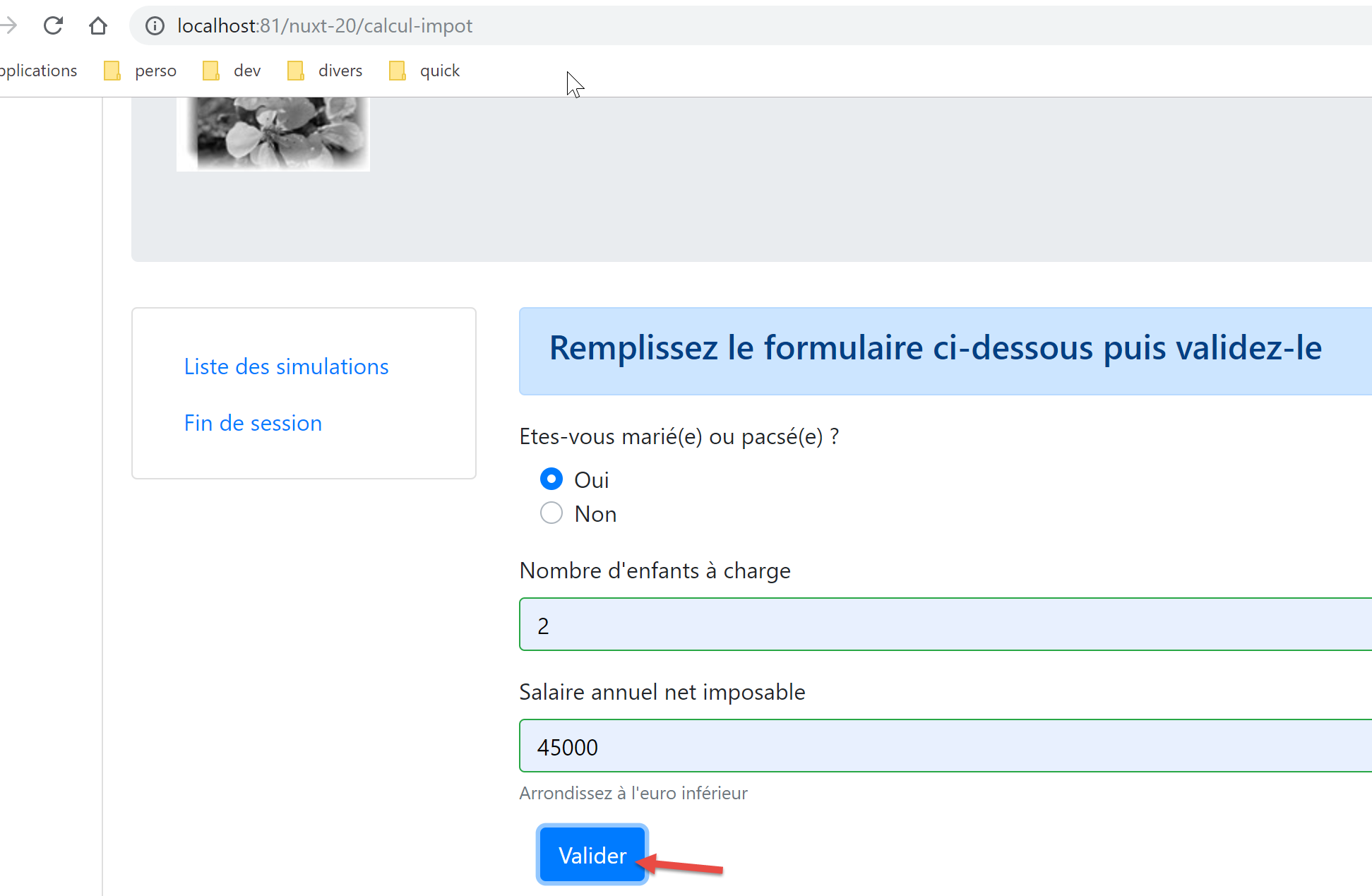
We get the following response:
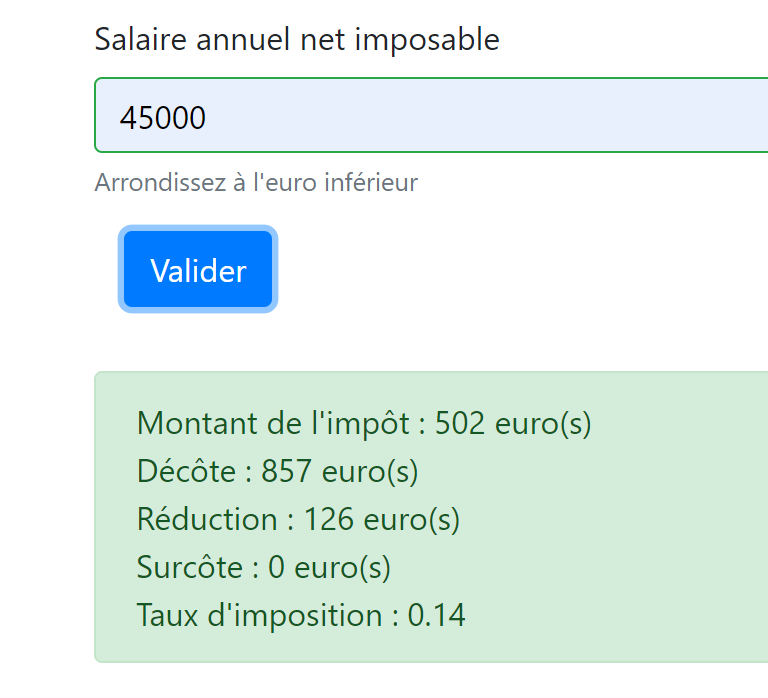
If we look at the logs:
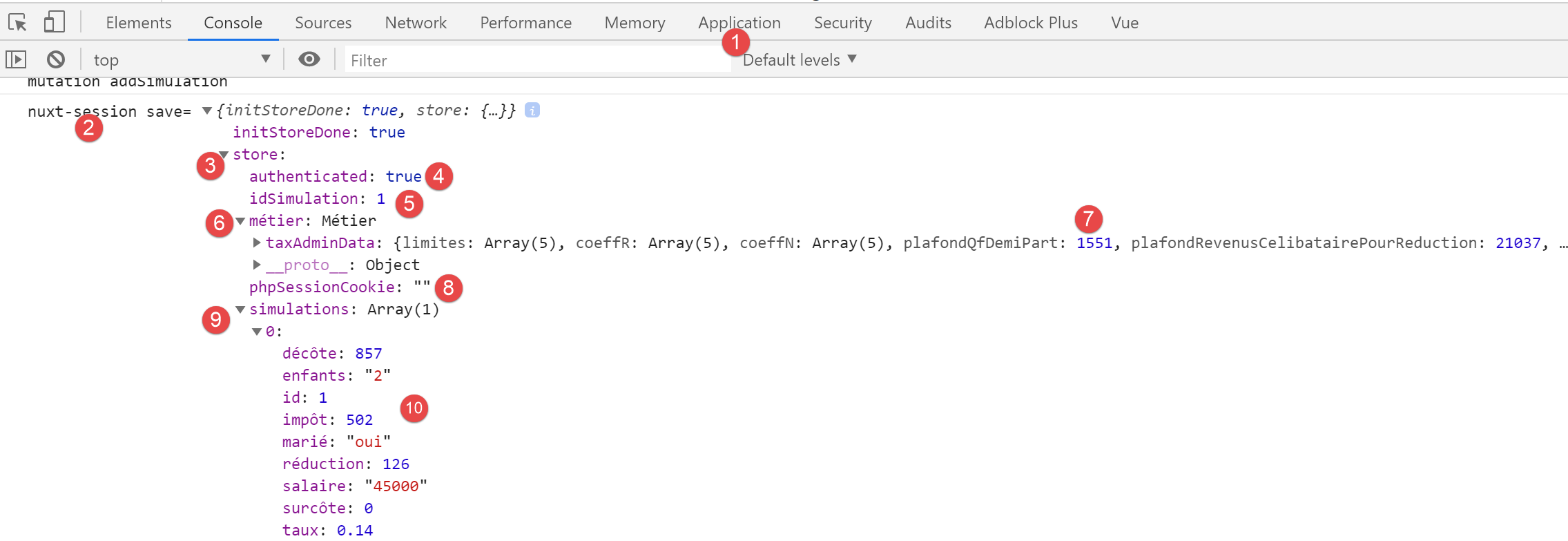
- in [9-10], we see that the first simulation is indeed in the [store];
- in [5], the number of the last simulation has indeed been incremented;
17.6. Step 5
Now that we’ve run a simulation, let’s click the [List of Simulations] link. We get the following page:
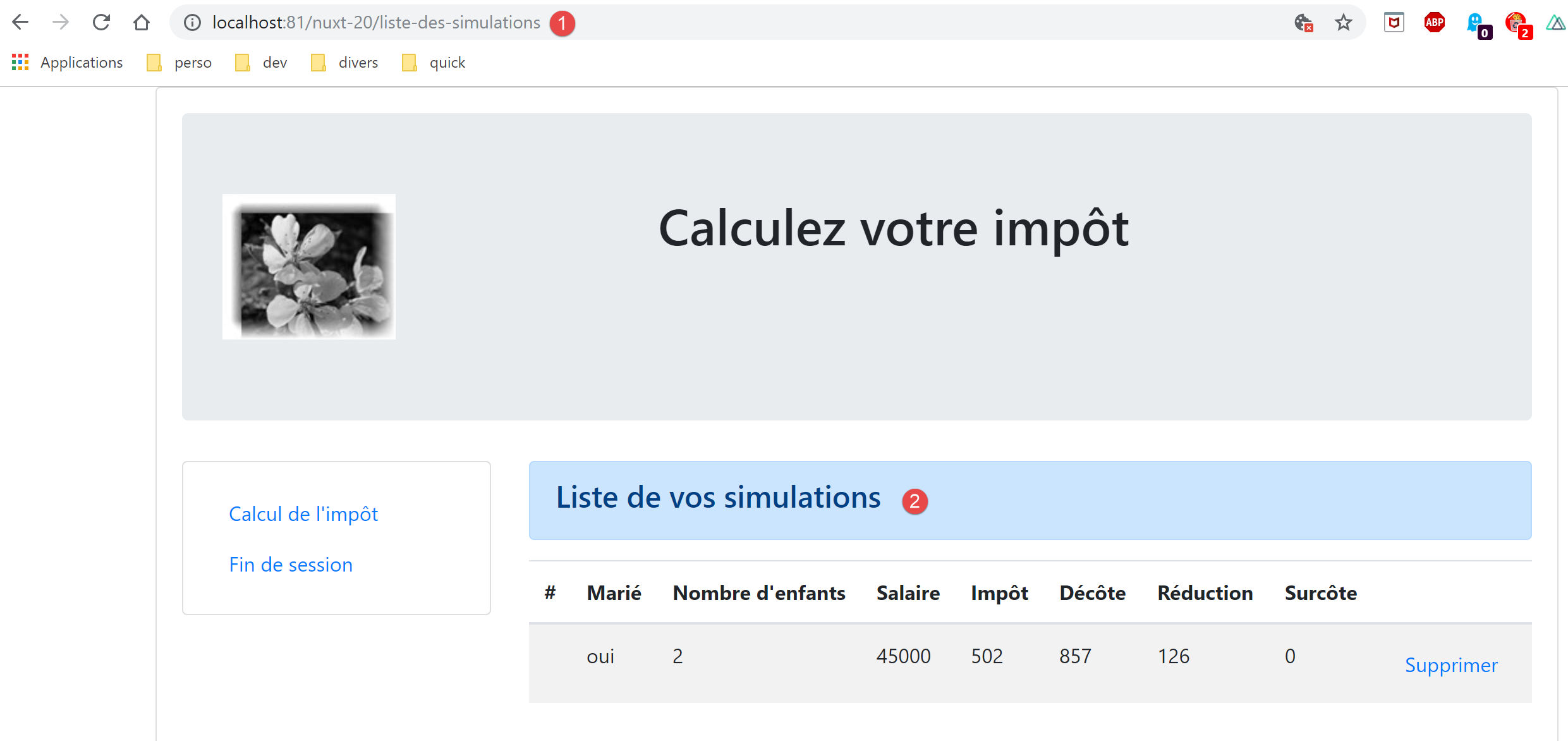
The routing for the [nuxt] client was successful. Let’s look at the code for the [simulation-list] page:
<!-- définition HTML de la vue -->
<template>
  <div>
    <!-- mise en page -->
    <Layout :left="true" :right="true">
      <!-- simulations dans colonne de droite -->
      <template slot="right">
        <template v-if="simulations.length == 0">
          <!-- pas de simulations -->
          <b-alert show variant="primary">
            <h4>Votre liste de simulations est vide</h4>
          </b-alert>
        </template>
        <template v-if="simulations.length != 0">
          <!-- il y a des simulations -->
          <b-alert show variant="primary">
            <h4>Liste de vos simulations</h4>
          </b-alert>
          <!-- tableau des simulations -->
          <b-table :items="simulations" :fields="fields" striped hover responsive>
            <template v-slot:cell(action)="data">
              <b-button @click="supprimerSimulation(data.index)" variant="link">Supprimer</b-button>
            </template>
          </b-table>
        </template>
      </template>
      <!-- menu de navigation dans colonne de gauche -->
      <Menu slot="left" :options="options" />
    </Layout>
  </div>
</template>

<script>
// imports
import Layout from '@/components/layout'
import Menu from '@/components/menu'
export default {
  // composants
  components: {
    Layout,
    Menu
  },
  // état interne
  data() {
    return {
      // options du menu de navigation
      options: [
        {
          text: "Calcul de l'impôt",
          path: '/calcul-impot'
        },
        {
          text: 'Fin de session',
          path: '/fin-session'
        }
      ],
      // paramètres de la table HTML
      fields: [
        { label: '#', key: 'id' },
        { label: 'Marié', key: 'marié' },
        { label: "Nombre d'enfants", key: 'enfants' },
        { label: 'Salaire', key: 'salaire' },
        { label: 'Impôt', key: 'impôt' },
        { label: 'Décôte', key: 'décôte' },
        { label: 'Réduction', key: 'réduction' },
        { label: 'Surcôte', key: 'surcôte' },
        { label: '', key: 'action' }
      ]
    }
  },
  // état interne calculé
  computed: {
    // liste des simulations prise dans le store Vuex
    simulations() {
      return this.$store.state.simulations
    }
  },
  // cycle de vie
  created() {
    // eslint-disable-next-line
    console.log("ListeSimulations created");
  },
  // méthodes
  methods: {
    supprimerSimulation(index) {
      // eslint-disable-next-line
      console.log("supprimerSimulation", index);
      // suppression de la simulation n° [index]
      this.$store.commit('deleteSimulation', index)
      // on sauvegarde la session
      this.$session.save()
    }
  }
}
</script>
- lines 47–56: the navigation menu targets are correct;
- line 75: the store is correctly referenced;
- line 89: we are using a mutation [deleteSimulation] that we added in the previous step;
- line 91: this line must be rewritten as [this.$session().save(this.$nuxt.context)];
We make the necessary changes, then we try to delete the displayed simulation:
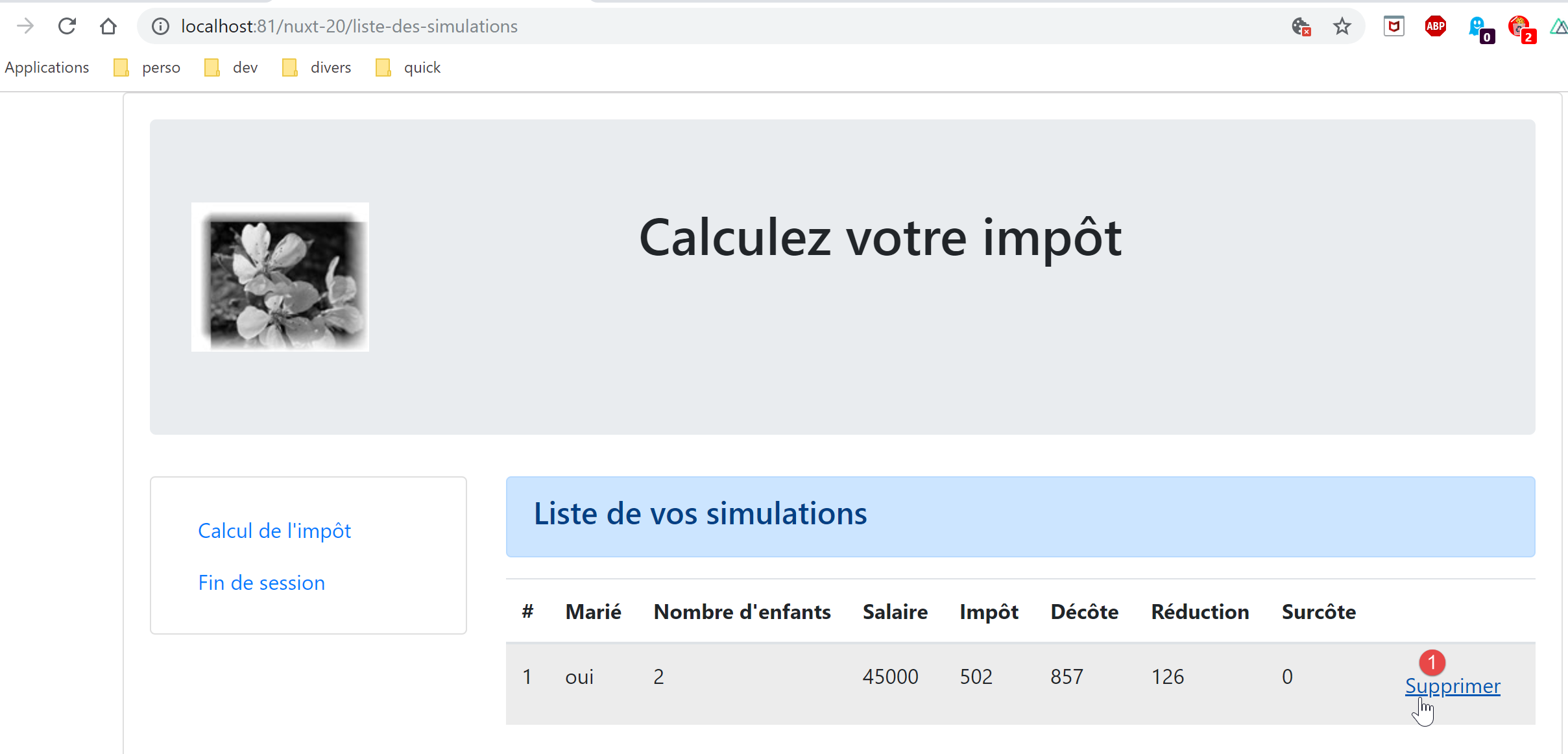
We then get the following page:
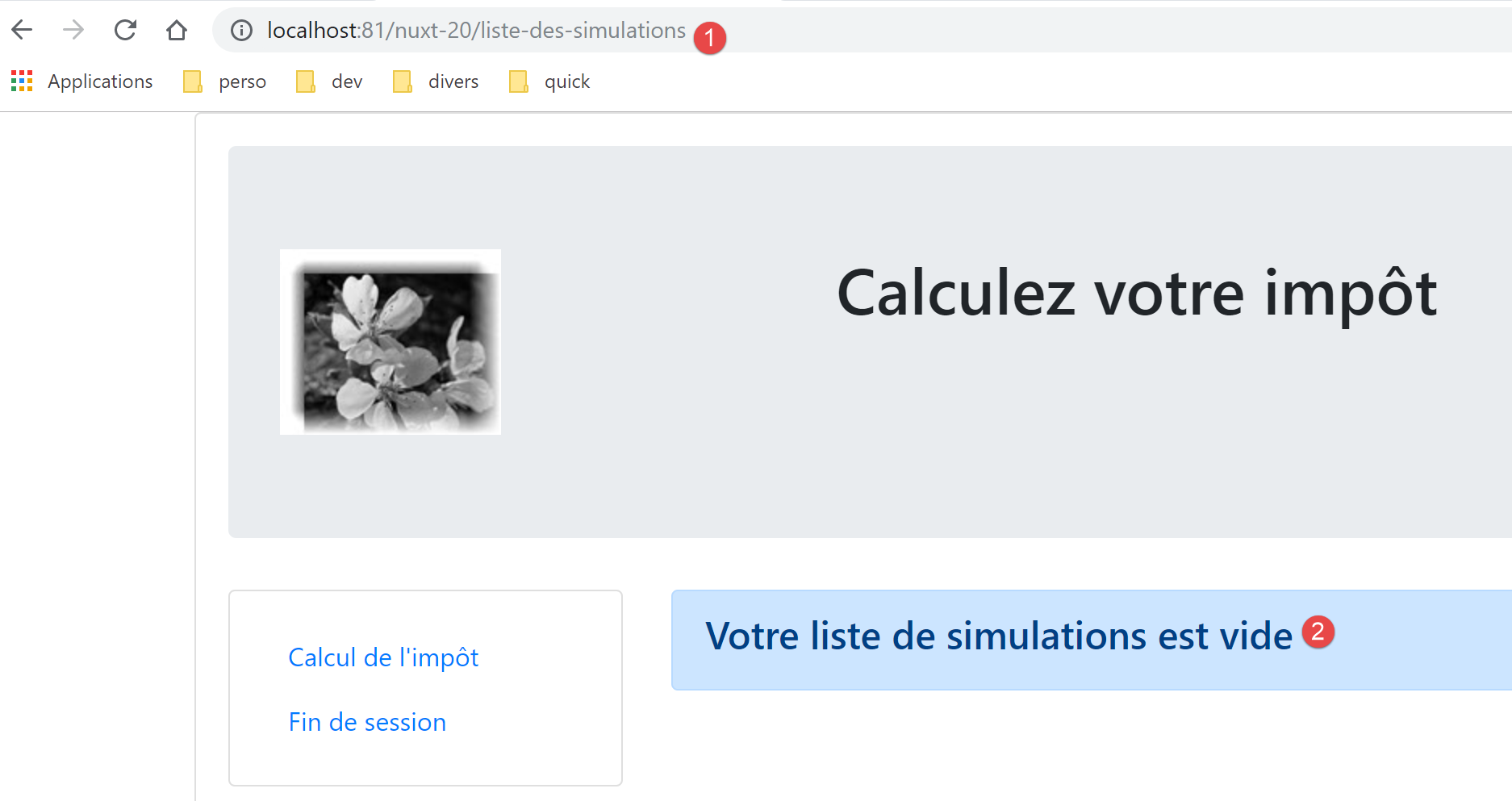
Let’s look at the logs:
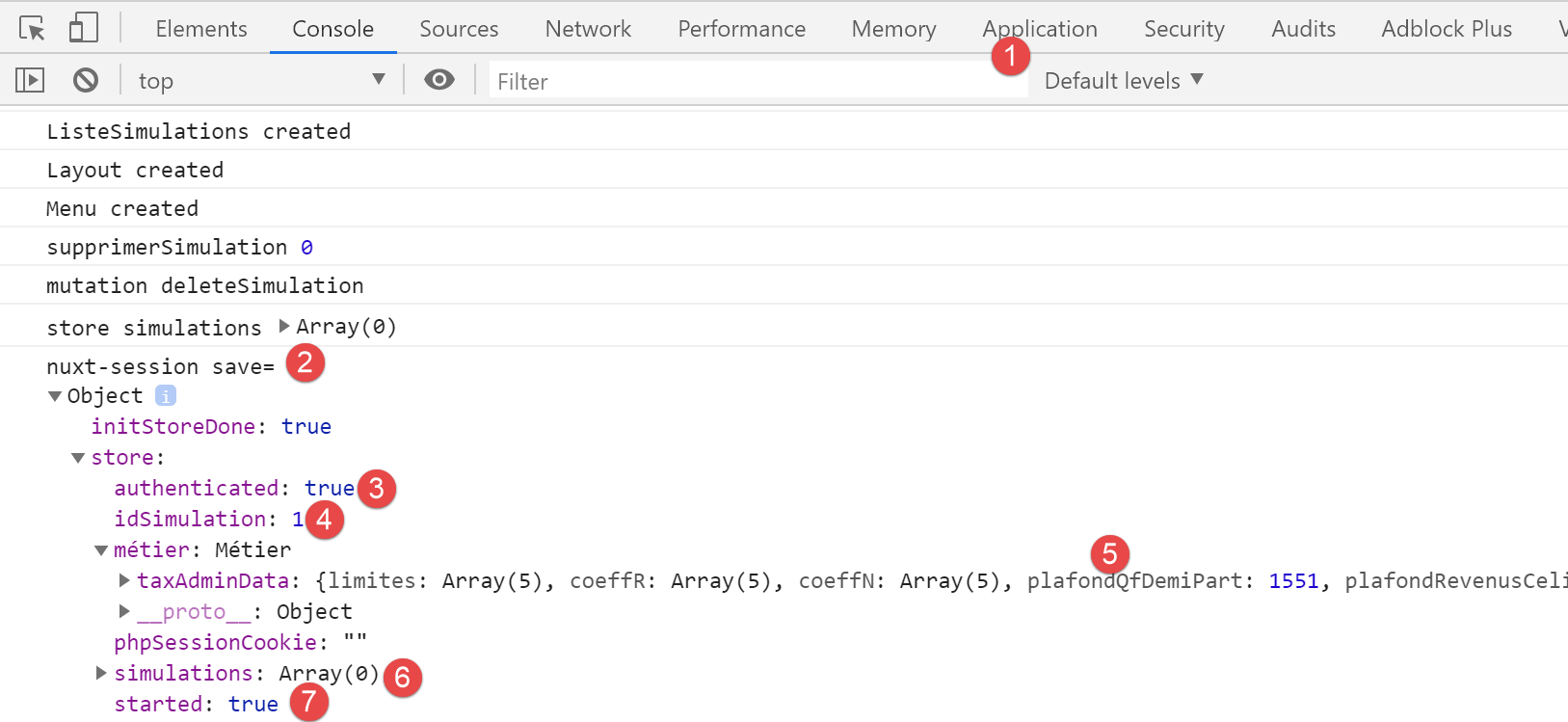
- In [6], we see that the simulation table is empty;
Now let’s go back to the tax calculation form:
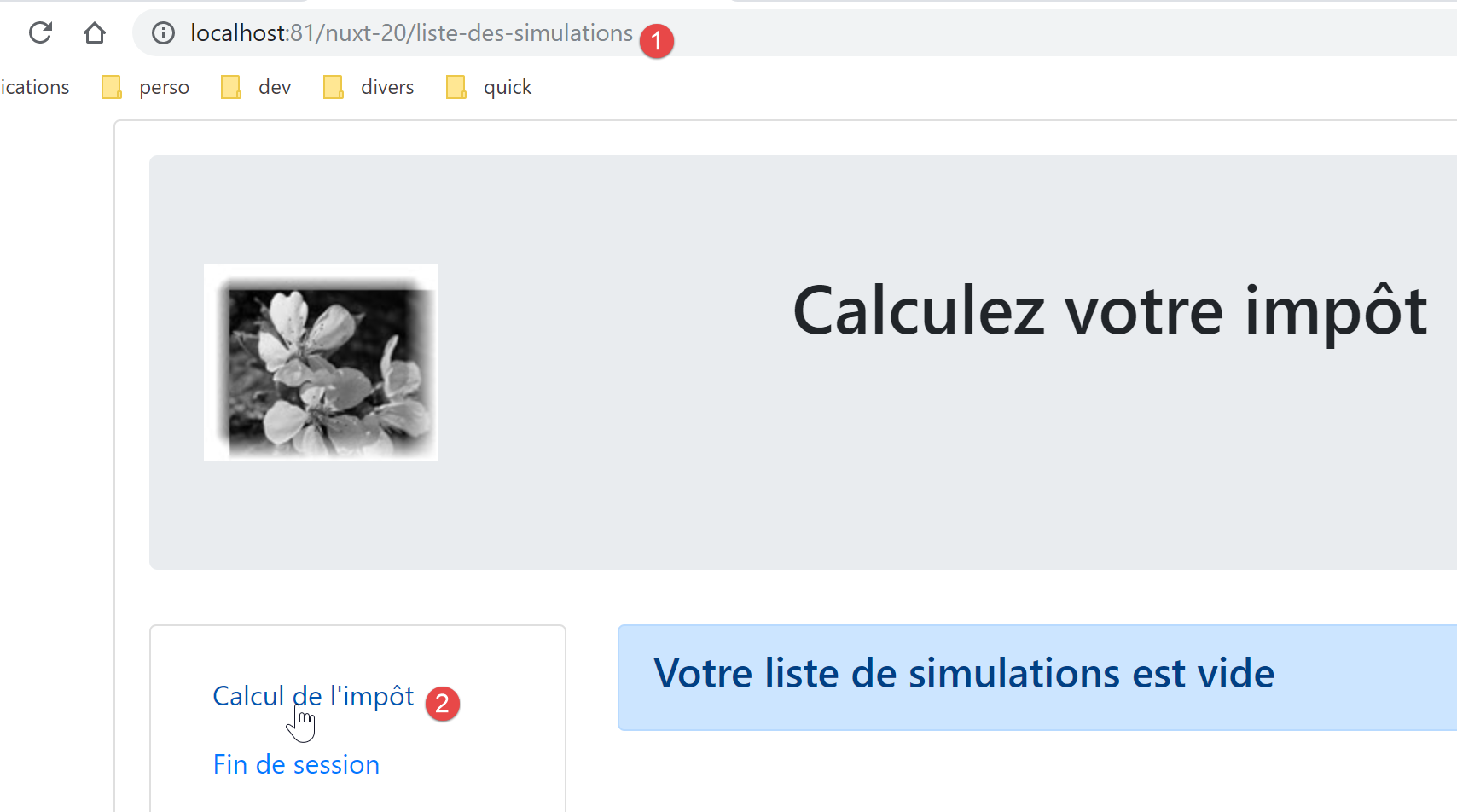
We get the following page:
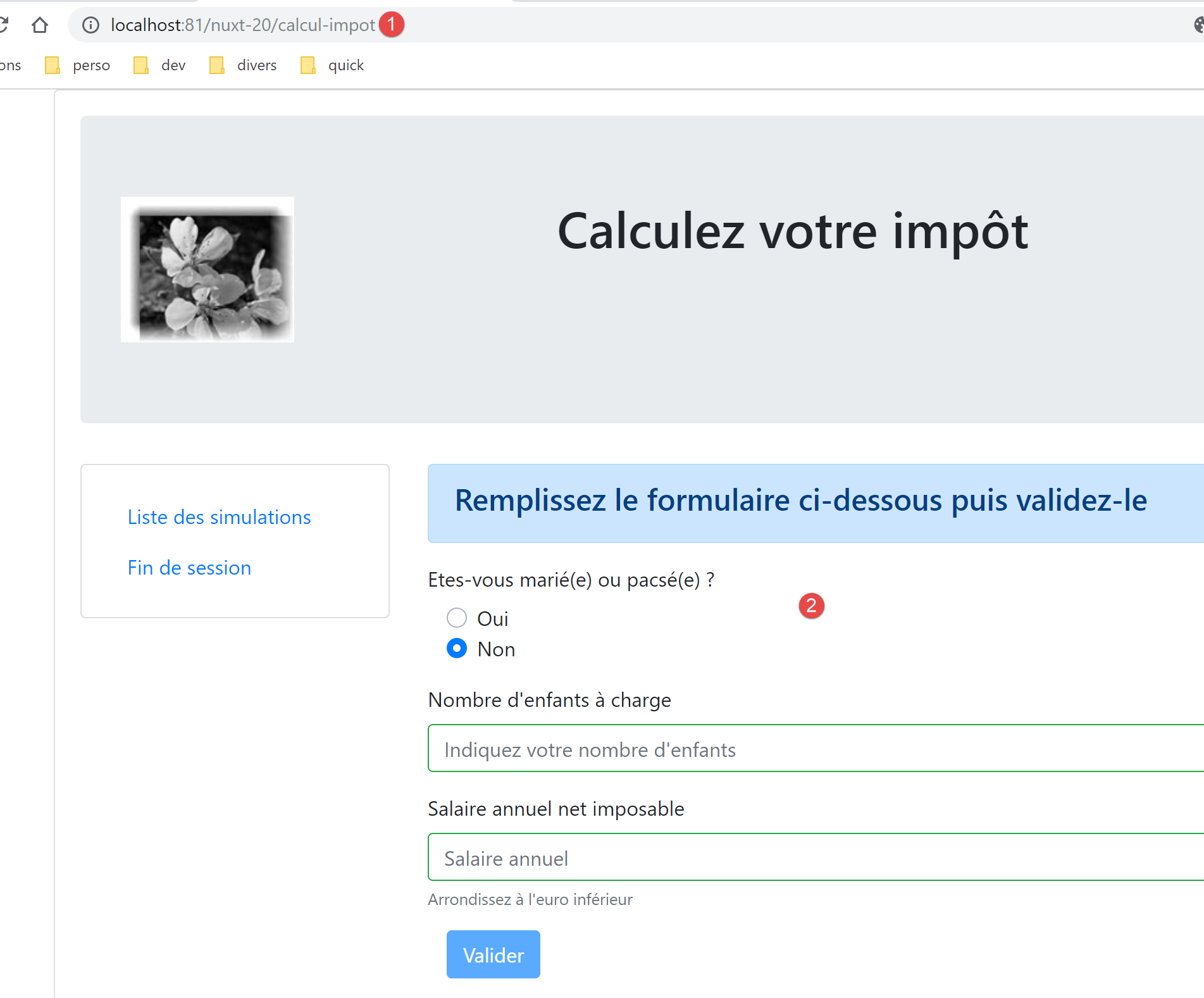
So the routing worked.
17.7. Step 6
We still need to handle the [End Session] navigation option in the navigation menu:
- line 9, the page [/end-session] does not exist. The [vuejs-22] project handled this case with routing rules in a [router.js] file:
// imports
import Vue from 'vue'
import VueRouter from 'vue-router'
// les vues
import Authentification from './views/Authentification'
import CalculImpot from './views/CalculImpot'
import ListeSimulations from './views/ListeSimulations'
import NotFound from './views/NotFound'
// la session
import session from './session'

// plugin de routage
Vue.use(VueRouter)

// les routes de l'application
const routes = [
  // authentification
  { path: '/', name: 'authentification', component: Authentification },
  { path: '/authentification', name: 'authentification2', component: Authentification },
  // calcul de l'impôt
  {
    path: '/calcul-impot', name: 'calculImpot', component: CalculImpot,
    meta: { authenticated: true }
  },
  // liste des simulations
  {
    path: '/liste-des-simulations', name: 'listeSimulations', component: ListeSimulations,
    meta: { authenticated: true }
  },
  // fin de session
  {
    path: '/fin-session', name: 'finSession'
  },
  // page inconnue
  {
    path: '*', name: 'notFound', component: NotFound,
  },
]

// le routeur
const router = new VueRouter({
  // les routes
  routes,
  // le mode d'affichage des URL
  mode: 'history',
  // l'URL de base de l'application
  base: '/client-vuejs-impot/'
})

// vérification des routes
router.beforeEach((to, from, next) => {
  // eslint-disable-next-line no-console
  console.log("router to=", to, "from=", from);
  // route réservée aux utilisateurs authentifiés ?
  if (to.meta.authenticated && !session.authenticated) {
    next({
      // on passe à l'authentification
      name: 'authentification',
    })
    // retour à la boucle événementielle
    return;
  }
  // cas particulier de la fin de session
  if (to.name === "finSession") {
    // on nettoie la session
    session.clear();
    // on va sur la vue [authentification]
    next({
      name: 'authentification',
    })
    // retour à la boucle événementielle
    return;
  }
  // autres cas - vue suivante normale du routage
  next();
})

// export du router
export default router
- Lines 64–76 handled the special case of the route to the path [/end-session];
- line 66: clear the current session;
- lines 68–70: display the [authentication] view;
We’ll try to do something similar in the [nuxt] client routing file:
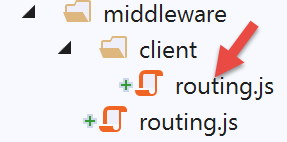
The [client/routing.js] script becomes the following:
/* eslint-disable no-console */
export default function(context) {
  // who executes this code?
  console.log('[middleware client], process.server', process.server, ', process.client=', process.client)
  // management of the PHP session cookie in the browser
  // the browser's PHP session cookie must be identical to the one found in the nuxt session
  // the [end-session] action receives a new PHP cookie (server as nuxt client)
  // if the server receives it, the client must pass it on to the browser
  // for its own exchanges with the PHP server
  // this is customer routing

  // retrieve the session cookie PHP
  const phpSessionCookie = context.store.state.phpSessionCookie
  if (phpSessionCookie) {
    // if it exists, we assign the PHP session cookie to the browser
    document.cookie = phpSessionCookie
  }

  // where are we going?
  const to = context.route.path
  if (to === '/fin-session') {
    // clean the session
    const session = context.app.$session()
    session.reset(context)
    // redirects to the index page
    context.redirect({ name: 'index' })
  }
}
- We added lines [19-27] to the existing code;
- line 20: retrieve the [path] of the current route's target;
- line 21: we check if it is [/end-session]. If so:
- lines 23-24: the session is reset;
- line 26: we redirect the [nuxt] client to the home page;
The session’s [session.reset(context)] method (line 24) is as follows:
// reset de la session
  reset(context) {
    console.log('nuxt-session reset')
    // reset du store
    context.store.commit('reset')
    // sauvegarde du nouveau store en session et sauvegarde de la session
    this.save(context)
}
The [context.store.commit('reset')] method (line 5) is as follows:
// reset du store
  reset() {
        this.commit('replace', { started: false, authenticated: false, phpSessionCookie: '', idSimulation: 0, simulations: [], métier: null })
}
When we now click the [End Session] link, the home page is displayed with the following logs:
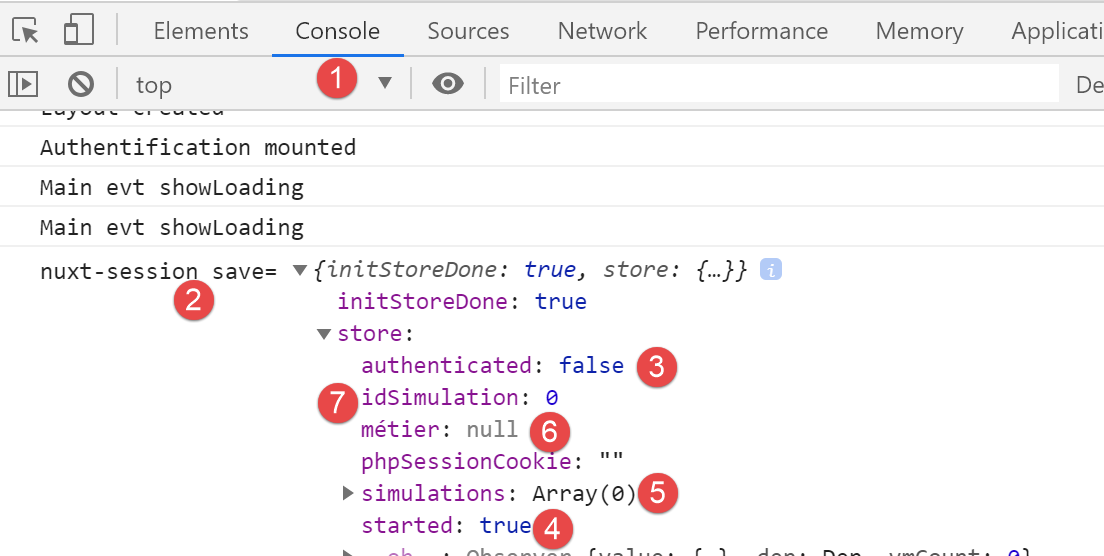
- in [3], we see that we are no longer authenticated;
- in [4], we see that the JSON session has started;
- in [6], the [business] layer is no longer present in the store (it is still present in the pages via [this.$business()]);
- in [5, 7], there are no more simulations;
It is important to understand what happens at the end of a session:
- the [nuxt] session is reset: the [started] property of the store changes to [false];
- there is a redirect to the [index] page;
- the [mounted] method of the [index] page is executed. This starts a new JSON session with the tax calculation server. If the operation succeeds, the [started] property of the store becomes [true];
17.8. Step 7
At this point, the [nuxt-20] application has all the features of the [vuejs-22] application. The port seems complete.
We’ll take it a step further in the [nuxt] spirit. The [mounted] method of the [index] page poses a problem. It launches an asynchronous operation that a search engine won’t wait for to finish. We know that in this case, we must place the asynchronous operation inside an [asyncData] function because then, the [nuxt] server executing it will wait for it to finish before delivering the page to the search engine.
Here, we use the [asyncData] function written in the [nuxt-12] application for the [index] page:
export default {
  name: 'InitSession',
  // components used
  components: {
    Layout,
    Navigation
  },
  // asynchronous data
  async asyncData(context) {
    // log
    console.log('[index asyncData started]')
    // don't do things twice if the page has already been requested
    if (process.server && context.store.state.jsonSessionStarted) {
      console.log('[index asyncData canceled]')
      return { result: '[succès]' }
    }
    try {
      // start a jSON session
      const dao = context.app.$dao()
      const response = await dao.initSession()
      // log
      console.log('[index asyncData response=]', response)
      // retrieve session cookie PHP for future requests
      const phpSessionCookie = dao.getPhpSessionCookie()
      // we store the PHP session cookie in the [nuxt] session
      context.store.commit('replace', { phpSessionCookie })
      // was there a mistake?
      if (response.état !== 700) {
        // the error is in response.réponse
        throw new Error(response.réponse)
      }
      // note that the jSON session has started
      context.store.commit('replace', { jsonSessionStarted: true })
      // we return the result
      return { result: '[succès]' }
    } catch (e) {
      // log
      console.log('[index asyncData error=]', e)
      // note that session jSON has not started
      context.store.commit('replace', { jsonSessionStarted: false })
      // we report the error
      return { result: '[échec]', showErrorLoading: true, errorLoadingMessage: e.message }
    } finally {
      // save the blind
      const session = context.app.$session()
      session.save(context)
      // log
      console.log('[index asyncData finished]')
    }
  },
  // life cycle
  beforeCreate() {
    console.log('[index beforeCreate]')
  },
  created() {
    console.log('[index created]')
  },
  beforeMount() {
    console.log('[index beforeMount]')
  },
  mounted() {
    console.log('[index mounted]')
    // customer only
    if (this.showErrorLoading) {
      console.log('[index mounted, showErrorLoading=true]')
      this.$eventBus().$emit('errorLoading', true, this.errorLoadingMessage)
    }
}
- lines 13, 33, 40: change the property [jsonSessionStarted] to [started];
- line 13: in the [nuxt-12] application, only the [nuxt] server executed the [index] page and its [asyncData] function. The [nuxt] client only executed the [index] page after receiving it from the [nuxt] server, and therefore did not execute the [asyncData] function. In [nuxt-20], it’s different: the [End Session] link will display the [index] page in the [nuxt] client environment. The [asyncData] function will then be executed. However, when arriving at the [index] page this way, the [nuxt] session has been reset in the meantime, and the [started] property of the store is [false], so the condition on line 13 will necessarily be false. We can therefore omit [process.server], and the [nuxt] client will not perform this check;
- lines 15, 35, 42: a [result] property is added to the [data] properties of the [index] page. In [nuxt-20], this property will not be used, so we will remove it from the result returned by the function;
- Lines 61–67: This [mounted] method must be retained because it is what allows the [nuxt] client to display the error message. However, the way the error is handled will be modified;
In the current [index] page, we integrate the [asyncData] function above in place of the old [mounted] function and add a new [mounted] function. The code for the [index] page in the [nuxt-20] example then becomes the following:
...

<!-- dynamique de la vue -->
<script>
/* eslint-disable no-console */
import Layout from '@/components/layout'
export default {
  // components used
  components: {
    Layout
  },
  // component status
  data() {
    return {
      // user
      user: '',
      // password
      password: '',
      // error display
      showError: false
    }
  },

  // calculated properties
  computed: {
    // valid entries
    valid() {
      return this.user && this.password && this.$store.state.started
    }
  },
  // asynchronous data
  async asyncData(context) {
    // log
    console.log('[index asyncData started]')
    // don't do things twice if the page has already been requested
    if (process.server && context.store.state.started) {
      console.log('[index asyncData canceled]')
      return
    }
    try {
      // start a jSON session
      const dao = context.app.$dao()
      const response = await dao.initSession()
      // log
      console.log('[index asyncData response=]', response)
      // retrieve session cookie PHP for future requests
      const phpSessionCookie = dao.getPhpSessionCookie()
      // we store the PHP session cookie in the [nuxt] session
      context.store.commit('replace', { phpSessionCookie })
      // was there a mistake?
      if (response.état !== 700) {
        // the error is in response.réponse
        throw new Error(response.réponse)
      }
      // note that the jSON session has started
      context.store.commit('replace', { started: true })
      // no result
      return
    } catch (e) {
      // log
      console.log('[index asyncData error=]', e.message)
      // note that session jSON has not started
      context.store.commit('replace', { started: false })
      // we report the error
      return { showErrorLoading: true, errorLoadingMessage: e.message }
    } finally {
      // save the blind
      const session = context.app.$session()
      session.save(context)
      // log
      console.log('[index asyncData finished]')
    }
  },
  // life cycle
  beforeCreate() {
    console.log('[index beforeCreate]')
  },
  created() {
    console.log('[index created]')
  },
  beforeMount() {
    // customer only
    console.log('[index beforeMount]')
    // error handling
    if (this.showErrorLoading) {
      // log
      console.log('[index beforeMount, showErrorLoading=true]')
      // the error is traced back to the main component [default]
      this.$emit('error', new Error(this.errorLoadingMessage))
    }
  },
  mounted() {
    console.log('[index mounted]')
  },

  // event managers
  methods: {
    // ----------- authentication
    async login() {
      ...
}
</script>
- lines 58, 65: the [asyncData] function no longer renders the [result] property unused here;
- line 81: the [beforeMount] method of the [nuxt] client. It was chosen over the [mounted] method to handle any potential errors from [asyncData];
- line 85: we check if the [errorLoading] property has been set. It can only be set by the [asyncData] function;
- lines 85–90: if the [asyncData] function has reported an error, we pass it to the [default] page via the [error] event. This is how the old [created] function, which we just replaced, handled potential errors;
Let’s run some tests.
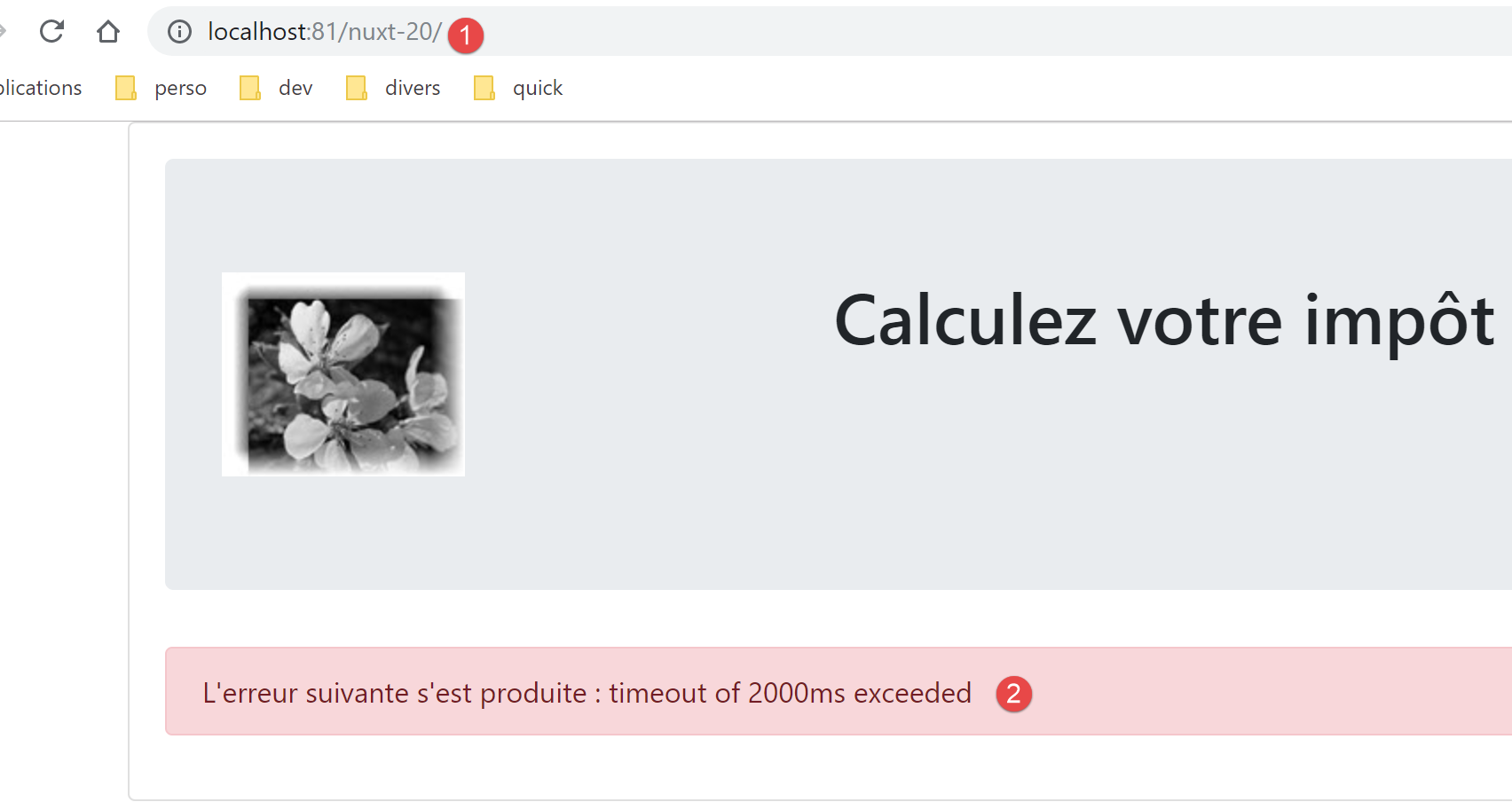
First, we delete both the [nuxt] session cookie and the PHP session cookie, if they exist. We then request the [http://localhost:81/nuxt-20/] page while the tax calculation server is not running. We get the following page:
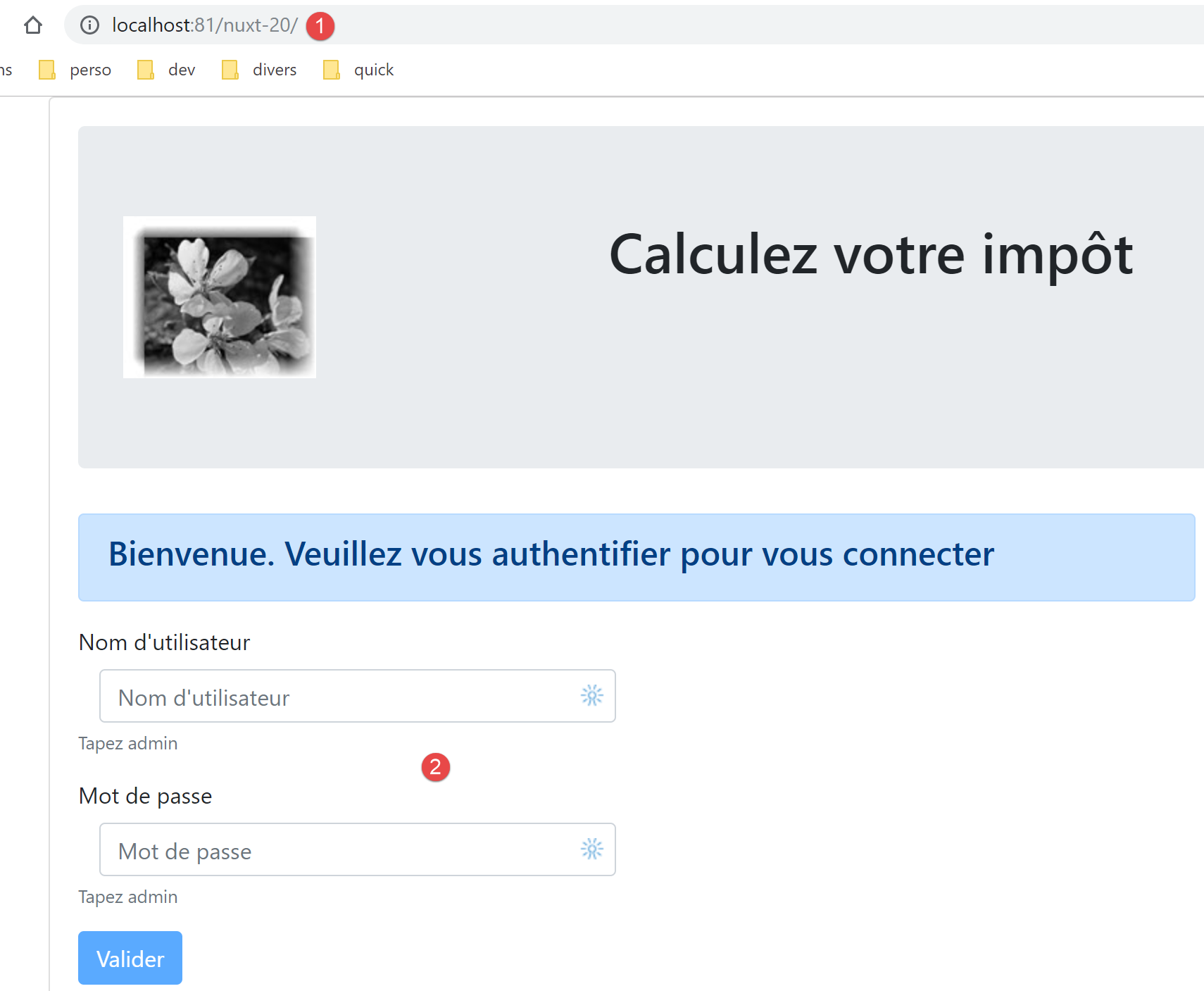
We reload the same page after starting the tax calculation server:
Let’s look at the logs:
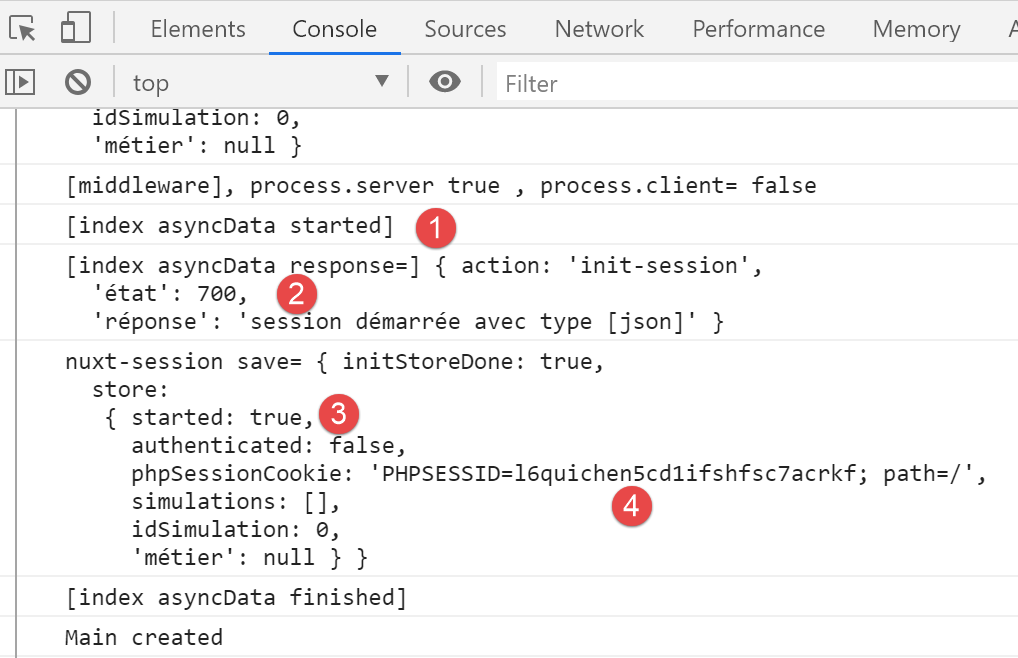
- In [2-3], we see that the JSON session has been started;
- in [4], we see the PHP session cookie that the [nuxt] server retrieved during its exchange with the tax calculation server. The [nuxt] client will now use it;
Now let’s log in:
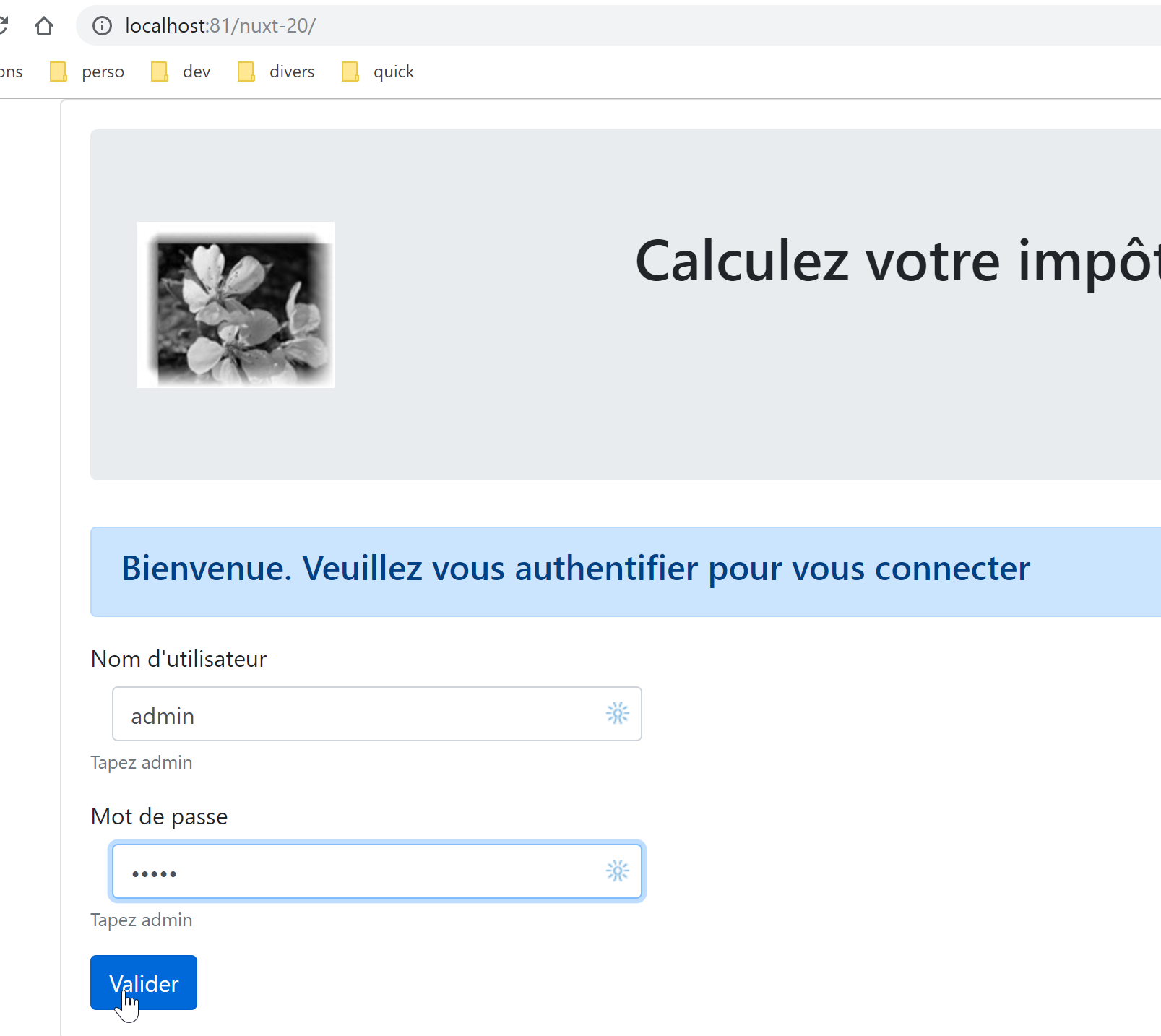
We get the following page:
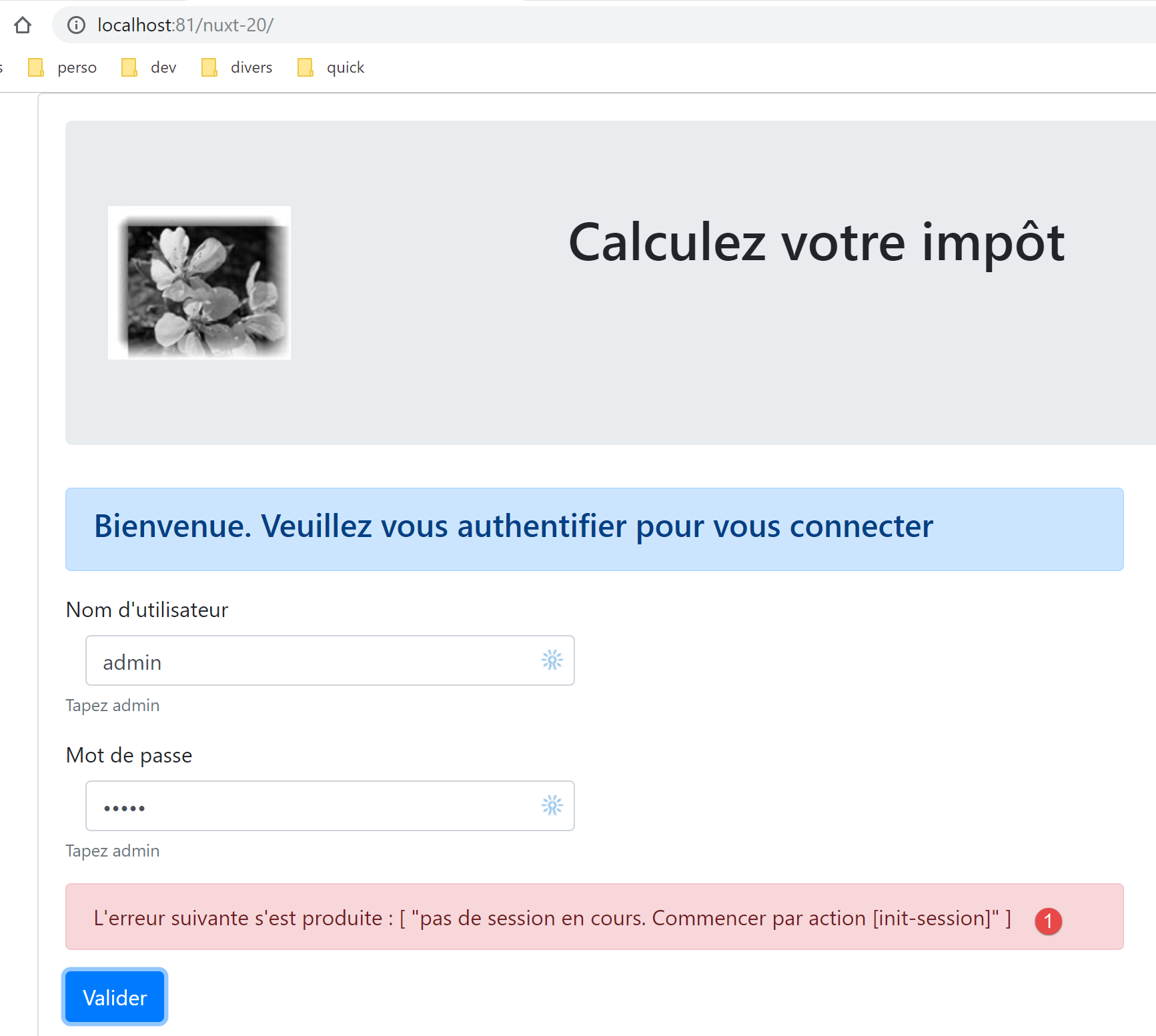
In [1], we received an error message. This means that the browser did not send the correct session cookie from the PHP session started by the [nuxt] server in the previous step. In [nuxt-12], the PHP session cookie was passed from the [nuxt] server to the [nuxt] client in the [nuxt] client routing of the [middleware/client/routing] script:
/* eslint-disable no-console */
export default function(context) {  // who executes this code?
  console.log('[middleware client], process.server', process.server, ', process.client=', process.client)
  // management of the PHP session cookie in the browser
  // the browser's PHP session cookie must be identical to the one found in the nuxt session
  // acion [fin-session] receives a new cookie PHP (server as nuxt client)
  // if the server receives it, the client must pass it on to the browser
  // for its own exchanges with the PHP server
  // this is customer routing

  // retrieve the session cookie PHP
  const phpSessionCookie = context.store.state.phpSessionCookie
  if (phpSessionCookie) {
    // if it exists, we assign the PHP session cookie to the browser
    document.cookie = phpSessionCookie
  }

  // where are we going?
  const to = context.route.path
  if (to === '/fin-session') {
    // clean the session
    const session = context.app.$session()
    session.reset(context)
    // redirects to the index page
    context.redirect({ name: 'index' })
  }
}
Lines 13–17 allow the [nuxt] client to retrieve the PHP session cookie from the [nuxt] server.
The problem here is that when you click the [Validate] button, there is no routing from the [nuxt] client. Its routing function is therefore not called. We fix the problem by duplicating lines 12–17 at the beginning of the authentication method on the [index] page:
// event managers
  methods: {
    // ----------- authentication
    async login() {
      // retrieve the PHP session cookie from the store
      const phpSessionCookie = this.$store.state.phpSessionCookie
      if (phpSessionCookie) {
        // if it exists, we assign the PHP session cookie to the browser
        document.cookie = phpSessionCookie
      }
      try {
        // start waiting
        this.$emit('loading', true)
        // you are not yet authenticated
Lines 5–10: We retrieve the PHP session cookie initiated by the [nuxt] server from the store. Once this change is made, the tax calculation page loads successfully, indicating that authentication worked.
17.9. Step 8
We have a functional application that works in the [nuxt] spirit. As we did for the [nuxt-13] application, we will focus on the [nuxt] server navigation. As previously mentioned, the user is not supposed to manually type the application’s URLs. They are supposed to use the links presented to them, which are executed by the [nuxt] client, which then operates in SPA mode. Nevertheless, we will ensure that navigation on the [nuxt] server always keeps the application in a stable state.
From the study conducted for [nuxt-13] (see linked paragraph), we know that we need to:
- modify the [middleware/routing] script;
- Add a script [middleware/server/routing];
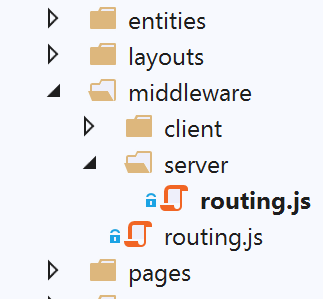
The [middleware/routing] script is modified as follows:
/* eslint-disable no-console */

// on importe les middleware du serveur et du client
import serverRouting from './server/routing'
import clientRouting from './client/routing'

export default function(context) {
  // qui exécute ce code ?
  console.log('[middleware], process.server', process.server, ', process.client=', process.client)
  if (process.server) {
    // routage serveur
    serverRouting(context)
  } else {
    // routage client
    clientRouting(context)
  }
}
- line 4: we import the routing script from the [nuxt] server;
- lines 10–12: if the [nuxt] server is executing the code, we use its routing function;
The [middleware/server/routing] script is as follows:
/* eslint-disable no-console */
export default function(context) {
  // qui exécute ce code ?
  console.log('[middleware server], process.server', process.server, ', process.client=', process.client)

  // on récupère quelques informations ici et là
  const store = context.store
  // d'où vient-on ?
  const from = store.state.from || 'nowhere'
  // où va-t-on ?
  let to = context.route.name

  // cas particulier de /fin-session qui n'a pas d'attribut [name]
  if (context.route.path === '/fin-session') {
    to = 'fin-session'
  }

  // éventuelle redirection
  let redirection = ''
  // gestion du routage terminé
  let done = false

  // est-on déjà dans une redirection du serveur [nuxt]?
  if (store.state.serverRedirection) {
    // rien à faire
    done = true
  }

  // s'agit-il d'un rechargement de page ?
  if (!done && from === to) {
    // rien à faire
    done = true
  }

  // contrôle de la navigation du serveur [nuxt]
  // on se calque sur le menu de navigation du client

  // on traite d'abord le cas de fin-session
  if (!done && store.state.started && store.state.authenticated && to === 'fin-session') {
    // on nettoie la session
    const session = context.app.$session()
    session.reset(context)
    // on redirige vers la page index
    redirection = 'index'
    // travail terminé
    done = true
  }

  // cas où la session PHP n'a pas démarré
  if (!done && !store.state.started && to !== 'index') {
    // redirection vers [index]
    redirection = 'index'
    // travail terminé
    done = true
  }

  // cas où l'utilisateur n'est pas authentifié
  if (!done && store.state.started && !store.state.authenticated && to !== 'index') {
    redirection = 'index'
    // travail terminé
    done = true
  }

  // cas où [adminData] n'a pas été obtenu
  if (!done && store.state.started && store.state.authenticated && !store.state.métier.taxAdminData && to !== 'index') {
    // redirection vers [index]
    redirection = 'index'
    // travail terminé
    done = true
  }

  // cas où [adminData] a été obtenu
  if (
    !done &&
    store.state.started &&
    store.state.authenticated &&
    store.state.métier.taxAdminData &&
    to !== 'calcul-impot' &&
    to !== 'liste-des-simulations'
  ) {
    // on reste sur la même page
    redirection = from
    // travail terminé
    done = true
  }

  // on a normalement fait tous les contrôles ---------------------
  // redirection ?
  if (redirection) {
    // on note la redirection dans le store
    store.commit('replace', { serverRedirection: true })
  } else {
    // pas de redirection
    store.commit('replace', { serverRedirection: false, from: to })
  }
  // on sauvegarde le store dans la session [nuxt]
  const session = context.app.$session()
  session.value.store = store.state
  session.save(context)
  // on fait l'éventuelle redirection du serveur [nuxt]
  if (redirection) {
    context.redirect({ name: redirection })
  }
}
- In this script, we reuse the concepts already developed and used in the [nuxt] server routing of the [nuxt-13] application;
- We add two properties to the application store:
- [from]: the name of the last page displayed. We know that the [nuxt] client has this information, but the [nuxt] server does not. We will add this information by storing the name of the page to be displayed in the store each time the [nuxt] server routes. We will do the same for each routing on the [nuxt] client. Thus, on the next routing by the [nuxt] server, it will find in the store the name of the last page displayed by the application;
- [serverRedirection]: When a routing destination is rejected by the [nuxt] server, it will perform a redirection. It will then indicate in the store that the [nuxt] server’s next destination is a redirection page. This redirection will trigger a new execution of the [nuxt] server’s router. If the router detects that the current destination is the result of a redirection, it will allow it to proceed;
- lines 6–11: we retrieve the information needed for routing;
- lines 13–16: the target [/end-session] is not associated with a page named [end-session]. It therefore has no name. We give it one;
- line 19: the target of a possible redirect;
- line 21: [done=true] when the routing tests are complete;
- lines 23–27: as mentioned, if the current routing results from a redirect, there is nothing to do. Indeed, during the previous routing, the router decided that the client browser should be redirected. There is no need to reconsider this decision;
- lines 29–33: if it is a page reload, we let it happen. This is not a universal rule for all [Nuxt] applications: you must examine the effects of a reload for each page. Here, it turns out that reloading the pages [index, tax-calculation, simulation-list] does not cause any undesirable effects;
- lines 35–85: the [nuxt] server routing mirrors the [nuxt] client routing. When on a page, the [nuxt] server routing must reflect the navigation menu provided by the [nuxt] client while on that page;
- lines 38–47: We first handle the case where the target [end-session] does not correspond to an existing page. If the conditions are met (session started, user authenticated), we clear the session and redirect the user to the [index] page;
- lines 49–55: if the JSON session with the tax calculation server has not started, then the only possible destination is the [index] page;
- lines 57–62: if the JSON session has been started and the user is not authenticated and has not requested the authentication page, then we redirect to the authentication page, which is the [index] page;
- lines 64–70: if the user is authenticated but the [adminData] has not been obtained, then the user is redirected to the authentication page. Authentication does two things: it authenticates the user, and if authentication is successful, it also requests the [adminData] data. If this data has not been obtained, then authentication must be restarted;
- lines 72–85: if the [adminData] data has been obtained, then the only possible targets are [tax-calculation] and [simulation-list]. If this is not the case, routing is denied;
- lines 88–95: the store is updated depending on whether there will be a redirection or not;
- line 94: there is no redirection. Therefore, the current [to] becomes the [from] for the next routing;
- lines 96–99: the store’s information is saved in the [nuxt] session cookie;
- lines 100–103: if a redirect is required, it is performed;
To run the tests, make sure to start from a clean slate by deleting the [nuxt] session cookie and the PHP session cookie with the tax calculation server:
To test the [nuxt] server’s routing, try all possible URLs [/, /tax-calculation, /simulation-list] on each page. Each time, the application must remain in a consistent state.
17.10. Step 9
Step 9 involves deploying the [nuxt-20] application. This requires hosting that provides a [node.js] environment to run the [nuxt] server. I do not have this. The reader can follow the procedures described in the linked section to deploy the [nuxt-20] application on their development machine and secure it with an HTTPS protocol.
17.11. Conclusion
The porting of the [vuejs-22] application to the [nuxt-20] application is now complete. Let’s review a few key points from this port:
- the [vuejs-22] pages have been retained;
- the asynchronous operations that existed in the [vuejs-22] pages have been migrated to an [asyncData] function;
- in [nuxt-20], we had to manage two entities: the [nuxt] client and the [nuxt] server. The latter entity did not exist in [vuejs-22]. To maintain consistency between the two entities, we needed a [nuxt] session;
- we had to manage the [nuxt] server routing;
In practice, it is likely preferable to start directly with a [nuxt] architecture rather than building a [vue.js] architecture and then porting it to a [nuxt] environment.