7. Example [nuxt-04]: Maintaining a client/server session
The [nuxt-04] project addresses the issue of maintaining a client/server session. We resume the [nuxt-03] project with the following modifications:
- The page [index] will have a button that increments the counter in the store [Vuex];
- the page [page1] remains unchanged;
- we would like the server to return the requested page with a [Vuex] store whose counter value is the last value it had on the client side when the page is manually requested from the server;
The project [nuxt-04] is initially created by cloning the project [nuxt-03]:
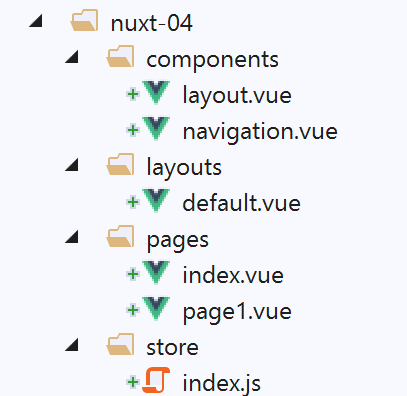
Only the [index] page changes:
<!-- page [index] -->
<template>
  <Layout :left="true" :right="true">
    <!-- navigation -->
    <Navigation slot="left" />
    <!-- message-->
    <template slot="right">
      <b-alert show variant="warning"> Home - value= {{ value }} </b-alert>
      <!-- button -->
      <b-button @click="incrementCounter" class="ml-3" variant="primary">Incrémenter</b-button>
    </template>
  </Layout>
</template>

<script>
/* eslint-disable no-undef */
/* eslint-disable no-console */
/* eslint-disable nuxt/no-env-in-hooks */

import Layout from '@/components/layout'
import Navigation from '@/components/navigation'
export default {
  name: 'Home',
  // components used
  components: {
    Layout,
    Navigation
  },
  data() {
    return {
      value: 0
    }
  },
  // life cycle
  beforeCreate() {
    // client and server
    console.log('[home beforeCreate]')
  },
  created() {
    // client and server
    this.value = this.$store.state.counter
    console.log('[home created], value=', this.value)
  },
  beforeMount() {
    // customer only
    console.log('[home beforeMount]')
  },
  mounted() {
    // customer only
    console.log('[home mounted]')
  },
  // event management
  methods: {
    incrementCounter() {
      console.log('incrementCounter')
      // counter increment of 1
      this.$store.commit('increment', 1)
      // change display value
      this.value = this.$store.state.counter
    }
  }
}
</script>
- line 10: we added a button to increment the counter for the [Vuex] store;
- line 54: the method that handles [clic] on the [Incrémenter] button;
- line 57: the store counter is incremented by 1;
- line 59: the counter value is assigned to the [value] property so that it is displayed by line 8;
We run the [nuxt-04] project with the following [nuxt.config.js] file:
// source code directory
  srcDir: 'nuxt-04',
  // router
  router: {
    // application URL root
    base: '/nuxt-04/'
  },
  // server
  server: {
    // service port, default 3000
    port: 81,
    // network addresses listened to, default localhost: 127.0.0.1
    // 0.0.0.0 = all the machine's network addresses
    host: 'localhost'
}
When the program runs, the first page displayed is as follows:
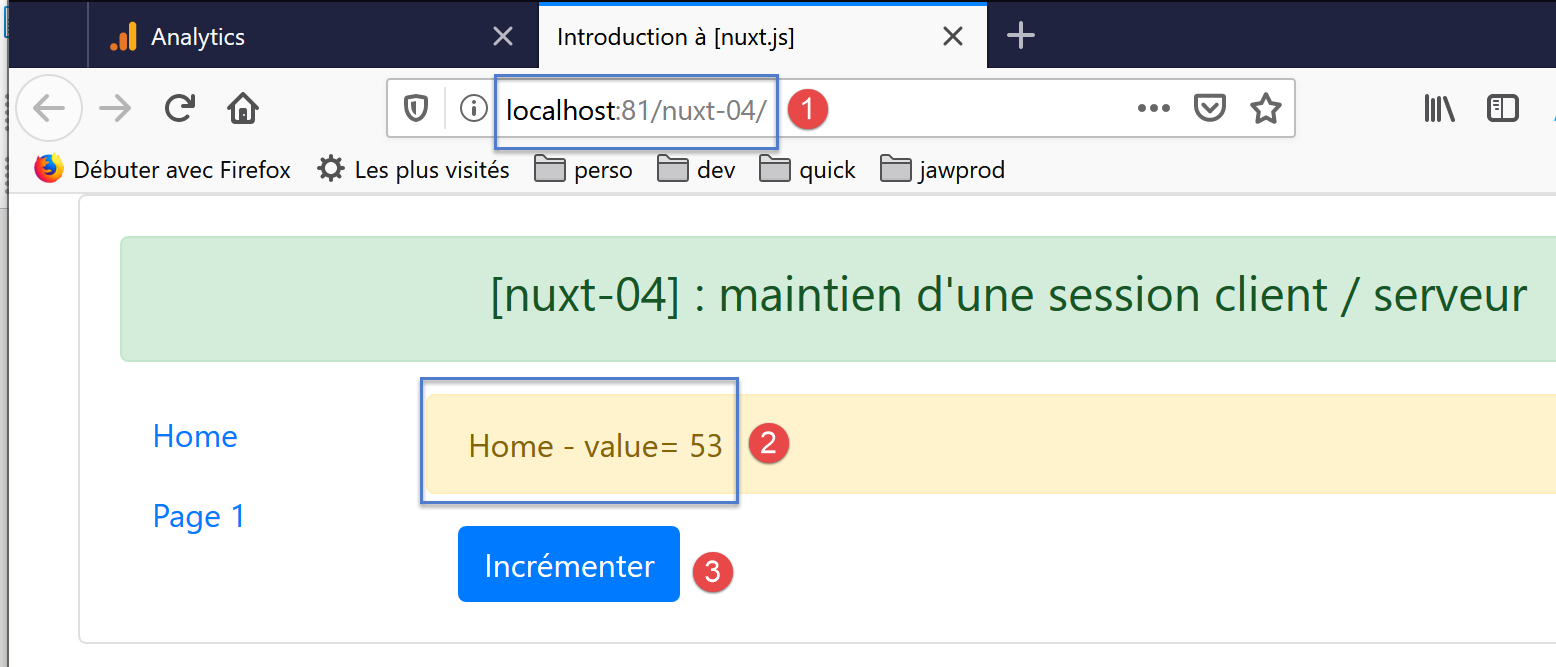
By clicking the [3] button several times, the following new page appears:
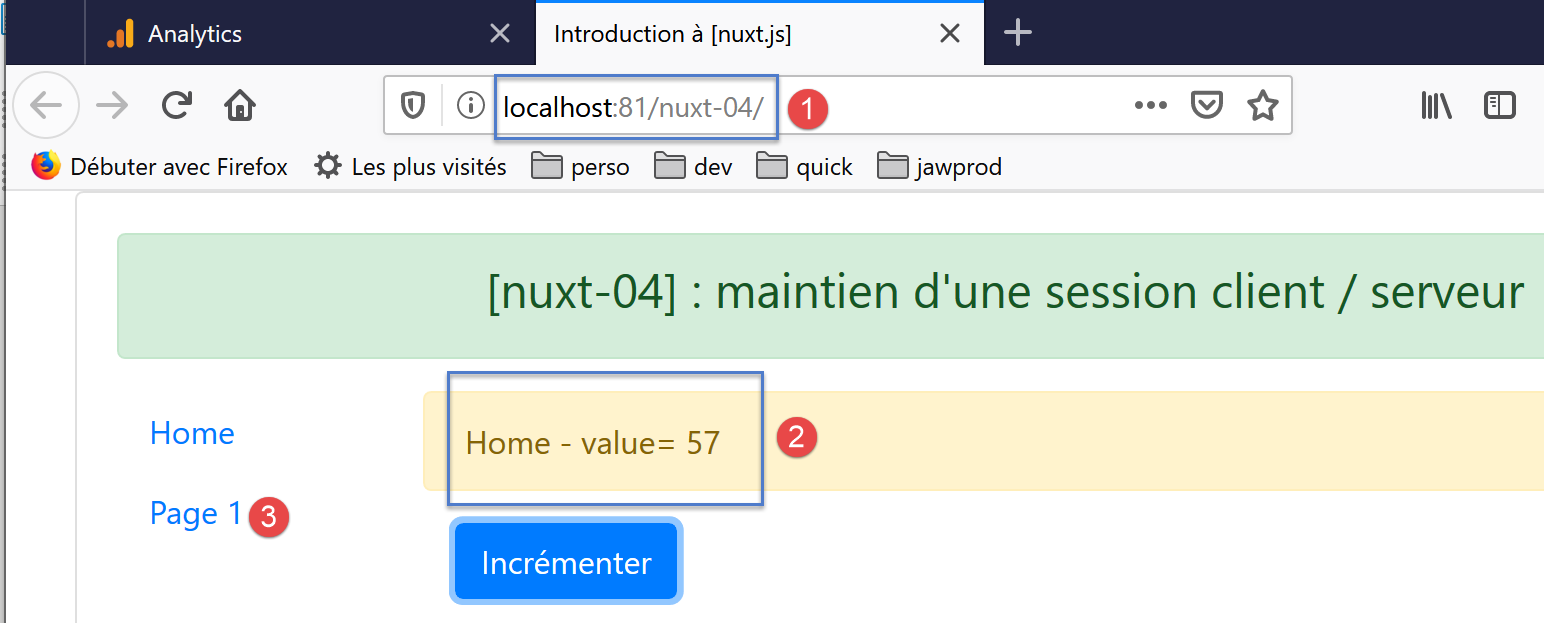
If you use the link [3], you get the following page:
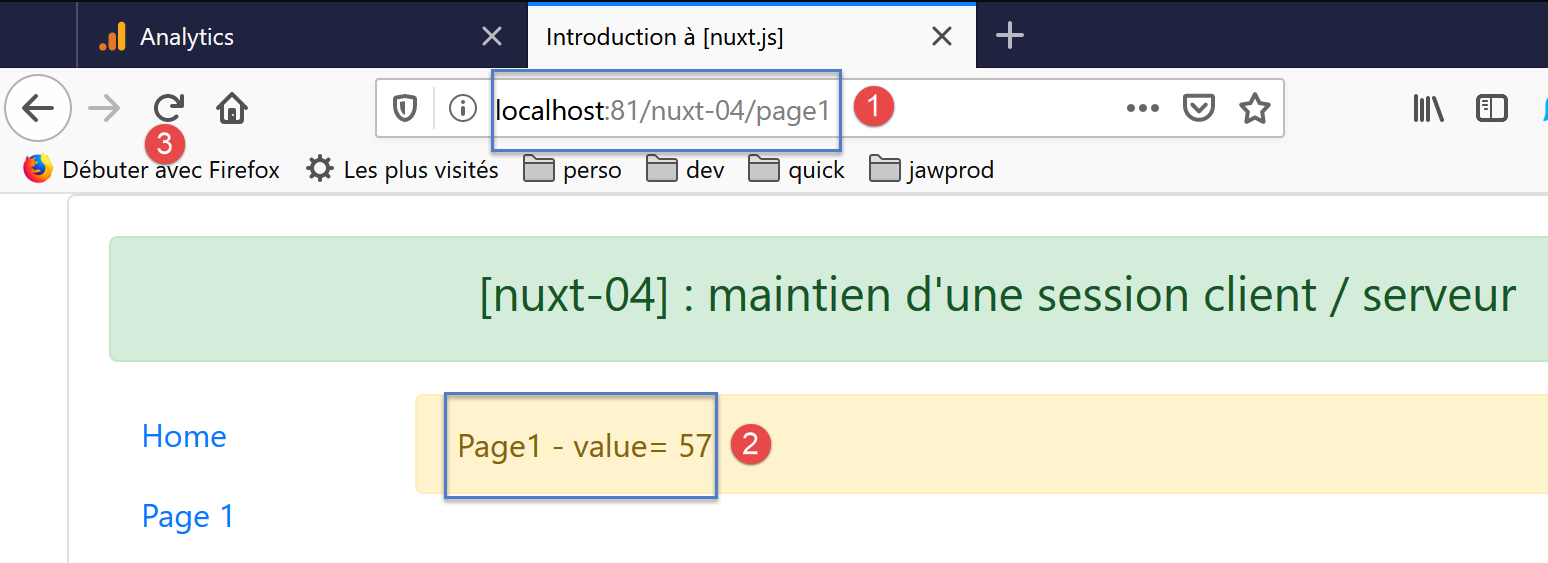
- With [2], the page [page1] [1] correctly displays the counter value;
Now, let’s refresh the page with [3]. The new page is as follows:
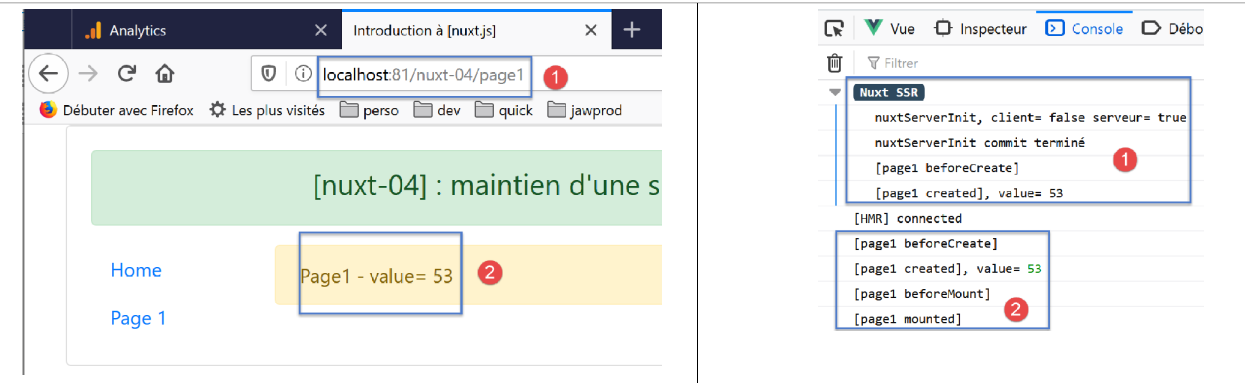
- In [2], we have lost the current counter value. It has reverted to its initial value;
This result is entirely understandable if we look at the logs:
- In [1], the server re-executed the function [nuxtServerInit]. However, this function is as follows:
Line 28 sets the counter to 53.
Let’s examine the request HTTP made by the browser when we refreshed the page [page1]:
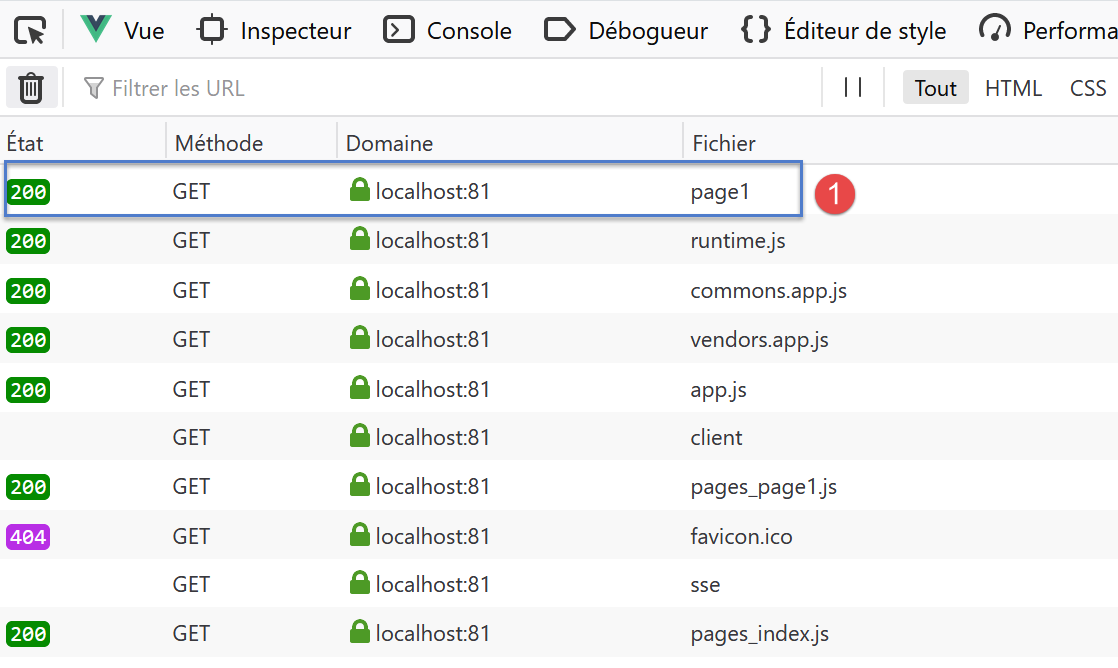
We can see that in addition to the [page1] and [1] pages, the client requests a number of scripts from the server. Note the [pages_index, pages_page1] scripts, which are associated with the [index, page] pages. These scripts are sent with every request to the server, regardless of the page requested;
In [1], the page [page1] is requested from the server with the following HTTP request:
We can see that this request does not transmit any information to the server. The server therefore has no way of knowing the status of the [Vuex] store on the client side. For this to happen, the client would have had to send this information to the server.
In the following project, [nuxt-05], we use a cookie so that the client can send information to the server when it is requested.