5. Example 04 – Internationalization
This example revisits the internationalization discussed in the first example.
5.1. The Netbeans project
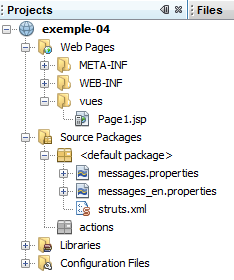
It contains:
- a view [Page1.jsp]
- two message files [messages*.properties]
- no actions
5.2. Project configuration
The [struts.xml] file is as follows:
<?xml version="1.0" encoding="UTF-8" ?>
<!DOCTYPE struts PUBLIC
        "-//Apache Software Foundation//DTD Struts Configuration 2.0//EN"
        "http://struts.apache.org/dtds/struts-2.0.dtd">

<struts>
  <!-- internationalization -->
  <constant name="struts.custom.i18n.resources" value="messages" />
  <!-- default package -->
  <package name="default" namespace="/" extends="struts-default">
    <default-action-ref name="index" />
    <action name="index">
      <result type="redirectAction">
        <param name="actionName">Action1</param>
        <param name="namespace">/actions</param>
      </result>
    </action>
  </package>
  <!-- equity package -->
  <package name="actions" namespace="/actions" extends="struts-default">
    <action name="Action1">
      <result name="success">/vues/Page1.jsp</result>
    </action>
  </package>
</struts>
- Line 8 defines a Struts constant that specifies the name of the internationalized messages file, in this case messages. The [messages_xx.properties] files will be searched for in the ClassPath directory of the project. For this reason, they have been placed here at the root of [Source Packages] and [1].
- Lines 21–23: define a [Action1] action without an associated class. A default Struts class will then be used, whose execute method returns the success key. The [/vues/Page1.jsp] view will then be sent back to the client. It is important to understand that this is not the same as directly calling the view [/vues/Page1.jsp]. Indeed, calling an action triggers the execution of interceptors, which a direct call to a view does not do. One of the interceptors handles internationalization.
5.3. The message files
messages.properties
page.texte=Ici, on met un texte fran\u00e7ais...
page.titre1=Fran\u00e7ais
page.titre2=Fran\u00e7ais
messages_en.properties
page.texte=Here, we put some english text...
page.titre1=English
page.titre2=English
They define three keys: page.texte, page.titre1, page.titre2. The file [messages_en.properties] will be used if the page language is English (en). The file [messages.properties] will be used for all other languages. This is the default message file. The language used is either:
- the language of the client browser as specified in its preferences sent to the server
- the one requested by a client request with the parameter request_locale=xx.
5.4. The [Page1.jsp] view
The view is as follows:
<%@page contentType="text/html" pageEncoding="UTF-8"%>
<%@ taglib prefix="s" uri="/struts-tags" %>
<!DOCTYPE html>
<html>
  <head>
    <meta http-equiv="Content-Type" content="text/html; charset=UTF-8">
    <title><s:text name="page.titre1"/></title>
  </head>
  <body>
    <h1><s:text name="page.titre2"/></h1>
    <s:text name="page.texte"/>
  </body>
</html>
- line 7: displays the key message page.titre1
- line 10: displays the message with key page.titre2
- line 11: displays the key message page.texte
5.5. Tests
Let's run the project:
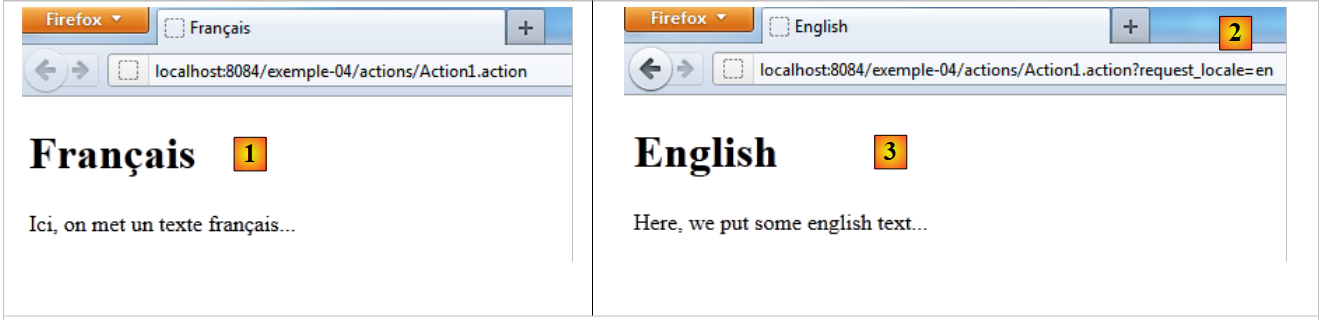 |
- In [1], the page was displayed in French. The file [messages.properties] was used because the browser had French as its preferred language.
- In [3], the page displayed in English. The file [messages_en.properties] was used because Url and [2] used the parameter request_locale=en.
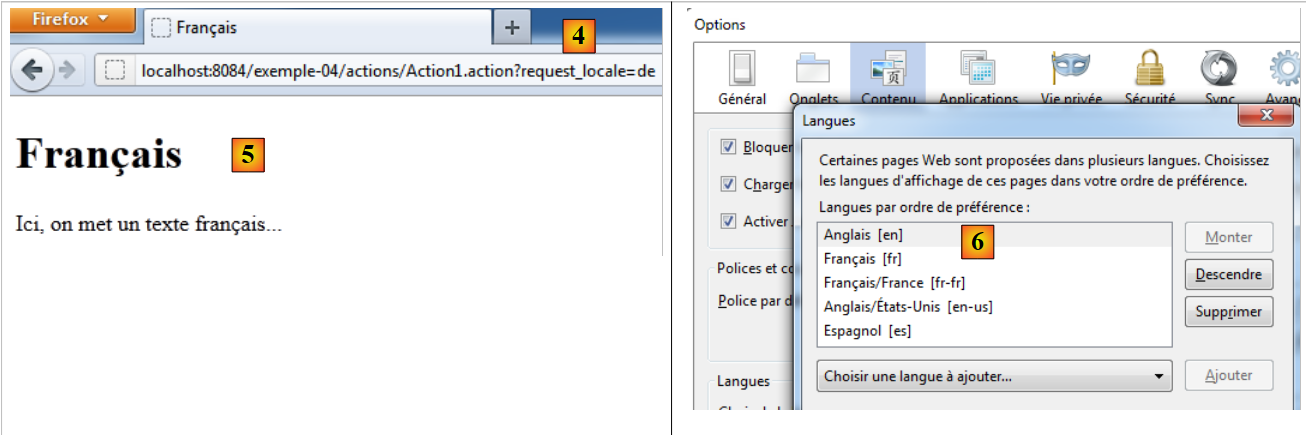 |
In [4], a page in German (de) is requested. Since there is no [messages_de.properties] file, the default file [messages.properties] is used [5].
In [6], English is set as the browser's preferred language.
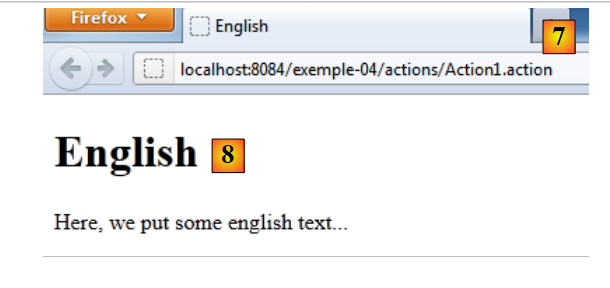 |
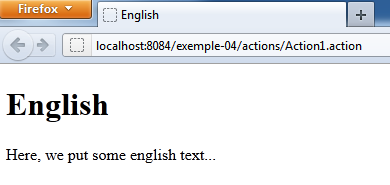
In [7], the action [Action1] is requested without language parameters. The request comes from a browser whose preferred language is English (en). Therefore, the file [messages_en.properties] is used instead of [8].
From now on, all projects will have a single [messages.properties] file that will be used for all languages. This will require us to write views that use the keys from this file. Internationalizing into English will simply involve creating the [messages_en.properties] file for English messages. No other changes are needed.