4. Example 03 – Navigation Keys
4.1. The NetBeans project
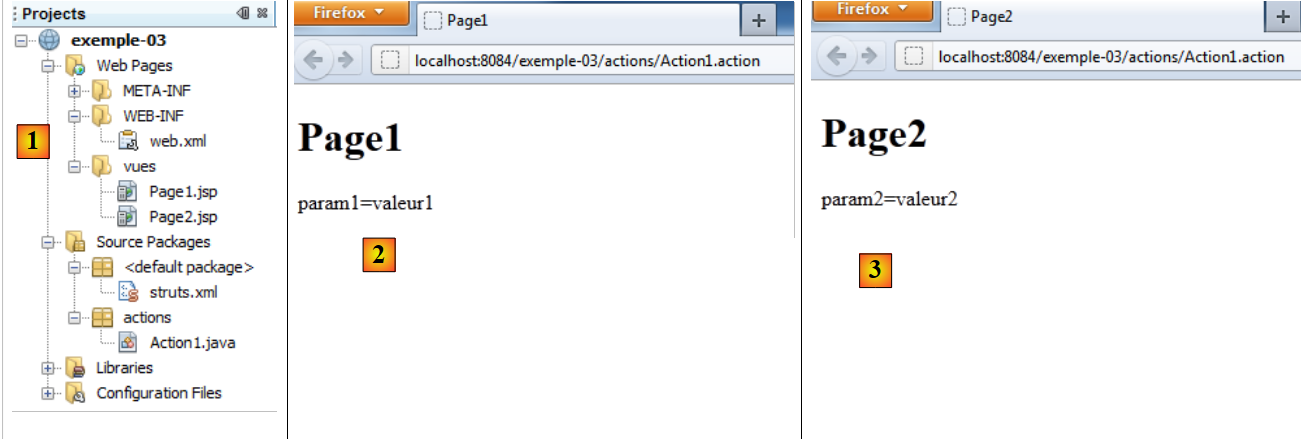 |
- in [1]:
- [web.xml]: the web application configuration file
- [struts.xml]: the Struts configuration file
- [Action1.java]: the application’s single action
- [Page1.jsp, Page2.jsp]: the two views of the application
- in [2]: display of [Page1.jsp]
- in [3]: display of [Page2.jsp]
4.2. The [struts.xml] file
It is as follows:
<?xml version="1.0" encoding="UTF-8" ?>
<!DOCTYPE struts PUBLIC
        "-//Apache Software Foundation//DTD Struts Configuration 2.0//EN"
        "http://struts.apache.org/dtds/struts-2.0.dtd">

<struts>
  <package name="default" namespace="/" extends="struts-default">
    <default-action-ref name="index" />
    <action name="index">
      <result type="redirectAction">
        <param name="actionName">Action1</param>
        <param name="namespace">/actions</param>
      </result>
    </action>
  </package>
  <package name="actions" namespace="/actions" extends="struts-default">
    <action name="Action1" class="actions.Action1">
      <result name="page1">/vues/Page1.jsp</result>
      <result name="page2">/vues/Page2.jsp</result>
    </action>
  </package>
</struts>
- lines 17-19: the execute method of [Action1] will return two navigation keys:
- page1, which will display the view /views/Page1.jsp
- page2, which will display the view /views/Page2.jsp
4.3. The [Action1] action
It is similar to the one in the previous example:
package actions;

import com.opensymphony.xwork2.ActionSupport;

public class Action1 extends ActionSupport{

  // action model
  private String param1="valeur1";
  private String param2="valeur2";

  @Override
  public String execute(){
    // random selection between two views
    int i=(int)(Math.random()*2);
    if(i==0){
      return "page1";
    }else{
      return "page2";
    }
  }

  // getters and setters
...
}
- lines 12–14: The execute method randomly returns the expected keys page1 and page2.
4.4. The JSP views
Page1.jsp
<%@page contentType="text/html" pageEncoding="UTF-8"%>
<%@ taglib prefix="s" uri="/struts-tags" %>
<!DOCTYPE html>
<html>
  <head>
    <meta http-equiv="Content-Type" content="text/html; charset=UTF-8">
    <title>Page1</title>
  </head>
  <body>
    <h1>Page1</h1>
    param1=<s:property value="param1"/><br/>
  </body>
</html>
Line 11: The page displays the value of the param1 field from [Action1].
Page2.jsp
<%@page contentType="text/html" pageEncoding="UTF-8"%>
<%@ taglib prefix="s" uri="/struts-tags" %>
<!DOCTYPE html>
<html>
  <head>
    <meta http-equiv="Content-Type" content="text/html; charset=UTF-8">
    <title>Page2</title>
  </head>
  <body>
    <h1>Page2</h1>
    param2=<s:property value="param2"/><br/>
  </body>
</html>
Line 11: The page displays the value of the param2 field from [Action1].
4.5. Testing
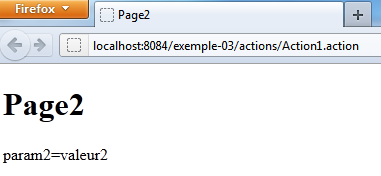
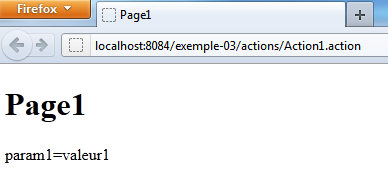
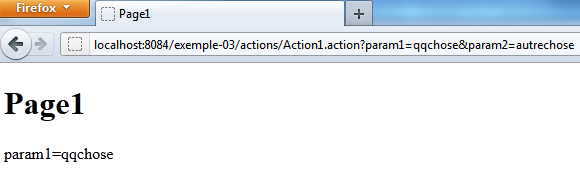
Once one of the pages is in the browser, you must refresh it (F5) to repeatedly execute the [Action1] action until the other page appears. You can also pass parameters: