17. 示例 [nuxt-20]:移植 [vuejs-22] 示例
17.1. 简介
在此,我们计划将 [vuejs-22] 示例(一个 [vue.js] 单页应用)移植到 [nuxt] 的服务器端渲染(SSR)环境中。[vuejs-22] 是用于税务计算服务器的客户端应用,它呈现了以下视图:
第一个视图是身份验证视图:
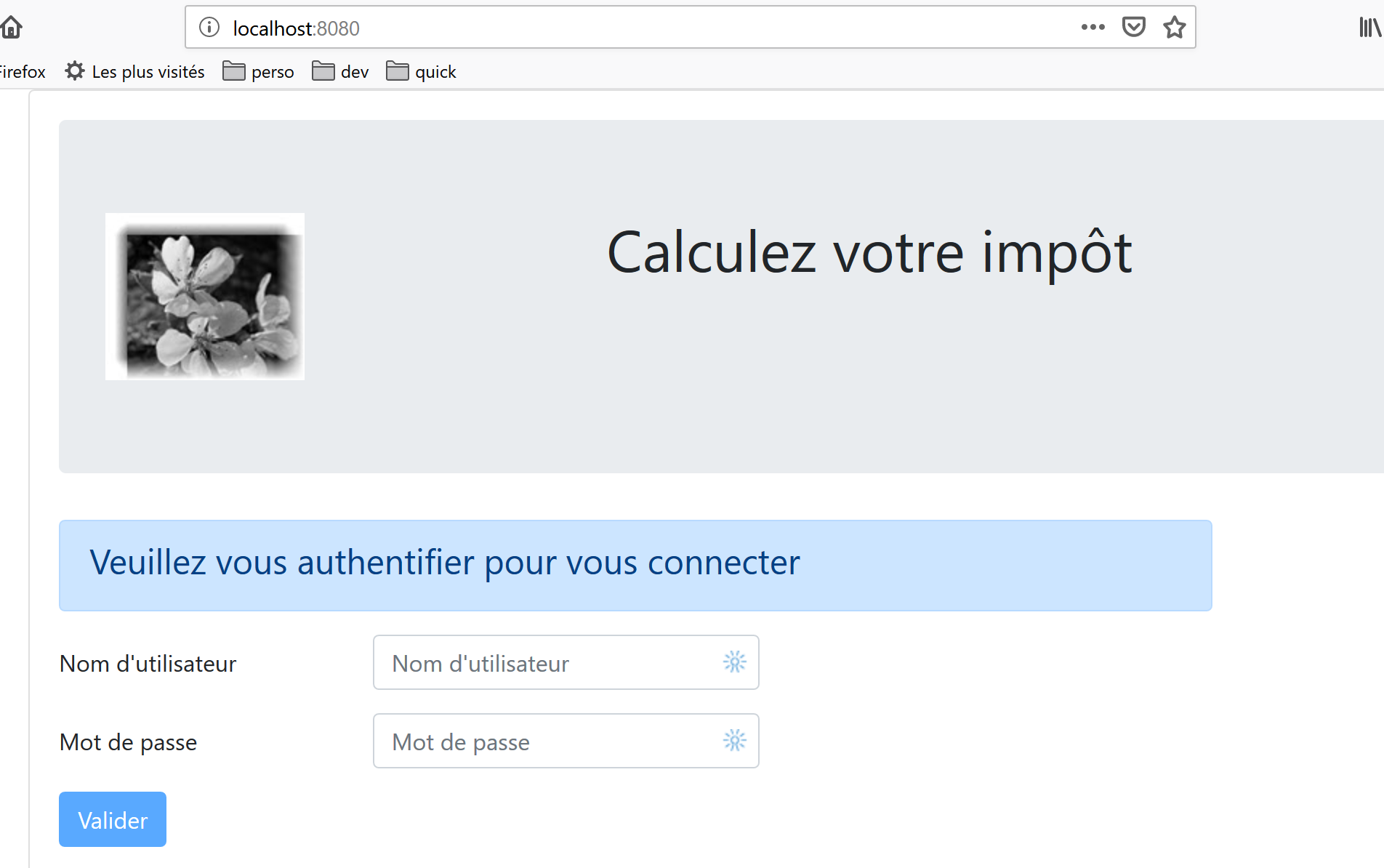
第二个视图是税费计算视图:
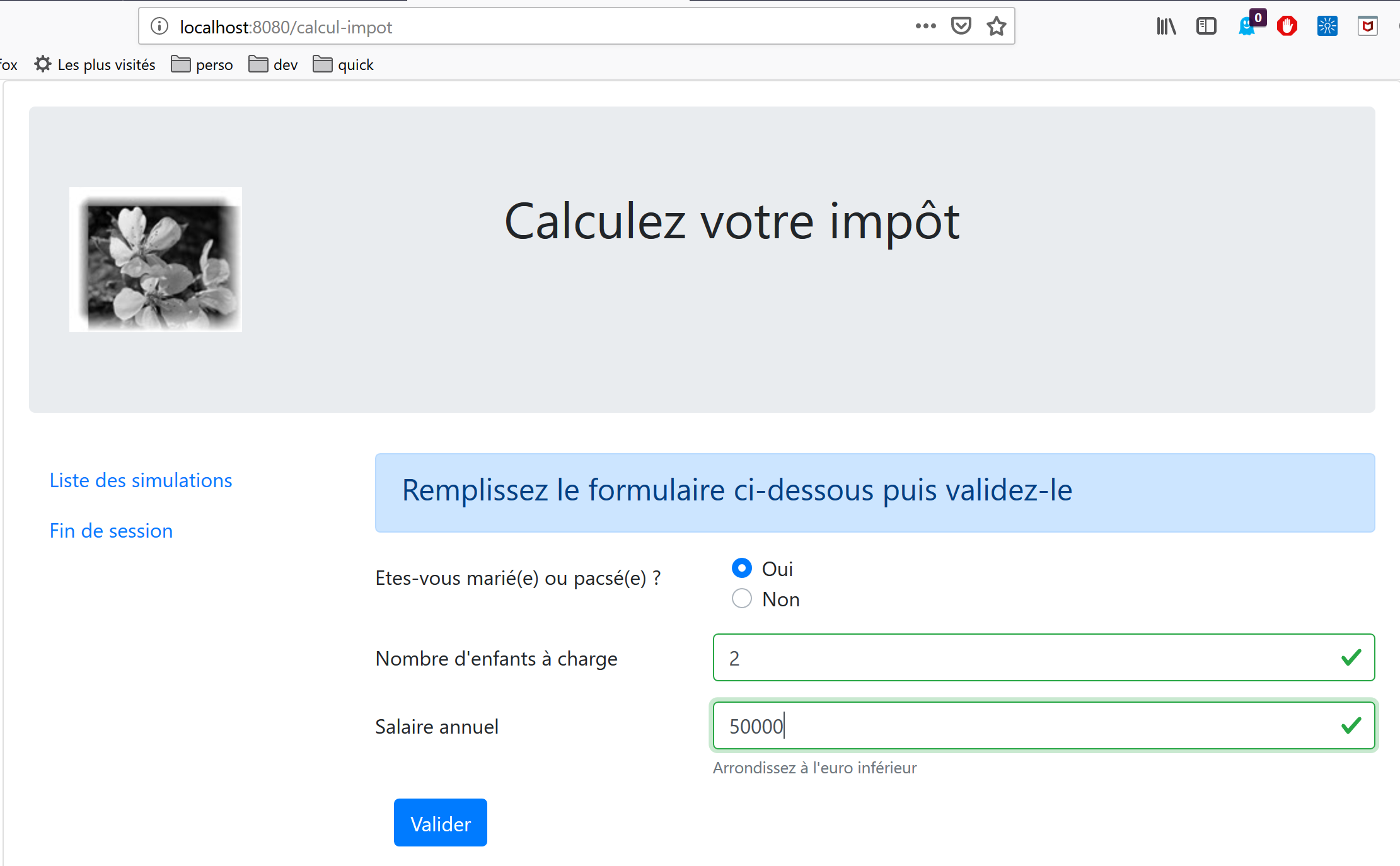
第三个视图显示用户执行的模拟列表:
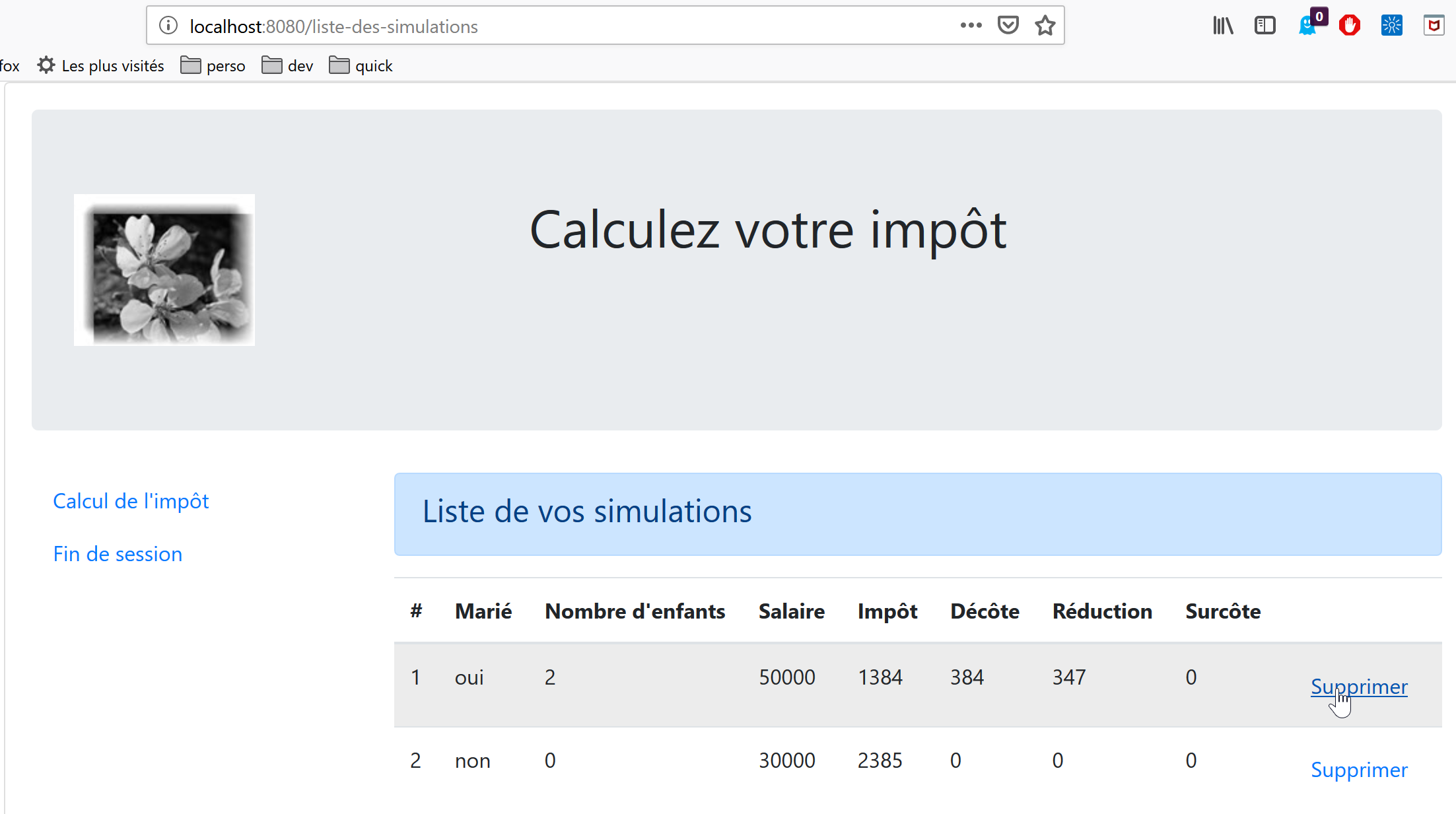
上图显示模拟 #1 可以被删除。这将导致以下视图:
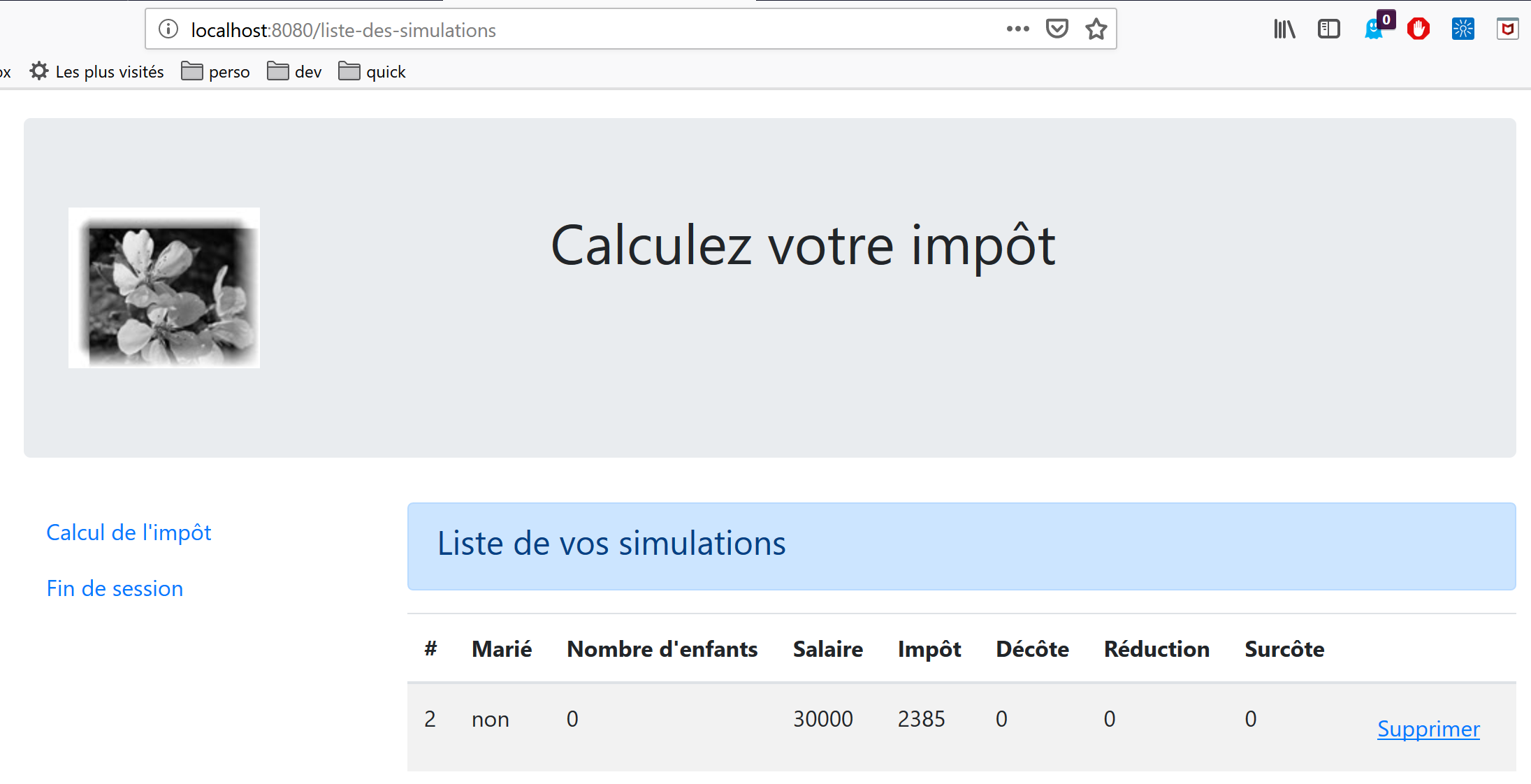
如果现在删除最后一个模拟,将显示以下新视图:
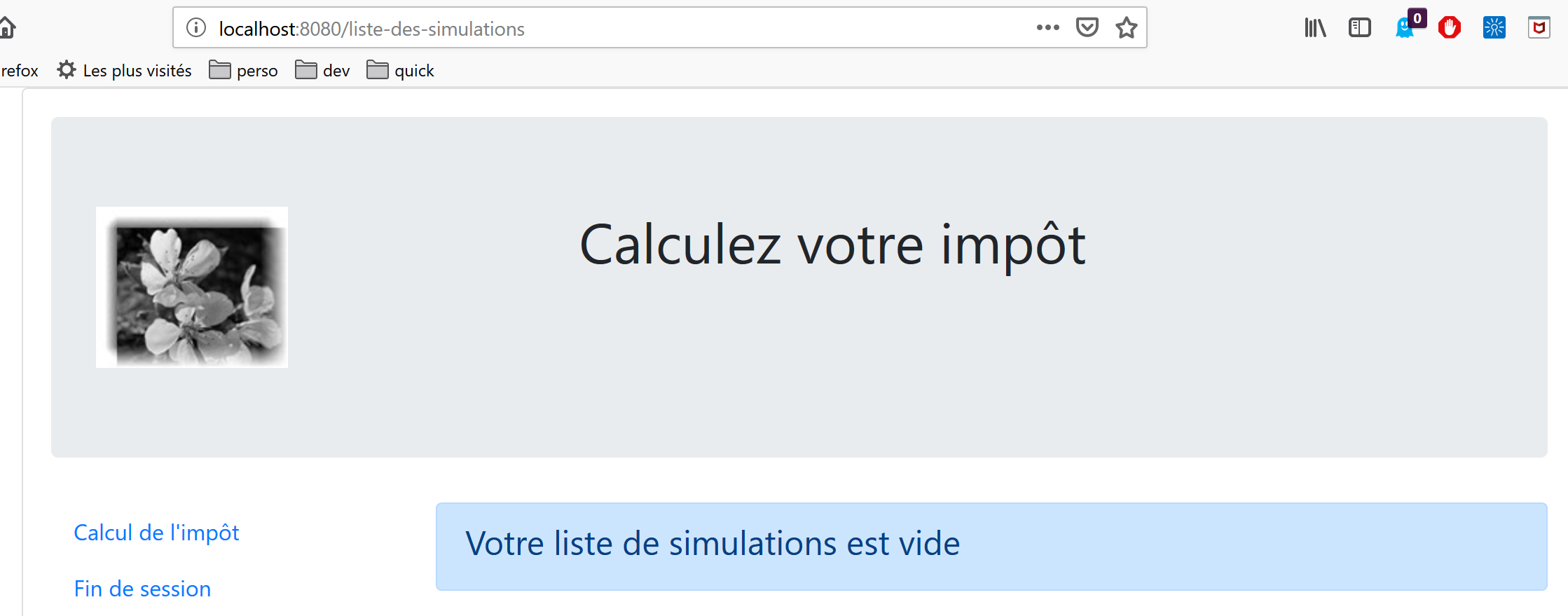
我们将逐步将 [vuejs-22] 应用程序迁移至 [nuxt-20] 应用程序。我们不会再次讲解 [vuejs-22] 中的代码。建议读者查阅文档 |通过示例了解 VUE.JS 框架|。各个步骤应能突出 [vuejs] 应用程序与 [nuxt] 应用程序之间的差异。
17.2. 步骤 1
[nuxt-20] 项目最初是通过克隆 [nuxt-12] 项目创建的。这确实是一个很好的起点:
- 它能与税费计算服务器进行通信;
- 它能正确处理服务器发回的错误;
- [Nuxt] 客户端和服务器可以通过 [Nuxt] 会话进行通信;
因此,我们已具备一个稳固的基础架构。我们的主要任务应是修改:
- 页面。我们将使用 [vuejs-22] 项目中的页面,这些页面需要适应新环境;
- 存储管理。应显示额外信息(模拟列表),而其他信息可能不再需要;
- 客户端和服务器端的 [nuxt] 路由管理;
因此,首先,我们通过克隆 [nuxt-12] 项目来创建 [nuxt-20] 项目:
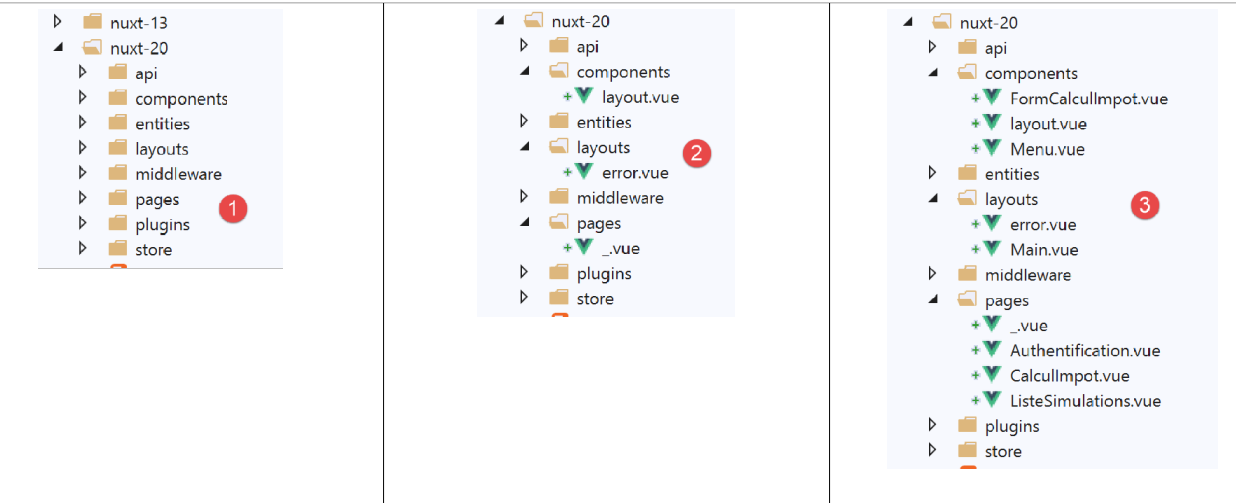
然后,我们移除不再需要的页面和组件 [2]:
- [components/navigation] 组件消失;
- 布局 [layout/default] 消失;
- 页面 [index, authentication, get-admindata, end-session] 被移除;
然后我们将 [vuejs-22] 中的元素集成到 [nuxt-20] 中 [3]:
- 来自 [vuejs-22] 应用程序的三个页面 [Authentication, TaxCalculation, SimulationList] 放入 [pages] 文件夹;
- 来自 [vuejs-22] 应用程序的组件 [FormCalculImpot, Menu, Layout] 放入 [components] 文件夹;
- [vuejs-22] 中的 [Main] 页面(该页面在 [vuejs-22] 应用中充当 [layout])放入 [layouts] 文件夹;
我们将集成元素重命名为 [4]:
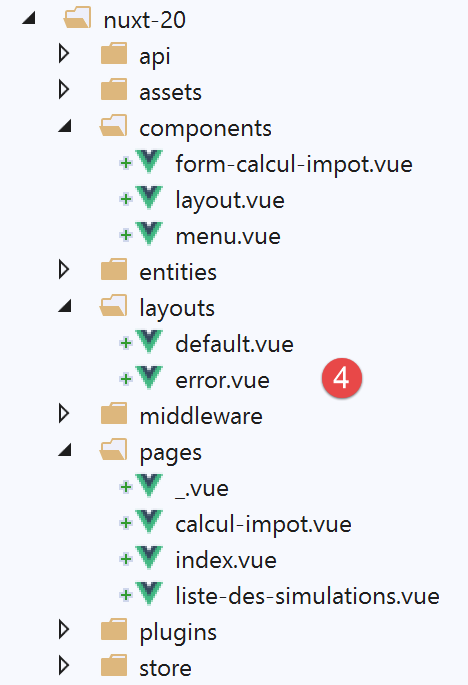
- 在 [layouts] 中,[Main] 已更名为 [default],因为这是 [nuxt] 应用程序布局的默认名称;
- 在 [pages] 中,[Authentication] 页面已更名为 [index],因为在 [vuejs-22] 应用中 [Authentication] 页面承担了这一角色;
此时,我们可以编译项目以查看首批错误。我们将 [nuxt-12] 示例中的 [nuxt.config] 文件修改为运行 [nuxt-20]:
export default {
  mode: 'universal',
  /*
   ** Headers of the page
   */
  head: {
    title: 'Introduction à [nuxt.js]',
    meta: [
      { charset: 'utf-8' },
      { name: 'viewport', content: 'width=device-width, initial-scale=1' },
      {
        hid: 'description',
        name: 'description',
        content: 'ssr routing loading asyncdata middleware plugins store'
      }
    ],
    link: [{ rel: 'icon', type: 'image/x-icon', href: '/favicon.ico' }]
  },
  /*
   ** Customize the progress-bar color
   */
  loading: false,

  /*
   ** Global CSS
   */
  css: [],
  /*
   ** Plugins to load before mounting the App
   */
  plugins: [
    { src: '@/plugins/client/plgSession', mode: 'client' },
    { src: '@/plugins/server/plgSession', mode: 'server' },
    { src: '@/plugins/client/plgDao', mode: 'client' },
    { src: '@/plugins/server/plgDao', mode: 'server' },
    { src: '@/plugins/client/plgEventBus', mode: 'client' }
  ],
  /*
   ** Nuxt.js dev-modules
   */
  buildModules: [
    // Doc: https://github.com/nuxt-community/eslint-module
    '@nuxtjs/eslint-module'
  ],
  /*
   ** Nuxt.js modules
   */
  modules: [
    // Doc: https://bootstrap-vue.js.org
    'bootstrap-vue/nuxt',
    // Doc: https://axios.nuxtjs.org/usage
    '@nuxtjs/axios',
    // https://www.npmjs.com/package/cookie-universal-nuxt
    'cookie-universal-nuxt'
  ],
  /*
   ** Axios module configuration
   ** See https://axios.nuxtjs.org/options
   */
  axios: {},
  /*
   ** Build configuration
   */
  build: {
    /*
     ** You can extend webpack config here
     */
    extend(config, ctx) {}
  },
  // source code directory
  srcDir: 'nuxt-20',
  // router
  router: {
    // application URL root
    base: '/nuxt-20/',
    // routing middleware
    middleware: ['routing']
  },
  // server
  server: {
    // service port, default 3000
    port: 81,
    // network addresses listened to, default localhost: 127.0.0.1
    // 0.0.0.0 = all the machine's network addresses
    host: 'localhost'
  },
  // environment
  env: {
    // axios configuration
    timeout: 2000,
    withCredentials: true,
    baseURL: 'http://localhost/php7/scripts-web/impots/version-14',
    // session cookie configuration [nuxt]
    maxAge: 60 * 5
  }
}
接下来,我们 [构建] 该项目:
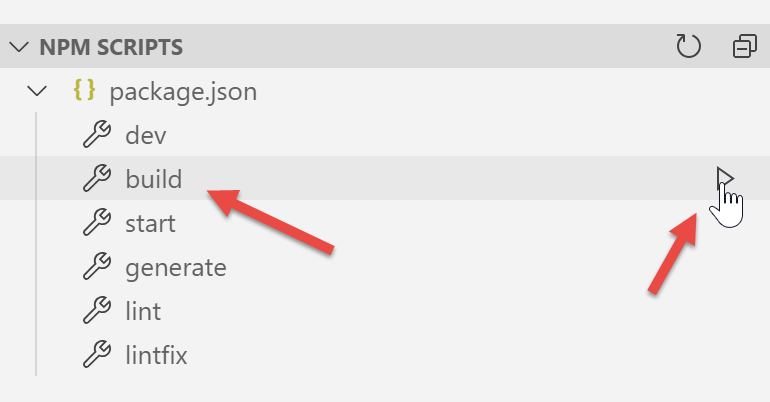
报告了以下错误:
- 第 1 行的错误表明引用了一个不存在的图像。我们将在 [vuejs-22] 中获取它;
- 第 2 行的错误表明 [./FormCalculImpot] 组件不存在。实际上,该组件现在位于 [@/components/form-calcul-impot] 中;
- 第 [3-5] 行的错误表明 [./Layout] 组件不存在。实际上,该组件现已位于 [@/components/layout] 中;
- 第 [6-7] 行的错误提示 [./Menu] 组件不存在。实际上,该组件现已更名为 [@/components/menu];
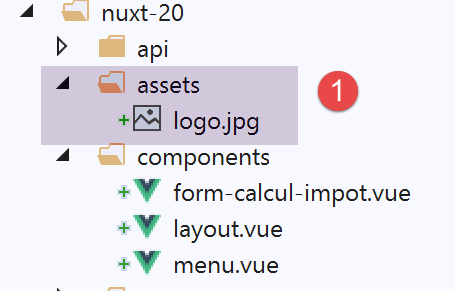
我们将图片 [assets/logo.jpg] 添加到 [nuxt-20] 项目中:
此外,我们将修正所有页面中的组件路径。以 [calcul-import] 页面为例:
<!-- definition HTML of the view -->
<template>
  <div>
    <Layout :left="true" :right="true">
      <!-- tax calculation form on the right -->
      <FormCalculImpot slot="right" @resultatObtenu="handleResultatObtenu" />
      <!-- left-hand navigation menu -->
      <Menu slot="left" :options="options" />
    </Layout>
    <!-- display area for tax calculation results under the form -->
    <b-row v-if="résultatObtenu" class="mt-3">
      <!-- empty three-column zone -->
      <b-col sm="3" />
      <!-- nine-column zone -->
      <b-col sm="9">
        <b-alert show variant="success">
          <span v-html="résultat"></span>
        </b-alert>
      </b-col>
    </b-row>
  </div>
</template>

<script>
// imports
import FormCalculImpot from './FormCalculImpot'
import Menu from './Menu'
import Layout from './Layout'

export default {
  // composants utilisés
  components: {
    Layout,
    FormCalculImpot,
    Menu
  },
第 26–28 行中的三个 [import] 语句变为:
// imports
import FormCalculImpot from '@/components/form-calcul-impot'
import Menu from '@/components/menu'
import Layout from '@/components/layout'
检查所有组件、布局和页面的 [import] 语句,如有必要请进行修正。完成这些修正后,您可以尝试进行一次新的 [build]。通常情况下,此时不应再出现错误。
随后您可以尝试运行应用程序:
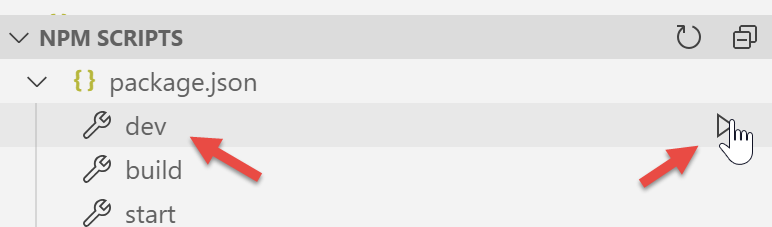
出现错误:
我们可以看到,从语法角度而言,[dev] 命令结合 [eslint] 模块比 [build] 命令更为严格。在此,它要求将比较运算符 [!=] 写为 [!==],后者是更严格的运算符(它还会检查操作数的类型)。这些错误出现在 [index.vue] 页面中。
我们修正上述错误并重新运行项目。随后,[eslint] 模块发出以下警告:
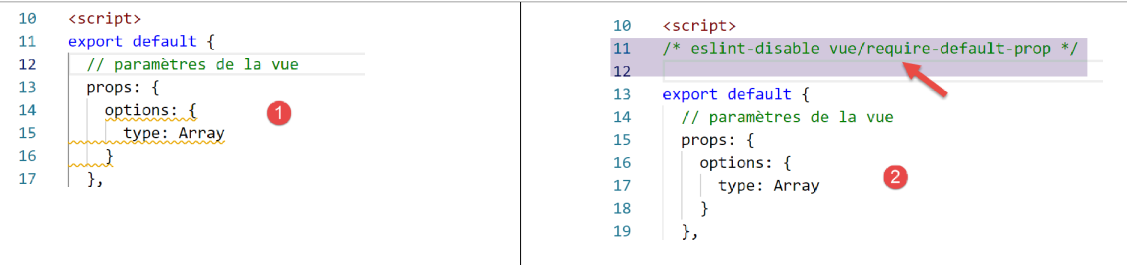
我们通过 [eslint] 模块 [2] 中的 [快速修复] 功能来修复此错误。
我们重启项目。编译错误已不复存在。随后我们在浏览器中访问 URL [http://localhost:81/nuxt-20/]。此时出现运行时错误:
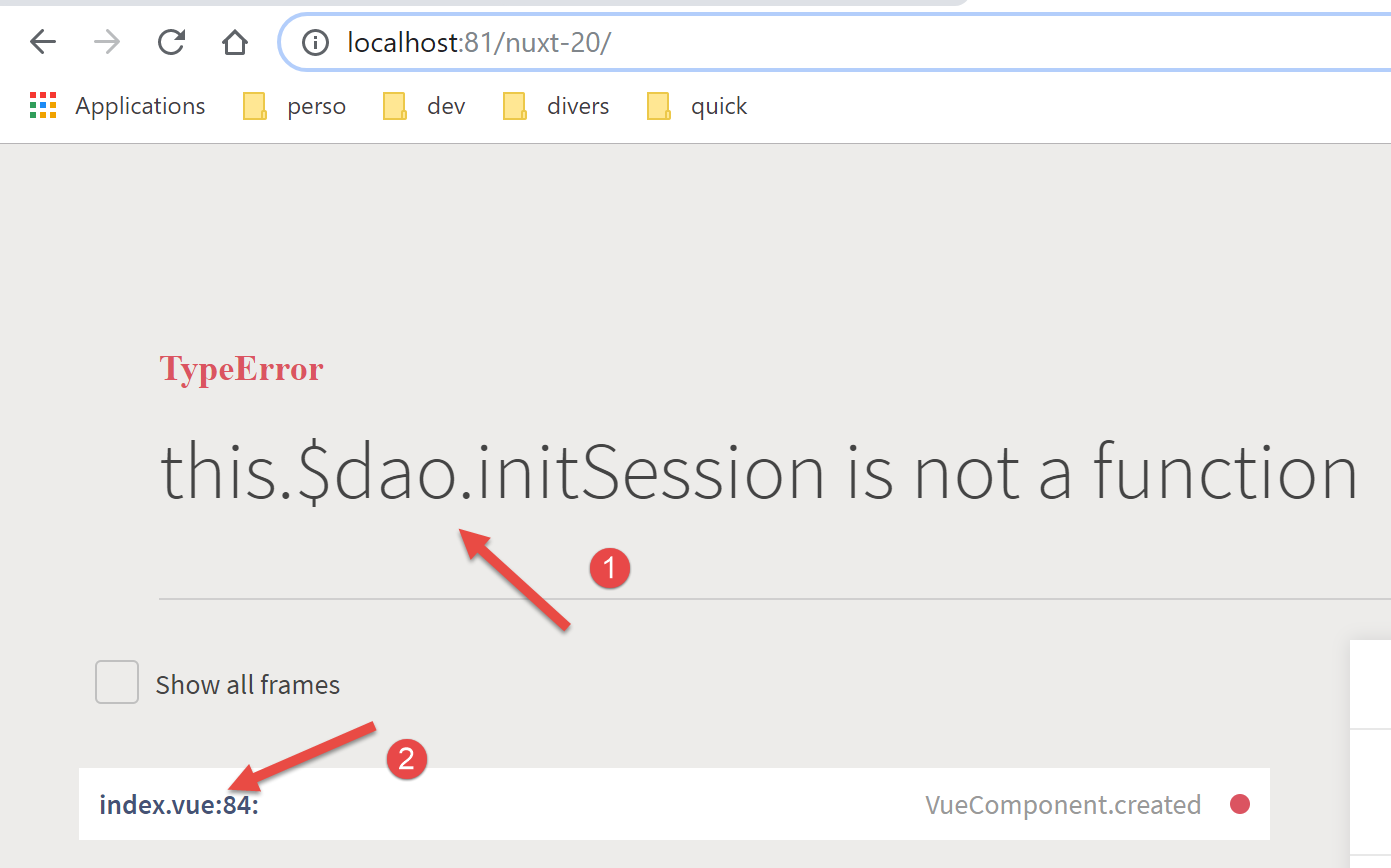
错误出现在 [index.vue] 的第 [2] 行。错误 [1] 的根源在于:在 [vuejs-22] 中,[dao] 层可通过 [this.$dao] 访问,而在我们采用的 [nuxt-12] 框架中,则需通过函数 [this.$dao()] 访问。
错误出现在 [index] 页面生命周期的 [created] 函数中:
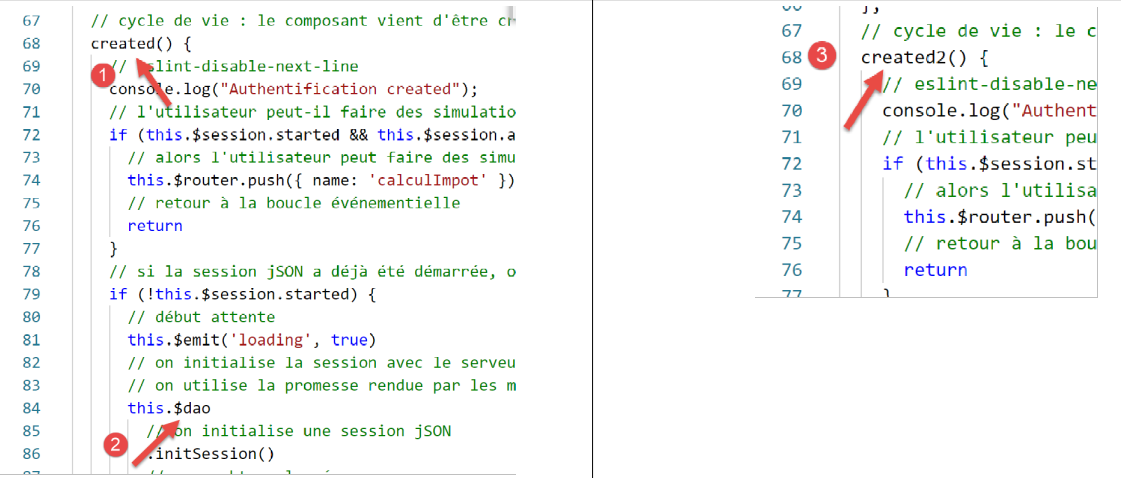
目前,我们将 [created] 重命名为 [created2],以确保 [created] 生命周期函数不会被执行 [3]。
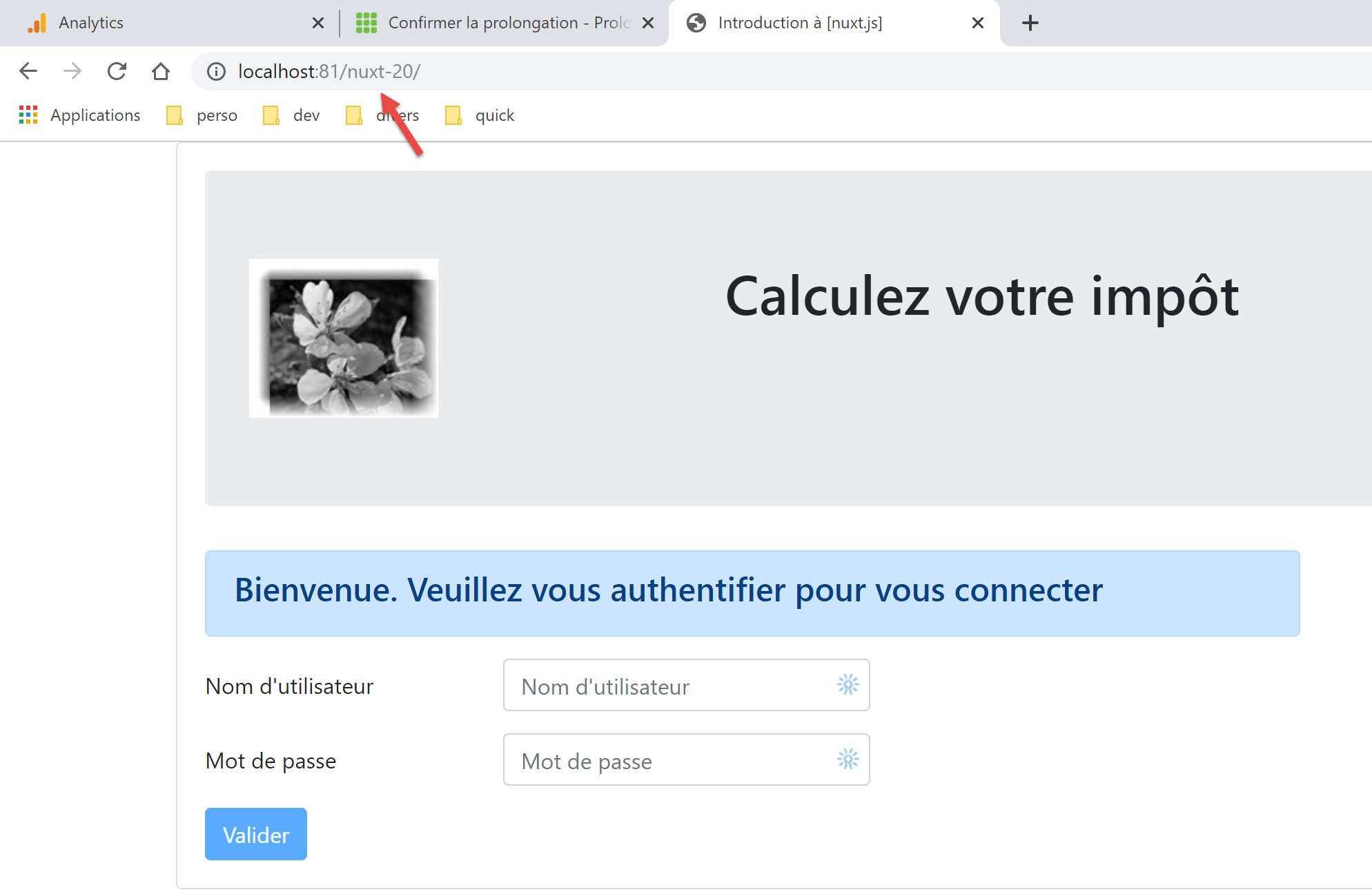
我们保存更改,并在浏览器中重新加载 [index] 页面。这次它正常工作了:
17.3. 步骤 2
[vuejs-22] 项目的页面使用了以下注入的元素:
- $dao:用于 [vue.js] 客户端的 [dao] 层;
- $session:用于存储在浏览器 [localStorage] 中的会话;
在我们复制的 [nuxt-12] 项目架构中,这些元素已不复存在:
- 现在有两个 [dao] 层,一个用于 [nuxt] 客户端,另一个用于 [nuxt] 服务器。两者均可通过名为 [$dao] 的注入函数访问。这意味着在应用程序的页面中,[this.$dao] 必须替换为 [this.$dao()];
- 由 [nuxt-20] 应用程序管理的 [nuxt] 会话,已与 [vuejs-22] 应用程序中的 [$session] 对象毫无关联——后者原本并不存在会话 Cookie 的概念。尽管如此,它们的功能相似:在用户与应用程序交互时存储持久化信息。 [nuxt] 会话将信息存储在存储器(store)中,而非直接存储在会话中。在应用程序的页面中,当向会话存储信息时,[this.$session] 必须替换为 [this.$store];而当操作会话本身时,则需替换为 [this.$session()];
- 若要检查存储中属性 P 的状态,必须写成 [this.$store.state.P];
- 若要修改存储中的属性 P,必须写成 [this.$store.commit('replace', {P:value})]
我们在 [index] 页面中进行这些修改:
<!-- définition HTML de la vue -->
<template>
  <Layout :left="false" :right="true">
    <template slot="right">
      <!-- formulaire HTML - on poste ses valeurs avec l'action [authentifier-utilisateur] -->
      <b-form @submit.prevent="login">
        <!-- titre -->
        <b-alert show variant="primary">
          <h4>Bienvenue. Veuillez vous authentifier pour vous connecter</h4>
        </b-alert>
        <!-- 1ère ligne -->
        <b-form-group label="Nom d'utilisateur" label-for="user" label-cols="3">
          <!-- zone de saisie user -->
          <b-col cols="6">
            <b-form-input id="user" v-model="user" type="text" placeholder="Nom d'utilisateur" />
          </b-col>
        </b-form-group>
        <!-- 2ième ligne -->
        <b-form-group label="Mot de passe" label-for="password" label-cols="3">
          <!-- zone de saisie password -->
          <b-col cols="6">
            <b-input id="password" v-model="password" type="password" placeholder="Mot de passe" />
          </b-col>
        </b-form-group>
        <!-- 3ième ligne -->
        <b-alert v-if="showError" show variant="danger" class="mt-3">L'erreur suivante s'est produite : {{ message }}</b-alert>
        <!-- bouton de type [submit] sur une 3ième ligne -->
        <b-row>
          <b-col cols="2">
            <b-button :disabled="!valid" variant="primary" type="submit">Valider</b-button>
          </b-col>
        </b-row>
      </b-form>
    </template>
  </Layout>
</template>

<!-- dynamique de la vue -->
<script>
/* eslint-disable no-console */
import Layout from '@/components/layout'
export default {
  // components used
  components: {
    Layout
  },
  // component status
  data() {
    return {
      // user
      user: '',
      // password
      password: '',
      // controls the display of an error msg
      showError: false,
      // the error message
      message: ''
    }
  },

  // calculated properties
  computed: {
    // valid entries
    valid() {
      return this.user && this.password && this.$store.state.started
    }
  },
  // life cycle: the component has just been created
  mounted() {
    // eslint-disable-next-line
    console.log("Authentification mounted");
    // can the user run simulations?
    if (this.$store.state.started && this.$store.state.authenticated && this.$métier.taxAdminData) {
      // then the user can run simulations
      this.$router.push({ name: 'calculImpot' })
      // return to event loop
      return
    }
    // if the jSON session has already been started, it is not restarted again
    if (!this.$store.state.started) {
      // start waiting
      this.$emit('loading', true)
      // initialize the session with the server - asynchronous request
      // we use the promise rendered by the [dao] layer methods
      this.$dao()
        // initialize a jSON session
        .initSession()
        // we got the answer
        .then((response) => {
          // end waiting
          this.$emit('loading', false)
          // response analysis
          if (response.état !== 700) {
            // error is displayed
            this.message = response.réponse
            this.showError = true
            // return to event loop
            return
          }
          // the session has started
          this.$store.commit('replace', { started: true })
          console.log('[authentification], session=', this.$session())
        })
        // in case of error
        .catch((error) => {
          // the error is traced back to the [Main] view
          this.$emit('error', error)
        })
        // in all cases
        .finally(() => {
          // save the session
          this.$session().save()
        })
    }
  },

  // event managers
  methods: {
    // ----------- authentication
    async login() {
      try {
        // start waiting
        this.$emit('loading', true)
        // you are not yet authenticated
        this.$store.commit('replace', { authenticated: false })
        // blocking server authentication
        const response = await this.$dao().authentifierUtilisateur(this.user, this.password)
        // end of loading
        this.$emit('loading', false)
        // server response analysis
        if (response.état !== 200) {
          // error is displayed
          this.message = response.réponse
          this.showError = true
          // return to event loop
          return
        }
        // no error
        this.showError = false
        // you are authenticated
        this.$store.commit('replace', { authenticated: true })
        // --------- we now request data from the tax authorities
        // initially, no data
        this.$métier.setTaxAdminData(null)
        // start waiting
        this.$emit('loading', true)
        // blocking request to the server
        const response2 = await this.$dao().getAdminData()
        // end of loading
        this.$emit('loading', false)
        // response analysis
        if (response2.état !== 1000) {
          // error is displayed
          this.message = response2.réponse
          this.showError = true
          // return to event loop
          return
        }
        // no error
        this.showError = false
        // the received data is stored in the [business] layer
        this.$métier.setTaxAdminData(response2.réponse)
        // we can move on to tax calculation
        this.$router.push({ name: 'calculImpot' })
      } catch (error) {
        // the error is traced back to the main component
        this.$emit('error', error)
      } finally {
        // maj store
        this.$store.commit('replace', { métier: this.$métier })
        // save the session
        this.$session().save()
      }
    }
  }
}
</script>
请注意以下几点:
- 第 69 行:[created2] 函数已重命名为 [mounted],以确保 [nuxt] 服务器不会执行它(它既不执行 [beforeMount] 也不执行 [mounted])。只有 [nuxt] 客户端会执行它,这与 [vuejs-22] 示例的情况一致;
- 第 73 行:我们引用了 [this.$business],但该变量目前并不存在;
- 第 75 行:我们在 [nuxt] 应用中从未使用过此方法。我们需要验证它在 [nuxt] 环境中是否有效;
- 第 112 行、第 172 行:在 [vuejs-22] 中,项目会话是通过这种方式保存的。在 [nuxt-20] 项目中,[save] 方法必须接收当前上下文。我们知道在 [nuxt] 页面中,[context] 对象可通过 [this.$nuxt.context] 获取;
因此,第 112 行和第 172 行重写如下:
this.$session().save(this.$nuxt.context)
请注意,此代码尚未经过优化。与其多次使用 [this.$session()] 函数,不如改写为:
const session=this.$session()
然后使用 [session] 变量。同样的道理也适用于 [this.$dao()] 函数。
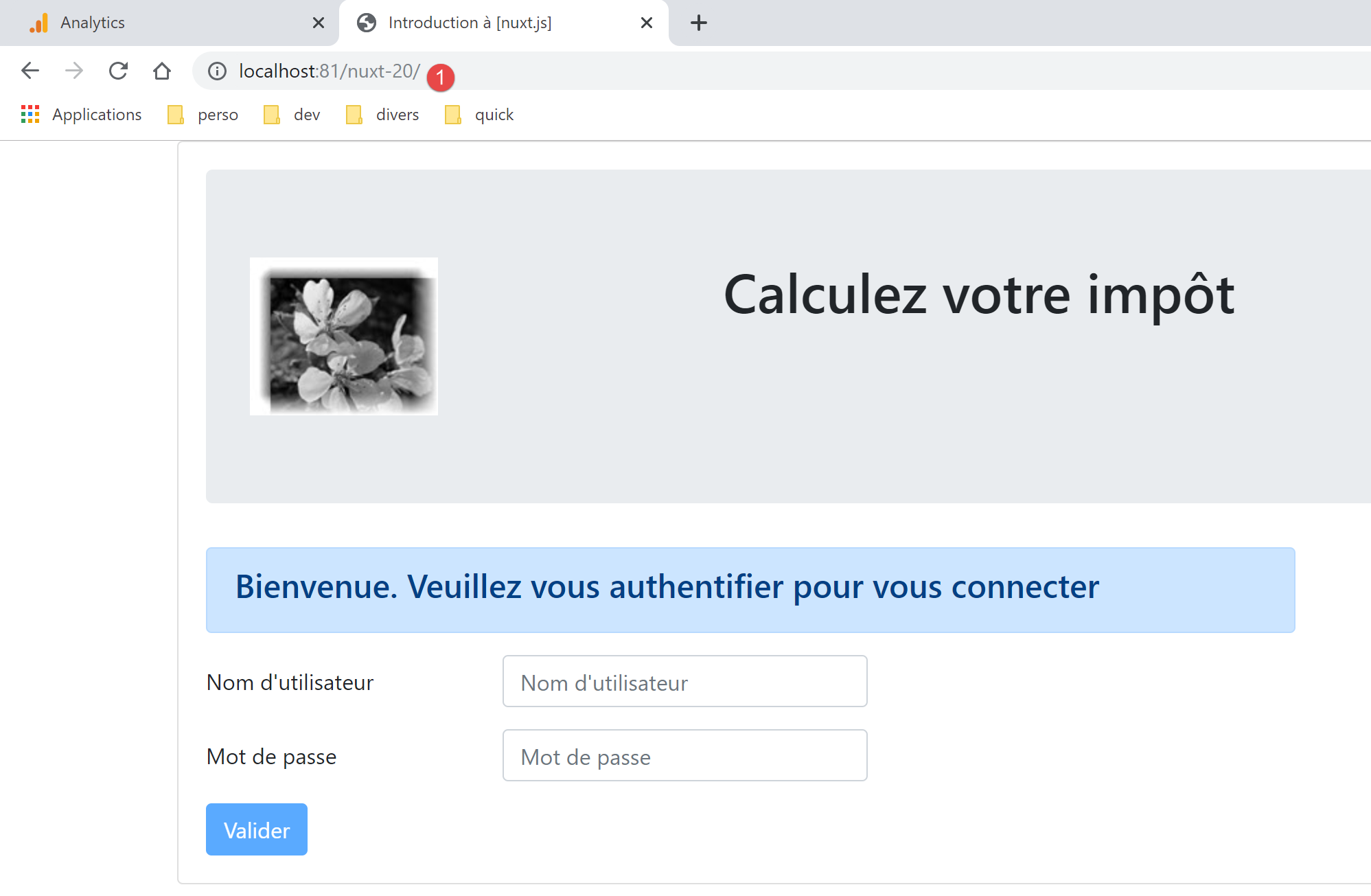
完成这些修正后,我们可以在浏览器中重新加载 URL [http://localhost:81/nuxt-20/]。我们仍然会看到与之前相同的页面:
让我们来看看浏览器日志:
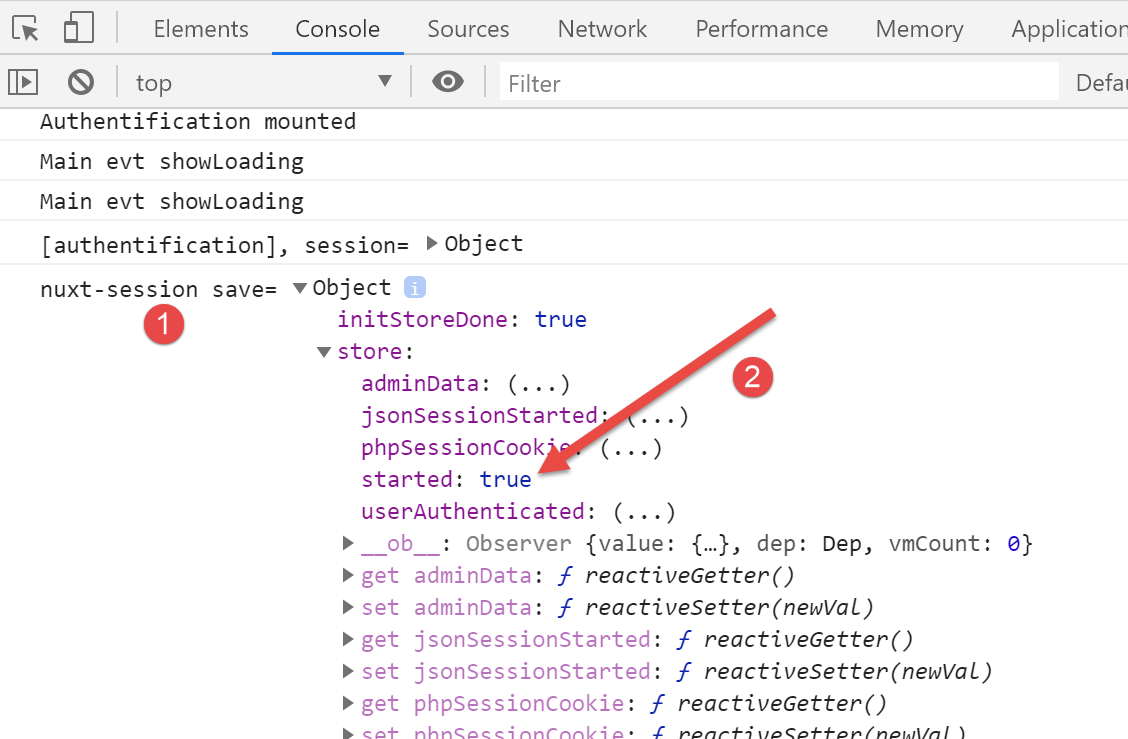
日志 [1] 是 [nuxt] 客户端生成的最后一条日志。在 [2] 中,我们可以看到 [started] 属性被设置为 [true],这意味着 [mounted] 函数已成功与税费计算服务器建立了 JSON 会话。我们还看到,该存储中存在一些属性,这些属性需要被丢弃或重命名。 请注意,我们正在使用 [nuxt-12] 示例中的 store。
现在,让我们在税费计算服务器未运行时再次请求 URL [http://localhost:81/nuxt-20/]。首先,请确保删除 [nuxt] 会话 Cookie:
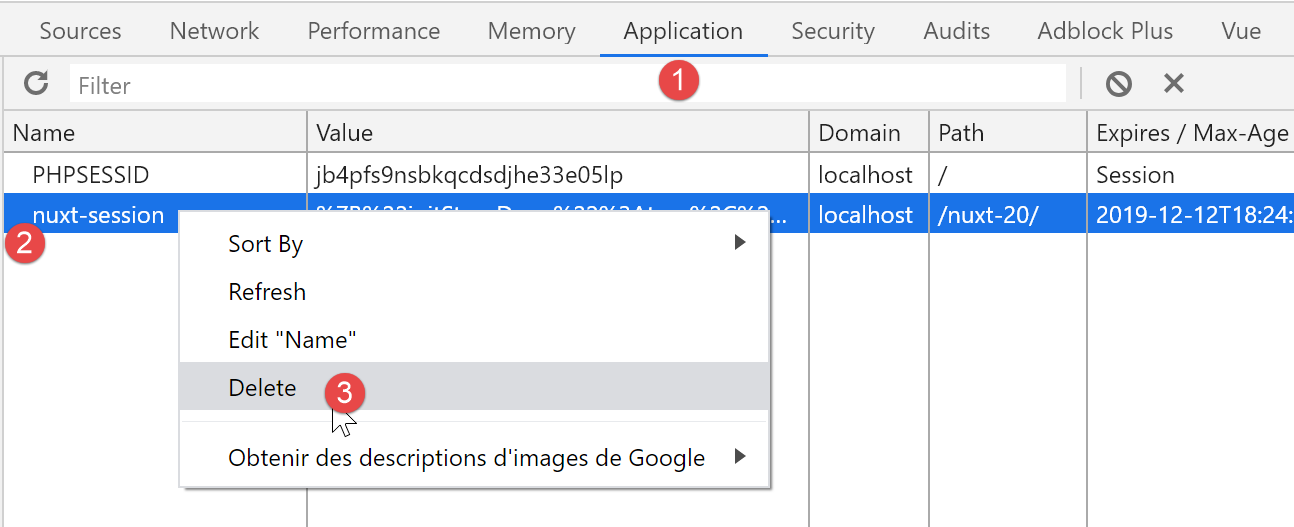
上图是 Chrome 的截图。完成上述操作后,访问 URL [http://localhost:81/nuxt-20/] 会返回以下结果:
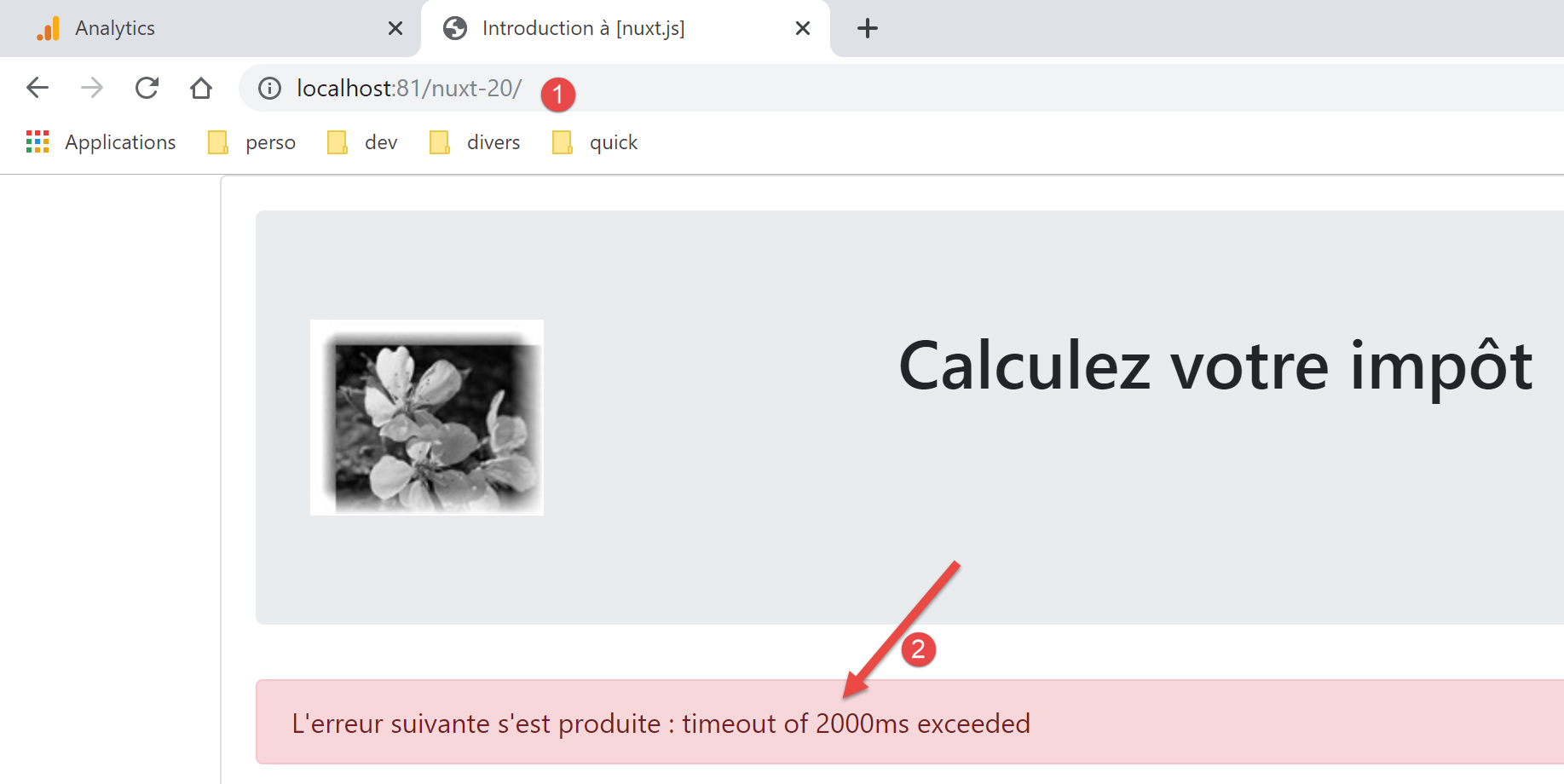
该错误已被 [vuejs-22] 项目正确处理。在 [nuxt-20] 项目中,该错误仍被正确处理。
17.4. 步骤 3
既然我们已经有了身份验证页面,接下来需要查看用户点击 [Validate] 按钮时执行的代码:
// event managers
  methods: {
    // ----------- authentication
    async login() {
      try {
        // start waiting
        this.$emit('loading', true)
        // you are not yet authenticated
        this.$store.commit('replace', { authenticated: false })
        // blocking server authentication
        const response = await this.$dao().authentifierUtilisateur(this.user, this.password)
        // end of loading
        this.$emit('loading', false)
        // server response analysis
        if (response.état !== 200) {
          // error is displayed
          this.message = response.réponse
          this.showError = true
          // return to event loop
          return
        }
        // no error
        this.showError = false
        // you are authenticated
        this.$store.commit('replace', { authenticated: true })
        // --------- we now request data from the tax authorities
        // initially, no data
        this.$métier.setTaxAdminData(null)
        // start waiting
        this.$emit('loading', true)
        // blocking request to the server
        const response2 = await this.$dao().getAdminData()
        // end of loading
        this.$emit('loading', false)
        // response analysis
        if (response2.état !== 1000) {
          // error is displayed
          this.message = response2.réponse
          this.showError = true
          // return to event loop
          return
        }
        // no error
        this.showError = false
        // the received data is stored in the [business] layer
        this.$métier.setTaxAdminData(response2.réponse)
        // we can move on to tax calculation
        this.$router.push({ name: 'calculImpot' })
      } catch (error) {
        // the error is traced back to the main component
        this.$emit('error', error)
      } finally {
        // maj store
        this.$store.commit('replace', { métier: this.$métier })
        // save the session
        this.$session().save(this.$nuxt.context)
      }
    }
  }
这里的主要问题似乎是缺少 [this.$métier] 数据。为了解决这个问题,我们将:
- 从 [vuejs-22] 示例中引入 [Métier] 类。我们将它放在 [api] 文件夹中;
- 将 [$métier] 函数注入到 [nuxt] 客户端上下文中,从而提供对该类的访问;
首先,将 [Métier] 类复制到 [api] 文件夹中:
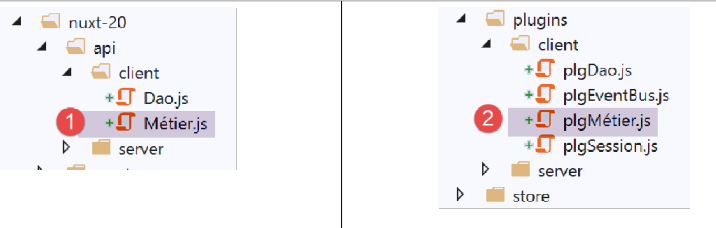
将 [Métier] 类放入项目后,我们将为 [nuxt] 客户端创建一个新插件。该插件名为 [pluginMétier],它将注入一个 [$métier] 函数,用于访问 [Métier] 类:
/* eslint-disable no-console */
// on crée un point d'accès à la couche [métier]
import Métier from '@/api/client/Métier'
export default (context, inject) => {
  // instanciation de la couche [métier]
  const métier = new Métier()
  // injection d'une fonction [$métier] dans le contexte
  inject('métier', () => métier)
  // log
  console.log('[fonction client $métier créée]')
}
现在完成这一步后,我们可以更新 [index] 页面:
// life cycle: the component has just been created
  mounted() {
    // eslint-disable-next-line
    console.log("Authentification mounted");
    // can the user run simulations?
    if (this.$store.state.started && this.$store.state.authenticated && this.$métier().taxAdminData) {
      // then the user can run simulations
      this.$router.push({ name: 'calcul-impot' })
      // return to event loop
      return
    }
    // if the jSON session has already been started, it is not restarted again
    ...
  },

  // event managers
  methods: {
    // ----------- authentication
    async login() {
      try {
        // start waiting
        this.$emit('loading', true)
        // you are not yet authenticated
        this.$store.commit('replace', { authenticated: false })
        // blocking server authentication
        const response = await this.$dao().authentifierUtilisateur(this.user, this.password)
        // end of loading
        this.$emit('loading', false)
        // server response analysis
        if (response.état !== 200) {
          // error is displayed
          this.message = response.réponse
          this.showError = true
          // return to event loop
          return
        }
        // no error
        this.showError = false
        // you are authenticated
        this.$store.commit('replace', { authenticated: true })
        // --------- we now request data from the tax authorities
        // initially, no data
        this.$métier().setTaxAdminData(null)
        // start waiting
        this.$emit('loading', true)
        // blocking request to the server
        const response2 = await this.$dao().getAdminData()
        // end of loading
        this.$emit('loading', false)
        // response analysis
        if (response2.état !== 1000) {
          // error is displayed
          this.message = response2.réponse
          this.showError = true
          // return to event loop
          return
        }
        // no error
        this.showError = false
        // the received data is stored in the [business] layer
        this.$métier().setTaxAdminData(response2.réponse)
        // we can move on to tax calculation
        this.$router.push({ name: 'calcul-impot' })
      } catch (error) {
        // the error is traced back to the main component
        this.$emit('error', error)
      } finally {
        // maj store
        this.$store.commit('replace', { métier: this.$métier() })
        // save the session
        this.$session().save(this.$nuxt.context)
      }
    }
  }
- 第 43、61、69 行:[this.$métier] 已被替换为 [this.$métier()];
- 第 8、63 行:[vuejs-22] 项目中的页面 [CalculImpot] 在 [nuxt-20] 项目中已更名为 [calcul-impot];
完成这些修改后,我们可以尝试验证身份验证页面:
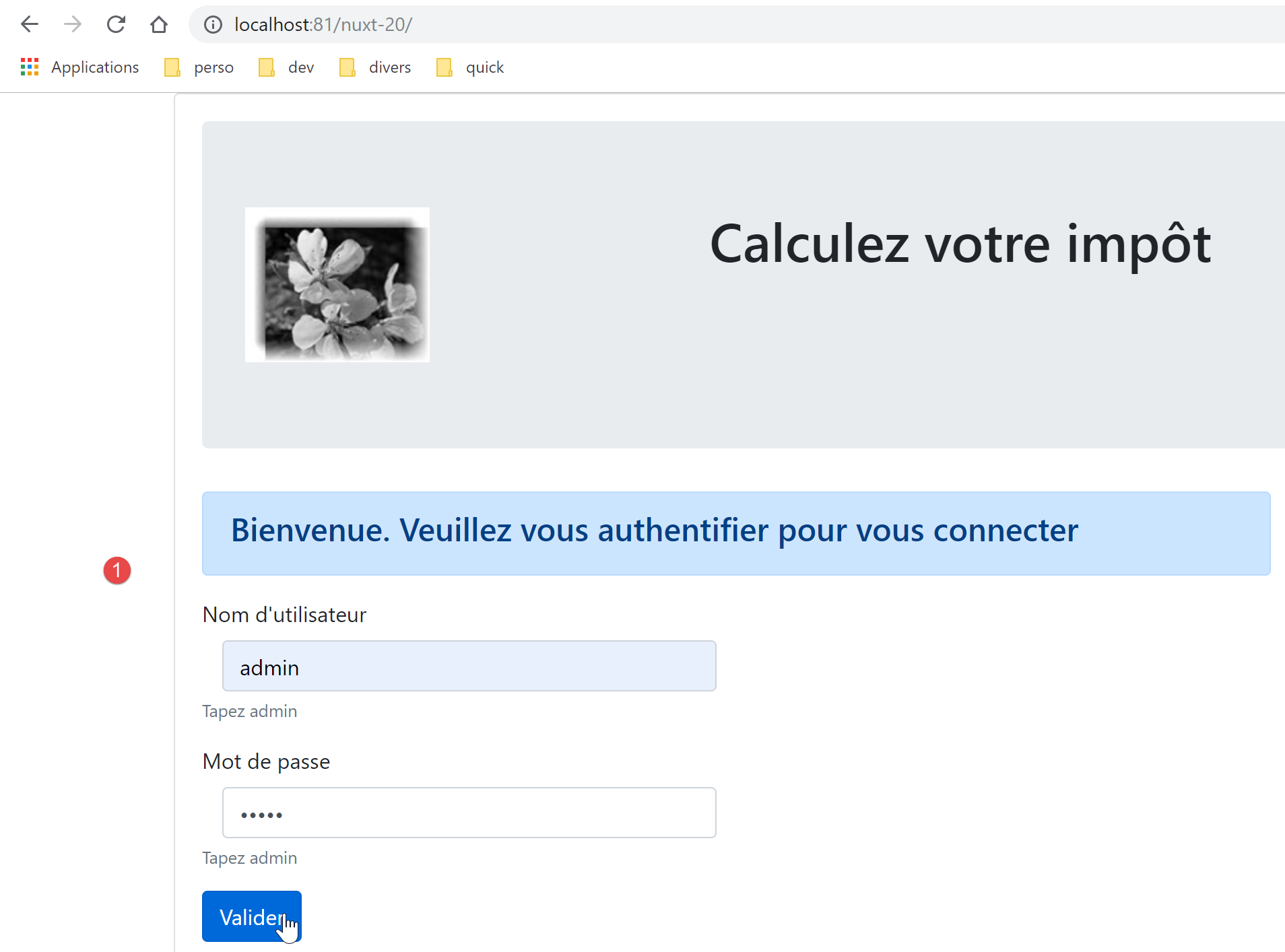
生成的页面如下:
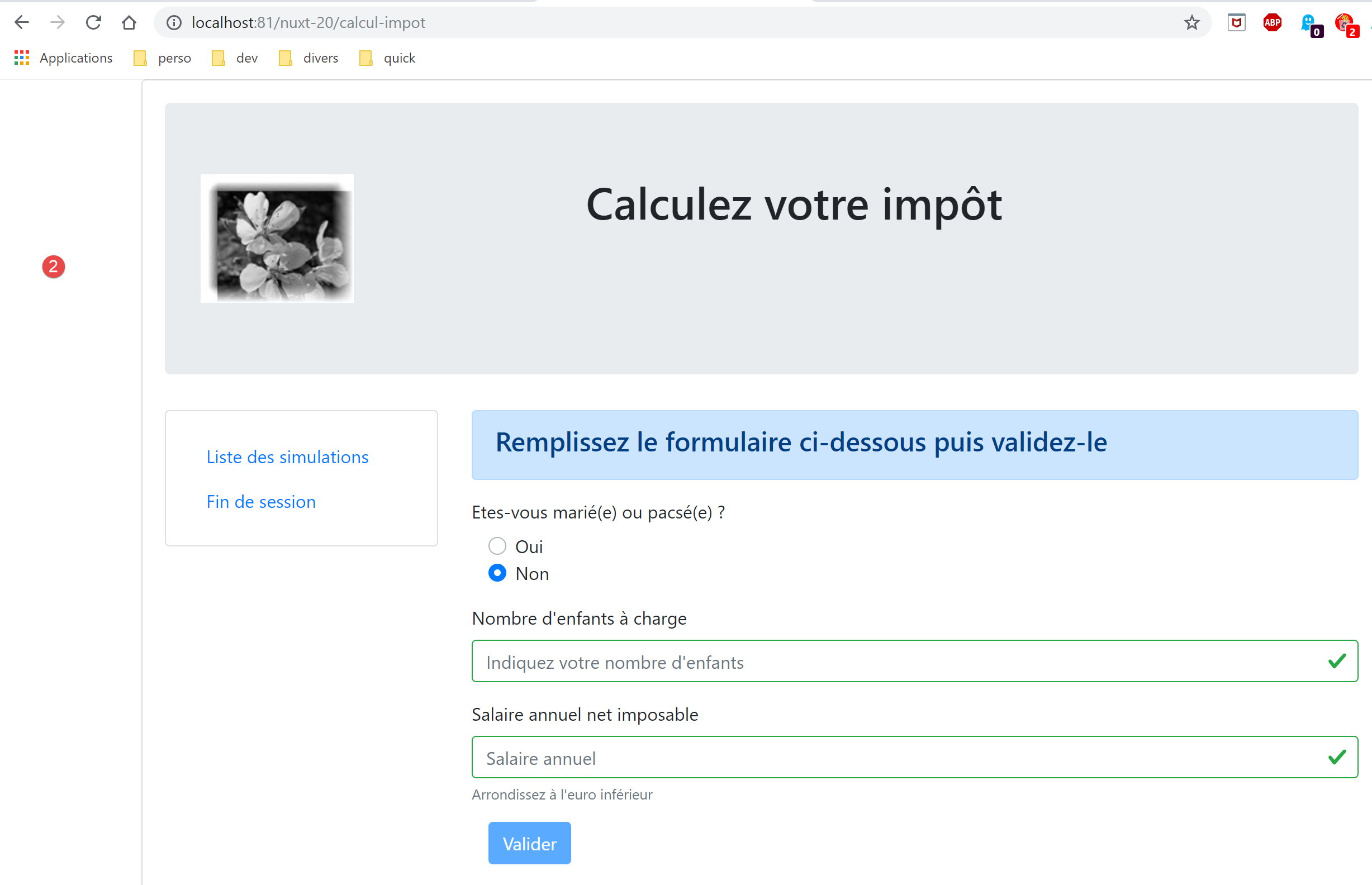
我们已成功进入税费计算页面。现在让我们查看日志:
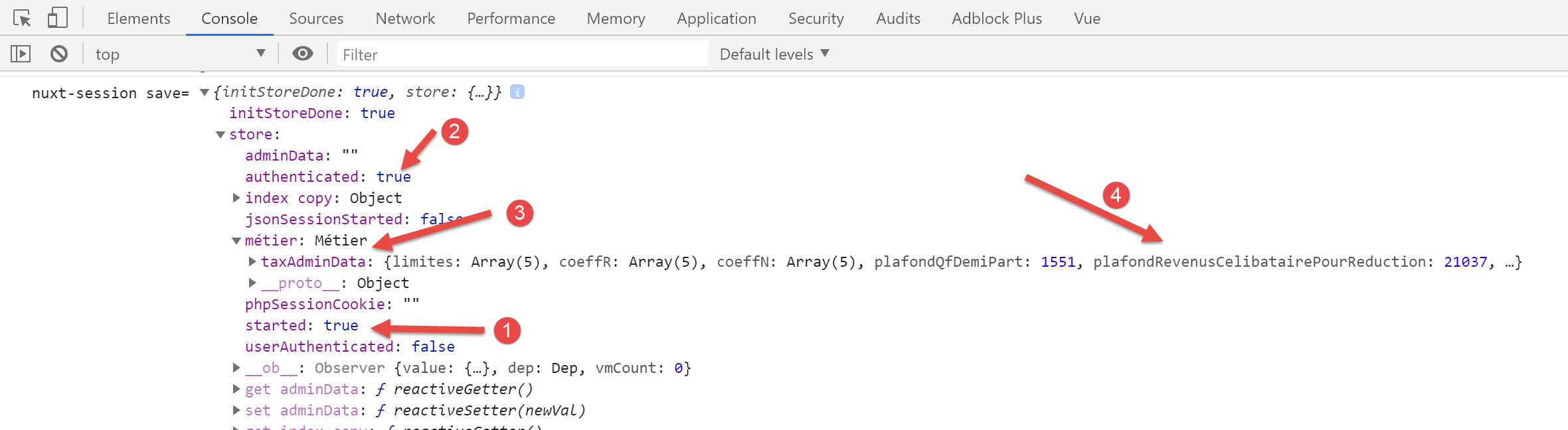
在 [2] 中,我们可以看到身份验证状态已正确存储。在 [3-4] 中,我们可以看到 [taxAdminData] 数据已成功获取,这使得 [Métier] 类能够进行税费计算。
17.5. 步骤 4
让我们来查看生成的 [calcul-impot] 页面:
<!-- definition HTML of the view -->
<template>
  <div>
    <Layout :left="true" :right="true">
      <!-- tax calculation form on the right -->
      <FormCalculImpot slot="right" @resultatObtenu="handleResultatObtenu" />
      <!-- left-hand navigation menu -->
      <Menu slot="left" :options="options" />
    </Layout>
    <!-- display area for tax calculation results under the form -->
    <b-row v-if="résultatObtenu" class="mt-3">
      <!-- empty three-column zone -->
      <b-col sm="3" />
      <!-- nine-column zone -->
      <b-col sm="9">
        <b-alert show variant="success">
          <span v-html="résultat"></span>
        </b-alert>
      </b-col>
    </b-row>
  </div>
</template>

<script>
// imports
import FormCalculImpot from '@/components/form-calcul-impot'
import Menu from '@/components/menu'
import Layout from '@/components/layout'

export default {
  // composants utilisés
  components: {
    Layout,
    FormCalculImpot,
    Menu
  },
  // état interne
  data() {
    return {
      // options du menu
      options: [
        {
          text: 'Liste des simulations',
          path: '/liste-des-simulations'
        },
        {
          text: 'Fin de session',
          path: '/fin-session'
        }
      ],
      // résultat du calcul de l'impôt
      résultat: '',
      résultatObtenu: false
    }
  },
  // cycle de vie
  created() {
    // eslint-disable-next-line
    console.log("CalculImpot created");
  },
  // méthodes de gestion des évts
  methods: {
    // résultat du calcul de l'impôt
    handleResultatObtenu(résultat) {
      // on construit le résultat en chaîne HTML
      const impôt = "Montant de l'impôt : " + résultat.impôt + ' euro(s)'
      const décôte = 'Décôte : ' + résultat.décôte + ' euro(s)'
      const réduction = 'Réduction : ' + résultat.réduction + ' euro(s)'
      const surcôte = 'Surcôte : ' + résultat.surcôte + ' euro(s)'
      const taux = "Taux d'imposition : " + résultat.taux
      this.résultat = impôt + '<br/>' + décôte + '<br/>' + réduction + '<br/>' + surcôte + '<br/>' + taux
      // affichage du résultat
      this.résultatObtenu = true
      // ---- maj du store [Vuex]
      // une simulation de +
      this.$store.commit('addSimulation', résultat)
      // on sauvegarde la session
      this.$session.save()
    }
  }
}
</script>
- 第 44 行和第 48 行:导航菜单的链接是正确的。页面 [/fin-session] 不存在。[vuejs-22] 项目通过路由解决了这个问题。我们将对 [nuxt-20] 项目采取同样的做法;
- 第 76 行:我们引用了一个目前不存在的 [addSimulation] 方法。我们将创建它;
- 第 78 行:与 [index] 页面一样,我们需要编写 [this.$session().save(this.$nuxt.context)];
现在修改 [store/index] 存储。该存储继承自 [nuxt-12] 项目,当前内容如下:
/* eslint-disable no-console */

// awning status
export const state = () => ({
  // session jSON started
  jsonSessionStarted: false,
  // authenticated user
  userAuthenticated: false,
  // session cookie PHP
  phpSessionCookie: '',
  // adminData
  adminData: ''
})

// changes in the awning
export const mutations = {
  // state replacement
  replace(state, newState) {
    for (const attr in newState) {
      state[attr] = newState[attr]
    }
  },
  // awning reset
  reset() {
    this.commit('replace', { jsonSessionStarted: false, userAuthenticated: false, phpSessionCookie: '', adminData: '' })
  }
}

// awning actions
export const actions = {
  nuxtServerInit(store, context) {
    // who executes this code?
    console.log('nuxtServerInit, client=', process.client, 'serveur=', process.server, 'env=', context.env)
    // init session
    initStore(store, context)
  }
}

function initStore(store, context) {
  // store is the blind to be initialized
  // retrieve the session
  const session = context.app.$session()
  // has the session already been initiated?
  if (!session.value.initStoreDone) {
    // start a new blind
    console.log("nuxtServerInit, initialisation d'un nouveau store")
    // put the blind in the session
    session.value.store = store.state
    // the blind is now initialized
    session.value.initStoreDone = true
  } else {
    console.log("nuxtServerInit, reprise d'un store existant")
    // update the store with the session store
    store.commit('replace', session.value.store)
  }
  // save the session
  session.save(context)
  // log
  console.log('initStore terminé, store=', store.state)
}
- 第 3–27 行:我们将继续探讨 [vuejs-22] 应用程序的状态和变异(参见文档 [3]):
// awning status
export const state = () => ({
  // session jSON started
  started: false,
  // authenticated user
  authenticated: false,
  // session cookie PHP
  phpSessionCookie: '',
  // list of simulations
  simulations: [],
  // last simulation number
  idSimulation: 0,
  // business] layer
  métier: null
})

// changes in the awning
export const mutations = {
  // state replacement
  replace(state, newState) {
    for (const attr in newState) {
      state[attr] = newState[attr]
    }
  },
  // awning reset
  reset() {
        this.commit('replace', { started: false, authenticated: false, phpSessionCookie: '', idSimulation: 0, simulations: [], métier: null })
  },
  // delete line n° index
  deleteSimulation(state, index) {
    // eslint-disable-next-line no-console
    console.log('mutation deleteSimulation')
    // delete line no. [index]
    state.simulations.splice(index, 1)
    console.log('store simulations', state.simulations)
  },
  // add a simulation
  addSimulation(state, simulation) {
    // eslint-disable-next-line no-console
    console.log('mutation addSimulation')
    // simulation no
    state.idSimulation++
    simulation.id = state.idSimulation
    // add the simulation to the simulation table
    state.simulations.push(simulation)
  }
}
- 第 4 行和第 6 行:我们引入了之前已使用的属性;
- 第 8 行:我们存储 PHP 会话 Cookie。这对于确保客户端和 [nuxt] 服务器与税费计算服务器共享同一 PHP 会话至关重要;
- 第 10 行:用户已执行的模拟列表;
- 第 12 行:用户执行的最后一次模拟的编号;
- 第 14 行:[business] 层;
- 第 30–47 行:[vuejs-22] 项目存储中存在的、且被应用程序页面引用的变异。该项目曾有一个名为 [clear] 的变异,用于清空模拟列表。我们未将其纳入,因为现有的 [reset] 变异已足够满足需求;
- 第 26–28 行:修改 [reset] 变异以适应新的状态内容;
[calcul-impot] 页面使用以下 [form-calcul-impot] 组件:
<!-- définition HTML de la vue -->
<template>
  <!-- formulaire HTML -->
  <b-form @submit.prevent="calculerImpot" class="mb-3">
    <!-- message sur 12 colonnes sur fond bleu -->
    <b-row>
      <b-col sm="12">
        <b-alert show variant="primary">
          <h4>Remplissez le formulaire ci-dessous puis validez-le</h4>
        </b-alert>
      </b-col>
    </b-row>
    <!-- éléments du formulaire -->
    <!-- première ligne -->
    <b-form-group label="Etes-vous marié(e) ou pacsé(e) ?">
      <!-- boutons radio sur 5 colonnes-->
      <b-col sm="5">
        <b-form-radio v-model="marié" value="oui">Oui</b-form-radio>
        <b-form-radio v-model="marié" value="non">Non</b-form-radio>
      </b-col>
    </b-form-group>
    <!-- deuxième ligne -->
    <b-form-group label="Nombre d'enfants à charge" label-for="enfants">
      <b-form-input id="enfants" v-model="enfants" :state="enfantsValide" type="text" placeholder="Indiquez votre nombre d'enfants"></b-form-input>
      <!-- message d'erreur éventuel -->
      <b-form-invalid-feedback :state="enfantsValide">Vous devez saisir un nombre positif ou nul</b-form-invalid-feedback>
    </b-form-group>
    <!-- troisème ligne -->
    <b-form-group label="Salaire annuel net imposable" label-for="salaire" description="Arrondissez à l'euro inférieur">
      <b-form-input id="salaire" v-model="salaire" :state="salaireValide" type="text" placeholder="Salaire annuel"></b-form-input>
      <!-- message d'erreur éventuel -->
      <b-form-invalid-feedback :state="salaireValide">Vous devez saisir un nombre positif ou nul</b-form-invalid-feedback>
    </b-form-group>
    <!-- quatrième ligne, bouton [submit] -->
    <b-col sm="3">
      <b-button :disabled="formInvalide" type="submit" variant="primary">Valider</b-button>
    </b-col>
  </b-form>
</template>

<!-- script -->
<script>
export default {
  // inner state
  data() {
    return {
      // married or not
      marié: 'non',
      // number of children
      enfants: '',
      // annual salary
      salaire: ''
    }
  },
  // calculated internal state
  computed: {
    // form validation
    formInvalide() {
      return (
        // disabled salary
        !this.salaire.match(/^\s*\d+\s*$/) ||
        // or disabled children
        !this.enfants.match(/^\s*\d+\s*$/) ||
        // or tax data not obtained
        !this.$métier.taxAdminData
      )
    },
    // salary validation
    salaireValide() {
      // must be numeric >=0
      return Boolean(this.salaire.match(/^\s*\d+\s*$/) || this.salaire.match(/^\s*$/))
    },
    // child validation
    enfantsValide() {
      // must be numeric >=0
      return Boolean(this.enfants.match(/^\s*\d+\s*$/) || this.enfants.match(/^\s*$/))
    }
  },
  // life cycle
  created() {
    // log
    // eslint-disable-next-line
    console.log("FormCalculImpot created");
  },
  // event manager
  methods: {
    calculerImpot() {
      // tax is calculated using the [business] layer
      const résultat = this.$métier.calculerImpot(this.marié, Number(this.enfants), Number(this.salaire))
      // eslint-disable-next-line
      console.log("résultat=", résultat);
      // complete the result
      résultat.marié = this.marié
      résultat.enfants = this.enfants
      résultat.salaire = this.salaire
      // the [resultatObtenu] event is issued
      this.$emit('resultatObtenu', résultat)
    }
  }
}
</script>
- 第 65 行、第 89 行:引用 [this.$métier] 必须改为 [this.$métier()];
完成这些修改后,我们可以尝试运行一次模拟:
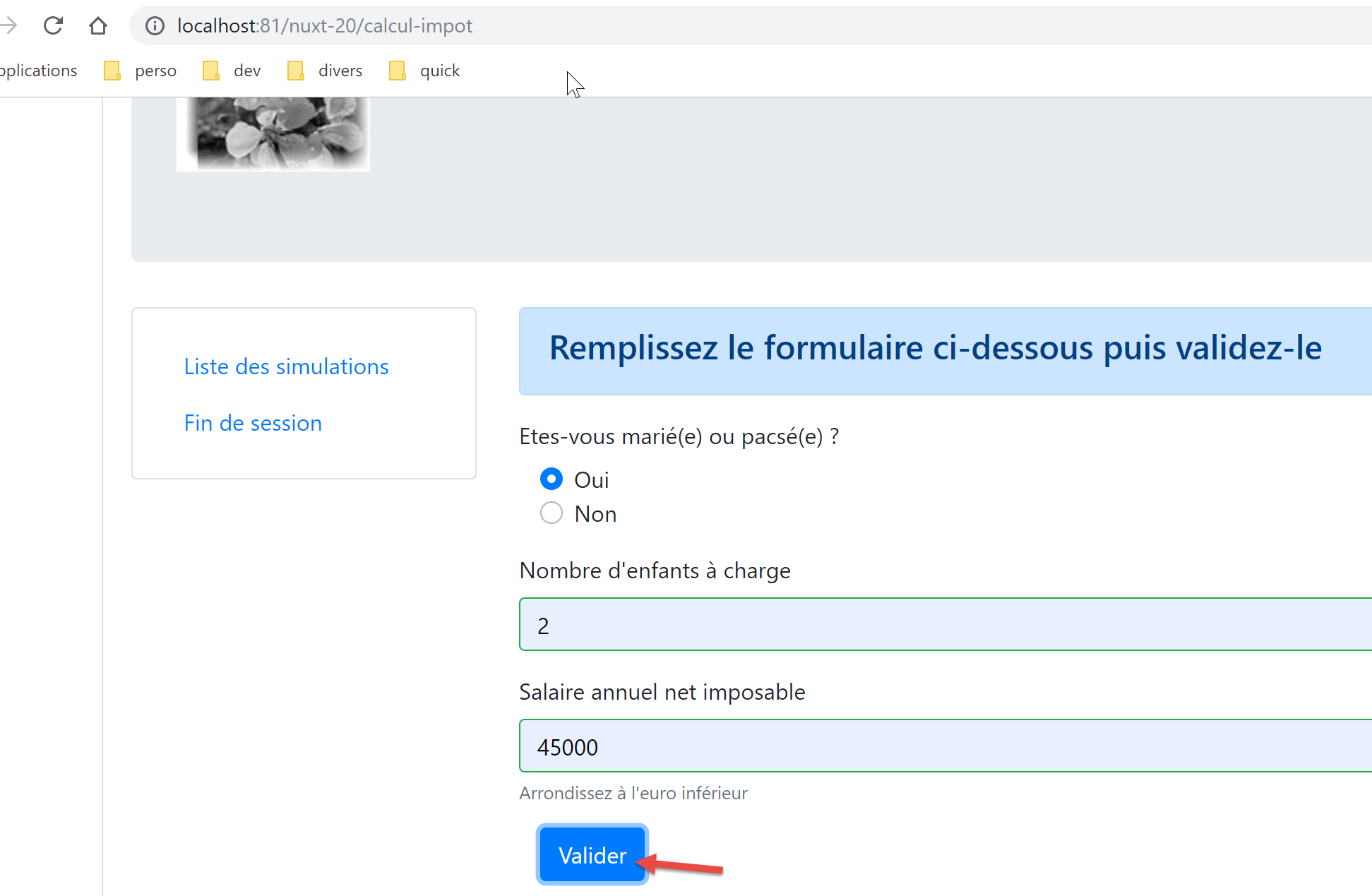
我们得到以下响应:
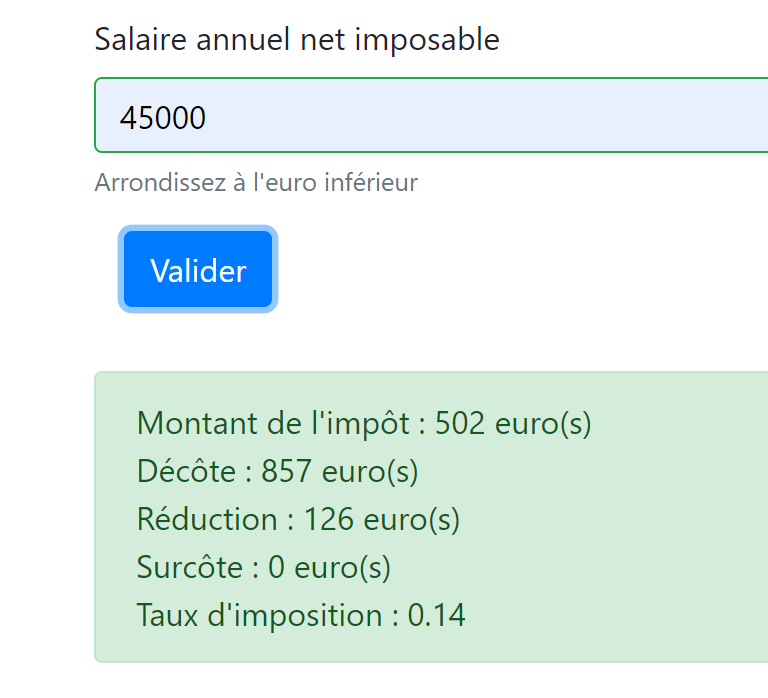
如果我们查看日志:
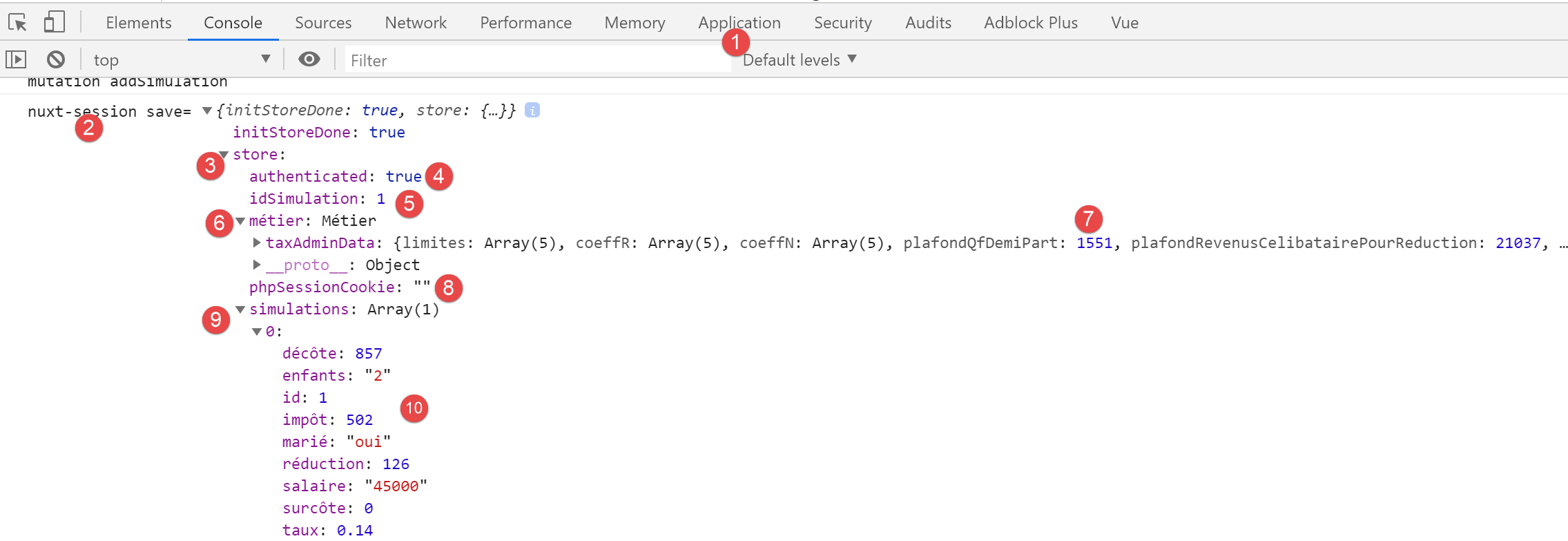
- 在 [9-10] 中,我们可以看到第一次模拟确实位于 [store] 中;
- 在 [5] 中,最后一次模拟的编号确实已被递增;
17.6. 步骤 5
既然我们已经运行了一次模拟,现在点击 [模拟列表] 链接。我们将看到以下页面:
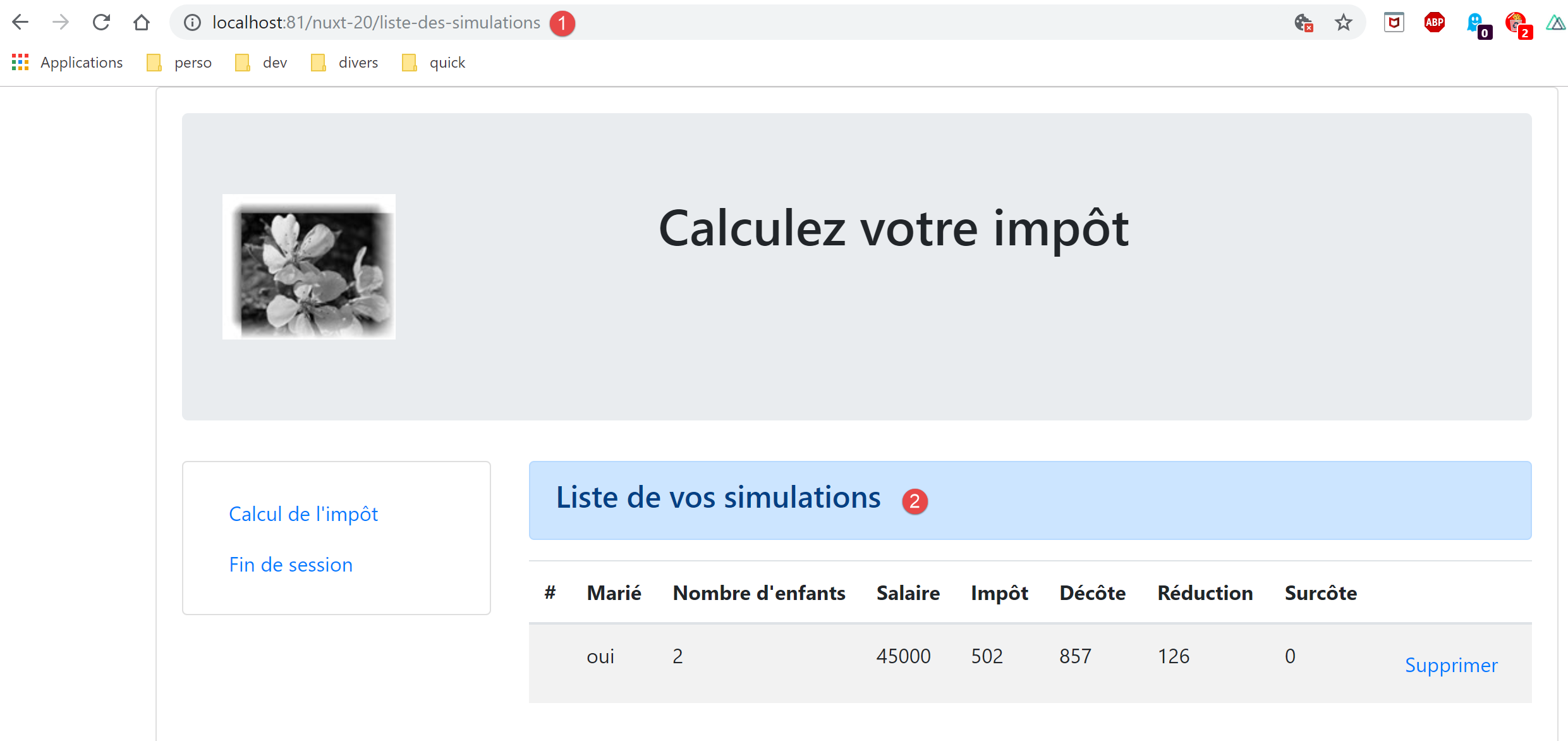
[nuxt] 客户端的路由已成功。让我们查看 [simulation-list] 页面的代码:
<!-- définition HTML de la vue -->
<template>
  <div>
    <!-- mise en page -->
    <Layout :left="true" :right="true">
      <!-- simulations dans colonne de droite -->
      <template slot="right">
        <template v-if="simulations.length == 0">
          <!-- pas de simulations -->
          <b-alert show variant="primary">
            <h4>Votre liste de simulations est vide</h4>
          </b-alert>
        </template>
        <template v-if="simulations.length != 0">
          <!-- il y a des simulations -->
          <b-alert show variant="primary">
            <h4>Liste de vos simulations</h4>
          </b-alert>
          <!-- tableau des simulations -->
          <b-table :items="simulations" :fields="fields" striped hover responsive>
            <template v-slot:cell(action)="data">
              <b-button @click="supprimerSimulation(data.index)" variant="link">Supprimer</b-button>
            </template>
          </b-table>
        </template>
      </template>
      <!-- menu de navigation dans colonne de gauche -->
      <Menu slot="left" :options="options" />
    </Layout>
  </div>
</template>

<script>
// imports
import Layout from '@/components/layout'
import Menu from '@/components/menu'
export default {
  // composants
  components: {
    Layout,
    Menu
  },
  // état interne
  data() {
    return {
      // options du menu de navigation
      options: [
        {
          text: "Calcul de l'impôt",
          path: '/calcul-impot'
        },
        {
          text: 'Fin de session',
          path: '/fin-session'
        }
      ],
      // paramètres de la table HTML
      fields: [
        { label: '#', key: 'id' },
        { label: 'Marié', key: 'marié' },
        { label: "Nombre d'enfants", key: 'enfants' },
        { label: 'Salaire', key: 'salaire' },
        { label: 'Impôt', key: 'impôt' },
        { label: 'Décôte', key: 'décôte' },
        { label: 'Réduction', key: 'réduction' },
        { label: 'Surcôte', key: 'surcôte' },
        { label: '', key: 'action' }
      ]
    }
  },
  // état interne calculé
  computed: {
    // liste des simulations prise dans le store Vuex
    simulations() {
      return this.$store.state.simulations
    }
  },
  // cycle de vie
  created() {
    // eslint-disable-next-line
    console.log("ListeSimulations created");
  },
  // méthodes
  methods: {
    supprimerSimulation(index) {
      // eslint-disable-next-line
      console.log("supprimerSimulation", index);
      // suppression de la simulation n° [index]
      this.$store.commit('deleteSimulation', index)
      // on sauvegarde la session
      this.$session.save()
    }
  }
}
</script>
- 第 47–56 行:导航菜单的目标链接正确;
- 第 75 行:对 store 的引用正确;
- 第 89 行:我们正在使用上一步添加的 [deleteSimulation] 变异;
- 第 91 行:此行必须重写为 [this.$session().save(this.$nuxt.context)];
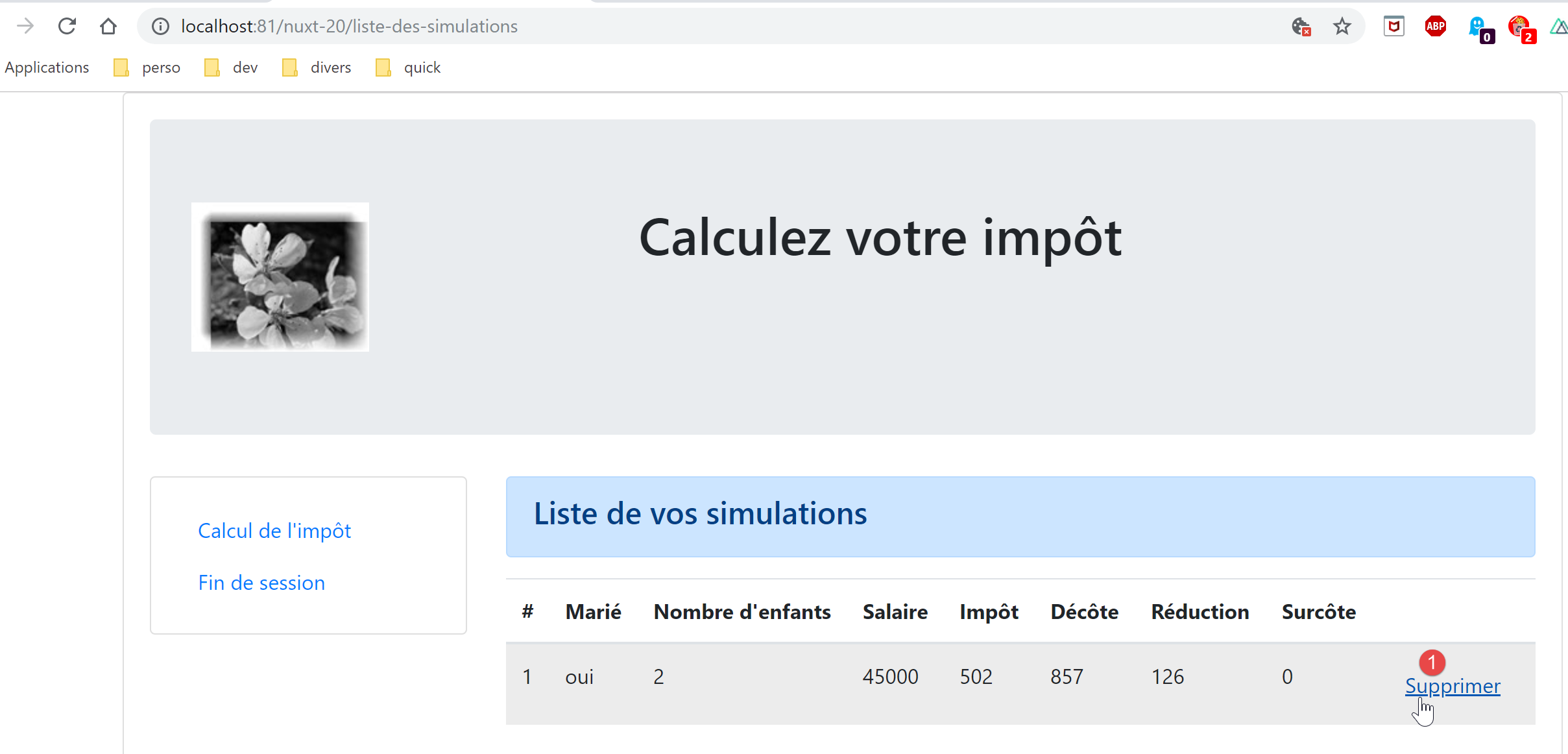
我们进行必要的修改,然后尝试删除显示的模拟:
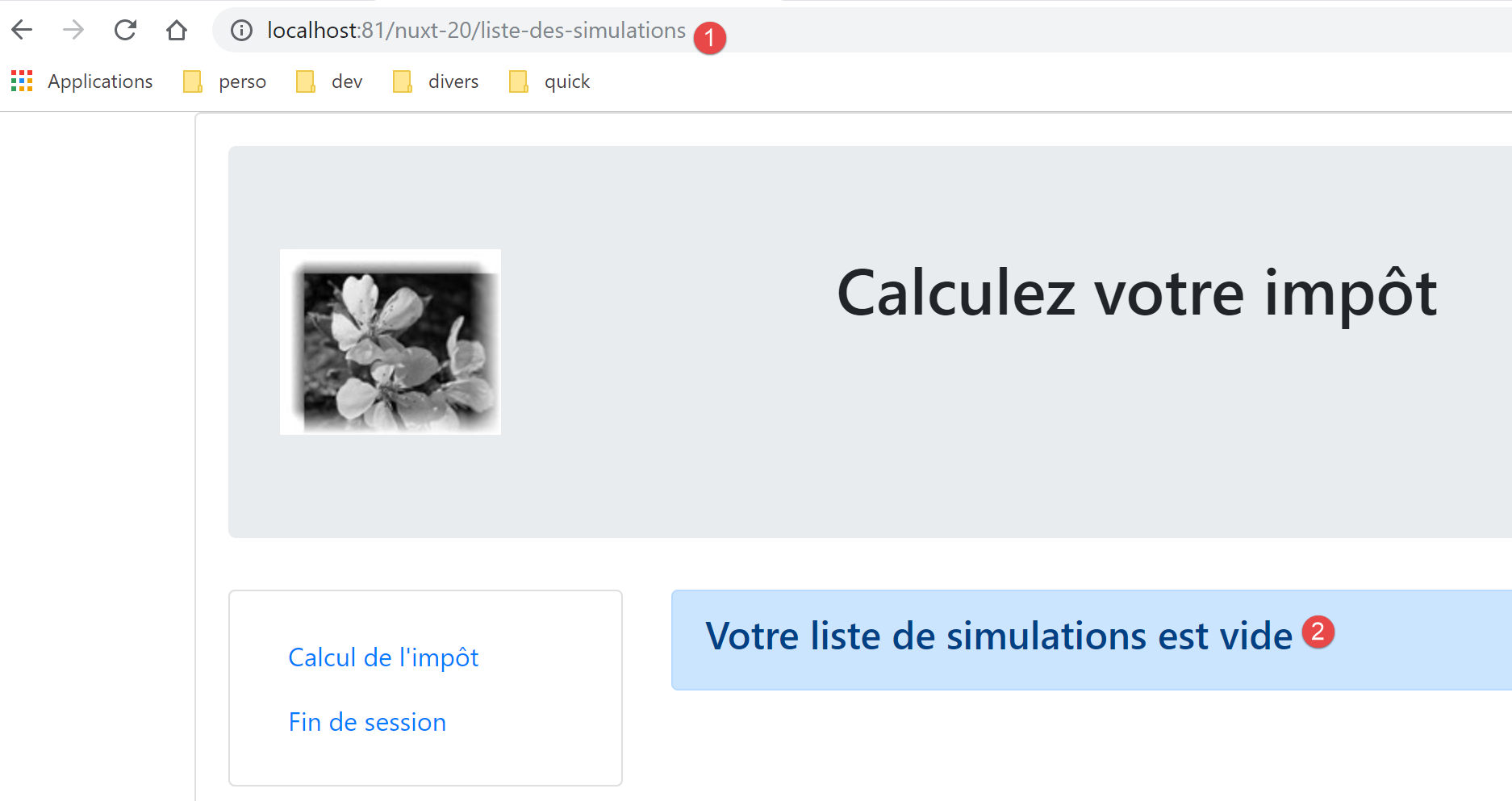
随后我们将看到以下页面:
我们来看看日志:
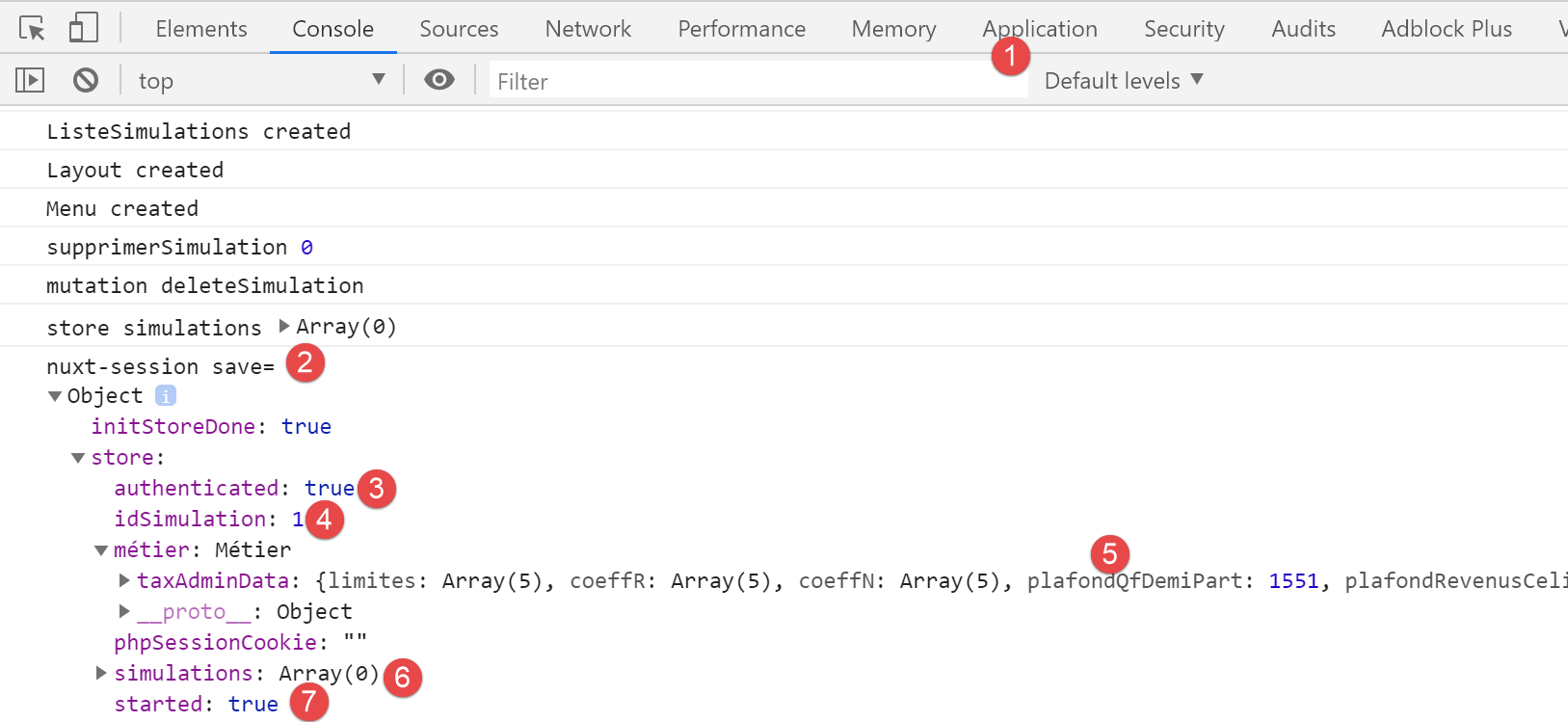
- 在[6]中,我们可以看到模拟表是空的;
现在让我们回到税费计算表:
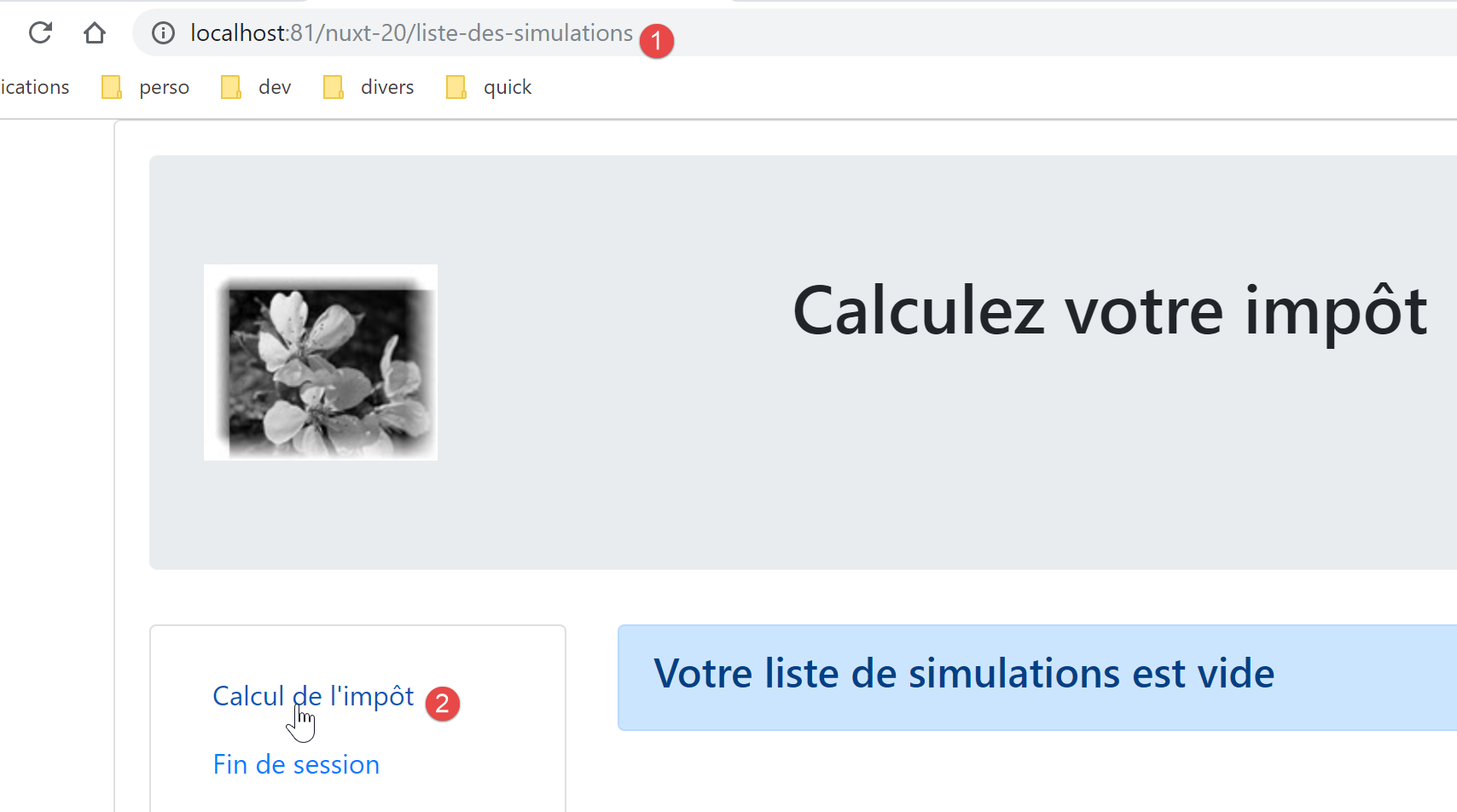
我们得到以下页面:
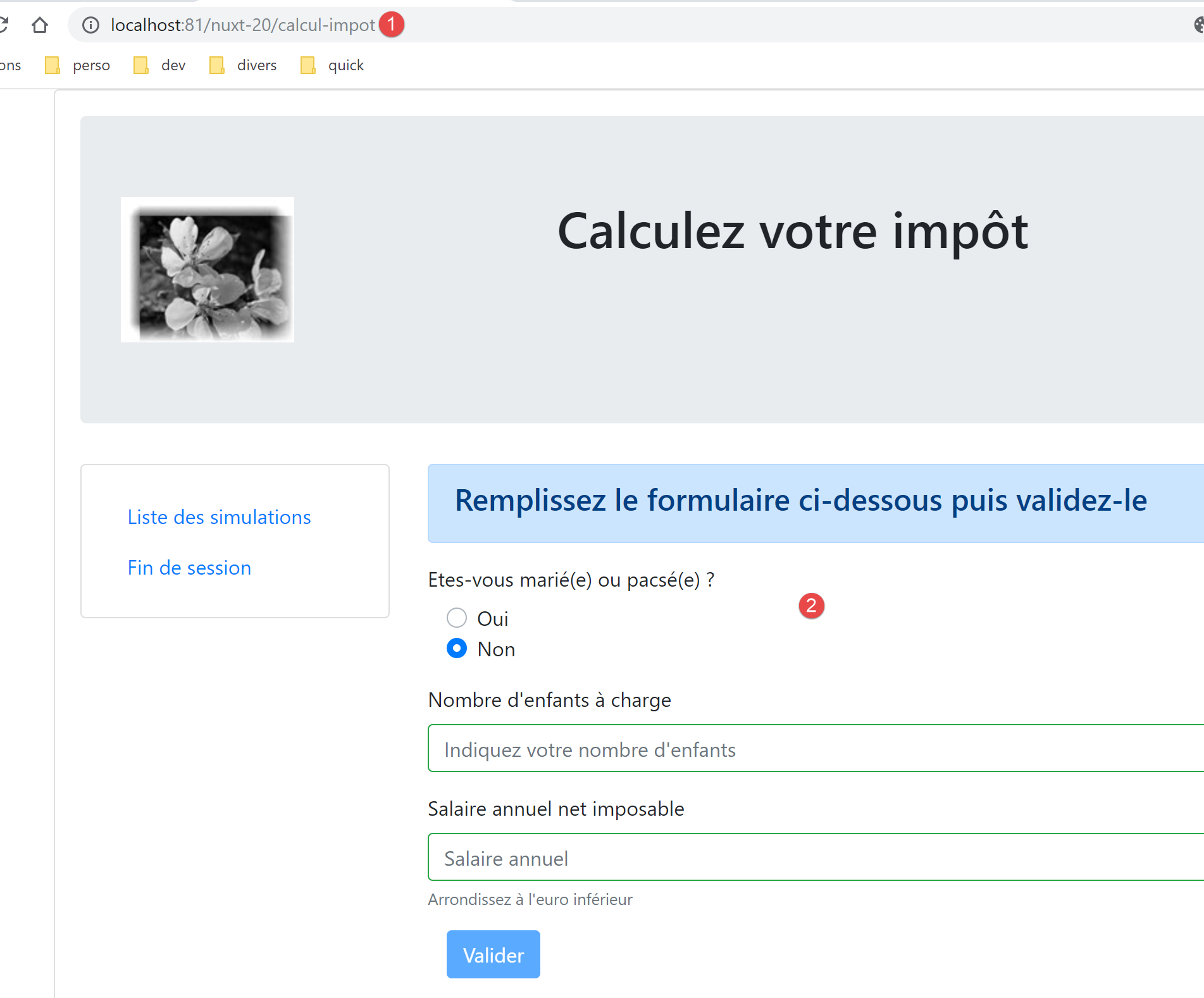
看来路由设置成功了。
17.7. 第 6 步
我们还需要处理导航菜单中的 [结束会话] 导航选项:
- 第 9 行,页面 [/end-session] 不存在。 [vuejs-22] 项目通过 [router.js] 文件中的路由规则处理了这种情况:
// imports
import Vue from 'vue'
import VueRouter from 'vue-router'
// les vues
import Authentification from './views/Authentification'
import CalculImpot from './views/CalculImpot'
import ListeSimulations from './views/ListeSimulations'
import NotFound from './views/NotFound'
// la session
import session from './session'

// plugin de routage
Vue.use(VueRouter)

// les routes de l'application
const routes = [
  // authentification
  { path: '/', name: 'authentification', component: Authentification },
  { path: '/authentification', name: 'authentification2', component: Authentification },
  // calcul de l'impôt
  {
    path: '/calcul-impot', name: 'calculImpot', component: CalculImpot,
    meta: { authenticated: true }
  },
  // liste des simulations
  {
    path: '/liste-des-simulations', name: 'listeSimulations', component: ListeSimulations,
    meta: { authenticated: true }
  },
  // fin de session
  {
    path: '/fin-session', name: 'finSession'
  },
  // page inconnue
  {
    path: '*', name: 'notFound', component: NotFound,
  },
]

// le routeur
const router = new VueRouter({
  // les routes
  routes,
  // le mode d'affichage des URL
  mode: 'history',
  // l'URL de base de l'application
  base: '/client-vuejs-impot/'
})

// vérification des routes
router.beforeEach((to, from, next) => {
  // eslint-disable-next-line no-console
  console.log("router to=", to, "from=", from);
  // route réservée aux utilisateurs authentifiés ?
  if (to.meta.authenticated && !session.authenticated) {
    next({
      // on passe à l'authentification
      name: 'authentification',
    })
    // retour à la boucle événementielle
    return;
  }
  // cas particulier de la fin de session
  if (to.name === "finSession") {
    // on nettoie la session
    session.clear();
    // on va sur la vue [authentification]
    next({
      name: 'authentification',
    })
    // retour à la boucle événementielle
    return;
  }
  // autres cas - vue suivante normale du routage
  next();
})

// export du router
export default router
- 第 64–76 行处理了通往路径 [/end-session] 的特殊情况;
- 第 66 行:清除当前会话;
- 第 68–70 行:显示 [authentication] 视图;
我们将在 [nuxt] 客户端路由文件中尝试实现类似的功能:
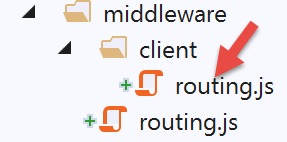
[client/routing.js] 脚本变为如下内容:
/* eslint-disable no-console */
export default function(context) {
  // who executes this code?
  console.log('[middleware client], process.server', process.server, ', process.client=', process.client)
  // management of the PHP session cookie in the browser
  // the browser's PHP session cookie must be identical to the one found in the nuxt session
  // the [end-session] action receives a new PHP cookie (server as nuxt client)
  // if the server receives it, the client must pass it on to the browser
  // for its own exchanges with the PHP server
  // this is customer routing

  // retrieve the session cookie PHP
  const phpSessionCookie = context.store.state.phpSessionCookie
  if (phpSessionCookie) {
    // if it exists, we assign the PHP session cookie to the browser
    document.cookie = phpSessionCookie
  }

  // where are we going?
  const to = context.route.path
  if (to === '/fin-session') {
    // clean the session
    const session = context.app.$session()
    session.reset(context)
    // redirects to the index page
    context.redirect({ name: 'index' })
  }
}
- 我们在现有代码中添加了第 [19-27] 行;
- 第 20 行:获取当前路由目标的 [path];
- 第 21 行:检查其是否为 [/end-session]。如果是:
- 第 23-24 行:重置会话;
- 第 26 行:将 [nuxt] 客户端重定向至首页;
会话的 [session.reset(context)] 方法(第 24 行)如下:
// reset de la session
  reset(context) {
    console.log('nuxt-session reset')
    // reset du store
    context.store.commit('reset')
    // sauvegarde du nouveau store en session et sauvegarde de la session
    this.save(context)
}
[context.store.commit('reset')] 方法(第 5 行)如下:
// reset du store
  reset() {
        this.commit('replace', { started: false, authenticated: false, phpSessionCookie: '', idSimulation: 0, simulations: [], métier: null })
}
现在当我们点击 [结束会话] 链接时,主页会显示并伴随以下日志:
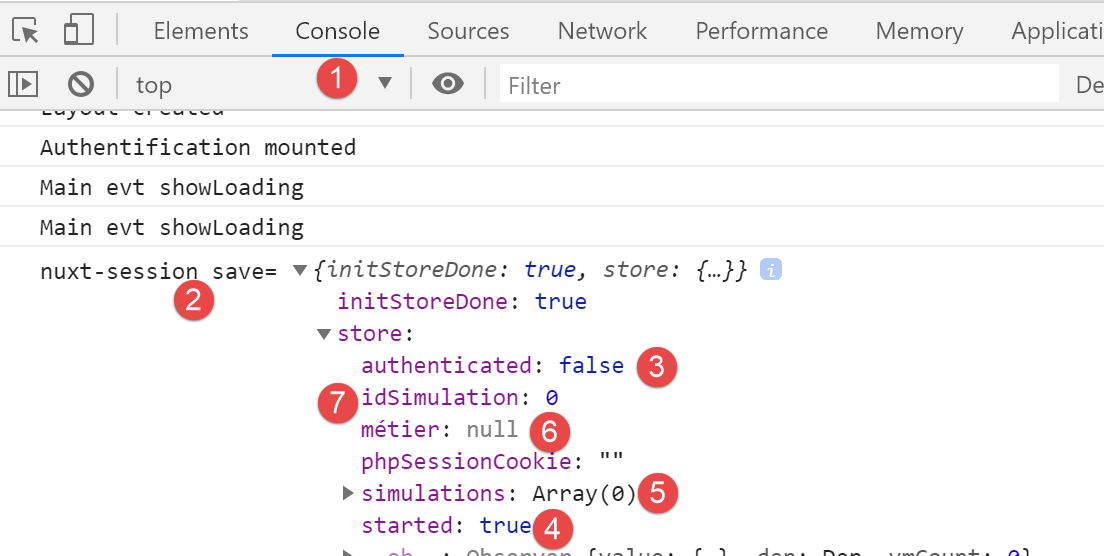
- 在 [3] 中,我们可以看到我们已不再处于认证状态;
- 在 [4] 中,我们可以看到 JSON 会话已启动;
- 在 [6] 中,[business] 层已不再存在于存储中(但通过 [this.$business()] 仍可在页面中访问);
- 在 [5, 7] 中,不再有模拟操作;
理解会话结束时发生的情况非常重要:
- [nuxt] 会话被重置:存储器的 [started] 属性变为 [false];
- 会重定向到 [index] 页面;
- [index] 页面的 [mounted] 方法被执行。这将与税费计算服务器建立新的 JSON 会话。如果操作成功,存储器的 [started] 属性将变为 [true];
17.8. 步骤 7
至此,[nuxt-20] 应用程序已具备 [vuejs-22] 应用程序的所有功能。移植工作似乎已完成。
我们将秉承 [nuxt] 的精神更进一步。[index] 页面的 [mounted] 方法存在一个问题。它会启动一项异步操作,而搜索引擎不会等待该操作完成。 我们知道,在这种情况下,必须将该异步操作置于 [asyncData] 函数中,因为这样执行该操作的 [nuxt] 服务器会在将页面交付给搜索引擎之前等待其完成。
在此,我们使用 [nuxt-12] 应用中为 [index] 页面编写的 [asyncData] 函数:
export default {
  name: 'InitSession',
  // components used
  components: {
    Layout,
    Navigation
  },
  // asynchronous data
  async asyncData(context) {
    // log
    console.log('[index asyncData started]')
    // don't do things twice if the page has already been requested
    if (process.server && context.store.state.jsonSessionStarted) {
      console.log('[index asyncData canceled]')
      return { result: '[succès]' }
    }
    try {
      // start a jSON session
      const dao = context.app.$dao()
      const response = await dao.initSession()
      // log
      console.log('[index asyncData response=]', response)
      // retrieve session cookie PHP for future requests
      const phpSessionCookie = dao.getPhpSessionCookie()
      // we store the PHP session cookie in the [nuxt] session
      context.store.commit('replace', { phpSessionCookie })
      // was there a mistake?
      if (response.état !== 700) {
        // the error is in response.réponse
        throw new Error(response.réponse)
      }
      // note that the jSON session has started
      context.store.commit('replace', { jsonSessionStarted: true })
      // we return the result
      return { result: '[succès]' }
    } catch (e) {
      // log
      console.log('[index asyncData error=]', e)
      // note that session jSON has not started
      context.store.commit('replace', { jsonSessionStarted: false })
      // we report the error
      return { result: '[échec]', showErrorLoading: true, errorLoadingMessage: e.message }
    } finally {
      // save the blind
      const session = context.app.$session()
      session.save(context)
      // log
      console.log('[index asyncData finished]')
    }
  },
  // life cycle
  beforeCreate() {
    console.log('[index beforeCreate]')
  },
  created() {
    console.log('[index created]')
  },
  beforeMount() {
    console.log('[index beforeMount]')
  },
  mounted() {
    console.log('[index mounted]')
    // customer only
    if (this.showErrorLoading) {
      console.log('[index mounted, showErrorLoading=true]')
      this.$eventBus().$emit('errorLoading', true, this.errorLoadingMessage)
    }
}
- 第 13、33、40 行:将属性 [jsonSessionStarted] 改为 [started];
- 第 13 行:在 [nuxt-12] 应用中,只有 [nuxt] 服务器执行了 [index] 页面及其 [asyncData] 函数。 [nuxt] 客户端仅在从 [nuxt] 服务器接收 [index] 页面后才执行该页面,因此未执行 [asyncData] 函数。在 [nuxt-20] 中情况不同:[End Session] 链接将在 [nuxt] 客户端环境中显示 [index] 页面。 此时 [asyncData] 函数将被执行。然而,通过这种方式到达 [index] 页面时,[nuxt] 会话在此期间已被重置,且存储的 [started] 属性为 [false],因此第 13 行的条件必然为 false。因此我们可以省略 [process.server],[nuxt] 客户端将不会执行此检查;
- 第 15、35、42 行:向 [index] 页面的 [data] 属性中添加了 [result] 属性。在 [nuxt-20] 中,该属性将不再使用,因此我们将从函数返回的结果中移除它;
- 第 61–67 行:必须保留此 [mounted] 方法,因为它使 [nuxt] 客户端能够显示错误消息。不过,错误的处理方式将进行修改;
在当前的 [index] 页面中,我们将上述 [asyncData] 函数整合进去,替换掉旧的 [mounted] 函数,并添加一个新的 [mounted] 函数。这样,[nuxt-20] 示例中 [index] 页面的代码就变成了如下所示:
...

<!-- dynamique de la vue -->
<script>
/* eslint-disable no-console */
import Layout from '@/components/layout'
export default {
  // components used
  components: {
    Layout
  },
  // component status
  data() {
    return {
      // user
      user: '',
      // password
      password: '',
      // error display
      showError: false
    }
  },

  // calculated properties
  computed: {
    // valid entries
    valid() {
      return this.user && this.password && this.$store.state.started
    }
  },
  // asynchronous data
  async asyncData(context) {
    // log
    console.log('[index asyncData started]')
    // don't do things twice if the page has already been requested
    if (process.server && context.store.state.started) {
      console.log('[index asyncData canceled]')
      return
    }
    try {
      // start a jSON session
      const dao = context.app.$dao()
      const response = await dao.initSession()
      // log
      console.log('[index asyncData response=]', response)
      // retrieve session cookie PHP for future requests
      const phpSessionCookie = dao.getPhpSessionCookie()
      // we store the PHP session cookie in the [nuxt] session
      context.store.commit('replace', { phpSessionCookie })
      // was there a mistake?
      if (response.état !== 700) {
        // the error is in response.réponse
        throw new Error(response.réponse)
      }
      // note that the jSON session has started
      context.store.commit('replace', { started: true })
      // no result
      return
    } catch (e) {
      // log
      console.log('[index asyncData error=]', e.message)
      // note that session jSON has not started
      context.store.commit('replace', { started: false })
      // we report the error
      return { showErrorLoading: true, errorLoadingMessage: e.message }
    } finally {
      // save the blind
      const session = context.app.$session()
      session.save(context)
      // log
      console.log('[index asyncData finished]')
    }
  },
  // life cycle
  beforeCreate() {
    console.log('[index beforeCreate]')
  },
  created() {
    console.log('[index created]')
  },
  beforeMount() {
    // customer only
    console.log('[index beforeMount]')
    // error handling
    if (this.showErrorLoading) {
      // log
      console.log('[index beforeMount, showErrorLoading=true]')
      // the error is traced back to the main component [default]
      this.$emit('error', new Error(this.errorLoadingMessage))
    }
  },
  mounted() {
    console.log('[index mounted]')
  },

  // event managers
  methods: {
    // ----------- authentication
    async login() {
      ...
}
</script>
- 第 58、65 行:[asyncData] 函数不再在此处渲染未使用的 [result] 属性;
- 第 81 行:[nuxt] 客户端的 [beforeMount] 方法。选择它而非 [mounted] 方法,是为了处理 [asyncData] 可能引发的任何错误;
- 第 85 行:我们检查 [errorLoading] 属性是否已被设置。该属性仅能由 [asyncData] 函数设置;
- 第 85–90 行:如果 [asyncData] 函数报告了错误,我们会通过 [error] 事件将其传递给 [default] 页面。这就是我们刚刚替换的旧版 [created] 函数处理潜在错误的方式;
让我们运行一些测试。
首先,如果存在 [nuxt] 会话 Cookie 和 PHP 会话 Cookie,我们将同时删除它们。随后,在税费计算服务器未运行时请求 [http://localhost:81/nuxt-20/] 页面。我们将看到以下页面:
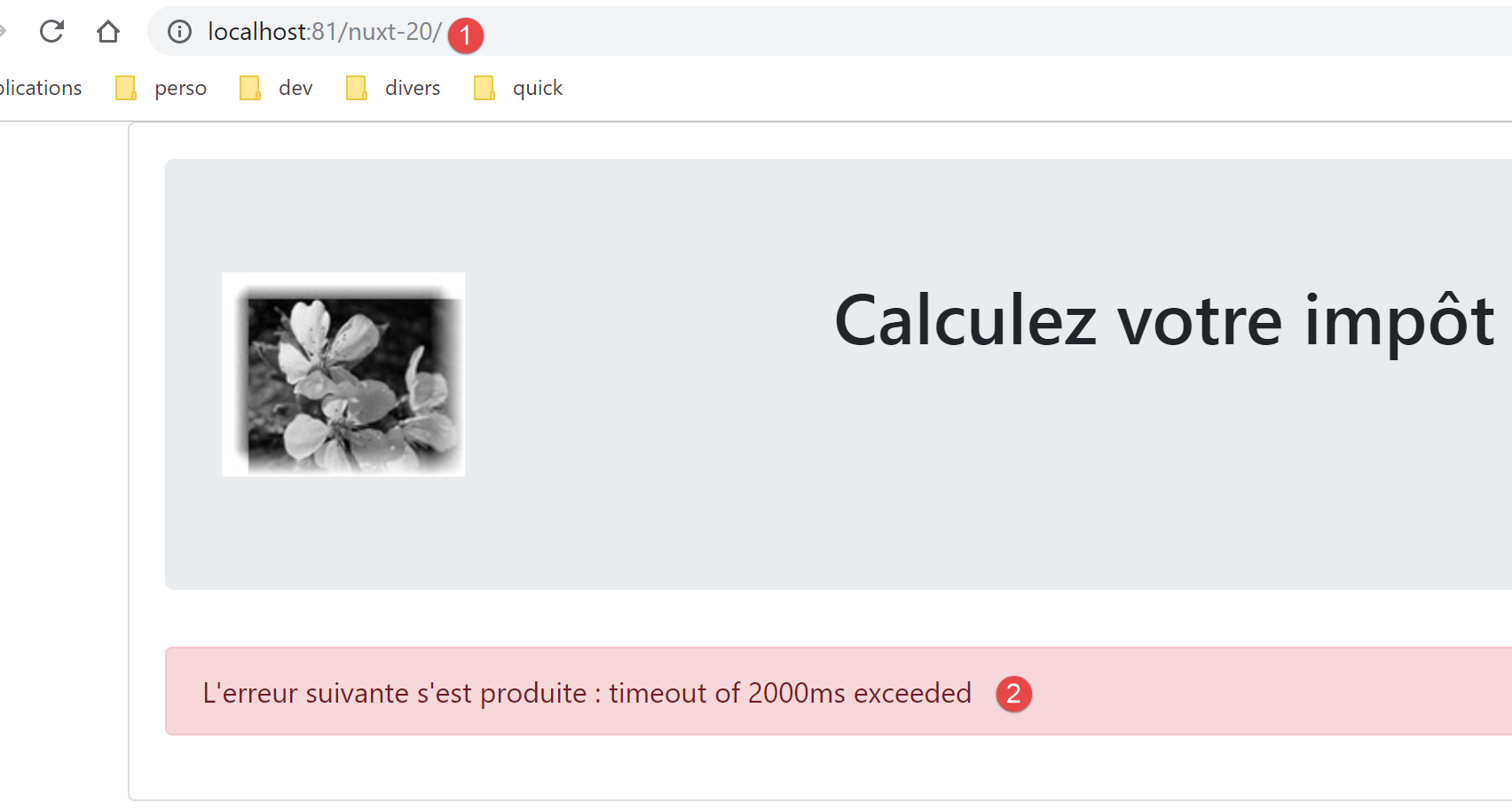
在启动税费计算服务器后,我们重新加载同一页面:
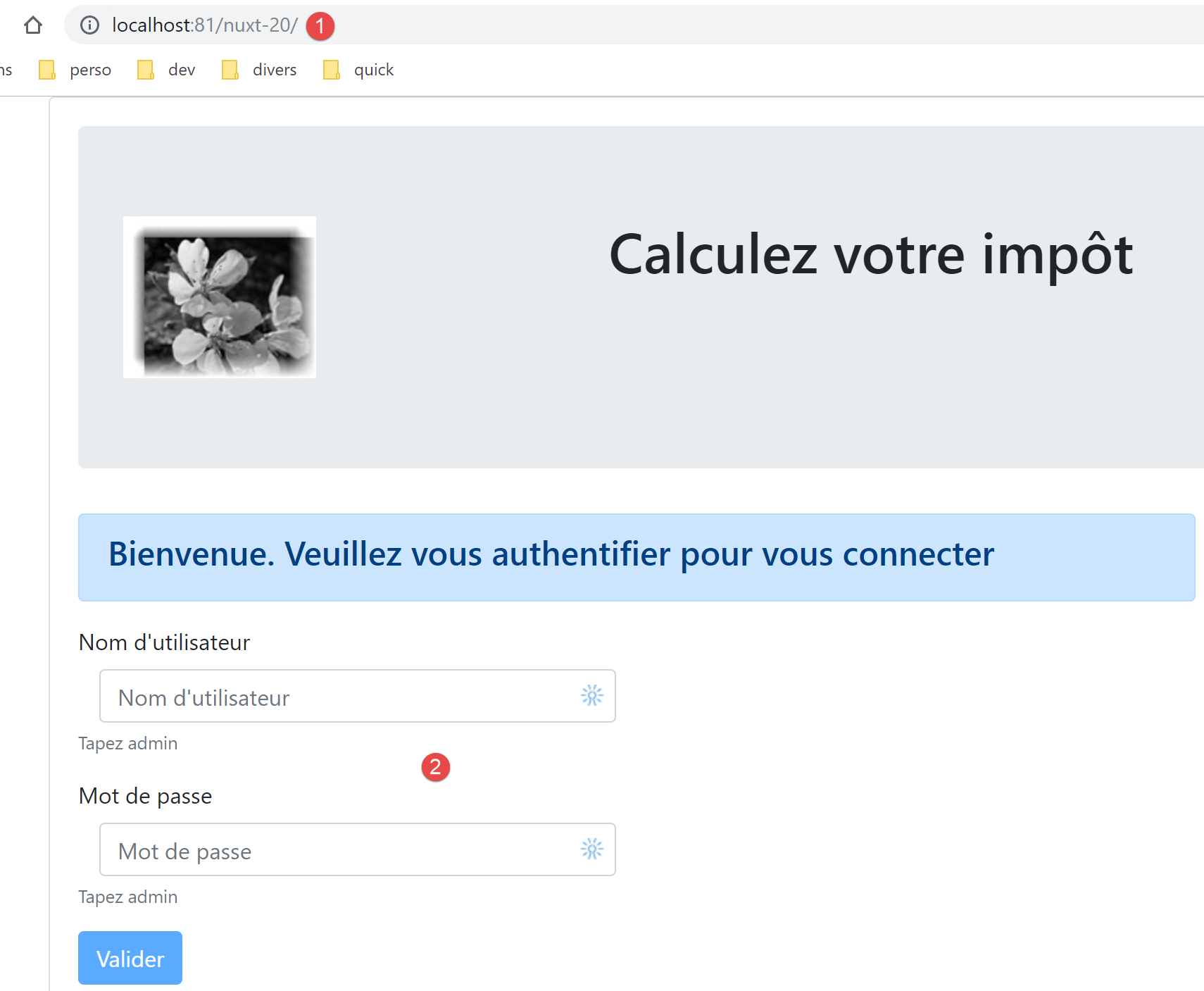
让我们查看日志:
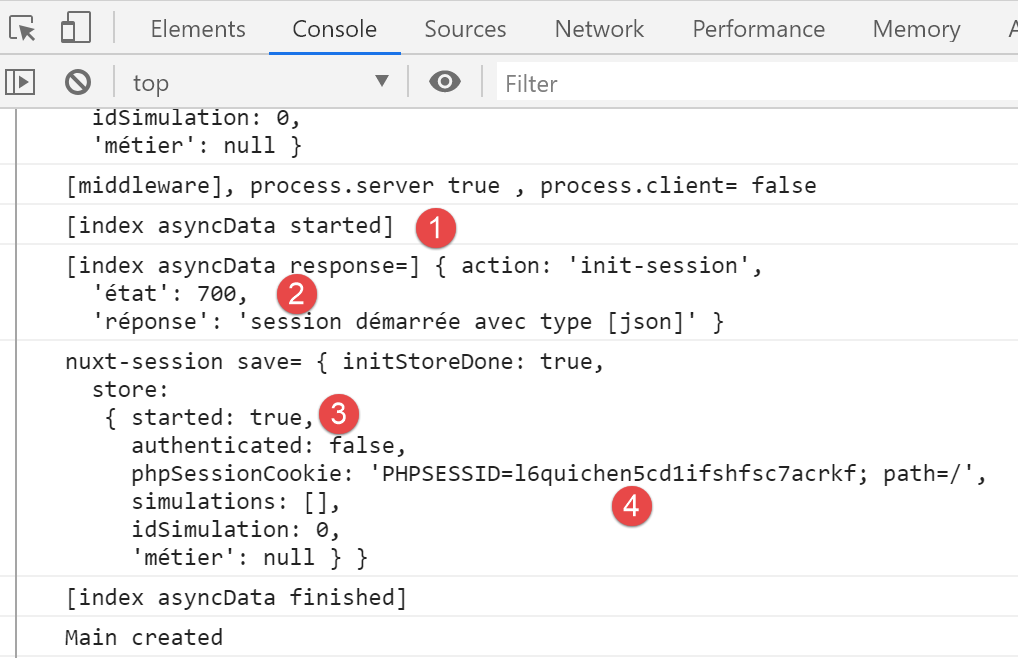
- 在 [2-3] 中,我们可以看到 JSON 会话已启动;
- 在 [4] 中,我们可以看到 [nuxt] 服务器在与税费计算服务器交互时获取的 PHP 会话 Cookie。现在 [nuxt] 客户端将使用它;
现在让我们登录:
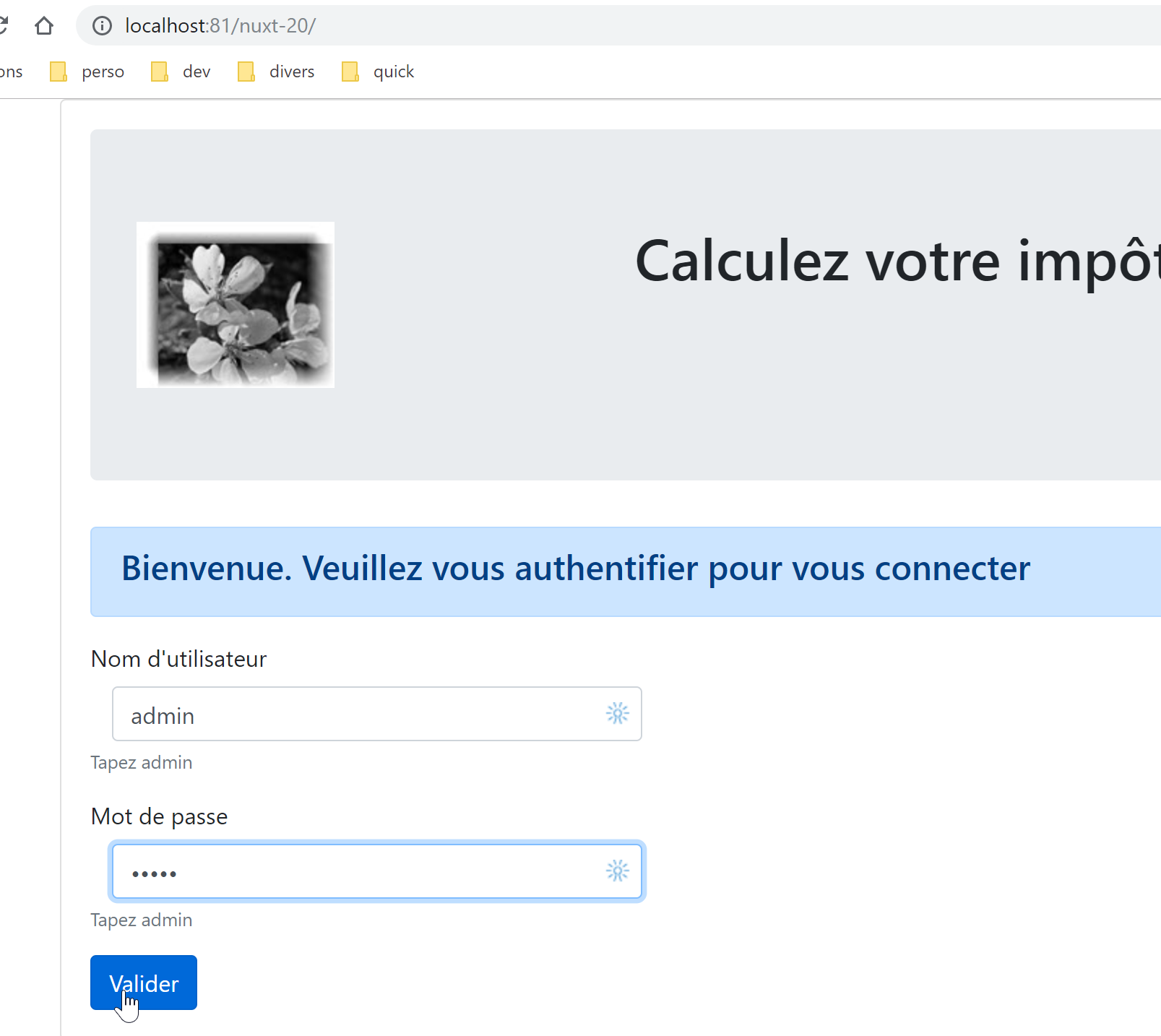
我们得到以下页面:
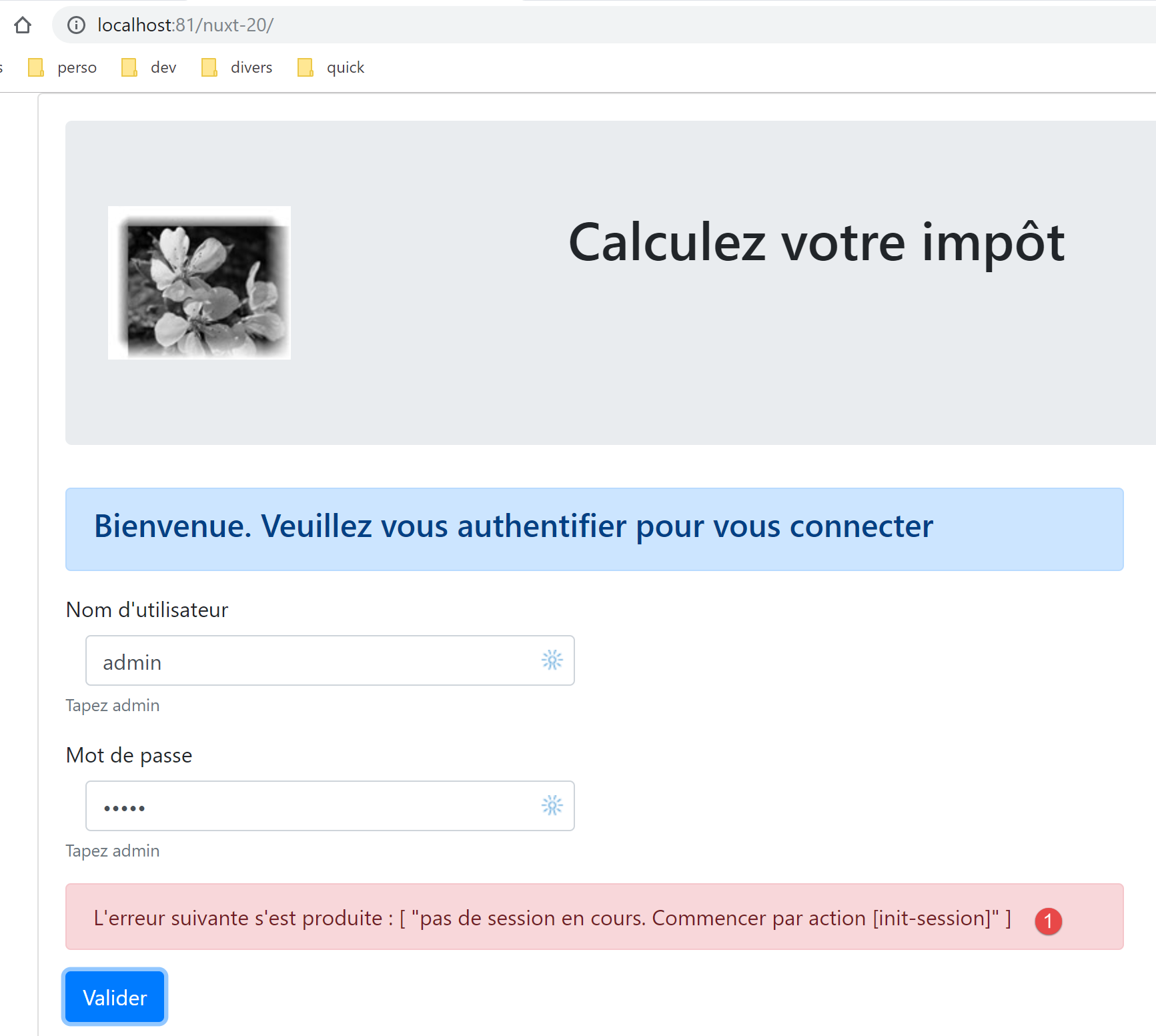
在 [1] 中,我们收到了一条错误信息。这意味着浏览器未发送由上一步中 [nuxt] 服务器启动的 PHP 会话生成的正确会话 Cookie。在 [nuxt-12] 中,PHP 会话 Cookie 是通过 [middleware/client/routing] 脚本中的 [nuxt] 客户端路由,从 [nuxt] 服务器传递给 [nuxt] 客户端的:
/* eslint-disable no-console */
export default function(context) {  // who executes this code?
  console.log('[middleware client], process.server', process.server, ', process.client=', process.client)
  // management of the PHP session cookie in the browser
  // the browser's PHP session cookie must be identical to the one found in the nuxt session
  // acion [fin-session] receives a new cookie PHP (server as nuxt client)
  // if the server receives it, the client must pass it on to the browser
  // for its own exchanges with the PHP server
  // this is customer routing

  // retrieve the session cookie PHP
  const phpSessionCookie = context.store.state.phpSessionCookie
  if (phpSessionCookie) {
    // if it exists, we assign the PHP session cookie to the browser
    document.cookie = phpSessionCookie
  }

  // where are we going?
  const to = context.route.path
  if (to === '/fin-session') {
    // clean the session
    const session = context.app.$session()
    session.reset(context)
    // redirects to the index page
    context.redirect({ name: 'index' })
  }
}
第 13–17 行允许 [nuxt] 客户端从 [nuxt] 服务器检索 PHP 会话 Cookie。
这里的问题在于,当你点击 [Validate] 按钮时,[nuxt] 客户端没有进行路由。因此,其路由函数并未被调用。我们通过在 [index] 页面的认证方法开头复制第 12–17 行来解决这个问题:
// event managers
  methods: {
    // ----------- authentication
    async login() {
      // retrieve the PHP session cookie from the store
      const phpSessionCookie = this.$store.state.phpSessionCookie
      if (phpSessionCookie) {
        // if it exists, we assign the PHP session cookie to the browser
        document.cookie = phpSessionCookie
      }
      try {
        // start waiting
        this.$emit('loading', true)
        // you are not yet authenticated
第 5–10 行:我们从存储中获取由 [nuxt] 服务器初始化的 PHP 会话 Cookie。完成此更改后,税费计算页面将成功加载,表明身份验证已成功。
17.9. 第 8 步
我们已拥有一个符合 [nuxt] 理念的可运行应用程序。 与 [nuxt-13] 应用程序的做法一样,我们将重点关注 [nuxt] 服务器的导航机制。如前所述,用户不应手动输入应用程序的 URL。他们应使用系统提供的链接,这些链接由 [nuxt] 客户端执行,从而使应用程序以单页应用(SPA)模式运行。尽管如此,我们将确保 [nuxt] 服务器上的导航始终能保持应用程序处于稳定状态。
根据针对 [nuxt-13] 进行的研究(参见相关段落),我们知道需要做到:
- 修改 [middleware/routing] 脚本;
- 添加一个 [middleware/server/routing] 脚本;
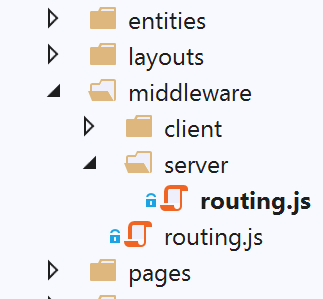
[middleware/routing] 脚本修改如下:
/* eslint-disable no-console */

// on importe les middleware du serveur et du client
import serverRouting from './server/routing'
import clientRouting from './client/routing'

export default function(context) {
  // qui exécute ce code ?
  console.log('[middleware], process.server', process.server, ', process.client=', process.client)
  if (process.server) {
    // routage serveur
    serverRouting(context)
  } else {
    // routage client
    clientRouting(context)
  }
}
- 第 4 行:我们从 [nuxt] 服务器导入路由脚本;
- 第 10–12 行:如果 [nuxt] 服务器正在执行代码,则使用其路由函数;
[middleware/server/routing] 脚本如下:
/* eslint-disable no-console */
export default function(context) {
  // qui exécute ce code ?
  console.log('[middleware server], process.server', process.server, ', process.client=', process.client)

  // on récupère quelques informations ici et là
  const store = context.store
  // d'où vient-on ?
  const from = store.state.from || 'nowhere'
  // où va-t-on ?
  let to = context.route.name

  // cas particulier de /fin-session qui n'a pas d'attribut [name]
  if (context.route.path === '/fin-session') {
    to = 'fin-session'
  }

  // éventuelle redirection
  let redirection = ''
  // gestion du routage terminé
  let done = false

  // est-on déjà dans une redirection du serveur [nuxt]?
  if (store.state.serverRedirection) {
    // rien à faire
    done = true
  }

  // s'agit-il d'un rechargement de page ?
  if (!done && from === to) {
    // rien à faire
    done = true
  }

  // contrôle de la navigation du serveur [nuxt]
  // on se calque sur le menu de navigation du client

  // on traite d'abord le cas de fin-session
  if (!done && store.state.started && store.state.authenticated && to === 'fin-session') {
    // on nettoie la session
    const session = context.app.$session()
    session.reset(context)
    // on redirige vers la page index
    redirection = 'index'
    // travail terminé
    done = true
  }

  // cas où la session PHP n'a pas démarré
  if (!done && !store.state.started && to !== 'index') {
    // redirection vers [index]
    redirection = 'index'
    // travail terminé
    done = true
  }

  // cas où l'utilisateur n'est pas authentifié
  if (!done && store.state.started && !store.state.authenticated && to !== 'index') {
    redirection = 'index'
    // travail terminé
    done = true
  }

  // cas où [adminData] n'a pas été obtenu
  if (!done && store.state.started && store.state.authenticated && !store.state.métier.taxAdminData && to !== 'index') {
    // redirection vers [index]
    redirection = 'index'
    // travail terminé
    done = true
  }

  // cas où [adminData] a été obtenu
  if (
    !done &&
    store.state.started &&
    store.state.authenticated &&
    store.state.métier.taxAdminData &&
    to !== 'calcul-impot' &&
    to !== 'liste-des-simulations'
  ) {
    // on reste sur la même page
    redirection = from
    // travail terminé
    done = true
  }

  // on a normalement fait tous les contrôles ---------------------
  // redirection ?
  if (redirection) {
    // on note la redirection dans le store
    store.commit('replace', { serverRedirection: true })
  } else {
    // pas de redirection
    store.commit('replace', { serverRedirection: false, from: to })
  }
  // on sauvegarde le store dans la session [nuxt]
  const session = context.app.$session()
  session.value.store = store.state
  session.save(context)
  // on fait l'éventuelle redirection du serveur [nuxt]
  if (redirection) {
    context.redirect({ name: redirection })
  }
}
- 在此脚本中,我们复用了 [nuxt-13] 应用程序 [nuxt] 服务器路由中已开发并使用的概念;
- 我们在应用程序存储中添加了两个属性:
- [from]:上次显示的页面名称。我们知道 [nuxt] 客户端拥有此信息,但 [nuxt] 服务器并不具备。我们将通过在每次 [nuxt] 服务器进行路由时,将待显示页面的名称存储到存储中来补充这一信息。 对于 [nuxt] 客户端的每次路由,我们也将采取同样的做法。因此,在 [nuxt] 服务器进行下一次路由时,它将在存储中找到应用程序上次显示的页面名称;
- [serverRedirection]:当 [nuxt] 服务器拒绝某个路由目标时,它将执行重定向。随后,它会在存储中标记 [nuxt] 服务器的下一个目标为重定向页面。此重定向将触发 [nuxt] 服务器路由器的重新执行。如果路由器检测到当前目标是重定向的结果,它将允许其继续执行;
- 第 6–11 行:我们获取路由所需的信息;
- 第 13–16 行:目标 [/end-session] 未关联名为 [end-session] 的页面,因此它没有名称。我们为其命名;
- 第 19 行:可能的重定向目标;
- 第 21 行:当路由测试完成时,[done=true];
- 第 23–27 行:如前所述,若当前路由源于重定向,则无需采取任何操作。事实上,在前一次路由过程中,路由器已决定将客户端浏览器重定向。无需重新考虑此决定;
- 第 29–33 行:如果是页面刷新,则允许其发生。这并非适用于所有 [Nuxt] 应用的通用规则:你必须针对每个页面检查刷新带来的影响。在此处,事实证明刷新 [index, tax-calculation, simulation-list] 页面不会引发任何不良后果;
- 第 35–85 行:[nuxt] 服务器路由与 [nuxt] 客户端路由相互映射。当处于某个页面时,[nuxt] 服务器路由必须反映该页面 [nuxt] 客户端提供的导航菜单;
- 第 38–47 行:我们首先处理目标 [end-session] 不对应现有页面的情况。如果满足条件(会话已启动、用户已认证),则清除会话并将用户重定向至 [index] 页面;
- 第 49–55 行:如果与税费计算服务器的 JSON 会话尚未启动,则唯一可能的跳转目标是 [index] 页面;
- 第 57–62 行:如果 JSON 会话已建立,且用户未通过身份验证也未请求身份验证页面,则重定向至身份验证页面,即 [index] 页面;
- 第 64–70 行:如果用户已通过身份验证但尚未获取 [adminData],则将用户重定向至身份验证页面。身份验证包含两项操作:验证用户身份,以及在验证成功时请求 [adminData] 数据。如果尚未获取该数据,则必须重新进行身份验证;
- 第 72–85 行:如果已获取 [adminData] 数据,则唯一可能的目标是 [tax-calculation] 和 [simulation-list]。若非如此,则拒绝路由;
- 第 88–95 行:根据是否需要重定向来更新存储;
- 第 94 行:没有重定向。因此,当前的 [to] 将作为下一次路由的 [from];
- 第 96–99 行:将存储的信息保存到 [nuxt] 会话 Cookie 中;
- 第 100–103 行:如果需要重定向,则执行重定向;
要运行测试,请确保从空白状态开始,删除 [nuxt] 会话 Cookie 以及税费计算服务器的 PHP 会话 Cookie:
要测试 [nuxt] 服务器的路由,请在每个页面上尝试所有可能的 URL [/, /tax-calculation, /simulation-list]。每次操作后,应用程序的状态必须保持一致。
17.10. 步骤 9
步骤 9 涉及部署 [nuxt-20] 应用程序。这需要提供 [node.js] 环境以运行 [nuxt] 服务器的托管服务。我目前没有此类环境。读者可以按照链接部分中描述的步骤,在自己的开发机器上部署 [nuxt-20] 应用程序,并通过 HTTPS 协议对其进行加密保护。
17.11. 结论
[vuejs-22] 应用程序向 [nuxt-20] 应用程序的移植现已完成。让我们回顾一下此次移植中的几个关键点:
- 保留了 [vuejs-22] 页面;
- [vuejs-22] 页面中存在的异步操作已迁移至 [asyncData] 函数;
- 在 [nuxt-20] 中,我们需要管理两个实体:[nuxt] 客户端和 [nuxt] 服务器。后者在 [vuejs-22] 中并不存在。为了保持这两个实体之间的一致性,我们需要一个 [nuxt] 会话;
- 我们必须管理 [nuxt] 服务器的路由;
实际上,直接采用 [nuxt] 架构可能比先构建 [vue.js] 架构再将其移植到 [nuxt] 环境更为可取。