7. 示例 [nuxt-04]:维护客户端/服务器会话
[nuxt-04] 项目解决了客户端/服务器会话的维护问题。我们将基于 [nuxt-03] 项目进行以下修改:
- [index] 页面将添加一个按钮,用于递增 [Vuex] 存储中的计数器;
- [page1] 页面保持不变;
- 当用户手动向服务器请求页面时,希望服务器返回的页面包含一个 [Vuex] 存储,其计数器值应为客户端上次请求时存储的最后一个值;
[nuxt-04] 项目最初是通过克隆 [nuxt-03] 项目创建的:
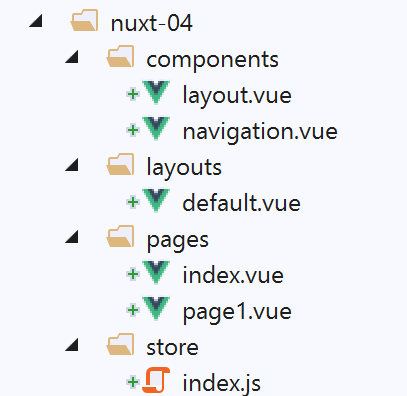
仅 [index] 页面发生变化:
<!-- page [index] -->
<template>
  <Layout :left="true" :right="true">
    <!-- navigation -->
    <Navigation slot="left" />
    <!-- message-->
    <template slot="right">
      <b-alert show variant="warning"> Home - value= {{ value }} </b-alert>
      <!-- bouton -->
      <b-button @click="incrementCounter" class="ml-3" variant="primary">Incrémenter</b-button>
    </template>
  </Layout>
</template>

<script>
/* eslint-disable no-undef */
/* eslint-disable no-console */
/* eslint-disable nuxt/no-env-in-hooks */

import Layout from '@/components/layout'
import Navigation from '@/components/navigation'
export default {
  name: 'Home',
  // components used
  components: {
    Layout,
    Navigation
  },
  data() {
    return {
      value: 0
    }
  },
  // life cycle
  beforeCreate() {
    // client and server
    console.log('[home beforeCreate]')
  },
  created() {
    // client and server
    this.value = this.$store.state.counter
    console.log('[home created], value=', this.value)
  },
  beforeMount() {
    // customer only
    console.log('[home beforeMount]')
  },
  mounted() {
    // customer only
    console.log('[home mounted]')
  },
  // event management
  methods: {
    incrementCounter() {
      console.log('incrementCounter')
      // counter increment of 1
      this.$store.commit('increment', 1)
      // change display value
      this.value = this.$store.state.counter
    }
  }
}
</script>
- 第 10 行:我们添加了一个按钮,用于递增 [Vuex] 存储计数器;
- 第 54 行:处理 [Increment] 按钮 [click] 事件的方法;
- 第 57 行:将存储计数器加 1;
- 第 59 行:将计数器值赋给 [value] 属性,以便在第 8 行显示该值;
使用以下 [nuxt.config.js] 文件运行 [nuxt-04] 项目:
// source code directory
  srcDir: 'nuxt-04',
  // router
  router: {
    // application URL root
    base: '/nuxt-04/'
  },
  // server
  server: {
    // service port, default 3000
    port: 81,
    // network addresses listened to, default localhost: 127.0.0.1
    // 0.0.0.0 = all the machine's network addresses
    host: 'localhost'
}
执行后,显示的首页如下:
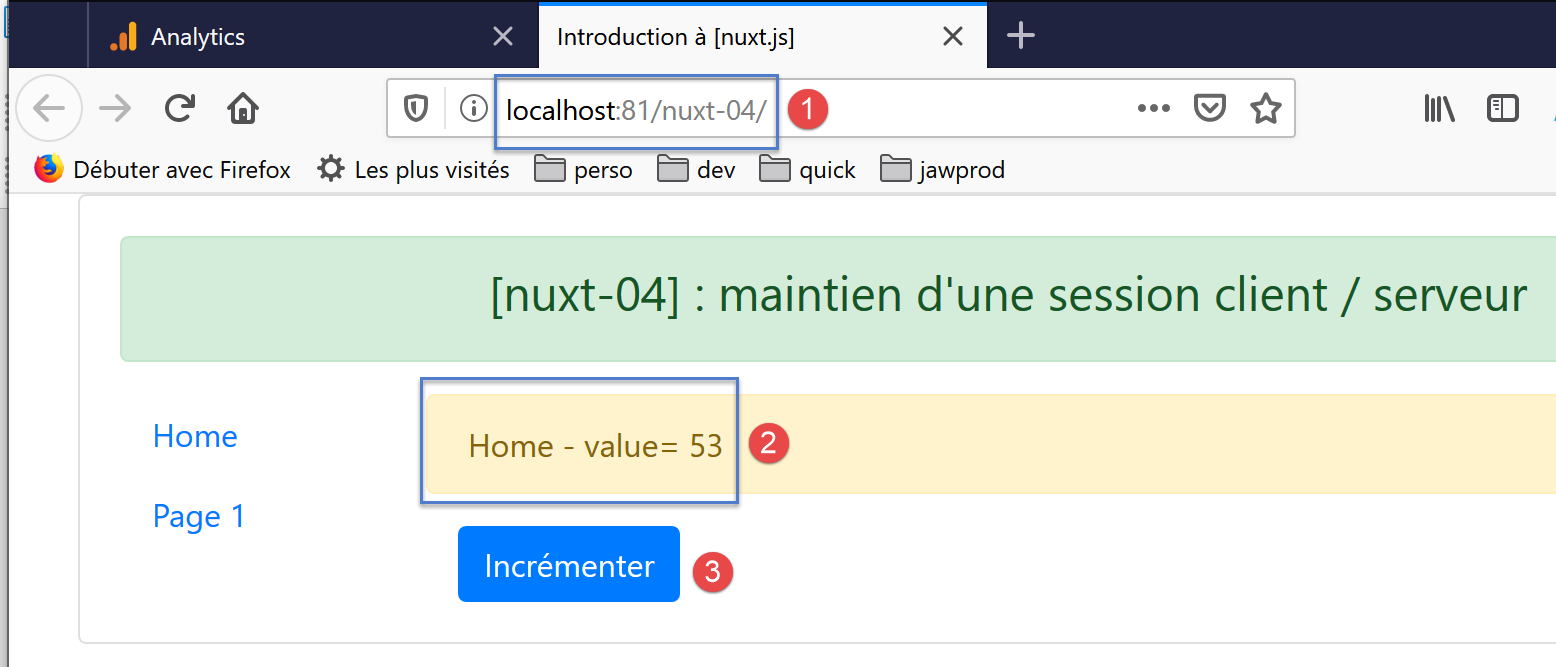
点击[3]按钮数次后,将显示以下新页面:
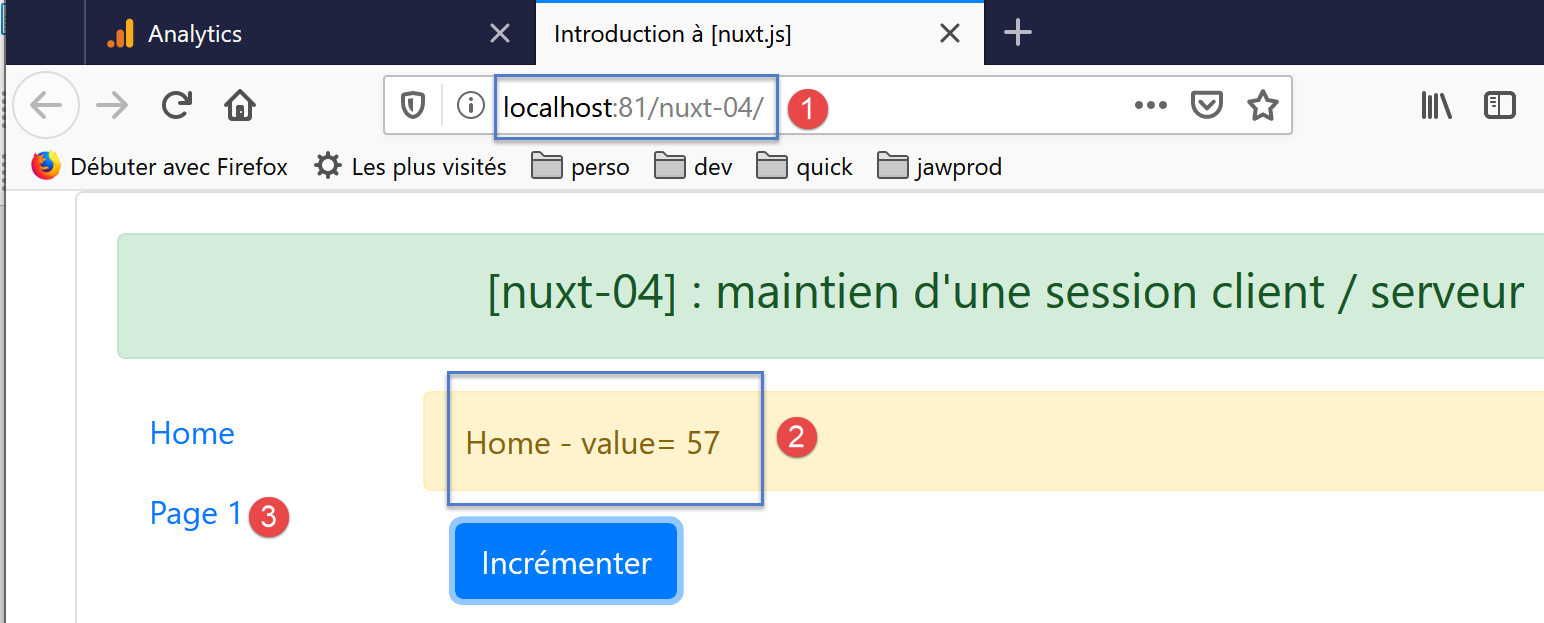
如果使用链接 [3],将显示以下页面:
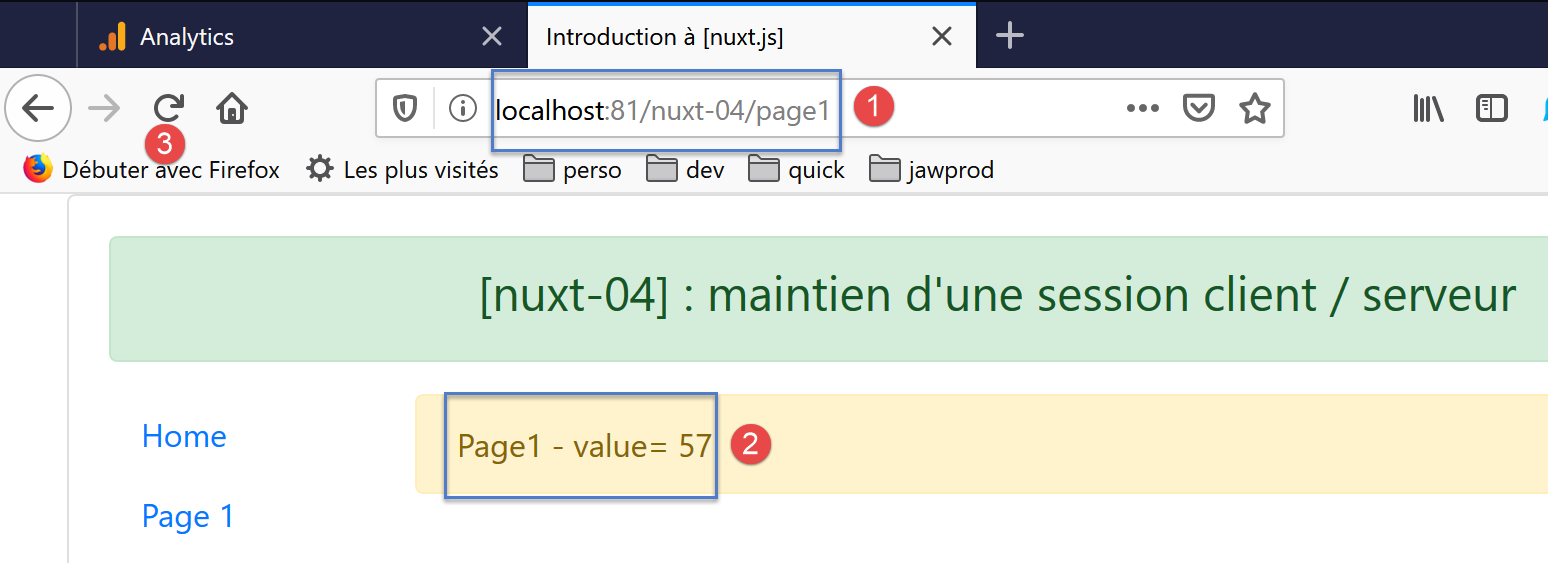
- 在[2]中,[page1] [1]页面正确显示了计数器的数值;
现在,让我们通过[3]刷新页面。新页面如下所示:
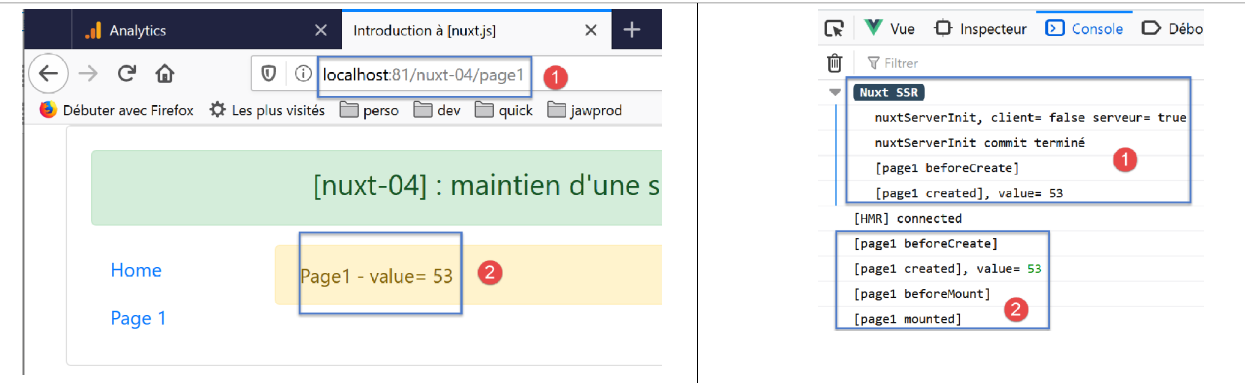
- 在[2]中,当前计数器的值已丢失。它已恢复为初始值;
如果你查看日志,就会发现这个结果完全合乎逻辑:
- 在 [1] 中,服务器重新执行了 [nuxtServerInit] 函数。然而,该函数的实现如下:
第 28 行将计数器设置为 53。
让我们来分析一下刷新 [page1] 页面时浏览器发出的 HTTP 请求:
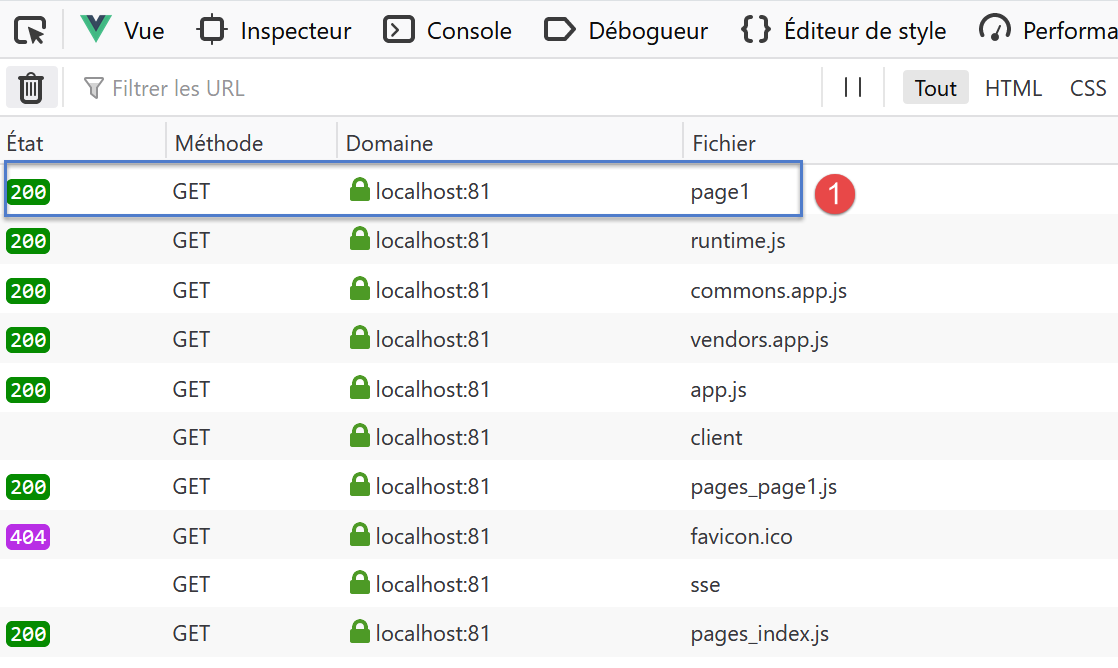
我们可以看到,除了 [page1] 页面 [1] 之外,客户端还向服务器请求了多个脚本。请注意脚本 [pages_index, pages_page1],它们是与 [index, page] 页面关联的脚本。无论请求的是哪个页面,每次向服务器发送请求时都会提供这些脚本;
在 [1] 中,通过以下 HTTP 请求向服务器请求页面 [page1]:
我们可以看到,此请求并未向服务器发送任何信息。因此,服务器无法得知客户端 [Vuex] 存储的状态。若要实现这一点,客户端必须将此信息发送给服务器。
在接下来的项目 [nuxt-05] 中,我们将使用 Cookie,以便客户端在被请求时能够向服务器发送信息。