18. Vue.js client of the tax calculation server
18.1. Architecture
We will implement a client/server application with the following architecture:
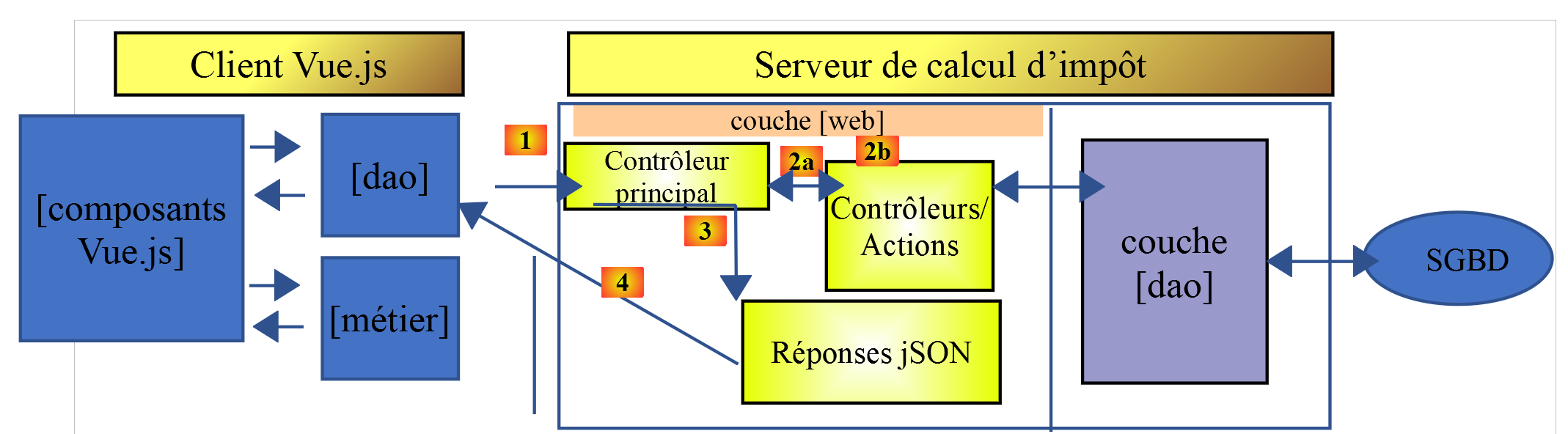
The tax calculation server will be version 14, developed in the document |https://tahe.developpez.com/tutoriels-cours/php7|
18.2. Application Views
The application views [vuejs-10] are those from version 13 of the document |https://tahe.developpez.com/tutoriels-cours/php7| of the tax calculation server when used in HTML mode. However, in this application, these views will be generated by the JavaScript client rather than the PHP server.
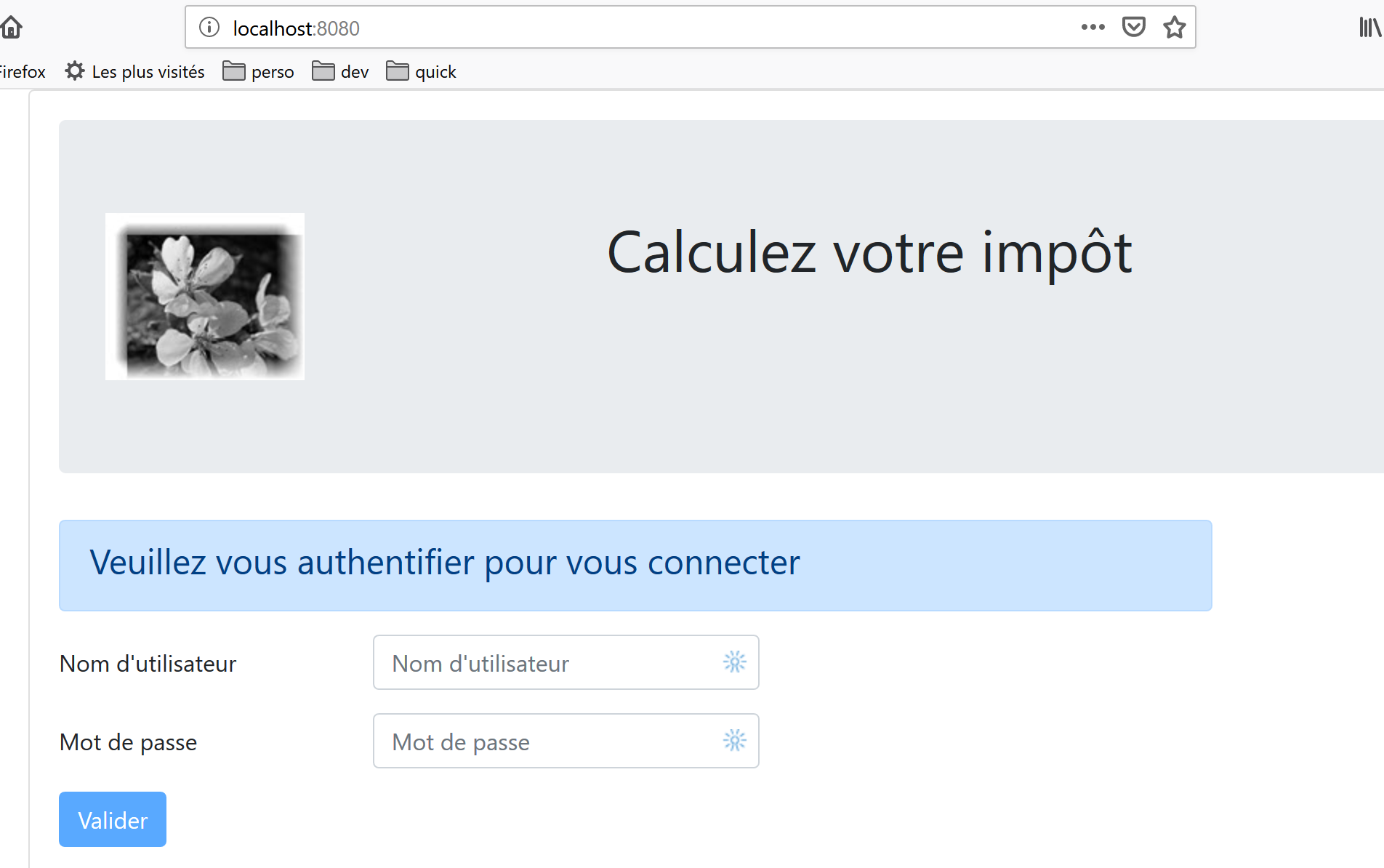
The first view is the authentication view:
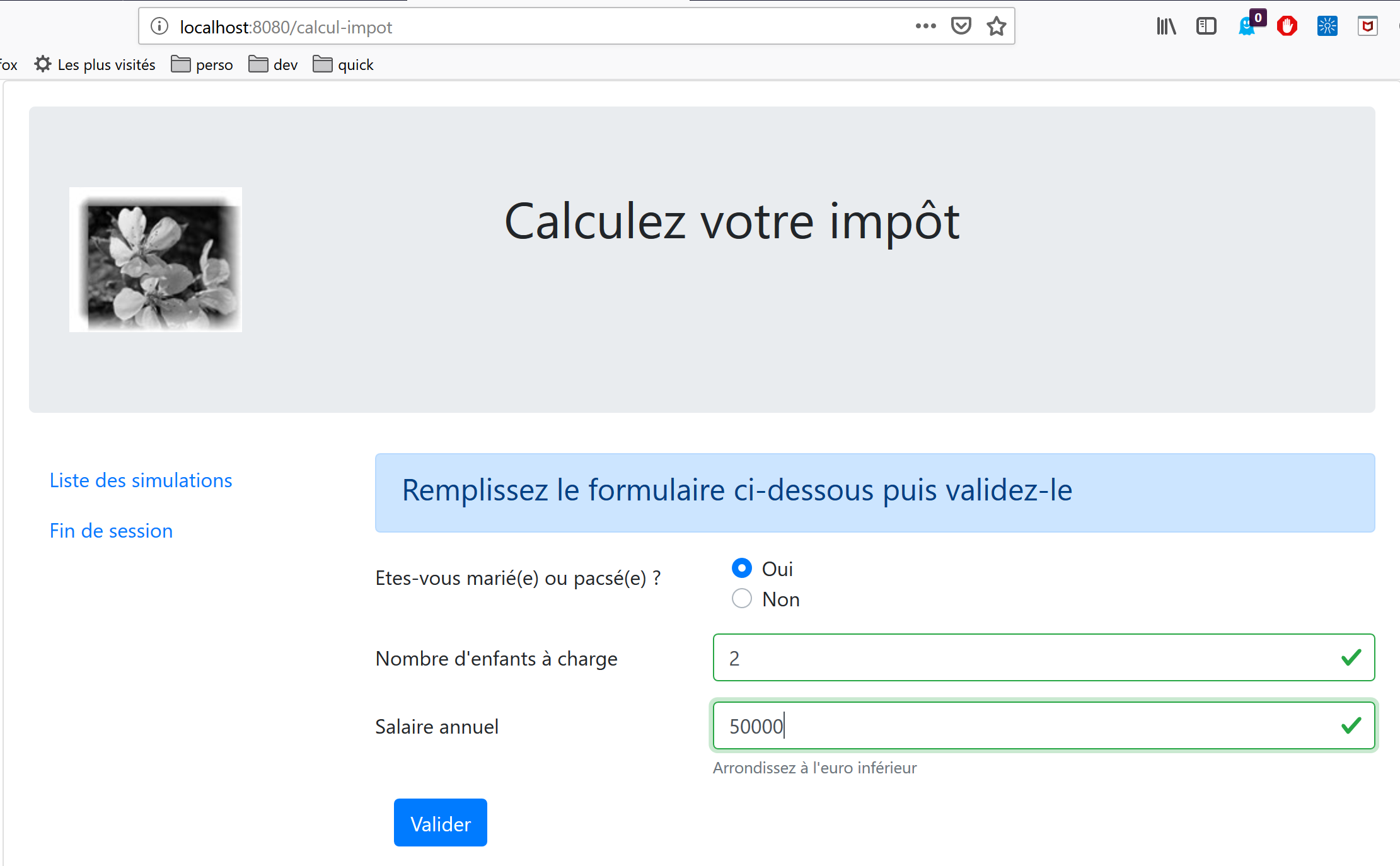
The second view is the tax calculation view:
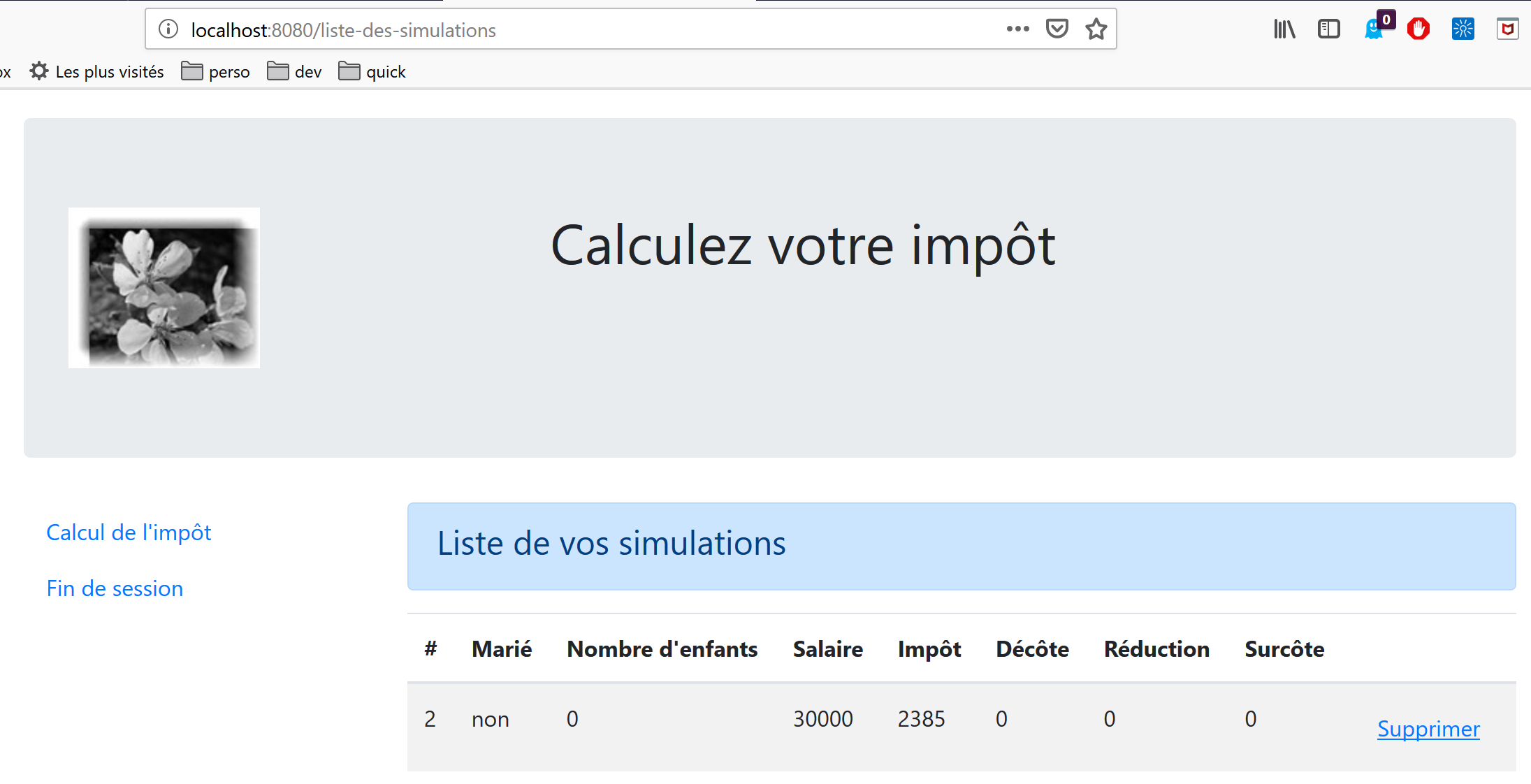
The third view displays the list of simulations performed by the user:
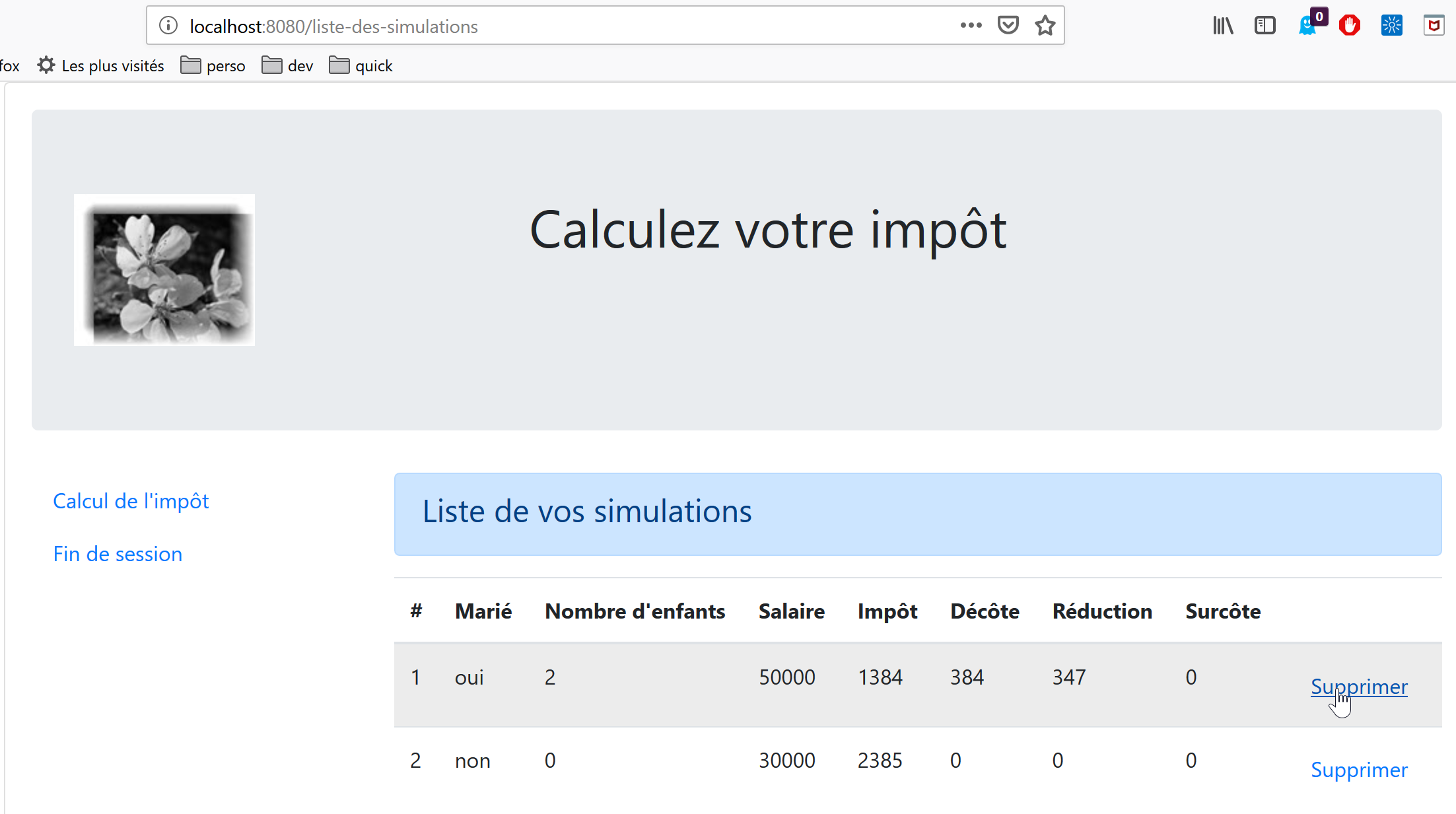
The screen above shows that you can delete simulation #1. This results in the following view:
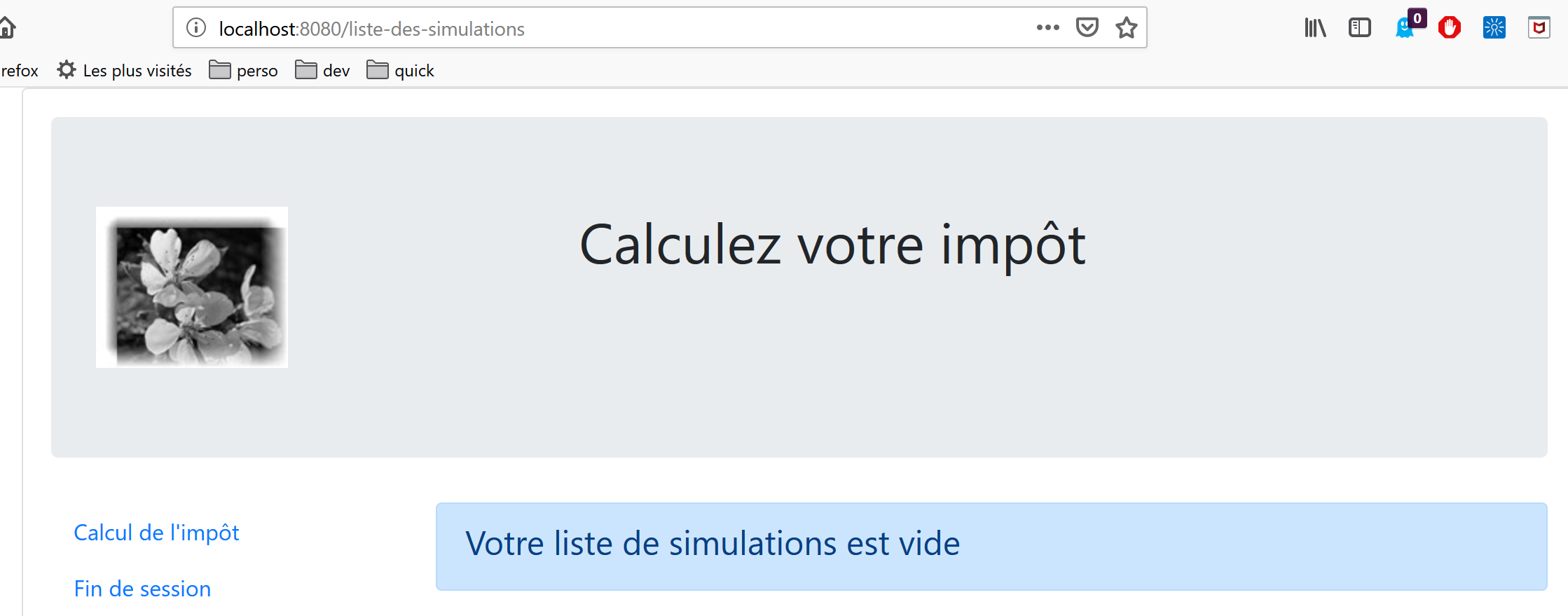
If you now delete the last simulation, you get the following new view:
18.3. Project Elements [vuejs-20]
The project tree [vuejs-20] is as follows:
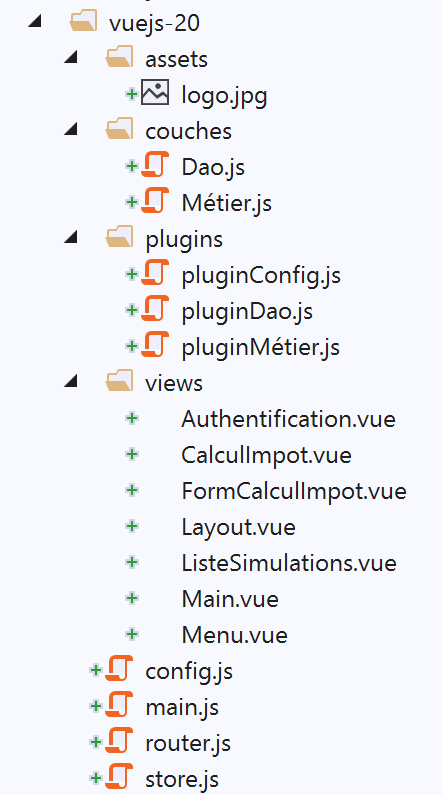
The project elements are as follows:
- [assets/logo.jpg]: the project logo;
- [layers]: the application’s [business] and [DAO] layers;
- [plugins]: the application’s plugins;
- [views]: the application's views;
- [config.js]: configures the application;
- [router.js]: defines the application's routing;
- [store.js]: the [Vuex] store;
- [main.js]: the application's main script;
18.3.1. The [business] and [DAO] layers
18.3.1.1. The [DAO] layer
The [DAO] layer is implemented by the [Dao] class in section |vuejs-10|
18.3.1.2. The [business] layer
The [business] layer is implemented by the [Business] class in the document |https://tahe.developpez.com/tutoriels-cours/php7|. The following [setTaxAdminData] method has been added to it:
// constructeur
  constructor(taxAdmindata) {
    // this.taxAdminData : données de l'administration fiscale
    this.taxAdminData = taxAdmindata;
  }

  // setter
  setTaxAdminData(taxAdmindata) {
    // this.taxAdminData : données de l'administration fiscale
    this.taxAdminData = taxAdmindata;
}
The [setTaxAdminData] method does the same thing as the constructor. Its presence allows for the following sequence:
- instantiate the [Métier] class with the statement [métier=new Métier()] when you want to instantiate the class but do not yet have the [taxAdminData] data;
- then populate its [taxAdminData] property later using an operation [métier.setTaxAdminData(taxAdmindata)];
18.3.2. The configuration file [config]
The [config.js] file is as follows:
// utilisation de la bibliothèque [axios]
const axios = require('axios');
// timeout des requêtes HTTP
axios.defaults.timeout = 2000;
// la base des URL du serveur de calcul de l'impôt
// le schéma [https] pose des problèmes à Firefox parce que le serveur de calcul
// de l'impôt envoie un certificat autosigné. ok avec Chrome et Edge. Safari pas testé.
axios.defaults.baseURL = 'https://localhost/php7/scripts-web/impots/version-14';
// on va utiliser des cookies
axios.defaults.withCredentials = true;

// export de la configuration
export default {
  axios: axios
}
This configuration is for the [axios] library that the [dao] layer uses to make its HTTP requests. Note on line 8 that the server operates on a secure port [https].
18.3.3. The plugins
The plugins [pluginDao, pluginMétier, pluginConfig] are designed to create three new properties for the [Vue] function/class:
- [$dao]: will have the value of an instance of the [Dao] class;
- [$métier]: will have the value of an instance of the [Métier] class;
- [$config]: will be set to the object exported by the [config] configuration file;
[pluginDao]
export default {
  install(Vue, dao) {
    // ajoute une propriété [$dao] à la classe Vue
    Object.defineProperty(Vue.prototype, '$dao', {
      // lorsque Vue.$dao est référencé, on rend le 2ième paramètre [dao]
      get: () => dao,
    })
  }
}

[pluginMétier]

export default {
  install(Vue, métier) {
    // ajoute une propriété [$métier] à la classe Vue
    Object.defineProperty(Vue.prototype, '$métier', {
      // lorsque Vue.$métier est référencé, on rend le 2ième paramètre [métier]
      get: () => métier,
    })
  }
}
[pluginConfig]
export default {
  install(Vue, config) {
    // ajoute une propriété [$config] à la classe vue
    Object.defineProperty(Vue.prototype, '$config', {
      // lorsque Vue.$config est référencé, on rend le 2ième paramètre [config]
      get: () => config,
    })
  }
}
18.3.4. The [Vuex] store
The [Vuex] store is implemented by the following [store] file:
// plugin Vuex
import Vue from 'vue'
import Vuex from 'vuex'
Vue.use(Vuex);

// store Vuex
const store = new Vuex.Store({
  state: {
    // le tableau des simulations
    simulations: [],
    // le n° de la dernière simulation
    idSimulation: 0
  },
  mutations: {
    // suppression ligne n° index
    deleteSimulation(state, index) {
      // eslint-disable-next-line no-console
      console.log("mutation deleteSimulation");
      // on supprime la ligne n° [index]
      state.simulations.splice(index, 1);
      // eslint-disable-next-line no-console
      console.log("store simulations", state.simulations);
    },
    // ajout d'une simulation
    addSimulation(state, simulation) {
      // eslint-disable-next-line no-console
      console.log("mutation addSimulation");
      // n° de la simulation
      state.idSimulation++;
      simulation.id = state.idSimulation;
      // on ajoute la simulation au tableau des simulations
      state.simulations.push(simulation);
    },
    // nettoyage state
    clear(state) {
      state.simulations = [];
      state.idSimulation = 1;
    }
  }
});
// export de l'objet [store]
export default store;
Comments
- lines 2-4: the [Vuex] plugin is integrated into the [Vue] framework;
- lines 8-13: we put the following elements into the [Vuex] store:
- [simulations]: the list of simulations performed by the user;
- [idSimulation]: the ID of the last simulation performed by the user;
Note that the store will be shared among the views and that its content is reactive: when it is modified, the views that use it are automatically updated. In our application, only the [simulations] element needs to be reactive, not the [simulationId] element. We left this element in the store for convenience;
- lines 14–40: the mutations allowed on the [state] object from lines 8–13. Note that these always receive the [state] object from lines 8–13 as their first parameter;
- line 16: the [deleteSimulation] mutation allows you to delete a simulation by specifying its [index] number;
- line 25: the [addSimulation] mutation allows you to add a new simulation to the simulation array;
- line 35: the [clear] operation resets the [state] object from lines 8–13;
18.3.5. The routing file [router]
The routing file is as follows:
// imports
import Vue from 'vue'
import VueRouter from 'vue-router'
// les vues
import Authentification from './views/Authentification'
import CalculImpot from './views/CalculImpot'
import ListeSimulations from './views/ListeSimulations'

// plugin de routage
Vue.use(VueRouter)

// les routes de l'application
const routes = [
  // authentification
  {
    path: '/', name: 'authentification', component: Authentification
  },
  // calcul de l'impôt
  {
    path: '/calcul-impot', name: 'calculImpot', component: CalculImpot
  },
  // liste des simulations
  {
    path: '/liste-des-simulations', name: 'listeSimulations', component: ListeSimulations
  },
  // fin de session
  {
    path: '/fin-session', name: 'finSession', component: Authentification
  }
]

// le routeur
const router = new VueRouter({
  // les routes
  routes,
  // le mode d'affichage des routes dans le navigateur
  mode: 'history',
})

// export du router
export default router
Comments
- line 16: When the application starts, the [Authentication] view is displayed because its URL is the root [/];
- line 20: the [TaxCalculation] view is displayed when the URL [/tax-calculation] is requested;
- line 24: the [SimulationList] view is displayed when the URL [/simulation-list] is requested;
- line 28: the [Authentication] view is displayed when the URL [/end-session] is requested;
- lines 33–38: a [router] object is created with these routes (line 35) and the [history] mode (line 37) for URL management;
- line 41: this router is exported;
18.3.6. The main script [main.js]
The [main.js] script is as follows:
// imports
import Vue from 'vue'

// vue principale
import Main from './views/Main.vue'

// plugin [bootstrap-vue]
import BootstrapVue from 'bootstrap-vue'
Vue.use(BootstrapVue);

// CSS bootstrap
import 'bootstrap/dist/css/bootstrap.css'
import 'bootstrap-vue/dist/bootstrap-vue.css'

// routeur
import router from './router'

// plugin [config]
import config from './config';
import pluginConfig from './plugins/pluginConfig'
Vue.use(pluginConfig, config)

// instanciation couche [dao]
import Dao from './couches/Dao';
const dao = new Dao(config.axios);

// plugin [dao]
import pluginDao from './plugins/pluginDao'
Vue.use(pluginDao, dao)

// instanciation couche [métier]
import Métier from './couches/Métier';
const métier = new Métier();

// plugin [métier]
import pluginMétier from './plugins/pluginMétier'
Vue.use(pluginMétier, métier)

// store Vuex
import store from './store'

// démarrage de l'UI
new Vue({
  el: '#app',
  // le routeur
  router: router,
  // le store Vuex
  store: store,
  // la vue principale
  render: h => h(Main),
})
Note the following points:
- lines 18–21: the object exported by the [./config] script will be available in the [Vue.$config] property, and thus available to all views in the application. This was unnecessary here because the [config] object is only used by the [main] script (line 25). However, it is common for the configuration to be needed by multiple views. We therefore wanted to maintain the principle of making it available in a view attribute;
- lines 24–25: instantiation of the [dao] layer. The [Dao] class is imported on line 24 and then instantiated on line 25. Its constructor takes the [axios] object—a configuration property—as its only parameter;
- lines 27–29: the [dao] layer is made available in the [$dao] attribute of all views;
- lines 31–37: we repeat the same sequence for the [business] layer. The constructor of the [Business] class takes [taxAdminData] as a parameter, which represents tax administration data. We do not yet have this data. The [business] object on line 33 will therefore need to be populated later;
- line 40: we import the [Vuex] store;
- lines 43–51: We instantiate the main view [Main] (lines 5 and 50), passing it two parameters:
- line 46: the router [router] defined on line 16;
- line 48: the [Vuex] store [store] defined on line 40;
- in both cases, the property name is on the left and its value on the right. The property names [router, store] are set by the [vue-router] and [vuex] frameworks. The associated values can be anything;
18.4. The application’s views
18.4.1. The main view [Main]
The code for the main view [Main] is as follows:
<!-- définition HTML de la vue -->
<template>
  <div class="container">
    <b-card>
      <!-- jumbotron -->
      <b-jumbotron>
        <b-row>
          <b-col cols="4">
            <img src="../assets/logo.jpg" alt="Cerisier en fleurs" />
          </b-col>
          <b-col cols="8">
            <h1>Calculez votre impôt</h1>
          </b-col>
        </b-row>
      </b-jumbotron>
      <!-- erreur requête HTTP -->
      <b-alert
        show
        variant="danger"
        v-if="showError"
      >L'erreur suivante s'est produite : {{error.message}}</b-alert>
      <!-- vue courante -->
      <router-view v-if="showView" @loading="mShowLoading" @error="mShowError" />
      <!-- loading -->
      <b-alert show v-if="showLoading" variant="light">
        <strong>Requête au serveur de calcul d'impôt en cours...</strong>
        <div class="spinner-border ml-auto" role="status" aria-hidden="true"></div>
      </b-alert>
    </b-card>
  </div>
</template>

<script>
export default {
  // name
  name: "app",
  // inner state
  data() {
    return {
      // controls waiting alert
      showLoading: false,
      // controls error alert
      showError: false,
      // controls the display of the current routing view
      showView: true,
      // an error message
      error: ""
    };
  },
  // event managers
  methods: {
    // asynchronous request error
    mShowError(error) {
      // eslint-disable-next-line
      console.log("Main evt error");
      // error msg is displayed
      this.error = error;
      this.showError = true;
      // hide the routed view
      this.showView = false;
      // we hide the waiting message
      this.showLoading = false;
    },
    // whether or not to display a waiting icon
    mShowLoading(value) {
      // eslint-disable-next-line
      console.log("Main evt showLoading");
      // whether or not to display the waiting alert
      this.showLoading = value;
    }
  }
};
</script>
Comments
- The [Main] view handles the layout of the routed and displayed view. Line 23:
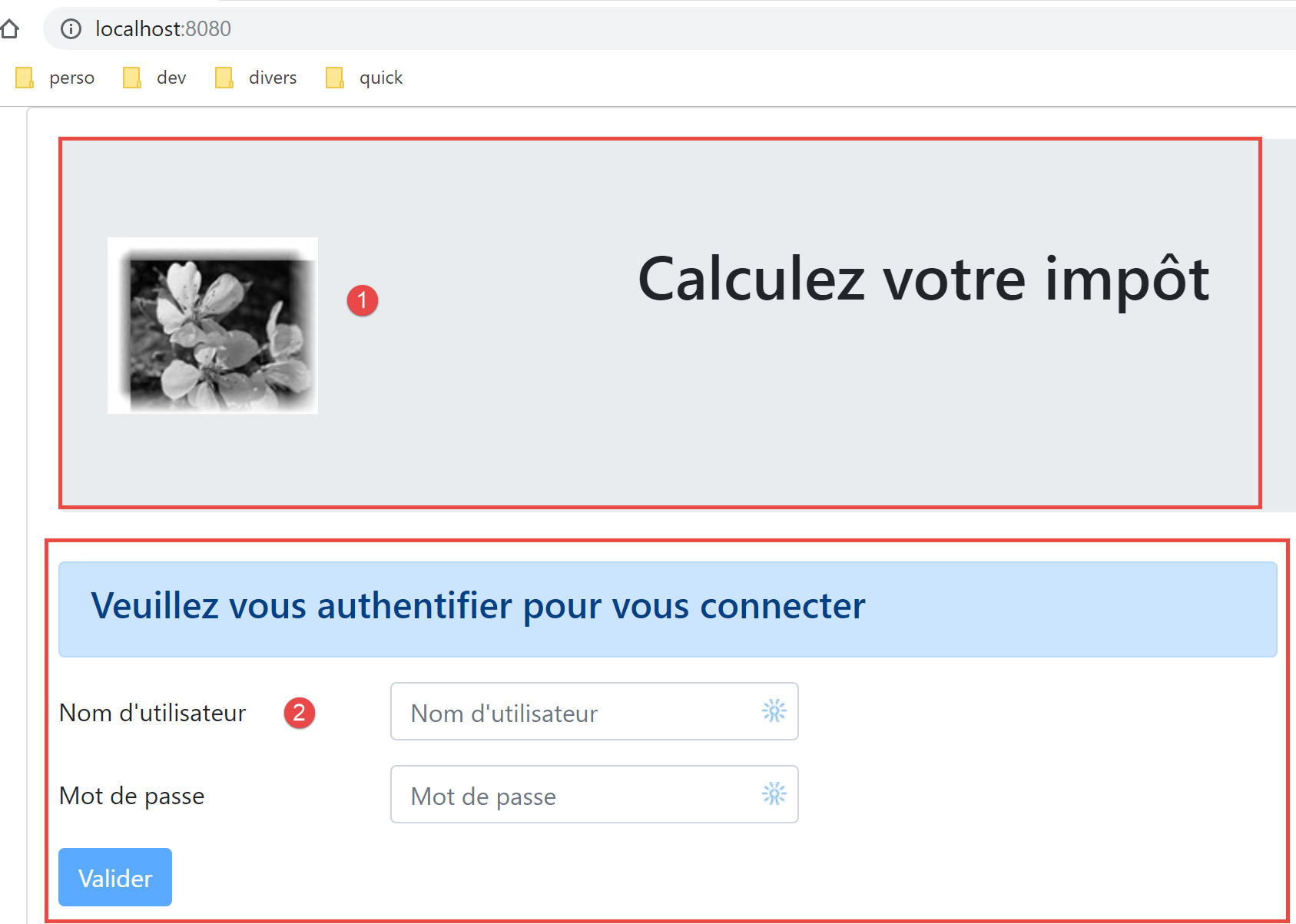
- Lines 5–15 display zone 1;
- line 23 displays the routed view [2];
- Lines 16–19: an alert displayed only in the event of a communication error with the tax calculation server;
- Lines 25–28: a loading message displayed for each HTTP request made to the server;
- all views will be displayed with this layout since each routed view is displayed by lines 20–24. The [Main] view is used to factor out what can be shared by the different views;
- Line 23: Each routed view can trigger three events:
- [loading]: an HTTP request has been sent. The loading message must be displayed;
- [error]: the HTTP request ended in an error. The error message must be displayed and the routed view hidden;
- lines 38–49: the view’s state:
- line 41: [showLoading] controls the display of the message indicating that an HTTP request is in progress (line 25);
- line 43: [showError] controls the display of the error message for an HTTP request (lines 17–21);
- line 45: [showView] controls the display of the routed view (line 23);
- lines 53–63: the [mShowError] method handles the [error] event emitted by the routed view (line 23);
- Lines 65–70: The [mShowLoading] method handles the [loading] event emitted by the routed view (line 23);
- line 23: We will focus on the [error] and [loading] events. They are only intercepted if the routed view is displayed [showView=true]. This is why the routed view is initially displayed (line 45). It is only hidden in the event of an error (line 60). To avoid this issue, we could have used the [v-show] directive instead of [v-if]. The difference between these two directives is as follows:
- [v-if=’false’] hides the controlled block by removing it from the global HTML. Events from the routed view can then no longer be intercepted;
- [v-show=’false’] hides the controlled block by manipulating its CSS, but the block’s code remains present in the global HTML and can thus intercept events from the routed view;
18.4.2. The [Layout] view
The [Layout] view code is as follows:
<!-- definition HTML of the routed view layout -->
<template>
  <!-- line -->
  <div>
    <b-row>
      <!-- three-column zone on the left -->
      <b-col cols="3" v-if="left">
        <slot name="left" />
      </b-col>
      <!-- nine-column zone on the right -->
      <b-col cols="9" v-if="right">
        <slot name="right" />
      </b-col>
    </b-row>
  </div>
</template>

<script>
  export default {
    // paramètres de la vue
    props: {
      // contrôle la colonne de gauche
      left: {
        type: Boolean
      },
      // contrôle la colonne de droite
      right: {
        type: Boolean
      }
    }
  };
</script>
Comments
- The [Layout] view allows you to split the routed view into two areas:
- a 3-column Bootstrap area on the left (lines 7–9). This area will contain the navigation menu when one is present;
- a 9-column area on the right (lines 11–13). This area will display the information provided by the routed view;
18.4.3. The [Authentication] view
The authentication view is as follows:
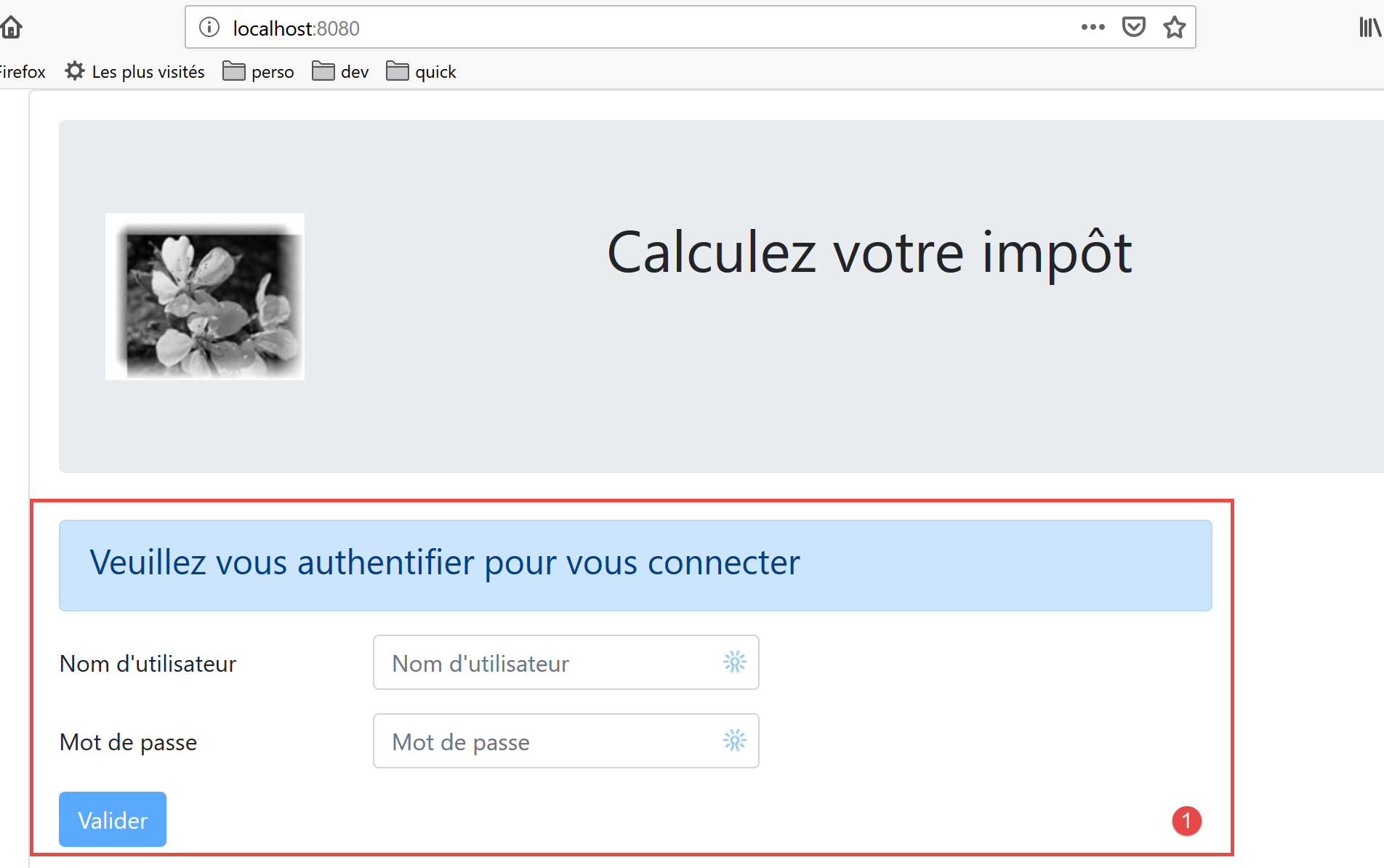
This view is derived from the [Layout] by removing the left column to display only the right column.
Its code is as follows:
<!-- définition HTML de la vue -->
<template>
  <Layout :left="false" :right="true">
    <template slot="right">
      <!-- formulaire HTML - on poste ses valeurs avec l'action [authentifier-utilisateur] -->
      <b-form @submit.prevent="login">
        <!-- titre -->
        <b-alert show variant="primary">
          <h4>Bienvenue. Veuillez vous authentifier pour vous connecter</h4>
        </b-alert>
        <!-- 1ère ligne -->
        <b-form-group label="Nom d'utilisateur" label-for="user" label-cols="3">
          <!-- zone de saisie user -->
          <b-col cols="6">
            <b-form-input type="text" id="user" placeholder="Nom d'utilisateur" v-model="user" />
          </b-col>
        </b-form-group>
        <!-- 2ième ligne -->
        <b-form-group label="Mot de passe" label-for="password" label-cols="3">
          <!-- zone de saisie password -->
          <b-col cols="6">
            <b-input type="password" id="password" placeholder="Mot de passe" v-model="password" />
          </b-col>
        </b-form-group>
        <!-- 3ième ligne -->
        <b-alert
          show
          variant="danger"
          v-if="showError"
          class="mt-3"
        >L'erreur suivante s'est produite : {{message}}</b-alert>
        <!-- bouton de type [submit] sur une 3ième ligne -->
        <b-row>
          <b-col cols="2">
            <b-button variant="primary" type="submit" :disabled="!valid">Valider</b-button>
          </b-col>
        </b-row>
      </b-form>
    </template>
  </Layout>
</template>

<!-- dynamique de la vue -->
<script>
import Layout from "./Layout";
export default {
  // component status
  data() {
    return {
      // user
      user: "",
      // password
      password: "",
      // controls the display of an error msg
      showError: false,
      // the error message
      message: "",
      // session started
      sessionStarted: false
    };
  },

  // components used
  components: {
    Layout
  },

  // calculated properties
  computed: {
    // valid entries
    valid() {
      return this.user && this.password && this.sessionStarted;
    }
  },

  // event managers
  methods: {
    // ----------- authentication
    async login() {
      try {
        // start waiting
        this.$emit("loading", true);
        // blocking server authentication
        const response = await this.$dao.authentifierUtilisateur(
          this.user,
          this.password
        );
        // end of loading
        this.$emit("loading", false);
        // response analysis
        if (response.état != 200) {
          // error is displayed
          this.message = response.réponse;
          this.showError = true;
          return;
        }
        // no error
        this.showError = false;
        // --------- we now request data from the tax authorities
        // start waiting
        this.$emit("loading", true);
        // blocking request to the server
        const response2 = await this.$dao.getAdminData();
        // end of loading
        this.$emit("loading", false);
        // response analysis
        if (response2.état != 1000) {
          // error is displayed
          this.message = response2.réponse;
          this.showError = true;
          return;
        }
        // no error
        this.showError = false;
        // the received data is stored in the [business] layer
        this.$métier.setTaxAdminData(response2.réponse);
        // we move on to the tax calculation view
        this.$router.push({ name: "calculImpot" });
      } catch (error) {
        // the error is traced back to the main component
        this.$emit("error", error);
      }
    }
  },
  // life cycle: the component has just been created
  created() {
    // eslint-disable-next-line
    console.log("authentification", "created");
    // start a jSON session with the server
    // start waiting
    this.$emit("loading", true);
    // initialize the session with the server - asynchronous request
    // we use the promise rendered by the [dao] layer methods
    this.$dao
      // initialize a jSON session
      .initSession()
      // we got the answer
      .then(response => {
        // end waiting
        this.$emit("loading", false);
        // response analysis
        if (response.état != 700) {
          // error is displayed
          this.message = response.réponse;
          this.showError = true;
          return;
        }
        // the session has started
        this.sessionStarted = true;
      })
      // in case of error
      .catch(error => {
        // the error is traced back to the [Main] view
        this.$emit("error", error);
      });
  }
};
</script>
Comments
- line 3: the [Authentication] view uses only the right column of the [Layout] (lines 3 and 4);
- lines 6–38: the Bootstrap form that generates area 1 in the screenshot above;
- line 6: the [@submit] event occurs when the user clicks the [submit] button on line 35. The [prevent] modifier ensures that the page is not reloaded upon [submit]. We could also have written:
- a <b-form> tag without handling the [submit] event;
- a <b-button> tag with the [@click='login'] event and without the [type='submit'] attribute;
That works too. The advantage of the chosen solution is that the form is submitted not only by clicking the [Submit] button but also by pressing the [Enter] key in the input fields. The [<b-form @submit.prevent="login">] solution was therefore chosen here for the user’s convenience;
- lines 33–37: an alert that appears when the server has rejected the credentials entered by the user:
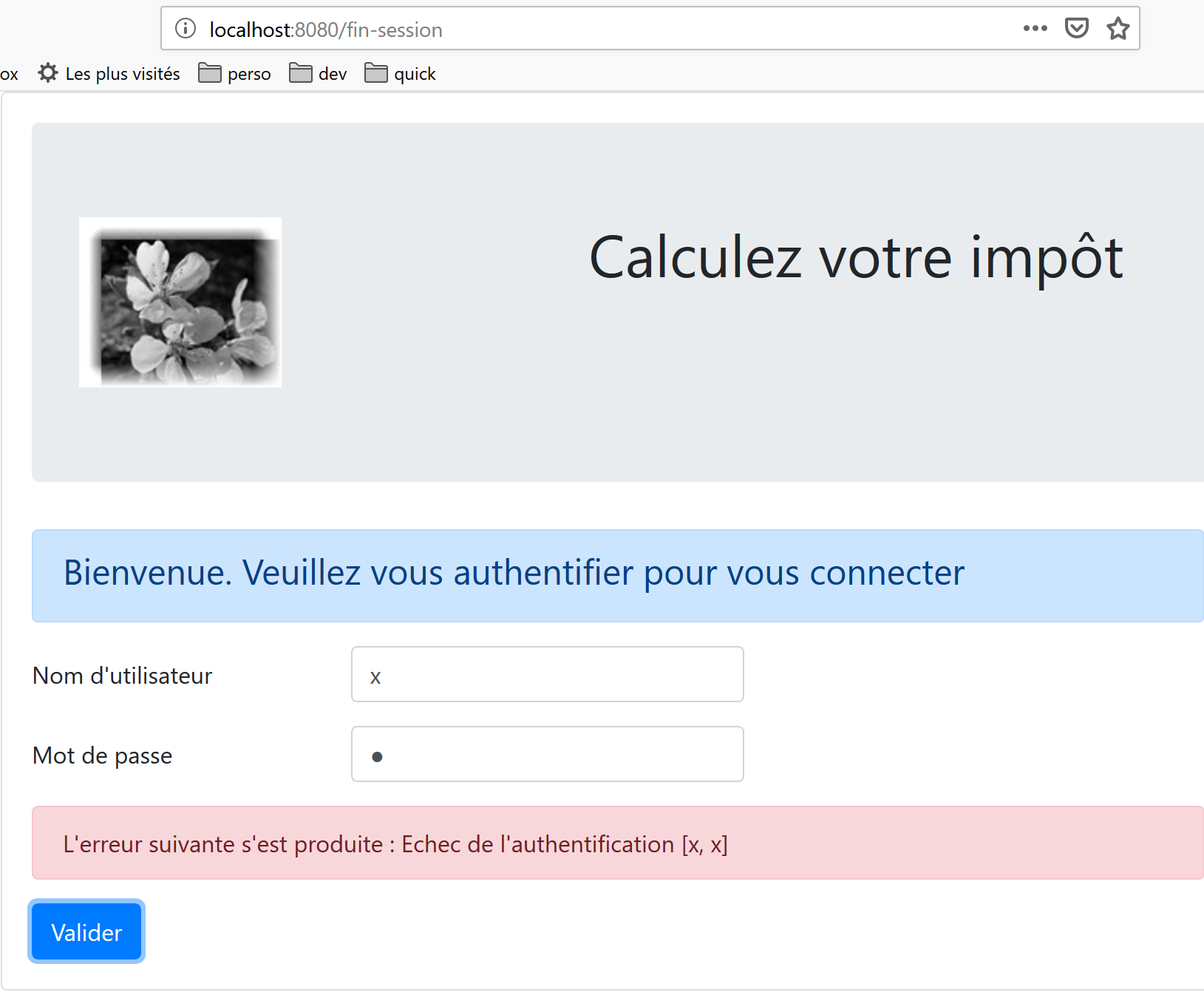
- line 35: the [Submit] button is not always active. Its state depends on the calculated attribute [valid] in lines 71–73. The [valid] attribute is true if:
- there is something in the [user, password] fields of the form;
- the JSON session has started. Initially, this session has not started (line 59) and therefore the [Validate] button is inactive.
- lines 49–60: the state of the view;
- [user] represents the user’s input in the [user] field (lines 12–17) of the form. The [v-model] directive on line 15 establishes a two-way binding between the user’s input and the [user] attribute of the view;
- [password] represents the user’s input in the [password] field (lines 19–24) of the form. The [v-model] directive on line 22 establishes a two-way binding between the user’s input and the view’s [password] attribute;
- [showError] controls (line 29) the display of the alert in lines 26–31;
- [message] is the error message (line 31) to be displayed in the alert on lines 26–31;
- [sessionStarted] indicates whether or not the JSON session with the server has started. Initially, this attribute has the value [false] (line 59). The JSON session with the server is initialized in the [created] event of the view’s lifecycle, lines 126–156. If the server responds positively, then the [sessionStarted] attribute is set to [true] (line 149);
- lines 126–156: the [created] function is executed when the [Authentication] view has been created (though not necessarily displayed yet). In the background, a JSON session with the server is then initialized. We know this is the first action to perform with the tax calculation server. To do this, we use the application’s [dao] layer (line 134). All methods in this layer are asynchronous. Here, we use the Promise returned by the [$dao.initSession] method, which initializes the JSON session with the server.
- Lines 138–150: the code executed when the server returns its response without an error;
- line 142: we check the [status] property of the response. It must have the value [700] for a successful operation. Otherwise, an error has occurred, the cause of which is indicated in the [response.response] property (line 144). We then display the error message in the view (line 145);
- line 149: we note that the JSON session has started;
- lines 152–155: the code executed in case of an error. This error is propagated to the parent view [Main], which
- will display the error;
- hides the waiting message;
- hide the routed view, the [Authentication] view;
- lines 79–124: the [login] method handles the click on the [Validate] button;
- line 79: the method has been prefixed with the [async] keyword to allow the use of the [await] keyword, lines 84 and 103;
- lines 84–87: blocking call to the [$dao.authenticateUser(user, password)] method. We could have used a [Promise] as was done in the [created] function. We wanted to vary the styles. There is no risk of blocking the user because we have set a 2-second [timeout] on all HTTP requests. They won’t have to wait long. Furthermore, they cannot do anything until the server has returned its response, as the [Validate] button remains inactive until then;
- line 91: the tax calculation server sends JSON responses, all of which have the structure [{‘action’:action, ‘status’:val, ‘response’:response}]. Authentication was successful if [status==200]. If not, an error message is displayed, lines 93-94;
- line 98: any error messages from a previous operation are hidden;
- lines 99–116: we now request the tax authority data from the server that is needed to calculate the tax. In [this.$métier], we have an instance of the [Métier] class that cannot do anything at this point because it does not have this data;
- line 103: the tax authority data is requested from the server via a blocking operation;
- lines 107–112: The server’s response is analyzed. It must have a status value of 1000; otherwise, an error has occurred. In the latter case, an error message is displayed (lines 109–110);
- lines 113–118: if the operation is successful, we:
- hide the error message (line 114);
- we pass the tax authority data to the [business] layer (line 116);
- display the [CalculImpot] view, line 118. Recall that [this.$router] refers to the application router. The [push] method is used to set the next routed view. Here, we refer to it by its [name] attribute. We could also have referred to it by its [path] attribute. This information is in the routing file:
// calcul de l'impôt
  {
    path: '/calcul-impot', name: 'calculImpot', component: CalculImpot
  },
- lines 119–122: The [catch] block is triggered when one of the two HTTP requests fails (server not found, timeout exceeded, etc.). The error is then reported to the parent view [Main], which will display it, hide the loading message, and hide the [Authentication] view;
18.4.4. The [CalculImpot] view
The [CalculImpot] view is as follows:
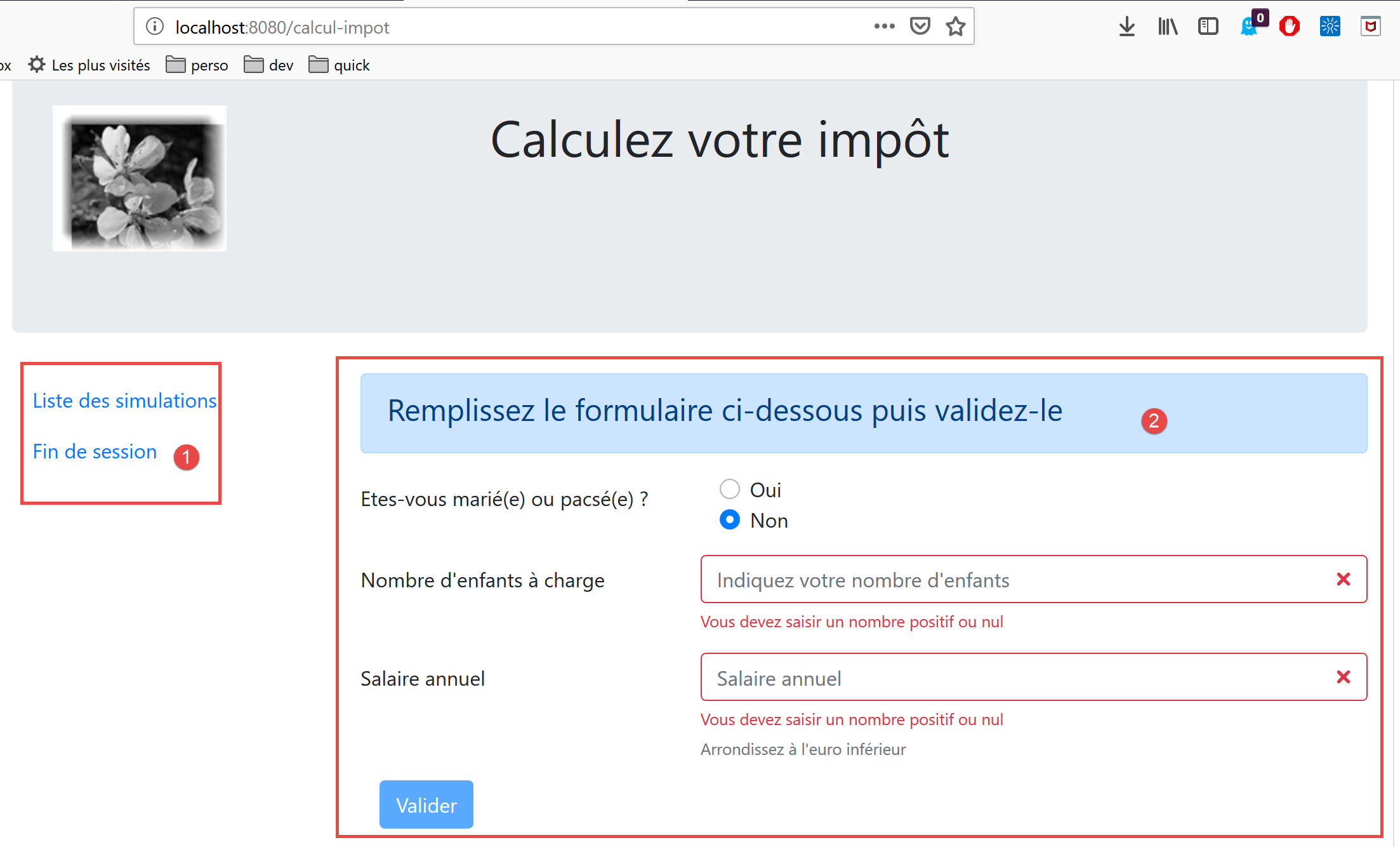
- [1]: A navigation menu occupies the left column of the routed view;
- [2]: The tax calculation form occupies the right column of the routed view;
The code for the [TaxCalculation] view is as follows:
<!-- definition HTML of the view -->
<template>
  <div>
    <Layout :left="true" :right="true">
      <!-- tax calculation form on the right -->
      <FormCalculImpot slot="right" @resultatObtenu="handleResultatObtenu" />
      <!-- left-hand navigation menu -->
      <Menu slot="left" :options="options" />
    </Layout>
    <!-- display area for tax calculation results under the form -->
    <b-row v-if="résultatObtenu" class="mt-3">
      <!-- empty three-column zone -->
      <b-col cols="3" />
      <!-- nine-column zone -->
      <b-col cols="9">
        <b-alert show variant="success">
          <span v-html="résultat"></span>
        </b-alert>
      </b-col>
    </b-row>
  </div>
</template>

<script>
// imports
import FormCalculImpot from "./FormCalculImpot";
import Menu from "./Menu";
import Layout from "./Layout";

export default {
  // état interne
  data() {
    return {
      // options du menu
      options: [
        {
          text: "Liste des simulations",
          path: "/liste-des-simulations"
        },
        {
          text: "Fin de session",
          path: "/fin-session"
        }
      ],
      // résultat du calcul de l'impôt
      résultat: "",
      résultatObtenu: false
    };
  },
  // composants utilisés
  components: {
    Layout,
    FormCalculImpot,
    Menu
  },
  // méthodes de gestion des évts
  methods: {
    // résultat du calcul de l'impôt
    handleResultatObtenu(résultat) {
      // on construit le résultat en chaîne HTML
      const impôt = "Montant de l'impôt : " + résultat.impôt + " euro(s)";
      const décôte = "Décôte : " + résultat.décôte + " euro(s)";
      const réduction = "Réduction : " + résultat.réduction + " euro(s)";
      const surcôte = "Surcôte : " + résultat.surcôte + " euro(s)";
      const taux = "Taux d'imposition : " + résultat.taux;
      this.résultat =
        impôt +
        "<br/>" +
        décôte +
        "<br/>" +
        réduction +
        "<br/>" +
        surcôte +
        "<br/>" +
        taux;
      // affichage du résultat
      this.résultatObtenu = true;
      // ---- maj du store [Vuex]
      // une simulation de +
      this.$store.commit("addSimulation", résultat);
    }
  }
};
</script>
Comments
- line 4: the two columns of the [Layout] are present here;
- line 6: the tax calculation form occupies the right column. It triggers the [resultatObtenu] event when the tax calculation result has been obtained. Note that event names and the names of the methods that handle them cannot contain accented characters;
- line 8: the navigation menu occupies the left column;
- lines 11–20: the result of the tax calculation is displayed below the form:
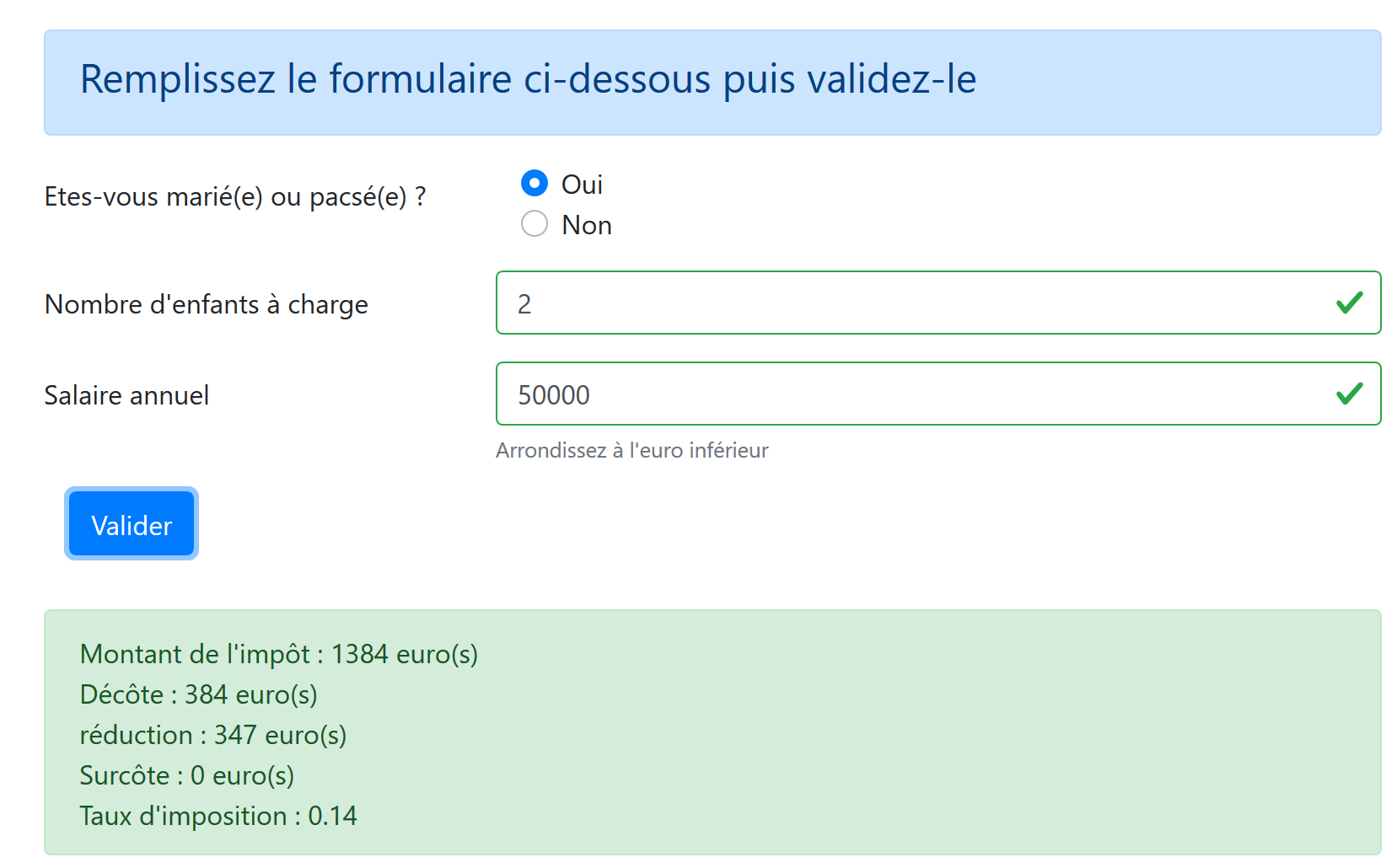
- line 11: the result is displayed only if the [resultObtained] attribute (line 47) is [true];
- lines 34–48: the view state:
- [options]: the list of navigation menu options. This array is passed as a parameter to the [Menu] component on line 8;
- [result]: the result of the tax calculation. This result is an HTML string. That is why the [v-html] directive was used on line 17 to display it;
- [resultObtained]: the boolean that controls the display of the result, line 11;
- lines 59–81: the [handleResultatObtenu] method displays the result of the tax calculation sent to it by the child view [FormCalculImpot], line 6. This result is an object with the properties [tax, discount, reduction, surcharge, rate, married, children, salary];
- lines 61–75: the object [tax, discount, reduction, surcharge, rate] is inserted into HTML text that is rendered by line 17 of the template;
- line 77: this result is displayed;
- Line 80: Calls the [addSimulation] method of the Vuex store, which adds [result] to the simulations already present in the store;
18.4.5. The navigation menu [Menu]
The navigation menu is displayed in the left column of routed views:
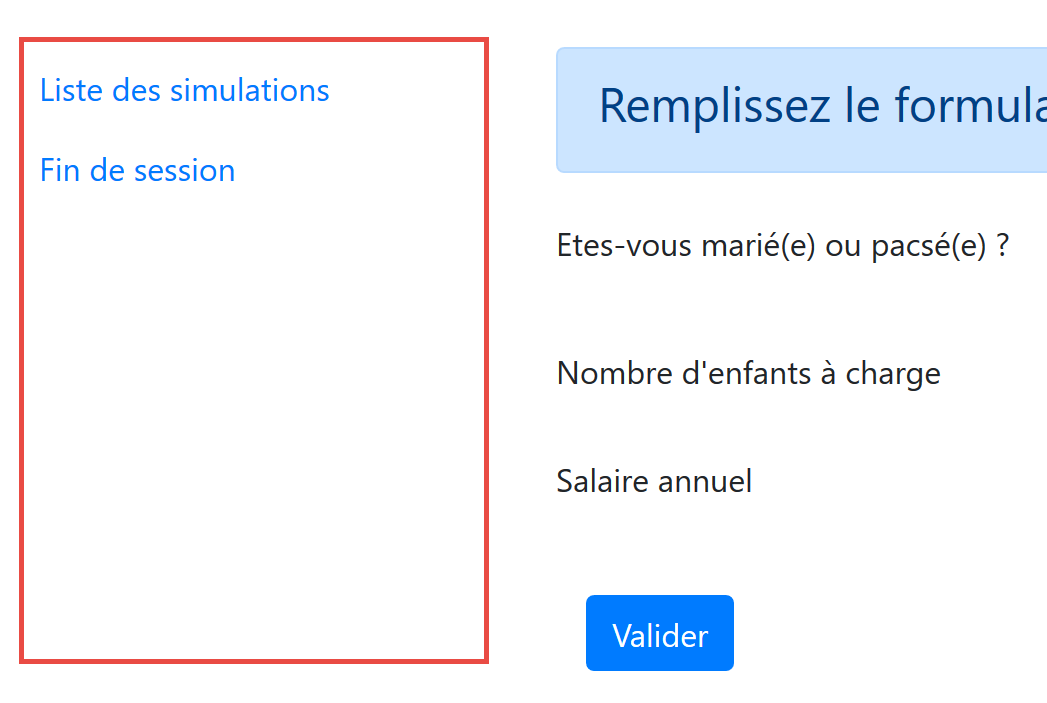
The code for the [Menu] view is as follows:
<!-- definition HTML of the view -->
<template>
  <!-- bootstrap vertical menu -->
  <b-nav vertical>
    <!-- menu options -->
    <b-nav-item
      v-for="(option,index) of options"
      :key="index"
      :to="option.path"
      exact
      exact-active-class="active"
    >{{option.text}}</b-nav-item>
  </b-nav>
</template>

<script>
export default {
  // paramètres de la vue
  props: {
    options: {
      type: Array
    }
  }
};
</script>
Comments
- the menu options are provided by the [options] parameter (lines 7, 20–22);
- each element of the [options] array has a [text] property (line 12) which is the link text and a [path] property (line 9) which will be the path to the link’s target view;
18.4.6. The [FormCalculImpot] view
This view provides the tax calculation form:
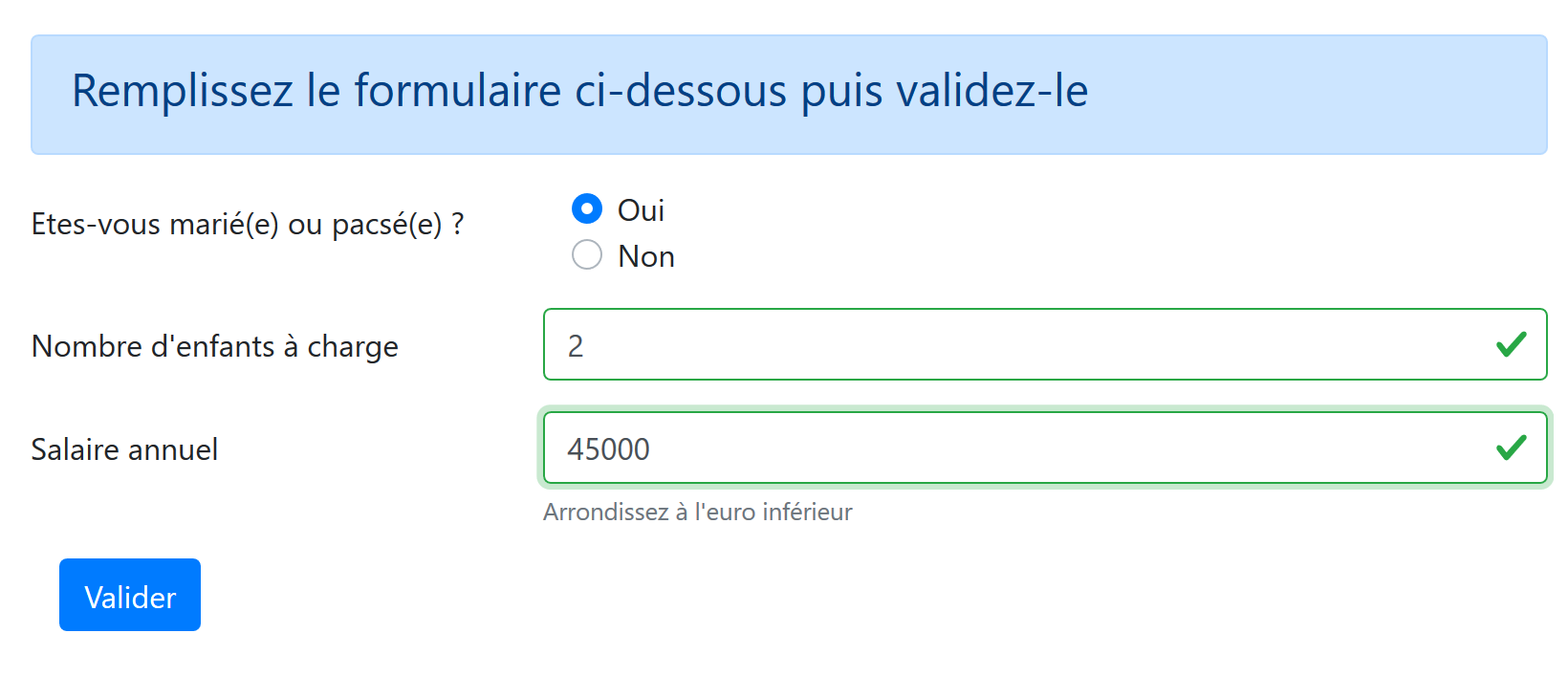
Its code is as follows:
  <!-- définition HTML de la vue -->
  <template>
  <!-- formulaire HTML -->
  <b-form @submit.prevent="calculerImpot" class="mb-3">
    <!-- message sur 12 colonnes sur fond bleu -->
    <b-alert show variant="primary">
      <h4>Remplissez le formulaire ci-dessous puis validez-le</h4>
    </b-alert>
    <!-- éléments du formulaire -->
    <!-- première ligne -->
    <b-form-group label="Etes-vous marié(e) ou pacsé(e) ?" label-cols="4">
      <!-- boutons radio sur 5 colonnes-->
      <b-col cols="5">
        <b-form-radio v-model="marié" value="oui">Oui</b-form-radio>
        <b-form-radio v-model="marié" value="non">Non</b-form-radio>
      </b-col>
    </b-form-group>
    <!-- deuxième ligne -->
    <b-form-group label="Nombre d'enfants à charge" label-cols="4" label-for="enfants">
      <b-input
        type="text"
        id="enfants"
        placeholder="Indiquez votre nombre d'enfants"
        v-model="enfants"
        :state="enfantsValide"
      />
      <!-- message d'erreur éventuel -->
      <b-form-invalid-feedback :state="enfantsValide">Vous devez saisir un nombre positif ou nul</b-form-invalid-feedback>
    </b-form-group>
    <!-- troisème ligne -->
    <b-form-group
      label="Salaire annuel"
      label-cols="4"
      label-for="salaire"
      description="Arrondissez à l'euro inférieur"
    >
      <b-input
        type="text"
        id="salaire"
        placeholder="Salaire annuel"
        v-model="salaire"
        :state="salaireValide"
      />
      <!-- message d'erreur éventuel -->
      <b-form-invalid-feedback :state="salaireValide">Vous devez saisir un nombre positif ou nul</b-form-invalid-feedback>
    </b-form-group>
    <!-- quatrième ligne, bouton [submit] sur 5 colonnes -->
    <b-col cols="5">
      <b-button type="submit" variant="primary" :disabled="formInvalide">Valider</b-button>
    </b-col>
  </b-form>
</template>

<!-- script -->
<script>
export default {
  // inner state
  data() {
    return {
      // married or not
      marié: "non",
      // number of children
      enfants: "",
      // annual salary
      salaire: ""
    };
  },
  // calculated internal state
  computed: {
    // form validation
    formInvalide() {
      return (
        // disabled salary
        !this.salaireValide ||
        // or disabled children
        !this.enfantsValide ||
        // or tax data not obtained
        !this.$métier.taxAdminData
      );
    },
    // salary validation
    salaireValide() {
      // must be numeric >=0
      return Boolean(this.salaire.match(/^\s*\d+\s*$/));
    },
    // child validation
    enfantsValide() {
      // must be numeric >=0
      return Boolean(this.enfants.match(/^\s*\d+\s*$/));
    }
  },
  // event manager
  methods: {
    calculerImpot() {
      // tax is calculated using the [business] layer
      const résultat = this.$métier.calculerImpot(
        this.marié,
        this.enfants,
        this.salaire
      );
      // eslint-disable-next-line
      console.log("résultat=", résultat);
      // complete the result
      résultat.marié = this.marié;
      résultat.enfants = this.enfants;
      résultat.salaire = this.salaire;
      // the [resultatObtenu] event is issued
      this.$emit("resultatObtenu", résultat);
    }
  }
};
</script>
Comments
- lines 4–51: the Bootstrap form;
- lines 11–17: a group of radio buttons with their labels;
- lines 14–15: the <b-form-radio> tag displays a radio button:
- line 14: the [v-model] directive ensures that when the button is clicked, the [married] attribute on line 61 will be set to [yes] (attribute [value="yes"]);
- line 15: the [v-model] directive ensures that when the button is clicked, the [married] attribute on line 61 will be set to [no] (attribute [value="no"]);
- lines 19–29: the section for entering the number of children:
- line 24: the entry for the number of children is linked to the [children] attribute on line 63;
- line 25: the validity of the entry is verified by the calculated attribute [validChildren] in lines 87–89;
- line 28: ensures that an error message is displayed if the entry is invalid;
- lines 31–45: the annual salary input section:
- line 35: displays a help message just below the input field;
- line 41: the salary entry is linked to the [salary] attribute on line 65;
- line 42: the validity of the input is verified by the calculated attribute [validSalary] in lines 82–85;
- line 45: displays an error message if the entry is invalid;
- lines 48–50: a [submit] button. When this button is clicked or when an entry is validated with the [Enter] key, the [calculateTax] method is executed (line 94);
- Line 49: The active/inactive state of the button is controlled by the calculated attribute [formInvalid] in lines 71–80;
- Lines 71–80: The form is valid if:
- the number of children is valid;
- the salary is valid;
- the application has obtained the tax administration data from the server to calculate the tax. Note that this data is stored in the [$métier.taxAdminData] property. The [FormCalculImpot] view can be displayed before this data has been obtained because it is requested asynchronously at the same time the view is being displayed. Here, we ensure that the user cannot click the [Validate] button until the data has been retrieved;
- lines 94–109: the tax calculation method:
- lines 96–100: the [business] layer performs this calculation. This is a synchronous calculation. Once the [taxAdminData] has been retrieved, the client [View] no longer needs to communicate with the server. Everything is done locally. We obtain an object [result] with the properties [tax, discount, surcharge, reduction, rate];
- lines 104–106: the properties [married, children, salary] are added to the result;
- line 108: the result is passed to the parent view [CalculImpot] via the [resultatObtenu] event. This view is responsible for displaying the result;
18.4.7. The [SimulationList] view
The [SimulationList] view displays the list of simulations performed by the user:
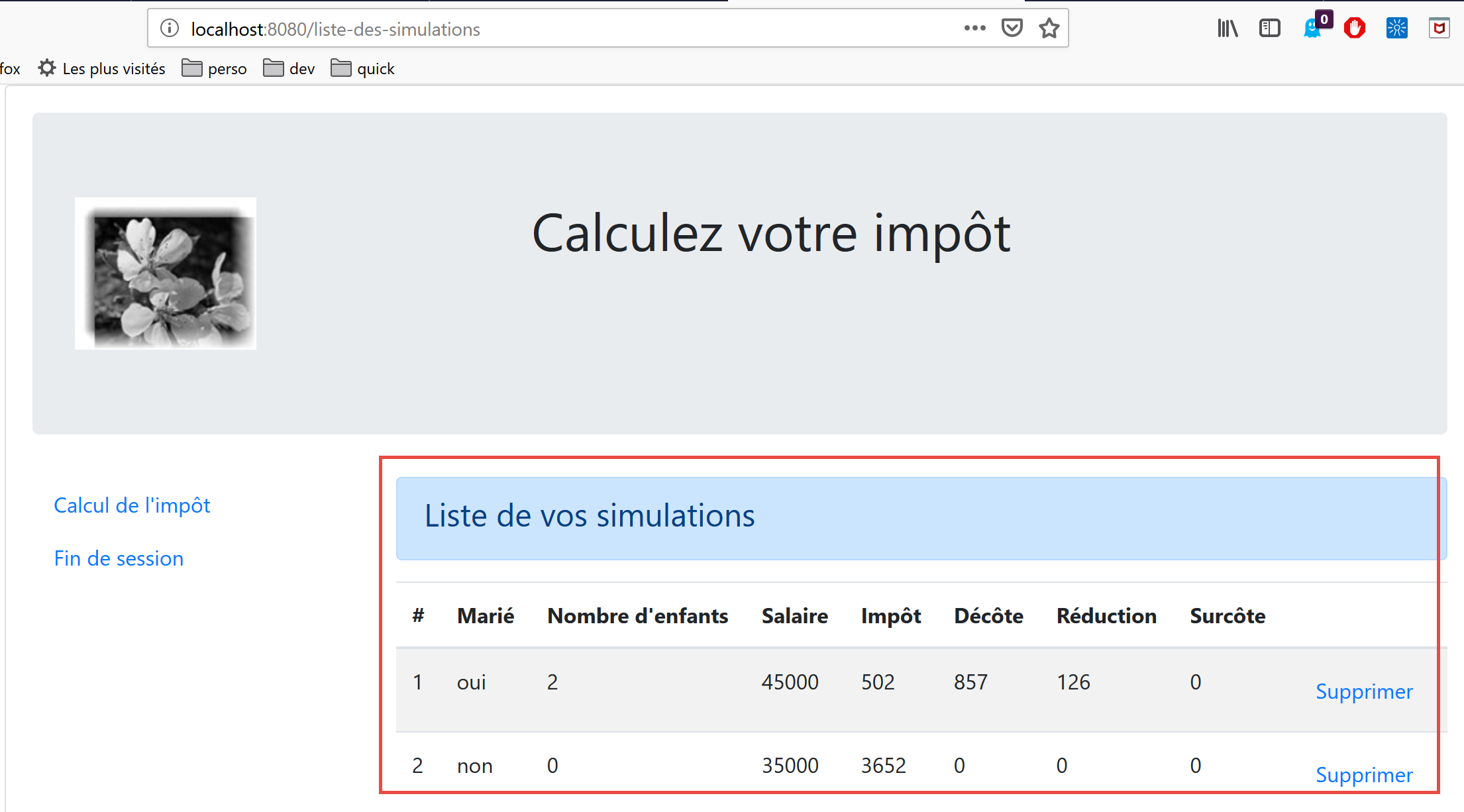
The view’s code is as follows:
<!-- définition HTML de la vue -->
<template>
  <div>
    <!-- mise en page -->
    <Layout :left="true" :right="true">
      <!-- simulations dans colonne de droite -->
      <template slot="right">
        <template v-if="simulations.length==0">
          <!-- pas de simulations -->
          <b-alert show variant="primary">
            <h4>Votre liste de simulations est vide</h4>
          </b-alert>
        </template>
        <template v-if="simulations.length!=0">
          <!-- il y a des simulations -->
          <b-alert show variant="primary">
            <h4>Liste de vos simulations</h4>
          </b-alert>
          <!-- tableau des simulations -->
          <b-table striped hover responsive :items="simulations" :fields="fields">
            <template v-slot:cell(action)="data">
              <b-button variant="link" @click="supprimerSimulation(data.index)">Supprimer</b-button>
            </template>
          </b-table>
        </template>
      </template>
      <!-- menu de navigation dans colonne de gauche -->
      <Menu slot="left" :options="options" />
    </Layout>
  </div>
</template>

<script>
  // imports
  import Layout from "./Layout";
  import Menu from "./Menu";
  export default {
    // composants
    components: {
      Layout,
      Menu
    },
    // état interne
    data() {
      return {
        // options du menu de navigation
        options: [
          {
            text: "Calcul de l'impôt",
            path: "/calcul-impot"
          },
          {
            text: "Fin de session",
            path: "/fin-session"
          }
        ],
        // paramètres de la table HTML
        fields: [
          { label: "#", key: "id" },
          { label: "Marié", key: "marié" },
          { label: "Nombre d'enfants", key: "enfants" },
          { label: "Salaire", key: "salaire" },
          { label: "Impôt", key: "impôt" },
          { label: "Décôte", key: "décôte" },
          { label: "Réduction", key: "réduction" },
          { label: "Surcôte", key: "surcôte" },
          { label: "", key: "action" }
        ]
      };
    },
    // état interne calculé
    computed: {
      // liste des simulations prise dans le store Vuex
      simulations() {
        return this.$store.state.simulations;
      }
    },
    // méthodes
    methods: {
      supprimerSimulation(index) {
        // eslint-disable-next-line
        console.log("supprimerSimulation", index);
        // suppression de la simulation n° [index]
        this.$store.commit("deleteSimulation", index);
      }
    }
  };
</script>
Comments
- line 5: the view occupies both columns of the [Layout] for routed views;
- lines 7–26: the simulations go in the right column;
- line 28: the navigation menu goes in the left column;
- lines 8, 14, 20, 75: the simulations come from the store [Vuex] [$this.store];
- lines 8–13: alert displayed when the list of simulations is empty;
- lines 14–25: the HTML table is displayed when the list of simulations is not empty;
- lines 20–24: the HTML table is generated by a <b-table> tag;
- line 20: the simulation table is provided by the computed attribute [simulations] from lines 74–76;
- line 20: the HTML table is configured by the calculated attribute [fields] in lines 58–69. Line 67: the [action] key column is the last column of the HTML table;
- Lines 21–23: template for the last column of the HTML table;
- line 22: a link button is placed here. When clicked, the method [deleteSimulation(data.index)] is called, where [data] represents the current row (line 21). [data.index] represents the number of this row in the list of displayed rows;
- line 28: generation of the navigation menu. Its options are provided by the [options] attribute in lines 47–56;
- lines 80–85: the method that responds to a click on a [Delete] link on the HTML page;
- line 84: the [deleteSimulation] method of the [Vuex] store is called (see section |vuejs-15|);
18.5. Running the project
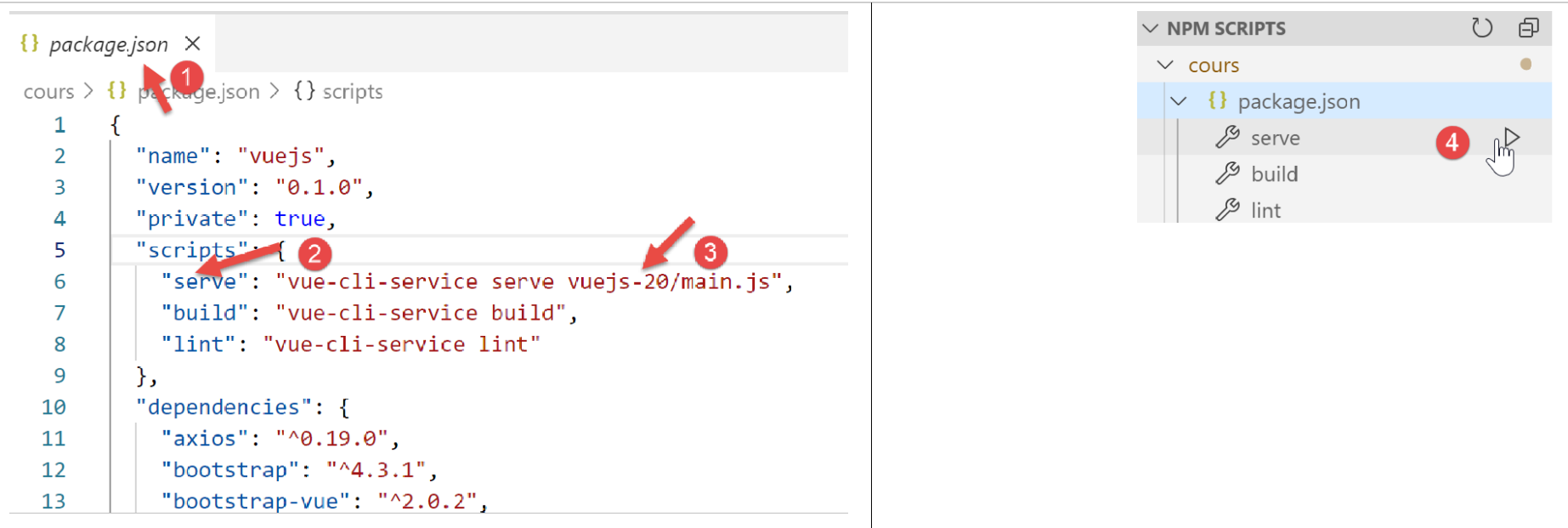
You must also start the [Laragon] server (see document |https://tahe.developpez.com/tutoriels-cours/php7|) so that the tax calculation server is online.
18.6. Deploying the application on a local server
Currently, our [Vue] client is deployed on a test server at the URL [http://localhost:8080]. We will deploy it on the [Laragon] server at the URL [http://localhost:80]. There are several steps to follow to get there.
Step 1
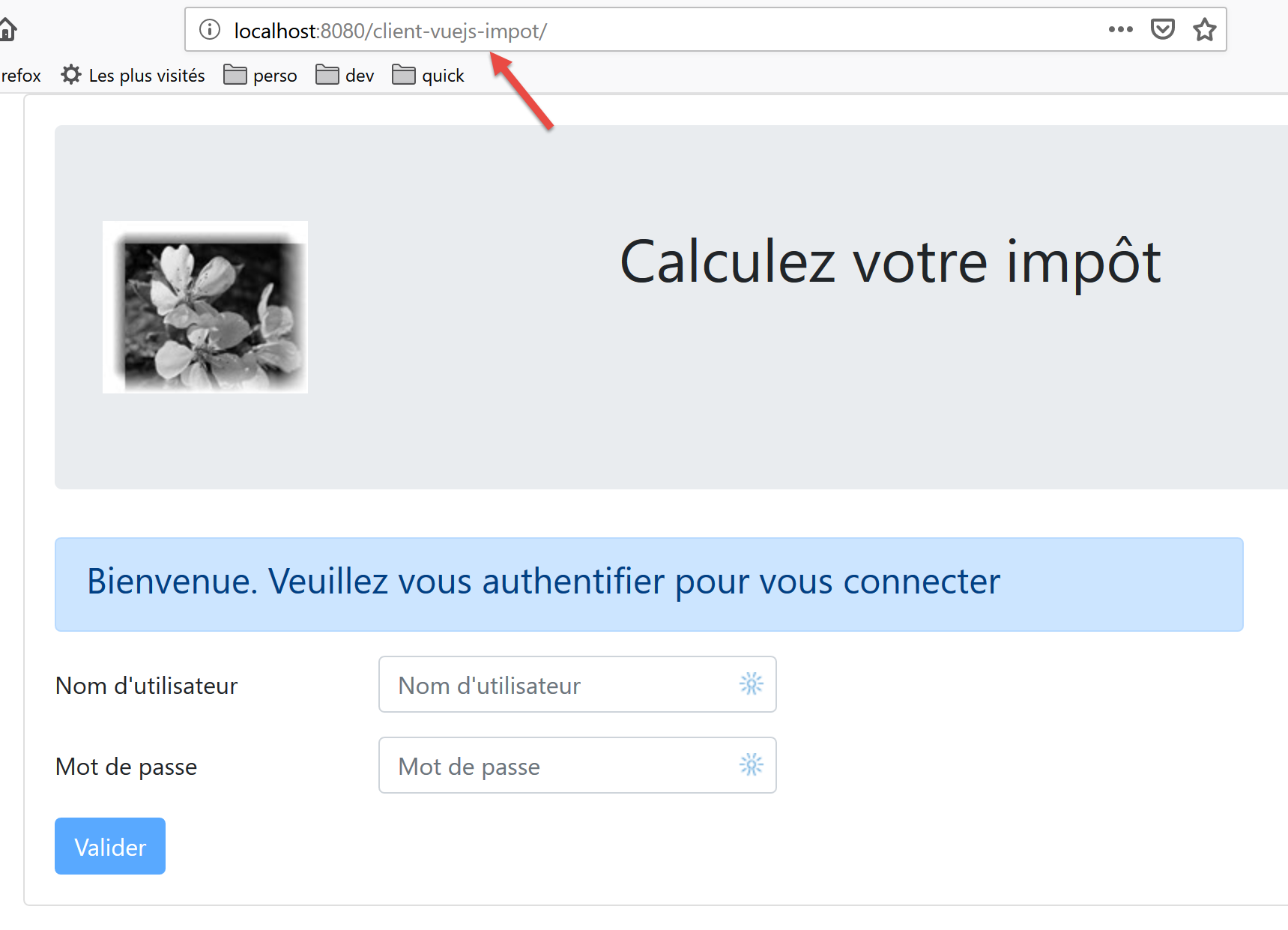
First, we will ensure that the [Vue] client is deployed on the test server at the URL [http://localhost:8080/client-vuejs-impot/].
We create a [vue.config.js] file at the root of our current [VSCode] project:
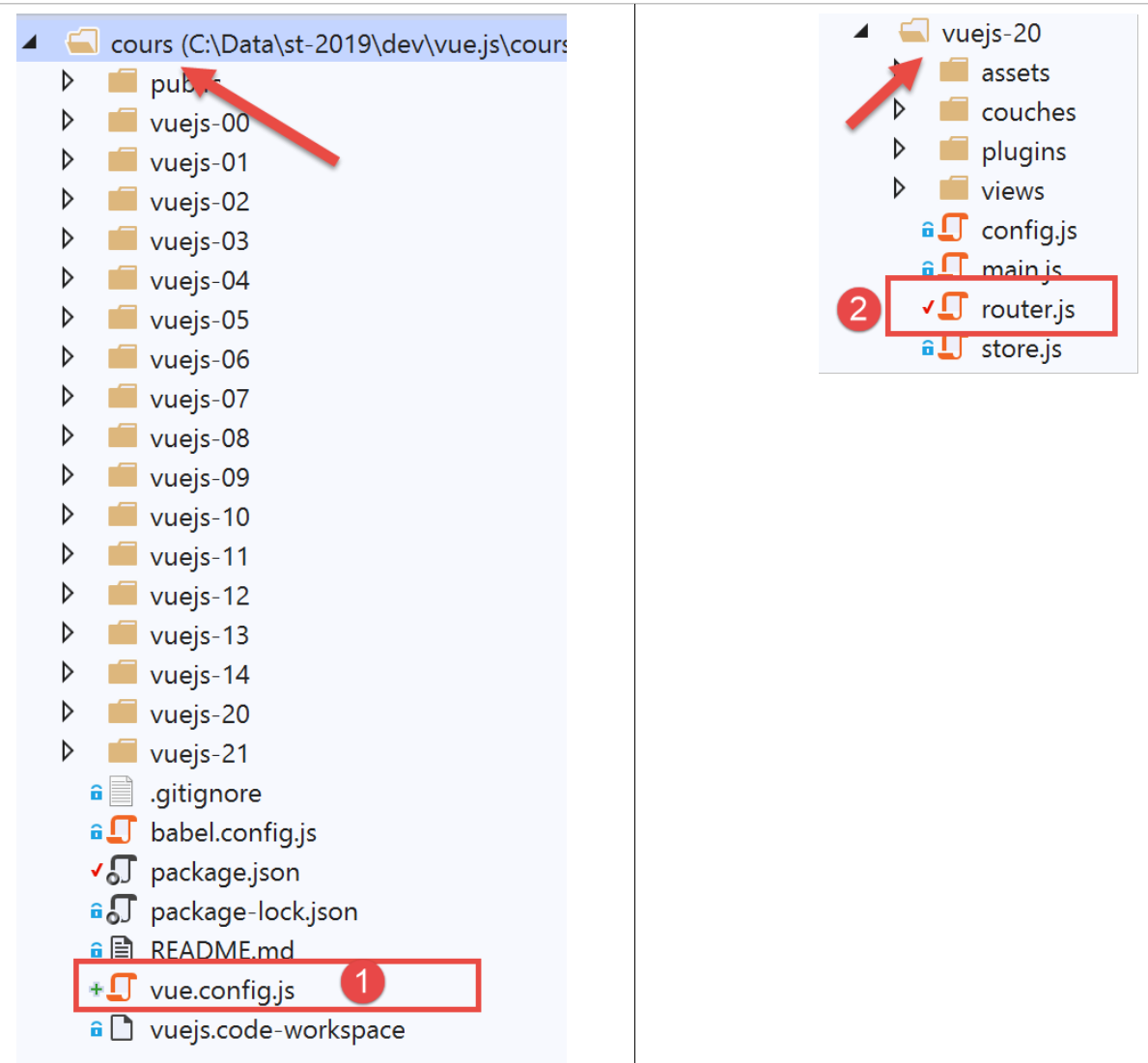
The [vue.config.js] file [1] will have the following content:
// vue.config.js
module.exports = {
  // l'URL de service du client [vuejs] du serveur de calcul de l'impôt
  publicPath: '/client-vuejs-impot/'
}
We also need to modify the routing file [router.js] [2]:
// imports
import Vue from 'vue'
import VueRouter from 'vue-router'
// les vues
import Authentification from './views/Authentification'
import CalculImpot from './views/CalculImpot'
import ListeSimulations from './views/ListeSimulations'

// plugin de routage
Vue.use(VueRouter)

// les routes de l'application
const routes = [
  // authentification
  {
    path: '/', name: 'authentification', component: Authentification
  },
  // calcul de l'impôt
  {
    path: '/calcul-impot', name: 'calculImpot', component: CalculImpot
  },
  // liste des simulations
  {
    path: '/liste-des-simulations', name: 'listeSimulations', component: ListeSimulations
  },
  // fin de session
  {
    path: '/fin-session', name: 'finSession', component: Authentification
  }
]

// le routeur
const router = new VueRouter({
  // les routes
  routes,
  // le mode d'affichage des routes dans le navigateur
  mode: 'history',
  // l'URL de base de l'application
  base: '/client-vuejs-impot/'
})

// export du router
export default router
- line 39: we tell the router that the paths of the routes defined on lines 13–30 are relative to the path defined on line 39. For example, the path on line 20 [/calcul-impot] will become [/client-vuejs-impot/calcul-impot];
We can then test the [vuejs-20] project again to verify the change in the application’s paths:
Step 2
We will now build the production version of the [vuejs-20] project:
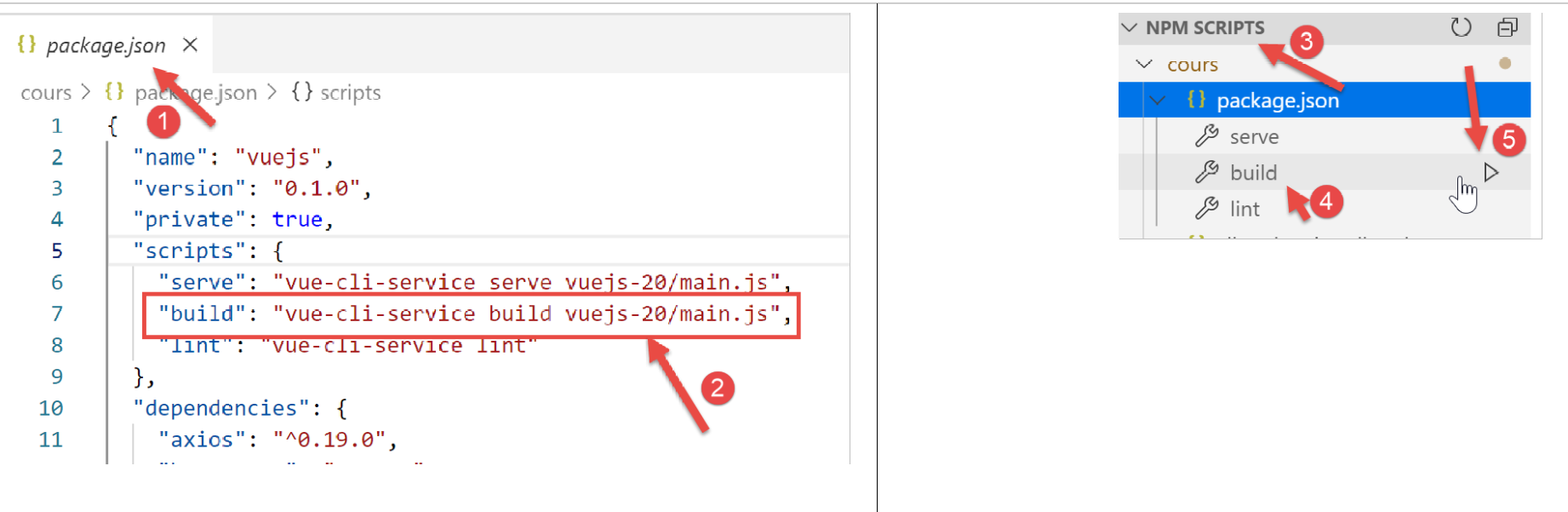
- In [1-2], we configure the [build] task [2] in the [package.json] file [1];
- In [3-5], we run this task. It will build the production version of the [vuejs-20] project;
The [build] task runs in a [VSCode] terminal:
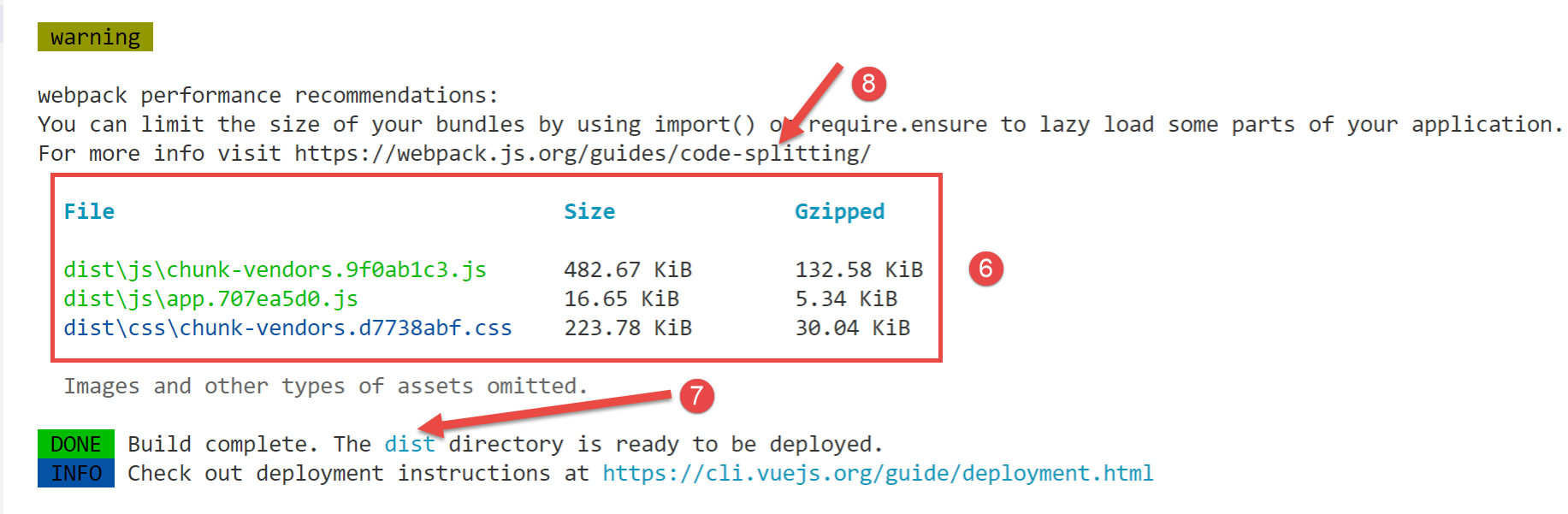
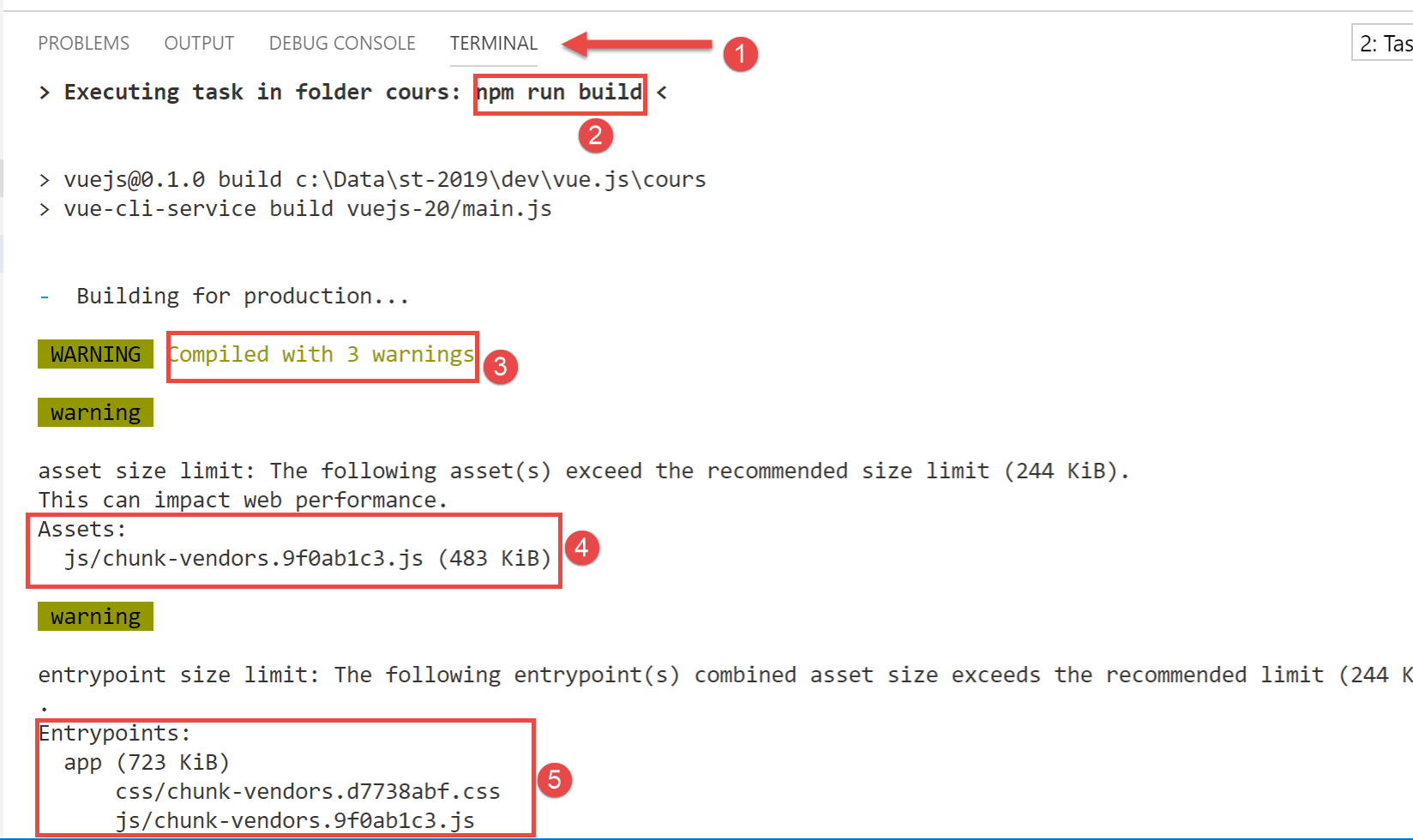
- in [3-6], warnings indicate that the generated code is too large and should be split up [8]. This relates to code architecture optimization, which we won’t cover here;
- In [7], we are told that the [dist] folder contains the generated production version:
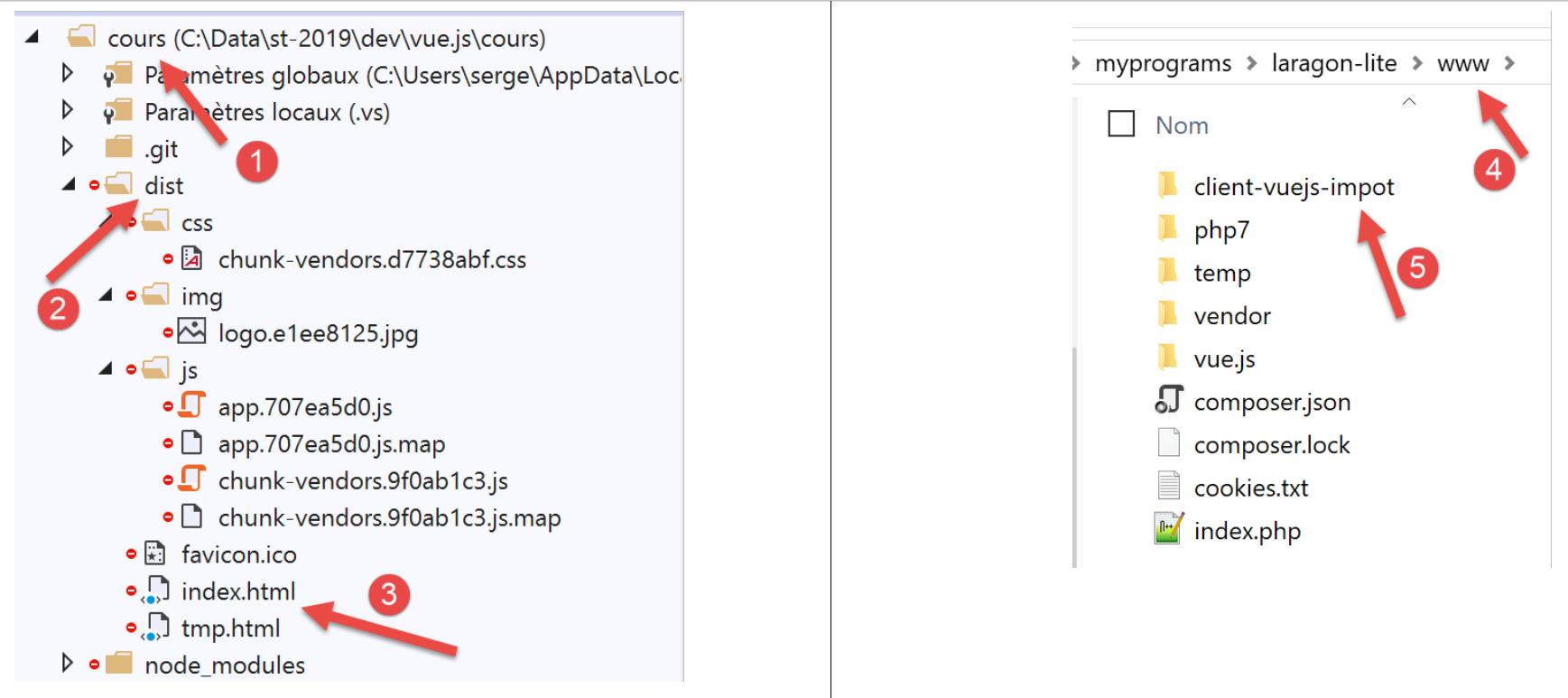
- In [3], the [index.html] file is the one that will be used when the URL [https://localhost:80/client-vue-js-impot/] is requested;
Here we have a static site that can be deployed on any server. We will deploy it on the local Laragon server (see document |https://tahe.developpez.com/tutoriels-cours/php7|). The [dist] folder [2] is copied to the [<laragon>/www] folder [4], where <laragon> is the Laragon server installation folder. We rename this folder to [client-vuejs-impot] [5] since we have configured the production version to run at the URL [/client-vuejs-impot/].
Step 3
We add the following [.htaccess] file to the [client-vuejs-impot] folder that was just created:
<IfModule mod_rewrite.c>
  RewriteEngine On
  RewriteBase /client-vuejs-impot/
  RewriteRule ^index\.html$ - [L]
  RewriteCond %{REQUEST_FILENAME} !-f
  RewriteCond %{REQUEST_FILENAME} !-d
  RewriteRule . /client-vuejs-impot/index.html [L]
</IfModule>
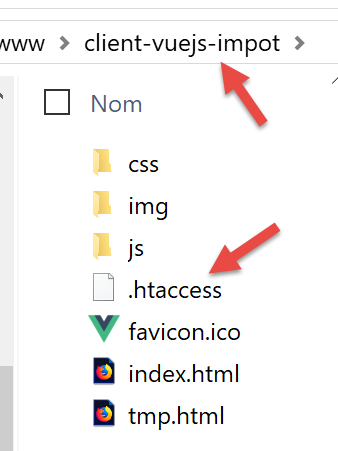
This file is an Apache web server configuration file. If we don’t include it and directly request the URL [https://localhost/client-vuejs-impot/calcul-impot], without first going through the URL [https://localhost/client-vuejs-impot/], we get a 404 error. With this file, we successfully get the [CalculImpot] view.
Once that’s done, start the Laragon server if you haven’t already, and navigate to the URL [https://localhost/client-vuejs-impot/]:
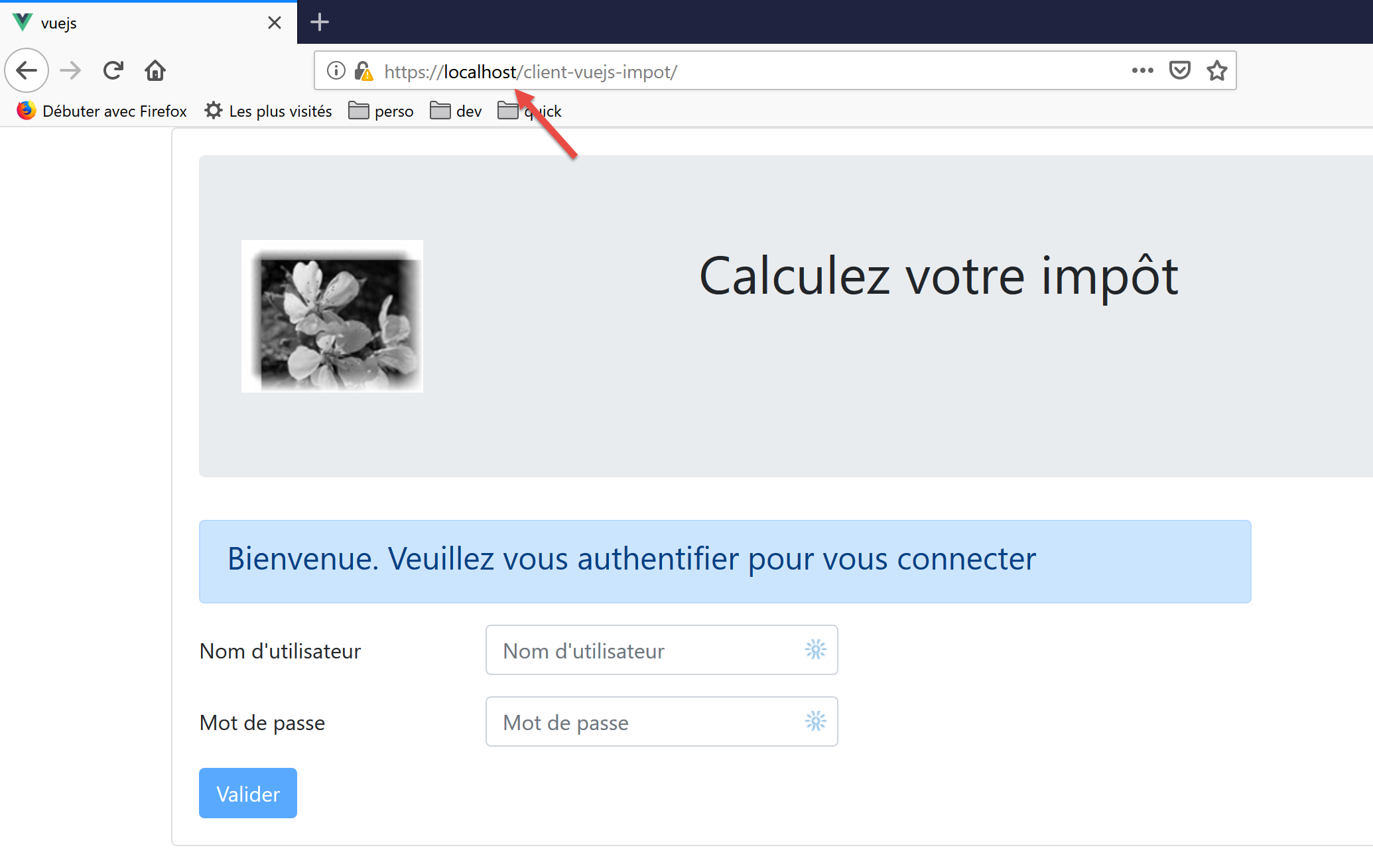
Readers are invited to test the production version of our application.
We can modify the tax calculation server in one respect: the CORS headers it systematically sends to its clients. This was necessary for the client version running from the [localhost:8080] domain. Now that both the client and server are running on the [localhost:80] domain, the CORS headers are no longer needed.
We modify the [config.json] file for version 14 of the server:
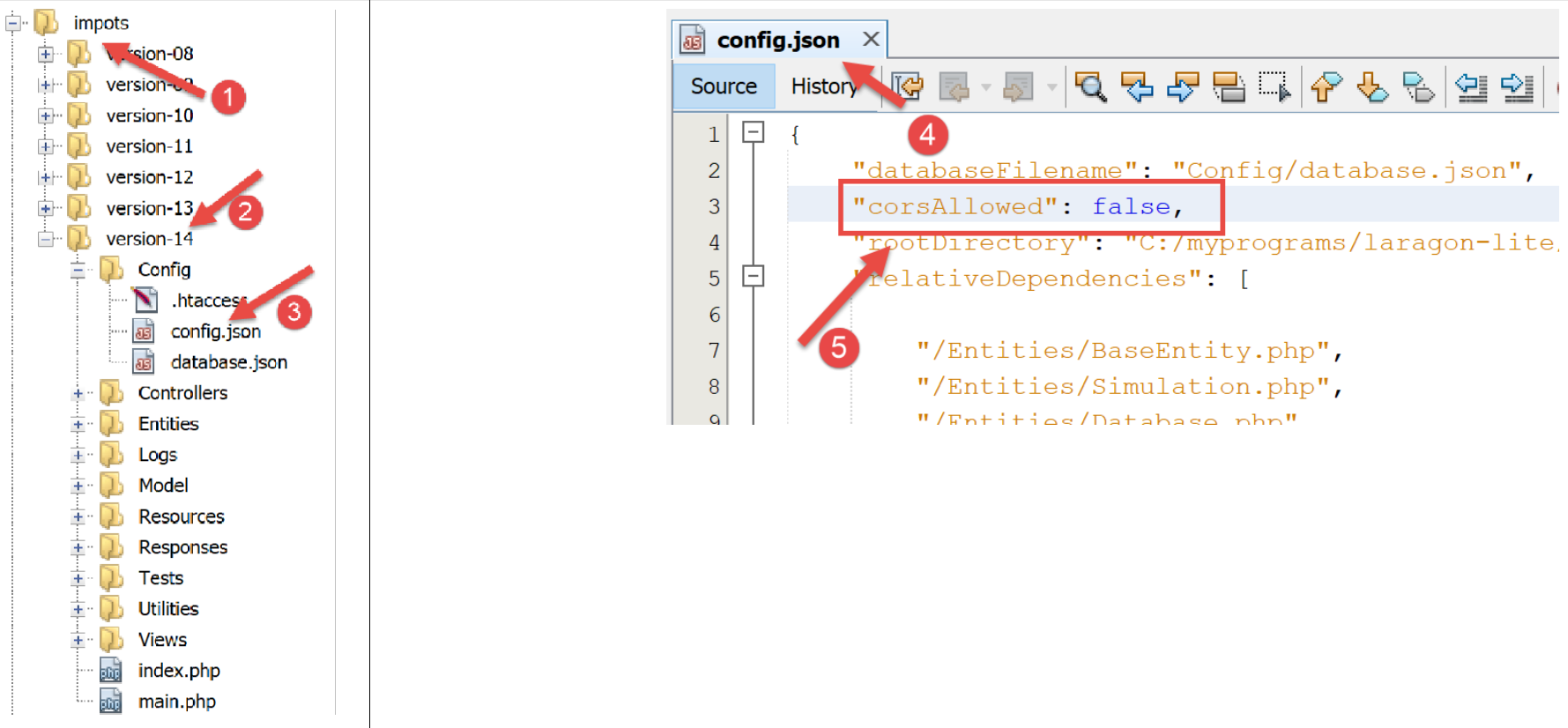
- in [4], we specify that CORS requests are now rejected;
Let’s save this change and request the URL [https://localhost/client-vuejs-impot/] again. It should continue to work.
18.7. Handling Manual URLs
Instead of using the navigation menu links, the user might want to type the application’s URLs manually into the browser’s address bar. For example, let’s request the URL [https://client-vuejs-impot/calcul-impot] without going through the authentication page. A hacker would surely try this. We get the following view:
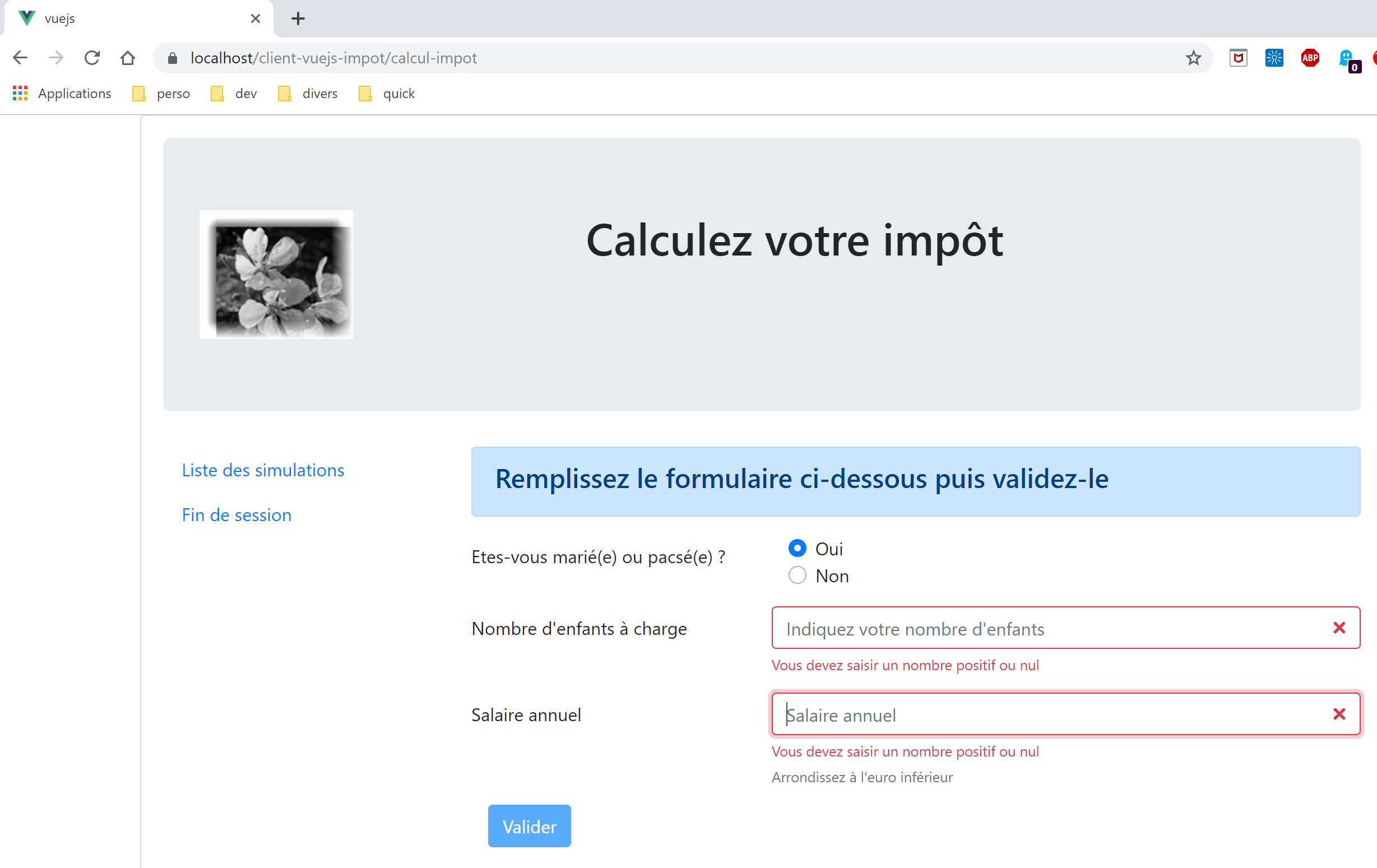
We do indeed get the tax calculation view. Now let’s try filling in the input fields and submitting them:
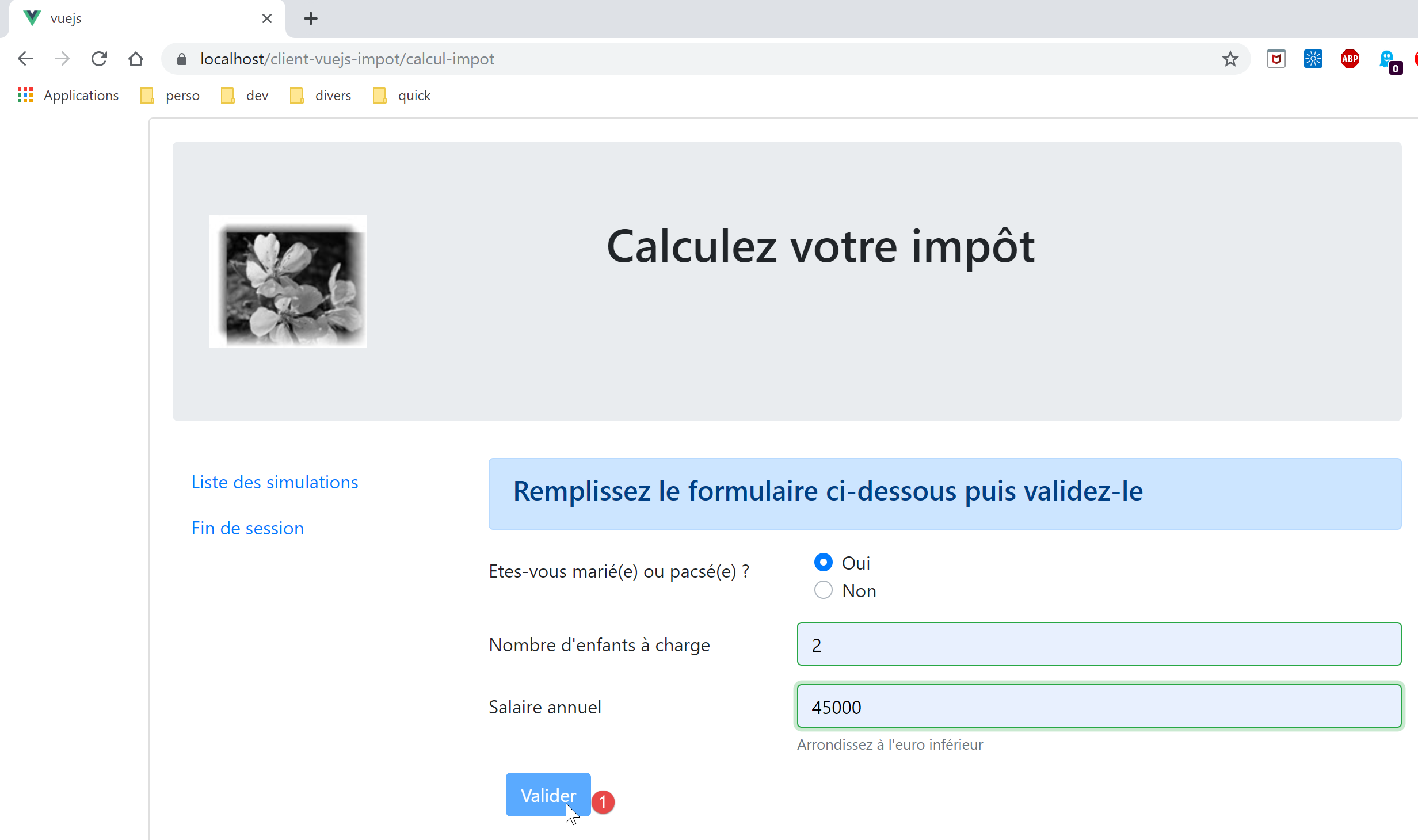
We then discover that the [1] [Submit] button remains disabled even if the entries are correct. Let’s look at the code for the [FormCalculImpot] view:
<b-col cols="5">
      <b-button type="submit" variant="primary" :disabled="formInvalide">Valider</b-button>
</b-col>
In line 2, we see that its active/inactive state depends on the [formInvalide] property. This is the following computed property:
formInvalide() {
      return (
        // salaire invalide
        !this.salaireValide ||
        // ou enfants invalide
        !this.enfantsValide ||
        // ou données fiscales pas obtenues
        !this.$métier.taxAdminData
      );
},
Line 8 shows that for the form to be valid, tax data must have been obtained. However, this data is obtained during the validation of the [Authentication] view, which the user has “skipped.” Therefore, they will not be able to submit the form. If they had been able to do so, they would have received an error message from the server indicating that they were not authenticated. Validation must always be performed on the server side. Browser-side validation can always be bypassed. All it takes is a client like [Postman] that sends raw requests to the server.
Now let’s request the URL [https://localhost/client-vuejs-impot/liste-des-simulations]. We get the following view:
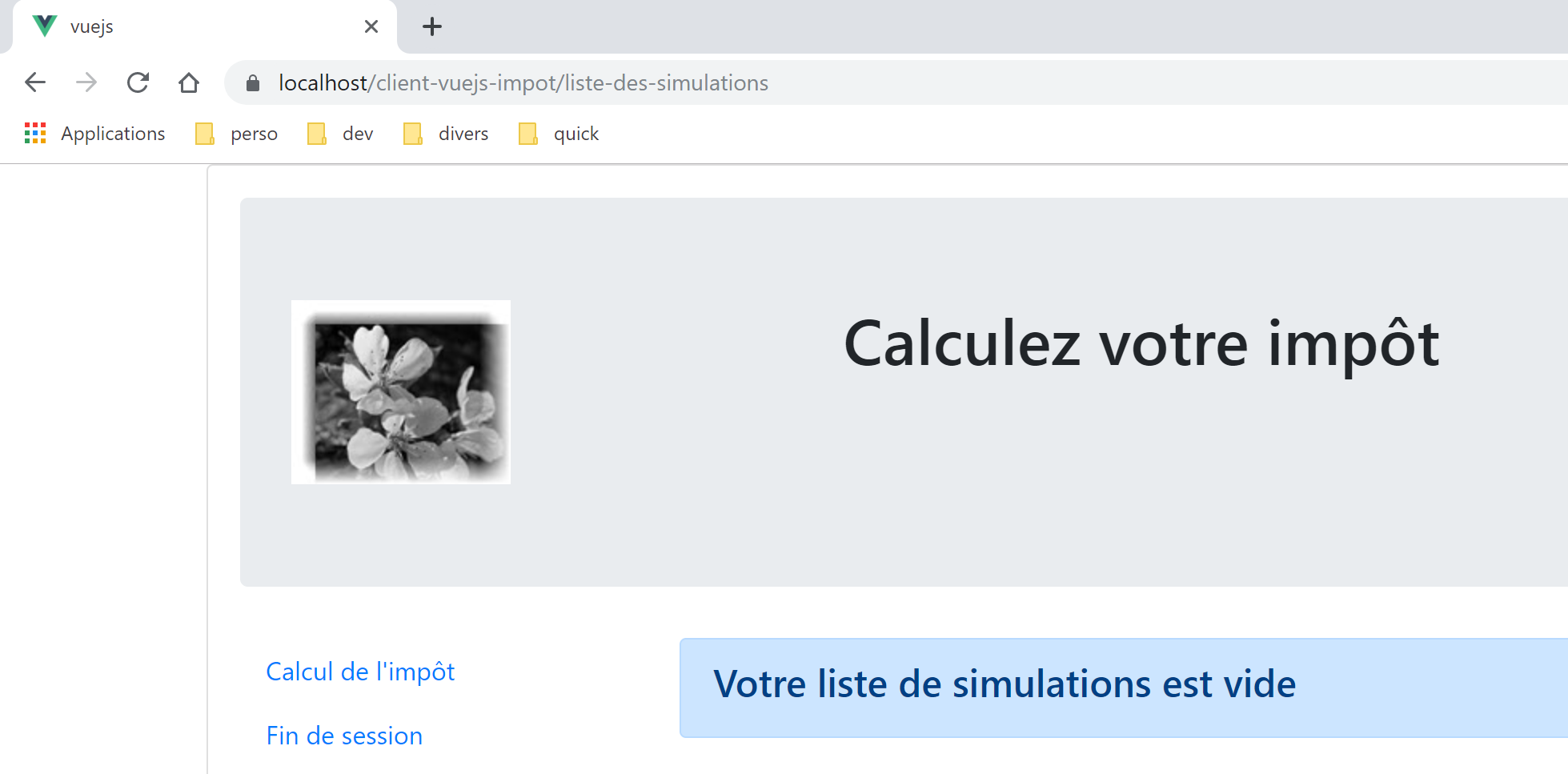
Now the URL [https://localhost/client-vuejs-impot/fin-session]. We get the following view:
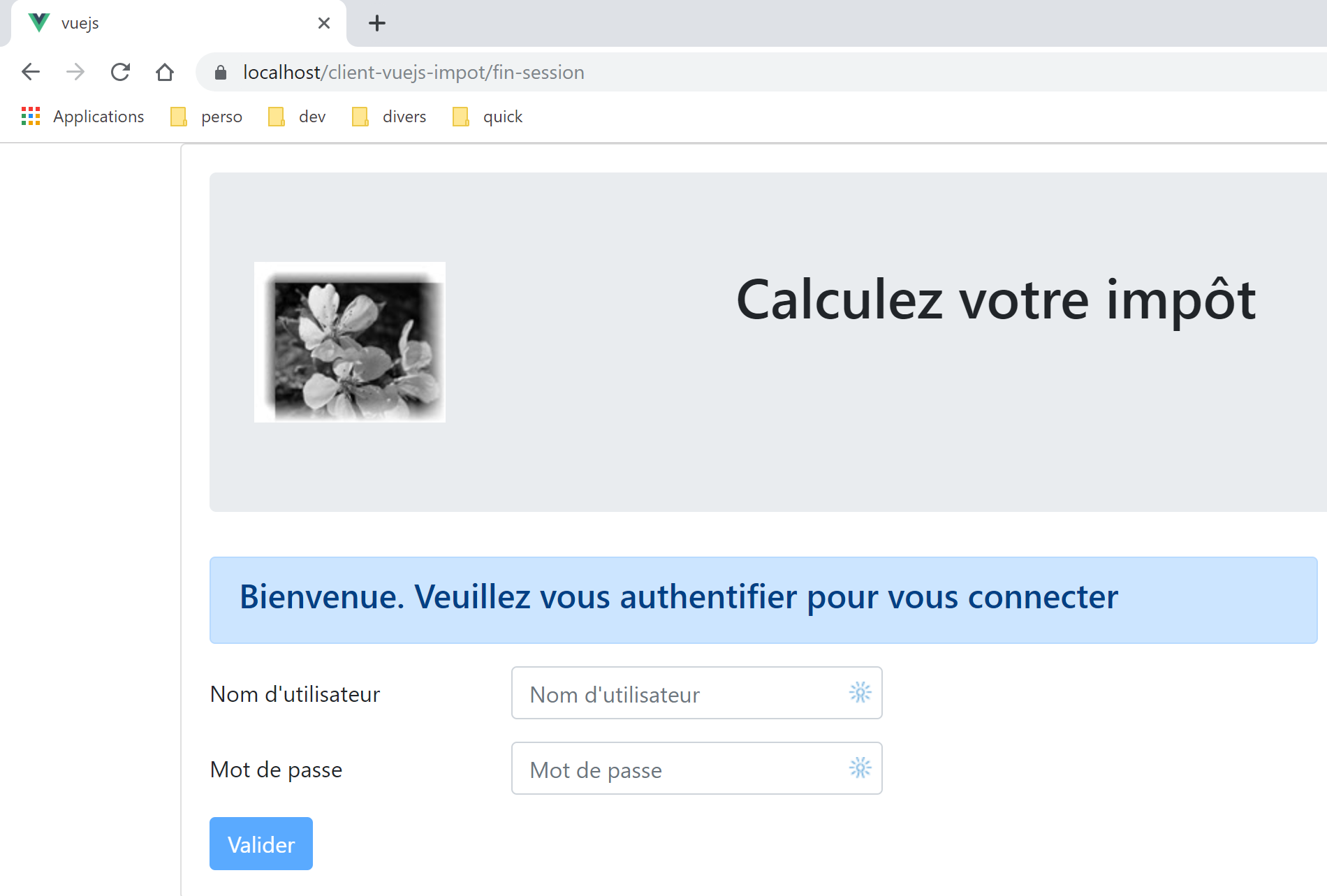
Now a view that doesn’t exist [https://localhost/client-vuejs-impot/abcd]:
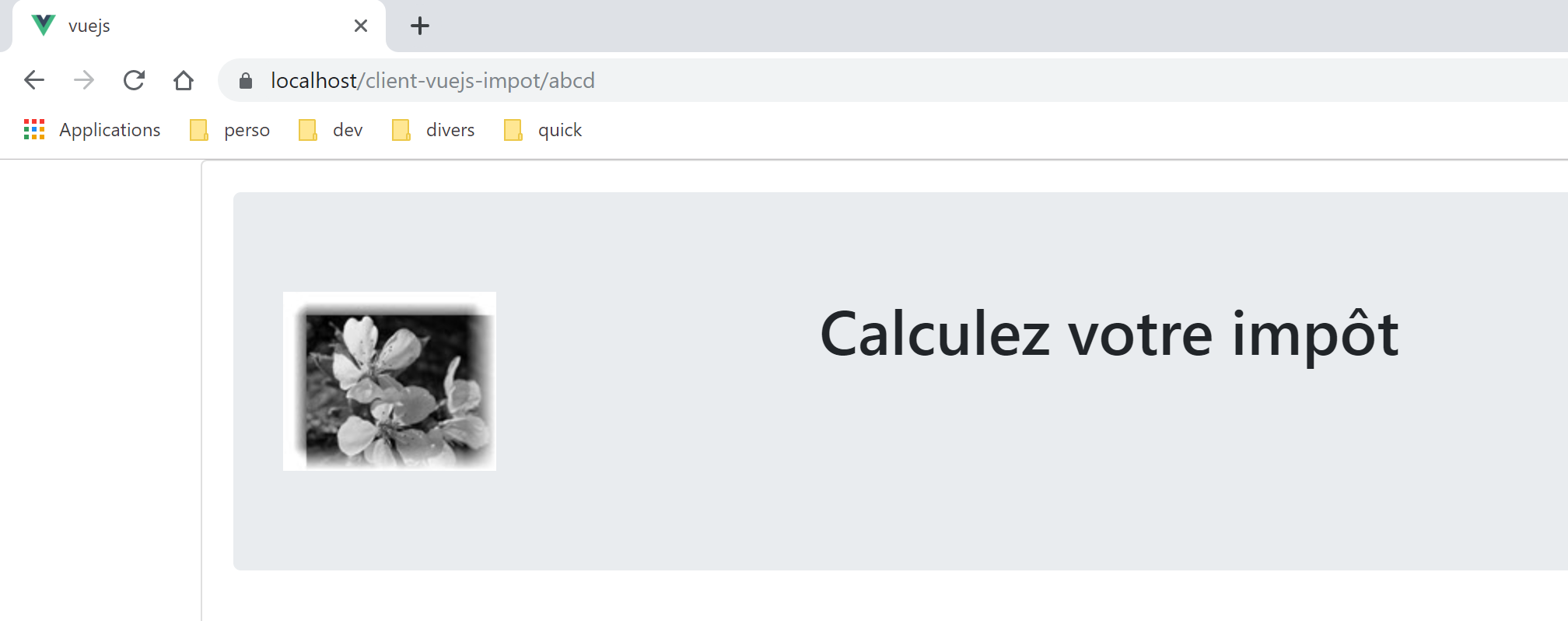
Our application handles manually typed URLs quite well. When these are called, the application router knows about it. It is therefore possible to intervene before the view is finally displayed. We’ll look at this in the [vuejs-21] project.
Another point to consider is the following. Let’s imagine that the user has run a few simulations according to the rules:
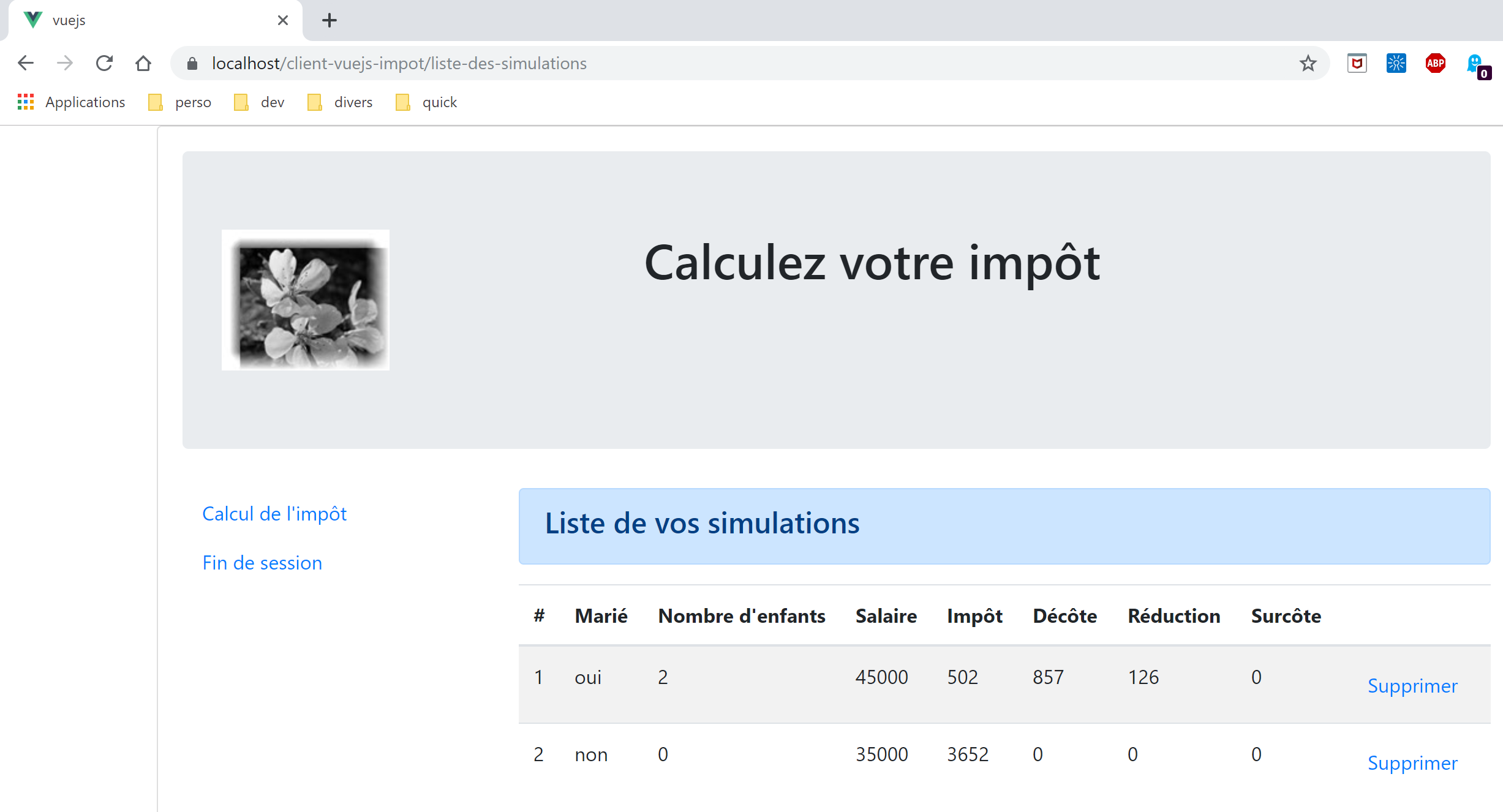
Now let’s refresh the page by pressing F5:
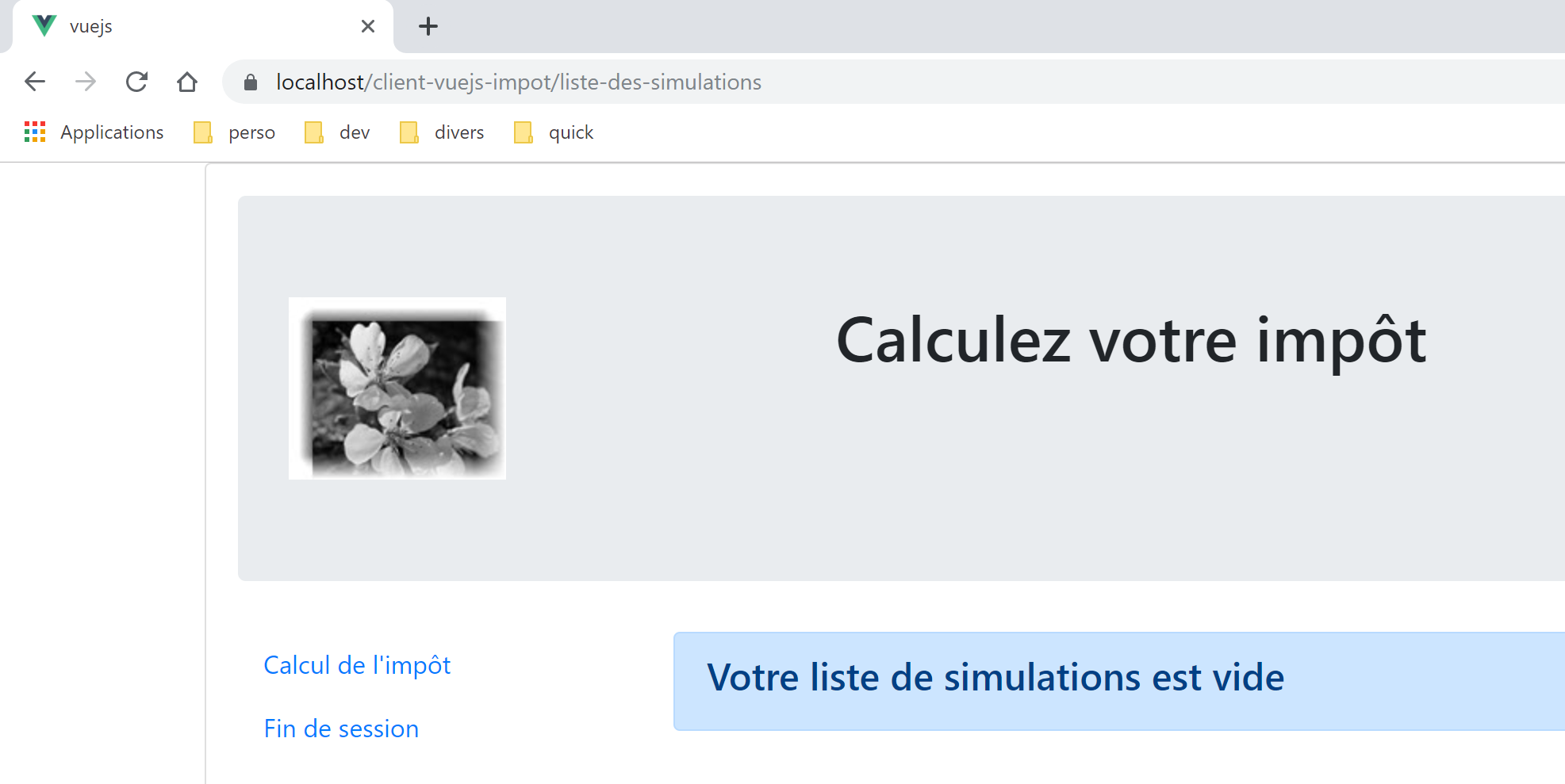
We did something that’s not recommended: typing the URL manually (pressing F5 is essentially the same thing). As a result, we lost our simulations.
The following project [vuejs-21] aims to introduce two improvements:
- validate URLs entered by the user;
- maintain the application’s state even if the user types a URL. Above, we see that we’ve lost the list of simulations;