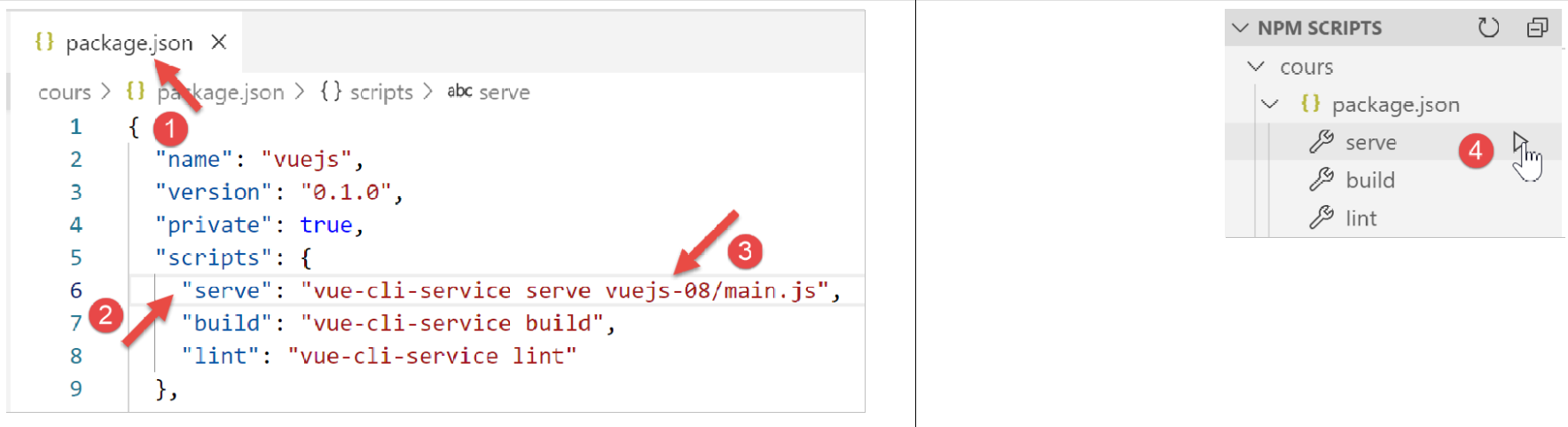
10. Project [vuejs-08]: Events Independent of the Component Hierarchy, Component Lifecycle
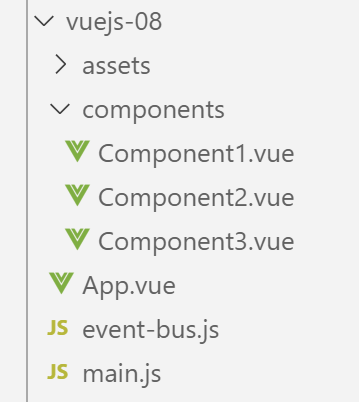
Project [vuejs-08] demonstrates how components not directly linked in the component hierarchy can nevertheless communicate via events. The project tree for [vuejs-08] is as follows:
10.1. The main script [main.js]
The script [main.js] remains the same as in the previous examples.
10.2. The script [even-bus.js]
The script [event-bus.js] is the tool we will use to emit and listen for events:
import Vue from 'vue';
const eventBus = new Vue();
export default eventBus;
The [event-bus] script simply creates an instance of the [Vue] class (lines 1–2) and exports it (line 3). The [Vue] class has two methods for handling events:
- [Vue].$emit(name, data): allows you to trigger an event named [nom] and associated with the data [donnée];
- [Vue].$on(name, fn): allows you to intercept the event named [nom] and have it processed by the function [fn]. The function [fn] will receive as a parameter the data [donnée] associated with the event by its emitter;
This event handling is not tied to the component hierarchy. Components that wish to communicate in this way simply need to use the same instance of the [Vue] class to emit/listen for events. In our example, we will use the [eventBus] instance defined by the previous [event-bus.js] script.
10.3. The main view [App.vue]
The code for the main view [App] is as follows:
<template>
  <div class="container">
    <b-card>
      <b-alert show variant="success" align="center">
        <h4>[vuejs-08] : événements indépendants de la hiérarchie des composants, cycle de vie des composants</h4>
      </b-alert>
      <!-- the three components that communicate via evt -->
      <Component1 />
      <Component3 />
      <Component2 />
    </b-card>
  </div>
</template>

<script>
  import Component1 from "./components/Component1";
  import Component2 from "./components/Component2";
  import Component3 from "./components/Component3";
  export default {
    name: "app",
    // components
    components: {
      Component1,
      Component2,
      Component3
    }
  };
</script>
- lines 8–10: The main view [App] uses three [Component1, Component2, Component3] components that will communicate via events. The three components are at the same level in the [App] view. Furthermore, there will be no hierarchical relationship between them;
10.4. The [Component1] component
The code for the [Component1] component is as follows:
<template>
  <b-row>
    <b-col>
      <b-alert show
               variant="warning"
               v-if="showMsg">Evénement [someEvent] intercepté par [Component1]. Valeur reçue={{data}}</b-alert>
    </b-col>
  </b-row>
</template>

<script>
  import eventBus from "../event-bus.js"
  export default {
    name: "component1",
    // component status
    data() {
      return {
        data: "",
        showMsg: false
      };
    },
    // event management methods
    methods: {
      // evt management [someEvent]
      doSomething(data) {
        this.data = data;
        this.showMsg = true;
      }
    },
    // component lifecycle management
    // évt [created] - the component has been created
    created() {
      // listening to event [someEvent]
      eventBus.$on("someEvent", this.doSomething);
    }
  };
</script>
Comments
- lines 4-6: an alert that displays the data [data] from line 18. This data will be initialized by the event handler [doSomething] on line 25. This handler is triggered upon receipt of the [someEvent] event (line 34). The alert is displayed based on the value of the [showMsg] attribute in line 19. This attribute is also set by the event handler [doSomething] in line 25;
- line 32: the function [created] is an event handler. It handles the event [created], an event emitted during the component’s lifecycle. There are others, such as [beforeCreate, created, beforeMount, mounted, beforeUpdate, updated, beforeDestroy, destroyed]. The [created] event is emitted when the component is created;
- line 12: the [eventBus] instance of the [Vue] class is imported;
- line 34: it is used to listen for the [someEvent] event. When this event occurs, the [doSomething] method on line 25 is called;
- line 25: the [doSomething] method receives, as the [data] parameter, the data that the sender of the [someEvent] event associated with the event;
- Lines 26–27: The component’s state is updated so that the alert in lines 4–6 displays the received data;
10.5. The [Component2] component
The [Component2] component is as follows:
<template>
  <div>
    <b-button @click="createEvent">Créer un événement</b-button>
  </div>
</template>
<!-- script -->
<script>
  import eventBus from '../event-bus.js'
  export default {
    name: "component2",
    // event management methods
    methods: {
      createEvent() {
        eventBus.$emit("someEvent", { x: 2, y: 4 })
      }
    }
  };
</script>
Comments
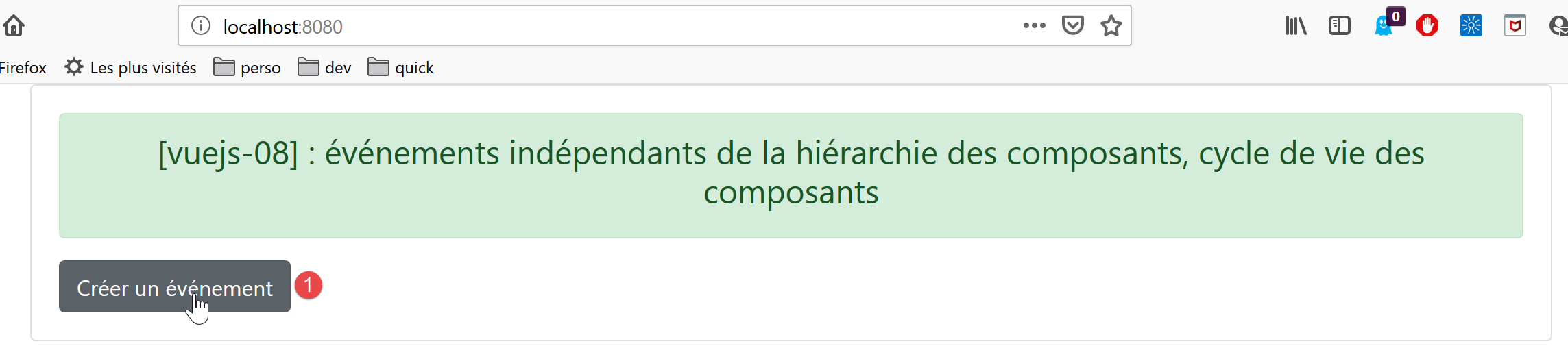
- line 3: a button to create an event. When the user clicks this button, the [createEvent] method on line 13 is called;
- line 8: the [eventBus] instance defined by the [event-bus.js] script is imported;
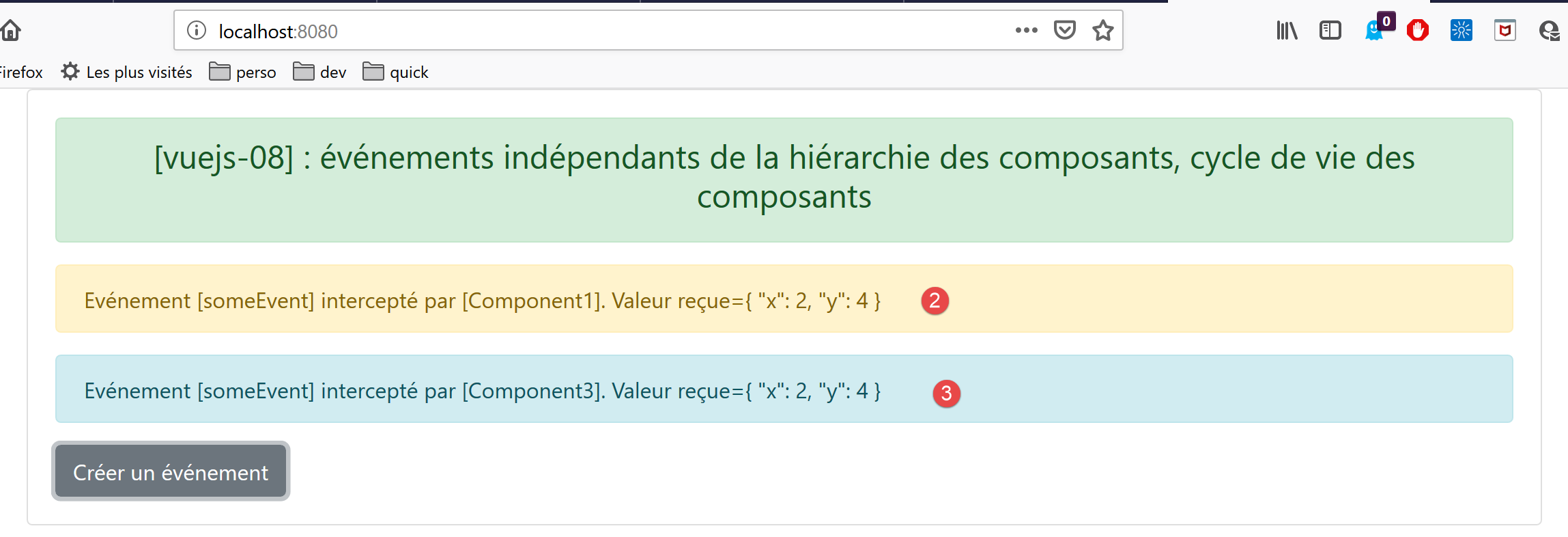
- line 14: this instance is used to emit an event named [someEvent] associated with the data [{ x: 2, y: 4 }]. Ultimately, when the user clicks the button on line 3, the [someEvent] event is triggered. Recalling the definition of [Component1], it will intercept this event;
10.6. The [Component3] component
The code for this component is as follows:
<template>
  <b-row>
    <b-col>
      <b-alert show
               v-if="showMsg">Evénement [someEvent] intercepté par [Component3]. Valeur reçue={{data}}</b-alert>
    </b-col>
  </b-row>
</template>

<script>
  import eventBus from "../event-bus.js"
  export default {
    name: "component3",
    // component status
    data() {
      return {
        data: "",
        showMsg: false
      };
    },
    methods: {
      // evt management [someEvent]
      doSomething(data) {
        this.data = data;
        this.showMsg = true;
      }
    },
    // component lifecycle management
    // évt [created] - the component has been created
    created() {
      // listening to event [someEvent]
      eventBus.$on("someEvent", this.doSomething);
    }
  };
</script>
[Component3] is a clone of [Component1]. It is only there to demonstrate that an event can be intercepted by multiple components.
10.7. Running the [vuejs-08] project