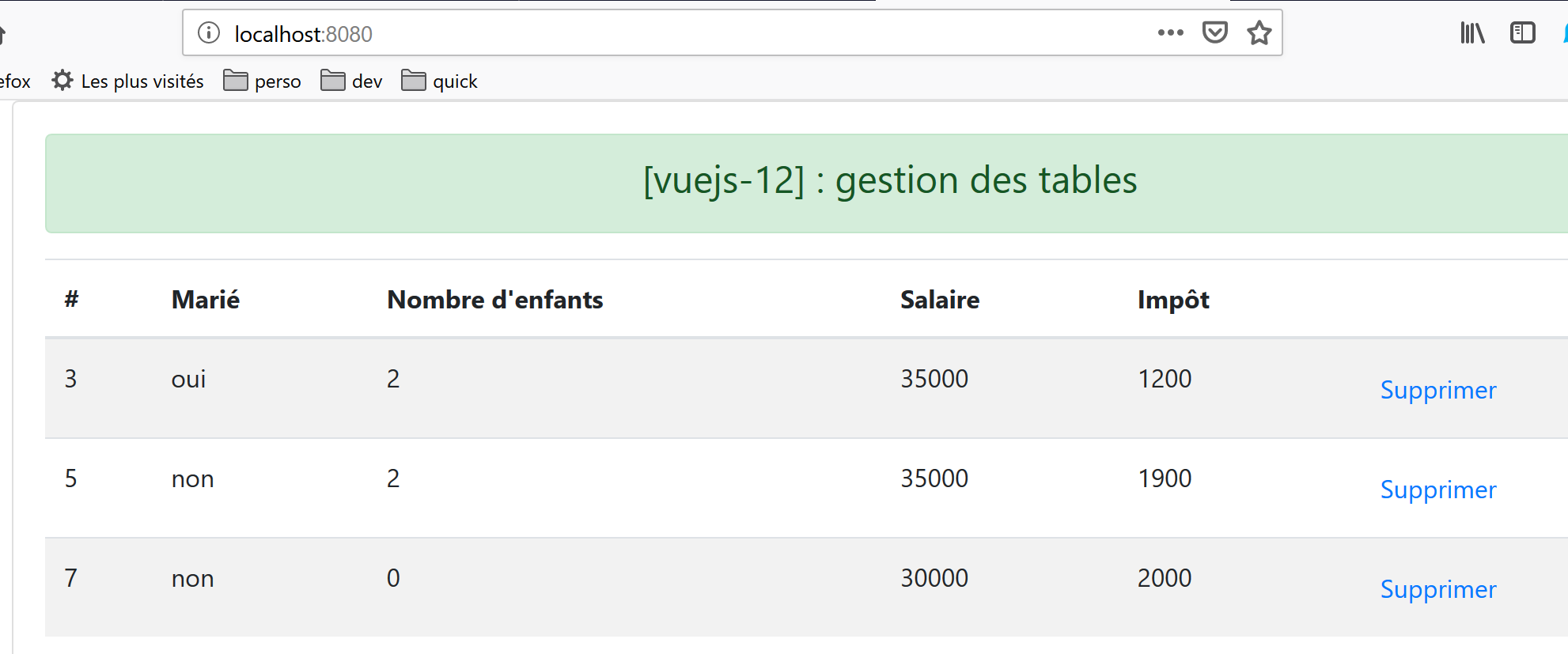
14. Project [vuejs-12]: HTML table management
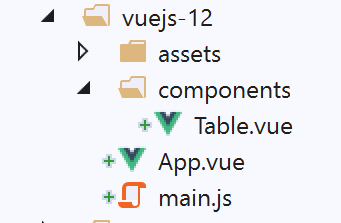
The directory structure of the [vuejs-12] project is as follows:
14.1. The main script [main.js]
The main script returns to what it was in the early projects:
// imports
import Vue from 'vue'
import App from './App.vue'

// plugins
import BootstrapVue from 'bootstrap-vue'
Vue.use(BootstrapVue);

// bootstrap
import 'bootstrap/dist/css/bootstrap.css'
import 'bootstrap-vue/dist/bootstrap-vue.css'

// configuration
Vue.config.productionTip = false

// instanciation projet [App]
new Vue({
  name: "app",
  render: h => h(App),
}).$mount('#app')
14.2. The main view [App]
The code for the main view [App] is as follows:
<template>
  <div class="container">
    <b-card>
      <!-- message -->
      <b-alert show variant="success" align="center">
        <h4>[vuejs-12] : gestion des tables</h4>
      </b-alert>
      <!-- table component -->
      <Table @supprimerLigne="supprimerLigne" :lignes="lignes" @rechargerListe="rechargerListe" />
    </b-card>
  </div>
</template>

<script>
  import Table from "./components/Table";
  export default {
    // nom
    name: "app",
    // composants utilisés
    components: {
      Table
    },
    // état interne
    data() {
      return {
        // liste des simulations
        lignes: [
          { id: 3, marié: "oui", enfants: 2, salaire: 35000, impôt: 1200 },
          { id: 5, marié: "non", enfants: 2, salaire: 35000, impôt: 1900 },
          { id: 7, marié: "non", enfants: 0, salaire: 30000, impôt: 2000 }
        ]
      };
    },

    // méthodes
    methods: {
      // suppression d'une ligne
      supprimerLigne(index) {
        // eslint-disable-next-line
        console.log("App supprimerLigne", index);
        // suppression ligne à la position [index]
        this.lignes.splice(index, 1);
      },
      // rechargement de la table des lignes
      rechargerListe() {
        // eslint-disable-next-line
        console.log("App rechargerListe");
        // on régénère la liste des lignes
        this.lignes = [
          { id: 3, marié: "oui", enfants: 2, salaire: 35000, impôt: 1200 },
          { id: 5, marié: "non", enfants: 2, salaire: 35000, impôt: 1900 },
          { id: 7, marié: "non", enfants: 0, salaire: 30000, impôt: 2000 }
        ];
      }
    }
  };
</script>
Comments
- the main view displays a [Table] component (lines 9, 15, 21);
- line 9: the [Table] component accepts the [:rows] parameter, which represents the rows to be displayed in an HTML table. These rows are defined by lines 27–31 of the code;
- line 9: the [Table] component can trigger two events:
- [deleteRow]: to delete a row by specifying its index (line 38);
- [reloadList]: to regenerate the list in lines 27–31. In fact, we will see that the user can delete some of the displayed rows;
- lines 38–43: the method responsible for handling the [deleteRow] event. It receives the index of the row to be deleted as a parameter;
- lines 45–54: the method responsible for handling the [reloadList] event. By modifying the [rows] attribute on line 27, we trigger an update of the [Table] component on line 9, since it has a parameter [:rows="rows"] ;
14.3. The [Table] component
The [Table] component is as follows:
<template>
  <div>
    <!-- empty list -->
    <template v-if="lignes.length==0">
      <b-alert show variant="warning">
        <h4>Votre liste de simulations est vide</h4>
      </b-alert>
      <!-- reload button-->
      <b-button variant="primary" @click="rechargerListe">Recharger la liste</b-button>
    </template>
    <!-- non-empty list-->
    <template v-if="lignes.length!=0">
      <b-alert show variant="primary" v-if="lignes.length==0">
        <h4>Liste de vos simulations</h4>
      </b-alert>
      <!-- simulation table -->
      <b-table striped hover responsive :items="lignes" :fields="fields">
        <template v-slot:cell(action)="row">
          <b-button variant="link" @click="supprimerLigne(row.index)">Supprimer</b-button>
        </template>
      </b-table>
    </template>
  </div>
</template>

<script>
  export default {
    // propriétés
    props: {
      lignes: {
        type: Array
      }
    },
    // état interne
    data() {
      return {
        fields: [
          { label: "#", key: "id" },
          { label: "Marié", key: "marié" },
          { label: "Nombre d'enfants", key: "enfants" },
          { label: "Salaire", key: "salaire" },
          { label: "Impôt", key: "impôt" },
          { label: "", key: "action" }
        ]
      };
    },
    // méthodes
    methods: {
      // suppression d'une ligne
      supprimerLigne(index) {
        // eslint-disable-next-line
        console.log("Table supprimerLigne", index);
        // on passe l'information au composant parent
        this.$emit("supprimerLigne", index);
      },
      // rechargement de la liste affichée
      rechargerListe() {
        // eslint-disable-next-line
        console.log("Table rechargerListe");
        // on émet un événement vers le composant parent
        this.$emit("rechargerListe");
      }
    }
  };
</script>
Comments
This component has two states:
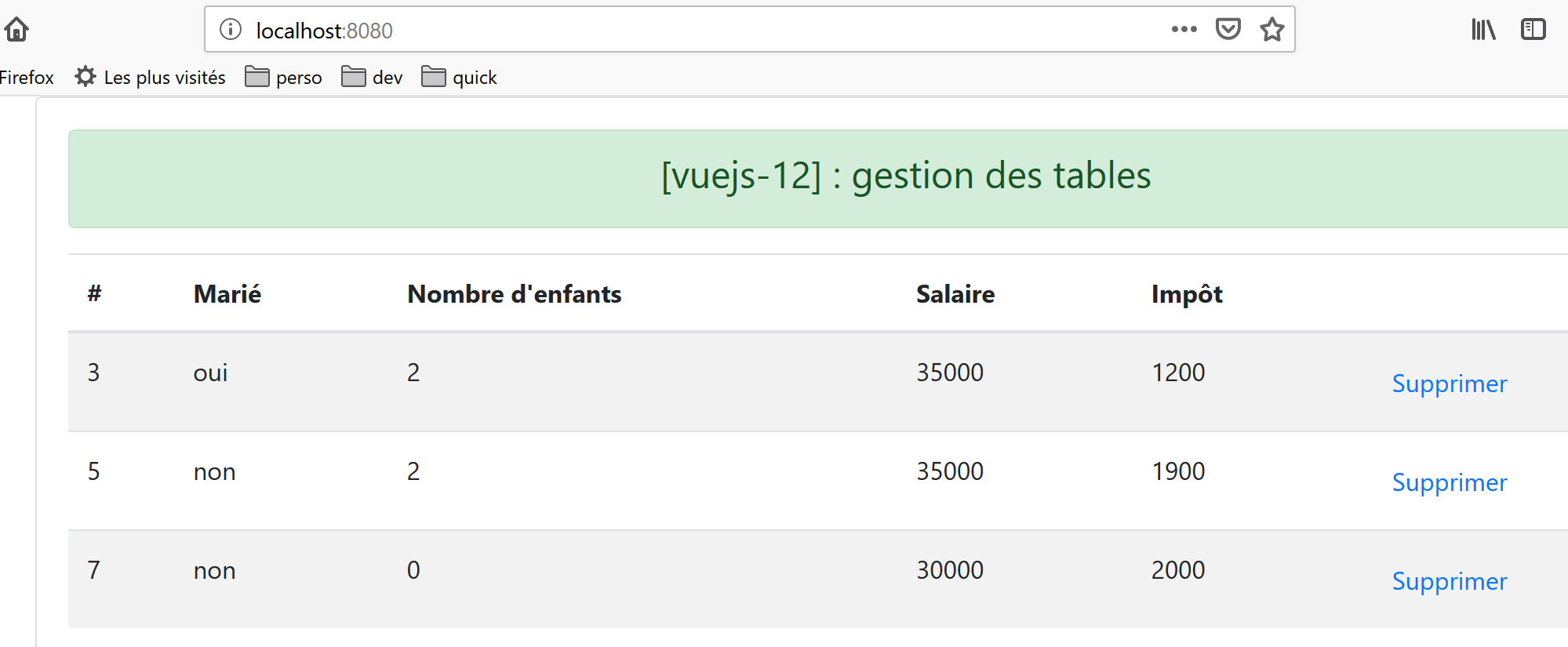
- it displays a list in an HTML table;
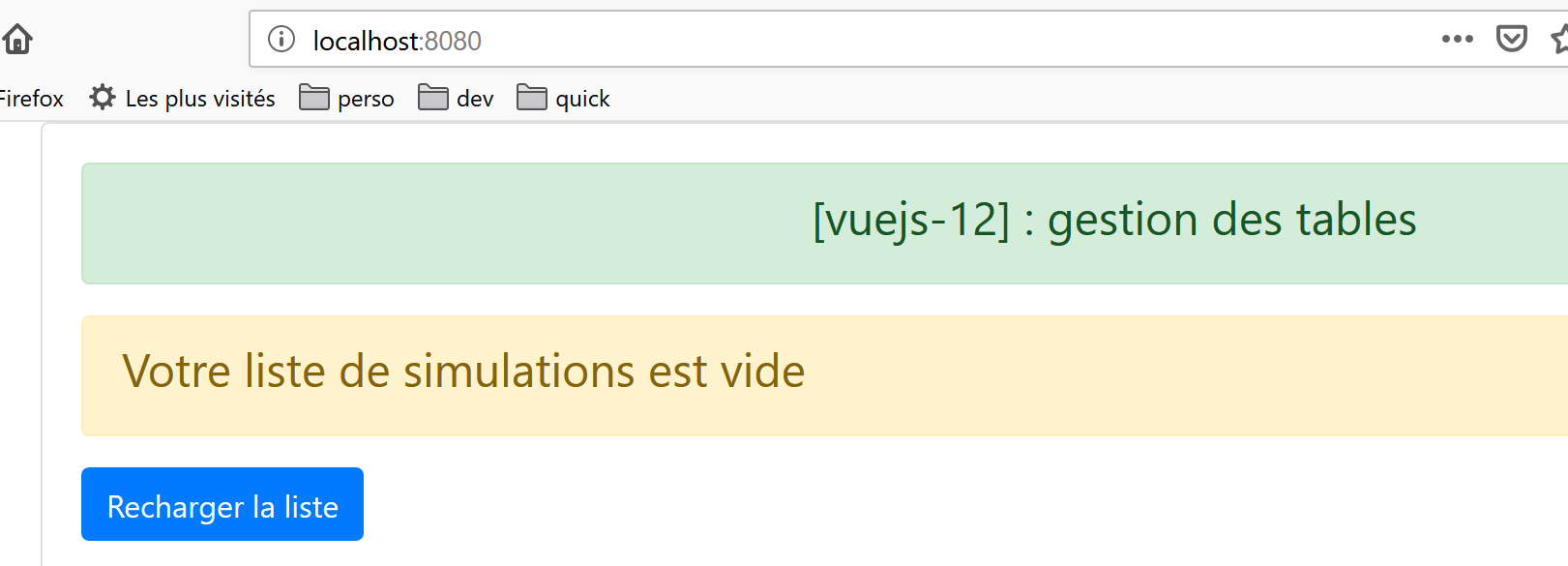
- or a message indicating that the list to be displayed is empty;
The first state is displayed if the condition [lines.length!=0] is true (line 12):
The second one is displayed if the condition [lines.length==0] is true (line 4).
- [lines] is an input parameter of the component (lines 29–33);
- lines 4–10: instead of inserting a code block with a <div> tag, we have used a <template> tag here. The difference between the two is that the <template> tag is not included in the generated HTML code;
- line 9: when the list displayed by the HTML table is empty, a button offers to refresh it. When this button is clicked, the [reloadList] method in lines 57–62 is executed. This method simply sends the [reloadList] event to the parent component, which instructs the parent to regenerate the list displayed by the HTML table;
- lines 12–22: the code displayed when the list to be displayed is not empty;
- line 17: the <b-table> tag is the tag that generates an HTML table. The attributes used here are as follows:
- [striped]: the background color of the rows alternates. There is one color for even rows and another for odd rows. This improves visibility;
- [hover]: the row over which the mouse hovers changes color;
- [responsive]: the table’s size adapts to the screen displaying it;
- [:items]: the array of items to display. Here, the [rows] array is passed as a parameter to the component (lines 30–32);
- [:fields]: an array defining the layout of the HTML table (lines 37–44);
- Each element in the [fields] array defines a column in the HTML table;
- [label]: specifies the column header;
- [key]: specifies the column’s content;
- line 38: defines column 0 of the HTML table:
- [#]: is the column header;
- [id]: is its content. It is the [id] field of the displayed row that will populate column 0;
- line 39: defines column 1 of the HTML table:
- [Married]: is the column header;
- [married]: is its content. It is the [married] field of the displayed row that will populate column 0;
- line 43: defines the last column of the HTML table:
- the column has no title;
- its content is defined by an [action] field, a field that does not exist in the displayed rows. This key is referenced in line 18 of the [template]. The key is therefore used here solely to identify a column;
- lines 18–20: this code is used to define the last column of the HTML table, the one with the [action] key:
<template v-slot:cell(action)="row">
The syntax [v-slot:cell(action)] refers to the [action] key column. This syntax allows you to define a column when the [fields] array syntax is not sufficient to describe it. Here, we want the last column to contain a link that allows you to delete a row from the HTML table:
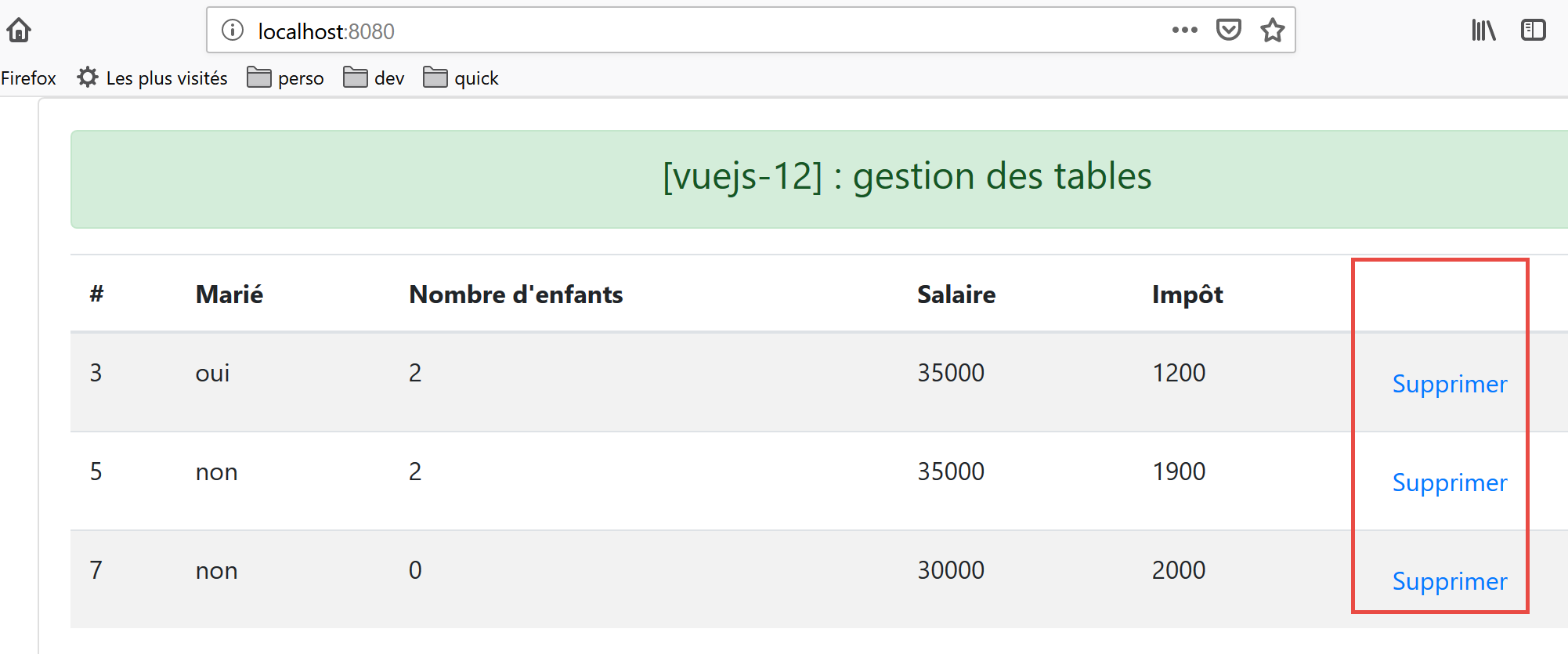
In the syntax [<template v-slot:cell(action)="row">], the name [row] refers to the table row. You can use any name you want. We could have written [<template v-slot:cell(action)="row">];
- line 19: a <b-button> displayed as a link [variant='link']. Clicking this link triggers the execution of the [supprimerLigne(row.index)] method. Here, [row] is the name given to the row in the HTML table, line 18 of the code;
- Lines 50–55: the [deleteRow] method;
- line 54: the [deleteRow] event is sent to the parent component along with the number of the row to be deleted;
- lines 57–62: the [reloadList] method;
- line 61: the [reloadList] event is sent to the parent component;
14.4. Running the project
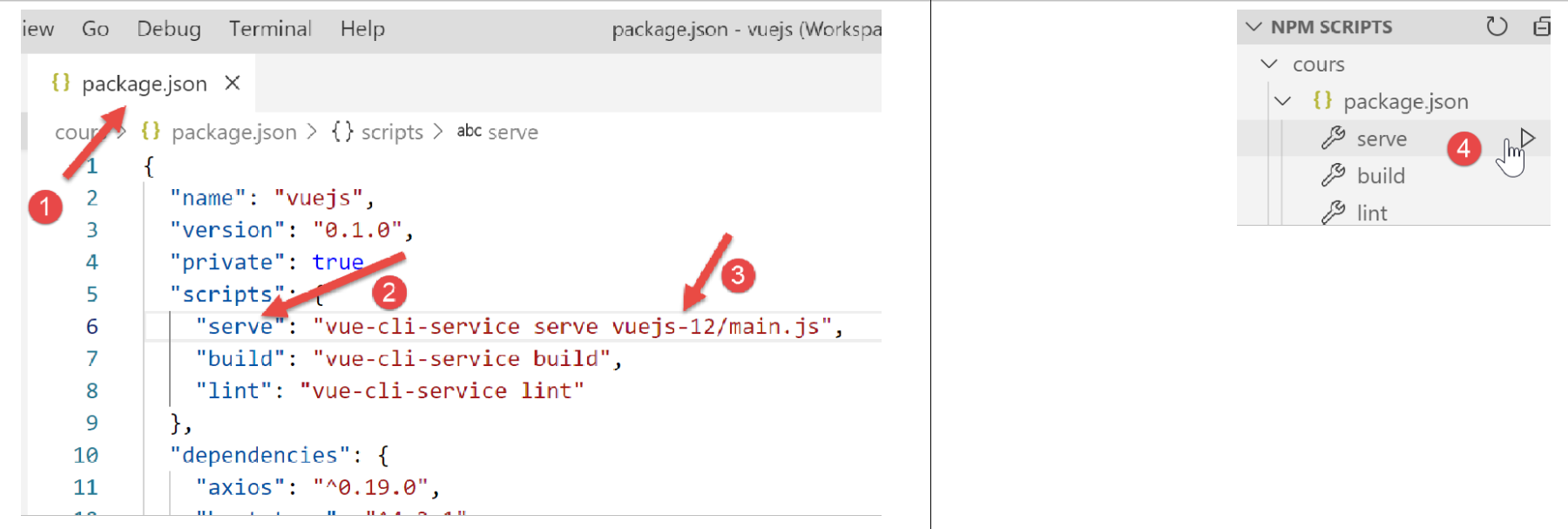
The first view displayed is as follows:
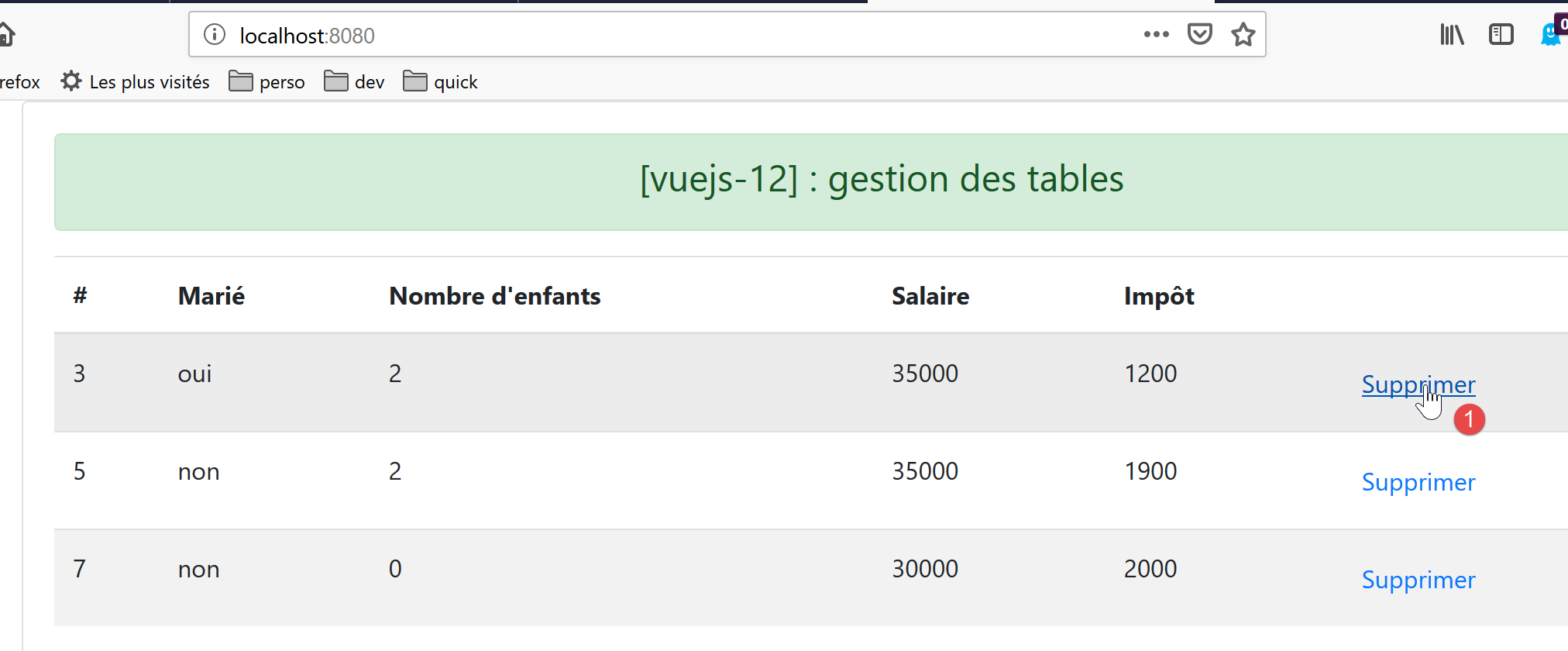
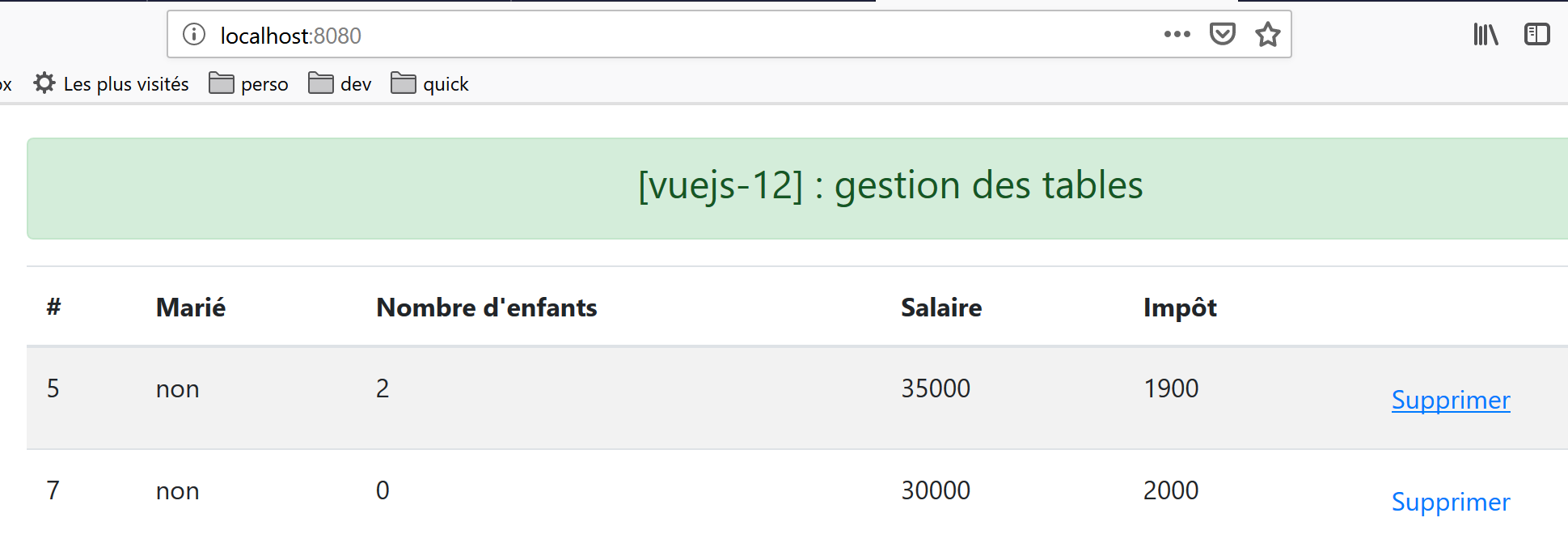
After deleting row 1 [1], the view becomes as follows:
After deleting all rows:
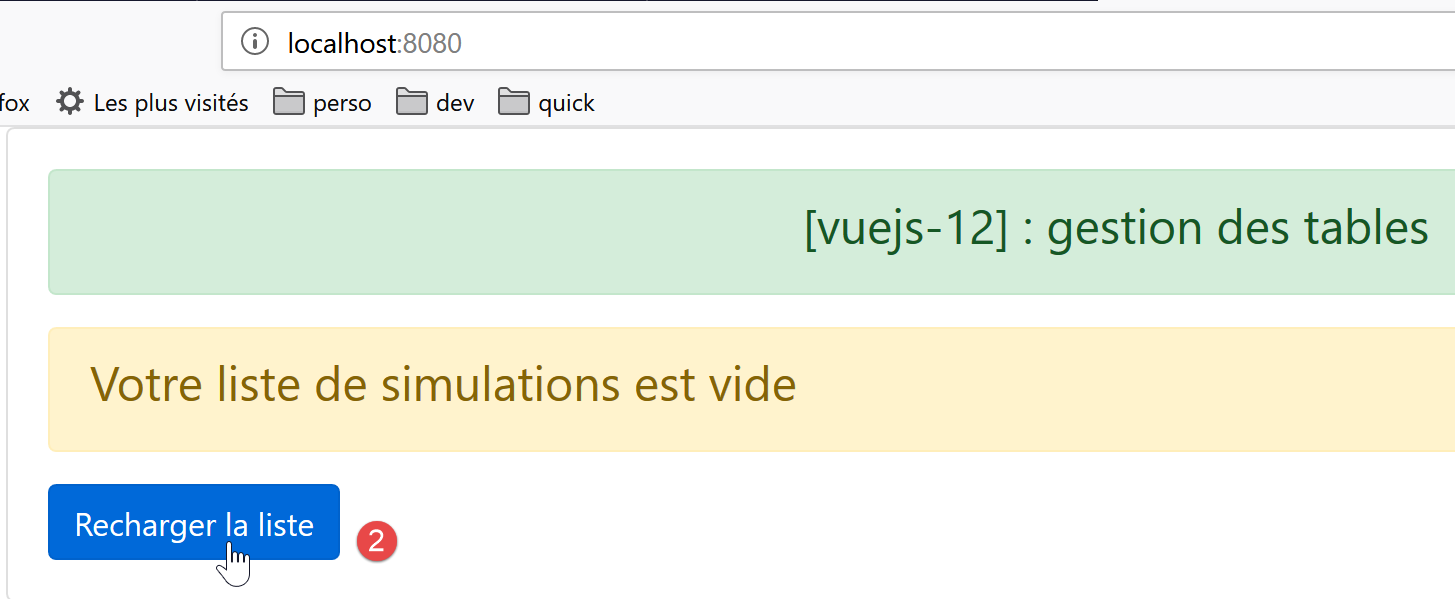
After clicking the button [2], the list is restored: