17. Example [nuxt-20]: porting the example [vuejs-22]
17.1. Introduction
Here, we propose to port the example [vuejs-22]—which was a [vue.js] application of type SPA—into a [nuxt] SSR context. [vuejs-22] was a client application of the tax calculation server that presented the following views:
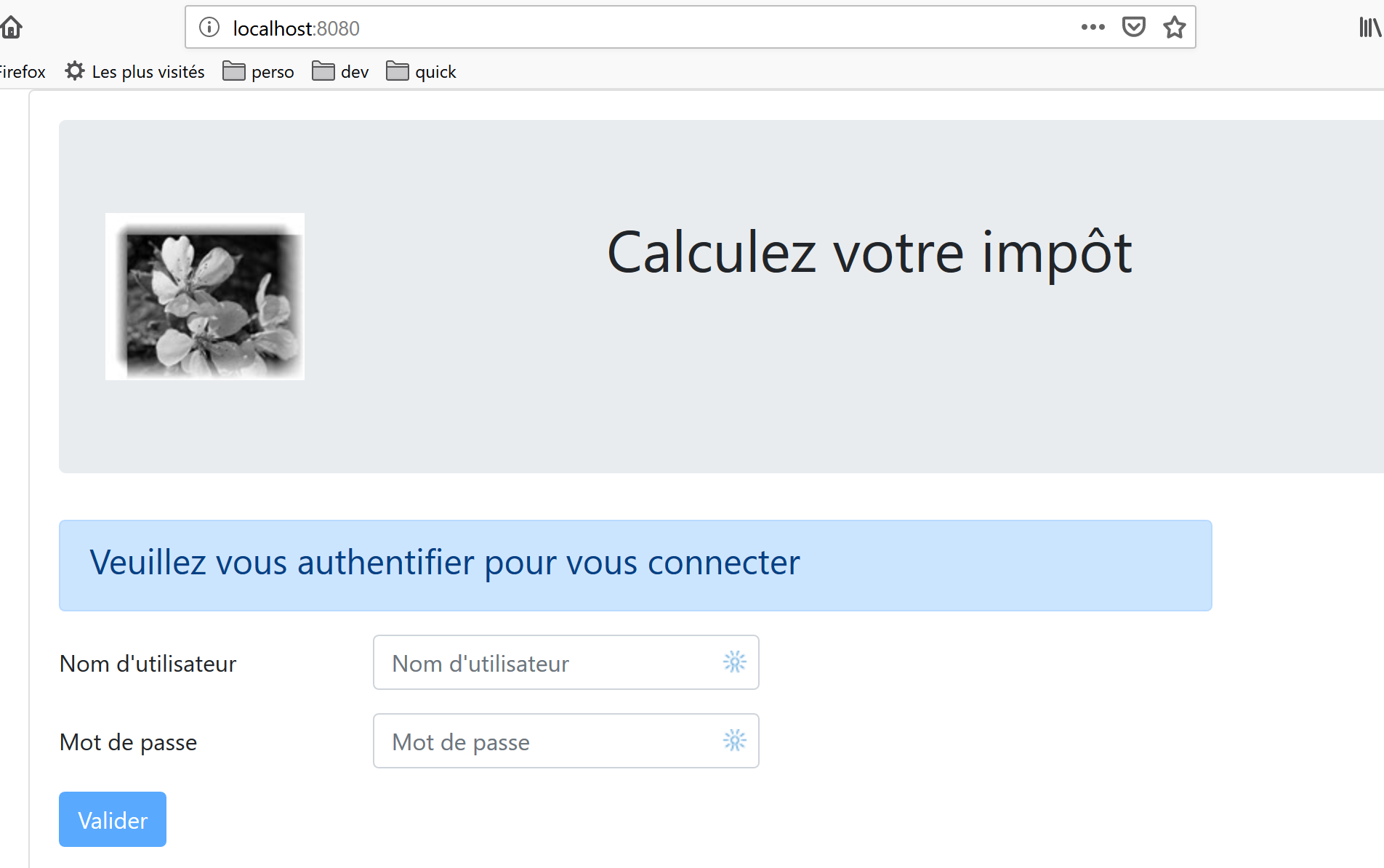
The first view is the authentication view:
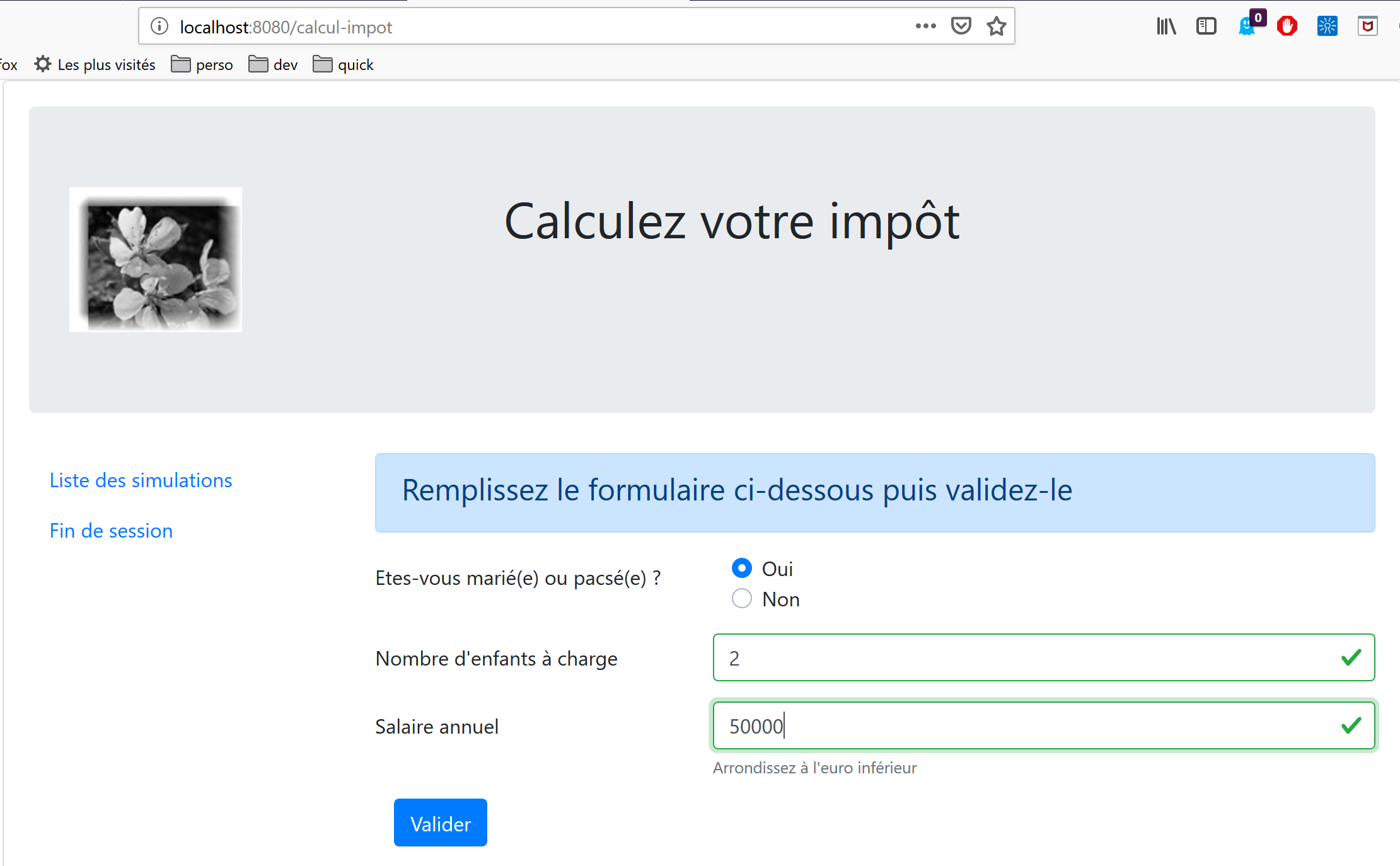
The second screen displays the tax calculation:
The third view displays the list of simulations performed by the user:
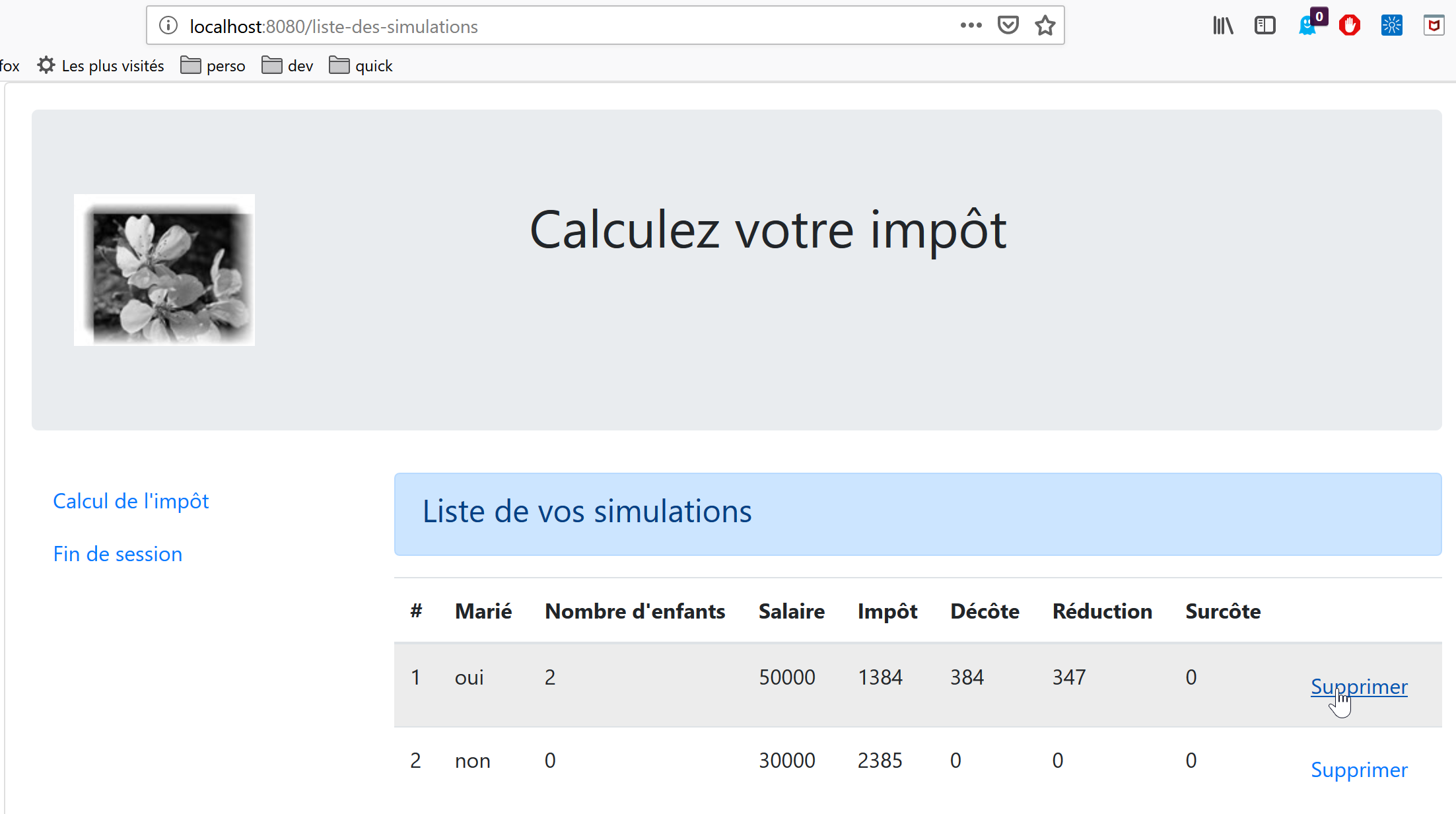
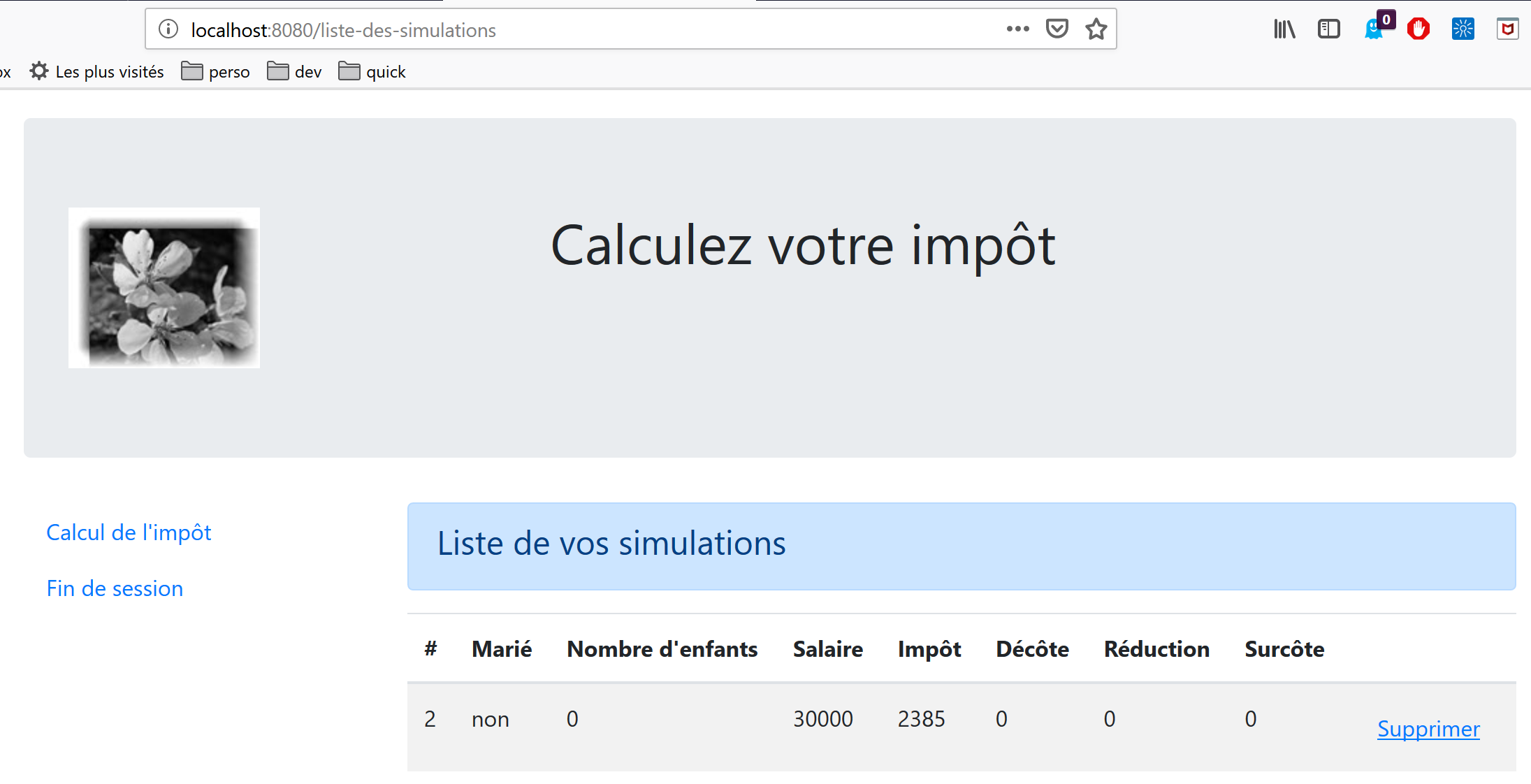
The screen above shows that simulation #1 can be deleted. This results in the following view:
If we now delete the last simulation, we get the following new view:
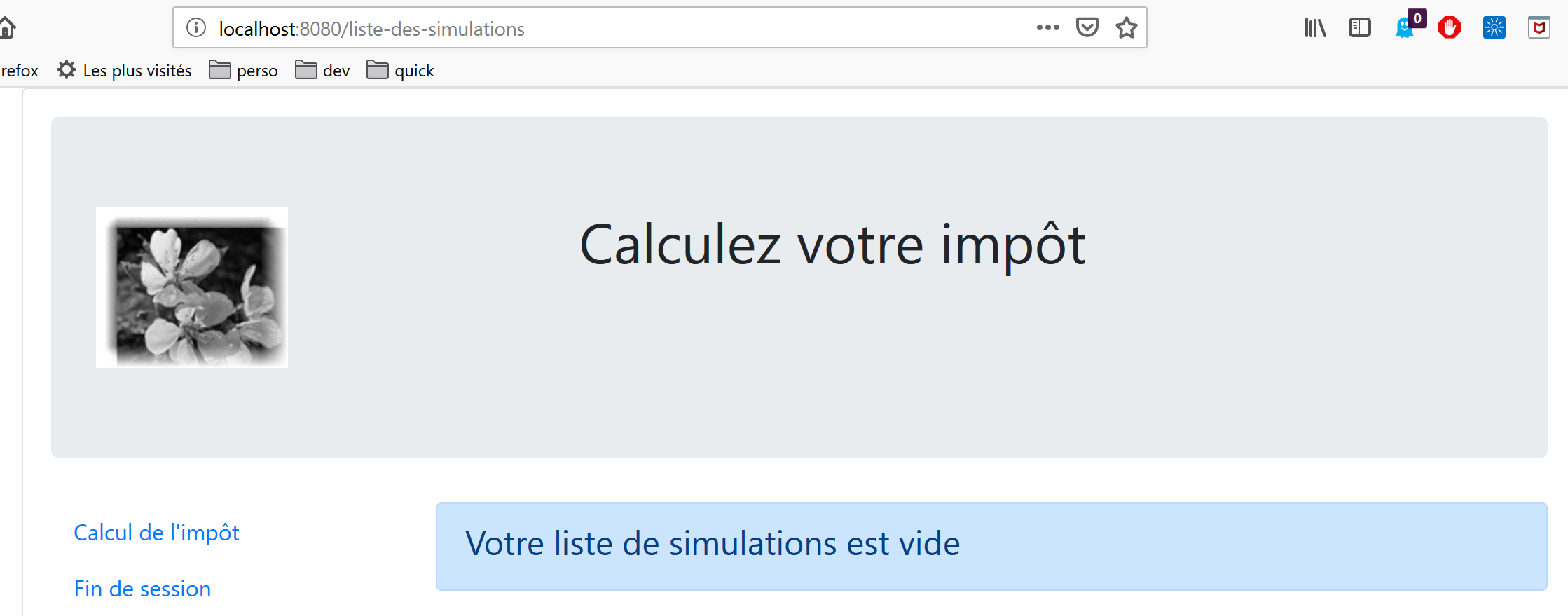
We will gradually migrate the [vuejs-22] application to the [nuxt-20] application. We will not explain the code for [vuejs-22] again. Readers are encouraged to review the document |Introduction to the VUE.JS Framework Through Examples|. The various steps should highlight the differences between a [vuejs] application and a [nuxt] application.
17.2. Step 1
The [nuxt-20] project is initially created by cloning the [nuxt-12] project. This is indeed a good starting point:
- it can communicate with the tax calculation server;
- it correctly handles the errors the server sends;
- the [nuxt] client and server can communicate via a [nuxt] session;
So we have a solid starting infrastructure. Our main task should be to modify:
- the pages. We will use those from the [vuejs-22] project, which will need to be adapted to the new environment;
- store management. Additional information should appear (list of simulations), and other information may become unnecessary;
- client and server routing management for [nuxt];
So first, we create the [nuxt-20] project by copying the [nuxt-12] project:
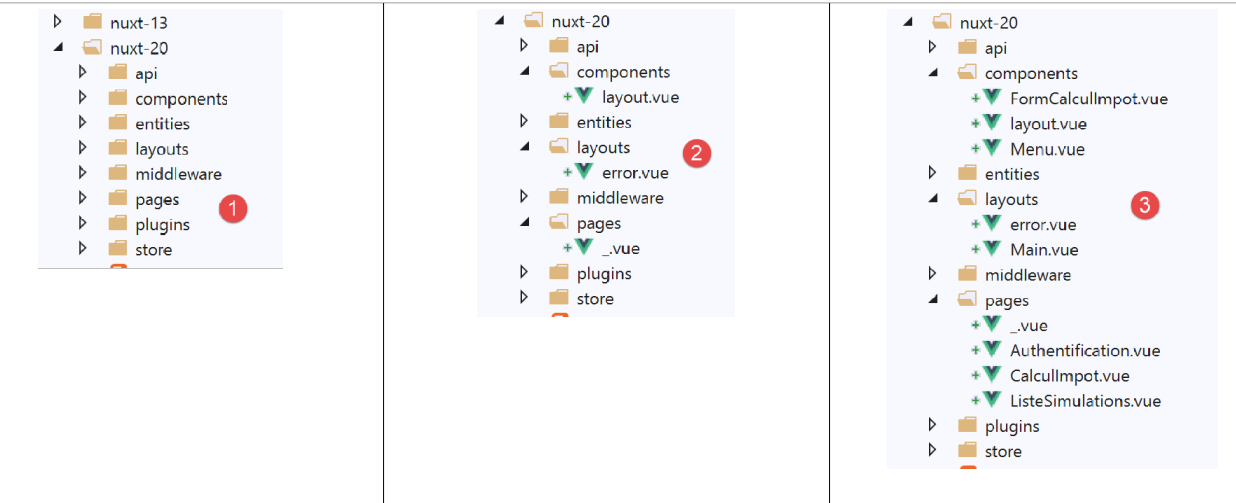
Then we delete the pages and components that are no longer needed [2]:
- The component [components/navigation] disappears;
- the layout [layout/default] disappears;
- the pages [index, authentification, get-admindata, fin-session] disappear;
Then we integrate elements from [vuejs-22] and [3] into [nuxt-20]:
- the three pages [Authentification, CalculImpot, ListeSimulations] from the application [vuejs-22] go into the folder [pages];
- the components [FormCalculImpot, Menu, Layout] from the application [vuejs-22] go into the folder [components];
- the page [Main] from [vuejs-22], which served as [layout] for the application [vuejs-22], goes into the folder [layouts];
We rename the embedded elements [4]:
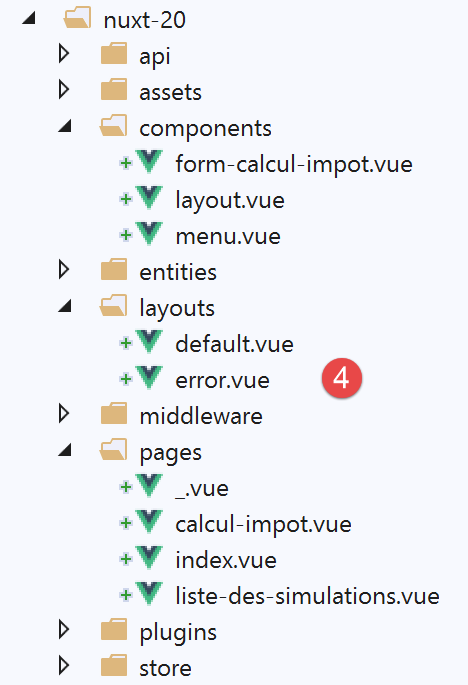
- in [layouts], [Main] has become [default] since that is the default name of the layout for an application [nuxt];
- In [pages], the page [Authentification] has become [index], because [Authentification] served this role in the application [vuejs-22];
At this point, we can compile the project to see the first errors. We modify the [nuxt.config] file from the [nuxt-12] example so that it now executes [nuxt-20]:
export default {
  mode: 'universal',
  /*
   ** Headers of the page
   */
  head: {
    title: 'Introduction à [nuxt.js]',
    meta: [
      { charset: 'utf-8' },
      { name: 'viewport', content: 'width=device-width, initial-scale=1' },
      {
        hid: 'description',
        name: 'description',
        content: 'ssr routing loading asyncdata middleware plugins store'
      }
    ],
    link: [{ rel: 'icon', type: 'image/x-icon', href: '/favicon.ico' }]
  },
  /*
   ** Customize the progress-bar color
   */
  loading: false,

  /*
   ** Global CSS
   */
  css: [],
  /*
   ** Plugins to load before mounting the App
   */
  plugins: [
    { src: '@/plugins/client/plgSession', mode: 'client' },
    { src: '@/plugins/server/plgSession', mode: 'server' },
    { src: '@/plugins/client/plgDao', mode: 'client' },
    { src: '@/plugins/server/plgDao', mode: 'server' },
    { src: '@/plugins/client/plgEventBus', mode: 'client' }
  ],
  /*
   ** Nuxt.js dev-modules
   */
  buildModules: [
    // Doc: https://github.com/nuxt-community/eslint-module
    '@nuxtjs/eslint-module'
  ],
  /*
   ** Nuxt.js modules
   */
  modules: [
    // Doc: https://bootstrap-vue.js.org
    'bootstrap-vue/nuxt',
    // Doc: https://axios.nuxtjs.org/usage
    '@nuxtjs/axios',
    // https://www.npmjs.com/package/cookie-universal-nuxt
    'cookie-universal-nuxt'
  ],
  /*
   ** Axios module configuration
   ** See https://axios.nuxtjs.org/options
   */
  axios: {},
  /*
   ** Build configuration
   */
  build: {
    /*
     ** You can extend webpack config here
     */
    extend(config, ctx) {}
  },
  // source code directory
  srcDir: 'nuxt-20',
  // router
  router: {
    // application URL root
    base: '/nuxt-20/',
    // routing middleware
    middleware: ['routing']
  },
  // server
  server: {
    // service port, default 3000
    port: 81,
    // network addresses listened to, default localhost: 127.0.0.1
    // 0.0.0.0 = all the machine's network addresses
    host: 'localhost'
  },
  // environment
  env: {
    // axios configuration
    timeout: 2000,
    withCredentials: true,
    baseURL: 'http://localhost/php7/scripts-web/impots/version-14',
    // session cookie configuration [nuxt]
    maxAge: 60 * 5
  }
}
We then run a [build] on the project:
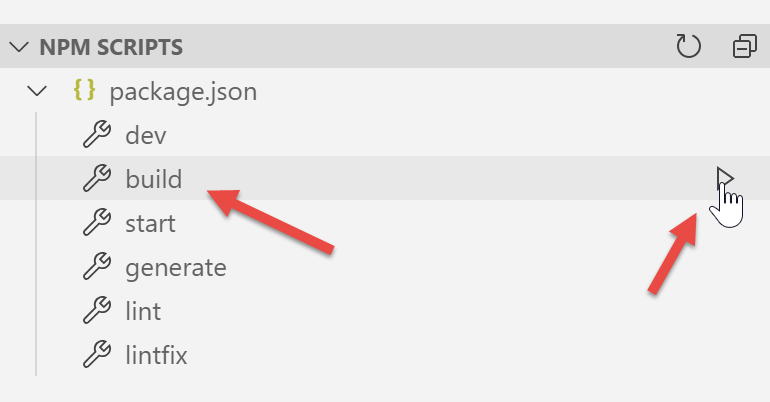
The following errors are reported:
- The error on line 1 indicates that a non-existent image is being referenced. We will retrieve it from [vuejs-22];
- The error on line 2 shows that the [./FormCalculImpot] component does not exist. Indeed, this component is now in [@/components/form-calcul-impot];
- the errors on the [3-5] lines show that the [./Layout] component does not exist. Indeed, this component is now in [@/components/layout];
- The errors in the [6-7] lines indicate that the [./Menu] component does not exist. Indeed, it is now named [@/components/menu];
We add the image [assets/logo.jpg] to the project [nuxt-20]:
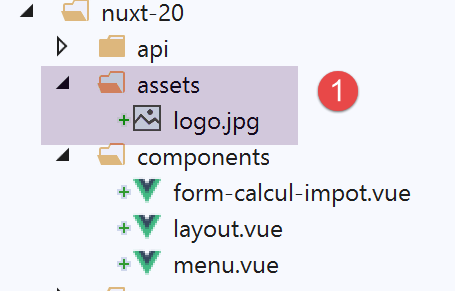
In addition, we will correct the component paths on all pages. Let’s take the example of the [calcul-impot] page:
<!-- definition HTML of the view -->
<template>
  <div>
    <Layout :left="true" :right="true">
      <!-- tax calculation form on the right -->
      <FormCalculImpot slot="right" @resultatObtenu="handleResultatObtenu" />
      <!-- menu from navigation to left -->
      <Menu slot="left" :options="options" />
    </Layout>
    <!-- display area for tax calculation results under the form -->
    <b-row v-if="résultatObtenu" class="mt-3">
      <!-- empty three-column zone -->
      <b-col sm="3" />
      <!-- nine-column zone -->
      <b-col sm="9">
        <b-alert show variant="success">
          <span v-html="résultat"></span>
        </b-alert>
      </b-col>
    </b-row>
  </div>
</template>

<script>
// imports
import FormCalculImpot from './FormCalculImpot'
import Menu from './Menu'
import Layout from './Layout'

export default {
  // components used
  components: {
    Layout,
    FormCalculImpot,
    Menu
  },
The three [import] in lines 26–28 become:
// imports
import FormCalculImpot from '@/components/form-calcul-impot'
import Menu from '@/components/menu'
import Layout from '@/components/layout'
Check and, if necessary, correct the [import] files for all components, layouts, and pages. Once these corrections are made, you can try running a new [build]. Normally, there should be no more errors.
You can then attempt to run the script:
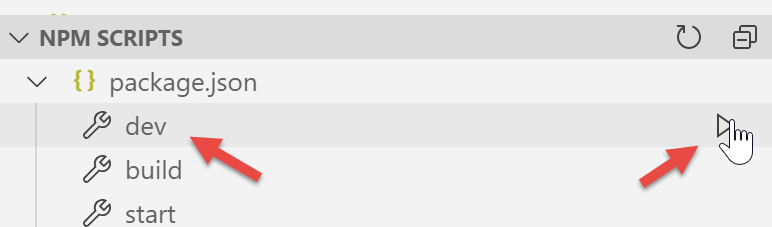
Errors appear:
We can see that the command [dev] combined with the module [eslint] is more strict, syntactically speaking, than the command [build]. Here, it requires that the comparison operator [!=] be written as [!==], which is a stricter operator (it also checks the type of the operands). These errors occur on page [index.vue].
We correct the above errors and rerun the project. We then get a warning from the [eslint] module:
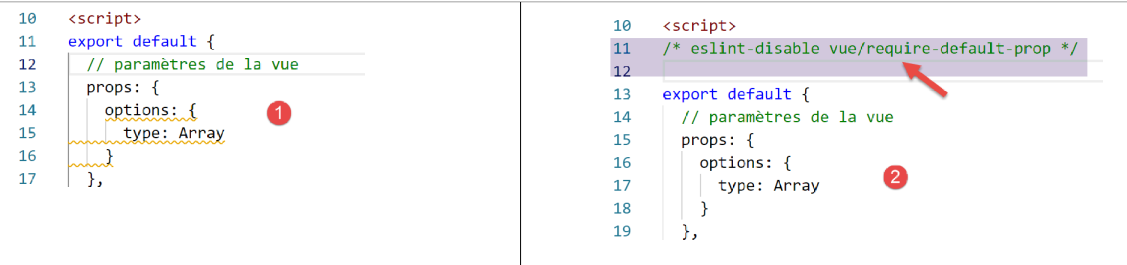
We fix this error using [Quick fix] from the [eslint] [2] module.
Restart the project. There are no more compilation errors. Then access URL [http://localhost:81/nuxt-20/] using a browser. A runtime error occurs:
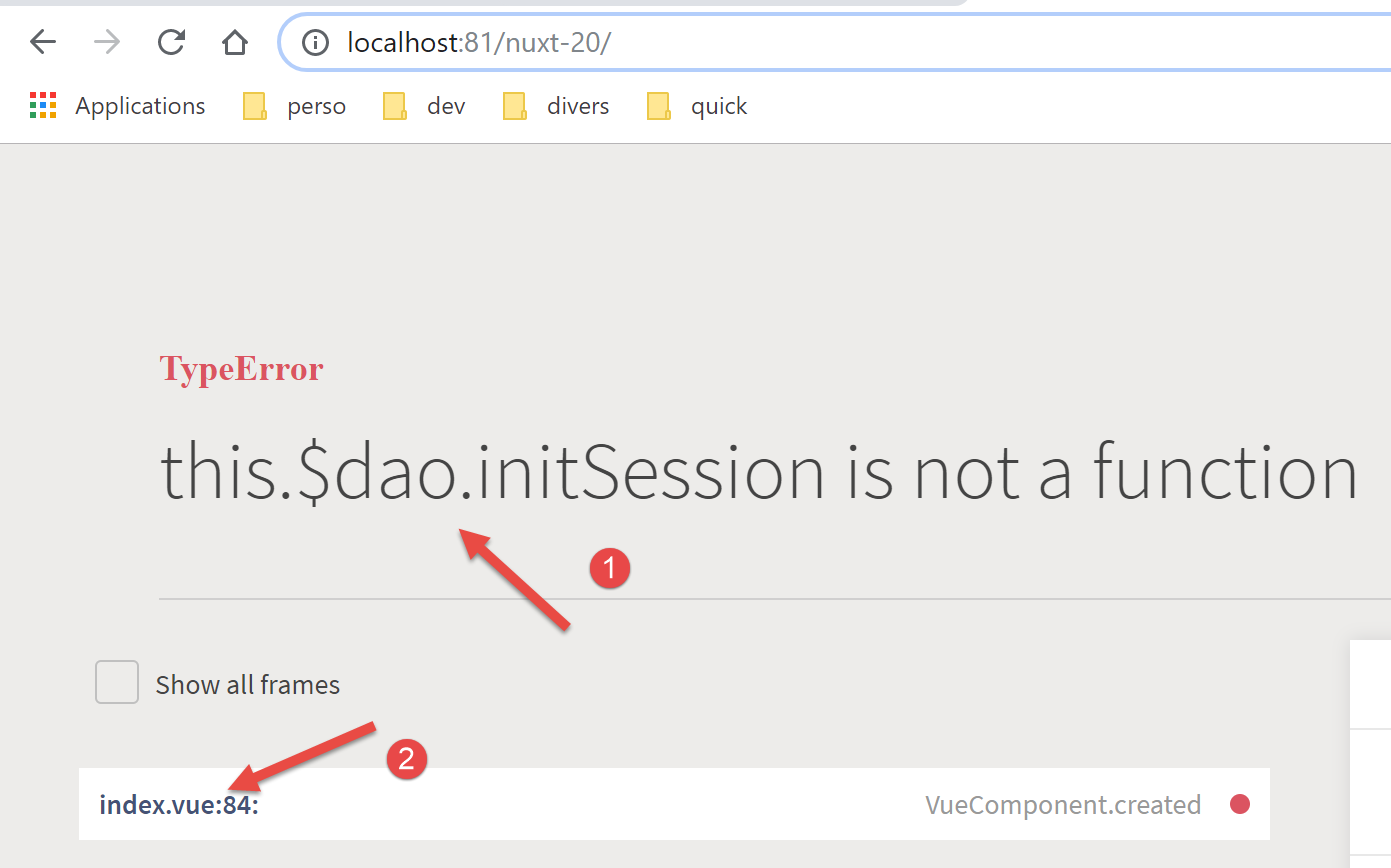
The error is in [index.vue] [2]. The [1] error occurs because in [vuejs-22], the [dao] layer was available in [this.$dao], whereas in [nuxt-12]—whose infrastructure we have adopted—it is available in the [this.$dao()] function.
The error is in function [created] of the [index] page lifecycle:
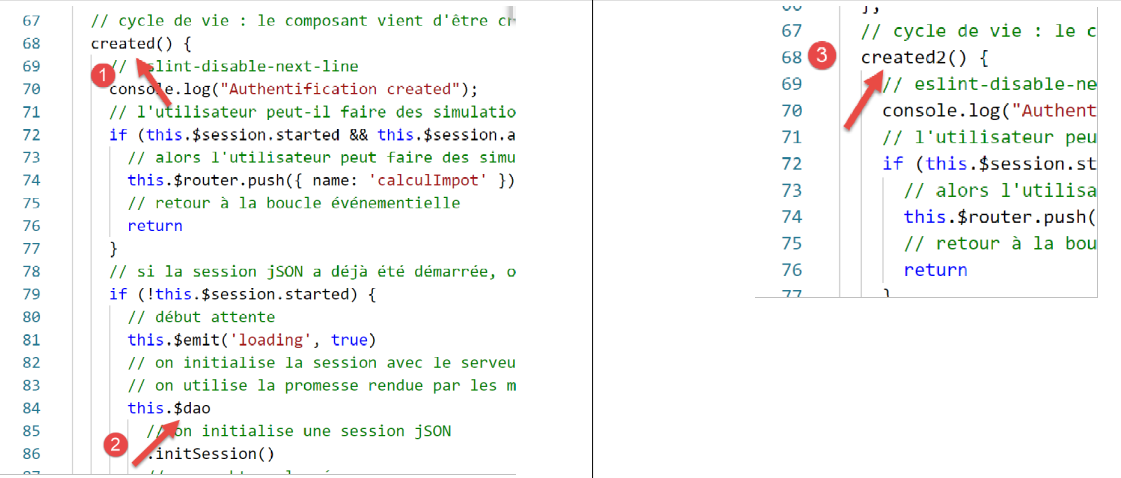
For now, we’ll simply rename [created] to [created2] so that the [created] lifecycle function is not executed [3].
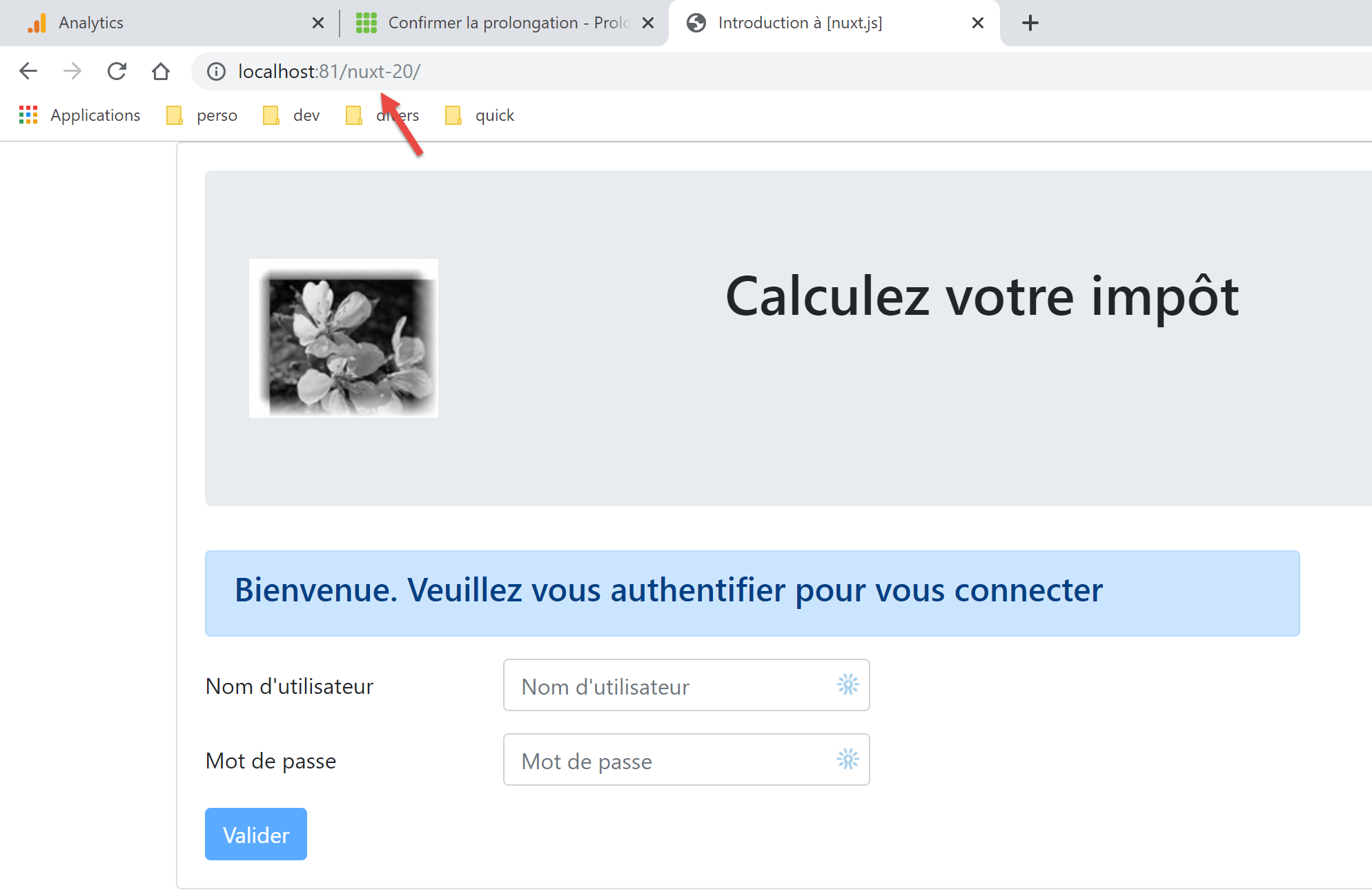
We save the change and reload the [index] page in the browser. This time it works:
17.3. Step 2
The pages of the [vuejs-22] project used the following injected elements:
- $dao: for the [dao] layer of the [vue.js] client;
- $session: for a session stored in the browser’s [localStorage];
These elements no longer exist in the infrastructure of the [nuxt-12] project that we copied:
- there are now two [dao] layers, one for the client [nuxt], the other for the server [nuxt]. Both are available via an injected function called [$dao]. This means that in the application pages, [this.$dao] must be replaced by [this.$dao()];
- the session [nuxt] managed by the application [nuxt-20] is no longer related to the object [$session] inapplication [vuejs-22], where there was no concept of a session cookie. Nevertheless, they have a similar function: storing persistent information as the user interacts with the system. The session [nuxt] stores information in the store rather than directly in the session. In the application’s pages, [this.$session] must be replaced by [this.$store] when storing information in the session and by [this.$session()] when manipulating the session itself;
- to check the status of a property P of the store, you must write [this.$store.state.P];
- To change property P of the store, you must write [this.$store.commit(‘replace’, {P:value}];
We make these changes on the [index] page:
<!-- definition HTML of the view -->
<template>
  <Layout :left="false" :right="true">
    <template slot="right">
      <!-- form HTML - post values with [authentifier-utilisateur] action -->
      <b-form @submit.prevent="login">
        <!-- title -->
        <b-alert show variant="primary">
          <h4>Bienvenue. Veuillez vous authentifier pour vous connecter</h4>
        </b-alert>
        <!-- 1st line -->
        <b-form-group label="Nom d'utilisateur" label-for="user" label-cols="3">
          <!-- user input field -->
          <b-col cols="6">
            <b-form-input id="user" v-model="user" type="text" placeholder="Nom d'utilisateur" />
          </b-col>
        </b-form-group>
        <!-- 2nd line -->
        <b-form-group label="Mot de passe" label-for="password" label-cols="3">
          <!-- password input field -->
          <b-col cols="6">
            <b-input id="password" v-model="password" type="password" placeholder="Mot de passe" />
          </b-col>
        </b-form-group>
        <!-- 3rd line -->
        <b-alert v-if="showError" show variant="danger" class="mt-3">L'erreur suivante s'est produite : {{ message }}</b-alert>
        <!-- button type [submit] on a 3rd line -->
        <b-row>
          <b-col cols="2">
            <b-button :disabled="!valid" variant="primary" type="submit">Valider</b-button>
          </b-col>
        </b-row>
      </b-form>
    </template>
  </Layout>
</template>

<!-- view dynamics -->
<script>
/* eslint-disable no-console */
import Layout from '@/components/layout'
export default {
  // components used
  components: {
    Layout
  },
  // component status
  data() {
    return {
      // user
      user: '',
      // password
      password: '',
      // controls the display of an error msg
      showError: false,
      // the error message
      message: ''
    }
  },

  // calculated properties
  computed: {
    // valid entries
    valid() {
      return this.user && this.password && this.$store.state.started
    }
  },
  // life cycle: the component has just been created
  mounted() {
    // eslint-disable-next-line
    console.log("Authentification mounted");
    // can the user run simulations?
    if (this.$store.state.started && this.$store.state.authenticated && this.$métier.taxAdminData) {
      // then the user can run simulations
      this.$router.push({ name: 'calculImpot' })
      // return to event loop
      return
    }
    // if the jSON session has already been started, it is not restarted again
    if (!this.$store.state.started) {
      // start waiting
      this.$emit('loading', true)
      // on initialise la session avec le serveur - requête asynchrone
      // we use the promise rendered by [dao] layer methods
      this.$dao()
        // on initialise une session jSON
        .initSession()
        // we got the answer
        .then((response) => {
          // end waiting
          this.$emit('loading', false)
          // response analysis
          if (response.état !== 700) {
            // error is displayed
            this.message = response.réponse
            this.showError = true
            // return to event loop
            return
          }
          // the session has started
          this.$store.commit('replace', { started: true })
          console.log('[authentification], session=', this.$session())
        })
        // in case of error
        .catch((error) => {
          // trace the error to view [Main]
          this.$emit('error', error)
        })
        // in all cases
        .finally(() => {
          // save the session
          this.$session().save()
        })
    }
  },

  // event managers
  methods: {
    // ----------- authentication
    async login() {
      try {
        // start waiting
        this.$emit('loading', true)
        // you are not yet authenticated
        this.$store.commit('replace', { authenticated: false })
        // blocking server authentication
        const response = await this.$dao().authentifierUtilisateur(this.user, this.password)
        // end of loading
        this.$emit('loading', false)
        // server response analysis
        if (response.état !== 200) {
          // error is displayed
          this.message = response.réponse
          this.showError = true
          // return to event loop
          return
        }
        // no error
        this.showError = false
        // you are authenticated
        this.$store.commit('replace', { authenticated: true })
        // --------- we now request data from the tax authorities
        // initially, no data
        this.$métier.setTaxAdminData(null)
        // start waiting
        this.$emit('loading', true)
        // blocking request to the server
        const response2 = await this.$dao().getAdminData()
        // end of loading
        this.$emit('loading', false)
        // response analysis
        if (response2.état !== 1000) {
          // error is displayed
          this.message = response2.réponse
          this.showError = true
          // return to event loop
          return
        }
        // no error
        this.showError = false
        // the received data is stored in the [métier] layer
        this.$métier.setTaxAdminData(response2.réponse)
        // we can move on to tax calculation
        this.$router.push({ name: 'calculImpot' })
      } catch (error) {
        // the error is traced back to the main component
        this.$emit('error', error)
      } finally {
        // maj store
        this.$store.commit('replace', { métier: this.$métier })
        // save the session
        this.$session().save()
      }
    }
  }
}
</script>
Note the following points:
- line 69: the function [created2] has been renamed [mounted], so that the [nuxt] server does not execute it (it does not execute either [beforeMount] or [mounted]). Only the client [nuxt] will execute it, as was the case with the example [vuejs-22];
- line 73: we reference [this.$métier], which does not currently exist;
- line 75: we have never used this method in a [nuxt] application. We will need to see if it works in a [nuxt] context;
- lines 112, 172: in [vuejs-22], the project session was saved this way. With the [nuxt-20] project, the [save] method must receive the current context. We know that in a page [nuxt], the object [context] is available in [this.$nuxt.context];
Lines 112 and 172 are therefore rewritten as follows:
this.$session().save(this.$nuxt.context)
Note that this code is not optimized. Rather than using the [this.$session()] function multiple times, it would be better to write:
const session=this.$session()
and then use the variable [session]. The same reasoning applies to the [this.$dao()] function.
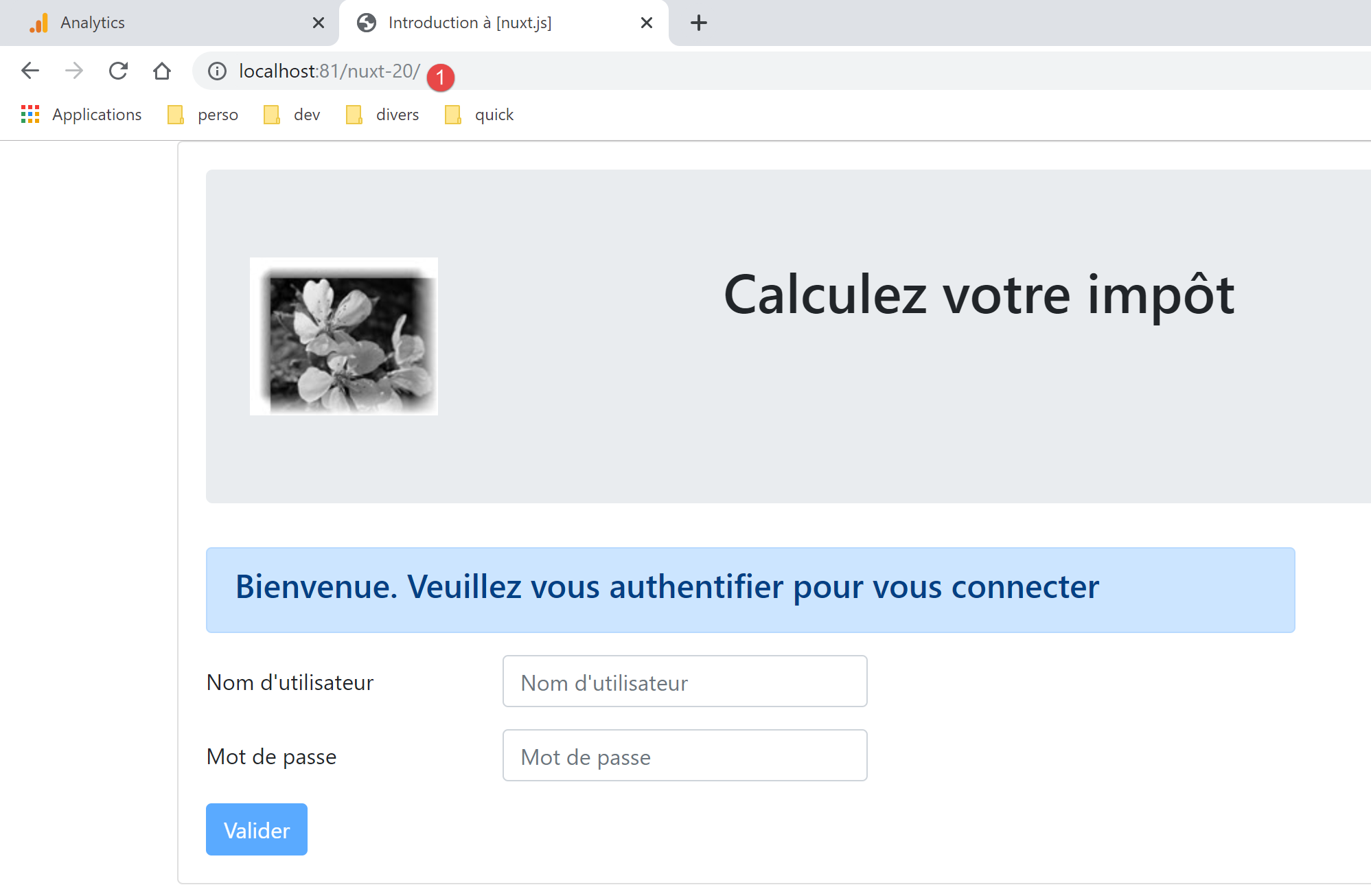
With these corrections made, we can reload URL [http://localhost:81/nuxt-20/] in a browser. We still get the same page as before:
Let’s look at the browser logs:
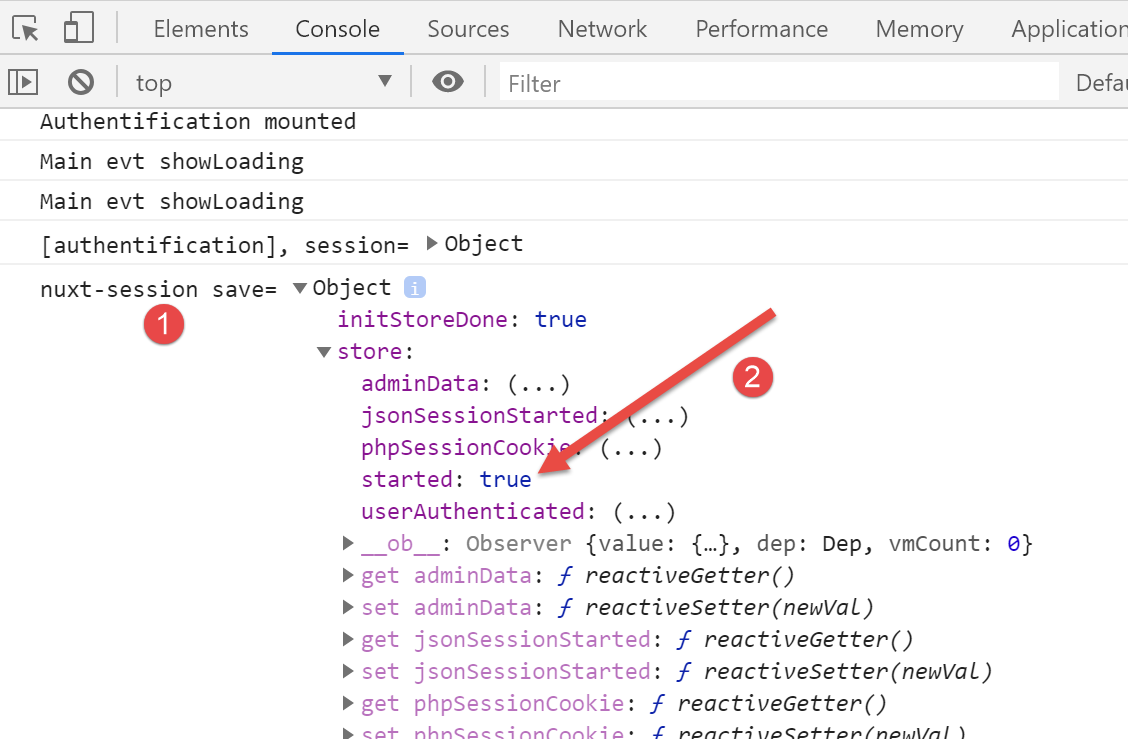
The [1] log is the last log generated by the client [nuxt]. In [2], we see that the [started] property is set to [vrai], which means that the [mounted] function successfully started a jSON session with the tax calculation server. We can also see that the store has properties that will need to be either discarded or renamed. Recall that we are using the store from the example [nuxt-12].
Now let’s request URL and [http://localhost:81/nuxt-20/] again while the tax calculation server is not running. First, we make sure to delete the cookie for the [nuxt] session:
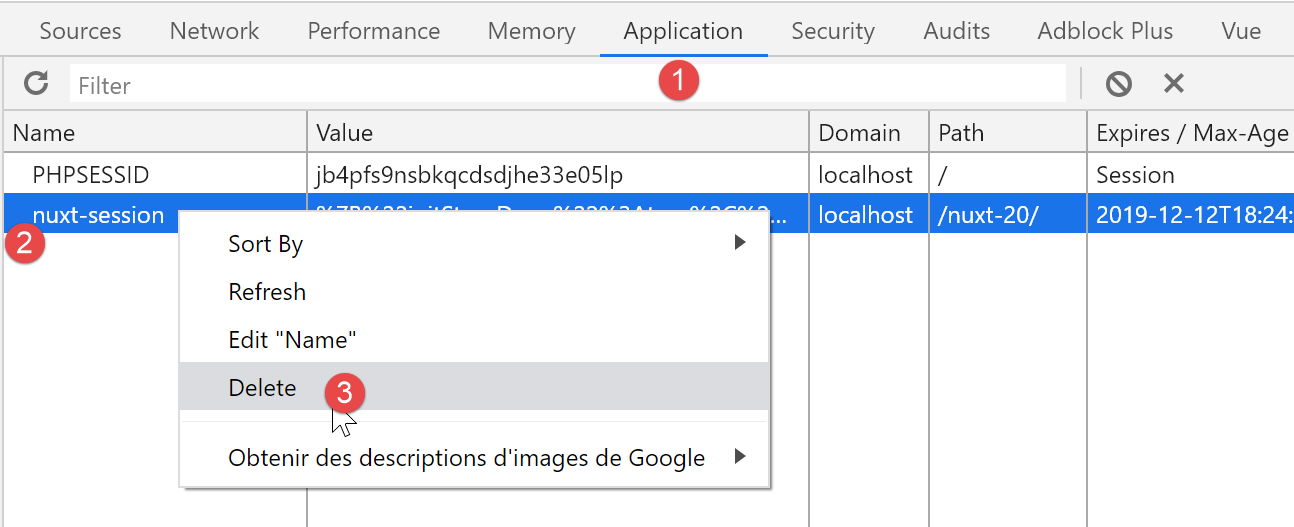
The screenshot above is a Chrome screenshot. Once this is done, URL [http://localhost:81/nuxt-20/] returns the following result:
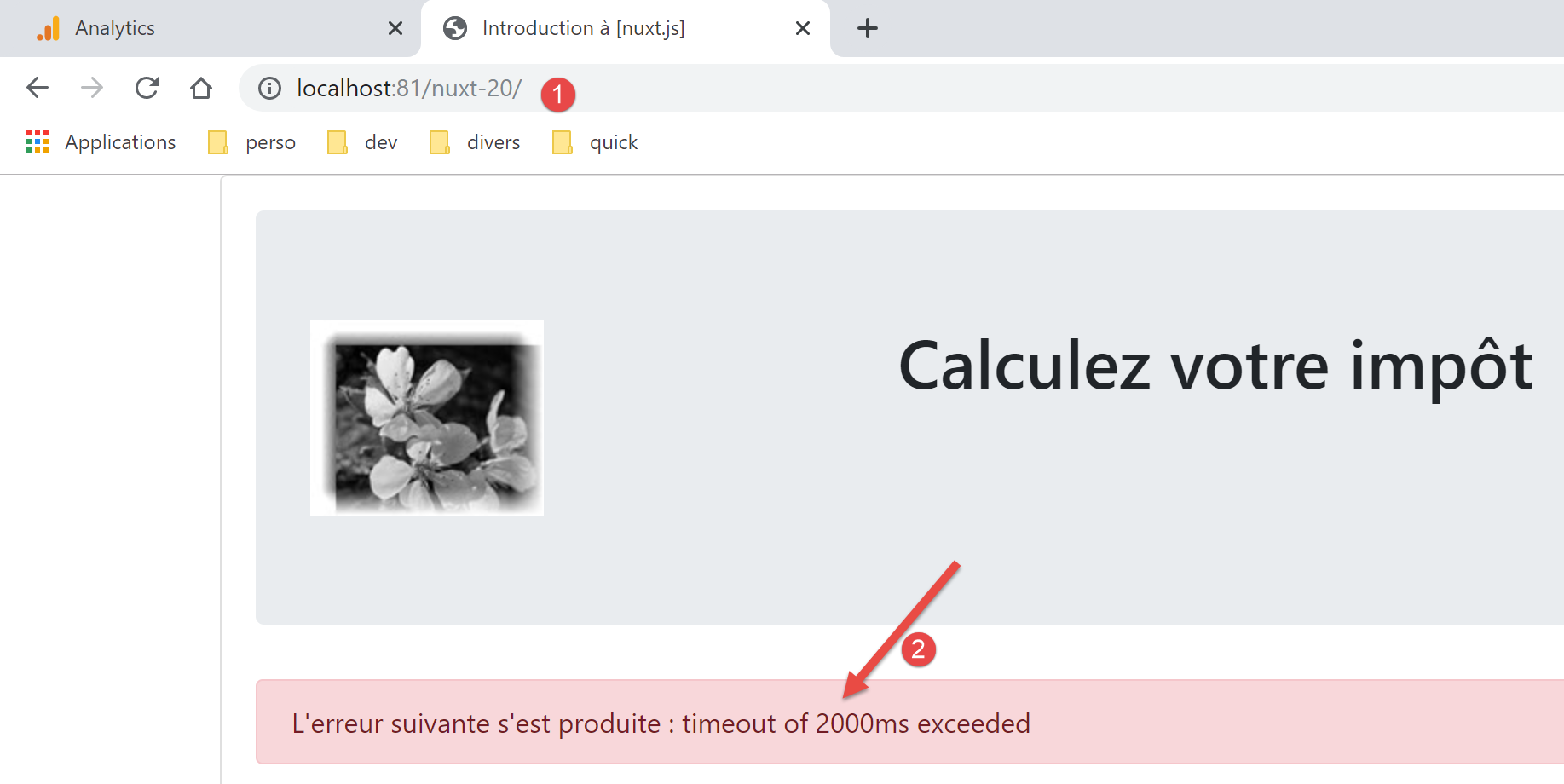
The error was correctly handled by the [vuejs-22] project. It remains correctly handled by the [nuxt-20] project.
17.4. Step 3
Now that we have the authentication page, we need to look at the code executed when the user clicks the [Valider] button:
// event managers
  methods: {
    // ----------- authentication
    async login() {
      try {
        // start waiting
        this.$emit('loading', true)
        // you are not yet authenticated
        this.$store.commit('replace', { authenticated: false })
        // blocking server authentication
        const response = await this.$dao().authentifierUtilisateur(this.user, this.password)
        // end of loading
        this.$emit('loading', false)
        // server response analysis
        if (response.état !== 200) {
          // error is displayed
          this.message = response.réponse
          this.showError = true
          // return to event loop
          return
        }
        // no error
        this.showError = false
        // you are authenticated
        this.$store.commit('replace', { authenticated: true })
        // --------- we now request data from the tax authorities
        // initially, no data
        this.$métier.setTaxAdminData(null)
        // start waiting
        this.$emit('loading', true)
        // blocking request to the server
        const response2 = await this.$dao().getAdminData()
        // end of loading
        this.$emit('loading', false)
        // response analysis
        if (response2.état !== 1000) {
          // error is displayed
          this.message = response2.réponse
          this.showError = true
          // return to event loop
          return
        }
        // no error
        this.showError = false
        // the received data is stored in the [métier] layer
        this.$métier.setTaxAdminData(response2.réponse)
        // we can move on to tax calculation
        this.$router.push({ name: 'calculImpot' })
      } catch (error) {
        // the error is traced back to the main component
        this.$emit('error', error)
      } finally {
        // maj store
        this.$store.commit('replace', { métier: this.$métier })
        // save the session
        this.$session().save(this.$nuxt.context)
      }
    }
  }
The main issue here seems to be the absence of the data [this.$métier]. To fix this, we will:
- include the [Métier] class from the [vuejs-22] example. We will place it in the [api] folder;
- inject a [$métier] function into the context of the [nuxt] client, which will provide access to this class;
First, copy the [Métier] class into the [api] folder:
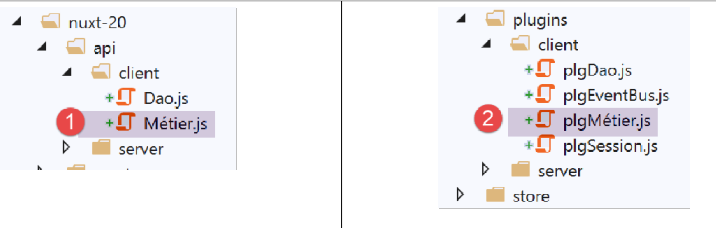
Once the [Métier] class is present in the project, create a new plugin for the [nuxt] client. This plugin, named [pluginMétier], will inject a function [$métier] that will provide access to the class [Métier]:
/* eslint-disable no-console */
// create an access point to the [métier] layer
import Métier from '@/api/client/Métier'
export default (context, inject) => {
  // instantiation of the [métier] layer
  const métier = new Métier()
  // injection of a [$métier] function into the context
  inject('métier', () => métier)
  // log
  console.log('[fonction client $métier créée]')
}
Now that this is done, we can update the [index] page:
// life cycle: the component has just been created
  mounted() {
    // eslint-disable-next-line
    console.log("Authentification mounted");
    // can the user run simulations?
    if (this.$store.state.started && this.$store.state.authenticated && this.$métier().taxAdminData) {
      // then the user can run simulations
      this.$router.push({ name: 'calcul-impot' })
      // return to event loop
      return
    }
    // if the jSON session has already been started, it is not restarted again
    ...
  },

  // event managers
  methods: {
    // ----------- authentication
    async login() {
      try {
        // start waiting
        this.$emit('loading', true)
        // you are not yet authenticated
        this.$store.commit('replace', { authenticated: false })
        // blocking server authentication
        const response = await this.$dao().authentifierUtilisateur(this.user, this.password)
        // end of loading
        this.$emit('loading', false)
        // server response analysis
        if (response.état !== 200) {
          // error is displayed
          this.message = response.réponse
          this.showError = true
          // return to event loop
          return
        }
        // no error
        this.showError = false
        // you are authenticated
        this.$store.commit('replace', { authenticated: true })
        // --------- we now request data from the tax authorities
        // initially, no data
        this.$métier().setTaxAdminData(null)
        // start waiting
        this.$emit('loading', true)
        // blocking request to the server
        const response2 = await this.$dao().getAdminData()
        // end of loading
        this.$emit('loading', false)
        // response analysis
        if (response2.état !== 1000) {
          // error is displayed
          this.message = response2.réponse
          this.showError = true
          // return to event loop
          return
        }
        // no error
        this.showError = false
        // the received data is stored in the [métier] layer
        this.$métier().setTaxAdminData(response2.réponse)
        // we can move on to tax calculation
        this.$router.push({ name: 'calcul-impot' })
      } catch (error) {
        // the error is traced back to the main component
        this.$emit('error', error)
      } finally {
        // maj store
        this.$store.commit('replace', { métier: this.$métier() })
        // save the session
        this.$session().save(this.$nuxt.context)
      }
    }
  }
- lines 43, 61, 69: [this.$métier] has been replaced by [this.$métier()];
- lines 8, 63: the page name [CalculImpot] from the [vuejs-22] project has become the page [calcul-impot] in the [nuxt-20] project;
With these corrections made, we can attempt to validate the authentication page:
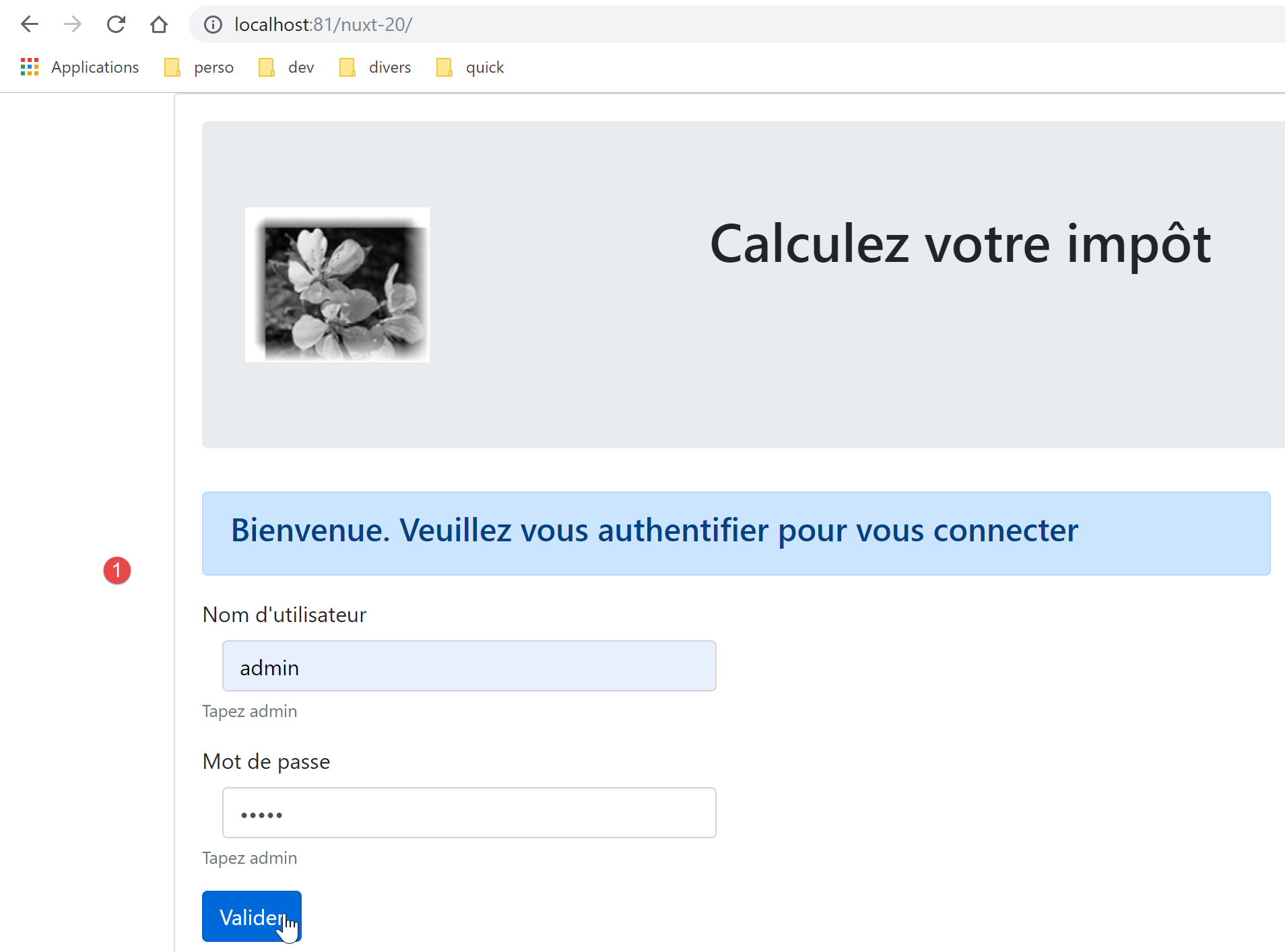
The resulting page is as follows:
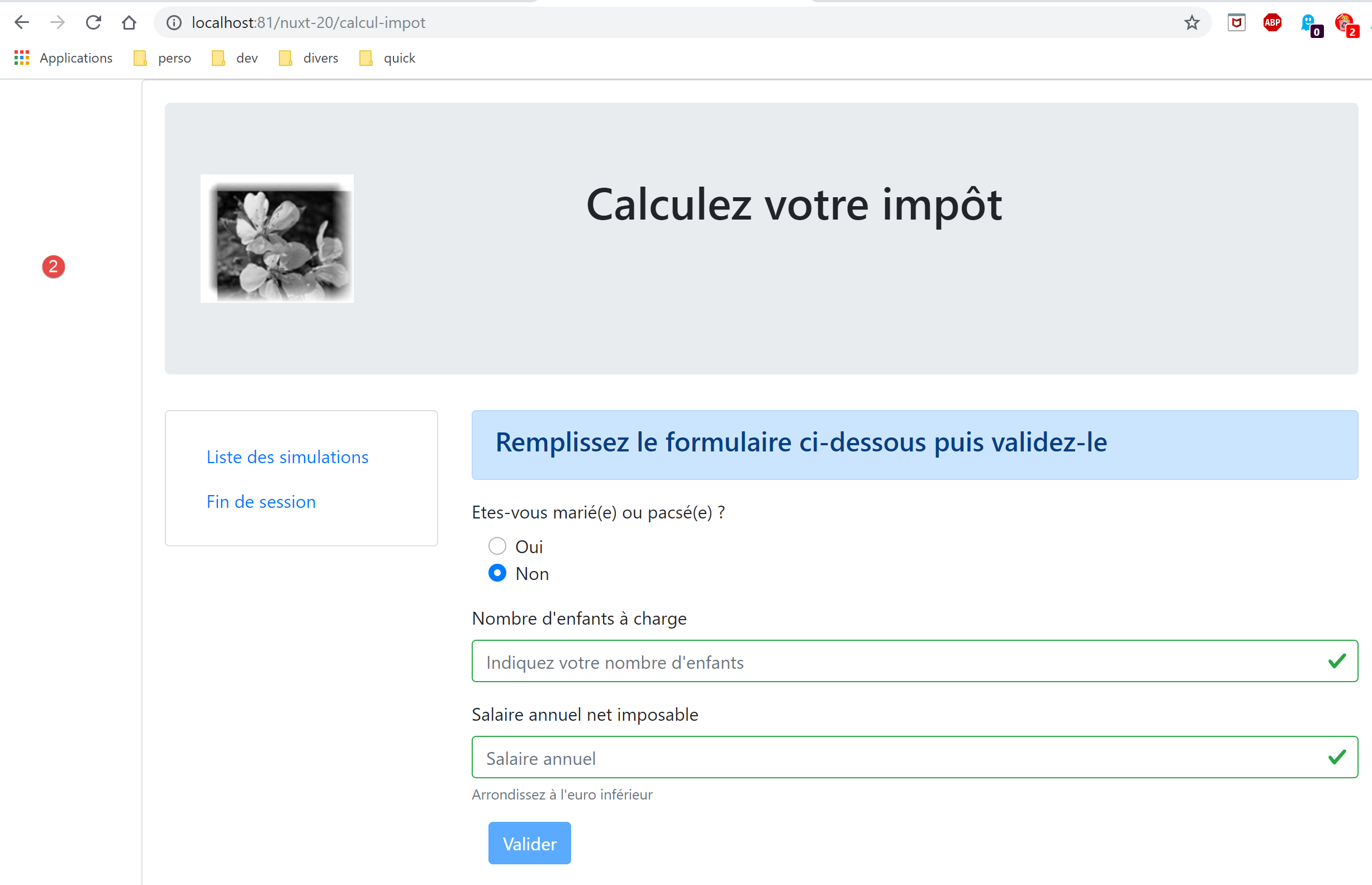
We have successfully obtained the tax calculation page. Now let’s look at the logs:
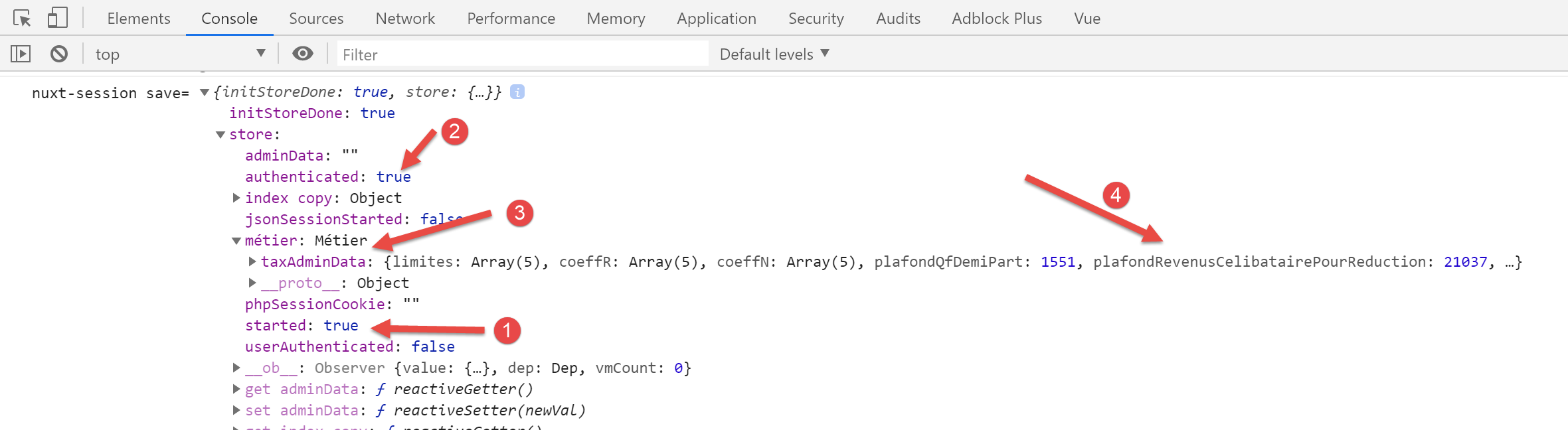
In [2], we can see that the authentication status has been correctly recorded. In [3-4], we see that the data from [taxAdminData] has been retrieved, which allows the tax to be calculated by class [Métier].
17.5. Step 4
Let’s examine the [calcul-impot] page we obtained:
<!-- definition HTML of the view -->
<template>
  <div>
    <Layout :left="true" :right="true">
      <!-- tax calculation form on the right -->
      <FormCalculImpot slot="right" @resultatObtenu="handleResultatObtenu" />
      <!-- menu from navigation to left -->
      <Menu slot="left" :options="options" />
    </Layout>
    <!-- display area for tax calculation results under the form -->
    <b-row v-if="résultatObtenu" class="mt-3">
      <!-- empty three-column zone -->
      <b-col sm="3" />
      <!-- nine-column zone -->
      <b-col sm="9">
        <b-alert show variant="success">
          <span v-html="résultat"></span>
        </b-alert>
      </b-col>
    </b-row>
  </div>
</template>

<script>
// imports
import FormCalculImpot from '@/components/form-calcul-impot'
import Menu from '@/components/menu'
import Layout from '@/components/layout'

export default {
  // components used
  components: {
    Layout,
    FormCalculImpot,
    Menu
  },
  // inner state
  data() {
    return {
      // menu options
      options: [
        {
          text: 'Liste des simulations',
          path: '/liste-des-simulations'
        },
        {
          text: 'Fin de session',
          path: '/fin-session'
        }
      ],
      // tax calculation result
      résultat: '',
      résultatObtenu: false
    }
  },
  // life cycle
  created() {
    // eslint-disable-next-line
    console.log("CalculImpot created");
  },
  // event management methods
  methods: {
    // tax calculation result
    handleResultatObtenu(résultat) {
      // we build the result string HTML
      const impôt = "Montant de l'impôt : " + résultat.impôt + ' euro(s)'
      const décôte = 'Décôte : ' + résultat.décôte + ' euro(s)'
      const réduction = 'Réduction : ' + résultat.réduction + ' euro(s)'
      const surcôte = 'Surcôte : ' + résultat.surcôte + ' euro(s)'
      const taux = "Taux d'imposition : " + résultat.taux
      this.résultat = impôt + '<br/>' + décôte + '<br/>' + réduction + '<br/>' + surcôte + '<br/>' + taux
      // result display
      this.résultatObtenu = true
      // ---- blind maj [Vuex]
      // a + simulation
      this.$store.commit('addSimulation', résultat)
      // save the session
      this.$session.save()
    }
  }
}
</script>
- Lines 44 and 48: The menu links for navigation are correct. The page [/fin-session] does not exist. The [vuejs-22] project resolved this issue using routing. We will do the same with the [nuxt-20] project;
- line 76: we are referencing a mutation [addSimulation] that does not currently exist. We will create it;
- line 78: as in the [index] page, we must write [this.$session().save(this.$nuxt.context)];
Let’s modify the store [store/index]. Inherited from the [nuxt-12] project, it currently looks like this:
/* eslint-disable no-console */

// awning status
export const state = () => ({
  // session jSON started
  jsonSessionStarted: false,
  // authenticated user
  userAuthenticated: false,
  // session cookie PHP
  phpSessionCookie: '',
  // adminData
  adminData: ''
})

// changes in the awning
export const mutations = {
  // state replacement
  replace(state, newState) {
    for (const attr in newState) {
      state[attr] = newState[attr]
    }
  },
  // awning reset
  reset() {
    this.commit('replace', { jsonSessionStarted: false, userAuthenticated: false, phpSessionCookie: '', adminData: '' })
  }
}

// awning actions
export const actions = {
  nuxtServerInit(store, context) {
    // who executes this code?
    console.log('nuxtServerInit, client=', process.client, 'serveur=', process.server, 'env=', context.env)
    // init session
    initStore(store, context)
  }
}

function initStore(store, context) {
  // store is the blind to be initialized
  // retrieve the session
  const session = context.app.$session()
  // has the session already been initiated?
  if (!session.value.initStoreDone) {
    // start a new blind
    console.log("nuxtServerInit, initialisation d'un nouveau store")
    // put the blind in the session
    session.value.store = store.state
    // the blind is now initialized
    session.value.initStoreDone = true
  } else {
    console.log("nuxtServerInit, reprise d'un store existant")
    // update the store with the session store
    store.commit('replace', session.value.store)
  }
  // save the session
  session.save(context)
  // log
  console.log('initStore terminé, store=', store.state)
}
- lines 3-27: we will use the state and mutations from the [vuejs-22] application (see document [3]):
// awning status
export const state = () => ({
  // session jSON started
  started: false,
  // authenticated user
  authenticated: false,
  // session cookie PHP
  phpSessionCookie: '',
  // list of simulations
  simulations: [],
  // last simulation number
  idSimulation: 0,
  // layer [métier]
  métier: null
})

// changes in the awning
export const mutations = {
  // state replacement
  replace(state, newState) {
    for (const attr in newState) {
      state[attr] = newState[attr]
    }
  },
  // awning reset
  reset() {
        this.commit('replace', { started: false, authenticated: false, phpSessionCookie: '', idSimulation: 0, simulations: [], métier: null })
  },
  // delete line n° index
  deleteSimulation(state, index) {
    // eslint-disable-next-line no-console
    console.log('mutation deleteSimulation')
    // delete line n° [index]
    state.simulations.splice(index, 1)
    console.log('store simulations', state.simulations)
  },
  // add a simulation
  addSimulation(state, simulation) {
    // eslint-disable-next-line no-console
    console.log('mutation addSimulation')
    // simulation no
    state.idSimulation++
    simulation.id = state.idSimulation
    // add the simulation to the simulation table
    state.simulations.push(simulation)
  }
}
- lines 4 and 6: we introduce the properties already in use;
- line 8: we retain the session cookie PHP. This is essential so that the client and the server [nuxt] share the same session PHP with the tax calculation server;
- line 10: the list of simulations performed by the user;
- line 12: the number of the last simulation performed by the user;
- line 14: the [métier] layer;
- lines 30–47: the mutations present in the [vuejs-22] project store and referenced by the application pages. The [vuejs-22] project had a mutation named [clear] that cleared the list of simulations. We are not including it because the mutation [reset], which is already present, should suffice;
- lines 26–28: the mutation [reset] is modified to account for the new state content;
The page [calcul-impot] uses the following component [form-calcul-impot]:
<!-- definition HTML of the view -->
<template>
  <!-- form HTML -->
  <b-form @submit.prevent="calculerImpot" class="mb-3">
    <!-- 12-column message on blue background -->
    <b-row>
      <b-col sm="12">
        <b-alert show variant="primary">
          <h4>Remplissez le formulaire ci-dessous puis validez-le</h4>
        </b-alert>
      </b-col>
    </b-row>
    <!-- form elements -->
    <!-- first line -->
    <b-form-group label="Etes-vous marié(e) ou pacsé(e) ?">
      <!-- 5-column radio buttons-->
      <b-col sm="5">
        <b-form-radio v-model="marié" value="oui">Oui</b-form-radio>
        <b-form-radio v-model="marié" value="non">Non</b-form-radio>
      </b-col>
    </b-form-group>
    <!-- second line -->
    <b-form-group label="Nombre d'enfants à charge" label-for="enfants">
      <b-form-input id="enfants" v-model="enfants" :state="enfantsValide" type="text" placeholder="Indiquez votre nombre d'enfants"></b-form-input>
      <!-- possible error message -->
      <b-form-invalid-feedback :state="enfantsValide">Vous devez saisir un nombre positif ou nul</b-form-invalid-feedback>
    </b-form-group>
    <!-- third line -->
    <b-form-group label="Salaire annuel net imposable" label-for="salaire" description="Arrondissez à l'euro inférieur">
      <b-form-input id="salaire" v-model="salaire" :state="salaireValide" type="text" placeholder="Salaire annuel"></b-form-input>
      <!-- possible error message -->
      <b-form-invalid-feedback :state="salaireValide">Vous devez saisir un nombre positif ou nul</b-form-invalid-feedback>
    </b-form-group>
    <!-- fourth line, [submit] button -->
    <b-col sm="3">
      <b-button :disabled="formInvalide" type="submit" variant="primary">Valider</b-button>
    </b-col>
  </b-form>
</template>

<!-- script -->
<script>
export default {
  // inner state
  data() {
    return {
      // married or not
      marié: 'non',
      // number of children
      enfants: '',
      // annual salary
      salaire: ''
    }
  },
  // calculated internal state
  computed: {
    // form validation
    formInvalide() {
      return (
        // disabled salary
        !this.salaire.match(/^\s*\d+\s*$/) ||
        // or disabled children
        !this.enfants.match(/^\s*\d+\s*$/) ||
        // or tax data not obtained
        !this.$métier.taxAdminData
      )
    },
    // salary validation
    salaireValide() {
      // must be numeric >=0
      return Boolean(this.salaire.match(/^\s*\d+\s*$/) || this.salaire.match(/^\s*$/))
    },
    // child validation
    enfantsValide() {
      // must be numeric >=0
      return Boolean(this.enfants.match(/^\s*\d+\s*$/) || this.enfants.match(/^\s*$/))
    }
  },
  // life cycle
  created() {
    // log
    // eslint-disable-next-line
    console.log("FormCalculImpot created");
  },
  // event manager
  methods: {
    calculerImpot() {
      // tax is calculated using the [métier] layer
      const résultat = this.$métier.calculerImpot(this.marié, Number(this.enfants), Number(this.salaire))
      // eslint-disable-next-line
      console.log("résultat=", résultat);
      // complete the result
      résultat.marié = this.marié
      résultat.enfants = this.enfants
      résultat.salaire = this.salaire
      // we issue the event [resultatObtenu]
      this.$emit('resultatObtenu', résultat)
    }
  }
}
</script>
- lines 65, 89: the reference [this.$métier] must be changed to [this.$métier()];
Once these corrections have been made, we can attempt a simulation:
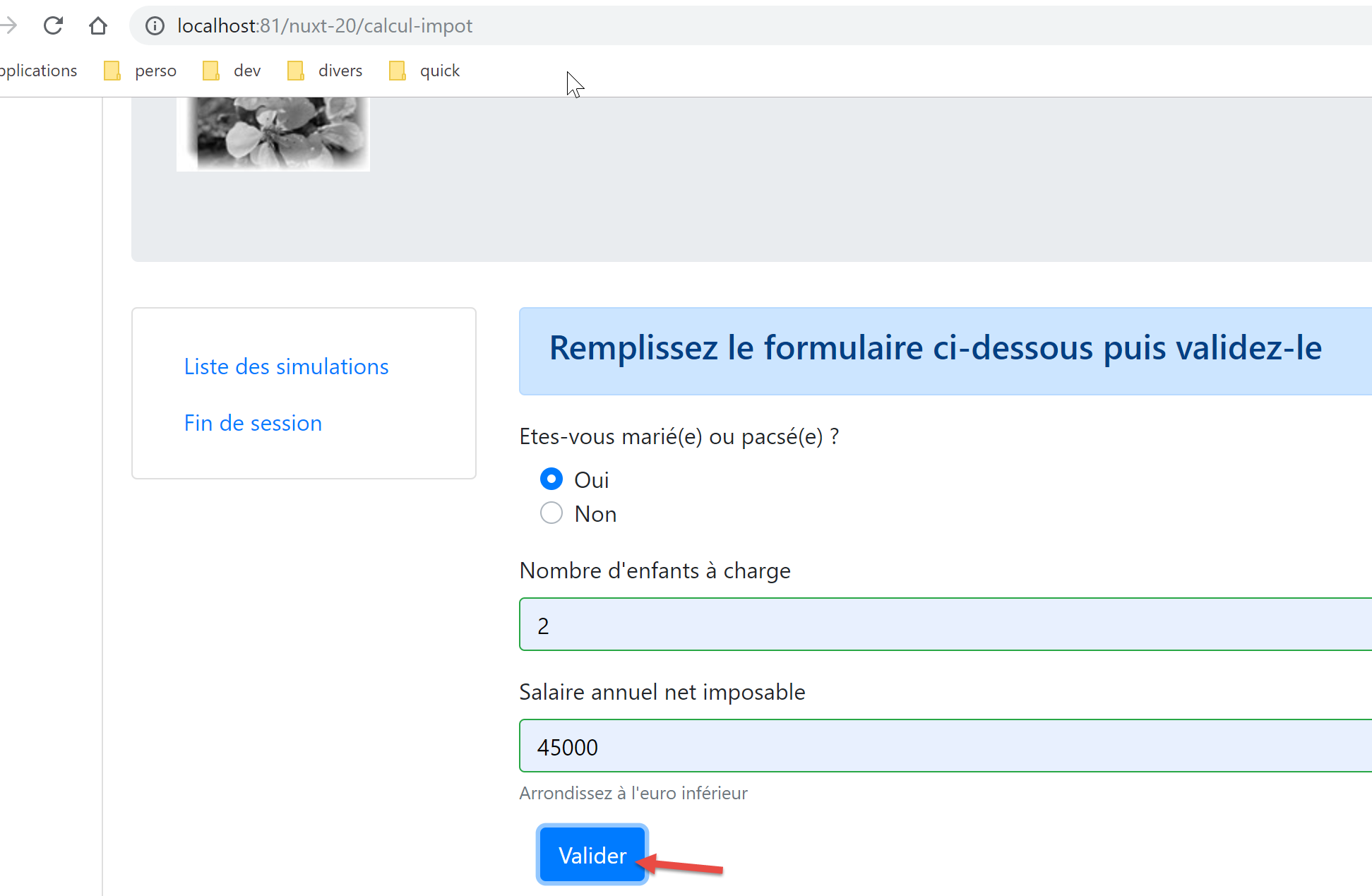
We get the following response:
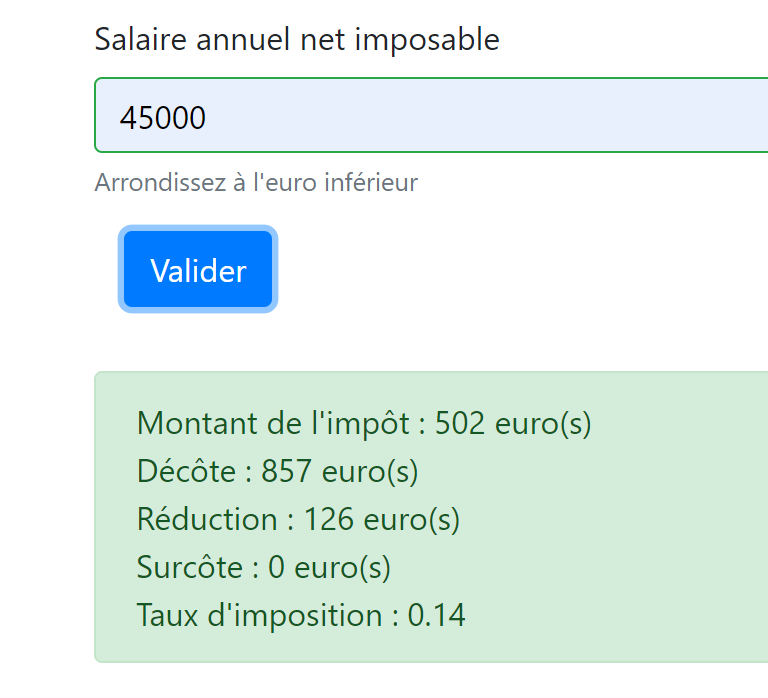
If we look at the logs:
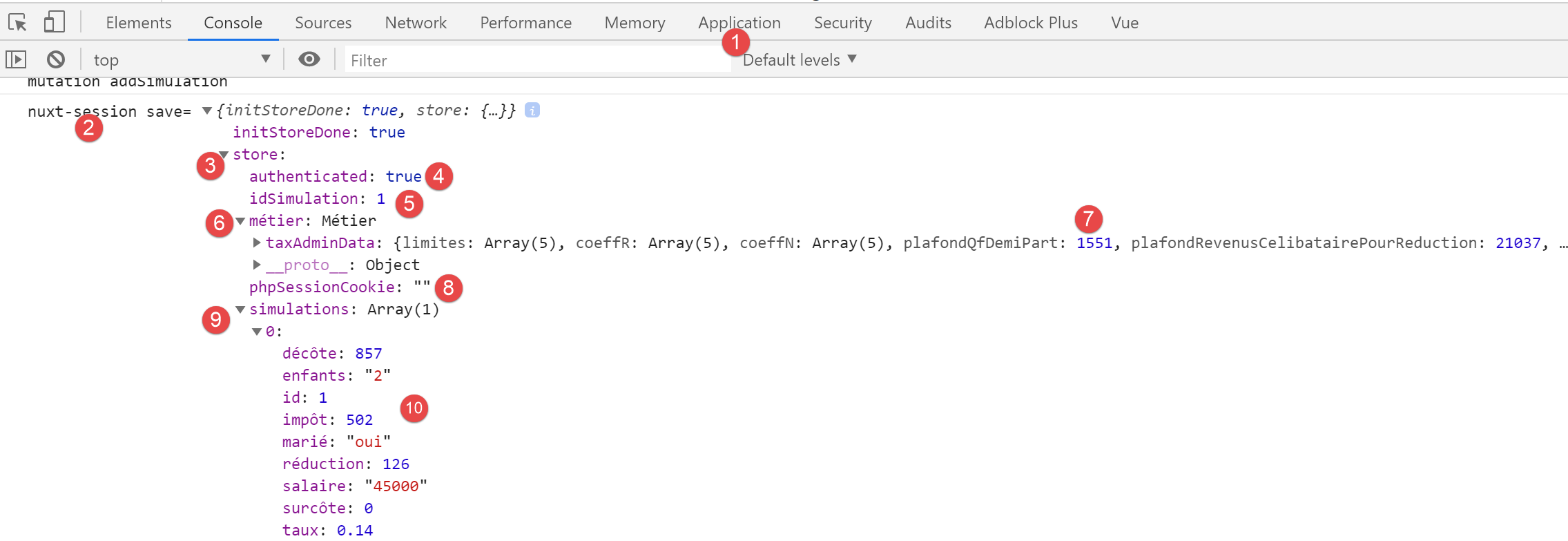
- in [9-10], we see that the first simulation is indeed in [store];
- in [5], the number of the last simulation has indeed been incremented;
17.6. Step 5
Now that we have run a simulation, let’s click on the link [Liste des simulations]. We get the following page:
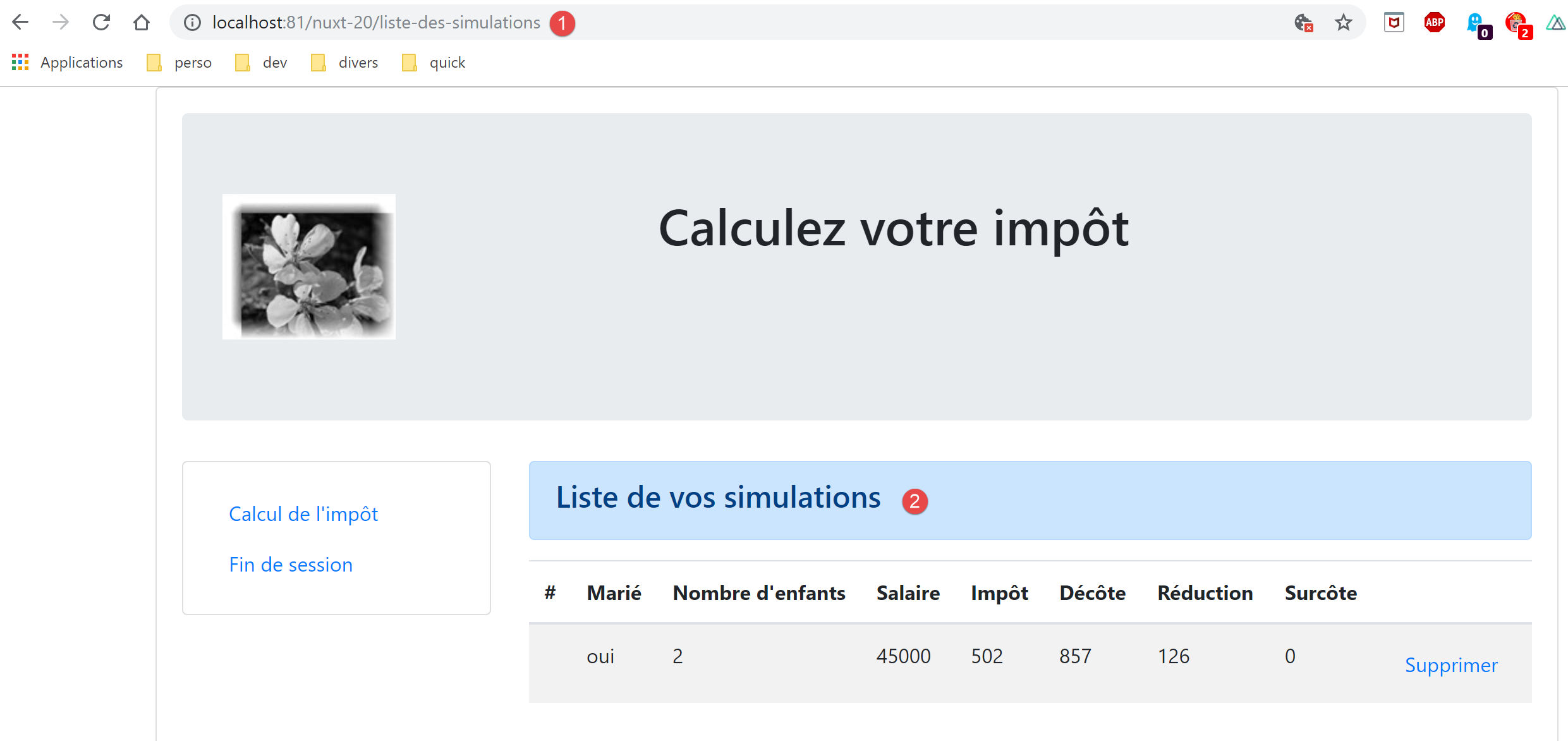
The routing for client [nuxt] was successful. Let’s look at the code for page [liste-des-simulations]:
<!-- definition HTML of the view -->
<template>
  <div>
    <!-- layout -->
    <Layout :left="true" :right="true">
      <!-- simulations in right-hand column -->
      <template slot="right">
        <template v-if="simulations.length == 0">
          <!-- no simulations -->
          <b-alert show variant="primary">
            <h4>Votre liste de simulations est vide</h4>
          </b-alert>
        </template>
        <template v-if="simulations.length != 0">
          <!-- there are simulations -->
          <b-alert show variant="primary">
            <h4>Liste de vos simulations</h4>
          </b-alert>
          <!-- simulation table -->
          <b-table :items="simulations" :fields="fields" striped hover responsive>
            <template v-slot:cell(action)="data">
              <b-button @click="supprimerSimulation(data.index)" variant="link">Supprimer</b-button>
            </template>
          </b-table>
        </template>
      </template>
      <!-- navigation menu in left-hand column -->
      <Menu slot="left" :options="options" />
    </Layout>
  </div>
</template>

<script>
// imports
import Layout from '@/components/layout'
import Menu from '@/components/menu'
export default {
  // components
  components: {
    Layout,
    Menu
  },
  // inner state
  data() {
    return {
      // navigation menu options
      options: [
        {
          text: "Calcul de l'impôt",
          path: '/calcul-impot'
        },
        {
          text: 'Fin de session',
          path: '/fin-session'
        }
      ],
      // table parameters HTML
      fields: [
        { label: '#', key: 'id' },
        { label: 'Marié', key: 'marié' },
        { label: "Nombre d'enfants", key: 'enfants' },
        { label: 'Salaire', key: 'salaire' },
        { label: 'Impôt', key: 'impôt' },
        { label: 'Décôte', key: 'décôte' },
        { label: 'Réduction', key: 'réduction' },
        { label: 'Surcôte', key: 'surcôte' },
        { label: '', key: 'action' }
      ]
    }
  },
  // calculated internal state
  computed: {
    // list of simulations taken from the Vuex blind
    simulations() {
      return this.$store.state.simulations
    }
  },
  // life cycle
  created() {
    // eslint-disable-next-line
    console.log("ListeSimulations created");
  },
  // methods
  methods: {
    supprimerSimulation(index) {
      // eslint-disable-next-line
      console.log("supprimerSimulation", index);
      // delete simulation n° [index]
      this.$store.commit('deleteSimulation', index)
      // save the session
      this.$session.save()
    }
  }
}
</script>
- lines 47-56: the menu targets for navigation are correct;
- line 75: the store is correctly referenced;
- line 89: we are using a transformation [deleteSimulation] that we integrated in the previous step;
- line 91: this line must be rewritten as [this.$session().save(this.$nuxt.context)];
We make the necessary changes, then we try to delete the displayed simulation:
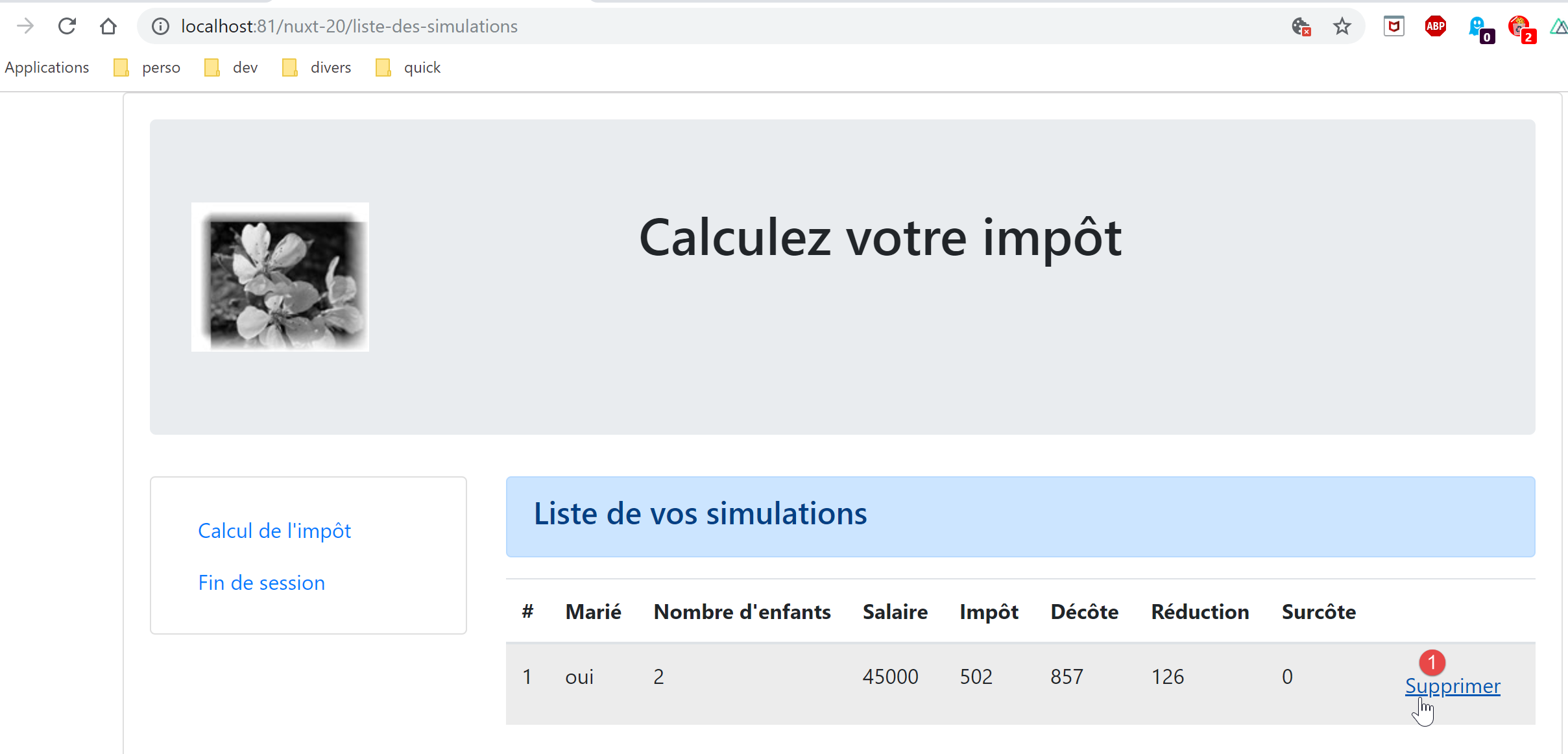
We then get the following page:
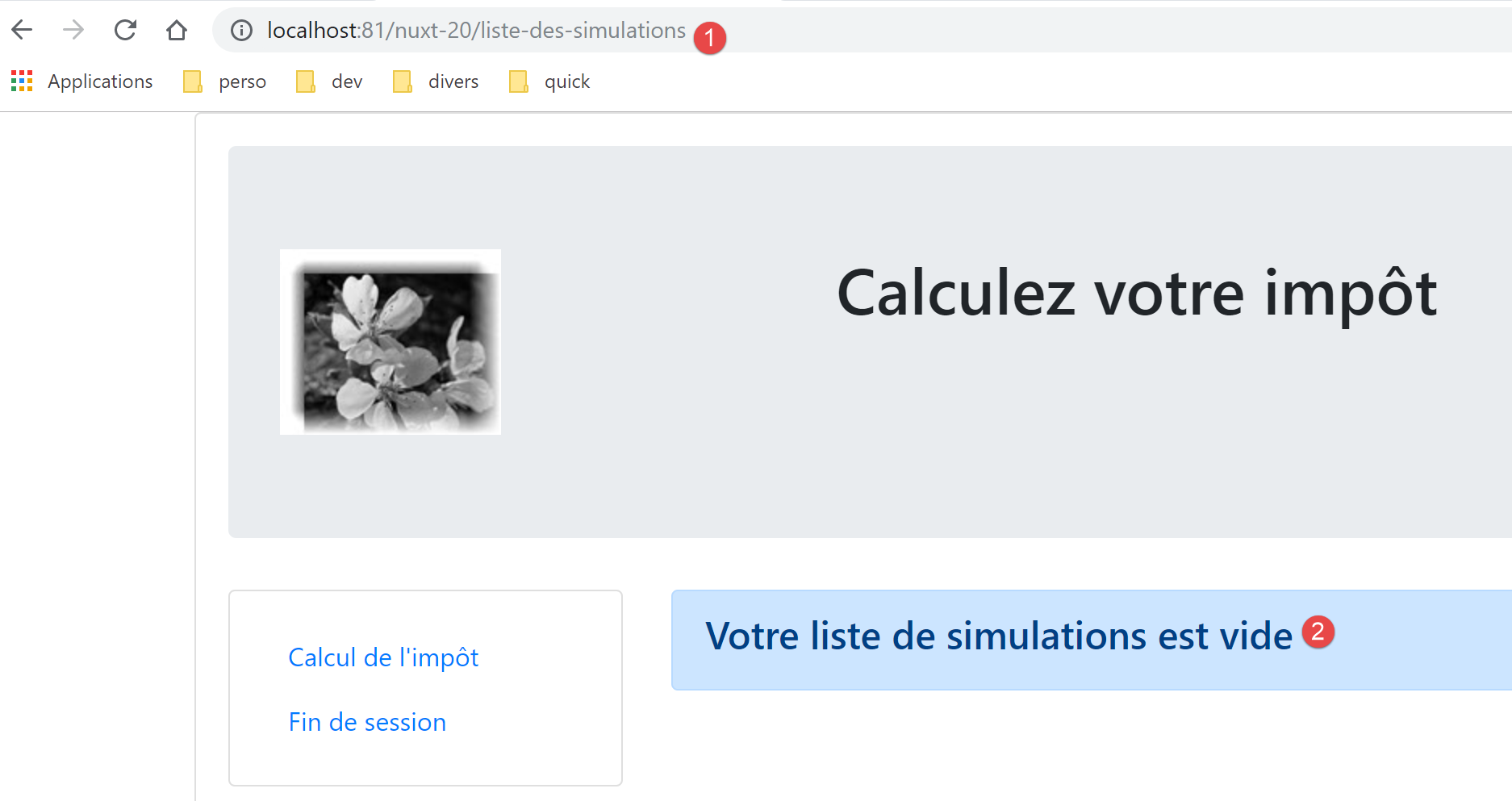
Let’s look at the logs:
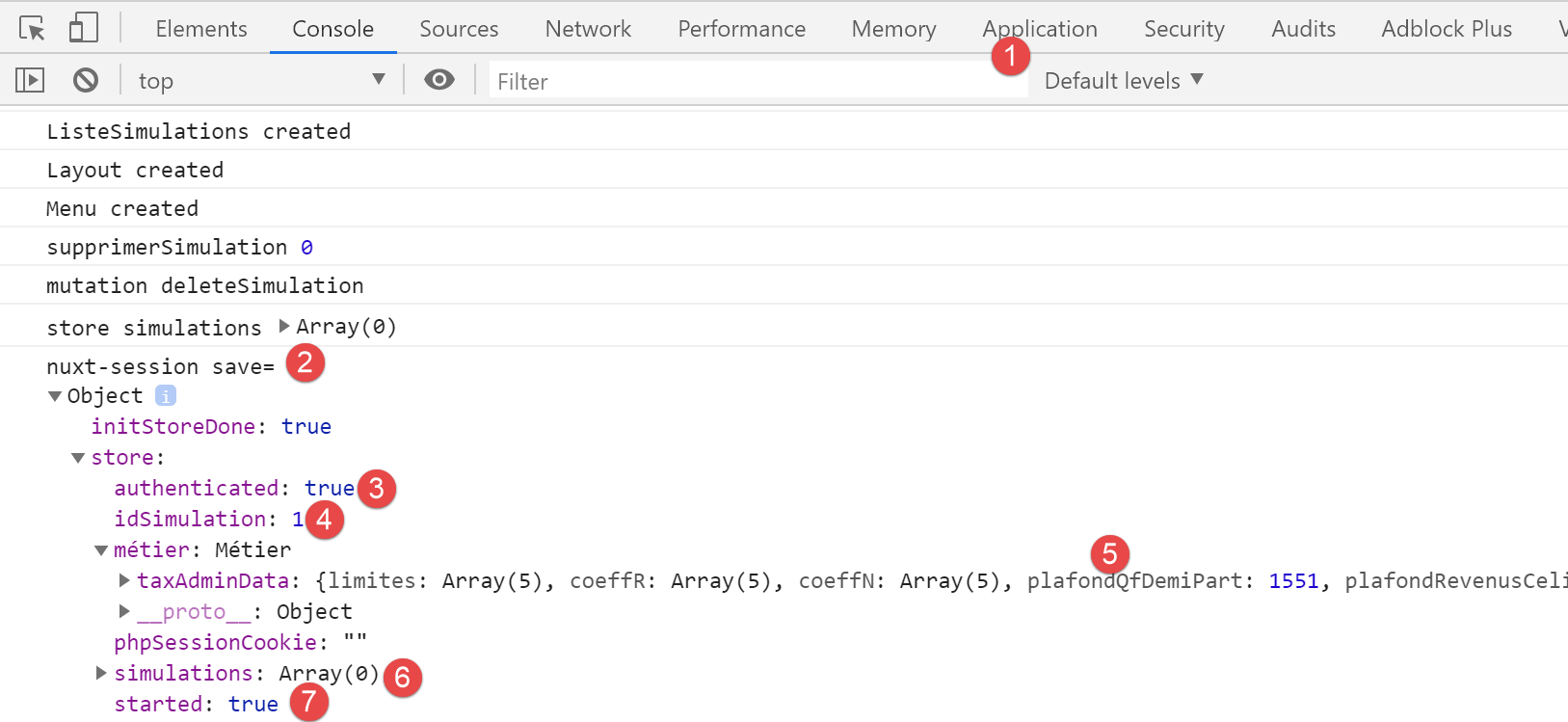
- In [6], we see that the simulation table is empty;
Now let’s return to the tax calculation form:
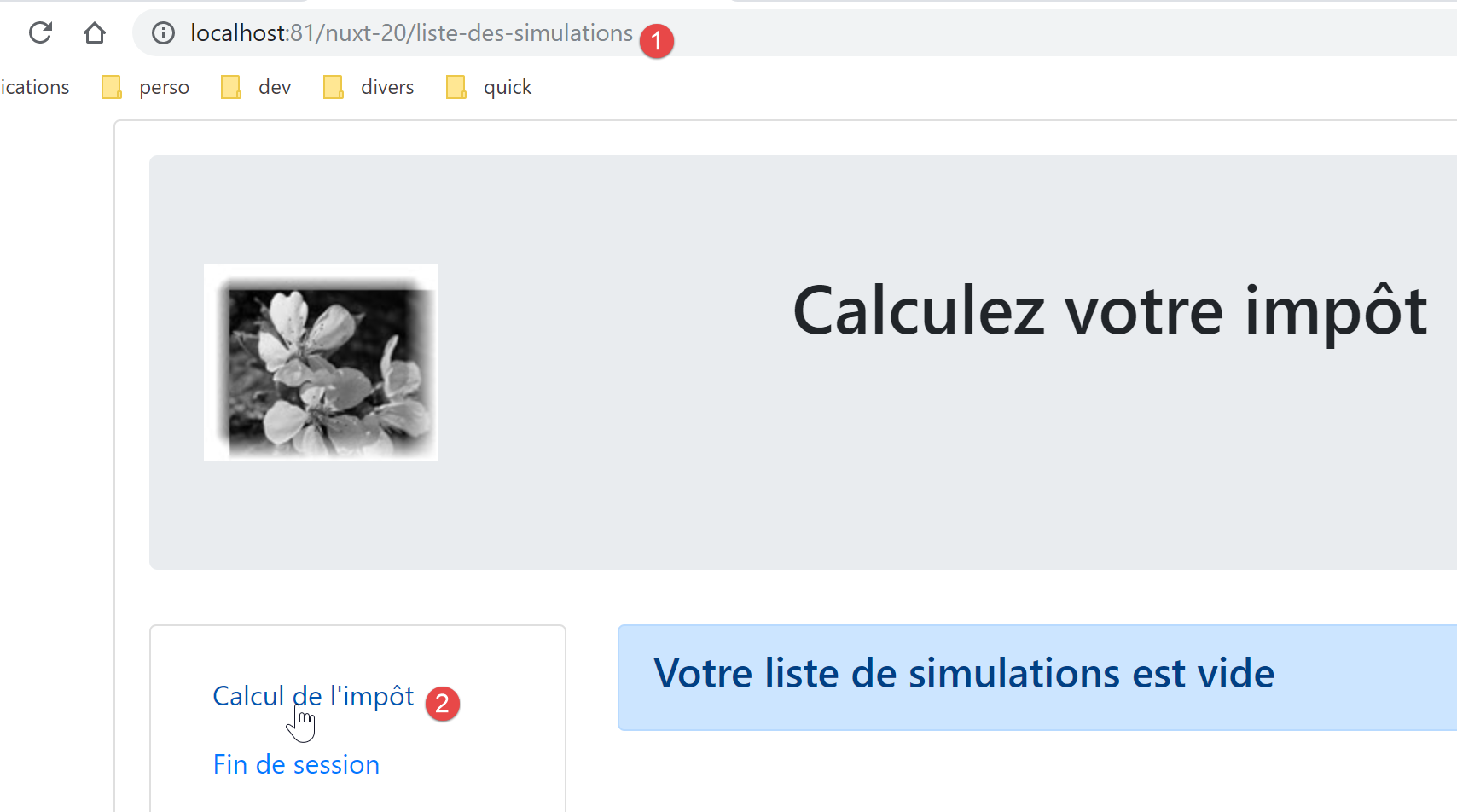
We get the following page:
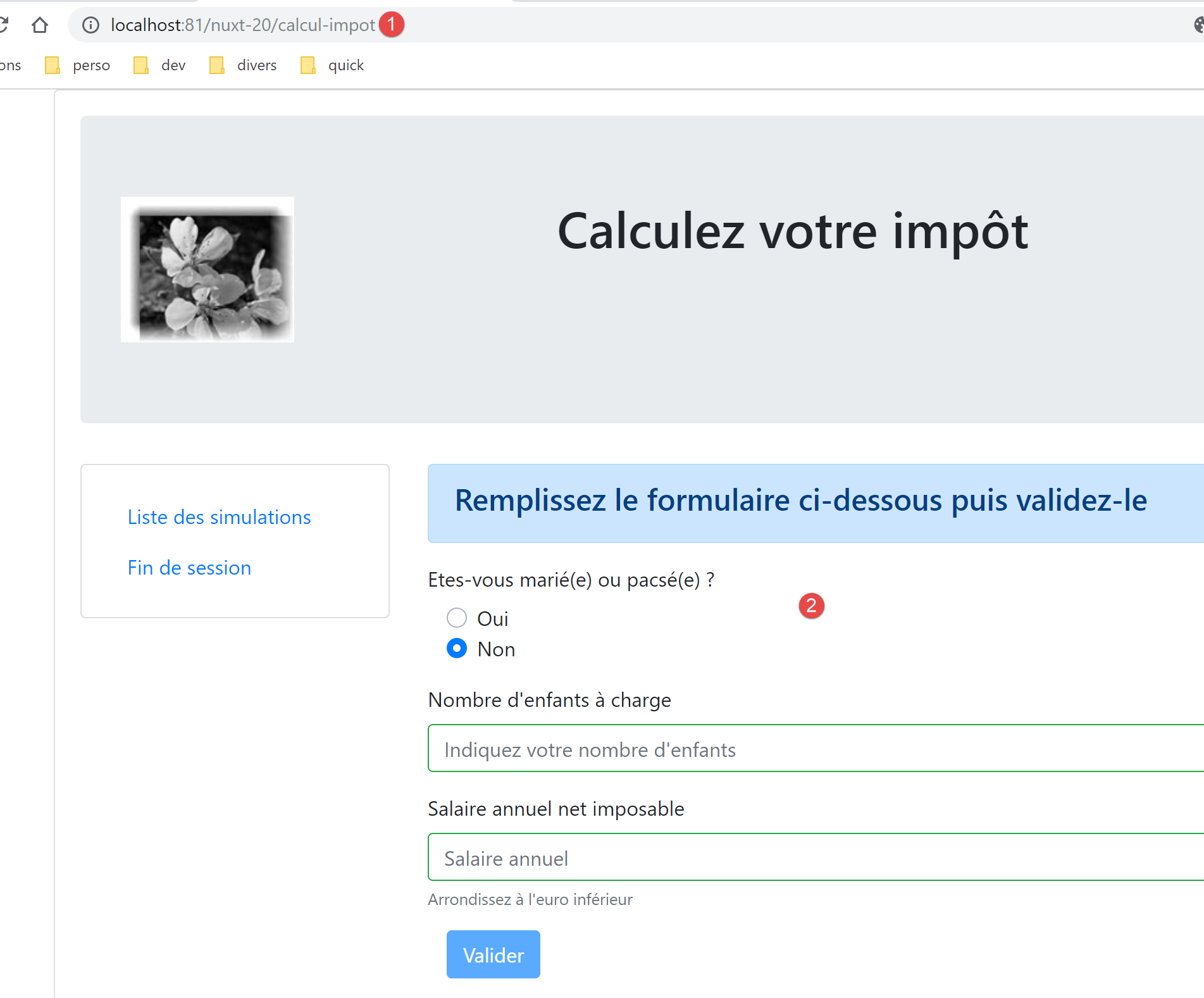
So the routing worked.
17.7. Step 6
We still need to handle option from navigation [Fin de session] in the menu of navigation:
// menu options
      options: [
        {
          text: 'Liste des simulations',
          path: '/liste-des-simulations'
        },
        {
          text: 'Fin de session',
          path: '/fin-session'
        }
]
- line 9, the page [/fin-session] does not exist. The project [vuejs-22] handled this case with routing rules in a file named [router.js]:
// imports
import Vue from 'vue'
import VueRouter from 'vue-router'
// the views
import Authentification from './views/Authentification'
import CalculImpot from './views/CalculImpot'
import ListeSimulations from './views/ListeSimulations'
import NotFound from './views/NotFound'
// the session
import session from './session'

// routing plugin
Vue.use(VueRouter)

// application routes
const routes = [
  // authentication
  { path: '/', name: 'authentification', component: Authentification },
  { path: '/authentification', name: 'authentification2', component: Authentification },
  // tAX CALCULATION
  {
    path: '/calcul-impot', name: 'calculImpot', component: CalculImpot,
    meta: { authenticated: true }
  },
  // list of simulations
  {
    path: '/liste-des-simulations', name: 'listeSimulations', component: ListeSimulations,
    meta: { authenticated: true }
  },
  // end of session
  {
    path: '/fin-session', name: 'finSession'
  },
  // unknown page
  {
    path: '*', name: 'notFound', component: NotFound,
  },
]

// the router
const router = new VueRouter({
  // the roads
  routes,
  // the URL display mode
  mode: 'history',
  // the application's basic URL
  base: '/client-vuejs-impot/'
})

// route verification
router.beforeEach((to, from, next) => {
  // eslint-disable-next-line no-console
  console.log("router to=", to, "from=", from);
  // route reserved for authenticated users?
  if (to.meta.authenticated && !session.authenticated) {
    next({
      // move on to authentication
      name: 'authentification',
    })
    // return to event loop
    return;
  }
  // special case of end of session
  if (to.name === "finSession") {
    // clean the session
    session.clear();
    // go to [authentification] view
    next({
      name: 'authentification',
    })
    // return to event loop
    return;
  }
  // other cases - next normal routing view
  next();
})

// router export
export default router
- Lines 64–76 handled the special case of the route to the path [/fin-session];
- line 66: clear the current session;
- lines 68–70: display the view [authentification];
We will try to do something similar in the routing file for client [nuxt]:
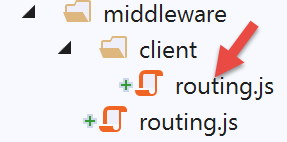
The script [client/routing.js] becomes the following:
/* eslint-disable no-console */
export default function(context) {
  // who executes this code?
  console.log('[middleware client], process.server', process.server, ', process.client=', process.client)
  // management of the PHP session cookie in the browser
  // the browser's PHP session cookie must be identical to the one found in the nuxt session
  // the [fin-session] action receives a new PHP cookie (server as nuxt client)
  // if the server receives it, the client must pass it on to the browser
  // for its own exchanges with the PHP server
  // this is customer routing

  // retrieve the session cookie PHP
  const phpSessionCookie = context.store.state.phpSessionCookie
  if (phpSessionCookie) {
    // if it exists, we assign the PHP session cookie to the browser
    document.cookie = phpSessionCookie
  }

  // where are we going?
  const to = context.route.path
  if (to === '/fin-session') {
    // clean the session
    const session = context.app.$session()
    session.reset(context)
    // redirects to the index page
    context.redirect({ name: 'index' })
  }
}
- We added the lines [19-27] to the existing code;
- line 20: retrieve [path] from the current route's target;
- line 21: we check if it is [/fin-session]. If so:
- lines 23–24: the session is reset;
- line 26: redirect the client [nuxt] to the home page;
The [session.reset(context)] method (line 24) of the session is as follows:
// session reset
  reset(context) {
    console.log('nuxt-session reset')
    // awning reset
    context.store.commit('reset')
    // save new store in session and save session
    this.save(context)
}
The [context.store.commit('reset')] method (line 5) is as follows:
// awning reset
  reset() {
        this.commit('replace', { started: false, authenticated: false, phpSessionCookie: '', idSimulation: 0, simulations: [], métier: null })
}
When we now use the link [Fin de session], the home page is displayed with the following logs:
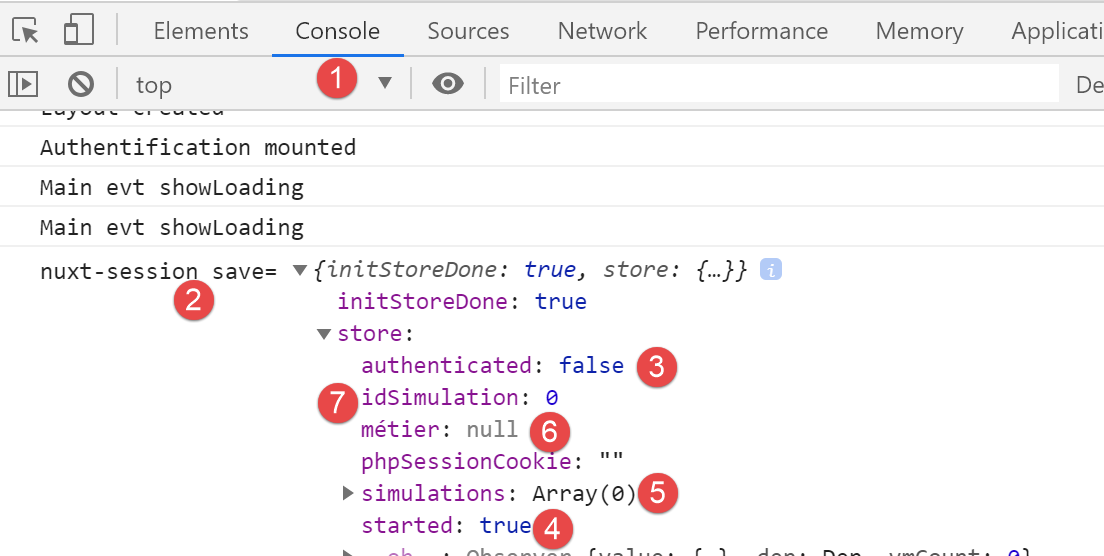
- in [3], we see that we are no longer authenticated;
- in [4], we see that the jSON session has started;
- In [6], the [métier] layer is no longer present in the store (it is still present in the pages with [this.$métier()]);
- in [5, 7], there are no more simulations;
It is important to understand what happens at the end of a session:
- the [nuxt] session is reset: the store’s [started] property changes to [false];
- there is a redirect to the [index] page;
- the [mounted] method of the [index] page is executed. This method starts a new session jSON with the tax calculation server. If the operation succeeds, the store’s [started] property changes to [true];
17.8. Step 7
At this point, the [nuxt-20] application has all the features of the [vuejs-22] application. The port appears to be complete.
We’ll take it a step further in the spirit of [nuxt]. The [mounted] method on the [index] page poses a problem. It launches an asynchronous operation that a search engine will not wait for to complete. We know that in this case, the asynchronous operation must be placed in a function [asyncData] because then, the server [nuxt] executing it will wait for it to finish before delivering the page to the search engine.
Here we use the [asyncData] function written in the [nuxt-12] application for the [index] page:
export default {
  name: 'InitSession',
  // components used
  components: {
    Layout,
    Navigation
  },
  // asynchronous data
  async asyncData(context) {
    // log
    console.log('[index asyncData started]')
    // don't do things twice if the page has already been requested
    if (process.server && context.store.state.jsonSessionStarted) {
      console.log('[index asyncData canceled]')
      return { result: '[succès]' }
    }
    try {
      // start a jSON session
      const dao = context.app.$dao()
      const response = await dao.initSession()
      // log
      console.log('[index asyncData response=]', response)
      // retrieve session cookie PHP for future requests
      const phpSessionCookie = dao.getPhpSessionCookie()
      // the session cookie PHP is stored in session [nuxt]
      context.store.commit('replace', { phpSessionCookie })
      // was there a mistake?
      if (response.état !== 700) {
        // the error is in response.réponse
        throw new Error(response.réponse)
      }
      // note that the jSON session has started
      context.store.commit('replace', { jsonSessionStarted: true })
      // we return the result
      return { result: '[succès]' }
    } catch (e) {
      // log
      console.log('[index asyncData error=]', e)
      // note that session jSON has not started
      context.store.commit('replace', { jsonSessionStarted: false })
      // we report the error
      return { result: '[échec]', showErrorLoading: true, errorLoadingMessage: e.message }
    } finally {
      // save the blind
      const session = context.app.$session()
      session.save(context)
      // log
      console.log('[index asyncData finished]')
    }
  },
  // life cycle
  beforeCreate() {
    console.log('[index beforeCreate]')
  },
  created() {
    console.log('[index created]')
  },
  beforeMount() {
    console.log('[index beforeMount]')
  },
  mounted() {
    console.log('[index mounted]')
    // customer only
    if (this.showErrorLoading) {
      console.log('[index mounted, showErrorLoading=true]')
      this.$eventBus().$emit('errorLoading', true, this.errorLoadingMessage)
    }
}
- lines 13, 33, 40: change the property [jsonSessionStarted] to [started];
- line 13: in the [nuxt-12] application, only the [nuxt] server was executing the [index] page and its [asyncData] function. The client [nuxt] only executed the page [index] after receiving it from the server [nuxt], and therefore did not execute the function [asyncData]. In [nuxt-20], it is different: the link [Fin de session] will display the page [index] in the environment of client [nuxt]. The function [asyncData] will then be executed. However, when you reach the page [index] in this way, the [nuxt] session has been reset in the meantime, and the [started] property of the store is set to [false], so the condition on line 13 will necessarily be false. We can therefore leave [process.server] as is, and thus the client [nuxt] will not perform this test;
- Lines 15, 35, 42: A property [result] is added to the properties [data] of the page [index]. In [nuxt-20], this property will not be used, so we will remove it from the result returned by the function;
- Lines 61–67: This [mounted] method must be retained because it is what allows the [nuxt] client to display the error message. However, the way the error is handled will be modified;
In the current [index] page, we integrate the [asyncData] function above in place of the old [mounted] function and add a new [mounted] function. The code for page [index] in the [nuxt-20] example then becomes the following:
...

<!-- view dynamics -->
<script>
/* eslint-disable no-console */
import Layout from '@/components/layout'
export default {
  // components used
  components: {
    Layout
  },
  // component status
  data() {
    return {
      // user
      user: '',
      // password
      password: '',
      // error display
      showError: false
    }
  },

  // calculated properties
  computed: {
    // valid entries
    valid() {
      return this.user && this.password && this.$store.state.started
    }
  },
  // asynchronous data
  async asyncData(context) {
    // log
    console.log('[index asyncData started]')
    // don't do things twice if the page has already been requested
    if (process.server && context.store.state.started) {
      console.log('[index asyncData canceled]')
      return
    }
    try {
      // start a jSON session
      const dao = context.app.$dao()
      const response = await dao.initSession()
      // log
      console.log('[index asyncData response=]', response)
      // retrieve session cookie PHP for future requests
      const phpSessionCookie = dao.getPhpSessionCookie()
      // the session cookie PHP is stored in session [nuxt]
      context.store.commit('replace', { phpSessionCookie })
      // was there a mistake?
      if (response.état !== 700) {
        // the error is in response.réponse
        throw new Error(response.réponse)
      }
      // note that the jSON session has started
      context.store.commit('replace', { started: true })
      // no result
      return
    } catch (e) {
      // log
      console.log('[index asyncData error=]', e.message)
      // note that session jSON has not started
      context.store.commit('replace', { started: false })
      // we report the error
      return { showErrorLoading: true, errorLoadingMessage: e.message }
    } finally {
      // save the blind
      const session = context.app.$session()
      session.save(context)
      // log
      console.log('[index asyncData finished]')
    }
  },
  // life cycle
  beforeCreate() {
    console.log('[index beforeCreate]')
  },
  created() {
    console.log('[index created]')
  },
  beforeMount() {
    // customer only
    console.log('[index beforeMount]')
    // error handling
    if (this.showErrorLoading) {
      // log
      console.log('[index beforeMount, showErrorLoading=true]')
      // the error is traced back to the main component [default]
      this.$emit('error', new Error(this.errorLoadingMessage))
    }
  },
  mounted() {
    console.log('[index mounted]')
  },

  // event managers
  methods: {
    // ----------- authentication
    async login() {
      ...
}
</script>
- lines 58, 65: the function [asyncData] no longer renders the property [result] unused here;
- line 81: the [beforeMount] method of the [nuxt] client. It was chosen over the [mounted] method to handle a potential error in [asyncData];
- line 85: checks whether the [errorLoading] property has been set. It can only be set by the [asyncData] function;
- lines 85–90: if function [asyncData] has reported an error, it is passed to page [default] via event [error]. This is how the old function [created], which we have just replaced, handled potential errors;
Let’s run a few tests.
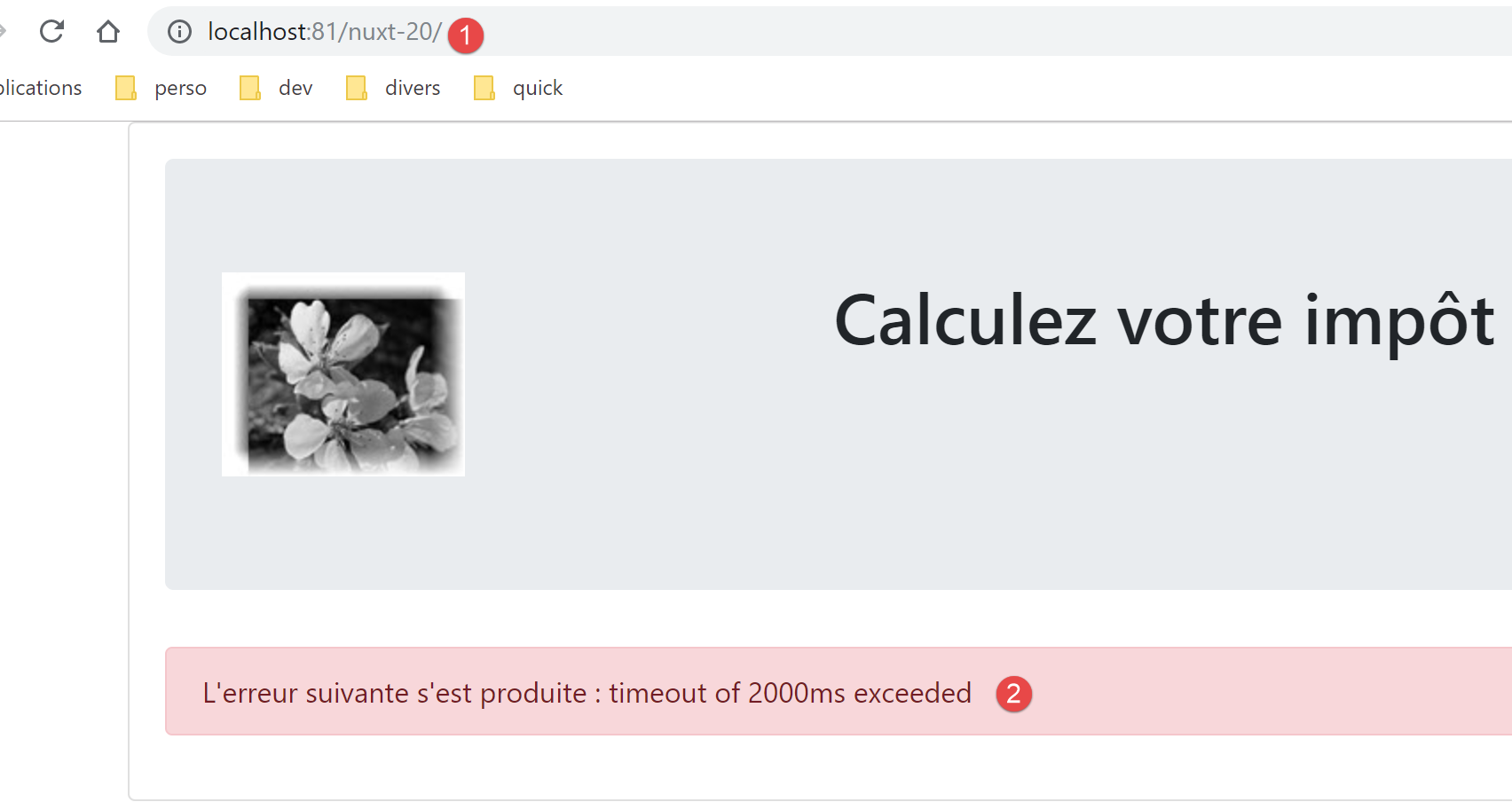
First, we delete the session cookie [nuxt] and the session cookie PHP if they exist. We then request the page [http://localhost:81/nuxt-20/] while the tax calculation server is not running. We get the following page:
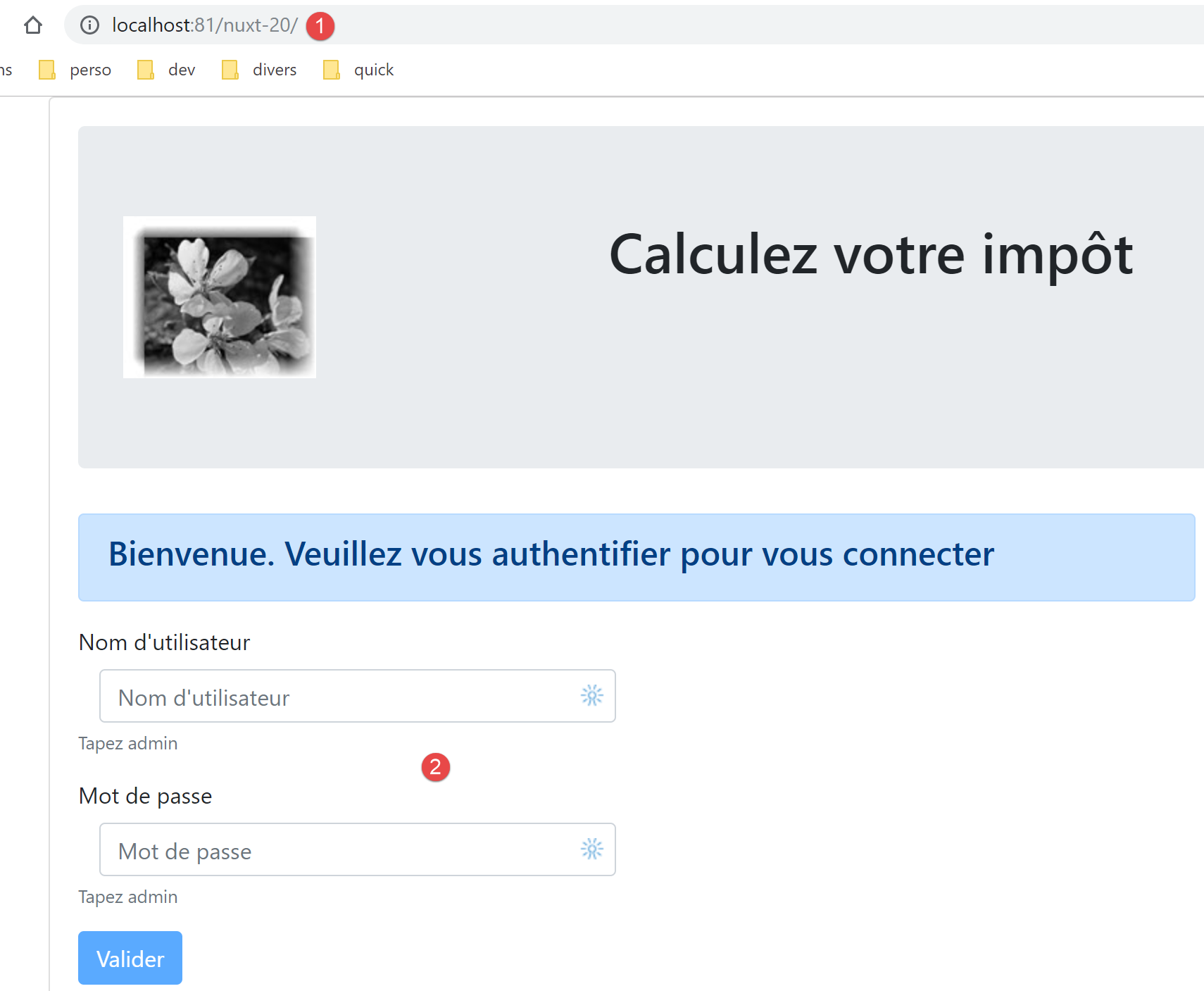
We reload the same page after launching the tax calculation server:
Let’s look at the logs:
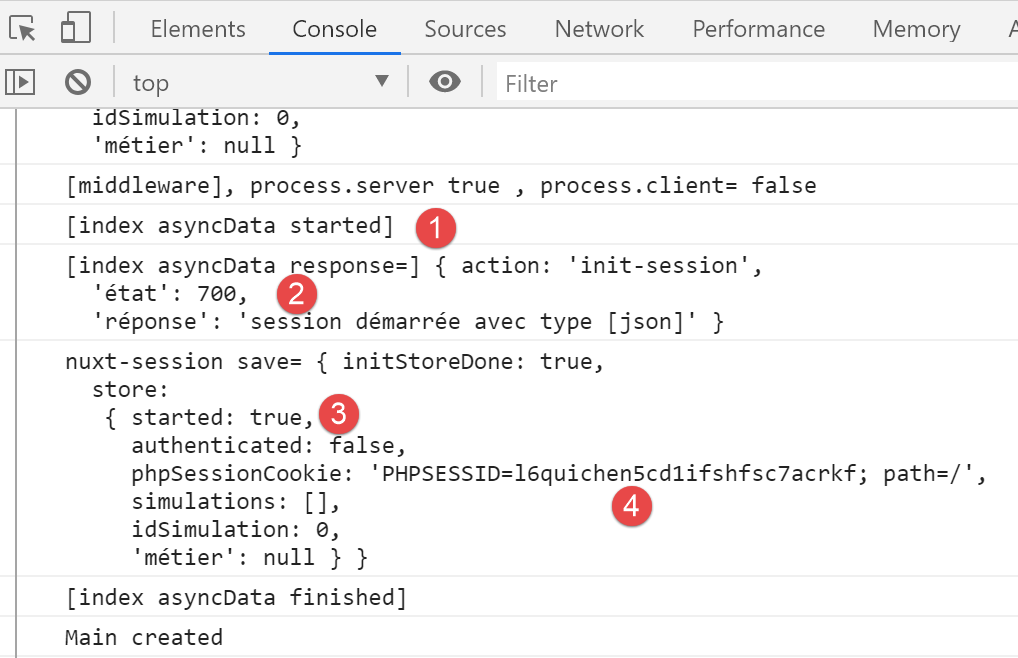
- in [2-3], we see that the session jSON has been started;
- in [4], we see the session cookie PHP that the server [nuxt] retrieved during its exchange with the tax calculation server. The client [nuxt] will now use it;
Now let’s log in:
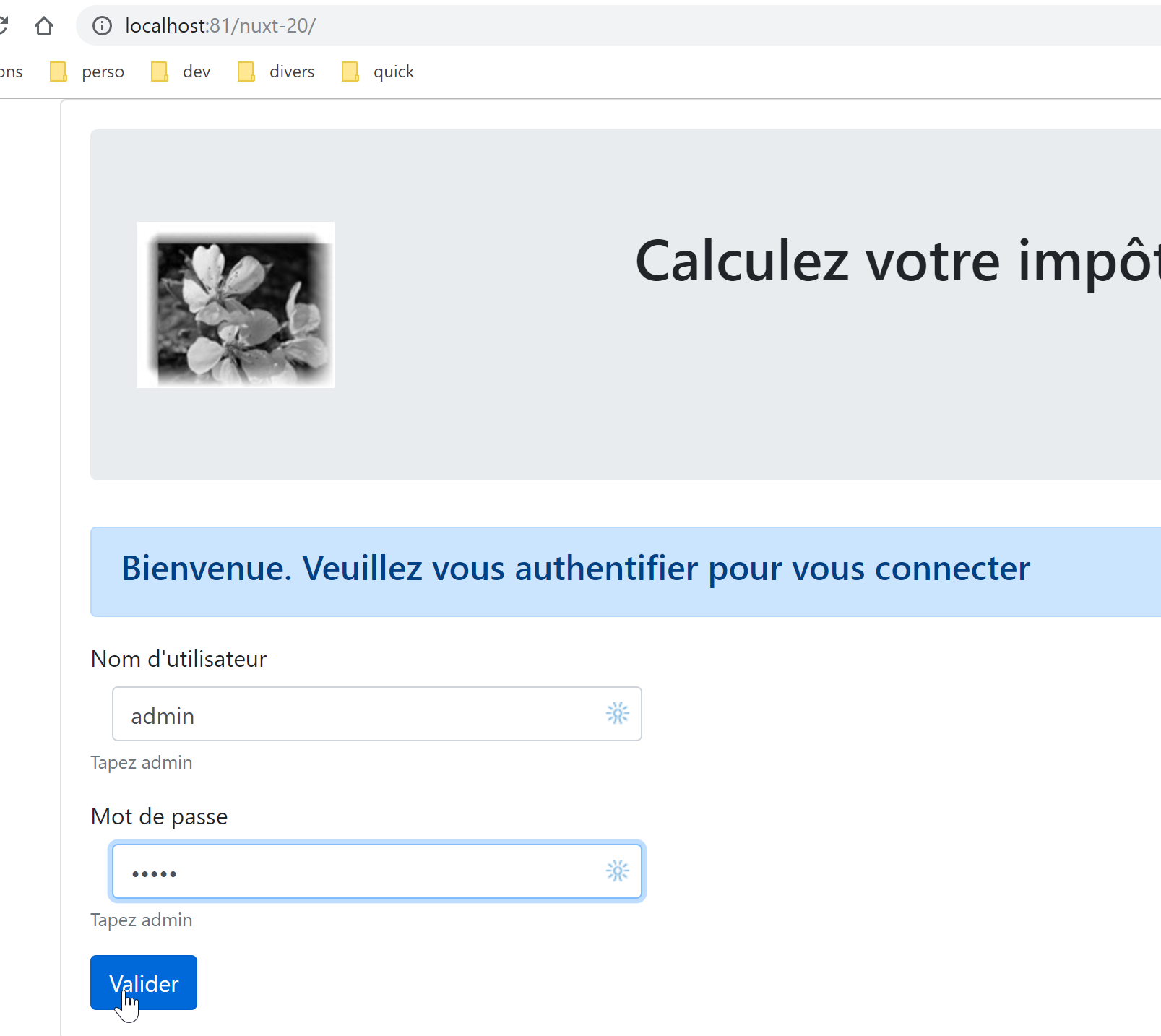
We get the following page:
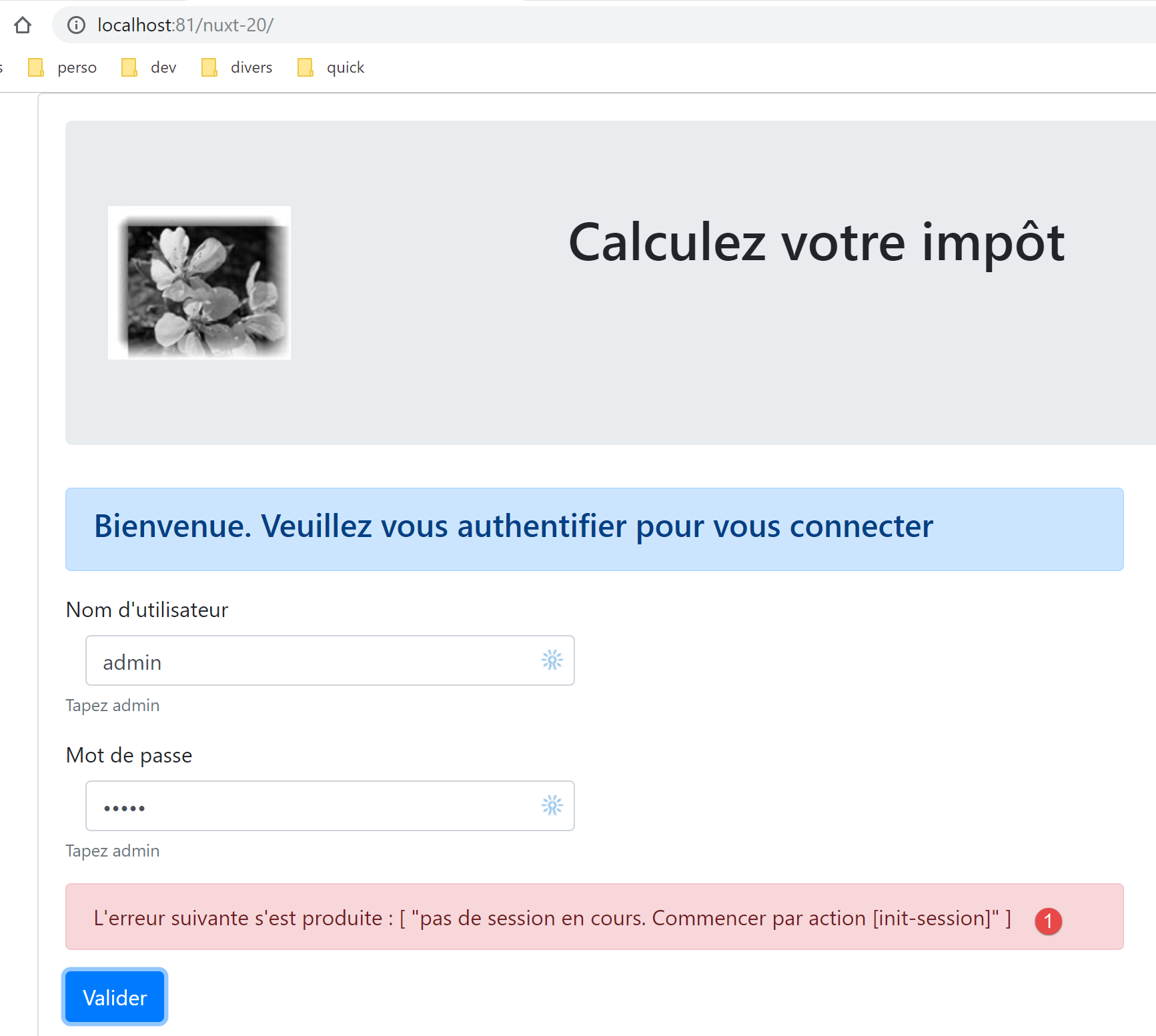
In [1], we received an error message. This means that the browser did not send the correct session cookie PHP, which was initiated by the server [nuxt] in the previous step. In [nuxt-12], the session cookie PHP was passed from the server [nuxt] to the client [nuxt] during the routing of the client [nuxt] in the script [middleware/client/routing] :
/* eslint-disable no-console */
export default function(context) {  // who executes this code?
  console.log('[middleware client], process.server', process.server, ', process.client=', process.client)
  // management of the PHP session cookie in the browser
  // the browser's PHP session cookie must be identical to the one found in the nuxt session
  // acion [fin-session] receives a new cookie PHP (server as nuxt client)
  // if the server receives it, the client must pass it on to the browser
  // for its own exchanges with the PHP server
  // this is customer routing

  // retrieve the session cookie PHP
  const phpSessionCookie = context.store.state.phpSessionCookie
  if (phpSessionCookie) {
    // if it exists, we assign the PHP session cookie to the browser
    document.cookie = phpSessionCookie
  }

  // where are we going?
  const to = context.route.path
  if (to === '/fin-session') {
    // clean the session
    const session = context.app.$session()
    session.reset(context)
    // redirects to the index page
    context.redirect({ name: 'index' })
  }
}
Lines 13–17 allow the client [nuxt] to retrieve the session cookie PHP from the server [nuxt].
The problem here is that when the [Valider] button is clicked, there is no routing for client [nuxt]. Its routing function is therefore not called. We fix the problem by duplicating lines 12–17 at the beginning of the authentication method on the [index] page:
// event managers
  methods: {
    // ----------- authentication
    async login() {
      // retrieve the PHP session cookie from the store
      const phpSessionCookie = this.$store.state.phpSessionCookie
      if (phpSessionCookie) {
        // if it exists, we assign the PHP session cookie to the browser
        document.cookie = phpSessionCookie
      }
      try {
        // start waiting
        this.$emit('loading', true)
        // you are not yet authenticated
Lines 5–10: We retrieve the session cookie PHP from the store, which was initiated by the server [nuxt]. Once this change is made, the tax calculation page loads successfully, indicating that authentication worked.
17.9. Step 8
We have a functional application that operates in the [nuxt] framework. As we did for the [nuxt-13] application, we will now focus on the navigation from the [nuxt] server. As previously mentioned, the user is not supposed to manually enter the application’s URL. They are supposed to use the links provided to them, which are executed by the [nuxt] client, which then runs in SPA mode. Nevertheless, we will ensure that the navigation of the [nuxt] server always leaves the application in a stable state.
From the analysis conducted for [nuxt-13] (see linked paragraph), we know that we must:
- modify the [midleware/routing] script;
- add a script [middleware/server/routing];
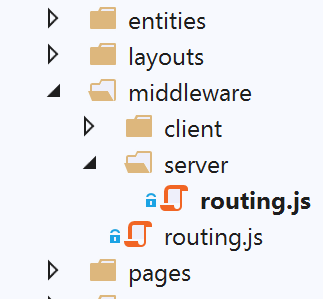
The [middleware/routing] script is modified as follows:
/* eslint-disable no-console */

// import server and client middleware
import serverRouting from './server/routing'
import clientRouting from './client/routing'

export default function(context) {
  // who executes this code?
  console.log('[middleware], process.server', process.server, ', process.client=', process.client)
  if (process.server) {
    // server routing
    serverRouting(context)
  } else {
    // customer routing
    clientRouting(context)
  }
}
- line 4: import the routing script from the [nuxt] server;
- lines 10–12: if the [nuxt] server is executing the code, we use its routing function;
The [middleware/server/routing] script is as follows:
/* eslint-disable no-console */
export default function(context) {
  // who executes this code?
  console.log('[middleware server], process.server', process.server, ', process.client=', process.client)

  // we pick up a few bits of information here and there
  const store = context.store
  // where do we come from?
  const from = store.state.from || 'nowhere'
  // where are we going?
  let to = context.route.name

  // special case of /end-session which has no [name] attribute
  if (context.route.path === '/fin-session') {
    to = 'fin-session'
  }

  // possible redirection
  let redirection = ''
  // routing management completed
  let done = false

  // are we already in a [nuxt] server redirect?
  if (store.state.serverRedirection) {
    // nothing to do
    done = true
  }

  // is this a page reload?
  if (!done && from === to) {
    // nothing to do
    done = true
  }

  // control of navigation server [nuxt]
  // copy the customer's navigation menu

  // we first deal with the end-of-session case
  if (!done && store.state.started && store.state.authenticated && to === 'fin-session') {
    // clean the session
    const session = context.app.$session()
    session.reset(context)
    // redirects to the index page
    redirection = 'index'
    // work completed
    done = true
  }

  // if session PHP has not started
  if (!done && !store.state.started && to !== 'index') {
    // redirection to [index]
    redirection = 'index'
    // work completed
    done = true
  }

  // when the user is not authenticated
  if (!done && store.state.started && !store.state.authenticated && to !== 'index') {
    redirection = 'index'
    // work completed
    done = true
  }

  // if [adminData] has not been obtained
  if (!done && store.state.started && store.state.authenticated && !store.state.métier.taxAdminData && to !== 'index') {
    // redirection to [index]
    redirection = 'index'
    // work completed
    done = true
  }

  // case where [adminData] has been obtained
  if (
    !done &&
    store.state.started &&
    store.state.authenticated &&
    store.state.métier.taxAdminData &&
    to !== 'calcul-impot' &&
    to !== 'liste-des-simulations'
  ) {
    // we stay on the same page
    redirection = from
    // work completed
    done = true
  }

  // we have normally done all the checks ---------------------
  // redirection?
  if (redirection) {
    // we note the redirection in the store
    store.commit('replace', { serverRedirection: true })
  } else {
    // no redirection
    store.commit('replace', { serverRedirection: false, from: to })
  }
  // save the store in session [nuxt]
  const session = context.app.$session()
  session.value.store = store.state
  session.save(context)
  // we redirect the [nuxt] server, if necessary
  if (redirection) {
    context.redirect({ name: redirection })
  }
}
- In this script, we incorporate the concepts already developed and used in the routing of the [nuxt] server for the [nuxt-13] application;
- We add two properties to the application store:
- [from]: the name of the last page displayed. We know that the client [nuxt] has this information, but the server [nuxt] does not. We will add this information by storing, in the store, the name of the page to be displayed each time the [nuxt] server routes a request. We will do the same each time the client [nuxt] routes. Thus, on the next routing by the server [nuxt], it will find in the store the name of the last page displayed by the application;
- [serverRedirection]: When a routing destination is rejected by the [nuxt] server, it will perform a redirection. It will then indicate in the store that the next destination for the [nuxt] server is a redirection page. This redirection will trigger a new execution of the router on server [nuxt]. If it detects that the current destination is the result of a redirection, it will allow it to proceed;
- lines 6–11: we retrieve the information needed for routing;
- lines 13–16: the target [/fin-session] is not associated with a page named [fin-session]. It therefore has no name. We assign one to it;
- line 19: the target of a possible redirect;
- line 21: [done=true] once the routing tests are complete;
- lines 23–27: as mentioned, if the current routing results from a redirection, there is nothing to do. Indeed, during the previous routing, the router decided that the client browser should be redirected. There is no need to reconsider this decision;
- lines 29–33: if this is a page reload, we let it proceed. This is not a universal rule for all [nuxt] applications: the effects of a reload must be evaluated for each page. Here, it turns out that reloading the [index, calcul-impot, liste-des-simulations] pages does not cause any undesirable effects;
- lines 35–85: the routing of the [nuxt] server mirrors the routing of the [nuxt] client. When on a page, the routing of server [nuxt] must reflect the menu of navigation provided by client [nuxt] when on that page;
- lines 38–47: First, we handle the case where the target [fin-session] does not correspond to an existing page. If the conditions are met (session started, user authenticated), we clear the session and redirect the user to the page [index];
- lines 49–55: if the session jSON with the tax calculation server has not started, then the only possible destination is the page [index];
- lines 57–62: if the jSON session has been started and the user is not authenticated and has not requested the authentication page, then the user is redirected to the authentication page, which is [index];
- lines 64–70: if the user is authenticated but the data [adminData] has not been obtained, then the user is redirected to the authentication page. Authentication does two things: it authenticates the user, and if authentication is successful, it also requests the data [adminData]. If this data has not been obtained, then authentication must be restarted;
- lines 72–85: if the [adminData] data has been obtained, then the only possible targets are [calcul-impot] and [liste-des-simulations]. If this is not the case, routing is denied;
- lines 88–95: the store is updated depending on whether there will be a redirection or not;
- line 94: there is no redirection. Therefore, the current [to] will become the [from] for the next routing;
- lines 96–99: the store information is saved in the session cookie [nuxt];
- lines 100–103: if a redirect is required, it is performed;
To perform the tests, be sure to start from a clean slate by deleting the session cookie [nuxt] and the session cookie PHP from the tax calculation server:
To test the routing of the [nuxt] server, on each page try all possible URL values for [/, /calcul-impot, /liste-des-simulations]. Each time, the application must remain in a consistent state.
17.10. Step 9
Step 9 involves deploying the [nuxt-20] application. This requires hosting that provides a [node.js] environment to run the [nuxt] server. I do not have this. The reader can follow the procedures described in the linked section to deploy the [nuxt-20] application on their development machine and secure it with a HTTPS protocol.
17.11. Conclusion
The porting of the [vuejs-22] application to the [nuxt-20] application is now complete. Let’s review a few key points from this port:
- the pages of [vuejs-22] were retained;
- the asynchronous operations that existed in the pages of [vuejs-22] were migrated to a function [asyncData];
- in [nuxt-20], two entities had to be managed: the client [nuxt] and the server [nuxt]. The latter entity did not exist in [vuejs-22]. To maintain consistency between the two entities, we needed a session [nuxt];
- we had to manage the routing for the [nuxt] server;
In practice, it is undoubtedly preferable to start directly with a [nuxt] architecture rather than create a [vue.js] architecture that is then ported to a [nuxt] environment.