10. Web application MVC [personne] – version 5
10.1. Introduction
In this version, we are making two changes:
The first concerns the way the client tells the server what action it wants to perform. Until now, this was specified using a parameter called [action] in the client’s GET or POST request. Here, the action will be specified by the last element of the Url requested by the client, as shown in the following sequence:
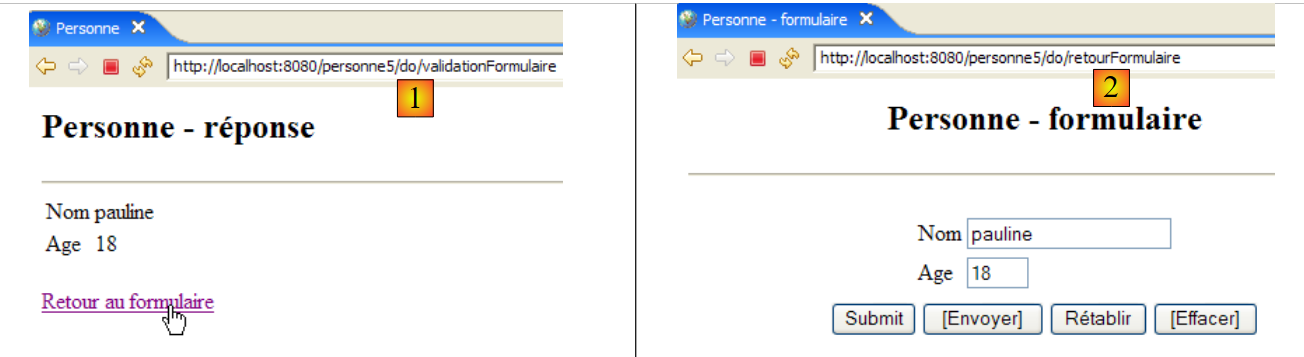
In [1], the Url to which the form was posted is [/personne5/do/validationFormulaire]. It is the last element, [validationFormulaire], of Url that allowed the controller to recognize the action to be taken. In [2], the POST triggered by the link [Retour au formulaire] was performed on the Url [/personne5/do/retourFormulaire]. Again, the last element [retourFormulaire] of Url tells the controller what action to take.
We are introducing this change because it is the method used by the most widely used web development frameworks such as Struts or Spring MVC.
All Url in the application will have the form [/personne5/do/action]. The [web.xml] file for the [/personne5] application will indicate that it accepts Url in the form [/do/*]:
    <servlet-mapping>
        <servlet-name>personne</servlet-name>
        <url-pattern>/do/*</url-pattern>
</servlet-mapping>
The controller will retrieve the name of the action to be performed as follows:
The [getPathInfo] method of the [request] object returns the last element of the Url in the request.
The second change concerns how to store user input between request/response cycles. Currently, this information is stored in a session. This approach can have drawbacks if there are many users and a large amount of data to store for each one. Indeed, each user has their own personal session. Furthermore, this session remains active for some time after a user logs out unless a logout option has been provided. Thus, 1,000 sessions of 1,000 bytes will occupy 1 MB of memory. This remains a moderate requirement, and few applications have 1,000 active sessions simultaneously.
Nevertheless, there are alternatives to sessions that are less memory-intensive, and it is good to be aware of them. Here, we will use the cookie method. Let’s illustrate this with an example.
Step 1: The user submits a form:
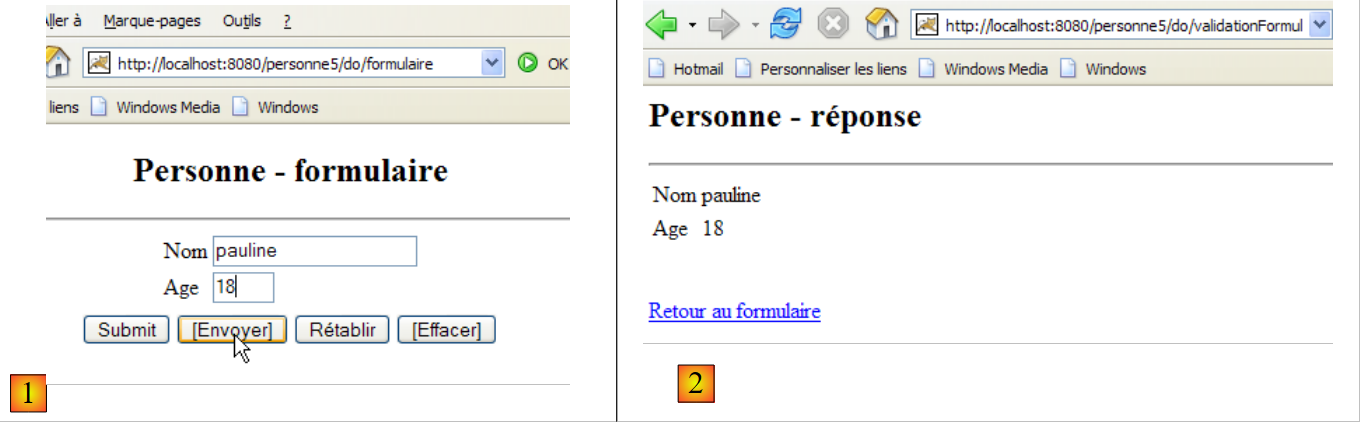 |
This request/response cycle results in the following exchanges between the client and the server:
[1]: [demande du client]
This is a classic POST. There is nothing in particular to note here, except that although we are not going to use a session, the web server creates one anyway. We can see this in the session token that the browser sends back to the server on line 11, which it had previously received from the server.
[2] : [réponse du serveur]
We can see that lines 3 and 4, headers HTTP and [Set-Cookie], were sent to the client browser, one for the name (line 3) and one for the age (line 4). The values of these cookies are the values posted in line 14 of the POST and [1] headers above.
Step 2: Return to the form
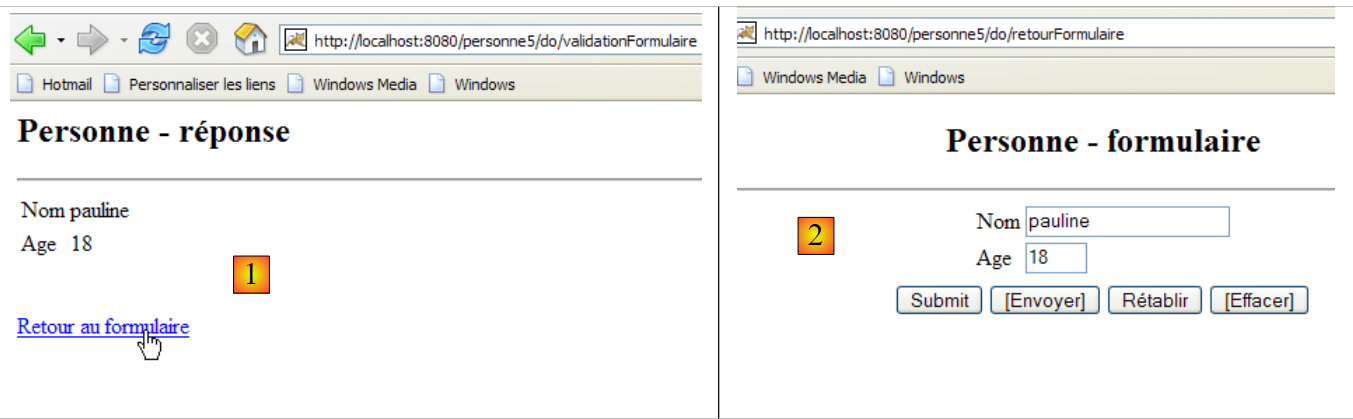
This request/response cycle results in the following HTTP exchanges between the client and the server:
[1]: [demande du client]
Here we see POST triggered by clicking on the link [Retour au formulaire]. On line 11, we see that the browser sends back to the server the cookies it received [nom, age, JSESSIONID] using the header Http [Cookie]. This is how cookies work. The client sends back to the browser the cookies that the browser sent to it. In this example, the controller will receive the values [pauline, 18], which it must place in the fields [txtNom, txtAge] of the view [formulaire] displayed in [2].
[2] : [réponse du serveur]
There is nothing in particular to note here other than the fact that in this response, the server did not send any cookies. This will not prevent the browser from sending back all the cookies it received from the server in the next exchange, even if it serves no purpose. We therefore reduce the load on the server’s available memory at the cost of an increase in the character flow in client/server exchanges.
10.2. The Eclipse Project
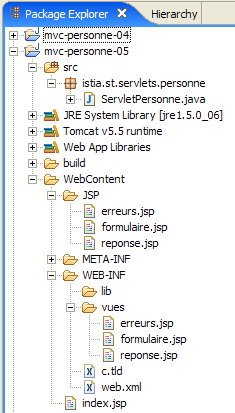
To create the Eclipse project [mvc-personne-05] for the web application [/personne5], duplicate the project [mvc-personne-04] by following the procedure described in section 6.2.
 |  |
10.3. Configuring the [personne5] web application
The web.xml file for the /personne5 application is as follows:
<?xml version="1.0" encoding="UTF-8"?>
<web-app id="WebApp_ID" version="2.4"
    xmlns="http://java.sun.com/xml/ns/j2ee"
    xmlns:xsi="http://www.w3.org/2001/XMLSchema-instance"
    xsi:schemaLocation="http://java.sun.com/xml/ns/j2ee http://java.sun.com/xml/ns/j2ee/web-app_2_4.xsd">
    <display-name>mvc-personne-05</display-name>
    <!--  ServletPersonne -->
    <servlet>
        <servlet-name>personne</servlet-name>
        <servlet-class>
            istia.st.servlets.personne.ServletPersonne
        </servlet-class>
...
    </servlet>
    <!--  Mapping ServletPersonne-->
    <servlet-mapping>
        <servlet-name>personne</servlet-name>
        <url-pattern>/do/*</url-pattern>
    </servlet-mapping>
    <!--  welcome files -->
    <welcome-file-list>
        <welcome-file>index.jsp</welcome-file>
    </welcome-file-list>
</web-app>
This file is identical to that of the previous version except for a few details:
- line 6: the display name of the web application has changed to [mvc-personne-05]
- Line 18: The Url records processed by the application are in the form [/do/*]. Previously, only the Url and [/main] records were processed. Now, there are as many Url entries as there are actions to process.
The [index.jsp] home page changes:
<%@ page language="java" contentType="text/html; charset=ISO-8859-1"
    pageEncoding="ISO-8859-1"%>
<%@ taglib uri="/WEB-INF/c.tld" prefix="c" %>

<c:redirect url="/do/formulaire"/>
- Line 5: The [index.jsp] page redirects the client to url [/personne5/do/formulaire], which is equivalent to asking the controller to execute the [formulaire] action.
10.4. The view code
The [formulaire, réponse, erreurs] views change very little. The only change is that the action to be performed is no longer specified in the same way as before, when it was defined in a hidden field named [action] in the submitted forms. Now it is defined in the Url target of the posted forms, c.a.d, in the [action] attribute of the <form> tag:
[formulaire.jsp]:
...
<html>
  <head>
    <title>Personne - formulaire</title>
    <script language="javascript">
...
    </script>
  </head>
  <body>
    <center>
      <h2>Personne - formulaire</h2>
      <hr>
      <form name="frmPersonne" action="validationFormulaire" method="post">
...
      </form>
    </center>
  </body>
</html>
- line [13]: the [action] parameter of the form reappears after having been absent for some time in previous versions. To understand the value of this attribute here, remember that all Url processed by the application are of the form [/do/action]. In the [13] line, the [action] attribute has a relative Url value (not starting with /). Therefore, the browser will complete it with the Url of the currently displayed page, which must be a Url of the form [/do/action]. The last element will be replaced by the relative Url of the [action] attribute of the <form> tag to yieldUrl [/do/validationFormulaire] as the target of POST.
- The hidden field [action] has disappeared
[réponse.jsp]:
...

<html>
...
  <body>
      ...
    <form name="frmPersonne" action="retourFormulaire" method="post">
    </form>
    <a href="javascript:document.frmPersonne.submit();">
      ${lienRetourFormulaire}
    </a>
  </body>
</html>
- line [7]: the target of POST will be [/do/retourFormulaire]
- The hidden field [action] has disappeared from the form on lines 7-8.
[erreurs.jsp]:
...
<html>
...
  <body>
...
    <form name="frmPersonne" action="retourFormulaire" method="post">
    </form>
    <a href="javascript:document.frmPersonne.submit();">
      ${lienRetourFormulaire}
    </a>
  </body>
</html>
- line [6]: the target of POST will be [/do/retourFormulaire]
- The hidden field [action] has been removed from the form on lines 6–7.
Readers are invited to test these new views using the same approach as in previous versions.
10.5. The controller [ServletPersonne]
The controller [ServletPersonne] of the web application [/personne5] will handle the following actions:
Request | request | origin | processing |
1 | [GET /personne5/do/formulaire] | url entered by the user | - send the empty view [formulaire] |
2 | [POST /person5/do/validationFormulaire] with parameters [txtNom, txtAge] posted | click on the button [Envoyer] in the view [formulaire] | - check the parameter values [txtNom, txtAge] - if they are incorrect, send the view [erreurs(erreurs)] - if they are correct, send the view [reponse(nom,age)] |
3 | [POST /person5/do/retourFormulaire] without posted parameters | click on the [Back to form] in the views [réponse] and [erreurs]. | - send the pre-filled view [formulaire] with the latest entered values |
The controller skeleton for [ServletPersonne] is identical to that of the previous version. We will review the changes made to the [doValidationFormulaire, doRetourFormulaire, doGet] methods, as the [init, doInit, doPost] methods remain unchanged.
10.5.1. The [doGet] method
The [doGet] method does not retrieve the action to be executed in the same way as in previous versions:
- line 12: retrieve the action to be executed. It is in the form [/action].
- lines 18–22: processing of the action [/formulaire] requested by a request GET
- lines 23–27: processing of the action [/validationFormulaire] requested by a request POST
- lines 28-32: processing of action [/retourFormulaire] requested by request POST
10.5.2. The [doValidationFormulaire] method
This method processes request No. 2 [POST /personne5/do/validationFormulaire] with [txtNom, txtAge] in the posted elements. Its code is as follows:
What's new:
- The [doValidationFormulaire] method returns one of the [réponse, erreurs] views. Regardless of the response, the controller sets two cookies in it, lines 8–9. A cookie is represented by a [Cookie] object whose constructor accepts two parameters: the cookie key and the value associated with it.
- line 8: the value entered for the name is placed in a cookie with the key "name"
- line 9: the value entered for age is placed in a cookie with the key "age"
- A cookie is added to the HTTP response sent to the client using the [response.addCookie] method. This response is only prepared here. It will only be actually sent when the JSP page of the view sent to the client is executed.
10.5.3. The [doRetourFormulaire] method
This method processes request #2 [POST /personne5/do/retourFormulaire] without any posted elements. Its code is as follows:
New features:
The [doRetourFormulaire] method must display a form pre-filled with the latest entries made. In the previous version, these were stored in the session. In this one, we no longer use the session but cookies to store data between client-server exchanges. When the client requested form validation, they received the [réponse] or [erreurs] view in response, depending on the case, along with two cookies labeled "name" and "age". When the user clicks the [Retour au formulaire] link on either of these two views—which triggers a POST on the Url [/do/retourFormulaire]—the browser will send the two cookies it received back to the server.
- Lines 4–18: We retrieve the values of the cookies named "name" and "age." Strangely enough, there is no method for retrieving a cookie's value based on its key. Therefore, we have to iterate through each of the received cookies.
- Once this is done, the two values obtained are placed in the template for the [formulaire] view (lines 20–21) so that it can display them.
10.6. Tests
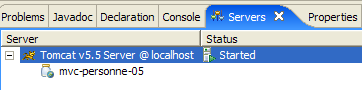
Start or restart Tomcat after integrating the Eclipse project [personne-mvc-05], then request the url and [http://localhost:8080/personne5].