10. MVC Web Application [person] – Version 5
10.1. Introduction
In this version, we are making two changes:
The first concerns how the client indicates to the server the action it wishes to perform. Until now, this was specified using a parameter called [action] in the client’s GET or POST request. Here, the action will be specified by the last element of the URL requested by the client, as shown in the following sequence:
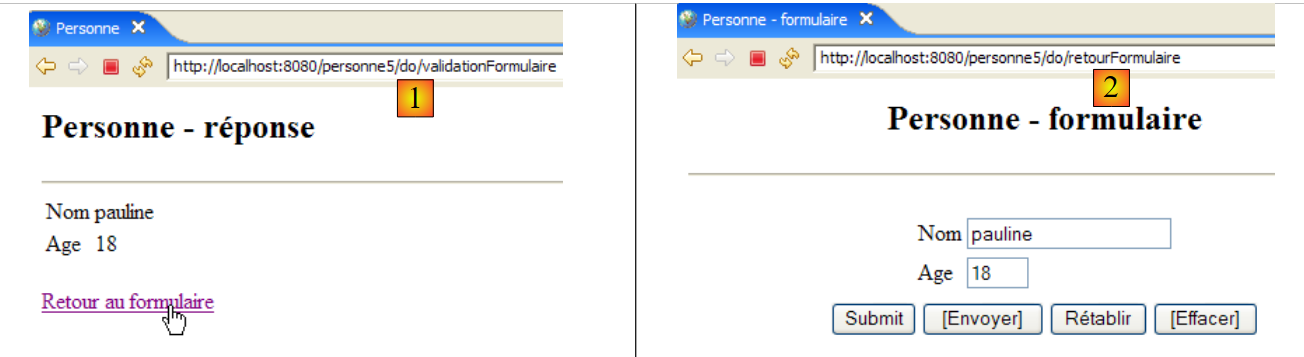
In [1], the URL to which the form was submitted is [/person5/do/validateForm]. It is the last element [validateForm] of the URL that allowed the controller to recognize the action to be performed. In [2], the POST triggered by the [Return to form] link was sent to the URL [/person5/do/returnForm]. Here again, the last element [returnForm] of the URL tells the controller which action to perform.
We are introducing this change because it is the method used by the most widely used web development frameworks, such as Struts or Spring MVC.
All URLs in the application will have the form [/person5/do/action]. The [web.xml] file for the [/person5] application will specify that it accepts URLs of the form [/do/*]:
    <servlet-mapping>
        <servlet-name>personne</servlet-name>
        <url-pattern>/do/*</url-pattern>
</servlet-mapping>
The controller will retrieve the name of the action to be performed as follows:
The [getPathInfo] method of the [request] object returns the last element of the request URL.
The second change concerns how user input is stored between request/response cycles. Currently, this information is stored in a session. This approach can have drawbacks if there are many users and a large amount of data to store for each one. Indeed, each user has their own personal session. Furthermore, the session remains active for some time after a user logs out, unless a logout option has been provided. Thus, 1,000 sessions of 100 bytes each will occupy 1 MB of memory. This remains a moderate requirement, and few applications have 1,000 active sessions simultaneously.
Nevertheless, there are alternatives to sessions that are less memory-intensive, and it’s good to be aware of them. Here, we’ll use the cookie method. Let’s illustrate this with an example.
Step 1: The user submits a form:
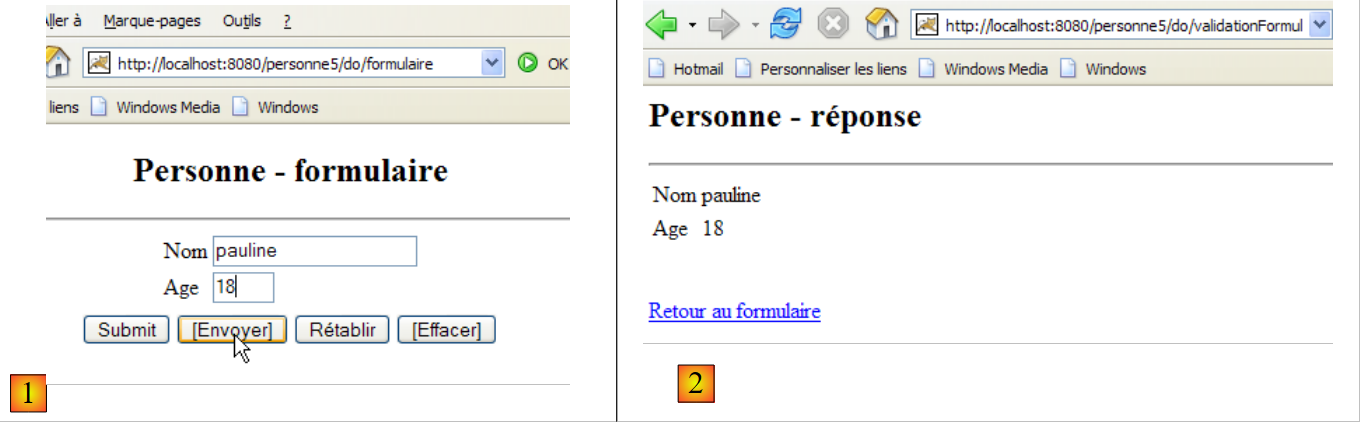 |
This request/response cycle results in the following HTTP exchanges between the client and the server:
[1]: [client request]
This is a standard POST request. There is nothing unusual to note here, except that even though we are not going to use a session, the web server creates one anyway. This is evident from the session token that the browser sends back to the server on line 11, which it had previously received from the server.
[2]: [server response]
We can see that in lines 3 and 4, [Set-Cookie] HTTP headers were sent to the client browser, one for the name (line 3) and one for the age (line 4). The values of these cookies are the values posted in line 14 of the POST [1] above.
Step 2: Return to the form
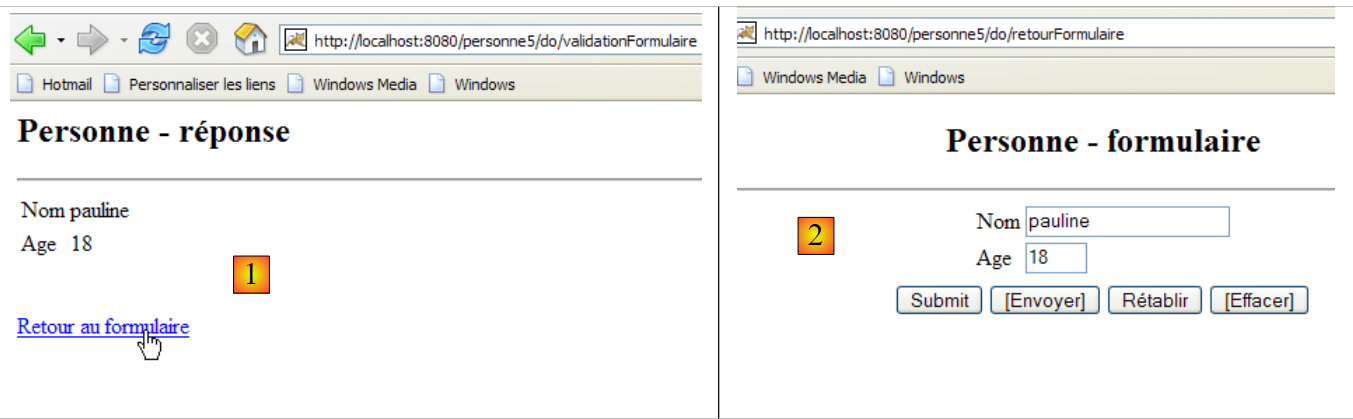
This request/response cycle results in the following HTTP exchanges between the client and the server:
[1]: [client request]
Here we see the POST request triggered by clicking the [Back to form] link. On line 11, we see that the browser sends the cookies it received [name, age, JSESSIONID] back to the server using the HTTP [Cookie] header. This is how cookies work. The client sends back to the server the cookies that the server sent to it. In this example, the controller will receive the values [pauline, 18], which it must place in the [txtName, txtAge] fields of the [form] view displayed in [2].
[2]: [server response]
There is nothing in particular to note here other than the fact that in this response, the server did not send any cookies. This will not prevent the browser from sending back all the cookies it received from the server in the next exchange, even if it serves no purpose. We therefore reduce the load on the server’s available memory at the cost of an increase in the character flow in client/server exchanges.
10.2. The Eclipse Project
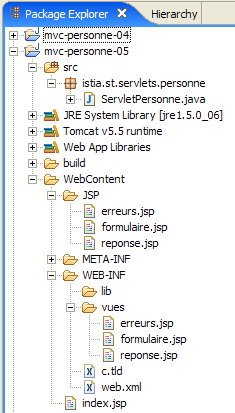
To create the Eclipse project [mvc-personne-05] for the web application [/personne5], duplicate the [mvc-personne-04] project by following the procedure described in section 6.2.
 |  |
10.3. Configuring the [personne5] web application
The web.xml file for the /personne5 application is as follows:
<?xml version="1.0" encoding="UTF-8"?>
<web-app id="WebApp_ID" version="2.4"
    xmlns="http://java.sun.com/xml/ns/j2ee"
    xmlns:xsi="http://www.w3.org/2001/XMLSchema-instance"
    xsi:schemaLocation="http://java.sun.com/xml/ns/j2ee http://java.sun.com/xml/ns/j2ee/web-app_2_4.xsd">
    <display-name>mvc-personne-05</display-name>
    <!--  ServletPersonne -->
    <servlet>
        <servlet-name>personne</servlet-name>
        <servlet-class>
            istia.st.servlets.personne.ServletPersonne
        </servlet-class>
...
    </servlet>
    <!--  Mapping ServletPersonne-->
    <servlet-mapping>
        <servlet-name>personne</servlet-name>
        <url-pattern>/do/*</url-pattern>
    </servlet-mapping>
    <!--  welcome files -->
    <welcome-file-list>
        <welcome-file>index.jsp</welcome-file>
    </welcome-file-list>
</web-app>
This file is identical to the one in the previous version except for a few details:
- line 6: the display name of the web application has changed to [mvc-personne-05]
- line 18: the URLs handled by the application are in the form [/do/*]. Previously, only the URL [/main] was handled. Now, there are as many URLs as there are actions to handle.
The home page [index.jsp] changes:
<%@ page language="java" contentType="text/html; charset=ISO-8859-1"
    pageEncoding="ISO-8859-1"%>
<%@ taglib uri="/WEB-INF/c.tld" prefix="c" %>

<c:redirect url="/do/formulaire"/>
- line 5: the [index.jsp] page redirects the client to the URL [/person5/do/form], which is equivalent to asking the controller to execute the [form] action.
10.4. The view code
The views [form, response, errors] change very little. The only change is that the action to be performed is no longer specified in the same way as before, when it was defined in a hidden field named [action] in submitted forms. Now it is defined in the target URL of submitted forms, i.e., in the [action] attribute of the <form> tag:
[form.jsp]:
...
<html>
  <head>
    <title>Personne - formulaire</title>
    <script language="javascript">
...
    </script>
  </head>
  <body>
    <center>
      <h2>Personne - formulaire</h2>
      <hr>
      <form name="frmPersonne" action="validationFormulaire" method="post">
...
      </form>
    </center>
  </body>
</html>
- Line [13]: The [action] parameter of the form reappears after having been absent for some time in previous versions. To understand the value of this attribute here, remember that all URLs processed by the application are of the form [/do/action]. In line [13], the [action] attribute has a relative URL as its value (not starting with /). Therefore, the browser will complete it with the URL of the currently displayed page, which is necessarily a URL of the form [/do/action]. The last element will be replaced by the relative URL of the [action] attribute of the <form> tag to yield the URL [/do/validationFormulaire] as the POST target.
- The hidden [action] field has disappeared
[response.jsp]:
...

<html>
...
  <body>
      ...
    <form name="frmPersonne" action="retourFormulaire" method="post">
    </form>
    <a href="javascript:document.frmPersonne.submit();">
      ${lienRetourFormulaire}
    </a>
  </body>
</html>
- line [7]: the POST target will be [/do/returnForm]
- The hidden [action] field has been removed from the form in lines 7–8.
[errors.jsp]:
...
<html>
...
  <body>
...
    <form name="frmPersonne" action="retourFormulaire" method="post">
    </form>
    <a href="javascript:document.frmPersonne.submit();">
      ${lienRetourFormulaire}
    </a>
  </body>
</html>
- line [6]: the POST target will be [/do/returnForm]
- The hidden field [action] has been removed from the form in lines 6–7.
Readers are invited to test these new views using the approach seen in previous versions.
10.5. The [ServletPersonne] controller
The [ServletPersonne] controller of the [/personne5] web application will handle the following actions:
No. | request | origin | processing |
1 | [GET /person5/do/form] | URL entered by the user | - send the empty [form] view |
2 | [POST /person5/do/formValidation] with parameters [txtName, txtAge] posted | click on the [Submit] button in the [form] | - check the values of the parameters [txtName, txtAge] - if they are incorrect, send the [errors(errors)] view - if they are correct, send the [response(name,age)] view |
3 | [POST /person5/do/returnForm] without posted parameters | Click on the [Return to form] from the [response] and [errors]. | - send the [form] view pre-filled with the latest entered values |
The skeleton of the [ServletPersonne] controller is identical to that of the previous version. We will review the changes made to the [doValidationFormulaire, doRetourFormulaire, doGet] methods; the [init, doInit, doPost] methods remain unchanged.
10.5.1. The [doGet] method
The [doGet] method does not retrieve the action to be executed in the same way as in previous versions:
- line 12: retrieve the action to be executed. It is in the form [/action].
- lines 18–22: processing the [/form] action requested by a GET request
- lines 23–27: processing the [/validateForm] action requested by a POST request
- lines 28–32: processing the [/returnForm] action requested by a POST request
10.5.2. The [doValidationFormulaire] method
This method processes request #2 [POST /person5/do/validationFormulaire] with [txtName, txtAge] in the posted elements. Its code is as follows:
What's new:
- The [doValidationFormulaire] method returns one of the views [response, errors]. Regardless of the response, the controller sets two cookies within it, lines 8–9. A cookie is represented by a [Cookie] object whose constructor accepts two parameters: the cookie key and the value associated with it.
- line 8: the value entered for the name is placed in a cookie with the key "name"
- line 9: the value entered for age is placed in a cookie with the key "age"
- A cookie is added to the HTTP response sent to the client using the [response.addCookie] method. This response is only prepared here. It will only be actually sent when the JSP page of the view sent to the client is executed.
10.5.3. The [doRetourFormulaire] method
This method processes request #2 [POST /person5/do/retourFormulaire] without any posted data. Its code is as follows:
What's new:
The [doRetourFormulaire] method should display a form pre-filled with the most recent entries. In the previous version, these were stored in the session. In this version, we no longer use the session but instead use cookies to store data between client-server exchanges. When the client requested form validation, they received the [response] or [errors] view in response, as appropriate, along with two cookies labeled "name" and "age". When the [Back to form] link on these two views is clicked—which triggers a POST request to the URL [/do/retourFormulaire]—the browser sends the two cookies it received back to the server.
- Lines 4–18: We retrieve the values of the cookies labeled "name" and "age." Strangely enough, there is no method to retrieve a cookie’s value based on its key. Therefore, we must iterate through each of the received cookies.
- Once this is done, the two values obtained are placed in the [form] view template (lines 20–21) so that it can display them.
10.6. Testing
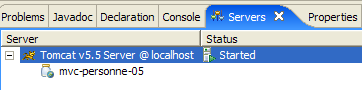
Start or restart Tomcat after integrating the Eclipse project [person-mvc-05] into it, then request the URL [http://localhost:8080/personne5].