19. MVC Web Application in a 3-Tier Architecture – Example 5, MySQL
19.1. The MySQL database
In this version, we will store the list of people in a MySQL 4.x database table. We used the [Apache – MySQL – PHP] package available at the URL [http://www.easyphp.org]. In the following, the screenshots are from the MySQL Manager Lite client [http://www.sqlmanager.net/fr/products/mysql/manager], a free administration client for the MySQL DBMS.
The database is named [dbpersonnes]. It contains a table named [PERSONNES]:
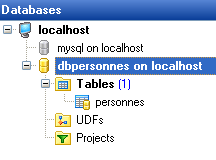
The [PERSONNES] table will contain the list of people managed by the web application. It was created using the following SQL statements:
MySQL 4.x seems less capable than the two previous DBMSs. I was unable to add constraints (checks) to the table.
- Line 10: The table must be of type [InnoDB] and not [MyISAM], which does not support transactions.
- Line 2: The primary key is of type auto_increment. If a row is inserted without a value for the table’s ID column, MySQL will automatically generate an integer for that column. This will save us from having to generate the primary keys ourselves.
The [PERSONNES] table could have the following content:
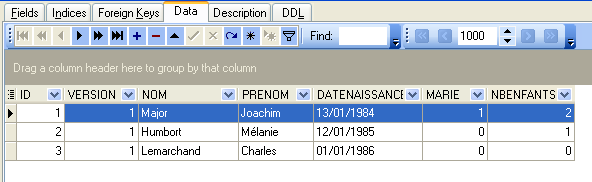
We know that when inserting a [Person] object via our [DAO] layer, the [id] field of this object is equal to -1 before insertion and has a value other than -1 afterward; this value is the primary key assigned to the new row inserted into the [PERSONNES] table. Let’s look at an example to see how we can determine this value.
 |
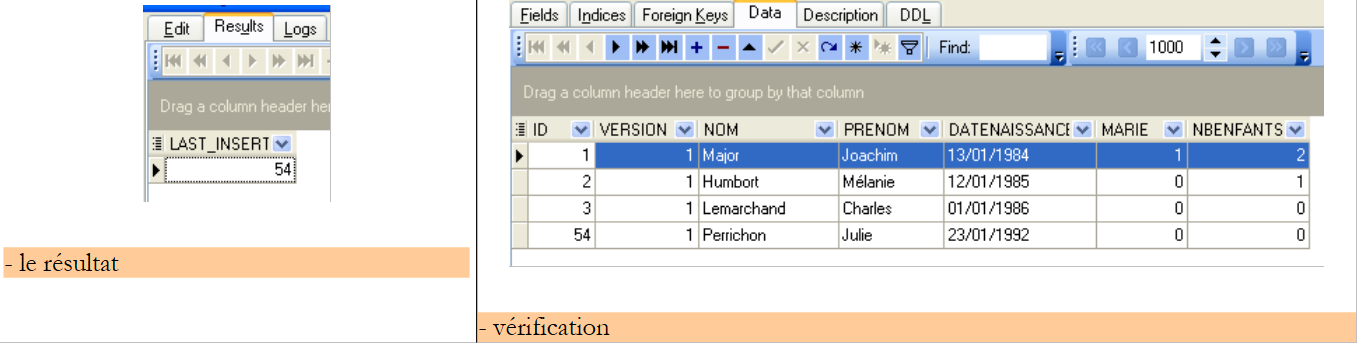 |
The SQL statement
allows us to determine the last value inserted into the ID field of the table. It must be executed after the insertion. This differs from the [Firebird] and [Postgres] DBMSs, where we requested the primary key value of the added person before insertion. We will use it in the [people-mysql.xml] file, which contains the SQL statements executed on the database.
19.2. The Eclipse project for the [DAO] and [service] layers
To develop the [dao] and [service] layers of our application with the MySQL database, we will use the following Eclipse project [mvc-personnes-05]:
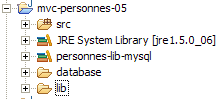
The project is a simple Java project, not a Tomcat web project.
[src] directory
This folder contains the source code for the [dao] and [service] layers, as well as the configuration files for these two layers:
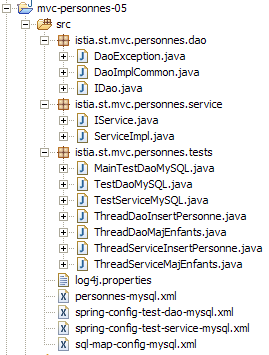
All files with [mysql] in their names may or may not have been modified for the Firebird and Postgres versions. Below, we describe those that have been modified.
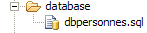
[database] folder
This folder contains the script for creating the MySQL database for users:
Folder [lib]
This directory contains the files required by the application:
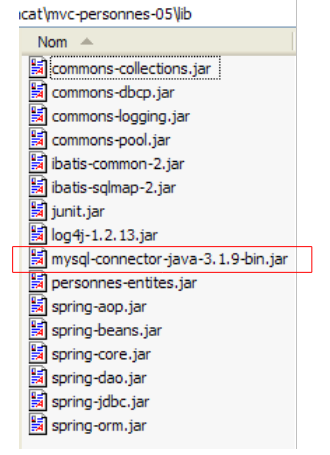 |
Note the presence of the MySQL DBMS JDBC driver. All these files are part of the Eclipse project's classpath.
19.3. The [dao] layer
The [dao] layer is as follows:
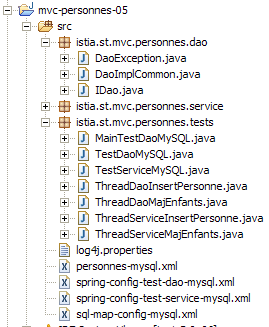
We are only presenting the changes compared to the [Firebird] version.
The mapping file [person-mysql.xml] is as follows:
<?xml version="1.0" encoding="UTF-8" ?>

<!DOCTYPE sqlMap
    PUBLIC "-//iBATIS.com//DTD SQL Map 2.0//EN"
    "http://www.ibatis.com/dtd/sql-map-2.dtd">

<sqlMap>
    <!-- alias class [Person] -->
    <typeAlias alias="Personne.classe"
        type="istia.st.mvc.personnes.entites.Personne"/>
    <!-- mapping table [PERSONNES] - object [Person] -->
    <resultMap id="Personne.map"
        class="istia.st.mvc.personnes.entites.Personne">
        <result property="id" column="ID" />
        <result property="version" column="VERSION" />
        <result property="nom" column="NOM"/>
        <result property="prenom" column="PRENOM"/>
        <result property="dateNaissance" column="DATENAISSANCE"/>
        <result property="marie" column="MARIE"/>
        <result property="nbEnfants" column="NBENFANTS"/>
    </resultMap>
    <!-- list of all persons -->
    <select id="Personne.getAll" resultMap="Personne.map" > select ID, VERSION, NOM,
        PRENOM, DATENAISSANCE, MARIE, NBENFANTS FROM PERSONNES</select>
    <!-- get a specific person -->
        <select id="Personne.getOne" resultMap="Personne.map" >select ID, VERSION, NOM,
        PRENOM, DATENAISSANCE, MARIE, NBENFANTS FROM PERSONNES WHERE ID=#value#</select>
    <!-- add a person -->
    <insert id="Personne.insertOne" parameterClass="Personne.classe">
        insert into
        PERSONNES(VERSION, NOM, PRENOM, DATENAISSANCE, MARIE, NBENFANTS)
        VALUES(#version#, #nom#, #prenom#, #dateNaissance#, #marie#,
        #nbEnfants#)
        <selectKey keyProperty="id">
            select LAST_INSERT_ID() as value
        </selectKey>
    </insert>
    <!-- update a person -->
    <update id="Personne.updateOne" parameterClass="Personne.classe"> update
        PERSONNES set VERSION=#version#+1, NOM=#nom#, PRENOM=#prenom#, DATENAISSANCE=#dateNaissance#,
        MARIE=#marie#, NBENFANTS=#nbEnfants# WHERE ID=#id# and
        VERSION=#version#</update>
    <!-- delete a person -->
    <delete id="Personne.deleteOne" parameterClass="int"> delete FROM PERSONNES WHERE
        ID=#value# </delete>
    <!-- obtain the value of the primary key [id] of the last person inserted -->
    <select id="Personne.getNextId" resultClass="int">select
        LAST_INSERT_ID()</select>
</sqlMap>
This is the same content as [people-firebird.xml] with the following minor differences:
- the SQL statement "Person.insertOne" has changed in lines 29–37:
- the SQL insert statement is executed before the SELECT statement, which retrieves the primary key value of the inserted row
- the SQL insertion statement does not have a value for the ID column in the [PERSONNES] table
This mirrors the insertion example we discussed in Section 19.1.
Note that this may be a potential source of problems between concurrent threads. Imagine two threads, Th1 and Th2, performing an insertion at the same time. There are a total of four SQL statements to be executed. Suppose they are executed in the following order:
- insert I1 by Th1
- insert I2 by Th2
- select S1 by Th1
- select S2 by Th2
In step 3, Th1 retrieves the primary key generated during the last insertion, which is Th2’s key and not its own. I am unsure whether iBATIS’s [insert] method is protected against this scenario. We will assume that it handles this properly. If that were not the case, we would need to derive the implementation class [DaoImplCommon] from the [dao] layer into a class [DaoImplMySQL] where the [insertPersonne] method would be synchronized. This would only solve the problem for the threads in our application. If, in the example above, Th1 and Th2 are threads from two different applications, the problem would then need to be resolved using both transactions and an appropriate isolation level between transactions. The [serializable] level, in which transactions are executed as if they were running sequentially, would be appropriate.
Note that this problem does not exist with the Firebird and Postgres DBMSs, which perform the SELECT before the INSERT. For example, consider the following sequence:
- select S1 from Th1
- SELECT S2 from Th2
- insert I1 from Th1
- insert I2 from Th2
In steps 1 and 2, Th1 and Th2 retrieve primary key values from the same generator. This operation is normally atomic, and Th1 and Th2 will retrieve two different values. If the operation were not atomic, and Th1 and Th2 retrieved two identical values, the insertion performed in step 4 by Th2 would fail due to a primary key duplicate. This is a fully recoverable error, and Th2 can retry the insertion.
We will leave the "Personne.insertOne" operation as it currently is in the [personnes-mysql.xml] file, but the reader should be aware that there is a potential issue here.
The implementation class [DaoImplCommon] of the [dao] layer is the same as in the two previous versions.
The configuration of the [dao] layer has been adapted to the [MySQL] DBMS. Thus, the configuration file [spring-config-test-dao-mysql.xml] is as follows:
<?xml version="1.0" encoding="ISO_8859-1"?>
<!DOCTYPE beans SYSTEM "http://www.springframework.org/dtd/spring-beans.dtd">
<beans>
    <!-- data source DBCP -->
    <bean id="dataSource" class="org.apache.commons.dbcp.BasicDataSource"
        destroy-method="close">
        <property name="driverClassName">
            <value>com.mysql.jdbc.Driver</value>
        </property>
        <property name="url">
            <value>jdbc:mysql://localhost/dbpersonnes</value>
        </property>
        <property name="username">
            <value>root</value>
        </property>
        <property name="password">
            <value></value>
        </property>
    </bean>
    <!-- SqlMapCllient -->
    <bean id="sqlMapClient"
        class="org.springframework.orm.ibatis.SqlMapClientFactoryBean">
        <property name="dataSource">
            <ref local="dataSource"/>
        </property>
        <property name="configLocation">
            <value>classpath:sql-map-config-mysql.xml</value>
        </property>
    </bean>
    <!-- the [dao] layer access classes -->
    <bean id="dao" class="istia.st.mvc.personnes.dao.DaoImplCommon">
        <property name="sqlMapClient">
            <ref local="sqlMapClient"/>
        </property>
    </bean>
</beans>
- lines 5–19: The [dataSource] bean now refers to the [MySQL] database [dbpersonnes], whose administrator is [root] with no password. The reader should modify this configuration according to their own environment.
- line 31: the [DaoImplCommon] class is the implementation class for the [dao] layer
With these changes made, we can move on to testing.
19.4. Tests for the [dao] and [service] layers
The tests for the [dao] and [service] layers are the same as for the [Firebird] version. The results obtained are as follows:
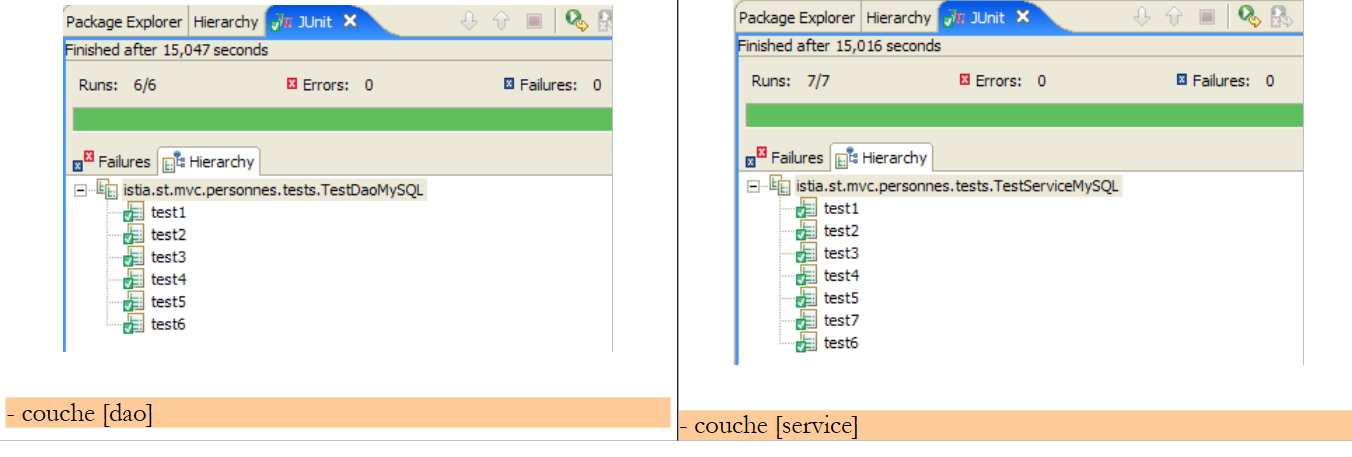 |
We can see that the tests passed successfully with the [DaoImplCommon] implementation. We will not need to derive this class as was necessary with the [Firebird] DBMS.
19.5. [Web] application tests
To test the web application with the [MySQL] DBMS, we build an Eclipse project [mvc-personnes-05B] in a manner analogous to that used to build the [mvc-personnes-03B] project with the Firebird database (see Section 17.7). However, as with Postgres, we do not need to recreate the [personnes-dao.jar] and [personnes-service.jar] archives since we have not modified any classes.
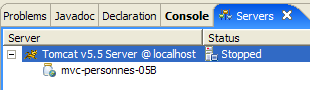
We deploy the [mvc-personnes-05B] web project within Tomcat:
 |  |
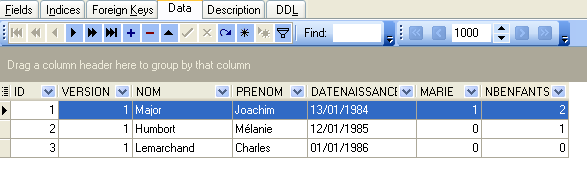
The MySQL DBMS is started. The contents of the [PERSONNES] table are then as follows:
Tomcat is then started. Using a browser, we request the URL [http://localhost:8080/mvc-personnes-05B]:
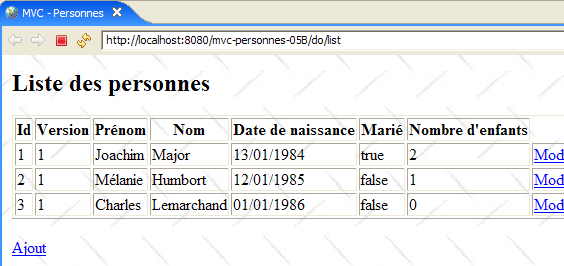
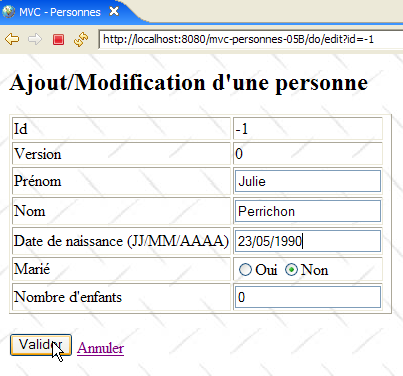
We add a new person using the [Add] link:
 | 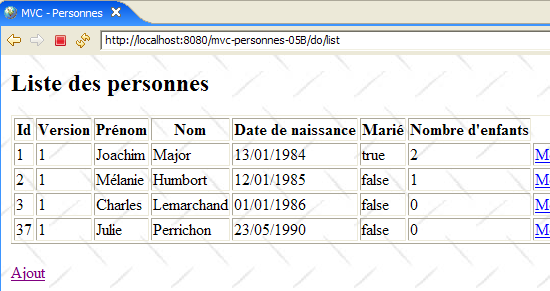 |
We verify the addition in the database:
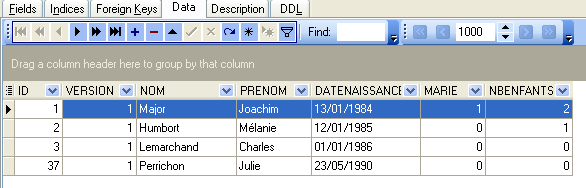
The reader is invited to perform other tests [edit, delete].