20. MVC Web Application in a 3-Tier Architecture – Example 6, SQL Server Express
20.1. The SQL Server Express database
In this version, we will store the list of people in a SQL Server Express 2005 database table available at the URL [http://msdn.microsoft.com/vstudio/express/sql/]. The following screenshots are from the EMS Manager Lite client for SQL Server Express [http://www.sqlmanager.net/fr/products/mssql/manager], a free administration client for the SQL Server Express DBMS.
The database is named [dbpersonnes]. It contains a table named [PERSONNES]:
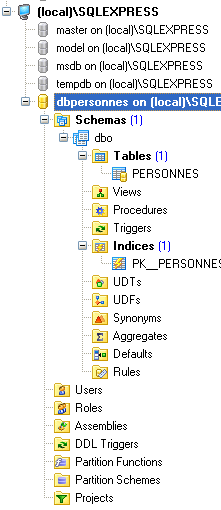
The [PERSONNES] table will contain the list of people managed by the web application. It was created using the following SQL statements:
- Line 2: The primary key [ID] is of type integer. The IDENTITY attribute indicates that if a row is inserted without a value for the ID column of the table, SQL Express will generate an integer for this column itself. In IDENTITY(1, 1), the first parameter is the first possible value for the primary key, and the second is the increment used in generating the numbers.
The [PERSONS] table could have the following content:
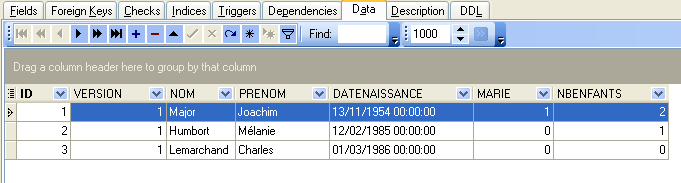
We know that when inserting a [Person] object via our [DAO] layer, the [id] field of this object is equal to -1 before insertion and has a value other than -1 afterward; this value is the primary key assigned to the new row inserted into the [PERSONNES] table. Let’s look at an example to see how we can determine this value.
 |
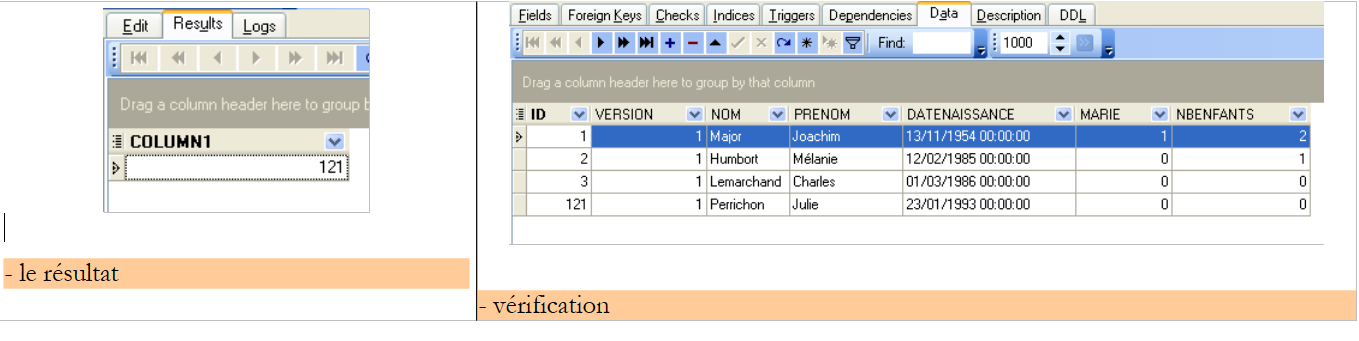 |
The SQL statement
returns the last value inserted into the ID field of the table. It should be executed after the insertion. This differs from the [Firebird] and [Postgres] DBMSs, where the primary key value of the added record was queried before insertion, but it is analogous to the primary key generation in the MySQL DBMS. We will use it in the [people-sqlexpress.xml] file, which contains the SQL statements executed on the database.
20.2. The Eclipse project for the [DAO] and [service] layers
To develop the [DAO] and [service] layers of our application with the [SQL Server Express] database, we will use the following Eclipse project [mvc-personnes-06]:
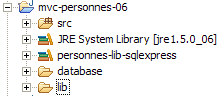
The project is a simple Java project, not a Tomcat web project.
[src] folder
This folder contains the source code for the [dao] and [service] layers:
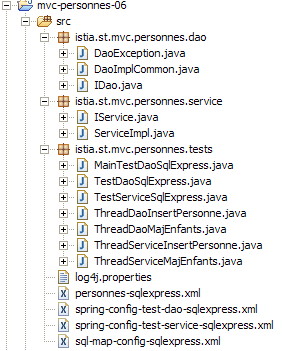
All files with [sqlexpress] in their names may or may not have been modified compared to the Firebird, Postgres, and MySQL versions. In the following, we describe only those that have been modified.
[database] folder
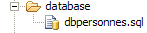
This folder contains the script for creating the SQL Express database for people:
[lib] folder
This folder contains the archives required by the application:
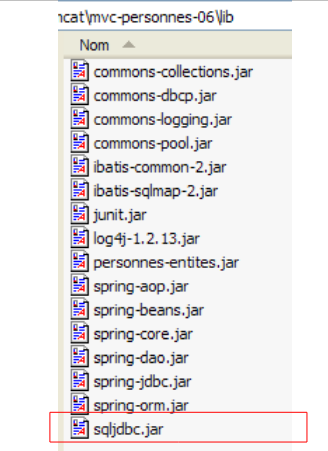 |
Note the presence of the JDBC driver [sqljdbc.jar] for the DBMS [SQL Server Express]. All these files are part of the Eclipse project’s classpath.
20.3. The [DAO] layer
The [dao] layer is as follows:
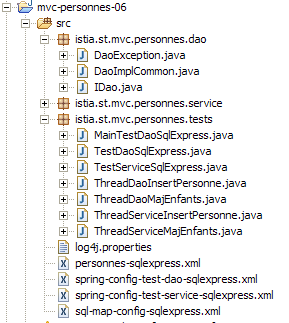
We are only highlighting the changes from the [Firebird] version.
The mapping file [personne-sqlexpress.xml] is as follows:
<?xml version="1.0" encoding="UTF-8" ?>

<!DOCTYPE sqlMap
    PUBLIC "-//iBATIS.com//DTD SQL Map 2.0//EN"
    "http://www.ibatis.com/dtd/sql-map-2.dtd">

<sqlMap>
    <!-- alias class [Person] -->
    <typeAlias alias="Personne.classe"
        type="istia.st.mvc.personnes.entites.Personne"/>
    <!-- mapping table [PERSONNES] - object [Person] -->
    <resultMap id="Personne.map"
        class="istia.st.mvc.personnes.entites.Personne">
        <result property="id" column="ID" />
        <result property="version" column="VERSION" />
        <result property="nom" column="NOM"/>
        <result property="prenom" column="PRENOM"/>
        <result property="dateNaissance" column="DATENAISSANCE"/>
        <result property="marie" column="MARIE"/>
        <result property="nbEnfants" column="NBENFANTS"/>
    </resultMap>
    <!-- list of all persons -->
    <select id="Personne.getAll" resultMap="Personne.map" > select ID, VERSION, NOM,
        PRENOM, DATENAISSANCE, MARIE, NBENFANTS FROM PERSONNES</select>
    <!-- get a specific person -->
        <select id="Personne.getOne" resultMap="Personne.map" >select ID, VERSION, NOM,
        PRENOM, DATENAISSANCE, MARIE, NBENFANTS FROM PERSONNES WHERE ID=#value#</select>
    <!-- add a person -->
    <insert id="Personne.insertOne" parameterClass="Personne.classe">
        insert into
        PERSONNES(VERSION, NOM, PRENOM, DATENAISSANCE, MARIE, NBENFANTS)
        VALUES(#version#, #nom#, #prenom#, #dateNaissance#, #marie#,
        #nbEnfants#)
        <selectKey keyProperty="id">
            select @@IDENTITY as value
        </selectKey>
    </insert>
    <!-- update a person -->
    <update id="Personne.updateOne" parameterClass="Personne.classe"> update
        PERSONNES set VERSION=#version#+1, NOM=#nom#, PRENOM=#prenom#, DATENAISSANCE=#dateNaissance#,
        MARIE=#marie#, NBENFANTS=#nbEnfants# WHERE ID=#id# and
        VERSION=#version#</update>
    <!-- delete a person -->
    <delete id="Personne.deleteOne" parameterClass="int"> delete FROM PERSONNES WHERE
        ID=#value# </delete>
    <!-- obtain the value of the primary key [id] of the last person inserted -->
    <select id="Personne.getNextId" resultClass="int">select
        LAST_INSERT_ID()</select>
</sqlMap>
This is the same content as [people-firebird.xml] with the following minor differences:
- the SQL statement "Person.insertOne" has changed in lines 29–37:
- the SQL insert statement is executed before the SELECT statement, which retrieves the primary key value of the inserted row
- the SQL insert statement does not specify a value for the ID column in the [PERSONNES] table
This reflects the insertion example we discussed in Section 20.1. Note that the issue of simultaneous insertions by different threads, described for MySQL in Section 19.3, is present here as well.
The implementation class [DaoImplCommon] of the [dao] layer is the same as in the three previous versions.
The configuration of the [dao] layer has been adapted to the [SQL Express] DBMS. Thus, the configuration file [spring-config-test-dao-sqlexpress.xml] is as follows:
<?xml version="1.0" encoding="ISO_8859-1"?>
<!DOCTYPE beans SYSTEM "http://www.springframework.org/dtd/spring-beans.dtd">
<beans>
    <!-- data source DBCP -->
    <bean id="dataSource" class="org.apache.commons.dbcp.BasicDataSource"
        destroy-method="close">
        <property name="driverClassName">
            <value>com.microsoft.sqlserver.jdbc.SQLServerDriver</value>
        </property>
        <property name="url">
            <value>jdbc:sqlserver://localhost\\SQLEXPRESS:4000;databaseName=dbpersonnes</value>
        </property>
        <property name="username">
            <value>sa</value>
        </property>
        <property name="password">
            <value>msde</value>
        </property>
    </bean>
    <!-- SqlMapCllient -->
    <bean id="sqlMapClient"
        class="org.springframework.orm.ibatis.SqlMapClientFactoryBean">
        <property name="dataSource">
            <ref local="dataSource"/>
        </property>
        <property name="configLocation">
            <value>classpath:sql-map-config-sqlexpress.xml</value>
        </property>
    </bean>
    <!-- the [dao] layer access classes -->
    <bean id="dao" class="istia.st.mvc.personnes.dao.DaoImplCommon">
        <property name="sqlMapClient">
            <ref local="sqlMapClient"/>
        </property>
    </bean>
</beans>
- lines 5-19: The [dataSource] bean now refers to the [SQL Express] database [dbpersonnes], whose administrator is [sa] with the password [msde]. The reader should modify this configuration according to their own environment.
- Line 31: The [DaoImplCommon] class is the implementation class for the [dao] layer
Line 11 requires some explanation:
<value>jdbc:sqlserver://localhost\\SQLEXPRESS:4000;databaseName=dbpersonnes</value>
- //localhost: indicates that the SQL Express server is on the same machine as our Java application
- \\SQLEXPRESS: is the name of a SQL Server instance. It appears that multiple instances can run simultaneously. It therefore makes sense to name the specific instance being addressed. This name can be obtained using [SQL Server Configuration Manager], which is typically installed alongside SQL Express:

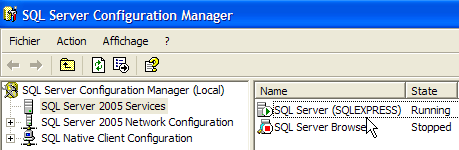
- 4000: SQL Express listening port. This depends on the server configuration. By default, it uses dynamic ports, which are not known in advance. In that case, no port is specified in the JDBC URL. Here, we have used a fixed port, port 4000. This is set via configuration:
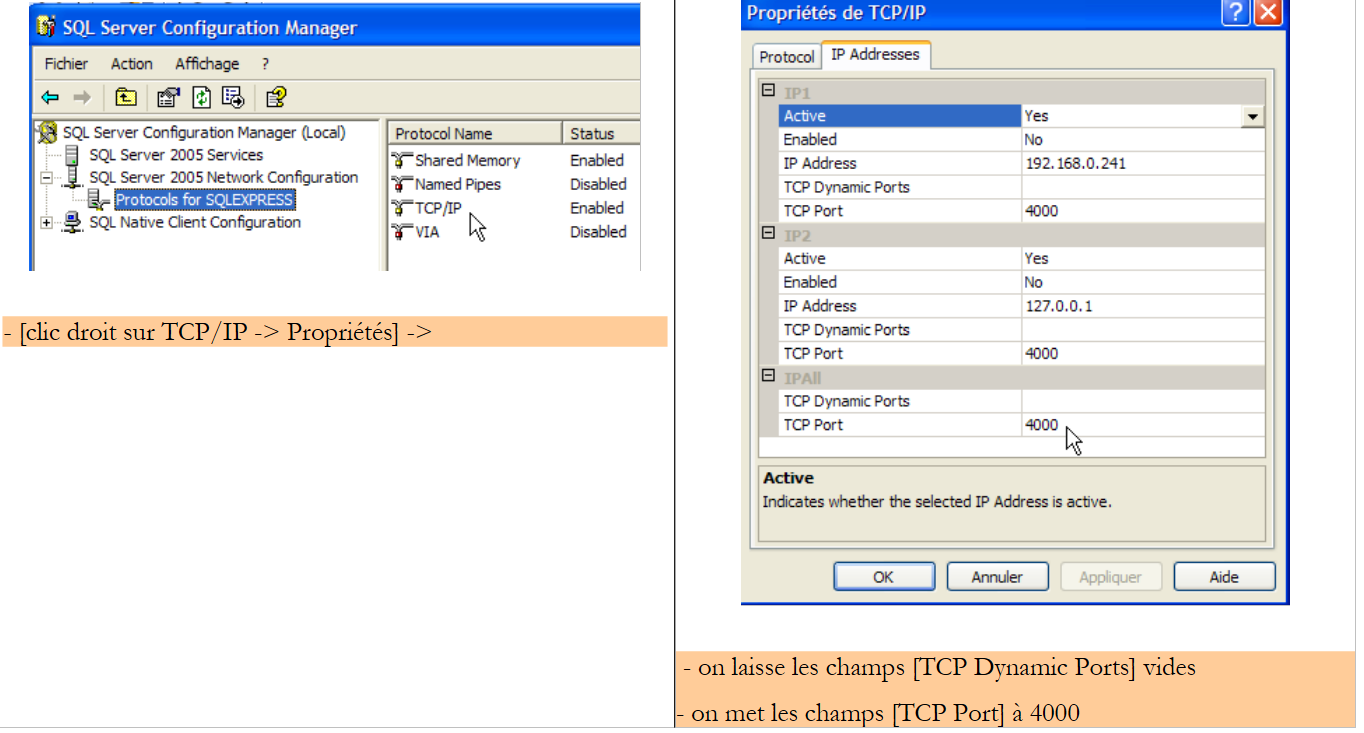 |
- The dataBaseName attribute specifies the database you want to work with. This is the one created with the EMS client:
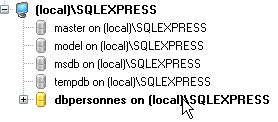
With these changes made, we can move on to testing.
20.4. Tests for the [dao] and [service] layers
The tests for the [dao] and [service] layers are the same as for the [Firebird] version. The results obtained are as follows:
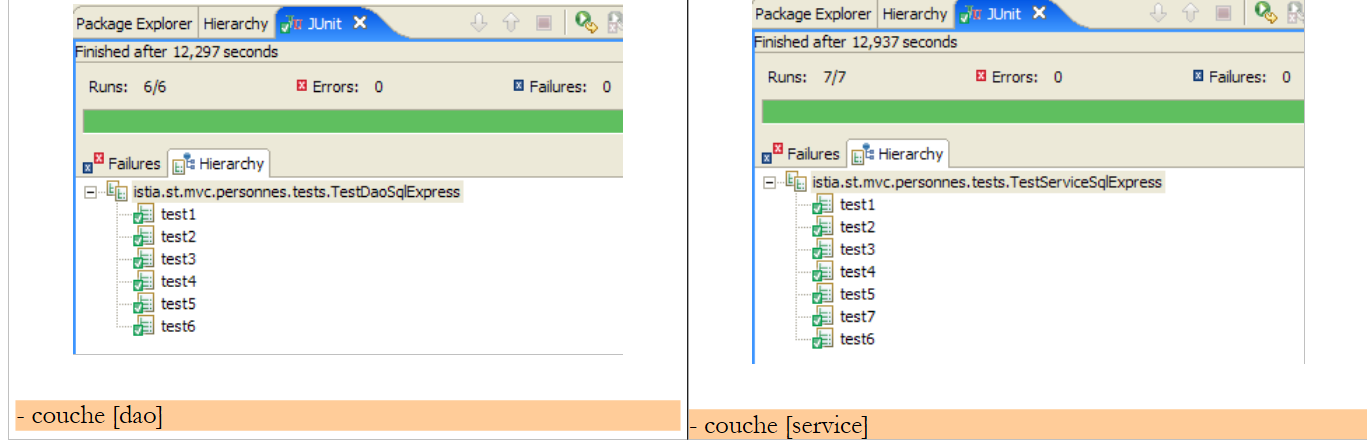 |
We can see that the tests passed successfully with the [DaoImplCommon] implementation. We will not need to derive this class, as was necessary with the [Firebird] DBMS.
20.5. [Web] application tests
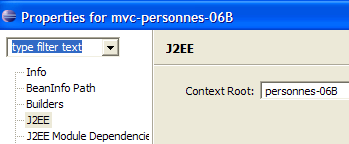
To test the web application with the [SQL Server Express] DBMS, we build an Eclipse project [mvc-personnes-06B] in a manner similar to that used to build the previous web projects.
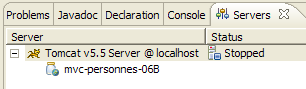
We deploy the web project [mvc-personnes-05B] within Tomcat:
 |  |
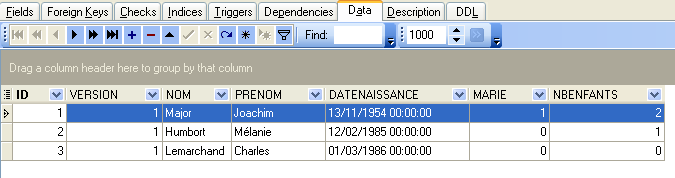
The SQL Server Express DBMS is launched. The contents of the [PERSONNES] table are then as follows:
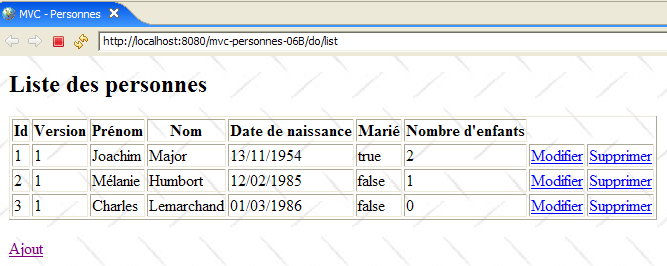
Tomcat is then launched. Using a browser, we request the URL [http://localhost:8080/mvc-personnes-06B]:
We add a new person using the [Add] link:
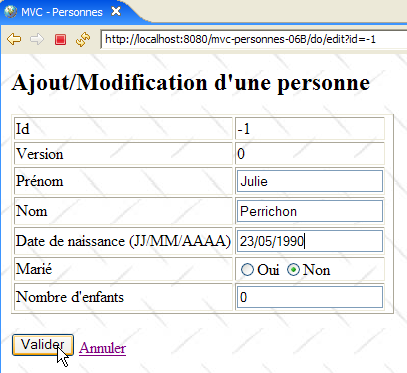 | 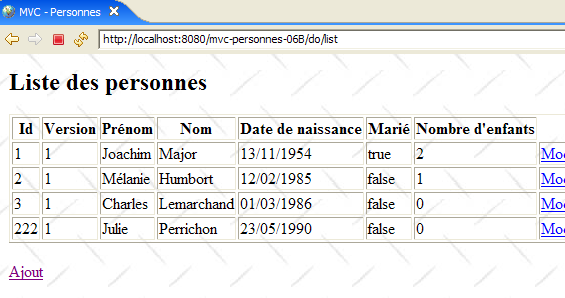 |
We verify the addition in the database:
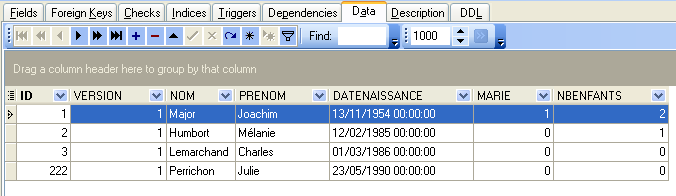
The reader is invited to perform other tests [edit, delete].