13. SQL Server 2014
We will now address the porting to SQL Server 2014 of what was done with MySQL.
 |
13.1. Setting up the work environment
13.1.1. Eclipse environment
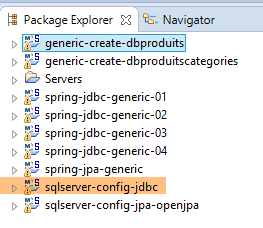
We will be working with the following Eclipse environment:
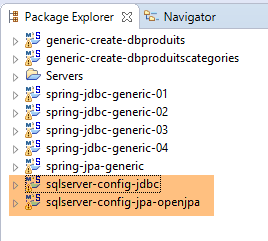 |
The SQL Server projects listed above can be found in the [<exemples>/spring-database-config\sqlserver\eclipse] folder.
Note: Run [Alt-F5] to regenerate all Maven projects.
13.1.2. Generating the databases
As was done with Oracle and DB2, we will need to install the JDBC driver from SQL Server into the local Maven repository.
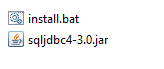 |
The [install.bat] file contains the following code:
"%M2_HOME%\bin\mvn.bat" install:install-file -Dfile=sqljdbc4-3.0.jar -Dpackaging=jar -DgroupId=com.microsoft.sqlserver -DartifactId=sqljdbc4 -Dversion=4.0
where [%M2-HOME%] is the Maven installation directory (see section 23.2, page 466). After this installation, the JDBC driver for SQL Server can be referenced in [pom.xml] files using the following dependency:
        <dependency>
            <groupId>com.microsoft.sqlserver</groupId>
            <artifactId>sqljdbc4</artifactId>
            <version>4.0</version>
</dependency>
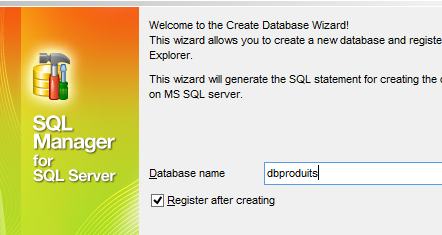
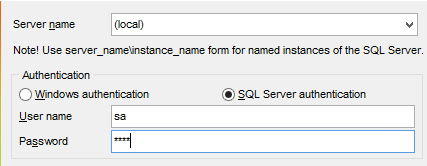
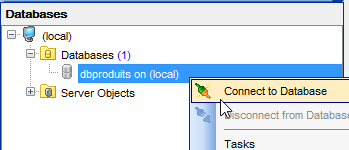
Throughout the rest of this guide, connections to the SQL and SERVER databases are made using the [sa / msde] credentials. Launch SQL Server and its client [MsManager] (see section 23.9).
 |  |
 |  |
 |  |
 |  |
 |  |
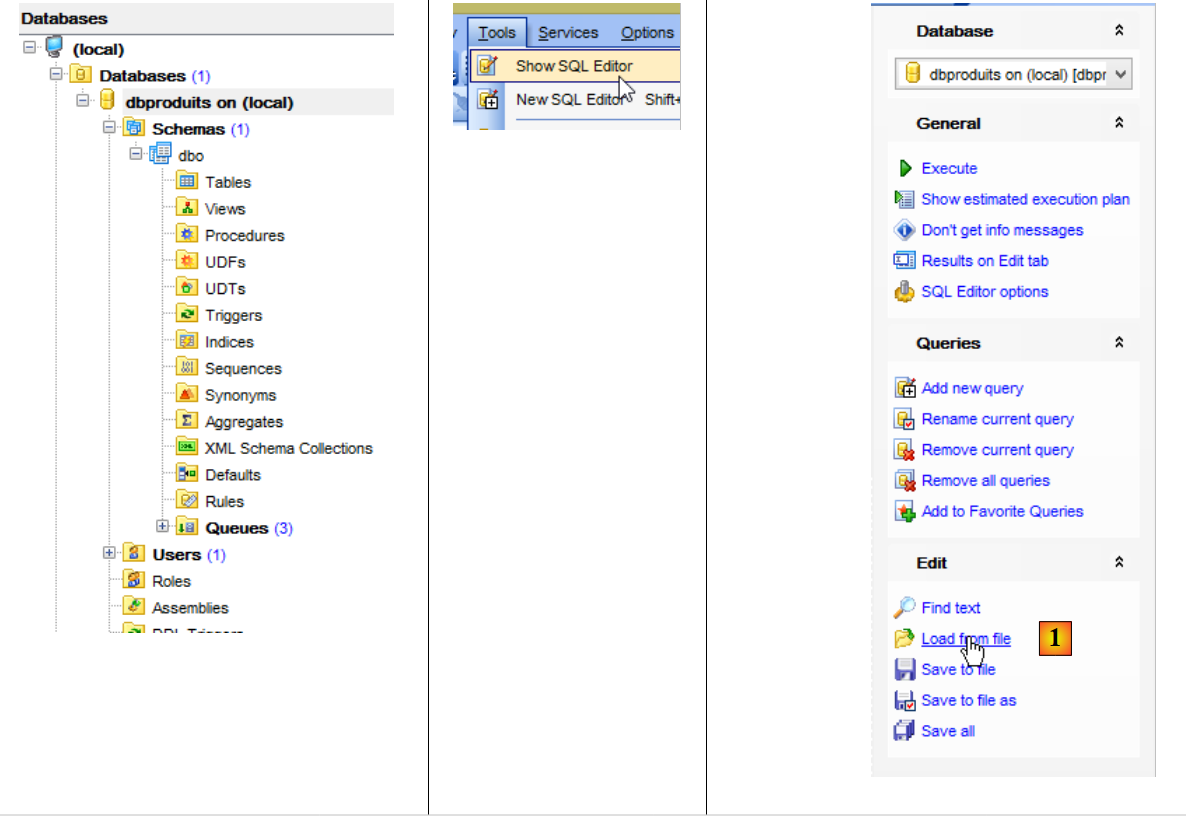 |
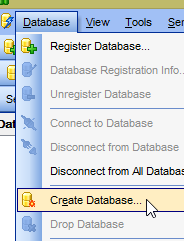
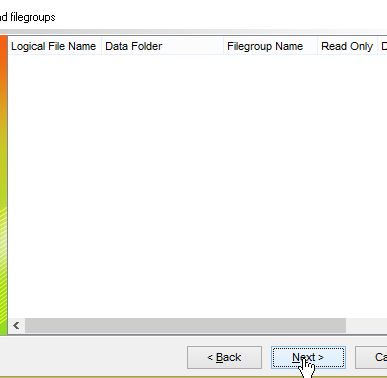
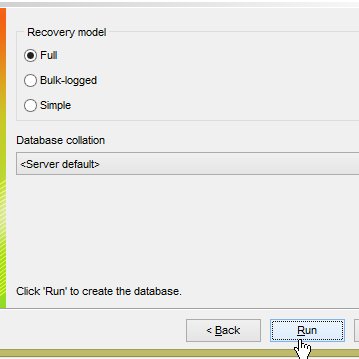
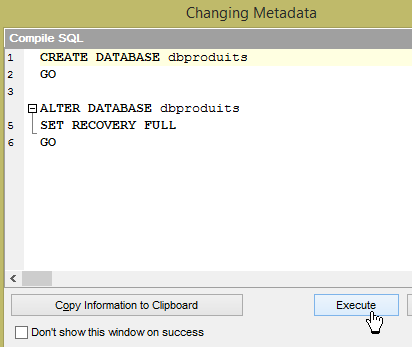
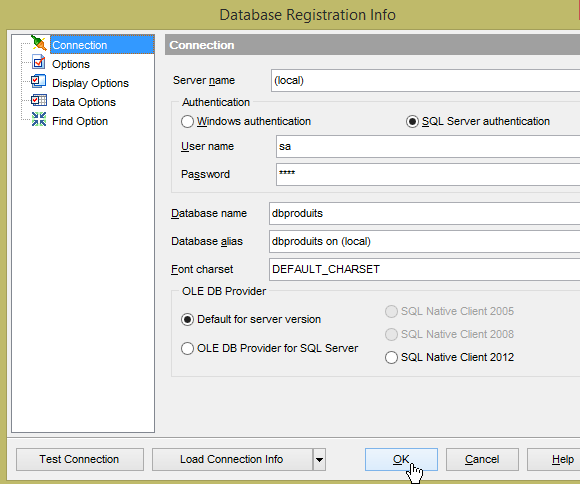
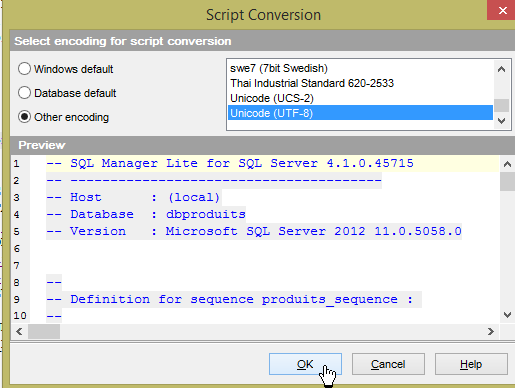
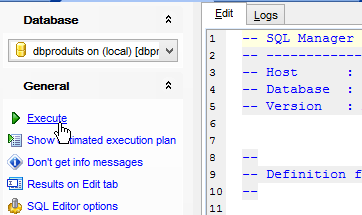
- In [1], load the script SQL [<exemples>\spring-database-config\sqlserver\databases\dbproduits.sql];
 |  |
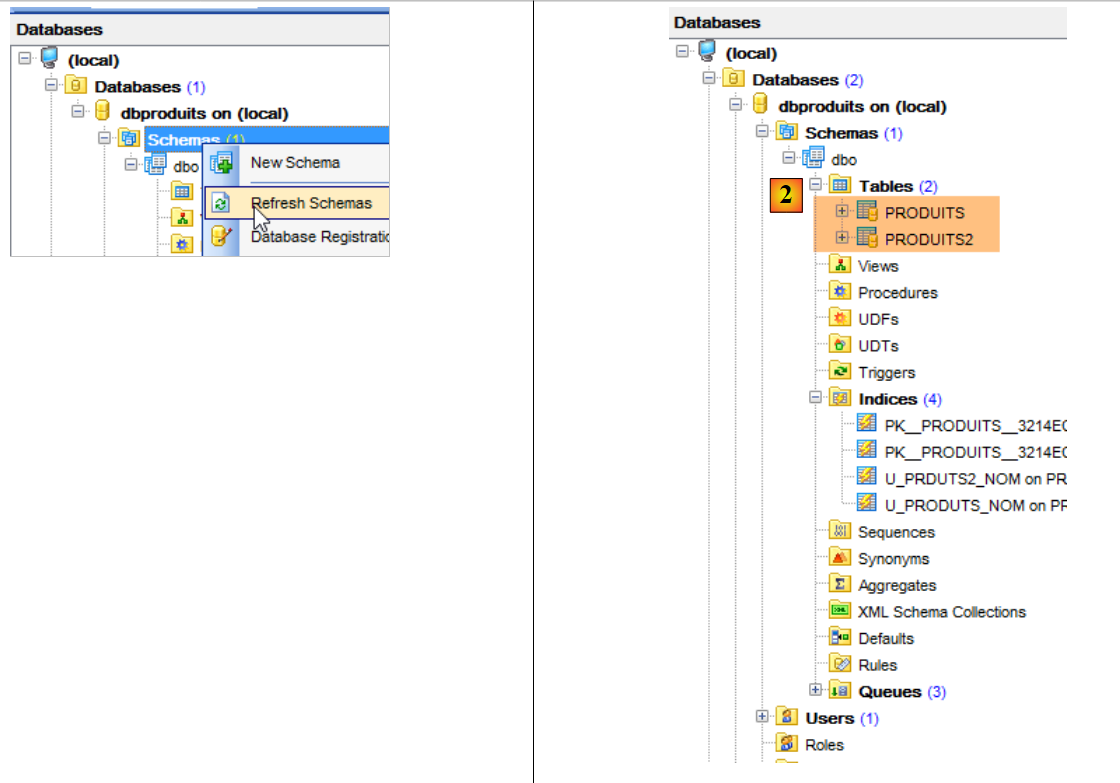 |
- in [2], it was not possible to use the same table [PRODUITS] for the projects [spring-jdbc-01 à 03]. The reason is that:
- the [spring-jdbc-01 et 02] projects insert rows with their primary keys;
- the [spring-jdbc-03] project inserts rows without primary keys and expects SGBD to generate them. To do this, the primary key [ID] must be of type [Identity]. However, this type in SQL Server only supports automatic generation of primary keys and does not allow the insertion of a row with a user-defined primary key. An error is then reported, and I was unable to work around it. The [spring-jdbc-01 et 02] projects use the [PRODUITS] table without automatic primary key generation. The [spring-jdbc-03] project uses the [PRODUITS2] table with automatic primary key generation.
Now, run the configurations:
- [spring-jdbc-generic-01.IntroJdbc01];
- [spring-jdbc-generic-01.IntroJdbc02];
- [spring-jdbc-generic-03.JUnitTestDao1];
- [spring-jdbc-generic-03.JUnitTestDao2];
They all have to succeed.
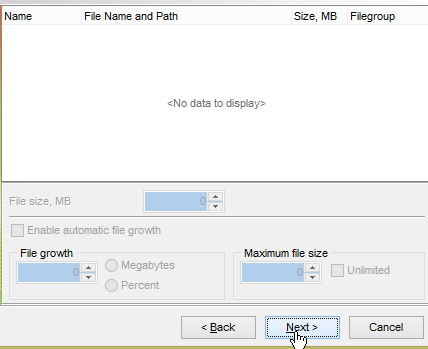
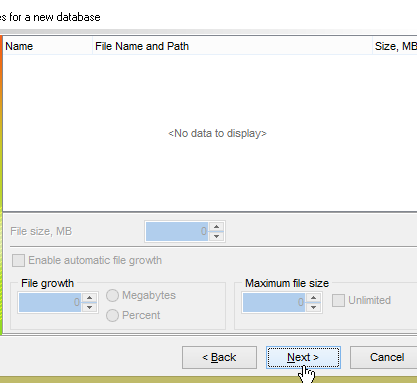
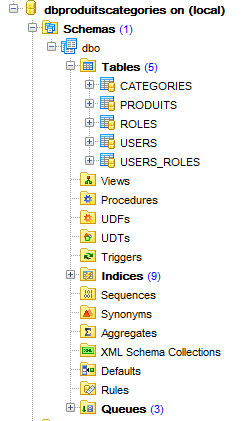
Now let’s generate the [dbproduitscategories] database. Repeat the procedure used to create [dbproduits] for [dbproduitscategories]. The SQL script to be loaded is located at [<exemples>\spring-database-config\sqlserver\databases\ dbproduitscategories.sql];
 |
Now, run the configurations:
- [spring-jdbc-generic-04.JUnitTestDao];
- [spring-jpa-generic-JUnitTestDao-openjpa];
Both must succeed.
13.2. Configuration of the JDBC layer
 | 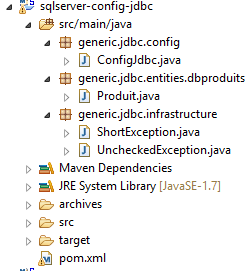 |
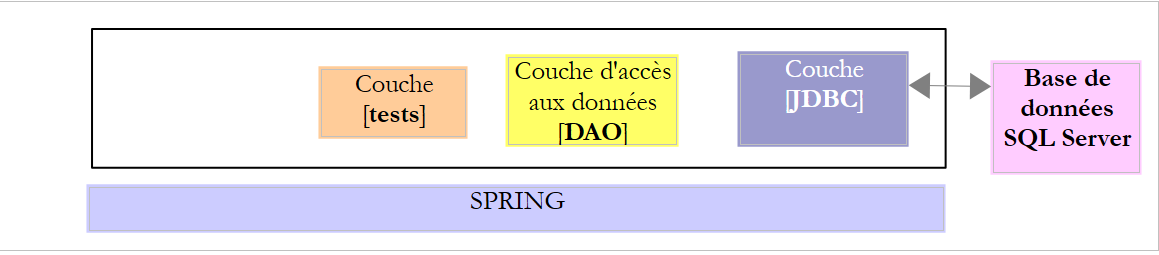
The [sqlserver-config-jdbc] project configures the [JDBC] layer of the following test architecture:
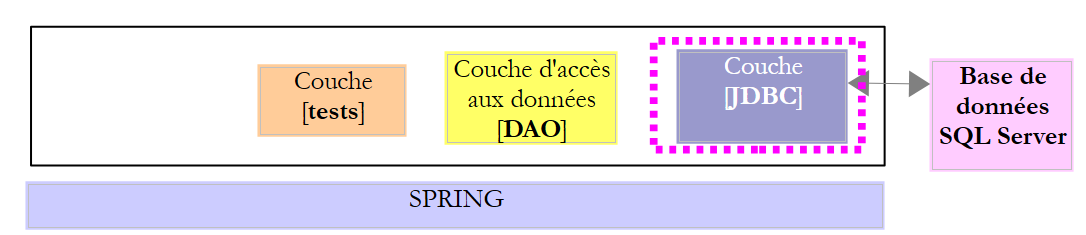 |
The project is analogous to the configuration project [mysql-config-jdbc] for the JDBC layer of the SGBD MySQL (see section 3.3). We present only the changes:
The [pom.xml] file imports the JDBC driver from SQL Server:
<project xmlns="http://maven.apache.org/POM/4.0.0" xmlns:xsi="http://www.w3.org/2001/XMLSchema-instance"
    xsi:schemaLocation="http://maven.apache.org/POM/4.0.0 http://maven.apache.org/xsd/maven-4.0.0.xsd">
    <modelVersion>4.0.0</modelVersion>
    <groupId>dvp.spring.database</groupId>
    <artifactId>generic-config-jdbc</artifactId>
    <version>0.0.1-SNAPSHOT</version>
    <name>configuration generic jdbc</name>

    <parent>
        <groupId>org.springframework.boot</groupId>
        <artifactId>spring-boot-starter-parent</artifactId>
        <version>1.2.3.RELEASE</version>
    </parent>

    <dependencies>
        <!-- dépendances variables ********************************************** -->
        <!-- driver JDBC from SGBD -->
        <dependency>
            <groupId>com.microsoft.sqlserver</groupId>
            <artifactId>sqljdbc4</artifactId>
            <version>4.0</version>
        </dependency>
        <!-- dépendances constantes ********************************************** -->
        ...
    </dependencies>
...
</project>
- lines 18-22: the JDBC driver for SQL Server;
The second change is in the [ConfigJdbc] class, which defines the database access credentials:
    // connection parameters
    public final static String DRIVER_CLASSNAME = "com.microsoft.sqlserver.jdbc.SQLServerDriver";
    public final static String URL_DBPRODUITS = "jdbc:sqlserver://localhost\\SQLEXPRESS:1433;databaseName=dbproduits";
    public final static String USER_DBPRODUITS = "sa";
    public final static String PASSWD_DBPRODUITS = "msde";
    public final static String URL_DBPRODUITSCATEGORIES = "jdbc:sqlserver://localhost\\SQLEXPRESS:1433;databaseName=dbproduitscategories";
    public final static String USER_DBPRODUITSCATEGORIES = "sa";
public final static String PASSWD_DBPRODUITSCATEGORIES = "msde";
The third modification that can be made is to the maximum number of parameters that a [PreparedStatement] can support:
    // max number of parameters of a [PreparedStatement]
    public final static int MAX_PREPAREDSTATEMENT_PARAMETERS = 2000;
The [JUnitTestPushTheLimits] test generates SQL orders for 5,000 products, which will generate [PreparedStatement] files with 5,000 parameters. MySQL was able to handle this value. SQL Server issued an error indicating that this limit was 2,100.
The fourth change is in the table used by the [spring-jdbc-03] project. It is no longer [PRODUITS] but [PRODUITS2]:
    // orders SQL [jdbc-03]
    public final static String V2_INSERT_PRODUITS = "INSERT INTO PRODUITS2(NOM, CATEGORIE, PRIX, DESCRIPTION) VALUES (?, ?, ?, ?)";
    public final static String V2_DELETE_ALLPRODUITS = "DELETE FROM PRODUITS2";
    public final static String V2_DELETE_PRODUITS = "DELETE FROM PRODUITS2 WHERE ID=?";
    public final static String V2_SELECT_ALLPRODUITS = "SELECT ID, NOM, CATEGORIE, PRIX, DESCRIPTION FROM PRODUITS2";
    public final static String V2_SELECT_PRODUIT_BYID = "SELECT NOM, CATEGORIE, PRIX, DESCRIPTION FROM PRODUITS2 WHERE ID=?";
    public final static String V2_SELECT_PRODUIT_BYNAME = "SELECT ID, CATEGORIE, PRIX, DESCRIPTION FROM PRODUITS2 WHERE NOM=?";
public final static String V2_UPDATE_PRODUITS = "UPDATE PRODUITS2 SET NOM=?, PRIX=?, CATEGORIE=?, DESCRIPTION=? WHERE ID=?";
13.3. Configuration of the JPA layer OpenJpa
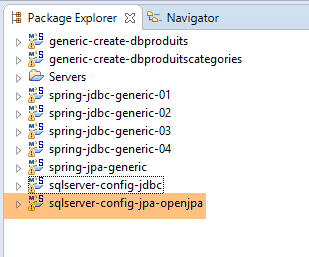 | 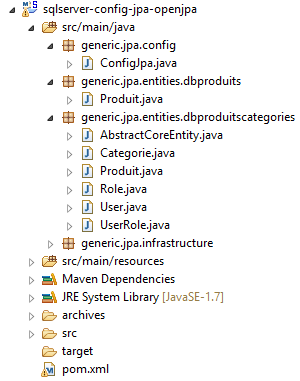 |
The [sqlserver-config-jpa-openjpa] project configures the [JPA] layer of the test architecture:
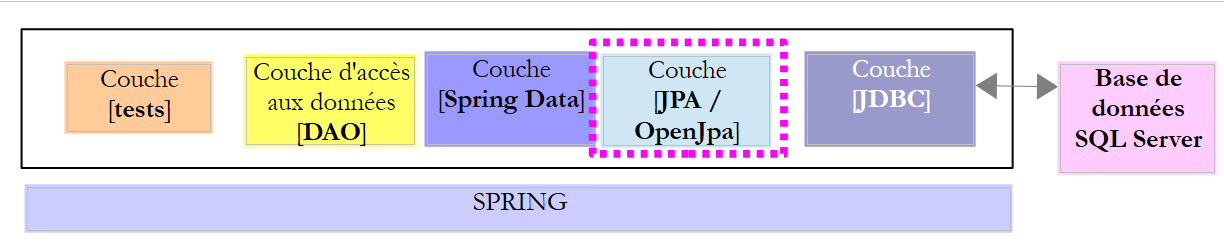 |
The project is analogous to the configuration project [mysql-config-jpa-openjpa] of the layer JPA OpenJpa of the SGBD MySQL (see section 8.3). In fact, both SGBD use the [@GeneratedValue(strategy = GenerationType.IDENTITY)] annotation to generate primary keys. There are two changes to make. It is in the definition of the [jpaVendorAdapter] bean of the [ConfigJpa] class:
    // the provider JPA
    @Bean
    public JpaVendorAdapter jpaVendorAdapter() {
        OpenJpaVendorAdapter openJpaVendorAdapter = new OpenJpaVendorAdapter();
        openJpaVendorAdapter.setShowSql(false);
        openJpaVendorAdapter.setDatabase(Database.SQL_SERVER);
        openJpaVendorAdapter.setGenerateDdl(true);
        return openJpaVendorAdapter;
}
- Line 6: We instruct the JPA implementation that it will be working with a SQL Server database. The JPA implementation will then adopt both the proprietary data types and the SQL that owns this SGBD.
The second change concerns the JPA entities associated with the [PRODUITS] and [PRODUITS2] tables:
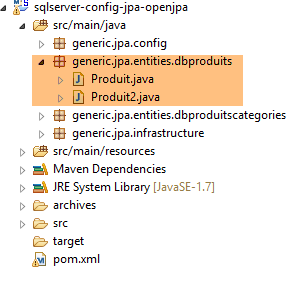 |
The [Produit] entity is associated with the [PRODUITS] table without automatic generation of primary keys (no [@GeneratedValue] notation):
@Entity(name = "Produit1")
@Table(name = ConfigJdbc.TAB_PRODUITS)
public class Produit {

// fields
@Id
@Column(name = ConfigJdbc.TAB_PRODUITS_ID)
private Long id;
The [Produit2] entity is associated with the [PRODUITS2] table with automatic primary key generation:
@Entity(name = "Produit2")
@Table(name = ConfigJdbc.TAB_PRODUITS2)
public class Produit2 {

// fields
@Id
@GeneratedValue(strategy = GenerationType.IDENTITY)
@Column(name = ConfigJdbc.TAB_PRODUITS_ID)
private Long id;
Additionally, the project that generates the [dbproduits] database must be modified to indicate that there are now two JPA entities in the database:
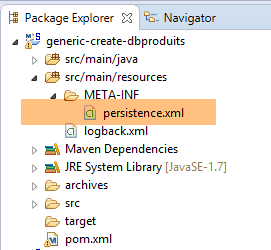 |
The [persistence.xml] file changes as follows:
<?xml version="1.0" encoding="UTF-8"?>
<persistence version="1.0" xmlns="http://java.sun.com/xml/ns/persistence" xmlns:xsi="http://www.w3.org/2001/XMLSchema-instance"
    xsi:schemaLocation="http://java.sun.com/xml/ns/persistence http://java.sun.com/xml/ns/persistence/persistence_1_0.xsd">
    <persistence-unit name="generic-jpa-entities-dbproduits" transaction-type="RESOURCE_LOCAL">
        <!-- entities JPA -->
        <class>generic.jpa.entities.dbproduits.Produit</class>
        <class>generic.jpa.entities.dbproduits.Produit2</class>
        <exclude-unlisted-classes>true</exclude-unlisted-classes>
    </persistence-unit>
</persistence>
The [generic-create-dbproduits] project is common to all SGBD projects. The JPA layer of the projects examined previously did not have the [Produit2] entity. One might wonder, then, whether referencing a non-existent JPA entity will cause the project to fail for these SGBD projects. Tests show that it does not.
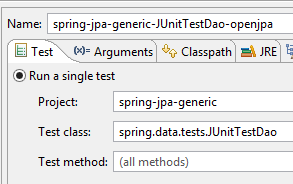
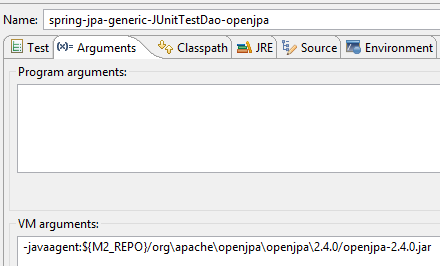
With these changes made, the execution of the [spring-jpa-generic-JUnitTestDao-openjpa] configuration should succeed.
 |  |
13.4. Configuration of the JPA Hibernate layer
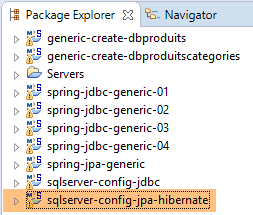 | 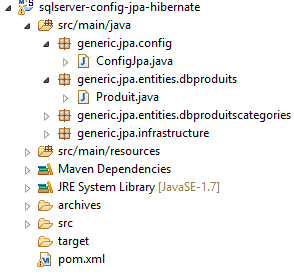 |
Note: Run [Alt-F5] to regenerate all Maven projects.
The [sqlserver-config-jpa-hibernate] project is analogous to the [mysql-config-jpa-hibernate] project (section 6.3) with the same modifications that were used to port [mysql-config-jpa-openjpa] to the [sqlserver-config-jpa-openjpa] project (Section 8.3).
With these modifications in place, the execution of the [spring-jpa-generic-JUnitTestDao-hibernate-eclipselink] configuration should succeed.
13.5. Configuration of the JPA layer EclipseLink
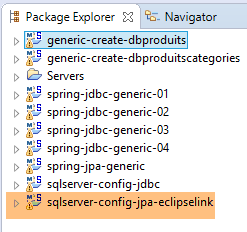 | 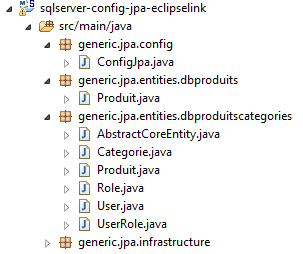 |
Note: Run [Alt-F5] to regenerate all Maven projects.
The [sqlserver-config-jpa-eclipselink] project is analogous to the [mysql-config-jpa-eclipselink] project (Section 7.3) with the same modifications that were used to port [mysql-config-jpa-openjpa] to the [sqlserver-config-jpa-openjpa] project (section 8.3).
With these changes made, the execution of the [spring-jpa-generic-JUnitTestDao-hibernate-eclipselink] configuration should succeed.