12. IBM DB2 Express-C 10.5
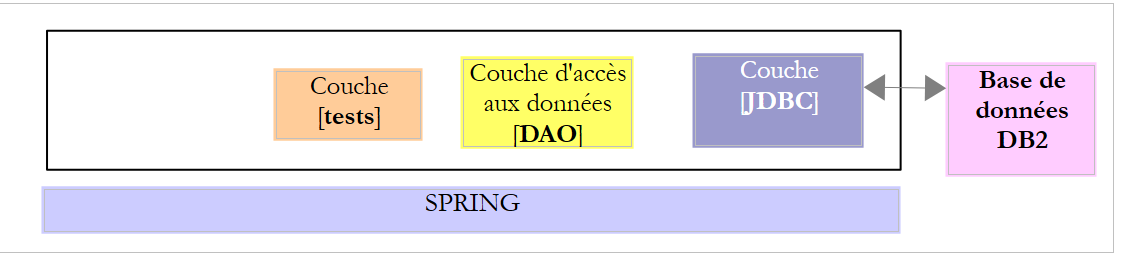
We will now address porting what was done with MySQL to DB2. The two SGBD configurations indeed use the same strategy for generating primary keys.
 |
12.1. Setting up the work environment
12.1.1. Eclipse environment
We will be working with the following Eclipse environment:
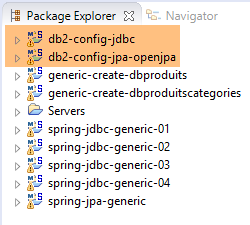 |
The DB2 projects mentioned above can be found in the [<exemples>/spring-database-config\db2\eclipse] folder.
Note: Run [Alt-F5] to regenerate all Maven projects.
12.1.2. Generating the databases
As was done with Oracle, we will need to install the JDBC driver from DB2 into the local Maven repository.
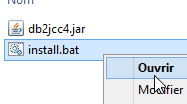 |
The [install.bat] file contains the following code:
"%M2_HOME%\bin\mvn.bat" install:install-file -Dfile=db2jcc4.jar -Dpackaging=jar -DgroupId=com.ibm.jdbc -DartifactId=db2jcc4 -Dversion=1.0
where [%M2-HOME%] is the Maven installation directory (see section 23.2). After this installation, the JDBC driver from DB2 can be referenced in the [pom.xml] files using the following dependency:
        <dependency>
            <groupId>com.ibm.jdbc</groupId>
            <artifactId>db2jcc4</artifactId>
            <version>1.0</version>
</dependency>
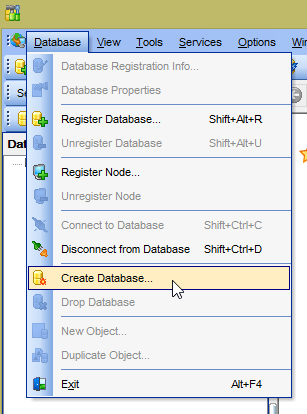
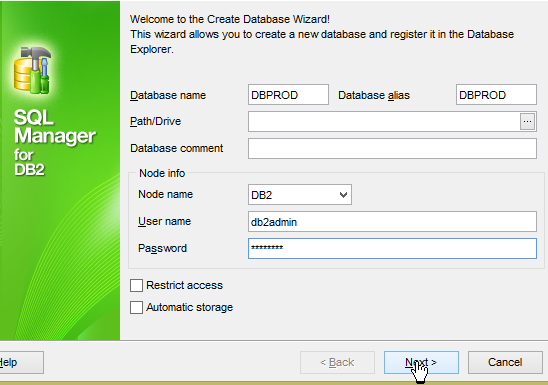
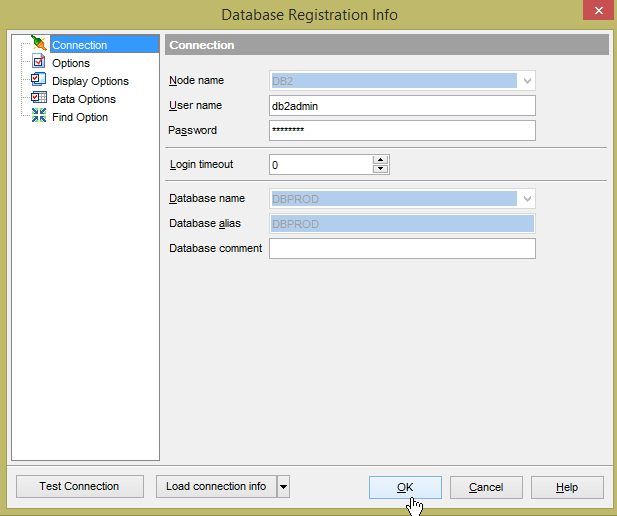
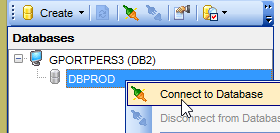
Throughout the rest of this guide, connections to the DB2 databases are made using the [db2admin / db2admin] credentials. Start DB2 and its client [Db2Manager] (see section 23.8).
 |  |
 |  |
 |  |
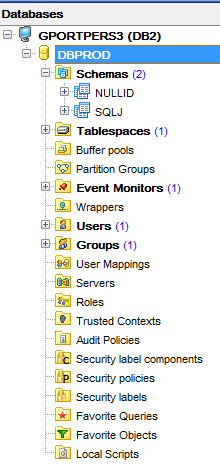 |
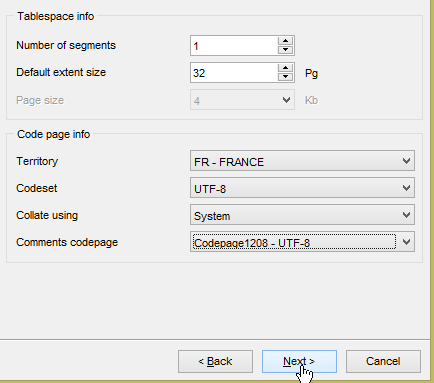
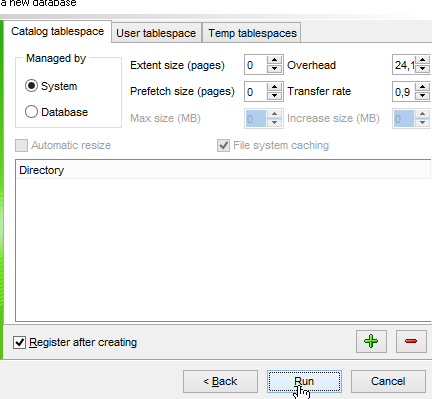
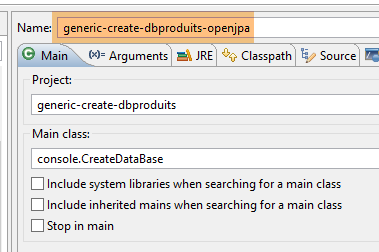
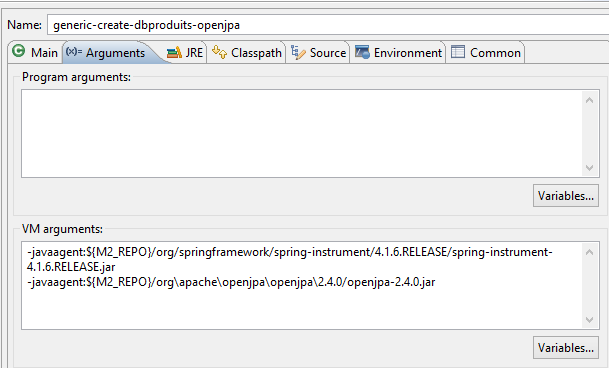
The database [DBPROD] is the database [dbproduits] from the previous SGBD. But [DB2Manager] did not allow me to use this name (perhaps it was too similar to long for it). Now we create the table [PRODUITS] with the following Eclipse run configuration [generic-create-dbproduits-jpa]:
 |  |
The run creates the table [PRODUITS] in the database [DBPROD]:
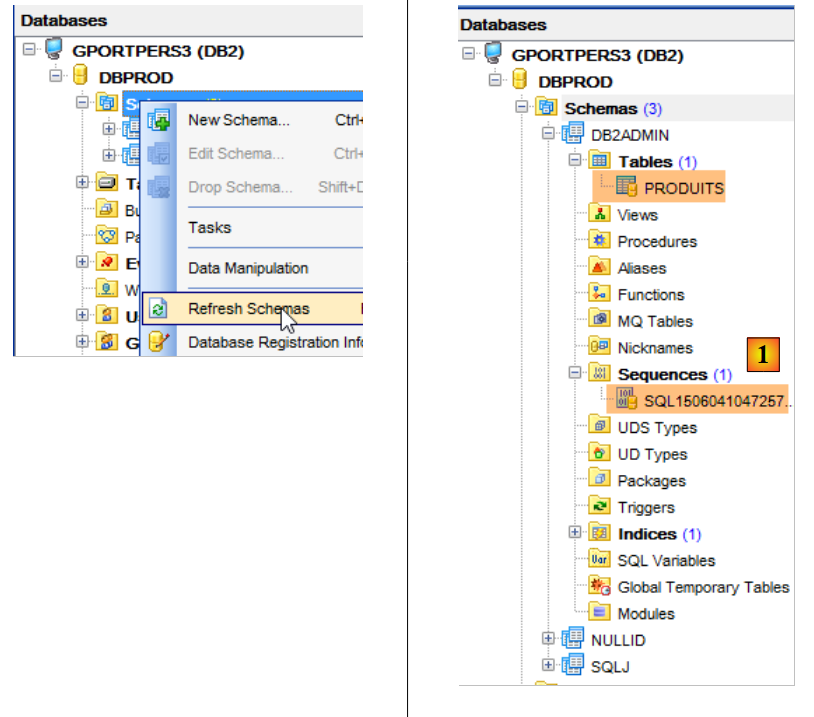 |
- In [1], above, the sequence was not generated by [OpenJpa] but by DB2 itself, which uses it internally to generate primary keys;
Now, run the configurations:
- [spring-jdbc-generic-01.IntroJdbc01] ;
- [spring-jdbc-generic-01.IntroJdbc02] ;
- [spring-jdbc-generic-03.JUnitTestDao1] ;
- [spring-jdbc-generic-03.JUnitTestDao2] ;
They should all succeed.
Now let’s generate the database [dbproduitscategories]. It will be called [DBCAT] here for the reasons already mentioned regarding database name length restrictions. Repeat the procedure used to create [DBPROD] for [DBCAT].
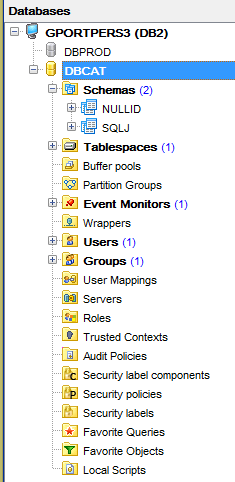 |
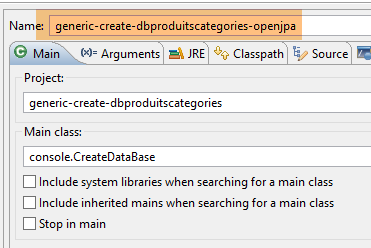
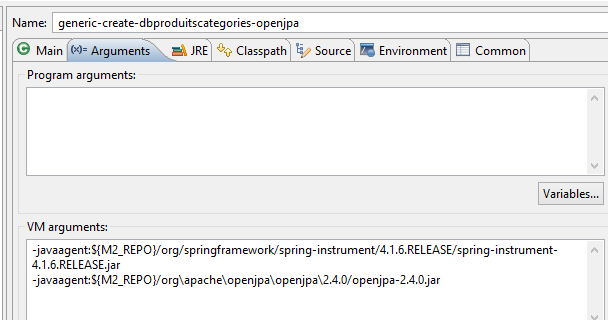
We will now create the tables for the [DBCAT] database from Eclipse using the [generic-create-dbproduitscategories-openjpa] configuration:
 |  |
This execution yields the following result:
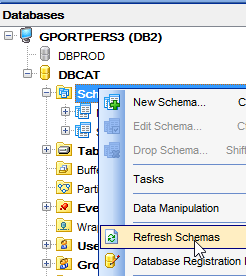 | 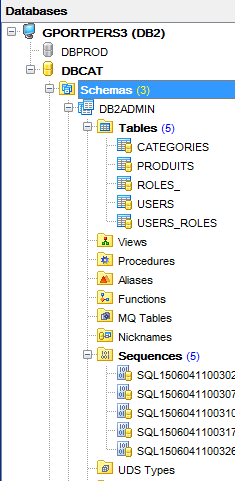 |
The [VERSIONING] column in the five tables must be modified so that they have 1 as the default value:
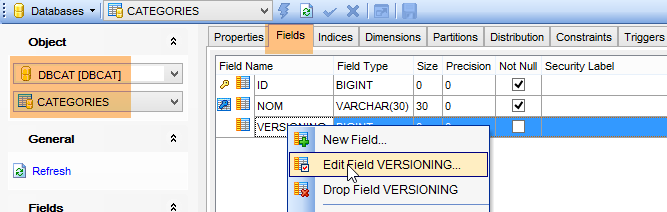 |
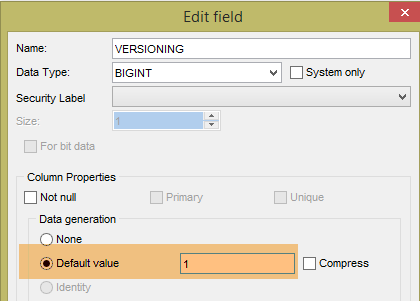 |
This step must be performed for all five tables.
Now, run the configurations:
- [spring-jdbc-generic-04.JUnitTestDao];
- [spring-jpa-generic-JUnitTestDao-openjpa];
Both should succeed.
12.2. Configuration of the JDBC layer
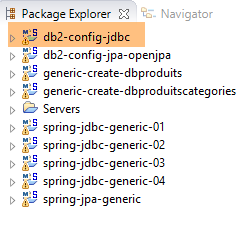 | 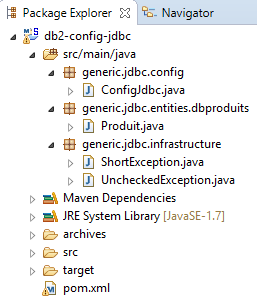 |
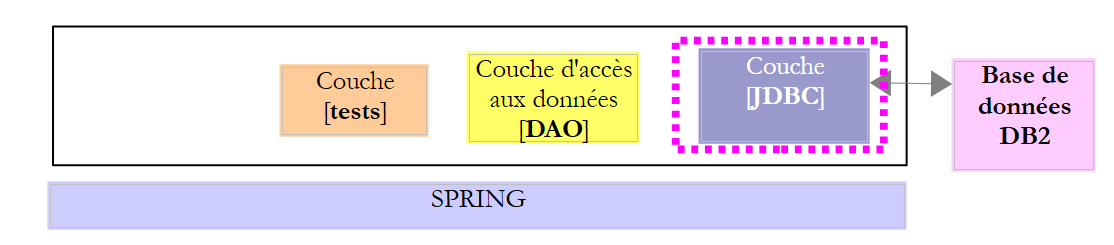
The [db2-config-jdbc] project configures the [JDBC] layer of the following test architecture:
 |
The project is analogous to the configuration project [mysql-config-jdbc] of the JDBC layer of SGBD MySQL (see section 3.3). We present only the changes:
The [pom.xml] file imports the JDBC driver from DB2:
<project xmlns="http://maven.apache.org/POM/4.0.0" xmlns:xsi="http://www.w3.org/2001/XMLSchema-instance"
    xsi:schemaLocation="http://maven.apache.org/POM/4.0.0 http://maven.apache.org/xsd/maven-4.0.0.xsd">
    <modelVersion>4.0.0</modelVersion>
    <groupId>dvp.spring.database</groupId>
    <artifactId>generic-config-jdbc</artifactId>
    <version>0.0.1-SNAPSHOT</version>
    <name>configuration generic jdbc</name>

    <parent>
        <groupId>org.springframework.boot</groupId>
        <artifactId>spring-boot-starter-parent</artifactId>
        <version>1.2.3.RELEASE</version>
    </parent>

    <dependencies>
        <!-- dépendances variables ********************************************** -->
        <!-- driver JDBC from SGBD -->
        <dependency>
            <groupId>com.ibm.jdbc</groupId>
            <artifactId>db2jcc4</artifactId>
            <version>1.0</version>
        </dependency>
        <!-- dépendances constantes ********************************************** -->
....
    </dependencies>

...
</project>
- lines 18-22: the JDBC driver from DB2;
The second change is in the [ConfigJdbc] class, which defines the database access credentials:
    // connection parameters
    public final static String DRIVER_CLASSNAME = "com.ibm.db2.jcc.DB2Driver";
    public final static String URL_DBPRODUITS = "jdbc:db2://localhost:50000/dbprod";
    public final static String USER_DBPRODUITS = "db2admin";
    public final static String PASSWD_DBPRODUITS = "db2admin";
    public final static String URL_DBPRODUITSCATEGORIES = "jdbc:db2://localhost:50000/dbcat";
    public final static String USER_DBPRODUITSCATEGORIES = "db2admin";
    public final static String PASSWD_DBPRODUITSCATEGORIES = "db2admin";
The third modification that can be made is to the maximum number of parameters that a [PreparedStatement] can support:
    // max number of parameters of a [PreparedStatement]
    public final static int MAX_PREPAREDSTATEMENT_PARAMETERS = 10000;
The [JUnitTestPushTheLimits] test generates SQL orders for 5,000 products, which will generate [PreparedStatement] with 5,000 parameters. MySQL also supported this value. DB2 as well.
The fourth change is to the name of the table [ROLES]. This name is reserved in SGBD and DB2. We have therefore renamed it [ROLES_]:
public final static String TAB_ROLES = "ROLES_";
public static final String SELECT_ROLES_BYUSERID = "SELECT DISTINCT r.ID as r_ID, r.VERSIONING as r_VERSIONING, r.NAME as r_NAME FROM ROLES_ r, users u, USERS_ROLES ur"
+ " WHERE u.ID=:id AND ur.USER_ID=u.ID AND ur.ROLE_ID=r.ID";
12.3. Configuration of the JPA layer OpenJpa
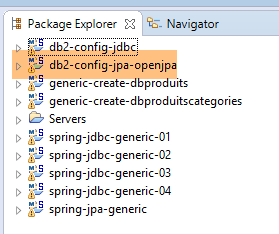 | 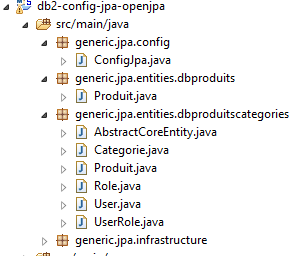 |
The [db2-config-jpa-openjpa] project configures the [JPA] layer of the test architecture:
 |
The project is analogous to the configuration project [mysql-config-jpa-openjpa] of the layer JPA OpenJpa of the SGBD MySQL (see section 8.3). In fact, both SGBD use the [@GeneratedValue(strategy = GenerationType.IDENTITY)] annotation to generate primary keys. There is only one change to make. It is in the definition of the [jpaVendorAdapter] bean of the [ConfigJpa] class:
    // the provider JPA
    @Bean
    public JpaVendorAdapter jpaVendorAdapter() {
        OpenJpaVendorAdapter openJpaVendorAdapter = new OpenJpaVendorAdapter();
        openJpaVendorAdapter.setShowSql(false);
        openJpaVendorAdapter.setDatabase(Database.DB2);
        openJpaVendorAdapter.setGenerateDdl(true);
        return openJpaVendorAdapter;
}
- Line 6: We instruct the JPA implementation that it will work with a DB2 database. The JPA implementation will then adopt both the proprietary data types and the SQL that owns this SGBD.
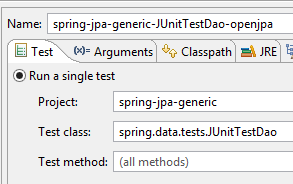
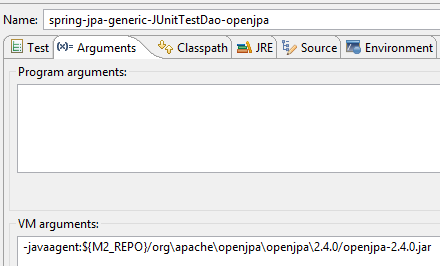
Once these changes are made, the execution of the [spring-jpa-generic-JUnitTestDao-openjpa] configuration should succeed.
 |  |
12.4. Configuration of the JPA Hibernate layer
 |  |
Note: Run [Alt-F5] to regenerate all Maven projects.
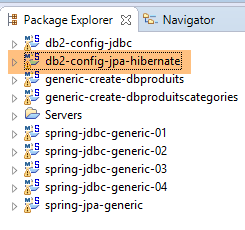
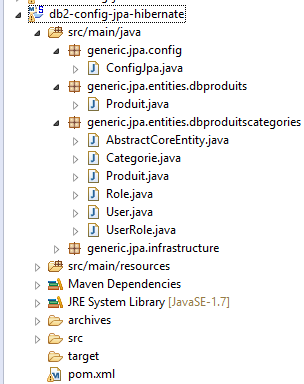
The [db2-config-jpa-hibernate] project is analogous to the [mysql-config-jpa-hibernate] project (section 6.3) with the same modifications that were used to port [mysql-config-jpa-openjpa] to the [db2-config-jpa-openjpa] project (section 12.3).
With these modifications in place, the execution of the [spring-jpa-generic-JUnitTestDao-hibernate-eclipselink] configuration should succeed.
12.5. Configuration of the JPA layer EclipseLink
 |  |
Note: Run [Alt-F5] to regenerate all Maven projects.
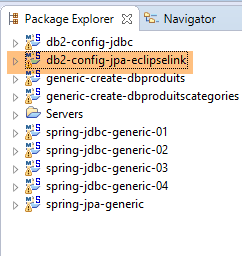
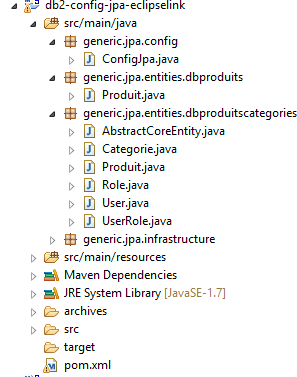
The [db2-config-jpa-eclipselink] project is analogous to the [mysql-config-jpa-eclipselink] project (Section 7.3) with the same modifications that were used to port [mysql-config-jpa-openjpa] to the [db2-config-jpa-openjpa] project (section 12.3).
With these modifications in place, the execution of the [spring-jpa-generic-JUnitTestDao-hibernate-eclipselink] configuration should succeed.