10. Oracle Express 11g Release 2
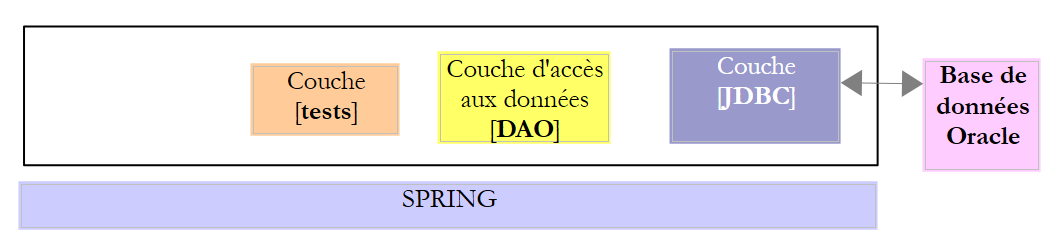
We will now discuss porting the work done with MySQL5 to Oracle Express 11g Release 2.
 |
10.1. Setting up the work environment
10.1.1. Eclipse environment
We will be working with the following Eclipse environment:
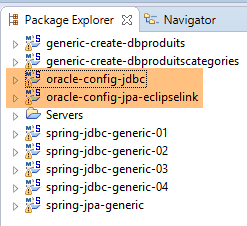 |
The Oracle projects listed above can be found in the [<exemples>/spring-database-config\oracle\eclipse] folder.
Note: Run [Alt-F5] to regenerate all Maven projects.
Launch Oracle Express and its client [OraManager] (see section 23.6). We will generate:
- the [dbproduits] database with the [generic-create-dbproduits] project;
- the [dbproduitscategories] database with the [generic-create-dbproduitscategories] project;
10.1.2. User Creation
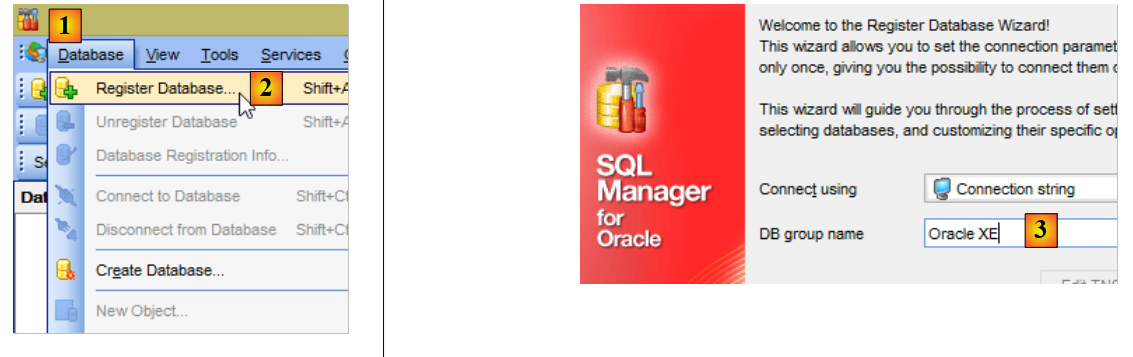
Everything now takes place in [OraManager]. The Oracle SGBD must be launched. We use the system/system credentials for the system administrator (this must have been configured beforehand). We will create two users:
- [DBPRODUITS / dbproduits], who will be the owner of the [dbproduits] database;
- [DBPRODUITSCATEGORIES / dbproduitscategories], which will be the owner of the [dbproduits] database;
 |
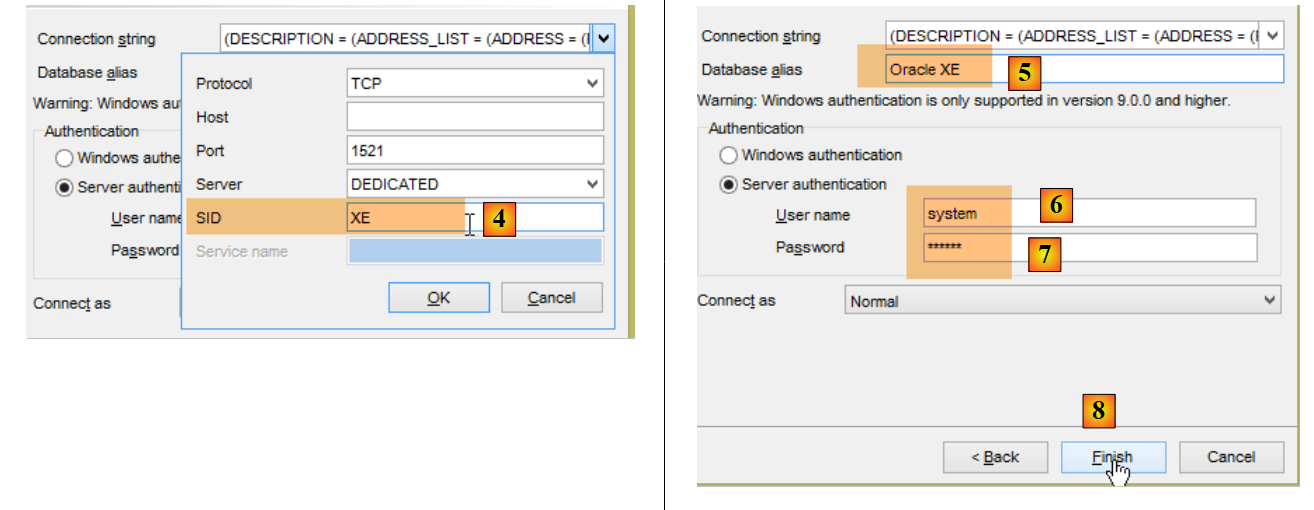 |
- in [6-7], the credentials are [system / system];
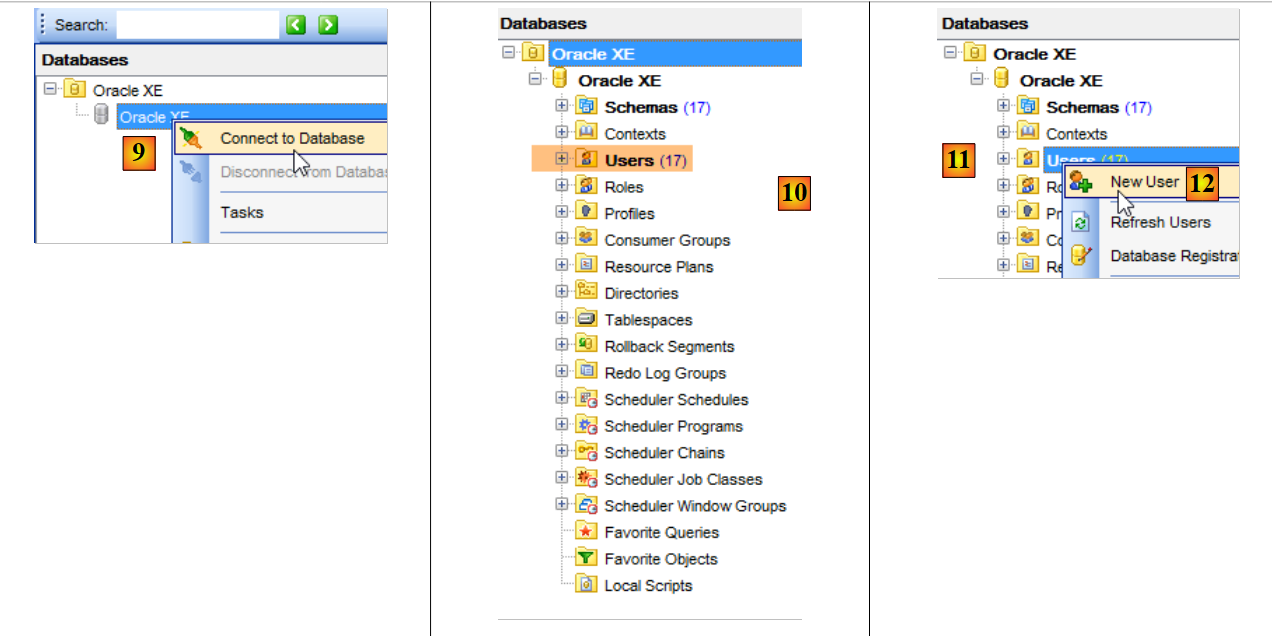 |
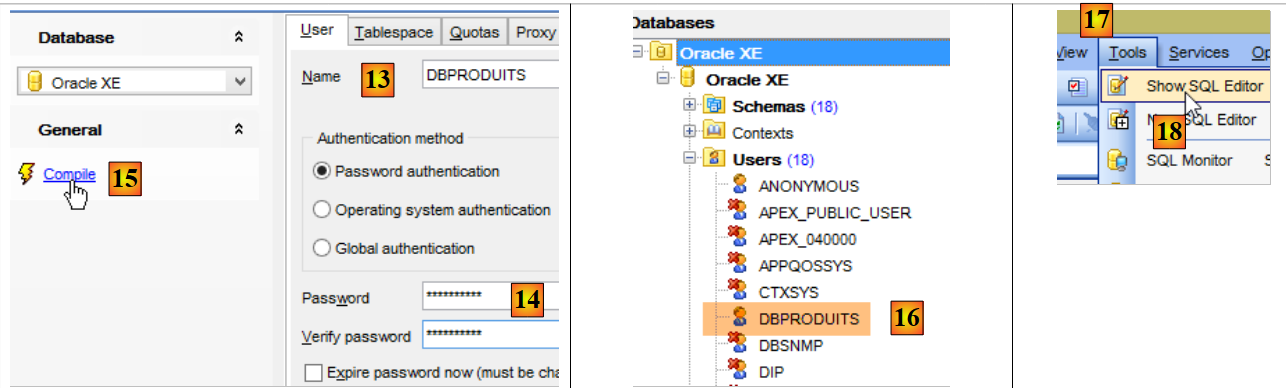 |
- in [14]: set dbproduits;
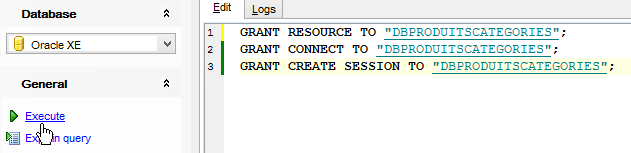
- in [16], the user was created but does not have sufficient permissions to log in. We will grant them using a script SQL [17-18];
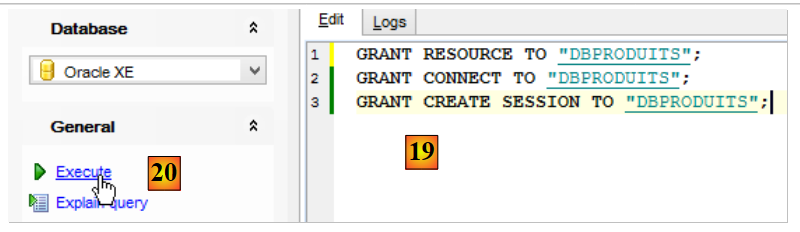 |
- In [19], capitalize the user name;
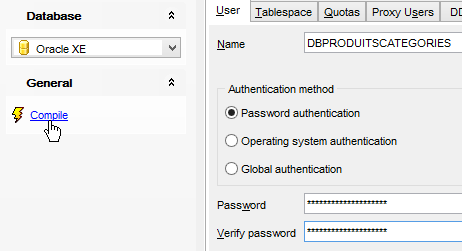
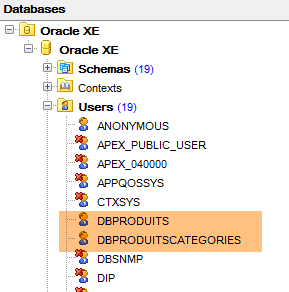
We repeat the same process to create the user [DBPRODUITSCATEGORIES / dbproduitscategories]:
 |  |
 |
10.1.3. Installing the Oracle driver JDBC in the Maven repository
The Oracle driver JDBC is not available in the central Maven repositories. It must be downloaded from Oracle [http://www.oracle.com/technetwork/apps-tech/jdbc-112010-090769.html]:
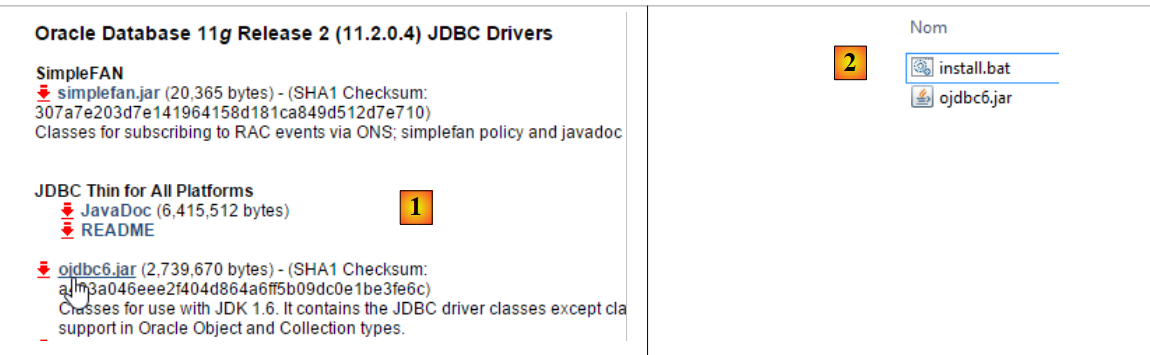 |
Once downloaded, it must be installed in the local Maven repository. This is done using the following script:
"%M2_HOME%\bin\mvn.bat" install:install-file -Dfile=ojdbc6.jar -Dpackaging=jar -DgroupId=com.oracle.jdbc -DartifactId=ojdbc6 -Dversion=1.0
where [%M2_HOME%] should be replaced with the path to the Maven installation directory (see section 23.2). Once this is done, the JDBC driver can then be imported into Maven projects using the following configuration:
        <dependency>
            <groupId>com.oracle.jdbc</groupId>
            <artifactId>ojdbc6</artifactId>
            <version>1.0</version>
</dependency>
10.1.4. Creating the [dbproduits] database
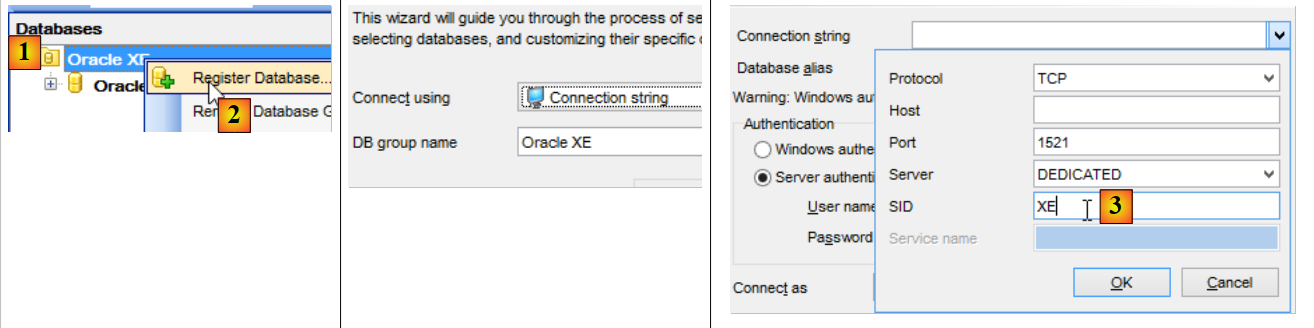
Now that we have a user named [DBPRODUITS / dbproduits], we will connect to Oracle using these credentials:
 |
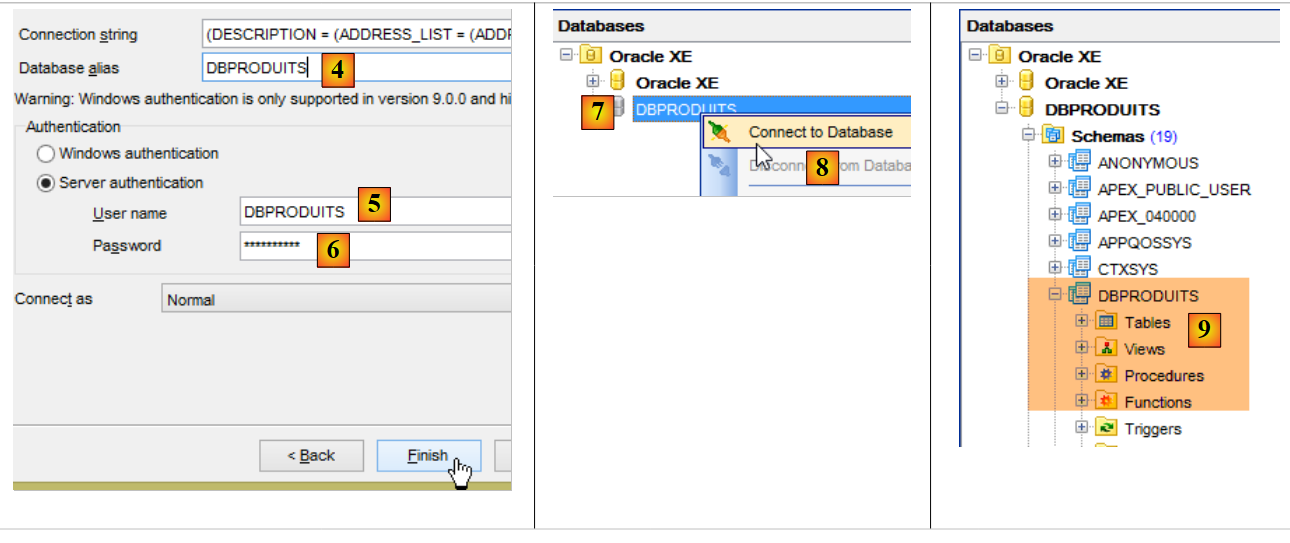 |
- in [6], enter dbproduits;
- in [9], the database [DBPRODUITS] that we will be using;
In the [ConfigJdbc] class of the [oracle-config-jdbc] project, the connection parameters used are as follows:
    public final static String DRIVER_CLASSNAME = "oracle.jdbc.OracleDriver";
    public final static String URL_DBPRODUITS = "jdbc:oracle:thin:@localhost:1521:xe";
    public final static String USER_DBPRODUITS = "DBPRODUITS";
    public final static String PASSWD_DBPRODUITS = "dbproduits";
    public final static String URL_DBPRODUITSCATEGORIES = "jdbc:oracle:thin:@localhost:1521:xe";
    public final static String USER_DBPRODUITSCATEGORIES = "DBPRODUITSCATEGORIES";
public final static String PASSWD_DBPRODUITSCATEGORIES = "dbproduitscategories";
You must adapt these to your Oracle configuration.
In the [oracle-config-jpa-eclipselink] project, the JPA entity is defined as follows:
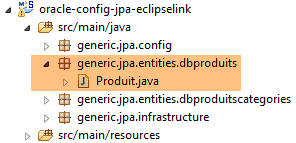 |
package generic.jpa.entities.dbproduits;

import generic.jdbc.config.ConfigJdbc;

import javax.persistence.Column;
import javax.persistence.Entity;
import javax.persistence.GeneratedValue;
import javax.persistence.Id;
import javax.persistence.SequenceGenerator;
import javax.persistence.Table;

@Entity(name="Produit1")
@Table(name = ConfigJdbc.TAB_PRODUITS)
public class Produit {

    // fields
    @Id
    @GeneratedValue(strategy=GenerationType.SEQUENCE,generator="genSeqProduits")
  @SequenceGenerator(name="genSeqProduits",sequenceName="PRODUITS_SEQUENCE", allocationSize=5)
    @Column(name = ConfigJdbc.TAB_PRODUITS_ID)
    private Long id;
    @Column(name = ConfigJdbc.TAB_PRODUITS_NOM, unique = true, length = 30, nullable = false)
    private String nom;
    @Column(name = ConfigJdbc.TAB_PRODUITS_CATEGORIE, nullable = false)
    private int categorie;
    @Column(name = ConfigJdbc.TAB_PRODUITS_PRIX, nullable = false)
    private double prix;
    @Column(name = ConfigJdbc.TAB_PRODUITS_DESCRIPTION, length = 100, nullable = false)
    private String description;

...
}
- Lines 18-19: The primary key generation strategy for table [PRODUITS] is [strategy=GenerationType.SEQUENCE]. For MySQL, the strategy [@GeneratedValue(strategy = GenerationType.IDENTITY)] was used. With Oracle Express 11g, this strategy cannot be used;
- line 18: it is specified that the primary key will be generated using a number generator, often referred to as a sequence;
- line 19: the sequence generator (the name attribute references the generator from line 18) will create a sequence named [PRODUITS_SEQUENCE] in the [dbproduits] database. Because we want portability between JPA implementations, it is important to name the sequence. Otherwise, in the absence of line 19, the three JPA implementations will create sequences that do not have the same name, making it impossible for JPA2 to use a database created by JPA1;
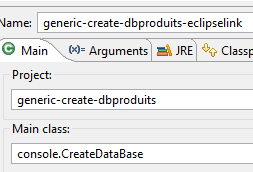
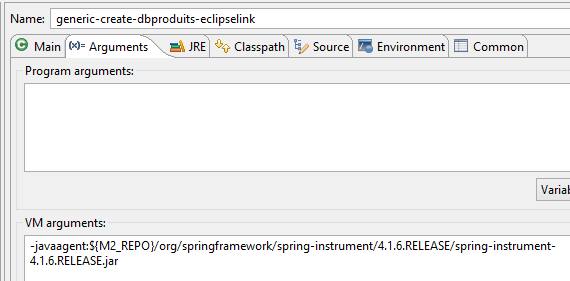
We are ready to run the [generic-create-dbproduits-eclipselink] configuration:
 |  |
Running this configuration creates two objects:
- a table named [PRODUITS];
- a sequence named [PRODUITS_SEQUENCE]
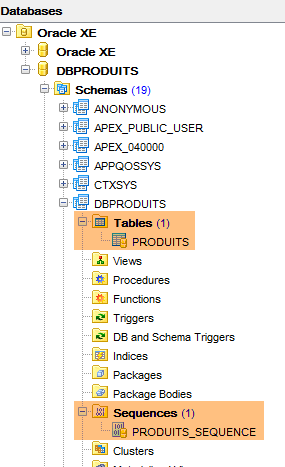 | 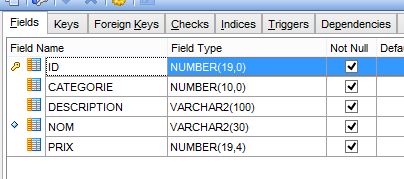 |
The DDL for the [PRODUITS] table is as follows:
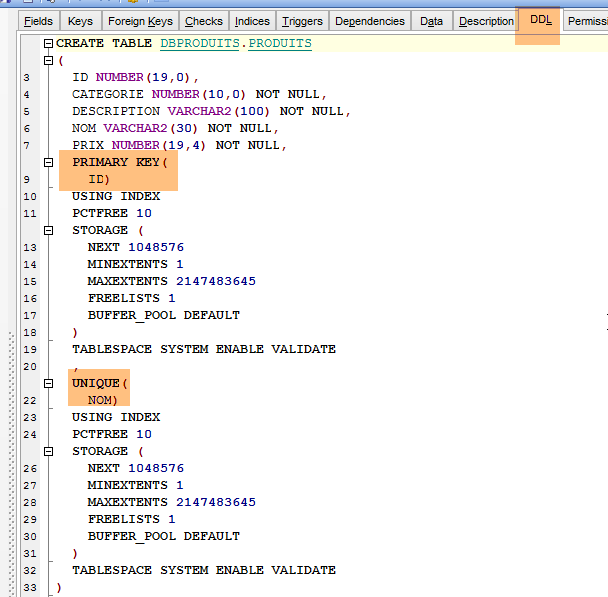 |
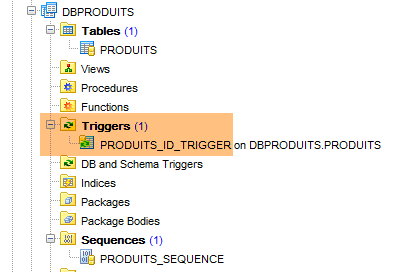
The primary key [ID] is not auto-incremented as it was with MySQL. However, the [spring-jdbc-03] project assumes that SGBD is responsible for generating the primary keys for the [PRODUITS] table. We will create a trigger. A trigger is a stored procedure within SGBD that executes under certain conditions. We will create a trigger that, for each new insertion, generates the primary key of the inserted product from the sequence [PRODUITS_SEQUENCE] created by the configuration JPA.
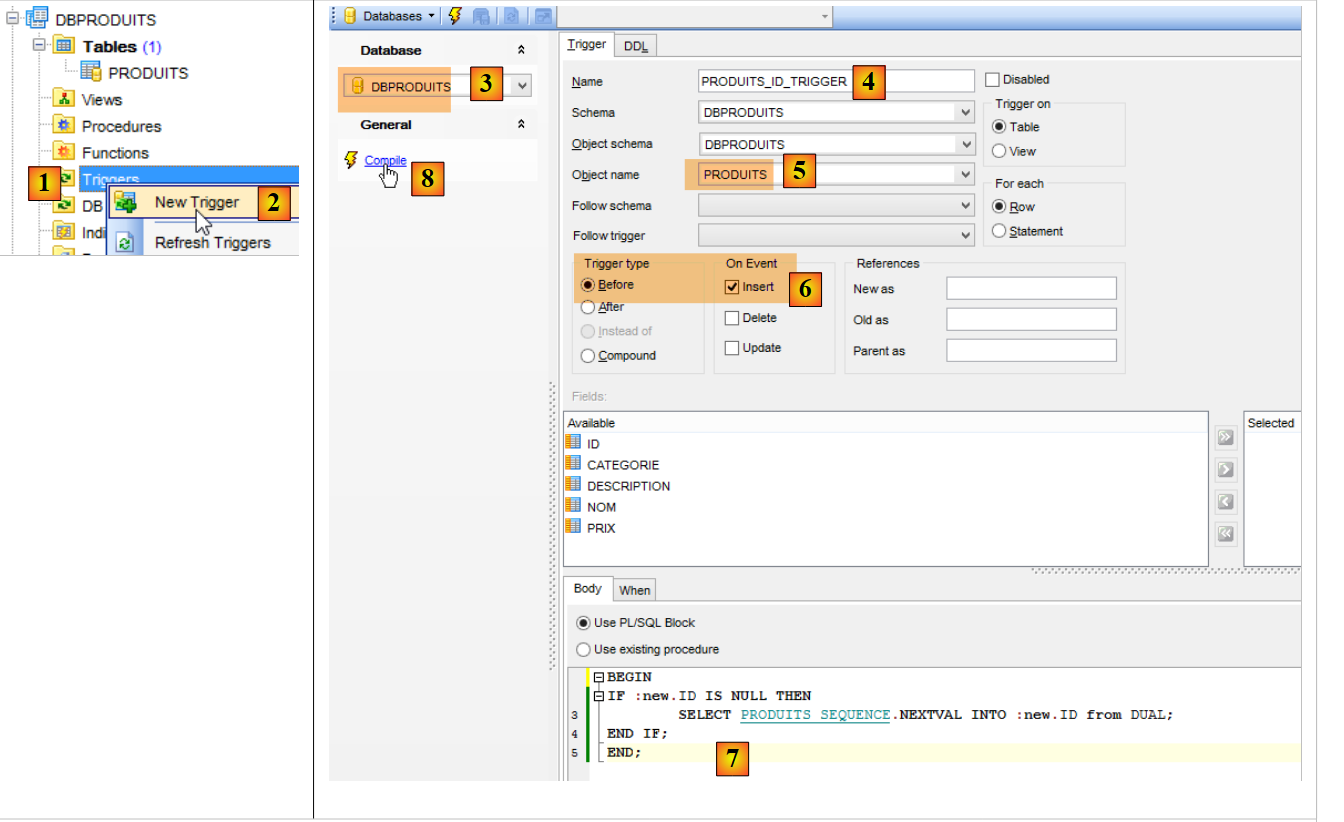 |
- In [6], the trigger [PRODUITS_ID_TRIGGER] [4] will be executed before each insertion;
- In [7], a stored procedure specific to the Oracle SGBD. It specifies that the [ID] field of the row to be inserted must be initialized with the following value from the generator named [PRODUITS_SEQUENCE];
 |
The [dbproduits] database is now ready. Execute the following configurations:
- [spring-jdbc-generic-01.IntroJdbc01];
- [spring-jdbc-generic-01.IntroJdbc02];
- [spring-jdbc-generic-03.JUnitTestDao1];
- [spring-jdbc-generic-03.JUnitTestDao2] ;
They must all succeed.
10.1.5. Generating the database [dbproduitscategories]
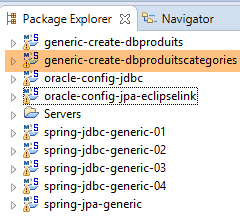 |
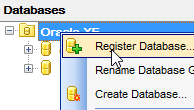
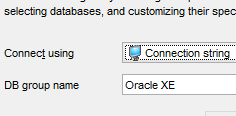
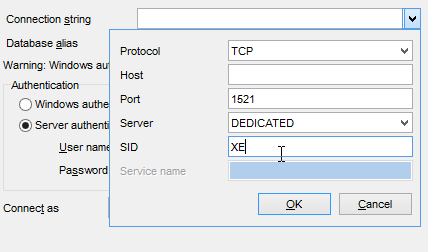
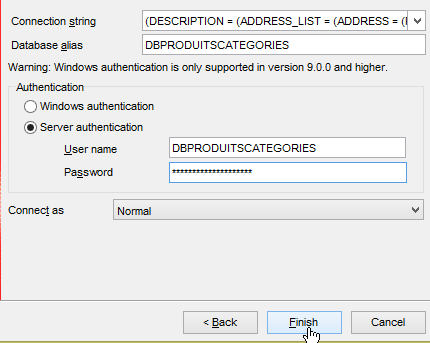
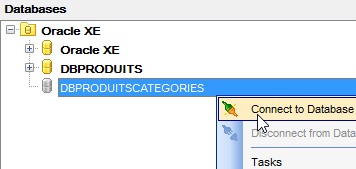
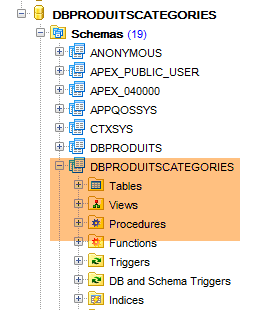
We now run the [generic-create-dbproduitscategories] project, which will generate the [dbproduitscategories] database. Before that, in [OraManager], we log in with the credentials [DBPRODUITSCATEGORIES / dbproduitscategories] so that we can observe the changes made to the database [dbproduitscategories]:
 |  |  |
 |  |
 |
The JPA entities used have the following primary key generation strategies:
[Categorie]
public class Categorie implements AbstractCoreEntity {

    @Id
    @GeneratedValue(strategy=GenerationType.SEQUENCE,generator="genSeqCategories")
  @SequenceGenerator(name="genSeqCategories",sequenceName="CATEGORIES_SEQUENCE", allocationSize=5)
    @Column(name = ConfigJdbc.TAB_JPA_ID)
    protected Long id;
[Produit]
public class Produit implements AbstractCoreEntity {
    // properties
    @Id
    @GeneratedValue(strategy=GenerationType.SEQUENCE,generator="genSeqProduits2")
  @SequenceGenerator(name="genSeqProduits2",sequenceName="PRODUITS_SEQUENCE", allocationSize=5)
    @Column(name = ConfigJdbc.TAB_JPA_ID)
    protected Long id;
[Role]
public class Role implements AbstractCoreEntity {
    // properties
    @Id
    @GeneratedValue(strategy=GenerationType.SEQUENCE,generator="genSeqRoles")
  @SequenceGenerator(name="genSeqRoles",sequenceName="ROLES_SEQUENCE", allocationSize=5)
    @Column(name = ConfigJdbc.TAB_JPA_ID)
    protected Long id;
[User]
public class User implements AbstractCoreEntity {
    // properties
    @Id
    @GeneratedValue(strategy=GenerationType.SEQUENCE,generator="genSeqUsers")
  @SequenceGenerator(name="genSeqUsers",sequenceName="USERS_SEQUENCE", allocationSize=5)
    @Column(name = ConfigJdbc.TAB_JPA_ID)
    protected Long id;
[UserRole]
public class UserRole implements AbstractCoreEntity {
    // properties
    @Id
    @GeneratedValue(strategy=GenerationType.SEQUENCE,generator="genSeqUsersRoles")
  @SequenceGenerator(name="genSeqUsersRoles",sequenceName="USERS_ROLES_SEQUENCE", allocationSize=5)
    @Column(name = ConfigJdbc.TAB_JPA_ID)
    protected Long id;
As was done for the [dbproduits] database, five sequences will be generated. They are used by the JPA implementations to generate primary keys. The JPA implementations do not use triggers as we did previously, but instead query the sequences to obtain the next primary key. We will also generate the primary keys using triggers. These are required for the [spring-jdbc-04] project.
We run the [generic-create-dbproduitscategories-eclipselink] configuration:
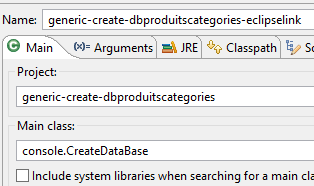 | 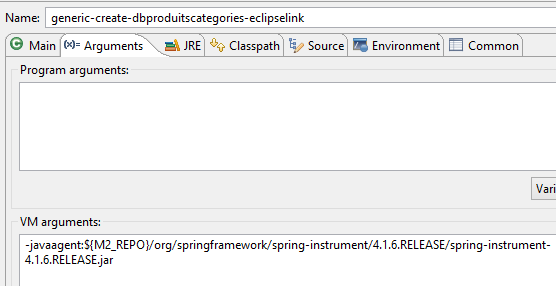 |
and we get the following result:
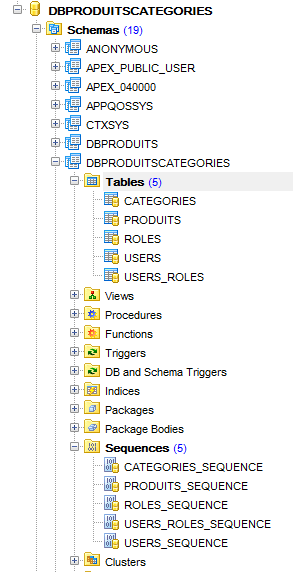 |
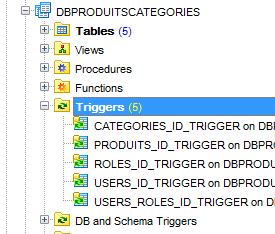
We then generate five triggers to generate the primary keys for the five tables:
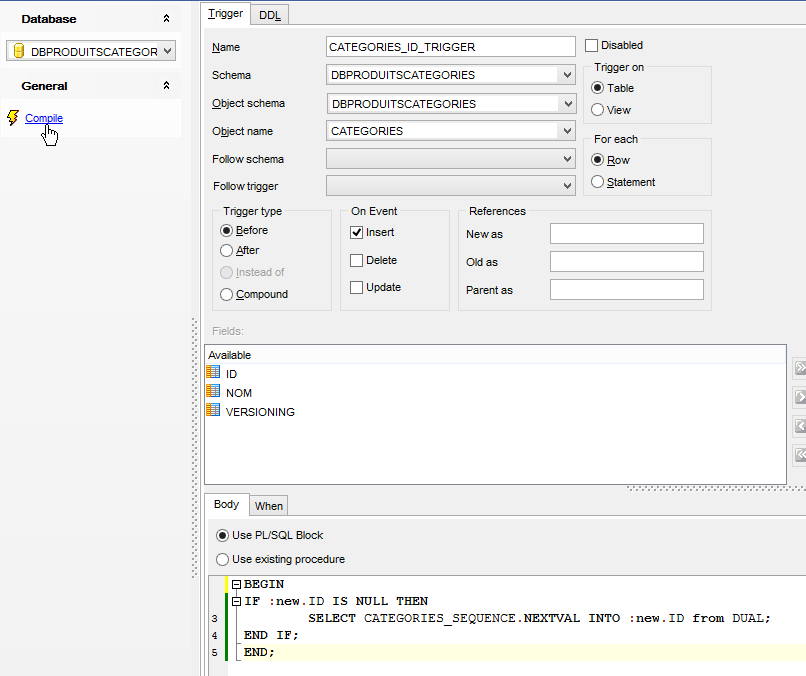 |
The triggers are associated with the tables as follows:
CATEGORIES | CATEGORIES_ID_TRIGGER | CATEGORIES_SEQUENCE |
PRODUITS | PRODUITS_ID_TRIGGER | PRODUITS_SEQUENCE |
ROLES | ROLES_ID_TRIGGER | ROLES_SEQUENCE |
USERS | USERS_ID_TRIGGER | USERS_SEQUENCE |
USERS_ROLES | USERS_ROLES_ID_TRIGGER | USERS_ROLES_SEQUENCE |
 |
The [spring-jdbc-04] project requires that the [VERSIONING] column have a default value in each of the tables:
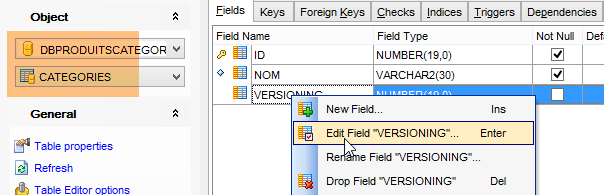 | 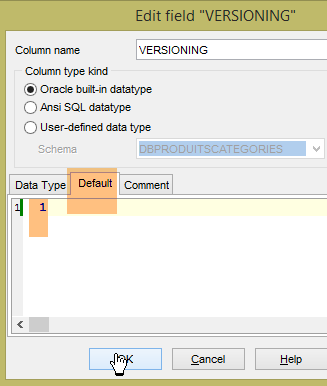 |
We do this for all five tables.
Now, run the configurations:
- [spring-jdbc-generic-04.JUnitTestDao];
- [spring-jpa-generic-JUnitTestDao-hibernate-eclipselink];
Both should succeed.
10.2. Configuration of the JDBC layer
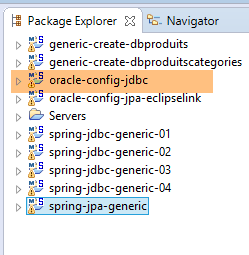 | 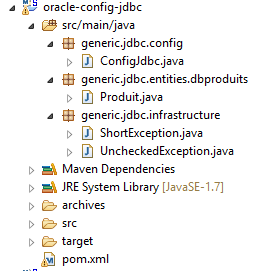 |
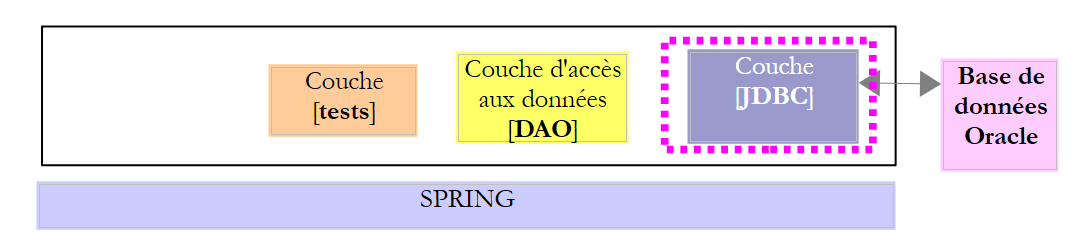
The [oracle-config-jdbc] project configures the [JDBC] layer of the following test architecture:
 |
The project is analogous to the configuration project [mysql-config-jdbc] for the JDBC layer of SGBD MySQL (see section 3.3). We present only the changes:
The [pom.xml] file imports the Oracle driver JDBC:
<project xmlns="http://maven.apache.org/POM/4.0.0" xmlns:xsi="http://www.w3.org/2001/XMLSchema-instance"
    xsi:schemaLocation="http://maven.apache.org/POM/4.0.0 http://maven.apache.org/xsd/maven-4.0.0.xsd">
    <modelVersion>4.0.0</modelVersion>
    <groupId>dvp.spring.database</groupId>
    <artifactId>generic-config-jdbc</artifactId>
    <version>0.0.1-SNAPSHOT</version>
    <name>configuration generic jdbc</name>

    <parent>
        <groupId>org.springframework.boot</groupId>
        <artifactId>spring-boot-starter-parent</artifactId>
        <version>1.2.3.RELEASE</version>
    </parent>

    <dependencies>
        <!-- dépendances variables ********************************************** -->
        <!-- driver JDBC from SGBD -->
        <dependency>
            <groupId>com.oracle.jdbc</groupId>
            <artifactId>ojdbc6</artifactId>
            <version>1.0</version>
        </dependency>
        <!-- dépendances constantes ********************************************** -->
        ....
    </dependencies>
...
</project>
- lines 18-22: the Oracle driver JDBC replaces the one from MySQL;
The second change is in the [ConfigJdbc] class, which defines the database access credentials:
    // connection parameters
    public final static String DRIVER_CLASSNAME = "oracle.jdbc.OracleDriver";
    public final static String URL_DBPRODUITS = "jdbc:oracle:thin:@localhost:1521:xe";
    public final static String USER_DBPRODUITS = "DBPRODUITS";
    public final static String PASSWD_DBPRODUITS = "dbproduits";
    public final static String URL_DBPRODUITSCATEGORIES = "jdbc:oracle:thin:@localhost:1521:xe";
    public final static String USER_DBPRODUITSCATEGORIES = "DBPRODUITSCATEGORIES";
public final static String PASSWD_DBPRODUITSCATEGORIES = "dbproduitscategories";
The third change is to the maximum number of parameters that a can support:
    // max number of parameters of a [PreparedStatement]
    public final static int MAX_PREPAREDSTATEMENT_PARAMETERS = 1000;
The [JUnitTestPushTheLimits] test generates SQL orders for 5,000 products, which will generate [PreparedStatement] with 5,000 parameters. MySQL supported this value, but Oracle did not. We lowered this value to 1,000, and it works now.
10.3. Configuration of the JPA and EclipseLink layers
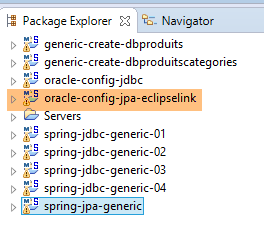 | 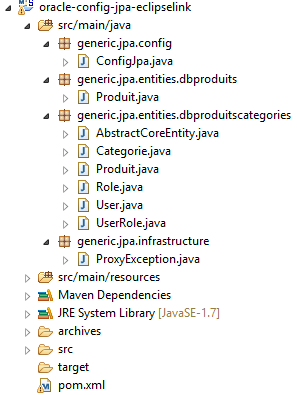 |
Note: Run [Alt-F5] to regenerate all Maven projects.
The [oracle-config-jpa-eclipseLink] project configures the [JPA] layer of the test architecture:
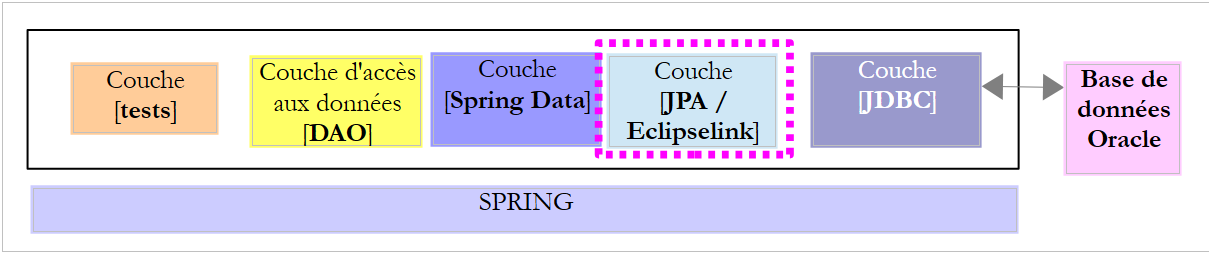 |
The project is analogous to the [mysql-config-jpa-eclipselink] configuration project (see Section 7.3) of the JPA Eclipselink layer of the SGBD MySQL. We present only the changes:
The first is in the [ConfigJpa] class in the definition of the [jpaVendorAdapter] bean:
    // the provider JPA
    @Bean
    public JpaVendorAdapter jpaVendorAdapter() {
        // Note: JPA entities and Eclipselink configuration are in the META-INF/persistence.xml file
        EclipseLinkJpaVendorAdapter eclipseLinkJpaVendorAdapter = new EclipseLinkJpaVendorAdapter();
        eclipseLinkJpaVendorAdapter.setShowSql(false);
        eclipseLinkJpaVendorAdapter.setDatabase(Database.ORACLE);
        eclipseLinkJpaVendorAdapter.setGenerateDdl(true);
        return eclipseLinkJpaVendorAdapter;
}
- Line 7: The JPA implementation is instructed to work with an Oracle database. The JPA implementation will then adopt both the proprietary data types and the Oracle-specific SQL.
The second change is in the primary key generation strategy. The new strategy was presented in Section 10.1.
10.4. Configuration of the JPA Hibernate layer
 |  |
Note: Run [Alt-F5] to regenerate all Maven projects.
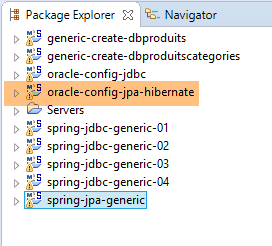
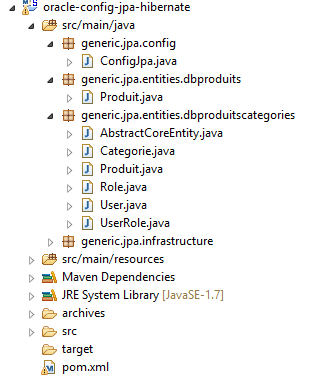
The [oracle-config-jpa-hibernate] project is analogous to the [mysql-config-jpa-hibernate] project (section 6.3) with the same modifications that governed the porting of [mysql-config-jpa-eclipselink] to the [oracle-config-jpa-eclipselink] project (section 10.3).
With these modifications in place, the execution of the [spring-jpa-generic-JUnitTestDao-hibernate-eclipselink] configuration should succeed.
10.5. Configuration of the JPA layer OpenJpa
 | 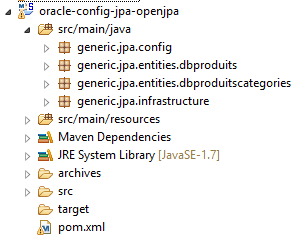 |
Note: Run [Alt-F5] to regenerate all Maven projects.
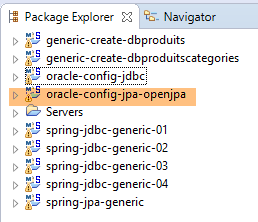
The [oracle-config-jpa-openjpa] project is analogous to the [mysql-config-jpa-openjpa] project (Section 8.3) with the same modifications that were used to port [mysql-config-jpa-eclipselink] to the [oracle-config-jpa-eclipselink] project (Section 10.3).
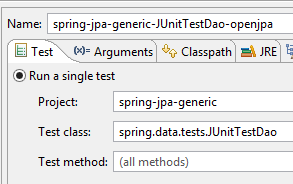
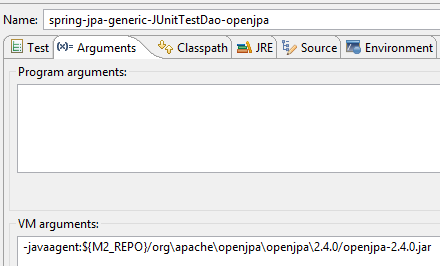
With these modifications made, the execution of the [spring-jpa-generic-JUnitTestDao-openjpa] configuration should succeed.
 |  |