9. Generating Databases from JPA Entities
It is possible to create database tables from JPA entities. We will now demonstrate this. The purpose is to verify that the database generated from JPA entities is indeed the one we want.
9.1. Setting up the working environment
We will first work with an implementation of JPA, EclipseLink, and [1].
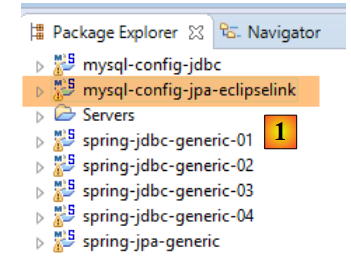 |
Then we delete the tables from the database MySQL [dbproduitscategories] using the client [MyManager] (see section 23.5). We start by deleting the tables containing the foreign keys [1-3]:
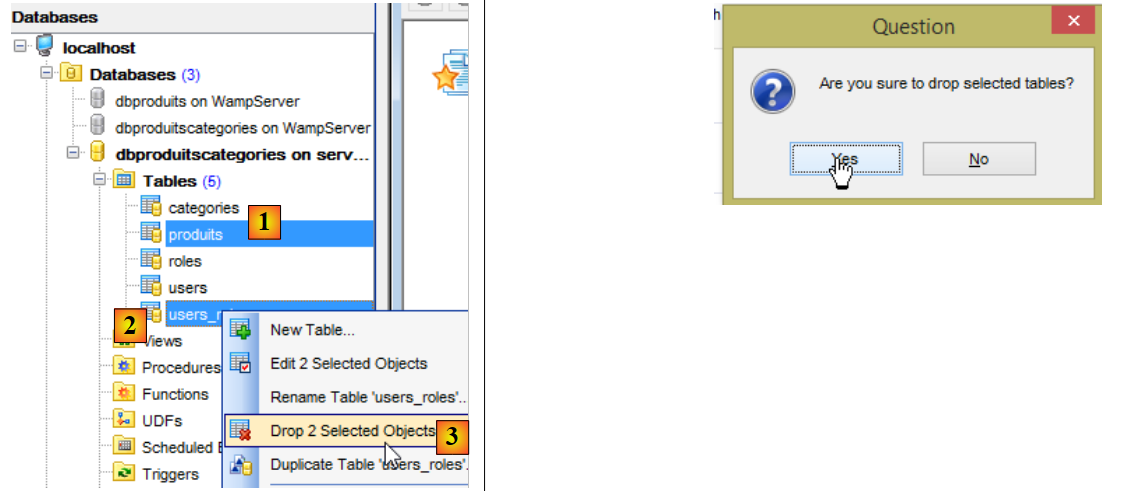 |
Then we start over with the three remaining tables [4-6]:
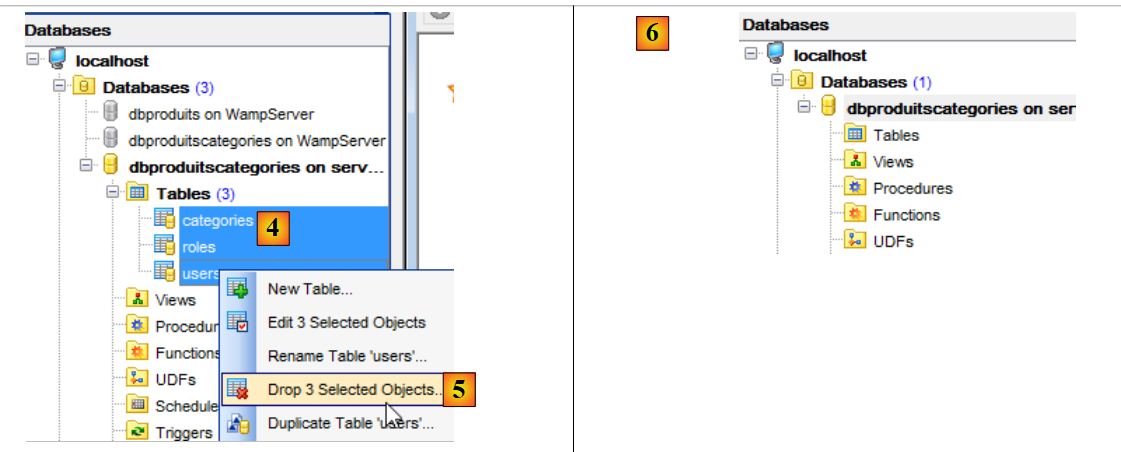 |
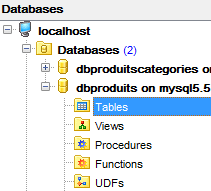
We do the same with the table [dbproduits] used by the projects [spring-jdbc-01 à 03]:
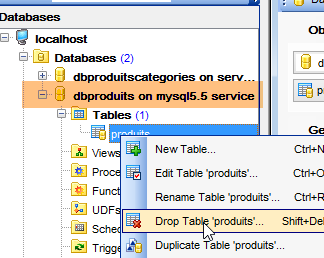 |  |
Additionally, we need to import the two generation projects for the two databases:
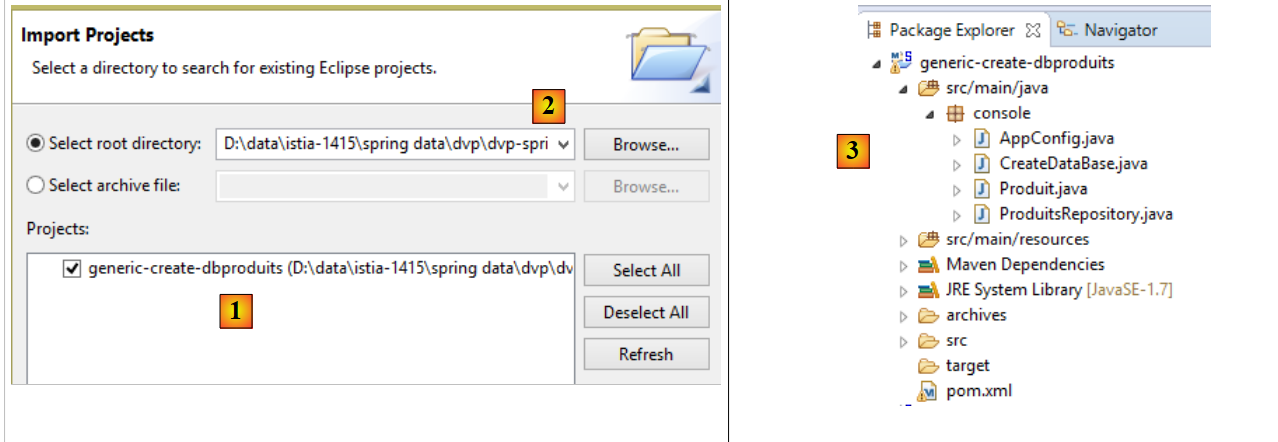 |
- In [1], import the project [generic-create-dbproduits], which can be found in [<exemples>/spring-database-generic/spring-jpa] and [2];
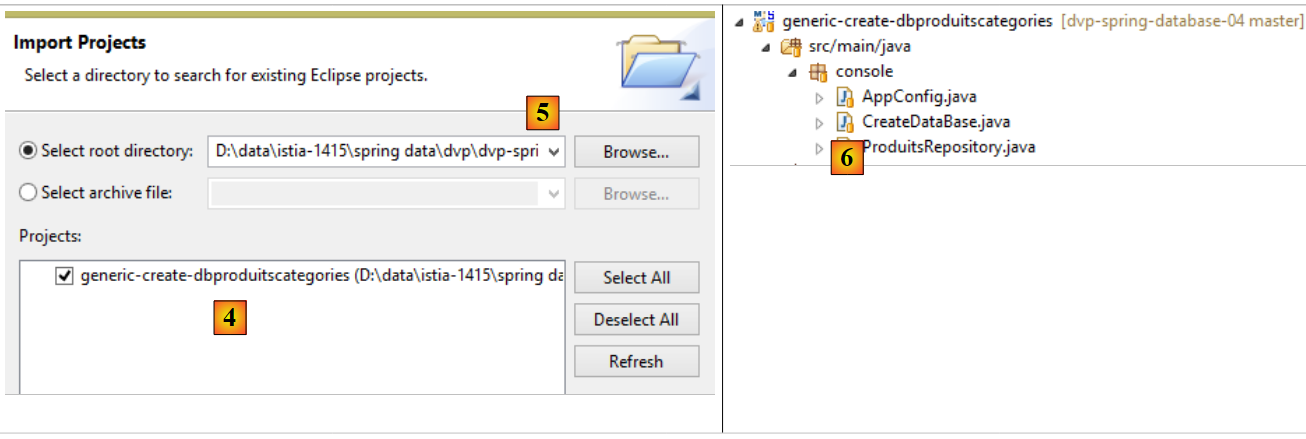 |
- in [4], import the [generic-create-dbproduitscategories] project, which can be found in [<exemples>/spring-database-generic/spring-jpa] and [5];
Note: Press Alt-F5 and regenerate all Maven projects;
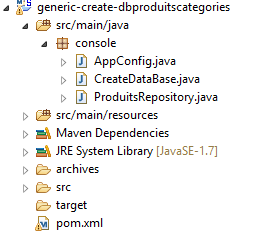
9.2. Generating the [dbproduitscategories] database
 |
9.2.1. Maven configuration
The project's [pom.xml] file is as follows:
<?xml version="1.0" encoding="UTF-8"?>
<project xmlns="http://maven.apache.org/POM/4.0.0" xmlns:xsi="http://www.w3.org/2001/XMLSchema-instance"
    xsi:schemaLocation="http://maven.apache.org/POM/4.0.0 http://maven.apache.org/xsd/maven-4.0.0.xsd">
    <modelVersion>4.0.0</modelVersion>

    <groupId>dvp.spring.database</groupId>
    <artifactId>generic-create-dbproduitscategories</artifactId>
    <version>0.0.1-SNAPSHOT</version>
    <packaging>jar</packaging>

    <name>generic-create-dbproduitscategories</name>
    <description>création de la bases de données [dbproduitscategories] à l'aide des annotations JPA</description>

    <parent>
        <groupId>org.springframework.boot</groupId>
        <artifactId>spring-boot-starter-parent</artifactId>
        <version>1.2.3.RELEASE</version>
    </parent>

    <dependencies>
        <!-- spring-jpa-generic -->
        <dependency>
            <groupId>dvp.spring.database</groupId>
            <artifactId>spring-jpa-generic</artifactId>
            <version>0.0.1-SNAPSHOT</version>
        </dependency>
        <!-- Weaver Spring -->
        <dependency>
            <groupId>org.springframework</groupId>
            <artifactId>spring-instrument</artifactId>
            <scope>runtime</scope>
        </dependency>
    </dependencies>

    <properties>
        <project.build.sourceEncoding>UTF-8</project.build.sourceEncoding>
        <start-class>spring.data.console.Main</start-class>
        <java.version>1.7</java.version>
    </properties>

    <build>
        <plugins>
            <plugin>
                <groupId>org.apache.maven.plugins</groupId>
                <artifactId>maven-surefire-plugin</artifactId>
                <version>2.18.1</version>
            </plugin>
        </plugins>
    </build>

</project>
- lines 22–26: the dependency on the [spring-jpa-generic] project discussed in section 6.4;
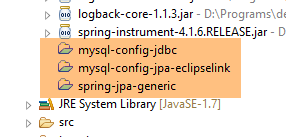
- lines 28–32: the dependency on a weaver that will be used to enrich the JPA entities of the EclipseLink and OpenJpa implementations. Its dependency is not required in the [pom.xml] file, but its jar will be the Java agent used. Placing the dependency in the [pom.xml] file ensures that jar will indeed be available;
In the end, the dependencies are as follows:
 |
9.2.2. Spring Configuration
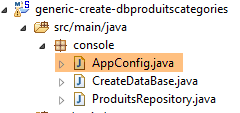 |
The [AppConfig] class configures the Spring project:
package console;

import generic.jpa.config.ConfigJpa;

import org.springframework.context.annotation.Configuration;
import org.springframework.context.annotation.Import;
import org.springframework.data.jpa.repository.config.EnableJpaRepositories;

@Configuration
@Import({ ConfigJpa.class })
@EnableJpaRepositories(basePackages = { "console" })
public class AppConfig {

}
- line 10: the class retrieves the beans from the [ConfigJpa] class. Note that this class works with the JPA entities from the [dbproduitscategories] database (see section 6.3);
- line 11: we declare that the [console] package must be scanned to find [CrudRepository] instances;
In the [ConfigJpa] class, the following bean is found (varies depending on the JPA implementation used):
    // the provider JPA
    @Bean
    public JpaVendorAdapter jpaVendorAdapter() {
        // Note: JPA entities and Eclipselink configuration are in the META-INF/persistence.xml file
        EclipseLinkJpaVendorAdapter eclipseLinkJpaVendorAdapter = new EclipseLinkJpaVendorAdapter();
        eclipseLinkJpaVendorAdapter.setShowSql(false);
        eclipseLinkJpaVendorAdapter.setDatabase(Database.MYSQL);
        eclipseLinkJpaVendorAdapter.setGenerateDdl(true);
        return eclipseLinkJpaVendorAdapter;
}
Line 8 is important here. It is present in all JPA implementations used. It specifies that if the tables associated with the JPA entities do not exist, they must be created. We will rely on this property to generate the tables.
9.2.3. The repositories
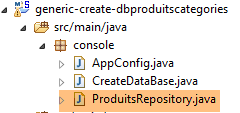 |
The [ProduitsRepository] interface is as follows:
package console;

import generic.jpa.entities.dbproduitscategories.Produit;

import org.springframework.data.repository.CrudRepository;

public interface ProduitsRepository extends CrudRepository<Produit, Long> {

}
Instantiating this interface will trigger the instantiation of the JPA layer. In fact, on line 7, the interface references the JPA and [Produit] entities, which will force the instantiation of the JPA layer. We could have used any [CrudRepository] interface referencing one of the JPA entities. In fact, although [repository] references only the JPA and [Produit] entities, all tables for all JPA entities are generated.
9.2.4. The executable class
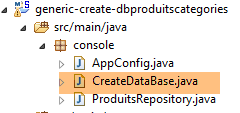 |
The [CreateDatabase] class is as follows:
package console;

import org.springframework.context.annotation.AnnotationConfigApplicationContext;

public class CreateDataBase {

    public static void main(String[] args) {
        // simply instantiate the Spring context to create the [dbproduitscategories] database tables
        // you also need at least one Spring Data Repository, otherwise nothing happens
        System.out.println("Travail en cours...");
        new AnnotationConfigApplicationContext(AppConfig.class).close();
        System.out.println("Travail terminé...");
    }

}
- Line 11: We instantiate the Spring context and close it immediately. In this context, there is the bean [ProduitsRepository], which references the entities JPA and [Produit]. This is sufficient to instantiate the JPA layer and thus generate the tables in the [dbproduitscategories] database.
9.2.5. Generating tables with EclipseLink
We are in the following configuration:
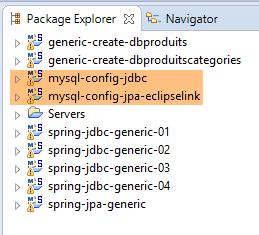 |
- The [JDBC] layer is configured for the [dbproduitscategories] database of MySQL;
- The layer [JPA] is implemented with EclipseLink;
- the [dbproduitscategories] database has no tables;
Note: Press Alt-F5 and regenerate all Maven projects;
The following run configuration is used:
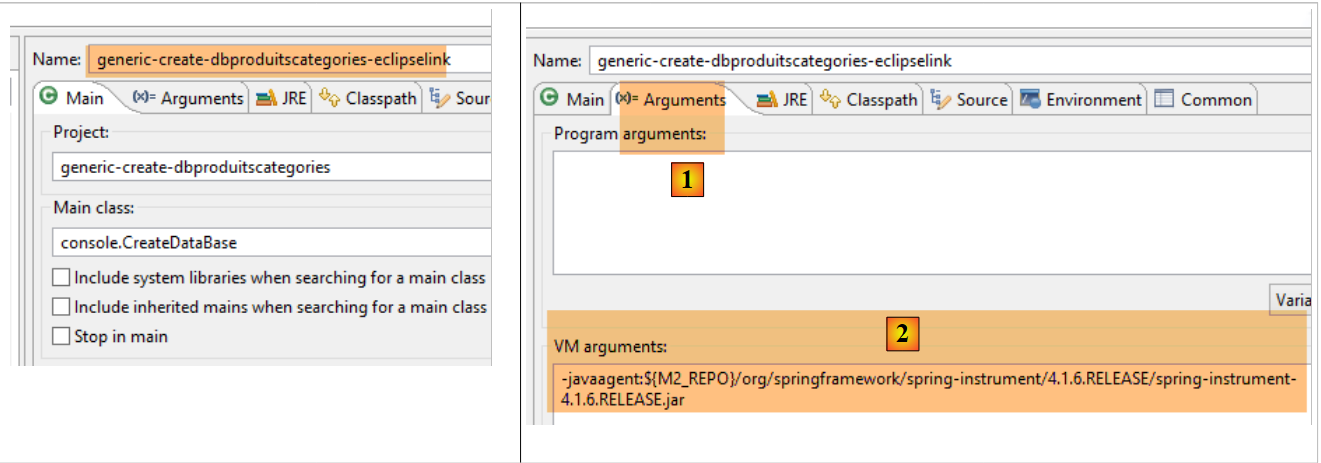 |
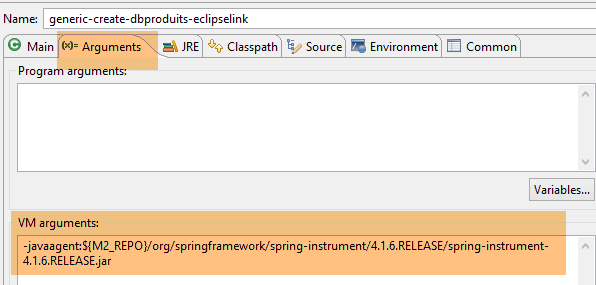
- In [1-2], this run configuration requires a Java agent for the test to succeed. Depending on the case, EclipseLink does not always need this agent, but here the execution fails if it is not present. This agent is not a EclipseLink agent but a Spring agent. It is provided by the dependency:
        <dependency>
            <groupId>org.springframework</groupId>
            <artifactId>spring-instrument</artifactId>
            <scope>runtime</scope>
</dependency>
included in the project's [pom.xml] file. The agent is found in [<m2-repo>/org/springframework/spring-instrument/4.1.6.RELEASE/spring-instrument-4.1.6.RELEASE.jar], where <m2-repo> is the local Maven repository;
The execution yields the following result:
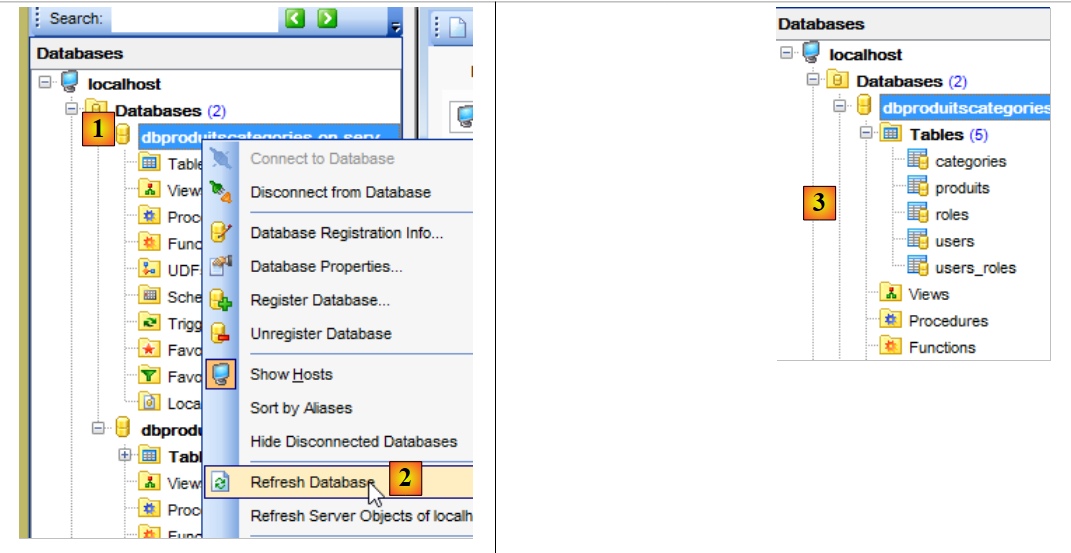 |
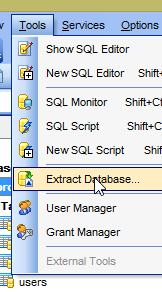
In [3], we can see that the tables have been generated. Now let’s check the DDL (Domain Definition Language) of the database:
 | 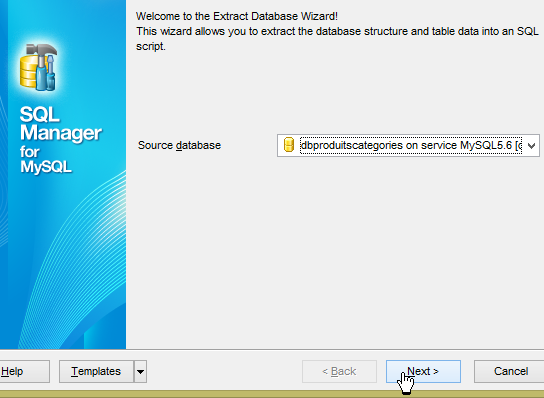 |
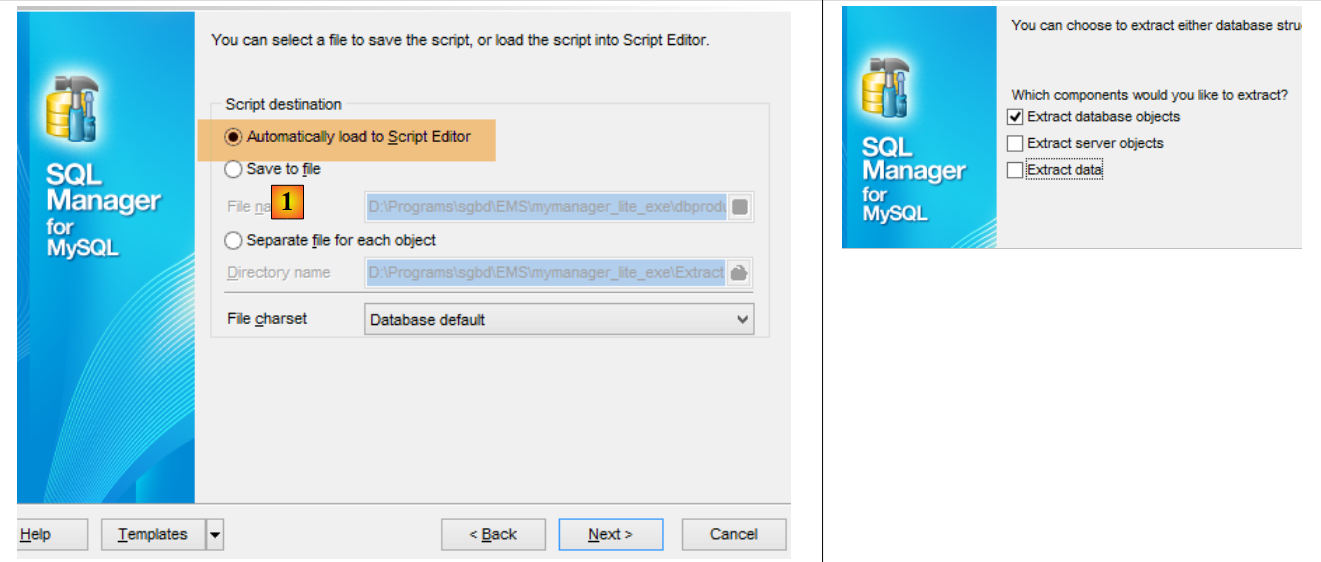 |
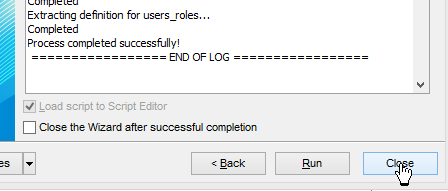
The table generation script SQL can also be saved to a file named [1].
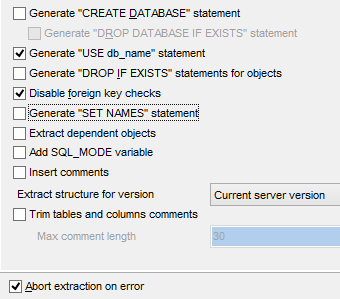 | 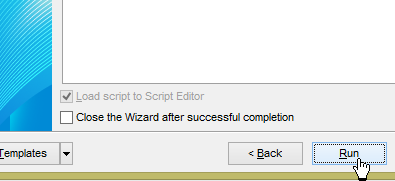  |
The generated SQL script is as follows:
SET FOREIGN_KEY_CHECKS=0;

USE `dbproduitscategories`;

CREATE TABLE `categories` (
  `ID` BIGINT(20) NOT NULL AUTO_INCREMENT,
  `NOM` VARCHAR(30) COLLATE utf8_general_ci NOT NULL,
  `VERSIONING` BIGINT(20) DEFAULT NULL,
  PRIMARY KEY (`ID`) USING BTREE,
  UNIQUE KEY `NOM` (`NOM`) USING BTREE
) ENGINE=InnoDB
AUTO_INCREMENT=1 CHARACTER SET 'utf8' COLLATE 'utf8_general_ci'
;

CREATE TABLE `produits` (
  `ID` BIGINT(20) NOT NULL AUTO_INCREMENT,
  `DESCRIPTION` VARCHAR(100) COLLATE utf8_general_ci DEFAULT NULL,
  `CATEGORIE_ID` BIGINT(20) NOT NULL,
  `NOM` VARCHAR(30) COLLATE utf8_general_ci NOT NULL,
  `PRIX` DOUBLE NOT NULL,
  `VERSIONING` BIGINT(20) DEFAULT NULL,
  `CATEGORIE` INTEGER(11) NOT NULL,
  PRIMARY KEY (`ID`) USING BTREE,
  UNIQUE KEY `NOM` (`NOM`) USING BTREE,
  KEY `FK_PRODUITS_CATEGORIE_ID` (`CATEGORIE_ID`) USING BTREE,
  CONSTRAINT `FK_PRODUITS_CATEGORIE_ID` FOREIGN KEY (`CATEGORIE_ID`) REFERENCES `categories` (`ID`) ON DELETE CASCADE
) ENGINE=InnoDB
AUTO_INCREMENT=1 CHARACTER SET 'utf8' COLLATE 'utf8_general_ci'
;

CREATE TABLE `roles` (
...
) ENGINE=InnoDB
AUTO_INCREMENT=1 CHARACTER SET 'utf8' COLLATE 'utf8_general_ci'
;

CREATE TABLE `users` (
 ...
) ENGINE=InnoDB
AUTO_INCREMENT=1 CHARACTER SET 'utf8' COLLATE 'utf8_general_ci'
;

CREATE TABLE `users_roles` (
...
) ENGINE=InnoDB
AUTO_INCREMENT=1 CHARACTER SET 'utf8' COLLATE 'utf8_general_ci'
;
Let's look, for example, at the script SQL, which generates the table [PRODUITS] (lines 15–29):
- line 16: [ID] is the primary key (line 23) with the attribute [AUTO_INCREMENT] (line 5). This corresponds to the annotations [@Id, @GeneratedValue(strategy = GenerationType.IDENTITY), @Column(name = ConfigJdbc.TAB_JPA_ID)] for the field [id] of the entity JPA;
- line 17: the definition of the [DESCRIPTION] column corresponds to the annotation [@Column(name = ConfigJdbc.TAB_PRODUITS_DESCRIPTION, length = 100)] of the [description] field in the JPA entity;
- line 18: the column [CATEGORIE_ID] is a foreign key from the table [PRODUITS] on the column [CATEGORIES.ID] (line 26). Furthermore, this foreign key has the attribute [ON DELETE CASCADE]. This corresponds to the annotations [@ManyToOne(fetch = FetchType.LAZY), @JoinColumn(name = ConfigJdbc.TAB_PRODUITS_CATEGORIE_ID)] for the field [Produit.categorie] and the annotation [@OneToMany(fetch = FetchType.LAZY, mappedBy = "categorie", cascade = { CascadeType.ALL }), @CascadeOnDelete] for the field [Categorie.produits];
- line 19: the definition of column [NOM] corresponds to annotation [@Column(name = ConfigJdbc.TAB_PRODUITS_NOM, unique = true, length = 30, nullable = false)] of field [Produit.nom];
- line 20: the definition of column [PRIX] corresponds to the annotation [@Column(name = ConfigJdbc.TAB_PRODUITS_PRIX, nullable = false)] of field [Produit.prix];
- lines 24-25: the script creates three indexes for each of the unique columns in the table;
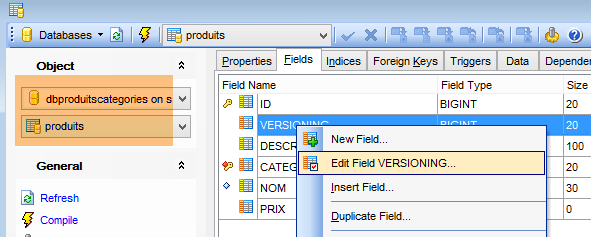
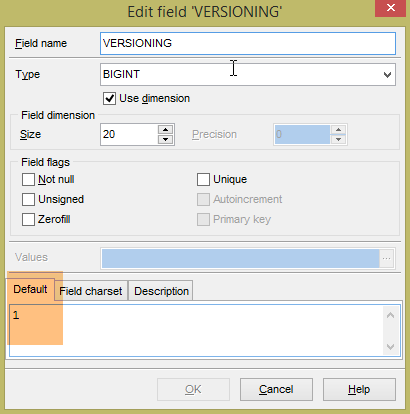
The generated tables do not have a default value for the VERSIONING field, whereas the Java code expects one to be present. If this default value is missing, certain tests will fail. We add this attribute as follows:
 |
 |
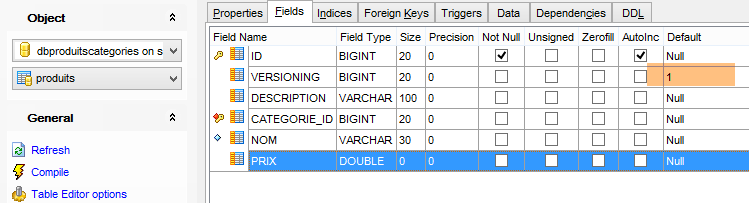 |
This is done for the five tables that have the [VERSIONING] column. The default value does not matter; it simply needs to exist. Then, it is incremented by 1 each time the row to which it belongs is modified.
Once this is done, verify that the following execution configurations pass:
- [spring-jdbc-generic-04.JUnitTestDao], which tests the JDBC implementation;
- [spring-jpa-generic-JUnitTestDao-hibernate-eclipselink], which tests the JPA Hibernate or Eclipselink implementations (here it will be EclipseLink)
Both runs must succeed.
9.2.6. Generating tables with Hibernate
We create the Hibernate tables using the following Eclipse environment:
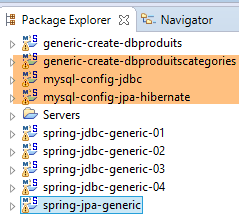 |
The tables are generated by the execution configuration named [generic-create-dbproduitscategories-hibernate] without a Java agent;
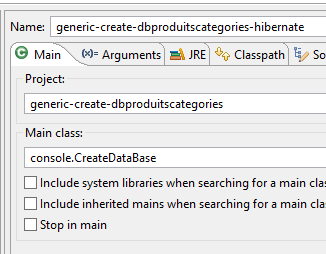 | 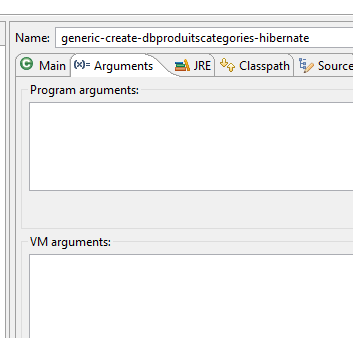 |
The SQL script for the database generated by Hibernate is as follows:
SET FOREIGN_KEY_CHECKS=0;

USE `dbproduitscategories`;

CREATE TABLE `categories` (
  `ID` BIGINT(20) NOT NULL AUTO_INCREMENT,
  `NOM` VARCHAR(30) COLLATE utf8_general_ci NOT NULL,
  `VERSIONING` BIGINT(20) DEFAULT NULL,
  PRIMARY KEY (`ID`) USING BTREE,
  UNIQUE KEY `UK_7ajcg7japnxw846ru01damg8s` (`NOM`) USING BTREE
) ENGINE=InnoDB
AUTO_INCREMENT=1 CHARACTER SET 'utf8' COLLATE 'utf8_general_ci'
;

CREATE TABLE `produits` (
  `ID` BIGINT(20) NOT NULL AUTO_INCREMENT,
  `DESCRIPTION` VARCHAR(100) COLLATE utf8_general_ci DEFAULT NULL,
  `CATEGORIE_ID` BIGINT(20) NOT NULL,
  `NOM` VARCHAR(30) COLLATE utf8_general_ci NOT NULL,
  `PRIX` DOUBLE NOT NULL,
  `VERSIONING` BIGINT(20) DEFAULT NULL,
  PRIMARY KEY (`ID`) USING BTREE,
  UNIQUE KEY `UK_hfvjn9lp7qoo5x79uu0ump3rf` (`NOM`) USING BTREE,
  KEY `FK_p3foj9yrqnmi7856n9s8mbpue` (`CATEGORIE_ID`) USING BTREE,
  CONSTRAINT `FK_p3foj9yrqnmi7856n9s8mbpue` FOREIGN KEY (`CATEGORIE_ID`) REFERENCES `categories` (`ID`)
) ENGINE=InnoDB
AUTO_INCREMENT=1 CHARACTER SET 'utf8' COLLATE 'utf8_general_ci'
;

CREATE TABLE `roles` (
...
) ENGINE=InnoDB
AUTO_INCREMENT=1 CHARACTER SET 'utf8' COLLATE 'utf8_general_ci'
;

CREATE TABLE `users` (
...
) ENGINE=InnoDB
AUTO_INCREMENT=1 CHARACTER SET 'utf8' COLLATE 'utf8_general_ci'
;

CREATE TABLE `users_roles` (
 ...
) ENGINE=InnoDB
AUTO_INCREMENT=1 CHARACTER SET 'utf8' COLLATE 'utf8_general_ci'
;
The generated tables are the same since Hibernate also used the annotations JPA. For Hibernate, I did not find the equivalent of the annotation EclipseLink [@OnCascadeDelete], which generated theattribute SQL [ON DELTE CASCADE] on the foreign key [PRODUITS.CATEGORIE_ID] (line 25). This attribute must therefore be generated manually because it is necessary for testing:
 |
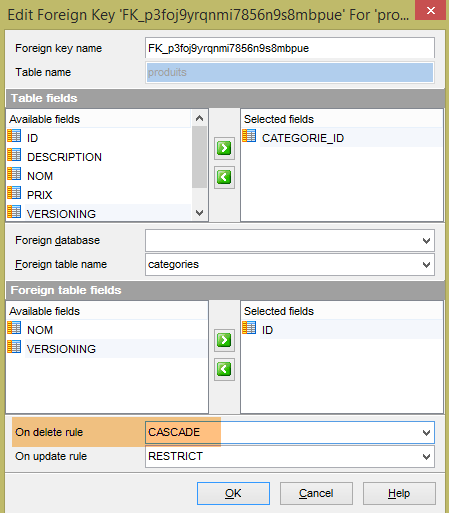 |
 |
The same must be done with the two foreign keys in the [USERS_ROLES] table:
 |
Finally, as was done with the EclipseLink implementation, the [VERSIONING] columns in the five tables must have a default value:
|
Once this is done, verify that the following execution configurations pass:
- [spring-jdbc-generic-04.JUnitTestDao], which tests the JDBC implementation;
- [spring-jpa-generic-JUnitTestDao-hibernate-eclipselink], which tests the JPA implementations (Hibernate or Eclipselink; in this case, it will be Hibernate)
Both runs must succeed.
9.2.7. Generating tables with OpenJpa
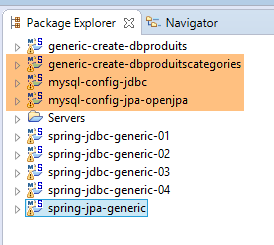
We repeat the previous procedure with a JPA OpenJpa implementation:
 |
Note: Press Alt-F5 and regenerate all Maven projects;
We modify the [ConfigJpa] class, which configures the [mysql-config-jpa-openjpa] project, as follows:
package generic.jpa.config;

import generic.jdbc.config.ConfigJdbc;

import java.util.Map;

import javax.persistence.EntityManagerFactory;

import org.apache.tomcat.jdbc.pool.DataSource;
import org.springframework.context.annotation.Bean;
import org.springframework.context.annotation.Configuration;
import org.springframework.context.annotation.Import;
import org.springframework.orm.jpa.JpaTransactionManager;
import org.springframework.orm.jpa.JpaVendorAdapter;
import org.springframework.orm.jpa.LocalContainerEntityManagerFactoryBean;
import org.springframework.orm.jpa.vendor.Database;
import org.springframework.orm.jpa.vendor.OpenJpaVendorAdapter;
import org.springframework.transaction.PlatformTransactionManager;

@Configuration
@Import({ ConfigJdbc.class })
public class ConfigJpa {

    // the provider JPA
    @Bean
    public JpaVendorAdapter jpaVendorAdapter() {
        OpenJpaVendorAdapter openJpaVendorAdapter = new OpenJpaVendorAdapter();
        openJpaVendorAdapter.setShowSql(false);
        openJpaVendorAdapter.setDatabase(Database.MYSQL);
        openJpaVendorAdapter.setGenerateDdl(true);
        return openJpaVendorAdapter;
    }
..
    // EntityManagerFactory
    @Bean
    public EntityManagerFactory entityManagerFactory(JpaVendorAdapter jpaVendorAdapter, DataSource dataSource) {
        LocalContainerEntityManagerFactoryBean factory = new LocalContainerEntityManagerFactoryBean();
        factory.setJpaVendorAdapter(jpaVendorAdapter);
        factory.setPackagesToScan(ENTITIES_PACKAGES);
        Map<String, Object> mapJpaProperties = factory.getJpaPropertyMap();
        mapJpaProperties.put("openjpa.jdbc.MappingDefaults",
                "ForeignKeyDeleteAction=cascade,JoinForeignKeyDeleteAction=restrict");
        factory.setDataSource(dataSource);
        factory.afterPropertiesSet();
        return factory.getObject();
    }
}
- Lines 40-41: A property is created for OpenJPA that specifies how to generate foreign keys when generating tables. Without this property, foreign keys are not generated. The [ForeignKeyDeleteAction=cascade] attribute is used to generate the [ON DELETE CASCADE] attribute on these foreign keys;
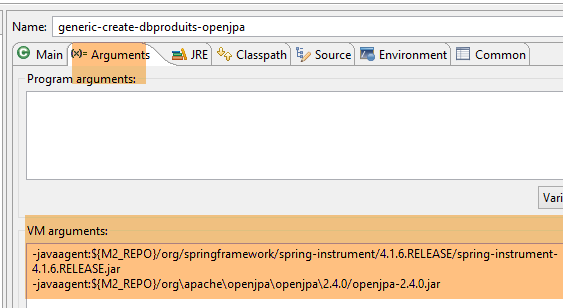
Table generation is performed by the execution configuration named [generic-create-dbproduitscategories-openjpa], which has two Java agents;
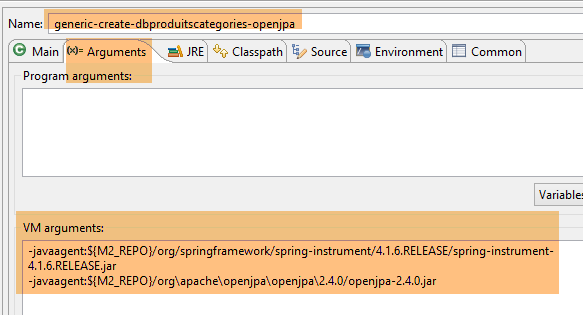
- The first Java agent is the Spring agent already used with EclipseLink;
- The second Java agent is provided by OpenJpa;
The script SQL for the generated database is then as follows:
SET FOREIGN_KEY_CHECKS=0;

USE `dbproduitscategories`;

CREATE TABLE `categories` (
  `ID` BIGINT(20) NOT NULL AUTO_INCREMENT,
  `NOM` VARCHAR(30) COLLATE utf8_general_ci NOT NULL,
  `VERSIONING` BIGINT(20) DEFAULT NULL,
  PRIMARY KEY (`ID`) USING BTREE,
  UNIQUE KEY `U_CTGORIS_NOM` (`NOM`) USING BTREE
) ENGINE=InnoDB
AUTO_INCREMENT=1 CHARACTER SET 'utf8' COLLATE 'utf8_general_ci'
;

CREATE TABLE `produits` (
  `ID` BIGINT(20) NOT NULL AUTO_INCREMENT,
  `DESCRIPTION` VARCHAR(100) COLLATE utf8_general_ci DEFAULT NULL,
  `CATEGORIE_ID` BIGINT(20) DEFAULT NULL,
  `NOM` VARCHAR(30) COLLATE utf8_general_ci NOT NULL,
  `PRIX` DOUBLE NOT NULL,
  `VERSIONING` BIGINT(20) DEFAULT NULL,
  PRIMARY KEY (`ID`) USING BTREE,
  UNIQUE KEY `U_PRODUTS_NOM` (`NOM`) USING BTREE,
  KEY `CATEGORIE_ID` (`CATEGORIE_ID`) USING BTREE,
  CONSTRAINT `produits_ibfk_1` FOREIGN KEY (`CATEGORIE_ID`) REFERENCES `categories` (`ID`) ON DELETE CASCADE
) ENGINE=InnoDB
AUTO_INCREMENT=1 CHARACTER SET 'utf8' COLLATE 'utf8_general_ci'
;

CREATE TABLE `roles` (
  `ID` BIGINT(20) NOT NULL AUTO_INCREMENT,
  `NAME` VARCHAR(30) COLLATE utf8_general_ci NOT NULL,
  `VERSIONING` BIGINT(20) DEFAULT NULL,
  PRIMARY KEY (`ID`) USING BTREE,
  UNIQUE KEY `U_ROLES_NAME` (`NAME`) USING BTREE
) ENGINE=InnoDB
AUTO_INCREMENT=1 CHARACTER SET 'utf8' COLLATE 'utf8_general_ci'
;

CREATE TABLE `users` (
  `ID` BIGINT(20) NOT NULL AUTO_INCREMENT,
  `LOGIN` VARCHAR(30) COLLATE utf8_general_ci NOT NULL,
  `NAME` VARCHAR(30) COLLATE utf8_general_ci NOT NULL,
  `PASSWORD` VARCHAR(60) COLLATE utf8_general_ci NOT NULL,
  `VERSIONING` BIGINT(20) DEFAULT NULL,
  PRIMARY KEY (`ID`) USING BTREE,
  UNIQUE KEY `U_USERS_LOGIN` (`LOGIN`) USING BTREE
) ENGINE=InnoDB
AUTO_INCREMENT=1 CHARACTER SET 'utf8' COLLATE 'utf8_general_ci'
;

CREATE TABLE `users_roles` (
  `ID` BIGINT(20) NOT NULL AUTO_INCREMENT,
  `VERSIONING` BIGINT(20) DEFAULT NULL,
  `ROLE_ID` BIGINT(20) NOT NULL,
  `USER_ID` BIGINT(20) NOT NULL,
  PRIMARY KEY (`ID`) USING BTREE,
  KEY `ROLE_ID` (`ROLE_ID`) USING BTREE,
  KEY `USER_ID` (`USER_ID`) USING BTREE,
  CONSTRAINT `users_roles_ibfk_2` FOREIGN KEY (`USER_ID`) REFERENCES `users` (`ID`) ON DELETE CASCADE,
  CONSTRAINT `users_roles_ibfk_1` FOREIGN KEY (`ROLE_ID`) REFERENCES `roles` (`ID`) ON DELETE CASCADE
) ENGINE=InnoDB
AUTO_INCREMENT=1 CHARACTER SET 'utf8' COLLATE 'utf8_general_ci'
;
This is the same as with EclipseLink. We will therefore make the same corrections to the tables. Once this is done, verify that the following execution configurations pass:
- [spring-jdbc-generic-04.JUnitTestDao], which tests the implementation of JDBC;
- [spring-jpa-generic-JUnitTestDao-openjpa], which tests an implementation of JPA and OpenJpa;
Both runs must succeed.
9.3. Generation of the [dbproduits] database
The [dbproduits] base is used by the [spring-jdbc-01 à 03] projects. It can also be generated from a JPA entity.
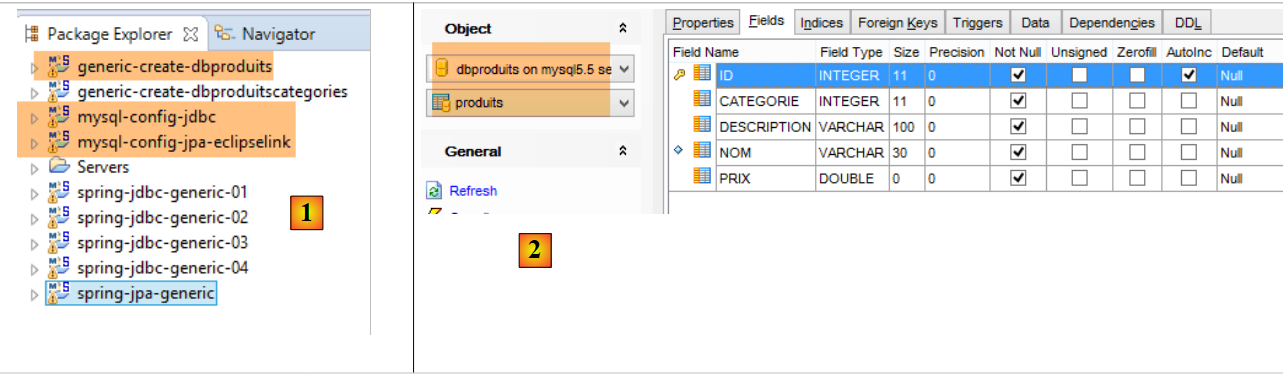 |
- In [1], the Eclipse projects. You will be in a MySQL / EclipseLink configuration. The generation project for the [dbproduits] database is [generic-create-dbproduits];
- in [2], the table [PRODUITS] to be generated;
Note: Press Alt-F5 and regenerate all Maven projects;
9.3.1. Maven Configuration
The Maven configuration for the [generic-create-dbproduits] project is as follows:
<?xml version="1.0" encoding="UTF-8"?>
<project xmlns="http://maven.apache.org/POM/4.0.0" xmlns:xsi="http://www.w3.org/2001/XMLSchema-instance"
    xsi:schemaLocation="http://maven.apache.org/POM/4.0.0 http://maven.apache.org/xsd/maven-4.0.0.xsd">
    <modelVersion>4.0.0</modelVersion>

    <groupId>dvp.spring.database</groupId>
    <artifactId>generic-create-dbproduits</artifactId>
    <version>0.0.1-SNAPSHOT</version>
    <packaging>jar</packaging>

    <name>generic-create-dbproduits</name>
    <description>création de la bases de données [dbproduits] à l'aide des annotations JPA</description>

    <parent>
        <groupId>org.springframework.boot</groupId>
        <artifactId>spring-boot-starter-parent</artifactId>
        <version>1.2.3.RELEASE</version>
    </parent>

    <dependencies>
        <!-- configuration JPA of SGBD -->
        <dependency>
            <groupId>dvp.spring.database</groupId>
            <artifactId>generic-config-jpa</artifactId>
            <version>0.0.1-SNAPSHOT</version>
        </dependency>
    </dependencies>

    <properties>
        <project.build.sourceEncoding>UTF-8</project.build.sourceEncoding>
        <start-class>spring.data.console.Main</start-class>
        <java.version>1.7</java.version>
    </properties>

    <build>
        <plugins>
            <plugin>
                <groupId>org.apache.maven.plugins</groupId>
                <artifactId>maven-surefire-plugin</artifactId>
                <version>2.18.1</version>
            </plugin>
        </plugins>
    </build>

</project>
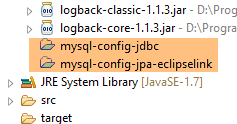
There is only one dependency, lines 22–26, on the project that configures the JPA layer. Ultimately, the dependencies are as follows:
 |
9.3.2. The Spring configuration
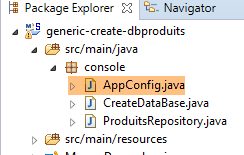 |
The Spring configuration class is as follows:
package console;

import generic.jdbc.config.ConfigJdbc;
import generic.jpa.config.ConfigJpa;

import javax.persistence.EntityManagerFactory;

import org.apache.tomcat.jdbc.pool.DataSource;
import org.springframework.context.annotation.Bean;
import org.springframework.context.annotation.Configuration;
import org.springframework.context.annotation.Import;
import org.springframework.data.jpa.repository.config.EnableJpaRepositories;
import org.springframework.orm.jpa.JpaVendorAdapter;
import org.springframework.orm.jpa.LocalContainerEntityManagerFactoryBean;

@EnableJpaRepositories(basePackages = { "console" })
@Configuration
@Import({ ConfigJpa.class })
public class AppConfig {

    // data source
    @Bean
    public DataSource dataSource() {
        // data source TomcatJdbc
        DataSource dataSource = new DataSource();
        // configuration access JDBC
        dataSource.setDriverClassName(ConfigJdbc.DRIVER_CLASSNAME);
        dataSource.setUsername(ConfigJdbc.USER_DBPRODUITS);
        dataSource.setPassword(ConfigJdbc.PASSWD_DBPRODUITS);
        dataSource.setUrl(ConfigJdbc.URL_DBPRODUITS);
        // initially open connections
        dataSource.setInitialSize(5);
        // result
        return dataSource;
    }

    // EntityManagerFactory
    @Bean
    public EntityManagerFactory entityManagerFactory(JpaVendorAdapter jpaVendorAdapter, DataSource dataSource) {
        LocalContainerEntityManagerFactoryBean factory = new LocalContainerEntityManagerFactoryBean();
        factory.setJpaVendorAdapter(jpaVendorAdapter);
        factory.setPersistenceUnitName("generic-jpa-entities-dbproduits");
        factory.setDataSource(dataSource);
        factory.afterPropertiesSet();
        return factory.getObject();
    }

}
- Line 18: Import the beans from the [ConfigJpa] class (Section 7.3);
- Lines 22–35: Redefine the data source [dataSource]. In [ConfigJpa], the data source is the database [dbproduitscategories]. Here, it will be the database [dbproduits];
- Lines 38–46: Redefine the [entityManagerFactory] bean of the [ConfigJpa] class. In this class, the entities JPA were [Produit, Categorie]. Here it is only [Produit], and it does not have the same definition as in the project that configures the JPA layer;
- Line 42: To define this new entity JPA, we reference the JPA entities defined in the [META-INF/persistence.xml] file:
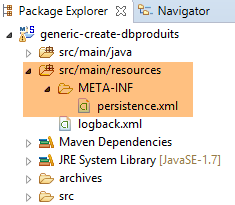 |
The [persistence.xml] file is as follows:
<?xml version="1.0" encoding="UTF-8"?>
<persistence version="1.0" xmlns="http://java.sun.com/xml/ns/persistence" xmlns:xsi="http://www.w3.org/2001/XMLSchema-instance"
    xsi:schemaLocation="http://java.sun.com/xml/ns/persistence http://java.sun.com/xml/ns/persistence/persistence_1_0.xsd">
    <persistence-unit name="generic-jpa-entities-dbproduits" transaction-type="RESOURCE_LOCAL">
        <!-- entities JPA -->
        <class>generic.jpa.entities.dbproduits.Produit</class>
        <exclude-unlisted-classes>true</exclude-unlisted-classes>
    </persistence-unit>
</persistence>
- line 6: the single entity JPA;
- line 4: the name of the persistence unit [generic-jpa-entities-dbproduits], which is referenced in the bean [entityManagerFactory];
9.3.3. The entity JPA [Produit]
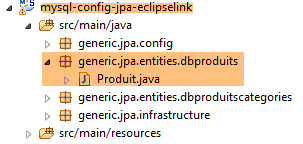 |
The entity JPA is defined in the [mysql-config-jpa-eclipselink] project as follows:
package generic.jpa.entities.dbproduits;

import generic.jdbc.config.ConfigJdbc;

import javax.persistence.Column;
import javax.persistence.Entity;
import javax.persistence.GeneratedValue;
import javax.persistence.GenerationType;
import javax.persistence.Id;
import javax.persistence.Table;

@Entity(name="Produit1")
@Table(name = ConfigJdbc.TAB_PRODUITS)
public class Produit {

    // fields
    @Id
    @GeneratedValue(strategy = GenerationType.IDENTITY)
    @Column(name = ConfigJdbc.TAB_PRODUITS_ID)
    private int id;
    @Column(name = ConfigJdbc.TAB_PRODUITS_NOM, unique = true, length = 30, nullable = false)
    private String nom;
    @Column(name = ConfigJdbc.TAB_PRODUITS_CATEGORIE, nullable = false)
    private int categorie;
    @Column(name = ConfigJdbc.TAB_PRODUITS_PRIX, nullable = false)
    private double prix;
    @Column(name = ConfigJdbc.TAB_PRODUITS_DESCRIPTION, length = 100, nullable = false)
    private String description;

    // manufacturers
    public Produit() {

    }

    public Produit(int id, String nom, int categorie, double prix, String description) {
        this.id = id;
        this.nom = nom;
        this.categorie = categorie;
        this.prix = prix;
        this.description = description;
    }

    // getters and setters
    ...
}
This is a JPA definition that has now become standard. Note the following points:
- Line 12: The entity has been given the name [Produit1]. By default, an entity’s name is the class name, in this case [Produit]. However, because there is another entity named JPA [Produit] in the same project, an error was reported before execution even began. We resolved it this way;
- line 24: the category here is simply a number;
- there are no inter-entity relationships. We therefore have a very simple situation;
9.3.4. The executable class
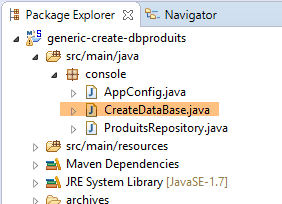 |
The [CreateDatabase] class is as follows:
package console;

import org.springframework.context.annotation.AnnotationConfigApplicationContext;

public class CreateDataBase {

    public static void main(String[] args) {
        // simply instantiate the Spring context to create the [dbproduits] database tables
        // you also need at least one Spring Data Repository, otherwise nothing happens
        System.out.println("Travail en cours...");
        new AnnotationConfigApplicationContext(AppConfig.class).close();
        System.out.println("Travail terminé...");
    }

}
This is code we have seen before.
9.3.5. Generation EclipseLink
The table [PRODUITS] is created with the following execution configuration:
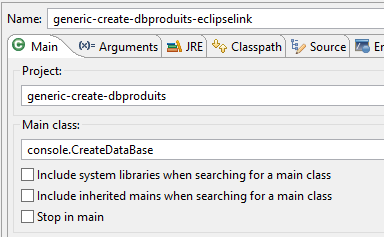 |  |
The console logs are as follows:
Now, let's return to client [MyManager] and refresh the [1-2] view:
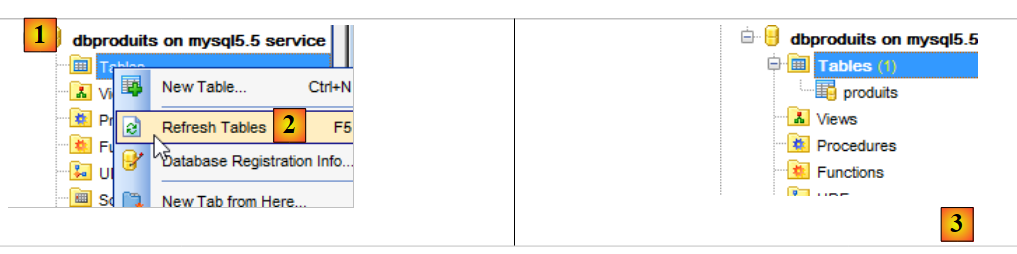 |
In [3], we can see that a table has been generated. Now let’s check the DDL (Domain Definition Language) of the database:
SET FOREIGN_KEY_CHECKS=0;

USE `dbproduits`;

CREATE TABLE `produits` (
  `ID` BIGINT(20) NOT NULL AUTO_INCREMENT,
  `CATEGORIE` INTEGER(11) NOT NULL,
  `DESCRIPTION` VARCHAR(100) COLLATE utf8_general_ci NOT NULL,
  `NOM` VARCHAR(30) COLLATE utf8_general_ci NOT NULL,
  `PRIX` DOUBLE NOT NULL,
  PRIMARY KEY (`ID`) USING BTREE,
  UNIQUE KEY `NOM` (`NOM`) USING BTREE
) ENGINE=InnoDB
AUTO_INCREMENT=1 CHARACTER SET 'utf8' COLLATE 'utf8_general_ci'
;
We do indeed get the expected table. To verify this, we will run the following configuration:
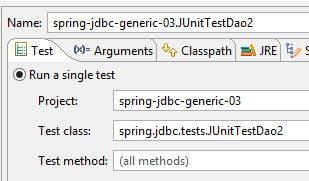 | 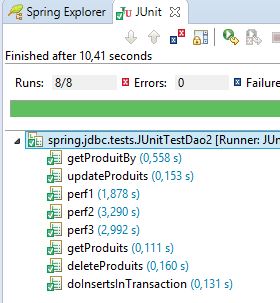 |
It should succeed.
9.3.6. Hibernate Generation
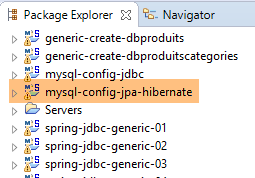 | 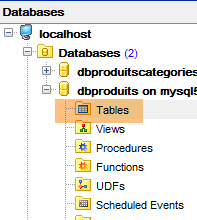 |
Note: Press Alt-F5 and regenerate all Maven projects;
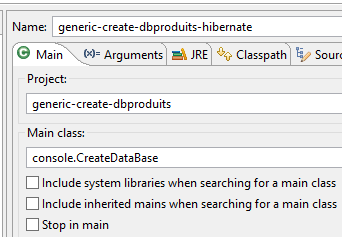
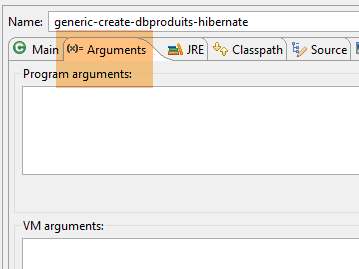
The runtime configuration is as follows:
 |  |
The SQL script generated by Hibernate is as follows:
USE `dbproduits`;

CREATE TABLE `produits` (
  `ID` BIGINT(20) NOT NULL AUTO_INCREMENT,
  `CATEGORIE` INTEGER(11) NOT NULL,
  `DESCRIPTION` VARCHAR(100) COLLATE utf8_general_ci NOT NULL,
  `NOM` VARCHAR(30) COLLATE utf8_general_ci NOT NULL,
  `PRIX` DOUBLE NOT NULL,
  PRIMARY KEY (`ID`) USING BTREE,
  UNIQUE KEY `UK_hfvjn9lp7qoo5x79uu0ump3rf` (`NOM`) USING BTREE
) ENGINE=InnoDB
AUTO_INCREMENT=1 CHARACTER SET 'utf8' COLLATE 'utf8_general_ci'
;
9.3.7. Generation OpenJpa
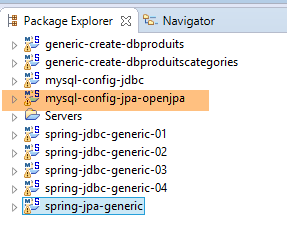 | |
Note: Press Alt-F5 and regenerate all Maven projects;
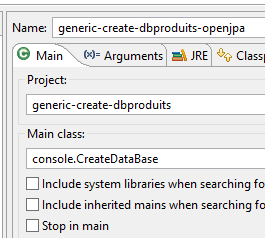
The execution configuration is as follows:
 |  |
The SQL script generated by OpenJpa is as follows:
USE `dbproduits`;

CREATE TABLE `produits` (
  `ID` BIGINT(20) NOT NULL AUTO_INCREMENT,
  `CATEGORIE` INTEGER(11) NOT NULL,
  `DESCRIPTION` VARCHAR(100) COLLATE utf8_general_ci NOT NULL,
  `NOM` VARCHAR(30) COLLATE utf8_general_ci NOT NULL,
  `PRIX` DOUBLE NOT NULL,
  PRIMARY KEY (`ID`) USING BTREE,
  UNIQUE KEY `U_PRODUTS_NOM` (`NOM`) USING BTREE
) ENGINE=InnoDB
AUTO_INCREMENT=1 CHARACTER SET 'utf8' COLLATE 'utf8_general_ci'
;