4. Tables
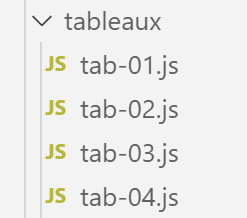
4.1. script [tab-01]
The following script illustrates some characteristics of JavaScript arrays. These resemble PHP arrays, but with one major difference: they are manipulated via pointers and are considered objects.
'use strict';

// an array is an object manipulated via its address
const tab1 = [1, 2, 3];
// address copying
const tab2 = tab1;
// tab1 and tab2 point to the same table
console.log("tab1===tab2 :", tab1 === tab2);
// the table can be modified using either tab1 or tab2
tab2[1] = 10;
console.log("tab1=", tab1);
console.log("tab2=", tab2);
Execution
[Running] C:\myprograms\laragon-lite\bin\nodejs\node-v10\node.exe "c:\Temp\19-09-01\javascript\tableaux\tab-01.js"
tab1===tab2 : true
tab1= [ 1, 10, 3 ]
tab2= [ 1, 10, 3 ]
Comments
- Line 2 of the results shows that [tab1] and [tab2] are two equal entities, in fact two equal pointers;
- Lines 4 and 5 of the results show that these two pointers point to the same array;
4.2. script [tab-02]
This script demonstrates that JavaScript arrays differ from arrays in compiled languages.
'use strict';

// table
const tab = [];
console.log("tab=", tab, ", longueur=[", tab.length, "]");
console.log("-------------------------------");
// element initialization
tab[3] = 100;
tab[1] = "huit";
// table
console.log("tab=", tab, ", longueur=[", tab.length, "]");
console.log("-------------------------------");
// toString
console.log("tab.toString=[", tab.toString(), "]");
console.log("-------------------------------");
// the keys to the picture are its indices
for (let key of tab.keys()) {
  console.log("clé=[", key, "], valeur=[", tab[key], "]");
}
console.log("-------------------------------");
// table values
for (let value of tab.values()) {
  console.log("valeur=[", value, "]");
}
- line 4: an empty array;
- line 8: an array does not have a fixed size. It is simply a sequence of elements indexed by a number. You can initialize element #3 even if elements [0, 1, 2] are not yet defined;
- lines 16–24: A JavaScript array behaves similarly to a PHP array;
Execution
[Running] C:\myprograms\laragon-lite\bin\nodejs\node-v10\node.exe "c:\Temp\19-09-01\javascript\tableaux\tab-02.js"
tab= [] , longueur=[ 0 ]
-------------------------------
tab= [ <1 empty item>, 'huit', <1 empty item>, 100 ] , longueur=[ 4 ]
-------------------------------
tab.toString=[ ,huit,,100 ]
-------------------------------
clé=[ 0 ], valeur=[ undefined ]
clé=[ 1 ], valeur=[ huit ]
clé=[ 2 ], valeur=[ undefined ]
clé=[ 3 ], valeur=[ 100 ]
-------------------------------
valeur=[ undefined ]
valeur=[ huit ]
valeur=[ undefined ]
valeur=[ 100 ]
4.3. script [tab-03]
This script demonstrates various methods of the [array] object.
'use strict';
// a table can contain different types of data
const tab = [1, 2, "un", "deux", true, [10, 20], { prop1: 10, prop2: "abc" }];
// console.log can display the contents of an array
show(1);
console.log("tab=", tab);
show(2);
// table path with foreach
tab.forEach(element => {
  console.log("élément=", element, typeof (element));
});
show("2b");
// another script to do the same thing
tab.forEach(function (element) {
  console.log("élément=", element, typeof (element));
});
show(3);
// table route with for
for (let i = 0; i < tab.length; i++) {
  console.log("i=", i, "tab[i]=", tab[i]);
}
show(4);
// change tab[i]
tab[5] = [];
// display
console.log("tab=", tab);
show(5);
// remove the last element
let element = tab.pop(tab);
console.log("élément=", element, "tab=", tab);
show(6);
// add an element to the end of the array
tab.push('xyz');
console.log("tab=", tab);
show(7);
// add an element at the beginning of the array
tab.unshift(1000);
console.log("tab=", tab);
show(8);
// remove the 1st element from the array
element = tab.shift();
console.log("élément=", element, "tab=", tab);
show(9);
// remove element no. 2 from the table
element = tab.splice(2, 1);
console.log("élément=", element, "tab=", tab);
show(10);
// remove two elements from the table, starting with element no. 1
element = tab.splice(1, 2);
console.log("élément=", element, "tab=", tab);

// function
function show(param) {
  console.log("[", param, ":::::::::::::::::::::::::::::::::::::::::::::::::::::::::::::::::: ]");
}
Comments
- The difference between PHP arrays and JavaScript arrays is illustrated by lines 3 and 24:
- Line 3 declares the variable [tab] as a constant;
- Line 24 modifies the element tab[5];
In line 3, it is the pointer pointing to the array that is declared a constant, not the array itself. The array itself can be modified.
- Lines 14–16: The [tab] array is iterated over using the [forEach] method of the [tab] array. This method takes as a parameter the definition of a function, which could be called a literal function. This function takes one parameter: the current element of the [tab] array. The function is called for each element of the array. This type of syntax is common in JavaScript;
- lines 9–10: we use a different syntax to define the function. Instead of writing:
- function(p1, p2, …, pn){….}
we write:
- (continued)
- (p1,p2, ..,pn)=>{.…}. This is called the “arrow” notation;
- The rest of the code is explained by the comments;
From this script, note that:
- an array is an object referenced by a pointer;
- this object has methods [forEach, pop, push, shift, unshift];
4.4. script [tab-04]
This script introduces other methods of array objects.
'use strict';

// table manipulation method

// a picture
const tab = [];
for (let i = 0; i < 10; i++) {
  tab[i] = i * 10;
}
// display
console.log("tab=", tab);
// map
const tab2 = tab.map(element => {
  return { prop1: element, prop2: element * element }
});
// display
console.log("tab=", tab);
console.log("tab2=", tab2);
// reduce without initial value
const somme = tab.reduce((accumulator, currentValue) => accumulator + currentValue);
console.log("somme tab=", somme);
// reduce with initial value
const somme2 = tab.reduce((accumulator, currentValue) => accumulator + currentValue, 10);
console.log("somme2 tab=", somme2);
// filter
const tab4 = tab.filter((element) => {
  if (element > 50) {
    return element;
  }
});
console.log("tab4=", tab4);
// find
const element1 = tab.find((element) => (element > 20));
console.log("élément1=", element1);
// findIndex
const index1 = tab.findIndex((element) => (element === 20));
console.log("index1 20=", index1);
// indexOf
const index2 = tab.indexOf(30);
console.log("index2 30=", index2);
const index3 = tab.indexOf(31);
console.log("index3 31=", index3);
// lastIndexOf
const index4 = [4, 5, 4, 2].lastIndexOf(4);
console.log("index4 4=", index4);
// spell
const tab5 = [4, 5, 4, 2].sort();
console.log("tab5=", tab5);
// reverse spell
const tab6 = [4, 5, 4, 2].sort((e1, e2) => {
  if (e1 > e2) {
    return -1;
  }
  else if (e1 === e2) {
    return 0;
  } else {
    return +1;
  }
});
console.log("tab6=", tab6);
Comments
- lines 13–15: The [map] method takes a transformation function as a parameter. This function is called repeatedly for each element in the array. It is responsible for transforming the element into something else—in this case, an object with the properties [prop1, prop2]. The [map] method returns a new array. The original array remains unchanged:
tab= [ 0, 10, 20, 30, 40, 50, 60, 70, 80, 90 ]
tab2= [ { prop1: 0, prop2: 0 },
{ prop1: 10, prop2: 100 },
{ prop1: 20, prop2: 400 },
{ prop1: 30, prop2: 900 },
{ prop1: 40, prop2: 1600 },
{ prop1: 50, prop2: 2500 },
{ prop1: 60, prop2: 3600 },
{ prop1: 70, prop2: 4900 },
{ prop1: 80, prop2: 6400 },
{ prop1: 90, prop2: 8100 } ]
- line 20: The [reduce] method takes as a parameter a two-argument function that is called repeatedly for each element of the array. This function takes two arguments:
- [currentValue] is the current element of the array;
- [accumulator] is the last result obtained by the function. If no initial value is provided for this accumulator, then it will be 0;
- the first time the accumulation function is called, it returns [0+tab[0]]. This value is assigned to the accumulator;
- the second time, it returns accumulator+tab[1], i.e., tab[0]+tab[1];
- The third time, it returns accumulator + tab[2], which is tab[0] + tab[1] + tab[2];
- etc. Ultimately, the accumulator will represent the sum of all elements in the array [tab];
- line 26: the [filter] method takes a filtering function as a parameter. This function is called repeatedly for each element of the array and receives that element as a parameter. It must return:
- [true] if the element should be kept;
- [false] otherwise;
- line 33: the [find] method takes a search function as a parameter. This function is called repeatedly for each element of the array and receives that element as a parameter. It must return [true] if the received element satisfies the search criteria. The search then stops. The [find] method therefore returns 0 or 1 element;
- line 36: the [findIndex] method works like the [find] method, but instead of returning the found element, it returns its index in the array;
- lines 39, 41: the [indexOf(value)] method searches for [value] in the array and returns its index, or -1 if it is not found;
- line 44: the [lastIndexOf(value)] method works like the [indexOf(value)] method but starts its search from the end of the array;
- line 47: the [sort] method without parameters returns an array sorted in natural order (numbers, strings);
- line 50: when the natural order is not suitable, you must pass a function with two parameters (e1, e2) to the [sort] method, which returns:
- +1 if e1 should be sorted after e2;
- -1 if e1 should be sorted before e2;
- 0 if both elements should have the same rank;
The function passed as a parameter to the [sort] method is repeatedly called by it to compare two elements of the array;