4. Use of dynamic forms
4.1. Declaring the dynamic form
We have seen that Struts uses ActionForm objects to store the values of HTML forms processed by the application’s various servlets. For each form in our application, we need to create a class derived from ActionForm. This can quickly become cumbersome since for each field xx, we must write two methods: setXx and getXx. Struts offers the option of using forms
- whose structure is declared in the struts-config.xml file within the <form-beans> section
- , which are dynamically created by the Struts environment according to the declared structure
Thus, the class used to store the name and age values in the strutspersonne application could be defined as follows:
    <form-beans>
        <form-bean name="frmPersonne" type="org.apache.struts.actions.DynaActionForm">
            <form-property name="nom" type="java.lang.String" initial=""/>
            <form-property name="age" type="java.lang.String" initial=""/>
        </form-bean>
    </form-beans>
For each field in the form, we define a <form-property> tag with two attributes:
- name: the field name
- type: its Java type
Because the values of a form sent by a web client are strings, the most commonly used types are java.lang.String for single-value fields and java.lang.String[] for multi-value fields (checkboxes with the same name, multi-select lists, etc.). The DynactionForm class, like the ActionForm class, has a validate method that does nothing. To have it check the validity of the form parameters, you must extend it and write the validate method yourself. The form declaration will therefore be as follows:
    <form-beans>
        <form-bean name="frmPersonne" type="istia.st.struts.personne.PersonneDynaForm">
            <form-property name="nom" type="java.lang.String" initial=""/>
            <form-property name="age" type="java.lang.String" initial=""/>
        </form-bean>
    </form-beans>
We will need to write the istia.st.struts.personne.PersonneDynaForm class ourselves.
4.2. Writing the DynaActionForm class associated with the dynamic form
Above, we associated the class istia.st.struts.personne.PersonneDynaForm with the form (name, age). We will now write this class:
package istia.st.struts.personne;

import javax.servlet.http.*;
import org.apache.struts.action.*;

public class PersonneDynaForm extends DynaActionForm {
   // validation
  public ActionErrors validate(ActionMapping mapping, HttpServletRequest request) {
    // error management
    ActionErrors erreurs = new ActionErrors();
     // name must be non-empty
    String nom = (String)this.get("nom");
    if (nom == null || nom.trim().equals("")) {
      erreurs.add("nomvide", new ActionError("personne.formulaire.nom.vide"));
    }
     // age must be non-empty
    String age = (String)this.get("age");
    if (age == null || age.trim().equals("")) {
      erreurs.add("agevide", new ActionError("personne.formulaire.age.vide"));
    }
    else {
      // age must be a positive integer
      if (!age.matches("^\\s*\\d+\\s*$")) {
        erreurs.add("ageincorrect", new ActionError("personne.formulaire.age.incorrect", age));
        // return the list of errors
      }
    } //if
     // return the error list
    return erreurs;
  }
}//class
The following points should be noted:
- the class derives from DynaActionForm
- the validate method of the DynaActionForm class has been rewritten. When it is executed by the Struts controller, the PersonneDynaForm object is constructed. It contains a dictionary whose keys are the form fields name and age, and whose values are the values of those fields. To access a field within DynaActionForm methods, use the Object get(String fieldName) method. To set a value for a field, use the void set(String fieldName, Object value) method. Refer to the DynaActionForm class definition for a complete description.
- Once the values of the form’s name and age fields have been retrieved, the validate method is no different from the one that was written when the form was associated with an ActionForm object.
4.3. The new FormAction class
The configuration file defines the following /main action:
...
    <form-beans>
        <form-bean name="frmPersonne" type="istia.st.struts.personne.PersonneDynaForm">
            <form-property name="nom" type="java.lang.String" initial=""/>
            <form-property name="age" type="java.lang.String" initial=""/>
        </form-bean>
    </form-beans>
....
      <action
          path="/main"
          name="frmPersonne"
            scope="session"
            validate="true"
            input="/erreurs.do"
          type="istia.st.struts.personne.FormulaireAction"
      >
            <forward name="reponse" path="/reponse.do"/>
        </action>
This definition is the same as in the strutspersonne application. The /main action is implemented by an object of type FormulaireAction. This object used to receive the values from the frmPersonne form in an object of type FormulaireBean. Now it receives them in an object of type PersonneDynaForm. Therefore, the class must be rewritten:
package istia.st.struts.personne;

import org.apache.struts.action.Action;
import org.apache.struts.action.ActionMapping;
import org.apache.struts.action.ActionForm;
import org.apache.struts.action.ActionForward;
import javax.servlet.http.HttpServletRequest;
import javax.servlet.http.HttpServletResponse;
import java.io.IOException;
import javax.servlet.ServletException;
import istia.st.struts.personne.PersonneDynaForm;

public class FormulaireAction extends Action {

  public ActionForward execute(ActionMapping mapping, ActionForm form,
           HttpServletRequest request, HttpServletResponse response) throws IOException,ServletException {

     // we have a valid form, otherwise we wouldn't have got here
    PersonneDynaForm formulaire=(PersonneDynaForm)form;
    request.setAttribute("nom",formulaire.get("nom"));
    request.setAttribute("age",formulaire.get("age"));
    return mapping.findForward("reponse");
  }//execute
}
The following points should be noted:
- We must import the PersonneDynaForm class, which contains the form data, to access its definition
- The execute method retrieves the values of the form parameters using the [DynaActionForm].get method.
Compared to the FormAction class in the strutspersonne application, only the way to access the form values has changed.
4.4. Deployment and testing of the strutspersonne1 application
4.4.1. Creating the Context
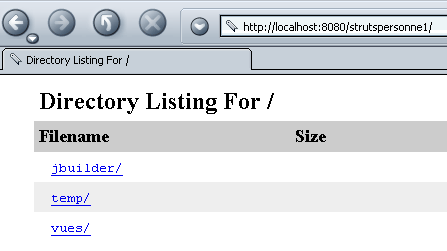
We have named this new application strutspersonne1. We create a new definition in the <tomcat>\conf\serveur.xml file for Tomcat 4.x:
Once this is done, Tomcat must be restarted. You can verify the validity of the context by requesting the URL:
http://localhost:8080/strutspersonne1/
4.4.2. The Views
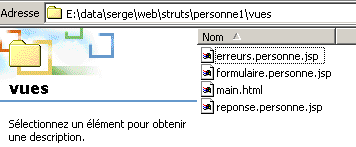
Copy the views folder from the strutspersonne application into the strutspersonne1 application folder. The views have not changed.
4.4.3. Compiling the Classes
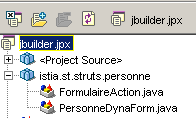
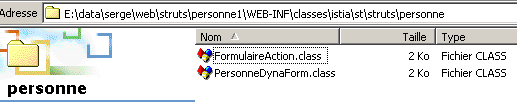
We have two classes to create: PersonneDynaForm and FormulaireAction, with the latter using the former. We can create and compile them using a JBuilder project:
4.4.4. The WEB-INF folder
Copy the WEB-INF folder from the strutspersonne application into the strutspersonne1 application folder. A few files have changed:
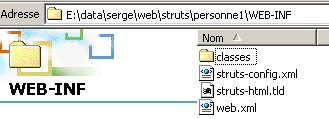
The struts-config.xml configuration file becomes the following:
<?xml version="1.0" encoding="ISO-8859-1" ?>

<!DOCTYPE struts-config PUBLIC
          "-//Apache Software Foundation//DTD Struts Configuration 1.1//EN"
          "http://jakarta.apache.org/struts/dtds/struts-config_1_1.dtd">

<struts-config>
    <form-beans>
        <form-bean name="frmPersonne" type="istia.st.struts.personne.PersonneDynaForm">
            <form-property name="nom" type="java.lang.String" initial=""/>
            <form-property name="age" type="java.lang.String" initial=""/>
        </form-bean>
    </form-beans>

    <action-mappings>
      <action
          path="/main"
          name="frmPersonne"
            scope="session"
            validate="true"
            input="/erreurs.do"
          type="istia.st.struts.personne.FormulaireAction"
      >
            <forward name="reponse" path="/reponse.do"/>
        </action>
      <action
          path="/erreurs"
          parameter="/vues/erreurs.personne.jsp"
          type="org.apache.struts.actions.ForwardAction"
      />
      <action
          path="/reponse"
          parameter="/vues/reponse.personne.jsp"
          type="org.apache.struts.actions.ForwardAction"
      />
      <action
          path="/formulaire"
          parameter="/vues/formulaire.personne.jsp"
          type="org.apache.struts.actions.ForwardAction"
      />
    </action-mappings>

    <message-resources parameter="ressources.personneressources"/>
</struts-config>
This file is identical to that of the strutspersonne application, with the exception of the dynamic form definition (boxed section).
In the WEB-INF/classes folder, place the classes compiled by JBuilder:
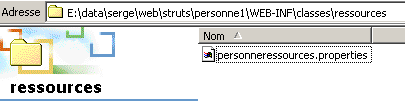
In the WEB-INF\classes\resources folder, place the message file. It has not changed.
personne.formulaire.nom.vide=<li>Vous devez indiquer un nom</li>
personne.formulaire.age.vide=<li>Vous devez indiquer un age</li>
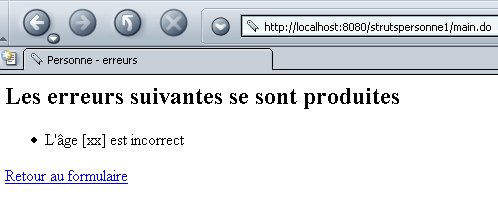
personne.formulaire.age.incorrect=<li>L'âge [{0}] est incorrect</li>
errors.header=<ul>
errors.footer=</ul>
4.5. Tests
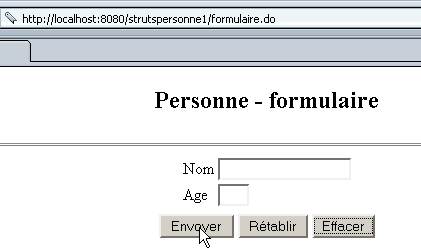
We are ready for testing. Below are some screenshots that the reader is invited to reproduce.
Request the URL http://localhost:8080/strutspersonne1/formulaire.do:
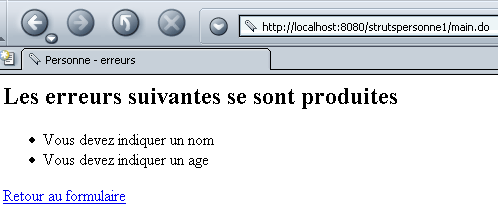
Click the [Submit] button without filling in the fields:
Try again with an error in the age field:
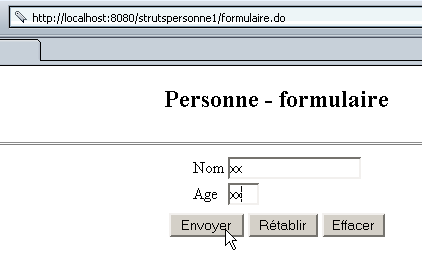
We get the following response:
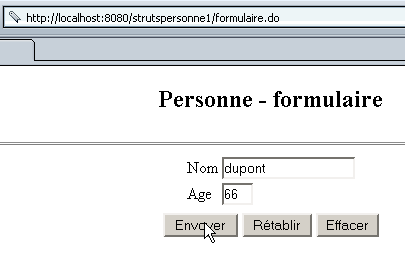
Try again, this time entering the correct values:
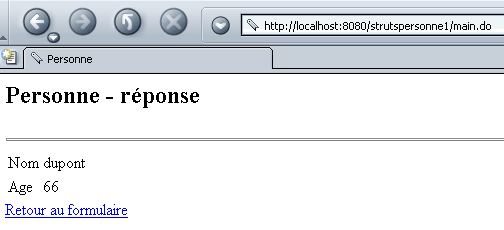
We receive the following response:
4.6. Conclusion
Using dynamic forms makes it easier to write ActionForm classes responsible for storing form values. We can take form management a step further. In the strutspersonne1 application, we created a PersonneDynaForm class to validate the form’s values (name, age). In practice, certain validations occur frequently: non-empty field, field validating a specific regular expression, integer field, date field, etc. This type of standard validation can then be specified in the struts-config.html configuration file. If all the validations to be performed are "standard," then there is no need to write a class for the form. This is what we will now examine.