4. The View and Its Template
Up to this point, actions have generated their own responses: text, JSON, and a few HTML tags written as a string. In a MVC application, this is the role of a view: a file that describes the page HTML, with placesholders for the data passed to it by the action—the view’s model. [Spring MVC] does not provide a view language itself: it can work with multiple view engines ([Thymeleaf], [FreeMarker], [Mustache], [JSP]...). This course uses [Thymeleaf], the most widely used view engine along with [Spring MVC], which [Spring Boot] can configure on its own.
A [Thymeleaf] view is a standard [.html] file: a valid HTML file that can be opened as-is in a browser. Data is inserted into it via additional attributes prefixed with [th:] ([th:text], [th:if], [th:each]...), which [Thymeleaf] executes on the server and then removes from the page. This is what [Thymeleaf] refers to as natural templates ([natural templates]): a graphic designer can work on the view without launching the application, and the developer adds the [th:] attributes to it. This differs from [Razor], the view engine of [ASP.NET Core MVC], which combines HTML and [C#] code preceded by the character [@].
4.1. Example 13: A First View
To use [Thymeleaf], simply add a dependency on the [pom.xml] file from the example:
| <dependencies>
<!-- the Thymeleaf views -->
<dependency>
<groupId>org.springframework.boot</groupId>
<artifactId>spring-boot-starter-thymeleaf</artifactId>
</dependency>
</dependencies>
|
- Lines 3–6: the [spring-boot-starter-thymeleaf] starter. A starter is an “all-in-one” dependency: it provides [Thymeleaf], its integration with [Spring] (the [thymeleaf-spring6] library), and the automatic configuration of [Spring Boot], which links them to [Spring MVC]. There is nothing else to write: no version (it is set by the parent project [spring-boot-starter-parent]), no configuration class.
The view template is a simple class. The file [models/PageModel.java]:
| package example13.models;
// the model of the view: the data that the action passes to the view
public record PageModel(String title, String message, String time) {
}
|
- Line 4: A record [Java] (see Example 03) is a class whose fields are set once and for all by the constructor: in this case, three strings [title], [message], and [time]. The compiler automatically generates the constructor and the accessors that read the fields for us. Note: These accessors are named after the field ([title()]), not [getTitle()] as in a class named [JavaBean] (see Example 08). This is a concise way to write a class that simply carries data.
The file [controllers/ViewsController.java]:
| package example13.controllers;
import java.time.LocalTime;
import java.time.format.DateTimeFormatter;
import java.util.Map;
import org.springframework.http.HttpStatus;
import org.springframework.stereotype.Controller;
import org.springframework.ui.Model;
import org.springframework.web.bind.annotation.GetMapping;
import org.springframework.web.bind.annotation.PathVariable;
import org.springframework.web.servlet.ModelAndView;
import example13.models.PageModel;
// @Controller: the actions return the NAME of a view
@Controller
public class ViewsController {
private static final DateTimeFormatter TIME = DateTimeFormatter.ofPattern("HH:mm:ss");
// Model: the model of the view, a dictionary filled by the action;
// the returned string is the name of the view: templates/views/index.html
@GetMapping("/")
public String index(Model model) {
PageModel pageModel = new PageModel(
"My first view",
"This page was built by Thymeleaf, on the server.",
LocalTime.now().format(TIME));
model.addAttribute("model", pageModel);
return "views/index";
}
// ModelAndView: the view, its model and, if needed, the response code, in a single object
@GetMapping("/hello/{name}")
public ModelAndView hello(@PathVariable String name) {
if (name.equals("unknown")) {
return new ModelAndView("views/unknown", Map.of("name", name), HttpStatus.NOT_FOUND);
}
PageModel pageModel = new PageModel(
"Hello " + name,
"This time, the action built a ModelAndView object.",
LocalTime.now().format(TIME));
return new ModelAndView("views/index", Map.of("model", pageModel));
}
}
|
Let’s comment on this code:
- Line 17: The annotation [@Controller] replaces the annotation [@RestController] from the previous examples. With [@RestController], what an action returns is the response (text, JSON). With [@Controller], an action that returns a string returns the name of a view: it is the view that will generate the response;
- line 25: the action receives a parameter of type [Model], provided by [Spring MVC]. This is the view template: a dictionary, where each entry (an attribute) associates a name with an object;
- Lines 26–30: The action creates a [PageModel] object (a title, a message, the current time) and stores it in the model under the name [model]. The view will retrieve it under this name;
- line 31: the action returns the name of the view, [views/index]. It no longer creates the response; instead, it refers to a view and has prepared its data;
- line 36: the action [hello] returns an object [ModelAndView], which combines the view name and its model into a single object. This is another way to write an action that uses a view;
- Line 38: When the view depends on the request, the action selects the view. Here, the name [unknown] displays the view [views/unknown], with status code 404: the third argument of the [ModelAndView] constructor is the response code. The template for this view contains a simple string: the requested name. [Map.of(...)] creates a read-only dictionary;
- line 44: the two actions share the same view, [views/index], with different templates.
Where does [Spring MVC] look for the view [views/index]? It passes the view name to a view resolver ([ViewResolver]), which converts it into a specific view. The one configured by [Spring Boot] for [Thymeleaf] ([ThymeleafViewResolver]) adds a prefix, [classpath:/templates/], and a suffix, [.html]: The view [views/index] is the file [templates/views/index.html] in the classpath—that is, the folders and archives where the [Java] virtual machine searches for the application’s classes and resources. The project’s [src/main/resources] folder is part of this: its contents are copied by [Maven] into [target/classes], alongside the compiled classes. These two values can be changed in [application.properties] (properties [spring.thymeleaf.prefix] and [spring.thymeleaf.suffix]). Unlike [ASP.NET Core MVC], there is no convention that derives the view name from the controller and action names: the action always specifies the path to the view, relative to the [templates] folder. The project files:
| 13-first-view/
├── src/
│ └── main/
│ ├── java/
│ │ └── example13/
│ │ ├── controllers/
│ │ │ └── ViewsController.java
│ │ ├── models/
│ │ │ └── PageModel.java
│ │ └── Example13Application.java
│ └── resources/
│ ├── templates/
│ │ └── views/
│ │ ├── index.html
│ │ └── unknown.html
│ └── application.properties
└── pom.xml
|
The file [templates/views/index.html]:
| <!doctype html>
<!--/* xmlns:th: declares the namespace of the th:... attributes (useful to editors) */-->
<html lang="en" xmlns:th="http://www.thymeleaf.org">
<head>
<meta charset="utf-8">
<title th:text="${model.title}">Page title</title>
</head>
<body>
<h1 th:text="${model.title}">Page title</h1>
<p th:text="${model.message}">A message.</p>
<p>Page built at <span th:text="${model.time}">12:00:00</span>.</p>
</body>
</html>
|
Let’s comment on this code:
- Line 2: A comment [Thymeleaf] is written as [<!--/* ... */-->]. This is a comment HTML whose content is enclosed by [/*] and [*/]: [Thymeleaf] removes it from the rendered page, whereas a regular comment HTML ([<!-- -->]) would be sent to the browser;
- Line 3: The [xmlns:th] attribute declares the namespace for the [th:] attributes. It is intended solely for code editors (autocompletion, validation): [Thymeleaf] processes the [th:] attributes even without it, and removes it from the generated page;
- Line 6: The attribute [th:text] replaces the content of the tag with the value of the expression. [${model.title}] is a variable expression: [model] is the attribute of the template set by the action, and [.title] calls its accessor, [title()]. The text “Page Title” written inside the tag is just an example, displayed when the file is opened directly in a browser; it disappears from the generated page;
- lines 9–11: the same principle applies to the title, message, and time. To insert a value in the middle of some text, wrap it in a [<span>] tag, which carries the attribute [th:text].
[${...}] expressions are written in the [Spring] expression language, [SpEL] ([Spring Expression Language]). [model.title] calls the [getTitle()] method of a [JavaBean], or the [title()] method of a record: the same code is written in both cases.
A [Thymeleaf] view is not compiled with the application: it is read and interpreted when the page is requested. An error in a view is therefore not reported at compile time, but rather when the page is displayed. If you write [${model.titl}] in the view, the request fails (status code 500) and the server console displays: [Property or field 'titl' cannot be found on object of type 'example13.models.PageModel']. Similarly, a view name that does not correspond to any file causes the error [Error resolving template [views/missing], template might not exist or might not be accessible by any of the configured Template Resolvers]. The result, at http://localhost:5000/:
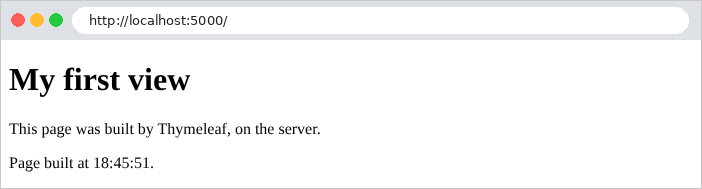
The source code of the page received by the browser no longer contains any trace of [Thymeleaf]:
| curl http://localhost:5000/
|
| <!doctype html>
<html lang="en">
<head>
<meta charset="utf-8">
<title>My first view</title>
</head>
<body>
<h1>My first view</h1>
<p>This page was built by Thymeleaf, on the server.</p>
<p>Page built at <span>18:53:46</span>.</p>
</body>
</html>
|
Note that:
- the [th:text] attributes have disappeared, replaced by the template values, as has the [xmlns:th] attribute;
- the comment [Thymeleaf] has disappeared, but it leaves a blank line;
- accented characters, if any (this English page has none), are written as-is ([é], [è]...): [Thymeleaf] only escapes characters that have meaning in HTML ([<], [>], [&], ["], [']). [Razor], on the other hand, encodes accented characters by default ([è] for [è]), which forces the [ASP.NET Core MVC] course to change a setting; there is no such requirement here.
URL http://localhost:5000/hello/martin displays the same view using a different template:
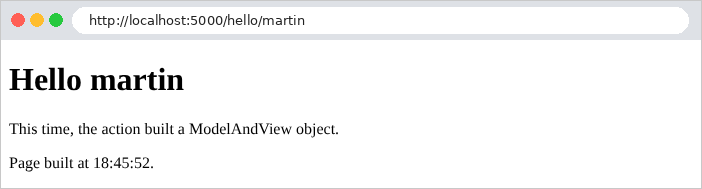
Had the text contained an apostrophe, the HTML code of this page would show it as [']: this is one of the characters escaped by [th:text]. The URL http://localhost:5000/hello/unknown shows a different view:
| curl -i http://localhost:5000/hello/unknown
|
| HTTP/1.1 404
Content-Type: text/html;charset=UTF-8
<!doctype html>
<html lang="en">
<head>
<meta charset="utf-8">
<title>Unknown</title>
</head>
<body>
<h1>Nobody is called [unknown] here.</h1>
</body>
</html>
|
The response does indeed have the 404 status code set by the [ModelAndView] object ([Tomcat] sends only the code, without its label [Not Found]). The [templates/views/unknown.html] file:
| <!doctype html>
<html lang="en" xmlns:th="http://www.thymeleaf.org">
<head>
<meta charset="utf-8">
<title>Unknown</title>
</head>
<body>
<!--/* |...|: a text in which the ${...} expressions are replaced */-->
<h1 th:text="|Nobody is called [${name}] here.|">Nobody is called [xx] here.</h1>
</body>
</html>
|
- line 9: text enclosed by two vertical bars, [|...|], is a literal substitution: the expressions [${...}] it contains are replaced by their values. This is more readable than a sequence of [<span>]. [${name}] is the [name] attribute of the template, a simple string.
4.2. Example 14: The Thymeleaf language
A [Thymeleaf] view does not contain any [Java] code: everything is handled through the [th:] attributes and the expressions they contain. Yet it contains conditions, loops, local variables, and method calls. This power requires discipline: the view must remain a formatting element; calculations and decisions belong to the action and the services. Example 14 provides an overview of the syntax. The model, file [models/BasicsModel.java]:
| package example14.models;
import java.math.BigDecimal;
import java.util.List;
public record BasicsModel(
String title,
String name,
String nickname,
String html,
boolean loggedIn,
String currency,
List<Product> products,
List<Product> cart,
Address address) {
public record Product(String name, BigDecimal price, boolean inStock) {
}
public record Address(String street, String city) {
}
}
|
- lines 6–15: the template is a record: a few strings, a Boolean, two lists of products, and an address;
- Lines 17–21: Two records nested within the first one: [BasicsModel.Product] and [BasicsModel.Address]. A price is a [BigDecimal]; the [Java] type represents exact decimal numbers (a [double] cannot exactly represent [0.1]).
The file [controllers/BasicsController.java]:
| package example14.controllers;
import java.math.BigDecimal;
import java.util.List;
import org.springframework.stereotype.Controller;
import org.springframework.ui.Model;
import org.springframework.web.bind.annotation.GetMapping;
import example14.models.BasicsModel;
import example14.models.BasicsModel.Address;
import example14.models.BasicsModel.Product;
@Controller
public class BasicsController {
@GetMapping("/")
public String index(Model model) {
BasicsModel basicsModel = new BasicsModel(
"Thymeleaf basics",
"Martin",
null,
"<b>this is HTML</b>",
true,
"€",
List.of(
new Product("Keyboard", new BigDecimal("25"), true),
new Product("Mouse", new BigDecimal("12.5"), false),
new Product("Screen", new BigDecimal("149"), true)),
List.of(),
new Address("12 rue des Lilas", "Angers"));
model.addAttribute("model", basicsModel);
return "basics/index";
}
}
|
- Lines 19–31: The action populates the form: a few strings, a Boolean, a list of three products, an empty shopping cart, and an address. The nickname (line 22) is intentionally set to [null]. [List.of(...)] creates a read-only list; [List.of()] creates an empty list.
The view, file [templates/basics/index.html]:
| <!doctype html>
<html lang="en" xmlns:th="http://www.thymeleaf.org">
<head>
<meta charset="utf-8">
<title th:text="${model.title}">Title</title>
</head>
<!--/* th:with: local variables, usable in the tag and its descendants */-->
<body th:with="total=${#aggregates.sum(model.products.![price])}, count=${#lists.size(model.products)}">
<h1 th:text="${model.title}">Title</h1>
<!--/* 1. display a value of the model; null displays nothing. This Thymeleaf
comment does not appear in the produced page */-->
<p>1. Name: <span th:text="${model.name}">name</span> - nickname: [<span th:text="${model.nickname}">nickname</span>]</p>
<!--/* 2. th:text escapes HTML, th:utext inserts it as is */-->
<p>2a. <span th:text="${model.html}">html</span></p>
<p>2b. <span th:utext="${model.html}">html</span></p>
<!--/* 3. a condition: th:if displays the tag if the condition is true, th:unless if it is false */-->
<p th:if="${model.loggedIn}">3. You are logged in.</p>
<p th:unless="${model.loggedIn}">3. You are not logged in.</p>
<!--/* 4. a loop: the tag that carries th:each is repeated; stat: the state of the loop */-->
<p>4. Our products:</p>
<ul>
<li th:each="product, stat : ${model.products}">no. [[${stat.index}]]: [[${product.name}]], [[${product.price}]] [[${model.currency}]]
<span th:text="${product.inStock} ? '(in stock)' : '(sold out)'">(in stock)</span>
<th:block th:if="${stat.first}">- the first one</th:block>
<th:block th:if="${stat.last}">- the last one, seen by [[${model.name}]]</th:block>
</li>
</ul>
<!--/* 5. the empty list */-->
<p>5. Your cart:
<th:block th:if="${#lists.isEmpty(model.cart)}">it is empty.</th:block>
<span th:each="p : ${model.cart}" th:text="${p.name}">product</span>
</p>
<!--/* 6. computed expressions, the th:with variables, and a utility (#numbers) */-->
<p th:text="|6. ${count} products, for a total of ${total} ${model.currency}; average price: ${#numbers.formatDecimal(total.doubleValue() / count, 1, 2)} ${model.currency}|">6.</p>
<p>7. Address: [[${model.address.street}]], [[${#strings.toUpperCase(model.address.city)}]]</p>
<p>8. An email address: contact@example.com</p>
</body>
</html>
|
Let’s comment on this code:
- Line 8: The [th:with] attribute declares local variables that can be used within the tag containing it and in all its child tags—in this case, [total] and [count]—throughout the entire body of the page. [model.products.![price]] is a projection of [SpEL]: the product price list. [#aggregates] and [#lists] are utility objects of [Thymeleaf] (they begin with [#]): [#aggregates.sum] calculates the sum of a list of numbers; [#lists.size] counts the elements in a list;
- lines 10–11: a comment [Thymeleaf], which is absent from the generated page;
- line 12: a value [null] ([${model.nickname}]) displays nothing, with no error;
- lines 14–15: [th:text] escapes the special characters in HTML ([<] becomes [<]...): the text is displayed as-is. [th:utext] ([unescaped text]) inserts it without escaping: it is interpreted as HTML. [th:utext] is used only for HTML generated by the application, never for data entered by a user: the user could inject HTML, or even [JavaScript], into the page (an attack known as [XSS], [cross-site scripting]);
- Lines 17–18: a condition. [th:if] keeps the tag (and its content) if the expression is true, and removes it otherwise; [th:unless] does the opposite. There is no [th:else]: we write the opposite condition;
- Line 22: a loop. The attribute [th:each] repeats the tag that contains it—in this case, [<li>]—once for each item in the list. [product] is the current item; [stat], which is optional, is the iteration count: [stat.index] (starting at 0), [stat.count] (starting at 1), [stat.size], [stat.first], [stat.last], [stat.even], [stat.odd]. In the tag text, [[[${product.name}]]] is an inline expression: it inserts the value, escaped as in [th:text], without the [<span>] tag (the form [[(...)]] inserts without escaping, like [th:utext]);
- line 23: the conditional operator [condition ? value1 : value2]. Literal strings are written between single quotes;
- lines 24–25: [th:block] is a tag specific to [Thymeleaf]: it serves only to carry the attributes of [th:] and disappears from the generated page, leaving only its content. [stat.first] and [stat.last] check the position in the loop;
- lines 30–31: the case of an empty list. [#lists.isEmpty] checks whether the list is empty; a loop [th:each] on an empty list produces nothing;
- line 34: a literal substitution [|...|] that uses the variables from [th:with], and two method calls: [total.doubleValue()] converts [BigDecimal] to [double], and [#numbers.formatDecimal(value, 1, 2)] formats a number with at least one digit before the decimal point and exactly two after;
- line 35: a pointer to [model.address.street], and the utility object [#strings], which groups together string operations ([toUpperCase], [isEmpty], [contains], [startsWith]...);
- line 36: [Thymeleaf] processes only the attributes [th:] and the inline expressions [[[...]]]; the rest of the text is copied as-is. The character [@] has no specific meaning here.
The result, at http://localhost:5000/:
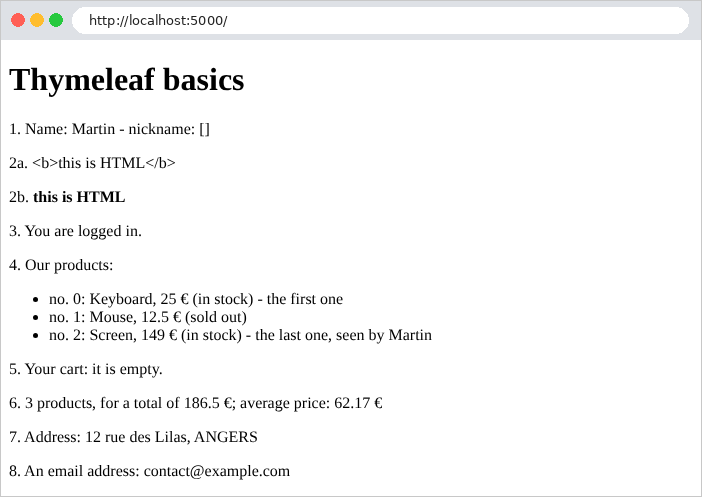
The code HTML produces:
| curl http://localhost:5000/
|
| <!doctype html>
<html lang="en">
<head>
<meta charset="utf-8">
<title>Thymeleaf basics</title>
</head>
<body>
<h1>Thymeleaf basics</h1>
<p>1. Name: <span>Martin</span> - nickname: [<span></span>]</p>
<p>2a. <span><b>this is HTML</b></span></p>
<p>2b. <span><b>this is HTML</b></span></p>
<p>3. You are logged in.</p>
<p>4. Our products:</p>
<ul>
<li>no. 0: Keyboard, 25 €
<span>(in stock)</span>
- the first one
</li>
<li>no. 1: Mouse, 12.5 €
<span>(sold out)</span>
</li>
<li>no. 2: Screen, 149 €
<span>(in stock)</span>
- the last one, seen by Martin
</li>
</ul>
<p>5. Your cart:
it is empty.
</p>
<p>6. 3 products, for a total of 186.5 €; average price: 62.17 €</p>
<p>7. Address: 12 rue des Lilas, ANGERS</p>
<p>8. An email address: contact@example.com</p>
</body>
</html>
|
Note that:
- the [th:block] tags, the [Thymeleaf] comments, and the tags removed by [th:if] / [th:unless] leave blank lines that have no effect on the display;
- The average price is [62.17] for [curl] and [62,17] in the browser. [#numbers.formatDecimal] uses the language of the request. By default, [Spring MVC] reads it from the HTTP [Accept-Language] header sent by the browser: a browser set to French sends [Accept-Language: fr-FR] and receives a comma; [curl] does not send this header, and the language is then that of the system on which the server is running (in this case, English; on a computer set to French, [curl] would also receive a comma). Example 16 and the “Internationalization” chapter discuss this mechanism;
- the prices themselves ([12.5]) are generated by the [toString] method of [BigDecimal], which is language-independent. Example 16 formats them.
To conclude this example, here are the five types of expressions in [Thymeleaf], which will be used in the examples in this chapter and the next:
Expression | Role | Example |
[${...}] | variable expression ([SpEL]): a model attribute, a property, a method call, a bean ([${@name...}]), a utility object ([${#strings...}]) | 13, 14, 16 |
[*{...}] | selection expression: a property of the object designated by the attribute [th:object] | 18, 19, 21 |
[#{...}] | message: text from the file [messages.properties], in the language of the query | Next chapter |
[@{...}] | link: a URL, with its variables and parameters | 16, 21 |
[~{...}] | fragment: a section of a page to be inserted | 15 to 21 |
There are numerous utility objects: [#strings], [#numbers], [#lists], [#aggregates], [#dates] (dates [java.util.Date]), [#temporals] (dates [java.time]: [LocalDate], [LocalDateTime]...), [#locale] (the language of the query), [#ids], and [#fields] (forms, examples 18 and 19)... The documentation for [Thymeleaf] (https://www.thymeleaf.org) describes them all.
4.3. Example 15: Template, Fragments, Static Files
The pages of a website share a common template (header, navigation bar, footer). For [Thymeleaf], the reusable page components are fragments; and the template itself is a fragment, into which each page inserts its content. Finally, the pages require static files (style sheets, images, scripts), which are served as-is, without going through a controller. The files in the example:
| 15-layout/
├── src/
│ └── main/
│ ├── java/
│ │ └── example15/
│ │ ├── config/
│ │ │ ├── CommonModel.java
│ │ │ └── WebConfig.java
│ │ ├── controllers/
│ │ │ └── PagesController.java
│ │ └── Example15Application.java
│ └── resources/
│ ├── static/
│ │ └── css/
│ │ └── styles.css
│ ├── templates/
│ │ ├── fragments/
│ │ │ ├── card.html
│ │ │ └── navbar.html
│ │ ├── pages/
│ │ │ ├── home.html
│ │ │ ├── raw.html
│ │ │ └── team.html
│ │ └── layout.html
│ └── application.properties
└── pom.xml
|
4.3.1. The static files
[Spring Boot] automatically serves, without a controller, the files from the [static] resources folder: The file [src/main/resources/static/css/styles.css] is served to URL and [/css/styles.css]. If no file matches URL, and no action handles it, the response is a 404. Let’s check:
| curl -i http://localhost:5000/css/styles.css
|
| HTTP/1.1 200
Last-Modified: Fri, 25 Sep 2026 16:02:53 GMT
Accept-Ranges: bytes
Content-Type: text/css
Content-Length: 430
/* a few settings on top of Bootstrap */
body {
background-color: #f5f7fa;
}
/* the footer of the layout */
.footer {
margin-top: 2rem;
font-size: 0.85rem;
color: #6c757d;
}
/* the error messages, at the bottom of the page, on a light pink background */
.error-area {
margin-top: 1.5rem;
padding: 0.75rem 1rem;
background-color: #fdecef;
border: 1px solid #f5c2c7;
border-radius: 0.375rem;
color: #842029;
}
|
The [Last-Modified] header provides the file's modification date: the browser will return this date to request the file only if it has changed.
The CSS [Bootstrap] framework is common to all examples: it is stored only once, in the [examples/common/bootstrap] folder, outside the example resources. You must therefore tell [Spring MVC] where to find it. The [config/WebConfig.java] file:
| package example15.config;
import org.springframework.context.annotation.Configuration;
import org.springframework.web.servlet.config.annotation.ResourceHandlerRegistry;
import org.springframework.web.servlet.config.annotation.WebMvcConfigurer;
// the configuration of Spring MVC, complemented
@Configuration
public class WebConfig implements WebMvcConfigurer {
// Bootstrap, shared by the examples: the examples/common/bootstrap folder
// is served under the URL /bootstrap/...
@Override
public void addResourceHandlers(ResourceHandlerRegistry registry) {
registry.addResourceHandler("/bootstrap/**")
// "file:": a folder of the disk, relative to the current folder. Two
// attempts: started from the folder of the example, or from [examples]
.addResourceLocations("file:../common/bootstrap/", "file:common/bootstrap/");
}
}
|
Let’s comment on this code:
- line 8: a configuration class (see Example 06);
- line 9: the [WebMvcConfigurer] interface allows us to supplement the configuration of [Spring MVC] created by [Spring Boot], without replacing it: we only redefine the methods that interest us (all others have a default, empty implementation);
- lines 14–19: The [addResourceHandlers] method declares static file directories. The URL files that begin with [/bootstrap/] (line 15; [**] refers to any sequence of directories and files) are served from the [common/bootstrap] directory;
- line 18: the prefix [file:] refers to a folder on disk (not in the classpath). The path is relative to the current directory—the one from which the application was launched: [../common/bootstrap/] if launched from the example directory, [common/bootstrap/] if launched from the [examples] directory. Both locations are checked in order. Thus, [examples/common/bootstrap/css/bootstrap.min.css] is served before URL and [/bootstrap/css/bootstrap.min.css]. The case study, on the other hand, places [Bootstrap] in its own folder, [static].
All of the following examples use this file: [WebConfig.java].
4.3.2. The template
The file [templates/layout.html]:
| <!doctype html>
<!--/* the layout of the pages: a fragment with two parameters, the title of the
page and its content (itself a fragment, provided by the page) */-->
<html lang="en" xmlns:th="http://www.thymeleaf.org" th:fragment="page(title, content)">
<head>
<meta charset="utf-8">
<meta name="viewport" content="width=device-width, initial-scale=1">
<title th:text="|${title} - My site|">My site</title>
<link rel="stylesheet" href="/bootstrap/css/bootstrap.min.css">
<link rel="stylesheet" href="/css/styles.css">
</head>
<body>
<div class="container py-3">
<!--/* insertion of the [navbar] fragment of the fragments/navbar.html file */-->
<nav th:replace="~{fragments/navbar :: navbar}"></nav>
<!--/* the content of the page requested by the action is inserted here */-->
<main th:replace="${content}"></main>
<!--/* path: added to the model of all the views (see config/CommonModel.java) */-->
<footer class="footer" th:text="|Page [${path}] - © ${#dates.year(#dates.createNow())}|">footer</footer>
</div>
</body>
</html>
|
Let’s break down this code:
- Line 4: The [th:fragment] attribute turns the [<html>] tag—and thus the entire page—into a fragment named [page], which expects two parameters: [title] and [content]. The application’s pages will call this fragment, passing it their title and content;
- line 8: the parameter [title] is used as a template attribute;
- lines 9–10: the style sheets, served as static files;
- line 15: the attribute [th:replace] replaces the tag that contains it (here, [<nav>]) with a fragment. [~{fragments/navbar :: navbar}] is a fragment expression: the fragment [navbar] from the file [templates/fragments/navbar.html] (to the left of [::], the view name; to the right, the fragment name);
- line 17: the location where the page content, received in the parameter [content], is inserted; this parameter is itself a fragment, which [th:replace] inserts in place of the tag [<main>];
- line 19: [path] is the path to the requested page. This is not a fragment parameter: it is an attribute added to the template of all views by a class we will discuss later. [#dates.createNow()] is the current date, and [#dates.year] extracts the year from it.
There is a second insertion attribute, [th:insert], which inserts the fragment inside the host tag instead of replacing it. With a fragment [<span th:fragment="f">...</span>], writing [<div th:replace="~{:: f}"></div>] produces [<span>...</span>], and [<div th:insert="~{:: f}"></div>] produces [<div><span>...</span></div>] ([~{:: f}], without a view name, refers to a fragment of the current view). The examples in this course use [th:replace].
The file [templates/fragments/navbar.html]:
| <!--/* a fragments file: each th:fragment tag is a reusable piece of page */-->
<nav class="navbar navbar-expand bg-light rounded mb-3 px-3" th:fragment="navbar">
<span class="navbar-brand">My site</span>
<div class="navbar-nav">
<a class="nav-link" href="/">Home</a>
<a class="nav-link" href="/team">Team</a>
<a class="nav-link" href="/raw">Page without layout</a>
</div>
</nav>
|
- Line 2: A fragment file is not a complete page; it contains one or more tags with the [th:fragment] attribute. This fragment has no parameters. Note that the file does not declare the [xmlns:th] namespace; this is not necessary.
The file [templates/fragments/card.html]:
| <!--/* a Bootstrap "card"; its two parameters: a name and a role */-->
<div class="card" th:fragment="card(name, role)">
<div class="card-body">
<h5 class="card-title" th:text="${name}">Name</h5>
<p class="card-text" th:text="${role}">Role</p>
</div>
</div>
|
- Line 2: The fragment [card] has two parameters, a name and a function;
- lines 4–5: the parameters are used as template attributes.
4.3.3. The pages
The file [controllers/PagesController.java]:
| package example15.controllers;
import java.util.List;
import org.springframework.stereotype.Controller;
import org.springframework.ui.Model;
import org.springframework.web.bind.annotation.GetMapping;
@Controller
public class PagesController {
// a member of the team
public record Member(String name, String role) {
}
@GetMapping("/")
public String home() {
return "pages/home";
}
@GetMapping("/team")
public String team(Model model) {
List<Member> members = List.of(
new Member("Marie Pélissier", "Director"),
new Member("Jacques Bromard", "Developer"),
new Member("Philippe Jandot", "Graphic designer"));
model.addAttribute("members", members);
return "pages/team";
}
@GetMapping("/raw")
public String raw() {
return "pages/raw";
}
}
|
- Lines 13–14: the type of team members, a record declared in the controller ([PagesController.Member]);
- lines 17–19: the action [home] has no model; it does not require the parameter [Model];
- lines 22–28: the action [team] passes a list of members.
The file [templates/pages/home.html]:
| <!doctype html>
<!--/* the whole page is REPLACED by the [page] fragment of the layout, to which we
pass the title and the [main] fragment of this page (~{::main}) */-->
<html xmlns:th="http://www.thymeleaf.org" th:replace="~{layout :: page('Home', ~{::main})}">
<body>
<main>
<h1>Welcome</h1>
<p>This page only contains its own content: the header, the navigation
bar and the footer come from the <code>layout.html</code> layout.</p>
<!--/* the [card] fragment, with two parameters written on the spot */-->
<div th:replace="~{fragments/card :: card('A fragment', 'inserted with parameters written on the spot')}"></div>
</main>
</body>
</html>
|
Let’s break down this code:
- line 4: the [th:replace] attribute of the [<html>] tag replaces the entire page with the [page] fragment from the [layout.html] template. It passes two parameters to it: the title, a literal string enclosed in single quotes, and the content, [~{::main}]. This fragment expression, which lacks a view name, refers to a tag in the current view: in this case, the [<main>] tag (lines 6–12). The template is thus generated, with the page’s tag replacing its own tag, [<main>];
- line 11: the call to the fragment [card], with two parameters set in place.
Anything in the page that is not within the [<main>] tag (the [<body>] tag, for example) disappears: only the fragment passed to the template matters. The [<html>] and [<body>] tags are included solely to ensure that the file remains a valid HTML page that can be opened in a browser.
The [templates/pages/team.html] file:
| <!doctype html>
<html xmlns:th="http://www.thymeleaf.org" th:replace="~{layout :: page('Our team', ~{::main})}">
<body>
<main>
<h1>Our team</h1>
<div class="row g-3">
<div class="col-md-4" th:each="member : ${members}">
<!--/* the fragment receives the name and the role of the current member */-->
<div th:replace="~{fragments/card :: card(${member.name}, ${member.role})}"></div>
</div>
</div>
</main>
</body>
</html>
|
- line 7: the [<div class="col-md-4">] tag is repeated for each member;
- line 9: the fragment is assigned the name and role of the current member: the tag labeled [th:replace] is nested within the one labeled [th:each], where the variable [member] is defined.
The file [templates/pages/raw.html]:
| <!doctype html>
<!--/* this view does not use the layout: it is a complete page */-->
<html lang="en">
<head>
<meta charset="utf-8">
<title>Raw page</title>
</head>
<body>
<p>This page does not use the layout: no Bootstrap, no navigation bar.</p>
<p><a href="/">Back to home</a></p>
</body>
</html>
|
- Lines 3–11: This view does not call the template; it is a complete page with no [th:] attributes. [Thymeleaf] copies it as-is (except for the comment on line 2). There is no requirement for a view to use the template.
The code HTML on the page http://localhost:5000/team shows the result of the assembly:
| curl http://localhost:5000/team
|
| <!doctype html>
<html lang="en">
<head>
<meta charset="utf-8">
<meta name="viewport" content="width=device-width, initial-scale=1">
<title>Our team - My site</title>
<link rel="stylesheet" href="/bootstrap/css/bootstrap.min.css">
<link rel="stylesheet" href="/css/styles.css">
</head>
<body>
<div class="container py-3">
<nav class="navbar navbar-expand bg-light rounded mb-3 px-3">
<span class="navbar-brand">My site</span>
<div class="navbar-nav">
<a class="nav-link" href="/">Home</a>
<a class="nav-link" href="/team">Team</a>
<a class="nav-link" href="/raw">Page without layout</a>
</div>
</nav>
<main>
<h1>Our team</h1>
<div class="row g-3">
<div class="col-md-4">
<div class="card">
<div class="card-body">
<h5 class="card-title">Marie Pélissier</h5>
<p class="card-text">Director</p>
</div>
</div>
</div>
<div class="col-md-4">
<div class="card">
<div class="card-body">
<h5 class="card-title">Jacques Bromard</h5>
<p class="card-text">Developer</p>
</div>
</div>
</div>
<div class="col-md-4">
<div class="card">
<div class="card-body">
<h5 class="card-title">Philippe Jandot</h5>
<p class="card-text">Graphic designer</p>
</div>
</div>
</div>
</div>
</main>
<footer class="footer">Page [/team] - © 2026</footer>
</div>
</body>
</html>
|
The title, navigation bar, three maps, and footer were assembled from four files: [layout.html], [navbar.html], [team.html], and [card.html].
4.3.4. An attribute common to all views
The template’s footer displays the path of the requested page, [path]. With [Razor], a view has direct access to the current request. A view named [Thymeleaf] could also do this, up through version 3.0, using the [#request] object: one would have written [${#request.requestURI}]. This is no longer the case as of version 3.1. A view that uses [#request] causes a 500 error, and the console displays:
| java.lang.IllegalArgumentException: The 'request','session','servletContext' and 'response' expression utility objects are no longer available by default for template expressions and their use is not recommended. In cases where they are really needed, they should be manually added as context variables.
|
The objects [#request], [#session], [#servletContext], and [#response] have been removed: they allowed a view to read any query parameter, which opened the door to injections, and they linked [Thymeleaf] to the API of the servlets. The entry [${#ctx.request.requestURI}] does not work either: [#ctx.request] is equivalent to [null]. The error message provides the solution: add what the view needs to the model. To make this apply to all views without each action having to do it, we create the file [config/CommonModel.java]:
| package example15.config;
import org.springframework.web.bind.annotation.ControllerAdvice;
import org.springframework.web.bind.annotation.ModelAttribute;
import jakarta.servlet.http.HttpServletRequest;
// @ControllerAdvice: this class complements ALL the controllers of the application
@ControllerAdvice
public class CommonModel {
// @ModelAttribute: run before each action, this method adds to the
// model of all the views the [path] attribute, the path of the requested page
@ModelAttribute("path")
public String path(HttpServletRequest request) {
return request.getRequestURI();
}
}
|
Let’s comment on this code:
- line 9: the annotation [@ControllerAdvice] designates a class that extends all the controllers in the application. What it declares applies to each of them, as if it were written in each one;
- line 14: a method annotated with [@ModelAttribute("path")] is executed before each action; its return value is added to the model under the name [path]. When written in a controller, it applies to that controller’s actions (see Example 18); when written in a [@ControllerAdvice] class, it applies to all actions in the application;
- Lines 15–16: The method can accept the same parameters as an action: in this case, the current request, [HttpServletRequest] (see Example 05). [getRequestURI()] returns the requested path, without the parameters.
The case study uses the same process (its file [web/CommonModel.java]) to provide all its views with the path, the language, and the logged-in user.
The resulting pages, at URL http://localhost:5000/, http://localhost:5000/team, and http://localhost:5000/raw:
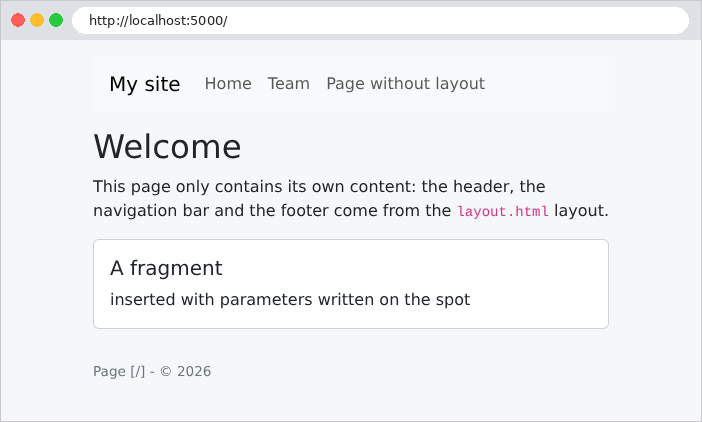
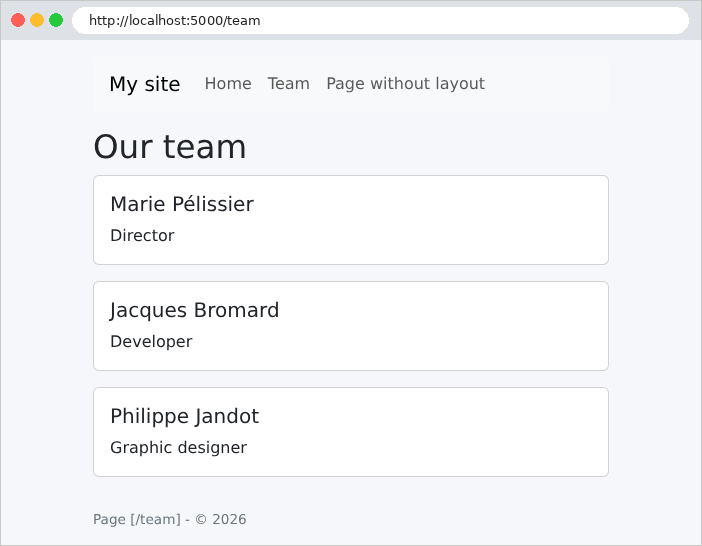

The template, fragments, and the common attribute [path] are exactly what the case study uses: a [layout.html] template, fragments for the navigation bar, messages, and confirmation windows.
4.4. Example 16: Helpers
A view often requires small formatting functions: formatting a date or a price, capitalizing text, creating a badge HTML... These are called helpers. With [Thymeleaf], they are methods of [Spring] beans, called within an expression or a fragment. [Thymeleaf] also allows you to create your own attributes, grouped into a dialect.
4.4.1. A bean called by the views
The [helpers/Formats.java] file:
| package example16.helpers;
import java.math.BigDecimal;
import java.text.NumberFormat;
import java.time.LocalDate;
import java.time.format.DateTimeFormatter;
import java.time.format.FormatStyle;
import java.util.Currency;
import java.util.Locale;
import org.springframework.context.i18n.LocaleContextHolder;
import org.springframework.stereotype.Component;
// @Component("formats"): a bean named [formats], which the views call
// with ${@formats.money(...)}
@Component("formats")
public class Formats {
// "keyboard" -> "KEYBOARD"; Locale.ROOT: the result does not depend on the language
public String uppercase(String text) {
return text == null ? "" : text.toUpperCase(Locale.ROOT);
}
// an amount in a currency, in the format of the language of the request
public String money(BigDecimal amount, String currency) {
// the language of the current request, set by the LocaleResolver (see WebConfig)
Locale language = LocaleContextHolder.getLocale();
NumberFormat format = NumberFormat.getCurrencyInstance(language);
format.setCurrency(Currency.getInstance(currency));
return format.format(amount);
}
// the same, in euros
public String money(BigDecimal amount) {
return money(amount, "EUR");
}
// a date in full words, in the language of the request: "Friday, September 25, 2026"
public String date(LocalDate day) {
return day.format(DateTimeFormatter.ofLocalizedDate(FormatStyle.FULL).withLocale(LocaleContextHolder.getLocale()));
}
}
|
Let’s comment on this code:
- Line 16: The annotation [@Component] turns the class into a bean: [Spring] finds it at startup (just as it finds the controllers), creates an instance of it, and holds onto it. ["formats"] is the name of the bean: this is the name the views will use to call it;
- lines 20–22: capitalization. [Locale.ROOT] makes the result independent of the user’s language;
- lines 25–31: an amount in a currency, formatted according to the request’s language. [LocaleContextHolder.getLocale()] (line 27) retrieves this language, a [Locale] object set by [Spring MVC] at the beginning of each request. [NumberFormat.getCurrencyInstance] provides the currency format for this language: decimal separator, thousands separator, and currency symbol position; [setCurrency] selects the currency, identified by its international code ([EUR], [USD]);
- lines 34–36: an overloaded method: same name, different parameters. If no currency is specified, the default is the euro;
- lines 39–41: a date written out in full ([FormatStyle.FULL]), in the language of the request.
The page [templates/pages/products.html] calls these methods:
| <!doctype html>
<html xmlns:th="http://www.thymeleaf.org" th:replace="~{layout :: page('Products', ~{::main})}">
<body>
<main>
<h1>Products</h1>
<table class="table table-sm w-auto">
<thead><tr><th>Product</th><th>Price</th><th>Price in dollars</th><th>Stock</th></tr></thead>
<tbody>
<tr th:each="product : ${products}">
<td th:text="${@formats.uppercase(product.name)}">KEYBOARD</td>
<td th:text="${@formats.money(product.price)}">€25.00</td>
<td th:text="${@formats.money(product.price, 'USD')}">$25.00</td>
<!--/* the [badge] fragment builds the HTML of the badge */-->
<td><span th:replace="~{fragments/badge :: badge(${product.stock})}">badge</span></td>
</tr>
</tbody>
</table>
</main>
</body>
</html>
|
- lines 10–12: In an expression [${...}], the notation [@formats] refers to the bean named [formats]: [${@formats.money(product.price)}] calls its method [money]. The method’s return value is inserted by [th:text], and is therefore escaped;
- Line 14: The badge is created by a fragment, described below.
The file [templates/fragments/badge.html]:
| <!--/* a Bootstrap badge: green if the product is in stock, red otherwise.
A fragment is the Thymeleaf way of building a reusable piece of HTML */-->
<span class="badge" th:fragment="badge(stock)"
th:classappend="${stock > 0} ? 'text-bg-success' : 'text-bg-danger'"
th:text="${stock > 0} ? |${stock} in stock| : 'sold out'">12 in stock</span>
|
- line 3: a helper that generates HTML is, along with [Thymeleaf], a fragment: in this case, a [<span>] tag that receives the product’s inventory as a parameter;
- line 4: the [th:classappend] attribute adds a CSS class to the tag’s existing classes ([badge]): green ([text-bg-success]) if the product is in stock, red otherwise;
- line 5: the badge text, escaped by [th:text]. Unlike a helper that would generate HTML in a string, a fragment does not need to worry about escaping: [th:text] handles that.
The controller, file [controllers/PagesController.java]:
| package example16.controllers;
import java.math.BigDecimal;
import java.time.LocalDate;
import java.util.List;
import org.springframework.stereotype.Controller;
import org.springframework.ui.Model;
import org.springframework.web.bind.annotation.GetMapping;
@Controller
public class PagesController {
public record Product(String name, BigDecimal price, int stock) {
}
@GetMapping("/")
public String home(Model model) {
model.addAttribute("today", LocalDate.now());
return "pages/home";
}
@GetMapping("/products")
public String products(Model model) {
model.addAttribute("products", List.of(
new Product("keyboard", new BigDecimal("25"), 12),
new Product("mouse", new BigDecimal("12.5"), 0),
new Product("screen", new BigDecimal("1149.9"), 3)));
return "pages/products";
}
}
|
- line 19: the home page receives today’s date, a [LocalDate] (a date without a time);
- lines 25–28: the product list.
The file [templates/pages/home.html]:
| <!doctype html>
<html xmlns:th="http://www.thymeleaf.org" th:replace="~{layout :: page('Home', ~{::main})}">
<body>
<main>
<h1>Home</h1>
<!--/* @formats: the bean named [formats]; we call its date method */-->
<p th:text="|Today is ${@formats.date(today)}.|">Today is...</p>
<!--/* #locale: the language of the request */-->
<p>Formatting language: <span th:text="${#locale}">en_US</span>
(<a href="/?lang=fr">in French</a>, <a href="/">in English</a>)</p>
</main>
</body>
</html>
|
- line 7: the call to the [date] method of the [formats] bean, in a literal substitution;
- line 9: the utility object [#locale] is the query language.
4.4.2. The query language
What determines the request language? A bean from [Spring MVC], the language resolver ([LocaleResolver]). The one that [Spring Boot] installs by default, [AcceptHeaderLocaleResolver], reads the [Accept-Language] header sent by the browser: this is what caused different results for the browser and for [curl] in Example 14. To make it easy to test both languages, Example 16 replaces it with a resolver that reads the [lang] parameter from URL. The [config/WebConfig.java] file:
| package example16.config;
import java.util.Locale;
import org.springframework.context.annotation.Bean;
import org.springframework.context.annotation.Configuration;
import org.springframework.web.servlet.LocaleResolver;
import org.springframework.web.servlet.config.annotation.ResourceHandlerRegistry;
import org.springframework.web.servlet.config.annotation.WebMvcConfigurer;
import example16.helpers.ActiveDialect;
import jakarta.servlet.http.HttpServletRequest;
import jakarta.servlet.http.HttpServletResponse;
// the configuration of Spring MVC, complemented
@Configuration
public class WebConfig implements WebMvcConfigurer {
// Bootstrap, shared by the examples: the examples/common/bootstrap folder
// is served under the URL /bootstrap/...
@Override
public void addResourceHandlers(ResourceHandlerRegistry registry) {
registry.addResourceHandler("/bootstrap/**")
// "file:": a folder of the disk, relative to the current folder. Two
// attempts: started from the folder of the example, or from [examples]
.addResourceLocations("file:../common/bootstrap/", "file:common/bootstrap/");
}
// our Thymeleaf dialect (the ex:active attribute), added to the view engine
@Bean
public ActiveDialect activeDialect() {
return new ActiveDialect();
}
// the formatting language of each request: the ?lang=fr parameter of the URL,
// English otherwise. The bean must be called [localeResolver]: it is under this
// name that Spring MVC looks for it.
@Bean
public LocaleResolver localeResolver() {
return new LanguageParameterResolver();
}
// a LocaleResolver sets the language (Locale) of each request; Spring stores it
// in LocaleContextHolder, where the views and the helpers find it again
static class LanguageParameterResolver implements LocaleResolver {
@Override
public Locale resolveLocale(HttpServletRequest request) {
return "fr".equals(request.getParameter("lang")) ? Locale.FRANCE : Locale.US;
}
@Override
public void setLocale(HttpServletRequest request, HttpServletResponse response, Locale locale) {
throw new UnsupportedOperationException("the language is set by the URL");
}
}
}
|
Let’s comment on this code:
- lines 21–27: the [Bootstrap] files, as in Example 15;
- lines 30–33: our dialect [Thymeleaf], described below, declared as a bean. [Spring Boot] automatically adds all beans that are dialects to the [Thymeleaf] engine;
- lines 38–41: our language resolver. The bean must be named [localeResolver]: this is the name under which [Spring MVC] searches for it. A method named [@Bean] provides the bean’s name: [localeResolver()]. By declaring this bean, we replace the one named [Spring Boot];
- lines 45–56: The resolver is a nested class that implements the [LocaleResolver] interface;
- lines 48–50: The [resolveLocale] method is called at the beginning of each request: it returns French ([Locale.FRANCE]) if URL contains [lang=fr]; otherwise, it returns U.S. English ([Locale.US]). [Spring MVC] stores this language in [LocaleContextHolder], where it is retrieved by the [formats] bean and the utility objects in [Thymeleaf];
- Lines 53–55: The [setLocale] method would allow the language to be changed (by storing it, for example, in a cookie). Here, the language comes from URL: the method refuses to work by throwing an exception.
This is a simple way to test it; the next chapter will cover it more thoroughly.
4.4.3. A Thymeleaf dialect
The navigation bar highlights the link for the current page (class CSS [active] of [Bootstrap]). The file [templates/fragments/navbar.html] shows three ways to write links:
| <!--/* xmlns:ex: the namespace of our dialect (useful to editors only) */-->
<nav class="navbar navbar-expand bg-light rounded mb-3 px-3" th:fragment="navbar"
xmlns:th="http://www.thymeleaf.org" xmlns:ex="http://example16">
<span class="navbar-brand">Helpers</span>
<div class="navbar-nav">
<!--/* 1. a condition written in the view (path: see config/CommonModel.java) */-->
<a class="nav-link" th:classappend="${path == '/'} ? 'active'" href="/">Home</a>
<!--/* 2. our dialect: the ex:active="..." attribute */-->
<a class="nav-link" href="/products" ex:active="/products">Products</a>
<!--/* 3. a link expression @{...}: Spring builds the URL, with its parameters */-->
<a class="nav-link" th:href="@{/products(lang=fr)}">Produits (fr)</a>
</div>
</nav>
|
Let’s break down this code:
- line 3: the [xmlns:ex] namespace, like [xmlns:th], is intended only for editors;
- line 7: the first way to highlight the link on the current page: a condition written in the view, using the [path] attribute provided by the [CommonModel] class (identical to the one in Example 15). Without an “else” clause, the conditional operator produces nothing when the condition is false, and [th:classappend] therefore does not add any class. This is the method used in the case study;
- line 9: second, more concise approach: a “home” attribute, [ex:active], provided by our dialect;
- line 11: a link expression [@{...}]. [Spring] generates URL: the parentheses contain parameters, which are added to URL ([?lang=fr]). We’ll see in Example 21 that they’re also used to populate path variables. A link expression also adds, if necessary, the application’s base path when the application isn’t installed at the root of the server.
A dialect is a set of attributes (or tags) that share a prefix: the attributes [th:] are those of the standard dialect of [Thymeleaf]. Each attribute is processed by a processor. The file [helpers/ActiveDialect.java]:
| package example16.helpers;
import java.util.Set;
import org.thymeleaf.dialect.AbstractProcessorDialect;
import org.thymeleaf.processor.IProcessor;
import org.thymeleaf.standard.StandardDialect;
// a Thymeleaf DIALECT: a set of "home-made" attributes, all prefixed with
// [ex:] (ex:active="..."). Declared as a bean (see WebConfig), it is added
// automatically to the Thymeleaf engine by Spring Boot.
public class ActiveDialect extends AbstractProcessorDialect {
public ActiveDialect() {
// name of the dialect, prefix of its attributes, precedence (that of the th: attributes)
super("Active", "ex", StandardDialect.PROCESSOR_PRECEDENCE);
}
// the "processors" of the dialect: a single one, for the ex:active attribute
@Override
public Set<IProcessor> getProcessors(String prefix) {
return Set.of(new ActiveProcessor(prefix));
}
}
|
- line 12: a dialect that provides only processors is derived from the class [AbstractProcessorDialect];
- line 16: the dialect’s name, the prefix for its attributes ([ex]), and its priority: the same as that of the [th:] attributes;
- Lines 21–23: the dialect’s processors: only one, that of the [ex:active] attribute. [Set.of(...)] creates an immutable set.
The file [helpers/ActiveProcessor.java]:
| package example16.helpers;
import org.thymeleaf.context.ITemplateContext;
import org.thymeleaf.context.IWebContext;
import org.thymeleaf.engine.AttributeName;
import org.thymeleaf.model.IProcessableElementTag;
import org.thymeleaf.processor.element.AbstractAttributeTagProcessor;
import org.thymeleaf.processor.element.IElementTagStructureHandler;
import org.thymeleaf.templatemode.TemplateMode;
// the processor of the ex:active attribute: <a href="/products" ex:active="/products">
// receives the "active" class if the current page is under this path
public class ActiveProcessor extends AbstractAttributeTagProcessor {
public ActiveProcessor(String prefix) {
// HTML; <a> tags only; [ex:active] attribute; precedence; true: the
// ex:active attribute is removed from the produced page
super(TemplateMode.HTML, prefix, "a", false, "active", true, 1000, true);
}
// called for each <a> tag that carries the ex:active attribute
@Override
protected void doProcess(ITemplateContext context, IProcessableElementTag tag,
AttributeName attributeName, String value, IElementTagStructureHandler structure) {
// the path of the page, read from the current request
String path = context instanceof IWebContext web ? web.getExchange().getRequest().getRequestPath() : "";
boolean isActive = value.equals("/") ? path.equals("/") : path.startsWith(value);
if (isActive) {
// we add the "active" class to the class attribute of the tag
String classes = tag.getAttributeValue("class");
structure.setAttribute("class", classes == null ? "active" : classes + " active");
}
}
}
|
Let’s comment on this code:
- line 13: an attribute processor derived from the [AbstractAttributeTagProcessor] class;
- line 18: its constructor describes what it processes: the HTML mode, the dialect prefix, only [<a>] tags, the [active] attribute (prefixed: [ex:active]), a priority, and [true]: the [ex:active] attribute will be removed from the generated page;
- Lines 23–24: The method [doProcess] is called for each [<a>] tag that has the attribute [ex:active]. It receives the view context, the tag, and the attribute value; the [structure] object allows the tag to be modified;
- line 26: the processor is the code [Java], not a view expression: it is authorized to read the current request. When the view is rendered for a web request, the context is a [IWebContext], which provides access to the exchange (the request and its response); [getRequestPath()] returns the requested path. The expression [context instanceof IWebContext web] checks the context type and, if appropriate, stores it in the variable [web];
- lines 27–32: if the page path begins with the attribute value, the class [active] is added to the tag’s [class] attribute.
The navigation bar code HTML, at URL [/products]:
| <nav class="navbar navbar-expand bg-light rounded mb-3 px-3" xmlns:ex="http://example16">
<span class="navbar-brand">Helpers</span>
<div class="navbar-nav">
<a class="nav-link" href="/">Home</a>
<a class="nav-link active" href="/products">Products</a>
<a class="nav-link" href="/products?lang=fr">Produits (fr)</a>
</div>
</nav>
|
The “Products” link was assigned the class [active], and the attribute [ex:active] was removed. The link expression produced [/products?lang=fr]. Note that [Thymeleaf] removed the attribute [xmlns:th], but not the attribute [xmlns:ex]: it does not recognize the latter. It could have been omitted, since it is only used by editors.
The template [layout.html] is the one from Example 15, without the footer (and the page titles end with [- Helpers] instead of [- My site]). The resulting pages, in English (http://localhost:5000/, http://localhost:5000/products) and then in French (http://localhost:5000/products?lang=fr):
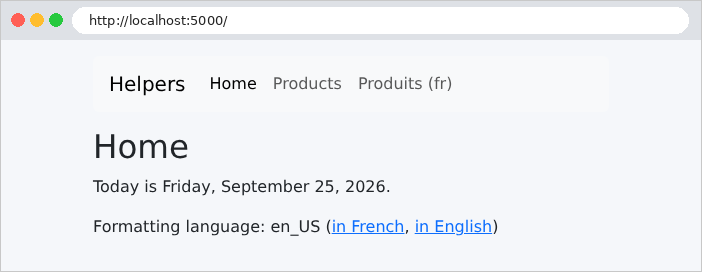
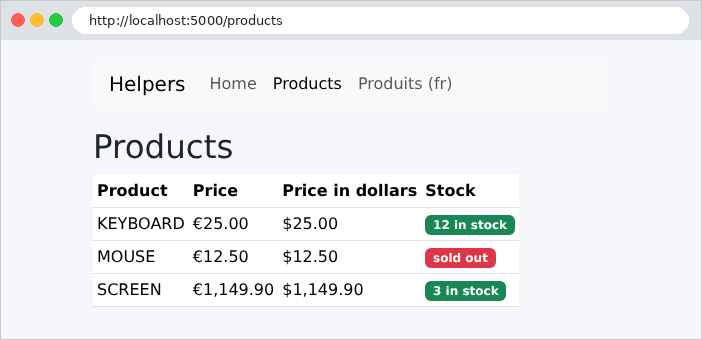
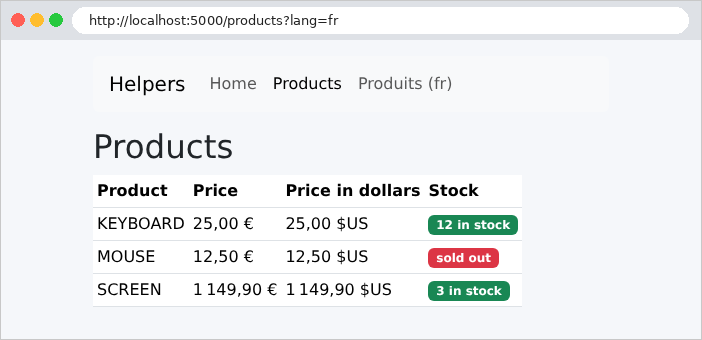
The prices change format depending on the language: [1 149,90 €] in French, [€1,149.90] in English. In French, dollars are denoted as [$US] to distinguish them from other currencies (Canadian, Australian, etc.). The code HTML from the table, in French ([/products?lang=fr]):
| <tbody>
<tr>
<td>KEYBOARD</td>
<td>25,00 €</td>
<td>25,00 $US</td>
<td><span class="badge text-bg-success">12 in stock</span></td>
</tr>
<tr>
<td>MOUSE</td>
<td>12,50 €</td>
<td>12,50 $US</td>
<td><span class="badge text-bg-danger">sold out</span></td>
</tr>
<tr>
<td>SCREEN</td>
<td>1 149,90 €</td>
<td>1 149,90 $US</td>
<td><span class="badge text-bg-success">3 in stock</span></td>
</tr>
</tbody>
|
and in English ([/products]), where the dollar is simply written as [$]:
| <tbody>
<tr>
<td>KEYBOARD</td>
<td>€25.00</td>
<td>$25.00</td>
<td><span class="badge text-bg-success">12 in stock</span></td>
</tr>
<tr>
<td>MOUSE</td>
<td>€12.50</td>
<td>$12.50</td>
<td><span class="badge text-bg-danger">sold out</span></td>
</tr>
<tr>
<td>SCREEN</td>
<td>€1,149.90</td>
<td>$1,149.90</td>
<td><span class="badge text-bg-success">3 in stock</span></td>
</tr>
</tbody>
|
Only the amounts have changed: the text on the badges is hard-coded in the fragment (the next chapter will translate the texts).
A HTML form sent via the GET method places its fields into the URL. This is the appropriate method for a search: it does not modify anything, and the resulting URL can be bookmarked or shared. The case study uses it to select a doctor and a date.
The [models/Book.java] and [models/SearchModel.java] files:
| package example17.models;
public record Book(String title, String author, String genre) {
}
|
| package example17.models;
import java.util.List;
// the view model: the input (to display it again), the genres, the results
public record SearchModel(String keyword, String genre, List<String> genres, List<Book> results) {
}
|
- Line 6: The view template contains the entered values ([keyword], [genre]) so that the form can display them again, along with the list of genres and the results.
The file [controllers/BooksController.java]:
| package example17.controllers;
import java.util.List;
import java.util.Locale;
import org.springframework.stereotype.Controller;
import org.springframework.ui.Model;
import org.springframework.web.bind.annotation.GetMapping;
import org.springframework.web.bind.annotation.RequestParam;
import example17.models.Book;
import example17.models.SearchModel;
@Controller
public class BooksController {
private static final List<Book> BOOKS = List.of(
new Book("Le Rouge et le Noir", "Stendhal", "novel"),
new Book("Les Fleurs du mal", "Baudelaire", "poetry"),
new Book("Madame Bovary", "Flaubert", "novel"),
new Book("Alcools", "Apollinaire", "poetry"),
new Book("Le Cid", "Corneille", "drama"));
private static final List<String> GENRES = List.of("novel", "poetry", "drama");
// GET / and GET /search?keyword=...&genre=...: the form AND its results
@GetMapping({ "/", "/search" })
public String search(@RequestParam(required = false) String keyword,
@RequestParam(required = false) String genre, Model model) {
String word = keyword == null ? "" : keyword.trim().toLowerCase(Locale.ROOT);
List<Book> results = BOOKS.stream()
.filter(b -> word.isEmpty() || b.title().toLowerCase(Locale.ROOT).contains(word)
|| b.author().toLowerCase(Locale.ROOT).contains(word))
.filter(b -> genre == null || genre.isEmpty() || b.genre().equals(genre))
.toList();
model.addAttribute("model", new SearchModel(keyword == null ? "" : keyword,
genre == null ? "" : genre, GENRES, results));
return "books/search";
}
}
|
Let’s break down this code:
- lines 17–24: the books and genres, in memory;
- line 27: a single action can correspond to multiple paths; it handles both [GET /] and [GET /search];
- lines 28–29: the parameters [keyword] and [genre] are linked to the parameters of the same name in URL (see example 07). [required = false] makes them optional: on the first visit, the form has not yet been submitted, and their values are [null];
- lines 31–35: filtering, using a stream ([stream]) [Java] (see Example 06) : [stream()] iterates through the list; each [filter] keeps only the books that satisfy a condition; and [toList()] collects the selected books into a new list. The conditions are lambda expressions: [b -> ...] is an anonymous function that takes a book [b] and returns a Boolean. An empty keyword or an empty genre does not filter anything;
- lines 36–37: the view template. Here, the [null] are replaced with empty strings.
The [templates/layout.html] template is simplified: a single parameter—the page content—and a fixed title:
| <!doctype html>
<html lang="en" xmlns:th="http://www.thymeleaf.org" th:fragment="page(content)">
<head>
<meta charset="utf-8">
<title>Books</title>
<link rel="stylesheet" href="/bootstrap/css/bootstrap.min.css">
<link rel="stylesheet" href="/css/styles.css">
</head>
<body>
<div class="container py-3">
<main th:replace="${content}"></main>
</div>
</body>
</html>
|
- line 2: the fragment [page] now has only one parameter, [content];
- Line 5: The title is the same for all pages.
The file [templates/books/search.html]:
| <!doctype html>
<html xmlns:th="http://www.thymeleaf.org" th:replace="~{layout :: page(~{::main})}">
<body>
<main>
<h1 class="h3">Book search</h1>
<!--/* method="get": the fields are sent in the URL (?keyword=...&genre=...) */-->
<form method="get" action="/search" class="row g-2 align-items-end mb-3">
<div class="col-auto">
<label class="form-label" for="keyword">Title or author</label>
<!--/* th:value: the field displays again what was typed */-->
<input class="form-control" id="keyword" name="keyword" th:value="${model.keyword}">
</div>
<div class="col-auto">
<label class="form-label" for="genre">Genre</label>
<select class="form-select" id="genre" name="genre">
<option value="">(all)</option>
<!--/* th:selected: a boolean attribute, written if the condition is true, omitted otherwise */-->
<option th:each="genre : ${model.genres}" th:value="${genre}" th:text="${genre}"
th:selected="${genre == model.genre}">novel</option>
</select>
</div>
<div class="col-auto">
<button class="btn btn-primary" type="submit">Search</button>
</div>
</form>
<p th:text="|${#lists.size(model.results)} book(s) found.|">0 book(s) found.</p>
<ul>
<li th:each="book : ${model.results}"><i th:text="${book.title}">Title</i>, [[${book.author}]] ([[${book.genre}]])</li>
</ul>
</main>
</body>
</html>
|
Let’s break down this code:
- Line 2: The page passes its only parameter—the [<main>] tag—to the template;
- Line 7: [method="get"] and [action="/search"]: Submitting the form is a [GET /search?keyword=...&genre=...] request. The parameter names are the [name] attribute of each field;
- Line 11: The [th:value] attribute sets the [value] attribute of the field: it restores the entered value. Generally speaking, [th:xxx] calculates the value of the HTML and [xxx] attributes: [th:value], [th:href], [th:action], [th:class]...
- Lines 18–19: one option per genre. Within the same tag, [th:each] is processed first, followed by [th:value] and [th:text], which use the loop variable. [th:selected] is a Boolean attribute: if the expression is true, [Thymeleaf] writes [selected="selected"]; if it is false, it does not write the attribute at all. This is exactly what HTML requires; for this attribute, the mere presence of the [selected] attribute is sufficient to select the option. The same applies to [th:checked], [th:disabled], [th:required], [th:readonly]...;
- line 26: the number of results;
- line 28: the list of results, with a [<i>] tag and two inline expressions.
The code HTML in the drop-down list, following a search such as [poetry]:
| <select class="form-select" id="genre" name="genre">
<option value="">(all)</option>
<option value="novel">novel</option>
<option value="poetry" selected="selected">poetry</option>
<option value="drama">drama</option>
</select>
|
On the initial display (http://localhost:5000/), then after a search:
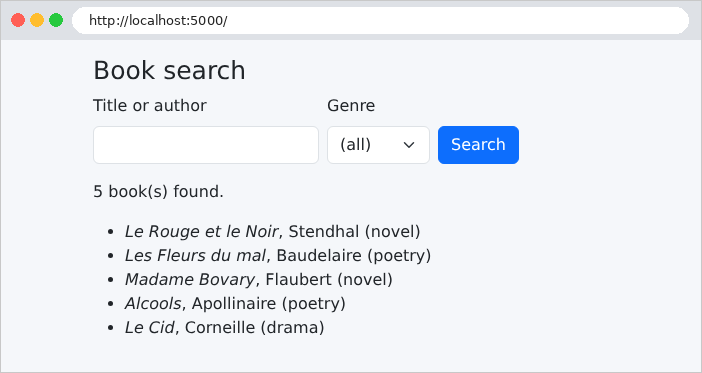
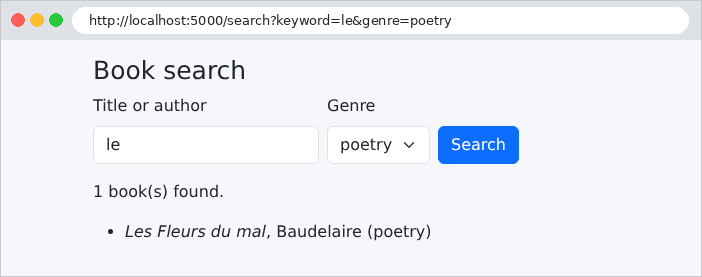
The address bar shows the parameters that were sent. Here they contain only plain letters; special characters would be encoded there (an accented [é] becomes [%C3%A9], for example): this is the URL encoding, which [Spring MVC] decodes before the parameters are concatenated.
Example 18 combines all types of HTML fields: text, password, date, radio buttons, checkboxes, drop-down list, multi-select list, text box, and hidden field. It shows how the server receives them and how the view displays them. It also introduces the [th:field] attribute, which links a form field to a property of a model object.
The file [services/ListsService.java]:
| package example18.services;
import java.util.List;
import org.springframework.stereotype.Service;
// the lists offered by the form. In a real application, they would
// come from a database: we would read them ONCE, at startup,
// since they are the same for all the users.
// @Service: a bean (singleton), found by Spring like the controllers
@Service
public class ListsService {
public record Country(String code, String name) {
}
public List<String> getTitles() {
return List.of("Mr", "Mme", "Melle");
}
public List<Country> getCountries() {
return List.of(new Country("fr", "France"), new Country("be", "Belgium"), new Country("ch", "Switzerland"),
new Country("ca", "Canada"));
}
public List<String> getHobbies() {
return List.of("reading", "music", "sport", "cinema");
}
public List<String> getLanguages() {
return List.of("French", "English", "Spanish", "German");
}
}
|
- Line 11: The annotation [@Service] makes the class a bean, just like [@Component] (Example 16): [Spring] finds it at startup and creates a single instance of it, a singleton (see Example 06), which can be injected into controllers. [@Service] differs from [@Component] only in the intent it expresses: the class is a service. The lists provided by the form are the same for all users: a singleton is the natural place to store them;
- lines 14–15: a country—a code and a name;
- lines 17–32: the lists, returned by the [getXxx()] methods. For a view, these are the bean’s properties [titles], [countries], [hobbies], and [languages] of the bean: [${lists.titles}] will call [getTitles()].
The file [models/Input.java]:
| package example18.models;
import java.time.LocalDate;
import java.util.ArrayList;
import java.util.List;
import org.springframework.format.annotation.DateTimeFormat;
// what the user typed: model binding fills each field
// with the parameter of the same name (the lists receive all the checked values)
public class Input {
private String name;
private String password;
private String comment;
private String title;
private List<String> hobbies = new ArrayList<>();
private String country;
private List<String> languages = new ArrayList<>();
// an <input type="date"> field sends the date in the ISO format: yyyy-mm-dd
@DateTimeFormat(iso = DateTimeFormat.ISO.DATE)
private LocalDate birthDate;
private String token;
public String getName() { return name; }
public void setName(String name) { this.name = name; }
public String getPassword() { return password; }
public void setPassword(String password) { this.password = password; }
public String getComment() { return comment; }
public void setComment(String comment) { this.comment = comment; }
public String getTitle() { return title; }
public void setTitle(String title) { this.title = title; }
public List<String> getHobbies() { return hobbies; }
public void setHobbies(List<String> hobbies) { this.hobbies = hobbies; }
public String getCountry() { return country; }
public void setCountry(String country) { this.country = country; }
public List<String> getLanguages() { return languages; }
public void setLanguages(List<String> languages) { this.languages = languages; }
public LocalDate getBirthDate() { return birthDate; }
public void setBirthDate(LocalDate birthDate) { this.birthDate = birthDate; }
public String getToken() { return token; }
public void setToken(String token) { this.token = token; }
}
|
Let’s comment on this code:
- Lines 13–23: The entry is a class named [JavaBean] (private fields, a parameterless constructor, and accessors [getXxx] and [setXxx]), not a record: the model binding creates it empty, then populates each property with the parameter of the same name, via its getter [setXxx];
- lines 17 and 19: the checkboxes and the multi-select list are lists: they receive all the values sent (see Example 10). They are initialized to an empty list, never [null];
- Lines 21–22: A [<input type="date">] field sends the date in the format [ISO 8601] [yyyy-mm-dd]. The annotation [@DateTimeFormat(iso = DateTimeFormat.ISO.DATE)] specifies this format to [Spring], which uses it in both directions: to convert the received text to [LocalDate], and to rewrite the date in the field.
The file [controllers/FormController.java]:
| package example18.controllers;
import java.util.List;
import java.util.Map;
import java.util.stream.Collectors;
import org.springframework.stereotype.Controller;
import org.springframework.ui.Model;
import org.springframework.web.bind.annotation.GetMapping;
import org.springframework.web.bind.annotation.ModelAttribute;
import org.springframework.web.bind.annotation.PostMapping;
import org.springframework.web.bind.annotation.RequestMapping;
import example18.models.Input;
import example18.services.ListsService;
import jakarta.servlet.http.HttpServletRequest;
@Controller
@RequestMapping("/form")
public class FormController {
private final ListsService lists;
public FormController(ListsService lists) {
this.lists = lists;
}
// @ModelAttribute on a method: run before EACH action of this
// controller, it adds the [lists] attribute to the model
@ModelAttribute("lists")
public ListsService lists() {
return lists;
}
// GET: the form, with initial values
@GetMapping("")
public String display(Model model) {
Input initial = new Input();
initial.setTitle("Mme");
initial.setCountry("fr");
initial.setLanguages(List.of("French"));
initial.setToken("A7X2");
model.addAttribute("input", initial);
return "form/form";
}
// POST: model binding fills [input], added to the model under the name
// "input" (the name of its class, first letter in lower case); we display it again
@PostMapping("")
public String process(@ModelAttribute Input input, HttpServletRequest request, Model model) {
// what the browser actually sent, parameter by parameter
Map<String, String[]> parameters = request.getParameterMap();
String received = parameters.entrySet().stream()
.map(p -> p.getKey() + " = [" + String.join(", ", p.getValue()) + "]")
.collect(Collectors.joining("\n"));
model.addAttribute("received", received);
return "form/form";
}
}
|
Let’s break down this code:
- lines 22–26: the list service is injected by the constructor (see Example 06);
- lines 30–33: a method annotated with [@ModelAttribute("lists")], declared in a controller, is executed before each action of that controller: both actions will find the [lists] attribute in their model, without having to add it there (see [CommonModel], Example 15, for all actions in the application);
- lines 36–45: [GET /form] displays the form with initial values. The object is stored in the model under the name [input];
- line 50: [POST /form] receives the user input. The annotation [@ModelAttribute], applied to a parameter, instructs the model binding to create the object from the query parameters (this is the default behavior for a class-type parameter; see Example 08) and to store it in the view model. Without an explicit name, the attribute name is that of the class, with a lowercase first letter: [input]. The form is redisplayed with the received values;
- lines 52–56: [getParameterMap()] also provides access to the parameters as they were sent: a dictionary where each value is an array of strings (a parameter may be repeated). This is converted into text, one line per parameter, stored in the template under the name [received]. [Collectors.joining("\n")] concatenates the lines, separated by a line break.
The template [templates/layout.html] is the one from Example 17 (only the title changes). The file [templates/form/form.html]:
| <!doctype html>
<html xmlns:th="http://www.thymeleaf.org" th:replace="~{layout :: page(~{::main})}">
<body>
<main>
<h1 class="h3">A complete form</h1>
<!--/* th:object: the object of the form; *{...} designates a field of this object */-->
<form method="post" action="/form" th:object="${input}" style="max-width: 40rem">
<!--/* hidden field: sent with the form, but invisible */-->
<input type="hidden" th:field="*{token}">
<div class="mb-2">
<span class="form-label me-3">Title</span>
<!--/* radio buttons: same [name], a single value sent */-->
<div class="form-check form-check-inline" th:each="title : ${lists.titles}">
<input class="form-check-input" type="radio" th:field="*{title}" th:value="${title}">
<!--/* #ids.prev: the id given by th:field to the preceding field */-->
<label class="form-check-label" th:for="${#ids.prev('title')}" th:text="${title}">Mr</label>
</div>
</div>
<div class="row g-2 mb-2">
<div class="col">
<label class="form-label" for="name">Name</label>
<!--/* th:field builds the id, name and value attributes */-->
<input class="form-control" type="text" th:field="*{name}">
</div>
<div class="col">
<label class="form-label" for="password">Password</label>
<!--/* a password is NEVER sent back in the page: no th:field */-->
<input class="form-control" type="password" id="password" name="password">
</div>
<div class="col">
<label class="form-label" for="birthDate">Date of birth</label>
<!--/* a date field exchanges its values in the yyyy-mm-dd format */-->
<input class="form-control" type="date" th:field="*{birthDate}">
</div>
</div>
<div class="mb-2">
<span class="form-label me-3">Hobbies</span>
<!--/* checkboxes: same [name], several possible values */-->
<div class="form-check form-check-inline" th:each="hobby : ${lists.hobbies}">
<input class="form-check-input" type="checkbox" th:field="*{hobbies}" th:value="${hobby}">
<label class="form-check-label" th:for="${#ids.prev('hobbies')}" th:text="${hobby}">reading</label>
</div>
</div>
<div class="row g-2 mb-2">
<div class="col">
<label class="form-label" for="country">Country</label>
<select class="form-select" th:field="*{country}">
<option th:each="c : ${lists.countries}" th:value="${c.code}" th:text="${c.name}">France</option>
</select>
</div>
<div class="col">
<label class="form-label" for="languages">Spoken languages</label>
<!--/* multiple-selection list: several possible values */-->
<select class="form-select" th:field="*{languages}" multiple size="4">
<option th:each="language : ${lists.languages}" th:value="${language}" th:text="${language}">French</option>
</select>
</div>
</div>
<div class="mb-2">
<label class="form-label" for="comment">Comment</label>
<!--/* a text area: the value is BETWEEN the tags */-->
<textarea class="form-control" th:field="*{comment}" rows="2"></textarea>
</div>
<button class="btn btn-primary" type="submit">Send</button>
</form>
<th:block th:if="${received != null}">
<h2 class="h5 mt-3">What the server received</h2>
<pre class="bg-light p-2 border" th:text="${received}">name = [...]</pre>
</th:block>
</main>
</body>
</html>
|
Let’s break down this code:
- Line 7: The [th:object] attribute specifies the form object: the [input] attribute of the template. Inside the tag, a selection expression [*{name}] refers to the property [name] of this object: this is equivalent to [${input.name}];
- Line 9: The [th:field="*{token}"] attribute links the field to the [token] property: it writes the attributes [id] and [name] (the property name) and the attribute [value] (its value). A hidden field is submitted with the form but is not displayed. It is used to pass information from one page to the next (in the case study, for example, it contains the version of a record). Note: the user can modify it;
- Lines 14–18: Radio buttons share the same [name]; only one can be selected, and only one value is sent. For a radio button, [th:field] does not write the property value to [value] ([th:value] is the one that provides the button’s value): it selects the button if its value matches the property. Since the buttons all have the same name, [th:field] assigns them numbered [id] values: [title1], [title2]... The utility object [#ids.prev('title')] (line 17) sets the value of the last field [title] to the given [id], for the attribute [for] of its label;
- line 25: a text field: [th:field] writes [id="name"], [name="name"], and the value. The label on line 23 can therefore hard-code [for="name"];
- line 30: a password is never returned on a page: the field does not use [th:field] and does not have a [value] attribute;
- line 35: a date field. The browser displays the date in its own format, but always sends and receives [yyyy-mm-dd]; [th:field] writes the date in this format, thanks to the annotation [@DateTimeFormat];
- Lines 42–45: checkboxes with the same [name]: each checked box sends its value, so the parameter is repeated. [th:field] checks the box if its value is in the list [hobbies];
- lines 51–53: a drop-down list. [th:field] on the [<select>] tag selects the option whose value equals the [country] property;
- lines 58–60: The [multiple] attribute allows you to select multiple options: [th:field] selects all options that belong to the [languages] list;
- line 67: the value of a text field is contained within its tags, not in a [value] attribute: [th:field] knows this;
- lines 73–76: what the server received, displayed only after submission, within a [<pre>] tag, which preserves line breaks.
Here is an excerpt from the HTML code generated by these [th:field] attributes (the hidden field, the second radio button, the first two checkboxes, the drop-down list):
| <input type="hidden" id="token" name="token" value="A7X2">
...
<div class="form-check form-check-inline">
<input class="form-check-input" type="radio" value="Mme" id="title2" name="title" checked="checked">
<label class="form-check-label" for="title2">Mme</label>
</div>
...
<div class="form-check form-check-inline">
<input class="form-check-input" type="checkbox" value="reading" id="hobbies1" name="hobbies"><input type="hidden" name="_hobbies" value="on"/>
<label class="form-check-label" for="hobbies1">reading</label>
</div>
<div class="form-check form-check-inline">
<input class="form-check-input" type="checkbox" value="music" id="hobbies2" name="hobbies"><input type="hidden" name="_hobbies" value="on"/>
<label class="form-check-label" for="hobbies2">music</label>
</div>
...
<input type="hidden" name="_languages" value="1"/><select class="form-select" multiple size="4" id="languages" name="languages">
<option value="French" selected="selected">French</option>
|
Note the hidden fields that we did not write: [_hobbies] after each checkbox, [_languages] before the drop-down list. They resolve an issue with HTML: an unchecked checkbox is not sent at all. If the user unchecks all the checkboxes, the [hobbies] parameter is missing from the request, and the model binding would not update the [hobbies] property, which would retain its previous value. The [_hobbies] marker, on the other hand, is always sent: when [Spring] finds it without the [hobbies] parameter, it clears the list (or sets [false] to a Boolean value). Here, the entry is a new object whose list is already empty, so the difference is not apparent; it matters when the form object has been filled out previously (for example, stored in a session; see the “Data Scopes” chapter).
The initial form (http://localhost:5000/form), then after submission:
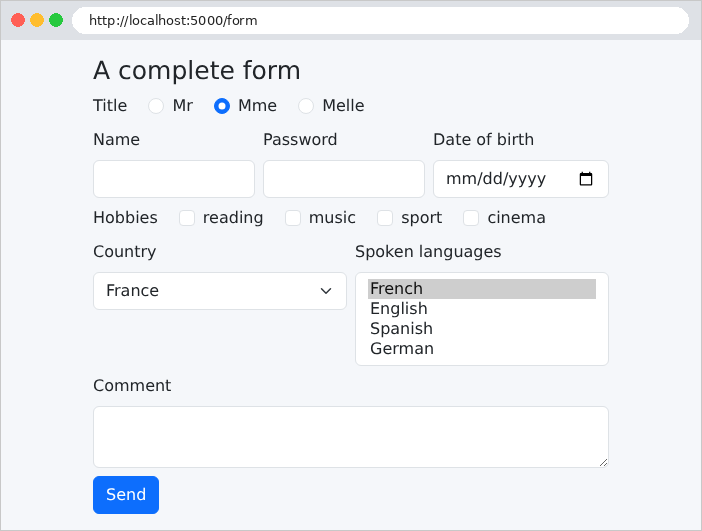
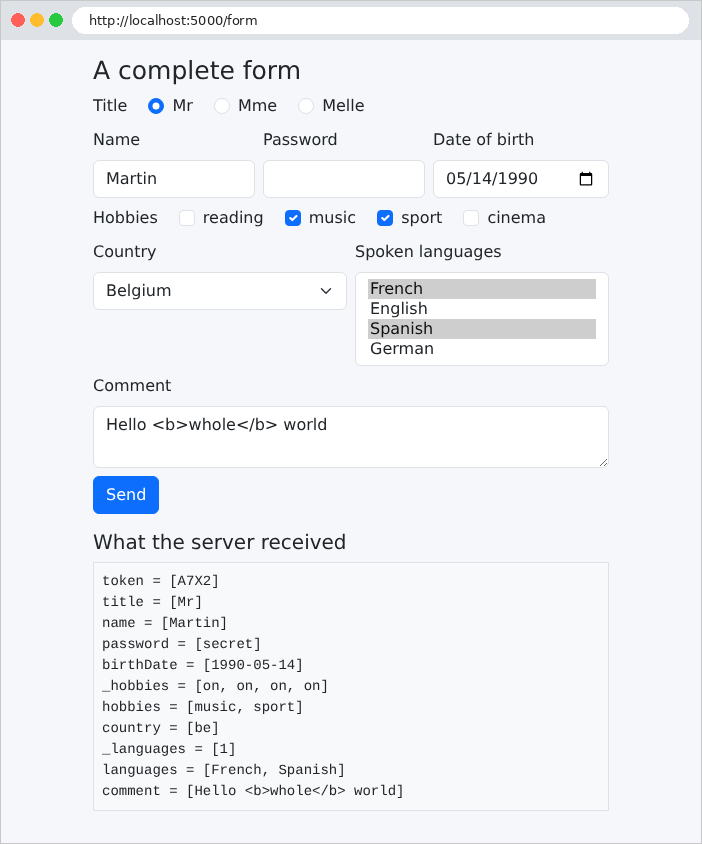
Note that:
- The text box displayed "[Hello <b>whole</b> world]" exactly as entered: "[th:field]" escapes the value, and the tags entered are not interpreted;
- The password was received but is not displayed;
- The browser sent the markers [_hobbies] (one per checkbox) and [_languages].
With [curl], we can see the difference when a checkbox is checked:
| curl -d "token=A7X2&title=Mr&name=Martin&hobbies=sport" http://localhost:5000/form
|
| <pre class="bg-light p-2 border">token = [A7X2]
title = [Mr]
name = [Martin]
hobbies = [sport]</pre>
|
and two checked boxes:
| curl -d "token=A7X2&title=Mr&name=Martin&hobbies=sport&hobbies=music" http://localhost:5000/form
|
| <pre class="bg-light p-2 border">token = [A7X2]
title = [Mr]
name = [Martin]
hobbies = [sport, music]</pre>
|
(only the [<pre>] tag from the page is reproduced). The [-d] option of [curl] sends a POST request, with this body, and the [Content-Type: application/x-www-form-urlencoded] header of a HTML form.
An invalid form must be redisplayed, showing the entered values and a message below each field with an error. Example 19 applies the technique from Example 09 (validation performed by the action, using the parameter [BindingResult]) to a registration form and demonstrates how [Thymeleaf] displays errors.
The validation requires an additional dependency. The file [pom.xml]:
| <dependencies>
<!-- the Thymeleaf views -->
<dependency>
<groupId>org.springframework.boot</groupId>
<artifactId>spring-boot-starter-thymeleaf</artifactId>
</dependency>
<!-- validation (Bean Validation, Hibernate Validator) -->
<dependency>
<groupId>org.springframework.boot</groupId>
<artifactId>spring-boot-starter-validation</artifactId>
</dependency>
</dependencies>
|
- lines 7–11: the validation starter: API [Bean Validation] (the annotations [@NotBlank], [@Size]...) and its implementation, [Hibernate Validator] (see Example 08).
The file [models/RegistrationModel.java]:
| package example19.models;
import java.util.Objects;
import jakarta.validation.constraints.AssertTrue;
import jakarta.validation.constraints.Email;
import jakarta.validation.constraints.Max;
import jakarta.validation.constraints.Min;
import jakarta.validation.constraints.NotBlank;
import jakarta.validation.constraints.NotNull;
import jakarta.validation.constraints.Size;
// the form fields and their constraints
public class RegistrationModel {
@NotBlank(message = "The name is required.")
@Size(max = 20, message = "The name must not exceed 20 characters.")
private String name;
@NotBlank(message = "The email address is required.")
@Email(message = "Invalid email address.")
private String email;
// everything that comes from a form is a string: "42" -> 42
@NotNull(message = "The age is required.")
@Min(value = 18, message = "The age must be between 18 and 120 years.")
@Max(value = 120, message = "The age must be between 18 and 120 years.")
private Integer age;
@NotBlank(message = "The password is required.")
@Size(min = 6, message = "The password must have at least 6 characters.")
private String password;
private String confirmation;
// a rule about TWO fields: a boolean method, validated by
// @AssertTrue. For Bean Validation, it is the [confirmationValid] property.
@AssertTrue(message = "The confirmation does not match the password.")
public boolean isConfirmationValid() {
return Objects.equals(password, confirmation);
}
public String getName() { return name; }
public void setName(String name) { this.name = name; }
public String getEmail() { return email; }
public void setEmail(String email) { this.email = email; }
public Integer getAge() { return age; }
public void setAge(Integer age) { this.age = age; }
public String getPassword() { return password; }
public void setPassword(String password) { this.password = password; }
public String getConfirmation() { return confirmation; }
public void setConfirmation(String confirmation) { this.confirmation = confirmation; }
}
|
Let’s comment on this code:
- lines 16–18: the name is required ([@NotBlank] rejects [null], an empty string, and a string consisting of spaces) and limited to 20 characters;
- lines 20–22: [@Email] validates the format of an email address;
- lines 25–28: The age is converted to an integer and then validated. The type [Integer] (not [int]) allows the value [null]: a missing age remains as [null], and [@NotNull] flags this;
- lines 30–32: at least 6 characters. [@Size] does not validate a value of [null]: that is the role of [@NotBlank];
- lines 38–41: The rule “the confirmation matches the password” applies to two fields. [Bean Validation] does not have a predefined annotation for this; the simplest solution is a Boolean method that performs the comparison, annotated by [@AssertTrue]: the constraint is violated if the method returns [false]. For [Bean Validation], a method named [isXxx()] serves as the accessor for a Boolean property: any error will therefore be attached to the property [confirmationValid]. [Objects.equals] compares two objects, as does [null].
The file [controllers/RegistrationController.java]:
| package example19.controllers;
import org.springframework.beans.propertyeditors.StringTrimmerEditor;
import org.springframework.stereotype.Controller;
import org.springframework.ui.Model;
import org.springframework.validation.BindingResult;
import org.springframework.web.bind.WebDataBinder;
import org.springframework.web.bind.annotation.GetMapping;
import org.springframework.web.bind.annotation.InitBinder;
import org.springframework.web.bind.annotation.ModelAttribute;
import org.springframework.web.bind.annotation.PostMapping;
import org.springframework.web.bind.annotation.RequestMapping;
import org.springframework.web.bind.annotation.RequestParam;
import example19.models.RegistrationModel;
import jakarta.validation.Valid;
@Controller
@RequestMapping("/register")
public class RegistrationController {
// @InitBinder: configures the model binding of the actions of this controller.
// StringTrimmerEditor(true): each received string is stripped of its superfluous
// spaces, and an empty string becomes null
@InitBinder
public void initBinder(WebDataBinder binder) {
binder.registerCustomEditor(String.class, new StringTrimmerEditor(true));
}
// ?html5=true: we let the browser validate the form before sending it
@GetMapping("")
public String display(@RequestParam(defaultValue = "false") boolean html5, Model model) {
model.addAttribute("registration", new RegistrationModel());
model.addAttribute("html5", html5);
return "registration/registration";
}
// @ModelAttribute("registration"): the name of the object in the model of the view
@PostMapping("")
public String register(@Valid @ModelAttribute("registration") RegistrationModel input, BindingResult result,
@RequestParam(defaultValue = "false") boolean html5, Model model) {
if (result.hasErrors()) {
// we display the form AGAIN: typed values (except the passwords),
// and a message under each invalid field (see fragments/field.html)
input.setPassword(null);
input.setConfirmation(null);
model.addAttribute("html5", html5);
model.addAttribute("error", "The form contains errors.");
return "registration/registration";
}
return "registration/welcome";
}
}
|
Let’s break down this code:
- Lines 25–28: A method annotated with [@InitBinder] configures the model binding for this controller’s actions. It receives the [WebDataBinder] object, which performs the binding. A property editor is registered there for the type [String]: [StringTrimmerEditor] removes leading and trailing spaces from each received string; with the argument [true], an empty string becomes [null]. A entered name [" Martin "] becomes ["Martin"]. Note: This applies to all strings, including passwords;
- lines 31–36: the empty form. The parameter [html5] will be explained later. The form object is stored in the template under the name [registration];
- line 40: [@Valid] requests validation of the object; [@ModelAttribute("registration")] stores it in the model under the name [registration], the same as in line 33, which is the one used by the view. The parameter [BindingResult] must immediately follow the validated object: it receives the binding and validation errors, and the action is then always executed (see Example 09);
- line 41: [@RequestParam] reads a parameter from URL or from the request body: here, [html5] comes from the form’s URL;
- lines 42–50: if there are errors, the form is redisplayed with the entered values—except for passwords—and a general message stored in the template. There is nothing else to do: the object [registration] and its errors ([BindingResult]) are already in the model, where the view will find them;
- line 51: otherwise, the welcome page, which also uses the [registration] object from the model.
A conversion error (an age [abc]) generates a default message in English that is difficult to read: [Failed to convert property value of type java.lang.String to required type java.lang.Integer for property age; For input string: "abc"]. The file [messages.properties] replaces it:
| # the messages of the CONVERSION errors (e.g. age "abc"), technical by default;
# the key: typeMismatch.<expected Java type>
typeMismatch.java.lang.Integer=The value entered is not an integer.
|
- Line 3: [Spring Boot] automatically reads the resource file [messages.properties]: this is the application’s message file (the next chapter will explain how it is localized into multiple languages). In the event of a conversion error, [Spring] searches for a message under several keys, from the most specific to the most general: [typeMismatch.registration.age] (the object and its property), [typeMismatch.age] (the property), [typeMismatch.java.lang.Integer] (the expected type), and finally [typeMismatch]. The first one found takes precedence; otherwise, the English message is used. In such a file, an apostrophe must be written twice (in French, for example: [n''est]): the messages are processed by the [MessageFormat] class of [Java], for which the single apostrophe is a special character. The case study thus replaces all these messages.
4.7.1. A field fragment
All fields follow the same pattern: a label, a field, and an error message. A fragment extracts these components. The file [templates/fragments/field.html]:
| <!--/* an input field, with its label and its error message. The fragment has
no signature: its parameters are named, optional variables:
name, label, type, and the HTML5 constraints required, maxlength, minlength,
min, max. [errorOf]: the property whose error is displayed (name by default) */-->
<div class="mb-2" th:fragment="field" th:with="key=${errorOf ?: name}">
<label class="form-label" th:for="${name}" th:text="${label}">Label</label>
<!--/* __${name}__: PREPROCESSING; ${name} is evaluated first, and its result
("email") replaces the expression: th:field="*{email}" */-->
<input class="form-control" th:type="${type}" th:field="*{__${name}__}"
th:classappend="${#fields.hasErrors(key)} ? 'is-invalid'"
th:required="${required}"
th:attr="maxlength=${maxlength},minlength=${minlength},min=${min},max=${max}">
<!--/* the FIRST error message of the field, under the field */-->
<div class="invalid-feedback" th:if="${#fields.hasErrors(key)}" th:text="${#fields.errors(key)[0]}">error</div>
</div>
|
Let’s comment on this code:
- Line 5: The fragment [field] is declared without a signature—that is, without a parameter list. It will be called with named parameters ([field(name='age', label='Age', ...)]), which become variables of the fragment; a parameter that is not provided is simply set to [null]. This is useful for a fragment with many optional parameters. [th:with] declares the variable [key]: the name of the property for which the error is displayed. The operator [?:] (known as “Elvis”) returns its left operand if it is not [null], and its right operand otherwise: [errorOf] if provided, [name] otherwise;
- Line 9: [th:type] writes the attribute [type]. [th:field] must receive the property name, which is stored in the variable [name]. You cannot write [*{name}] (that would be the property [name]): use the preprocessing step [__...__]. The expression between the double underscores is evaluated first, and its result replaces the text: if [name] is equal to [email], the attribute becomes [th:field="*{email}"], which is then evaluated normally. [th:field] uses the form object ([th:object]), declared by the view that inserts the fragment;
- line 10: [#fields.hasErrors(key)] indicates whether the property has errors in the form object’s [BindingResult]. The [Bootstrap] and [is-invalid] classes then highlight the field in red;
- line 11: The Boolean attribute [required] is written if [required] is true; otherwise, it is omitted;
- line 12: [th:attr] writes multiple attributes at once. An attribute with a value of [null] is not written: each field receives only the HTML5 constraints that apply to it;
- line 14: the error message, below the field (class [Bootstrap] [invalid-feedback]). [#fields.errors(key)] returns the list of messages for the property; a property may violate multiple constraints, and only the first one is displayed ([[0]]).
The file [templates/registration/registration.html]:
| <!doctype html>
<html xmlns:th="http://www.thymeleaf.org" th:replace="~{layout :: page(~{::main})}">
<body>
<main>
<h1 class="h3">Registration</h1>
<p th:if="${html5}">Browser validation <b>enabled</b> - <a href="/register">disable it</a></p>
<p th:unless="${html5}">Browser validation <b>disabled</b> - <a href="/register?html5=true">enable it</a></p>
<!--/* novalidate: the browser ignores the required, min... attributes and
sends the form as is; only the server validates */-->
<form method="post" th:action="${html5} ? '/register?html5=true' : '/register'"
th:novalidate="${!html5}" th:object="${registration}">
<div th:replace="~{fragments/field :: field(name='name', label='Name', type='text', required=true, maxlength=20)}"></div>
<div th:replace="~{fragments/field :: field(name='email', label='Email address', type='email', required=true)}"></div>
<div th:replace="~{fragments/field :: field(name='age', label='Age', type='number', required=true, min=18, max=120)}"></div>
<div th:replace="~{fragments/field :: field(name='password', label='Password', type='password', required=true, minlength=6)}"></div>
<div th:replace="~{fragments/field :: field(name='confirmation', label='Confirmation', type='password', required=true, errorOf='confirmationValid')}"></div>
<button class="btn btn-primary" type="submit">Register</button>
</form>
</main>
</body>
</html>
|
- lines 6–7: the link that enables or disables validation by the browser;
- line 10: the form’s [action] attribute stores the [html5] parameter;
- line 11: the Boolean attribute [novalidate] is set when [html5] is false. [th:object] refers to the form object, [registration];
- Lines 12–16: Each field is an insertion of the fragment, with named parameters. For the confirmation (line 16), the error to display is that of the [confirmationValid] property, and that of the [@AssertTrue] rule.
The [templates/layout.html] file:
| <!doctype html>
<html lang="en" xmlns:th="http://www.thymeleaf.org" th:fragment="page(content)">
<head>
<meta charset="utf-8">
<title>Registration</title>
<link rel="stylesheet" href="/bootstrap/css/bootstrap.min.css">
<link rel="stylesheet" href="/css/styles.css">
</head>
<body>
<div class="container py-3" style="max-width: 36rem">
<main th:replace="${content}"></main>
<!--/* the global error, at the bottom of the page, on a light pink background; [error] is set by the action */-->
<div class="error-area" role="alert" th:if="${error != null}" th:text="${error}">error</div>
</div>
</body>
</html>
|
- Line 13: The global message is displayed at the bottom of the page on a light pink background (class [error-area] derived from [static/css/styles.css]), as shown in the case study.
The file [templates/registration/welcome.html]:
| <!doctype html>
<html xmlns:th="http://www.thymeleaf.org" th:replace="~{layout :: page(~{::main})}">
<body>
<main th:object="${registration}">
<h1 class="h3" th:text="|Welcome *{name}|">Welcome</h1>
<p>Your registration is saved: address <b th:text="*{email}">email</b>, age <b th:text="*{age}">42</b> years.</p>
</main>
</body>
</html>
|
- Line 4: [th:object] is not reserved for forms: in the [<main>] tag, it allows you to write [*{name}] instead of [${registration.name}];
- Lines 5–6: The converted and cleaned values: the age is a number, and the name no longer contains spaces.
The empty form (http://localhost:5000/register), then submitted with several errors (a name consisting of spaces, an incomplete address, an age that’s too young, and passwords that are too short and different):
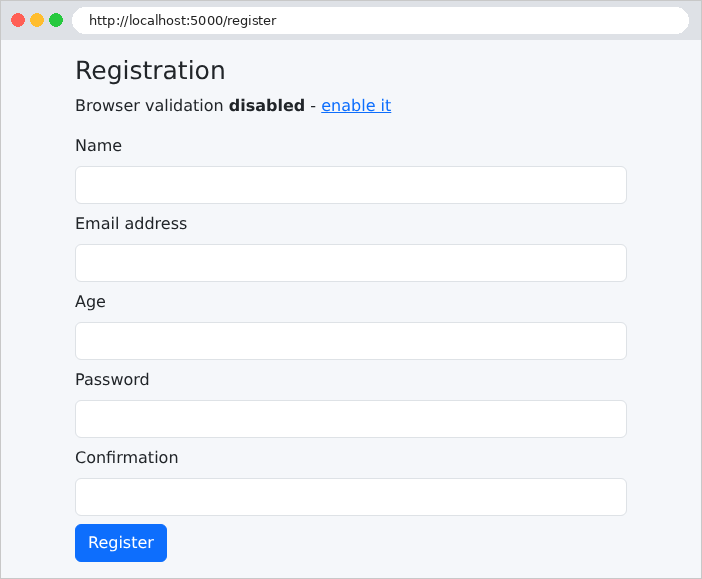
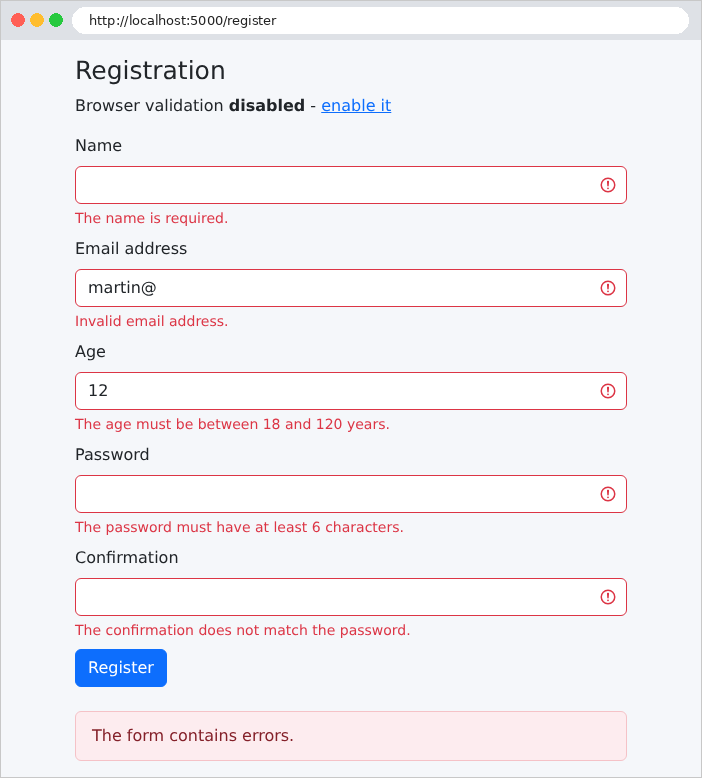
then filled out correctly (with spaces around the name):
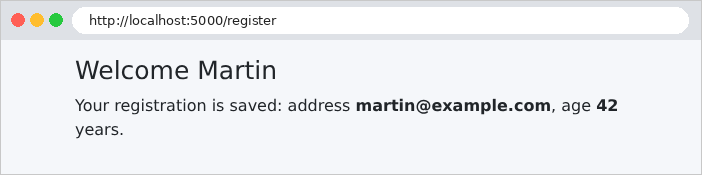
And with a non-numeric age, submitted as [curl] (the browser would have rejected it in a [type="number"] field):
| curl -i -d "name=Martin&email=xx&age=abc" http://localhost:5000/register
|
| HTTP/1.1 200
Content-Type: text/html;charset=UTF-8
<!doctype html>
<html lang="en">
<head>
<meta charset="utf-8">
<title>Registration</title>
<link rel="stylesheet" href="/bootstrap/css/bootstrap.min.css">
<link rel="stylesheet" href="/css/styles.css">
</head>
<body>
<div class="container py-3" style="max-width: 36rem">
<main>
<h1 class="h3">Registration</h1>
<p>Browser validation <b>disabled</b> - <a href="/register?html5=true">enable it</a></p>
<form method="post" action="/register" novalidate="novalidate">
<div class="mb-2">
<label class="form-label" for="name">Name</label>
<input class="form-control" type="text" maxlength="20" required="required" id="name" name="name" value="Martin">
</div>
<div class="mb-2">
<label class="form-label" for="email">Email address</label>
<input class="form-control is-invalid" type="email" required="required" id="email" name="email" value="xx">
<div class="invalid-feedback">Invalid email address.</div>
</div>
<div class="mb-2">
<label class="form-label" for="age">Age</label>
<input class="form-control is-invalid" type="number" min="18" max="120" required="required" id="age" name="age" value="">
<div class="invalid-feedback">The value entered is not an integer.</div>
</div>
<div class="mb-2">
<label class="form-label" for="password">Password</label>
<input class="form-control is-invalid" type="password" minlength="6" required="required" id="password" name="password" value="">
<div class="invalid-feedback">The password is required.</div>
</div>
<div class="mb-2">
<label class="form-label" for="confirmation">Confirmation</label>
<input class="form-control" type="password" required="required" id="confirmation" name="confirmation" value="">
</div>
<button class="btn btn-primary" type="submit">Register</button>
</form>
</main>
<div class="error-area" role="alert">The form contains errors.</div>
</div>
</body>
</html>
|
Note that:
- the age conversion error uses the message from [messages.properties];
- the [age] field does not redisplay the rejected value [abc]: for a field [type="number"], [th:field] does not write a value that is not a number (with [type="text"], it would have written [value="abc"]);
- the missing password has only one error, “required”: [@Size] does not validate a value of [null]. The confirmation, however, has no errors: two missing passwords are equal;
- the fields without errors do not have the class [is-invalid], and their fragment does not generate a message.
4.7.2. Browser validation
The attributes [required], [maxlength], [min], [max], [type="email"]... instruct the browser to validate the form before submitting it: the user is notified immediately via a tooltip, without any round-trip communication with the server. This is the behavior achieved by clicking the “enable it” link (http://localhost:5000/register?html5=true), which removes the [novalidate] attribute from the form.
This validation is a convenience, not a security measure: you can bypass it simply by removing the [required] attribute using the browser’s developer tools, or by sending the request with [curl]. Server-side validation remains essential. That is why the example disables browser validation by default: to demonstrate how the server works. The case study, however, retains both: the HTML5 attributes for convenience, and server-side validation for security.
4.8. Example 20: The Post/Redirect/Get Pattern
When a POST form submits successfully, the action can display a page directly. The problem arises if the user then refreshes that page (F5 key): the browser resubmits the form, and the operation is performed a second time (an order placed twice, an appointment made twice...). The Post / Redirect / Get pattern (PRG) prevents this problem: a successful POST action does not generate a page; instead, it redirects to a GET page. Reloading this page simply triggers another GET, with no effect.
One detail remains: the GET page must display a message (“the task has been added”), even though this message was generated by the POST action in a different request. [Spring MVC] provides the flash attributes for this purpose: attributes set before the redirect, which persist until the next request, where they are added to the template, and then disappear. This is known as a flash message. By default, [Spring MVC] stores the flash attributes in the user’s HTTP session: a memory space that the server associates with each browser (the chapter “Data Scopes” is dedicated to this topic).
The [services/TasksService.java] file:
| package example20.services;
import java.util.List;
import java.util.concurrent.CopyOnWriteArrayList;
import org.springframework.stereotype.Service;
// the list of the tasks, in memory, shared by everyone (singleton).
// CopyOnWriteArrayList: a list usable by several simultaneous requests
@Service
public class TasksService {
private final List<String> tasks = new CopyOnWriteArrayList<>(List.of("Read chapter 3"));
public List<String> list() {
return List.copyOf(tasks);
}
public void add(String label) {
tasks.add(label);
}
}
|
- line 13: a singleton is shared by all requests, which may run simultaneously. A standard [ArrayList] does not support this; [CopyOnWriteArrayList] is a list designed for this purpose;
- Lines 15–17: [List.copyOf] returns a read-only copy of the list: the caller cannot modify the service list.
The file [controllers/TasksController.java]:
| package example20.controllers;
import org.springframework.stereotype.Controller;
import org.springframework.ui.Model;
import org.springframework.web.bind.annotation.GetMapping;
import org.springframework.web.bind.annotation.PostMapping;
import org.springframework.web.bind.annotation.RequestMapping;
import org.springframework.web.bind.annotation.RequestParam;
import org.springframework.web.servlet.mvc.support.RedirectAttributes;
import example20.services.TasksService;
@Controller
@RequestMapping("/tasks")
public class TasksController {
private final TasksService tasks;
public TasksController(TasksService tasks) {
this.tasks = tasks;
}
// GET /tasks: the list and the add form
@GetMapping("")
public String display(Model model) {
model.addAttribute("tasks", tasks.list());
return "tasks/tasks";
}
// POST /tasks: the Post / Redirect / Get pattern
@PostMapping("")
public String add(@RequestParam(required = false) String label, Model model,
RedirectAttributes redirect) {
String text = label == null ? "" : label.trim();
if (text.isEmpty() || text.length() > 40) {
// invalid input: we display the page again, without a redirect
model.addAttribute("label", label);
model.addAttribute("error", "The label must have 1 to 40 characters.");
return display(model);
}
tasks.add(text);
// a "flash" attribute: it will survive the redirect, for the NEXT request
redirect.addFlashAttribute("flash", "The task [" + text + "] has been added.");
// no page: a redirect to the GET page
return "redirect:/tasks";
}
// POST /tasks/without-prg: the counter-example (a page in response to the POST)
@PostMapping("/without-prg")
public String addWithoutPrg(@RequestParam(required = false) String label, Model model) {
tasks.add(label == null || label.isBlank() ? "(untitled)" : label.trim());
model.addAttribute("withoutPrg", true);
return display(model);
}
}
|
Let’s comment on this code:
- lines 24–28: the list page;
- line 33: a parameter of type [RedirectAttributes], provided by [Spring MVC]: the redirection attributes;
- lines 35–40: an invalid entry—the page is re-displayed without a redirect (the entry and error message must be retained). Line 39 simply calls the [display] method, just like any [Java] method: it adds the task list to the template and returns the view name;
- Line 43: a valid entry: after the operation, [addFlashAttribute] displays the flash message;
- line 45: a string beginning with [redirect:] is not a view name: [Spring MVC] responds with a redirect (code 302) to the following address (see example 04);
- lines 49–54: the counterexample, for comparison: a page in response to POST.
The file [templates/tasks/tasks.html]:
| <!doctype html>
<html xmlns:th="http://www.thymeleaf.org" th:replace="~{layout :: page(~{::main})}">
<body>
<main>
<h1 class="h3">My tasks</h1>
<ol>
<li th:each="task : ${tasks}" th:text="${task}">task</li>
</ol>
<form method="post" action="/tasks" class="d-flex gap-2">
<input class="form-control" name="label" th:value="${label}" placeholder="New task">
<button class="btn btn-primary text-nowrap" type="submit">Add</button>
<!--/* formaction: this button sends the SAME form to another address */-->
<button class="btn btn-outline-secondary text-nowrap" type="submit" formaction="/tasks/without-prg">Add without PRG</button>
</form>
<p class="text-danger mt-2" th:if="${withoutPrg}">Page displayed in response to a POST: press F5 and the task will be added a second time.</p>
</main>
</body>
</html>
|
- line 10: the input, redisplayed after an error (the [label] attribute does not exist in other cases: the field is empty);
- line 13: the [formaction] attribute of a button submits the form to an address different from that of the form’s [action] attribute. The form thus has two buttons, which trigger two different actions. The case study uses this approach on its login page;
- line 15: an attribute missing from the template is set to [null], and [th:if] treats [null] as false.
The file [templates/layout.html]:
| <!doctype html>
<html lang="en" xmlns:th="http://www.thymeleaf.org" th:fragment="page(content)">
<head>
<meta charset="utf-8">
<title>Tasks</title>
<link rel="stylesheet" href="/bootstrap/css/bootstrap.min.css">
<link rel="stylesheet" href="/css/styles.css">
</head>
<body>
<div class="container py-3" style="max-width: 36rem">
<!--/* the flash message, at the top of the page: a model attribute, set BEFORE the redirect */-->
<div class="alert alert-success" role="status" th:if="${flash != null}" th:text="${flash}">flash</div>
<main th:replace="${content}"></main>
<div class="error-area" role="alert" th:if="${error != null}" th:text="${error}">error</div>
</div>
</body>
</html>
|
The flash message is displayed at the top of the page (line 12), and the error at the bottom (line 14). From the view’s perspective, a flash attribute is just another model attribute.
Here is what [curl] sees when the form is successfully submitted. The option [-c file] saves the received cookies, [-b file] sends them back; [--data-urlencode] encodes spaces and accents in the field:
| curl -i -c cookies.txt -b cookies.txt --data-urlencode "label=Review Spring" http://localhost:5000/tasks
|
| HTTP/1.1 302
Set-Cookie: JSESSIONID=74250348252FFBFF6F46F1BDFDDF7DEA; Path=/; HttpOnly
Location: http://localhost:5000/tasks
Content-Length: 0
|
The response is a redirect to [/tasks]. To store the flash message, [Spring MVC] created a session HTTP: the server ([Tomcat]) assigned it an identifier, which was sent to the browser in the cookie [JSESSIONID]. The following request sends this cookie back, allowing the server to retrieve the session and the message:
| curl -i -c cookies.txt -b cookies.txt http://localhost:5000/tasks
|
| HTTP/1.1 200
Content-Type: text/html;charset=UTF-8
<!doctype html>
<html lang="en">
<head>
<meta charset="utf-8">
<title>Tasks</title>
<link rel="stylesheet" href="/bootstrap/css/bootstrap.min.css">
<link rel="stylesheet" href="/css/styles.css">
</head>
<body>
<div class="container py-3" style="max-width: 36rem">
<div class="alert alert-success" role="status">The task [Review Spring] has been added.</div>
<main>
<h1 class="h3">My tasks</h1>
<ol>
<li>Read chapter 3</li>
<li>Review Spring</li>
</ol>
<form method="post" action="/tasks" class="d-flex gap-2">
<input class="form-control" name="label" value="" placeholder="New task">
<button class="btn btn-primary text-nowrap" type="submit">Add</button>
<button class="btn btn-outline-secondary text-nowrap" type="submit" formaction="/tasks/without-prg">Add without PRG</button>
</form>
</main>
</div>
</body>
</html>
|
The flash message is displayed; if the page is reloaded, it disappears. The session, however, remains open: its identifier does not change, and the server does not resend the cookie.
The file [application.properties] contains a session-related setting:
| # the listening port of the server (8080 by default)
server.port=5000
# the error responses of Spring Boot do not contain the call stack
spring.web.error.include-stacktrace=never
# the session (which carries the flash attributes) is tracked by a cookie
# only, never by a ";jsessionid=..." added to the URLs
server.servlet.session.tracking-modes=cookie
|
- Line 7: The session is tracked by a cookie only. Without this setting, [Tomcat] does not know, during the first response, whether the browser accepts cookies: it sends the cookie, but also adds the session ID to the URL redirect. The result is:
| HTTP/1.1 302
Set-Cookie: JSESSIONID=836C471F9879CC83E0C2C4C1ED8FD048; Path=/; HttpOnly
Location: http://localhost:5000/tasks;jsessionid=836C471F9879CC83E0C2C4C1ED8FD048
Content-Length: 0
|
The URL and [/tasks;jsessionid=...] work, but they appear in the browser’s address bar, and a session ID circulating in the URL (browsing history, bookmarks, copied links) poses a security risk. All examples that use Flash attributes have this setting.
In the browser (http://localhost:5000/tasks), after adding a task:
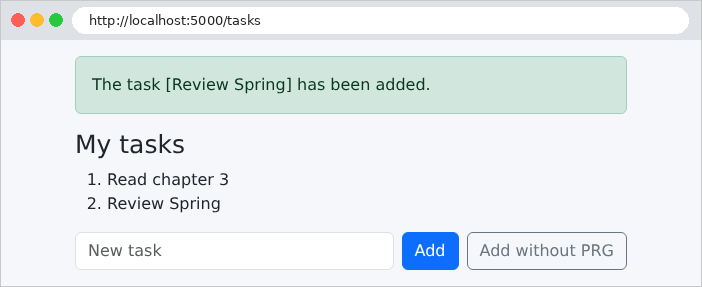
The address bar displays [/tasks]: this is the GET page. You can safely reload it; the message disappears. An entry containing spaces:
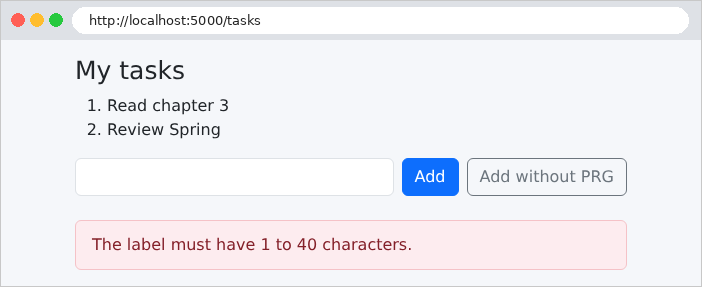
And the counterexample:
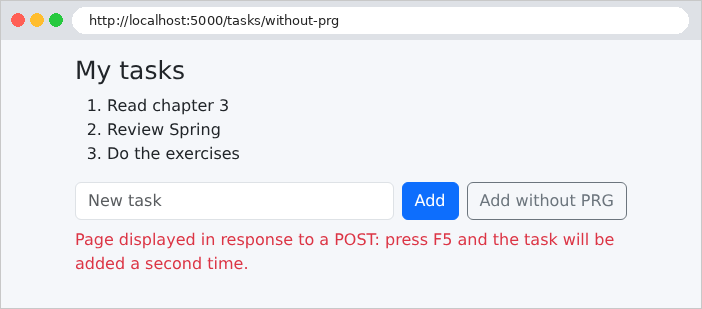
Here, the address bar displays [/tasks/without-prg], the address of POST. Reloading the page triggers a browser warning (“Confirm form submission”), then adds the task a second time. All POST forms in the case study follow the PRG schema. However, the case study stores its Flash attributes in a cookie rather than in the session, because its server does not retain any data between requests.
A simple rule guides the choice between a link and a button:
- a link ([<a href>]) generates a request (GET). A request (GET) must not modify anything: browsers, search engines, and antivirus programs may follow links on their own to prepare a page or analyze it;
- an operation that modifies data (add, edit, delete, log out) is a button in a form POST.
Example 21 manages a contact list: you view a contact via a link and delete it using a button, which opens a confirmation window. The files for this example:
| 21-links-buttons/
├── src/
│ └── main/
│ ├── java/
│ │ └── example21/
│ │ ├── config/
│ │ │ └── WebConfig.java
│ │ ├── controllers/
│ │ │ └── ContactsController.java
│ │ ├── services/
│ │ │ └── ContactsService.java
│ │ └── Example21Application.java
│ └── resources/
│ ├── static/
│ │ ├── css/
│ │ │ └── styles.css
│ │ └── js/
│ │ └── app.js
│ ├── templates/
│ │ ├── contacts/
│ │ │ ├── details.html
│ │ │ └── list.html
│ │ ├── fragments/
│ │ │ └── confirmation.html
│ │ └── layout.html
│ └── application.properties
└── pom.xml
|
The [services/ContactsService.java] file:
| package example21.services;
import java.util.ArrayList;
import java.util.List;
import java.util.Optional;
import org.springframework.stereotype.Service;
// the contacts, in memory, shared by everyone (singleton)
@Service
public class ContactsService {
// a contact: an identifier, a name, a phone number
public record Contact(int id, String name, String phone) {
}
private final List<Contact> contacts = new ArrayList<>(List.of(
new Contact(1, "Marie Durand", "01 23 45 67 89"),
new Contact(2, "Paul Martin", "06 12 34 56 78"),
new Contact(3, "Philippe Jandot", "02 98 76 54 32")));
private int lastId = 3;
// synchronized: a single request at a time runs the method
public synchronized List<Contact> list() {
return List.copyOf(contacts);
}
// Optional: a contact, or "nothing" if it does not exist
public synchronized Optional<Contact> read(int id) {
return contacts.stream().filter(c -> c.id() == id).findFirst();
}
public synchronized Optional<Contact> edit(int id, String name, String phone) {
for (int i = 0; i < contacts.size(); i++) {
if (contacts.get(i).id() == id) {
// a record is immutable: we replace it with a new one
Contact edited = new Contact(id, name, phone);
contacts.set(i, edited);
return Optional.of(edited);
}
}
return Optional.empty();
}
public synchronized Contact add(String name, String phone) {
Contact contact = new Contact(++lastId, name, phone);
contacts.add(contact);
return contact;
}
public synchronized Optional<Contact> delete(int id) {
Optional<Contact> contact = read(id);
contact.ifPresent(contacts::remove);
return contact;
}
}
|
Let’s comment on this code:
- lines 14–15: a contact;
- lines 17–20: the list of contacts: a [ArrayList] (editable), initialized with three contacts;
- line 24: the keyword [synchronized] ensures that only one request at a time executes a [synchronized] method of the object: simultaneous requests cannot modify the list at the same time. This is a different solution from the [CopyOnWriteArrayList] list in Example 20;
- lines 29–31: [read] returns a [Optional<Contact>] (see Example 06): an object that contains a contact, or nothing if no contact has that ID. [findFirst()] returns the first element of the stream as a [Optional];
- lines 36–38: a record is immutable: its fields are not modified; instead, it is replaced with a new one;
- line 46: [++lastId] increments the counter before using it: the subsequent identifiers are 4, 5...;
- line 53: [ifPresent] performs an action if [Optional] contains a contact. [contacts::remove] is a method reference: a shorthand way of writing the lambda [c -> contacts.remove(c)].
The file [controllers/ContactsController.java]:
| package example21.controllers;
import org.springframework.http.HttpStatus;
import org.springframework.stereotype.Controller;
import org.springframework.ui.Model;
import org.springframework.web.bind.annotation.GetMapping;
import org.springframework.web.bind.annotation.PathVariable;
import org.springframework.web.bind.annotation.PostMapping;
import org.springframework.web.bind.annotation.RequestMapping;
import org.springframework.web.bind.annotation.RequestParam;
import org.springframework.web.server.ResponseStatusException;
import org.springframework.web.servlet.mvc.support.RedirectAttributes;
import example21.services.ContactsService;
import example21.services.ContactsService.Contact;
@Controller
@RequestMapping("/contacts")
public class ContactsController {
private final ContactsService contacts;
public ContactsController(ContactsService contacts) {
this.contacts = contacts;
}
// a LINK (<a href>): a GET request, which modifies nothing
@GetMapping("")
public String list(Model model) {
model.addAttribute("contacts", contacts.list());
return "contacts/list";
}
@GetMapping("/{id:\\d+}")
public String details(@PathVariable int id, Model model) {
model.addAttribute("contact", contacts.read(id).orElseThrow(ContactsController::notFound));
return "contacts/details";
}
// a BUTTON in a POST form: a request that modifies data
@PostMapping("/{id:\\d+}")
public String save(@PathVariable int id, @RequestParam String name, @RequestParam String phone,
RedirectAttributes redirect) {
Contact contact = contacts.edit(id, name, phone).orElseThrow(ContactsController::notFound);
redirect.addFlashAttribute("flash", "The contact [" + contact.name() + "] has been edited.");
return "redirect:/contacts";
}
// same form, another button (formaction attribute): another action
@PostMapping("/{id:\\d+}/duplicate")
public String duplicate(@PathVariable int id, @RequestParam String name, @RequestParam String phone,
RedirectAttributes redirect) {
Contact copy = contacts.add(name + " (copy)", phone);
redirect.addFlashAttribute("flash", "The contact [" + copy.name() + "] has been created.");
return "redirect:/contacts";
}
@PostMapping("/{id:\\d+}/delete")
public String delete(@PathVariable int id, RedirectAttributes redirect) {
Contact contact = contacts.delete(id).orElseThrow(ContactsController::notFound);
redirect.addFlashAttribute("flash", "The contact [" + contact.name() + "] has been deleted.");
return "redirect:/contacts";
}
// an exception that produces a 404 response
private static ResponseStatusException notFound() {
return new ResponseStatusException(HttpStatus.NOT_FOUND, "unknown contact");
}
}
|
Let’s comment on this code:
- lines 28–38: the two pages—the list and the contact’s profile. The constraint [{id:\\d+}] (see Example 02) only accepts an identifier consisting of digits;
- line 36: [orElseThrow] returns the contact contained in [Optional] or, if it is empty, raises the exception generated by the function passed to it: here, the method reference [ContactsController::notFound];
- lines 41–47: saving a record in PRG. The parameters [name] and [phone] are required: [@RequestParam] cannot be used without [required = false];
- lines 50–56: duplication, triggered by a second button on the same form (attribute [formaction]);
- lines 58–63: deletion, via a POST;
- lines 66–68: a [ResponseStatusException] exception carries a HTTP code and a reason. Triggered by an action, it generates an error response with this code: in this case, 404. A nonexistent contact thus triggers a 404 in actions [details], [save], and [delete]; duplication, on the other hand, does not re-read the contact: it creates a copy based on the received fields.
The [templates/contacts/list.html] file:
| <!doctype html>
<html xmlns:th="http://www.thymeleaf.org" th:replace="~{layout :: page(~{::main})}">
<body>
<main>
<h1 class="h3">Contacts</h1>
<table class="table align-middle">
<tbody>
<tr th:each="contact : ${contacts}">
<td th:text="${contact.name}">Marie Durand</td>
<td th:text="${contact.phone}">01 23 45 67 89</td>
<td class="text-end">
<!--/* view: a simple link; @{/contacts/{id}(id=...)}: a URL with a variable */-->
<a class="btn btn-sm btn-outline-primary" th:href="@{/contacts/{id}(id=${contact.id})}">View</a>
<!--/* delete: a POST form, whose submission will be confirmed */-->
<form method="post" class="d-inline" th:action="@{/contacts/{id}/delete(id=${contact.id})}"
th:data-confirmation="|Delete the contact ${contact.name}?|">
<button class="btn btn-sm btn-outline-danger" type="submit">Delete</button>
</form>
</td>
</tr>
</tbody>
</table>
</main>
</body>
</html>
|
- Line 13: View: a link, displayed as a button by [Bootstrap]. The link expression [@{/contacts/{id}(id=${contact.id})}] contains a path variable [{id}], populated by the parameter of the same name enclosed in parentheses: [/contacts/1]. A parameter that does not correspond to any path variable is added after [?] (see Example 16);
- lines 15–16: delete: a small form POST, reduced to its button. The attribute [data-confirmation] contains the question to be asked before submission. The attributes [data-*] are unspecified: HTML ignores them, while [JavaScript] on the page can read them. [Thymeleaf] can write any attribute: [th:data-confirmation] calculates the [data-confirmation] attribute, whose value is escaped.
The file [templates/contacts/details.html]:
| <!doctype html>
<html xmlns:th="http://www.thymeleaf.org" th:replace="~{layout :: page(~{::main})}">
<body>
<main th:object="${contact}">
<h1 class="h3" th:text="|Contact no. *{id}|">Contact no. 1</h1>
<form method="post" th:action="@{/contacts/{id}(id=*{id})}">
<div class="mb-2">
<label class="form-label" for="name">Name</label>
<input class="form-control" id="name" name="name" th:value="*{name}">
</div>
<div class="mb-3">
<label class="form-label" for="phone">Phone</label>
<input class="form-control" id="phone" name="phone" th:value="*{phone}">
</div>
<!--/* two submit buttons for the same form */-->
<button class="btn btn-primary" type="submit">Save</button>
<button class="btn btn-outline-primary" type="submit" th:formaction="@{/contacts/{id}/duplicate(id=*{id})}">Duplicate</button>
<a class="btn btn-link" href="/contacts">Back to the list</a>
</form>
</main>
</body>
</html>
|
- line 4: [th:object] on the [<main>] tag: the contact is the selected object, and [*{id}] refers to its ID;
- line 6: the form’s address, with a path variable populated by a selection expression;
- Lines 9 and 13: This form does not use [th:field]: the fields are not linked to a form object, so [th:value] is sufficient;
- lines 16–17: two submit buttons for the same form; the second has its own [formaction] attribute.
4.9.1. The confirmation window
The browser dialog box ([window.confirm]) cannot be formatted or translated: its buttons remain in the browser’s language. It is replaced by a [Bootstrap] window, which is embedded in the page and hidden until needed. The [templates/fragments/confirmation.html] file:
| <!--/* a single window for the whole page, hidden (d-none) at first */-->
<div id="confirmation-modal" class="d-none" th:fragment="confirmation">
<div class="modal-backdrop fade show"></div>
<div class="modal fade show d-block" tabindex="-1" role="alertdialog" aria-modal="true">
<div class="modal-dialog modal-dialog-centered">
<div class="modal-content">
<div class="modal-header">
<h5 class="modal-title">Confirmation</h5>
</div>
<div class="modal-body">
<p class="mb-0" id="confirmation-modal-message"></p>
</div>
<div class="modal-footer">
<button type="button" class="btn btn-secondary" data-action="no">No, go back</button>
<button type="button" class="btn btn-danger" data-action="yes">Yes, confirm</button>
</div>
</div>
</div>
</div>
</div>
|
- line 2: a fragment without parameters. The [d-none] class hides the window;
- line 3: the gray background;
- line 11: the question’s location;
- lines 14–15: the two buttons, identified by the [data-action] attribute.
The file [templates/layout.html]:
| <!doctype html>
<html lang="en" xmlns:th="http://www.thymeleaf.org" th:fragment="page(content)">
<head>
<meta charset="utf-8">
<title>Contacts</title>
<link rel="stylesheet" href="/bootstrap/css/bootstrap.min.css">
<link rel="stylesheet" href="/css/styles.css">
</head>
<body>
<div class="container py-3" style="max-width: 40rem">
<div class="alert alert-success" role="status" th:if="${flash != null}" th:text="${flash}">flash</div>
<main th:replace="${content}"></main>
</div>
<!--/* the confirmation window, present in all the pages */-->
<div th:replace="~{fragments/confirmation :: confirmation}"></div>
<!--/* the script, at the end of the page: the elements it looks for already exist */-->
<script src="/js/app.js"></script>
</body>
</html>
|
- line 11: the flash message;
- line 15: the window appears on every page;
- line 17: the script is loaded at the bottom of the page; when it runs, the elements it looks for already exist. It is served as a static file from [static/js/app.js].
A small portion of [JavaScript] links the forms to the window. The file [static/js/app.js]:
| // confirmation of the forms that carry the data-confirmation="..." attribute
// Without JavaScript, these forms are simply sent without confirmation.
(() => {
const modal = document.getElementById('confirmation-modal');
const message = document.getElementById('confirmation-modal-message');
let pending = null; // the form to send if the user confirms
// 1. we intercept the submission of the forms to confirm
document.querySelectorAll('form[data-confirmation]').forEach((form) => {
form.addEventListener('submit', (event) => {
event.preventDefault(); // the submission is suspended
pending = form;
message.textContent = form.dataset.confirmation;
modal.classList.remove('d-none'); // the window appears
});
});
// 2. the two buttons of the window
modal.addEventListener('click', (event) => {
const action = event.target.dataset.action;
if (action === 'yes') {
pending.submit(); // submission, WITHOUT firing the 'submit' event again
} else if (action === 'no') {
modal.classList.add('d-none');
pending = null;
}
});
})();
|
- line 3: the code is wrapped in a function that executes immediately, to avoid creating global variables;
- lines 9–16: the submission of each form bearing the attribute [data-confirmation] is intercepted. [preventDefault()] suspends the submission; the form is saved, the question is placed in the window ([textContent], not [innerHTML]: the question is displayed as text, never interpreted as HTML), and the window is displayed;
- Lines 19–27: “Yes” submits the cached form. A form’s [submit()] method submits it without triggering the [submit] event: there is no new confirmation prompt. “No” hides the window.
If [JavaScript] is disabled, forms are simply submitted without confirmation: the application still functions. This is the principle of incremental improvement: [JavaScript] adds convenience, but it is not essential. The case study follows this principle (its [static/js/app.js] script adds keyboard handling: Esc key, focus). The resulting pages, from http://localhost:5000/contacts: the list, the confirmation prompt, the list after deletion, and a contact’s profile:
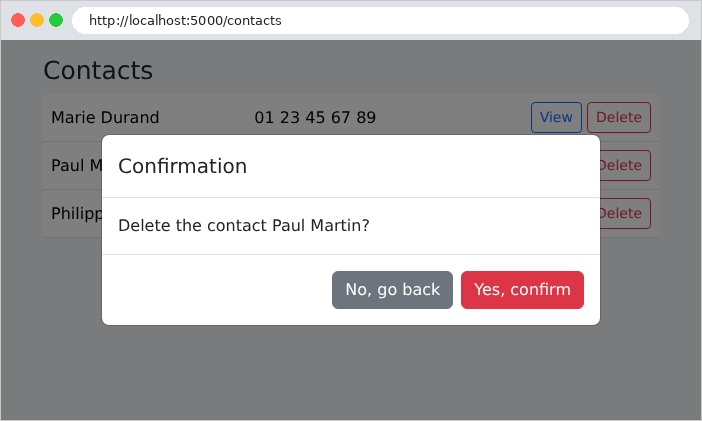
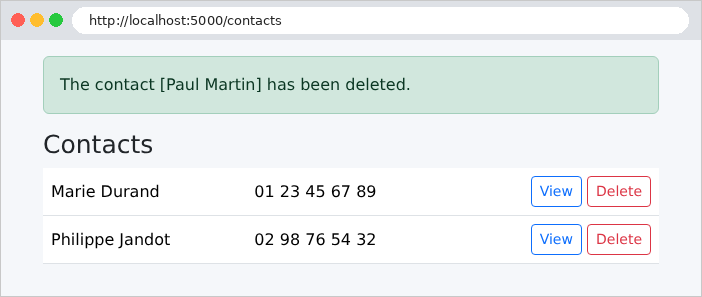
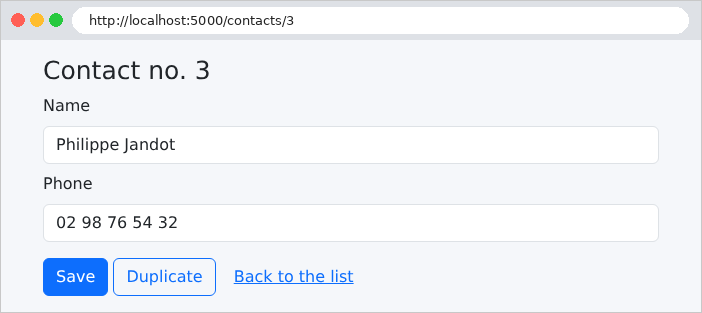
Finally, we verify that the deletion cannot be triggered by a query GET:
| curl -i http://localhost:5000/contacts/2/delete
|
| HTTP/1.1 405
Allow: POST
Content-Type: application/json
{"timestamp":"2026-09-25T16:54:31.432Z","status":405,"error":"Method Not Allowed","message":"Method 'GET' is not supported.","path":"/contacts/2/delete"}
|
The path exists, but not for the GET method: [Spring MVC] returns [405 Method Not Allowed], and the [Allow] header indicates the accepted method. The response body is the error response for [Spring Boot], as seen in JSON for [curl] (a browser requesting HTML receives an error page). With POST:
| curl -i -X POST http://localhost:5000/contacts/2/delete
|
| HTTP/1.1 302
Set-Cookie: JSESSIONID=A9EDA1129B98CE1244D75669371DA9B0; Path=/; HttpOnly
Location: http://localhost:5000/contacts
Content-Length: 0
|
The deletion occurred, followed by a redirect to the list; the [JSESSIONID] cookie is the session cookie that carries the flash message. And a nonexistent contact:
| curl -i http://localhost:5000/contacts/99
|
| HTTP/1.1 404
Content-Type: application/json
{"timestamp":"2026-09-25T16:54:31.498Z","status":404,"error":"Not Found","message":"unknown contact","path":"/contacts/99"}
|
The 404 response repeats the reason given for the exception [ResponseStatusException] ([unknown contact]). This field, [message], is only present during development: the development tools for [Spring Boot] ([devtools], a dependency of all examples) enable its display; without them, the response contains only the code, the error, and the path.