9. Layered Architecture and Data Access
The previous examples stored their data in memory. A real application stores it in a database and is organized into layers (see the diagram in the introduction):
- the web layer (controllers, views): read the request, call the business layer, select the view;
- the business layer: business rules;
- the DAO ([Data Access Object]) layer: database queries.
Each layer is aware only of the layer below it, and as few details about it as possible: the web layer is unaware of SQL, and the business layer is unaware of HTML. This separation makes each layer easier to understand, test, and evolve. Example 28 applies this to managing a list of people: it is, on a smaller scale, the management of doctors and clients from the case study.
In [Java], database access is organized across several layers:
- [JDBC] ([Java Database Connectivity]) is the standard interface for [Java] to send SQL commands to a database. Each SGBD provides a driver [JDBC]: for [MySQL], the library [mysql-connector-j]. Opening a connection is resource-intensive: [Spring Boot] uses a connection pool ([HikariCP]), which keeps a few connections open and lends them to requests;
- [JPA] ([Jakarta Persistence API]) is the standard for [Java] within ORM ([Object-Relational Mapper]): it maps [Java] classes (entities) to database tables and transforms the read rows into objects. [JPA] is merely a standard, consisting of interfaces and annotations; the ORM that implements it is, in this case, [Hibernate];
- [Spring Data JPA] is added on top of this: all you need to do is declare an interface from DAO, and [Spring Data JPA] writes the implementation itself when the application starts, including the queries, which it deduces from the method names.
All of this is provided by the [spring-boot-starter-data-jpa] starter.
9.1. Example 28: A Three-Tier Personnel Management System
9.1.1. The database
The database [dbpersons] is created by a script named SQL. Using [Laragon], you can run it, for example, in the [HeidiSQL] tool (File menu / Run a SQL file), or from the command line, from the example folder:
The [database/dbpersons.sql] file:
- Line 3: The script is written in UTF-8; this is specified to the server so that the accents in the data ([Pélissier]) remain intact;
- line 5: the character set [utf8mb4] accepts all characters (accents, emojis, etc.). The [utf8mb4_unicode_ci] collation compares strings without distinguishing between uppercase and lowercase letters or accents: for [MySQL], [pelissier], and [Pélissier] are equal;
- line 11: a version number, incremented each time the line is modified (see “optimistic lock,” below);
- line 17: a named uniqueness constraint: the database does not allow two people with the same first and last names. The name will be used to identify the error.
9.1.2. The configuration
The file [pom.xml]:
- Lines 20–23: data validation (see Chapter 3);
- lines 25–28: [Spring Data JPA], along with [Hibernate], [HikariCP], and the transaction management for [Spring];
- lines 29–33: the driver [JDBC] for [MySQL]. The scope of [runtime] indicates that the application code does not use it directly (it only recognizes [JPA]): the driver is only required at runtime. It also works with [MariaDB].
The file [application.properties]:
- line 6: success messages are sent as Flash attributes (see Example 20), stored in the session: the session cookie is sufficient to retrieve it, without the session ID being added to URL;
- Lines 9–11: the connection to the database for the data source ([DataSource]) that [Spring Boot] creates using [HikariCP]: URL [JDBC] (driver, server, port, database), the username, and the password. These are the default values for [Laragon] (user [root], no password). The database type (and its version) does not need to be specified: [Hibernate] requests this information from the server upon the first connection and adjusts the SQL it generates accordingly;
- line 13: [Hibernate] is capable of creating or modifying tables based on entities; this is prohibited ([none]): the database is created by the script SQL, and it serves as the reference;
- line 15: By default, [Spring Boot] keeps the [JPA] session (and its connection to the database) open until the view ([Open Session In View]) is fully generated: a view could then trigger SQL queries without the user noticing. This behavior is disabled: all reads are performed by the business layer before the view. When this property is not specified, [Spring Boot] reports this at startup with a warning ([spring.jpa.open-in-view is enabled by default...]);
- Line 17: [true] displays in the console each SQL command sent by [Hibernate] (see the execution below).
The file [messages.properties] contains a conversion error message (an age [abc]), as in Example 19. The class [config/WebConfig.java] serves [Bootstrap], as in the previous examples.
9.1.3. The Person Entity
The file [entities/Person.java]:
- Line 12: [@Entity] creates a [JPA] entity from the [Person] class: each row in the table will be a [Person] object. The annotations come from the [jakarta.persistence] package: these are the ones from the [JPA] standard, not those from [Hibernate];
- line 13: the corresponding table (by default, this would be [Person]);
- Lines 18–21: the primary key ([@Id]). [@GeneratedValue(strategy = GenerationType.IDENTITY)] indicates that its value is assigned by the database ([AUTO_INCREMENT]): [Hibernate] reads the assigned value after each [INSERT]. The type [Integer]—not [int]—allows the value [null]: a person who has not yet been registered does not have an ID. [@Column] specifies the column name corresponding to each field;
- lines 25–27: the version column. [@Version] assigns the optimistic lock to [Hibernate]: it sets the version to 0 during [INSERT], increases it by 1 with each [UPDATE], and adds the condition [AND version = <value read>] with each [UPDATE] (and with each [DELETE]). We’ll see later what this is for;
- lines 29–36: the other columns. [length] specifies the column width: it would only be relevant if [Hibernate] were creating the table itself, which is not the case here (see [ddl-auto]);
- lines 39–40: [JPA] requires a parameterless constructor: this is the one that [Hibernate] uses to create an object from a read row, before filling in its fields;
- lines 48–59: the accessors (methods [getX] and [setX]): the entity is a JavaBean. There is no [setId] or [setVersion]: these two values are written only by [Hibernate], which accesses the fields directly.
9.1.4. The DAO layer
The [dao/PersonsDao.java] file:
This is the entire DAO layer: an interface, without a single line of executable code.
- Line 13: The interface inherits from [JpaRepository<Person, Integer>] (an entity [Person], whose key is a [Integer]). At startup, [Spring Data JPA] creates a class that implements this interface and turns it into a bean, which is then injected. [JpaRepository] already provides the standard methods: [findById] (read by key, result in a [Optional]), [findAll], [save] ([INSERT] or [UPDATE]), [saveAndFlush], [deleteById], [count]... ;
- Line 17: a derived query: [Spring Data JPA] analyzes the method name and derives the query from it. [findAll]: all people; [By]: without conditions, since nothing follows; [OrderByLastNameAscFirstNameAsc]: sorted by last name, then by first name, in ascending order;
- line 21: [findFirst]: the first person found ([LIMIT 1]), or an empty [Optional]; [ByFirstNameAndLastNameAndIdNot]: whose first and last names match those provided as parameters, and whose ID differs from the third parameter. This is useful when modifying a record, which must not conflict with itself. The comparison is performed by [MySQL], and thus follows the database’s collation rules: it ignores uppercase letters and accents.
An error in a method name ([findAllByOrderByLastNamee]) is detected at startup: the application refuses to start, reporting an unknown property. A query that is too complex for a method name is written in the language [JPQL] ([Jakarta Persistence Query Language], a SQL that refers to entities and their fields rather than tables), in a [@Query] annotation: the case study uses a few of these.
9.1.5. The business layer
The file [business/BusinessException.java]:
A [BusinessException] indicates that a business rule is rejecting an operation. This is not a program error: its message is intended for the user. It inherits from [RuntimeException]: it is an unchecked exception that a method can throw without declaring it ([throws]). We will see that this choice also applies to transactions.
The file [business/PersonData.java]:
A person’s data, as transmitted by the web layer: the business layer does not know the form class.
The [business/PersonsBusiness.java] file:
Let’s comment on this code:
- line 18: the business layer is a service bean;
- line 19: [@Transactional], attached to the class, applies to each of its public methods: the method executes within a transaction that is opened ([START TRANSACTION]) before it is called, committed ([COMMIT]) upon its return, and rolled back ([ROLLBACK]) if it throws an unchecked exception. As with [@PreAuthorize] (Example 26), [Spring] wraps the bean in a proxy, which opens and closes the transaction around the call. Everything the method does, including calls to DAO, takes place within the same transaction and on the same connection;
- lines 32–35: [readOnly = true]: a read-only transaction, which exempts [Hibernate] from having to check for modified entities at the end;
- lines 37–40: An absent person is a [BusinessException]. [orElseThrow] returns the contents of [Optional], or throws the exception generated by the lambda if it is empty;
- lines 42–48: the addition. Rule: no two people can have the same first and last names. This is checked before writing to display a clear message. No person has the ID 0: [IdNot] does not remove anyone from the search here;
- lines 50–64: the update. Additional rule: the optimistic lock (lines 53–55). The update form uses the version of the record as it was when the form was opened. If it has changed in the meantime (another user has edited the same record), the update is rejected rather than silently overwriting the user’s work. [Objects.equals] compares two [Integer] instances while accepting [null];
- Line 51: The call to [read] is an internal call within the class: it does not go through the proxy, and its [readOnly] does not apply. [read] simply executes within the transaction of [edit];
- lines 60–63: the entity read in the transaction is followed by [Hibernate] (it is said to be “managed”): simply modify its fields; [Hibernate] detects the changes and generates a [UPDATE] for the table’s columns;
- Lines 66–70: Deletion. The person is read first—to verify that they exist and so that the controller can mention their name;
- Lines 74–87: The record. Normally, [Hibernate] sends [INSERT] and [UPDATE] to the database only at the end of the transaction, at [COMMIT], i.e., after exiting the method: a database error could no longer be intercepted here. [saveAndFlush] saves the entity and immediately sends ([flush]) the pending SQL commands;
- Lines 77–79: The version check mentioned earlier is not always sufficient: two users can save the same record at the same time, and both pass the check. The second user’s [UPDATE ... WHERE id = ? AND version = ?] then does not modify any rows; [Hibernate] detects this, and [Spring] raises a [ObjectOptimisticLockingFailureException], which becomes the same [BusinessException];
- lines 80–85: similarly, two simultaneous additions by the same person pass the homonym check, but the database’s uniqueness constraint does not allow them to be accepted. [Spring] translates the exceptions from the various databases and the various ORM entries into a common hierarchy of exceptions: a constraint violation becomes a [DataIntegrityViolationException]. [getMostSpecificCause()] returns the original exception—that of the [MySQL] driver—whose message specifies the name of the constraint ([Duplicate entry '...' for key 'unq_persons_first_name_last_name']). Another constraint violation continues onward (line 85): this is an anomaly.
In all cases where an exception exits a method of [PersonsBusiness] (including [BusinessException], since it inherits from [RuntimeException]), the proxy rolls back the transaction: none of the method’s actions are retained. Note: By default, a checked exception (which inherits from [Exception] without inheriting from [RuntimeException]) does not cause a rollback.
We verified this latter case by sending 30 requests to add the same person at the same time: only one was accepted; for the others, the database rejected [INSERT] (error [MySQL] No. 1062, which [Hibernate] reports in the console as a warning [HHH000247]), and the user received the "namesake" message, not a 500 error.
9.1.6. The Web Layer
The file [models/PersonForm.java]:
The form and its validation constraints (see Example 19), with the record version (line 26) passed via a hidden field. The age is a [Integer] and not a [int]: an empty field yields [null], which is indicated by [@NotNull].
The file [controllers/PersonsController.java]:
1 2 3 4 5 6 7 8 9 10 11 12 13 14 15 16 17 18 19 20 21 22 23 24 25 26 27 28 29 30 31 32 33 34 35 36 37 38 39 40 41 42 43 44 45 46 47 48 49 50 51 52 53 54 55 56 57 58 59 60 61 62 63 64 65 66 67 68 69 70 71 72 73 74 75 76 77 78 79 80 81 82 83 84 85 86 87 88 89 90 91 92 93 94 95 96 97 98 99 100 101 102 103 104 105 106 107 108 109 110 111 112 113 114 115 116 117 118 119 120 121 122 123 | |
Let’s break down this code:
- lines 26–30: the controller only recognizes the business layer;
- lines 33–36: the received strings are stripped of their leading and trailing spaces, and an empty string becomes [null] (see Example 19);
- lines 38–41: the site root redirects to the list;
- lines 54–68: the addition, in three steps: form validation (errors: reload), call to the business layer (success: flash message and redirection; see Example 20), [BusinessException] (reload with the message at the bottom of the page). Another exception is not caught: this is an anomaly that will result in a 500 error;
- Line 70: [{id:\\d+}]: a path variable constrained by a regular expression (see Example 02): [\d+] refers to a sequence of digits (the backslash is doubled in the string [Java]). [/persons/abc/edit] does not correspond to any action: error 404;
- lines 70–84: the update form, pre-filled with the record read from the database, including its version;
- lines 86–101: same structure as the add operation; the version returned by the form is passed to the business layer;
- lines 103–113: deletion. There is no form to redisplay: any errors are also passed via the flash attribute;
- lines 116–122: the form view template, used for both adding and modifying records: different title and mailing address, form values, and business layer error.
The [templates/persons/form.html] file:
- Line 6: [th:object] identifies the form object; [th:action] receives the submission address provided by the controller;
- line 8: the hidden field that carries the record version: [th:field="*{version}"] generates its attributes [name] and [value] (see Example 19);
- Lines 9–11: the three fields generated by the fragment [field] from Example 19.
The file [templates/layout.html]:
- line 12: the success message, at the top of the page;
- line 15: the error message at the bottom of the page: either the one from the current request (placed in the template by [form]) or the one stored as a flash attribute before a redirect. In both cases, it is a [error] attribute of the view template;
- lines 17–18: the confirmation window and its script (see Example 21).
The view [persons/list.html] has the same structure as the contact list in Example 21: for each person, a link to the edit form and a POST delete form, the submission of which is confirmed. The fragment [fragments/field.html] is the same as in Example 19, while the window [fragments/confirmation.html] and the script [static/js/app.js] are the same as in Example 21, with no changes.
9.1.7. Execution
If the values in [application.properties] are not suitable (a password for [root], for example), they can be replaced—without modifying the file—with environment variables: the property name is written in uppercase, with periods replaced by underscores. Under [Windows] ([PowerShell]):
Upon startup, with [MariaDB], [Hibernate] displays a warning:
This has no consequences: [MariaDB] presents itself to the [MySQL] driver with a version number of “5.5.5,” which [Hibernate] interprets as a very old [MySQL]. With [MySQL] 8, it does not appear.
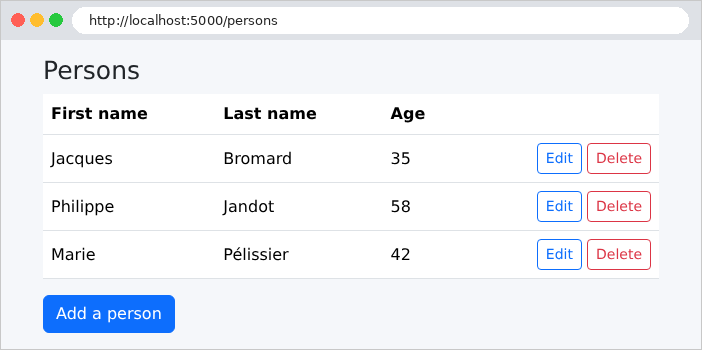
The list, in URLhttp://localhost:5000/:
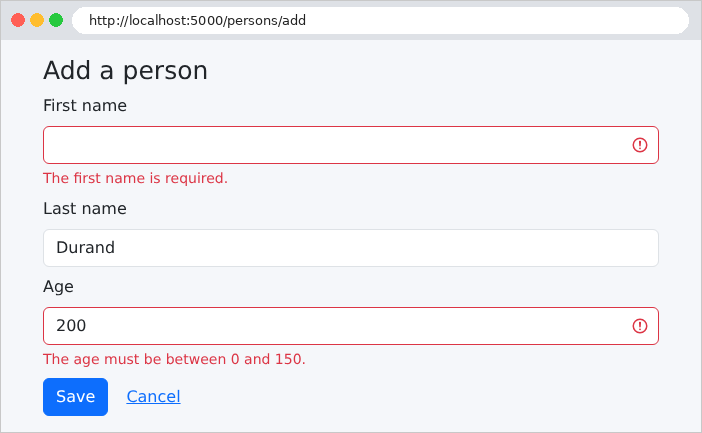
An invalid form:
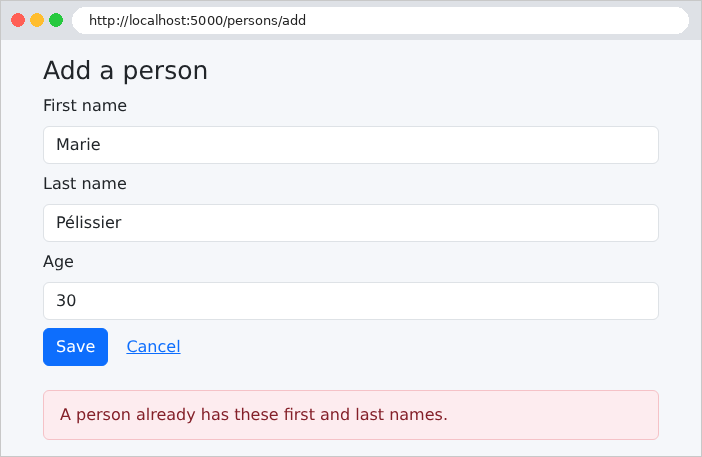
A homonym: the business rule detects it. [MySQL], when compared using the database’s collation, rejects [marie pelissier]—written in lowercase and without accents—as well. Here, the entry [Marie Pélissier]:
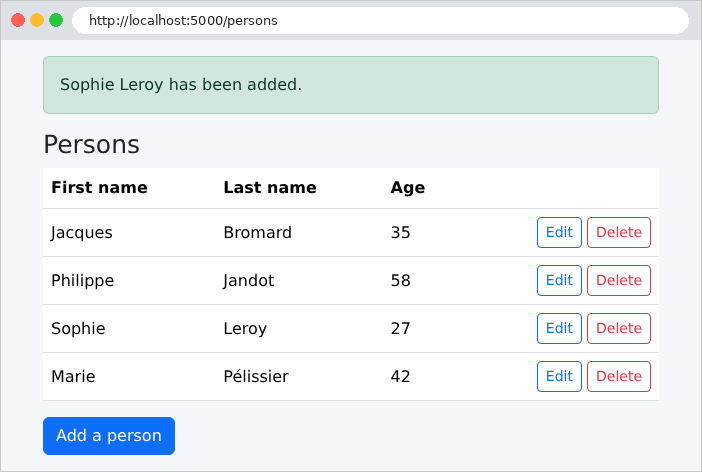
A successful addition:
With [spring.jpa.show-sql=true] in [application.properties] (or, without modifying the file, [../mvnw spring-boot:run -Dspring-boot.run.arguments=--spring.jpa.show-sql=true]), the console displays each SQL command sent by [Hibernate]. To add a person, then display the list following the redirection:
Here we can see the search for a namesake (the query derived from the name [findFirstByFirstNameAndLastNameAndIdNot]), the [INSERT], and then the reading of the list ([findAllByOrderByLastNameAscFirstNameAsc]). The values are passed separately as parameters (the [?]): this is what protects against SQL injections. Transaction commands ([START TRANSACTION], [COMMIT]) are not displayed. To modify a master record:
[UPDATE] writes the new version and checks the old one ([where id=? and version=?]): this is the optimistic lock. And for a deletion:
[deleteById] did not re-read the record: it was already being tracked in the transaction since the call to [read].
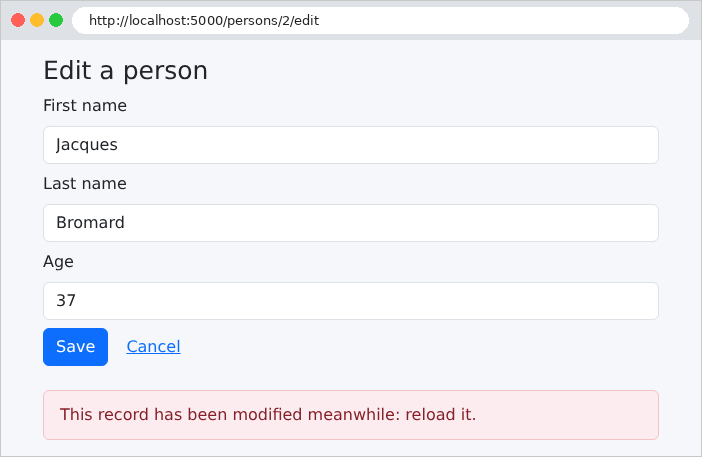
The optimistic lock: two forms are open on the same record; the first is saved (the version changes from 0 to 1); the second, which still has version 0, is rejected:
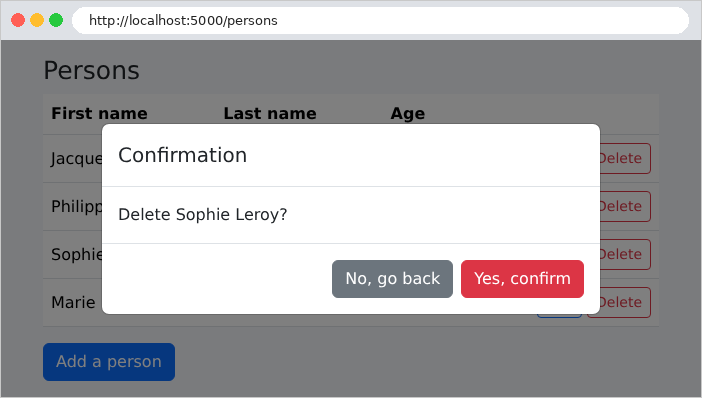
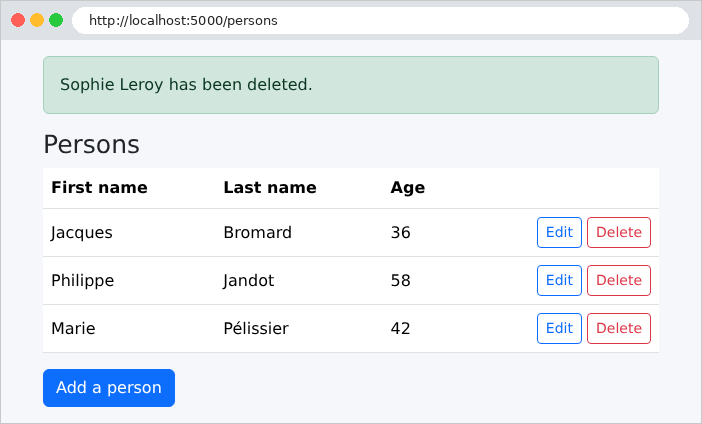
Deletion, with confirmation: