4. 示例 03 – 导航键
4.1. NetBeans 项目
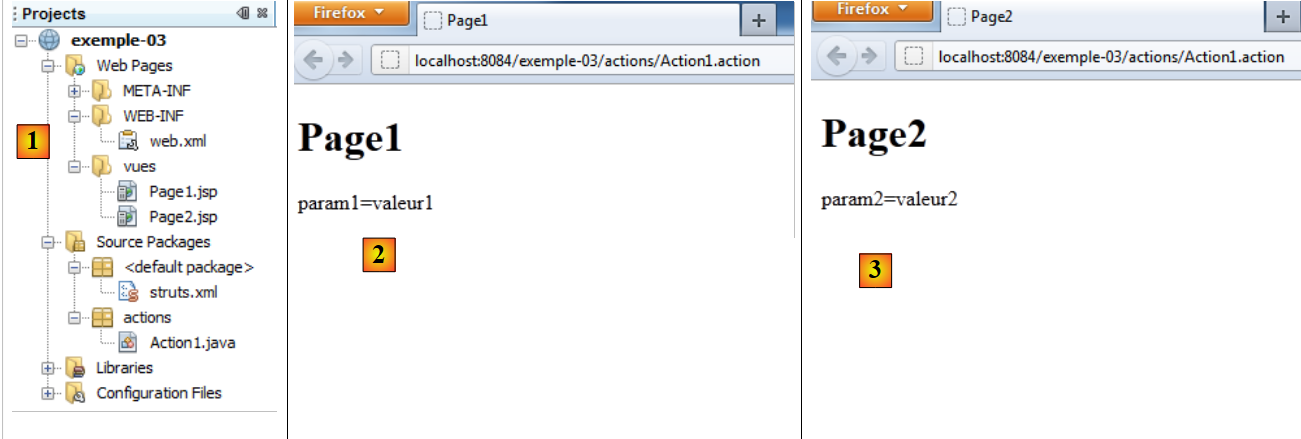 |
- 在 [1] 中:
- [web.xml]:Web 应用程序的配置文件
- [struts.xml]:Struts 配置文件
- [Action1.java]:应用程序的唯一操作
- [Page1.jsp, Page2.jsp]:应用程序的两个视图
- 在 [2] 中:显示 [Page1.jsp]
- 在 [3]:显示 [Page2.jsp]
4.2. 文件 [struts.xml]
如下所示:
<?xml version="1.0" encoding="UTF-8" ?>
<!DOCTYPE struts PUBLIC
        "-//Apache Software Foundation//DTD Struts Configuration 2.0//EN"
        "http://struts.apache.org/dtds/struts-2.0.dtd">

<struts>
  <package name="default" namespace="/" extends="struts-default">
    <default-action-ref name="index" />
    <action name="index">
      <result type="redirectAction">
        <param name="actionName">Action1</param>
        <param name="namespace">/actions</param>
      </result>
    </action>
  </package>
  <package name="actions" namespace="/actions" extends="struts-default">
    <action name="Action1" class="actions.Action1">
      <result name="page1">/vues/Page1.jsp</result>
      <result name="page2">/vues/Page2.jsp</result>
    </action>
  </package>
</struts>
- 第17-19行:[Action1]中的execute方法将生成两个导航键:
- page1,该键将显示视图 /vues/Page1.jsp
- page2 将显示视图 /vues/Page2.jsp
4.3. 操作 [Action1]
它与前面的示例类似:
package actions;

import com.opensymphony.xwork2.ActionSupport;

public class Action1 extends ActionSupport{

  // 操作模型
  private String param1="valeur1";
  private String param2="valeur2";

  @Override
  public String execute(){
    // 在两个视图之间随机选择
    int i=(int)(Math.random()*2);
    if(i==0){
      return "page1";
    }else{
      return "page2";
    }
  }

  // 获取器和设置器
...
}
- 第12-14行:方法execute会随机生成预期的键page1和page2。
4.4. JSP视图
Page1.jsp
<%@page contentType="text/html" pageEncoding="UTF-8"%>
<%@ taglib prefix="s" uri="/struts-tags" %>
<!DOCTYPE html>
<html>
  <head>
    <meta http-equiv="Content-Type" content="text/html; charset=UTF-8">
    <title>Page1</title>
  </head>
  <body>
    <h1>Page1</h1>
    param1=<s:property value="param1"/><br/>
  </body>
</html>
第 11 行,页面显示了 [Action1] 中 param1 字段的值。
Page2.jsp
<%@page contentType="text/html" pageEncoding="UTF-8"%>
<%@ taglib prefix="s" uri="/struts-tags" %>
<!DOCTYPE html>
<html>
  <head>
    <meta http-equiv="Content-Type" content="text/html; charset=UTF-8">
    <title>Page2</title>
  </head>
  <body>
    <h1>Page2</h1>
    param2=<s:property value="param2"/><br/>
  </body>
</html>
第 11 行,页面显示 [Action1] 中 param2 字段的值。
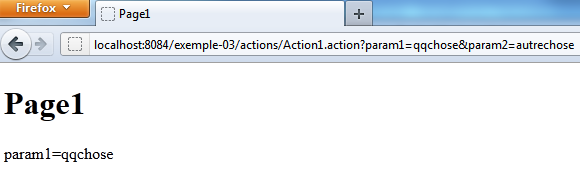
4.5. 测试
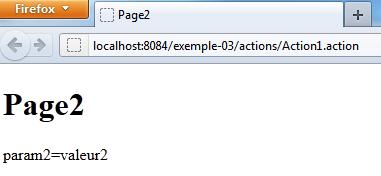
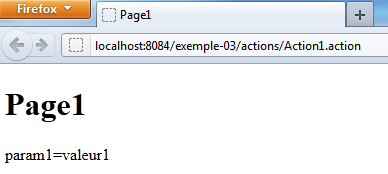
当其中一个页面在浏览器中加载后,需要刷新该页面(F5),以反复执行操作 [Action1],直到另一个页面加载完成。也可以传递参数: