2. The StrutsPerson application
We have implemented a user application using the traditional method, with a servlet and JSP pages. We propose to introduce Struts using this same application.
2.1. How the application works
Let’s review how the “person” application we developed works. It consists of:
- a main servlet. This handles all the application logic.
- three JSP pages: formulaire.personne.jsp, reponse.personne.jsp, erreurs.personne.jsp
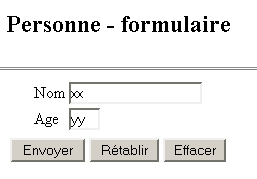
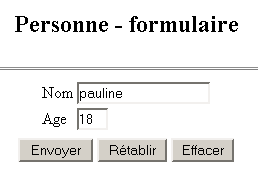
The application works as follows. It is accessible via the URL URL http://localhost:8080/personne/main. At this URL, a form provided by the page is displayed:
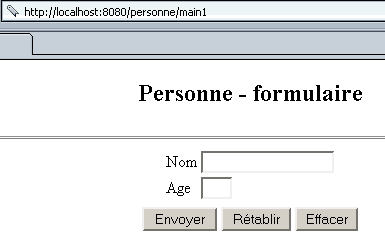
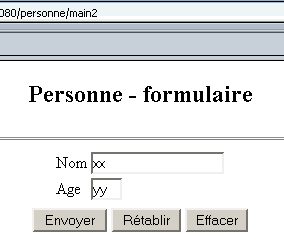
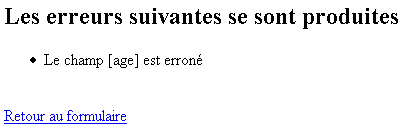
The user fills out the form and clicks the [Envoyer] button of type submit. The [Rétablir] button is of type reset, c.a.d, which resets the document to the state in which it was received. The [Effacer] button is of type button. The user must provide a valid name and age. If not, an error page is sent to them via the JSP erreurs.personne.jsp page. Here are some examples:
Exchange #1
 |  |
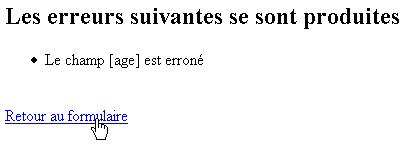
If you follow the link [Retour au formulaire], you'll find it exactly as you left it:
Exchange No. 2
 |  |
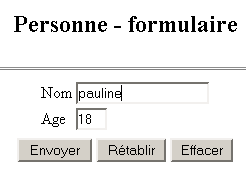
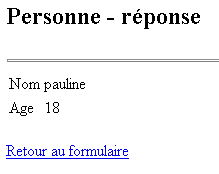
If the user sends correct data, the application sends a response via the page JSP reponse.personne.jsp.
Exchange #1
 |  |
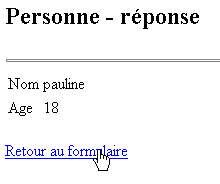
If you follow the link [Retour au formulaire], you will find it in the same state as when you left it:
Exchange #2
 |  |
2.2. The application's Struts architecture
We will adopt the following Struts architecture:
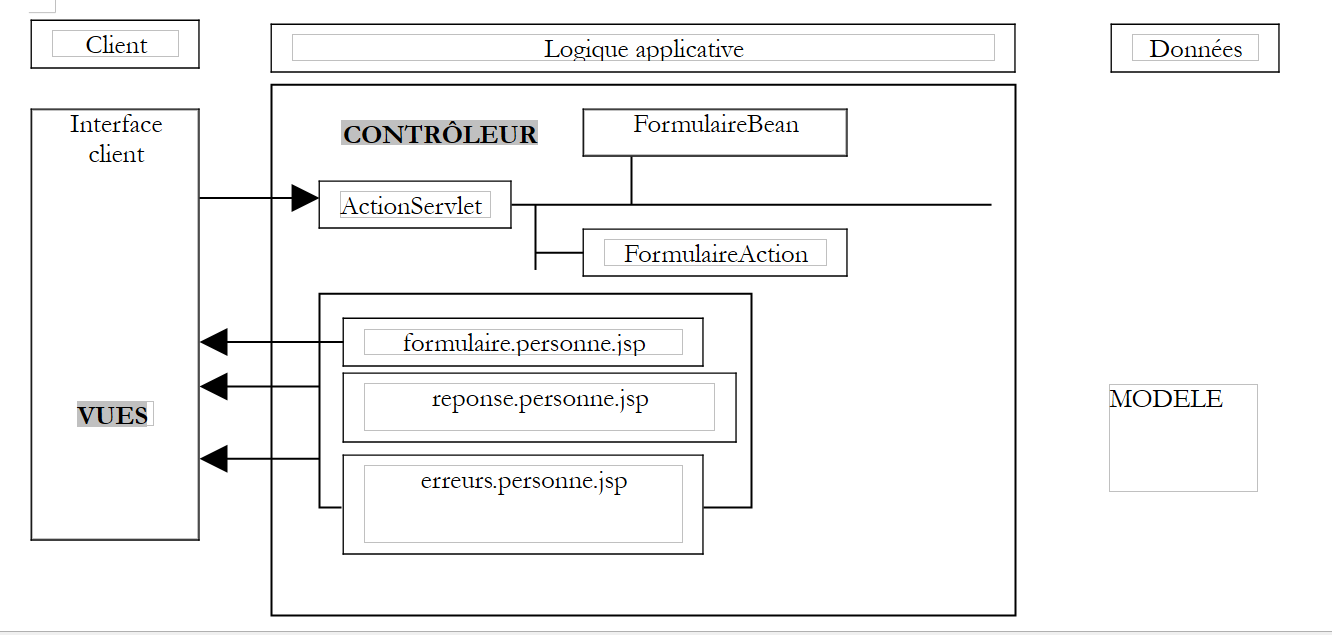 |
- There will be three views
- The controller will be the one provided by Struts
- FormulaireBean is the class responsible for storing the values of the form presented by the view formulaire.personne.jsp
- FormulaireAction is the class responsible for processing the values from FormulaireBean and specifying the response page to send:
- the view erreurs.personne.jsp if the form data is incorrect
- the view reponse.personne.jsp otherwise
For the developer, the task consists of writing the code:
- the three views
- the FormulaireBean bean associated with the form
- the FormulaireAction class responsible for processing the form
2.3. Compiling the classes required for the Struts application
To compile the classes required for our application, we will use JBuilder. JBuilder works with a JDK file that does not contain the classes required for Struts applications. We can configure JBuilder as follows:
- option Tools / Configure JDKs
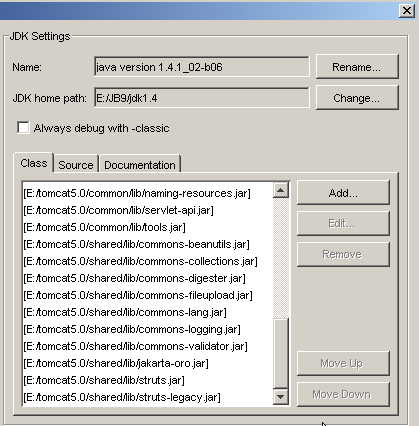
- Use the [Add/Ajouter] button to add the .jar files provided by Struts to the JBuilder class archives. If you have extracted the Struts archive to disk, you can add all the .jar files from the <struts>/lib folder to JBuilder:
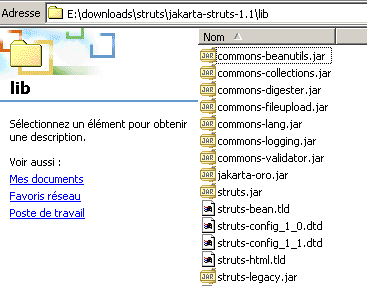
You can add all the .jar files listed above to the JBuilder archives. We have already seen that Tomcat also needs access to the Struts archives. For Tomcat 4.x, you can place the Struts .jar files in <tomcat4>\common\lib. For Tomcat 5.x, you can place them in <tomcat5>\shared\lib. You can then configure JBuilder to locate the Struts .jar files in the same location as Tomcat. This is what was done in the screenshot shown earlier, which displays JBuilder’s .jar files. They were taken from <tomcat5>\shared\lib.
So, if JBuilder reports that it cannot find a Struts class while compiling a class, check two things:
- the spelling of the class
- the .jar files used by JBuilder. All Struts .jar files must be included.
2.4. The views of the strutspersonne application
The three views of the application are as follows:
- formulaire.personne.jsp: displays the form for entering a person’s name and age
- reponse.personne.jsp: displays the entered values if they are valid
- erreurs.personne.jsp: displays any errors
2.4.1. The erreurs.personne.jsp view
This view, which displays a list of errors, will be defined as follows:
<%@ taglib uri="/WEB-INF/struts-html.tld" prefix="html" %>

<html>
    <head>
      <title>Personne</title>
  </head>
  <body>
      <h2>Les erreurs suivantes se sont produites</h2>
        <html:errors/>
    <html:link page="/formulaire.do">
            Retour au formulaire
        </html:link>
  </body>
</html>
There are two new features in this code:
- the presence of tags <html:XX/> that are not HTML tags. It is indeed possible to create libraries of JSP tags, which are converted into Java code when the JSP page is transformed into a servlet.
- The JSP page must declare the tag libraries it uses. It does so here with the line
This line provides two pieces of information:
- uri: the location of the file governing the rules for using the library. The struts-html.tld file is provided in the Struts distribution. In the example above, it will be placed in the WEB-INF folder.
- prefix: the identifier used in the code to prefix the library’s tags. This prevents naming conflicts that could arise when using multiple tag libraries simultaneously. It is possible to find two tags with the same name in two different libraries. By assigning a different prefix to each library, any ambiguity is eliminated.
- The <html:errors> tag displays the list of errors that the Struts controller sends to it.
- The <html:link> tag generates a link pointing to /C/page where
- C is the application context
- page is the URL specified in the page attribute of the tag
The tag
tag will generate the following HTML code:
where C is the application context
2.4.2. Testing the erreurs.personne.jsp view
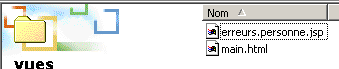
- The file erreurs.personne.jsp is placed in the views folder of the strutspersonne application:
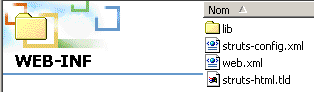
- The file struts-html.tld is taken from the Struts distribution (<struts>/lib) and placed in WEB-INF:
- The file struts-config.xml is modified as follows:
<?xml version="1.0" encoding="ISO-8859-1" ?>
<!DOCTYPE struts-config PUBLIC
"-//Apache Software Foundation//DTD Struts Configuration 1.1//EN"
"http://jakarta.apache.org/struts/dtds/struts-config_1_1.dtd">
<struts-config>
<action-mappings>
<action
path="/main"
parameter="/vues/main.html"
type="org.apache.struts.actions.ForwardAction"
/>
<action
path="/erreurs"
parameter="/vues/erreurs.personne.jsp"
type="org.apache.struts.actions.ForwardAction"
/>
</action-mappings>
</struts-config>
We create a new URL /errors in the configuration file to be handled by the Struts controller. The URL /erreurs.do will be redirected to the /views/erreurs.personne.jsp view. The struts-config.xml file is placed in the WEB-INF folder.
- We restart Tomcat so that the new struts-config.xml file is loaded, then we request the url http://localhost:8080/strutspersonne/erreurs.do:
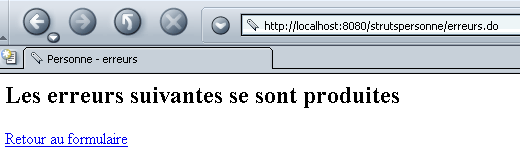
The <html:errors/> tag produced nothing. This is normal; the ForwardAction action did not generate the error list expected by the tag. Nevertheless, the response above shows that our JSP view is at least syntactically correct; otherwise, we would have received an error page. Let’s check the HTML code received by the browser (View/Source):
<html>
<head>
<title>Personne - erreurs</title>
</head>
<body>
<h2>Les erreurs suivantes se sont produites</h2>
<a href="/strutspersonne/formulaire.do">Retour au formulaire</a>
</body>
</html>
Note the link generated by the <html:link> tag. The /strutspersonne context has been automatically included in the link. This allows the application to be moved from one context to another (e.g., changing machines) without having to change the links generated by <html:link>.
2.4.3. The reponse.personne.jsp view
This view, which validates the values entered in the form, is as follows:
<%@ taglib uri="/WEB-INF/struts-html.tld" prefix="html" %>
<%
// we retrieve the data name, age
//String nom=(String)request.getAttribute("nom");
String nom="jean";
//String age=(String)request.getAttribute("age");
String age="24";
%>
<html>
<head>
<title>Personne</title>
</head>
<body>
<h2>Personne - réponse</h2>
<hr>
<table>
<tr>
<td>Nom</td>
<td><%= nom %>
</tr>
<tr>
<td>Age</td>
<td><%= age %>
</tr>
</table>
<br>
    <html:link page="/formulaire.do">
            Retour au formulaire
        </html:link>
</body>
</html>
The page displays two pieces of information, [nom] and [age], which will be passed to it by the controller in the predefined request object. Here, we are conducting a test in which the controller will not have the opportunity to set the values of [nom] and [age]. Therefore, we initialize these two pieces of information with arbitrary values. Furthermore, here too the link back to the form is generated by a <html:link> tag.
2.4.4. Testing the reponse.personne.jsp view
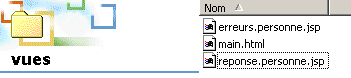
- The file reponse.personne.jsp is placed in the views folder of the strutspersonne application:
- The struts-config.xml file is modified as follows:
<?xml version="1.0" encoding="ISO-8859-1" ?>

<!DOCTYPE struts-config PUBLIC
          "-//Apache Software Foundation//DTD Struts Configuration 1.1//EN"
          "http://jakarta.apache.org/struts/dtds/struts-config_1_1.dtd">

<struts-config>
    <action-mappings>
      <action
          path="/main"
          parameter="/vues/main.html"
          type="org.apache.struts.actions.ForwardAction"
      />
      <action
          path="/erreurs"
          parameter="/vues/erreurs.personne.jsp"
          type="org.apache.struts.actions.ForwardAction"
      />
      <action
          path="/reponse"
          parameter="/vues/reponse.personne.jsp"
          type="org.apache.struts.actions.ForwardAction"
      />
    </action-mappings>
</struts-config>
We create a new URL /response in the configuration file to be processed by the Struts controller. The URL /reponse.do will be redirected to the /vues/reponse.personne.jsp view. The struts-config.xml file is placed in the WEB-INF folder.
- We restart Tomcat so that the new struts-config.xml file is loaded, then we request the url http://localhost:8080/strutspersonne/erreurs.do:
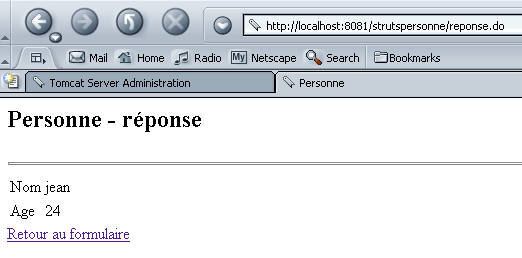
We get exactly what we expected.
2.4.5. The formulaire.personne.jsp view
This view displays the form for entering the user's name and age. Its code is as follows:
<%@ taglib uri="/WEB-INF/struts-html.tld" prefix="html" %>

<html>
    <meta http-equiv="pragma" content="no-cache">
    <head>
      <title>Personne - formulaire</title>
    <script language="javascript">
        function effacer(){
          with(document.frmPersonne){
            nom.value="";
          age.value="";
        }
      }
    </script>
  </head>

  <body>
      <center>
        <h2>Personne - formulaire</h2>
      <hr>
      <html:form action="/main" name="frmPersonne" type="istia.st.struts.personne.FormulaireBean">
          <table>
            <tr>
              <td>Nom</td>
            <td><html:text property="nom" size="20"/></td>
          </tr>
          <tr>
              <td>Age</td>
            <td><html:text property="age" size="3"/></td>
          </tr>
            <tr>
        </table>
        <table>
            <tr>
              <td><html:submit value="Envoyer"/></td>
            <td><html:reset value="Rétablir"/></td>
            <td><html:button property="btnEffacer" value="Effacer" onclick="effacer()"/></td>
          </tr>
        </table>
      </html:form>
    </center>
  </body>
</html>
We see the struts-html.tld tag library used in the error view. New tags appear:
is used both to generate the HTML tag <form> and to provide information to the controller that will process this form:
Note that the method for sending the form parameters (GET/POST) to the controller is not specified. This could be done using the method attribute. In the absence of this attribute, the POST method is used by default. | |||||||
is used to generate the <input type="text" value="..."> tag:
| |||||||
Used to generate the <input type="HTML"...> tag | |||||||
is used to generate the tag HTML <input type="reset"...> | |||||||
is used to generate the tag HTML <input type="button"...> |
2.4.6. The bean associated with the form formulaire.personne.jsp
- With Struts, every form must be associated with a bean responsible for storing the form’s values and maintaining them in the current session. A bean is a Java class that must adhere to a specific syntax. The bean associated with a form must extend the ActionForm class defined in the Struts libraries:
- The names of the bean’s attributes must match the form fields (property attributes of the form’s html:text tags). Based on the code from the previous form, the bean must therefore have two fields named name and age.
- For each XX field in the form, the bean must define two methods:
- public void setXX(Type value): to assign a value to the XX attribute
- Type getXX(): to retrieve the value of the XX field
The bean associated with the previous form could be as follows:
package istia.st.struts.personne;

import org.apache.struts.action.ActionForm;

public class FormulaireBean extends ActionForm {
   // name
  private String nom = null;
  public String getNom() {
    return nom;
  }
  public void setNom(String nom) {
    this.nom = nom;
  }

   // age
  private String age = null;
  public String getAge() {
    return age;
  }
  public void setAge(String age) {
    this.age = age;
  }
}
We will compile this class using JBuilder.
2.4.7. Testing the formulaire.personne.jsp view
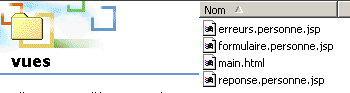
The file formulaire.personne.jsp is placed in the views folder of the strutspersonne application:
- The file struts-config.xml is modified as follows:
<?xml version="1.0" encoding="ISO-8859-1" ?>

<!DOCTYPE struts-config PUBLIC
          "-//Apache Software Foundation//DTD Struts Configuration 1.1//EN"
          "http://jakarta.apache.org/struts/dtds/struts-config_1_1.dtd">

<struts-config>
    <action-mappings>
      <action
          path="/main"
          parameter="/vues/main.html"
          type="org.apache.struts.actions.ForwardAction"
      />
      <action
          path="/erreurs"
          parameter="/vues/erreurs.personne.jsp"
          type="org.apache.struts.actions.ForwardAction"
      />
      <action
          path="/reponse"
          parameter="/vues/reponse.personne.jsp"
          type="org.apache.struts.actions.ForwardAction"
      />
      <action
          path="/formulaire"
          parameter="/vues/formulaire.personne.jsp"
          type="org.apache.struts.actions.ForwardAction"
      />
    </action-mappings>
</struts-config>
We create a new URL /form in the configuration file to be processed by the Struts controller. The URL /formulaire.do will be redirected to the /views/formulaire.personne.jsp view. The struts-config.xml file is placed in the WEB-INF folder.
- We place the FormulaireBean class in WEB-INF/classes:

- We restart Tomcat so that the new struts-config.xml file is recognized, then we request url http://localhost:8080/strutspersonne/formulaire.do:
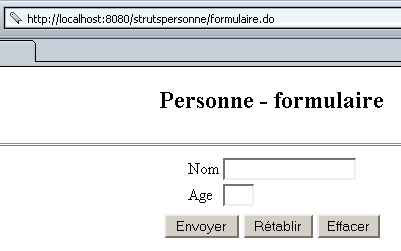
We successfully retrieve the form. We might be curious to see how the <html:XX> tags scattered throughout the form’s code were “translated”:
<html>
    <meta http-equiv="pragma" content="no-cache">
    <head>
      <title>Personne - formulaire</title>
    <script language="javascript">
        function effacer(){
          with(document.frmPersonne){
            nom.value="";
          age.value="";
        }
      }
    </script>
  </head>

  <body>
      <center>

        <h2>Personne - formulaire</h2>
      <hr>
      <form name="frmPersonne" method="post" action="/strutspersonne/main.do">
          <table>
            <tr>
              <td>Nom</td>
            <td><input type="text" name="nom" size="20" value=""></td>
          </tr>

          <tr>
              <td>Age</td>
            <td><input type="text" name="age" size="3" value=""></td>
          </tr>
            <tr>
        </table>
        <table>
            <tr>

              <td><input type="submit" value="Envoyer"></td>
            <td><input type="reset" value="Rétablir"></td>
            <td><input type="button" name="btnEffacer" value="Effacer" onclick="effacer()"></td>
          </tr>
        </table>
      </form>
    </center>
  </body>
</html>
In the resulting form, the [Reset] and [Effacer] buttons work. The [Envoyer] button of type submit redirects to URL /strutspersonne/main.do. According to the application's web.xml file, the Struts controller will handle it. According to the struts-config.html file, the controller must redirect the request to the /vues/main.html view. Let’s try it:
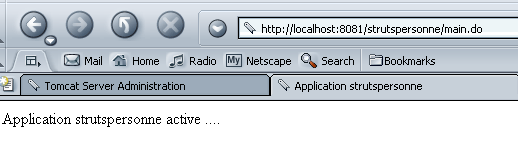
Everything works as expected. We still need to actually process the form values, c.a.d. Write the Action class that will receive the form data in an object FormulaireBean.