4. 表格
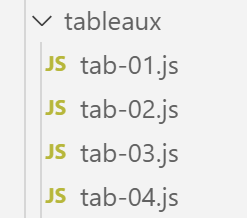
4.1. 脚本 [tab-01]
以下脚本演示了 JavaScript 数组的一些特性。这些数组与 PHP 数组相似,但有一个主要区别:它们通过指针进行操作,并且被视为对象。
'use strict';

// an array is an object manipulated via its address
const tab1 = [1, 2, 3];
// address copying
const tab2 = tab1;
// tab1 and tab2 point to the same table
console.log("tab1===tab2 :", tab1 === tab2);
// the table can be modified using either tab1 or tab2
tab2[1] = 10;
console.log("tab1=", tab1);
console.log("tab2=", tab2);
执行
[Running] C:\myprograms\laragon-lite\bin\nodejs\node-v10\node.exe "c:\Temp\19-09-01\javascript\tableaux\tab-01.js"
tab1===tab2 : true
tab1= [ 1, 10, 3 ]
tab2= [ 1, 10, 3 ]
注释
- 结果的第 2 行表明 [tab1] 和 [tab2] 是两个相等的实体,实际上是两个相等的指针;
- 结果的第 4 行和第 5 行显示,这两个指针指向同一个数组;
4.2. 脚本 [tab-02]
此脚本演示了 JavaScript 数组与编译型语言中的数组存在差异。
'use strict';

// table
const tab = [];
console.log("tab=", tab, ", longueur=[", tab.length, "]");
console.log("-------------------------------");
// element initialization
tab[3] = 100;
tab[1] = "huit";
// table
console.log("tab=", tab, ", longueur=[", tab.length, "]");
console.log("-------------------------------");
// toString
console.log("tab.toString=[", tab.toString(), "]");
console.log("-------------------------------");
// the keys to the picture are its indices
for (let key of tab.keys()) {
  console.log("clé=[", key, "], valeur=[", tab[key], "]");
}
console.log("-------------------------------");
// table values
for (let value of tab.values()) {
  console.log("valeur=[", value, "]");
}
- 第 4 行:一个空数组;
- 第 8 行:数组没有固定大小。它仅仅是一系列通过数字索引的元素。即使元素 [0, 1, 2] 尚未定义,你也可以初始化第 3 个元素;
- 第 16–24 行:JavaScript 数组的行为与 PHP 数组类似;
执行
[Running] C:\myprograms\laragon-lite\bin\nodejs\node-v10\node.exe "c:\Temp\19-09-01\javascript\tableaux\tab-02.js"
tab= [] , longueur=[ 0 ]
-------------------------------
tab= [ <1 empty item>, 'huit', <1 empty item>, 100 ] , longueur=[ 4 ]
-------------------------------
tab.toString=[ ,huit,,100 ]
-------------------------------
clé=[ 0 ], valeur=[ undefined ]
clé=[ 1 ], valeur=[ huit ]
clé=[ 2 ], valeur=[ undefined ]
clé=[ 3 ], valeur=[ 100 ]
-------------------------------
valeur=[ undefined ]
valeur=[ huit ]
valeur=[ undefined ]
valeur=[ 100 ]
4.3. 脚本 [tab-03]
本脚本演示了 [array] 对象的各种方法。
'use strict';
// a table can contain different types of data
const tab = [1, 2, "un", "deux", true, [10, 20], { prop1: 10, prop2: "abc" }];
// console.log can display the contents of an array
show(1);
console.log("tab=", tab);
show(2);
// table path with foreach
tab.forEach(element => {
  console.log("élément=", element, typeof (element));
});
show("2b");
// another script to do the same thing
tab.forEach(function (element) {
  console.log("élément=", element, typeof (element));
});
show(3);
// table route with for
for (let i = 0; i < tab.length; i++) {
  console.log("i=", i, "tab[i]=", tab[i]);
}
show(4);
// change tab[i]
tab[5] = [];
// display
console.log("tab=", tab);
show(5);
// remove the last element
let element = tab.pop(tab);
console.log("élément=", element, "tab=", tab);
show(6);
// add an element to the end of the array
tab.push('xyz');
console.log("tab=", tab);
show(7);
// add an element at the beginning of the array
tab.unshift(1000);
console.log("tab=", tab);
show(8);
// remove the 1st element from the array
element = tab.shift();
console.log("élément=", element, "tab=", tab);
show(9);
// remove element no. 2 from the table
element = tab.splice(2, 1);
console.log("élément=", element, "tab=", tab);
show(10);
// remove two elements from the table, starting with element no. 1
element = tab.splice(1, 2);
console.log("élément=", element, "tab=", tab);

// function
function show(param) {
  console.log("[", param, ":::::::::::::::::::::::::::::::::::::::::::::::::::::::::::::::::: ]");
}
注释
- 第 3 行和第 24 行展示了 PHP 数组与 JavaScript 数组之间的区别:
- 第 3 行将变量 [tab] 声明为常量;
- 第 24 行修改了元素 tab[5];
在第 3 行中,被声明为常量的只是指向数组的指针,而非数组本身。数组本身是可以被修改的。
- 第 14–16 行:使用 [tab] 数组的 [forEach] 方法对 [tab] 数组进行遍历。该方法将函数定义作为参数,这种函数可称为字面量函数。该函数接受一个参数:[tab] 数组的当前元素。对于数组的每个元素,都会调用该函数。这种语法在 JavaScript 中很常见;
- 第 9–10 行:我们使用不同的语法来定义函数。而不是这样写:
- function(p1, p2, …, pn){….}
我们写:
- (续)
- (p1, p2, …, pn) => {…}。这被称为“箭头”表示法;
- 其余代码由注释说明;
从这个脚本中,请注意:
- 数组是一个由指针引用的对象;
- 该对象具有 [forEach, pop, push, shift, unshift] 等方法;
4.4. 脚本 [tab-04]
本脚本介绍了数组对象的其他方法。
'use strict';

// table manipulation method

// a picture
const tab = [];
for (let i = 0; i < 10; i++) {
  tab[i] = i * 10;
}
// display
console.log("tab=", tab);
// map
const tab2 = tab.map(element => {
  return { prop1: element, prop2: element * element }
});
// display
console.log("tab=", tab);
console.log("tab2=", tab2);
// reduce without initial value
const somme = tab.reduce((accumulator, currentValue) => accumulator + currentValue);
console.log("somme tab=", somme);
// reduce with initial value
const somme2 = tab.reduce((accumulator, currentValue) => accumulator + currentValue, 10);
console.log("somme2 tab=", somme2);
// filter
const tab4 = tab.filter((element) => {
  if (element > 50) {
    return element;
  }
});
console.log("tab4=", tab4);
// find
const element1 = tab.find((element) => (element > 20));
console.log("élément1=", element1);
// findIndex
const index1 = tab.findIndex((element) => (element === 20));
console.log("index1 20=", index1);
// indexOf
const index2 = tab.indexOf(30);
console.log("index2 30=", index2);
const index3 = tab.indexOf(31);
console.log("index3 31=", index3);
// lastIndexOf
const index4 = [4, 5, 4, 2].lastIndexOf(4);
console.log("index4 4=", index4);
// spell
const tab5 = [4, 5, 4, 2].sort();
console.log("tab5=", tab5);
// reverse spell
const tab6 = [4, 5, 4, 2].sort((e1, e2) => {
  if (e1 > e2) {
    return -1;
  }
  else if (e1 === e2) {
    return 0;
  } else {
    return +1;
  }
});
console.log("tab6=", tab6);
注释
- 第 13–15 行:[map] 方法接受一个转换函数作为参数。该函数会对数组中的每个元素反复调用。它负责将元素转换为其他形式——在本例中,是具有 [prop1, prop2] 属性的对象。[map] 方法返回一个新的数组。原始数组保持不变:
tab= [ 0, 10, 20, 30, 40, 50, 60, 70, 80, 90 ]
tab2= [ { prop1: 0, prop2: 0 },
{ prop1: 10, prop2: 100 },
{ prop1: 20, prop2: 400 },
{ prop1: 30, prop2: 900 },
{ prop1: 40, prop2: 1600 },
{ prop1: 50, prop2: 2500 },
{ prop1: 60, prop2: 3600 },
{ prop1: 70, prop2: 4900 },
{ prop1: 80, prop2: 6400 },
{ prop1: 90, prop2: 8100 } ]
- 第 20 行:[reduce] 方法接受一个双参数函数作为参数,该函数会针对数组的每个元素反复调用。该函数接受两个参数:
- [currentValue] 是数组的当前元素;
- [accumulator] 是该函数上次计算得到的结果。如果未为该累加器提供初始值,则其初始值为 0;
- 累加函数首次被调用时,返回 [0+tab[0]]。该值被赋给累加器;
- 第二次调用时,它返回 accumulator+tab[1],即 tab[0]+tab[1];
- 第三次调用时,它返回 accumulator + tab[2],即 tab[0] + tab[1] + tab[2];
- 以此类推。最终,累加器将表示数组 [tab] 中所有元素的和;
- 第 26 行:[filter] 方法接受一个过滤函数作为参数。该函数会针对数组的每个元素反复被调用,并接收该元素作为参数。它必须返回:
- [true] 表示应保留该元素;
- 否则返回 [false];
- 第 33 行:[find] 方法接受一个搜索函数作为参数。该函数会对数组的每个元素反复调用,并接收该元素作为参数。如果接收到的元素满足搜索条件,则必须返回 [true]。搜索随即停止。因此,[find] 方法返回 0 或 1 个元素;
- 第 36 行:[findIndex] 方法的工作原理与 [find] 方法类似,但它不返回找到的元素,而是返回该元素在数组中的索引;
- 第 39 行、第 41 行:[indexOf(value)] 方法在数组中搜索 [value],并返回其索引;若未找到,则返回 -1;
- 第 44 行:[lastIndexOf(value)] 方法的工作原理与 [indexOf(value)] 方法相同,但从数组的末尾开始搜索;
- 第 47 行:不带参数的 [sort] 方法返回按自然顺序(数字、字符串)排序的数组;
- 第 50 行:当自然排序不适用时,必须向 [sort] 方法传入一个带有两个参数 (e1, e2) 的函数,该函数返回:
- +1 表示 e1 应排在 e2 之后;
- -1 表示 e1 应排在 e2 之前;
- 0 表示两个元素应具有相同的排序顺序;
[sort] 方法会反复调用作为参数传入的函数,以比较数组中的两个元素;