8. Using the ODT → HTML Converter
Remember that the working directory can be found |HERE|.
Launch PyCharm:
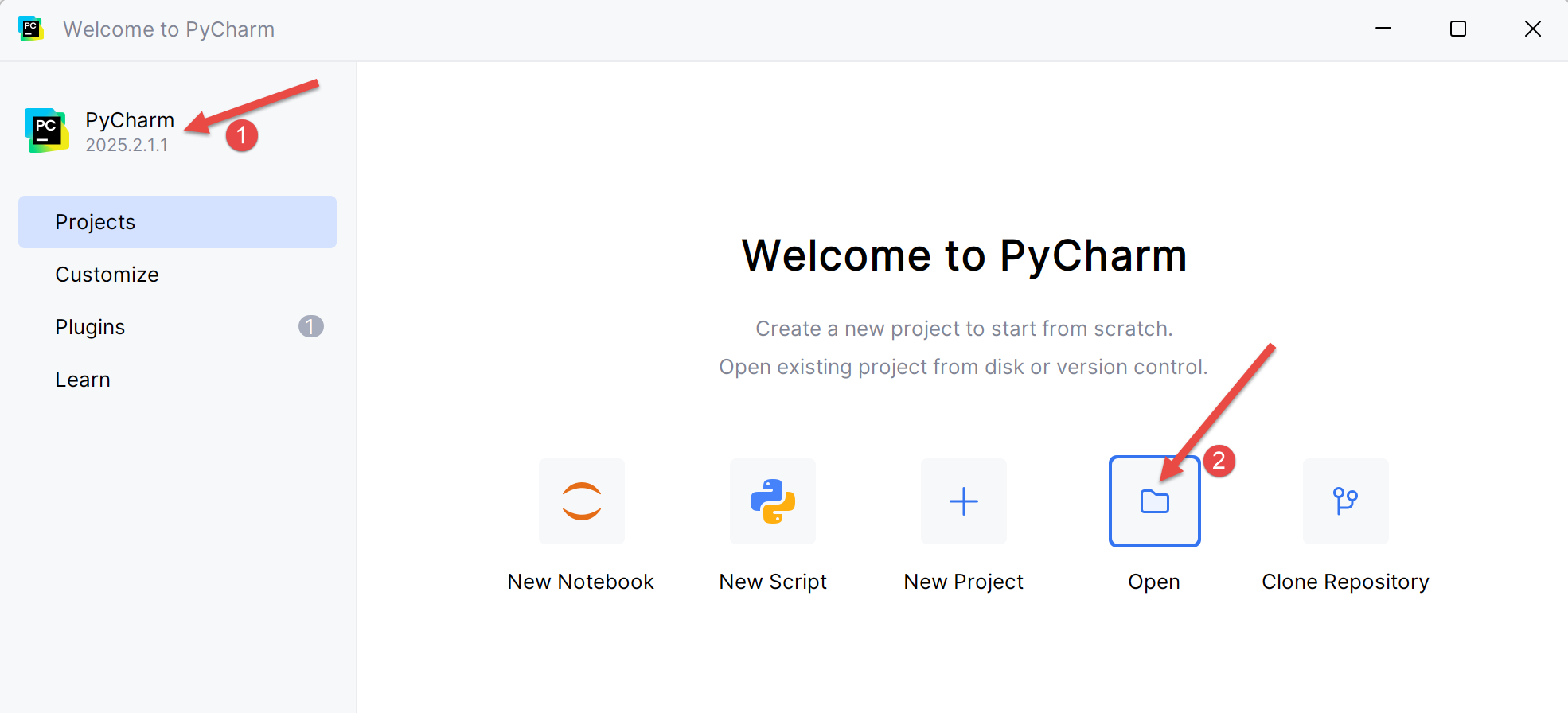 |
- In [2], open a new project;
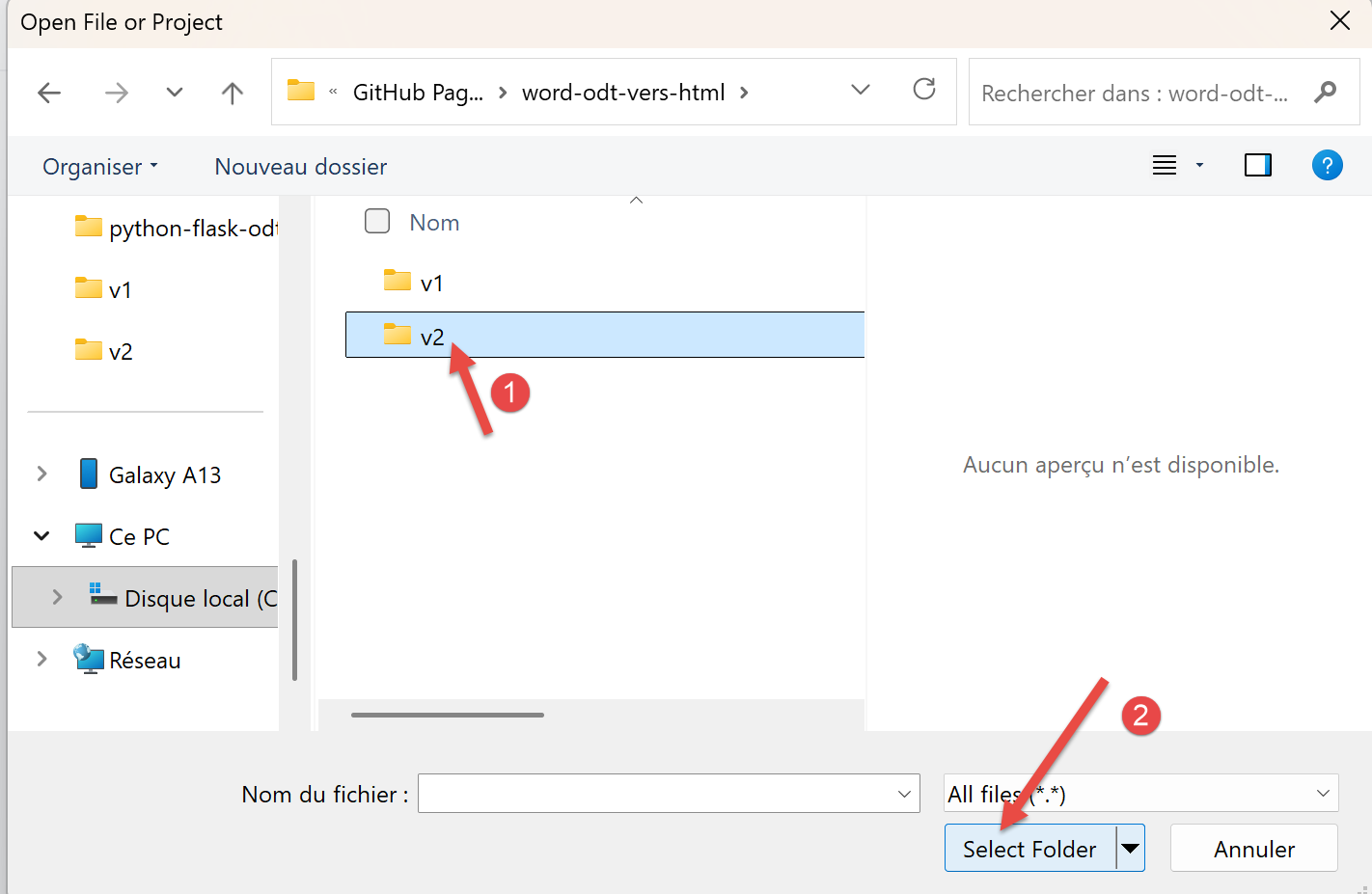 |
- In [1], select the folder where you saved the working directory;
- In [2], confirm your selection;
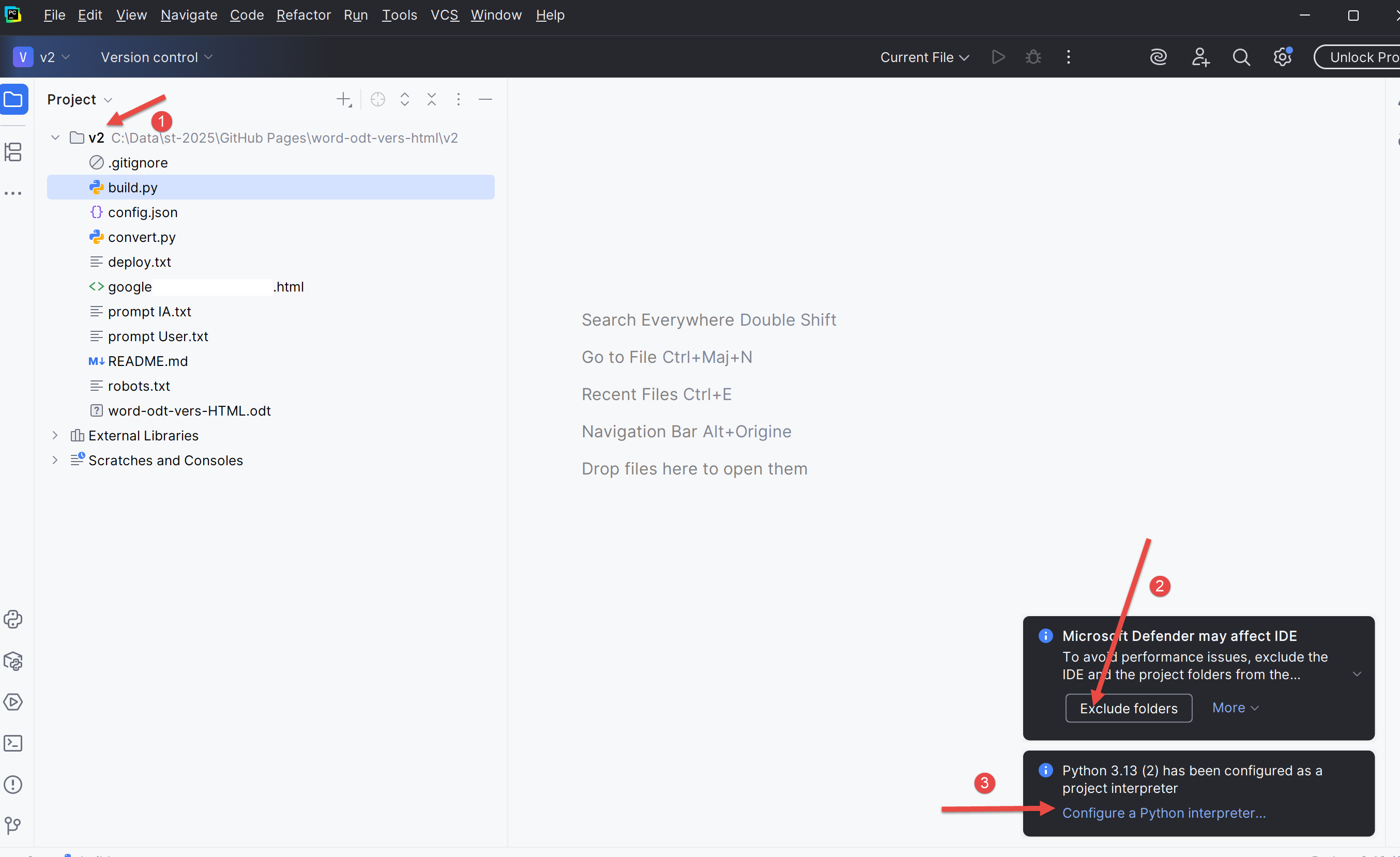 |
- In [1], select your Python project;
- In [2], confirm to avoid being bothered by the Windows security system;
- In [3], choose a Python interpreter;
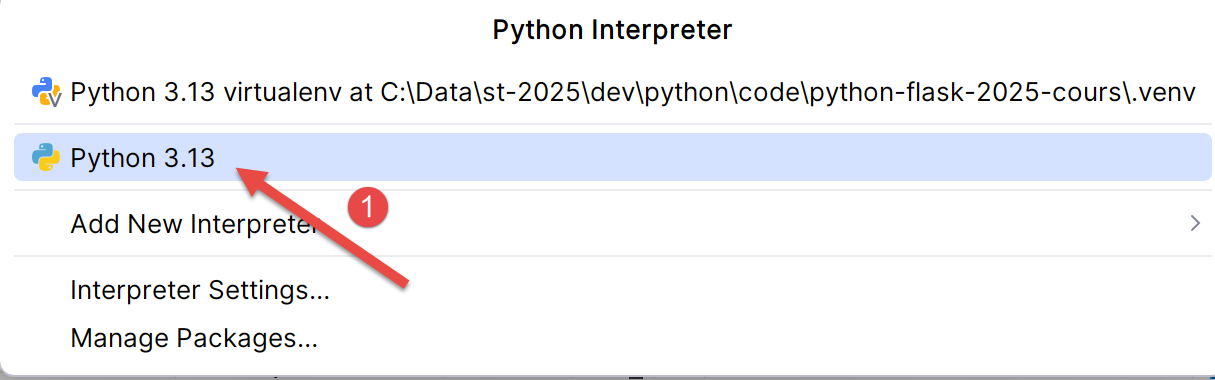 |
- In [1], select the Python interpreter you installed in the section5 ;
The Gemini/ChatGPT converter uses Python dependencies that you need to install. We’ll ask Gemini which ones:
 |
Gemini’s response is as follows:
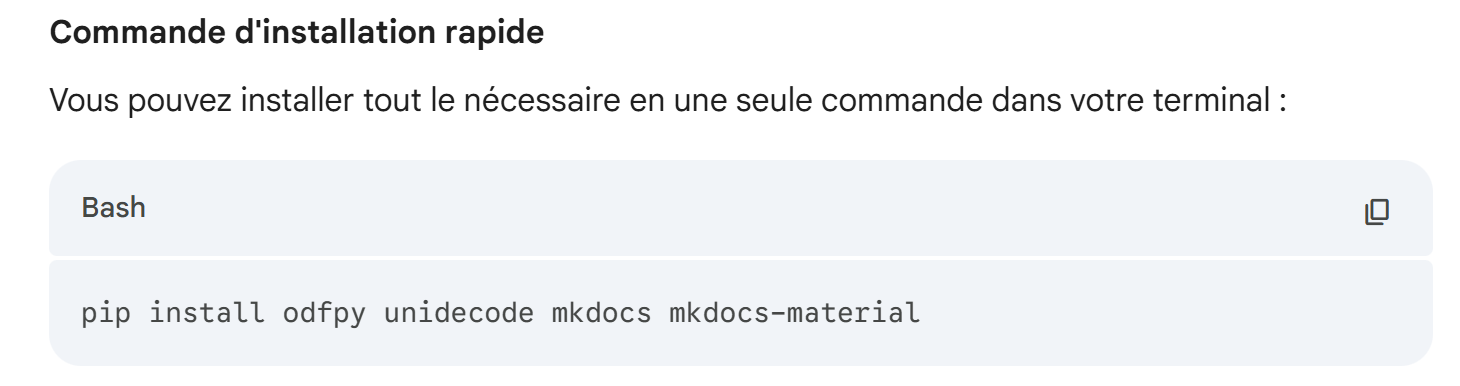 |
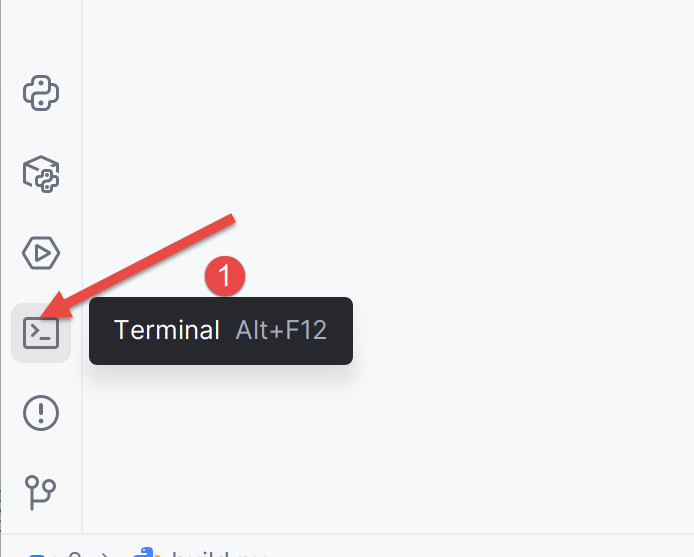
We’ll install these dependencies:
 |
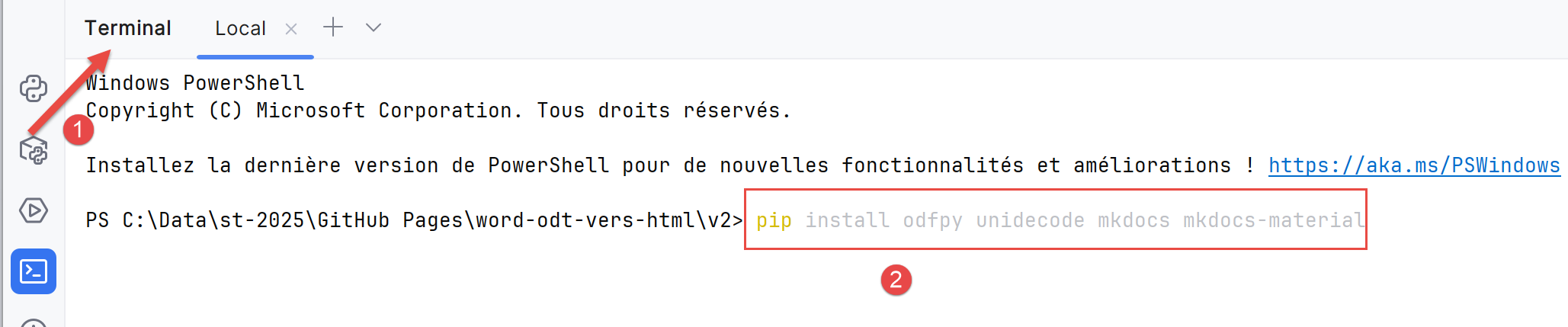
- In [1], open a terminal;
 |
- In [2], type the command provided by Gemini;
The response is as follows:
PS C:\Data\st-2025\GitHub Pages\word-odt-vers-html\v2> pip install odfpy unidecode mkdocs mkdocs-material
Defaulting to user installation because normal site-packages is not writable
Requirement already satisfied: odfpy in c:\users\serge\appdata\roaming\python\python313\site-packages (1.4.1)
Requirement already satisfied: unidecode in c:\users\serge\appdata\roaming\python\python313\site-packages (1.4.0)
Requirement already satisfied: mkdocs in c:\users\serge\appdata\roaming\python\python313\site-packages (1.6.1)
Requirement already satisfied: mkdocs-material in c:\users\serge\appdata\roaming\python\python313\site-packages (9.7.0)
Requirement already satisfied: defusedxml in c:\users\serge\appdata\roaming\python\python313\site-packages (from odfpy) (0.7.1)
Requirement already satisfied: click>=7.0 in c:\users\serge\appdata\roaming\python\python313\site-packages (from mkdocs) (8.3.1)
Requirement already satisfied: colorama>=0.4 in c:\users\serge\appdata\roaming\python\python313\site-packages (from mkdocs) (0.4.6)
Requirement already satisfied: ghp-import>=1.0 in c:\users\serge\appdata\roaming\python\python313\site-packages (from mkdocs) (2.1.0)
Requirement already satisfied: jinja2>=2.11.1 in c:\users\serge\appdata\roaming\python\python313\site-packages (from mkdocs) (3.1.6)
Requirement already satisfied: markdown>=3.3.6 in c:\users\serge\appdata\roaming\python\python313\site-packages (from mkdocs) (3.10)
Requirement already satisfied: markupsafe>=2.0.1 in c:\users\serge\appdata\roaming\python\python313\site-packages (from mkdocs) (3.0.2)
Requirement already satisfied: mergedeep>=1.3.4 in c:\users\serge\appdata\roaming\python\python313\site-packages (from mkdocs) (1.3.4)
Requirement already satisfied: mkdocs-get-deps>=0.2.0 in c:\users\serge\appdata\roaming\python\python313\site-packages (from mkdocs) (0.2.0)
Requirement already satisfied: packaging>=20.5 in c:\users\serge\appdata\roaming\python\python313\site-packages (from mkdocs) (25.0)
Requirement already satisfied: pathspec>=0.11.1 in c:\users\serge\appdata\roaming\python\python313\site-packages (from mkdocs) (0.12.1)
Requirement already satisfied: pyyaml-env-tag>=0.1 in c:\users\serge\appdata\roaming\python\python313\site-packages (from mkdocs) (1.1)
Requirement already satisfied: pyyaml>=5.1 in c:\users\serge\appdata\roaming\python\python313\site-packages (from mkdocs) (6.0.2)
Requirement already satisfied: watchdog>=2.0 in c:\users\serge\appdata\roaming\python\python313\site-packages (from mkdocs) (6.0.0)
Requirement already satisfied: babel>=2.10 in c:\users\serge\appdata\roaming\python\python313\site-packages (from mkdocs-material) (2.17.0)
Requirement already satisfied: backrefs>=5.7.post1 in c:\users\serge\appdata\roaming\python\python313\site-packages (from mkdocs-material) (6.1)
Requirement already satisfied: mkdocs-material-extensions>=1.3 in c:\users\serge\appdata\roaming\python\python313\site-packages (from mkdocs-material) (1.3.1)
Requirement already satisfied: paginate>=0.5 in c:\users\serge\appdata\roaming\python\python313\site-packages (from mkdocs-material) (0.5.7)
Requirement already satisfied: pygments>=2.16 in c:\users\serge\appdata\roaming\python\python313\site-packages (from mkdocs-material) (2.19.2)
Requirement already satisfied: pymdown-extensions>=10.2 in c:\users\serge\appdata\roaming\python\python313\site-packages (from mkdocs-material) (10.17.2)
Requirement already satisfied: requests>=2.26 in c:\users\serge\appdata\roaming\python\python313\site-packages (from mkdocs-material) (2.32.5)
Requirement already satisfied: python-dateutil>=2.8.1 in c:\users\serge\appdata\roaming\python\python313\site-packages (from ghp-import>=1.0->mkdocs) (2.9.0.post0)
Requirement already satisfied: platformdirs>=2.2.0 in c:\users\serge\appdata\roaming\python\python313\site-packages (from mkdocs-get-deps>=0.2.0->mkdocs) (4.5.0)
Requirement already satisfied: six>=1.5 in c:\users\serge\appdata\roaming\python\python313\site-packages (from python-dateutil>=2.8.1->ghp-import>=1.0->mkdocs) (1.17.0)
Requirement already satisfied: charset_normalizer<4,>=2 in c:\users\serge\appdata\roaming\python\python313\site-packages (from requests>=2.26->mkdocs-material) (3.4.3)
Requirement already satisfied: idna<4,>=2.5 in c:\users\serge\appdata\roaming\python\python313\site-packages (from requests>=2.26->mkdocs-material) (3.10)
Requirement already satisfied: urllib3<3,>=1.21.1 in c:\users\serge\appdata\roaming\python\python313\site-packages (from requests>=2.26->mkdocs-material) (2.5.0)
Requirement already satisfied: certifi>=2017.4.17 in c:\users\serge\appdata\roaming\python\python313\site-packages (from requests>=2.26->mkdocs-material) (2025.8.3)
PS C:\Data\st-2025\GitHub Pages\word-odt-to-html\v2>
On my PC, everything was already installed. If that’s not the case for you, all the required dependencies will be installed.
Now we can use the converter. In the open terminal, type the following command:
PS C:\Data\st-2025\GitHub Pages\word-odt-to-html\v2> python .\convert_odt_v356.py .\word-odt-to-html-jan-2026.odt .\config.py
--- ODT to MkDocs Converter V356 ---
Processing .\word-odt-to-html-jan-2026.odt...
Copied: google5179c0eaff293e02.html
Copied: robots.txt
Copied: word-odt-to-html-jan-2026.pdf
Copied: word-odt-to-html-jan-2026.zip
Scanning references...
Generating Markdown...
[DEBUG PRE-H1] Tag=text:p Style='Standard' Text='...'
[DEBUG PRE-H1] Tag=text:p Style='Standard' Text='...'
[DEBUG PRE-H1] Tag=text:p Style='Standard' Text='...'
[DEBUG PRE-H1] Tag=text:p Style='Standard' Text='...'
[DEBUG PRE-H1] Tag=text:p Style='Standard' Text='...'
[DEBUG PRE-H1] Tag=text:p Style='Standard' Text='...'
[DEBUG PRE-H1] Tag=text:p Style='Standard' Text='...'
[DEBUG PRE-H1] Tag=text:p Style='Standard' Text='...'
[DEBUG PRE-H1] Tag=text:p Style='Standard' Text='...'
[DEBUG PRE-H1] Tag=text:p Style='Standard (WW)' Text='...'
[DEBUG PRE-H1] Tag=text:p Style='Standard (WW)' Text='...'
[DEBUG PRE-H1] Tag=text:p Style='P4' Text='Convert a Word or ODT document to a sta...'
>>> DOCUMENT TITLE FOUND: Convert a Word or ODT document to a MkDocs-compatible static HTML site using Gemini 3 and ChatGPT 5.2
[DEBUG PRE-H1] Tag=text:p Style='P2' Text='...'
[DEBUG PRE-H1] Tag=text:p Style='P2' Text='...'
[DEBUG PRE-H1] Tag=text:p Style='P2' Text='...'
[DEBUG PRE-H1] Tag=text:p Style='P3' Text='Serge Tahé, January 2026...'
[DEBUG PRE-H1] Tag=text:p Style='P2' Text='...'
[DEBUG PRE-H1] Tag=text:p Style='P2' Text='...'
[DEBUG PRE-H1] Tag=text:p Style='P2' Text='...'
[DEBUG PRE-H1] Tag=text:p Style='P4' Text='...'
[DEBUG PRE-H1] Tag=text:p Style='P4' Text='...'
[DEBUG PRE-H1] Tag=text:p Style='P4' Text='...'
[DEBUG PRE-H1] Tag=text:p Style='P4' Text='This site was created with the [Word or ...'
[DEBUG PRE-H1] Tag=text:h Style='P5' Text='Introduction...'
>>> CHAPTER 1: 1 Introduction
>>> CHAPTER 1: 2 Examples in this document
>>> CHAPTER 2: 2.1 Lists
>>> CHAPTER 3: 2.1.1 Bulleted lists
>>> CHAPTER 3: 2.1.2 Numbered lists
>>> CHAPTER 3: 2.1.3 Mixed lists 1
>>> CHAPTER 3: 2.1.4 Mixed lists 2
>>> CHAPTER 2: 2.2 Code Blocks
>>> CHAPTER 3: 2.2.1 Rich text code blocks (Eclipse, Visual Studio, ...)
>>> CHAPTER 3: 2.2.2 Plain text code blocks
>>> CHAPTER 2: 2.3 Links
>>> CHAPTER 2: 2.4 Text Formatting
>>> CHAPTER 2: 2.5 A title can also be formatted.
>>> CHAPTER 2: 2.6 Images
>>> CHAPTER 2: 2.7 Special characters
>>> CHAPTER 2: 2.8 Tables
>>> CHAPTER 2: 2.9 Footnotes
>>> CHAPTER 1: 3 What’s on the Internet
>>> CHAPTER 1: 4 The Initial Prompt for Gemini 3
>>> CHAPTER 1: 5 Setting up a Python development environment
>>> CHAPTER 1: 6 The converter's working directory
>>> CHAPTER 1: 7 The converter configuration file
>>> CHAPTER 1: 8 Using the ODT → HTML converter
>>> CHAPTER 1: 9 Using the DOCX → HTML converter
>>> CHAPTER 1: 10 Building the Static HTML Site
>>> CHAPTER 1: 11 Reviewing the Generated HTML Site
>>> CHAPTER 2: 11.1 The Site's Top Bar
>>> CHAPTER 2: 11.2 The Site Footer
>>> CHAPTER 2: 11.3 The Home Page
>>> CHAPTER 2: 11.4 Bulleted Lists
>>> CHAPTER 2: 11.5 Numbered lists
>>> CHAPTER 3: 11.5.1 Mixed lists 1
>>> CHAPTER 3: 11.5.2 Mixed Lists 2
>>> CHAPTER 2: 11.6 Rich Code Blocks
>>> CHAPTER 3: 11.6.1 Example 1
>>> CHAPTER 3: 11.6.2 Example 2
>>> CHAPTER 3: 11.6.3 Example 3
>>> CHAPTER 2: 11.7 Plain Text Code Blocks
>>> CHAPTER 3: 11.7.1 Example 1
>>> CHAPTER 3: 11.7.2 Example 2
>>> CHAPTER 3: 11.7.3 Example 3
>>> CHAPTER 2: 11.8 Other code blocks
>>> CHAPTER 2: 11.9 Links
>>> CHAPTER 2: 11.10 Text Formatting
>>> CHAPTER 2: 11.11 Images
>>> CHAPTER 2: 11.12 Special characters
>>> CHAPTER 2: 11.13 Tables
>>> CHAPTER 2: 11.14 Footnotes
>>> CHAPTER 2: 11.15 Known Issues
>>> CHAPTER 2: 11.16 Other Cases
>>> CHAPTER 1: 12 Hosting the HTML Site on GitHub
>>> CHAPTER 1: 13 Tracking the Site with Google Analytics and Google Search Console
>>> CHAPTER 1: 14 Conclusion
Done.
- Line 1: the command that converts the ODT document into a MkDocs site [python convert_odt_v356.py .\word-odt-to-html-jan-2026.odt .\config.py]. ]. Adjust the version number (here 356) to the version you downloaded. The first parameter of the converter is the ODT document to be converted, the second is the converter’s configuration file;
- lines 4–7: the files that the converter copies to the root of the MkDocs site it creates;
- lines 10–34: debugging the styles of the paragraphs preceding the first Level 1 heading. These paragraphs will form the home page. One of the paragraphs serves as the title of the home page and thus of the site. This is the paragraph on line 21. Note its style, P1. You must include this style in the configuration file:
STYLES = {
    "style_names": [
        "P4"
    ]
}
- lines 35-88: I asked the AI to log all the chapters it encountered;
This execution has modified your working directory:
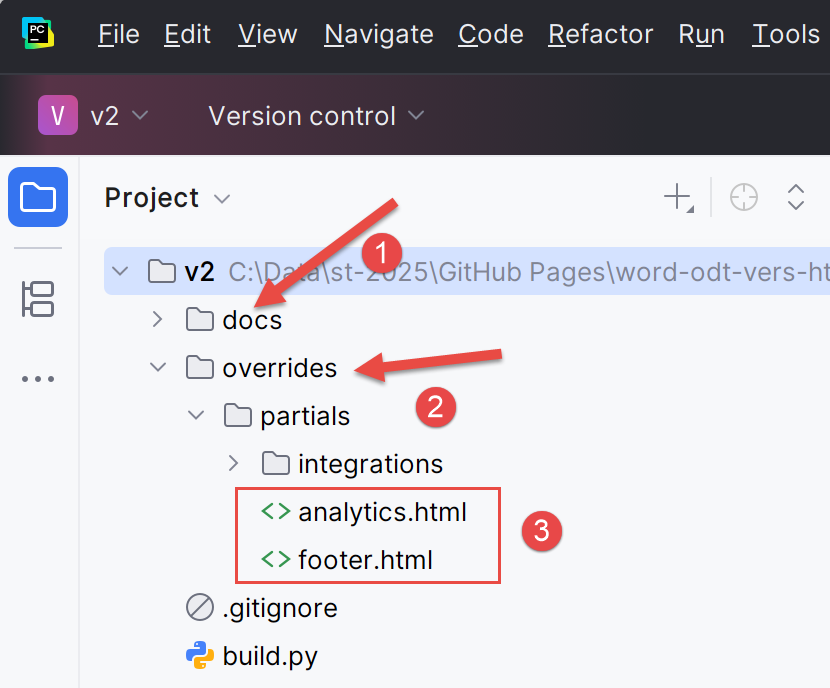 |
- In [1], [docs] is the MkDocs site that the Gemini/ChatGPT converter created. You might be curious to visit it;
- in [2], an [overrides] folder has been created. It will be used by the [build] tool for the HTML site;
- in [3]: [analytics.html] will be used for tracking the site via Google Analytics. [footer.html] is the footer you defined in the [config.py] file;
We could use the MkDocs site right now. The command [python -m mkdocs serve] lets you view it. You can try:
PS C:\Data\st-2025\GitHub Pages\word-odt-vers-html\v2> python -m mkdocs serve
INFO    -  Building documentation...
INFO    -  Cleaning site directory
INFO    -  Doc file 'les-exemples.md' contains a link '#_Les_exemples', but there is no such anchor on this page.
INFO    -  Documentation built in 0.41 seconds
INFO    -  [15:46:06] Serving on http://127.0.0.1:8000/word-odt-vers-html-janv-2026/
Ctrl-click on the link on line 6. The MkDocs site should appear:
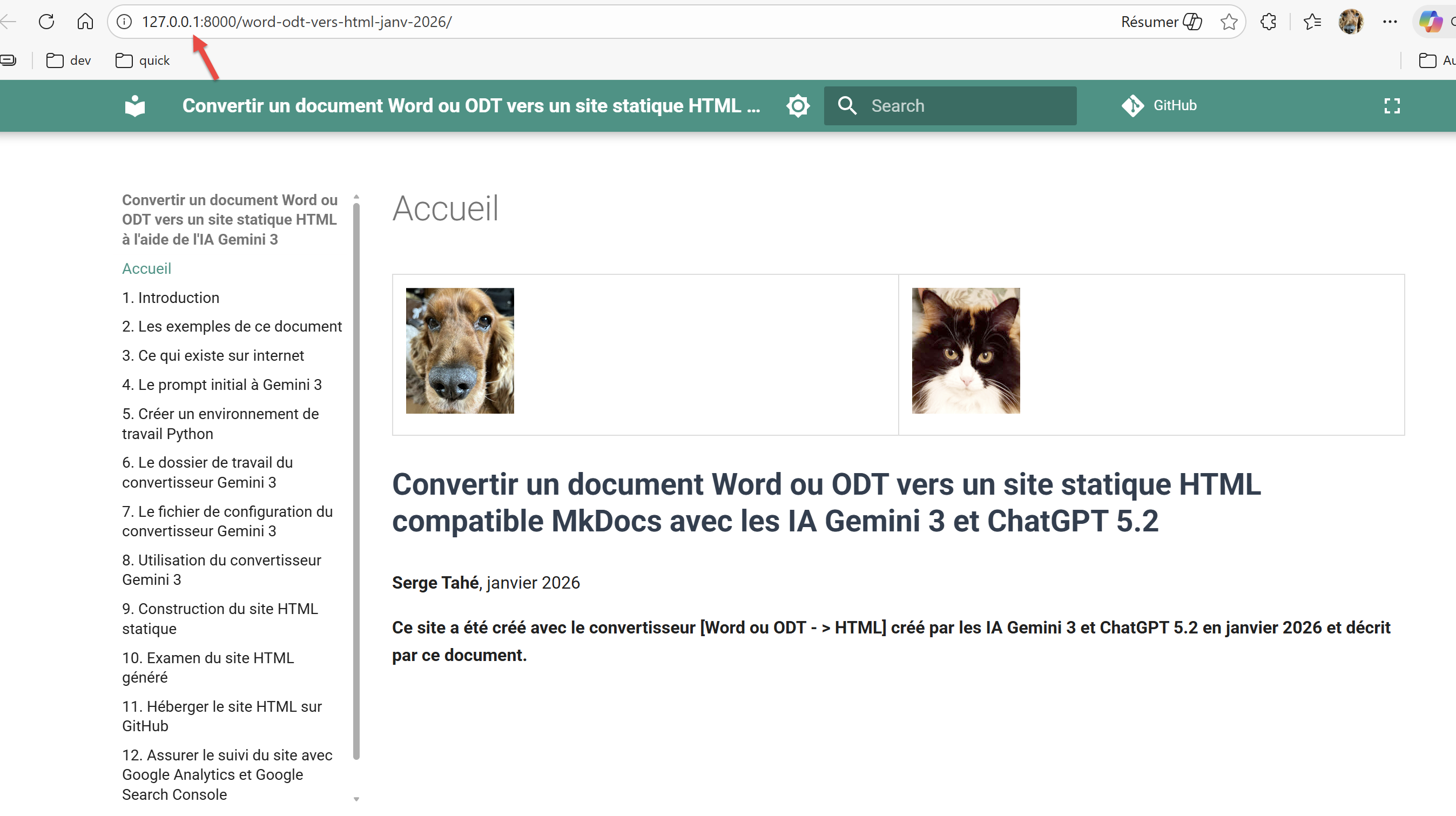 |
Here is the result of a long effort. To stop the MkDocs server, simply press Ctrl-C in the terminal that launched it.