10. Building the static HTML site
From now on, there is no difference between ODT and DOCX documents. We work on the MkDocs site built by either converter.
Now let’s build the HTML site. This is done using the [build] script. Still in the terminal, type the following command:
PS C:\Data\st-2025\GitHub Pages\word-odt-to-html\v2> python .\build.py
Starting to build the MkDocs site...
Build successful! The site is located at: C:\Data\st-2025\GitHub Pages\word-odt-vers-html\v2\site
Opening C:\Data\st-2025\GitHub Pages\word-odt-vers-html\v2\site\index.html in the browser…
- line 1: the [python build] command creates the HTML site from the MkDocs site;
- line 4: the site is displayed in a browser;
The result is the same as for the MkDocs site:
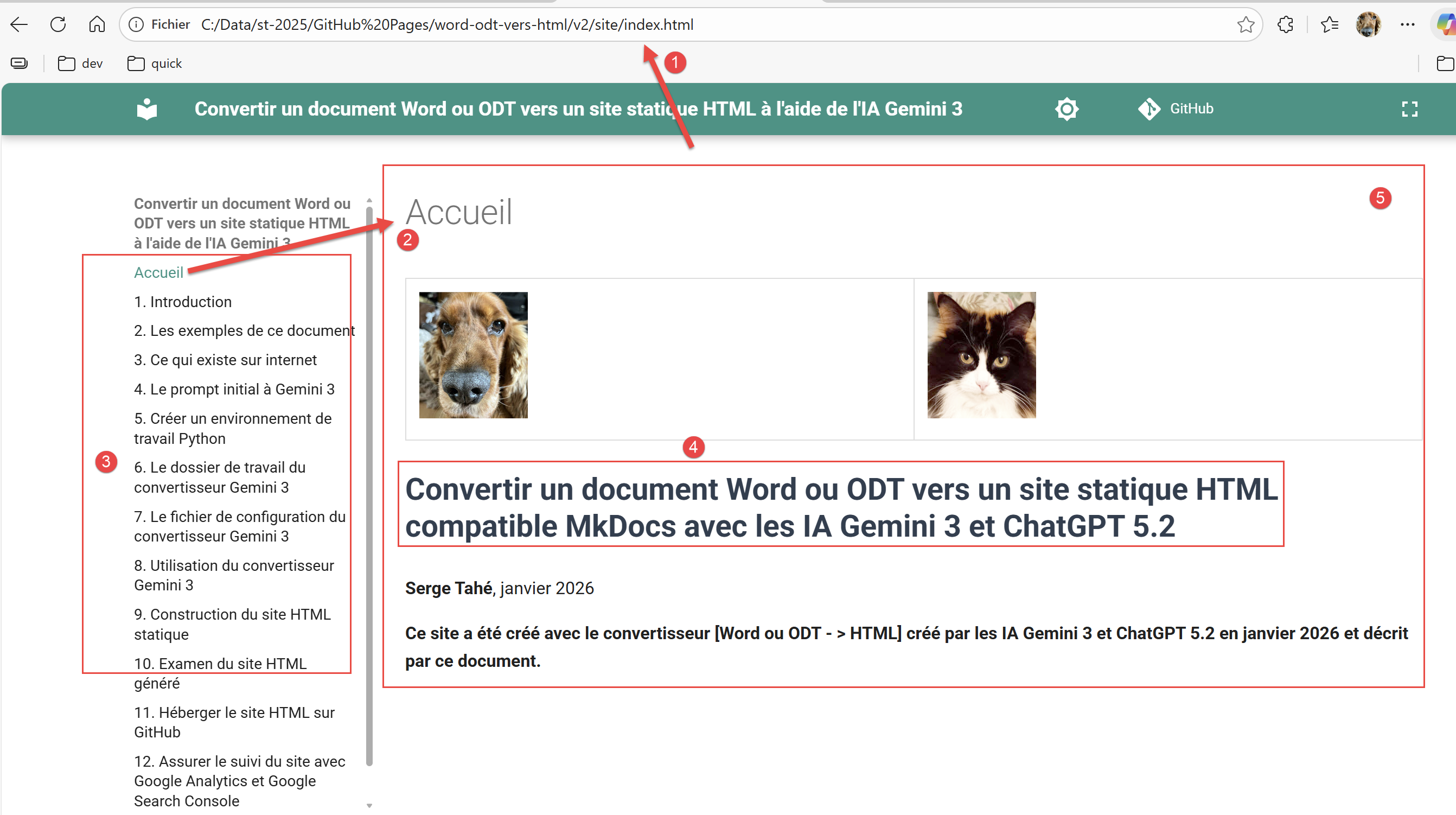 |
- In [1], we can see that an HTML page is being displayed;
- In [2], this page corresponds to the site’s home page;
- In [3], the table of contents for the HTML document;
- In [4], the document title has been formatted according to its configuration in [config.py];
- In [5], the first page displayed is [Home]. The content of this page is the content of the ODT/DOCX document preceding the first Chapter 1-level chapter;
Running [build] has modified your working directory:
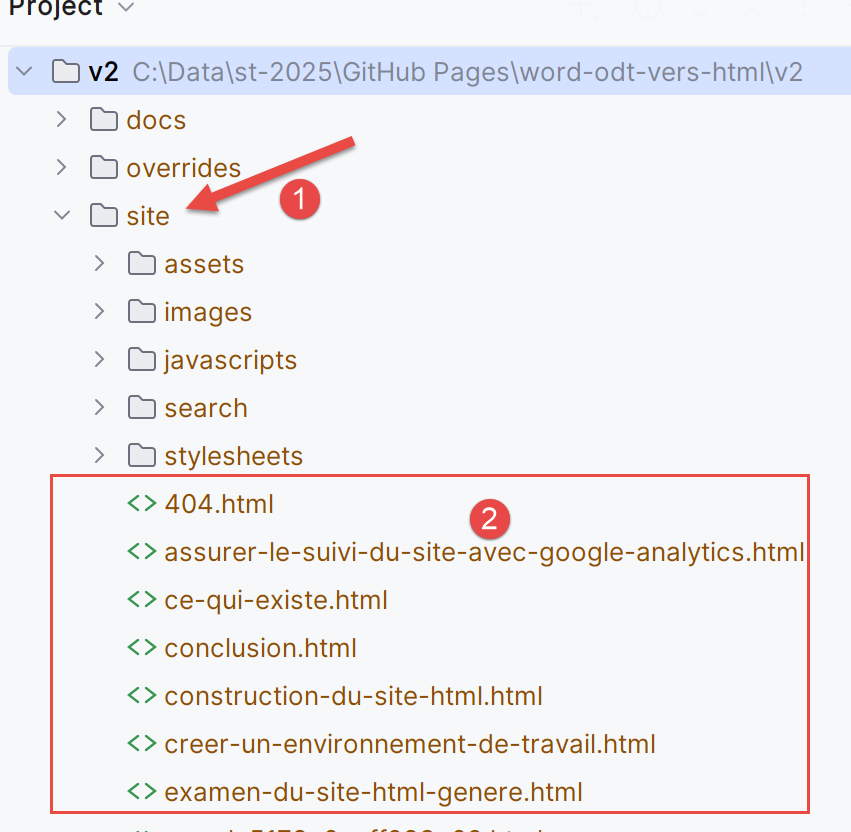 |
- In [1], a new [site] folder has been created. It contains your static HTML site;
- In [2], the pages of your site;