2. Controllers, Actions, Routing
This chapter examines the path a request takes, from the browser to the action that processes it, and the response that action returns. Views will not be introduced until Chapter 4: here, actions return text or JSON directly.
2.1. Example 01: The Structure of a NestJS Application
The first example is the smallest possible [NestJS] application. It has three files:
| 01-structure/
├── src/
│ ├── app.controller.ts
│ ├── app.module.ts
│ └── main.ts
├── nest-cli.json
└── tsconfig.json
|
2.1.1. The entry point: main.ts
| import { NestFactory } from '@nestjs/core';
import { AppModule } from './app.module';
async function bootstrap() {
// builds the application from its root module
const app = await NestFactory.create(AppModule);
// starts the HTTP server on port 3000
await app.listen(3000);
console.log('Server started on http://localhost:3000');
}
bootstrap();
|
Let’s comment on this code:
- line 1: [NestFactory] is the “factory” for [NestJS] applications;
- line 2: the application’s root module, which we’ll cover later;
- line 4: the startup function is asynchronous ([async]): building the application and starting the server take time, and we wait ([await]) for each step to complete;
- line 6: builds the application from its root module. [NestJS] then discovers all the application’s controllers and services and creates their instances;
- line 8: starts the HTTP server on port 3000;
- line 12: calls the startup function.
2.1.2. The root module: app.module.ts
| import { Module } from '@nestjs/common';
import { AppController } from './app.controller';
@Module({
controllers: [AppController],
})
export class AppModule {}
|
- Line 4: The [@Module] decorator turns the [AppModule] class into a [NestJS] module. A module groups together controllers and services that belong together. A small application has only one module; a large one has several (see Example 06);
- line 5: the list of controllers in the module;
- line 7: the class itself is empty—everything is in the decorator.
2.1.3. The controller: app.controller.ts
| import { Controller, Get } from '@nestjs/common';
@Controller()
export class AppController {
@Get()
home(): string {
return 'Hello from NestJS!';
}
}
|
- Line 3: The [@Controller()] decorator turns the class into a controller. Without any arguments, its routes start at the root of the site ([/]);
- Line 5: The [@Get()] decorator associates the [home] method with [GET /] requests. A method decorated in this way is an action;
- line 7: The value returned by the action is the response sent to the browser.
2.1.4. Execution
In a console opened in the [01-structure] folder, type [npx nest start]:
| [Nest] 12654 - 09/23/2026, 4:02:05 PM LOG [NestFactory] Starting Nest application...
[Nest] 12654 - 09/23/2026, 4:02:05 PM LOG [InstanceLoader] AppModule dependencies initialized +9ms
[Nest] 12654 - 09/23/2026, 4:02:05 PM LOG [RoutesResolver] AppController {/}: +4ms
[Nest] 12654 - 09/23/2026, 4:02:05 PM LOG [RouterExplorer] Mapped {/, GET} route +2ms
[Nest] 12654 - 09/23/2026, 4:02:05 PM LOG [NestApplication] Nest application successfully started +2ms
Server started on http://localhost:3000
|
[NestJS] displays the routes it found: in this case, only one, [{/, GET}], served by [AppController]. Let’s look up URL and [http://localhost:3000/] using a browser:
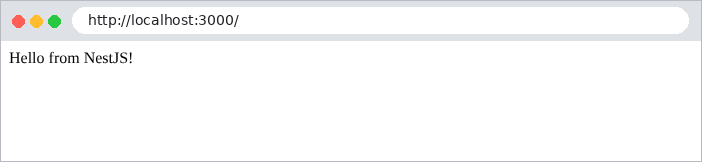
then with [curl]. The [-i] option also displays the HTTP headers from the response (we’ll only show a few of them here):
| curl -i http://localhost:3000/
|
| HTTP/1.1 200 OK
Content-Type: text/html; charset=utf-8
Content-Length: 18
Hello from NestJS!
|
A string returned by an action is sent with the header [Content-Type: text/html]: the browser interprets it as HTML.
2.2. Example 02: Routing
Routing associates a URL and a method HTTP (GET, POST...) with an action. Example 02 has two controllers:
| 02-routing/
├── src/
│ ├── app.controller.ts
│ ├── app.module.ts
│ ├── first.controller.ts
│ └── main.ts
├── nest-cli.json
└── tsconfig.json
|
The file [src/app.module.ts]:
| import { Module } from '@nestjs/common';
import { AppController } from './app.controller';
import { FirstController } from './first.controller';
@Module({
controllers: [AppController, FirstController],
})
export class AppModule {}
|
Line 6: The module declares its two controllers.
The file [src/app.controller.ts]:
| import { Controller, Get } from '@nestjs/common';
@Controller()
export class AppController {
// GET /
@Get()
home(): string {
return `<h2>Example 02 - routing</h2>
<ul>
<li><a href="/first">/first</a></li>
<li><a href="/first/action01">/first/action01</a></li>
<li><a href="/first/products/17">/first/products/17</a></li>
<li><a href="/first/products/17/reviews/3">/first/products/17/reviews/3</a></li>
<li><a href="/first/files/images/logo.png">/first/files/images/logo.png</a></li>
<li><a href="/unknown">/unknown</a></li>
</ul>`;
}
}
|
The [home] action (lines 6–17) returns a HTML page that contains links to the actions of the other controller:
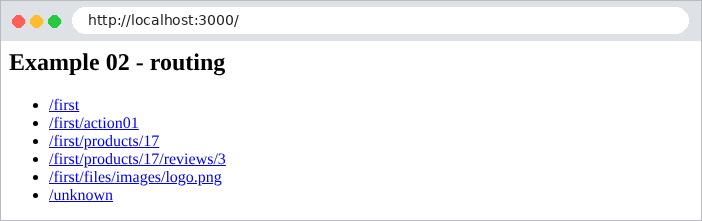
The file [src/first.controller.ts]:
| import { Controller, Get, Param, Post } from '@nestjs/common';
@Controller('first')
export class FirstController {
// GET /first
@Get()
index(): string {
return 'Action [index] of the [first] controller';
}
// GET /first/action01
@Get('action01')
action01(): string {
return 'Action [action01] of the [first] controller, GET request';
}
// POST /first/action01: same path, another HTTP method
@Post('action01')
action01Post(): string {
return 'Action [action01Post] of the [first] controller, POST request';
}
// GET /first/products/17: [:id] is a route parameter
@Get('products/:id')
product(@Param('id') id: string): string {
return `Product no. ${id}`;
}
// GET /first/products/17/reviews/3: two route parameters
@Get('products/:id/reviews/:number')
review(@Param() params: { id: string; number: string }): string {
return `Review no. ${params.number} of product no. ${params.id}`;
}
// GET /first/files/...: [*] accepts any end of path
@Get('files/*')
file(@Param('0') path: string): string {
return `Requested file: ${path}`;
}
}
|
Let’s break down this code:
- line 3: [@Controller('first')] sets the prefix common to all routes in the controller: its actions handle URL routes that begin with [/first];
- lines 6–7: [@Get()] with no arguments: the action [index] handles [GET /first];
- lines 12–13: the action [action01] processes [GET /first/action01]. URL is the concatenation of the controller prefix and the action path;
- lines 18–19: the same path, but for the POST method: [@Post] replaces [@Get]. There are also [@Put], [@Delete], [@Patch], [@All]... The method name [TypeScript] ([action01Post]) is arbitrary: only the decorators matter for routing;
- Lines 24–25: [:id] is a route parameter: this segment of URL can take any value. The [@Param('id')] decorator injects its value into the action’s [id] parameter. This value is always a string: for [/first/products/17], [id] is ['17'], not the number 17;
- lines 30–31: two route parameters. [@Param()] without an argument injects an object that contains them all: [{ id: '17', number: '3' }];
- lines 36–37: the character [*] accepts any ending of URL, including [/]. The corresponding part is the parameter named [0].
Upon startup, [NestJS] displays all routes:
| [Nest] 12690 - 09/23/2026, 4:02:10 PM LOG [NestFactory] Starting Nest application...
[Nest] 12690 - 09/23/2026, 4:02:10 PM LOG [InstanceLoader] AppModule dependencies initialized +17ms
[Nest] 12690 - 09/23/2026, 4:02:10 PM LOG [RoutesResolver] AppController {/}: +8ms
[Nest] 12690 - 09/23/2026, 4:02:10 PM LOG [RouterExplorer] Mapped {/, GET} route +7ms
[Nest] 12690 - 09/23/2026, 4:02:10 PM LOG [RoutesResolver] FirstController {/first}: +0ms
[Nest] 12690 - 09/23/2026, 4:02:10 PM LOG [RouterExplorer] Mapped {/first, GET} route +1ms
[Nest] 12690 - 09/23/2026, 4:02:10 PM LOG [RouterExplorer] Mapped {/first/action01, GET} route +0ms
[Nest] 12690 - 09/23/2026, 4:02:10 PM LOG [RouterExplorer] Mapped {/first/action01, POST} route +1ms
[Nest] 12690 - 09/23/2026, 4:02:10 PM LOG [RouterExplorer] Mapped {/first/products/:id, GET} route +0ms
[Nest] 12690 - 09/23/2026, 4:02:10 PM LOG [RouterExplorer] Mapped {/first/products/:id/reviews/:number, GET} route +1ms
[Nest] 12690 - 09/23/2026, 4:02:10 PM LOG [RouterExplorer] Mapped {/first/files/*, GET} route +1ms
[Nest] 12690 - 09/23/2026, 4:02:10 PM LOG [NestApplication] Nest application successfully started +2ms
Server started on http://localhost:3000
|
Here are the responses to a few queries:
| curl -i http://localhost:3000/first
|
| HTTP/1.1 200 OK
Content-Type: text/html; charset=utf-8
Content-Length: 40
Action [index] of the [first] controller
|
| curl -i http://localhost:3000/first/action01
|
| HTTP/1.1 200 OK
Content-Type: text/html; charset=utf-8
Content-Length: 56
Action [action01] of the [first] controller, GET request
|
| curl -i http://localhost:3000/first/products/17
|
| HTTP/1.1 200 OK
Content-Type: text/html; charset=utf-8
Content-Length: 14
Product no. 17
|
| curl -i http://localhost:3000/first/products/17/reviews/3
|
| HTTP/1.1 200 OK
Content-Type: text/html; charset=utf-8
Content-Length: 30
Review no. 3 of product no. 17
|
| curl -i http://localhost:3000/first/files/images/logo.png
|
| HTTP/1.1 200 OK
Content-Type: text/html; charset=utf-8
Content-Length: 31
Requested file: images/logo.png
|
To send a POST request, use the [-X POST] option of [curl]:
| curl -i -X POST http://localhost:3000/first/action01
|
| HTTP/1.1 201 Created
Content-Type: text/html; charset=utf-8
Content-Length: 61
Action [action01Post] of the [first] controller, POST request
|
Note the status code 201 Created: this is the code that [NestJS] uses by default to respond to a POST. We’ll see how to change it. Finally, a URL that is not handled by any route produces a 404 error, which [NestJS] maps by default to JSON:
| curl -i http://localhost:3000/unknown
|
| HTTP/1.1 404 Not Found
Content-Type: application/json; charset=utf-8
Content-Length: 70
{"message":"Cannot GET /unknown","error":"Not Found","statusCode":404}
|

Chapter 7 will show how to replace this JSON with a HTML page.
2.3. Example 03: Responses to an Action
What an action returns determines the response HTTP. Example 03 reviews the main cases:
The [src/responses.controller.ts] file:
| import { Controller, Get, Header, HttpCode, NotFoundException } from '@nestjs/common';
@Controller('responses')
export class ResponsesController {
// a string: sent as is, with the [text/html] type
@Get('html')
html(): string {
return '<h1>Action [html]</h1>';
}
// the same string, but announced as plain text
@Get('text')
@Header('Content-Type', 'text/plain; charset=utf-8')
text(): string {
return '<h1>Action [text]</h1>';
}
// an object: serialized to JSON, with the [application/json] type
@Get('json')
json(): object {
return { lastName: 'Martin', firstName: 'Jean', age: 42 };
}
// an array: also serialized to JSON
@Get('array')
array(): string[] {
return ['Mme', 'Mlle', 'Mr'];
}
// a chosen status code: 201 (Created) instead of 200 (OK)
@Get('created')
@HttpCode(201)
created(): object {
return { message: 'resource created' };
}
// no response: the 204 (No Content) code means "nothing to display"
@Get('empty')
@HttpCode(204)
empty(): void {}
// an asynchronous method: NestJS waits for the promise to settle
@Get('promise')
async promise(): Promise<object> {
const start = Date.now();
await new Promise((done) => setTimeout(done, 500));
return { wait: `${Date.now() - start} ms` };
}
// an exception: NestJS turns it into an error response
@Get('error')
error(): string {
throw new NotFoundException('This resource does not exist');
}
}
|
Let’s break down this code:
- lines 6–9: a string is sent as-is, with the header [Content-Type: text/html; charset=utf-8];
- lines 12–16: the [@Header] decorator sets a response header. Declared as plain text ([text/plain]), the same string is no longer interpreted by the browser;
- lines 19–22: an object is serialized as JSON, with the header [Content-Type: application/json];
- lines 25–28: an array is also serialized as JSON;
- lines 31–35: [@HttpCode(201)] changes the response status code (default 200 for a GET);
- lines 38–40: the code 204 (No Content) means “no content”: the action returns nothing;
- lines 43–48: an action can be asynchronous ([async]): in that case, it returns a promise ([Promise]), and [NestJS] waits for it to resolve before responding. This is the case for all actions that query a database;
- Lines 51–54: An action can trigger an exception. The exceptions for [NestJS] ([NotFoundException], [BadRequestException], [ForbiddenException]...) each carry a status code HTTP (here 404), which [NestJS] uses for its response.
The responses received:
| curl -i http://localhost:3000/responses/html
|
| HTTP/1.1 200 OK
Content-Type: text/html; charset=utf-8
Content-Length: 22
<h1>Action [html]</h1>
|
| curl -i http://localhost:3000/responses/text
|
| HTTP/1.1 200 OK
Content-Type: text/plain; charset=utf-8
Content-Length: 22
<h1>Action [text]</h1>
|
| curl -i http://localhost:3000/responses/json
|
| HTTP/1.1 200 OK
Content-Type: application/json; charset=utf-8
Content-Length: 49
{"lastName":"Martin","firstName":"Jean","age":42}
|
| curl -i http://localhost:3000/responses/array
|
| HTTP/1.1 200 OK
Content-Type: application/json; charset=utf-8
Content-Length: 19
["Mme","Mlle","Mr"]
|
| curl -i http://localhost:3000/responses/created
|
| HTTP/1.1 201 Created
Content-Type: application/json; charset=utf-8
Content-Length: 30
{"message":"resource created"}
|
| curl -i http://localhost:3000/responses/empty
|
| curl -i http://localhost:3000/responses/promise
|
| HTTP/1.1 200 OK
Content-Type: application/json; charset=utf-8
Content-Length: 17
{"wait":"501 ms"}
|
| curl -i http://localhost:3000/responses/error
|
| HTTP/1.1 404 Not Found
Content-Type: application/json; charset=utf-8
Content-Length: 79
{"message":"This resource does not exist","error":"Not Found","statusCode":404}
|
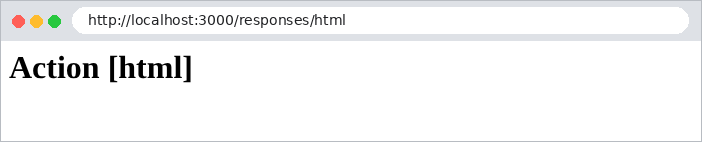
In a browser, the difference between [text/html] and [text/plain] is visible:

2.4. Example 04: Redirects
An action may respond with a redirect: a 301 or 302 status code and a [Location] header that tells the browser which URL to request next. The browser requests it immediately, without user intervention. Redirects are ubiquitous in a web application: after a successful form submission, after logging in, after changing the language...
The [src/redirects.controller.ts] file:
| import { Controller, Get, Param, Redirect } from '@nestjs/common';
@Controller()
export class RedirectsController {
// fixed redirect: the address and the code are known in advance
@Get('old')
@Redirect('/new', 301)
oldPage(): void {}
@Get('new')
newPage(): string {
return 'You are on the [new] page';
}
// computed redirect: the returned object replaces the @Redirect() address
@Get('go/:destination')
@Redirect()
go(@Param('destination') destination: string): { url: string } {
return { url: `/page/${destination}` };
}
@Get('page/:name')
page(@Param('name') name: string): string {
return `You are on the [${name}] page`;
}
// redirect to another site
@Get('documentation')
@Redirect('https://docs.nestjs.com')
documentation(): void {}
}
|
Let’s break down this code:
- lines 6–8: [@Redirect('/new', 301)]: a permanent redirect. The 301 code (Moved Permanently) indicates that the page has permanently changed its address; the default code is 302 (Found), a temporary redirect;
- lines 16–20: a calculated redirect: [@Redirect()] without an argument, and the action returns an object [{ url: ... }] that sets the destination address;
- lines 28–30: You can redirect to another site.
[curl] shows the redirect without following it:
| curl -i http://localhost:3000/old
|
| HTTP/1.1 301 Moved Permanently
Location: /new
Content-Type: text/plain; charset=utf-8
Content-Length: 38
Moved Permanently. Redirecting to /new
|
With the [-L] option, [curl] follows the redirect, just as a browser would. We then see the two successive responses:
| curl -i -L http://localhost:3000/old
|
| HTTP/1.1 301 Moved Permanently
Location: /new
Content-Type: text/plain; charset=utf-8
HTTP/1.1 200 OK
Content-Type: text/html; charset=utf-8
You are on the [new] page
|
| curl -i http://localhost:3000/go/contact
|
| HTTP/1.1 302 Found
Location: /page/contact
Content-Type: text/plain; charset=utf-8
Content-Length: 35
Found. Redirecting to /page/contact
|
In the browser, only the final page is visible; the address bar displays the new URL:

| curl -i http://localhost:3000/documentation
|
| HTTP/1.1 302 Found
Location: https://docs.nestjs.com
Content-Type: text/plain; charset=utf-8
Content-Length: 45
Found. Redirecting to https://docs.nestjs.com
|
2.5. Example 05: The Request and Response Objects in Express
[NestJS] relies on the web server [Express]. An action can directly access the [Request] and [Response] objects from [Express]. This is sometimes necessary, and we’ll do it in the case study (to set a cookie, for example), but you need to be aware of what you’re losing.
The [src/express.controller.ts] file:
| import { Controller, Get, Req, Res } from '@nestjs/common';
import { Request, Response } from 'express';
@Controller('express')
export class ExpressController {
// the Express request: method, URL, headers...
@Get('request')
request(@Req() req: Request): object {
return {
method: req.method,
url: req.url,
path: req.path,
browser: req.get('user-agent'),
};
}
// the Express response: the action sends the response itself
@Get('response')
response(@Res() res: Response): void {
res.status(200).type('text/plain').send('Response sent by [res.send]');
}
// redirect with the Express response
@Get('redirect')
redirect(@Res() res: Response): void {
res.redirect('/express/response');
}
// passthrough: we use the response (here for a header), but NestJS
// still sends the value returned by the action itself
@Get('passthrough')
passthrough(@Res({ passthrough: true }) res: Response): string {
res.setHeader('X-Example', '05-express');
return 'Response sent by NestJS, with an added header';
}
// MISTAKE not to make: @Res() without passthrough, and nothing sent
@Get('blocked')
blocked(@Res() res: Response): string {
return 'This string will never be sent: the browser keeps waiting...';
}
}
|
Let’s break down this code:
- line 2: the types [Request] and [Response] from [Express];
- Lines 7–15: [@Req()] injects the request [Express]: method HTTP, URL, path, headers ([req.get(...)])... ;
- lines 18–21: [@Res()] injects the response [Express]. Note: As soon as an action uses [@Res()], [NestJS] assumes that it is the one sending the response and ignores what it returns. Here, the action sets the status code and type, and sends the body using [res.send];
- lines 24–27: a 302 redirect performed by [Express] to [res.redirect(url)];
- lines 31–35: With the [passthrough: true] option, the action uses the response (here to add a header) but lets [NestJS] send what it returns. It’s the best of both worlds;
- lines 38–41: the mistake to avoid: [@Res()] without [passthrough], and no calls to [res.send], [res.redirect], [res.render].... The returned string is ignored, no response is ever sent, and the browser waits indefinitely.
Responses received:
| curl -i -A "Mozilla/5.0 (example)" http://localhost:3000/express/request
|
| HTTP/1.1 200 OK
Content-Type: application/json; charset=utf-8
Content-Length: 101
{"method":"GET","url":"/express/request","path":"/express/request","browser":"Mozilla/5.0 (example)"}
|
(the [-A] option in [curl] sets the [User-Agent] header, which identifies the browser)
| curl -i http://localhost:3000/express/response
|
| HTTP/1.1 200 OK
Content-Type: text/plain; charset=utf-8
Content-Length: 27
Response sent by [res.send]
|
| curl -i http://localhost:3000/express/redirect
|
| HTTP/1.1 302 Found
Location: /express/response
Content-Type: text/plain; charset=utf-8
Content-Length: 39
Found. Redirecting to /express/response
|
| curl -i http://localhost:3000/express/passthrough
|
| HTTP/1.1 200 OK
X-Example: 05-express
Content-Type: text/html; charset=utf-8
Content-Length: 45
Response sent by NestJS, with an added header
|
For the last action, we limit the wait to 3 seconds using the [-m 3] option:
| curl -i -m 3 http://localhost:3000/express/blocked
|
| curl: (28) Operation timed out after 3002 milliseconds with 0 bytes received
|
In the rest of this document, we will use [@Res()] when an action must choose between several responses of different types (a page or a redirect), and we will ensure that each path in the code sends a response.
2.6. Example 06: Modules, Services, and Dependency Injection
Controllers should not contain application logic; they delegate it to services. Example 06 breaks down a small application into two modules:
| 06-modules/
├── src/
│ ├── clients/
│ │ ├── clients.controller.ts
│ │ └── clients.module.ts
│ ├── products/
│ │ ├── products.controller.ts
│ │ ├── products.module.ts
│ │ └── products.service.ts
│ ├── app.module.ts
│ └── main.ts
├── nest-cli.json
└── tsconfig.json
|
2.6.1. The ProductsService service
| import { Injectable } from '@nestjs/common';
export interface Product {
id: number;
name: string;
price: number;
}
@Injectable()
export class ProductsService {
private readonly products: Product[] = [
{ id: 1, name: 'pen', price: 1.5 },
{ id: 2, name: 'notebook', price: 3.2 },
{ id: 3, name: 'eraser', price: 0.8 },
];
findAll(): Product[] {
return this.products;
}
findById(id: number): Product | undefined {
return this.products.find((p) => p.id === id);
}
}
|
- Lines 3–7: The [Product] interface describes a product;
- line 9: the decorator [@Injectable()] turns the class into a service (also called a provider): [NestJS] creates a single instance of it, which it provides (injects) to all who need it;
- lines 11–15: the data, here in memory;
- lines 17–23: the service’s two methods.
2.6.2. The ProductsController controller
| import { Controller, Get, NotFoundException, Param } from '@nestjs/common';
import { Product, ProductsService } from './products.service';
@Controller('products')
export class ProductsController {
// dependency injection: NestJS provides the ProductsService instance
constructor(private readonly productsService: ProductsService) {}
@Get()
list(): Product[] {
return this.productsService.findAll();
}
@Get(':id')
oneProduct(@Param('id') id: string): Product {
const product = this.productsService.findById(Number(id));
if (!product) {
throw new NotFoundException(`Product no. ${id} not found`);
}
return product;
}
}
|
- line 7: dependency injection. The controller declares in its constructor that it needs a [ProductsService]; [NestJS] provides it with the single instance of the service. The controller never calls [new ProductsService()]. The syntax [private readonly productsService: ProductsService] of [TypeScript] declares both the parameter and the field [this.productsService];
- Lines 9–12: The action delegates to the service;
- lines 14–21: [Number(id)] converts the route parameter (a string) into a number. A non-existent product triggers a 404 exception.
2.6.3. The ProductsModule module
| import { Module } from '@nestjs/common';
import { ProductsController } from './products.controller';
import { ProductsService } from './products.service';
@Module({
controllers: [ProductsController],
providers: [ProductsService],
exports: [ProductsService],
})
export class ProductsModule {}
|
- line 6: the module’s controller;
- line 7: the module’s services. Only the services declared here (or imported, see below) can be injected into the module’s classes;
- line 8: the service is exported: modules that import [ProductsModule] will also be able to have it injected.
2.6.4. The ClientsModule module
| import { Module } from '@nestjs/common';
import { ClientsController } from './clients.controller';
import { ProductsModule } from '../products/products.module';
@Module({
imports: [ProductsModule],
controllers: [ClientsController],
})
export class ClientsModule {}
|
Line 6: [ClientsModule] imports [ProductsModule] and therefore has access to the services that the latter exports.
The file [src/clients/clients.controller.ts]:
| import { Controller, Get } from '@nestjs/common';
import { ProductsService } from '../products/products.service';
@Controller('clients')
export class ClientsController {
// a service from ANOTHER module, exported by that module
constructor(private readonly productsService: ProductsService) {}
@Get('cart')
cart(): object {
const products = this.productsService.findAll();
const total = products.reduce((sum, p) => sum + p.price, 0);
return { client: 'Jean Martin', items: products.length, total };
}
}
|
- Line 7: [ClientsController] has a service from another module injected into it;
- lines 9–14: it uses this service to calculate the total of a shopping cart.
2.6.5. The root module
| import { Module } from '@nestjs/common';
import { ProductsModule } from './products/products.module';
import { ClientsModule } from './clients/clients.module';
@Module({
imports: [ProductsModule, ClientsModule],
})
export class AppModule {}
|
line 6: the root module no longer has a controller; it simply imports the application’s two modules.
2.6.6. Execution
| [Nest] 12976 - 09/23/2026, 4:02:35 PM LOG [NestFactory] Starting Nest application...
[Nest] 12976 - 09/23/2026, 4:02:35 PM LOG [InstanceLoader] AppModule dependencies initialized +9ms
[Nest] 12976 - 09/23/2026, 4:02:35 PM LOG [InstanceLoader] ProductsModule dependencies initialized +1ms
[Nest] 12976 - 09/23/2026, 4:02:35 PM LOG [InstanceLoader] ClientsModule dependencies initialized +0ms
[Nest] 12976 - 09/23/2026, 4:02:35 PM LOG [RoutesResolver] ProductsController {/products}: +3ms
[Nest] 12976 - 09/23/2026, 4:02:35 PM LOG [RouterExplorer] Mapped {/products, GET} route +2ms
[Nest] 12976 - 09/23/2026, 4:02:35 PM LOG [RouterExplorer] Mapped {/products/:id, GET} route +1ms
[Nest] 12976 - 09/23/2026, 4:02:35 PM LOG [RoutesResolver] ClientsController {/clients}: +0ms
[Nest] 12976 - 09/23/2026, 4:02:35 PM LOG [RouterExplorer] Mapped {/clients/cart, GET} route +0ms
[Nest] 12976 - 09/23/2026, 4:02:35 PM LOG [NestApplication] Nest application successfully started +2ms
Server started on http://localhost:3000
|
| curl -i http://localhost:3000/products
|
| HTTP/1.1 200 OK
Content-Type: application/json; charset=utf-8
Content-Length: 111
[{"id":1,"name":"pen","price":1.5},{"id":2,"name":"notebook","price":3.2},{"id":3,"name":"eraser","price":0.8}]
|
| curl -i http://localhost:3000/products/2
|
| HTTP/1.1 200 OK
Content-Type: application/json; charset=utf-8
Content-Length: 38
{"id":2,"name":"notebook","price":3.2}
|
| curl -i http://localhost:3000/products/9
|
| HTTP/1.1 404 Not Found
Content-Type: application/json; charset=utf-8
Content-Length: 74
{"message":"Product no. 9 not found","error":"Not Found","statusCode":404}
|
| curl -i http://localhost:3000/clients/cart
|
| HTTP/1.1 200 OK
Content-Type: application/json; charset=utf-8
Content-Length: 46
{"client":"Jean Martin","items":3,"total":5.5}
|
The case study is structured exactly like this: lightweight controllers that delegate to injected services, and modules that group together related components.