13. Version 8: Porting the application to a Spring/Tomcat environment
Question: Following the example "Sample Application – 02: rdvmedecins-jsf2-spring" from [ref3], port the previous application to a Spring/Tomcat/Hibernate environment.
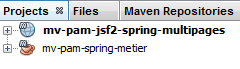 |
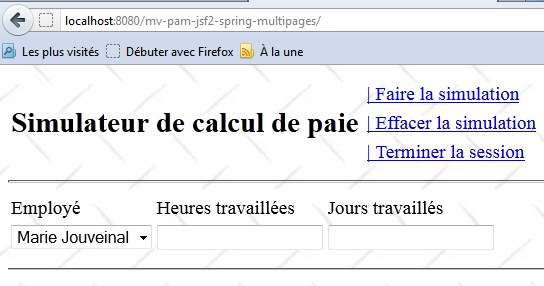
The new web application is [mv-pam-jsf2-spring-multipages]. The web interface remains unchanged:
Here is one possible approach:
- create a Maven project of type [Java Application] named [mv-pam-spring-metier],
- add the necessary dependencies,
- copy the elements from the previous EJB project into the new Spring project,
- correct any errors that appear in the Spring project,
- create the [persistence.xml] file that configures the JPA layer,
- create the Spring configuration file. At this point, the [mv-pam-spring-metier] project should be correct. Imagine a JUnit test that proves this,
- create a Maven project of type [Web Application],
- add the necessary dependencies (JSF and the [métier] layer),
- copy the elements of the JSF / EJB project from the previous version into the new JSF / Spring project,
- correct any errors that appear,
- copy the Spring configuration file from the [mv-pam-spring-metier] project into the web project,
- add the code to instantiate the Spring beans to the [ApplicationData] bean,
- complete the configuration file [faces-config.xml],
- Test the web application.