18. [Cours]: Cross-domain access management
Keywords: CORS (Cross-Origin Resource Sharing).
This chapter is somewhat separate from TD. It has been included because it introduces web programming and Javascript programming. It is important to remember here that one of the objectives of this TD is to present concepts frequently used in JEE development, i.e., web development based on Java frameworks. Here, we enhance the web server used in the product and category database study to enable it to accept cross-domain requests.
In the [Tutoriel AngularJS / Spring 4] document, we develop a client/server application where the client is a AngularJS application:
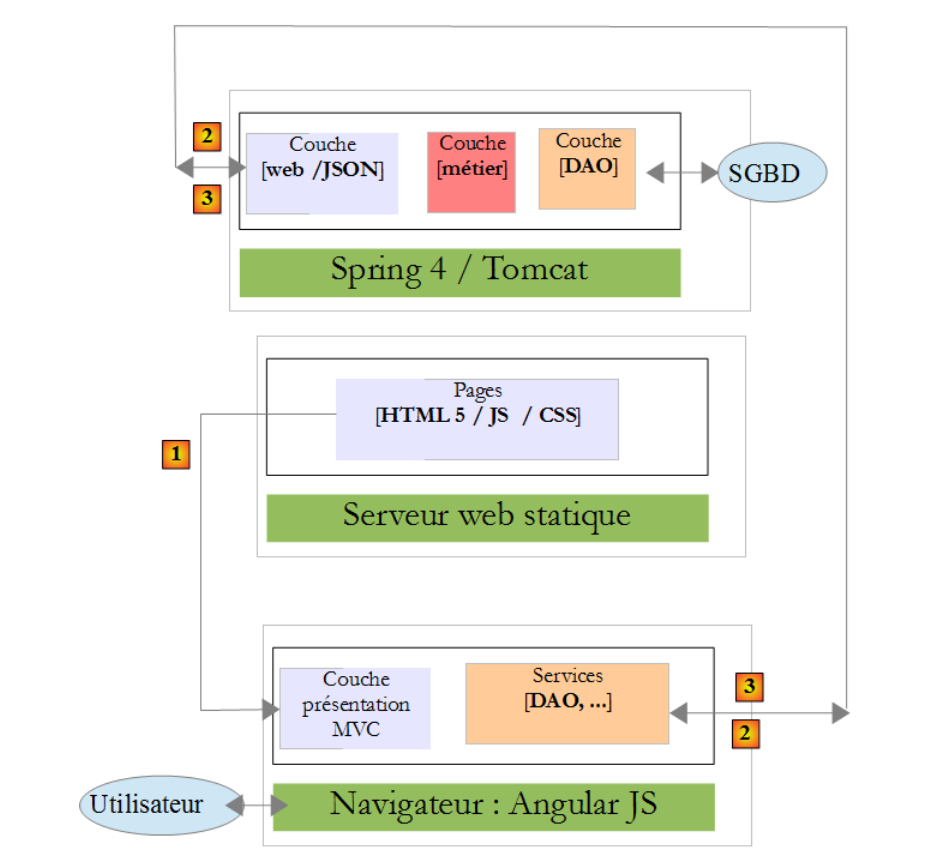 |
- the HTML / CSS / JS pages of the Angular application come from the [1] server;
- in [2], the [dao] service makes a request to another server, the [2] server. Well, that is prohibited by the browser running the Angular application because it is a security vulnerability. The application can only query the server it came from, i.e., the [1] server;
In fact, it is inaccurate to say that the browser prevents the Angular application from querying the [2] server. It actually queries it to ask whether it allows a client that does not originate from its own domain to query it. This sharing technique is called Cross-Origin Resource Sharing (CORS). The [2] server grants permission by sending specific headers.
We will create the following architecture:
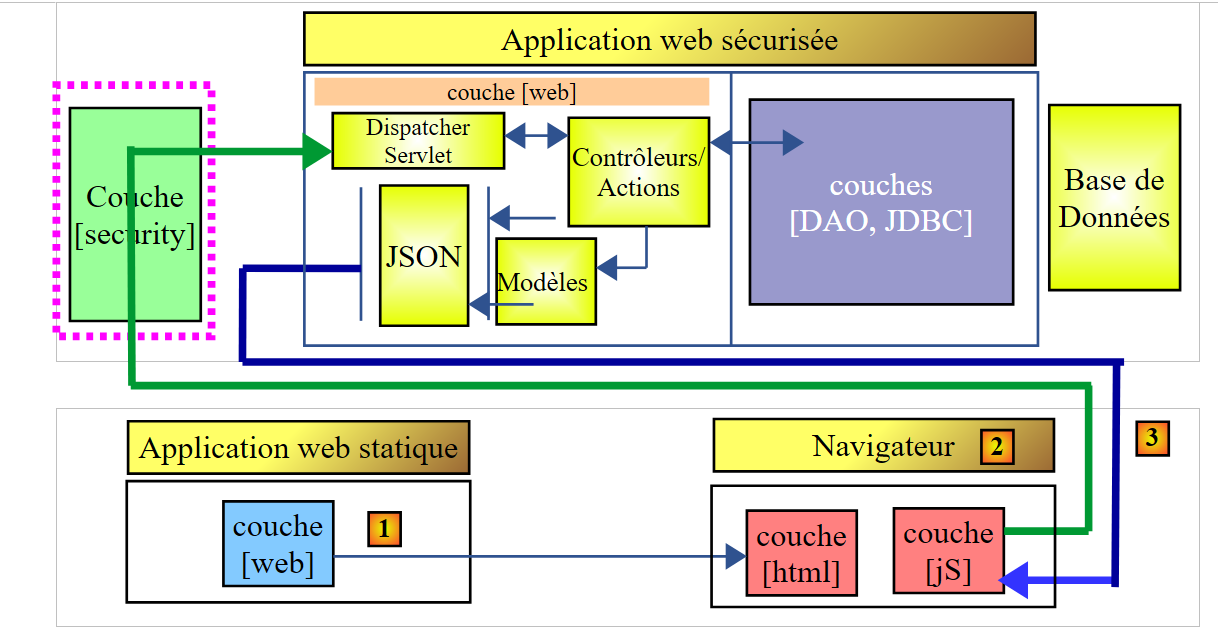 |
- In [1], a web application delivers HTML / jS pages;
- in [2], the browser executes the Javascript embedded in the HTML pages to query the secure web service [3];
18.1. Support
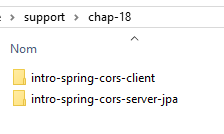 |
The projects in this chapter can be found in the [support / chap-18] folder.
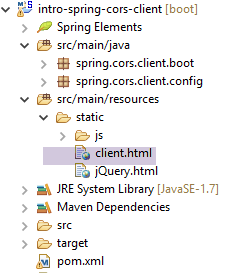
18.2. The client project
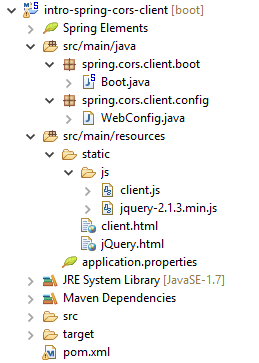
Create the following Eclipse project:
 |
18.3. Maven Configuration
The project is a Maven project with the following [pom.xml] file:
<project xmlns="http://maven.apache.org/POM/4.0.0" xmlns:xsi="http://www.w3.org/2001/XMLSchema-instance"
    xsi:schemaLocation="http://maven.apache.org/POM/4.0.0 http://maven.apache.org/xsd/maven-4.0.0.xsd">
    <modelVersion>4.0.0</modelVersion>
    <groupId>istia.st.webjson</groupId>
    <artifactId>intro-server-webjson-01</artifactId>
    <version>0.0.1-SNAPSHOT</version>

    <name>intro-server-webjson-01</name>
    <description>démo spring mvc</description>

    <parent>
        <groupId>org.springframework.boot</groupId>
        <artifactId>spring-boot-starter-parent</artifactId>
        <version>1.2.7.RELEASE</version>
    </parent>

    <dependencies>
        <dependency>
            <groupId>istia.st.springdata</groupId>
            <artifactId>intro-spring-data-01</artifactId>
            <version>0.0.1-SNAPSHOT</version>
        </dependency>
        <dependency>
            <groupId>org.springframework.boot</groupId>
            <artifactId>spring-boot-starter-web</artifactId>
        </dependency>
    </dependencies>

    <build>
        <plugins>
            <plugin>
                <groupId>org.springframework.boot</groupId>
                <artifactId>spring-boot-maven-plugin</artifactId>
            </plugin>
            <plugin>
                <groupId>org.apache.maven.plugins</groupId>
                <artifactId>maven-surefire-plugin</artifactId>
                <version>2.18.1</version>
            </plugin>
        </plugins>
    </build>

</project>
- lines 11–15: this is a Spring Boot project;
- lines 23–26: we use the [spring-boot-starter-web] dependency, which includes a Tomcat server and Spring MVC;
18.4. Spring Configuration
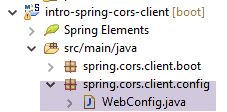 |
The [WebConfig] class that configures the Spring project is as follows:
package spring.cors.client.config;

import org.springframework.beans.factory.annotation.Autowired;
import org.springframework.boot.context.embedded.EmbeddedServletContainerFactory;
import org.springframework.boot.context.embedded.ServletRegistrationBean;
import org.springframework.boot.context.embedded.tomcat.TomcatEmbeddedServletContainerFactory;
import org.springframework.context.ApplicationContext;
import org.springframework.context.annotation.Bean;
import org.springframework.web.context.WebApplicationContext;
import org.springframework.web.servlet.DispatcherServlet;
import org.springframework.web.servlet.config.annotation.EnableWebMvc;
import org.springframework.web.servlet.config.annotation.ResourceHandlerRegistry;
import org.springframework.web.servlet.config.annotation.WebMvcConfigurerAdapter;

@EnableWebMvc
public class WebConfig extends WebMvcConfigurerAdapter {

    // -------------------------------- layer configuration [web]
    @Autowired
    private ApplicationContext context;

    @Bean
    public DispatcherServlet dispatcherServlet() {
        DispatcherServlet servlet = new DispatcherServlet((WebApplicationContext) context);
        return servlet;
    }

    @Bean
    public ServletRegistrationBean servletRegistrationBean(DispatcherServlet dispatcherServlet) {
        return new ServletRegistrationBean(dispatcherServlet, "/*");
    }

    @Bean
    public EmbeddedServletContainerFactory embeddedServletContainerFactory() {
        return new TomcatEmbeddedServletContainerFactory("", 8081);
    }

    @Override
    public void addResourceHandlers(ResourceHandlerRegistry registry) {
        registry.addResourceHandler("/*.html").addResourceLocations("classpath:/static/");
        registry.addResourceHandler("/*.js").addResourceLocations("classpath:/static/js/");
    }
}
- line 15: the class configures a Spring project named MVC;
- line 16: the class extends the [WebMvcConfigurerAdapter] class to override some of its methods;
- lines 18–36: we have already encountered these beans, for example in section 13.5.3.1. Note, on line 35, that the web service will run on port 8081;
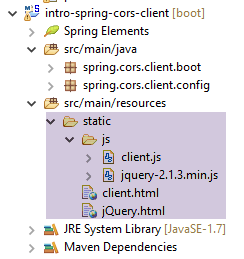
- lines 38–42: the [addResourceHandlers] method allows you to define static resources, i.e., resources not handled by the [DispatcherServlet] in line 23;
- line 40: any request for a resource with the suffix .html will return the file requested by the query and found in the [static] folder of the project’s classpath;
- line 41: any request for a resource with the suffix .js will return the file Javascript requested by the query and found in the [static/js] folder of the project's classpath;
 |
18.5. Basics of jQuery and Javascript
The client’s HTML page will be as follows:
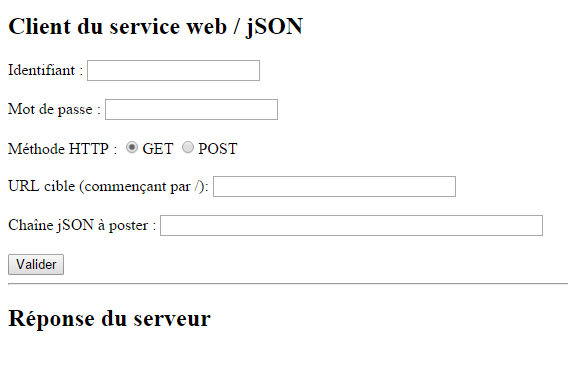 |
It will include Javascript (jS) code executed in the browser. We will present some basics of Javascript that will help us understand the code. The client will make HTTP calls using the jQuery [https://jquery.com/] library, which provides numerous functions that facilitate Javascript development. We create a static file HTML [jQuery.html] and place it in the [static] folder:
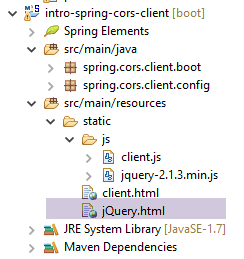 |
This file will have the following content:
<!DOCTYPE html>
<html xmlns="http://www.w3.org/1999/xhtml">
<head>
<meta http-equiv="Content-Type" content="text/html; charset=utf-8" />
<title>JQuery-01</title>
<script type="text/javascript" src="/jquery-2.1.3.min.js"></script>
</head>
<body>
    <h3>Rudiments de JQuery</h3>
    <div id="element1">Elément 1</div>
</body>
</html>
- line 6: import of jQuery;
- lines 10-12: an element from the id [element1] page. We’re going to play around with this element.
We need to download the [jquery-2.1.3.min.js] file. The latest version from jQuery can be found in URL [http://jquery.com/download/]:
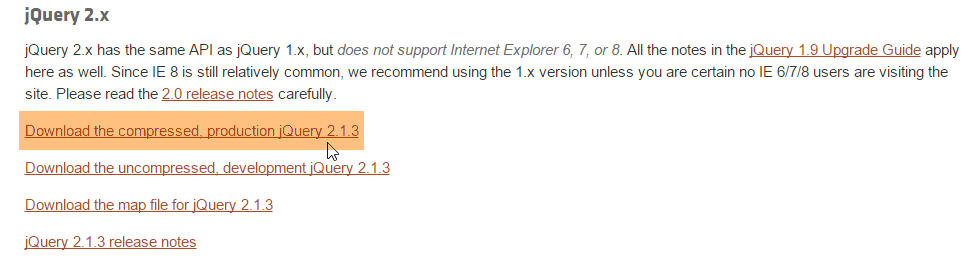
Place the downloaded file in the [static / js] folder and modify line 6 of the HTML file based on the installed version.
Once this is done, request the static view [jQuery.html] using Chrome [1-2]:
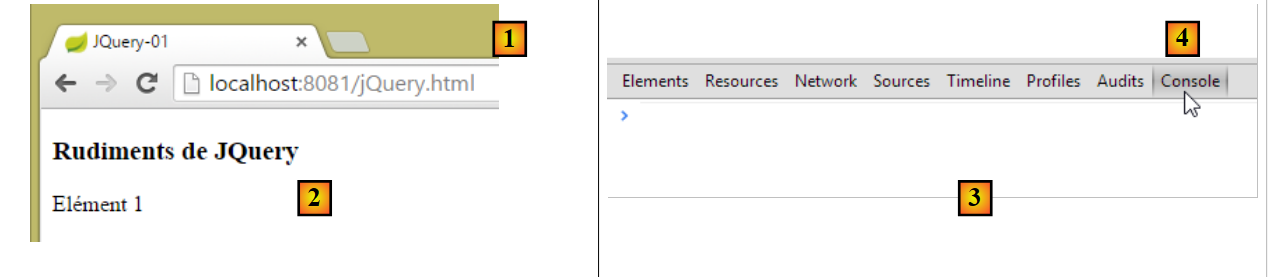 |
In Google Chrome, press [Ctrl-Maj-I] to display the developer tools [3]. The [Console] [4] tab allows you to run code Javascript. Below, we provide Javascript commands to type and explain them.
|
: returns the collection of all elements in id [element1], so normally a collection of 0 or 1 element because you cannot have two identical id elements on a HTML page. | 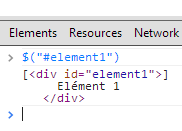 |
|
: sets the text to "blabla" for all elements in the collection. This changes the content displayed by the page |  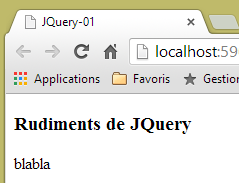 |
|
hides the elements in the collection. The text [blabla] is no longer displayed. |  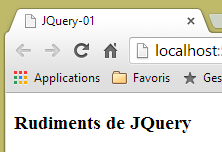 |
|
: displays the collection again. This allows us allows us to see that the element id [element1] has the attribute CSS style='display: none;' which the element to be hidden. |  |
|
: displays the elements in the collection. The text [blabla] appears again. It is the CSS style='display: block;' that ensures this display. |  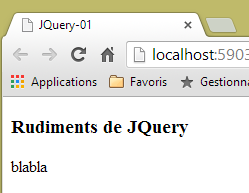 |
|
: sets an attribute on all elements in the collection. The attribute here is [style] and its value [color: red]. The text [blabla] turns red. |  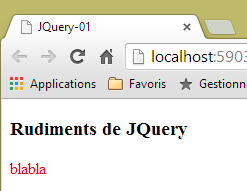 |
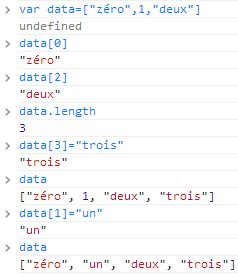 | |
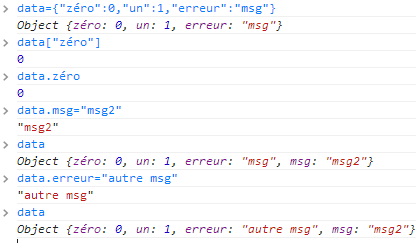 |
Note that the browser's URL has not changed throughout these operations. There was no communication with the web server. Everything happens within the browser. Now, let's look at the page's source code:
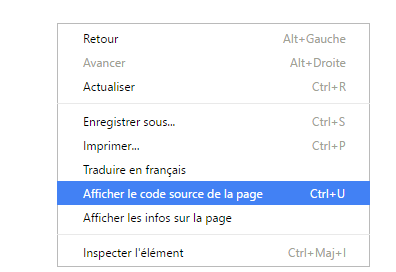 | 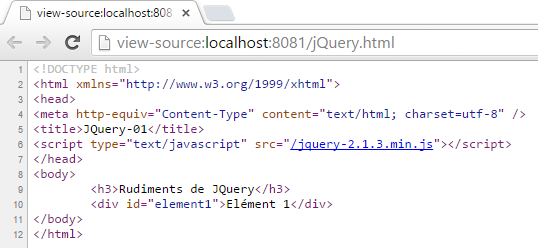 |
This is the initial text. It does not reflect the changes we made to the element in lines 10–12. It is important to remember this when debugging Javascript. It is therefore often unnecessary to view the source code of the displayed page.
18.6. The application's code
Let’s return to the client application page that will query the web service / jSON:
 |
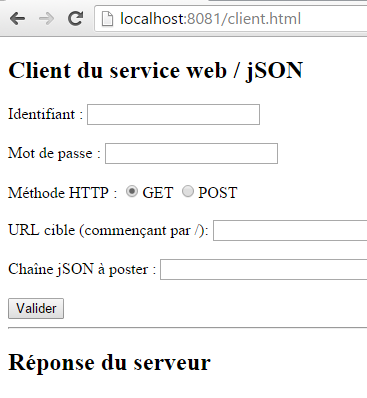 |
The code for this page is as follows:
<!DOCTYPE html>
<html>
<head>
<meta charset="UTF-8">
<title>Spring MVC</title>
<script type="text/javascript" src="/jquery-2.1.3.min.js"></script>
<script type="text/javascript" src="/client.js"></script>
</head>
<body>
    <h2>Client du service web / jSON</h2>
    <form id="formulaire">
        <!--  identifier -->
        Identifiant :
        <!--  -->
        <input type="text" id="identifiant" name="identifiant" value="" />
        <!--  password -->
        <br /> <br /> Mot de passe :
        <!--  -->
        <input type="text" id="password" name="password" value="" />
        <!--  method HTTP -->
        <br /> <br /> Méthode HTTP :
        <!--  -->
        <input type="radio" id="get" name="method" value="get"
            checked="checked" />GET
        <!--  -->
        <input type="radio" id="post" name="method" value="post" />POST
        <!--  URL -->
        <br /> <br />URL cible (commençant par /): <input type="text"
            id="url" size="30"><br />
        <!-- posted value -->
        <br /> Chaîne jSON à poster : <input type="text" id="posted"
            size="50" />
        <!-- validation button -->
        <br /> <br /> <input type="button" value="Valider"
            onclick="javascript:requestServer()"></input>
    </form>
    <hr />
    <h2>Réponse du serveur</h2>
    <div id="response"></div>
</body>
</html>
- line 6: we import the jQuery library;
- line 7: we import code that we will write;
- lines 15, 19, 26, 29, 31: note the [id] identifiers of the page components. javascript references these components via these identifiers;
The code [client.js] is as follows:
// global data
var url;
var posted;
var response;
var method;
var baseUrl = 'http://localhost:8080';
var identifiant;
var password;
var authorizationHeader;

function requestServer() {
    // information retrieval
    var urlValue = url.val();
    var postedValue = posted.val();
    var identifiantValue = identifiant.val();
    var passwordValue = password.val();
    var method = document.forms[0].elements['method'].value;
    authorizationCode = btoa(identifiantValue + ':' + passwordValue);
    // delete the previous answer
    response.text("");
    // make a manual Ajax call
    if (method === "get") {
        doGet(urlValue);
    } else {
        doPost(urlValue, postedValue);
    }
}

function doGet(url) {
    // make a manual Ajax call
    $.ajax({
        headers : {
            'Authorization':'Basic '+authorizationCode
        },
        url : baseUrl + url,
        type : 'GET',
        dataType : 'text',
        beforeSend : function() {
        },
        success : function(data) {
            // text result
            response.text(data);
        },
        complete : function() {
        },
        error : function(jqXHR) {
            // system error
            response.text(JSON.stringify(jqXHR.statusCode()));
        }
    })
}

function doPost(url, posted) {
    // make a manual Ajax call
    $.ajax({
        headers : {
            'Authorization':'Basic '+authorizationCode
        },
        url : baseUrl + url,
        type : 'POST',
        contentType : 'application/json; charset=UTF-8',
        data : posted,
        dataType : 'text',
        beforeSend : function() {
        },
        success : function(data) {
            // text result
            response.text(data);
        },
        complete : function() {
        },
        error : function(jqXHR) {
            // system error
            response.text(JSON.stringify(jqXHR.statusCode()));
        }
    })
}

// document loading
$(document).ready(function() {
    // retrieve page component references
    identifiant = $("#identifiant");
    password = $("#password");
    url = $("#url");
    posted = $("#posted");
    response = $("#response");
});
- lines 80-87: jS code executed after the document has finished loading in the browser;
- lines 81-86: the references of the various elements of the HTML document are retrieved via their [id] identifiers;
- lines 2–9: global variables known throughout all functions defined in the jS file;
- line 13: retrieve the URL entered by the user;
- line 14: retrieves the value the user wants to post (empty if GET operation);
- line 15: retrieve the username entered by the user;
- line 16: retrieve their password;
- line 17: retrieve the method ([get] or [post]) to use when requesting the URL from line 9:
- [document] refers to the document loaded by the browser, known as the DOM (Document Object Model),
- [document.forms[0]] refers to the first form in the document; a document may contain multiple forms. Here, there is only one,
- [document.forms[0].elements['method']] refers to the form element that has the attribute [name='method']. There are two of them:
<input type="radio" id="get" name="method" value="get" checked="checked" />GET
<input type="radio" id="post" name="method" value="post" />POST
- (continued)
- [document.forms[0].elements['method'].value] is the value that will be posted for the component with the attribute [name='method']. We know that the posted value is the value of the [value] attribute of the selected radio button. Here, it will therefore be one of the strings ['get', 'post'];
- line 18: we construct the Base74 encoding of the string `identifiant:password`. This encoded string will be used in the header `HTTP [Authorization]` that we will send to the server to authenticate the request;
- lines 22–26: depending on which method HTTP is to be used, we execute either method [doGet] or [doPost];
- the jQuery [$.ajax] method makes a HTTP call;
- Lines 32–34: The system communicates with a server that requires a header of type HTTP or [Authorization: Basic code];
- line 35: the user will enter URL of type [/cors-getAllCategories,/cors-addProduits, ...]. These URL must therefore be supplemented with the server’s URL from line 6;
- line 36: use the HTTP method;
- line 37: the server returns jSON. The type [text] is specified as the result type in order to display it as received;
- line 42: display the server's text response;
- lines 48-49: display any error message;
- line 53: the [doPost] method receives a second parameter, which is the value to be posted;
- line 61: to indicate that the posted value will be in the form of a jSON string;
18.7. Client Execution
The client application is a Spring Boot application launched by the following executable class [Boot]:
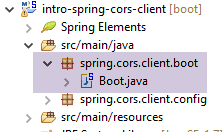 |
package spring.cors.client.boot;

import org.springframework.boot.SpringApplication;

import spring.cors.client.config.WebConfig;

public class Boot {

    public static void main(String[] args) {
        SpringApplication.run(WebConfig.class, args);
    }
}
- Line 10: The [SpringApplication.run] method uses the [WebConfig] configuration file. The [client.html] page will be deployed to the Tomcat server present in the project's classpath;
18.8. URL [/getAllCategories]
We launch:
- the web server / json on port 8080;
- the client for this server on port 8081;
then we request the URL [http://localhost:8081/client.html] [1]:
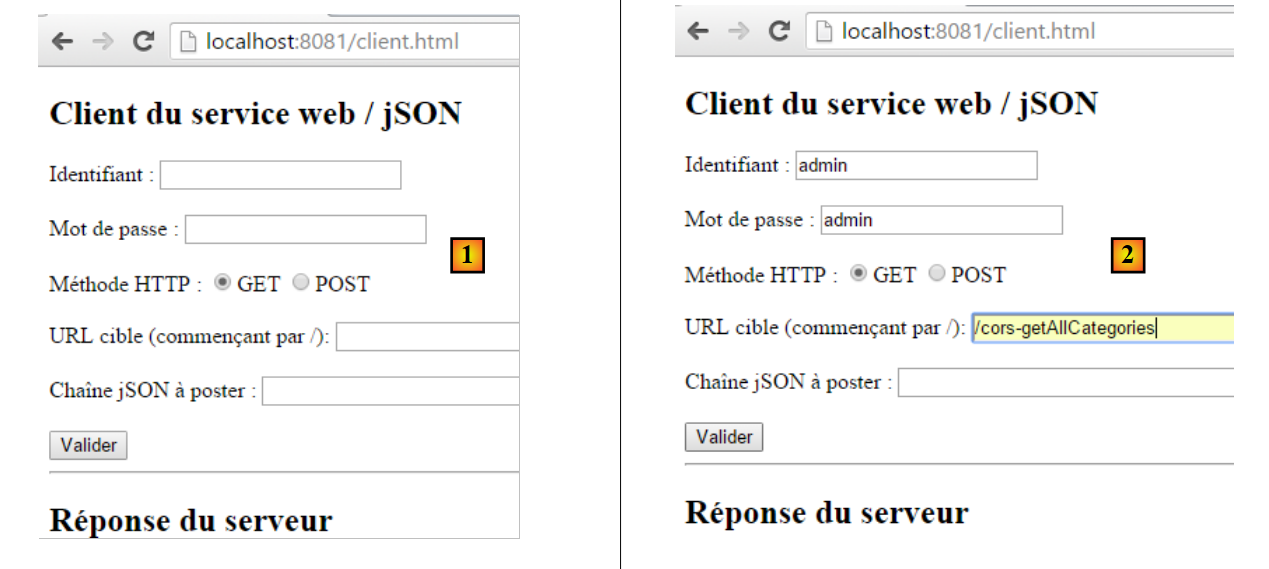 |
- in [2], we perform a GET on URL and [http://localhost:8080/getAllCategories];
We do not receive a response from the server. When we look at the Chrome DevTools (Ctrl-Shift-I), we see an error:
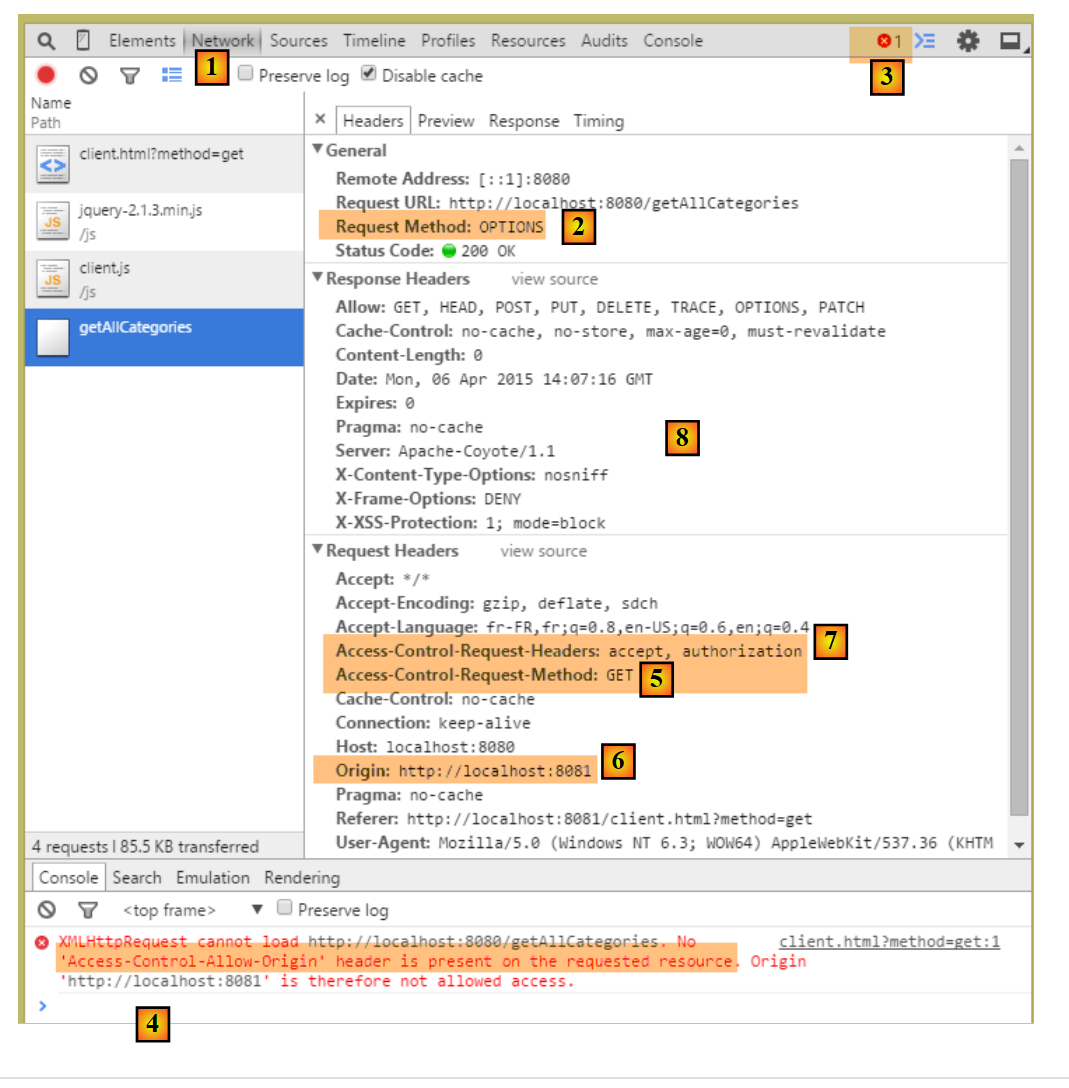 |
- in [1], we are in the [Network] tab;
- In [2], we can see that the request HTTP that was made is not [GET] but [OPTIONS]. In the case of a cross-domain request, the browser checks with the server to ensure that a number of conditions are met by sending it a request HTTP [OPTIONS]. In this case, the requests are those indicated by the dots [5-6];
- in [5], the browser asks whether the URL target can be reached with a GET. The header of the [Access-Control-Request-Method] request asks for a response with a HTTP [Access-Control-Allow-Methods] header indicating that the requested method is accepted;
- in [6], the browser sends the HTTP [Origin: http://localhost:8081] header. This header requests a response in a HTTP [Access-Control-Allow-Origin] header indicating that the specified origin is accepted;
- In [7], the browser asks whether the headers HTTP, [accept], and [authorization] are accepted. The [Access-Control-Request-Headers] request header expects a response with a HTTP or [Access-Control-Allow-Headers] header indicating that the requested headers are accepted;
- there is an error in [3]. Clicking on the icon results in the error [4];
- in [4], the message indicates that the server did not send the header HTTP [Access-Control-Allow-Origin], which indicates whether the origin of the request is accepted;
- in [8], we can see that the server did indeed not send this header. As a result, the browser refused to make the HTTP GET request that was initially requested;
We need to modify the web server / jSON.
18.9. The new web service / json
We create a new Maven project [intro-spring-cors-server-jpa]:
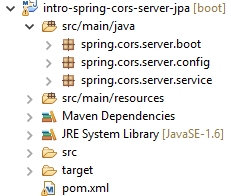 | 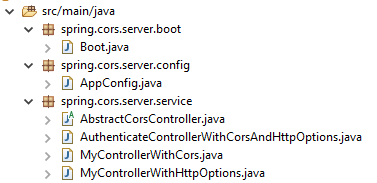 |
18.9.1. Maven Configuration
The Maven configuration for the new web service is as follows:
<project xmlns="http://maven.apache.org/POM/4.0.0" xmlns:xsi="http://www.w3.org/2001/XMLSchema-instance"
    xsi:schemaLocation="http://maven.apache.org/POM/4.0.0 http://maven.apache.org/xsd/maven-4.0.0.xsd">
    <modelVersion>4.0.0</modelVersion>
    <groupId>istia.st.cors</groupId>
    <artifactId>spring-cors-server-jpa</artifactId>
    <version>0.0.1-SNAPSHOT</version>

    <name>spring-cors-server-jpa</name>
    <description>démo spring cors</description>

    <properties>
        <project.build.sourceEncoding>UTF-8</project.build.sourceEncoding>
        <java.version>1.8</java.version>
    </properties>

    <parent>
        <groupId>org.springframework.boot</groupId>
        <artifactId>spring-boot-starter-parent</artifactId>
        <version>1.2.7.RELEASE</version>
    </parent>

    <dependencies>
        <dependency>
            <groupId>istia.st.spring.security</groupId>
            <artifactId>intro-spring-security-server-01</artifactId>
            <version>0.0.1-SNAPSHOT</version>
        </dependency>
    </dependencies>

    <!-- plugins -->
    <build>
        <plugins>
            <plugin>
                <groupId>org.springframework.boot</groupId>
                <artifactId>spring-boot-maven-plugin</artifactId>
            </plugin>
            <plugin>
                <groupId>org.apache.maven.plugins</groupId>
                <artifactId>maven-surefire-plugin</artifactId>
                <version>2.18.1</version>
            </plugin>
        </plugins>
    </build>

</project>
- lines 23-27: we retrieve all the work done so far by using the secure web server archive / json;
18.9.2. Spring Configuration
The configuration class [AppConfig] is as follows:
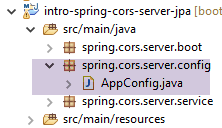 |
package spring.cors.server.config;

import org.springframework.context.annotation.Bean;
import org.springframework.context.annotation.ComponentScan;
import org.springframework.context.annotation.Configuration;
import org.springframework.context.annotation.Import;

import spring.security.config.SecurityConfig;

@Configuration
@ComponentScan(basePackages = { "spring.cors.server.service" })
@Import({ SecurityConfig.class })
public class AppConfig {

    // cross-domain queries
    @Bean
    public boolean isCorsEnabled() {
        return true;
    }
}
- line 10: the class is a Spring configuration class;
- line 11: other Spring components can be found in the [spring.cors.server.service] package;
- lines 16–19: we create a Spring component named [isCorsEnabled] that indicates whether or not to accept clients components from outside the server domain;
18.9.3. The [AbstractCorsController] class
The [AbstractCorsController] class, which will be the parent class of all controllers in this application:
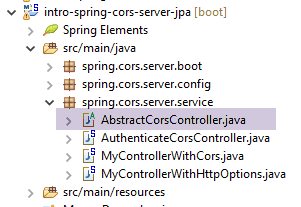 |
Its code is as follows:
package spring.cors.server.service;

import javax.servlet.http.HttpServletResponse;

import org.springframework.beans.factory.annotation.Autowired;

public abstract class AbstractCorsController {

    @Autowired
    private boolean isCorsEnabled;

    // sending options to the customer
    public void setHeaders(String origin, HttpServletResponse response) {
        // Cors allowed ?
        if (!isCorsEnabled || origin == null || !origin.startsWith("http://localhost")) {
            return;
        }
        // set header CORS
        response.addHeader("Access-Control-Allow-Origin", origin);
        // certain headers are allowed
        response.addHeader("Access-Control-Allow-Headers", "accept, authorization");
        // we authorize GET
        response.addHeader("Access-Control-Allow-Methods", "GET");
    }
}
- line 7: the class [CorsController] is abstract because it is designed to be extended and not instantiated;
- lines 13–24: the [setHeaders] method adds the HTTP headers required by cross-domain requests to the [HttpServletResponse response] response (line 13) sent to the client;
- line 33: the [/setHeaders] method accepts the following parameters:
- the string [origin] present in the HTTP [Origin] headers of cross-domain requests:
Here, the [origin] parameter on line 13 would have the value [http://localhost:8081]. In the event that the request does not contain the header HTTP [Origin], we will ensure that we have [origin==null];
- (continued)
- the object [HttpServletResponse response], which will be returned to the client that made the request;
These two parameters are injected by Spring;
- lines 15–175: if the application is configured to accept cross-domain requests, and if the sender has sent the header HTTP [Origin], and if this origin starts with [http://localhost], then the cross-domain request is accepted; otherwise, it is rejected;
- line 19: if the client is in the domain [http://localhost:port], we send the header HTTP:
which means that the server accepts the client's origin;
- line 21: we have specified two specific HTTP headers in the HTTP [OPTIONS] request:
In response to the HTTP [Access-Control-Request-X] header, the server responds with a HTTP [Access-Control-Allow-X] header in which it specifies what is authorized. Lines 20–23 simply repeat the client’s request to indicate that it has been accepted;
18.9.4. The [MyControllerWithHttpOptions] controller
To avoid having to modify the insecure web server / jSON [intro-server-webjson-01] discussed in Section 13.5.3, we will create a new controller so that where the unsecured server processes URL and [/url], the new controller will handle URL and [/cors-url], and this URL will accept cross-domain requests.
The [MyControllerWithHttpOptions] class is the controller that will handle HTTP requests of type [OPTIONS]:
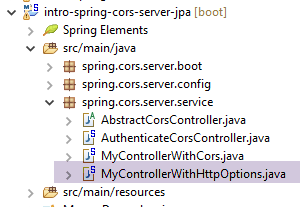 |
package spring.cors.server.service;

import javax.servlet.http.HttpServletRequest;
import javax.servlet.http.HttpServletResponse;

import org.springframework.stereotype.Controller;
import org.springframework.web.bind.annotation.PathVariable;
import org.springframework.web.bind.annotation.RequestHeader;
import org.springframework.web.bind.annotation.RequestMapping;
import org.springframework.web.bind.annotation.RequestMethod;

import com.fasterxml.jackson.core.JsonProcessingException;

@Controller
public class MyControllerWithHttpOptions extends AbstractCorsController {

    @RequestMapping(value = "/cors-getAllCategories", method = RequestMethod.OPTIONS)
    public void getAllCategories(@RequestHeader(value = "Origin", required = false) String origin,
            HttpServletResponse httpServletResponse){
        // headers CORS
        setHeaders(origin, httpServletResponse);
    }
...
- line 14: the class is a Spring controller MVC;
- line 15: the class [MyControllerWithHttpOptions] extends the class [AbstractCorsController] that we just described;
- lines 17-18: the [getAllCategories] method (line 18) processes URL and ["/cors-getAllCategories"] when called with the method HTTP and [OPTIONS];
- line 18: the [getAllCategories] method accepts two parameters:
- [@RequestHeader(value = "Origin", required = false) String origin] to retrieve the value of the header HTTP [Origin:http://localhost:8081] when present. In this example, the parameter [String origin] will receive the value [http://localhost:8081]. This header is not required [required = false]. When it is not present, the parameter [String origin] will have the value null;
- [HttpServletResponse httpServletResponse]: the response that will be sent to the client;
- line 21: we send the headers HTTP that allow cross-domain requests. The method [setHeaders] is defined in the parent class [AbstractCorsController];
This is done for all URL methods exposed by the web server / jSON, which is the unsecured [intro-server-webjson-01] discussed in Section 13.5.3. When this service exposes URL and [/url], the class [MyControllerWithHttpOptions] above exposes URL and [/cors-url].
18.9.5. The [MyControllerWithCors] controller
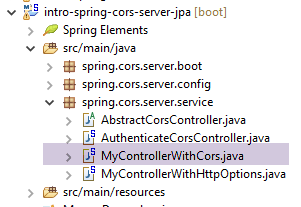 |
The [MyControllerWithCors] class is the controller that will handle HTTP requests of types [GET] and [POST]:
package spring.cors.server.service;

import javax.servlet.http.HttpServletRequest;
import javax.servlet.http.HttpServletResponse;

import org.springframework.beans.factory.annotation.Autowired;
import org.springframework.web.bind.annotation.PathVariable;
import org.springframework.web.bind.annotation.RequestHeader;
import org.springframework.web.bind.annotation.RequestMapping;
import org.springframework.web.bind.annotation.RequestMethod;
import org.springframework.web.bind.annotation.ResponseBody;

import com.fasterxml.jackson.core.JsonProcessingException;

import spring.webjson.service.MyController;

@Controller
public class MyControllerWithCors extends AbstractCorsController {

    // spring dependencies
    @Autowired
    private MyController myController;

...
    @RequestMapping(value = "/cors-getAllCategories", method = RequestMethod.GET, produces = "application/json; charset=UTF-8")
    @ResponseBody
    public String getAllCategories(@RequestHeader(value = "Origin", required = false) String origin,
            HttpServletResponse httpServletResponse) throws JsonProcessingException {
        // answer
        return myController.getAllCategories();
    }
...
- line 17: the class [MyControllerWithCors] is a Spring controller MVC
- line 18: it extends the [AbstractCorsController] class;
- lines 21–22: injection of the [MyController] controller from the web server / jSON (the unsecured [intro-server-webjson-01] discussed in Section 13.5.3);
- lines 25–27: the [getAllCategories] method processes the URL [/cors-getAllCategories] (line 28) when requested with the HTTP [GET] method;
- line 26: the result of the [getAllCategories] method will be sent to the client. This result is a jSON stream (attribute [produces] from line 27 and type [String] from the result on line 25);
- line 27: the method receives the same parameters as the [getAllCategories] method of the [MyControllerWithHttpOptions] controller that we just examined;
- line 30: the method [myController.getAllCategories()] is asked to send the response;
Ultimately, it is the [myController.getAllCategories()] method of the unsecured server that sends the response. We have simply enriched its response with the headers required for cross-domain requests.
This is done for all URL methods exposed by the web server / jSON—the insecure [intro-server-webjson-01] discussed in Section 13.5.3. When this service exposes the URL and [/url], the [MyControllerWithCors] class above exposes the URL and [/cors-url].
A cross-domain request will proceed as follows:
- The client's code JS requestsURL and [/cors-url] with a request for HTTP, GET, or POST;
- the browser executing this code intercepts this request and first requestsURL [/cors-url] with a request HTTP OPTIONS to verify that the target web service accepts cross-domain requests;
- one of the methods of the [MyControllerWithHttpOptions] controller sends the cross-domain headers expected by the browser;
- the browser then requests the initial URL [/cors-url] with a request HTTP GET or a POST;
- one of the methods of the [MyControllerWithCors] controller then responds;
18.9.6. Tests
The boot class for the [intro-spring-cors-server-jpa] project is as follows:
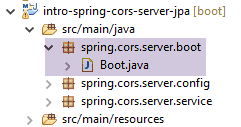 |
package spring.cors.server.boot;

import org.springframework.boot.SpringApplication;

import spring.cors.server.config.AppConfig;

public class Boot {

    public static void main(String[] args) {
        SpringApplication.run(AppConfig.class, args);
    }
}
- Line 10: The static method [SpringApplication.run] is executed with the Spring configuration [AppConfig]. Because of this configuration, the Tomcat server embedded in the project archives is started, and the web application [intro-spring-cors-server-jpa] is deployed on it. The web application for the unsecured server [intro-server-webjson-01], which is part of the project archives, is also deployed on it. Since the project [intro-spring-security-server-01] is also part of the archives, two types of URL are ultimately exposed:
- those of the secure web service: /url;
- those from the web service accepting cross-domain requests: /cors-url;
We are now ready for further testing. We launch the new version from the web service and find that the problem remains unchanged. Nothing has changed. If we add a console output on line 7 below, it is never displayed, indicating that the [getAllCategories] method of the [MyControllerWithHttpOptions] class is never called;
@Controller
public class MyControllerWithHttpOptions extends AbstractCorsController {

    @RequestMapping(value = "/cors-getAllCategories", method = RequestMethod.OPTIONS)
    public void getAllCategories(@RequestHeader(value = "Origin", required = false) String origin,
            HttpServletResponse httpServletResponse){
        System.out.println(un_texte) ;
        // headers CORS
        setHeaders(origin, httpServletResponse);
    }
After some research, we discover that by default, Spring MVC handles the HTTP and [OPTIONS] commands itself. Therefore, it is always Spring that responds, and never the [getAllCategories] method on line 5 above. This default behavior of Spring MVC can be changed. We modify the existing [AppConfig] class:
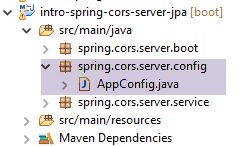 |
package spring.cors.server.config;

import javax.annotation.PostConstruct;

import org.springframework.beans.factory.annotation.Autowired;
import org.springframework.context.annotation.Bean;
import org.springframework.context.annotation.ComponentScan;
import org.springframework.context.annotation.Configuration;
import org.springframework.context.annotation.Import;
import org.springframework.web.servlet.DispatcherServlet;

import spring.security.config.SecurityConfig;

@Configuration
@ComponentScan(basePackages = { "spring.cors.server.service" })
@Import({ SecurityConfig.class })
public class AppConfig {

    // cross-domain queries
    @Bean
    public boolean isCorsEnabled() {
        return true;
    }

    @Autowired
    private DispatcherServlet dispatcherServlet;

    @PostConstruct
    public void init() {
        // the application processes requests itself HTTP [OPTIONS]
        dispatcherServlet.setDispatchOptionsRequest(true);
    }
}
- lines 25-26: injection of the [dispatcherServlet] bean, which handles requests from clients. This bean was defined in the web server configuration / jSON (unsecured [intro-server-webjson-01]) discussed in Section 13.5.3;
- lines 28–29: the [init] method (line 29) will be executed as soon as the [AppConfig] class has been instantiated and the Spring injections have been performed. Therefore, when it executes, the field on line 26 has already been initialized;
- line 31: we configure the [dispatcherServlet] bean so that it allows the web application to handle the HTTP and [OPTIONS] commands itself;
We rerun the tests with this new configuration. We get the following result:
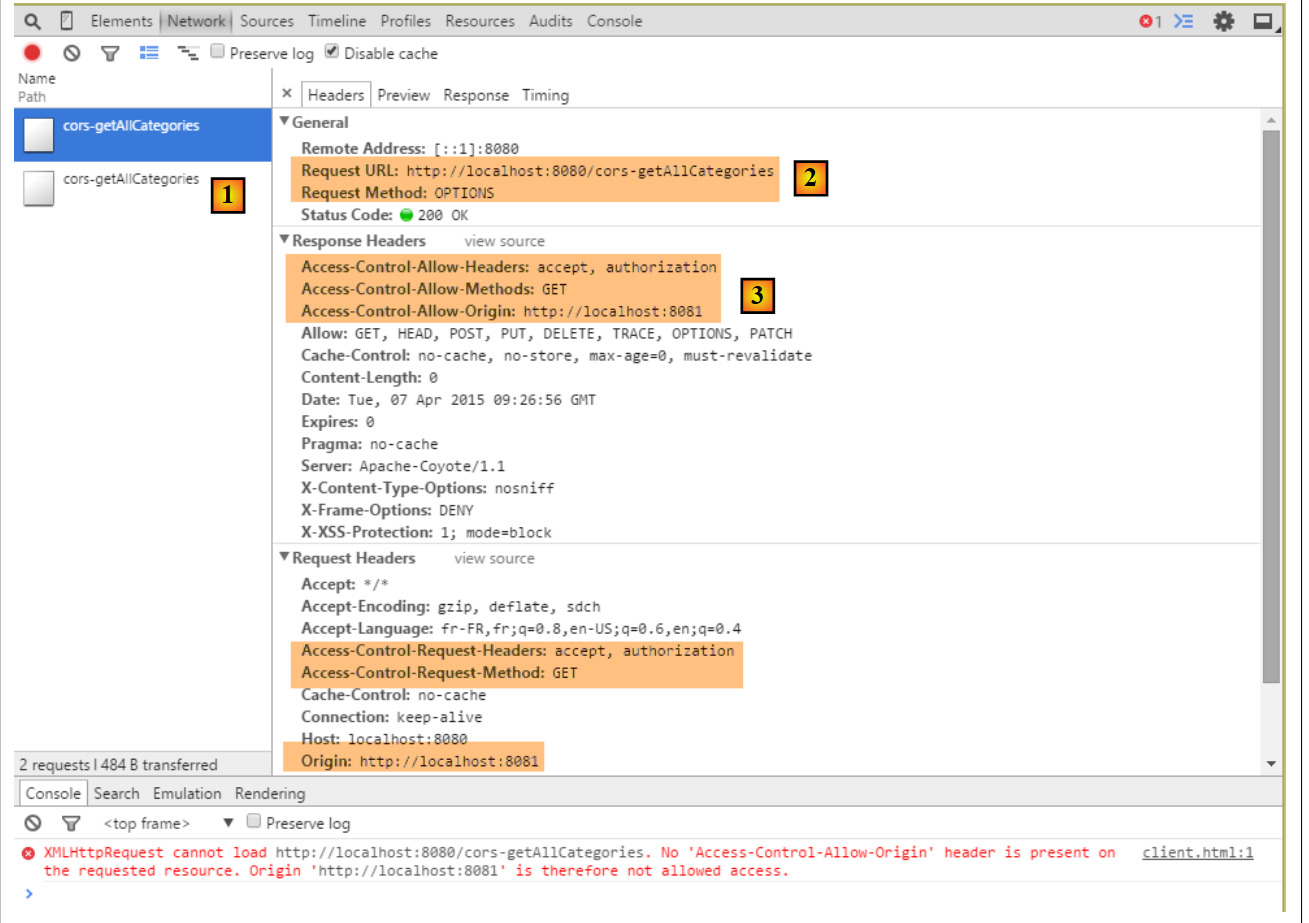 |
- In [1], we see that there are two HTTP requests to URL and [http://localhost:8080/cors-getAllCategories];
- in [2], the request [OPTIONS];
- in [3], the three headers HTTP that we just configured in the server response;
Let’s now examine the second request:
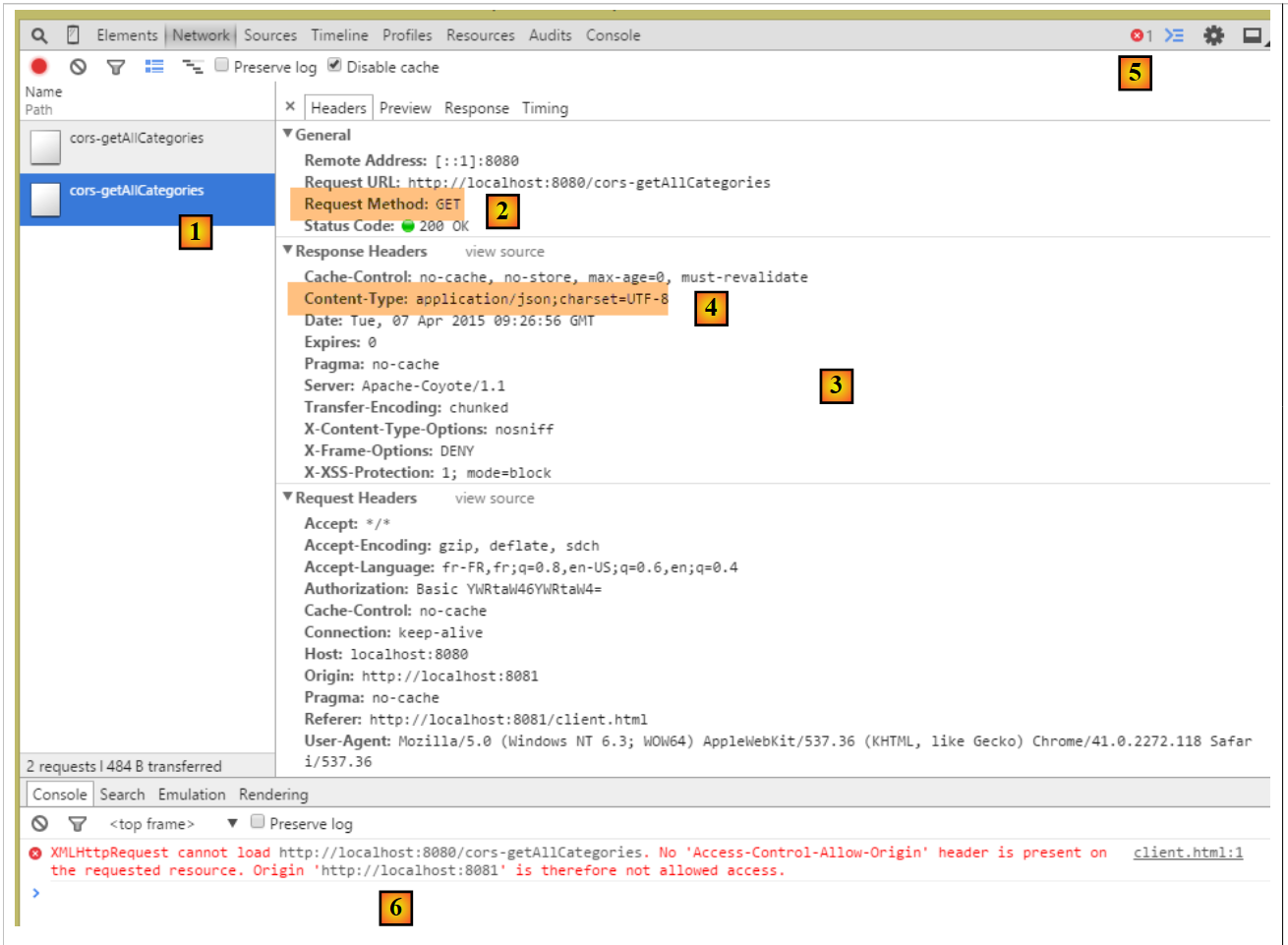 |
- in [1], the request being examined;
- in [2], this is the request GET. Thanks to the first request, [OPTIONS], the browser received the information it requested. It is now making the request [GET] that was initially requested;
- in [3], the server’s response;
- in [4], the server sends jSON;
- in [5], an error occurred;
- in [6], the error message;
It is more difficult to explain what happened here. The server’s response [3] is normal [HTTP/1.1 200 OK]. We should therefore have the requested document. It is possible that the server did indeed send the document but that the browser is preventing its use because it requires that the response for the GET request also include the HTTP header [Access-Control-Allow-Origin:http://localhost:8081].
We will therefore modify the [MyControllerWithCors] controller so that it too sends the headers required for cross-domain requests:
    @RequestMapping(value = "/cors-getAllCategories", method = RequestMethod.GET, produces = "application/json; charset=UTF-8")
    @ResponseBody
    public String getAllCategories(@RequestHeader(value = "Origin", required = false) String origin,
            HttpServletResponse httpServletResponse) throws JsonProcessingException {
        // headers CORS
        setHeaders(origin, httpServletResponse);
        // answer
        return myController.getAllCategories();
}
- line 6: the headers required for cross-domain requests are included in the response;
After this change, the results are as follows:
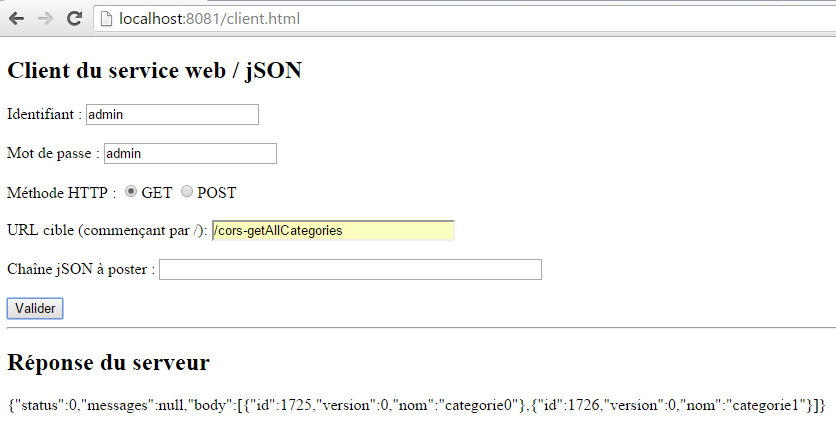 |
We have successfully obtained the list of categories.
18.10. The other URL [GET]
In the [MyControllerWithCors, MyControllerWithHttpOptions] controllers, the code for the actions that process the requested URL with a [GET] follows the pattern of the actions that previously processed the URL and [/cors-getAllCategories]. The reader can verify the code in the examples provided with this document. Here is an example for URL and [/cors-getAllProduits]:
in [MyControllerWithHttpOptions]
    @RequestMapping(value = "/cors-getAllProduits", method = RequestMethod.OPTIONS)
    public void getAllProduits(@RequestHeader(value = "Origin", required = false) String origin,
            HttpServletResponse httpServletResponse) {
        // headers CORS
        setHeaders(origin, httpServletResponse);
}
in [MyControllerWithCors]
    @RequestMapping(value = "/cors-getAllProduits", method = RequestMethod.GET, produces = "application/json; charset=UTF-8")
    @ResponseBody
    public String getAllProduits(@RequestHeader(value = "Origin", required = false) String origin,
            HttpServletResponse httpServletResponse) throws JsonProcessingException {
        // headers CORS
        setHeaders(origin, httpServletResponse);
        // answer
        return myController.getAllProduits();
}
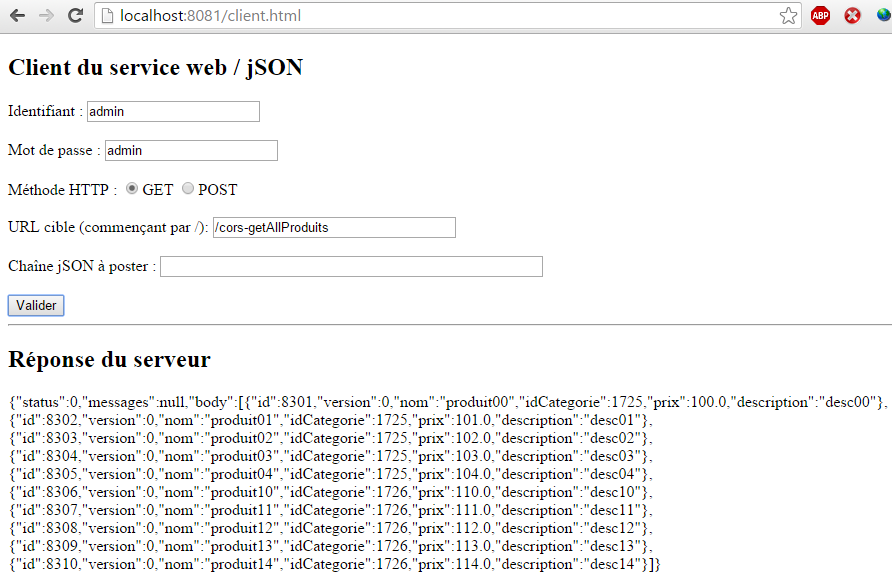
The result obtained is as follows:
 |
18.11. URL [POST]
Let's examine the following case:
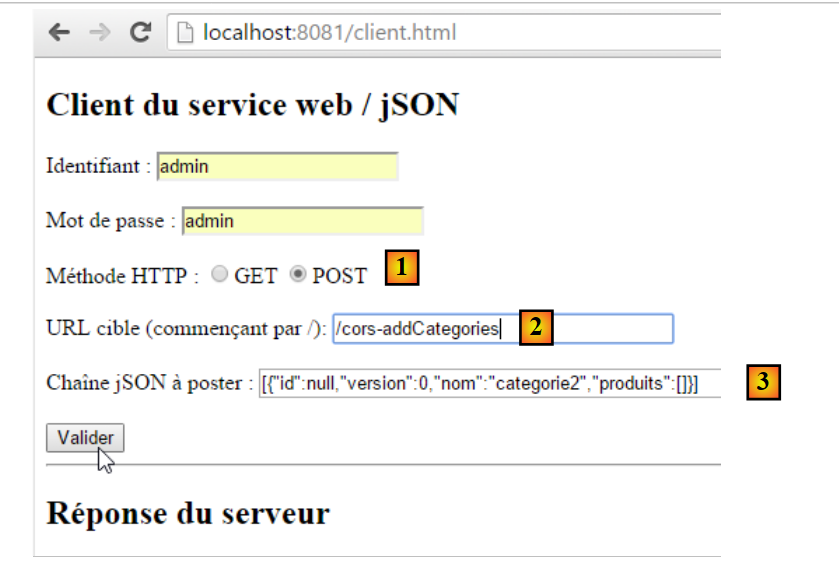 |
- we perform a POST [1] to the URL [2];
- in [3], the posted value. This is a string jSON;
- in total, we are trying to create a category called [categorie2];
We are not modifying any code at this time. The result obtained is as follows:
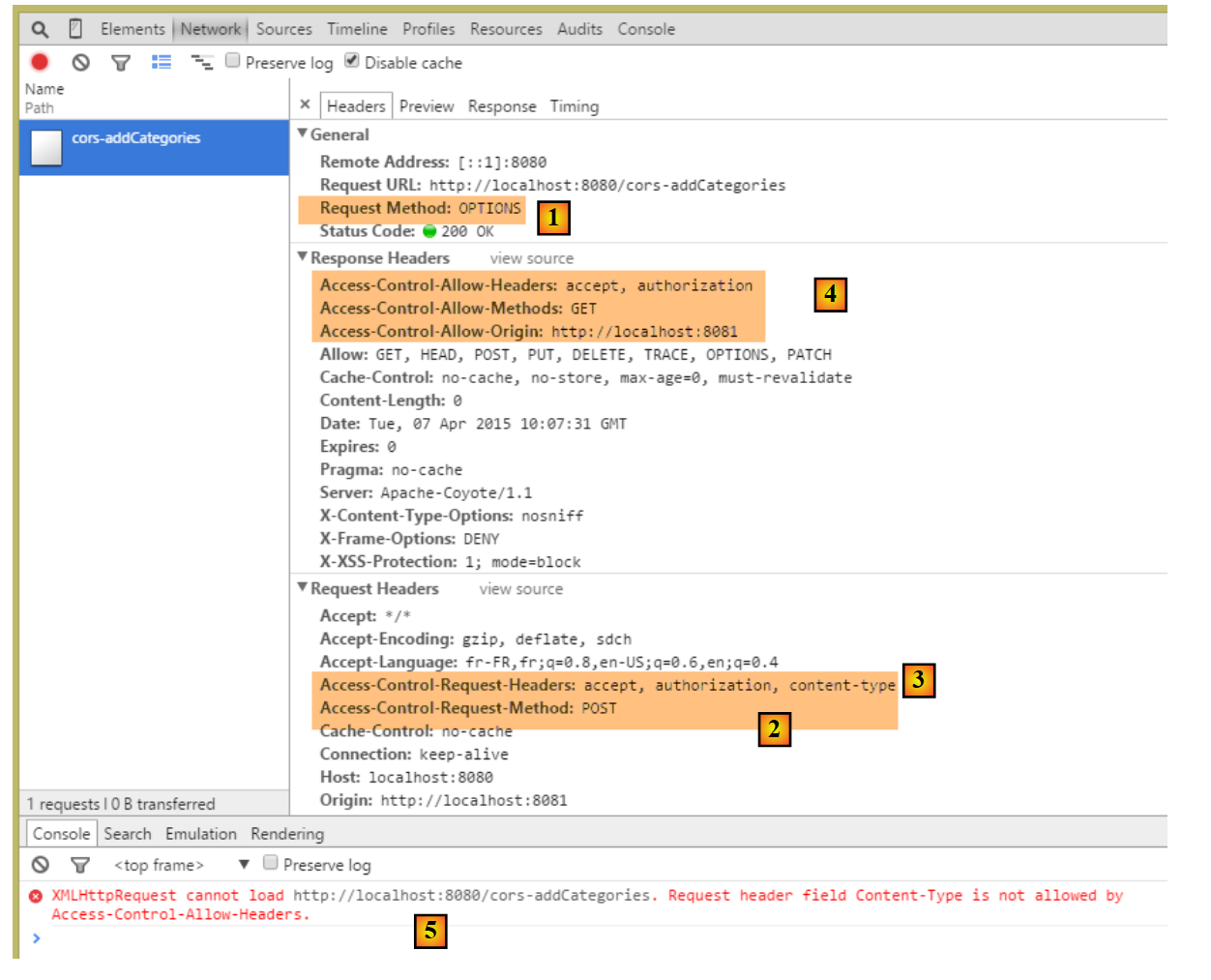 |
- in [1], as with the [GET] requests, a [OPTIONS] request is made by the browser;
- in [2], it requests access authorization for a [POST] request. Previously, this was [GET];
- in [3], it requests authorization to send the headers HTTP and [accept, authorization, content-type]. Previously, only the first two headers were present;
- in [4], the web service does not grant all the requested permissions, which causes the error [5];
We modify the [AbstractController.sendHeaders] method as follows:
package spring.cors.server.service;

import javax.servlet.http.HttpServletResponse;

import org.springframework.beans.factory.annotation.Autowired;

public abstract class AbstractCorsController {

    @Autowired
    private boolean isCorsEnabled;

    // sending options to the customer
    public void setHeaders(String origin, HttpServletResponse response) {
        // Cors allowed ?
        if (!isCorsEnabled || origin == null || !origin.startsWith("http://localhost")) {
            return;
        }
        // set header CORS
        response.addHeader("Access-Control-Allow-Origin", origin);
        // certain headers are allowed
        response.addHeader("Access-Control-Allow-Headers", "accept, authorization, content-type");
        // we authorize GET and POST
        response.addHeader("Access-Control-Allow-Methods", "GET, POST");
    }
}
- line 21: we added the header HTTP [Content-Type] (case is not important);
- line 23: we added the method HTTP [POST];
This means that the [POST] methods are handled in the same way as the [GET] requests. Here is an example of URL [/cors-addArticles]:
in [MyControllerWithCors]
    @RequestMapping(value = "/cors-addCategories", method = RequestMethod.POST, consumes = "application/json; charset=UTF-8", produces = "application/json; charset=UTF-8")
    @ResponseBody
    public String addCategories(HttpServletRequest request,
            @RequestHeader(value = "Origin", required = false) String origin, HttpServletResponse httpServletResponse)
                    throws JsonProcessingException {
        // headers CORS
        setHeaders(origin, httpServletResponse);
        // answer
        return myController.addCategories(request);
}
in [MyControllerWithHttpOptions]
    @RequestMapping(value = "/cors-addCategories", method = RequestMethod.OPTIONS)
    public void addCategories(HttpServletRequest request,
            @RequestHeader(value = "Origin", required = false) String origin, HttpServletResponse httpServletResponse)
                    throws JsonProcessingException {
        // headers CORS
        setHeaders(origin, httpServletResponse);
}
The result is as follows:
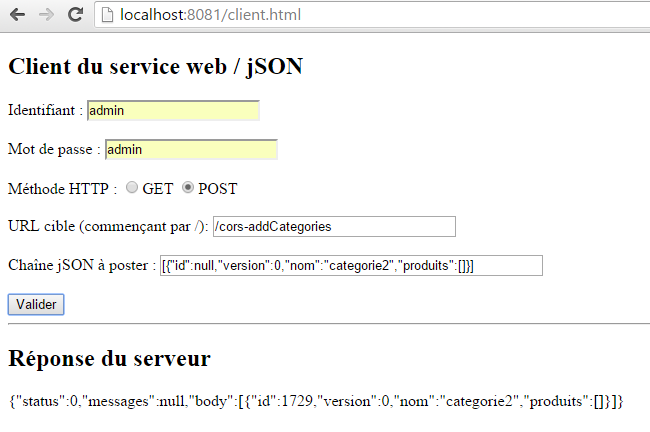 |
The category [categorie2] has been successfully added to the database. SGBD assigned it the primary key 1729.
18.12. The [AuthenticateCorsController] controller
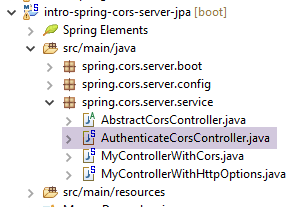 |
The [AuthenticateCorsController] controller is there to provide theURL [/cors-authenticate], which allows calling the existing URL [/authenticate] with a cross-domain request. Its code is as follows:
package spring.cors.server.service;

import javax.servlet.http.HttpServletResponse;

import org.springframework.beans.factory.annotation.Autowired;
import org.springframework.stereotype.Controller;
import org.springframework.web.bind.annotation.RequestHeader;
import org.springframework.web.bind.annotation.RequestMapping;
import org.springframework.web.bind.annotation.RequestMethod;
import org.springframework.web.bind.annotation.ResponseBody;

import com.fasterxml.jackson.core.JsonProcessingException;

import spring.security.service.AuthenticateController;

@Controller
public class AuthenticateCorsController extends AbstractCorsController {
    @Autowired
    private AuthenticateController authenticateController;

    @RequestMapping(value = "/cors-authenticate", method = RequestMethod.GET)
    @ResponseBody
    public String authenticate(@RequestHeader(value = "Origin", required = false) String origin,
            HttpServletResponse response) throws JsonProcessingException {
        // headers CORS
        setHeaders(origin, response);
        // original method
        return authenticateController.authenticate();
    }

    @RequestMapping(value = "/cors-authenticate", method = RequestMethod.OPTIONS)
    public void corsAuthenticate(@RequestHeader(value = "Origin", required = false) String origin,
            HttpServletResponse response) {
        // headers CORS
        setHeaders(origin, response);
    }

}
Here are two examples:
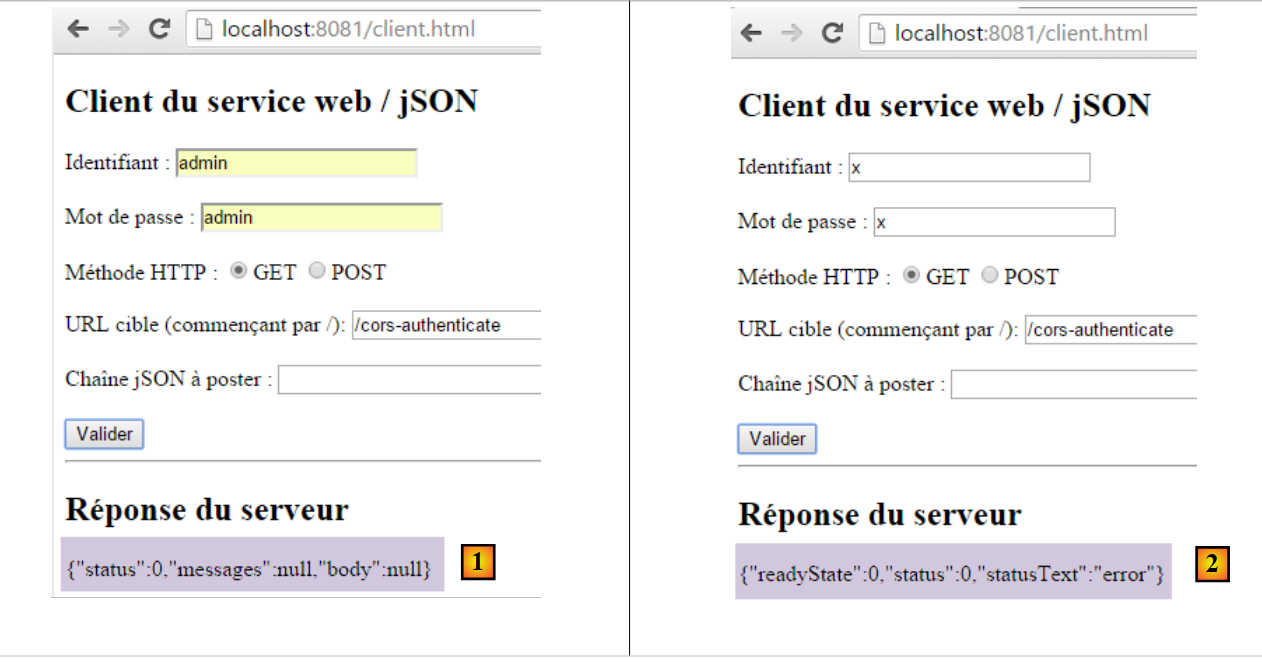 |
- The responses are displayed using the following code: jS
function doGet(url) {
    // make a manual Ajax call
    $.ajax({
        headers : {
            'Authorization':'Basic '+authorizationCode
        },
        url : baseUrl + url,
        type : 'GET',
        dataType : 'text',
        beforeSend : function() {
        },
        success : function(data) {
            // text result
            response.text(data);
        },
        complete : function() {
        },
        error : function(jqXHR) {
            // system error
            response.text(JSON.stringify(jqXHR.statusCode()));
        }
    })
}
- The response [1] is displayed by line 14 of the [success] function;
- The response [2] is displayed by line 20 of function [error]. The function [JSON.stringify] creates the string jSON from the object [jqXHR.statusCode()], which is the object encapsulating the error that occurred. This object provides little information. It is possible to use other methods of the [jqXHR] object to obtain, for example, the HTTP headers returned by the server;
18.13. Conclusion
Our application now supports cross-domain requests. These can be enabled or disabled via configuration in the [AppConfig] class:
@ComponentScan(basePackages = { "spring.cors.server.service" })
@Import({ SecurityConfig.class })
public class AppConfig {

    // cross-domain queries
    @Bean
    public boolean isCorsEnabled() {
        return true;
    }

    @Autowired
    private DispatcherServlet dispatcherServlet;

    @PostConstruct
    public void init() {
        // the application processes requests itself HTTP [OPTIONS]
        dispatcherServlet.setDispatchOptionsRequest(true);
    }
}