3. Controllers, Actions, Routing
Let’s consider the architecture of a ASP.NET MVC application:
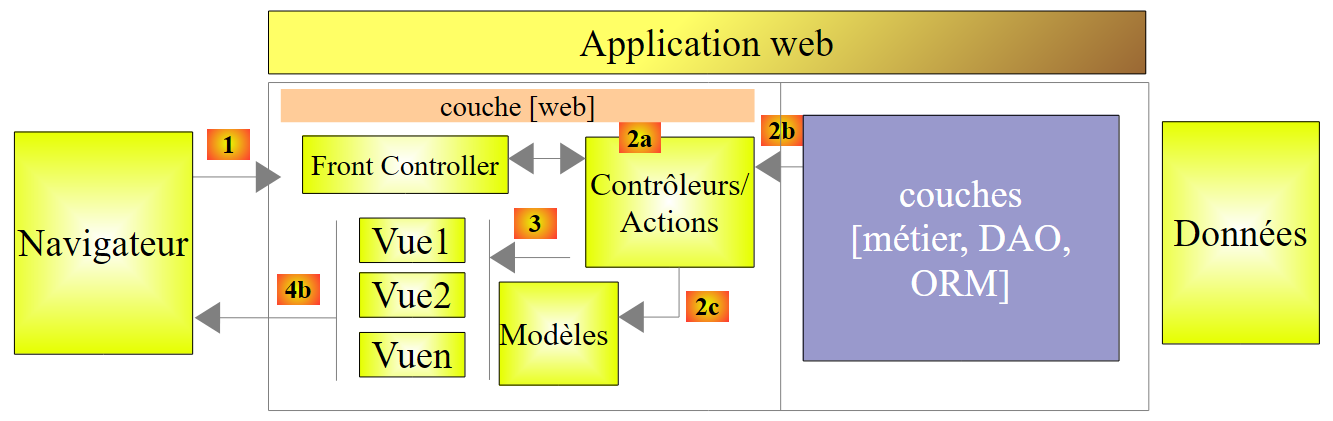 |
In this chapter, we examine the process that directs the request to the controller and action that will handle it, a mechanism known as routing. We also present the various responses [3] that an action can return to the browser. This may be something other than a V view [4b].
3.1. The structure of a ASP.NET MVC project
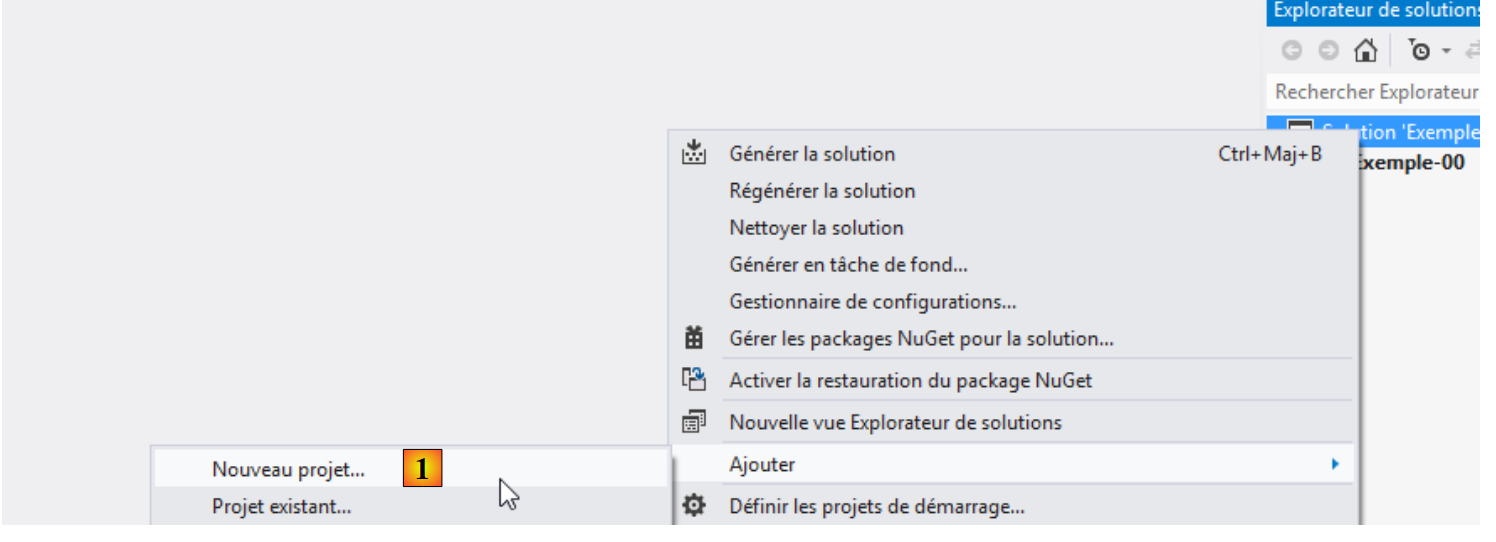
Let’s build our first ASP.NET MVC project using Visual Studio Express 2012. We will add it [1] to the solution used in the previous chapter:
 |
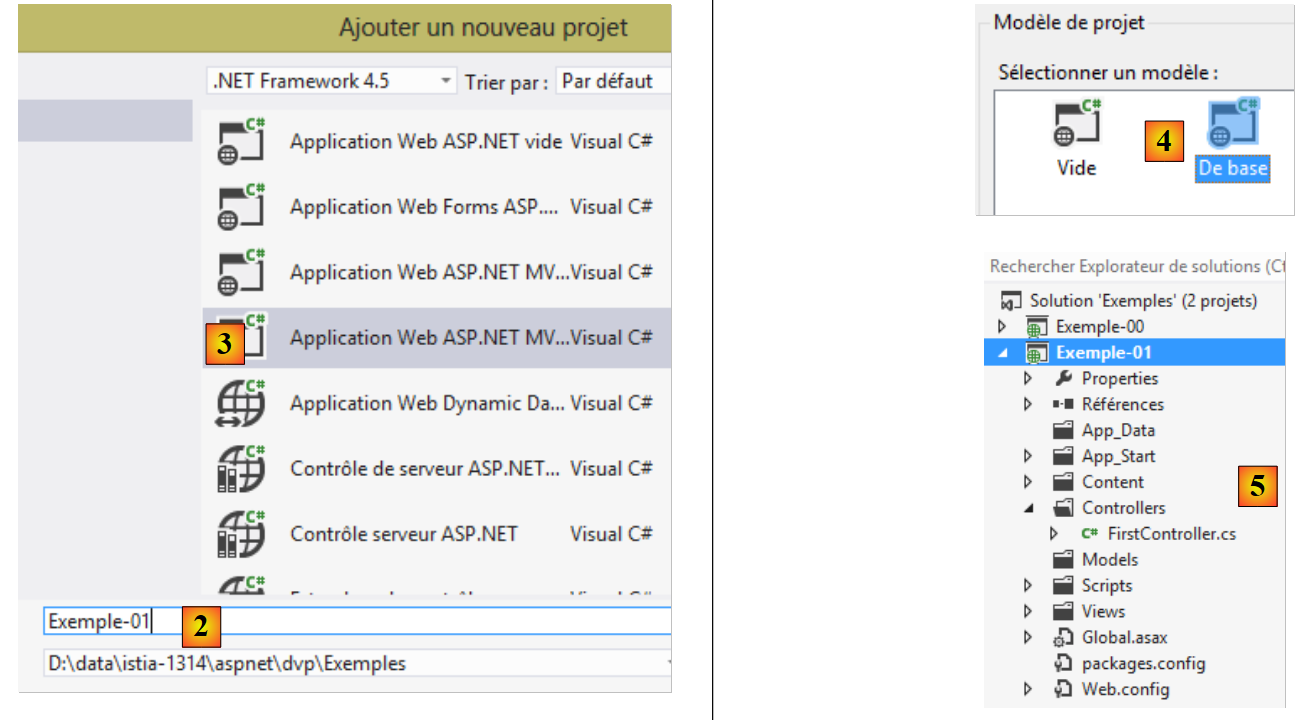 |
- in [2], the name of the new project;
- in [3, 4], we choose a basic ASP.NET MVC project. This template provides us with an empty web application that nevertheless includes all the resources (DLL, javascript libraries, ...) needed to work.
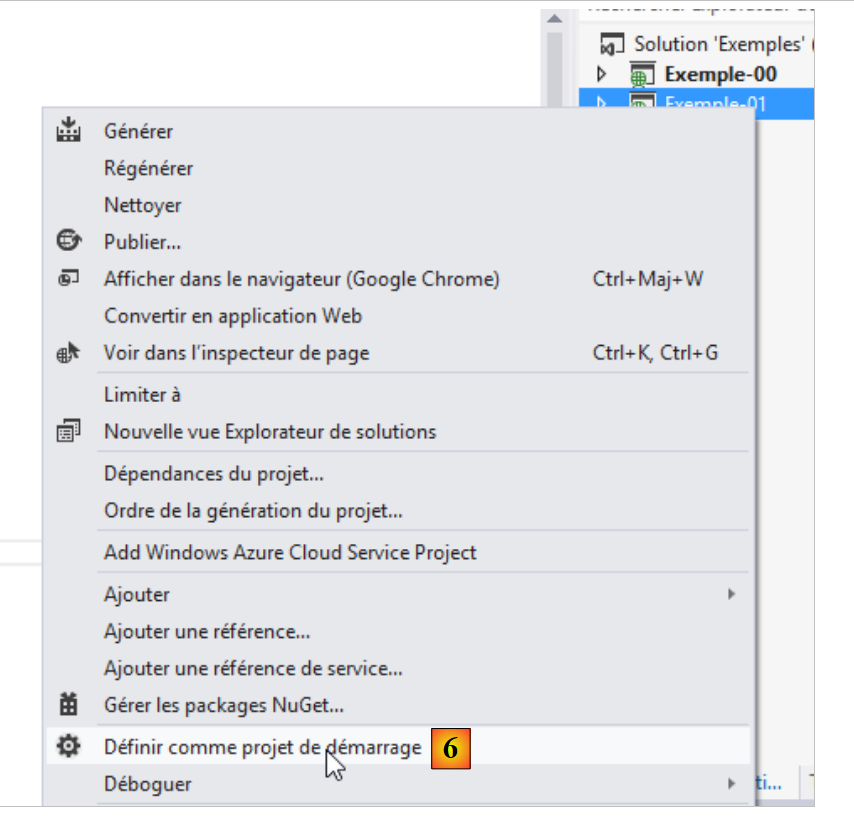
The resulting project is shown in [5]. We will make [6] the solution’s startup project:
 |
Note the following points in [5]:
- The project architecture reflects its MVC model:
- the C controllers will be placed in the [Controllers] folder,
- the M data models will be placed in the [Models] folder,
- the V views will be placed in the [Views] folder,
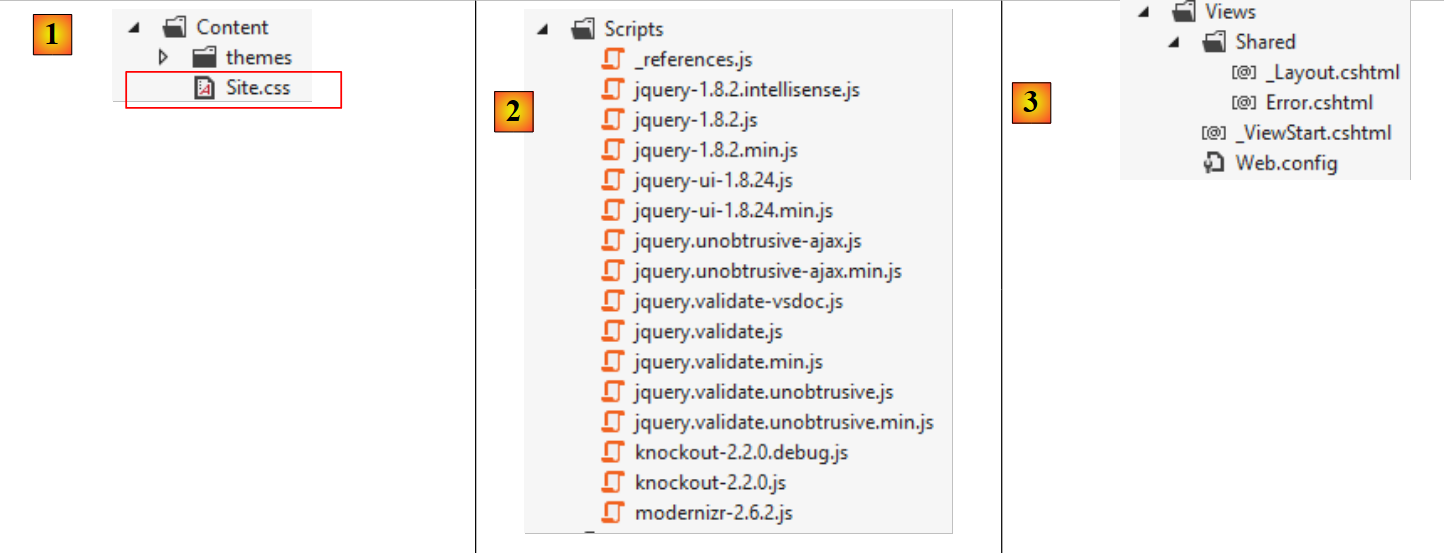 |
- in [1], the file [Site.css] will be the application's default file CSS;
- in [2], a number of Javascript libraries are made available to us;
- In [3], there are three specific views: _ViewStart, _Layout, and Error.
The file [_ViewStart] is as follows:
@{
    Layout = "~/Views/Shared/_Layout.cshtml";
}
- line 1: the @ character indicates a C# block within the view. Indeed, C# code can be included in a view;
- line 2: defines a Layout variable that specifies the parent view for all views. It corresponds to the master page of the classic ASP.NET framework.
The [_Layout] file is as follows:
<!DOCTYPE html>
<html>
<head>
    <meta charset="utf-8" />
    <meta name="viewport" content="width=device-width" />
    <title>@ViewBag.Title</title>
    @Styles.Render("~/Content/css")
    @Scripts.Render("~/bundles/modernizr")
</head>
<body>
    @RenderBody()

    @Scripts.Render("~/bundles/jquery")
    @RenderSection("scripts", required: false)
</body>
</html>
When a view from the [Views] folder is rendered, its body will be rendered by line 11 above. This means that the view does not need to include the <html>, <head>, and <body> tags. These are provided by the file above. This file is currently quite obscure. Let’s simplify it:
<!DOCTYPE html>
<html>
<head>
  <meta charset="utf-8" />
  <meta name="viewport" content="width=device-width" />
  <title>Tutoriel ASP.NET MVC</title>
</head>
<body>
  <h2>Tutoriel ASP.NET MVC</h2>
  @RenderBody()
</body>
</html>
- line 6: the title common to all views;
- line 9: the header common to all views;
- line 10: the content specific to the displayed view.
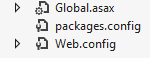 |
- [Web.config] is the web application configuration file. It is complex. You will need to modify it when using the [Spring.net] framework in a multi-tier architecture.
- [Global.asax] contains the code executed when the application starts. Generally, this code uses the application’s various configuration files, including [Web.config].
3.2. Default routing for URL
The code for [Global.asax] is currently as follows:
using System.Web.Http;
using System.Web.Mvc;
using System.Web.Optimization;
using System.Web.Routing;

namespace Exemple_01
{

  public class MvcApplication : System.Web.HttpApplication
  {
    protected void Application_Start()
    {
   ...
    }
  }
}
- line 6, the class namespace. It comes directly from the project name and is listed in the project properties:
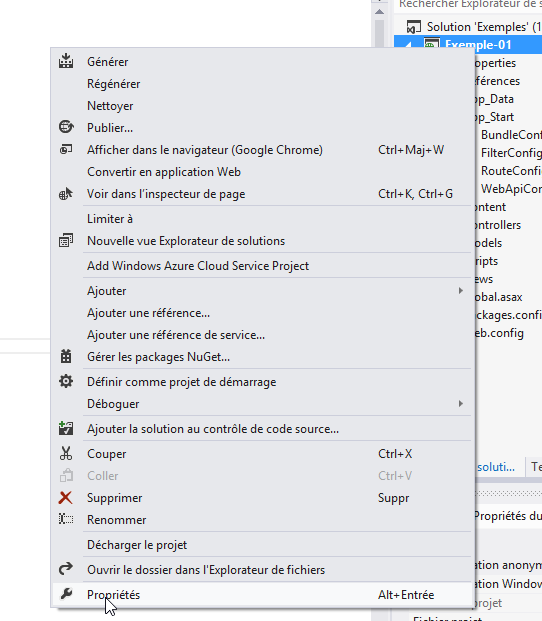
 |
We set the default namespace to [1]. It is then used by default for all classes that will be created in the project.
Let’s return to the code for [Global.asax]:
using System.Web.Http;
using System.Web.Mvc;
using System.Web.Optimization;
using System.Web.Routing;

namespace Exemple_01
{

  public class MvcApplication : System.Web.HttpApplication
  {
    protected void Application_Start()
    {
   ...
    }
  }
}
- line 9: the class [MvcApplication] derives from the class [HttpApplication]. The name [MvcApplication] can be changed;
- line 11: the method [Application_Start] is the method executed when the web application starts. It is executed only once. This is where the application is initialized.
The code for [Application_Start] is currently as follows:
    protected void Application_Start()
    {
      AreaRegistration.RegisterAllAreas();

      WebApiConfig.Register(GlobalConfiguration.Configuration);
      FilterConfig.RegisterGlobalFilters(GlobalFilters.Filters);
      RouteConfig.RegisterRoutes(RouteTable.Routes);
      BundleConfig.RegisterBundles(BundleTable.Bundles);
}
For now, you don’t need to understand all of this code. Lines 5–8 define the routes accepted by the web application. Let’s return to the architecture of a ASP.NET MVC application:
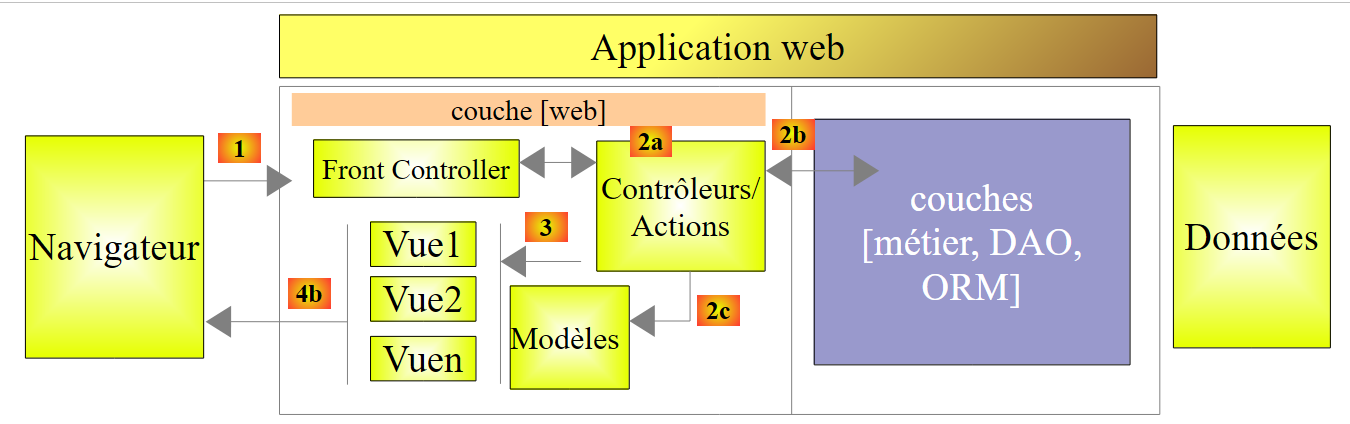 |
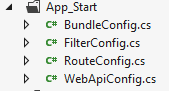
We explained that the [Front Controller] must route a URL to the action responsible for processing it. A route is used to link a URL model to an action. These routes are defined in the [App_Start] folder of the project by the [WebApiConfig, FilterConfig, RouteConfig, BundleConfig] classes:
 |
For now, we are only interested in the [RouteConfig] class:
using System.Web.Mvc;
using System.Web.Routing;

namespace Exemple_01
{
  public class RouteConfig
  {
    public static void RegisterRoutes(RouteCollection routes)
    {
      routes.IgnoreRoute("{resource}.axd/{*pathInfo}");

      routes.MapRoute(
          name: "Default",
          url: "{controller}/{action}/{id}",
          defaults: new { controller = "Home", action = "Index", id = UrlParameter.Optional }
      );
    }
  }
}
Lines 12–16 define the format of the URL accepted by the application. This is called a route. There may be several possible routes (= several possible URL formats). They are distinguished from one another by their name (line 13). The format of the URL for the route is defined on line 14. Here, the URL will have three components:
- {controller}: the name of a class derived from [Controller]. It will be searched for in the [Controllers] folder of the project. By convention, if the URL is /X/Y/Z, the controller responsible for handling this URL will be the XController class. The suffix "Controller" is added to the name of the controller present in the URL;
- {action}: the name of a method in the controller specified above. This method will receive the parameters accompanying the URL request and process them. This method can return various results:
- void: the action will construct the response to the client browser itself
- String: the action returns a string to the client;
- ViewResult: returns a view to the client;
- PartialViewResult: returns a partial view;
- EmptyResult: an empty response is sent to the client;
- RedirectResult: instructs the client to redirect to a URL
- RedirectToRouteResult: same as above, but URL is constructed from application routes;
- JsonResult: sends a JSON response
- JavaScriptResult: returns a Javascript code to the client;
- ContentResult: returns a stream HTML to the client without going through a view;
- FileContentResult: returns a file to the client;
- FileStreamResult: same as above, but via a different channel;
- FilePathResult: ...
- {id}: a parameter that will be passed to the action. For this to work, the action must have a parameter named id.
Line 15 defines default values when URL does not have the expected format /{controller}/{action}/{id}. It also indicates that the {id} parameter in the URL is optional. Here is a list of incomplete URL entries and the URL completed with default values:
Original URL | Completed URL |
/ | /Home/Index |
/Do | /Do/Index |
/Do/Something | /Do/Something |
/Do/Something/4 | /Do/Something/4 |
/Do/Something/x/y/z | URL unrouted |
3.3. Creating a controller and a first action
Let's create a first controller:
 |
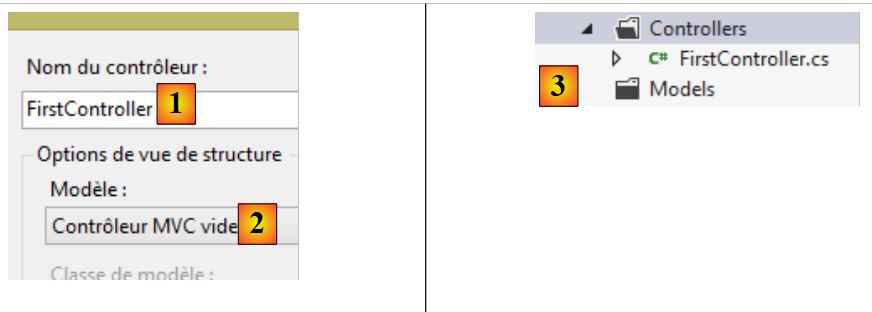 |
- In [1], enter the controller name with its suffix [Controller];
- in [2], create an empty controller MVC;
- in [3], it has been created.
The code for [FirstController] is as follows:
using System;
using System.Collections.Generic;
using System.Linq;
using System.Web;
using System.Web.Mvc;

namespace Exemple_01.Controllers
{
    public class FirstController : Controller
    {
        //
        // GET: /First/

        public ActionResult Index()
        {
            return View();
        }

    }
}
- line 7: a default namespace has been generated;
- line 9: the class [FirstController] derives from the class [System.Web.Mvc.Controller];
- lines 14–17: a [Index] action has been generated by default. It is public. This is important; otherwise, it will not be found. It returns a [ActionResult] type, which is an abstract class from which most of the results typically returned by an action are derived. This is a "catch-all" type that can be specified by replacing it with the actual name of the returned type;
- Line 16: The method does nothing. It simply returns a view, specifically a [ViewResult] type. The name of the view is not specified. In this case, the framework searches the [Views / First] folder for a view with the same name as the action, which in this case is: [Index.cshtml].
Let’s create the view [Index.cshtml]:
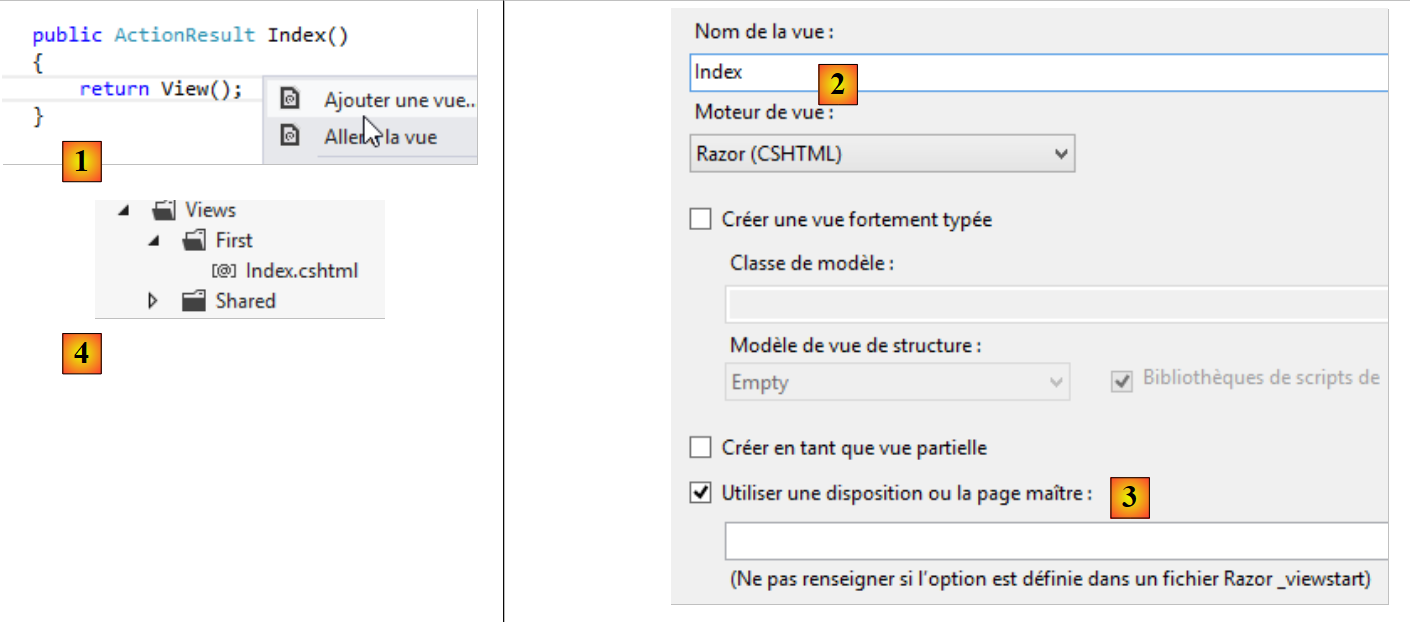 |
- in [1], right-click in the action code and select option [Ajouter une vue];
- In [2], the wizard suggests a view with the same name as the action. This is what we want here;
- In [3], by default, the use of the master page [_Layout.cshtml] is suggested;
- In [4], once validated, the wizard creates the view in a subfolder of the [Views] folder named after the controller (First).
The code generated for the [Index] view is as follows:
@{
    ViewBag.Title = "Index";
}

<h2>Index</h2>
- lines 1-3: C# code that defines a variable;
- line 5: a HTML tag.
Replace all the previous code with this:
<strong>Vue [Index]...</strong>
To summarize:
- we have a C controller named [First];
- we have an action called [Index] that requests the display of a view called [Index];
- we have the view V [Index].
We can call the action [Index] in two ways:
- /First/Index;
- /First, since [Index] is also the default action in the routes.
Let’s run the application (CTRL-F5). We get the following page:
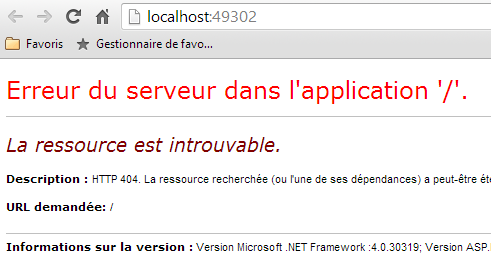
In [1], the requested URL was http://localhost:49302. There is no path. We know that our router expects URL in the form /{controller}/{action}/{id}. Since these elements are missing, the default values are used. The URL becomes http://localhost:49302/Home/Index. The controller [Home] does not exist. Therefore, URL is rejected.
Now let’s try URL http://localhost:49302/First/Index by typing it directly into the browser:
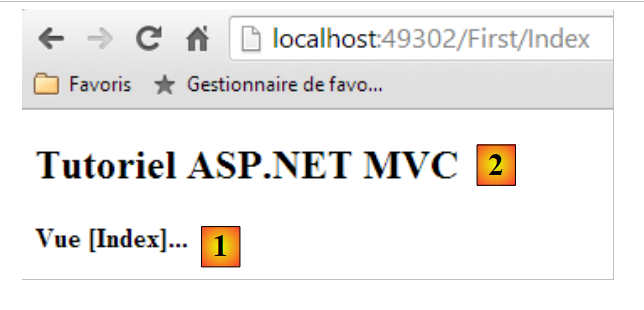 |
The page above was generated by the [Index] action of the [First] controller. The page generated by this action is the [Index] view, whose code was as follows:
<strong>Vue [Index]...</strong>
It generates the [1] section. The [2] section, on the other hand, comes from the master page [_Layout] that we defined earlier:
<!DOCTYPE html>
<html>
<head>
  <meta charset="utf-8" />
  <meta name="viewport" content="width=device-width" />
  <title>Tutoriel ASP.NET MVC</title>
</head>
<body>
  <h2>Tutoriel ASP.NET MVC</h2>
  @RenderBody()
</body>
</html>
Line 9 generated the [2] section of the page. The [Index] view, however, is only used on line 10.
If we view the source code of the received page, we can see that the [Index] page is indeed included (line 10 below) in the [Layout] page:
Now let's try URL [/First]:
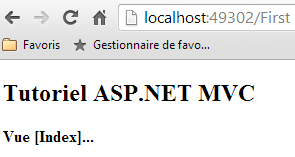 |
The URL [/First] was incomplete. It was completed with the route's default values and became [/First/Index]. We therefore get the same result as before.
3.4. Action with a result of type [ContentResult] - 1
Let’s create a new action in the [First] controller:
using System.Text;
using System.Web.Mvc;

namespace Exemple_01.Controllers
{
  public class FirstController : Controller
  {
    // Index
    public ViewResult Index()
    {
      return View();
    }
    // Action01
    public ContentResult Action01()
    {
      return Content("<h1>Action [Action01]</h1>", "text/plain", Encoding.UTF8);
    }
  }
}
The new action is defined in lines 14–18. It simply returns a string using the [Content] method (line 16) of the [Controller] class (line 6). The method’s parameters are:
- the character string of the response;
- an indicator of the nature of the text sent: "text/plain", "text/html", "text/xml", ... This indicator is called type MIME (http://fr.wikipedia.org/wiki/Type_MIME);
- the third parameter specifies the encoding type used for the text.
Rather than using the abstract type [ActionResult], our methods specify the actual rendered type (lines 9 and 14).
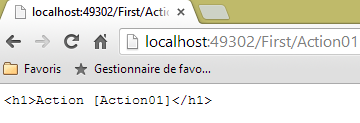
Let’s request URL [/First/Action01]. We get the following page:
 |
Let's look at the source code of the received page:
The browser received only the text sent by the action and nothing else. This mode is useful when you want to request raw data from the web server without the HTML markup around it. Note above that the browser did not interpret the HTML tag <h1>. To understand why, let’s look at the HTTP exchanges in Chrome:
The browser sent the following headers:
The server responded with the following headers:
- Line 3: sets the document type. We find the attributes set in the [Action01] method. It is because the browser was told that the document was of type "text/plain" and not "text/html" that it did not interpret the <h1> tag that was in the received document.
3.5. Action with a result of type [ContentResult] - 2
Consider the following third action:
using System.Text;
using System.Web.Mvc;

namespace Exemple_01.Controllers
{
  public class FirstController : Controller
  {
   ...
    // Action02
    public ContentResult Action02()
    {
      string data = "<action><name>Action02</name><description>renvoie un texte XML</description></action>";
      return Content(data, "text/xml", Encoding.UTF8);
    }
  }
}
- line 12: we define a XML text;
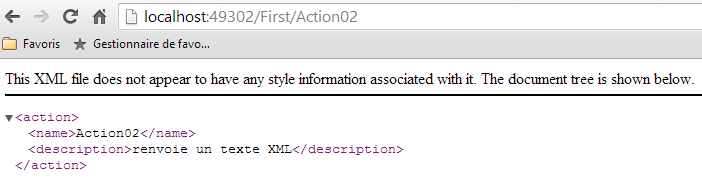
- line 13: we send it to the browser, specifying that it is XML with the type MIME "text/xml".
In the browser, we get the following page:
 |
Let’s look at the server’s HTTP response in Chrome:
- line 3: specifies the document type. The attributes set in the [Action02] method are present;
- line 12: the size in bytes of the document sent by the server.
The document sent by the server is this one (Chrome screenshot):
 |
3.6. Action with a result of type [JsonResult]
Let’s add the following action to the [First] controller:
    // Action03
    public JsonResult Action03()
    {
      dynamic personne = new ExpandoObject();
      personne.nom = "someone";
      personne.age = 20;
      return Json(personne,JsonRequestBehavior.AllowGet);
}
- line 4: a variable of type dynamic. At runtime, properties can be freely added to such a variable. The property is created at the same time it is initialized;
- lines 5-6: we initialize two properties, name and age;
- line 7: the JSON representation (Javascript Object Notation) of the object is returned. JSON allows an object to be serialized into a string and, conversely, a string to be deserialized into an object. It is an alternative to XML serialization/deserialization;
- Line 2: The action returns a [JsonResult] type. This type can only be returned for a POST request. If you want to return it for a GET method, you must set the second parameter of the Json class constructor (line 7) to the value JsonRequestBehavior.AllowGet.
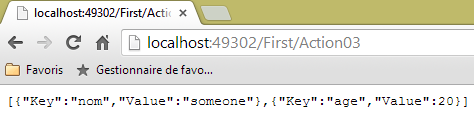
When requesting URL [/First/Action03], the browser displays the following:
 |
The server's response is as follows:
- line 3: specifies that the sent document is JSON;
- line 10: the sent document is 58 bytes. It is as follows:
The dynamic element [personne] is viewed by JSON as an array of dictionaries where each dictionary:
- corresponds to a field in the variable [personne];
- has two keys, "Key" and "Value". "Key" has the field name as its associated value, and "Value" has the field's value as its value.
3.7. Action with a result of type [string]
Let’s add the following action to the [First] controller:
    // Action04
    public string Action04()
    {
      return "<h3>Contrôleur=First, Action=Action04</h3>";
}
When we request URL [/First/Action04] with Chrome, we get the following response:
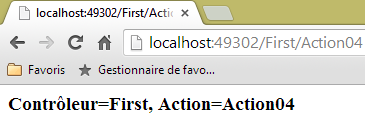 |
We can see that the <h3> tag has been interpreted. Let’s look at the server’s response:
and the following document:
As seen on line 3, the server indicated that it was sending text in the HTML format. This is why the browser interpreted the <h3> tag. When you want to send plain text, it is therefore preferable to return a [ContentResult] rather than a [string]. The [ContentResult] format allows us to specify a "text/plain" MIME type to indicate that we are sending unformatted text, which the browser will not attempt to interpret.
3.8. Action with a result of type [EmptyResult]
Consider the following new action:
    // Action05
    public EmptyResult Action05()
    {
      return new EmptyResult();
}
The action simply returns a type of [EmptyResult]. In this case, the server sends an empty response to the client, as shown in its response HTTP:
- line 9: the server tells its client that it is sending an empty document.
3.9. Action with a result of type [RedirectResult] - 1
Consider the following new action:
    // Action06
    public RedirectResult Action06()
    {
      return new RedirectResult("/First/Action05");
}
The action returns a [RedirectResult] type. This type allows sending a redirection command to the client to the URL constructor parameter (line 4). The client will then send a new GET request to [/First/Action05]. The client therefore makes two requests in total.
The browser displays the result of the second request:
 |
Let’s examine the server’s HTTP response in Chrome:
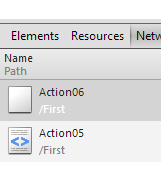 |
Above, we see the browser’s two requests. Let’s examine the first request, [Action06]. The server’s response, HTTP, is as follows:
- Line 1: The server responded with a 302 Found status code. Previously, it was 200 OK, which means the requested document was found. The 302 code indicates that a redirect is requested. The redirect address is given in line 4. Here we see the redirect address we provided in the action code;
- line 11: the server indicates that with its response HTTP, it is sending a document of type text/html (line 3) that is 132 bytes in size (line 11). When we examine the response to the [Action06] request in Chrome, it is empty, as expected. There is probably an explanation, but I don’t know what it is.
Because of the redirect, the browser makes a new GET request to the URL specified in line 4 above, as can be seen in Chrome on line 1 below:
3.10. Action with a result of type [RedirectResult] - 2
Consider the following new action:
    // Action07
    public RedirectResult Action07()
    {
      return new RedirectResult("/First/Action05",true);
}
In line 4, we added a second parameter to the constructor of type [RedirectResult]. It is a boolean that defaults to false. When set to true, it modifies the HTTP response sent to the client. It becomes:
Thus, the response code sent to the client is now 301 Moved Permanently. The redirection occurs as before, but we indicate that this redirection is permanent. This allows search engines to replace the old URL with the new one in their results.
3.11. Action with a result of type [RedirectToRouteResult]
Consider the following new action:
    // Action08
    public RedirectToRouteResult Action08()
    {
      return new RedirectToRouteResult("Default",new RouteValueDictionary(new {controller="First",action="Action05"}));
}
- Line 2: The action returns a [RedirectToRouteResult] type. This type allows redirecting a client to a URL specified not by a string as before, but by a route.
Routes are defined in [App_Start/RouteConfig]. There is currently only one:
      routes.MapRoute(
          name: "Default",
          url: "{controller}/{action}/{id}",
          defaults: new { controller = "Home", action = "Index", id = UrlParameter.Optional }
);
- In line 4, the client is instructed to redirect to the route named [Default] with the variable controller=First and the variable action=Action05. The routing system will then generate the redirect URL /First/Action05. This is shown by the server's response HTTP:
- line 1: the redirect;
- line 4: the redirect address generated by the URL routing system.
3.12. Action with a result of type [void]
Let the following be the new action:
    // Action09
    public void Action09()
    {
      string nom = Request.QueryString["nom"] ?? "inconnu";
      Response.AddHeader("Content-Type", "text/plain");
      Response.Write(string.Format("<h3>Action09</h3>nom={0}", nom));
}
- line 2: the action returns no result. It writes directly to the response stream sent to the client;
- line 4: we retrieve a possible parameter named [nom] from the request. This parameter is accessible via the [Request] property of the [Controller] controller, from which the [First] controller inherits. The parameter [nom], passed in the form [/First/Action09?nom=quelquechose], is available in Request.QueryString["nom"]. The syntax of line 4 is equivalent to:
- line 5: the response sent to the client is accessible via the [Response] property of the [Controller] controller, from which the [First] controller inherits;
- Line 5: We set the header HTTP [Content-Type], which specifies the type of document the server is about to send to the client. Here, "text/plain" indicates that the document is plain text that should not be interpreted by the browser;
- Line 6: A string of characters is written into the response stream. We have included HTML tags that should not be interpreted by the browser, since the browser will have previously received the HTTP [Content-Type : text/plain"] header. This is what we want to verify.
Let’s compile the project and request the URL [/First/Action09?nom=someone ][1] and then theURL [/First/Action09 ] [2]:
 |
Now let’s look at the server’s response HTTP in Chrome:
- line 3: we see the header HTTP that we had set ourselves in the action code.
3.13. A second controller
Let’s create a second controller in the project. We’ll follow the method described in section 3.1, page 40. We’ll call it [Second].
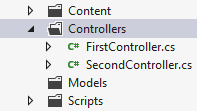 |
Its generated code is as follows:
namespace Exemple_01.Controllers
{
  public class SecondController : Controller
  {
    //
    // GET: /Second/

    public ActionResult Index()
    {
      return View();
    }

  }
}
Let's modify it as follows:
using System.Text;
using System.Web.Mvc;

namespace Exemple_01.Controllers
{
  public class SecondController : Controller
  {
    // /Second/Action01
    public ContentResult Action01()
    {
      return Content("Contrôleur=Second, Action=Action01", "text/plain", Encoding.UTF8);
    }

  }
}
Then let's request URL [/Second/Action01] using a browser. We get the following response:
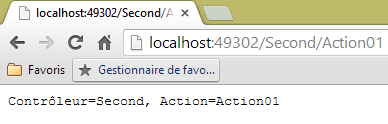 |
This URL was requested with a HTTP GET command, as shown in the HTTP logs for the request in Chrome:
The URL can also be requested with a HTTP POST command. To demonstrate this, let’s use the [Advanced Rest Client] application again:
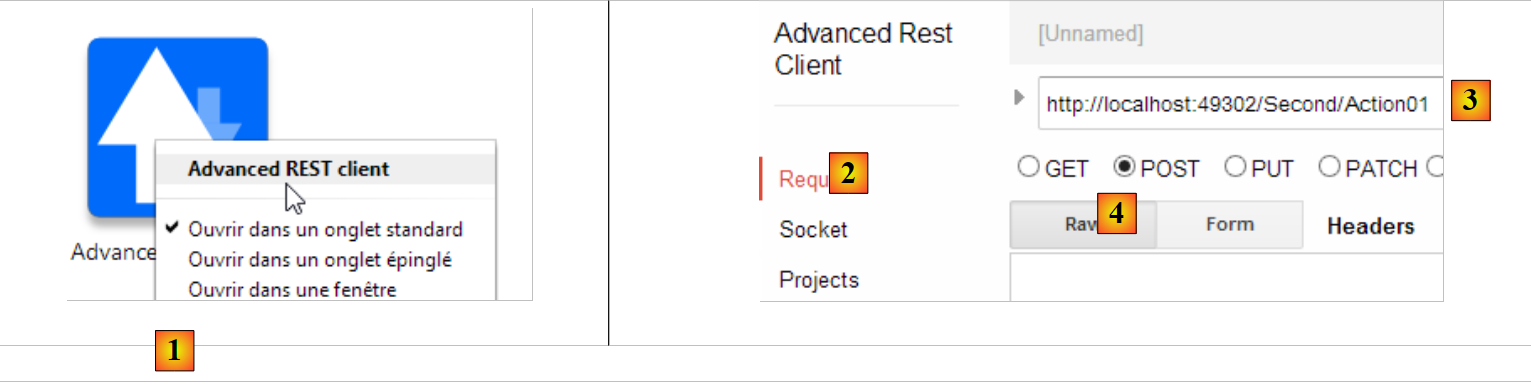 |
- In [1], launch the application (in the [Applications] tab of a new Chrome tab);
- In [2], select the option [Request];
- In [3], specify the requested URL;
- in [4], we specify that URL must be requested with POST;
We enable Chrome logs (CTRL-I) to obtain the server’s response HTTP. When we execute [Send], the preceding request, the exchanges are as follows:
The browser sends the following request:
- line 1: the URL is indeed requested with a POST;
- line 4: the size in bytes of the posted elements. There are none here.
The server's response HTTP is as follows:
HTTP/1.1 200 OK
Cache-Control: private
Content-Type: text/plain; charset=utf-8
Content-Encoding: gzip
Vary: Accept-Encoding
Server: Microsoft-IIS/8.0
X-AspNetMvc-Version: 4.0
X-AspNet-Version: 4.0.30319
X-SourceFiles: =?UTF-8?B?RDpcZGF0YVxpc3RpYS0xMzE0XGFzcG5ldFxkdnBcRXhlbXBsZXNcRXhlbXBsZS0wMVxTZWNvbmRcQWN0aW9uMDE=?=
X-Powered-By: ASP.NET
Date: Tue, 24 Sep 2013 10:47:59 GMT
Content-Length: 148
- line 3: the server sends an unformatted (plain) text document;
- line 12: 148 characters.
The document sent is as follows:
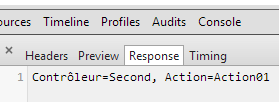 |
We get the same document as with GET.
3.14. Action filtered by an attribute
Let’s create the following new action:
    // /Second/Action02
    [HttpPost]
    public ContentResult Action02()
    {
      return Content("Contrôleur=Second, Action=Action02", "text/plain", Encoding.UTF8);
}
The action [Action02] is similar to the action [Action01], but it is specified that it is accessible only via a command HTTP POST (line 2). Other attributes can be used:
HttpGet | is used only with the command GET |
HttpHead | is used only with the command HEAD |
HttpOptions | serves only the command OPTIONS |
HttpPut | serves only the command PUT |
HttpDelete | serves only the command DELETE |
Let’s request URL [/Second/Action02] directly in the browser. It is then requested via a GET. The browser then displays the following response:
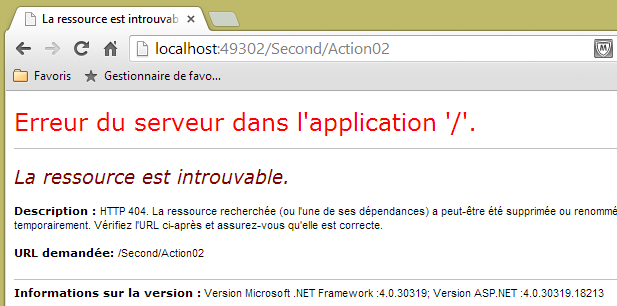 |
The server's response HTTP was as follows:
- Line 1: The 404 Not Found status code indicates that the server could not find the requested document. Here, the action [Action02] was unable to handle the request GET because it only handles commands POST;
- line 3: the size of the returned document. This is the page that was displayed by the browser:
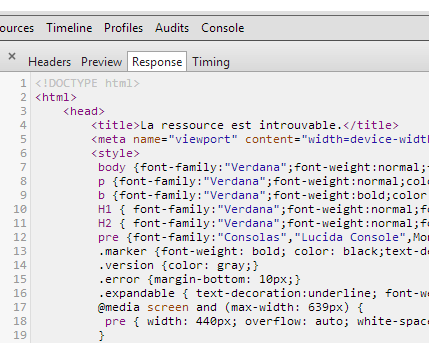 |
3.15. Retrieving elements from a route
In the two actions described above, we wrote something like this:
public ContentResult Action02()
    {
      return Content("Contrôleur=Second, Action=Action02", "text/plain", Encoding.UTF8);
}
The names of the controller and action were hard-coded in the code. If we change these names, the code is no longer correct. We can access the controller and action as follows:
    // /Second/Action03
    public ContentResult Action03()
    {
      string texte = string.Format("Contrôleur={0}, Action={1}", RouteData.Values["controller"], RouteData.Values["action"]);
      return Content(texte, "text/plain", Encoding.UTF8);
}
The route defined in [App_Start/RouteConfig] is as follows:
      routes.MapRoute(
          name: "Default",
          url: "{controller}/{action}/{id}",
          defaults: new { controller = "Home", action = "Index", id = UrlParameter.Optional }
);
Line 3: The three route elements can be obtained via RouteData.Values["élément"] with an element in [controller, action, id].
Let's request URL [http://localhost:49302/Second/Action03]:
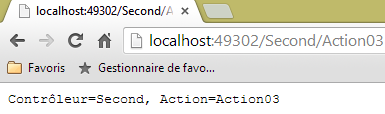 |
We have successfully retrieved both the controller name and the action name.