3. Introduction to ASP.NET Web Development
3.1. Introduction
The previous chapter introduced the principles of web development, which are independent of the programming language used. Currently, three technologies dominate the web development market:
- J2EE, which is a Java development platform. Combined with Struts technology, installed on various application servers, the J2EE platform is used primarily in large-scale projects. Because of the language used—Java—a J2EE application can run on major operating systems (Windows, Unix, Linux, Mac OS, etc.)
- PHP, which is an interpreted language that is also independent of the operating system. Unlike Java, it is not an object-oriented language. However, the PHP5 version is expected to introduce object-oriented features into the language. Easy to use, PHP is widely used in small and medium-sized projects.
- ASP.NET is a technology that runs only on Windows machines equipped with the .NET platform (XP, 2000, 2003, etc.). The development language used can be any .NET-compatible language, i.e., more than a dozen, starting with Microsoft languages (C#, VB.NET, J#), Borland’s Delphi, Perl, Python, ...
The previous chapter presented brief examples for each of these three technologies. This document focuses on ASP.NET web development using the VB.NET language. We assume that you are familiar with this language. This point is important. Here, we are concerned solely with its use in the context of web development. Let’s elaborate on this point by discussing the MVC methodology for web development.
A web application that follows the MVC model will be structured as follows:

Such an architecture, known as a 3-tier or 3-level architecture, aims to adhere to the MVC (Model-View-Controller) model:
- the user interface is the V (the view)
- the application logic is the C (the controller)
- the data sources are the M (Model)
The user interface is often a web browser, but it could also be a standalone application that sends HTTP requests to the web service over the network and formats the results it receives. The application logic consists of scripts that process user requests. The data source is often a database, but it can also be simple flat files, an LDAP directory, a remote web service, etc. It is in the developer’s best interest to maintain a high degree of independence between these three entities so that if one of them changes, the other two do not have to change, or only minimally.
- The application’s business logic will be placed in classes separate from the class that controls the request-response dialogue. Thus, the [Application Logic] block above could consist of the following elements:
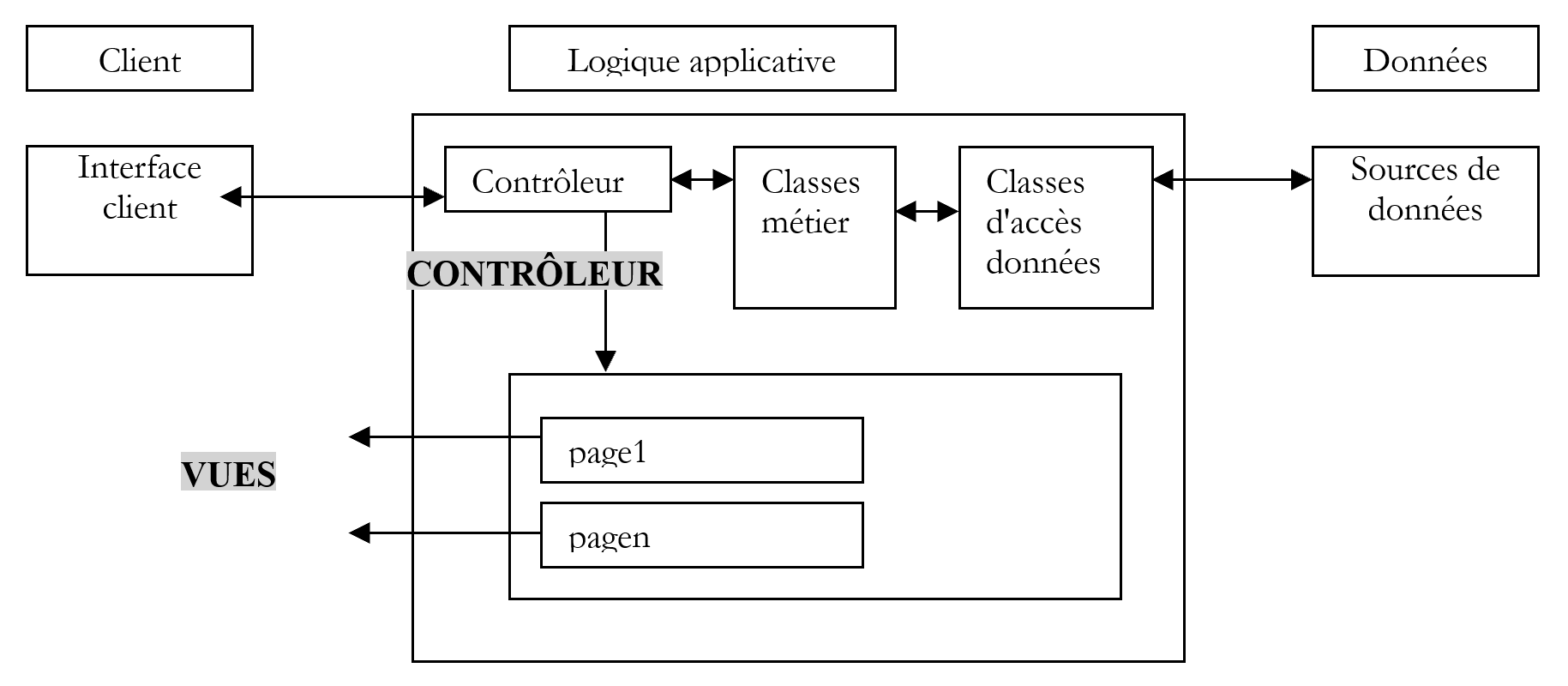
Within the [Application Logic] block, we can distinguish
- the controller class, which serves as the application’s entry point.
- the [Business Classes] block, which groups together the classes necessary for the application’s logic. These are independent of the client.
- the [Data Access Classes] block, which groups together the classes needed to retrieve the data required by the servlet, often persistent data (database, files, web service, etc.)
- the block of ASP pages that constitute the application’s views.
In simple cases, the application logic is often reduced to two classes:
- the controller class that handles client-server communication: processing the request and generating various responses
- the business class that receives data to be processed from the controller and returns results to it. This business class then manages access to persistent data itself.
The unique aspect of web development lies in writing the controller class and the presentation pages. The business and data access classes are standard .NET classes that can be used in a web application as well as in a Windows application or even a console application. Writing these classes requires a solid understanding of object-oriented programming. In this document, they will be written in VB.NET, so we assume that you are proficient in this language. From this perspective, there is no need to dwell on the data access code more than necessary. In almost all books on ASP.NET, a chapter is devoted to ADO.NET. The diagram above shows that data access is handled by standard .NET classes that are unaware they are being used in a web context. The controller, which acts as the team leader of the web application, does not need to worry about ADO.NET. It simply needs to know which class to request the required data from and how to request it. That’s all. Placing ADO.NET code in the controller violates the MVC concept explained above, and we will not do so.
3.2. Tools
This document is intended for students, so we will work with free tools available for download on the internet:
- the .NET platform (compilers, documentation)
- the WebMatrix development environment, which includes the Cassini web server
- various DBMSs (MSDE, MySQL)
Readers are encouraged to consult the appendix "Web Tools," which explains where to find and how to install these various tools. Most of the time, we will only need three tools:
- a text editor for writing web applications.
- a VB.NET development tool for writing VB code when it is substantial. This type of tool generally offers code entry assistance (autocompletion) and syntax error detection, either as you type the code or during compilation.
- a web server to test the web applications you’ve written. We’ll use Cassini in this document. Readers with an IIS server can replace Cassini with IIS. Both are .NET-compatible. However, Cassini is limited to responding only to local requests (localhost), whereas IIS can respond to requests from external machines.
An excellent commercial environment for developing in VB.NET is Microsoft’s Visual Studio.NET. This feature-rich IDE allows you to manage all kinds of documents (VB.NET code, HTML documents, XML, style sheets, etc.). For writing code, it provides the invaluable assistance of automatic code "completion." That said, this tool, which significantly improves developer productivity, has a downside: it confines the developer to a standard development mode that is certainly efficient but not always appropriate.
It is possible to use the Cassini server outside of [WebMatrix], and that is what we will often do. The server executable is located at <WebMatrix>\<version>\WebServer.exe, where <WebMatrix> is the [WebMatrix] installation directory and <version> is its version number:
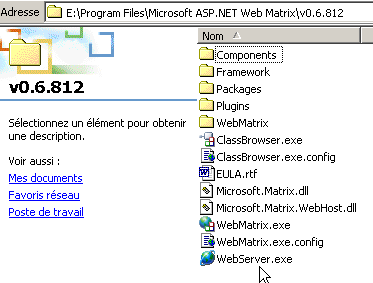
Let’s open a Command Prompt window and navigate to the Cassini server folder:
E:\Program Files\Microsoft ASP.NET Web Matrix\v0.6.812>dir
...
29/05/2003  11:00               53 248 WebServer.exe
...
Let's run [WebServer.exe] without any parameters:
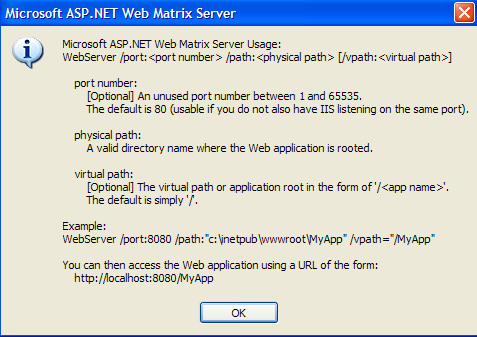
The panel above shows that the [WebServer/Cassini] application accepts three parameters:
- /port: port number of the web service. Can be any number. The default value is 80
- /path: physical path to a folder on the disk
- /vpath: virtual folder associated with the preceding physical folder.
We will place our examples in a file tree with root directory P and folders chap1, chap2, ... for the different chapters of this document. We will associate the virtual path V with this physical folder P. We will also launch Cassini with the following DOS command:
For example, if we want the server’s physical root to be the folder [D:\data\devel\aspnet\poly] and its virtual root to be [aspnet], the DOS command to start the web server will be:
You can save this command as a shortcut. Once launched, Cassini places an icon in the taskbar. Double-clicking it opens a server Start/Stop panel:
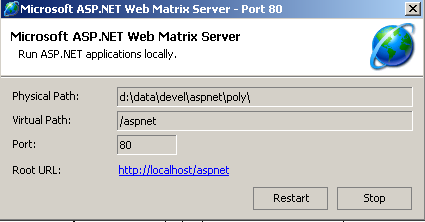
The panel displays the three parameters used to launch it. It offers two start/stop buttons as well as a test link to the root of its web directory tree. We click it. A browser opens and the URL [http://localhost/aspnet] is requested. We see the contents of the folder specified in the [Physical Path] field above:
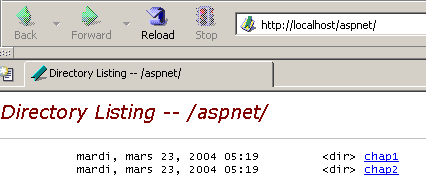
In this example, the requested URL corresponds to a folder rather than a web document, so the server displayed the contents of that folder rather than a specific web document. If there is a file named [default.aspx] in this folder, it will be displayed. For example, let’s create the following file and place it in the root of Cassini’s web tree (d:\data\devel\aspnet\poly here):
Now let's request the URL [http://localhost/aspnet] using a browser:
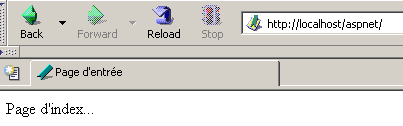
We see that in reality, the URL [http://localhost/aspnet/default.aspx] was displayed. Later in this document, we will explain how Cassini should be configured using the notation Cassini(path,vpath), where [path] is the name of the root folder of the server’s web directory tree and [vpath] is the associated virtual path. Recall that with the Cassini(path,vpath) server, the URL [http://localhost/vpath/XX] corresponds to the physical path [path\XX]. We will place all our documents under a physical root directory that we will call <webroot>. Thus, we can refer to the file <webroot>\chap2\here1.aspx. For each reader, this <webroot> directory will be a folder on their personal machine. Here, the screenshots will show that this folder is often [d:\data\devel\aspnet\poly]. However, this will not always be the case, as the tests were performed on different machines.
3.3. First examples
We will present some simple examples of dynamic web pages created with VB.NET. Readers are encouraged to test them to verify that their development environment is properly installed. We will see that there are several ways to build an ASP.NET page. We will choose one for the rest of our development work.
3.3.1. Basic Example - Variant 1
Required tools: a text editor, the Cassini web server
We’ll revisit the example from the previous chapter. We’ll create the following [heure1.aspx] file:
<html>
  <head>
      <title>Demo asp.net </title>
  </head>
  <body>
      Il est <% =Date.Now.ToString("T") %>
  </body>
</html>
This code is HTML code with a special <% ... %> tag. Inside this tag, you can place VB.NET code. Here, the code
generates a C string representing the current time. The <% ... %> tag is then replaced by this C string. So if C is the string 18:11:01, the HTML line containing the VB.NET code becomes:
Let’s place the previous code in the file [<webroot>\chap2\heure1.aspx]. Let’s start Cassini(<webroot>,/aspnet) and request the URL [http://localhost/aspnet/chap2/heure1.aspx] in a browser:
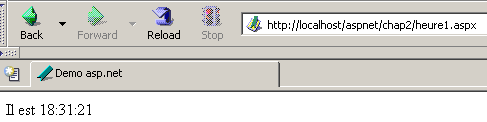
Once we get this result, we know that the development environment is correctly installed. The [heure1.aspx] page has been compiled since it contains VB.NET code. Its compilation produced a DLL file that was stored in a system folder and then executed by the Cassini server.
3.3.2. Basic example - variant 2
Required tools: a text editor, the Cassini web server
The [heure1.aspx] document mixes HTML code and VB.NET code. In such a simple example, this is not a problem. If you need to include more VB.NET code, you will want to separate the HTML code from the VB code more clearly. This can be done by enclosing the VB code within a <script> tag:
<script runat="server">
    ' calcul des données à afficher par le code HTML
...
</script>
<html>
....
' affichage des valeurs calculées par la partie script
</html>
The example [heure2.aspx] demonstrates this method:
<script runat="server">
    Dim maintenant as String=Date.Now.ToString("T")
</script>
<html>
    <head>
        <title>Demo asp.net </title>
    </head>
    <body>
        Il est
        <% =maintenant %>
    </body>
</html>
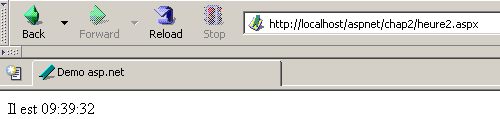
We place the document [heure2.aspx] in the directory tree [<webroot>\chap2\heure2.aspx] on the Cassini web server (<webroot>,/aspnet) and request the document using a browser:
3.3.3. Basic Example - Variant 3
Required tools: a text editor, the Cassini web server
We take the separation of VB code and HTML code a step further by placing them in two separate files. The HTML code will be in the [heure3.aspx] file and the VB code in [heure3.aspx.vb]. The content of [heure3.aspx] will be as follows:
<%@ Page Language="vb" src="heure3.aspx.vb" Inherits="heure3" %>
<html>
    <head>
        <title>Demo asp.net</title>
    </head>
    <body>
        Il est
        <% =maintenant %>
    </body>
</html>
There are two fundamental differences:
- the [Page] directive with attributes that are not yet defined
- the use of the [now] variable in the HTML code even though it is not initialized anywhere
The [Page] directive is used here to indicate that the VB code that will initialize the page is located in another file. The [src] attribute specifies this file. We will see that the VB code belongs to a class called [heure3]. Transparent to the developer, an .aspx file is converted into a class that derives from a base class called [Page]. Here, our HTML document must derive from the class that defines and calculates the data it needs to display. In this case, it is the [heure3] class defined in the [heure3.aspx.vb] file. We must therefore specify this parent-child relationship between the VB document [heure3.aspx.vb] and the HTML document [heure3.aspx]. The [inherits] attribute specifies this relationship. It must indicate the name of the class defined in the file pointed to by the [src] attribute.
Let’s now examine the VB code for the page:
Public Class heure3
    Inherits System.Web.UI.Page

    ' data of the web page to be displayed
    Protected maintenant As String

    Private Sub Page_Load(ByVal sender As System.Object, ByVal e As System.EventArgs) Handles MyBase.Load
        'calculates the web page data
        maintenant = Date.Now.ToString("T")
    End Sub
End Class
Note the following points:
- The VB code defines a class [heure3] derived from the [System.Web.UI.Page] class. This is always the case, as a web page must always be derived from [System.Web.UI.Page].
- The class declares a protected attribute [now]. We know that a protected attribute is directly accessible in derived classes. This is what allows the HTML document [heure3.aspx] to access the value of the [now] data in its code.
- The [maintenant] attribute is initialized in a [Page_Load] procedure. We will see later that a [Page] object is notified by the web server of a number of events. The [Load] event occurs when the [Page] object and its components have been created. The handler for this event is designated by the directive [Handles MyBase.Load]
- The name [XX] of the event handler can be anything. Its signature must be the one shown above. We will not explain this in detail for now.
- We often use the [Page.Load] event handler to calculate the values of the dynamic data that the web page must display.
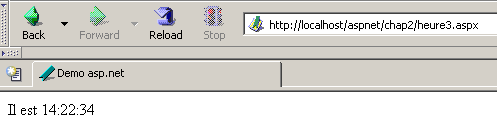
The files [heure3.spx] and [heure3.aspx.vb] are located in [<webroot>\chap2]. Then, using a browser, we request the URL [http://localhost/aspnet/chap2/heure3.aspx] from the web server (<webroot>,/aspnet):
3.3.4. Basic Example - Variant 4
Required tools: a text editor, the Cassini web server
We use the same example as before, but we consolidate all the code into a single file [heure4.aspx]:
<script runat="server">
    ' data of the web page to be displayed
    Private maintenant As String

    ' evt page_load
    Private Sub Page_Load(ByVal sender As System.Object, ByVal e As System.EventArgs) Handles MyBase.Load
        'calculates the web page data
        maintenant = Date.Now.ToString("T")
    End Sub
</script>

<html>
    <head>
        <title>Demo asp.net</title>
    </head>
    <body>
        Il est
        <% =maintenant %>
    </body>
</html>
We see the same sequence as in Example 2:
This time, the VB code has been organized into procedures. We see the [Page_Load] procedure from the previous example. The goal here is to demonstrate that a standalone .aspx page (not linked to VB code in a separate file) is implicitly converted into a class derived from [Page]. Therefore, we can use the attributes, methods, and events of this class. This is what is done here, where we use the [Load] event of this class.
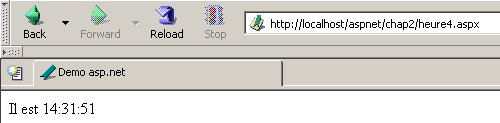
The testing method is identical to the previous ones:
3.3.5. Basic Example - Variant 5
Required tools: a text editor, the Cassini web server
As in Example 3, we separate the VB code and HTML code into two separate files. The VB code is placed in [heure5.aspx.vb]:
Public Class heure5
    Inherits System.Web.UI.Page

    ' data of the web page to be displayed
    Protected maintenant As String

    Private Sub Page_Load(ByVal sender As System.Object, ByVal e As System.EventArgs) Handles MyBase.Load
        'calculates the web page data
        maintenant = Date.Now.ToString("T")
    End Sub
End Class
The HTML code is placed in [heure5.aspx]:
<%@ Page Inherits="heure5" %>
<html>
    <head>
        <title>Demo asp.net</title>
    </head>
    <body>
        Il est
        <% =maintenant %>
    </body>
</html>
This time, the [Page] directive no longer specifies the link between the HTML code and the VB code. The web server can no longer locate the VB code to compile it (the src attribute is missing). It is up to us to perform this compilation. In a DOS window, we therefore compile the VB class [heure5.aspx.vb]:
dos>dir
23/03/2004  18:34                  133 heure1.aspx
24/03/2004  09:47                  232 heure2.aspx
24/03/2004  10:16                  183 heure3.aspx
24/03/2004  10:16                  332 heure3.aspx.vb
24/03/2004  14:31                  440 heure4.aspx
24/03/2004  14:45                  332 heure5.aspx.vb
24/03/2004  14:56                  148 heure5.aspx
dos>vbc /r:system.dll /r:system.web.dll /t:library /out:heure5.dll heure5.aspx.vb
Compilateur Microsoft (R) Visual Basic .NET version 7.10.3052.4
In the example above, the compiler's executable [vbc.exe] was in the DOS machine's PATH. If it had not been, you would have had to specify the full path to [vbc.exe], which is located in the directory tree where the .NET SDK was installed. Classes derived from [Page] require resources present in the DLLs [system.dll, system.web.dll], hence the reference to them via the compiler’s /r option. The /t:library option is used to indicate that we want to generate a DLL. The /out option specifies the name of the file to be generated, in this case [heure5.dll]. This file contains the [heure5] class required by the web document [heure5.aspx]. However, the web server looks for the DLLs it needs in specific locations. One of these locations is the [bin] folder located at the root of its directory tree. This root is what we have called <webroot>. For the IIS server, this is generally <drive>:\inetpub\wwwroot, where <drive> is the drive (C, D, ...) where IIS was installed. For the Cassini server, this root corresponds to the /path parameter used when you launched it. Remember that this value can be obtained by double-clicking the server icon in the taskbar:
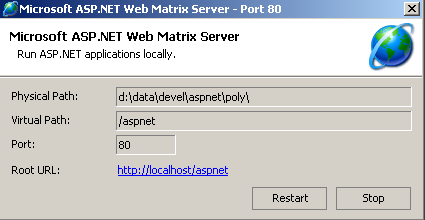
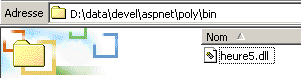
<webroot> corresponds to the [Physical Path] attribute above. We therefore create a <webroot>\bin folder and place [heure5.dll] inside it:
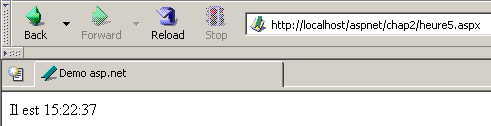
We’re ready. We request the URL [http://localhost/aspnet/chap2/heure5.aspx] from the Cassini server (<webroot>,/aspnet):
3.3.6. Basic Example - Variant 6
Required tools: a text editor, the Cassini web server
We have shown so far that a dynamic web application has two components:
- VB code to calculate the dynamic parts of the page
- HTML code, sometimes including VB code to display these values on the page. This part represents the response sent to the web client.
Component 1 is called the page controller component, and component 2 is the presentation component. The presentation component should contain as little VB code as possible, or even no VB code at all. We will see that this is possible. Here, we show an example where there is only a controller and no presentation component. It is the controller itself that generates the response to the client without the help of the presentation component.
The presentation code becomes the following:
We can see that there is no longer any HTML code inside. The response is generated directly in the controller:
Public Class heure6
    Inherits System.Web.UI.Page

    Private Sub Page_Load(ByVal sender As System.Object, ByVal e As System.EventArgs) Handles MyBase.Load
        ' we work out the answer
        Dim HTML As String
        HTML = "<html><head><title>heure6</title></head><body>Il est "
        HTML += Date.Now.ToString("T")
        HTML += "</body></html>"
        ' we send it
        Response.Write(HTML)
    End Sub
End Class
Here, the controller constructs the entire response rather than just its dynamic parts. It also sends it. It does this using the [Response] property of type [HttpResponse] in the [Page] class. This object represents the server’s response to the client. The [HttpResponse] class has a [Write] method for writing to the HTML stream that will be sent to the client. Here, we store the entire HTML stream to be sent in the [HTML] variable and send it to the client using [Response.Write(HTML)].
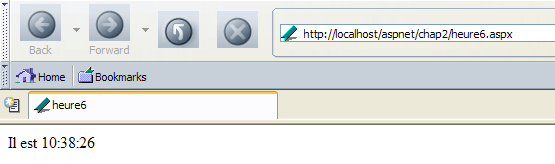
We request the URL [http://localhost/aspnet/chap2/heure6.aspx] from the Cassini server (<webroot>,/aspnet):
3.3.7. Conclusion
Next, we will use Method 3, which places the VB code and the HTML code of a dynamic web document into two separate files. This method has the advantage of splitting a web page into two components:
- a controller component consisting solely of VB code to calculate the dynamic parts of the page
- a presentation component, which is the response sent to the client. It consists of HTML code that may include VB code for displaying dynamic values. We will always aim to have as little VB code as possible in the presentation component; ideally, none at all.
As shown in Method 5, the controller can be compiled independently of the web application. This has the advantage of allowing you to focus solely on the code and receive a list of all errors with each compilation. Once the controller is compiled, the web application can be tested. Without prior compilation, the web server will handle this, and errors will be reported one by one. This can be considered tedious.
For the examples that follow, the following tools are sufficient:
- a text editor to create the application’s HTML and VB documents when they are simple
- a .NET development IDE to build VB.NET classes in order to benefit from the assistance this type of tool provides when writing code. An example of such a tool is CSharpDevelop (http://www.icsharpcode.net). An example of its use is shown in the appendix [Web Development Tools].
- the WebMatrix tool to build the application’s presentation pages (see the appendix [Web Development Tools]).
- The Cassini server
All of these tools are free.