2. 控制器、操作、路由
本章考察请求从浏览器到处理它的操作所走过的路径,以及该操作返回的响应。视图要到第 4 章才会介绍:这里,操作直接返回文本或 JSON。
2.1. 示例 01:NestJS 应用的结构
第一个示例是尽可能小的 [NestJS] 应用。它有三个文件:
| 01-structure/
├── src/
│ ├── app.controller.ts
│ ├── app.module.ts
│ └── main.ts
├── nest-cli.json
└── tsconfig.json
|
2.1.1. 入口点:main.ts
| import { NestFactory } from '@nestjs/core';
import { AppModule } from './app.module';
async function bootstrap() {
// 从根模块构建应用程序
const app = await NestFactory.create(AppModule);
// 在 3000 端口启动 HTTP 服务器
await app.listen(3000);
console.log('Server started on http://localhost:3000');
}
bootstrap();
|
我们来逐行说明这段代码:
- 第 1 行:[NestFactory] 是 [NestJS] 应用的“工厂”;
- 第 2 行:应用的 根模块,我们稍后会讲到;
- 第 4 行:启动函数是异步的([async]):构建应用和启动服务器都需要时间,我们等待([await])每一步完成;
- 第 6 行:根据根模块构建应用。[NestJS] 随后会发现应用的所有控制器和服务,并创建它们的实例;
- 第 8 行:在 3000 端口启动 HTTP 服务器;
- 第 12 行:调用启动函数。
2.1.2. 根模块:app.module.ts
| import { Module } from '@nestjs/common';
import { AppController } from './app.controller';
@Module({
controllers: [AppController],
})
export class AppModule {}
|
- 第 4 行:[@Module] 装饰器把 [AppModule] 类变成一个 [NestJS] 模块。模块把彼此相关的控制器和服务组织在一起。小型应用只有一个模块;大型应用则有多个(参见示例 06);
- 第 5 行:模块中的控制器列表;
- 第 7 行:类本身是空的——一切都在装饰器里。
2.1.3. 控制器:app.controller.ts
| import { Controller, Get } from '@nestjs/common';
@Controller()
export class AppController {
@Get()
home(): string {
return 'Hello from NestJS!';
}
}
|
- 第 3 行:[@Controller()] 装饰器把该类变成一个 控制器。不带任何参数时,它的路由从站点根路径开始([/]);
- 第 5 行:[@Get()] 装饰器把 [home] 方法与 [GET /] 请求关联起来。以这种方式装饰的方法就是一个 操作;
- 第 7 行:操作返回的值就是发送给浏览器的响应。
2.1.4. 执行
在 [01-structure] 文件夹中打开的控制台里,输入 [npx nest start]:
| [Nest] 12654 - 09/23/2026, 4:02:05 PM LOG [NestFactory] Starting Nest application...
[Nest] 12654 - 09/23/2026, 4:02:05 PM LOG [InstanceLoader] AppModule dependencies initialized +9ms
[Nest] 12654 - 09/23/2026, 4:02:05 PM LOG [RoutesResolver] AppController {/}: +4ms
[Nest] 12654 - 09/23/2026, 4:02:05 PM LOG [RouterExplorer] Mapped {/, GET} route +2ms
[Nest] 12654 - 09/23/2026, 4:02:05 PM LOG [NestApplication] Nest application successfully started +2ms
Server started on http://localhost:3000
|
[NestJS] 会显示它找到的路由:本例中只有一个,[{/, GET}],由 [AppController] 提供服务。我们用浏览器访问 URL [http://localhost:3000/] :
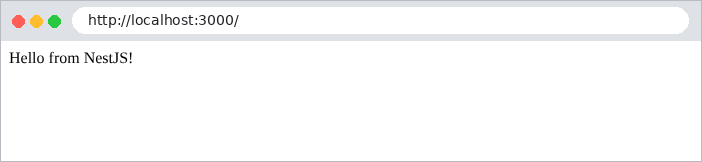
然后使用 [curl]。[-i] 选项还会显示响应的 HTTP 头(这里只展示其中几个):
| curl -i http://localhost:3000/
|
| HTTP/1.1 200 OK
Content-Type: text/html; charset=utf-8
Content-Length: 18
Hello from NestJS!
|
操作返回的字符串会带着头 [Content-Type: text/html] 发送:浏览器会把它解释为 HTML。
2.2. 示例 02:路由
路由 把 URL 和 HTTP 方法(GET、POST……)与一个操作关联起来。示例 02 有两个控制器:
| 02-routing/
├── src/
│ ├── app.controller.ts
│ ├── app.module.ts
│ ├── first.controller.ts
│ └── main.ts
├── nest-cli.json
└── tsconfig.json
|
文件 [src/app.module.ts]:
| import { Module } from '@nestjs/common';
import { AppController } from './app.controller';
import { FirstController } from './first.controller';
@Module({
controllers: [AppController, FirstController],
})
export class AppModule {}
|
第 6 行:模块声明了它的 两个控制器。
文件 [src/app.controller.ts]:
| import { Controller, Get } from '@nestjs/common';
@Controller()
export class AppController {
// GET /
@Get()
home(): string {
return `<h2>Example 02 - routing</h2>
<ul>
<li><a href="/first">/first</a></li>
<li><a href="/first/action01">/first/action01</a></li>
<li><a href="/first/products/17">/first/products/17</a></li>
<li><a href="/first/products/17/reviews/3">/first/products/17/reviews/3</a></li>
<li><a href="/first/files/images/logo.png">/first/files/images/logo.png</a></li>
<li><a href="/unknown">/unknown</a></li>
</ul>`;
}
}
|
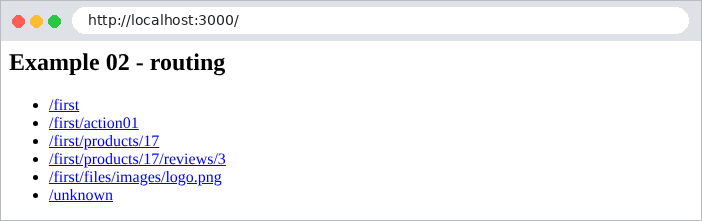
[home] 操作(第 6–17 行)返回一个 HTML 页面,其中包含指向另一个控制器的操作的链接:
文件 [src/first.controller.ts]:
| import { Controller, Get, Param, Post } from '@nestjs/common';
@Controller('first')
export class FirstController {
// GET /first
@Get()
index(): string {
return 'Action [index] of the [first] controller';
}
// GET /first/action01
@Get('action01')
action01(): string {
return 'Action [action01] of the [first] controller, GET request';
}
// POST /first/action01:路径相同,HTTP 方法不同
@Post('action01')
action01Post(): string {
return 'Action [action01Post] of the [first] controller, POST request';
}
// GET /first/products/17:[:id] 是路由参数
@Get('products/:id')
product(@Param('id') id: string): string {
return `Product no. ${id}`;
}
// GET /first/products/17/reviews/3:两个路由参数
@Get('products/:id/reviews/:number')
review(@Param() params: { id: string; number: string }): string {
return `Review no. ${params.number} of product no. ${params.id}`;
}
// GET /first/files/...:[*] 匹配任意路径结尾
@Get('files/*')
file(@Param('0') path: string): string {
return `Requested file: ${path}`;
}
}
|
我们来逐行剖析这段代码:
- 第 3 行:[@Controller('first')] 设置了控制器中所有路由共有的 前缀 :它的操作处理以 [/first] 开头的 URL 路由;
- 第 6–7 行:[@Get()] 不带参数:操作 [index] 处理 [GET /first];
- 第 12–13 行:操作 [action01] 处理 [GET /first/action01]。URL 是控制器前缀与操作路径的拼接;
- 第 18–19 行:相同的 路径,但用于 POST 方法:[@Post] 取代了 [@Get]。此外还有 [@Put]、[@Delete]、[@Patch]、[@All]……[TypeScript] 方法名([action01Post])是任意的:对路由而言只有装饰器才重要;
- 第 24–25 行:[:id] 是一个 路由参数:URL 的这一段可以取任意值。[@Param('id')] 装饰器把它的值注入到操作的 [id] 参数中。这个值 始终是字符串:对于 [/first/products/17],[id] 是 ['17'],而不是数字 17;
- 第 30–31 行:两个路由参数。[@Param()] 不带参数时会注入一个包含它们全部的对象:[{ id: '17', number: '3' }];
- 第 36–37 行:字符 [*] 接受 URL 的任何结尾,包括 [/]。对应的部分是名为 [0] 的参数。
启动时,[NestJS] 会显示所有路由:
| [Nest] 12690 - 09/23/2026, 4:02:10 PM LOG [NestFactory] Starting Nest application...
[Nest] 12690 - 09/23/2026, 4:02:10 PM LOG [InstanceLoader] AppModule dependencies initialized +17ms
[Nest] 12690 - 09/23/2026, 4:02:10 PM LOG [RoutesResolver] AppController {/}: +8ms
[Nest] 12690 - 09/23/2026, 4:02:10 PM LOG [RouterExplorer] Mapped {/, GET} route +7ms
[Nest] 12690 - 09/23/2026, 4:02:10 PM LOG [RoutesResolver] FirstController {/first}: +0ms
[Nest] 12690 - 09/23/2026, 4:02:10 PM LOG [RouterExplorer] Mapped {/first, GET} route +1ms
[Nest] 12690 - 09/23/2026, 4:02:10 PM LOG [RouterExplorer] Mapped {/first/action01, GET} route +0ms
[Nest] 12690 - 09/23/2026, 4:02:10 PM LOG [RouterExplorer] Mapped {/first/action01, POST} route +1ms
[Nest] 12690 - 09/23/2026, 4:02:10 PM LOG [RouterExplorer] Mapped {/first/products/:id, GET} route +0ms
[Nest] 12690 - 09/23/2026, 4:02:10 PM LOG [RouterExplorer] Mapped {/first/products/:id/reviews/:number, GET} route +1ms
[Nest] 12690 - 09/23/2026, 4:02:10 PM LOG [RouterExplorer] Mapped {/first/files/*, GET} route +1ms
[Nest] 12690 - 09/23/2026, 4:02:10 PM LOG [NestApplication] Nest application successfully started +2ms
Server started on http://localhost:3000
|
下面是几个请求的响应:
| curl -i http://localhost:3000/first
|
| HTTP/1.1 200 OK
Content-Type: text/html; charset=utf-8
Content-Length: 40
Action [index] of the [first] controller
|
| curl -i http://localhost:3000/first/action01
|
| HTTP/1.1 200 OK
Content-Type: text/html; charset=utf-8
Content-Length: 56
Action [action01] of the [first] controller, GET request
|
| curl -i http://localhost:3000/first/products/17
|
| HTTP/1.1 200 OK
Content-Type: text/html; charset=utf-8
Content-Length: 14
Product no. 17
|
| curl -i http://localhost:3000/first/products/17/reviews/3
|
| HTTP/1.1 200 OK
Content-Type: text/html; charset=utf-8
Content-Length: 30
Review no. 3 of product no. 17
|
| curl -i http://localhost:3000/first/files/images/logo.png
|
| HTTP/1.1 200 OK
Content-Type: text/html; charset=utf-8
Content-Length: 31
Requested file: images/logo.png
|
要发送 POST 请求,请使用 [-X POST] 选项,它属于 [curl]:
| curl -i -X POST http://localhost:3000/first/action01
|
| HTTP/1.1 201 Created
Content-Type: text/html; charset=utf-8
Content-Length: 61
Action [action01Post] of the [first] controller, POST request
|
请注意状态码 201 Created:这是 [NestJS] 默认用来响应 POST 的状态码。我们将看到如何更改它。最后,没有被任何路由处理的 URL 会产生 404 错误,[NestJS] 默认将其映射为 JSON:
| curl -i http://localhost:3000/unknown
|
| HTTP/1.1 404 Not Found
Content-Type: application/json; charset=utf-8
Content-Length: 70
{"message":"Cannot GET /unknown","error":"Not Found","statusCode":404}
|

第 7 章将展示如何用 HTML 页面取代这个 JSON。
2.3. 示例 03:操作的响应
操作返回什么,决定了 HTTP 响应是什么。示例 03 回顾了主要的几种情况:
[src/responses.controller.ts] 文件:
| import { Controller, Get, Header, HttpCode, NotFoundException } from '@nestjs/common';
@Controller('responses')
export class ResponsesController {
// 字符串:原样发送,类型为 [text/html]
@Get('html')
html(): string {
return '<h1>Action [html]</h1>';
}
// 同一个字符串,但声明为纯文本
@Get('text')
@Header('Content-Type', 'text/plain; charset=utf-8')
text(): string {
return '<h1>Action [text]</h1>';
}
// 对象:序列化为 JSON,类型为 [application/json]
@Get('json')
json(): object {
return { lastName: 'Martin', firstName: 'Jean', age: 42 };
}
// 数组:同样序列化为 JSON
@Get('array')
array(): string[] {
return ['Mme', 'Mlle', 'Mr'];
}
// 指定状态码:201 (Created) 而不是 200 (OK)
@Get('created')
@HttpCode(201)
created(): object {
return { message: 'resource created' };
}
// 无响应:204 (No Content) 状态码表示“没有内容可显示”
@Get('empty')
@HttpCode(204)
empty(): void {}
// 异步方法:NestJS 等待 promise 完成
@Get('promise')
async promise(): Promise<object> {
const start = Date.now();
await new Promise((done) => setTimeout(done, 500));
return { wait: `${Date.now() - start} ms` };
}
// 异常:NestJS 将其转换为错误响应
@Get('error')
error(): string {
throw new NotFoundException('This resource does not exist');
}
}
|
我们来逐行剖析这段代码:
- 第 6–9 行:字符串 会原样发送,带有头 [Content-Type: text/html; charset=utf-8];
- 第 12–16 行:[@Header] 装饰器设置响应头。声明为纯文本([text/plain])后,同样的字符串就不再被浏览器解释;
- 第 19–22 行:对象 会被 序列化为 JSON,带有头 [Content-Type: application/json];
- 第 25–28 行:数组同样会被序列化为 JSON;
- 第 31–35 行:[@HttpCode(201)] 更改响应的状态码(GET 默认为 200);
- 第 38–40 行:状态码 204(No Content)表示“无内容”:操作什么也不返回;
- 第 43–48 行:操作可以是 异步的 ([async]):此时它返回一个 promise([Promise]),而 [NestJS] 会等它完成后再响应。所有查询数据库的操作都是这种情况;
- 第 51–54 行:操作可以抛出一个 异常。[NestJS] 的异常([NotFoundException]、[BadRequestException]、[ForbiddenException]……)各自带有一个 HTTP 状态码(这里是 404),[NestJS] 用它来构造响应。
收到的响应:
| curl -i http://localhost:3000/responses/html
|
| HTTP/1.1 200 OK
Content-Type: text/html; charset=utf-8
Content-Length: 22
<h1>Action [html]</h1>
|
| curl -i http://localhost:3000/responses/text
|
| HTTP/1.1 200 OK
Content-Type: text/plain; charset=utf-8
Content-Length: 22
<h1>Action [text]</h1>
|
| curl -i http://localhost:3000/responses/json
|
| HTTP/1.1 200 OK
Content-Type: application/json; charset=utf-8
Content-Length: 49
{"lastName":"Martin","firstName":"Jean","age":42}
|
| curl -i http://localhost:3000/responses/array
|
| HTTP/1.1 200 OK
Content-Type: application/json; charset=utf-8
Content-Length: 19
["Mme","Mlle","Mr"]
|
| curl -i http://localhost:3000/responses/created
|
| HTTP/1.1 201 Created
Content-Type: application/json; charset=utf-8
Content-Length: 30
{"message":"resource created"}
|
| curl -i http://localhost:3000/responses/empty
|
| curl -i http://localhost:3000/responses/promise
|
| HTTP/1.1 200 OK
Content-Type: application/json; charset=utf-8
Content-Length: 17
{"wait":"501 ms"}
|
| curl -i http://localhost:3000/responses/error
|
| HTTP/1.1 404 Not Found
Content-Type: application/json; charset=utf-8
Content-Length: 79
{"message":"This resource does not exist","error":"Not Found","statusCode":404}
|
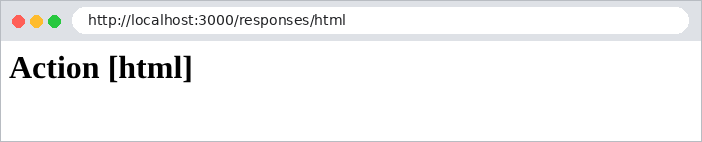
在浏览器中,[text/html] 和 [text/plain] 的区别是看得见的:

2.4. 示例 04:重定向
操作可以用一个 重定向来响应:即 301 或 302 状态码加上一个 [Location] 头,告诉浏览器接下来应请求哪个 URL。浏览器会立即请求它,无需用户干预。重定向在 Web 应用中无处不在:表单提交成功之后、登录之后、更改语言之后……
[src/redirects.controller.ts] 文件:
| import { Controller, Get, Param, Redirect } from '@nestjs/common';
@Controller()
export class RedirectsController {
// 固定重定向:地址和状态码预先已知
@Get('old')
@Redirect('/new', 301)
oldPage(): void {}
@Get('new')
newPage(): string {
return 'You are on the [new] page';
}
// 计算得出的重定向:返回的对象会替换 @Redirect() 中的地址
@Get('go/:destination')
@Redirect()
go(@Param('destination') destination: string): { url: string } {
return { url: `/page/${destination}` };
}
@Get('page/:name')
page(@Param('name') name: string): string {
return `You are on the [${name}] page`;
}
// 重定向到另一个站点
@Get('documentation')
@Redirect('https://docs.nestjs.com')
documentation(): void {}
}
|
我们来逐行剖析这段代码:
- 第 6–8 行:[@Redirect('/new', 301)]:一个 永久 重定向。301 状态码(Moved Permanently)表示页面的地址已永久更改;默认状态码是 302(Found),即临时重定向;
- 第 16–20 行:一个 计算得出的 重定向:[@Redirect()] 不带参数,操作返回一个对象 [{ url: ... }] 来设置目标地址;
- 第 28–30 行:可以重定向到另一个站点。
[curl] 显示重定向,但不跟随它:
| curl -i http://localhost:3000/old
|
| HTTP/1.1 301 Moved Permanently
Location: /new
Content-Type: text/plain; charset=utf-8
Content-Length: 38
Moved Permanently. Redirecting to /new
|
使用 [-L] 选项时,[curl] 会像浏览器一样跟随重定向。这样我们就能看到两个连续的响应:
| curl -i -L http://localhost:3000/old
|
| HTTP/1.1 301 Moved Permanently
Location: /new
Content-Type: text/plain; charset=utf-8
HTTP/1.1 200 OK
Content-Type: text/html; charset=utf-8
You are on the [new] page
|
| curl -i http://localhost:3000/go/contact
|
| HTTP/1.1 302 Found
Location: /page/contact
Content-Type: text/plain; charset=utf-8
Content-Length: 35
Found. Redirecting to /page/contact
|
在浏览器中,只能看到最终页面;地址栏显示新的 URL:

| curl -i http://localhost:3000/documentation
|
| HTTP/1.1 302 Found
Location: https://docs.nestjs.com
Content-Type: text/plain; charset=utf-8
Content-Length: 45
Found. Redirecting to https://docs.nestjs.com
|
2.5. 示例 05:Express 中的请求和响应对象
[NestJS] 基于 Web 服务器 [Express]。操作可以直接访问 [Express] 的 [Request] 和 [Response] 对象。这有时是必要的,我们在案例研究中也会这样做(例如设置 Cookie),但你需要清楚自己因此失去了什么。
[src/express.controller.ts] 文件:
| import { Controller, Get, Req, Res } from '@nestjs/common';
import { Request, Response } from 'express';
@Controller('express')
export class ExpressController {
// Express 请求:方法、URL、标头……
@Get('request')
request(@Req() req: Request): object {
return {
method: req.method,
url: req.url,
path: req.path,
browser: req.get('user-agent'),
};
}
// Express 响应:由动作自己发送响应
@Get('response')
response(@Res() res: Response): void {
res.status(200).type('text/plain').send('Response sent by [res.send]');
}
// 使用 Express 响应进行重定向
@Get('redirect')
redirect(@Res() res: Response): void {
res.redirect('/express/response');
}
// passthrough:我们使用了响应对象(这里用于设置标头),但 NestJS
// 仍然会发送动作本身返回的值
@Get('passthrough')
passthrough(@Res({ passthrough: true }) res: Response): string {
res.setHeader('X-Example', '05-express');
return 'Response sent by NestJS, with an added header';
}
// 不要犯的错误:使用 @Res() 却不带 passthrough,结果什么也没发送
@Get('blocked')
blocked(@Res() res: Response): string {
return 'This string will never be sent: the browser keeps waiting...';
}
}
|
我们来逐行剖析这段代码:
- 第 2 行:来自 [Express] 的 类型 [Request] 和 [Response];
- 第 7–15 行:[@Req()] 注入 [Express] 请求:HTTP 方法、URL、路径、头([req.get(...)])……;
- 第 18–21 行:[@Res()] 注入 [Express] 响应。注意:一旦操作使用了 [@Res()],[NestJS] 就认为由它自己来发送响应,并忽略操作的返回值。这里,操作设置了状态码和类型,并使用 [res.send] 发送响应体;
- 第 24–27 行:由 [Express] 通过 [res.redirect(url)] 执行的 302 重定向;
- 第 31–35 行:使用 [passthrough: true] 选项时,操作会使用响应对象(这里是为了添加一个头),但仍让 [NestJS] 发送它返回的内容。这是两全其美的做法;
- 第 38–41 行:要避免的错误:使用 [@Res()] 却不带 [passthrough],并且没有调用 [res.send]、[res.redirect]、[res.render]……返回的字符串会被忽略,响应永远不会发出,浏览器会无限期地等待。
收到的响应:
| curl -i -A "Mozilla/5.0 (example)" http://localhost:3000/express/request
|
| HTTP/1.1 200 OK
Content-Type: application/json; charset=utf-8
Content-Length: 101
{"method":"GET","url":"/express/request","path":"/express/request","browser":"Mozilla/5.0 (example)"}
|
([-A] 选项属于 [curl],用于设置 [User-Agent] 头,它标识浏览器)
| curl -i http://localhost:3000/express/response
|
| HTTP/1.1 200 OK
Content-Type: text/plain; charset=utf-8
Content-Length: 27
Response sent by [res.send]
|
| curl -i http://localhost:3000/express/redirect
|
| HTTP/1.1 302 Found
Location: /express/response
Content-Type: text/plain; charset=utf-8
Content-Length: 39
Found. Redirecting to /express/response
|
| curl -i http://localhost:3000/express/passthrough
|
| HTTP/1.1 200 OK
X-Example: 05-express
Content-Type: text/html; charset=utf-8
Content-Length: 45
Response sent by NestJS, with an added header
|
对于最后一个操作,我们使用 [-m 3] 选项把等待时间限制在 3 秒:
| curl -i -m 3 http://localhost:3000/express/blocked
|
| curl: (28) Operation timed out after 3002 milliseconds with 0 bytes received
|
在本文档的其余部分,当操作必须在多种不同类型的响应(页面或重定向)之间做出选择时,我们将使用 [@Res()] ,并确保代码中的 每一条路径都会发送响应。
2.6. 示例 06:模块、服务与依赖注入
控制器不应包含应用逻辑;它们应将其 委托给 服务。示例 06 把一个小型应用拆分为两个模块:
| 06-modules/
├── src/
│ ├── clients/
│ │ ├── clients.controller.ts
│ │ └── clients.module.ts
│ ├── products/
│ │ ├── products.controller.ts
│ │ ├── products.module.ts
│ │ └── products.service.ts
│ ├── app.module.ts
│ └── main.ts
├── nest-cli.json
└── tsconfig.json
|
2.6.1. ProductsService 服务
| import { Injectable } from '@nestjs/common';
export interface Product {
id: number;
name: string;
price: number;
}
@Injectable()
export class ProductsService {
private readonly products: Product[] = [
{ id: 1, name: 'pen', price: 1.5 },
{ id: 2, name: 'notebook', price: 3.2 },
{ id: 3, name: 'eraser', price: 0.8 },
];
findAll(): Product[] {
return this.products;
}
findById(id: number): Product | undefined {
return this.products.find((p) => p.id === id);
}
}
|
- 第 3–7 行:[Product] 接口描述一个商品;
- 第 9 行:装饰器 [@Injectable()] 把该类变成一个 服务 (也称为 提供者):[NestJS] 只创建它的 唯一一个 实例,并将其提供(注入)给所有需要它的对象;
- 第 11–15 行:数据,这里保存在内存中;
- 第 17–23 行:服务的两个方法。
2.6.2. ProductsController 控制器
| import { Controller, Get, NotFoundException, Param } from '@nestjs/common';
import { Product, ProductsService } from './products.service';
@Controller('products')
export class ProductsController {
// 依赖注入:NestJS 提供 ProductsService 实例
constructor(private readonly productsService: ProductsService) {}
@Get()
list(): Product[] {
return this.productsService.findAll();
}
@Get(':id')
oneProduct(@Param('id') id: string): Product {
const product = this.productsService.findById(Number(id));
if (!product) {
throw new NotFoundException(`Product no. ${id} not found`);
}
return product;
}
}
|
- 第 7 行:依赖注入。控制器在其构造函数中声明它需要一个 [ProductsService];[NestJS] 为它提供该服务的唯一实例。控制器从不调用 [new ProductsService()]。[private readonly productsService: ProductsService] 这种 [TypeScript] 语法同时声明了参数和字段 [this.productsService];
- 第 9–12 行:操作委托给服务;
- 第 14–21 行:[Number(id)] 把路由参数(一个字符串)转换为数字。不存在的商品会触发 404 异常。
2.6.3. ProductsModule 模块
| import { Module } from '@nestjs/common';
import { ProductsController } from './products.controller';
import { ProductsService } from './products.service';
@Module({
controllers: [ProductsController],
providers: [ProductsService],
exports: [ProductsService],
})
export class ProductsModule {}
|
- 第 6 行:模块的控制器;
- 第 7 行:模块的服务。只有在此处声明(或导入,见下文)的服务才能注入到该模块的类中;
- 第 8 行:该服务被 导出:导入 [ProductsModule] 的模块也能够注入它。
2.6.4. ClientsModule 模块
| import { Module } from '@nestjs/common';
import { ClientsController } from './clients.controller';
import { ProductsModule } from '../products/products.module';
@Module({
imports: [ProductsModule],
controllers: [ClientsController],
})
export class ClientsModule {}
|
第 6 行:[ClientsModule] 导入了 [ProductsModule] ,因此可以使用后者导出的服务。
文件 [src/clients/clients.controller.ts]:
| import { Controller, Get } from '@nestjs/common';
import { ProductsService } from '../products/products.service';
@Controller('clients')
export class ClientsController {
// 来自另一个模块的服务,由该模块导出
constructor(private readonly productsService: ProductsService) {}
@Get('cart')
cart(): object {
const products = this.productsService.findAll();
const total = products.reduce((sum, p) => sum + p.price, 0);
return { client: 'Jean Martin', items: products.length, total };
}
}
|
- 第 7 行:[ClientsController] 注入了来自 另一个模块的服务;
- 第 9–14 行:它使用这个服务来计算购物车的总额。
2.6.5. 根模块
| import { Module } from '@nestjs/common';
import { ProductsModule } from './products/products.module';
import { ClientsModule } from './clients/clients.module';
@Module({
imports: [ProductsModule, ClientsModule],
})
export class AppModule {}
|
第 6 行:根模块不再有控制器;它只是导入应用的两个模块。
2.6.6. 执行
| [Nest] 12976 - 09/23/2026, 4:02:35 PM LOG [NestFactory] Starting Nest application...
[Nest] 12976 - 09/23/2026, 4:02:35 PM LOG [InstanceLoader] AppModule dependencies initialized +9ms
[Nest] 12976 - 09/23/2026, 4:02:35 PM LOG [InstanceLoader] ProductsModule dependencies initialized +1ms
[Nest] 12976 - 09/23/2026, 4:02:35 PM LOG [InstanceLoader] ClientsModule dependencies initialized +0ms
[Nest] 12976 - 09/23/2026, 4:02:35 PM LOG [RoutesResolver] ProductsController {/products}: +3ms
[Nest] 12976 - 09/23/2026, 4:02:35 PM LOG [RouterExplorer] Mapped {/products, GET} route +2ms
[Nest] 12976 - 09/23/2026, 4:02:35 PM LOG [RouterExplorer] Mapped {/products/:id, GET} route +1ms
[Nest] 12976 - 09/23/2026, 4:02:35 PM LOG [RoutesResolver] ClientsController {/clients}: +0ms
[Nest] 12976 - 09/23/2026, 4:02:35 PM LOG [RouterExplorer] Mapped {/clients/cart, GET} route +0ms
[Nest] 12976 - 09/23/2026, 4:02:35 PM LOG [NestApplication] Nest application successfully started +2ms
Server started on http://localhost:3000
|
| curl -i http://localhost:3000/products
|
| HTTP/1.1 200 OK
Content-Type: application/json; charset=utf-8
Content-Length: 111
[{"id":1,"name":"pen","price":1.5},{"id":2,"name":"notebook","price":3.2},{"id":3,"name":"eraser","price":0.8}]
|
| curl -i http://localhost:3000/products/2
|
| HTTP/1.1 200 OK
Content-Type: application/json; charset=utf-8
Content-Length: 38
{"id":2,"name":"notebook","price":3.2}
|
| curl -i http://localhost:3000/products/9
|
| HTTP/1.1 404 Not Found
Content-Type: application/json; charset=utf-8
Content-Length: 74
{"message":"Product no. 9 not found","error":"Not Found","statusCode":404}
|
| curl -i http://localhost:3000/clients/cart
|
| HTTP/1.1 200 OK
Content-Type: application/json; charset=utf-8
Content-Length: 46
{"client":"Jean Martin","items":3,"total":5.5}
|
案例研究的结构正是如此:轻量的控制器委托给注入的服务,模块则把相关的组件组织在一起。