16. Network Functions
We will now discuss the network functions of PHP, which allow us to program using TCP / IP (Transmission Control Protocol / Internet Protocol). The scripts for this chapter are located in the [scripts-console/inet] folder of the course code:
| php8-oct-2026
└── scripts-console
└── inet
├── http
├── imap
├── ip
├── mailpit
├── smtp
└── utilities
|
16.1. The Basics of Web Programming
Consider communication between two remote machines, A and B:
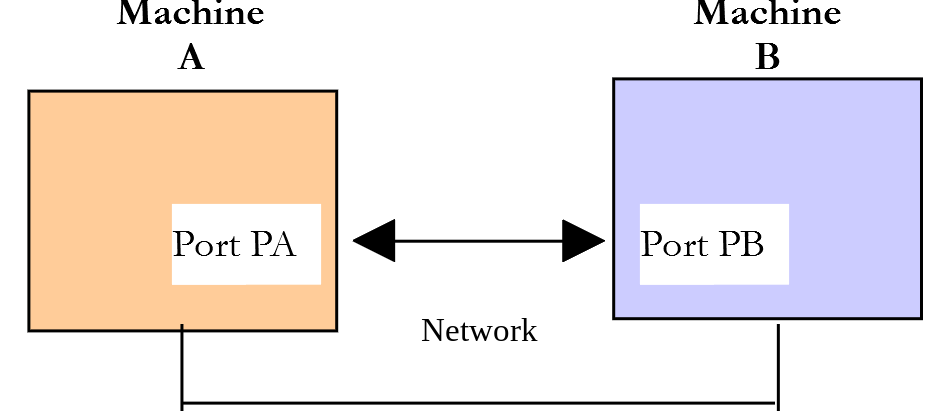
When an application AppA on machine A wants to communicate with an application AppB on machine B on the Internet, it must know several things:
- the IP (Internet Protocol) address or the name of machine B;
- the port number used by the AppB application. This is because machine B may host many applications that operate on the Internet. When it receives information from the network, it must know which application the information is intended for. Applications on machine B access the network through interfaces also known as communication ports. This information is contained in the packet received by machine B so that it can be delivered to the correct application;
- the communication protocols understood by machine B. In our study, we will use only the TCP / IP protocols;
- the communication protocol supported by the AppB application. In fact, machines A and B will “communicate” with each other. What they say will be encapsulated in the TCP and IP protocols. However, when, at the other end of the chain, the AppB application receives the information sent by the AppA application, it must be able to interpret it. This is analogous to a situation where two people, A and B, communicate by phone: their conversation is carried by the phone. Speech is encoded as signals by phone A, transmitted over telephone lines, and arrives at phone B to be decoded. Person B then hears the speech. This is where the concept of a communication protocol comes into play: if A speaks French and B does not understand that language, A and B will not be able to communicate effectively.
Therefore, the two communicating applications must agree on the type of dialogue they will use. For example, the dialogue with a service named FTP is not the same as that with a service named POP: these two services do not accept the same commands. They have different dialogue protocols.
16.1.2. Characteristics of the TCP Protocol
Here, we will focus only on network communications using the TCP transport protocol, whose main characteristics are as follows:
- The process that wishes to transmit data first establishes a connection with the process that will receive the information it is about to transmit. This connection is established between a port on the sending machine and a port on the receiving machine. A virtual path is thus created between the two ports, which will be reserved exclusively for the two processes that have established the connection;
- All packets sent by the source process follow this virtual path and arrive in the order in which they were sent;
- The transmitted data appears continuous. The sending process sends data at its own pace. This data is not necessarily sent immediately: the TCP protocol waits until it has enough data to send. It is stored in a structure called a TCP segment. Once this segment is filled, it will be transmitted to the IP layer, where it will be encapsulated in an IP packet;
- Each segment sent by the TCP protocol is numbered. The receiving TCP protocol verifies that it is receiving the segments in sequence. For each segment received correctly, it sends an acknowledgment to the sender;
- when the sender receives this acknowledgment, it notifies the sending process. The sending process can therefore confirm that a segment has been successfully delivered;
- if, after a certain amount of time, the TCP protocol that sent a segment does not receive an acknowledgment, it retransmits the segment in question, thereby ensuring the quality of the information delivery service;
- The virtual circuit established between the two communicating processes is full-duplex: this means that information can flow in both directions. Thus, the destination process can send acknowledgments even while the source process continues to send information. This allows, for example, the source TCP protocol to send multiple segments without waiting for an acknowledgment. If, after a certain amount of time, it realizes it has not received an acknowledgment for a specific segment No. n, it will resume sending segments from that point onward.
16.1.3. The Client-Server Relationship
Communication over the Internet is often asymmetric: Machine A initiates a connection to request a service from Machine B. It specifies that it wants to establish a connection with Machine B’s SB1 service. Machine B either accepts or rejects the request. If it accepts, machine A can send its requests to service SB1. These requests must comply with the communication protocol understood by service SB1. A request-response dialogue is thus established between machine A, referred to as the client machine, and machine B, referred to as the server machine. One of the two partners will close the connection.
16.1.4. Client Architecture
The architecture of a network program requesting services from a server application will be as follows:
| open the connection with the SB1 service of machine B
if successful then
while not finished
prepare a request
send it to machine B
wait for and retrieve the response
process it
end while
end if
close the connection
|
16.1.5. Server Architecture
The architecture of a program offering services will be as follows:
| open the service on the local machine
while the service is open
listen for connection requests on a port called the listening port
when there is a request, have it handled by another task on another port called the service port
end while
|
The server program handles a client’s initial connection request differently from its subsequent requests for service. The program does not provide the service itself. If it did, it would no longer be listening for connection requests while the service was in progress, and clients would not be served. It therefore proceeds differently: as soon as a connection request is received on the listening port and then accepted, the server creates a task responsible for providing the service requested by the client. This service is provided on another port of the server machine called the service port. This allows multiple clients to be served at the same time.
A service task will have the following structure:
| while the service has not been fully provided
wait for a request on the service port
when there is one, build the response
send the response through the service port
end while
release the service port
|
Another way to serve multiple clients at once, without creating tasks, is to simultaneously monitor the listening port and the service ports using a function that waits for one of them to have something to send. This is what the TCP server we are going to write will do, using the [stream_select] function from PHP.
16.2. Exploring Internet Communication Protocols
16.2.1. Introduction
When a client connects to a server, a dialogue is established between them. The nature of this dialogue constitutes what is known as the server’s communication protocol. Among the most common Internet protocols are the following:
- HTTP: HyperText Transfer Protocol—the protocol for communicating with a web server (HTTP server);
- SMTP: Simple Mail Transfer Protocol—the protocol for communicating with an email sending server (SMTP server);
- POP: Post Office Protocol—the protocol for communicating with an email storage server (server POP). This is used to retrieve received emails, not to send them;
- IMAP: Internet Message Access Protocol—the protocol for communicating with an email storage server (server IMAP). This protocol has gradually replaced the older POP protocol;
- FTP: File Transfer Protocol—the protocol for communicating with a file storage server (server FTP).
All of these protocols are text-based: the client and server exchange lines of text. If you have a client capable of:
- establish a connection with a TCP server;
- display the text lines sent by the server on the console;
- send to the server the text lines that a user would type on the keyboard;
then we can communicate with a TCP server that uses a text-based protocol, provided we know the rules of that protocol.
16.2.2. TCP Utilities
The PHP 7 course provided two Windows utilities, [RawTcpClient] and [RawTcpServer], written in C#. Here, we’re replacing them with two PHP scripts, which we’ll now examine: this is an opportunity to explore the network functions of PHP. They are located in the [inet/utilities] folder:
| utilities
├── keyboard.php
├── tcp-client.php
└── tcp-server.php
|
- [tcp-client.php] allows you to connect to port P on server S;
- [tcp-server.php] creates a server that listens for clients on port P;
- [keyboard.php] contains two functions used by the two previous scripts.
Note that there are also ready-made tools for this type of test. On Windows, the PowerShell command [Test-NetConnection localhost -Port 80] simply checks whether a service is responding on a port. The [curl] tool, which we’ll encounter with the HTTP protocol, can communicate with many servers, and its [-v] (verbose) option displays the client/server exchanges. Our two scripts, on the other hand, let us type the protocol commands ourselves.
16.2.2.1. The [tcp-server.php] server
The TCP [tcp-server.php] server is invoked using the syntax [php tcp-server.php port] to create a TCP service on port [port] of the local machine (the computer you are working on):
- The server can serve multiple clients simultaneously;
- the server executes the commands entered by the user via the keyboard. These commands are as follows:
- list: lists the clients currently connected to the server. They are displayed in the format [id=x - name=y]. The [id] field is used to identify clients;
- send x [text]: sends text to client #x (id=x). The square brackets [] are not sent. They are required in the command. They are used to visually delimit the text sent to the client;
- close x: closes the connection with client #x;
- quit: closes all connections and stops the service;
- Lines sent by a client to the server are displayed on the console;
- All communication with a client is logged in a text file named [logs/machine-port.txt], where [machine-port] identifies the client (its address IP and the port it uses).
The server code is as follows:
| <?php
declare(strict_types=1);
// generic TCP server
// syntax: php tcp-server.php port
// - waits for clients on the port [port] of the local machine and can serve several at a time;
// - displays the lines of text sent by the clients;
// - executes the commands typed on the keyboard:
// list: lists the connected clients;
// send id [text]: sends [text] (without the brackets) to the client no. id;
// close id: closes the connection with the client no. id;
// quit: closes all the connections and stops the server;
// - records the exchanges with each client in the file [logs/machine-port.txt]
// where [machine-port] identifies the client
require_once __DIR__ . "/keyboard.php";
// analysis of the command-line arguments
if (count($argv) !== 2 || !ctype_digit($argv[1])) {
print "Syntax: php tcp-server.php port\n";
exit(1);
}
$port = $argv[1];
// opening the service on all the network interfaces of the local machine
$server = @stream_socket_server("tcp://0.0.0.0:$port", $errorNumber, $error);
if ($server === false) {
print "Unable to open the service on the port [$port]: $error\n";
exit(2);
}
print "Server listening on the port [$port]\n";
print "Commands: list, send id [text], close id, quit\n";
if (!is_dir(__DIR__ . "/logs")) {
mkdir(__DIR__ . "/logs");
}
// the connected clients: id => [socket, name, log file, buffer]
$clients = [];
$nextId = 1;
// the keyboard is read by a child process
[$reader, $keyboard] = startKeyboardReader();
$echo = !stream_isatty(STDIN);
$keyboardBuffer = "";
// service loop
$done = false;
while (!$done) {
// we watch: the listening port, the clients and the keyboard
$reads = [$server, $keyboard, ...array_column($clients, "socket")];
$writes = $exceptions = null;
stream_select($reads, $writes, $exceptions, null);
foreach ($reads as $stream) {
if ($stream === $server) {
// a new client connects
$socket = stream_socket_accept($server, 0, $name);
if ($socket !== false) {
$id = $nextId++;
$log = fopen(__DIR__ . "/logs/" . str_replace(":", "-", $name) . ".txt", "w");
$clients[$id] = ["socket" => $socket, "name" => $name, "log" => $log, "buffer" => ""];
print "Client no. $id [$name] connected\n";
}
} elseif ($stream === $keyboard) {
// a command has been typed on the keyboard
$data = fread($keyboard, 8192);
if ($data === false || $data === "") {
// end of the standard input: we stop the server
$done = true;
break;
}
foreach (extractLines($keyboardBuffer, $data) as $command) {
if ($echo) {
print "$command\n";
}
if (execute($command, $clients)) {
$done = true;
break;
}
}
} else {
// a client has spoken
$id = array_find_key($clients, fn(array $client): bool => $client["socket"] === $stream);
if ($id === null) {
// client closed in the meantime by the [close] command
continue;
}
$data = fread($stream, 8192);
if ($data === false || $data === "") {
print "The client no. $id has closed the connection\n";
close($clients, $id);
continue;
}
foreach (extractLines($clients[$id]["buffer"], $data) as $line) {
print "<-- client no. $id [$line]\n";
fwrite($clients[$id]["log"], "<-- [$line]\n");
}
}
}
}
// stopping the service
foreach (array_keys($clients) as $id) {
close($clients, $id);
}
fclose($server);
proc_terminate($reader);
print "Server stopped\n";
// --------------------------------------------------------------------------
// executes a command typed on the keyboard - returns true if it is the [quit] command
function execute(string $command, array &$clients): bool
{
// send id [text]
if (preg_match('/^send\s+(\d+)\s+\[(.*)\]$/', $command, $fields)) {
$id = (int) $fields[1];
if (!isset($clients[$id])) {
print "Unknown client no. $id\n";
} else {
fwrite($clients[$id]["socket"], "$fields[2]\r\n");
fwrite($clients[$id]["log"], "--> [$fields[2]]\n");
}
return false;
}
// the other commands
$words = preg_split('/\s+/', trim($command));
switch ($words[0]) {
case "list":
foreach ($clients as $id => $client) {
print "id=$id - name={$client["name"]}\n";
}
return false;
case "close":
$id = (int) ($words[1] ?? 0);
if (!isset($clients[$id])) {
print "Unknown client no. $id\n";
} else {
close($clients, $id);
print "Connection with the client no. $id closed\n";
}
return false;
case "quit":
return true;
default:
print "Unknown command [$command]. Commands: list, send id [text], close id, quit\n";
return false;
}
}
// --------------------------------------------------------------------------
// closes the connection with the client no. [$id]
function close(array &$clients, int $id): void
{
fclose($clients[$id]["socket"]);
fclose($clients[$id]["log"]);
unset($clients[$id]);
}
|
Comments:
- line 17: the file [keyboard.php] is loaded; we’ll discuss this later;
- line 20: the array [$argv] contains the command-line arguments. [$argv[0]] is the name of the script, [$argv[1]] is the first argument, in this case the port number. The function [ctype_digit] verifies that the port number consists only of digits;
- Line 27: The function [stream_socket_server] starts a TCP service. Its first parameter is an address in the form [tcp://interface:port]. The interface [0.0.0.0] refers to all of the machine’s network interfaces: the server can be reached via both [localhost] and the machine’s local network address IP. In the event of a failure (e.g., the port is already in use), the function returns [false] and stores an error number and an error message in the two variables passed as the second and third parameters. The operator [@] prevents PHP from displaying its own warning: we display our message;
- line 39: the dictionary of connected clients. Each client is described by its socket (the connection linking it to the server), its name [address:port], its log file, and a buffer whose purpose we will discuss;
- line 42: the keyboard is read by a child process. We’ll see why with the [keyboard.php] file. [$keyboard] is a stream into which lines typed on the keyboard are fed;
- Line 43: The function [stream_isatty] determines whether standard input is the keyboard (a terminal) or not. If standard input has been redirected to a file ([php tcp-server.php 100 < commands.txt]), the commands read are not displayed on the screen. The server will then display them itself;
- lines 48–52: the service loop. On each iteration, the server waits for one of the streams it is monitoring to have something to tell it: the listening port (a new client connects), the keyboard (a command has been typed), or one of the clients (it has sent text). The [...] operator breaks down the array of client sockets (obtained with [array_column]) into the [$reads] array;
- Line 52: The [stream_select] function waits for one of the streams in the [$reads] array to be readable. The last parameter, [null], means: wait indefinitely. Upon return, the function has removed the streams with nothing to read from the array [$reads]. The second and third parameters concern the streams to which we want to write and exceptional events: we are not interested in them. Since they are passed by reference, we must pass variables to them—in this case, [$writes] and [$exceptions], which are equal to [null];
- Lines 54–60: A new client connects. The function [stream_socket_accept] accepts the connection. It returns the service socket that connects the server to this client and stores the client’s identity in [$name] in the form [address:port]. A timeout of 0 means there is no wait: [stream_select] informed us that a client was waiting;
- lines 63–75: A command was typed on the keyboard. The function [fread] reads whatever is available (up to 8,192 bytes). An empty string means the stream has been closed. The function [extractLines] splits what was read into complete lines;
- lines 81–95: A client sent text. The function [array_find_key] (PHP 8.4) returns the key of the first array element that satisfies the condition expressed by the arrowed function [fn] passed as the second parameter: this retrieves the client’s ID from its socket. If [fread] returns an empty string, the client has closed the connection. Otherwise, each received line is displayed and recorded in the client’s log file;
- Lines 110–141: The [execute] function executes a command entered via the keyboard. The [send id [text]] command is recognized by a regular expression. The text is sent to the client followed by the sequence \r\n: Internet protocols terminate text lines with the two characters CR (\r) and LF (\n);
- line 150: the function [close] closes the connection with a client and removes it from the dictionary [$clients], passed by reference ([&]).
16.2.2.2. The file [keyboard.php]
The file [keyboard.php] is as follows:
| <?php
declare(strict_types=1);
// tools shared by [tcp-client.php] and [tcp-server.php]
// --------------------------------------------------------------------------
// starts a child process that reads the keyboard and sends us back each typed line
// through a socket. Why? Our programs must watch both the network and the
// keyboard at the same time with the [stream_select] function. But on Windows, [stream_select]
// can only watch sockets, not the keyboard (STDIN).
// The ['socket'] descriptor of [proc_open] (PHP 8.0) connects the child process to the
// parent process through a socket, which [stream_select] can watch on every OS.
// returns the child process and the socket that delivers the lines typed on the keyboard
function startKeyboardReader(): array
{
$process = proc_open(
// the child process: a one-line PHP script that copies its input to its output
[PHP_BINARY, "-r", 'while (($line = fgets(STDIN)) !== false) { echo $line; }'],
// its input is our keyboard, its output is a socket
[0 => STDIN, 1 => ["socket"], 2 => STDERR],
$pipes
);
if ($process === false) {
throw new RuntimeException("Unable to start the keyboard reader");
}
return [$process, $pipes[1]];
}
// --------------------------------------------------------------------------
// adds the bytes [$data] to the buffer [$buffer] and extracts the complete lines from it,
// returned without their end-of-line mark (\n or \r\n);
// the end of the buffer (an incomplete line) stays in the buffer
function extractLines(string &$buffer, string $data): array
{
$buffer .= $data;
$lines = explode("\n", $buffer);
// the last element is the current line, not yet finished
$buffer = array_pop($lines);
return array_map(fn(string $line): string => rtrim($line, "\r"), $lines);
}
|
Comments:
- Line 15: Our two scripts must monitor both the network and the keyboard at the same time. On Linux or macOS, we could pass the [STDIN] stream (the keyboard) to [stream_select]. On Windows, this isn’t possible: [stream_select] can only monitor sockets there. The workaround is to have a second process read the keyboard and send us the typed lines via a socket;
- Lines 17–22: The function [proc_open] launches a child process. Its first parameter is the command to be executed, in the form of an array: the currently running PHP interpreter ([PHP_BINARY]) with the [-r] option, which executes the PHP code passed as an argument. This code copies each line read from its input to its output. The second parameter describes the child process’s streams: its input (0) is our standard input (the keyboard), its output (1) is a socket created by PHP (descriptor [['socket']], available since PHP 8.0), and its errors (2) are sent to our error output. The third parameter receives the created streams: [$pipes[1]] is our end of the socket;
- line 34: when [stream_select] signals that a stream is ready to be read, [fread] returns what was received: this can be a line, multiple lines, or part of a line. The function [extractLines] adds these bytes to the buffer [$buffer] (passed by reference), extracts the complete lines from it, and keeps the unfinished line in the buffer. Note the arrow function [fn(string $line): string => rtrim($line, "\r")], which removes the trailing \r from lines ending with \r\n.
We could have read the lines using the function [fgets]. However, [fgets] reads the data in blocks and stores the lines it has not yet rendered in an internal buffer of PHP. [stream_select], which only monitors the network, would not see them. Reading with [fread] and splitting the lines ourselves avoids this pitfall.
16.2.2.3. The [tcp-client.php] client
The client TCP [tcp-client.php] is called using the syntax [php tcp-client.php [--quit command] [--tls] server port] to connect to port [port] on the server [server]:
- Lines typed by the user on the keyboard are sent to the server;
- the lines sent by the server are displayed on the console as soon as they arrive;
- all communication is logged in a text file named [logs/server-port.txt];
- the command [quit] stops the client. The option [--quit] allows you to choose a different command;
- The option [--tls] encrypts the connection. We will need this to communicate with secure servers.
Its code is as follows:
| <?php
declare(strict_types=1);
// generic TCP client
// syntax: php tcp-client.php [--quit command] [--tls] server port
// - connects to the port [port] of the machine [server];
// - displays the lines of text sent by the server as soon as they arrive;
// - sends to the server the lines of text typed on the keyboard;
// - records all the exchanges in the file [logs/server-port.txt]
// options:
// --quit command: the command that stops the client ([quit] by default)
// --tls: the connection is encrypted (TLS) as soon as it is opened
require_once __DIR__ . "/keyboard.php";
// analysis of the command-line arguments
$quit = "quit";
$tls = false;
$arguments = [];
for ($i = 1; $i < count($argv); $i++) {
match ($argv[$i]) {
"--quit" => $quit = $argv[++$i] ?? $quit,
"--tls" => $tls = true,
default => $arguments[] = $argv[$i],
};
}
if (count($arguments) !== 2 || !ctype_digit($arguments[1])) {
print "Syntax: php tcp-client.php [--quit command] [--tls] server port\n";
exit(1);
}
[$server, $port] = $arguments;
// opening the connection with the server
// with --tls, the server certificate is not checked: this is a discovery tool
$context = stream_context_create(["ssl" => ["verify_peer" => false, "verify_peer_name" => false]]);
$transport = $tls ? "tls" : "tcp";
$connection = @stream_socket_client("$transport://$server:$port", $errorNumber, $error, 10,
STREAM_CLIENT_CONNECT, $context);
if ($connection === false) {
print "Failed to connect to the server [$server:$port]: $error\n";
exit(2);
}
$client = stream_socket_get_name($connection, false);
print "Client [$client] connected to the server [$server:$port]\n";
print "Type your commands ($quit to stop):\n";
// log file
if (!is_dir(__DIR__ . "/logs")) {
mkdir(__DIR__ . "/logs");
}
$log = fopen(__DIR__ . "/logs/$server-$port.txt", "w");
// the keyboard is read by a child process
[$reader, $keyboard] = startKeyboardReader();
// if the standard input is a file (php tcp-client.php ... < commands.txt),
// the commands read are not displayed on the screen: we will display them ourselves
$echo = !stream_isatty(STDIN);
// buffers of the incomplete lines received from the server and the keyboard
$serverBuffer = "";
$keyboardBuffer = "";
// dialogue loop with the server
$done = false;
while (!$done) {
// we wait until the server or the keyboard has something to tell us
$reads = $keyboard !== null ? [$connection, $keyboard] : [$connection];
$writes = $exceptions = null;
// without a keyboard (end of the standard input), we do not wait for the server more than 2 seconds
if (stream_select($reads, $writes, $exceptions, $keyboard !== null ? null : 2) === 0) {
break;
}
// has the server spoken?
if (in_array($connection, $reads, true)) {
$data = fread($connection, 8192);
if ($data === false || $data === "") {
// the server has closed the connection
if ($serverBuffer !== "") {
display("<-- [$serverBuffer]", $log);
}
print "Connection with the server lost...\n";
break;
}
foreach (extractLines($serverBuffer, $data) as $line) {
display("<-- [$line]", $log);
}
}
// has a line been typed on the keyboard?
if ($keyboard !== null && in_array($keyboard, $reads, true)) {
$data = fread($keyboard, 8192);
if ($data === false || $data === "") {
// end of the standard input
$keyboard = null;
continue;
}
foreach (extractLines($keyboardBuffer, $data) as $command) {
if ($echo) {
print "$command\n";
}
// end of the client?
if ($command === $quit) {
$done = true;
break;
}
// we send the command to the server: the internet protocols
// end the lines with the sequence \r\n
fwrite($connection, "$command\r\n");
fwrite($log, "--> [$command]\n");
}
}
}
// closing the connection, the log file and the keyboard reader
fclose($connection);
fclose($log);
proc_terminate($reader);
print "End of the client\n";
// --------------------------------------------------------------------------
// displays a received line and records it in the log file
function display(string $line, $log): void
{
print "$line\n";
fwrite($log, "$line\n");
}
|
Comments:
- Lines 21–26: argument parsing. The expression [match] (PHP 8.0) compares its argument to the values of its branches using the operator [===] and evaluates the corresponding branch. Here, each branch is an assignment. [$argv[++$i] ?? $quit] returns the argument following [--quit] if it exists, and [$quit] otherwise;
- line 32: array unpacking: [$server] receives [$arguments[0]], and [$port] receives [$arguments[1]];
- Lines 36–39: The [stream_socket_client] function establishes a connection with the [tcp://server:port] service. With the [--tls] option, the address becomes [tls://server:port]: PHP then encrypts the connection using the TLS protocol (Transport Layer Security). The context created by [stream_context_create] specifies here that the server certificate should not be verified: for a discovery tool, this prevents issues with test servers that have self-signed certificates. The fourth parameter is the maximum time (in seconds) allowed to establish the connection;
- line 44: the function [stream_socket_get_name] returns whether a connection is local (false) or remote (true), in the form [address:port];
- Lines 65–70: the dialog loop. It has the same structure as the server’s: [stream_select] waits for the server or the keyboard to send something. When standard input is finished (as in the case of input redirected to a file), the client continues to display what the server sends, but does not wait for it for more than 2 seconds;
- lines 73–85: The lines sent by the server are displayed, enclosed in square brackets, and written to the log file. If the server closes the connection, the loop stops;
- lines 88–108: Each line typed on the keyboard is sent to the server, followed by the \r\n sequence, except for the client’s stop command;
- line 115: Finally, the child process that reads from the keyboard is terminated.
16.2.2.4. An example
Let’s look at an example. Open two terminals (in VS Code, the [+] button in the [Terminal] view opens a new one) and navigate to the [inet/utilities] folder in each of them. In the first terminal, start the server on port 100. In the second, start the client and instruct it to connect to port 100 on the local machine [localhost], then type a line of text. Return to the server, respond to client #1, request the list of clients, close the connection with client #1, and stop the server.
Here is what the server displays (the commands typed on the keyboard are the lines [send 1 ...], [list], [close 1], and [quit]):
| > php tcp-server.php 100
Server listening on the port [100]
Commands: list, send id [text], close id, quit
Client no. 1 [127.0.0.1:47966] connected
<-- client no. 1 [hello from client]
send 1 [hello from server]
list
id=1 - name=127.0.0.1:47966
close 1
Connection with the client no. 1 closed
quit
Server stopped
|
- [Client no. 1 [127.0.0.1:47966] connected]: A client has been detected. The server assigned it number 1. The client is using port 47966 on the machine with address IP 127.0.0.1. This address belongs to [localhost], the local machine;
- [<-- client no. 1 [hello from client]]: the line received from the client is enclosed in square brackets;
- [send 1 [hello from server]]: the response sent to client #1. Only the text inside the square brackets is sent, not the brackets themselves;
- [list]: the list of clients and its response;
- [close 1] followed by [quit]: the connection with client #1 is closed, then the server is shut down.
And here is what the client displays:
| > php tcp-client.php localhost 100
Client [127.0.0.1:47966] connected to the server [localhost:100]
Type your commands (quit to stop):
hello from client
<-- [hello from server]
Connection with the server lost...
End of the client
|
- [hello from client]: the line typed on the keyboard;
- [<-- [hello from server]]: the response received from the server. The text received is the one in square brackets;
- [Connection with the server lost...]: the client detected that the server closed the connection.
Two log files were created in the [utilities/logs] folder, one by the server and one by the client. The server file is named after the client, [127.0.0.1-47966.txt]:
| <-- [hello from client]
--> [hello from server]
|
The client file is named after the server, [localhost-100.txt]:
| --> [hello from client]
<-- [hello from server]
|
16.3. Retrieve the name or address IP of a machine on the Internet
Computers on the Internet are identified by an address (IP, IPv4, or IPv6) and, most often, by a name. However, ultimately only the address is used. Therefore, it is sometimes necessary to know the address IP of a machine identified by its name. This is the role of the DNS service (Domain Name System).
The [inet/ip/ip-01.php] script is as follows:
| <?php
declare(strict_types=1);
// IP addresses and machine names of the internet
// the machines whose IP address and name we want
const HOSTS = ["istia.univ-angers.fr", "www.univ-angers.fr", "www.ibm.com", "www.php.net", "yahoo.com", "localhost", "xx"];
// we add the local machine, whose name is given by [gethostname]
foreach ([...HOSTS, gethostname()] as $host) {
getIPandName($host);
}
// end
print "Done\n";
// --------------------------------------------------------------------------
function getIPandName(string $machineName): void
{
// $machineName: name of the machine whose IP address we want
print "---------------\n";
// machineName --> IP address
$ip = gethostbyname($machineName);
if ($ip === $machineName) {
print "Error, machine [$machineName] not found\n";
return;
}
print "ip[$machineName]=$ip\n";
// all the IPv4 addresses of the machine
$ips = gethostbynamel($machineName);
if ($ips !== false && count($ips) > 1) {
print "all the IPv4 addresses of [$machineName]: " . implode(", ", $ips) . "\n";
}
// IP address --> machineName
$name = gethostbyaddr($ip);
if ($name === false || $name === $ip) {
print "Error, no name for the address [$ip]\n";
} else {
print "name[$ip]=$name\n";
}
}
|
Comments:
- line 8: the list of machines for which we want the name and IP address;
- line 11: the name of the local machine, returned by the function [gethostname], is added to this list. The operator [...] copies the elements of the array [HOSTS] into the new array;
- line 18: the network functions of PHP are used in the function [getIPandName];
- Line 23: The function [gethostbyname($machineName)] returns the address IPv4 "ip3.ip2.ip1.ip0" of the machine named $machineName. If the machine $machineName does not exist, the function returns $machineName as the result;
- line 30: A machine may have multiple addresses, such as IPv4. The function [gethostbynamel] returns all of them in an array (or [false] if the operation fails);
- line 35: the function [gethostbyaddr($ip)] retrieves the name of the machine with address $ip. If the address $ip has no name, the function returns $ip as the result, and [false] if the address is malformed.
The functions [gethostbyname] and [gethostbynamel] only recognize addresses of the form IPv4. To obtain the IPv6 addresses for a machine, you would use the [dns_get_record] function with the [DNS_AAAA] type.
Results:
| > php ip-01.php
---------------
ip[istia.univ-angers.fr]=193.49.144.41
name[193.49.144.41]=ametys-fo-2.univ-angers.fr
---------------
ip[www.univ-angers.fr]=193.49.144.41
name[193.49.144.41]=ametys-fo-2.univ-angers.fr
---------------
ip[www.ibm.com]=23.217.77.36
name[23.217.77.36]=a23-217-77-36.deploy.static.akamaitechnologies.com
---------------
ip[www.php.net]=107.150.176.1
name[107.150.176.1]=107-150-176-1.bunnyinfra.net
---------------
ip[yahoo.com]=98.137.11.163
all the IPv4 addresses of [yahoo.com]: 98.137.11.164, 98.137.11.163, 74.6.231.21, 74.6.143.25, 74.6.231.20, 74.6.143.26
name[98.137.11.163]=media-router-fp74.prod.media.vip.gq1.yahoo.com
---------------
ip[localhost]=127.0.0.1
name[127.0.0.1]=localhost
---------------
Error, machine [xx] not found
---------------
ip[vm]=127.0.0.1
name[127.0.0.1]=localhost
Done
|
- The machines [istia.univ-angers.fr] and [www.univ-angers.fr] have the same address, IP. The name obtained from the address IP—known as the canonical name—is yet another name;
- the name [www.ibm.com] is associated with a server belonging to Akamai, a company that hosts websites for many businesses;
- The machine [yahoo.com] has six addresses IPv4: requests are distributed across multiple servers;
- [localhost] has the address 127.0.0.1, known as the loopback address: it always refers to the local machine;
- The machine [xx] does not exist;
- the last machine is the local machine, named here [vm]. The results depend on the machine’s configuration: on a Windows computer, you’ll get your computer’s name and, depending on the configuration, its address on the local network (192.168.x.y, for example).
The results obtained for machines on the Internet change over time: you will likely not get the same results.
16.4. The HTTP protocol (HyperText Transfer Protocol)
16.4.1. Example 1
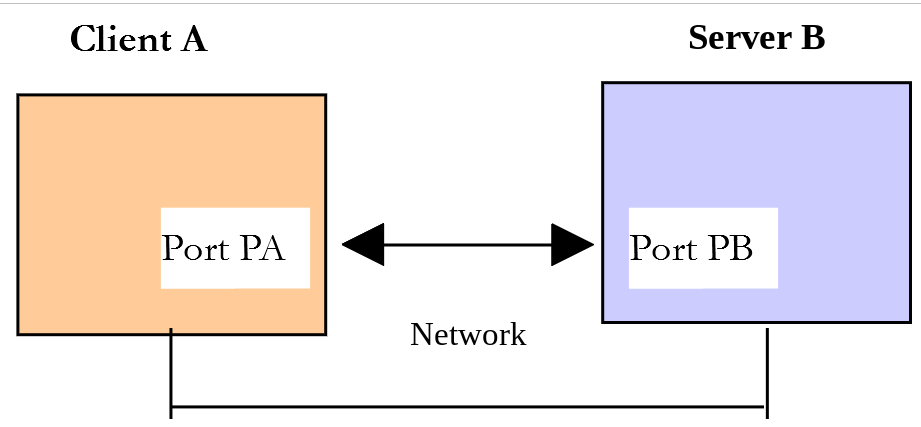
When a browser displays a URL, it acts as the client of a web server—or, in other words, a HTTP server. The browser takes the initiative and begins by sending a number of commands to the server. For this first example:
- the server will be the [tcp-server.php] utility;
- the client will be a web browser.
First, we start the server on port 100, then using a browser, we request URL [http://localhost:100], meaning we’re telling the HTTP server that we’re querying is running on port 100 of the local machine. The browser waits for the response. Let’s return to the server window. There, we see the lines sent by the browser. We then type a response in the format HTTP, line by line, then close the connection and stop the server:
| > php tcp-server.php 100
Server listening on the port [100]
Commands: list, send id [text], close id, quit
Client no. 1 [127.0.0.1:45752] connected
<-- client no. 1 [GET / HTTP/1.1]
<-- client no. 1 [Host: localhost:100]
<-- client no. 1 [Connection: keep-alive]
<-- client no. 1 [sec-ch-ua: "HeadlessChrome";v="141", "Not?A_Brand";v="8", "Chromium";v="141"]
<-- client no. 1 [sec-ch-ua-mobile: ?0]
<-- client no. 1 [sec-ch-ua-platform: "Linux"]
<-- client no. 1 [Upgrade-Insecure-Requests: 1]
<-- client no. 1 [User-Agent: Mozilla/5.0 (X11; Linux x86_64) AppleWebKit/537.36 (KHTML, like Gecko) HeadlessChrome/141.0.7390.37 Safari/537.36]
<-- client no. 1 [Accept-Language: en-US]
<-- client no. 1 [Accept: text/html,application/xhtml+xml,application/xml;q=0.9,image/avif,image/webp,image/apng,*/*;q=0.8,application/signed-exchange;v=b3;q=0.7]
<-- client no. 1 [Sec-Fetch-Site: none]
<-- client no. 1 [Sec-Fetch-Mode: navigate]
<-- client no. 1 [Sec-Fetch-User: ?1]
<-- client no. 1 [Sec-Fetch-Dest: document]
<-- client no. 1 [Accept-Encoding: gzip, deflate, br, zstd]
<-- client no. 1 []
send 1 [HTTP/1.1 200 OK]
send 1 [Content-Type: text/html; charset=utf-8]
send 1 [Connection: close]
send 1 []
send 1 [<h1>Hello from the TCP server!</h1>]
close 1
Connection with the client no. 1 closed
list
quit
Server stopped
|
- [Client no. 1]: the browser that connected;
- followed by the lines of text it sent:
- [GET / HTTP/1.1]: this line is in the format [GET URL HTTP/1.1]. It requests URL / and instructs the server to use the HTTP 1.1 protocol;
- [Host: localhost:100]: This line has the format [Host: server:port]. The case of the header [Host] does not matter. Note that the client is querying a local server operating on port 100;
- the header [Connection] specifies the desired connection mode: [keep-alive] indicates that the connection must be maintained after the response, for any subsequent requests;
- the [User-Agent] header provides the client’s identity. In this case, it is a Chromium browser. The [sec-ch-ua...] and [Sec-Fetch...] headers are specific to recent browsers. The exact values depend on the browser and operating system being used;
- The [Accept] header specifies which document types are accepted by the client;
- the [Accept-Language] header specifies the preferred language for the requested documents if they are available in multiple languages;
- The [Accept-Encoding] header indicates that the client accepts compressed documents;
- the client ends its orders with a blank line;
- The [send 1 [...]] commands send the response to the browser: a first line, [HTTP/1.1 200 OK], indicating that the requested document was found; headers; a blank line; and then the document. The [Content-Type] header specifies the document type—in this case, HTML encoded as UTF-8—and the [Connection: close] header indicates that the server will close the connection at the end of the document;
- [close 1]: Closing the connection signals to the browser that the document is complete.
The browser then displays the received document:

We’ve just written a web server “from scratch”!
16.4.2. Example 2
Now that we know the commands sent by a browser to request a URL, we’re going to request a URL using our client TCP [tcp-client.php]. The Apache server for [Laragon] will be our web server: start it (the [Start All] button in [Laragon]). The [inet/http/pages] folder contains a static HTML page:
| <!DOCTYPE html>
<html lang="en">
<head>
<meta charset="utf-8">
<title>Hello</title>
</head>
<body>
<h1>Hello!</h1>
<p>A static page served by the web server.</p>
</body>
</html>
|
Since the [php8-oct-2026] directory is located within the [<laragon>/www] directory, this page is accessible via the URL [http://localhost/php8-oct-2026/scripts-console/inet/http/pages/hello.html]. Let’s request it using our client TCP, connected to port 80 of the server [localhost], where the web server is running. We enter the commands we discovered in the previous paragraph:
| > php tcp-client.php localhost 80
Client [127.0.0.1:59734] connected to the server [localhost:80]
Type your commands (quit to stop):
GET /php8-oct-2026/scripts-console/inet/http/pages/hello.html HTTP/1.1
Host: localhost:80
<-- [HTTP/1.1 200 OK]
<-- [Date: Thu, 01 Oct 2026 15:32:51 GMT]
<-- [Server: Apache/2.4.58 (Ubuntu)]
<-- [Last-Modified: Thu, 01 Oct 2026 15:02:24 GMT]
<-- [ETag: "e2-65cc8b40e550d"]
<-- [Accept-Ranges: bytes]
<-- [Content-Length: 226]
<-- [Vary: Accept-Encoding]
<-- [Content-Type: text/html]
<-- []
<-- [<!DOCTYPE html>]
<-- [<html lang="en">]
<-- [ <head>]
<-- [ <meta charset="utf-8">]
<-- [ <title>Hello</title>]
<-- [ </head>]
<-- [ <body>]
<-- [ <h1>Hello!</h1>]
<-- [ <p>A static page served by the web server.</p>]
<-- [ </body>]
<-- [</html>]
quit
End of the client
|
- [GET ... HTTP/1.1]: the command [GET] with the path to the requested document;
- [Host: localhost:80]: the header [Host];
- these are the only two essential commands. For the other headers, the web server will use default values;
- the empty line that must end the client commands;
- Below the blank line comes the response from the Apache web server:
- [HTTP/1.1 200 OK]: the status line. The code 200 means the document was found;
- next come the response headers HTTP, followed by a blank line. The header [Content-Length] specifies the document size in bytes;
- after the blank line comes the requested document HTML;
- the header [Server] identifies the web server: in this case, an Apache 2.4 server. With [Laragon], you’ll see the entry [(Win64)] and the versions of OpenSSL and PHP;
- [quit]: We enter [quit] to terminate the client connection. The server, meanwhile, keeps the connection open for a few seconds (HTTP/1.1 keep-alive mode) while waiting for another request, then closes it.
The log file [utilities/logs/localhost-80.txt] contains the exchanges:
| --> [GET /php8-oct-2026/scripts-console/inet/http/pages/hello.html HTTP/1.1]
--> [Host: localhost:80]
--> []
<-- [HTTP/1.1 200 OK]
<-- [Date: Thu, 01 Oct 2026 15:32:51 GMT]
<-- [Server: Apache/2.4.58 (Ubuntu)]
<-- [Last-Modified: Thu, 01 Oct 2026 15:02:24 GMT]
<-- [ETag: "e2-65cc8b40e550d"]
<-- [Accept-Ranges: bytes]
<-- [Content-Length: 226]
<-- [Vary: Accept-Encoding]
<-- [Content-Type: text/html]
<-- []
<-- [<!DOCTYPE html>]
<-- [<html lang="en">]
<-- [ <head>]
<-- [ <meta charset="utf-8">]
<-- [ <title>Hello</title>]
<-- [ </head>]
<-- [ <body>]
<-- [ <h1>Hello!</h1>]
<-- [ <p>A static page served by the web server.</p>]
<-- [ </body>]
<-- [</html>]
|
We now have the basics to program a TCP client that would request a URL.
16.4.3. Example 3
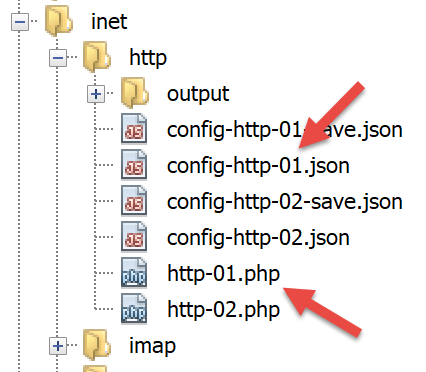
The [inet/http/http-01.php] script is a HTTP client configured by the JSON file [config-http-01.json]. The contents of the latter are as follows:
| {
"localhost": {
"port": 80,
"GET": "/php8-oct-2026/scripts-console/inet/http/pages/hello.html",
"Host": "localhost:80",
"User-Agent": "client PHP",
"Accept": "text/html",
"Accept-Language": "en",
"Connection": "close",
"endOfLine": "\r\n"
}
}
|
- line 2: the name of the machine hosting the web server to be accessed;
- line 3: the port on which this web server operates;
- line 4: the URL of the desired document;
- line 5: the target machine in the format machine:port;
- line 6: the client identifier HTTP: you can enter whatever you want;
- line 7: the document type accepted by the client, in this case text HTML;
- line 8: the desired language for the requested document;
- line 9: the server is instructed to close the connection once the document has been sent. Without this header, a HTTP/1.1 server keeps the connection open for a few seconds while waiting for another request, and our client—which reads until the connection is closed—would wait unnecessarily;
- line 10: the end-of-line character for commands sent by the client. The HTTP protocol requires the \r\n sequence.
The [http-01.php] script is as follows:
| <?php
declare(strict_types=1);
// basic HTTP client: requests a document from a web server and saves it in a file
// the configuration file can be passed as an argument (php http-01.php config.json)
$configFileName = $argv[1] ?? "config-http-01.json";
// we retrieve the configuration
$config = json_decode(file_get_contents($configFileName), true);
// get the HTML text of the URLs of the configuration file
foreach ($config as $site => $protocol) {
// reading the URL of the site $site
$result = getURL($site, $protocol);
// result display
print "$result\n";
}
// --------------------------------------------------------------------------
function getURL(string $site, array $protocol, bool $tracking = true): string
{
// reads the URL $protocol["GET"] of the site $site and stores it in the file output/$site.html
// the client / server dialogue follows the protocol $protocol
//
// opening a connection on the port $protocol["port"] of $site
$connection = @stream_socket_client("tcp://$site:{$protocol["port"]}", $errorNumber, $error, 10);
// return if error
if ($connection === false) {
return "Failed to connect to the site [$site:{$protocol["port"]}]: $error";
}
// $connection represents a bidirectional communication stream
// between the client (this program) and the contacted web server
// this channel is used for the exchanges of commands and information
// the dialogue protocol is HTTP
//
// creation of the file output/$site.html
if (!is_dir("output")) {
mkdir("output");
}
$html = fopen("output/$site.html", "w");
if ($html === false) {
fclose($connection);
return "Error while creating the file [output/$site.html]";
}
// the client is going to start the HTTP dialogue with the server
if ($tracking) {
print "Client: start of the communication with the server [$site] ----------------------------\n";
}
// the lines sent by the client must end with \r\n
$endOfLine = $protocol["endOfLine"];
// for simplicity, error cases in the client / server communication are not tested
// the client sends the GET command to request the URL $protocol["GET"]
// syntax GET URL HTTP/1.1
$command = "GET {$protocol["GET"]} HTTP/1.1$endOfLine";
if ($tracking) {
print "--> $command";
}
fwrite($connection, $command);
// sending the other HTTP headers
foreach ($protocol as $verb => $value) {
if (!in_array($verb, ["GET", "port", "endOfLine"], true)) {
// we build the command
$command = "$verb: $value$endOfLine";
if ($tracking) {
print "--> $command";
}
// we send the command to the server
fwrite($connection, $command);
}
}
// the headers of the HTTP protocol must end with an empty line
fwrite($connection, $endOfLine);
//
// the server is now going to answer on the channel $connection. It will send all
// its data then close the channel (Connection: close). The client therefore reads everything
// that comes from $connection until the channel is closed
//
// we first read the HTTP headers sent by the server
// they also end with an empty line
if ($tracking) {
print "Response of the server [$site] ----------------------------\n";
}
while (($line = fgets($connection)) !== false) {
// we remove the end-of-line spaces (including \r\n)
$line = rtrim($line);
// do we have the empty line that ends the headers?
if ($line === "") {
break;
}
// we display the HTTP header
if ($tracking) {
print "<-- $line\n";
}
}
// we read the HTML document that follows the empty line and store it in the file
while (($line = fgets($connection)) !== false) {
fwrite($html, $line);
}
// the server has closed the connection - the client closes it in turn
fclose($connection);
fclose($html);
// return
return "End of the communication with the site [$site]. Check the file [output/$site.html]";
}
|
Code comments:
- line 7: The configuration file can be passed as an argument. We will use multiple configuration files;
- line 10: the configuration file is used to create a dictionary:
- The dictionary keys are the web servers to be queried;
- the values specify the HTTP protocol to be used;
- Line 12: The program loops through the list of web servers in the configuration;
- line 20: the [getURL($site, $protocol, $tracking)] function requests a document from the $site website and stores it in the [output/$site.html] text file. By default, client/server exchanges are displayed on the console ($tracking=true);
- line 26: The function [stream_socket_client] establishes a connection with a TCP / IP service running on port [port] on the machine $site. Once the client/server connection is open, many TCP / IP services exchange lines of text. This is the case here with the HTTP protocol. The data stream from the server to the client can then be treated as a text file read using [fgets]. The same applies to the data stream from the client to the server, which can be written using [fwrite];
- line 40: creation of the file [output/$site.html], in which the received document HTML will be stored;
- line 54: The client’s first command must be [GET URL HTTP/1.1]. It means: “I want (GET) the page [URL] from the website I am connected to. I am using the HTTP protocol, version 1.1”;
- lines 60–70: the remaining lines of the HTTP protocol [Host, User-Agent, Accept, Accept-Language, Connection] are sent. Their order does not matter. The PHP 7 course tested the keys to exclude one by one; the [in_array] function with the third parameter [true] (strict comparison) is more readable;
- line 72: an empty line is sent to the server to indicate that the client has finished sending its headers HTTP and is now waiting for the requested document;
- Lines 83–94: The server will first send a series of headers HTTP that provide various details about the requested document. These headers end with a blank line. We read a line with [fgets], remove the trailing whitespace (including \r\n) with [rtrim], and check if it is the blank line that marks the end of the headers. If not, the header is displayed;
- Lines 95–97: The document’s text lines can be read line by line using a while loop and saved to the text file [output/$site.html]. Once the web server has sent the entire document, it closes its connection with the client. On the client side, this will be detected as the end of the file: [fgets] becomes [false].
Let’s run the script in a terminal opened in the [inet/http] folder. The console displays the following logs:
| > php http-01.php
Client: start of the communication with the server [localhost] ----------------------------
--> GET /php8-oct-2026/scripts-console/inet/http/pages/hello.html HTTP/1.1
--> Host: localhost:80
--> User-Agent: client PHP
--> Accept: text/html
--> Accept-Language: en
--> Connection: close
Response of the server [localhost] ----------------------------
<-- HTTP/1.1 200 OK
<-- Date: Thu, 01 Oct 2026 16:47:43 GMT
<-- Server: Apache/2.4.58 (Ubuntu)
<-- Last-Modified: Thu, 01 Oct 2026 15:02:24 GMT
<-- ETag: "e2-65cc8b40e550d"
<-- Accept-Ranges: bytes
<-- Content-Length: 226
<-- Vary: Accept-Encoding
<-- Connection: close
<-- Content-Type: text/html
End of the communication with the site [localhost]. Check the file [output/localhost.html]
|
In our example, the received file [output/localhost.html] is as follows:
| <!DOCTYPE html>
<html lang="en">
<head>
<meta charset="utf-8">
<title>Hello</title>
</head>
<body>
<h1>Hello!</h1>
<p>A static page served by the web server.</p>
</body>
</html>
|
This is indeed the [hello.html] document: it is also the one displayed by a browser.
16.4.4. Example 4
In this example, we will show that the HTTP client we wrote is insufficient.
16.4.4.1. The HTTPS protocol
Let’s update the configuration file. The file [config-http-01-https.json] is as follows:
| {
"localhost": {
"port": 443,
"GET": "/php8-oct-2026/scripts-console/inet/http/pages/hello.html",
"Host": "localhost:443",
"User-Agent": "client PHP",
"Accept": "text/html",
"Accept-Language": "en",
"Connection": "close",
"endOfLine": "\r\n"
}
}
|
Here, we’ll request the document [hello.html] from port 443 on the server [localhost]. Port 443 is the port used by the secure HTTP protocol, known as HTTPS. In this protocol, the client-server dialogue begins with an exchange of information that secures the connection: it will be encrypted by the TLS protocol. The client must therefore use the HTTPS protocol rather than the HTTP protocol, which our client does not do.
The Apache server for [Laragon] supports the HTTPS protocol, but it is not enabled by default. It is enabled via the [Laragon] menu: right-click in the [Laragon] window, then select [Apache / SSL / Enabled]. The Apache server is then restarted and now listens on two ports: port 80 (HTTP) and port 443 (HTTPS). [Laragon] has generated a so-called self-signed certificate for it. We’ll revisit this point in the next chapter.
With this configuration file ([php http-01.php config-http-01-https.json]), the console output is as follows:
| > php http-01.php config-http-01-https.json
Client: start of the communication with the server [localhost] ----------------------------
--> GET /php8-oct-2026/scripts-console/inet/http/pages/hello.html HTTP/1.1
--> Host: localhost:443
--> User-Agent: client PHP
--> Accept: text/html
--> Accept-Language: en
--> Connection: close
Response of the server [localhost] ----------------------------
<-- HTTP/1.1 400 Bad Request
<-- Date: Thu, 01 Oct 2026 16:47:43 GMT
<-- Server: Apache/2.4.58 (Ubuntu)
<-- Content-Length: 438
<-- Connection: close
<-- Content-Type: text/html; charset=iso-8859-1
End of the communication with the site [localhost]. Check the file [output/localhost.html]
|
- [HTTP/1.1 400 Bad Request]: The server responded that the client’s request was invalid.
The contents of the file [output/localhost.html] are as follows:
| <!DOCTYPE HTML PUBLIC "-//IETF//DTD HTML 2.0//EN">
<html><head>
<title>400 Bad Request</title>
</head><body>
<h1>Bad Request</h1>
<p>Your browser sent a request that this server could not understand.<br />
Reason: You're speaking plain HTTP to an SSL-enabled server port.<br />
Instead use the HTTPS scheme to access this URL, please.<br />
</p>
<hr>
<address>Apache/2.4.58 (Ubuntu) Server at 127.0.0.1 Port 443</address>
</body></html>
|
The server clearly states that we did not use the correct protocol: “You’re speaking plain HTTP to an SSL-enabled server port” (you’re speaking HTTP to a port reserved for SSL, the former name of TLS).
16.4.4.2. Document sent in chunks
The [inet/http/pages] folder contains a second document, the script PHP [index.php]:
| <?php
declare(strict_types=1);
// a page sent in several parts: [flush] forces the immediate sending of what has already been written
// the server therefore does not know the total size of the document when it sends the headers
print "<!DOCTYPE html>\n<html lang=\"en\">\n<head><meta charset=\"utf-8\"><title>Chunks</title></head>\n<body>\n";
flush();
for ($i = 1; $i <= 3; $i++) {
print "<p>chunk no. $i</p>\n";
flush();
}
print "</body>\n</html>\n";
|
- Line 8: The [flush] function instructs the server to immediately send to the client whatever the script has already written. As a result, the script sends its document in five separate parts. When sending the HTTP response headers, the server therefore does not know the total size of the document.
Now let’s use the following [config-http-01-chunks.json] configuration file:
| {
"localhost": {
"port": 80,
"GET": "/php8-oct-2026/scripts-console/inet/http/pages/",
"Host": "localhost:80",
"User-Agent": "client PHP",
"Accept": "text/html",
"Accept-Language": "en",
"Connection": "close",
"endOfLine": "\r\n"
}
}
|
- Line 4: We request the file [pages/]. The Apache server then sends its default document, in this case [index.php].
The console output is as follows:
| > php http-01.php config-http-01-chunks.json
Client: start of the communication with the server [localhost] ----------------------------
--> GET /php8-oct-2026/scripts-console/inet/http/pages/ HTTP/1.1
--> Host: localhost:80
--> User-Agent: client PHP
--> Accept: text/html
--> Accept-Language: en
--> Connection: close
Response of the server [localhost] ----------------------------
<-- HTTP/1.1 200 OK
<-- Date: Thu, 01 Oct 2026 16:47:43 GMT
<-- Server: Apache/2.4.58 (Ubuntu)
<-- X-Powered-By: PHP/8.5.11
<-- Vary: Accept-Encoding
<-- Connection: close
<-- Transfer-Encoding: chunked
<-- Content-Type: text/html; charset=UTF-8
End of the communication with the site [localhost]. Check the file [output/localhost.html]
|
- The header [X-Powered-By] indicates that the document was generated by PHP 8.5;
- the header [Transfer-Encoding: chunked] indicates that the server is sending the document in chunks. There is no [Content-Length] header: the server does not announce the document’s size.
This results in the presence of numbers in the stream sent to the client: each chunk is preceded by a line indicating its size in hexadecimal, and the document ends with a chunk of size 0. Here is the [output/localhost.html] file:
| 61
<!DOCTYPE html>
<html lang="en">
<head><meta charset="utf-8"><title>Chunks</title></head>
<body>
13
<p>chunk no. 1</p>
13
<p>chunk no. 2</p>
13
<p>chunk no. 3</p>
10
</body>
</html>
0
|
- [61]: the hexadecimal size of the first chunk, which is 97 bytes: the first four lines of the document;
- [13]: the size of the next three chunks, which is 19 bytes;
- [10]: the size of the last chunk, 16 bytes;
- [0]: the 0-byte chunk that ends the document.
A proper HTTP client should not leave these numbers in the final document.
16.4.4.3. Redirection
Here is one last configuration file, [config-http-01-redirect.json]:
| {
"localhost": {
"port": 80,
"GET": "/php8-oct-2026/scripts-console/inet/http/pages",
"Host": "localhost:80",
"User-Agent": "client PHP",
"Accept": "text/html",
"Accept-Language": "en",
"Connection": "close",
"endOfLine": "\r\n"
}
}
|
It resembles the previous example, but the requested URL does not end with a / character. These are not the same URL. Running the client HTTP then produces the following console output:
| > php http-01.php config-http-01-redirect.json
Client: start of the communication with the server [localhost] ----------------------------
--> GET /php8-oct-2026/scripts-console/inet/http/pages HTTP/1.1
--> Host: localhost:80
--> User-Agent: client PHP
--> Accept: text/html
--> Accept-Language: en
--> Connection: close
Response of the server [localhost] ----------------------------
<-- HTTP/1.1 301 Moved Permanently
<-- Date: Thu, 01 Oct 2026 16:47:43 GMT
<-- Server: Apache/2.4.58 (Ubuntu)
<-- Location: http://localhost/php8-oct-2026/scripts-console/inet/http/pages/
<-- Content-Length: 346
<-- Connection: close
<-- Content-Type: text/html; charset=iso-8859-1
End of the communication with the site [localhost]. Check the file [output/localhost.html]
|
- [HTTP/1.1 301 Moved Permanently]: The 301 code indicates that the requested document has been permanently moved to URL;
- [Location: ...]: the new URL. Note the / character at the end this time: [pages] is a directory, and the Apache server instructs the client to refer to it as a URL ending with /.
The file [output/localhost.html] is then as follows:
| <!DOCTYPE HTML PUBLIC "-//IETF//DTD HTML 2.0//EN">
<html><head>
<title>301 Moved Permanently</title>
</head><body>
<h1>Moved Permanently</h1>
<p>The document has moved <a href="http://localhost/php8-oct-2026/scripts-console/inet/http/pages/">here</a>.</p>
<hr>
<address>Apache/2.4.58 (Ubuntu) Server at localhost Port 80</address>
</body></html>
|
A client HTTP should be able to follow the redirects. In this case, it should automatically request the new URL [http://localhost/php8-oct-2026/scripts-console/inet/http/pages/].
16.4.5. Example 5
The previous examples have shown us that our client HTTP was insufficient. We will now introduce a tool called [curl] that allows you to retrieve web documents by handling the issues mentioned: the HTTPS protocol, documents sent in chunks, redirects… The [curl] tool is included with Windows (starting with Windows 10) and with [Laragon]. In a PowerShell terminal, you must type [curl.exe], not [curl]: In PowerShell 5, [curl] is an alias for another command, [Invoke-WebRequest].
The command [curl --help] displays the main configuration options for [curl]. There are several dozen of them. We will use very few of them. To request a URL, simply type the command [curl URL]. This command will display the requested document on the console. If you also want to view the HTTP exchanges between the client and the server, type [curl --verbose URL]. Finally, to save the requested HTML document to a file, type [curl --verbose --output file URL].
To avoid cluttering the course folders, let’s navigate to a working folder—for example, [c:\temp\curl] (create it if it doesn’t exist)—and request the page [hello.html]:
| > curl --verbose --output localhost.html http://localhost/php8-oct-2026/scripts-console/inet/http/pages/hello.html
* Host localhost:80 was resolved.
* IPv6: ::1
* IPv4: 127.0.0.1
% Total % Received % Xferd Average Speed Time Time Time Current
Dload Upload Total Spent Left Speed
0 0 0 0 0 0 0 0 --:--:-- --:--:-- --:--:-- 0* Trying 127.0.0.1:80...
* Connected to localhost (127.0.0.1) port 80
> GET /php8-oct-2026/scripts-console/inet/http/pages/hello.html HTTP/1.1
> Host: localhost
> User-Agent: curl/8.5.0
> Accept: */*
>
< HTTP/1.1 200 OK
< Date: Thu, 01 Oct 2026 15:32:56 GMT
< Server: Apache/2.4.58 (Ubuntu)
< Last-Modified: Thu, 01 Oct 2026 15:02:24 GMT
< ETag: "e2-65cc8b40e550d"
< Accept-Ranges: bytes
< Content-Length: 226
< Vary: Accept-Encoding
< Content-Type: text/html
<
{ [226 bytes data]
100 226 100 226 0 0 306k 0 --:--:-- --:--:-- --:--:-- 230k
* Connection #0 to host localhost left intact
|
- The lines beginning with [*] contain information from [curl]: it found two addresses for [localhost], the address IPv6 [::1] and the address IPv4 [127.0.0.1], and connected to the second one;
- the lines beginning with [>] are the lines sent by [curl] to the server [localhost]. The protocol HTTP is recognized;
- the lines beginning with [<] are the lines sent in response by the server;
- the other lines show the download progress bar.
The file [localhost.html] contains the requested document. You can verify this by opening the file in a text editor.
Now let’s request the URL [https://localhost/php8-oct-2026/scripts-console/inet/http/pages/hello.html]. To obtain URL, the client HTTP must be able to communicate with HTTPS. This is the case for the client [curl]. The server’s certificate is self-signed: [curl] would refuse to proceed. The option [--insecure] instructs it not to verify the certificate. The console output is as follows:
| > curl --verbose --insecure --output localhost-https.html https://localhost/php8-oct-2026/scripts-console/inet/http/pages/hello.html
* Host localhost:443 was resolved.
* IPv6: ::1
* IPv4: 127.0.0.1
% Total % Received % Xferd Average Speed Time Time Time Current
Dload Upload Total Spent Left Speed
0 0 0 0 0 0 0 0 --:--:-- --:--:-- --:--:-- 0* Trying 127.0.0.1:443...
* Connected to localhost (127.0.0.1) port 443
* ALPN: curl offers h2,http/1.1
} [5 bytes data]
* TLSv1.3 (OUT), TLS handshake, Client hello (1):
} [512 bytes data]
* TLSv1.3 (IN), TLS handshake, Server hello (2):
{ [122 bytes data]
* TLSv1.3 (IN), TLS handshake, Encrypted Extensions (8):
{ [21 bytes data]
* TLSv1.3 (IN), TLS handshake, Certificate (11):
{ [822 bytes data]
* TLSv1.3 (IN), TLS handshake, CERT verify (15):
{ [264 bytes data]
* TLSv1.3 (IN), TLS handshake, Finished (20):
{ [52 bytes data]
* TLSv1.3 (OUT), TLS change cipher, Change cipher spec (1):
} [1 bytes data]
* TLSv1.3 (OUT), TLS handshake, Finished (20):
} [52 bytes data]
* SSL connection using TLSv1.3 / TLS_AES_256_GCM_SHA384 / X25519 / RSASSA-PSS
* ALPN: server accepted http/1.1
* Server certificate:
* subject: CN=localhost
* start date: Oct 1 14:55:35 2026 GMT
* expire date: Sep 28 14:55:35 2036 GMT
* issuer: CN=localhost
* SSL certificate verify result: self-signed certificate (18), continuing anyway.
* Certificate level 0: Public key type RSA (2048/112 Bits/secBits), signed using sha256WithRSAEncryption
* using HTTP/1.x
} [5 bytes data]
> GET /php8-oct-2026/scripts-console/inet/http/pages/hello.html HTTP/1.1
> Host: localhost
> User-Agent: curl/8.5.0
> Accept: */*
>
{ [5 bytes data]
* TLSv1.3 (IN), TLS handshake, Newsession Ticket (4):
{ [57 bytes data]
* TLSv1.3 (IN), TLS handshake, Newsession Ticket (4):
{ [57 bytes data]
* old SSL session ID is stale, removing
{ [5 bytes data]
< HTTP/1.1 200 OK
< Date: Thu, 01 Oct 2026 15:32:56 GMT
< Server: Apache/2.4.58 (Ubuntu)
< Last-Modified: Thu, 01 Oct 2026 15:02:24 GMT
< ETag: "e2-65cc8b40e550d"
< Accept-Ranges: bytes
< Content-Length: 226
< Vary: Accept-Encoding
< Content-Type: text/html
<
{ [226 bytes data]
100 226 100 226 0 0 45798 0 --:--:-- --:--:-- --:--:-- 47200
* Connection #0 to host localhost left intact
|
- The lines [TLSv1.3 ...] show the client/server exchanges to secure the connection: the connection will be encrypted;
- the lines [Server certificate] describe the certificate sent by the server. It was issued for the machine [localhost] (CN=localhost) by that same machine (issuer: CN=localhost): it is a self-signed certificate. [curl] reports that it was unable to verify the certificate but continues anyway;
- Next come the usual encrypted exchanges, HTTP. [HTTP/1.1 200 OK]: the requested document was found.
Now let’s request the URL [http://localhost/php8-oct-2026/scripts-console/inet/http/pages]. We had seen that for this URL, there was a redirect to the same URL ending with the character /. The console output is then as follows:
| > curl --verbose --location --output pages.html http://localhost/php8-oct-2026/scripts-console/inet/http/pages
* Host localhost:80 was resolved.
* IPv6: ::1
* IPv4: 127.0.0.1
% Total % Received % Xferd Average Speed Time Time Time Current
Dload Upload Total Spent Left Speed
0 0 0 0 0 0 0 0 --:--:-- --:--:-- --:--:-- 0* Trying 127.0.0.1:80...
* Connected to localhost (127.0.0.1) port 80
> GET /php8-oct-2026/scripts-console/inet/http/pages HTTP/1.1
> Host: localhost
> User-Agent: curl/8.5.0
> Accept: */*
>
< HTTP/1.1 301 Moved Permanently
< Date: Thu, 01 Oct 2026 15:32:56 GMT
< Server: Apache/2.4.58 (Ubuntu)
< Location: http://localhost/php8-oct-2026/scripts-console/inet/http/pages/
< Content-Length: 346
< Content-Type: text/html; charset=iso-8859-1
<
* Ignoring the response-body
100 346 100 346 0 0 637k 0 --:--:-- --:--:-- --:--:-- 337k
* Connection #0 to host localhost left intact
* Issue another request to this URL: 'http://localhost/php8-oct-2026/scripts-console/inet/http/pages/'
* Found bundle for host: 0x562ea38dc400 [serially]
* Can not multiplex, even if we wanted to
* Re-using existing connection with host localhost
> GET /php8-oct-2026/scripts-console/inet/http/pages/ HTTP/1.1
> Host: localhost
> User-Agent: curl/8.5.0
> Accept: */*
>
< HTTP/1.1 200 OK
< Date: Thu, 01 Oct 2026 15:32:56 GMT
< Server: Apache/2.4.58 (Ubuntu)
< X-Powered-By: PHP/8.5.11
< Vary: Accept-Encoding
< Transfer-Encoding: chunked
< Content-Type: text/html; charset=UTF-8
<
{ [97 bytes data]
100 170 0 170 0 0 147k 0 --:--:-- --:--:-- --:--:-- 147k
* Connection #0 to host localhost left intact
|
- We use the [--location] option to indicate that we want to follow the redirects sent by the server;
- [HTTP/1.1 301 Moved Permanently] and [Location]: the server indicates that the requested document is at another URL;
- [Issue another request to this URL]: [curl] sends a new request, this time to the new URL, reusing the same connection;
- [HTTP/1.1 200 OK]: The server responds that it has found the requested document;
- [Transfer-Encoding: chunked]: It sends it in chunks. [curl] removes the chunk sizes.
The requested document will be found in the file [pages.html].
16.4.6. Example 6
PHP has an extension called [curl] that allows the capabilities of the [curl] tool to be used within a PHP program. It is enabled in PHP from [Laragon]: this can be verified using the [php -m] command, which lists the loaded extensions. If it were not enabled, you would need to uncomment the line [extension=curl] in the file [php.ini].
We’ll write a script named [http-02.php] that will use the following configuration file: JSON [config-http-02.json]:
| {
"localhost": {
"timeout": 5,
"url": "http://localhost/php8-oct-2026/scripts-console/inet/http/pages"
},
"localhost-https": {
"timeout": 5,
"url": "https://localhost/php8-oct-2026/scripts-console/inet/http/pages/hello.html",
"verify-peer": false
}
}
|
Each entry in the [key => value] dictionary has the following structure:
- key: a name that will be used to name the file where the document will be saved;
- value: a dictionary with the following keys:
- timeout: maximum wait time for a response from the server. After this time, the client will disconnect;
- url: URL of the requested document;
- verify-peer: Should the server’s certificate (HTTPS) be verified? True by default.
The code for the [http-02.php] script is as follows:
| <?php
declare(strict_types=1);
// HTTP client written with the [curl] extension of PHP
// can speak HTTPS, follow redirects and receive a document sent in chunks
// constants
const CONFIG_FILE_NAME = "config-http-02.json";
// we retrieve the configuration
$config = json_decode(file_get_contents(CONFIG_FILE_NAME), true);
// get the HTML text of the URLs of the configuration file
foreach ($config as $site => $info) {
// reading the URL of the site $site
$result = getUrl($site, $info["url"], $info["timeout"], $info["verify-peer"] ?? true);
// result display
print "$result\n";
}
// --------------------------------------------------------------------------
function getUrl(string $site, string $url, int $timeout, bool $verifyPeer = true): string
{
// reads the URL $url and stores it in the file output/$site.html
//
// tracking
print "Client: start of the communication with the server [$site] ----------------------------\n";
// initialization of a cURL session: since PHP 8.0, [curl_init] returns a [CurlHandle] object
$curl = curl_init($url);
if ($curl === false) {
return "Error while initializing the cURL session for the site [$site]";
}
// curl options
$options = [
// verbose mode: the client / server exchanges are displayed...
CURLOPT_VERBOSE => true,
// ... on the standard output (by default, it is the error output)
CURLOPT_STDERR => STDOUT,
// new connection - no cache
CURLOPT_FRESH_CONNECT => true,
// timeout of the request (in seconds)
CURLOPT_TIMEOUT => $timeout,
CURLOPT_CONNECTTIMEOUT => $timeout,
// whether or not to check the validity of the server certificate (HTTPS)
CURLOPT_SSL_VERIFYPEER => $verifyPeer,
CURLOPT_SSL_VERIFYHOST => $verifyPeer ? 2 : 0,
// follow the redirects
CURLOPT_FOLLOWLOCATION => true,
// retrieving the requested document as a character string
CURLOPT_RETURNTRANSFER => true,
];
// curl configuration
curl_setopt_array($curl, $options);
// execution of the request
$pageContent = curl_exec($curl);
// the cURL session is closed automatically when the object $curl disappears
// ([curl_close] is useless since PHP 8.0 and deprecated since PHP 8.5)
//
// using the result
if ($pageContent === false) {
// there was a communication error
return "Error communicating with the server [$site]: " . curl_error($curl);
}
// saving the result in output/$site.html
if (!is_dir("output")) {
mkdir("output");
}
if (file_put_contents("output/$site.html", $pageContent) === false) {
return "Error while creating the file [output/$site.html]";
}
// successful return
return "End of the communication with the server [$site]. Check the file [output/$site.html]";
}
|
Comments:
- Line 12: The configuration file is used to create the dictionary [$config];
- Line 15: We loop through the list of sites found in the configuration;
- line 17: For each site, the function [getUrl] is called to download the URL [$info["url"]] with a timeout of [$info["timeout"]];
- Line 30: A [curl] session is started. [curl_init] does not yet connect to the web server. Starting with PHP 8.0, it returns an object of class [CurlHandle] (rather than a resource), which will serve as a parameter for all subsequent [curl] functions. If session initialization fails, the function returns the Boolean [false];
- lines 35–52: the dictionary [$options] configures the connection [curl] to the server:
- [CURLOPT_VERBOSE]: displays client/server exchanges, similar to the [--verbose] option of the [curl] tool. [CURLOPT_STDERR] sends them to standard output ([STDOUT]) rather than to error output, which preserves the order of the displays;
- [CURLOPT_SSL_VERIFYPEER] and [CURLOPT_SSL_VERIFYHOST]: Verify the server certificate and the name it contains;
- [CURLOPT_FOLLOWLOCATION]: Follow redirects, similar to the [--location] option;
- [CURLOPT_RETURNTRANSFER]: returns the received document as a string;
- line 54: the connection options are passed to the [$curl] object;
- line 56: connection to URL requested with the defined options. Because of the [CURLOPT_RETURNTRANSFER => true] option, the [curl_exec] function returns the document sent by the server as a string, stripped of chunk sizes if it was sent in chunks. The [curl_exec] function returns the Boolean value [false] if the connection fails. The [curl_error] function then returns the cause of the error;
- line 57: the PHP 7 course closed the session using the [curl_close] function. Since PHP 8.0, this function no longer does anything: the session is closed when the [CurlHandle] object is no longer in use. It has been deprecated since PHP 8.5;
- Line 69: The received page is saved to a local file.
When the [http-02.php] script is run, the following console output is displayed:
| > php http-02.php
Client: start of the communication with the server [localhost] ----------------------------
* Host localhost:80 was resolved.
* IPv6: ::1
* IPv4: 127.0.0.1
* Trying 127.0.0.1:80...
* Connected to localhost (127.0.0.1) port 80
> GET /php8-oct-2026/scripts-console/inet/http/pages HTTP/1.1
Host: localhost
Accept: */*
< HTTP/1.1 301 Moved Permanently
< Date: Thu, 01 Oct 2026 16:47:51 GMT
< Server: Apache/2.4.58 (Ubuntu)
< Location: http://localhost/php8-oct-2026/scripts-console/inet/http/pages/
< Content-Length: 346
< Content-Type: text/html; charset=iso-8859-1
<
* Ignoring the response-body
* Connection #0 to host localhost left intact
* Issue another request to this URL: 'http://localhost/php8-oct-2026/scripts-console/inet/http/pages/'
* Found bundle for host: 0x557b108f4920 [serially]
* Can not multiplex, even if we wanted to
* Re-using existing connection with host localhost
> GET /php8-oct-2026/scripts-console/inet/http/pages/ HTTP/1.1
Host: localhost
Accept: */*
< HTTP/1.1 200 OK
< Date: Thu, 01 Oct 2026 16:47:51 GMT
< Server: Apache/2.4.58 (Ubuntu)
< X-Powered-By: PHP/8.5.11
< Vary: Accept-Encoding
< Transfer-Encoding: chunked
< Content-Type: text/html; charset=UTF-8
<
* Connection #0 to host localhost left intact
End of the communication with the server [localhost]. Check the file [output/localhost.html]
Client: start of the communication with the server [localhost-https] ----------------------------
* Host localhost:443 was resolved.
* IPv6: ::1
* IPv4: 127.0.0.1
* Trying 127.0.0.1:443...
* Connected to localhost (127.0.0.1) port 443
* ALPN: curl offers h2,http/1.1
* SSL connection using TLSv1.3 / TLS_AES_256_GCM_SHA384 / X25519 / RSASSA-PSS
* ALPN: server accepted http/1.1
* Server certificate:
* subject: CN=localhost
* start date: Oct 1 14:55:35 2026 GMT
* expire date: Sep 28 14:55:35 2036 GMT
* issuer: CN=localhost
* SSL certificate verify result: self-signed certificate (18), continuing anyway.
* Certificate level 0: Public key type RSA (2048/112 Bits/secBits), signed using sha256WithRSAEncryption
* using HTTP/1.x
> GET /php8-oct-2026/scripts-console/inet/http/pages/hello.html HTTP/1.1
Host: localhost
Accept: */*
* old SSL session ID is stale, removing
< HTTP/1.1 200 OK
< Date: Thu, 01 Oct 2026 16:47:51 GMT
< Server: Apache/2.4.58 (Ubuntu)
< Last-Modified: Thu, 01 Oct 2026 15:02:24 GMT
< ETag: "e2-65cc8b40e550d"
< Accept-Ranges: bytes
< Content-Length: 226
< Vary: Accept-Encoding
< Content-Type: text/html
<
* Connection #0 to host localhost left intact
End of the communication with the server [localhost-https]. Check the file [output/localhost-https.html]
|
The same data exchanges occur as with the [curl] tool: Lines beginning with [>] are sent to the server; those beginning with [<] are received from the server; and those beginning with [*] contain information from [curl]. The redirection was followed, and the HTTPS connection was established.
16.4.7. Conclusion
In this section, we explored the HTTP protocol and wrote a [http-02.php] script capable of downloading a URL from the web. In the next chapter, we will use the [HttpClient] component from the Symfony framework for this purpose.
16.5. The SMTP Protocol (Simple Mail Transfer Protocol)
16.5.1. Introduction
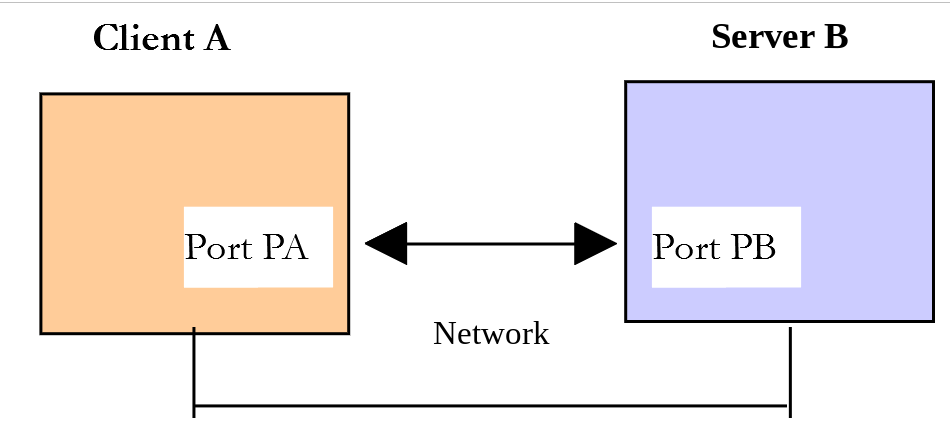
In this chapter:
- [Server B] will be a local SMTP server that we will install;
- [Client A] will be a SMTP client in various forms:
- the [tcp-client.php] client to discover the SMTP protocol;
- a PHP script that re-enacts the SMTP protocol discovered with [tcp-client.php];
- A PHP script that uses the [Symfony Mailer] library to send all kinds of emails.
16.5.2. Installing a test SMTP server: [Mailpit]
The PHP 7 course installed the [hMailServer] mail server—which is no longer maintained—and configured it to relay emails through the SMTP Gmail server. Instead, we will use [Mailpit] (https://mailpit.axllent.org), a free tool designed for developers:
- it is a SMTP server that accepts all emails sent to it, regardless of the sender or recipient, but does not forward them—it stores them. This means you can send emails to any address without the risk of bothering anyone;
- it offers a web interface that lets you read the emails you receive;
- it also provides a POP3 server, which we’ll use to read emails programmatically;
- It is a single executable file that requires no installation.
[Mailpit] can be downloaded from https://github.com/axllent/mailpit/releases. On Windows, download the [mailpit-windows-amd64.zip] file from the latest version and copy the [mailpit.exe] file it contains into the [inet/mailpit] folder in the course code. This folder already contains the following files:
| mailpit
├── mailpit.bat
├── mailpit-secure.bat
├── pop3-users.txt
├── relay.yml
└── smtp-users.txt
|
The [pop3-users.txt] file defines the users of the POP3 server from [Mailpit] in the form [user:password]. There is only one:
The file [mailpit.bat] launches [Mailpit] with this user file:
| @echo off
rem main instance of Mailpit: SMTP on port 1025, POP3 on port 1110, web interface on port 8025
"%~dp0mailpit.exe" --pop3-auth-file "%~dp0pop3-users.txt"
|
- [%~dp0] specifies the folder for the file [.bat]: therefore, you can launch [mailpit.bat] from any folder, for example by double-clicking it in Windows Explorer;
- the option [--pop3-auth-file] starts the POP3 server from [Mailpit].
You can also type the command directly into a terminal opened in the [inet/mailpit] folder: [.\mailpit.exe --pop3-auth-file pop3-users.txt]. [Mailpit] will then display log lines indicating that it offers three services:
- a SMTP server on port 1025 (the standard port for the SMTP protocol is port 25, but ports below 1024 are often reserved or blocked);
- a POP3 server on port 1110 (the standard port is 110);
- a web interface for URL and [http://localhost:8025].
The terminal must remain open as long as you want to use [Mailpit]: the key combination [Ctrl-C] shuts it down. Received emails are stored in memory as long as [Mailpit] is running. We will see [Mailpit] again in future versions of the tax calculation server, which will send emails to their administrator.
The second file, [mailpit-secure.bat], launches a second instance of [Mailpit], which we’ll use later to examine secure connections:
| @echo off
rem secure instance of Mailpit: SMTP with mandatory STARTTLS and authentication on port 1587,
rem web interface over HTTPS on port 8026, relay of the messages to the main instance (port 1025)
"%~dp0mailpit.exe" --smtp 0.0.0.0:1587 --listen 0.0.0.0:8026 --ui-tls-cert sans:localhost --ui-tls-key sans:localhost --smtp-tls-cert sans:localhost --smtp-tls-key sans:localhost --smtp-require-starttls --smtp-auth-file "%~dp0smtp-users.txt" --smtp-relay-config "%~dp0relay.yml" --smtp-relay-all
|
- [--smtp 0.0.0.0:1587]: The SMTP server for this instance listens on port 1587;
- [--listen 0.0.0.0:8026 --ui-tls-cert sans:localhost --ui-tls-key sans:localhost]: its web interface is on port 8026 (port 8025 is occupied by the first instance), in HTTPS;
- [--smtp-tls-cert sans:localhost --smtp-tls-key sans:localhost]: [Mailpit] generates its own self-signed certificate for the machine [localhost]. This certificate allows it to encrypt communications with its clients;
- [--smtp-require-starttls]: Clients must encrypt the connection (using the STARTTLS command, which we will discuss later) before sending an email;
- [--smtp-auth-file smtp-users.txt]: Clients must authenticate using one of the accounts in the [smtp-users.txt] file. There is only one: [guest@localhost] with the password [guest];
- [--smtp-relay-config relay.yml --smtp-relay-all]: Incoming emails are forwarded to the SMTP server defined in [relay.yml], that is, to the first instance of [Mailpit] (localhost, port 1025):
| # SMTP relay of the "secure" instance of Mailpit (port 1587)
# to the main instance (port 1025)
host: localhost
port: 1025
|
This second instance acts as a public SMTP server would, such as Gmail’s ([smtp.gmail.com], port 587), which also requires an encrypted connection and authentication. We’ll use it with a Gmail account when the time comes, for those who have one.
Let’s start the first instance of [Mailpit] and open its web interface [http://localhost:8025] in a browser:
We’ll see this page fill up as we go through the examples.
16.5.3. The SMTP Protocol
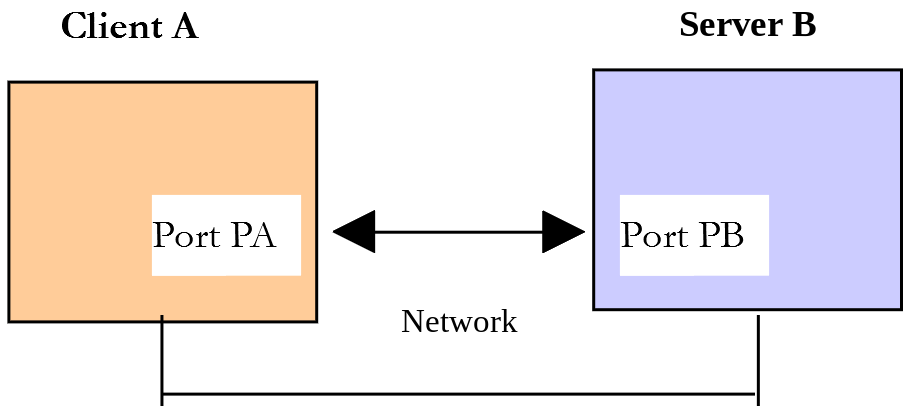
We will explore the SMTP protocol using the following environment:
- Client A will be the generic client TCP ([tcp-client.php]);
- Server B will be the SMTP server of [Mailpit];
- Client A will ask Server B to deliver an email to user [guest@localhost];
- we will verify via the [Mailpit] web interface that the email was successfully received.
In a terminal window opened in the [inet/utilities] folder, we launch the client and enter the commands for the SMTP protocol:
| > php tcp-client.php --quit bye localhost 1025
Client [127.0.0.1:50072] connected to the server [localhost:1025]
Type your commands (bye to stop):
<-- [220 vm Mailpit ESMTP Service ready]
EHLO localhost
<-- [250-vm greets localhost]
<-- [250-SIZE 52428800]
<-- [250-ENHANCEDSTATUSCODES]
<-- [250-8BITMIME]
<-- [250 SMTPUTF8]
MAIL FROM: <guest@localhost>
<-- [250 2.1.0 Ok]
RCPT TO: <guest@localhost>
<-- [250 2.1.5 Ok]
DATA
<-- [354 Start mail input; end with <CR><LF>.<CR><LF>]
Subject: test
From: guest@localhost
To: guest@localhost
line 1
line 2
.
<-- [250 2.0.0 Ok: queued as 0d0daBzXhAGBiM8Aw3oxZ7]
QUIT
<-- [221 2.0.0 vm Mailpit ESMTP Service closing transmission channel]
Connection with the server lost...
End of the client
|
- [php tcp-client.php --quit bye localhost 1025]: We connect to port 1025 on the local machine, where the SMTP service of [Mailpit] is running. The [--quit bye] argument indicates that the user will exit the program by entering the command [bye]. Without this argument, the command to end the program is [quit]. However, [QUIT] is also a command in the SMTP protocol. We must therefore avoid this ambiguity;
- [220 vm Mailpit ESMTP Service ready]: As soon as the connection is established, the server sends its welcome message. The code [220] indicates that the server is ready. [vm] is the name of the machine running [Mailpit]: you will see the name of your computer;
- [EHLO localhost]: The client sends the command [EHLO client-machine-name]. The server responds with a series of lines in the form [250-xx], the last of which is in the form [250 xx] (a space, not a hyphen, after the code). The code [250] indicates that the command sent by the client was successful. The following lines list the SMTP protocol extensions that the server supports, such as the maximum message size [SIZE];
- [MAIL FROM: <guest@localhost>]: the client specifies the message sender, and the server accepts it (code 250);
- [RCPT TO: <guest@localhost>]: The client specifies the message recipient. There may be multiple [RCPT TO] commands for multiple recipients;
- [DATA]: This command informs the server that the client is about to send the message content. The server responds with the code [354] and specifies how to end the message;
- The client then sends a list of text lines ending with a line containing only a single period. The message may begin with [Subject:, From:, To:] lines to define, respectively, the message subject, the sender, and the recipient. These headers must be followed by a blank line, then the message text;
- [250 2.0.0 Ok: queued as ...]: Once the server has received the line containing only a single period, it queues the message for delivery;
- [QUIT]: The client notifies the server that it is finished. The server responds with the code [221] and then closes the connection, which the client detects.
Let’s check in the [Mailpit] web interface to confirm that user [guest@localhost] has indeed received the message:
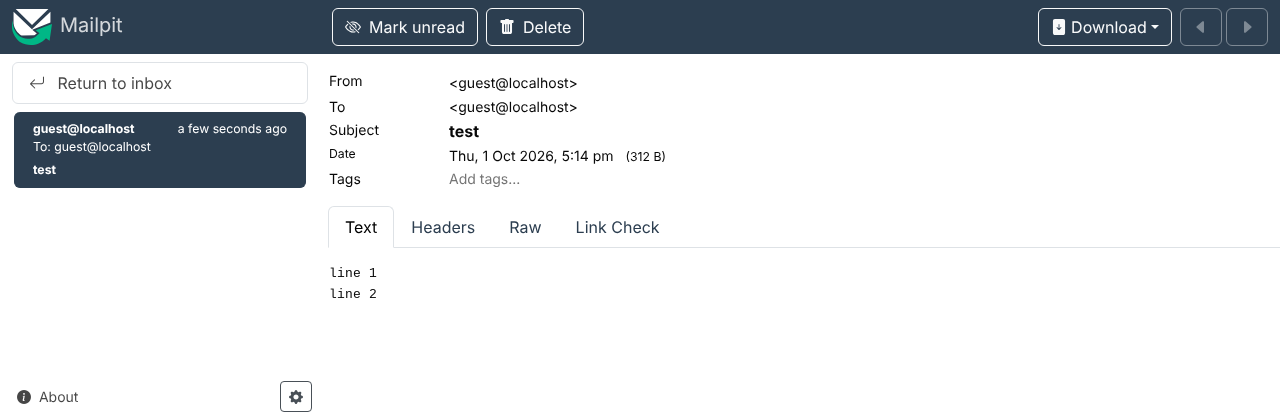
The sender is [From], the recipient is [To], the subject is [Subject], and the message text is displayed. The [Headers] tab displays all the message headers, and the [Raw] tab displays the plain text received by [Mailpit].
Our client [tcp-client.php] successfully sent the message. We now have the foundation to create a SMTP client written in PHP.
16.5.4. A basic SMTP client written in PHP
We will reproduce in PHP what we learned earlier about the SMTP protocol.
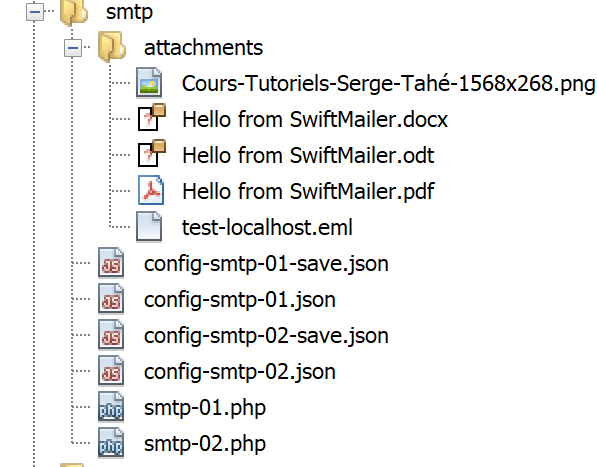
The [inet/smtp/smtp-01.php] script is configured by the following JSON [config-smtp-01.json] file:
| {
"mail to localhost via localhost": {
"smtp-server": "localhost",
"smtp-port": 1025,
"from": "guest@localhost",
"to": "guest@localhost",
"subject": "to localhost via localhost",
"message": "line 1\nline 2\nline 3"
},
"mail to gmail via localhost": {
"smtp-server": "localhost",
"smtp-port": 1025,
"from": "guest@localhost",
"to": "php8parlexemple@gmail.com",
"subject": "to gmail via localhost",
"message": "line 1\nline 2\nline 3"
},
"mail via a secure server": {
"smtp-server": "localhost",
"smtp-port": 1587,
"from": "guest@localhost",
"to": "guest@localhost",
"subject": "via a secure server",
"message": "line 1\nline 2\nline 3"
}
}
|
[config-smtp-01.json] is a dictionary in which each element is of the form [name => info]. The value [info] is itself a dictionary with the following keys and values:
- [smtp-server]: the name of the SMTP server to use;
- [smtp-port]: the port number of the SMTP service;
- [from]: the sender of the message;
- [to]: the message recipient;
- [subject]: the subject of the message;
- [message]: the message to be sent.
There are three messages being sent:
- The first uses the SMTP server of [Mailpit] to send an email to the user [guest@localhost];
- The second uses the same server to send an email to a Gmail address. [Mailpit] will hold this email without delivering it;
- The third uses the second instance of [Mailpit], the one on port 1587, which requires an encrypted connection. Therefore, [mailpit-secure.bat] must have been launched.
The code [smtp-01.php] for the SMTP client is as follows:
| <?php
declare(strict_types=1);
// SMTP (Simple Mail Transfer Protocol) client used to send a message
// SMTP client-server communication protocol
// -> the client connects to the port of the SMTP server (25, 587, 1025...)
// <- the server sends it a welcome message
// -> the client sends the command EHLO name of its machine
// <- the server answers OK or not
// -> the client sends the command MAIL FROM: <sender>
// <- the server answers OK or not
// -> the client sends the command RCPT TO: <recipient>
// <- the server answers OK or not
// -> the client sends the command DATA
// <- the server answers OK or not
// -> the client sends all the lines of its message and ends with a line containing the
// single character .
// <- the server answers OK or not
// -> the client sends the command QUIT
// <- the server answers OK or not
// the server's responses have the form xxx text where xxx is a 3-digit number. Any
// number xxx >= 400 signals an error.
// The response may have several lines of the form xxx-text, except the last one
// which has the form xxx text (space after the code)
// the exchanged lines of text must end with the characters CR (13) and LF (10)
// the parameters for sending the mails
const CONFIG_FILE_NAME = "config-smtp-01.json";
// we retrieve the configuration
$mails = json_decode(file_get_contents(CONFIG_FILE_NAME), true);
// sending the mails
foreach ($mails as $name => $info) {
// tracking
print "Sending the mail [$name]\n";
// sending the mail
$result = sendmail($info, verbose: true);
// result display
print "$result\n";
}
// end
print "Done\n";
// --------------------------------------------------------------------------
function sendmail(array $info, bool $verbose = true): string
{
// sends the message described by [$info]
// if $verbose=true, tracks the client-server exchanges
//
// the name of the client machine
$client = gethostname();
// opening a connection with the SMTP server
$connection = @stream_socket_client("tcp://{$info["smtp-server"]}:{$info["smtp-port"]}", $errorNumber, $error);
if ($connection === false) {
return "Failed to connect to the server [{$info["smtp-server"]}:{$info["smtp-port"]}]: $error";
}
// $connection represents a bidirectional communication stream
// between the client (this program) and the contacted SMTP server
try {
// after the connection, the server sends a welcome message that we read
sendCommand($connection, "", $verbose);
// EHLO command
sendCommand($connection, "EHLO $client", $verbose);
// MAIL FROM: command
sendCommand($connection, "MAIL FROM: <{$info["from"]}>", $verbose);
// RCPT TO: command
sendCommand($connection, "RCPT TO: <{$info["to"]}>", $verbose);
// DATA command
sendCommand($connection, "DATA", $verbose);
// the message: headers (From, To, Subject), an empty line, the text
// and a line reduced to a dot
// the line endings of the text must be \r\n
$text = str_replace("\n", "\r\n", $info["message"]);
// a line of the text that starts with a dot must start with two dots
$text = preg_replace('/^\./m', '..', $text);
$data = "From: {$info["from"]}\r\nTo: {$info["to"]}\r\nSubject: {$info["subject"]}\r\n\r\n$text\r\n.";
sendCommand($connection, $data, $verbose);
// QUIT command
sendCommand($connection, "QUIT", $verbose);
return "Message sent";
} catch (RuntimeException $ex) {
// the server signaled an error
return "Error: " . $ex->getMessage();
} finally {
// in all cases, we close the connection
fclose($connection);
}
}
// --------------------------------------------------------------------------
function sendCommand($connection, string $command, bool $verbose): void
{
// sends $command into the channel $connection and reads the server's response
// verbose mode if $verbose=true
// throws a RuntimeException if the server signals an error
//
// sending the command if it is not empty
if ($command !== "") {
fwrite($connection, "$command\r\n");
if ($verbose) {
display($command, 1);
}
}
// reading the response: lines [xxx-text] ended by a line [xxx text]
do {
$response = fgets($connection);
if ($response === false) {
throw new RuntimeException("the server has closed the connection");
}
if ($verbose) {
display($response, 2);
}
} while (substr($response, 3, 1) === "-");
// code of the response
$code = (int) substr($response, 0, 3);
// error returned by the server?
if ($code >= 400) {
throw new RuntimeException(rtrim(substr($response, 4)));
}
}
// --------------------------------------------------------------------------
function display(string $exchange, int $direction): void
{
// displays $exchange on the screen
// if $direction=1 displays --> [$exchange] (with \n line endings instead of \r\n)
// if $direction=2 displays <-- [$exchange] without the end-of-line characters \r\n
print match ($direction) {
1 => "--> [" . str_replace("\r\n", "\n", $exchange) . "]\n",
2 => "<-- [" . rtrim($exchange, "\r\n") . "]\n",
};
}
|
Comments:
- line 32: the configuration file is processed. The second parameter, [true], of [json_decode] requires associative arrays rather than objects;
- line 35: we loop through the elements of the dictionary [$mails]. Each element is of the form [name => info], where [name] is any name and [info] is a dictionary containing the information needed to send an email;
- Line 39: The email is sent by the function [sendmail], which takes two parameters:
- $info: the dictionary containing the information needed to send the email;
- $verbose: a Boolean indicating whether or not client/server exchanges should be displayed on the console. Note the argument named [verbose: true] (PHP 8.0), which makes the call more readable than a simple [true];
- line 53: the name of the client machine, used by the EHLO command;
- line 55: opening a connection to the SMTP server. The PHP 7 course used the function [fsockopen], which is still available. [stream_socket_client] is more general: this is the one we used in [tcp-client.php];
- Lines 61–86: The [sendmail] function sends the various commands that a SMTP client must send: reading the welcome message, EHLO, MAIL FROM, RCPT TO, DATA, the message, QUIT. Each command is sent by the [sendCommand] function, which throws a [RuntimeException] exception if the server responds with an error code. All commands are therefore contained within a [try] block: the first error causes the program to enter the [catch] block, which returns the error message. The [finally] block is executed in all cases: this is where the connection is closed. The code is thus much shorter than that of the PHP 7 course, which checked the result of each command;
- Lines 75–78: message preparation. The lines of the message must end with \r\n. If a line of text contains only a period, the server will assume the message is complete. To prevent this, the SMTP protocol requires the client to double the period at the beginning of a line: the server will remove this extra period. The regular expression [/^\./m] (option m: multiline) matches a period at the beginning of a line;
- line 93: The [sendCommand] function is responsible for sending the client’s commands to the SMTP server and reading the response. It accepts three parameters:
- [$connection]: the connection linking the client to the server;
- [$command]: the command to send. If it is empty, nothing is sent; the function simply reads a response (as in the case of the welcome message);
- [$verbose]: if true, then client/server exchanges are displayed on the console;
- lines 107–115: reads all lines of the response. Each line has the form [XXX-YYY], where XXX is a numeric code, except for the last line of the response, which has the form [XXX YYY] (the hyphen is missing). The [do ... while] loop therefore stops when the fourth character of the line is not a hyphen;
- line 119: if the numeric code XXX is greater than or equal to 400, then the server returned an error (4xx codes indicate temporary errors, 5xx codes indicate permanent errors);
- line 125: the function [display] uses an expression [match] to select the text to display based on the direction of the exchange.
Running the script produces the following console output:
| > php smtp-01.php
Sending the mail [mail to localhost via localhost]
<-- [220 vm Mailpit ESMTP Service ready]
--> [EHLO vm]
<-- [250-vm greets vm]
<-- [250-SIZE 52428800]
<-- [250-ENHANCEDSTATUSCODES]
<-- [250-8BITMIME]
<-- [250 SMTPUTF8]
--> [MAIL FROM: <guest@localhost>]
<-- [250 2.1.0 Ok]
--> [RCPT TO: <guest@localhost>]
<-- [250 2.1.5 Ok]
--> [DATA]
<-- [354 Start mail input; end with <CR><LF>.<CR><LF>]
--> [From: guest@localhost
To: guest@localhost
Subject: to localhost via localhost
line 1
line 2
line 3
.]
<-- [250 2.0.0 Ok: queued as 5SoJJqMUYg3ZrkBqoVKLQo]
--> [QUIT]
<-- [221 2.0.0 vm Mailpit ESMTP Service closing transmission channel]
Message sent
Sending the mail [mail to gmail via localhost]
<-- [220 vm Mailpit ESMTP Service ready]
--> [EHLO vm]
<-- [250-vm greets vm]
<-- [250-SIZE 52428800]
<-- [250-ENHANCEDSTATUSCODES]
<-- [250-8BITMIME]
<-- [250 SMTPUTF8]
--> [MAIL FROM: <guest@localhost>]
<-- [250 2.1.0 Ok]
--> [RCPT TO: <php8parlexemple@gmail.com>]
<-- [250 2.1.5 Ok]
--> [DATA]
<-- [354 Start mail input; end with <CR><LF>.<CR><LF>]
--> [From: guest@localhost
To: php8parlexemple@gmail.com
Subject: to gmail via localhost
line 1
line 2
line 3
.]
<-- [250 2.0.0 Ok: queued as 78JcBpdQn6ACCrBcnniPz3]
--> [QUIT]
<-- [221 2.0.0 vm Mailpit ESMTP Service closing transmission channel]
Message sent
Sending the mail [mail via a secure server]
<-- [220 vm Mailpit ESMTP Service ready]
--> [EHLO vm]
<-- [250-vm greets vm]
<-- [250-SIZE 52428800]
<-- [250-STARTTLS]
<-- [250-AUTH LOGIN PLAIN]
<-- [250-ENHANCEDSTATUSCODES]
<-- [250-8BITMIME]
<-- [250 SMTPUTF8]
--> [MAIL FROM: <guest@localhost>]
<-- [530 5.7.0 Must issue a STARTTLS command first]
Error: 5.7.0 Must issue a STARTTLS command first
Done
|
- The first two transmissions are successful;
- the third one fails: after the [MAIL FROM] command, the server on port 1587 returns an error code 530 with the message [Must issue a STARTTLS command first]. Note that in its response to the command EHLO, it announced the extension [STARTTLS] and the authentication [AUTH LOGIN PLAIN]. The client SMTP must first encrypt the connection (command STARTTLS) and then authenticate (command AUTH). Our client did not do this and is therefore rejected. The Gmail server SMTP ([smtp.gmail.com], port 587) responds in exactly the same way.
The [Mailpit] web interface displays the received emails. Note that the email intended for [php8parlexemple@gmail.com] is indeed there: [Mailpit] did not forward it to Gmail.
16.5.5. A second client, SMTP, uses the [Symfony Mailer] library
The previous client has at least two shortcomings:
- it cannot use a secure connection if the server requires one;
- it cannot attach files to the message.
In our new script, we will use the [Symfony Mailer] library (https://symfony.com/doc/current/mailer.html). The PHP 7 course used the [SwiftMailer] library, which has not been maintained since 2021: [Symfony Mailer] is its successor, written by the same team. The library was installed along with the course’s other dependencies using the command [composer install] (see the file [composer.json] in the root of the [php8-oct-2026] folder) and is located in the [vendor/symfony/mailer] folder. It uses the [symfony/mime] component, which can generate messages of any format.
The [inet/smtp/smtp-02.php] script will use the following configuration file: JSON [config-smtp-02.json]:
| {
"mail to localhost via localhost": {
"smtp-server": "localhost",
"smtp-port": 1025,
"from": "guest@localhost",
"to": "guest@localhost",
"subject": "test-localhost",
"message": "line 1\nline 2\nline 3",
"tls": false,
"attachments": [
"/attachments/Hello from Symfony Mailer.docx",
"/attachments/Hello from Symfony Mailer.pdf",
"/attachments/Hello from Symfony Mailer.odt",
"/attachments/Cours-Tutoriels-Serge-Tahé-1568x268.png",
"/attachments/test-localhost.eml"
]
},
"mail to localhost via a secure server": {
"smtp-server": "localhost",
"smtp-port": 1587,
"from": "guest@localhost",
"to": "guest@localhost",
"subject": "test-secure-server",
"message": "line 1\nline 2\nline 3",
"tls": true,
"user": "guest@localhost",
"password": "guest",
"verify-peer": false,
"attachments": [
"/attachments/Hello from Symfony Mailer.pdf"
]
},
"mail to gmail via gmail": {
"enabled": false,
"smtp-server": "smtp.gmail.com",
"smtp-port": 587,
"from": "php8parlexemple@gmail.com",
"to": "php8parlexemple@gmail.com",
"subject": "test-gmail-via-gmail",
"message": "line 1\nline 2\nline 3",
"tls": true,
"user": "php8parlexemple@gmail.com",
"password": "application password",
"verify-peer": true,
"attachments": [
"/attachments/Hello from Symfony Mailer.docx",
"/attachments/Hello from Symfony Mailer.pdf",
"/attachments/Hello from Symfony Mailer.odt",
"/attachments/Cours-Tutoriels-Serge-Tahé-1568x268.png",
"/attachments/test-localhost.eml"
]
}
}
|
It contains the same fields as the [config-smtp-01.json] file, along with additional fields:
- [tls]: Set to [true], this specifies that a secure, authenticated connection must be used with the SMTP server. In this case, the following fields must be added:
- [user]: the username used to authenticate the connection;
- [password]: their password;
- [verify-peer]: Should the certificate sent by the server be verified? This must be done with a public server. With our test server, which has a self-signed certificate, you must set this to [false];
- [attachments]: specifies the names of the files to attach to the email. They are located in the [smtp/attachments] folder;
- [enabled]: When set to [false], it disables sending. This is the case for the third send, which uses Gmail’s SMTP server.
To use Gmail’s SMTP server, you need a Gmail account (replace [php8parlexemple@gmail.com] with your address) with two-step verification enabled, and you must create an “app password” for it in the [Security] section of your Google Account settings. This 16-character password replaces the account password in apps like ours. Enter it in the [password] field and change the value of [enabled] to [true].
The code for the [smtp-02.php] script is as follows:
| <?php
declare(strict_types=1);
// SMTP (Simple Mail Transfer Protocol) client written with the [Symfony Mailer] library
// can use a secure connection and attach files to the message
// dependencies
require_once __DIR__ . "/../../../vendor/autoload.php";
use Symfony\Component\Mailer\Mailer;
use Symfony\Component\Mailer\Transport;
use Symfony\Component\Mime\Email;
// the parameters for sending the mails: the configuration file
// can be passed as an argument (php smtp-02.php config.json)
$configFileName = $argv[1] ?? "config-smtp-02.json";
// we retrieve the configuration
$mails = json_decode(file_get_contents($configFileName), true);
// sending the mails
foreach ($mails as $name => $info) {
// sending disabled in the configuration?
if (($info["enabled"] ?? true) === false) {
print "Sending of the mail [$name] disabled\n";
continue;
}
// tracking
print "Sending the mail [$name]\n";
// sending the mail
$result = sendmail($name, $info);
// result display
print "$result\n";
}
// end
print "Done\n";
// --------------------------------------------------------------------------
function sendmail(string $name, array $info): string
{
// sends $info["message"] to the SMTP server $info["smtp-server"] on the port $info["smtp-port"]
// if $info["tls"] is true, the connection is secure and authenticated
// the mail is sent on behalf of $info["from"]
// for the recipient $info["to"]
// the documents $info["attachments"] are attached to the message
// the message has the subject $info["subject"]
//
try {
// creation of the message
$email = (new Email())
// sender
->from($info["from"])
// recipient (there can be several: to(a, b, c), cc(...), bcc(...))
->to($info["to"])
// subject of the message
->subject($info["subject"])
// text of the message
->text($info["message"])
// HTML variant of the text
->html("<b>" . str_replace("\n", "<br/>", $info["message"]) . "</b>");
// attachments
foreach ($info["attachments"] as $attachment) {
// path of the attachment
$fileName = __DIR__ . $attachment;
// we check that the file exists
if (file_exists($fileName)) {
// we attach the document to the message
$email->attachFromPath($fileName);
} else {
print "The attachment [$fileName] does not exist\n";
}
}
// the transport of the message: a DSN (Data Source Name) of the form
// smtp://user:password@server:port?options
$dsn = "smtp://{$info["smtp-server"]}:{$info["smtp-port"]}";
if ($info["tls"]) {
// secure (STARTTLS) and authenticated connection
$verifyPeer = ($info["verify-peer"] ?? true) ? 1 : 0;
$dsn = sprintf("smtp://%s:%s@%s:%d?require_tls=1&verify_peer=%d",
rawurlencode($info["user"]), rawurlencode($info["password"]),
$info["smtp-server"], $info["smtp-port"], $verifyPeer);
}
// the sending manager
$mailer = new Mailer(Transport::fromDsn($dsn));
// sending the message
$mailer->send($email);
// end
return "Message [$name] sent";
} catch (Throwable $ex) {
// error
return "Error while sending the message [$name]: " . $ex->getMessage();
}
}
|
Comments:
- Line 9: We load the [vendor/autoload.php] file created by Composer. This file allows us to load the class definition files for the libraries as soon as those classes are first used. This saves us from having to create as many [require] files as there are classes and [Symfony Mailer] interface files that we will use. The path is relative to the script folder ([__DIR__]): the script works regardless of the location of the [php8-oct-2026] folder;
- lines 11–13: the classes in [Symfony Mailer] are in namespaces. The [use] statements allow us to refer to them by their short names;
- line 17: The configuration file can be passed as an argument to the script; otherwise, it defaults to [config-smtp-02.json];
- line 25: A submission is disabled if its [enabled] field is set to [false]. The [??] operator returns [true] if the field is missing;
- Line 40: The new function [sendmail], which has two parameters:
- [$name], which is used to distinguish between messages;
- [$info]: the information needed to send the message to its recipient;
- lines 51–61: we define the message using the [Email] class. Its methods return the object itself, which allows them to be chained together:
- [from] sets the message sender;
- [to] sets the message recipient;
- [subject] sets the message subject;
- [text] sets the message body;
- [html] defines a variant (HTML) of the message. Here, we change the line-end characters to the HTML tag [<br/>] and format the entire text in bold. When the message has variants, email clients display the user’s preferred variant;
- lines 63–72: The [attachFromPath] method attaches a file to the message. The file type (application/pdf...) is inferred from its extension;
- lines 76–82: Once the message to be sent has been defined, you must specify how to send it. [Symfony Mailer] describes the transport of the message via a string called DSN (Data Source Name), in the form [smtp://user:password@server:port?options]. For a secure connection, the user and password are added, encoded using [rawurlencode] (the @ character in [guest@localhost] becomes %40), along with two options: [require_tls=1] requires connection encryption, and [verify_peer=0] disables server certificate verification. Note that [Symfony Mailer] automatically uses the STARTTLS command when the server announces it;
- Line 85: The [Mailer] class sends the messages. You must pass it the selected transport, which was created from DSN using the static method [Transport::fromDsn];
- Line 87: The message is sent;
- Line 90: The library throws an exception as soon as something goes wrong.
When the script [smtp-02.php] is run (with both instances of [Mailpit] already running), the following console output is displayed:
| > php smtp-02.php
Sending the mail [mail to localhost via localhost]
Message [mail to localhost via localhost] sent
Sending the mail [mail to localhost via a secure server]
Message [mail to localhost via a secure server] sent
Sending of the mail [mail to gmail via gmail] disabled
Done
|
The [Mailpit] web interface displays both messages. The [test-secure-server] message passed through the secure instance, which relayed it to the main instance. Here is the [test-localhost] message:
- In the upper right corner, the [Attachments (5)] badge indicates the five attachments, whose thumbnails are visible at the bottom of the page;
- the [HTML] tab displays the HTML variant of the message (in bold), while the [Text] tab displays its text variant.
The [Raw] tab shows the plain text of the received message. Here it is, with the lines encoding the contents of the attachments removed:
| Return-Path: <guest@localhost>
Received: from [127.0.0.1] (localhost [127.0.0.1])
by vm (Mailpit) with SMTP
for <guest@localhost>; Thu, 1 Oct 2026 17:14:24 +0200 (CEST)
From: guest@localhost
To: guest@localhost
Subject: test-localhost
Message-ID: <d17f753f0db420a353457b730f2cfdec@localhost>
MIME-Version: 1.0
Date: Thu, 01 Oct 2026 17:14:24 +0200
Content-Type: multipart/mixed; boundary=jM982j4q
--jM982j4q
Content-Type: multipart/alternative; boundary=LUEVyqZR
--LUEVyqZR
Content-Type: text/plain; charset=utf-8
Content-Transfer-Encoding: quoted-printable
line 1
line 2
line 3
--LUEVyqZR
Content-Type: text/html; charset=utf-8
Content-Transfer-Encoding: quoted-printable
<b>line 1<br/>line 2<br/>line 3</b>
--LUEVyqZR--
--jM982j4q
Content-Type: application/vnd.openxmlformats-officedocument.wordprocessingml.document;
name="Hello from Symfony Mailer.docx"
Content-Transfer-Encoding: base64
Content-Disposition: attachment; name="Hello from Symfony Mailer.docx";
filename="Hello from Symfony Mailer.docx"
--jM982j4q
Content-Type: application/pdf; name="Hello from Symfony Mailer.pdf"
Content-Transfer-Encoding: base64
Content-Disposition: attachment; name="Hello from Symfony Mailer.pdf";
filename="Hello from Symfony Mailer.pdf"
--jM982j4q
Content-Type: application/vnd.oasis.opendocument.text;
name="Hello from Symfony Mailer.odt"
Content-Transfer-Encoding: base64
Content-Disposition: attachment; name="Hello from Symfony Mailer.odt";
filename="Hello from Symfony Mailer.odt"
--jM982j4q
Content-Type: image/png;
name="=?utf-8?Q?Cours-Tutoriels-Serge-Tah=C3=A9-1568x268=2Epng?="
Content-Transfer-Encoding: base64
Content-Disposition: attachment;
name*=utf-8''Cours-Tutoriels-Serge-Tah%C3%A9-1568x268.png;
filename*=utf-8''Cours-Tutoriels-Serge-Tah%C3%A9-1568x268.png
--jM982j4q
Content-Type: message/rfc822; name=test-localhost.eml
Content-Transfer-Encoding: base64
Content-Disposition: attachment; name=test-localhost.eml;
filename=test-localhost.eml
--jM982j4q--
|
- [Return-Path] and [Received]: these headers were added by [Mailpit] upon receipt of the message. Each server through which a message passes adds a [Received] header;
- [From], [To], [Subject]: the sender, recipient, and subject;
- [Content-Type: multipart/mixed; boundary=...]: the message consists of several parts, separated by lines labeled [--boundary]. The last one is followed by the line [--boundary--]. This is the MIME (Multipurpose Internet Mail Extensions) format;
- the first part is itself of the type [multipart/alternative]: it contains two variants of the message, in [text/plain] and in [text/html]. They are encoded in [quoted-printable], an encoding that leaves the characters ASCII unencoded and encodes the others (é becomes =C3=A9);
- Next are the five attachments ([Content-Disposition: attachment]), encoded as [base64], an encoding that transforms any binary content into lines of characters ASCII;
- the file name [Cours-Tutoriels-Serge-Tahé-1568x268.png] contains the character [é]. It is encoded in two ways: [name="=?utf-8?Q?...?="] (known as the RFC 2047 encoding) and [filename*=utf-8''...%C3%A9...] (known as the RFC 2231 encoding). We’ll come across them again as we read the emails;
- the last attachment, of type [message/rfc822], is itself an email: the file [test-localhost.eml], which also has attachments.
Finally, let’s look at two common errors. The file [config-smtp-02-errors.json] describes two submissions to the secure instance: the first verifies the server’s certificate ([verify-peer] to [true]), and the second uses an incorrect password:
| {
"server certificate verified": {
"smtp-server": "localhost",
"smtp-port": 1587,
"from": "guest@localhost",
"to": "guest@localhost",
"subject": "test-errors",
"message": "line 1\nline 2\nline 3",
"tls": true,
"user": "guest@localhost",
"password": "guest",
"verify-peer": true,
"attachments": []
},
"wrong password": {
"smtp-server": "localhost",
"smtp-port": 1587,
"from": "guest@localhost",
"to": "guest@localhost",
"subject": "test-errors",
"message": "line 1\nline 2\nline 3",
"tls": true,
"user": "guest@localhost",
"password": "xx",
"verify-peer": false,
"attachments": []
}
}
|
Let’s run the script with this configuration file using the command [php smtp-02.php config-smtp-02-errors.json]:
| > php smtp-02.php config-smtp-02-errors.json
Sending the mail [server certificate verified]
Error while sending the message [server certificate verified]: Unable to connect with STARTTLS: stream_socket_enable_crypto(): SSL operation failed with code 1. OpenSSL Error messages:
error:0A000086:SSL routines::certificate verify failed
Sending the mail [wrong password]
Error while sending the message [wrong password]: Failed to authenticate on SMTP server with username "guest@localhost" using the following authenticators: "LOGIN", "PLAIN". Authenticator "LOGIN" returned "Expected response code "235" but got code "535", with message "535 5.7.8 Authentication credentials invalid".". Authenticator "PLAIN" returned "Expected response code "235" but got code "535", with message "535 5.7.8 Authentication credentials invalid".".
Done
|
- First attempt: The self-signed certificate for [Mailpit] was not issued by a known certificate authority. Verification fails, and the client refuses to proceed—this is what protects a client from server impersonation. With [smtp.gmail.com], whose certificate is valid, the verification succeeds;
- 2nd attempt: the server rejects authentication with error code 535.
16.6. The POP3 (Post Office Protocol) and IMAP (Internet Message Access Protocol) protocols
16.6.1. Introduction
There are two protocols for reading emails stored on a mail server:
- the POP3 protocol (Post Office Protocol), historically the first protocol but rarely used today;
- The IMAP protocol (Internet Message Access Protocol), which is newer than POP3 and is currently the most widely used.
To explore these protocols, we will use the following architecture:
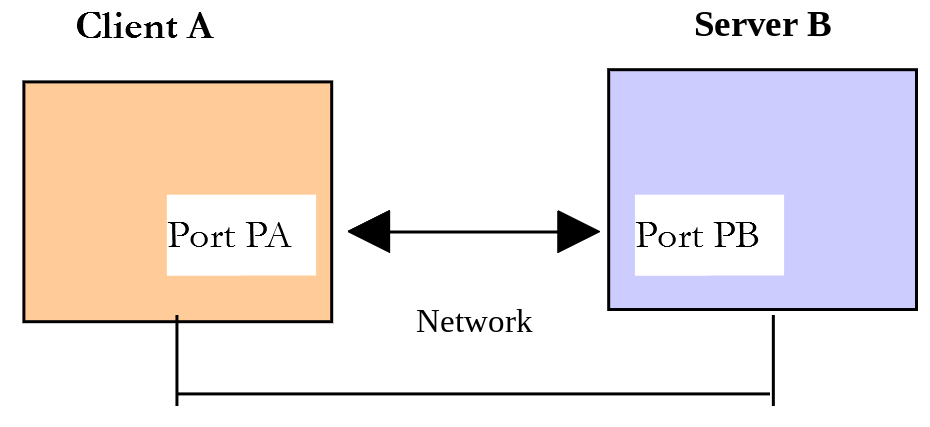
- [Server B] will be:
- for POP3, the POP3 server of [Mailpit] (port 1110);
- for IMAP, an IMAP server. This could be Gmail’s server ([imap.gmail.com], port 993), using the Gmail account and app password mentioned for the SMTP protocol. The results presented here were obtained using a local IMAP server, the open-source [Dovecot] server (https://www.dovecot.org), which has a user named [guest@localhost] with the password [guest]. We have placed the emails sent by our SMTP scripts in the user’s mailbox INBOX. With Gmail, you will get results in the same format;
- [Client A] will be a client POP3 / IMAP in various forms:
- the client [tcp-client.php] to discover the protocols POP3 and IMAP;
- a PHP script that re-enacts the POP3 protocol discovered using [tcp-client.php];
- PHP scripts that use the POP3 and IMAP classes, which we will write, followed by the library [zbateson/mail-mime-parser] to parse the messages.
The PHP 7 course used the functions [imap_*] from the [imap] extension of PHP, which supported both IMAP and POP3. This extension, which was based on a C library that had been abandoned for years, was removed from PHP 8.4. So we’re going to write the POP3 and IMAP clients we need ourselves, using the socket functions from PHP. This is an opportunity to gain a thorough understanding of these two protocols.
16.6.2. Exploring the POP3 Protocol
First, we use the [smtp-01.php] script to send two emails: one to [guest@localhost] and the other to [php8parlexemple@gmail.com] (the third attempt fails, as we’ve seen). The POP3 server of [Mailpit] displays all emails received by [Mailpit] in a single mailbox, regardless of their recipients. To read it, you must log in with a user from the [pop3-users.txt] file—in this case, [guest]—using the password [guest].
Let’s see how to access this mailbox using the [tcp-client.php] client:
| > php tcp-client.php --quit bye localhost 1110
Client [127.0.0.1:47492] connected to the server [localhost:1110]
Type your commands (bye to stop):
<-- [+OK Mailpit POP3 server]
USER guest
<-- [+OK]
PASS guest
<-- [+OK signed in]
LIST
<-- [+OK 2 messages (682 octets)]
<-- [1 349]
<-- [2 333]
<-- [.]
RETR 1
<-- [+OK 349 octets]
<-- [Message-ID: <73n0AqT1QxqOYmrcWH5gK7@mailpit>]
<-- [Return-Path: <guest@localhost>]
<-- [Received: from vm (localhost [127.0.0.1])]
<-- [ by vm (Mailpit) with SMTP]
<-- [ for <php8parlexemple@gmail.com>; Thu, 1 Oct 2026 17:14:31 +0200 (CEST)]
<-- [From: guest@localhost]
<-- [To: php8parlexemple@gmail.com]
<-- [Subject: to gmail via localhost]
<-- []
<-- [line 1]
<-- [line 2]
<-- [line 3]
<-- []
<-- [.]
DELE 1
<-- [+OK message marked for deletion]
LIST
<-- [+OK 1 messages (333 octets)]
<-- [2 333]
<-- [.]
DELE 2
<-- [+OK message marked for deletion]
LIST
<-- [+OK 0 messages (0 octets)]
<-- [.]
QUIT
<-- [+OK goodbye]
Connection with the server lost...
End of the client
|
- [php tcp-client.php --quit bye localhost 1110]: The server POP3 typically uses port 110. Here, it is port 1110 on [Mailpit];
- [USER guest]: The command [USER] is used to specify the user whose mailbox you want to read;
- [PASS guest]: The command [PASS] is used to set the user’s password;
- [LIST]: The command [LIST] requests a list of messages in the user’s mailbox. The server responds with the number of messages and their total size, followed by one line of [number size] per message;
- [RETR 1]: The command [RETR] requests the message specified by the number provided. The headers [From], [To], and [Subject]—sent by [smtp-01.php]—are included, along with headers added by [Mailpit]. [Mailpit] displays the messages from newest to oldest: message No. 1 is the most recently received;
- [DELE 1]: The command [DELE] marks the message with the specified number as “to be deleted.” The message no longer appears in the list;
- [QUIT]: The command [QUIT] tells the server that you are finished. At this point, the server deletes the marked messages. Both messages have disappeared from the [Mailpit] web interface.
The server’s response can take several forms:
- a single line beginning with [+OK] to indicate that the client's previous command was successful;
- a single line beginning with [-ERR] to indicate that the client's previous command failed;
- several lines where:
- the first line begins with [+OK];
- the last line consists of a single period.
16.6.3. A basic script implementing the POP3 protocol
Since the POP3 protocol has the same structure as the SMTP protocol, the [inet/imap/pop3-01.php] script is a port of the [smtp-01.php] script. It has the following configuration file, [config-pop3-01.json]:
| {
"localhost:1110": {
"server": "localhost",
"port": 1110,
"user": "guest",
"password": "guest",
"maxmails": 5
}
}
|
- lines 3–4: the POP3 server being queried is the server for [Mailpit];
- Lines 5–6: the user and their password;
- Line 7: a maximum of 5 emails will be retrieved.
The [pop3-01.php] script is as follows:
| <?php
declare(strict_types=1);
// POP3 (Post Office Protocol) client used to read the messages of a mailbox
// POP3 client-server communication protocol
// -> the client connects to the port of the POP3 server (110, 1110...)
// <- the server sends it a welcome message
// -> the client sends the command USER user
// <- the server answers OK or not
// -> the client sends the command PASS password
// <- the server answers OK or not
// -> the client sends the command LIST
// <- the server answers OK or not. If OK sends the list [no. size] of the messages
// -> the client sends the command RETR no. for each of the messages
// <- the server answers OK or not. If OK sends the content of the requested message
// -> the client sends the command DELE no. to delete a message
// <- the server answers OK or not
// -> the client sends the command QUIT to end the dialogue with the server
// <- the server answers OK or not
// the server's responses have the form +OK text or -ERR text
// The response may have several lines. Then the last one is made of a single dot
// the exchanged lines of text must end with the characters CR (13) and LF (10)
// the parameters for reading the mailboxes
const CONFIG_FILE_NAME = "config-pop3-01.json";
// we retrieve the configuration
$mailboxes = json_decode(file_get_contents(CONFIG_FILE_NAME), true);
// reading the mailboxes
foreach ($mailboxes as $name => $info) {
// tracking
print "Reading the mailbox [$name]\n";
// reading the mailbox
$result = readmail($info, verbose: true);
// result display
print "$result\n";
}
// end
print "Done\n";
// --------------------------------------------------------------------------
function readmail(array $info, bool $verbose = true): string
{
// reads at most $info["maxmails"] messages of the mailbox described by [$info]
// each message is deleted after being read
// if $verbose=true, tracks the client-server exchanges
//
// opening a connection with the POP3 server
$connection = @stream_socket_client("tcp://{$info["server"]}:{$info["port"]}", $errorNumber, $error);
if ($connection === false) {
return "Failed to connect to the server [{$info["server"]}:{$info["port"]}]: $error";
}
try {
// after the connection, the server sends a welcome message that we read
sendCommand($connection, "", $verbose);
// USER command
sendCommand($connection, "USER {$info["user"]}", $verbose);
// PASS command
sendCommand($connection, "PASS {$info["password"]}", $verbose);
// LIST command: the 1st line of the response has the form [+OK n messages...]
$response = sendCommand($connection, "LIST", $verbose, multiline: true);
preg_match('/^\+OK (\d+)/', $response[0], $fields);
$nbMessages = (int) ($fields[1] ?? 0);
// we loop over the messages
for ($i = 1; $i <= min($nbMessages, $info["maxmails"]); $i++) {
// RETR command: the message is in the lines 1 to n-1 of the response
sendCommand($connection, "RETR $i", $verbose, multiline: true);
// DELE command
sendCommand($connection, "DELE $i", $verbose);
}
// QUIT command: it is the one that deletes the messages marked by DELE
sendCommand($connection, "QUIT", $verbose);
return "Reading done";
} catch (RuntimeException $ex) {
// the server signaled an error
return "Error: " . $ex->getMessage();
} finally {
// in all cases, we close the connection
fclose($connection);
}
}
// --------------------------------------------------------------------------
function sendCommand($connection, string $command, bool $verbose, bool $multiline = false): array
{
// sends $command into the channel $connection and returns the lines of the response
// verbose mode if $verbose=true
// if $multiline=true, the response ends with a line reduced to a dot
// throws a RuntimeException if the server signals an error
//
// sending the command if it is not empty
if ($command !== "") {
fwrite($connection, "$command\r\n");
if ($verbose) {
display($command, 1);
}
}
// reading the 1st line of the response
$line = readServerLine($connection, $verbose);
// error?
if (str_starts_with($line, "-ERR")) {
throw new RuntimeException(substr($line, 5));
}
$response = [$line];
// multi-line response?
if ($multiline) {
while (($line = readServerLine($connection, $verbose)) !== ".") {
// a line of the message that starts with a dot was sent
// with an extra dot: we remove it
$response[] = str_starts_with($line, "..") ? substr($line, 1) : $line;
}
}
return $response;
}
// --------------------------------------------------------------------------
function readServerLine($connection, bool $verbose): string
{
// reads a line sent by the server and returns it without the characters \r\n
$line = fgets($connection);
if ($line === false) {
throw new RuntimeException("the server has closed the connection");
}
$line = rtrim($line, "\r\n");
if ($verbose) {
display($line, 2);
}
return $line;
}
// --------------------------------------------------------------------------
function display(string $exchange, int $direction): void
{
// displays $exchange on the screen
// if $direction=1 displays --> [$exchange]
// if $direction=2 displays <-- [$exchange]
print match ($direction) {
1 => "--> [$exchange]\n",
2 => "<-- [$exchange]\n",
};
}
|
Comments
As we mentioned, [pop3-01.php] is a port of the [smtp-01.php] script that we have already discussed. We will only comment on the main differences:
- line 44: the [readmail] function is responsible for reading emails from the mailbox. The login information for this mailbox is stored in the [$info] dictionary;
- line 51: Establishes a connection with the POP3 server;
- line 57: Reads the welcome message sent by the server;
- lines 59–61: the commands [USER] and [PASS] are sent to identify the user whose emails are wanted;
- lines 63–65: the command [LIST] is sent to determine how many emails are in the mailbox. The function [sendCommand] now returns the lines of the response. In the first line of its response to the LIST command, the server indicates how many messages there are. This is retrieved using a regular expression. [$fields[1] ?? 0] returns 0 if the regular expression found nothing;
- Lines 67–71: We loop through the messages. For each one, we send two commands:
- RETR i: to retrieve message #i;
- DELE i: to delete it once it has been read;
- line 74: the command [QUIT] is sent to tell the server that we are done;
- line 86: the parameter [$multiline] indicates whether the expected response has multiple lines, the last of which consists of a single period. This is the case for the commands [LIST] and [RETR]. An error is indicated by a first line beginning with [-ERR] (function [str_starts_with] from PHP 8.0);
- Lines 110–112: As with SMTP, the server duplicates the period at the beginning of a message line. The client must remove this extra period.
We send two more emails using [smtp-01.php], then run [pop3-01.php]:
| > php pop3-01.php
Reading the mailbox [localhost:1110]
<-- [+OK Mailpit POP3 server]
--> [USER guest]
<-- [+OK]
--> [PASS guest]
<-- [+OK signed in]
--> [LIST]
<-- [+OK 2 messages (682 octets)]
<-- [1 349]
<-- [2 333]
<-- [.]
--> [RETR 1]
<-- [+OK 349 octets]
<-- [Message-ID: <67n1volg9CfPFES6KhEOf7@mailpit>]
<-- [Return-Path: <guest@localhost>]
<-- [Received: from vm (localhost [127.0.0.1])]
<-- [ by vm (Mailpit) with SMTP]
<-- [ for <php8parlexemple@gmail.com>; Thu, 1 Oct 2026 17:14:39 +0200 (CEST)]
<-- [From: guest@localhost]
<-- [To: php8parlexemple@gmail.com]
<-- [Subject: to gmail via localhost]
<-- []
<-- [line 1]
<-- [line 2]
<-- [line 3]
<-- []
<-- [.]
--> [DELE 1]
<-- [+OK message marked for deletion]
--> [RETR 2]
<-- [+OK 333 octets]
<-- [Message-ID: <6ZFzliytBzUvTLo2fEhfiC@mailpit>]
<-- [Return-Path: <guest@localhost>]
<-- [Received: from vm (localhost [127.0.0.1])]
<-- [ by vm (Mailpit) with SMTP]
<-- [ for <guest@localhost>; Thu, 1 Oct 2026 17:14:39 +0200 (CEST)]
<-- [From: guest@localhost]
<-- [To: guest@localhost]
<-- [Subject: to localhost via localhost]
<-- []
<-- [line 1]
<-- [line 2]
<-- [line 3]
<-- []
<-- [.]
--> [DELE 2]
<-- [+OK message marked for deletion]
--> [QUIT]
<-- [+OK goodbye]
Reading done
Done
|
Here we have a basic POP3 client that lacks certain capabilities:
- the ability to communicate with a secure server;
- the ability to read message attachments.
Before adding these features, let’s explore the IMAP protocol.
16.6.4. Exploring the IMAP protocol
The IMAP protocol is more feature-rich than the POP3 protocol. The server manages multiple mailboxes per user (INBOX, Sent, Trash, etc.) and tracks the status of messages: read, replied to, to be deleted... These statuses are called flags. Most importantly, the client can request the structure of a message from the server and download only a portion of it.
Each client command is preceded by a tag chosen by the client, for example, [A1]. The server responds with lines beginning with an asterisk [*], followed by a line beginning with the command’s tag, followed by [OK] (success), [NO] (failure), or [BAD] (invalid command).
Public IMAP servers accept only encrypted connections on port 993 from the moment they are started. With Gmail, you would launch the TCP client with the [--tls] option: [php tcp-client.php --tls --quit bye imap.gmail.com 993]. Our local server also accepts unencrypted connections on the standard port 143, which is useful for discovery. We sent two emails using the [smtp-02.php] script ([config-smtp-02.json] configuration), and they were delivered to the INBOX inbox of user [guest@localhost]. Here is a dialogue with the IMAP server:
| > php tcp-client.php --quit bye localhost 143
Client [127.0.0.1:39098] connected to the server [localhost:143]
Type your commands (bye to stop):
<-- [* OK [CAPABILITY IMAP4rev1 SASL-IR LOGIN-REFERRALS ID ENABLE IDLE LITERAL+ STARTTLS AUTH=PLAIN AUTH=LOGIN] Dovecot ready.]
A1 LOGIN guest@localhost guest
<-- [A1 OK [CAPABILITY IMAP4rev1 SASL-IR LOGIN-REFERRALS ID ENABLE IDLE SORT SORT=DISPLAY THREAD=REFERENCES THREAD=REFS THREAD=ORDEREDSUBJECT MULTIAPPEND URL-PARTIAL CATENATE UNSELECT CHILDREN NAMESPACE UIDPLUS LIST-EXTENDED I18NLEVEL=1 CONDSTORE QRESYNC ESEARCH ESORT SEARCHRES WITHIN CONTEXT=SEARCH LIST-STATUS BINARY MOVE SNIPPET=FUZZY PREVIEW=FUZZY PREVIEW STATUS=SIZE SAVEDATE LITERAL+ NOTIFY SPECIAL-USE] Logged in]
A2 SELECT INBOX
<-- [* FLAGS (\Answered \Flagged \Deleted \Seen \Draft)]
<-- [* OK [PERMANENTFLAGS (\Answered \Flagged \Deleted \Seen \Draft \*)] Flags permitted.]
<-- [* 2 EXISTS]
<-- [* 2 RECENT]
<-- [* OK [UNSEEN 1] First unseen.]
<-- [* OK [UIDVALIDITY 1790865054] UIDs valid]
<-- [* OK [UIDNEXT 10] Predicted next UID]
<-- [A2 OK [READ-WRITE] Select completed (0.001 + 0.000 secs).]
A3 SEARCH UNSEEN
<-- [* SEARCH 1 2]
<-- [A3 OK Search completed (0.001 + 0.000 secs).]
A4 FETCH 2 (FLAGS RFC822.SIZE BODY.PEEK[HEADER.FIELDS (FROM TO SUBJECT DATE)])
<-- [* 2 FETCH (FLAGS (\Recent) RFC822.SIZE 28101 BODY[HEADER.FIELDS (FROM TO SUBJECT DATE)] {114}]
<-- [From: guest@localhost]
<-- [To: guest@localhost]
<-- [Subject: test-secure-server]
<-- [Date: Thu, 01 Oct 2026 17:14:39 +0200]
<-- []
<-- [)]
<-- [A4 OK Fetch completed (0.001 + 0.000 secs).]
A5 FETCH 2 BODY.PEEK[1.1]
<-- [* 2 FETCH (BODY[1.1] {22}]
<-- [line 1]
<-- [line 2]
<-- [line 3)]
<-- [A5 OK Fetch completed (0.002 + 0.000 + 0.001 secs).]
A6 FETCH 1 BODYSTRUCTURE
<-- [* 1 FETCH (BODYSTRUCTURE ((("text" "plain" ("charset" "utf-8") NIL NIL "quoted-printable" 22 2 NIL NIL NIL NIL)("text" "html" ("charset" "utf-8") NIL NIL "quoted-printable" 35 0 NIL NIL NIL NIL) "alternative" ("boundary" "7tEIKgyZ") NIL NIL NIL)("application" "vnd.openxmlformats-officedocument.wordprocessingml.document" ("name" "Hello from Symfony Mailer.docx") NIL NIL "base64" 13518 NIL ("attachment" ("name" "Hello from Symfony Mailer.docx" "filename" "Hello from Symfony Mailer.docx")) NIL NIL)("application" "pdf" ("name" "Hello from Symfony Mailer.pdf") NIL NIL "base64" 26926 NIL ("attachment" ("name" "Hello from Symfony Mailer.pdf" "filename" "Hello from Symfony Mailer.pdf")) NIL NIL)("application" "vnd.oasis.opendocument.text" ("name" "Hello from Symfony Mailer.odt") NIL NIL "base64" 9514 NIL ("attachment" ("name" "Hello from Symfony Mailer.odt" "filename" "Hello from Symfony Mailer.odt")) NIL NIL)("image" "png" ("name" "=?utf-8?Q?Cours-Tutoriels-Serge-Tah=C3=A9-1568x268=2Epng?=") NIL NIL "base64" 57834 NIL ("attachment" ("filename*" "utf-8''Cours-Tutoriels-Serge-Tah%C3%A9-1568x268.png" "name*" "utf-8''Cours-Tutoriels-Serge-Tah%C3%A9-1568x268.png")) NIL NIL)("message" "rfc822" ("name" "test-localhost.eml") NIL NIL "base64" 149814 (NIL NIL NIL NIL NIL NIL NIL NIL NIL NIL) ("text" "plain" ("charset" "us-ascii") NIL NIL "7bit" 0 0 NIL NIL NIL NIL) 1921 NIL ("attachment" ("name" "test-localhost.eml" "filename" "test-localhost.eml")) NIL NIL) "mixed" ("boundary" "9UJIzQkk") NIL NIL NIL))]
<-- [A6 OK Fetch completed (0.001 + 0.000 secs).]
A7 LOGOUT
<-- [* BYE Logging out]
<-- [A7 OK Logout completed (0.001 + 0.000 secs).]
Connection with the server lost...
End of the client
|
- [A1 LOGIN guest@localhost guest]: The command [LOGIN user password] authenticates the user. The server responds with a list of the user’s capabilities (CAPABILITY);
- [A2 SELECT INBOX]: The command [SELECT] selects the mailbox to which the following commands will apply. The server lists the available flags (FLAGS), the number of messages (2 EXISTS), and the number of the first unread message (UNSEEN 1)...;
- [A3 SEARCH UNSEEN]: The command [SEARCH] searches for messages based on a criterion. There are about twenty such criteria. Here, we are searching for messages that have not yet been read (UNSEEN). The server returns their numbers: 1 and 2;
- [A4 FETCH 2 (...)]: The command [FETCH] requests information about a message. Here, it retrieves the message’s flags (FLAGS), its size (RFC822.SIZE), and four of its headers. The format [BODY.PEEK[...]] requests a portion of the message without marking it as read. The header text is sent as a literal: [{114}] at the end of the line indicates that the following 114 bytes are part of the response, regardless of their content (including line breaks). The response ends with a closing parenthesis after the literal;
- [A5 FETCH 2 BODY.PEEK[1.1]]: Part 1.1 of message No. 2 is requested; here, its text is [text/plain]. We will soon see how the parts of a message are numbered;
- [A6 FETCH 1 BODYSTRUCTURE]: We are requesting the structure of message No. 1, the one with five attachments. The response is a list of lists enclosed in parentheses. We can recognize the parts of the message that we saw in [Mailpit]: a list [(("text" "plain" ...)("text" "html" ...) "alternative" ...)] for the part [multipart/alternative], followed by a list for each attachment, including its type, parameters (name), encoding (base64), size, and layout (“attachment” with the file name). The structure ends with the [mixed] subtype of the entire message;
- [A7 LOGOUT]: the end of the dialogue.
16.6.5. Classes for the POP3 and IMAP protocols
Our email-reading scripts will use either a POP3 server or a IMAP server interchangeably. We will therefore write:
- an interface [MailClient] that describes what an email client can do;
- an abstract class [TcpClient] that groups together what is common to both protocols: a TCP connection—which may be encrypted—over which lines of text are exchanged;
- two classes, [Pop3Client] and [ImapClient], which inherit from [TcpClient] and implement the [MailClient] interface;
- a class named [MimePart] that describes the structure of a message, obtained via the command IMAP [BODYSTRUCTURE].
They are located in the [inet/imap] folder:
| imap
├── ImapClient.php
├── MailClient.php
├── MimePart.php
├── Pop3Client.php
├── TcpClient.php
├── config-imap-01.json
├── config-pop3-01.json
├── imap-01.php
├── imap-02.php
├── imap-03.php
└── pop3-01.php
|
16.6.5.1. The [MailClient] interface
| <?php
declare(strict_types=1);
// what a mail-reading client can do, whether it speaks POP3 or IMAP
// the messages are designated by their number (1, 2...) in the mailbox
interface MailClient
{
// connection and authentication - returns the number of messages in the mailbox
public function connect(): int;
// the numbers of the unread messages
public function unread(): array;
// the main headers of the message no. $n (Date, From, To, Subject...)
public function headers(int $n): array;
// the full text of the message no. $n (headers and body)
public function message(int $n): string;
// marks the message no. $n as "to be deleted"
public function delete(int $n): void;
// deletes the marked messages and closes the connection
public function close(): void;
}
|
- Line 10: Connection to the server and user authentication. The method returns the number of messages in the mailbox;
- line 13: the numbers of unread messages;
- line 16: the main headers of a message, in the form of a dictionary;
- line 19: the full text of a message, i.e., what we saw in the [Raw] tab of [Mailpit];
- line 22: marks a message as “to be deleted”;
- line 25: deletes the marked messages and closes the connection.
16.6.5.2. The [TcpClient] class
| <?php
declare(strict_types=1);
// base class of the POP3 and IMAP clients: a TCP connection, possibly
// encrypted (TLS), on which lines of text ended by \r\n are exchanged
abstract class TcpClient
{
// the connection with the server (a resource of type stream)
protected mixed $connection = null;
// $info: the configuration of the server (server, port, tls, verify-peer, user, password...)
// $tracking: if true, the client / server exchanges are displayed on the console
public function __construct(protected readonly array $info, protected readonly bool $tracking = false)
{
}
// opening the connection with the server
protected function openConnection(): void
{
// connection encrypted as soon as it is opened (tls://) or not (tcp://)?
$transport = ($this->info["tls"] ?? false) ? "tls" : "tcp";
// should the server certificate be checked? (yes by default)
$verify = $this->info["verify-peer"] ?? true;
$context = stream_context_create(["ssl" => ["verify_peer" => $verify, "verify_peer_name" => $verify]]);
$connection = @stream_socket_client("$transport://{$this->info["server"]}:{$this->info["port"]}",
$errorNumber, $error, 10, STREAM_CLIENT_CONNECT, $context);
if ($connection === false) {
throw new RuntimeException("failed to connect to the server "
. "[{$this->info["server"]}:{$this->info["port"]}]: $error");
}
$this->connection = $connection;
}
// sending a line to the server - $display: what must be displayed in tracking mode
protected function send(string $line, ?string $display = null): void
{
fwrite($this->connection, "$line\r\n");
$this->display("--> " . ($display ?? $line));
}
// reading a line sent by the server, returned without the characters \r\n
// $display: should the line be displayed in tracking mode?
protected function readLine(bool $display = true): string
{
$line = fgets($this->connection);
if ($line === false) {
throw new RuntimeException("the server has closed the connection");
}
$line = rtrim($line, "\r\n");
if ($display) {
$this->display("<-- $line");
}
return $line;
}
// reading $nbBytes bytes sent by the server
protected function readBytes(int $nbBytes): string
{
$bytes = "";
while (strlen($bytes) < $nbBytes) {
$chunk = fread($this->connection, $nbBytes - strlen($bytes));
if ($chunk === false || $chunk === "") {
throw new RuntimeException("the server has closed the connection");
}
$bytes .= $chunk;
}
$this->display("<-- ... $nbBytes bytes ...");
return $bytes;
}
// closing the connection
protected function closeConnection(): void
{
if ($this->connection !== null) {
fclose($this->connection);
$this->connection = null;
}
}
// display in tracking mode
protected function display(string $message): void
{
if ($this->tracking) {
print "$message\n";
}
}
// analysis of the headers of a message: returns the dictionary [name => value] of the
// decoded headers (non-ASCII headers are encoded, for example =?utf-8?Q?...?=)
protected static function parseHeaders(string $headers): array
{
$dictionary = iconv_mime_decode_headers($headers, ICONV_MIME_DECODE_CONTINUE_ON_ERROR, "UTF-8");
return $dictionary === false ? [] : $dictionary;
}
}
|
- line 7: the class is abstract; it cannot be instantiated. It serves as the parent class for the classes [Pop3Client] and [ImapClient];
- Line 10: The connection to the server. The functions in PHP represent this as a resource, a type that cannot be declared in PHP: the type [mixed] is used;
- Line 14: The constructor uses parameter promotion (PHP 8.0): the parameters [$info] and [$tracking] become properties of the class, in this case read-only ([readonly], PHP 8.1). The body of the constructor is empty. [$info] is the server configuration, read from a JSON file. [$tracking] requests that client/server exchanges be displayed;
- lines 19–32: establishing the connection. If the configuration contains [tls: true], the connection is encrypted as soon as it is established (transport [tls://]). The context specifies whether the server’s certificate should be verified (entry [verify-peer], true by default);
- line 36: sending a line to the server. The [$display] parameter allows you to display something other than what is sent: we’ll use it to hide passwords;
- line 44: reading a line. If the server has closed the connection, an exception is thrown;
- line 58: reads a specified number of bytes. We’ll use this for the literals in IMAP. The [fread] function may return fewer bytes than requested: we loop until we’ve received everything;
- Line 91: The [iconv_mime_decode_headers] function parses a block of email headers and returns the [name => value] dictionary. It concatenates headers spread across multiple lines and decodes encoded headers (=?utf-8?Q?...?=).
16.6.5.3. The [Pop3Client] class
| <?php
declare(strict_types=1);
require_once __DIR__ . "/TcpClient.php";
require_once __DIR__ . "/MailClient.php";
// POP3 client: the commands USER, PASS, STAT, TOP, LIST, RETR, DELE, QUIT
final class Pop3Client extends TcpClient implements MailClient
{
// number of messages in the mailbox
private int $nbMessages = 0;
#[\Override]
public function connect(): int
{
$this->openConnection();
// welcome message of the server
$this->command("");
// authentication
$this->command("USER {$this->info["user"]}");
$this->command("PASS {$this->info["password"]}", "PASS *****");
// STAT: the response has the form [+OK nbMessages totalSize]
$response = $this->command("STAT");
$this->nbMessages = (int) explode(" ", $response[0])[1];
return $this->nbMessages;
}
#[\Override]
public function unread(): array
{
// POP3 does not remember the read messages: all the messages present are new
return $this->nbMessages === 0 ? [] : range(1, $this->nbMessages);
}
#[\Override]
public function headers(int $n): array
{
// TOP n 0: the headers of the message no. n followed by 0 lines of the body
$lines = $this->command("TOP $n 0", multiline: true);
$headers = self::parseHeaders(implode("\r\n", array_slice($lines, 1)));
// LIST n: the response has the form [+OK n size]
$response = $this->command("LIST $n");
// we only keep the main headers
$summary = array_intersect_key($headers, array_flip(["Date", "From", "To", "Subject", "Message-ID"]));
return [...$summary, "Size" => explode(" ", $response[0])[2]];
}
#[\Override]
public function message(int $n): string
{
// RETR n: the 1st line of the response is [+OK...], the following ones the message
$lines = $this->command("RETR $n", multiline: true);
return implode("\r\n", array_slice($lines, 1)) . "\r\n";
}
#[\Override]
public function delete(int $n): void
{
$this->command("DELE $n");
}
#[\Override]
public function close(): void
{
// nothing to do if the connection could not be opened
if ($this->connection === null) {
return;
}
try {
// it is the QUIT command that deletes the messages marked by DELE
$this->command("QUIT");
} finally {
$this->closeConnection();
}
}
// sends a command to the server (if it is not empty) and returns the lines of the response
// $multiline: does the response end with a line reduced to a dot?
private function command(string $command, ?string $display = null, bool $multiline = false): array
{
if ($command !== "") {
$this->send($command, $display);
}
// 1st line: +OK or -ERR
$line = $this->readLine();
if (str_starts_with($line, "-ERR")) {
throw new RuntimeException("[" . ($display ?? $command) . "]: $line");
}
$response = [$line];
if ($multiline) {
// the following lines, up to the line [.], are not displayed in tracking mode
while (($line = $this->readLine(false)) !== ".") {
// the server doubles the dot that starts a line: we remove it
$response[] = str_starts_with($line, "..") ? substr($line, 1) : $line;
}
$this->display("<-- ... " . (count($response) - 1) . " lines ...");
$this->display("<-- .");
}
return $response;
}
}
|
- Line 9: The class inherits from [TcpClient] and implements [MailClient]. It is declared as [final]: no classes can be derived from it;
- Line 14: The attribute [#[\Override]] (PHP 8.3) indicates that the method implements a method from an interface or overrides a method from a parent class. If this is not the case (e.g., a typo in the name), PHP reports an error;
- lines 15–26: the connection. The commands from [pop3-01.php] are present here. The command [STAT] returns the number of messages and their total size on a single line. The password is displayed in the form [*****];
- lines 30–33: the POP3 protocol does not keep track of read messages; all messages are treated as new. The [range(1, n)] function returns the array [1, 2, ..., n];
- lines 37–46: The command [TOP n 0] returns the headers of message No. n followed by 0 lines of its body. The command [LIST n] returns its size. The function [array_intersect_key] retains only those headers whose names are keys in the array returned by [array_flip]. The operator [...] copies these headers into the returned array, to which the size is added;
- lines 50–54: the command [RETR n] returns message No. n;
- lines 64–74: The command [QUIT] deletes the messages marked by the command [DELE]. The connection is closed in all cases (block [finally]);
- line 80: the method [command] is the function [sendCommand] of [pop3-01.php]. In trace mode, the lines of a multi-line response are not displayed; only their number is shown.
16.6.5.4. The class [ImapClient]
| <?php
declare(strict_types=1);
require_once __DIR__ . "/TcpClient.php";
require_once __DIR__ . "/MailClient.php";
require_once __DIR__ . "/MimePart.php";
// IMAP client: the commands LOGIN, SELECT, SEARCH, FETCH, STORE, EXPUNGE, LOGOUT
// each command is preceded by a tag (A0001, A0002...); the server sends
// [* ...] responses then ends with a [tag OK|NO|BAD ...] response
final class ImapClient extends TcpClient implements MailClient
{
// number of the last command sent (used to build the tags)
private int $number = 0;
// are there messages marked "to be deleted"?
private bool $deletions = false;
#[\Override]
public function connect(): int
{
$this->openConnection();
// welcome message of the server: [* OK ...]
[$welcome] = $this->readResponse();
if (!str_starts_with($welcome, "* OK")) {
throw new RuntimeException("the server refuses the connection: $welcome");
}
// authentication
$this->command("LOGIN " . self::quote($this->info["user"]) . " " . self::quote($this->info["password"]),
"LOGIN " . self::quote($this->info["user"]) . " *****");
// selection of the mailbox: one of the responses has the form [* n EXISTS]
$responses = $this->command("SELECT " . self::quote($this->info["mailbox"] ?? "INBOX"));
$exists = array_find($responses, fn(array $response): bool => ($response[1] ?? "") === "EXISTS");
return (int) ($exists[0] ?? 0);
}
#[\Override]
public function unread(): array
{
// the response has the form [* SEARCH n1 n2 ...]
$responses = $this->command("SEARCH UNSEEN");
$search = array_find($responses, fn(array $response): bool => $response[0] === "SEARCH") ?? ["SEARCH"];
return array_map(intval(...), array_slice($search, 1));
}
#[\Override]
public function headers(int $n): array
{
// BODY.PEEK[HEADER]: the headers of the message, without marking it as read
$data = $this->fetch($n, "(FLAGS RFC822.SIZE BODY.PEEK[HEADER])");
$headers = self::parseHeaders($data["BODY[HEADER]"]);
// we only keep the main headers
$summary = array_intersect_key($headers, array_flip(["Date", "From", "To", "Subject", "Message-ID"]));
return [...$summary, "Flags" => implode(" ", $data["FLAGS"]), "Size" => $data["RFC822.SIZE"]];
}
#[\Override]
public function message(int $n): string
{
// BODY[]: the whole message; the server marks it as read (\Seen flag)
return $this->fetch($n, "BODY[]")["BODY[]"];
}
// the MIME structure of the message no. $n
public function structure(int $n): MimePart
{
return MimePart::fromBodyStructure($this->fetch($n, "BODYSTRUCTURE")["BODYSTRUCTURE"]);
}
// the (encoded) content of the part no. $section (1, 1.2...) of the message no. $n
public function part(int $n, string $section): string
{
return $this->fetch($n, "BODY[$section]")["BODY[$section]"] ?? "";
}
#[\Override]
public function delete(int $n): void
{
// we add the \Deleted flag to the message
$this->command("STORE $n +FLAGS (\\Deleted)");
$this->deletions = true;
}
#[\Override]
public function close(): void
{
// nothing to do if the connection could not be opened
if ($this->connection === null) {
return;
}
try {
// EXPUNGE deletes the messages that have the \Deleted flag
if ($this->deletions) {
$this->command("EXPUNGE");
}
$this->command("LOGOUT");
} finally {
$this->closeConnection();
}
}
// FETCH n items command: returns the dictionary [item => value] of the response
// [* n FETCH (item1 value1 item2 value2 ...)]
private function fetch(int $n, string $items): array
{
$responses = $this->command("FETCH $n $items");
$fetch = array_find($responses, fn(array $response): bool => ($response[1] ?? "") === "FETCH");
if ($fetch === null) {
throw new RuntimeException("no message no. $n");
}
$dictionary = [];
foreach (array_chunk($fetch[2], 2) as [$key, $value]) {
$dictionary[strtoupper($key)] = $value;
}
return $dictionary;
}
// sends a tagged command and returns its [* ...] responses, each one split into tokens
// $display: what must be displayed in tracking mode (to hide a password)
private function command(string $command, ?string $display = null): array
{
$tag = sprintf("A%04d", ++$this->number);
$this->send("$tag $command", $display === null ? null : "$tag $display");
$responses = [];
while (true) {
[$text, $literals] = $this->readResponse();
// final response [tag OK|NO|BAD text]?
if (str_starts_with($text, "$tag ")) {
$status = substr($text, strlen($tag) + 1);
if (!str_starts_with($status, "OK")) {
throw new RuntimeException("[" . ($display ?? $command) . "]: $status");
}
return $responses;
}
// [* ...] response
if (str_starts_with($text, "* ")) {
$position = 2;
$responses[] = self::tokens($text, $position, $literals);
}
}
}
// reads a response of the server: a line that may contain literals. A literal
// is announced by {n} at the end of the line: n bytes follow, then the rest of the line.
// returns the text of the response, where the literal no. k is replaced by \0k\0, and the literals
private function readResponse(): array
{
$text = "";
$literals = [];
while (true) {
$line = $this->readLine();
if (preg_match('/\{(\d+)\}$/', $line, $fields) !== 1) {
return [$text . $line, $literals];
}
$text .= substr($line, 0, -strlen($fields[0])) . "\0" . count($literals) . "\0";
$literals[] = $this->readBytes((int) $fields[1]);
}
}
// splits $text into tokens from the position $position, up to the end of the text or
// up to a closing parenthesis. A list (...) becomes an array, NIL becomes null,
// a string "..." or a literal becomes a string, everything else (atom) too
private static function tokens(string $text, int &$position, array $literals): array
{
$tokens = [];
$length = strlen($text);
while ($position < $length) {
$c = $text[$position];
if ($c === " ") {
$position++;
} elseif ($c === "(") {
// a list: recursive call
$position++;
$tokens[] = self::tokens($text, $position, $literals);
} elseif ($c === ")") {
// end of the current list
$position++;
return $tokens;
} elseif ($c === '"') {
// a quoted string where \" and \\ represent " and \
$string = "";
for ($position++; $text[$position] !== '"'; $position++) {
if ($text[$position] === "\\") {
$position++;
}
$string .= $text[$position];
}
$position++;
$tokens[] = $string;
} elseif ($c === "\0") {
// a literal
$end = strpos($text, "\0", $position + 1);
$tokens[] = $literals[(int) substr($text, $position + 1, $end - $position - 1)];
$position = $end + 1;
} else {
// an atom: up to the next space or parenthesis, except inside brackets
// (BODY[HEADER.FIELDS (FROM TO)] is a single atom)
$start = $position;
$brackets = 0;
while ($position < $length
&& ($brackets > 0 || !in_array($text[$position], [" ", "(", ")"], true))) {
$brackets += match ($text[$position]) { "[" => 1, "]" => -1, default => 0 };
$position++;
}
$atom = substr($text, $start, $position - $start);
$tokens[] = $atom === "NIL" ? null : $atom;
}
}
return $tokens;
}
// an IMAP string: between quotes, with \ before the characters " and \
private static function quote(string $text): string
{
return '"' . addcslashes($text, '"\\') . '"';
}
}
|
- Line 15: the number of the last command. It is used to generate the labels [A0001], [A0002]...;
- Lines 20–34: The connection. The server first sends a welcome message: [* OK ...]. The commands [LOGIN] and [SELECT] are then sent. The [command] method returns the server’s responses [* ...], each split into tokens: the response [* 2 EXISTS] becomes the array [["2", "EXISTS"]]. The function [array_find] (PHP 8.4) returns the first element of the array that satisfies the condition, or [null];
- lines 38–43: the command [SEARCH UNSEEN]. The result [* SEARCH 1 2] becomes [["SEARCH", "1", "2"]]. We retain the elements starting from number 1 ([array_slice]), which are converted to integers by the function [intval]. The notation [intval(...)] (PHP 8.1) creates a function from the function [intval]: this is the syntax for first-class callables;
- lines 47–54: the command [FETCH n (FLAGS RFC822.SIZE BODY.PEEK[HEADER])] returns the flags, size, and headers of message No. n;
- lines 58–61: the command [FETCH n BODY[]] returns message No. n in its entirety. The server adds the flag [\Seen] to it: the message is now marked as read;
- lines 65–67: The command [FETCH n BODYSTRUCTURE] returns the message structure, which the class [MimePart] transforms into an object tree;
- lines 71–73: The command [FETCH n BODY[section]] returns the content of part No. [section] of the message, as encoded in the message (Base64, quoted-printable, etc.);
- lines 77–81: The command [STORE n +FLAGS (\Deleted)] adds the flag [\Deleted] to the message. It has not yet been removed;
- lines 85–98: The command [EXPUNGE] deletes messages that have the flag [\Deleted]. The command [LOGOUT] ends the dialogue;
- lines 104–115: The method [fetch] sends a [FETCH] command and converts the [[* n FETCH (item1 value1 item2 value2...)]] response list into a [[item1 => value1, item2 => value2...]] dictionary. The [array_chunk] function splits the list into pairs, which the [foreach] loop unpacks into [[$key, $value]];
- lines 120–133: The [command] method sends a command preceded by its label, then reads the server’s responses until it finds the one that begins with the label. If this final response is not [OK], an exception is thrown;
- lines 146–153: reading a response. If a line ends with [{n}], it is followed by n bytes (the literal) and then the rest of the response. In the response text, each literal is replaced by a marker [\0k\0] (\0 is the character with code 0, which cannot appear in a line of text IMAP) and its content is stored in the array [$literals];
- lines 163–209: the method [tokens] splits the text of a response into tokens:
- a list enclosed in parentheses becomes an array. The method calls itself (recursive call) to parse the list’s contents, and returns control at the closing parenthesis;
- a string enclosed in quotation marks or a literal becomes a string;
- [NIL] becomes [null];
- everything else (an atom) becomes a string. An atom may contain square brackets, which themselves may contain spaces and parentheses: [BODY[HEADER.FIELDS (FROM TO)]] is a single atom. The expression [match] adds 1 to the open square bracket counter for [[] and subtracts 1 from it for []];
- The parameter [$position], passed by reference, is the current position in the text: it advances as the analysis proceeds, including within recursive calls;
- Line 213: A string IMAP is enclosed in quotation marks. The function [addcslashes] prepends a [\] character to the characters ["] and [\].
16.6.5.5. The class [MimePart]
| <?php
declare(strict_types=1);
// a part of a MIME message, as described by the BODYSTRUCTURE response of an IMAP server
// a message is a tree of parts: a [multipart/xxx] part has subparts
final readonly class MimePart
{
public function __construct(
// MIME type and subtype in lowercase: text/plain, multipart/mixed, application/pdf...
public string $type,
public string $subType,
// parameters of the type, for example [charset => utf-8]
public array $parameters = [],
// encoding of the content: 7bit, 8bit, base64, quoted-printable...
public string $encoding = "7bit",
// disposition (attachment, inline) or null, and its parameters, for example [filename => x.pdf]
public ?string $disposition = null,
public array $dispositionParameters = [],
// the subparts of a [multipart/xxx] part
public array $parts = [],
) {
}
// builds the tree of parts from the list of BODYSTRUCTURE tokens
public static function fromBodyStructure(array $structure): self
{
// multiple part: ((subpart 1) (subpart 2)... "subtype" (parameters) disposition...)
if (is_array($structure[0])) {
// the subparts are the first elements that are lists
$parts = [];
$i = 0;
while (is_array($structure[$i])) {
$parts[] = self::fromBodyStructure($structure[$i++]);
}
return new self(
type: "multipart",
subType: strtolower($structure[$i]),
parameters: self::dictionary($structure[$i + 1] ?? null),
disposition: self::disposition($structure[$i + 2] ?? null)[0],
dispositionParameters: self::disposition($structure[$i + 2] ?? null)[1],
parts: $parts,
);
}
// simple part: ("type" "subtype" (parameters) id description "encoding" size ...)
$type = strtolower($structure[0]);
$subType = strtolower($structure[1]);
// the disposition comes after fields that depend on the type of the part
$dispositionIndex = match (true) {
// text/xxx: ... size nbLines md5 disposition
$type === "text" => 9,
// message/rfc822: ... size envelope structure nbLines md5 disposition
$type === "message" && $subType === "rfc822" => 11,
// others: ... size md5 disposition
default => 8,
};
[$disposition, $dispositionParameters] = self::disposition($structure[$dispositionIndex] ?? null);
return new self(
type: $type,
subType: $subType,
parameters: self::dictionary($structure[2]),
encoding: strtolower($structure[5] ?? "7bit"),
disposition: $disposition,
dispositionParameters: $dispositionParameters,
);
}
// the file name of an attachment, or null
public function fileName(): ?string
{
// the name is the [filename] parameter of the disposition, or failing that the [name] parameter
// of the type. It can be encoded in two ways:
// - filename*=utf-8''Tah%C3%A9.png (RFC 2231);
// - name="=?utf-8?Q?Tah=C3=A9.png?=" (RFC 2047);
$encoded = $this->dispositionParameters["filename*"] ?? $this->parameters["name*"] ?? null;
if ($encoded !== null) {
// character set''URL-encoded name
[$charset, , $name] = explode("'", $encoded, 3);
return mb_convert_encoding(rawurldecode($name), "UTF-8", $charset);
}
$name = $this->dispositionParameters["filename"] ?? $this->parameters["name"] ?? null;
return $name === null ? null : iconv_mime_decode($name, ICONV_MIME_DECODE_CONTINUE_ON_ERROR, "UTF-8");
}
// an IMAP list (key1 value1 key2 value2...) or NIL turned into a dictionary
private static function dictionary(?array $list): array
{
$dictionary = [];
foreach (array_chunk($list ?? [], 2) as [$key, $value]) {
$dictionary[strtolower($key)] = $value;
}
return $dictionary;
}
// an IMAP disposition ("attachment" (parameters)) or NIL: returns [disposition, parameters]
private static function disposition(mixed $disposition): array
{
if (!is_array($disposition)) {
return [null, []];
}
return [strtolower($disposition[0]), self::dictionary($disposition[1] ?? null)];
}
}
|
- line 7: a class [readonly] (PHP 8.2) has only read-only properties: once constructed, a [MimePart] object can no longer be modified;
- Lines 9–22: All properties are declared by promoting the constructor’s parameters. They have default values, which allows only certain parameters to be passed by name (named arguments);
- line 26: the static method [fromBodyStructure] constructs the part tree from the token list in the [BODYSTRUCTURE] response;
- lines 29–42: A multiple part begins with the lists of its subparts, each of which is converted into a [MimePart] object via a recursive call. Next come its subtype (mixed, alternative, etc.), its parameters (boundary), and its layout;
- lines 45–57: A simple part begins with its type, subtype, parameters, an identifier, a description, its encoding, and its size. The position of the layout depends on the part’s type: a [text/xxx] part also includes a line count; a [message/rfc822] part also includes the message envelope and structure, as well as a line count. The expression [match (true)] selects the first branch whose condition is true;
- lines 69–82: the filename of an attachment. We saw in [Mailpit] that it can be encoded in two ways:
- the encoding RFC 2231 [utf-8''Tah%C3%A9.png]: the character set, two apostrophes, followed by the name encoded as in a URL. It is decoded using [rawurldecode] and then converted to UTF-8 using [mb_convert_encoding];
- the encoding RFC 2047 [=?utf-8?Q?Tah=C3=A9.png?=]: decode it using the function [iconv_mime_decode];
- Line 86: A list IMAP [("charset" "utf-8")] becomes the dictionary [["charset" => "utf-8"]];
- line 96: a layout [("attachment" ("filename" "x.pdf"))] becomes the array [["attachment", ["filename" => "x.pdf"]]].
16.6.6. Client POP3 / IMAP [imap-01.php]
The script [imap-01.php] serves the same purpose as the script of the same name from course PHP 7, which used the functions [imap_open], [imap_num_msg], [imap_search], [imap_headerinfo], [imap_body], [imap_delete], [imap_expunge], and [imap_close]. It uses the following file: JSON [config-imap-01.json]:
| {
"imap.gmail.com:993": {
"enabled": false,
"protocol": "imap",
"server": "imap.gmail.com",
"port": 993,
"tls": true,
"verify-peer": true,
"user": "php8parlexemple@gmail.com",
"password": "application password",
"mailbox": "INBOX",
"output-dir": "output/gmail-imap"
},
"localhost:993": {
"protocol": "imap",
"server": "localhost",
"port": 993,
"tls": true,
"verify-peer": false,
"user": "guest@localhost",
"password": "guest",
"mailbox": "INBOX",
"output-dir": "output/localhost-imap"
},
"localhost:1110": {
"protocol": "pop3",
"server": "localhost",
"port": 1110,
"tls": false,
"user": "guest",
"password": "guest",
"output-dir": "output/localhost-pop3"
}
}
|
The file [config-imap-01.json] defines a dictionary of IMAP / POP3 servers to contact. Each entry is in the form [key => value], where:
- [key]: is a name designating the server. We have three here:
- [imap.gmail.com:993]: the Gmail server IMAP, which listens on port 993 with an encrypted connection. It is disabled ([enabled] to [false]): enter your Gmail address and app password there, then switch to [enabled] to [true];
- [localhost:993]: the local IMAP server, with a connection encrypted by a self-signed certificate, which is not verified;
- [localhost:1110]: the POP3 server of [Mailpit];
- [value]: is a dictionary specifying the following points:
- [protocol]: the protocol, [imap] or [pop3];
- [server]: the server name, IMAP or POP3;
- [port]: the server port (IMAP or POP3);
- [tls]: Is the connection encrypted?
- [verify-peer]: Should the server certificate be verified? On Windows, if the verification fails with a public server, verify that the [openssl.cafile] directive in the [php.ini] file points to a certificate authority file, as does [Laragon];
- [user]: the mailbox owner;
- [password]: the mailbox owner’s password;
- [mailbox]: the IMAP mailbox to be read, with INBOX being the one where new messages arrive;
- [output-dir]: the folder where messages should be saved.
With the POP3 protocol, after reading a message, it will be deleted. This is how POP3 servers typically operate: a read message is not retained on the server.
The [imap-01.php] script is as follows:
| <?php
declare(strict_types=1);
// IMAP (Internet Message Access Protocol) / POP3 client used to read mails
// the mailboxes to read are described in a configuration file
require_once __DIR__ . "/ImapClient.php";
require_once __DIR__ . "/Pop3Client.php";
// the parameters for reading the mail
const CONFIG_FILE_NAME = "config-imap-01.json";
// display of the client / server exchanges?
const TRACKING = false;
// we retrieve the configuration
$mailboxes = json_decode(file_get_contents(CONFIG_FILE_NAME), true);
// reading the mailboxes
foreach ($mailboxes as $name => $info) {
// mailbox disabled in the configuration?
if (($info["enabled"] ?? true) === false) {
print "------------Mailbox [$name] disabled\n";
continue;
}
// tracking
print "------------Reading the mailbox [$name]\n";
// reading the mailbox
readmailbox($name, $info);
}
// end
print "Done\n";
// --------------------------------------------------------------------------
function createClient(array $info): MailClient
{
// an IMAP or POP3 client depending on the configuration
return match ($info["protocol"]) {
"imap" => new ImapClient($info, TRACKING),
"pop3" => new Pop3Client($info, TRACKING),
};
}
// --------------------------------------------------------------------------
function readmailbox(string $name, array $info): void
{
// the client of the mailbox
$client = createClient($info);
try {
// connection
$nbmsg = $client->connect();
print "Connection established with the server [$name].\n";
// total of the messages in the mailbox
print "There are [$nbmsg] messages in the mailbox [$name]\n";
if ($nbmsg === 0) {
return;
}
// unread messages in the mailbox
print "Retrieving the list of the unread messages of the mailbox [$name]\n";
$msgNumbers = $client->unread();
if (count($msgNumbers) === 0) {
print "There are no new messages in the mailbox [$name]\n";
return;
}
foreach ($msgNumbers as $msgNumber) {
// we retrieve the headers of the message no. $msgNumber
print "Headers of the message no. [$msgNumber] of the mailbox [$name]\n";
print_r($client->headers($msgNumber));
// we retrieve the full text of the message no. $msgNumber and save it
saveMessage($client->message($msgNumber), $msgNumber, $info);
// if the protocol is POP3, we delete the message
if ($info["protocol"] === "pop3") {
$client->delete($msgNumber);
}
}
} catch (RuntimeException $ex) {
print "Error: " . $ex->getMessage() . "\n";
} finally {
// in all cases, we close the connection
try {
$client->close();
print "Connection closed successfully.\n";
} catch (RuntimeException $ex) {
print "Closing the connection failed: " . $ex->getMessage() . "\n";
}
}
}
// --------------------------------------------------------------------------
function saveMessage(string $message, int $msgNumber, array $info): void
{
// the message is saved in the file [output-dir/message-N.eml]
$fileName = "{$info["output-dir"]}/message-$msgNumber.eml";
print "Saving the message in the file [$fileName]\n";
// we create the folder if need be (true: with its parent folders)
if (!is_dir($info["output-dir"])) {
mkdir($info["output-dir"], recursive: true);
}
// we save the message
if (file_put_contents($fileName, $message) === false) {
print "Saving failed\n";
}
}
|
Comments:
- lines 8–9: the classes for both clients are loaded, which in turn load the [TcpClient] class and the [MailClient] interface;
- Line 14: In [true], the client/server exchanges are displayed. Give it a try;
- lines 20–29: We loop through all the servers found in the configuration file, except those that are disabled;
- lines 35–41: The [createClient] function returns a IMAP or POP3 client, depending on the configuration. Its return type is the [MailClient] interface: the rest of the script does not know which protocol it is dealing with. This is polymorphism;
- line 51: connection and authentication;
- line 60: the numbers of unread messages;
- line 68: the message headers are displayed using the [print_r] function;
- line 70: the full text of the message is saved to a file;
- line 72: using the POP3 protocol, the message is marked for deletion;
- lines 78–86: In all cases, the connection is closed, which deletes the marked messages. If the [return] instructions in the [try] block are executed, the [finally] block is also executed;
- line 97: the [mkdir] function creates the folder, along with its parent folders, using the argument named [recursive: true].
Let’s run the [smtp-02.php] script so that the user [guest@localhost] has new messages. Once that’s done, let’s run the [imap-01.php] script to read the mailboxes. The console output is as follows:
| > php imap-01.php
------------Mailbox [imap.gmail.com:993] disabled
------------Reading the mailbox [localhost:993]
Connection established with the server [localhost:993].
There are [2] messages in the mailbox [localhost:993]
Retrieving the list of the unread messages of the mailbox [localhost:993]
Headers of the message no. [1] of the mailbox [localhost:993]
Array
(
[From] => guest@localhost
[To] => guest@localhost
[Subject] => test-localhost
[Message-ID] => <b80fff003b5b37b74244dc69674f3ce4@localhost>
[Date] => Thu, 01 Oct 2026 17:14:39 +0200
[Flags] =>
[Size] => 259683
)
Saving the message in the file [output/localhost-imap/message-1.eml]
Headers of the message no. [2] of the mailbox [localhost:993]
Array
(
[From] => guest@localhost
[To] => guest@localhost
[Subject] => test-secure-server
[Message-ID] => <759bf5367e3f1136ce964ded7f702e09@localhost>
[Date] => Thu, 01 Oct 2026 17:14:39 +0200
[Flags] =>
[Size] => 28101
)
Saving the message in the file [output/localhost-imap/message-2.eml]
Connection closed successfully.
------------Reading the mailbox [localhost:1110]
Connection established with the server [localhost:1110].
There are [2] messages in the mailbox [localhost:1110]
Retrieving the list of the unread messages of the mailbox [localhost:1110]
Headers of the message no. [1] of the mailbox [localhost:1110]
Array
(
[From] => guest@localhost
[To] => guest@localhost
[Subject] => test-secure-server
[Message-ID] => <759bf5367e3f1136ce964ded7f702e09@localhost>
[Date] => Thu, 01 Oct 2026 17:14:39 +0200
[Size] => 28101
)
Saving the message in the file [output/localhost-pop3/message-1.eml]
Headers of the message no. [2] of the mailbox [localhost:1110]
Array
(
[From] => guest@localhost
[To] => guest@localhost
[Subject] => test-localhost
[Message-ID] => <b80fff003b5b37b74244dc69674f3ce4@localhost>
[Date] => Thu, 01 Oct 2026 17:14:39 +0200
[Size] => 259683
)
Saving the message in the file [output/localhost-pop3/message-2.eml]
Connection closed successfully.
Done
|
- With IMAP, the two messages deposited in the INBOX mailbox are read. The [Flags] flags are empty: the messages have not yet been read;
- with POP3, we find the same messages in the [Mailpit] mailbox, in reverse order. The read messages are deleted.
If we then immediately rerun the script [imap-01.php], the results are as follows:
| > php imap-01.php
------------Mailbox [imap.gmail.com:993] disabled
------------Reading the mailbox [localhost:993]
Connection established with the server [localhost:993].
There are [2] messages in the mailbox [localhost:993]
Retrieving the list of the unread messages of the mailbox [localhost:993]
There are no new messages in the mailbox [localhost:993]
Connection closed successfully.
------------Reading the mailbox [localhost:1110]
Connection established with the server [localhost:1110].
There are [0] messages in the mailbox [localhost:1110]
Connection closed successfully.
Done
|
- There are still the same number of messages in the IMAP mailbox, but there are no longer any unread messages. This shows that the previous execution changed the status of the read messages from “unread” to “read” ([\Seen] flag);
- There are no more messages in the POP3 inbox: they were deleted during the previous run.
The messages were saved locally in the [output/localhost-imap] and [output/localhost-pop3] folders, under the names [message-1.eml] and [message-2.eml]. The [.eml] file extension is used for email files: double-clicking one of these files opens it in the Windows email client. The file’s contents consist of the complete text of the message, as we saw in the [Raw] tab of [Mailpit]: the message text and the encoded contents of the attachments are mixed together there.
Let’s try to improve this script so that the various parts of the message and the attachments are stored in separate files.
16.6.7. Improved IMAP client ([imap-02.php])
The IMAP server can provide us with a message’s structure (command [BODYSTRUCTURE]) and then the content of each of its parts (command [FETCH n BODY[section]]). We’ll use this in the [imap-02.php] script. The POP3 protocol, on the other hand, only recognizes the entire message: the script will only process the IMAP mailboxes.
Let’s revisit the response to the [BODYSTRUCTURE] command obtained when we discovered the IMAP protocol. It describes a [multipart/mixed]-type message that has six parts:
- The first part is of type [multipart/alternative]. It itself has two subparts: [text/plain] and [text/html], encoded in [quoted-printable] and having a parameter [charset=utf-8];
- the next five parts are the attachments, encoded as [base64], each with a layout of [attachment] and a filename.
The parts are numbered as follows:
- the entire message, of type [multipart/mixed], has no number. Its parts are numbered 1, 2...;
- when a part has subparts, these are numbered x.1, x.2..., where x is the number of the enclosing part. Thus, the text [text/plain] in the message is part No. 1.1: this is the one we requested with the command [FETCH 2 BODY.PEEK[1.1]].
The script [imap-02.php] is as follows:
| <?php
declare(strict_types=1);
// IMAP client that saves separately the texts and the attachments of the unread messages
// it uses the MIME structure of the messages provided by the IMAP server (BODYSTRUCTURE command)
require_once __DIR__ . "/ImapClient.php";
// the parameters for reading the mail
const CONFIG_FILE_NAME = "config-imap-01.json";
// we retrieve the configuration
$mailboxes = json_decode(file_get_contents(CONFIG_FILE_NAME), true);
// reading the mailboxes
foreach ($mailboxes as $name => $info) {
// only the active IMAP mailboxes interest us
if (($info["enabled"] ?? true) === false || $info["protocol"] !== "imap") {
continue;
}
print "------------Reading the mailbox [$name]\n";
readmailbox($name, $info);
}
// end
print "Done\n";
// --------------------------------------------------------------------------
function readmailbox(string $name, array $info): void
{
$client = new ImapClient($info);
try {
// connection
$nbmsg = $client->connect();
print "Connection established with the server [$name].\n";
print "There are [$nbmsg] messages in the mailbox [$name]\n";
// unread messages
print "Retrieving the list of the unread messages of the mailbox [$name]\n";
$msgNumbers = $client->unread();
if (count($msgNumbers) === 0) {
print "There are no new messages in the mailbox [$name]\n";
}
foreach ($msgNumbers as $msgNumber) {
// the headers of the message will be used to prefix its texts
$headers = $client->headers($msgNumber);
// the structure of the message
$structure = $client->structure($msgNumber);
// we go through its parts
$outputDir = "{$info["output-dir"]}/message-$msgNumber";
getParts($client, $msgNumber, $structure, "", $outputDir, $headers);
}
} catch (RuntimeException $ex) {
print "Error: " . $ex->getMessage() . "\n";
} finally {
try {
$client->close();
print "Connection closed successfully.\n";
} catch (RuntimeException $ex) {
print "Closing the connection failed: " . $ex->getMessage() . "\n";
}
}
}
// --------------------------------------------------------------------------
function getParts(ImapClient $client, int $msgNumber, MimePart $part, string $section,
string $outputDir, array $headers): void
{
// displays the type of the part [$part] of the message no. $msgNumber, then:
// - if it has subparts, processes them in turn (recursive call);
// - otherwise, saves it in the folder [$outputDir]
// $section is the IMAP number of the part: 1, 2, 1.1, 1.2...
// the root part (the whole message) has no number: we display 0
print "-----content of the part no. [" . ($section === "" ? "0" : $section) . "]\n";
print "Content-Type: " . strtoupper("$part->type/$part->subType") . "\n";
print "Transfer-Encoding: $part->encoding\n";
// subparts?
if ($part->type === "multipart") {
foreach ($part->parts as $i => $subpart) {
// the subparts of the part no. x are numbered x.1, x.2...
$subsection = $section === "" ? (string) ($i + 1) : "$section." . ($i + 1);
getParts($client, $msgNumber, $subpart, $subsection, $outputDir, $headers);
}
return;
}
// a message that is not multipart has a single part, numbered 1
if ($section === "") {
$section = "1";
}
// we save the part
savePart($client, $msgNumber, $part, $section, $outputDir, $headers);
}
// --------------------------------------------------------------------------
function savePart(ImapClient $client, int $msgNumber, MimePart $part, string $section,
string $outputDir, array $headers): void
{
// if the folder does not exist, we create it
if (!is_dir($outputDir)) {
mkdir($outputDir, recursive: true);
}
// an attachment?
$fileName = $part->fileName();
if ($part->disposition === "attachment" && $fileName !== null) {
saveAttachment($client->part($msgNumber, $section), $part, "$outputDir/$fileName");
return;
}
// a text?
match ("$part->type/$part->subType") {
"text/plain" => saveText("$outputDir/message.txt", false,
$client->part($msgNumber, $section), $part, $headers),
"text/html" => saveText("$outputDir/message.html", true,
$client->part($msgNumber, $section), $part, $headers),
// other cases: this part will not be processed
default => print "Part [$section] ignored\n",
};
}
// --------------------------------------------------------------------------
function decode(string $text, string $encoding): string
{
// decoding of a content encoded in base64 or in quoted-printable
return match ($encoding) {
"base64" => base64_decode($text),
"quoted-printable" => quoted_printable_decode($text),
// 7bit, 8bit, binary: no encoding
default => $text,
};
}
// --------------------------------------------------------------------------
function saveText(string $fileName, bool $html, string $text, MimePart $part, array $headers): void
{
// the text is decoded then converted to UTF-8 if it uses another character set
$text = decode($text, $part->encoding);
$charset = $part->parameters["charset"] ?? "utf-8";
if (strtolower($charset) !== "utf-8") {
$text = mb_convert_encoding($text, "UTF-8", $charset);
}
// we precede it with the From, To, Subject headers of the message
$endOfLine = $html ? "<br/>\n" : "\n";
$content = "From: {$headers["From"]}$endOfLine"
. "To: {$headers["To"]}$endOfLine"
. "Subject: {$headers["Subject"]}$endOfLine$endOfLine"
. $text;
print "Saving a message in [$fileName]\n";
if (file_put_contents($fileName, $content) === false) {
print "Unable to create the file [$fileName]\n";
}
}
// --------------------------------------------------------------------------
function saveAttachment(string $content, MimePart $part, string $fileName): void
{
print "Saving the attachment in [$fileName]\n";
if (file_put_contents($fileName, decode($content, $part->encoding)) === false) {
print "The attachment could not be saved in [$fileName]\n";
}
}
|
Comments:
- line 19: only active IMAP mailboxes are read;
- line 45: the message headers will be used to prefix the stored text;
- line 47: the message structure: a [MimePart] object;
- line 50: the [getParts] function iterates through the message parts. It starts with the root part—the entire message—which has no section number;
- line 65: the function [getParts] receives the following parameters:
- [$client]: the client IMAP;
- [$msgNumber]: the message number for which the parts are requested;
- [$part]: an object representing a part of the message;
- [$section]: the number of that part;
- [$outputDir]: the folder where the parts should be saved;
- [$headers]: general information about the email (sender, recipient, subject, etc.);
- lines 73–75: the part number, content type, and encoding are displayed. The entire message is displayed as part number 0;
- lines 77–83: if the part has subparts, each one is retrieved via a recursive call to the function [getParts]. Their section number is [$section.i];
- lines 86–87: A message that is not multipart (plain text) has only one part, numbered 1;
- line 90: when there are no subparts, the content of the part is stored;
- line 94: the function [savePart] records a part:
- if it is an attachment (setting [attachment]), it is saved using the function [saveAttachment] under its file name;
- If the text is [text/plain] or [text/html], it is saved using the [saveText] function to the file [message.txt] or [message.html]. The other parts are ignored;
- in both cases, the content of the section is requested from the IMAP server using the client’s [part] method;
- line 119: the content of a section is encoded. The functions [base64_decode] and [quoted_printable_decode] decode it;
- line 131: The text is decoded, then converted to UTF-8 using the [mb_convert_encoding] function if it uses a different character set (parameter [charset]). It is preceded by the message headers [From], [To], and [Subject]. In the case of HTML text, each header is followed by a [<br/>] tag so that it appears on its own line in a browser;
- line 152: an attachment is decoded and then saved.
To test the script [imap-02.php], first send an email to [guest@localhost] with the script [smtp-02.php] (the message [test-localhost] and its five attachments), which is deposited in the INBOX mailbox on the IMAP server. It is then read using [imap-02.php]. The console output is as follows:
| > php imap-02.php
------------Reading the mailbox [localhost:993]
Connection established with the server [localhost:993].
There are [3] messages in the mailbox [localhost:993]
Retrieving the list of the unread messages of the mailbox [localhost:993]
-----content of the part no. [0]
Content-Type: MULTIPART/MIXED
Transfer-Encoding: 7bit
-----content of the part no. [1]
Content-Type: MULTIPART/ALTERNATIVE
Transfer-Encoding: 7bit
-----content of the part no. [1.1]
Content-Type: TEXT/PLAIN
Transfer-Encoding: quoted-printable
Saving a message in [output/localhost-imap/message-3/message.txt]
-----content of the part no. [1.2]
Content-Type: TEXT/HTML
Transfer-Encoding: quoted-printable
Saving a message in [output/localhost-imap/message-3/message.html]
-----content of the part no. [2]
Content-Type: APPLICATION/VND.OPENXMLFORMATS-OFFICEDOCUMENT.WORDPROCESSINGML.DOCUMENT
Transfer-Encoding: base64
Saving the attachment in [output/localhost-imap/message-3/Hello from Symfony Mailer.docx]
-----content of the part no. [3]
Content-Type: APPLICATION/PDF
Transfer-Encoding: base64
Saving the attachment in [output/localhost-imap/message-3/Hello from Symfony Mailer.pdf]
-----content of the part no. [4]
Content-Type: APPLICATION/VND.OASIS.OPENDOCUMENT.TEXT
Transfer-Encoding: base64
Saving the attachment in [output/localhost-imap/message-3/Hello from Symfony Mailer.odt]
-----content of the part no. [5]
Content-Type: IMAGE/PNG
Transfer-Encoding: base64
Saving the attachment in [output/localhost-imap/message-3/Cours-Tutoriels-Serge-Tahé-1568x268.png]
-----content of the part no. [6]
Content-Type: MESSAGE/RFC822
Transfer-Encoding: base64
Saving the attachment in [output/localhost-imap/message-3/test-localhost.eml]
Connection closed successfully.
Done
|
The message structure is correctly preserved. The files were saved in the [output/localhost-imap/message-3] folder:
| message-3
├── Cours-Tutoriels-Serge-Tahé-1568x268.png
├── Hello from Symfony Mailer.docx
├── Hello from Symfony Mailer.odt
├── Hello from Symfony Mailer.pdf
├── message.html
├── message.txt
└── test-localhost.eml
|
The Word documents, PDF, OpenOffice, and the image open normally: they have been decoded correctly.
The attached message [test-localhost.eml] was saved as an attachment. However, it is itself an email that, in turn, contains text and attachments. Note in the response [BODYSTRUCTURE] that the server was unable to parse this attached message because it is encoded in Base64: it returns an empty envelope ([(NIL NIL ...)]) and a structure reduced to empty text. To go further, we would need to download the attached message, decode it, and analyze its structure (MIME) ourselves. And this message could itself contain an attached email, and so on. Rather than writing this parser from scratch, we’ll use a library.
16.6.8. POP3 / IMAP client with the [zbateson/mail-mime-parser] library
Course PHP 7 used the [php-mime-mail-parser] library, which required the PHP and [mailparse] extensions, which had to be downloaded and installed separately. We will use the [zbateson/mail-mime-parser] library (https://github.com/zbateson/mail-mime-parser), written entirely in PHP: it was installed by the [composer install] command along with the other dependencies for the course, with no further action required. It parses the full text of a message, as rendered by the commands [RETR] from POP3 and [FETCH n BODY[]] from IMAP. The [imap-03.php] script will therefore work with both protocols.
To test it, we will send a message whose last attachment, [test-localhost-2.eml], itself contains an email attachment, [test-localhost.eml]:
- [test-localhost-2.eml] contains 4 attachments (the Word documents PDF, OpenOffice, and the image) and the email [test-localhost.eml];
- [test-localhost.eml] contains the same 4 attachments.
The configuration file [config-smtp-03.json] describes this email:
| {
"mail to localhost via localhost": {
"smtp-server": "localhost",
"smtp-port": 1025,
"from": "guest@localhost",
"to": "guest@localhost",
"subject": "test-localhost-3",
"message": "line 1\nline 2\nline 3",
"tls": false,
"attachments": [
"/attachments/Hello from Symfony Mailer.docx",
"/attachments/Hello from Symfony Mailer.pdf",
"/attachments/Hello from Symfony Mailer.odt",
"/attachments/Cours-Tutoriels-Serge-Tahé-1568x268.png",
"/attachments/test-localhost-2.eml"
]
}
}
|
It is used with the command [php smtp-02.php config-smtp-03.json].
The script [imap-03.php] uses the same configuration file, [config-imap-01.json], as the previous scripts. It is as follows:
| <?php
declare(strict_types=1);
// IMAP / POP3 client used to read mails
// the analysis of the messages is entrusted to the [zbateson/mail-mime-parser] library
// available at the URL [https://github.com/zbateson/mail-mime-parser]
// dependencies
require_once __DIR__ . "/../../../vendor/autoload.php";
require_once __DIR__ . "/ImapClient.php";
require_once __DIR__ . "/Pop3Client.php";
use ZBateson\MailMimeParser\IMessage;
use ZBateson\MailMimeParser\Message;
// the parameters for reading the mail
const CONFIG_FILE_NAME = "config-imap-01.json";
// we retrieve the configuration
if (!file_exists(CONFIG_FILE_NAME)) {
print "The configuration file " . CONFIG_FILE_NAME . " does not exist\n";
exit(1);
}
$mailboxes = json_decode(file_get_contents(CONFIG_FILE_NAME), true);
// reading the mailboxes
foreach ($mailboxes as $name => $info) {
if (($info["enabled"] ?? true) === false) {
continue;
}
print "------------Reading the mailbox [$name]\n";
readmailbox($name, $info);
}
// end
print "Done\n";
// --------------------------------------------------------------------------
function readmailbox(string $name, array $info): void
{
// an IMAP or POP3 client depending on the configuration
$client = match ($info["protocol"]) {
"imap" => new ImapClient($info),
"pop3" => new Pop3Client($info),
};
try {
// connection
$nbmsg = $client->connect();
print "Connection established with the server [$name].\n";
print "There are [$nbmsg] messages in the mailbox [$name]\n";
// unread messages
print "Retrieving the list of the unread messages of the mailbox [$name]\n";
$msgNumbers = $client->unread();
if (count($msgNumbers) === 0) {
print "There are no new messages in the mailbox [$name]\n";
}
// we go through the list of the unread messages
foreach ($msgNumbers as $msgNumber) {
print "---message no. [$msgNumber]\n";
// we retrieve the full text of the message and analyze it
getMailBody($client->message($msgNumber), "{$info["output-dir"]}/message-$msgNumber");
// if the protocol is POP3, we delete the message after retrieving it
if ($info["protocol"] === "pop3") {
$client->delete($msgNumber);
}
}
} catch (RuntimeException $ex) {
print "Error: " . $ex->getMessage() . "\n";
} finally {
try {
$client->close();
print "Connection closed successfully.\n";
} catch (RuntimeException $ex) {
print "Closing the connection failed: " . $ex->getMessage() . "\n";
}
}
}
// --------------------------------------------------------------------------
// analysis of the full text of a message
function getMailBody(string $text, string $outputDir): void
{
// the library analyzes the text of the message and turns it into an [IMessage] object
// (false: the text is no longer used once the object is built)
$message = Message::from($text, false);
// we save the different parts of the message in the folder [$outputDir]
getParts($message, $outputDir);
}
// --------------------------------------------------------------------------
// saving the different parts of a message
function getParts(IMessage $message, string $outputDir): void
{
// we create the folder where the message is saved if need be
if (!is_dir($outputDir) && !mkdir($outputDir, recursive: true)) {
print "The folder [$outputDir] could not be created\n";
return;
}
// the headers of the message (from, to, subject...), decoded
$headers = [];
foreach ($message->getAllHeaders() as $header) {
$headers[] = "{$header->getName()}: {$header->getValue()}";
}
// we save the text messages
for ($i = 1; $i <= $message->getTextPartCount(); $i++) {
print "-- Saving a message of type [text/plain]\n";
saveMessage($message->getTextContent($i - 1), false, $headers, "$outputDir/message_$i.txt");
}
// we save the html messages
for ($i = 1; $i <= $message->getHtmlPartCount(); $i++) {
print "-- Saving a message of type [text/html]\n";
saveMessage($message->getHtmlContent($i - 1), true, $headers, "$outputDir/message_$i.html");
}
// we go through the list of the attachments
$iAttachment = 0;
foreach ($message->getAllAttachmentParts() as $attachment) {
// type and name of the attachment
$fileType = $attachment->getContentType();
$fileName = freeName($outputDir, $attachment->getFilename() ?? "attachment");
print "-- Saving an attachment of type [$fileType] in the file [$fileName]\n";
// we save the attachment, decoded
$attachment->saveContent($fileName);
// special case of the message/rfc822 type
if ($fileType === "message/rfc822") {
// the attachment is itself a message - we analyze it recursively
// in a subfolder [rfc822-1], [rfc822-2]...
$iAttachment++;
$attachedMessage = Message::from($attachment->getBinaryContentStream()->getContents(), false);
getParts($attachedMessage, "$outputDir/rfc822-$iAttachment");
}
}
}
// --------------------------------------------------------------------------
// a free file name in the folder [$dir]: x.pdf, otherwise x_1.pdf, x_2.pdf...
function freeName(string $dir, string $name): string
{
$info = pathinfo($name);
$extension = isset($info["extension"]) ? ".{$info["extension"]}" : "";
$candidate = "$dir/$name";
for ($i = 1; file_exists($candidate); $i++) {
$candidate = "$dir/{$info["filename"]}_$i$extension";
}
return $candidate;
}
// --------------------------------------------------------------------------
// saving a text message preceded by the headers of the message
function saveMessage(string $text, bool $html, array $headers, string $filename): void
{
// in HTML, each header is ended by <br/> to be alone on its line
$endOfLine = $html ? "<br/>\n" : "\n";
$contents = implode($endOfLine, $headers) . $endOfLine . $endOfLine . $text;
if (file_put_contents($filename, $contents) === false) {
print "The message could not be saved in the file [$filename]\n";
} else {
print "The message has been saved in the file [$filename]\n";
}
}
|
Comments:
- line 10: the Composer class loader for the [zbateson/mail-mime-parser] library;
- Lines 14–15: The two types from the library that we are using: the [IMessage] interface and the [Message] class that implements it;
- line 21: we check that the configuration file exists;
- line 39: the [readmailbox] function has the same structure as in [imap-01.php]. The client IMAP or POP3 is this time created directly by an expression [match];
- line 61: the complete message text is requested from the function [getMailBody];
- Lines 81–87: The static method [Message::from] parses the message text and returns a [IMessage] object. The function [getParts] then saves its various parts;
- line 92: the function [getParts] takes two parameters:
- the message [$message] to be analyzed;
- [$outputDir]: the folder in which the message’s text and attachments are to be saved;
- lines 101–102: the headers of the message being analyzed (from, to, subject, etc.) are retrieved. The method [getValue] returns the decoded value of a header;
- lines 105–107: A message may have multiple parts ([text/plain]). The [getTextContent($i - 1)] method returns the text of the i-th part (parts are numbered starting from 0), decoded and converted using UTF-8. We save them all, giving each one a different filename;
- lines 110–112: same procedure for the [text/html] parts;
- line 116: iterate through the list of attachments in the message;
- lines 118–119: the attachment type (Content-Type header) and its name, decoded by the library regardless of how it is encoded. The [freeName] function returns a filename that does not yet exist in the folder;
- line 122: the [saveContent] method saves the decoded content of the attachment to a file;
- lines 124–129: if the attachment is an email, it is in turn parsed via a recursive call to the function [getParts]. Its decoded content is obtained by the [getBinaryContentStream] method, which returns a stream; the entire content of this stream is then read using the [getContents] method. If the analyzed message has two email attachments, the first will be saved in the [$outputDir/rfc822-1] folder and the second in the [$outputDir/rfc822-2] folder;
- Line 136: If the file [x.pdf] already exists, the function [freeName] tries the names [x_1.pdf], [x_2.pdf]... until it finds a filename that does not exist. The function [pathinfo] splits a filename into a filename and an extension;
- line 149: the function [saveMessage] saves the message text preceded by the message headers. In the case of a HTML text, each header ends with the tag [<br/>].
We send the message using the [php smtp-02.php config-smtp-03.json] command. [Mailpit] stores it, and we also place it in the INBOX mailbox on the IMAP server. Then we run the script [imap-03.php]. The console output is as follows:
| > php imap-03.php
------------Reading the mailbox [localhost:993]
Connection established with the server [localhost:993].
There are [4] messages in the mailbox [localhost:993]
Retrieving the list of the unread messages of the mailbox [localhost:993]
---message no. [4]
-- Saving a message of type [text/plain]
The message has been saved in the file [output/localhost-imap/message-4/message_1.txt]
-- Saving a message of type [text/html]
The message has been saved in the file [output/localhost-imap/message-4/message_1.html]
-- Saving an attachment of type [application/vnd.openxmlformats-officedocument.wordprocessingml.document] in the file [output/localhost-imap/message-4/Hello from Symfony Mailer.docx]
-- Saving an attachment of type [application/pdf] in the file [output/localhost-imap/message-4/Hello from Symfony Mailer.pdf]
-- Saving an attachment of type [application/vnd.oasis.opendocument.text] in the file [output/localhost-imap/message-4/Hello from Symfony Mailer.odt]
-- Saving an attachment of type [image/png] in the file [output/localhost-imap/message-4/Cours-Tutoriels-Serge-Tahé-1568x268.png]
-- Saving an attachment of type [message/rfc822] in the file [output/localhost-imap/message-4/test-localhost-2.eml]
-- Saving a message of type [text/plain]
The message has been saved in the file [output/localhost-imap/message-4/rfc822-1/message_1.txt]
-- Saving a message of type [text/html]
The message has been saved in the file [output/localhost-imap/message-4/rfc822-1/message_1.html]
-- Saving an attachment of type [application/vnd.openxmlformats-officedocument.wordprocessingml.document] in the file [output/localhost-imap/message-4/rfc822-1/Hello from Symfony Mailer.docx]
-- Saving an attachment of type [application/pdf] in the file [output/localhost-imap/message-4/rfc822-1/Hello from Symfony Mailer.pdf]
-- Saving an attachment of type [application/vnd.oasis.opendocument.text] in the file [output/localhost-imap/message-4/rfc822-1/Hello from Symfony Mailer.odt]
-- Saving an attachment of type [image/png] in the file [output/localhost-imap/message-4/rfc822-1/Cours-Tutoriels-Serge-Tahé-1568x268.png]
-- Saving an attachment of type [message/rfc822] in the file [output/localhost-imap/message-4/rfc822-1/test-localhost.eml]
-- Saving a message of type [text/plain]
The message has been saved in the file [output/localhost-imap/message-4/rfc822-1/rfc822-1/message_1.txt]
-- Saving a message of type [text/html]
The message has been saved in the file [output/localhost-imap/message-4/rfc822-1/rfc822-1/message_1.html]
-- Saving an attachment of type [application/vnd.openxmlformats-officedocument.wordprocessingml.document] in the file [output/localhost-imap/message-4/rfc822-1/rfc822-1/Hello from Symfony Mailer.docx]
-- Saving an attachment of type [application/pdf] in the file [output/localhost-imap/message-4/rfc822-1/rfc822-1/Hello from Symfony Mailer.pdf]
-- Saving an attachment of type [application/vnd.oasis.opendocument.text] in the file [output/localhost-imap/message-4/rfc822-1/rfc822-1/Hello from Symfony Mailer.odt]
-- Saving an attachment of type [image/png] in the file [output/localhost-imap/message-4/rfc822-1/rfc822-1/Cours-Tutoriels-Serge-Tahé-1568x268.png]
Connection closed successfully.
------------Reading the mailbox [localhost:1110]
Connection established with the server [localhost:1110].
There are [1] messages in the mailbox [localhost:1110]
Retrieving the list of the unread messages of the mailbox [localhost:1110]
---message no. [1]
-- Saving a message of type [text/plain]
The message has been saved in the file [output/localhost-pop3/message-1/message_1.txt]
-- Saving a message of type [text/html]
The message has been saved in the file [output/localhost-pop3/message-1/message_1.html]
-- Saving an attachment of type [application/vnd.openxmlformats-officedocument.wordprocessingml.document] in the file [output/localhost-pop3/message-1/Hello from Symfony Mailer.docx]
-- Saving an attachment of type [application/pdf] in the file [output/localhost-pop3/message-1/Hello from Symfony Mailer.pdf]
-- Saving an attachment of type [application/vnd.oasis.opendocument.text] in the file [output/localhost-pop3/message-1/Hello from Symfony Mailer.odt]
-- Saving an attachment of type [image/png] in the file [output/localhost-pop3/message-1/Cours-Tutoriels-Serge-Tahé-1568x268.png]
-- Saving an attachment of type [message/rfc822] in the file [output/localhost-pop3/message-1/test-localhost-2.eml]
-- Saving a message of type [text/plain]
The message has been saved in the file [output/localhost-pop3/message-1/rfc822-1/message_1.txt]
-- Saving a message of type [text/html]
The message has been saved in the file [output/localhost-pop3/message-1/rfc822-1/message_1.html]
-- Saving an attachment of type [application/vnd.openxmlformats-officedocument.wordprocessingml.document] in the file [output/localhost-pop3/message-1/rfc822-1/Hello from Symfony Mailer.docx]
-- Saving an attachment of type [application/pdf] in the file [output/localhost-pop3/message-1/rfc822-1/Hello from Symfony Mailer.pdf]
-- Saving an attachment of type [application/vnd.oasis.opendocument.text] in the file [output/localhost-pop3/message-1/rfc822-1/Hello from Symfony Mailer.odt]
-- Saving an attachment of type [image/png] in the file [output/localhost-pop3/message-1/rfc822-1/Cours-Tutoriels-Serge-Tahé-1568x268.png]
-- Saving an attachment of type [message/rfc822] in the file [output/localhost-pop3/message-1/rfc822-1/test-localhost.eml]
-- Saving a message of type [text/plain]
The message has been saved in the file [output/localhost-pop3/message-1/rfc822-1/rfc822-1/message_1.txt]
-- Saving a message of type [text/html]
The message has been saved in the file [output/localhost-pop3/message-1/rfc822-1/rfc822-1/message_1.html]
-- Saving an attachment of type [application/vnd.openxmlformats-officedocument.wordprocessingml.document] in the file [output/localhost-pop3/message-1/rfc822-1/rfc822-1/Hello from Symfony Mailer.docx]
-- Saving an attachment of type [application/pdf] in the file [output/localhost-pop3/message-1/rfc822-1/rfc822-1/Hello from Symfony Mailer.pdf]
-- Saving an attachment of type [application/vnd.oasis.opendocument.text] in the file [output/localhost-pop3/message-1/rfc822-1/rfc822-1/Hello from Symfony Mailer.odt]
-- Saving an attachment of type [image/png] in the file [output/localhost-pop3/message-1/rfc822-1/rfc822-1/Cours-Tutoriels-Serge-Tahé-1568x268.png]
Connection closed successfully.
Done
|
The message was read twice—first by IMAP and then by POP3—and its parts were saved each time. Here is the directory structure for the [output/localhost-imap/message-4] folder:
| message-4
├── rfc822-1
│ ├── rfc822-1
│ │ ├── Cours-Tutoriels-Serge-Tahé-1568x268.png
│ │ ├── Hello from Symfony Mailer.docx
│ │ ├── Hello from Symfony Mailer.odt
│ │ ├── Hello from Symfony Mailer.pdf
│ │ ├── message_1.html
│ │ └── message_1.txt
│ ├── Cours-Tutoriels-Serge-Tahé-1568x268.png
│ ├── Hello from Symfony Mailer.docx
│ ├── Hello from Symfony Mailer.odt
│ ├── Hello from Symfony Mailer.pdf
│ ├── message_1.html
│ ├── message_1.txt
│ └── test-localhost.eml
├── Cours-Tutoriels-Serge-Tahé-1568x268.png
├── Hello from Symfony Mailer.docx
├── Hello from Symfony Mailer.odt
├── Hello from Symfony Mailer.pdf
├── message_1.html
├── message_1.txt
└── test-localhost-2.eml
|
- at the top level, the text and the 5 attachments from the email received by [guest@localhost];
- in the [rfc822-1] folder, the body text and the 5 attachments from the email [test-localhost-2.eml];
- in the [rfc822-1/rfc822-1] folder, the text and 4 attachments from the email [test-localhost.eml].
If you view the file [rfc822-1/rfc822-1/message_1.html] in a browser, you will see the following:
It contains the headers of the email [test-localhost.eml], followed by its body text, with accented characters correctly decoded.
Using the [zbateson/mail-mime-parser] library makes writing the email-reading script much easier.