4. Commonly Used Classes in the Java
In this chapter, we present a number of commonly used Java classes. These have numerous attributes, methods, and constructors. In each case, we present only a small portion of the classes. Details on these are available in the Java help, which we present now.
4.1. The documentation
If you have installed the Sun JDK in the <jdk> folder, the documentation is available in the <jdk>\docs folder:
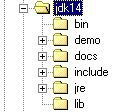
Sometimes you have a JDK but no documentation. This can be found on Sun’s website at http://www.sun.com. In the docs folder, you’ll find an index.html file, which serves as the starting point for the JDK help:

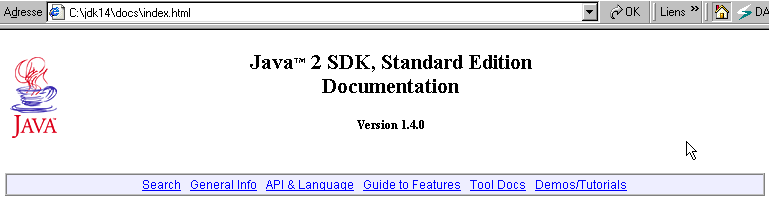
The "API & Language" link above provides access to Java classes. The "Demos/Tutorials" link is particularly useful for finding examples of Java programs. Let's follow the "API & Language" link:

Let's follow the Java 2 Platform API link:
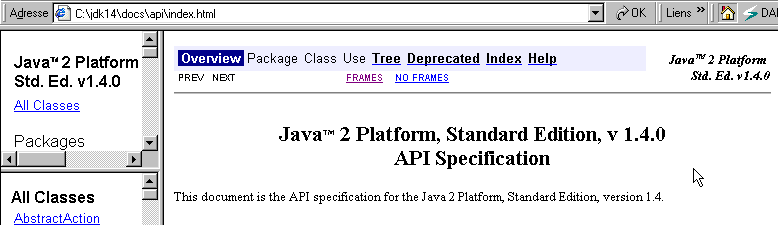
This page is the real starting point for the class documentation. You can create a shortcut to it for quick access. The URL is <jdk>\docs\api\index.html. It contains links to hundreds of Java classes in the JDK. When you’re just starting out, the main challenge is figuring out what these different classes do. Initially, this resource is only useful if you know the name of the class you want information about. You can also use the class names as a guide, as they usually indicate the class’s purpose.
Let’s take an example and look up information on the Vector class, which implements a dynamic array. Simply search the list of classes in the left pane for the Vector class link:
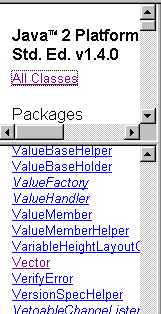
and click on the link to view the class definition:
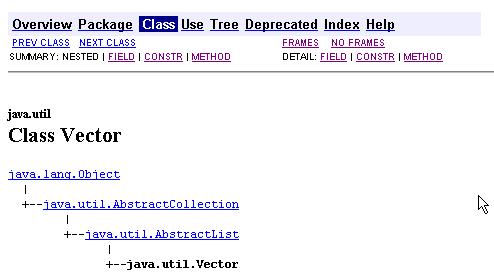
There you will find
- the hierarchy in which the class is located, in this case java.util.Vector
- the list of fields (attributes) of the class
- the list of constructors
- the list of methods
In the following sections, we present various classes. We encourage the reader to systematically check the complete definition of the classes used.
4.2. Test classes
The following examples sometimes use the Person and Teacher classes. We provide their definitions here.
public class personne{
    // last name, first name, age
  private String prenom;
  private String nom;
  private int age;

  // builder 1
  public personne(String P, String N, int age){
    this.prenom=P;
    this.nom=N;
    this.age=age;
  }

    // builder 2
  public personne(personne P){
    this.prenom=P.prenom;
    this.nom=P.nom;
    this.age=P.age;
  }

  // toString
  public String toString(){
    return "personne("+prenom+","+nom+","+age+")";
  }

  // accessors
  public String getPrenom(){
    return prenom;
  }
  public String getNom(){
    return nom;
  }
  public int getAge(){
    return age;
  }

  //modifiers
  public void setPrenom(String P){
    this.prenom=P;
  }
  public void setNom(String N){
    this.nom=N;
  }
  public void setAge(int age){
    this.age=age;
  }
}
The Teacher class is derived from the Person class and is defined as follows:
class enseignant extends personne{
// attributes
  private int section;

    // manufacturer
  public enseignant(String P, String N, int age,int section){
    super(P,N,age);
    this.section=section;
  }
    // toString
  public String toString(){
    return "etudiant("+super.toString()+","+section+")";
  }
}
We will also use a student class derived from the person class and defined as follows:
class etudiant extends personne{
  String numero;

  public etudiant(String P, String N, int age,String numero){
    super(P,N,age);
    this.numero=numero;
  }

  public String toString(){
    return "etudiant("+super.toString()+","+numero+")";
  }
}
4.3. The String Class
The String class represents character strings. Let *name* be a character string variable:
*String name;*
name is a reference to an object that has not yet been initialized. It can be initialized in two ways:
**name = "horse"** or **name = new String("horse")**
Both methods are equivalent. If we later write name="fish", name then refers to a new object. The old String("horse") object is lost, and the memory it occupied will be reclaimed.
The String class has many attributes and methods. Here are a few:
public char charAt(int i) | returns the character at index i in the string, where the first character has index 0. Thus, `String("horse").charAt(3)` is equal to 'h' |
public int compareTo(string2) | string1.compareTo(string2) compares string1 to string2 and returns 0 if string1 = string2, 1 if string1 > string2, and -1 if string1 < string2 |
public boolean equals(Object anObject) | string1.equals(string2) returns true if string1 = string2, false otherwise |
public String toLowerCase() | string1.toLowerCase() converts string1 to lowercase |
public String toUpperCase() | string1.toUpperCase() converts string1 to uppercase |
public String trim() | string1.trim() removes leading and trailing spaces from string1 |
public String substring(int beginIndex, int endIndex) | String("chapeau").subString(2,4) returns the string "ape" |
public char[] toCharArray() | converts the characters of the string into a character array |
int length() | number of characters in the string |
int indexOf(String string2) | returns the first occurrence of string2 in the current string, or -1 if string2 is not present |
int indexOf(String string2, int startIndex) | Returns the first occurrence of string2 in the current string, or -1 if string2 is not found. The search starts at the character at position startIndex. |
int lastIndexOf(String string2) | Returns the last position of string2 in the current string, or -1 if string2 is not present |
boolean startsWith(String string2) | returns true if the current string begins with string2 |
boolean endsWith(String string2) | returns true if the current string ends with string2 |
boolean matches(String regex) | returns true if the current string matches the regular expression regex. |
String[] split(String regex) | The current string consists of fields separated by a string of characters matched by the regular expression regex. The split method retrieves the fields into an array. |
String replace(char oldChar, char newChar) | Replaces the character oldChar with the character newChar in the current string. |
Here is a sample program:
// imports
import java.io.*;

public class string1{
    // a demonstration class
    public static void main(String[] args){
        String uneChaine="l'oiseau vole au-dessus des nuages";
        affiche("uneChaine="+uneChaine);
        affiche("uneChaine.Length="+uneChaine.length());
        affiche("chaine[10]="+uneChaine.charAt(10));
        affiche("uneChaine.IndexOf(\"vole\")="+uneChaine.indexOf("vole"));
        affiche("uneChaine.IndexOf(\"x\")="+uneChaine.indexOf("x"));
        affiche("uneChaine.LastIndexOf('a')="+uneChaine.lastIndexOf('a'));
        affiche("uneChaine.LastIndexOf('x')="+uneChaine.lastIndexOf('x'));
        affiche("uneChaine.substring(4,7)="+uneChaine.substring(4,7));
        affiche("uneChaine.ToUpper()="+uneChaine.toUpperCase());
        affiche("uneChaine.ToLower()="+uneChaine.toLowerCase());
        affiche("uneChaine.Replace('a','A')="+uneChaine.replace('a','A'));
        String[] champs=uneChaine.split("\\s+");
        for (int i=0;i<champs.length;i++){
            affiche("champs["+i+"]=["+champs[i]+"]");
        }//for
        affiche("(\"  abc  \").trim()=["+"  abc  ".trim()+"]");
    }//Main

  // poster
    public static void affiche(String msg){
        // poster msg
        System.out.println(msg);
    }//poster
}//class
and the results obtained:
uneChaine=l'oiseau vole au-dessus des nuages
uneChaine.Length=34
chaine[10]=o
uneChaine.IndexOf("vole")=9
uneChaine.IndexOf("x")=-1
uneChaine.LastIndexOf('a')=30
uneChaine.LastIndexOf('x')=-1
uneChaine.substring(4,7)=sea
uneChaine.ToUpper()=L'OISEAU VOLE AU-DESSUS DES NUAGES
uneChaine.ToLower()=l'oiseau vole au-dessus des nuages
uneChaine.Replace('a','A')=l'oiseAu vole Au-dessus des nuAges
champs[0]=[l'oiseau]
champs[1]=[vole]
champs[2]=[au-dessus]
champs[3]=[des]
champs[4]=[nuages]
("  abc  ").trim()=[abc]
4.4. The Vector Class
A vector is a dynamic array whose elements are object references. It is therefore an array of objects whose size can vary over time, which is not possible with the static arrays we have encountered so far. Here are some fields, constructors, or methods of this class:
public Vector() | constructs an empty vector |
public final int size() | number of elements in the vector |
public final void addElement(Object obj) | adds the object referenced by obj to the vector |
public final Object elementAt(int index) | reference to the object at index in the array - indices start at 0 |
public final Enumeration elements() | the set of elements in the array as an enumeration |
public final Object firstElement() | reference to the first element of the array |
public final Object lastElement() | reference to the last element of the vector |
public final boolean isEmpty() | returns true if the array is empty |
public final void removeElementAt(int index) | removes the element at index |
public final void removeAllElements() | clears the array of all its elements |
public final String toString() | returns a string representing the array |
Here is a test program:
// imported classes
import java.util.*;

public class test1{

// main program - static - class method

  public static void main(String arg[]){

// creation of objects that are instances of classes
    personne p=new personne("Jean","Dupont",30);
    enseignant en=new enseignant("Paula","Hanson",56,27);
    etudiant et=new etudiant("Chris","Garot",22,"19980405");
    System.out.println("p="+p.toString());
    System.out.println("en="+en.toString());
    System.out.println("et="+et.toString());

// polymorphism
    personne p2=(personne)en;
    System.out.println("p2="+p2.toString());
    personne p3=(personne)et;
    System.out.println("p3="+p3.toString());

// a vector
    Vector V=new Vector();
    V.addElement(p);V.addElement(en);V.addElement(et);
    System.out.println("Taille du vecteur V = "+V.size());
    for(int i=0;i<V.size();i++){
      p2=(personne) V.elementAt(i);
      System.out.println("V["+i+"]="+p2.toString());
    }
} // fine hand
}// end of class
Let's compile this program:
E:\data\serge\JAVA\poly juin 2002\Chapitre 3\vector>dir
10/06/2002  10:41                1 134 personne.class
10/06/2002  10:41                  619 enseignant.class
10/06/2002  10:41                  610 etudiant.class
10/06/2002  10:42                1 035 test1.java
E:\data\serge\JAVA\poly juin 2002\Chapitre 3\vector>javac test1.java

E:\data\serge\JAVA\poly juin 2002\Chapitre 3\vector>dir
10/06/2002  10:41                1 134 personne.class
10/06/2002  10:41                  619 enseignant.class
10/06/2002  10:41                  610 etudiant.class
10/06/2002  10:42                1 035 test1.java
10/06/2002  10:43                1 506 test1.class
Let's run the test1.class file:
E:\data\serge\JAVA\poly juin 2002\Chapitre 3\vector>java test1
p=personne(Jean,Dupont,30)
en=etudiant(personne(Paula,Hanson,56),27)
et=etudiant(personne(Chris,Garot,22),19980405)
p2=etudiant(personne(Paula,Hanson,56),27)
p3=etudiant(personne(Chris,Garot,22),19980405)
Taille du vecteur V = 3
V[0]=personne(Jean,Dupont,30)
V[1]=etudiant(personne(Paula,Hanson,56),27)
V[2]=etudiant(personne(Chris,Garot,22),19980405)
From now on, we will no longer repeat the process of compiling and running the test programs. Simply repeat what was done above.
4.5. The ArrayList Class
The ArrayList class is analogous to the Vector class. It differs from it primarily only when used simultaneously by multiple threads. The thread synchronization methods for accessing a Vector or an ArrayList differ. Outside of this case, either one can be used interchangeably. Here are some fields, constructors, or methods of this class:
ArrayList() | constructs an empty array |
int size() | number of elements in the array |
void add(Object obj) | adds the object referenced by obj to the array |
void add(int index, Object obj) | adds the object referenced by obj to the array at position index |
Object get(int index) | reference to the object at index in the array—indices start at 0 |
boolean isEmpty() | returns true if the array is empty |
void remove(int index) | removes the element at index |
void clear() | clears the array of all its elements |
Object[] toArray() | converts the dynamic array into a standard array |
String toString() | returns a string representing the array |
Here is a test program:
// imported classes
import java.util.*;

public class test1{

// main program - static - class method

  public static void main(String arg[]){

// creation of objects that are instances of classes
    personne p=new personne("Jean","Dupont",30);
    enseignant en=new enseignant("Paula","Hanson",56,27);
    etudiant et=new etudiant("Chris","Garot",22,"19980405");
    System.out.println("p="+p);
    System.out.println("en="+en);
    System.out.println("et="+et);

// polymorphism
    personne p2=(personne)en;
    System.out.println("p2="+p2);
    personne p3=(personne)et;
    System.out.println("p3="+p3);

// a vector
    ArrayList personnes=new ArrayList();
    personnes.add(p);personnes.add(en);personnes.add(et);
    System.out.println("Nombre de personnes = "+personnes.size());
    for(int i=0;i<personnes.size();i++){
      p2=(personne) personnes.get(i);
      System.out.println("personnes["+i+"]="+p2);
    }
} // fine hand
}// end of class
The results obtained are the same as before.
4.6. The Arrays Class
The java.util.Arrays class provides access to static methods that allow various operations on arrays, particularly sorting and searching for elements. Here are a few of these methods:
static void sort(array) | sorts the array using the implicit order of the array’s data type, whether numbers or strings. |
static void sort(Object[] array, Comparator C) | Sorts the array using the comparison function C to compare elements |
static int binarySearch(array, element) | Returns the position of element in array, or a value <0 otherwise. The array must be sorted beforehand. |
static int binarySearch(Object[] array, Object element, Comparator C) | Same as above, but uses the comparison function C to compare two elements in the array. |
Here is a first example:
import java.util.*;

public class sort2 implements Comparator{

    // an internal private class
  private class personne{
    private String nom;
    private int age;
    public personne(String nom, int age){
      this.nom=nom; // person's name
      this.age=age; // his age
    }
        // recover age
    public int getAge(){
      return age;
    }
        // identity of the person
    public String toString(){
      return ("["+nom+","+age+"]");
    }
  }; // class person

    // manufacturer
  public sort2() {
        // a table of people
    personne[] amis=new personne[]{new personne("tintin",100),new personne("milou",80),
        new personne("tournesol",40)};
        // sorting the people table
    Arrays.sort(amis,this);
        // check
    for(int i=0;i<3;i++)
      System.out.println(amis[i]);
  }//manufacturer

    // the function that compares people
  public int compare(Object o1, Object o2){
    // must make
        // -1 if o1 "smaller than" o2
        // 0 if o1 "equal to" o2
        // +1 if o1 "greater than" o2
    personne p1=(personne)o1;
    personne p2=(personne)o2;
    int age1=p1.getAge();
    int age2=p2.getAge();
    if(age1<age2) return (-1);
      else if (age1==age2) return (0);
        else return +1;
  }//compare

    // test function
  public static void main(String[] arg){
    new sort2();
  }//hand

}//class
Let's examine this program. The main function creates a sort2 object. The constructor for the sort2 class is as follows:
    // manufacturer
  public sort2() {
        // a table of people
    personne[] amis=new personne[]{new personne("tintin",100),new personne("milou",80),
        new personne("tournesol",40)};
        // sorting the people table
    Arrays.sort(amis,this);
        // check
    for(int i=0;i<3;i++)
      System.out.println(amis[i]);
  }//manufacturer
The array to be sorted is an array of Person objects. The Person class is defined as private within the sort2 class. The static sort method of the Arrays class does not know how to sort an array of Person objects, so we are forced here to use the form void sort(Object[] obj, Comparator C). Comparator is an interface that defines only one method:
and which must return 0 if o1=o2, -1: if o1 < o2, +1: if o1 > o2. In the prototype void sort(Object[] obj, Comparator C), the second argument C must be an object that implements the Comparator interface. In the sort2 constructor, we have chosen the current object this:
This requires us to do two things:
- indicate that the sort2 class implements the Comparator interface
```java
public class sort2 implements Comparator{
```
- write the compare function in the sort2 class.
This is as follows:
    // the function that compares people
  public int compare(Object o1, Object o2){
    // must make
        // -1 if o1 "smaller than" o2
        // 0 if o1 "equal to" o2
        // +1 if o1 "greater than" o2
    personne p1=(personne)o1;
    personne p2=(personne)o2;
    int age1=p1.getAge();
    int age2=p2.getAge();
    if(age1<age2) return (-1);
      else if (age1==age2) return (0);
        else return +1;
  }//compare
To compare two Person objects, we use age here (we could have used the name).
The results of the execution are as follows:
We could have taken a different approach to implementing the Comparator interface:
import java.util.*;

public class sort2 {

  // an internal private class
  private class personne{
…….
  }; // class person

    // manufacturer
  public sort2() {
        // a table of people
    personne[] amis=new personne[]{new personne("tintin",100),new personne("milou",80),
        new personne("tournesol",40)};
        // sorting the people table
    Arrays.sort(amis,
        new java.util.Comparator(){
          public int compare(Object o1, Object o2){
            return compare1(o1,o2);
        }//compare
      }//class
    );
        // check
    for(int i=0;i<3;i++)
      System.out.println(amis[i]);
  }//manufacturer

    // the function that compares people
  public int compare1(Object o1, Object o2){
    // must make
        // -1 if o1 "smaller than" o2
        // 0 if o1 "equal to" o2
        // +1 if o1 "greater than" o2
    personne p1=(personne)o1;
    personne p2=(personne)o2;
    int age1=p1.getAge();
    int age2=p2.getAge();
    if(age1<age2) return (-1);
      else if (age1==age2) return (0);
        else return +1;
  }//compare1

  // hand
  public static void main(String[] arg){
    new sort2();
  }//hand
}//class
The sorting statement has become the following:
        // sorting the people table
    Arrays.sort(amis,
        new java.util.Comparator(){
          public int compare(Object o1, Object o2){
            return compare1(o1,o2);
        }//compare
      }//class
    );
The second parameter of the compare method must be an object that implements the Comparator interface. Here, we create such an object using new java.util.Comparator(), and the text that follows {…} defines the class from which the object is created. This is called an anonymous class because it has no name. In this anonymous class, which must implement the Comparator interface, we define the compare method of that interface. This method simply calls the compare1 method of the sort2 class. We are then back to the previous case.
The sort2 class no longer implements the Comparator interface. Therefore, its declaration becomes:
Now we test the binarySearch method of the Arrays class using the following example:
import java.util.*;

public class sort4 {

  // an internal private class
  private class personne{
      // attributes
    private String nom;
    private int age;

        // manufacturer
    public personne(String nom, int age){
      this.nom=nom; // person's name
      this.age=age; // his age
    }

        // retrieve name
    public String getNom(){
      return nom;
    }

        // recover age
    public int getAge(){
      return age;
    }
        // identity of the person
    public String toString(){
      return ("["+nom+","+age+"]");
    }
  }; // class person

    // manufacturer
  public sort4() {
        // a table of people
    personne[] amis=new personne[]{new personne("tintin",100),new personne("milou",80),
        new personne("tournesol",40)};

        // comparators
    java.util.Comparator comparateur1=
        new java.util.Comparator(){
          public int compare(Object o1, Object o2){
            return compare1(o1,o2);
        }//compare
      }//class
      ;
    java.util.Comparator comparateur2=
        new java.util.Comparator(){
          public int compare(Object o1, Object o2){
            return compare2(o1,o2);
        }//compare
      }//class
      ;

        // sorting the people table
    Arrays.sort(amis,comparateur1);
    // check
    for(int i=0;i<3;i++)
      System.out.println(amis[i]);
    // research
    cherche("milou",amis,comparateur2);
    cherche("xx",amis,comparateur2);
  }//manufacturer

    // the function that compares people
  public int compare1(Object o1, Object o2){
    // must make
        // -1 if o1 "smaller than" o2
        // 0 if o1 "equal to" o2
        // +1 if o1 "greater than" o2
    personne p1=(personne)o1;
    personne p2=(personne)o2;
    int age1=p1.getAge();
    int age2=p2.getAge();
    if(age1<age2) return (-1);
      else if (age1==age2) return (0);
        else return +1;
  }//compare1

    // the function that compares a person to a name
  public int compare2(Object o1, Object o2){
    // o1 is a person
        // o2 is a String, the name name2 of a person
        // must make
        // -1 if o1.nom "smaller than" name2
        // 0 if o1.nom "equal to" name2
        // +1 if o1.nom "greater than" name2
    personne p1=(personne)o1;
    String nom1=p1.getNom();
    String nom2=(String)o2;
    return nom1.compareTo(nom2);
  }//compare2

    public void cherche(String ami,personne[] amis, Comparator comparateur){
            // search for a friend in the friends table
    int position=Arrays.binarySearch(amis,ami,comparateur);
        // found?
    if(position>=0)
        System.out.println(ami + " a " + amis[position].getAge() + " ans");
    else System.out.println(ami + " n'existe pas dans le tableau");
  }//search

  // hand
  public static void main(String[] arg){
    new sort4();
  }//hand
}//class
Here, we have proceeded a little differently from the previous examples. The two Comparator objects required by the sort and binarySearch methods have been created and assigned to the variables comparator1 and comparator2.
        // comparators
    java.util.Comparator comparateur1=
        new java.util.Comparator(){
          public int compare(Object o1, Object o2){
            return compare1(o1,o2);
        }//compare
      }//class
      ;
    java.util.Comparator comparateur2=
        new java.util.Comparator(){
          public int compare(Object o1, Object o2){
            return compare2(o1,o2);
        }//compare
      }//class
      ;
A binary search on the friends array is performed twice in the sort4 constructor:
The search method receives all the parameters it needs to call the binarySearch method:
    public void cherche(String ami,personne[] amis, Comparator comparateur){
            // search for a friend in the friends table
    int position=Arrays.binarySearch(amis,ami,comparateur);
        // found?
    if(position>=0)
        System.out.println(ami + " a " + amis[position].getAge() + " ans");
    else System.out.println(ami + " n'existe pas dans le tableau");
  }//search
The binarySearch method works with the comparator2 comparator, which in turn calls the compare2 method of the sort4 class. The method returns the position of the searched name in the array if it exists, or a number <0 otherwise. The compare2 method is used to compare a Person object to a String-type name.
    // the function that compares a person to a name
  public int compare2(Object o1, Object o2){
    // o1 is a person
        // o2 is a String, the name name2 of a person
        // must make
        // -1 if o1.nom "smaller than" name2
        // 0 if o1.nom "equal to" name2
        // +1 if o1.nom "greater than" name2
    personne p1=(personne)o1;
    String nom1=p1.getNom();
    String nom2=(String)o2;
    return nom1.compareTo(nom2);
  }//compare2
Unlike the sort method, the binarySearch method does not take two Person objects, but rather a Person object and a String object in that order. The first parameter is an element of the friends array, and the second is the name of the person being searched for.
4.7. The Enumeration class
Enumeration is an interface, not a class. It has the following methods:
public abstract boolean hasMoreElements() | returns true if the enumeration still has elements |
public abstract Object nextElement() | returns a reference to the next element in the enumeration |
How do you use an enumeration? Generally like this:
    Enumeration e=…                // an enumeration object is retrieved
    while(e.hasMoreElements()){
        // use e.nextElement() element
    }
Here is an example:
// imported classes
import java.util.*;

public class test1{

// main program - static - class method

  public static void main(String arg[]){

// creation of objects that are instances of classes
    personne p=new personne("Jean","Dupont",30);
    enseignant en=new enseignant("Paula","Hanson",56,27);
    etudiant et=new etudiant("Chris","Garot",22,"19980405");
    System.out.println("p="+p.toString());
    System.out.println("en="+en.toString());
    System.out.println("et="+et.toString());

// polymorphism
    personne p2=(personne)en;
    System.out.println("p2="+p2.toString());
    personne p3=(personne)et;
    System.out.println("p3="+p3.toString());

// a vector
    Vector V=new Vector();
    V.addElement(p);V.addElement(en);V.addElement(et);
    System.out.println("Taille du vecteur V = "+V.size());
    int i;
    for(i=0;i<V.size();i++){
      p2=(personne) V.elementAt(i);
      System.out.println("V["+i+"]="+p2.toString());
    }

// an enumeration
    Enumeration E=V.elements();
    i=0;
    while(E.hasMoreElements()){
      p2=(personne) E.nextElement();
      System.out.println("V["+i+"]="+p2.toString());
      i++;
    }
   }// fine hand
}//end of class
The following results are obtained:
p=personne(Jean,Dupont,30)
en=enseignant(personne(Paula,Hanson,56),27)
et=etudiant(personne(Chris,Garot,22),19980405)
p2=enseignant(personne(Paula,Hanson,56),27)
p3=etudiant(personne(Chris,Garot,22),19980405)
Taille du vecteur V = 3
V[0]=personne(Jean,Dupont,30)
V[1]=enseignant(personne(Paula,Hanson,56),27)
V[2]=etudiant(personne(Chris,Garot,22),19980405)
V[0]=personne(Jean,Dupont,30)
V[1]=enseignant(personne(Paula,Hanson,56),27)
V[2]=etudiant(personne(Chris,Garot,22),19980405)
4.8. The HashTable class
The HashTable class allows you to implement a dictionary. A dictionary can be viewed as a two-column array:
key | value |
key1 | value1 |
key2 | value2 |
.. | ... |
Keys are unique, i.e., there cannot be two identical keys. The main methods and properties of the Hashtable class are as follows:
public Hashtable() | constructor - creates an empty dictionary |
public int size() | number of elements in the dictionary—where an element is a pair (key, value) |
public Object put(Object key, Object value) | adds the pair (key, value) to the dictionary |
public Object get(Object key) | retrieves the object associated with the key key or null if the key key does not exist |
public boolean containsKey(Object key) | true if the key exists in the dictionary |
public boolean contains(Object value) | true if the value value exists in the dictionary |
public Enumeration keys() | returns the keys of the dictionary as an enumeration |
public Object remove(Object key) | removes the (key, value) pair where key=key |
public String toString() | identifies the dictionary |
Here is an example:
// imported classes
import java.util.*;

public class test1{

// main program - static - class method

  public static void main(String arg[]){

// creation of objects that are instances of classes
    personne p=new personne("Jean","Dupont",30);
    enseignant en=new enseignant("Paula","Hanson",56,27);
    etudiant et=new etudiant("Chris","Garot",22,"19980405");
    System.out.println("p="+p.toString());
    System.out.println("en="+en.toString());
    System.out.println("et="+et.toString());

// polymorphism
    personne p2=(personne)en;
    System.out.println("p2="+p2.toString());
    personne p3=(personne)et;
    System.out.println("p3="+p3.toString());

// a dictionary
    Hashtable H=new Hashtable();
    H.put("personne1",p);
    H.put("personne2",en);
    H.put("personne3",et);
    Enumeration E=H.keys();
    int i=0;
    String cle;
    while(E.hasMoreElements()){
      cle=(String) E.nextElement();
      p2=(personne) H.get(cle);
      System.out.println("clé "+i+"="+cle+" valeur="+p2.toString());
      i++;
    }
  }//fine hand
}//end of class
The results are as follows:
p=personne(Jean,Dupont,30)
en=enseignant(personne(Paula,Hanson,56),27)
et=etudiant(personne(Chris,Garot,22),19980405)
p2=enseignant(personne(Paula,Hanson,56),27)
p3=etudiant(personne(Chris,Garot,22),19980405)
clé 0=personne3 valeur=etudiant(personne(Chris,Garot,22),19980405)
clé 1=personne2 valeur=enseignant(personne(Paula,Hanson,56),27)
clé 2=personne1 valeur=personne(Jean,Dupont,30)
4.9. Text files
4.9.1. Writing
To write to a file, you need a write stream. You can use the FileWriter class for this. The following constructors are commonly used:
FileWriter(String fileName) | creates a file named fileName—you can then write to it—any existing file with the same name is overwritten |
FileWriter(String fileName, boolean append) | same as above—any existing file with the same name can be used by opening it in append mode (append=true) |
The FileWriter class provides a number of methods for writing to a file, methods inherited from the Writer class. To write to a text file, it is preferable to use the PrintWriter class, whose commonly used constructors are as follows:
PrintWriter(Writer out) | the argument is of type Writer, i.e., a write stream (to a file, over the network, etc.) |
PrintWriter(Writer out, boolean autoflush) | Same as above. The second argument controls line buffering. When set to false (the default), lines written to the file pass through an in-memory buffer. When the buffer is full, it is written to the file. This improves disk access. That said, this behavior is sometimes undesirable, particularly when writing over a network. |
The useful methods of the PrintWriter class are as follows:
void print(Type T) | writes the data T (String, int, ….) |
void println(Type T) | same as above, ending with a newline character |
void flush() | flushes the buffer if not in autoflush mode |
void close() | closes the write stream |
Here is a program that writes a few lines to a text file:
// imports
import java.io.*;

public class ecrire{
  public static void main(String[] arg){
    // open file
    PrintWriter fic=null;
    try{
      fic=new PrintWriter(new FileWriter("out"));
    } catch (Exception e){
      Erreur(e,1);
    }
        // write to file
    try{
      fic.println("Jean,Dupont,27");
      fic.println("Pauline,Garcia,24");
      fic.println("Gilles,Dumond,56");
    } catch (Exception e){
      Erreur(e,3);
    }
        // close file
    try{
      fic.close();
    } catch (Exception e){
      Erreur(e,2);
    }
  }// fine hand

  private static void Erreur(Exception e, int code){
    System.err.println("Erreur : "+e);
    System.exit(code);
  }//Error
}//class
The output file generated by the program is as follows:
4.9.2. Reading
To read the contents of a file, you need a read stream associated with the file. You can use the FileReader class and the following constructor for this:
FileReader(String filename) | opens a read stream from the specified file. Throws an exception if the operation fails. |
The FileReader class has a number of methods for reading from a file, methods inherited from the Reader class. To read lines of text from a text file, it is preferable to use the BufferedReader class with the following constructor:
BufferedReader(Reader in) | opens a buffered read stream from an input stream in. This Reader-type stream can come from the keyboard, a file, the network, etc. |
The useful methods of the BufferedReader class are as follows:
int read() | reads a character |
String readLine() | reads a line of text |
int read(char[] buffer, int offset, int size) | Reads size characters from the file and places them in the buffer array starting at position offset. |
void close() | closes the read stream |
Here is a program that reads the contents of the file created earlier:
// imported classes
import java.util.*;
import java.io.*;

public class lire{
  public static void main(String[] arg){
    personne p=null;
        // open file
    BufferedReader IN=null;
    try{
      IN=new BufferedReader(new FileReader("out"));
    } catch (Exception e){
      Erreur(e,1);
    }
        // data
    String ligne=null;
    String[] champs=null;
    String prenom=null;
    String nom=null;
    int age=0;

    // error handling
    try{
      while((ligne=IN.readLine())!=null){
        champs=ligne.split(",");
        prenom=champs[0];
        nom=champs[1];
        age=Integer.parseInt(champs[2]);
        System.out.println(""+new personne(prenom,nom,age));
      }// end while
    } catch (Exception e){
      Erreur(e,2);
    }

        // close file
    try{
      IN.close();
    } catch (Exception e){
      Erreur(e,3);
    }
  }// fine hand

    // Error
  public static void Erreur(Exception e, int code){
    System.err.println("Erreur : "+e);
    System.exit(code);
  }

}// end of class
Running the program produces the following results:
4.9.3. Saving a person object
We apply what we just saw to provide the Person class with a method that allows us to save a person’s attributes to a file. We add the saveAttributes method to the Person class definition:
// ------------------------------
// sauvegarde dans fichier texte
// ------------------------------
public void sauveAttributs(PrintWriter P){
P.println(""+this);
}
Before defining the Person class, don't forget to import the java.io package:
The saveAttributes method takes a single parameter: the PrintWriter stream to which it must write. A test program might look like this:
// imports
import java.io.*;
// import nobody;
public class sauver{
public static void main(String[] arg){
// open file
PrintWriter fic=null;
try{
fic=new PrintWriter(new FileWriter("out"));
} catch (Exception e){
Erreur(e,1);
}
// write to file
try{
new personne("Jean","Dupont",27).sauveAttributs(fic);
new personne("Pauline","Garcia",24).sauveAttributs(fic);
new personne("Gilles","Dumond",56).sauveAttributs(fic);
} catch (Exception e){
Erreur(e,3);
}
// close file
try{
fic.close();
} catch (Exception e){
Erreur(e,2);
}
}// fine hand
// Error
private static void Erreur(Exception e, int code){
System.err.println("Erreur : "+e);
System.exit(code);
}//Error
}//class
Let's compile and run this program:
E:\data\serge\JAVA\poly juin 2002\Chapitre 3\sauveAttributs>javac sauver.java
E:\data\serge\JAVA\poly juin 2002\Chapitre 3\sauveAttributs>dir
10/06/2002 10:52 1 352 personne.class
10/06/2002 10:53 842 sauver.java
10/06/2002 10:53 1 258 sauver.class
E:\data\serge\JAVA\poly juin 2002\Chapitre 3\sauveAttributs>java sauver
E:\data\serge\JAVA\poly juin 2002\Chapitre 3\sauveAttributs>dir
10/06/2002 10:52 1 352 personne.class
10/06/2002 10:53 842 sauver.java
10/06/2002 10:53 1 258 sauver.class
10/06/2002 10:53 83 out
E:\data\serge\JAVA\poly juin 2002\Chapitre 3\sauveAttributs>more out
personne(Jean,Dupont,27)
personne(Pauline,Garcia,24)
personne(Gilles,Dumond,56)
4.10. Binary files
4.10.1. The RandomAccessFile class
The RandomAccessFile class allows you to manage binary files, particularly those with a fixed structure as found in C/C++. Here are some useful methods and constructors:
RandomAccessFile(String filename, String mode) | constructor - opens the specified file in the specified mode. The mode can be one of the following: r: open for reading rw: open for reading and writing |
void writeTTT(TTT value) | writes value to the file. TTT represents the value type. The memory representation of value is written as-is to the file. Thus, there are writeBoolean, writeByte, writeInt, writeDouble, writeLong, writeFloat, etc. To write a string, use writeBytes(String string). |
TTT readTTT() | Reads and returns a value of type TTT. Examples include readBoolean, readByte, readInt, readDouble, readLong, readFloat, etc. The read() method reads a byte. |
long length() | file size in bytes |
long getFilePointer() | current position of the file pointer |
void seek(long pos) | sets the file cursor to byte pos |
4.10.2. The Article class
All of the following examples will use the following article class:
        // article structure
    private static class article{
                // we define the structure
        public String code;
        public String nom;
        public double prix;
        public int stockActuel;
        public int stockMinimum;
  }//item class
The Java Item class above is equivalent to the following C structure
struct article{
    char code[4];
    char nom[20];
    double prix;
    int stockActuel;
    int stockMinimum;
}//structure
This way, we’ll limit the code to 4 characters and the name to 20.
4.10.3. Write a record
The following program writes a record to a file named "data":
// imported classes
import java.io.*;

public class test1{

// tests the writing of a structure (in the C sense) to a binary file

        // article structure
    private static class article{
                // we define the structure
        public String code;
        public String nom;
        public double prix;
        public int stockActuel;
        public int stockMinimum;
  }//item class

    public static void main(String arg[]){

                // we define the binary file in which the items will be stored
        RandomAccessFile fic=null;

                // we define an article
        article art=new article();
        art.code="a100";
        art.nom="velo";
        art.prix=1000.80;
        art.stockActuel=100;
        art.stockMinimum=10;

                // we define the file
        try{
                fic=new RandomAccessFile("data","rw");
        } catch (Exception E){
                erreur("Impossible d'ouvrir le fichier data",1);
        }//try-catch

        // we write
        try{
            ecrire(fic,art);
        } catch (IOException E){
                erreur("Erreur lors de l'écriture de l'enregistrement",2);
        }//try-catch

        // it's over
        try{
            fic.close();
        } catch (Exception E){
            erreur("Impossible de fermer le fichier data",2);
        }//try-catch
  }//hand

    // writing method
  public static void ecrire(RandomAccessFile fic, article art) throws IOException{
        // code
      fic.writeBytes(art.code);
            // name limited to 20 characters
      art.nom=art.nom.trim();
      int l=art.nom.length();
      int nbBlancs=20-l;
      if(nbBlancs>0){
          String blancs="";
          for(int i=0;i<nbBlancs;i++) blancs+=" ";
          art.nom+=blancs;
      } else art.nom=art.nom.substring(0,20);
      fic.writeBytes(art.nom);
            // the price
      fic.writeDouble(art.prix);
            // inventories
      fic.writeInt(art.stockActuel);
      fic.writeInt(art.stockMinimum);
  }// end write

    // ------------------------erreur
  public static void erreur(String msg, int exitCode){
          System.err.println(msg);
          System.exit(exitCode);
  }// end error
}// fin class
The following program allows us to verify that the execution was successful.
4.10.4. Read a record
// imported classes
import java.io.*;

public class test2{

// tests the writing of a structure (in the C sense) to a binary file

        // article structure
    private static class article{
                // we define the structure
        public String code;
        public String nom;
        public double prix;
        public int stockActuel;
        public int stockMinimum;
  }//item class

    public static void main(String arg[]){

                // we define the binary file in which the items will be stored
        RandomAccessFile fic=null;

            // open the file in read mode
      try{
          fic=new RandomAccessFile("data","r");
      } catch (Exception E){
          erreur("Impossible d'ouvrir le fichier data",1);
      }//try-catch

            // we read the single article in the file
    article art=new article();
      try{
          lire(fic,art);
      } catch (IOException E){
          erreur("Erreur lors de la lecture de l'enregistrement",2);
      }//try-catch

            // the record played back is displayed
      affiche(art);

            // it's over
      try{
          fic.close();
      } catch (Exception E){
          erreur("Impossible de fermer le fichier data",2);
      }//try-catch
  }// fine hand

    // reading method
    public static void lire(RandomAccessFile fic, article art) throws IOException{
            // code reading
        art.code="";
        for(int i=0;i<4;i++) art.code+=(char)fic.readByte();
    // name
        art.nom="";
        for(int i=0;i<20;i++) art.nom+=(char)fic.readByte();
        art.nom=art.nom.trim();
    // price
        art.prix=fic.readDouble();
    // stocks
        art.stockActuel=fic.readInt();
        art.stockMinimum=fic.readInt();
    }// end write

        // ---------------------affiche
    public static void affiche(article art){
        System.out.println("code : "+art.code);
        System.out.println("nom : "+art.nom);
        System.out.println("prix : "+art.prix);
        System.out.println("Stock actuel : "+art.stockActuel);
        System.out.println("Stock minimum : "+art.stockMinimum);
    }// end poster

        // ------------------------erreur
    public static void erreur(String msg, int exitCode){
                System.err.println(msg);
                System.exit(exitCode);
    }// end error
}// end class
The execution results are as follows:
E:\data\serge\JAVA\random>java test2
code : a100
nom : velo
prix : 1000.8
Stock actuel : 100
Stock minimum : 10
We successfully retrieve the record that was written by the writing program.
4.10.5. Text to Binary Conversion
The following program is an extension of the record-writing program. We now write multiple records to a binary file named data.bin. The data is taken from the following data.txt file:
E:\data\serge\JAVA\random>more data.txt
a100:velo:1000:100:10
b100:pompe:65:6:2
c100:arc:867:10:5
d100:fleches - lot de 6:450:12:8
e100:jouet:10:2:3
// imported classes
import java.io.*;
import java.util.*;

public class test3{

// text file --> binary file

        // article structure
    private static class article{
                // we define the structure
        public String code;
        public String nom;
        public double prix;
        public int stockActuel;
        public int stockMinimum;
  }//item class

    public static void main(String arg[]){

                // we define the binary file in which the items will be stored
        RandomAccessFile dataBin=null;
        try{
                dataBin=new RandomAccessFile("data.bin","rw");
        } catch (Exception E){
                erreur("Impossible d'ouvrir le fichier data.bin",1);
        }

                // data are taken from a text file
    BufferedReader dataTxt=null;
        try{
            dataTxt=new BufferedReader(new FileReader("data.txt"));
        } catch (IOException E){
            erreur("Impossible d'ouvrir le fichier data.txt",2);
        }

            // .txt file --> .bin file
      String ligne=null;
      String[] champs=null;
      int numLigne=0;
      String champ=null;
    article art=new article();    // item to be created
      try{
          while((ligne=dataTxt.readLine())!=null){
          // a + line
              numLigne++;
                // decomposition into fields
        champs=ligne.split(":");
                // 5 fields are required
              if(champs.length!=5)
                  erreur("Ligne "+numLigne+" erronée dans data.txt",3);
                //code
              art.code=champs[0];
              if(art.code.length()!=4)
            erreur("Code erroné en ligne "+numLigne+" du fichier data.txt",12);
                // last name, first name
              art.nom=champs[1];
                // price
              try{
                  art.prix=Double.parseDouble(champs[2]);
              } catch (Exception E){
                  erreur("Prix erroné en ligne "+numLigne+" du fichier data.txt",4);
              }
        // current stock
              try{
                  art.stockActuel=Integer.parseInt(champs[3]);
              } catch (Exception E){
                  erreur("Stock actuel erroné en ligne "+ numLigne + " du fichier data.txt",5);
              }
        // current stock
              try{
                  art.stockActuel=Integer.parseInt(champs[3]);
              } catch (Exception E){
                  erreur("Stock actuel erroné en ligne "+ numLigne + " du fichier data.txt",5);
              }
                            // we write the recording
              try{
                  ecrire(dataBin,art);
              } catch (IOException E){
                  erreur("Erreur lors de l'écriture de l'enregistrement "+numLigne,7);
              }
                            // move on to the next line
          }// end while
      } catch (IOException E){
          erreur("Erreur lors de la lecture du fichier data.txt après la ligne "+numLigne,8);
      }
            // it's over
      try{
                  dataBin.close();
      } catch (Exception E){
                  erreur("Impossible de fermer le fichier data.bin",10);
      }
      try{
                  dataTxt.close();
      } catch (Exception E){
                  erreur("Impossible de fermer le fichier data.txt",11);
      }
  }// fine hand

    // writing method
  public static void ecrire(RandomAccessFile fic, article art) throws IOException{
        // code
      fic.writeBytes(art.code);
            // name limited to 20 characters
      art.nom=art.nom.trim();
      int l=art.nom.length();
      int nbBlancs=20-l;
      if(nbBlancs>0){
          String blancs="";
          for(int i=0;i<nbBlancs;i++) blancs+=" ";
          art.nom+=blancs;
      } else art.nom=art.nom.substring(0,20);
      fic.writeBytes(art.nom);
            // the price
      fic.writeDouble(art.prix);
            // inventories
      fic.writeInt(art.stockActuel);
      fic.writeInt(art.stockMinimum);
  }// end write

        // ------------------------erreur
    public static void erreur(String msg, int exitCode){
                System.err.println(msg);
                System.exit(exitCode);
    }// end error

}// end class
The following program allows you to verify that this one worked correctly.
4.10.6. Binary to text conversion
The following program reads the contents of the binary file data.bin created earlier and writes its contents to the text file data.text. If everything goes well, the file data.text should be identical to the original file data.txt.
// imported classes
import java.io.*;
import java.util.*;

public class test5{

// text file --> binary file

        // article structure
    private static class article{
                // we define the structure
        public String code;
        public String nom;
        public double prix;
        public int stockActuel;
        public int stockMinimum;
  }//item class

        // hand
    public static void main(String arg[]){

                // we define the binary file in which the items will be stored
        RandomAccessFile dataBin=null;
        try{
                dataBin=new RandomAccessFile("data.bin","r");
        } catch (Exception E){
                erreur("Impossible d'ouvrir le fichier data.bin en lecture",1);
        }

                // data is written to a text file
    PrintWriter dataTxt=null;
        try{
            dataTxt=new PrintWriter(new FileWriter("data.text"));
        } catch (IOException E){
            erreur("Impossible d'ouvrir le fichier data.text en écriture",2);
        }

      // .bin file --> .text file
    article art=new article();    // item to be created

            // we process the binary file
      int numRecord=0;
      long l=0;    // file size
      try{
          l=dataBin.length();
      } catch (IOException e){
          erreur("Erreur lors du calcul de la longueur du fichier data.bin",2);
      }
      long pos=0;    // current position in file
      try{
          pos=dataBin.getFilePointer();
      } catch (IOException e){
          erreur("Erreur lors de la lecture de la position courante dans data.bin",2);
      }

        // as long as you haven't passed the end of the file
        while(pos<l){
            // read and use current recordings
            numRecord++;
            try{
                lire(dataBin,art);
            } catch (Exception e){
                erreur("Erreur lors de la lecture de l'enregistrement "+numRecord,2);
            }
            affiche(art);

                        // write the corresponding text line in dataTxt
         dataTxt.println(art.code.trim()+":"+art.nom.trim()+":"+art.prix+":"+art.stockActuel+":"+art.stockMinimum);

                        // shall we continue?
            try{
                pos=dataBin.getFilePointer();
            } catch (IOException e){
                erreur("Erreur lors de la lecture de la position courante dans data.bin",2);
            }
        }// end while

            // it's over
      try{
                  dataBin.close();
      } catch (Exception E){
                  erreur("Impossible de fermer le fichier data.bin",2);
      }

      try{
          dataTxt.close();
      } catch (Exception E){
                  erreur("Impossible de fermer le fichier data.text",2);
      }

  }// fine hand

        // reading method
    public static void lire(RandomAccessFile fic, article art) throws IOException{
      // code reading
        art.code="";
        for(int i=0;i<4;i++) art.code+=(char)fic.readByte();
    // name
        art.nom="";
        for(int i=0;i<20;i++) art.nom+=(char)fic.readByte();
        art.nom=art.nom.trim();
    // price
        art.prix=fic.readDouble();
    // stocks
        art.stockActuel=fic.readInt();
        art.stockMinimum=fic.readInt();
    }// end write

        // ---------------------affiche
    public static void affiche(article art){
        System.out.println("code : "+art.code);
        System.out.println("nom : "+art.nom);
        System.out.println("prix : "+art.prix);
        System.out.println("Stock actuel : "+art.stockActuel);
        System.out.println("Stock minimum : "+art.stockMinimum);
    }// end poster

        // ------------------------erreur
    public static void erreur(String msg, int exitCode){
                System.err.println(msg);
                System.exit(exitCode);
    }// end error
}// fin class
Here is an example of execution:
E:\data\serge\JAVA\random>java test5
code : a100
nom : velo
prix : 1000.0
Stock actuel : 100
Stock minimum : 0
code : b100
nom : pompe
prix : 65.0
Stock actuel : 6
Stock minimum : 0
code : c100
nom : arc
prix : 867.0
Stock actuel : 10
Stock minimum : 0
code : d100
nom : fleches - lot de 6
prix : 450.0
Stock actuel : 12
Stock minimum : 0
code : e100
nom : jouet
prix : 10.0
Stock actuel : 2
Stock minimum : 0

E:\data\serge\JAVA\random>more data.text
a100:velo:1000.0:100:0
b100:pompe:65.0:6:0
c100:arc:867.0:10:0
d100:fleches - lot de 6:450.0:12:0
e100:jouet:10.0:2:0
4.10.7. Direct access to records
This last program demonstrates the ability to directly access records in a binary file. It displays the record from the data.bin file whose number is passed as a parameter, with the first record having the number 1.
// imported classes
import java.io.*;
import java.util.*;

public class test6{

// text file --> binary file

        // article structure
    private static class article{
                // we define the structure
        public String code;
        public String nom;
        public double prix;
        public int stockActuel;
        public int stockMinimum;
  }//item class

        // hand
    public static void main(String[] args){

            // check the arguments
      int nbArguments=args.length;
      String syntaxe="syntaxe : pg numéro_de_fiche";
      if(nbArguments!=1)
          erreur(syntaxe,20);
        // check plug no
      int numRecord=0;
      try{
          numRecord=Integer.parseInt(args[0]);
      } catch(Exception e){
          erreur(syntaxe+"\nNuméro de fiche incorrect",21);
      }

            // open the binary file for reading
    RandomAccessFile dataBin=null;
      try{
          dataBin=new RandomAccessFile("data.bin","r");
      } catch (Exception E){
          erreur("Impossible d'ouvrir le fichier data.bin en lecture",1);
      }

            // position yourself on the desired card
      try{
          dataBin.seek((numRecord-1)*40);
      } catch (Exception e){
          erreur("La fiche "+numRecord+" n'existe pas",23);
      }

            // we read it
    article art=new article();
      try{
          lire(dataBin,art);
      } catch (Exception e){
          erreur("Erreur lors de la lecture de l'enregistrement "+numRecord,2);
      }

            // we display it
      affiche(art);

            // it's over
      try{
          dataBin.close();
      } catch (Exception E){
          erreur("Impossible de fermer le fichier data.bin",2);
      }//try-catch

  }// fine hand

    // reading method
    public static void lire(RandomAccessFile fic, article art) throws IOException{
            // code reading
        art.code="";
        for(int i=0;i<4;i++) art.code+=(char)fic.readByte();
    // name
        art.nom="";
        for(int i=0;i<20;i++) art.nom+=(char)fic.readByte();
        art.nom=art.nom.trim();
    // price
        art.prix=fic.readDouble();
    // stocks
        art.stockActuel=fic.readInt();
        art.stockMinimum=fic.readInt();
    }// end write

        // ---------------------affiche
    public static void affiche(article art){
        System.out.println("code : "+art.code);
        System.out.println("nom : "+art.nom);
        System.out.println("prix : "+art.prix);
        System.out.println("Stock actuel : "+art.stockActuel);
        System.out.println("Stock minimum : "+art.stockMinimum);
    }// end poster

        // ------------------------erreur
    public static void erreur(String msg, int exitCode){
                System.err.println(msg);
                System.exit(exitCode);
    }// end error
}// fin class
Here are some examples of execution:
E:\data\serge\JAVA\random>java test6 2
code : b100
nom : pompe
prix : 65.0
Stock actuel : 6
Stock minimum : 0

E:\data\serge\JAVA\random>java.bat test6 20
Erreur lors de la lecture de l'enregistrement 20
4.11. Using regular expressions
4.11.1. The java.util.regex package in the Java
The java.util.regex package allows the use of regular expressions. These enable you to validate the format of a string. For example, you can verify that a string representing a date is in the dd/mm/yy format. To do this, you use a pattern and compare the string to that pattern. In this example, d, m, and y must be digits. The pattern for a valid date format is therefore "\d\d/\d\d/\d\d", where the symbol \d represents a digit. The symbols that can be used in a pattern are as follows (Microsoft documentation):
Character | Description |
\ | Designates the following character as a special character or literal. For example, "n" corresponds to the character "n". "\n" corresponds to a newline character. The sequence "\\" corresponds to "\", while "\(" corresponds to "(". |
^ | Matches the start of the input. |
$ | Matches the end of the input. |
* | Matches the preceding character zero or more times. Thus, "zo*" matches "z" or "zoo". |
+ | Matches the preceding character one or more times. Thus, "zo+" matches "zoo", but not "z". |
? | Matches the preceding character zero or one time. For example, "a?ve?" matches "ve" in "lever". |
. | Matches any single character, except the newline character. |
(pattern) | Searches for the pattern and stores the match. The matching substring can be retrieved from the resulting Matches collection using Item [0]...[n]. To find matches with characters inside parentheses ( ), use "\(" or "\)". |
x|y | Matches either x or y. For example, "z|foot" matches "z" or "foot". "(z|f)oo" matches "zoo" or "foo". |
{n} | n is a non-negative integer. Matches exactly n occurrences of the character. For example, "o{2}" does not match "o" in "Bob," but matches the first two "o"s in "fooooot". |
{n,} | n is a non-negative integer. Matches at least n occurrences of the character. For example, "o{2,}" does not match "o" in "Bob," but matches all "o"s in "fooooot." "o{1,}" is equivalent to "o+" and "o{0,}" is equivalent to "o*." |
{n,m} | m and n are non-negative integers. Matches at least n and at most m occurrences of the character. For example, "o{1,3}" matches the first three "o"s in "foooooot" and "o{0,1}" is equivalent to "o?". |
[xyz] | Character set. Matches any of the specified characters. For example, "[abc]" matches "a" in "plat". |
[^xyz] | Negative character set. Matches any character not listed. For example, "[^abc]" matches "p" in "plat". |
[a-z] | Character range. Matches any character in the specified range. For example, "[a-z]" matches any lowercase alphabetical character between "a" and "z". |
[^m-z] | Negative character range. Matches any character not in the specified range. For example, "[^m-z]" matches any character not between "m" and "z". |
\b | Matches a word boundary, that is, the position between a word and a space. For example, "er\b" matches "er" in "lever," but not "er" in "verb." |
\B | Matches a boundary that does not represent a word. "en*t\B" matches "ent" in "bien entendu". |
\d | Matches a character representing a digit. Equivalent to [0-9]. |
\D | Matches a character that is not a digit. Equivalent to [^0-9]. |
\f | Matches a line break character. |
\n | Matches a newline character. |
\r | Equivalent to a carriage return character. |
\s | Matches any whitespace, including space, tab, page break, etc. Equivalent to "[ \f\n\r\t\v]". |
\S | Matches any non-whitespace character. Equivalent to "[^ \f\n\r\t\v]". |
\t | Matches a tab character. |
\v | Matches a vertical tab character. |
\w | Matches any character representing a word and including an underscore. Equivalent to "[A-Za-z0-9_]". |
\W | Matches any character that does not represent a word. Equivalent to "[^A-Za-z0-9_]". |
\num | Matches num, where num is a positive integer. Refers to stored matches. For example, "(.)\1" matches two consecutive identical characters. |
|
An element in a pattern may appear once or multiple times. Let’s look at some examples involving the \d symbol, which represents a single digit:
pattern | meaning |
\d | a digit |
\d? | 0 or 1 digit |
\d* | 0 or more digits |
\d+ | 1 or more digits |
\d{2} | 2 digits |
\d{3,} | at least 3 digits |
\d{5,7} | between 5 and 7 digits |
Now let’s imagine a model capable of describing the expected format for a string:
target string | pattern |
a date in dd/mm/yy format | \d{2}/\d{2}/\d{2} |
a time in hh:mm:ss format | \d{2}:\d{2}:\d{2} |
an unsigned integer | \d+ |
a sequence of spaces, which may be empty | \s* |
an unsigned integer that may be preceded or followed by spaces | \s*\d+\s* |
an integer that may be signed and preceded or followed by spaces | \s*[+|-]?\s*\d+\s* |
an unsigned real number that may be preceded or followed by spaces | \s*\d+(.\d*)?\s* |
a real number that may be signed and preceded or followed by spaces | \s*[+|]?\s*\d+(.\d*)?\s* |
a string containing the word "just" | \bjuste\b |
You can specify where to search for the pattern in the string:
pattern | meaning |
^pattern | the pattern starts the string |
pattern$ | the pattern ends the string |
^pattern$ | the pattern starts and ends the string |
pattern | the pattern is searched for anywhere in the string, starting from the beginning. |
search string | pattern |
a string ending with an exclamation point | !$ |
a string ending with a period | \.$ |
a string beginning with the sequence // | ^// |
a string consisting of a single word, optionally followed or preceded by spaces | ^\s*\w+\s*$ |
a string consisting of two words, optionally followed or preceded by spaces | ^\s*\w+\s*\w+\s*$ |
a string containing the word secret | \bsecret\b |
Sub-patterns of a pattern can be "extracted." Thus, not only can we verify that a string matches a particular pattern, but we can also extract from that string the elements corresponding to the sub-patterns of the pattern that have been enclosed in parentheses. For example, if we are parsing a string containing a date in the format dd/mm/yy and we also want to extract the elements dd, mm, and yy from that date, we would use the pattern (\d\d)/(\d\d)/(\d\d).
4.11.2. Checking if a string matches a given pattern
The Pattern class allows you to check whether a string matches a given pattern. To do this, use the static method
with: pattern: the pattern to check, string: the string to compare against the pattern. The result is the Boolean value true if string matches pattern, false otherwise.
Here is an example:
import java.io.*;
import java.util.regex.*;

// regular expression management
public class regex1 {
  public static void main(String[] args){
    // a regular expression template
    String modèle1="^\\s*\\d+\\s*$";
    // compare a copy with the model
    String exemplaire1="  123  ";
    if (Pattern.matches(modèle1,exemplaire1)){
      affiche("["+exemplaire1 + "] correspond au modèle ["+modèle1+"]");
    }else{
      affiche("["+exemplaire1 + "] ne correspond pas au modèle ["+modèle1+"]");
    }//if
    String exemplaire2="  123a  ";
    if (Pattern.matches(modèle1,exemplaire2)){
      affiche("["+exemplaire2 + "] correspond au modèle ["+modèle1+"]");
    }else{
      affiche("["+exemplaire2 + "] ne correspond pas au modèle ["+modèle1+"]");
    }//if
  }//hand

  public static void affiche(String msg){
    System.out.println(msg);
  }//poster
}//class
and the execution results:
Note that in the pattern "^\s*\d+\s*$", the \ character must be doubled due to Java's specific interpretation of this character. We therefore write: String pattern1="^\\s*\\d+\\s*$";
4.11.3. Finding all elements of a string that match a pattern
Consider the pattern "\d+" and the string " 123 456 789 ". The pattern is found in three different places in the string. The Pattern and Matcher classes allow you to retrieve the different occurrences of a pattern in a string. The Pattern class is the class that handles regular expressions. A regular expression used more than once needs to be "compiled." This speeds up pattern searches in strings. The static compile method does this work:
It takes the pattern string as a parameter and returns a Pattern object. To compare the pattern of a Pattern object to a string, we use the Matcher class. This class allows for the comparison of a pattern to a string. From a Pattern object, it is possible to obtain a Matcher object using the matcher method:
input is the string that is to be compared to the pattern.
So, to compare the pattern "\d+" to the string " 123 456 789 ", you can create a Matcher object as follows:
Using the results object from above, we can retrieve the various occurrences of the pattern in the string. To do this, we use the following methods of the Matcher class:
The find method searches the explored string for the first occurrence of the pattern. A second call to find will search for the next occurrence, and so on. The method returns true if it finds the pattern, false otherwise. The portion of the string corresponding to the last occurrence found by find is obtained using the group method, and its position using the start method. Thus, continuing the previous example, if we want to display all occurrences of the pattern "\d+" in the string " 123 456 789 ", we would write:
while(résultats.find()){
    System.out.println("séquence " + résultats.group() + " trouvée en position " + résultats.start());
    }//while
The reset method allows you to reset the Matcher object to the beginning of the string being compared against the pattern. This way, the find method will then find the first occurrence of the pattern again.
Here is a complete example:
import java.io.*;
import java.util.regex.*;

// regular expression management
public class regex2 {
  public static void main(String[] args){
    // several occurrences of the model in the copy
    String modèle2="\\d+";
    Pattern regex2=Pattern.compile(modèle2);
    String exemplaire3="  123  456 789";
    // search for model occurrences in the copy
    Matcher matcher2=regex2.matcher(exemplaire3);
    while(matcher2.find()){
      affiche("séquence " + matcher2.group() + " trouvée en position " + matcher2.start());
    }//while
  }//Main

  public static void affiche(String msg){
    System.out.println(msg);
  }//poster
}//class
Execution results:
Modèle=[\d+],exemplaire=[  123  456  789 ]
Il y a 3 occurrences du modèle dans l'exemplaire
123 en position 2
456 en position 7
789 en position 12
4.11.4. Extracting parts of a pattern
Sub-sets of a pattern can be "extracted." Thus, not only can we verify that a string matches a particular pattern, but we can also extract from that string the elements corresponding to the pattern’s sub-sets that have been enclosed in parentheses. For example, if we are parsing a string containing a date in the format dd/mm/yy and we also want to extract the elements dd, mm, and yy from that date, we would use the pattern (\d\d)/(\d\d)/(\d\d).
Let’s examine the following example:
import java.io.*;
import java.util.regex.*;

// regular expression management
public class regex3 {
  public static void main(String[] args){
    // capture elements in the model
    String modèle3="(\\d\\d):(\\d\\d):(\\d\\d)";
    Pattern regex3=Pattern.compile(modèle3);
    String exemplaire4="Il est 18:05:49";
    // model checking
    Matcher résultat=regex3.matcher(exemplaire4);
    if (résultat.find()){
      // the copy corresponds to the model
      affiche("L'exemplaire ["+exemplaire4+"] correspond au modèle ["+modèle3+"]");
      // display groups
      for (int i=0;i<=résultat.groupCount();i++){
        affiche("groupes["+i+"]=["+résultat.group(i)+"] en position "+résultat.start(i));
      }//for
      }else{
        // the copy does not correspond to the model
        affiche("L'exemplaire["+exemplaire4+" ne correspond pas au modèle ["+modèle3+"]");
      }
    }//Main

    public static void affiche(String msg){
      System.out.println(msg);
    }//poster
}//class
Running this program produces the following results:
L'exemplaire [Il est 18:05:49] correspond au modèle [(\d\d):(\d\d):(\d\d)]
groupes[0]=[18:05:49] en position 7
groupes[1]=[18] en position 7
groupes[2]=[05] en position 10
groupes[3]=[49] en position 13
The new feature is found in the following code snippet:
    // model checking
    Matcher résultat=regex3.matcher(exemplaire4);
    if (résultat.find()){
      // the copy corresponds to the model
      affiche("L'exemplaire ["+exemplaire4+"] correspond au modèle ["+modèle3+"]");
      // display groups
      for (int i=0;i<=résultat.groupCount();i++){
        affiche("groupes["+i+"]=["+résultat.group(i)+"] en position "+résultat.start(i));
      }//for
      }else{
        // the copy does not correspond to the model
        affiche("L'exemplaire["+exemplaire4+" ne correspond pas au modèle ["+modèle3+"]");
      }
The string example4 is compared to the pattern regex3 using the find method. A match for the pattern regex3 is then found in the string example4. If the pattern includes subsets enclosed in parentheses, these are accessible via various methods of the Matcher class:
public int groupCount()
public String group(int group)
public int start(int group)
The groupCount method returns the number of sub-groups found in the pattern, and group(i) returns sub-group number i. This is found in the string at a position given by start(i). Thus, in the example:
L'exemplaire [Il est 18:05:49] correspond au modèle [(\d\d):(\d\d):(\d\d)]
groupes[0]=[18:05:49] en position 7
groupes[1]=[18] en position 7
groupes[2]=[05] en position 10
groupes[3]=[49] en position 13
The first call to the find method will find the string 18:05:49 and automatically create the three subsets defined by the parentheses in the pattern, namely 18, 05, and 49.
4.11.5. A Learning Program
Finding the regular expression that allows us to verify whether a string matches a certain pattern can sometimes be a real challenge. The following program allows you to practice. It asks for a pattern and a string and then indicates whether or not the string matches the pattern.
import java.io.*;
import java.util.regex.*;

// regular expression management
public class regex4 {
  public static void main(String[] args){

    // data
    String modèle=null,chaine=null;
    Pattern regex=null;
    BufferedReader IN=null;
    Matcher résultats=null;
    int nbOccurrences=0;

    // error management
    try{
      // the user is asked for models and samples to compare with this one
      while(true){
        // iNPUTS
        IN=new BufferedReader(new InputStreamReader(System.in));
        // the model is requested
        System.out.print("Tapez le modèle à tester ou fin pour arrêter :");
        modèle=IN.readLine();
        // finished?
        if(modèle.trim().toLowerCase().equals("fin")) break;
        // we create the regular expression
        regex=Pattern.compile(modèle);
        // the user is asked for the specimens to be compared with the model
        while(true){
          System.out.print("Tapez la chaîne à comparer au modèle ["+modèle+"] ou fin pour arrêter :");
          chaine=IN.readLine();
          // finished?
          if(chaine.trim().toLowerCase().equals("fin")) break;
          // create the matcher object
          résultats=regex.matcher(chaine);
          // search for occurrences of the
          nbOccurrences=0;
          while(résultats.find()){
            // we have an occurrence
            nbOccurrences++;
            // we display it
            System.out.println("J'ai trouvé la correspondance ["+résultats.group()
            +"] en position "+résultats.start());
            // display of sub-elements
            if(résultats.groupCount()!=1){
              for(int j=1;j<=résultats.groupCount();j++){
                System.out.println("\tsous-élément ["+résultats.group(j)+"] en position "+
                  résultats.start(j));
              }//for j
            }//if
            // next channel
          }//while(résultats.find())
          // was at least one occurrence found?
          if(nbOccurrences==0){
            System.out.println("Je n'ai pas trouvé de correspondance au modèle ["+modèle+"]");
          }//if
          // next model
        }//while(true)
      }//while(true)
    }catch(Exception ex){
      // error
      System.err.println("Erreur : "+ex.getMessage());
      // end with error
      System.exit(1);
    }//try-catch
    // end
    System.exit(0);
  }//Main
}//class
Here is an example of execution:
Tapez le modèle à tester ou fin pour arrêter :\d+
Tapez la chaîne à comparer au modèle [\d+] ou fin pour arrêter :123 456 789
J'ai trouvé la correspondance [123] en position 0
J'ai trouvé la correspondance [456] en position 4
J'ai trouvé la correspondance [789] en position 8
Tapez la chaîne à comparer au modèle [\d+] ou fin pour arrêter :fin

Tapez le modèle à tester ou fin pour arrêter :(\d\d):(\d\d)
Tapez la chaîne à comparer au modèle [(\d\d):(\d\d)] ou fin pour arrêter :14:15
abcd 17:18 xyzt
J'ai trouvé la correspondance [14:15] en position 0
        sous-élément [14] en position 0
        sous-élément [15] en position 3
J'ai trouvé la correspondance [17:18] en position 11
        sous-élément [17] en position 11
        sous-élément [18] en position 14
Tapez la chaîne à comparer au modèle [(\d\d):(\d\d)] ou fin pour arrêter :fin

Tapez le modèle à tester ou fin pour arrêter :^\s*\d+\s*$
Tapez la chaîne à comparer au modèle [^\s*\d+\s*$] ou fin pour arrêter :  1456
J'ai trouvé la correspondance [  1456] en position 0
Tapez la chaîne à comparer au modèle [^\s*\d+\s*$] ou fin pour arrêter :fin

Tapez le modèle à tester ou fin pour arrêter :^\s*(\d+)\s*$
Tapez la chaîne à comparer au modèle [^\s*(\d+)\s*$] ou fin pour arrêter :1456
J'ai trouvé la correspondance [1456] en position 0
        sous-élément [1456] en position 0
Tapez la chaîne à comparer au modèle [^\s*(\d+)\s*$] ou fin pour arrêter :abcd 1
456
Je n'ai pas trouvé de correspondances
Tapez la chaîne à comparer au modèle [^\s*(\d+)\s*$] ou fin pour arrêter :fin

Tapez le modèle à tester ou fin pour arrêter :fin
4.11.6. The split method of the Pattern class
Consider a string composed of fields separated by a delimiter string expressed using a regular expression. For example, if the fields are separated by the character , preceded or followed by any number of spaces, the regular expression modeling the field separator string would be "\s*,\s*". The split method of the Pattern class allows us to retrieve the fields in an array:
public String[] split(CharSequence input)
The input string is split into fields, which are separated by a separator matching the pattern of the current Pattern object. To retrieve the fields from a line where the field separator is a comma preceded or followed by any number of spaces, we would write:
    // a line
    String ligne="abc  ,, def  , ghi";
    // a model
    Pattern modèle=Pattern.compile("\\s*,\\s*");
    // decomposition of line into fields
    String[] champs=modèle.split(ligne);
You can achieve the same result using the split method of the String class:
public String[] split(String regex)
Here is a test program:
import java.io.*;
import java.util.regex.*;

// regular expression management
public class split1 {
  public static void main(String[] args){
    // a line
    String ligne="abc  ,, def  , ghi";
    // a model
    Pattern modèle=Pattern.compile("\\s*,\\s*");
    // decomposition of line into fields
    String[] champs=modèle.split(ligne);
    // display
    for(int i=0;i<champs.length;i++){
      System.out.println("champs["+i+"]=["+champs[i]+"]");
    }//for
    // another way of doing things
    champs=ligne.split("\\s*,\\s*");
    // display
    for(int i=0;i<champs.length;i++){
      System.out.println("champs["+i+"]=["+champs[i]+"]");
    }//for
  }//Main
}//class
Execution results:
champs[0]=[abc]
champs[1]=[]
champs[2]=[def]
champs[3]=[ghi]
champs[0]=[abc]
champs[1]=[]
champs[2]=[def]
champs[3]=[ghi]
4.12. Exercises
4.12.1. Exercise 1
Under Unix, programs are often called as follows:
$ pg -o1 v1 v2 ... -o2 v3 v4 …
where -oi represents an option and vi a value associated with that option. We want to create an options class that would parse the argument string -o1 v1 v2 ... -o2 v3 v4 … in order to construct the following entities:
ValidOptions | a dictionary (Hashtable) whose keys are the valid oi options. The value associated with the oi key is a vector (Vector) whose elements are the values v1 v2 … associated with the -oi option |
invalidOptions | dictionary (Hashtable) whose keys are the invalid options oi. The value associated with the key oi is a vector (Vector) whose elements are the values v1 v2 … associated with the option -oi |
optionsWithout | string (String) listing the vi values not associated with an option |
error | an integer equal to 0 if there are no errors in the argument list, otherwise: 1: there are invalid call parameters 2: there are invalid options 4: there are values not associated with options If there are multiple types of errors, these values are cumulative. |
An options object can be constructed in 4 different ways:
public options (String arguments, String optionsAcceptable)
arguments | the command-line arguments -o1 v1 v2 ... -o2 v3 v4 … to be parsed |
optionsAcceptable | the list of acceptable options |
Example call: options opt=new options("-u u1 u2 u3 -g g1 g2 -x","-u -g");
Here, both arguments are strings. We will accept cases where these strings have been split into words and placed in an array of strings. This requires three additional constructors:
public options (String[] arguments, String optionsAcceptables)
public options (String arguments, String[] optionsAcceptables)
public options (String[] arguments, String[] optionsAcceptables)
The options class will have the following interface (getters):
returns a reference to the optionsValides array constructed when the options object was created
returns a reference to the invalidOptions array constructed when the options object was created
Returns a reference to the optionsWithout string constructed when the options object was created
Returns the value of the error attribute created when the options object was created
If there are no errors, displays the values of the optionsValides, optionsInvalides, and optionsSans attributes; otherwise, displays the error number.
Here is a sample program:
import java.io.*;
//import options;

public class test1{


  public static void main (String[] arg){

    // inlet flow opening
    String ligne;
    BufferedReader IN=null;
    try{
      IN=new BufferedReader(new InputStreamReader(System.in));
    } catch (Exception e){
      affiche(e);
      System.exit(1);
    }
    // read constructor arguments options(String, string)
    String options=null;
    String optionsAcceptables=null;
    while(true){
      System.out.print("Options : ");
      try{
        options=IN.readLine();
      } catch (Exception e){
        affiche(e);
        System.exit(2);
      }
      if(options.length()==0) break;
      System.out.print("Options acceptables: ");
      try{
        optionsAcceptables=IN.readLine();
      } catch (Exception e){
        affiche(e);
        System.exit(2);
      }
      System.out.println(new options(options,optionsAcceptables));
    }// end while
  }//fine hand


public static void affiche(Exception e){
    System.err.println("Erreur : "+e);
  }

}//end of class
Some results:
C:\Serge\java\options>java test1
Options : 1 2 3 -a a1 a2 -b b1 -c c1 c2 c3 -b b2 b3
Options acceptables: -a -b
Erreur 6
Options valides :(-b,b1,b2,b3)  (-a,a1,a2)
Options invalides : (-c,c1,c2,c3)
Sans options : 1 2 3
4.12.2. Exercise 2
We want to create a stringtovector class that allows us to transfer the contents of a String object into a Vector object. This class would be derived from the Vector class:
and would have the following constructor:
    private void stringtovector(String S, String separateur, int[] tChampsVoulus,
            boolean strict){

        // crée un vecteur avec les champs de la chaîne S
        // celle-ci est constituée de champs séparés par separateur
        // si séparateur=null, la chaîne ne forme qu'un seul champ
        // seuls les champs dont les index sont dans le tableau tChampsVoulus
        // sont désirés. Les index commencent à 1
        // si tChampsvoulus=null ou de taille nulle, on prend tous les champs
        // si strict=vrai, tous les champs désirés doivent être présents
The class would have the following private attribute:
This attribute is set by the previous constructor with the following values:
0: construction was successful
4: some required fields are missing even though strict=true
The class will also have two methods:
which returns the value of the private error attribute.
which displays the value of the object in the form (error, element 1, element 2, …) where elements i are the elements of the vector constructed from the string.
A test program could look like this:
import java.io.*;
//import stringtovector;

public class essai2{
  public static void main(String arg[]){
    int[] T1={1,3};
    System.out.println(new stringtovector("a : b : c :d:e",":",T1,true).identite());
    int[] T2={1,3,7};
    System.out.println(new stringtovector("a : b : c :d:e",":",T2,true).identite());
    int [] T3={1,4,7};
    System.out.println(new stringtovector("a : b : c :d:e",":",T3,false).identite());
    System.out.println(new stringtovector("a : b : c :d:e","",T1,false).identite());
    System.out.println(new stringtovector("a : b : c :d:e",null,T1,false).identite());
    int[] T4={1};
    System.out.println(new stringtovector("a : b : c :d:e","!",T4,true).identite());
    int[] T5=null;
    System.out.println(new stringtovector("a : b : c :d:e",":",T5,true).identite());
    System.out.println(new stringtovector("a : b : c :d:e",null,T5,true).identite());
    int[] T6=new int[0];
    System.out.println(new stringtovector("a : b : c :d:e","",T6,true).identite());
    int[] T7={1,3,4};
    System.out.println(new stringtovector("a  b  c d e"," ",T6,true).identite());
  }
}
The results:
(0,a,c)
(4,a,c)
(0,a,d)
(0,a : b : c :d:e)
(0,a : b : c :d:e)
(0,a : b : c :d:e)
(0,a,b,c,d,e)
(0,a : b : c :d:e)
(0,a : b : c :d:e)
(0,a,b,c,d,e)
Some tips:
- To split the string S into fields, use the split method of the String class.
- Place the fields of S into a dictionary D indexed by the field number
- Retrieve from the dictionary D only those fields whose keys (indexes) are in the array tChampsVoulus.
4.12.3. Exercise 3
We want to add the following constructor to the stringtovector class:
public stringtovector(String S, String separateur, String sChampsVoulus,boolean strict){

        // crée un vecteur avec les champs de la chaîne S
        // celle-ci est constituée de champs séparés par separateur
        // si séparateur=null, la chaîne ne forme qu'un seul champ
        // seuls les champs dont les index sont dans sChampsVoulus sont désirés
        // les index commencent à 1
        // si sChampsvoulus=null ou "", on prend tous les champs
        // si strict=vrai, tous les champs désirés doivent être présents
The list of desired fields is therefore in a string (String) rather than an array of integers (int[]). The class's private error attribute can be assigned a new value:
2: the string of desired field indices is incorrect
Here is a sample program:
import java.io.*;
//import stringtovector;

public class essai1{
  public static void main(String arg[]){
    String champs=null;
    System.out.println(new stringtovector("a: b :c :d:e ",":","1 3",true).identite());
    System.out.println(new stringtovector("a: b :c :d:e ",":","1 3 7",true).identite());
    System.out.println(new stringtovector("a: b :c :d:e ",":","1 4 7",false).identite());
    System.out.println(new stringtovector("a: b :c :d:e ","","1 3",false).identite());
    System.out.println(new stringtovector("a: b :c :d:e ",null,"1 3",false).identite());
    System.out.println(new stringtovector("a: b :c :d:e ","!","1",true).identite());
    System.out.println(new stringtovector("a: b :c :d:e ",":","",true).identite());
    System.out.println(new stringtovector("a: b :c :d:e ",":",champs,true).identite());
    System.out.println(new stringtovector("a: b :c :d:e ",null,champs,true).identite());
    System.out.println(new stringtovector("a: b :c :d:e ","","",true).identite());
    System.out.println(new stringtovector("a: b :c :d:e ",":","1 !",true).identite());
    System.out.println(new stringtovector("a b c d       e "," ","1 3",false).identite());
  }
}
Some results:
(0,a,c)
(4,a,c)
(0,a,d)
(0,a: b :c :d:e)
(0,a: b :c :d:e)
(0,a: b :c :d:e)
(0,a,b,c,d,e)
(0,a,b,c,d,e)
(0,a: b :c :d:e)
(0,a: b :c :d:e)
(2)
(0,a,c)
Some tips:
- You need to revert to the case of the previous constructor by transferring the fields from the sChampsVoulus string into an array of integers. To do this, split sChampsVoulus into fields using a StringTokenizer object, whose countTokens attribute will give the number of fields obtained. You can then create an array of integers of the correct size and fill it with the obtained fields.
- To determine if a field is an integer, use the Integer.parseInt method to convert the field to an integer and handle the exception that will be thrown if this conversion is not possible.
4.12.4. Exercise 4
We want to create a filetovector class that allows us to transfer the contents of a text file into a Vector object. This class would be derived from the Vector class:
and would have the following constructor:
    // --------------------- constructeur
    public filetovector(String nomFichier, String separateur, int [] tChampsVoulus,boolean strict, String tagCommentaire){

        // creates a vector with the lines in the nomFichier text file
        // lines are made up of fields separated by separators
        // if separator=null, the line forms a single field
        // only fields whose indexes are in tChampsVoulus are desired
        // indexes start at 1
        // if tChampsvoulus=null or empty, all fields are taken
        // if strict=true, all desired fields must be present
        // if this is not the case, the line is not stored and its index
        // is placed in the vector lignesErronees
        // white lines are ignored
        // as well as lines beginning with tagCommentaire if tagCommentaire != null
The class would have the following private attributes:
The error attribute is set by the previous constructor with the following values:
0: construction was successful
1: the file to be processed could not be opened
4: some required fields are missing even though strict=true
8: an I/O error occurred while processing the file
The lignesErronees attribute is a vector whose elements are the numbers of the erroneous lines in the form of character strings. A line is considered erroneous if it cannot provide the requested fields while strict=true.
The class will also have two methods:
which returns the value of the private error attribute.
which displays the value of the object in the form (error, element 1, element 2 …,(l1,l2,…)) where elements i are the elements of the vector constructed from the file and li are the numbers of the erroneous lines.
Here is a sample test :
import java.io.*;
//import filetovector;

public class test2{
  public static void main(String arg[]){
    int[] T1={1,3};
    System.out.println(new filetovector("data.txt",":",T1,false,"#").identite());
    System.out.println(new filetovector("data.txt",":",T1,true,"#").identite());
    System.out.println(new filetovector("data.txt","",T1,false,"#").identite());
    System.out.println(new filetovector("data.txt",null,T1,false,"#").identite());
    int[] T2=null;
    System.out.println(new filetovector("data.txt",":",T2,false,"#").identite());
    System.out.println(new filetovector("data.txt",":",T2,false,"").identite());
    int[] T3=new int[0];
    System.out.println(new filetovector("data.txt",":",T3,false,null).identite());
  }
}
Execution results:
[0,(0,a,c) (0,1,3) (0,azerty,cvf) (0,s)]
[4,(0,a,c) (0,1,3) (0,azerty,cvf),[5]]
[0,(0,a:b:c:d:e) (0,1 :2 : 3:  4: 5) (0,azerty : 1 : cvf : fff: qqqq) (0,s)]
[0,(0,a:b:c:d:e) (0,1 :2 : 3:  4: 5) (0,azerty : 1 : cvf : fff: qqqq) (0,s)]
[0,(0,a,b,c,d,e) (0,1,2,3,4,5) (0,azerty,1,cvf,fff,qqqq) (0,s)]
[0,(0,a,b,c,d,e) (0,1,2,3,4,5) (0,# commentaire) (0,azerty,1,cvf,fff,qqqq) (0,s)]
[0,(0,a,b,c,d,e) (0,1,2,3,4,5) (0,# commentaire) (0,azerty,1,cvf,fff,qqqq) (0,s)]
Some tips
-
The text file is processed line by line. The line is split into fields using the stringtovector class discussed earlier.
-
The elements of the vector created from the text file are therefore objects of type stringtovector.
-
The identite method of filetovector can rely on the stringtovector.identite() method to display its elements, as well as on the Vector.toString() method to display the numbers of any erroneous lines.
4.12.5. Exercise 5
We want to add the following constructor to the filetovector class:
    public filetovector(String nomFichier, String separateur, String sChampsVoulus,
            boolean strict, String tagCommentaire){

        // creates a vector with the lines in the nomFichier text file
        // lines are made up of fields separated by separators
        // if separator=null, the line forms a single field
        // only fields whose indexes are in tChampsVoulus are desired
        // indexes start 1
        // if sChampsvoulus=null or empty, all fields are taken
        // if strict=true, all desired fields must be present
        // if this is not the case, the line is not stored and its index
        // is placed in the vector lignesErronees
        // white lines are ignored
        // as well as lines beginning with tagCommentaire if tagCommentaire != null
The list of indexes for the required fields is now in a string (String) instead of an array of integers.
The private error attribute may have an additional value:
2: the string of desired field indices is incorrect
Here is a sample test :
import java.io.*;
//import filetovector;

public class test1{
  public static void main(String arg[]){
    System.out.println(new filetovector("data.txt",":","1 3",false,"#").identite());
    System.out.println(new filetovector("data.txt",":","1 3",true,"#").identite());
    System.out.println(new filetovector("data.txt","","1 3",false,"#").identite());
    System.out.println(new filetovector("data.txt",null," 1 3",false,"#").identite());
    String S2=null;
    System.out.println(new filetovector("data.txt",":",S2,false,"#").identite());
    System.out.println(new filetovector("data.txt",":",S2,false,"").identite());
    String S3="";
    System.out.println(new filetovector("data.txt",":",S3,false,null).identite());
  }
}
[0,(0,a,c) (0,1,3) (0,azerty,cvf) (0,s)][4,(0,a,c) (0,1,3) (0,azerty,cvf),[5]]
[0,(0,a:b:c:d:e) (0,1 :2 : 3:  4: 5) (0,azerty : 1 : cvf : fff: qqqq) (0,s)]
[0,(0,a:b:c:d:e) (0,1 :2 : 3:  4: 5) (0,azerty : 1 : cvf : fff: qqqq) (0,s)]
[0,(0,a,b,c,d,e) (0,1,2,3,4,5) (0,azerty,1,cvf,fff,qqqq) (0,s)]
[0,(0,a,b,c,d,e) (0,1,2,3,4,5) (0,# commentaire) (0,azerty,1,cvf,fff,qqqq) (0,s)]
[0,(0,a,b,c,d,e) (0,1,2,3,4,5) (0,# commentaire) (0,azerty,1,cvf,fff,qqqq) (0,s)]
- We will convert the string sChampsVoulus into an array of integers tChampVoulus to bring it back to the case of the previous constructor.