4. TP 1: Basic management of a pay stub
4.1. Introduction
To apply what we’ve covered previously, we now propose a project involving the development of an Android client for tablets, designed to simulate payroll calculations for the employees of an association.
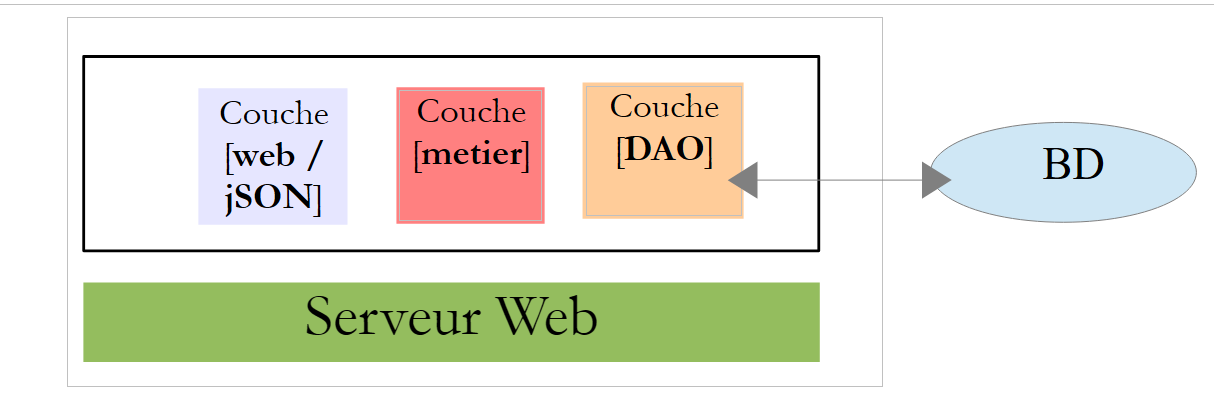
The application will have a client/server architecture:
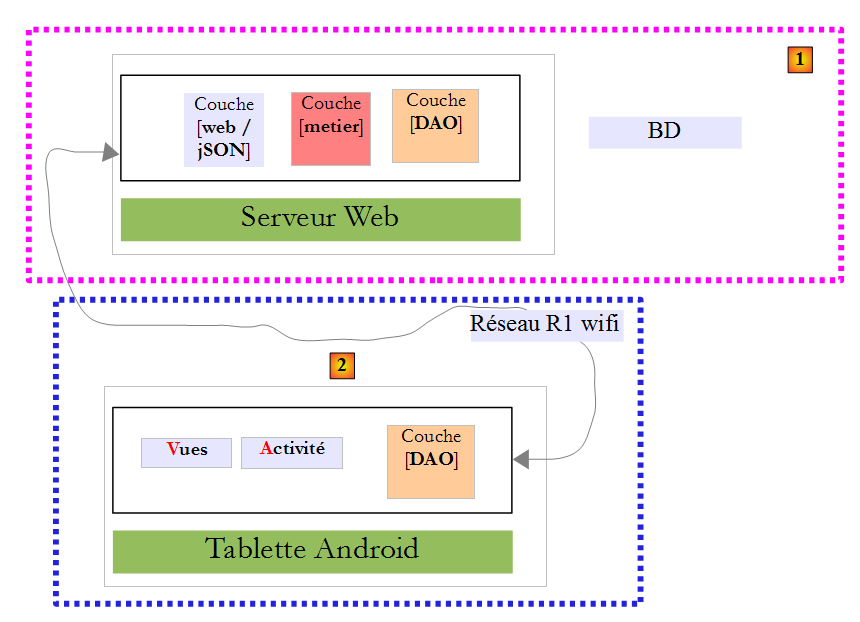
- the [1] server is provided;
- you must build the Android client [2].
4.2. The database
4.2.1. Definition
The static data needed to build the pay stub will be stored in a database that we will refer to hereafter as dbpam . This database contains the following tables:
Structure:
primary key | |
version – increments with each modification to the row | |
Employee's Social Security number - unique | |
Employee's last name | |
employee's first name | |
their address | |
his/her city | |
his/her ZIP code | |
Foreign key on field [ID] in table [INDEMNITES] |
Its content could be as follows:

Structure:
Primary Key | |
version number – increments with each modification of the row | |
Percentage: General Social Contribution + Contribution to Social Debt Repayment | |
percentage: deductible general social contribution | |
percentage: social security, widow's benefits, old-age benefits | |
percentage: supplemental pension + unemployment insurance |
Its content could be as follows:

Social security rates are independent of the employee. The previous table has only one row.
primary key | |
version number – increases with each modification of the row | |
Processing index - unique | |
net price in euros for one hour of on-call duty | |
daily allowance in euros per day of care | |
Meal allowance in euros per day of care | |
Paid vacation allowance. This is a percentage applied to the base salary. |
Its content could be as follows:

Note that allowances may vary from one child care provider to another. They are linked to a specific child care provider via their pay grade. Thus, Ms. Marie Jouveinal, who has a pay grade of 2 (table EMPLOYES), has an hourly wage of 2.1 euros (table INDEMNITES).
4.2.2. Generation
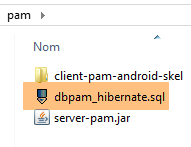
The database generation script [dbpam_hibernate.sql] is provided:
Create the database [dbpam_hibernate] (this is the name of the BD that the web server / jSON uses) and ensure that the root login (without a password) can access it. You can proceed as follows:
Run MySQL, then [PhpMyAdmin]:
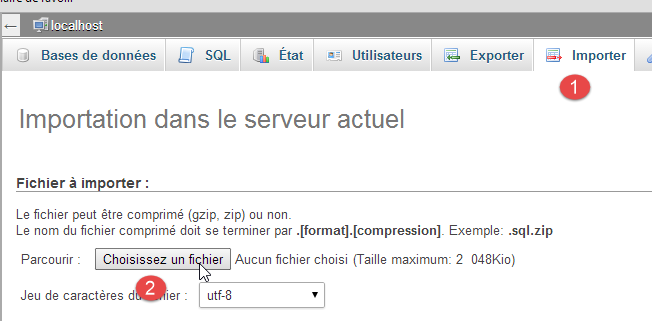
- [1-2]: import the script [dbpam_hibernate.sql] and then run it;
4.2.3. Java database modeling
The elements of tables [EMPLOYES], [INDEMNITES], and [COTISATIONS] are modeled by the following classes:
[Employe]
package pam.entities;

import java.io.Serializable;

public class Employe implements Serializable {

  private static final long serialVersionUID = 1L;
  private Long id;
  private int version;
  private String SS;
  private String nom;
  private String prenom;
  private String adresse;
  private String ville;
  private String codePostal;
  private int idIndemnite;
  private Indemnite indemnite;

  public Employe() {
  }

  public Employe(String SS, String nom, String prenom, String adresse, String ville, String codePostal, Indemnite indemnite) {
    ...
  }
   // getters and setters
....
}
- lines 8–15: these fields correspond to the columns in table [EMPLOYES];
- line 16: the field [indemniteId] corresponds to the column [INDEMNITE_ID], which is the foreign key of the table [EMPLOYES];
- line 17: the employee’s compensation. This field is not always populated:
- it is not filled in when requesting URL [/employes],
- it is when requesting URL [/salaire];
[Indemnite]
package pam.entities;

import java.io.Serializable;

public class Indemnite implements Serializable {

    private static final long serialVersionUID = 1L;
    private Long id;
    private int version;
    private int indice;
    private double baseHeure;
    private double entretienJour;
    private double repasJour;
    private double indemnitesCp;

    public Indemnite() {
    }

    public Indemnite(int indice, double baseHeure, double entretienJour, double repasJour, double indemnitesCP) {
        ...
    }

     // getters and setters
   ....
}
- lines 8-14: the fields correspond to the columns in table [INDEMNITES];
[Cotisation]
package pam.entities;

import java.io.Serializable;

public class Cotisation implements Serializable {

    private static final long serialVersionUID = 1L;
    private Long id;
    private int version;
    private double csgrds;
    private double csgd;
    private double secu;
    private double retraite;

    public Cotisation() {
    }

    public Cotisation(double csgrds, double csgd, double secu, double retraite) {
        ...
    }
    // getters and setters
   ...
}
- lines 8-13: the fields correspond to the columns in the [COTISATIONS] table;
4.3. Web server installation / jSON
 |
4.3.1. Installation
The Java binary for the web server / jSON is provided:
To start the web server / jSON, proceed as follows:
- run SGBD MySQL;
- make sure that BD [dbpam_hibernate] exists;
- open a DOS window;
- navigate to the jar folder;
- type the command:
This assumes that the [java.exe] binary is located in the PATH directory on your machine. If this is not the case, type the full path to [java.exe], for example:
Logs are displayed:
- line 16: URL [/salaire/{SS}/{ht}/{jt}] is discovered;
- line 17: URL [/employes] is discovered;
4.3.2. The URL of the web service/jSON
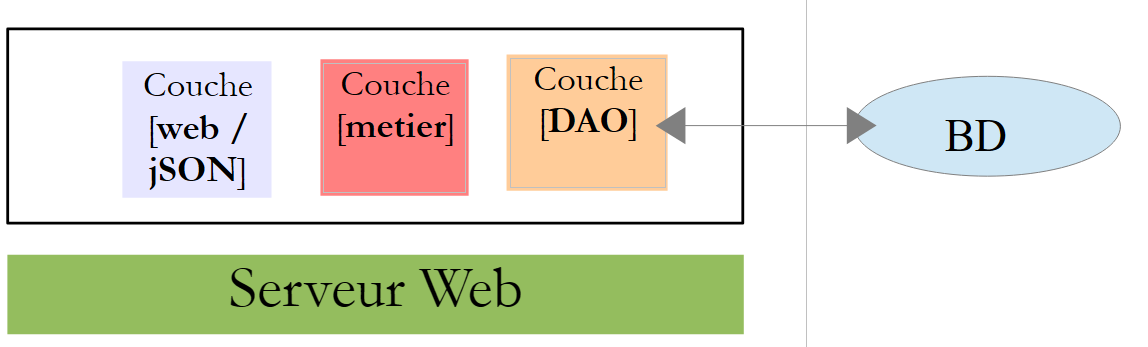 |
The web service / jSON is implemented by Spring MVC and exposes two URL:
@RequestMapping(value = "/employes", method = RequestMethod.GET, produces = "application/json; charset=UTF-8")
public EmployesResponse getEmployes() {
...
@RequestMapping(value = "/salaire/{SS}/{ht}/{jt}", method = RequestMethod.GET, produces = "application/json; charset=UTF-8")
public FeuilleSalaireResponse getFeuilleSalaire(@PathVariable("SS") String SS, @PathVariable("ht") double ht, @PathVariable("jt") int jt) {
The web service accepts the following two URL:
- line 1: /employees: to retrieve the list of employees;
- line 4: /payroll/SS/ht/jt: to retrieve the pay stub for the employee with ID [SS] who worked [ht] hours over [jt] days;
Here are some screenshots illustrating this.
We query the employees:

We shut down the database, restart the server, and query the employees:

We query a salary:

We query the salary of a non-existent person:

4.3.3. Responses jSON from the web service / jSON
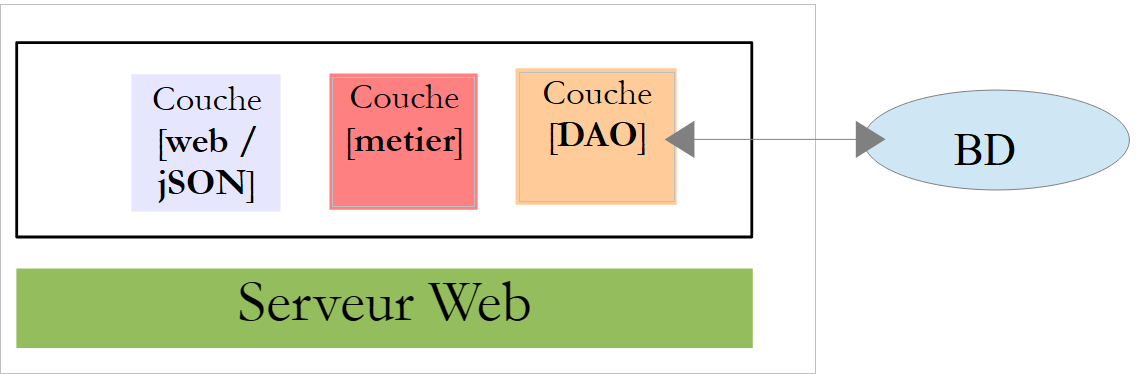 |
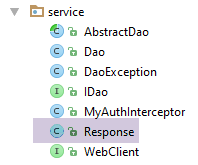
The URL from the web service / jSON send responses of type [Response<T>]:
package client.android.dao.service;

import java.util.List;

public class Response<T> {

    // ----------------- properties
    // operation status
    private int status;
    // any status messages
    private List<String> messages;
    // the body of the reply
    private T body;

    // manufacturers
    public Response() {

    }

    public Response(int status, List<String> messages, T body) {
        this.status = status;
        this.messages = messages;
        this.body = body;
    }

    // getters and setters
...
}
- URL [/employes] returns a Response<List<Employee>> type;
- URL [/salaire] returns a Response<FeuilleSalaire> type;
The [FeuilleSalaire] class is as follows:
package pam.entities;

import java.io.Serializable;

public class FeuilleSalaire implements Serializable {

    private static final long serialVersionUID = 1L;
    // private fields
    private Employe employe;
    private Cotisation cotisation;
    private ElementsSalaire elementsSalaire;

    // manufacturers
    public FeuilleSalaire() {
    }

    public FeuilleSalaire(Employe employe, Cotisation cotisation, ElementsSalaire elementsSalaire) {
        ...
    }

    // getters and setters
   ...
}
- line 9: the class [Employe] was introduced in paragraph ;
- line 10: class [Cotisation] was introduced in section ;
The class [ElementsSalaire] (line 11) is as follows:
package pam.entities;

import java.io.Serializable;

public class ElementsSalaire implements Serializable {

    private static final long serialVersionUID = 1L;
    // private fields
    private double salaireBase;
    private double cotisationsSociales;
    private double indemnitesEntretien;
    private double indemnitesRepas;
    private double salaireNet;

    // manufacturers
    public ElementsSalaire() {

    }

    public ElementsSalaire(double salaireBase, double cotisationsSociales, double indemnitesEntretien, double indemnitesRepas, double salaireNet) {
        ...
    }

    // getters and setters
    ...
}
4.4. Android client tests
 |
The finished Android client executable is provided below:
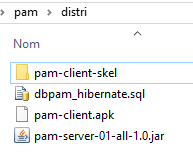
Use the mouse to drag the [pam-client.apk] binary above onto a [GenyMotion] tablet emulator. It will then be saved and executed. Also launch the web server / jSON if you haven’t already done so. The purpose of the Android client is to retrieve the information sent back by the web server / jSON and format it. The different views of the Android client are as follows:
First, you must connect to the web service / jSON:
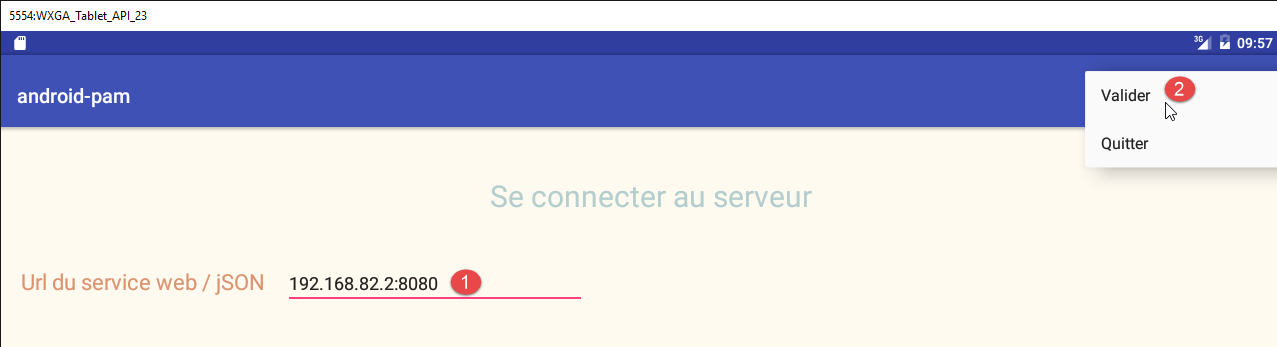
- In [1], enter the URL of the web service / jSON. With the emulator, enter one of the IP addresses from PC (but not 127.0.0.1). Using a tablet, enter the web server machine’s Wi-Fi address / jSON and disable the server’s firewall if it has one, as it may block incoming connections;
- In [2], log in;
You will then be taken to the simulation page:
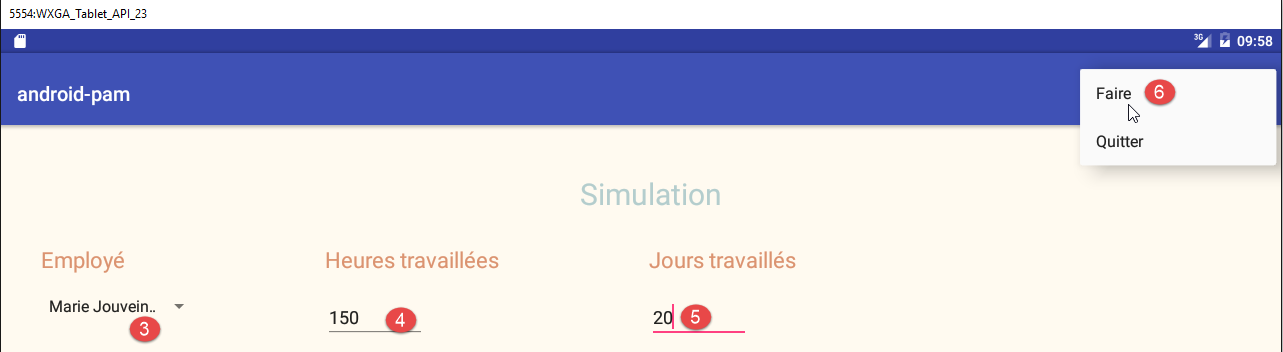
- In [3], select an employee;
- In [4], enter the number of hours;
- In [5], enter the number of days;
- In [6], run the simulation;
The resulting simulation page is as follows:
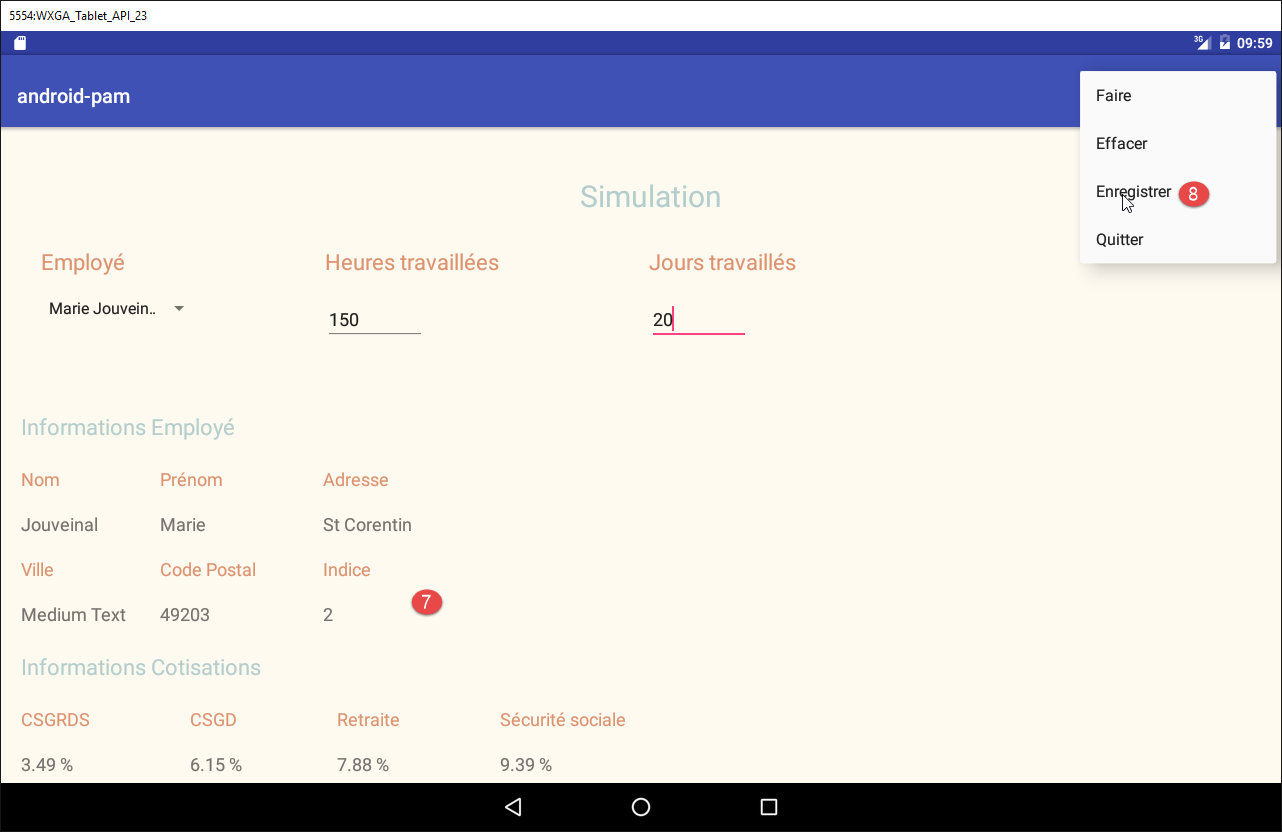
- In [7], the resulting simulation;
- In [8], save it;
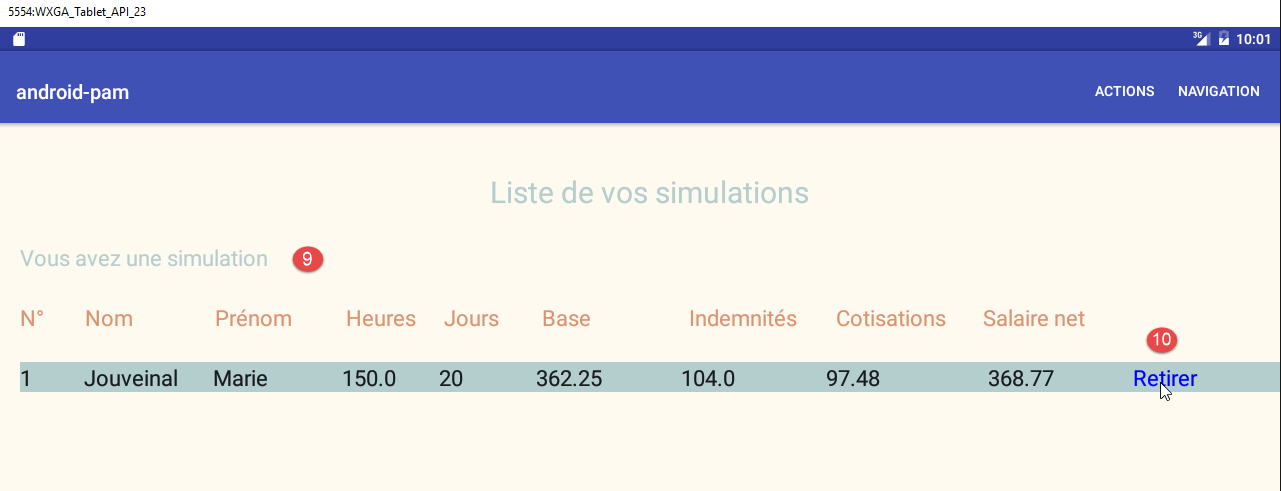
- In [9], the list of simulations;
- In [10], a simulation is removed;
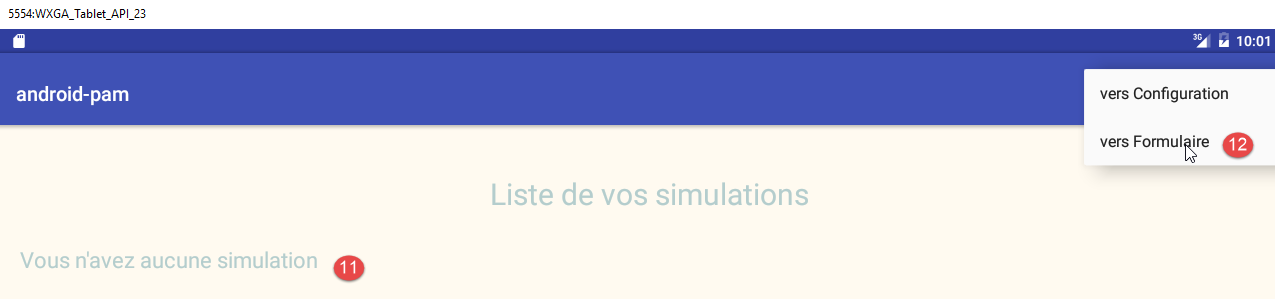
- in [11], there are no more simulations;
- in [12], we return to the simulation form;
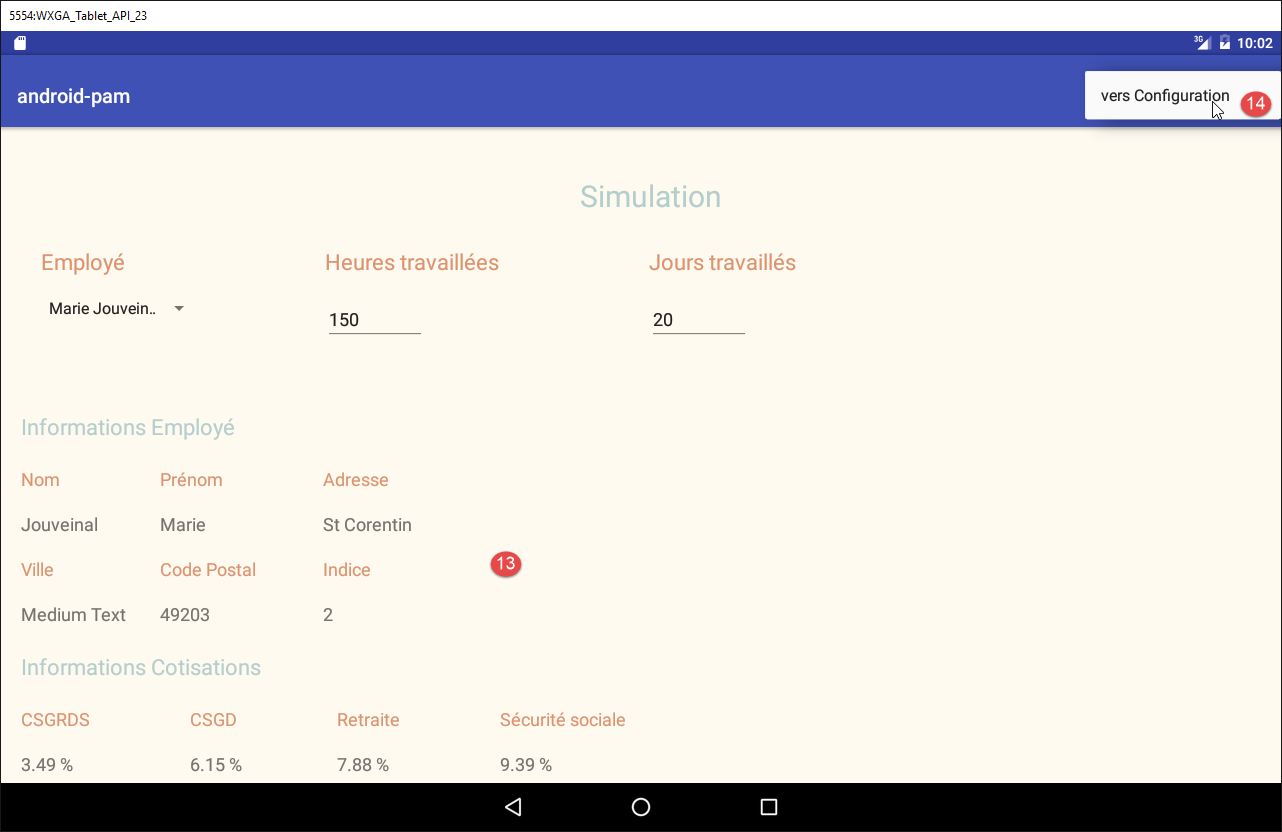
- in [13], the form is displayed;
- in [14], you return to the configuration page;
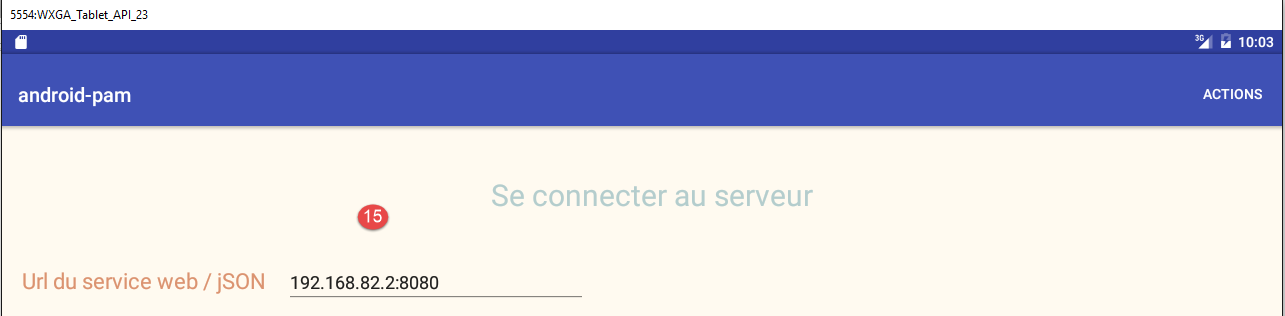
- in [15], the initial login form is displayed.
4.5. Work to be done
The Android client skeleton presented earlier is provided here. It was built from the [client-android-skel] project described in the section 2 .
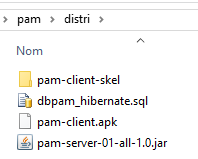
The project is executable and already contains the necessary views. You simply need to add some code so that the application does what it is supposed to do. The procedure is as follows:
- run the complete version to understand the work to be done;
- run the stripped-down version and study its code. It follows the design methods used in the previous pages;
- add the missing code;