2. Skeleton of an Android client communicating with a web service / jSON
We now provide a skeleton Android application that communicates with one or more web services / jSON. This is the [client-android-skel] project, which can be found in the [architecture] folder of the examples:
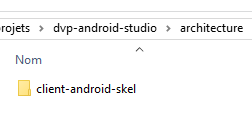
Studying this skeleton application will provide an opportunity to review certain points we encountered in the previous examples. This application will serve as a skeleton for all future applications. It was built after numerous iterations. It aims to factor as many elements as possible from the applications we will soon build into abstract classes to avoid having to write the same type of code over and over again, differing only in details. Its features are as follows:
- asynchronous communication with the web server / jSON is handled using the RxJava library;
- the lifecycle of a fragment (update, save, restore) is managed by its parent class [AbstractFragment], which calls certain methods of its child classes at specific times. The child class thus does not have to concern itself with the stages of the lifecycle but only with implementing certain methods required by its parent class;
- the activity’s lifecycle (save / restore) is managed by an abstract class [AbstractActivity], which also requires the child activity to implement certain methods;
- The class [AbstractActivity] is capable of managing an application with or without tabs, with or without a loading image, and with or without basic authentication against the web server / jSON. The presence or absence of these elements is determined by configuration;
This skeleton was used for all subsequent examples. Due to their diversity, what worked for one example might not work for the next. Since the skeleton was used for a total of seven examples, numerous iterations took place. If it were used for an eighth example, it is possible that the specific nature of this new example would again generate new errors. Nevertheless, using this template will significantly simplify the writing of future examples. Indeed, managing a fragment’s lifecycle (update, save, restore) combined with the concept of fragment adjacency is particularly complex. Here, it is completely hidden within the [AbstractFragment] class.
2.1. Android Client Architecture
The proposed Android client is based on the following architecture:
 |
- the [DAO] layer implements the [IDao] interface. It is this layer that communicates with the web server / jSON;
- there is only one activity that also implements the [IDao] interface. The views call upon it to access the server;
- The views are implemented by fragments;
The Android project reflects this architecture:
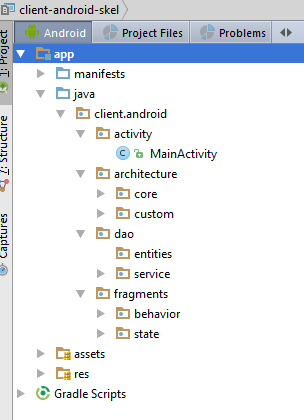
We will present the various elements of this project one by one.
2.2. The Gradle configuration
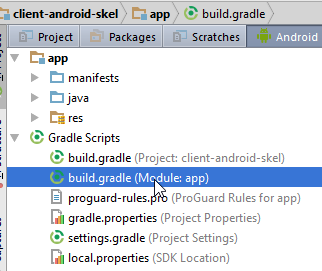
buildscript {
  repositories {
    mavenCentral()
  }
  dependencies {
    // Since Android's Gradle plugin 0.11, you have to use android-apt >= 1.3
    classpath 'com.neenbedankt.gradle.plugins:android-apt:1.8'
  }
}

apply plugin: 'com.android.application'
apply plugin: 'android-apt'

android {
  compileSdkVersion 23
  buildToolsVersion "23.0.3"
  defaultConfig {
    minSdkVersion 15
    targetSdkVersion 23
    versionCode 1
    versionName "1.0"
  }

  buildTypes {
    release {
      minifyEnabled false
      proguardFiles getDefaultProguardFile('proguard-android.txt'), 'proguard-rules.pro'
    }
  }

  // packaging options needed to produce the APK
  packagingOptions {
    exclude 'META-INF/ASL2.0'
    exclude 'META-INF/NOTICE'
    exclude 'META-INF/LICENSE'
    exclude 'META-INF/notice.txt'
    exclude 'META-INF/license.txt'
  }
}

def AAVersion = '4.0.0'
dependencies {
  apt "org.androidannotations:androidannotations:$AAVersion"
  compile "org.androidannotations:androidannotations-api:$AAVersion"
  apt "org.androidannotations:rest-spring:$AAVersion"
  compile "org.androidannotations:rest-spring-api:$AAVersion"
  compile 'com.android.support:appcompat-v7:23.4.0'
  compile 'com.android.support:design:23.4.0'
  compile 'org.springframework.android:spring-android-rest-template:2.0.0.M3'
  compile 'com.fasterxml.jackson.core:jackson-databind:2.7.4'
  compile 'io.reactivex:rxandroid:1.2.0'
  compile fileTree(include: ['*.jar'], dir: 'libs')
  testCompile 'junit:junit:4.12'
}

repositories {
  maven {
    url 'https://repo.spring.io/libs-milestone'
  }
}
- All version numbers are subject to change. However, you can start with the current numbers if you configure Android Studio to ensure these versions of the Android tools (lines 15–16, 47–48) are present (see section 6.11 );
2.3. The application manifest
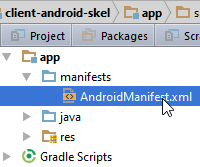
<?xml version="1.0" encoding="utf-8"?>
<manifest xmlns:android="http://schemas.android.com/apk/res/android"
          package="client.android">

  <uses-permission android:name="android.permission.INTERNET"/>

  <application
    android:allowBackup="true"
    android:icon="@mipmap/ic_launcher"
    android:label="@string/app_name"
    android:supportsRtl="true"
    android:theme="@style/AppTheme">
    <activity
      android:name=".activity.MainActivity_"
      android:label="@string/app_name"
      android:windowSoftInputMode="stateHidden"
      android:theme="@style/AppTheme.NoActionBar">
      <intent-filter>
        <action android:name="android.intent.action.MAIN"/>

        <category android:name="android.intent.category.LAUNCHER"/>
      </intent-filter>
    </activity>
  </application>

</manifest>
- line 3: change the application package;
- lines 10, 15: we will set the value of the [app_name] item in the [res / values / strings.xml] file. For now, it is as follows:
<?xml version="1.0" encoding="utf-8"?>
<resources>

  <!-- application name -->
  <string name="app_name">[Donnez un nom à votre application]</string>
</resources>
2.4. Organizing Java Code
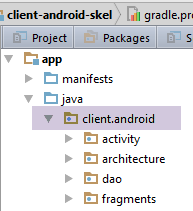
- [architecture] contains the main code organization elements;
- [activity] contains the application's single activity;
- [fragments] groups the application's fragments or views;
- [dao] groups the elements for communication with the web server / jSON;
2.5. Activity elements
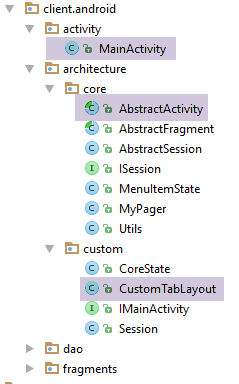
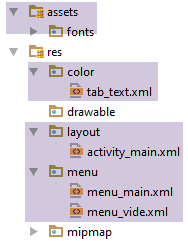

2.5.1. The view associated with the activity
The view [activity_main.xml] associated with the activity is as follows:
<?xml version="1.0" encoding="utf-8"?>
<android.support.design.widget.CoordinatorLayout xmlns:android="http://schemas.android.com/apk/res/android"
                                                 xmlns:tools="http://schemas.android.com/tools"
                                                 xmlns:app="http://schemas.android.com/apk/res-auto"
                                                 android:id="@+id/main_content"
                                                 android:layout_width="match_parent"
                                                 android:layout_height="match_parent"
                                                 android:fitsSystemWindows="true"
                                                 tools:context=".activity.MainActivity">

  <android.support.design.widget.AppBarLayout
    android:id="@+id/appbar"
    android:layout_width="match_parent"
    android:layout_height="wrap_content"
    android:paddingTop="@dimen/appbar_padding_top"
    android:theme="@style/AppTheme.AppBarOverlay">

    <android.support.v7.widget.Toolbar
      android:id="@+id/toolbar"
      android:layout_width="match_parent"
      android:layout_height="?attr/actionBarSize"
      android:background="?attr/colorPrimary"
      app:popupTheme="@style/AppTheme.PopupOverlay"
      app:layout_scrollFlags="scroll|enterAlways">
    </android.support.v7.widget.Toolbar>
  </android.support.design.widget.AppBarLayout>

  <!-- fragment container -->
  <client.android.architecture.core.MyPager
    xmlns:android="http://schemas.android.com/apk/res/android"
    xmlns:tools="http://schemas.android.com/tools"
    android:id="@+id/container"
    android:layout_width="match_parent"
    android:layout_height="match_parent"
    android:paddingLeft="20dp"
    android:background="@color/floral_white"/>
</android.support.design.widget.CoordinatorLayout>
- line 29: a specific fragment container is used;
The activity also has a [res / menu / menu_main.xml] menu for its view:
<menu xmlns:android="http://schemas.android.com/apk/res/android"
      xmlns:app="http://schemas.android.com/apk/res-auto"
      xmlns:tools="http://schemas.android.com/tools"
      tools:context=".activity.MainActivity">
</menu>
For now, it is empty. The developer will fill it in as needed.
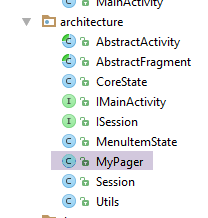
2.5.2. The fragment container [MyPager]
package client.android.architecture;

import android.content.Context;
import android.support.v4.view.ViewPager;
import android.util.AttributeSet;
import android.view.MotionEvent;

public class MyPager extends ViewPager {

  // swipe control
  private boolean isSwipeEnabled;
  // controls scrolling
  private boolean isScrollingEnabled;

  // manufacturers
  public MyPager(Context context) {
    super(context);
  }

  public MyPager(Context context, AttributeSet attrs) {
    super(context, attrs);
  }

  // methods to be redefined for swipe management
  @Override
  public boolean onInterceptTouchEvent(MotionEvent event) {
    // swipe authorized?
    if (isSwipeEnabled) {
      return super.onInterceptTouchEvent(event);
    } else {
      return false;
    }
  }

  @Override
  public boolean onTouchEvent(MotionEvent event) {
    // swipe authorized?
    if (isSwipeEnabled) {
      return super.onTouchEvent(event);
    } else {
      return false;
    }
  }

  // scrolling control
  @Override
  public void setCurrentItem(int position){
    super.setCurrentItem(position,isScrollingEnabled);
  }

  // setters
  public void setSwipeEnabled(boolean isSwipeEnabled) {
    this.isSwipeEnabled = isSwipeEnabled;
  }

  public void setScrollingEnabled(boolean scrollingEnabled) {
    isScrollingEnabled = scrollingEnabled;
  }
}
This class extends the standard Android class [ViewPager] solely to handle swiping (line 11) and scrolling (line 13) between views.
- lines 26–43: methods that disable swiping if it has been turned off;
- lines 46–49: redefinition of the [setCurrentItem] method used to change the displayed view. If scrolling has been disabled, the view change will occur without scrolling. Note that the developer can override this behavior by using the [setCurrentItem(int position, boolean smoothScrolling)] method, which allows them to specify the desired scrolling behavior;
2.5.3. The [CoreState] class
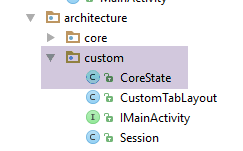
The [CoreState] class is the parent class for the states of the various fragments:
package client.android.architecture.custom;

import client.android.architecture.core.MenuItemState;
import com.fasterxml.jackson.annotation.JsonIgnoreProperties;
import com.fasterxml.jackson.annotation.JsonTypeInfo;

@JsonIgnoreProperties(ignoreUnknown = true)
@JsonTypeInfo(use = JsonTypeInfo.Id.NAME, include = JsonTypeInfo.As.PROPERTY)
// todo: add subclasses of [CoreState] here
/*@JsonSubTypes({
  @JsonSubTypes.Type(value = Class1.class),
  @JsonSubTypes.Type(value = Class2.class)}
)*/
public class CoreState {
  // fragment visited or not
  protected boolean hasBeenVisited = false;
  // status of any fragment menu
  protected MenuItemState[] menuOptionsState;

  // getters and setters
...
}
- line 16: each fragment has a boolean [hasBeenVisited] in its state that indicates whether it has already been visited or not. This is necessary because sometimes, when a fragment is displayed for the first time, there are specific actions that need to be taken;
- line 18: the [client-android-skel] project automatically saves and restores fragment menus if they have one. In the MenuItemState[] menuOptionsState array, we store the visible or hidden state of all menu options;
- Lines 10–13: As was done in [Exemple-22], the state of the activity and its fragments will be saved in the session, which will itself be saved as a string jSON. We will see that the session stores an array of elements of type [CoreState]. If we do nothing, then the string jSON of type [CoreState] will be saved. However, we want to save the states of the fragments, states derived from [CoreState]. To ensure that the string jSON of the derived type is produced rather than that of the parent type, the derived types must be declared as shown in lines 10–13. The class [CoreState] is one of the architecture classes that the developer must modify for each new application (lines 10–13);
2.5.4. The [IMainActivity] interface
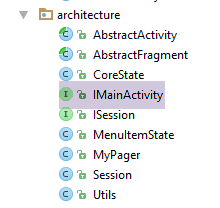
The [IMainActivity] interface defines what fragments can request from the activity in the following architecture:
package client.android.architecture.custom;

import client.android.architecture.core.ISession;
import client.android.dao.service.IDao;

public interface IMainActivity extends IDao {

  // session access
  ISession getSession();

  // change of view
  void navigateToView(int position, ISession.Action action);

  // wait management
  void beginWaiting();

  void cancelWaiting();

  // application constants (to be modified) -------------------------------------

  // mode debug
  boolean IS_DEBUG_ENABLED = true;

  // maximum time to wait for server response
  int TIMEOUT = 1000;

  // waiting time before executing customer request
  int DELAY = 0;

  // basic authentication
  boolean IS_BASIC_AUTHENTIFICATION_NEEDED = false;

  // fragment adjacency
  int OFF_SCREEN_PAGE_LIMIT = 1;

  // tab bar
  boolean ARE_TABS_NEEDED = false;

  // waiting image
  boolean IS_WAITING_ICON_NEEDED = false;

  // number of application fragments
  int FRAGMENTS_COUNT = 0;

  // todo add your constants and other methods here
}
- line 6: the [IMainActivity] interface extends the [IDao] interface from the [DAO] layer;
- line 9: this is the activity that provides access to the session in the form of an instance of the [ISession] interface;
- line 12: this is the activity used to change views. The second parameter is the action that triggers this view change, one of the values SUBMIT, NAVIGATION, or RESTORE;
- lines 15–17: this is the activity that manages the loading screen;
- line 22: for debugging the application;
- line 25: to avoid waiting too long if the server stops responding;
- line 28: during debugging, set a value of a few seconds to allow time to cancel the operation with the server and see what happens;
- line 31: set to true if the jSON service requires basic authentication;
- line 34: fragment adjacency;
- line 37: set to true if the application has tabs;
- line 39: set to true if the application communicates with a web server / jSON and you want to display a loading image during exchanges;
- line 43: the number of fragments managed by the application;
The [IMainActivity] interface is the second element of the architecture that the developer must complete (line 45).
2.5.5. The [IDao] interface
The [IMainActivity] interface extends the following [IDao] interface:
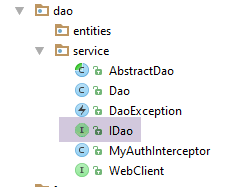
package client.android.dao.service;

import rx.Observable;

public interface IDao {
  // Url of the web service
  void setUrlServiceWebJson(String url);

  // user
  void setUser(String user, String mdp);

  // customer timeout
  void setTimeout(int timeout);

  // basic authentication
  void setBasicAuthentification(boolean isBasicAuthentificationNeeded);

  // mode debug
  void setDebugMode(boolean isDebugEnabled);

  // client wait time in milliseconds before request
  void setDelay(int delay);

  // todo: declare your interface here
}
- line 24: the developer will complete the interface here;
2.5.6. The session
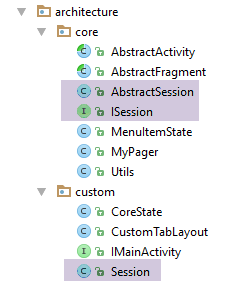
The [Session] class encapsulates the elements shared by the activity and fragments. It implements the following [ISession] interface:
package client.android.architecture.core;

import client.android.architecture.custom.CoreState;

public interface ISession {

  // number of last view displayed
  int getPreviousView();

  void setPreviousView(int numView);

  // last state of a view
  CoreState getCoreState(int numView);

  void setCoreState(int numView, CoreState coreState);

  // action in progress
  enum Action {
    SUBMIT, NAVIGATION, RESTORE, NONE
  }

  Action getAction();

  void setAction(Action action);

  // status of all views -
  // not used by code but required for serialization / deserialization jSON
  CoreState[] getCoreStates();

  void setCoreStates(CoreState[] coreStates);

  // last selected tab number
  int getPreviousTab();

  void setPreviousTab(int position);

  // navigation on tab selection
  boolean isNavigationOnTabSelectionNeeded();

  void setNavigationOnTabSelectionNeeded(boolean navigationOnTabSelection);
}
We introduce the [ISession] interface to require the presence of certain methods in the session:
- lines 7–10: the number of the last view (fragment) displayed;
- lines 12–15: the state of a particular view;
- lines 17–24: we introduce the concept of an ongoing action. There are four (line 17):
- RESTORE: a save/restore is in progress. There is no change in view;
- NAVIGATION: a navigation is in progress. Here, we will refer to navigation as a view change where the new view can be restored from its last state saved during the session;
- SUBMIT: we will assign the type [SUBMIT] to a current action when there is a view change and the new view depends on the state of the activity in general, not just on its own state. Sometimes, it is difficult to distinguish between NAVIGATION and SUBMIT. In this case, we will use the more general case of SUBMIT;
- NONE: value of the action when it has not yet received its first value;
- lines 26–30: the states of the activity and fragments will be stored in an array of type CoreState[]. To ensure this is handled correctly during jSON serialization/deserialization, it must have a getter and a setter;
- lines 32–35: number of the last selected tab. Used during the save/restore cycle to reselect the tab that was selected before the device rotated;
- lines 37–40: manages a Boolean that indicates whether selecting a tab should be accompanied by a fragment change;
The [ISession] interface is implemented by the following abstract class [AbstractSession]:
package client.android.architecture.core;

import client.android.architecture.custom.CoreState;
import client.android.architecture.custom.IMainActivity;
import com.fasterxml.jackson.annotation.JsonIgnore;

public class AbstractSession implements ISession {
  // previous view no
  private int preViousView;

  // view status
  private CoreState[] coreStates = new CoreState[0];

  // action in progress
  private Action action = Action.NONE;

  // previously selected tab
  private int previousTab;

  // navigation on tab selection
  @JsonIgnore
  private boolean navigationOnTabSelectionNeeded = true;

  // manufacturer
  public AbstractSession() {
    // on initialise le tableau des états des fragments
    coreStates = new CoreState[IMainActivity.FRAGMENTS_COUNT];
    for (int i = 0; i < coreStates.length; i++) {
      coreStates[i] = new CoreState();
    }
  }


  // interface ISession ---------------------------------------------------------
  @Override
  public int getPreviousView() {
    return preViousView;
  }

  @Override
  public void setPreviousView(int numView) {
    this.preViousView = numView;
  }

  @Override
  public CoreState getCoreState(int numView) {
    return coreStates[numView];
  }

  @Override
  public void setCoreState(int numView, CoreState coreState) {
    coreStates[numView] = coreState;
  }

  @Override
  public Action getAction() {
    return action;
  }

  @Override
  public void setAction(Action action) {
    this.action = action;
  }

  @Override
  public CoreState[] getCoreStates() {
    return coreStates;
  }

  @Override
  public void setCoreStates(CoreState[] coreStates) {
    this.coreStates = coreStates;
  }

  @Override
  public int getPreviousTab() {
    return previousTab;
  }

  @Override
  public void setPreviousTab(int position) {
    this.previousTab = position;
  }

  @Override
  public boolean isNavigationOnTabSelectionNeeded() {
    return navigationOnTabSelectionNeeded;
  }

  @Override
  public void setNavigationOnTabSelectionNeeded(boolean navigationOnTabSelectionNeeded) {
    this.navigationOnTabSelectionNeeded = navigationOnTabSelectionNeeded;
  }
}
- line 9: the number of the view that was displayed before the currently displayed one. This information is useful when a view can be reached from multiple locations. This is typically the case in a tabbed navigation. The displayed view can then determine which view was the previous one;
- line 12: the status table for all fragments displayed by the activity;
- line 18: the number of the previously selected tab. Plays a role similar to that of the previous view number in line 9. This information is useful when the device is rotated and you need to return to the tab that was selected before the rotation;
- line 22: a Boolean indicating whether selecting a tab should result in a change to the displayed fragment. Note that the [client-android-skel] project manages tabs and fragments separately so that it can be used in cases where the number of tabs is fewer than the number of fragments. There are two types of selection:
- a selection made by the user when they click on a tab. In this case, the displayed fragment generally needs to change;
- a software-driven selection via the [Tablayout.Tab.select()] method. In this case, changing the displayed fragment is not always desirable. Here are two examples:
- when the device is rotated, the activity is recreated, and so are the tabs. However, when the first tab is created, it automatically undergoes a software operation [select]. It is therefore not desirable to change the displayed fragment because we are in a phase of recreating the activity where the fragment ultimately displayed will not necessarily be the one associated with the first tab;
- since tab management is separate from fragment management, you may want to update the tabs (delete, add) without interfering with their associated fragments. However, some of these operations may again trigger an implicit [select] software operation on one of the tabs. This selection does not necessarily result in a navigation to the associated fragment;
- line 21: the [navigationOnTabSelectionNeeded] field is not intended to be saved during operations to save the activity and its fragments. The annotation [@JsonIgnore] causes the field to be ignored during jSON serialization/deserialization;
- Lines 25–31: The constructor initializes the array of states for the application’s [FRAGMENTS_COUNT] fragments. The elements of this array are initialized with the [hasBeeenVisited=false] field. This information is used to determine whether or not this is the first visit to the fragment;
The [Session] class is as follows:
package client.android.architecture.custom;

import client.android.architecture.core.AbstractSession;

public class Session extends AbstractSession {
  // data to be shared between fragments themselves and between fragments and activities
  // elements that cannot be serialized as jSON must be annotated with @JsonIgnore
  // don't forget the getters and setters required for serialization / deserialization jSON
}
- Line 5: The [Session] class extends the [AbstractSession] class we just saw. The developer will place the elements to be shared between fragments themselves and between fragments and the activity in this class. Note that the [Session] class is no longer annotated with the AA [@EBean] annotation. It has become a normal class;
2.5.7. The abstract class [AbstractActivity]
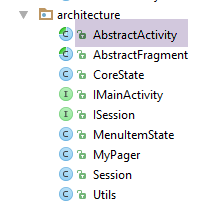
2.5.7.1. Skeleton
The [AbstractActivity] class is a class with over 300 lines of code. We will examine it step by step. Its skeleton is as follows:
package client.android.architecture;

import android.os.Bundle;
import android.support.design.widget.AppBarLayout;
import android.support.design.widget.TabLayout;
import android.support.v4.app.FragmentManager;
import android.support.v4.app.FragmentPagerAdapter;
import android.support.v7.app.AppCompatActivity;
import android.support.v7.widget.Toolbar;
import android.util.Log;
import android.view.View;
import android.widget.ProgressBar;
import client.android.R;
import client.android.dao.service.IDao;
import com.fasterxml.jackson.core.JsonProcessingException;
import com.fasterxml.jackson.core.type.TypeReference;
import com.fasterxml.jackson.databind.ObjectMapper;

import java.io.IOException;

public abstract class AbstractActivity extends AppCompatActivity implements IMainActivity {
  // layer [DAO]
  private IDao dao;
  // the session
  protected Session session;

  // the fragment container
  protected MyPager mViewPager;
  // the toolbar
  private Toolbar toolbar;
  // the waiting image
  private ProgressBar loadingPanel;
  // tab bar
  protected TabLayout tabLayout;

  // the fragment or section manager
  private FragmentPagerAdapter mSectionsPagerAdapter;
  // class name
  protected String className;
  // mapper jSON
  private ObjectMapper jsonMapper;

  // manufacturer
  public AbstractActivity() {
    // class name
    className = getClass().getSimpleName();
    // log
    if (IS_DEBUG_ENABLED) {
      Log.d(className, "constructeur");
    }
    // jsonMapper
    jsonMapper = new ObjectMapper();
  }

  // implémentation IMainActivity --------------------------------------------------------------------
  ...

  // life cycle - backup / restore ------------------------------------
  ...

  // hold image management ---------------------------------
  ...

  // interface IDao -----------------------------------------------------
  ...

  // the fragment manager --------------------------------
  ...

  // girls' classes
  protected abstract void onCreateActivity();

  protected abstract IDao getDao();

  protected abstract AbstractFragment[] getFragments();

  protected abstract CharSequence getFragmentTitle(int position);

  protected abstract void navigateOnTabSelected(int position);

  protected abstract int getFirstView();

}
The class [AbstractActivity]:
- implements the [IMainActivity] interface (lines 21, 55);
- handles the saving and restoration of the activity and its fragments when the device is rotated (line 58);
- handles the loading screen during communication with the web server / jSON (line 61);
- implements the IDao interface of the [DAO] layer (line 64);
- implements the fragment manager (line 67);
- requires its child classes to have six methods (lines 71–81);
2.5.7.2. Implement the [IMainActivity] interface
The implementation of the [IMainActivity] interface (see section 2.5.4 ) is as follows:
  // implémentation IMainActivity --------------------------------------------------------------------
  @Override
  public Session getSession() {
    return session;
  }

  @Override
  public void navigateToView(int position, ISession.Action action) {
    if (IS_DEBUG_ENABLED) {
      Log.d(className, String.format("navigation vers vue %s sur action %s", position, action));
    }
    // display new fragment
    mViewPager.setCurrentItem(position);
    // we note the action in progress when the view changes
    session.setAction(action);
}
2.5.7.3. Saving the state of the activity and its fragments
The state of the activity and its fragments is entirely contained within the session. Therefore, we need to save the session. Here, we are reusing what was done in the [Exemple-22] project (see section 1.23 ):
  // backup / restore management ------------------------------------
  @Override
  protected void onSaveInstanceState(Bundle outState) {
    // parent
    super.onSaveInstanceState(outState);
    // save session as jSON string
    try {
      outState.putString("session", jsonMapper.writeValueAsString(session));
    } catch (JsonProcessingException e) {
      e.printStackTrace();
    }
    // log
    if (IS_DEBUG_ENABLED) {
      try {
        Log.d(className, String.format("onSaveInstanceState session=%s", jsonMapper.writeValueAsString(session)));
      } catch (JsonProcessingException e) {
        e.printStackTrace();
      }
    }
}
2.5.7.4. Restoring the state of the activity and its fragments
This involves restoring the session. We proceed as shown in [Exemple-22]:
@Override
  protected void onCreate(Bundle savedInstanceState) {
    // parent
    super.onCreate(savedInstanceState);
    // log
    if (IS_DEBUG_ENABLED) {
      Log.d(className, "onCreate");
    }
    // something to restore?
    if (savedInstanceState != null) {
      // session recovery
      try {
        session = jsonMapper.readValue(savedInstanceState.getString("session"), new TypeReference<Session>() {
        });
      } catch (IOException e) {
        e.printStackTrace();
      }
      // log
      if (IS_DEBUG_ENABLED) {
        try {
          Log.d(className, String.format("onCreate session=%s", jsonMapper.writeValueAsString(session)));
        } catch (JsonProcessingException e) {
          e.printStackTrace();
        }
      }
    } else {
      // session
      session = new Session();
    }
...
- lines 10–26: if the parameter [Bundle savedInstanceState] in line 2 is not null, then the session is restored (lines 12–17);
- lines 26–29: if the parameter [Bundle savedInstanceState] in line 2 is null, this corresponds to the first time the activity is started. An empty session is then created;
2.5.7.5. Initialization of the [DAO] layer
@Override
  protected void onCreate(Bundle savedInstanceState) {
    // parent
    super.onCreate(savedInstanceState);
    // log
    if (IS_DEBUG_ENABLED) {
      Log.d(className, "onCreate");
    }
    ...
    // layer [DAO]
    dao = getDao();
    if (dao != null) {
      // layer configuration [DAO]
      setDebugMode(IS_DEBUG_ENABLED);
      setTimeout(TIMEOUT);
      setDelay(DELAY);
      setBasicAuthentification(IS_BASIC_AUTHENTIFICATION_NEEDED);
    }
...
  // girls' classes
  protected abstract IDao getDao();
....
}
- line 11: a reference to the [DAO] layer is requested from the child activity (line 21);
- lines 14–17: if the [DAO] layer exists, it is configured using the information contained in the [IMainActivity] interface;
2.5.7.6. Initialization of the view associated with the activity
The view associated with the activity was presented in the section 2.5.1 :
<?xml version="1.0" encoding="utf-8"?>
<android.support.design.widget.CoordinatorLayout xmlns:android="http://schemas.android.com/apk/res/android"
                                                 xmlns:tools="http://schemas.android.com/tools"
                                                 xmlns:app="http://schemas.android.com/apk/res-auto"
                                                 android:id="@+id/main_content"
                                                 android:layout_width="match_parent"
                                                 android:layout_height="match_parent"
                                                 android:fitsSystemWindows="true"
                                                 tools:context=".activity.MainActivity">

  <android.support.design.widget.AppBarLayout
    android:id="@+id/appbar"
    android:layout_width="match_parent"
    android:layout_height="wrap_content"
    android:paddingTop="@dimen/appbar_padding_top"
    android:theme="@style/AppTheme.AppBarOverlay">

    <android.support.v7.widget.Toolbar
      android:id="@+id/toolbar"
      android:layout_width="match_parent"
      android:layout_height="?attr/actionBarSize"
      android:background="?attr/colorPrimary"
      app:popupTheme="@style/AppTheme.PopupOverlay"
      app:layout_scrollFlags="scroll|enterAlways">
    </android.support.v7.widget.Toolbar>
  </android.support.design.widget.AppBarLayout>

  <!-- fragment container -->
  <client.android.architecture.core.MyPager
    xmlns:android="http://schemas.android.com/apk/res/android"
    xmlns:tools="http://schemas.android.com/tools"
    android:id="@+id/container"
    android:layout_width="match_parent"
    android:layout_height="match_parent"
    android:paddingLeft="20dp"
    android:background="@color/floral_white"/>
</android.support.design.widget.CoordinatorLayout>
This view is initialized with the following code:
  @Override
  protected void onCreate(Bundle savedInstanceState) {
    // parent
    super.onCreate(savedInstanceState);
    // log
    if (IS_DEBUG_ENABLED) {
      Log.d(className, "onCreate");
    }
  ...
    // associated view
    setContentView(R.layout.activity_main);
    // view components ---------------------
    // toolbar
    Toolbar toolbar = (Toolbar) findViewById(R.id.toolbar);
    setSupportActionBar(toolbar);
    // waiting image?
    if (IS_WAITING_ICON_NEEDED) {
      // we add the waiting image
      if (IS_DEBUG_ENABLED) {
        Log.d(className, "adding loadingPanel");
      }
      // creation ProgressBar
      loadingPanel = new ProgressBar(this);
      loadingPanel.setVisibility(View.INVISIBLE);
      // added ProgressBar to toolbar
      toolbar.addView(loadingPanel);
    }
...
- line 11: the view XML [activity_main] is associated with the activity;
- lines 14-15: the toolbar is integrated and supported;
- lines 17-27: optional addition of a loading image: if the Boolean [IS_WAITING_ICON_NEEDED] is true in the [IMainActivity] interface;
- line 23: creation of the placeholder image of type [ProgressBar] referenced by the field [loadingPanel];
- line 24: initially, this image is hidden;
- line 26: it is added to the toolbar;
2.5.7.7. Tab Management
The [IMainActivity] interface may require a tab bar. This is added and managed as follows:
// tab bar
  protected TabLayout tabLayout;
...

    // tab bar?
    if (ARE_TABS_NEEDED) {
      // we add the tab bar
      if (IS_DEBUG_ENABLED) {
        Log.d(className, "adding tablayout");
      }
      // no navigation on selection until a fragment is displayed
      session.setNavigationOnTabSelectionNeeded(false);
      // tab bar creation
      tabLayout = new CustomTabLayout(this);
      tabLayout.setTabTextColors(ContextCompat.getColorStateList(this, R.color.tab_text));
      // tab bar added to application bar
      AppBarLayout appBarLayout = (AppBarLayout) findViewById(R.id.appbar);
      appBarLayout.addView(tabLayout);
      // tab bar event manager
      tabLayout.setOnTabSelectedListener(new TabLayout.OnTabSelectedListener() {
        @Override
        public void onTabSelected(TabLayout.Tab tab) {
          // a tab has been selected
          if (IS_DEBUG_ENABLED) {
            Log.d(className, String.format("onTabSelected n° %s, action=%s, tabCount=%s isNavigationOnTabSelectionNeeded=%s",
              tab.getPosition(), session.getAction(), tabLayout.getTabCount(), session.isNavigationOnTabSelectionNeeded()));
          }
          if (session.isNavigationOnTabSelectionNeeded()) {
            // miter position
            int position = tab.getPosition();
            // memory
            session.setPreviousTab(position);
            // associated fragment display?
            navigateOnTabSelected(position);
          }
        }

        @Override
        public void onTabUnselected(TabLayout.Tab tab) {

        }

        @Override
        public void onTabReselected(TabLayout.Tab tab) {

        }
      });
    }

...
  // girls' classes
  protected abstract void navigateOnTabSelected(int position);
...
- lines 12–48: adding and managing a tab bar;
- line 6: the tab bar is added if the constant [ARE_TABS_NEEDED] is set to true in the [IMainActivity] interface;
- line 12: when creating the tab bar, implicit [Tablayout.Tab.select] operations may occur (these are not triggered by the user). We set the Boolean [session.navigationOnTabSelectionNeeded] to false to prevent any navigation operations during these false selections. It will be up to the developer to select the fragment to display using the [navigateToView] method. The Boolean [session.navigationOnTabSelectionNeeded] will be set back to true when this fragment is displayed (see class AbstractFragment);
- line 14: creation of a tab bar referenced by the [tabLayout] field. We use a custom tab bar [CustomTabLayout], which we will return to later;
- line 15: we set the colors of the tab titles. These are found in the following file [res / color / tab_txt.xml]:
<?xml version="1.0" encoding="utf-8"?>
<selector xmlns:android="http://schemas.android.com/apk/res/android">
  <item android:state_selected="true" android:color="#FFFF00" />
  <item android:state_selected="false" android:color="#FFFFFF" />
</selector>
- line (c): the color of the tab title when the tab is selected;
- line (d): the color of the tab title when it is not selected;
This file is, of course, editable. You can find the hexadecimal color codes here, for example.
- lines 17-18: adding this tab bar to the application bar in the XML [activity_main] view;
- lines 20-47: event handler for the tab bar;
- lines 22-36: only the [onTabSelected] event is handled. It corresponds to a click on the [Tab tab] tab passed as a parameter to the method or to a [TabLayout.Tab.select] software operation;
- line 30: position of the selected tab;
- line 32: this position is stored in the session;
- Line 34: The next step is to display the fragment associated with this tab. Only the child class (line 52) can make this association. Note that we do not associate the tab bar with the fragment container [mViewPager], as was done in some of the examples we’ve studied. Here, we completely separate the management of the tab bar from that of the fragments. This is why, when a tab is clicked, we must specify which view we want to display;
- line 28: we distinguish between tab selection with or without navigation. Generally, when the user clicks a tab, we want a navigation, and during a software-driven selection, we do not want one. It is the developer who distinguishes between these two cases using the [session.navigationOnTabSelectionNeeded] element. When navigation is not set, the number of the last selected tab is not saved in the session. It is up to the developer to do so;
2.5.7.8. The [CustomTabLayout] tab manager
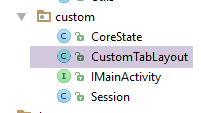
We use a custom tab manager to display tab titles in different fonts. The [CustomTabLayout] class is as follows:
package client.android.architecture.custom;

import android.content.Context;
import android.graphics.Typeface;
import android.support.design.widget.TabLayout;
import android.util.AttributeSet;
import android.view.View;
import android.view.ViewGroup;
import android.widget.TextView;

public class CustomTabLayout extends TabLayout {
  private Typeface mTypeface;

  public CustomTabLayout(Context context) {
    super(context);
    init();
  }

  public CustomTabLayout(Context context, AttributeSet attrs) {
    super(context, attrs);
    init();
  }

  public CustomTabLayout(Context context, AttributeSet attrs, int defStyleAttr) {
    super(context, attrs, defStyleAttr);
    init();
  }

  private void init() {
    mTypeface = Typeface.createFromAsset(getContext().getAssets(), "fonts/Roboto-Bold.ttf");
  }

  @Override
  public void addTab(Tab tab) {
    super.addTab(tab);

    ViewGroup mainView = (ViewGroup) getChildAt(0);
    ViewGroup tabView = (ViewGroup) mainView.getChildAt(tab.getPosition());

    int tabChildCount = tabView.getChildCount();
    for (int i = 0; i < tabChildCount; i++) {
      View tabViewChild = tabView.getChildAt(i);
      if (tabViewChild instanceof TextView) {
        ((TextView) tabViewChild).setTypeface(mTypeface, Typeface.NORMAL);
      }
    }
  }

}
- The font for the tab titles is customized on lines 30 and 44;
The [fonts] file is as follows:
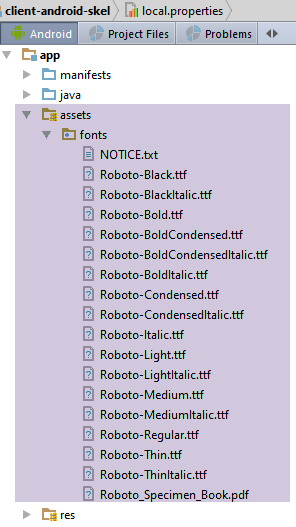
Sources:
- The code for class [CustomTabLayout] was found in URL and [http://stackoverflow.com/questions/31067265/change-the-font-of-tab-text-in-android-design-support-tablayout];
- The fonts were found in URL and [https://www.fontsquirrel.com/fonts/roboto];
2.5.7.9. Latest initializations
  @Override
  protected void onCreate(Bundle savedInstanceState) {
    // parent
    super.onCreate(savedInstanceState);
    // log
    if (IS_DEBUG_ENABLED) {
      Log.d(className, "onCreate");
    }
  ...
    // fragment manager instantiation
    mSectionsPagerAdapter = new SectionsPagerAdapter(getSupportFragmentManager());
    // the fragment container is associated with the fragment manager
    // i.e. fragment no. i in the fragment container is fragment no. i issued by the fragment manager
    mViewPager = (MyPager) findViewById(R.id.container);
    mViewPager.setAdapter(mSectionsPagerAdapter);
    // inhibit swiping between fragments
    mViewPager.setSwipeEnabled(false);
    // fragment adjacency
    mViewPager.setOffscreenPageLimit(OFF_SCREEN_PAGE_LIMIT);
    // display 1st view
    if (session.getAction() == ISession.Action.NONE) {
      navigateToView(getFirstView(), ISession.Action.NONE);
    }
    // we hand over to the daughter activity
    onCreateActivity();
  }
...
  // girls' classes
  protected abstract void onCreateActivity();
  protected abstract int getFirstView();
...
- lines 10–19: this is code often found in the examples studied;
- lines 21–23: display of the very first view. There are undoubtedly several ways to distinguish this case. Here, we have used the fact that for the very first view, the value of the action that triggers the view change is NONE;
- line 22: we make no assumption about the first fragment to be displayed. In our examples, this has often been fragment #0, but not always (see Example-22). We will therefore ask the child activity (line 30) to tell us which view this is;
- line 25: we have factored out everything we could here. Now, the child class has its own initializations to perform (line 29);
2.5.7.10. Handling the placeholder image
In the [AbstractActivity] class, the placeholder image is managed by the following two methods:
  // hold image management ---------------------------------
  public void cancelWaiting() {
    if (loadingPanel != null) {
      loadingPanel.setVisibility(View.INVISIBLE);
    }
  }

  public void beginWaiting() {
    if (loadingPanel != null) {
      loadingPanel.setVisibility(View.VISIBLE);
    }
}
2.5.7.11. Implementation of the [IDao] interface
In the [AbstractActivity] class, the [IDao] interface (see section 2.5.5 ) is implemented as follows:
public abstract class AbstractActivity extends AppCompatActivity implements IMainActivity {
  // layer [DAO]
  private IDao dao;
...
  // interface IDao -----------------------------------------------------
  @Override
  public void setUrlServiceWebJson(String url) {
    dao.setUrlServiceWebJson(url);
  }

  @Override
  public void setUser(String user, String mdp) {
    dao.setUser(user, mdp);
  }

  @Override
  public void setTimeout(int timeout) {
    dao.setTimeout(timeout);
  }

  @Override
  public void setBasicAuthentification(boolean isBasicAuthentificationNeeded) {
    dao.setBasicAuthentification(isBasicAuthentificationNeeded);
  }

  @Override
  public void setDebugMode(boolean isDebugEnabled) {
    dao.setDebugMode(isDebugEnabled);
  }

  @Override
  public void setDelay(int delay) {
    dao.setDelay(delay);
}
- Line 3: Note that the value of this field was provided by the child activity in the [onCreate] method;
2.5.7.12. Implementation of the fragment handler
In the [AbstractActivity] class, the fragment handler is implemented as follows:
...
  // the fragment manager --------------------------------
  public class SectionsPagerAdapter extends FragmentPagerAdapter {

    private AbstractFragment[] fragments;

    // manufacturer
    public SectionsPagerAdapter(FragmentManager fm) {
      super(fm);
      // daughter class fragments
      fragments = getFragments();
    }

    // must render fragment no. position
    @Override
    public AbstractFragment getItem(int position) {
      // we return the fragment
      return fragments[position];
    }

    // makes the number of fragments to manage
    @Override
    public int getCount() {
      return fragments.length;
    }

    // makes the title of fragment no. position
    @Override
    public CharSequence getPageTitle(int position) {
      return getFragmentTitle(position);
    }
  }

  // girls' classes
  protected abstract AbstractFragment[] getFragments();

  protected abstract CharSequence getFragmentTitle(int position);
...
}
- line 5: the array of fragments associated with the activity. All fragments will be derived from the [AbstractFragment] class;
- lines 8–12: this is the constructor that initializes the fragment array. It requests these from the activity’s child class (line 35);
- lines 28–31: fragment titles can be used in an application where there are as many tabs as there are fragments. In this case, the tab can be given the fragment’s title. Here, these titles are requested from the child class (line 37);
2.5.7.13. The [onResume] method
The [onResume] method is executed shortly before the view associated with the activity becomes visible. It is used here to select a tab after a save/restore:
  @Override
  public void onResume() {
    // parent
    super.onResume();
    if (IS_DEBUG_ENABLED) {
      Log.d(className, "onResume");
    }
    // if restore, then restore last selected tab
    if (ARE_TABS_NEEDED && session.getAction() == ISession.Action.RESTORE) {
      tabLayout.getTabAt(session.getPreviousTab()).select();
    }
}
- Line 10: Selection of the tab that was selected before the save/restore process. It is important to note here that in method [onCreate]—which, in the activity lifecycle, is executed before method [onResume]—the navigation method for selecting a tab has been disabled. So here, a tab is selected but there is no fragment change;
2.5.7.14. Summary
The abstract class [AbstractActivity] will be the parent class of the application’s single activity.
The child activity must implement the following six methods:
  // girls' classes
  protected abstract void onCreateActivity();

  protected abstract IDao getDao();

  protected abstract AbstractFragment[] getFragments();

  protected abstract CharSequence getFragmentTitle(int position);

  protected abstract void navigateOnTabSelected(int position);

protected abstract int getFirstView();
The child activity also has access to the following protected members of its parent class:
  // the session
  protected ISession session;
  // the fragment container
  protected MyPager mViewPager;
  // tab bar
  protected CustomTabLayout tabLayout;
  // class name
protected String className;
2.5.8. The [MainActivity] activity
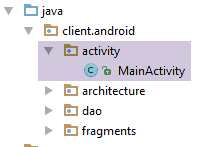
The [MainActivity] class may have a different name. Its only requirement is to implement the [IMainActivity] interface. The provided base class is as follows:
package client.android.activity;

import android.util.Log;
import client.android.R;
import client.android.architecture.AbstractActivity;
import client.android.architecture.AbstractFragment;
import client.android.architecture.Session;
import client.android.dao.service.Dao;
import client.android.dao.service.IDao;
import org.androidannotations.annotations.Bean;
import org.androidannotations.annotations.EActivity;
import org.androidannotations.annotations.OptionsMenu;

@EActivity
@OptionsMenu(R.menu.menu_main)
public class MainActivity extends AbstractActivity {

  // layer [DAO]
  @Bean(Dao.class)
  protected IDao dao;
  // session
  private Session session;

  // methods parent class -----------------------
  @Override
  protected void onCreateActivity() {
    // log
    if (IS_DEBUG_ENABLED) {
      Log.d(className, "onCreateActivity");
    }
    // session
    this.session = (Session) super.session;
    // todo: we continue the initializations started by the parent class
  }

  @Override
  protected IDao getDao() {
    return dao;
  }

  @Override
  protected AbstractFragment[] getFragments() {
    // todo: define fragments here
    return new AbstractFragment[0];
  }


  @Override
  protected CharSequence getFragmentTitle(int position) {
    // todo: define fragment titles here
    return null;
  }

  @Override
  protected void navigateOnTabSelected(int position) {
    // todo: navigation by tab - define the view to be displayed
  }

  @Override
  protected int getFirstView() {
    // todo: navigation by tabs - define the first view to be displayed
    return 0;
  }
}
- line 14: for the notation AA [@Bean] on line 19 to be valid, the activity must have the notation AA [@EActivity];
- line 15: the activity is associated with the menu XML [menu_main]. Currently, this menu is empty. The developer will need to fill it in if necessary;
- line 16: the class extends the [AbstractActivity] class;
- lines 19–20: a reference to the [DAO] layer. This will be instantiated by the AA library before this field is initialized. This means that the AA and [Dao] beans must exist. This is always the case with the skeleton application we provide. Even in an application without a [DAO] layer, the [dao] package can be allowed to exist. This does not cause any complications;
- line 22: the session as an instance of type [Session]. The session exists in the parent class [AbstractActivity] but as an instance of the interface [ISession] (line 32);
- lines 24–63: the six methods required by the parent class [AbstractActivity];
- lines 36–39: the method [getDao] returns a reference to the layer [DAO]. Here, this reference is never null. However, in the parent class [AbstractActivity], provision has been made for the case where the child class returns a null reference to indicate that there is no layer [DAO]. If you wish to use this option (not very useful in my opinion), this is where you must set the pointer to null;
2.6. The [DAO] layer

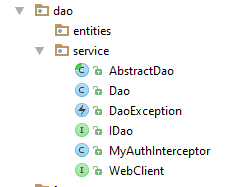
2.6.1. The IDao interface
It was introduced in the section 2.5.5 :
package client.android.dao.service;

import rx.Observable;

public interface IDao {
  // Url of the web service
  void setUrlServiceWebJson(String url);

  // user
  void setUser(String user, String mdp);

  // customer timeout
  void setTimeout(int timeout);

  // basic authentication
  void setBasicAuthentification(boolean isBasicAuthentificationNeeded);

  // mode debug
  void setDebugMode(boolean isDebugEnabled);

  // client wait time in milliseconds before request
  void setDelay(int delay);

  // todo: declare your interface here
}
The developer will add the methods for their [DAO] layer starting on line 24.
2.6.2. The [WebClient] interface
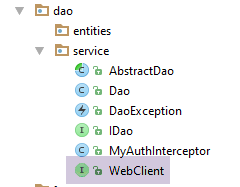
The [WebClient] interface is as follows:
package client.android.dao.service;

import org.androidannotations.rest.spring.annotations.Get;
import org.androidannotations.rest.spring.annotations.Path;
import org.androidannotations.rest.spring.annotations.Rest;
import org.androidannotations.rest.spring.api.RestClientRootUrl;
import org.androidannotations.rest.spring.api.RestClientSupport;
import org.springframework.http.converter.json.MappingJackson2HttpMessageConverter;
import org.springframework.web.client.RestTemplate;

@Rest(converters = {MappingJackson2HttpMessageConverter.class})
public interface WebClient extends RestClientRootUrl, RestClientSupport {

  // RestTemplate
  void setRestTemplate(RestTemplate restTemplate);

  // todo: declare here the URL to be reached
}
The developer will add the methods that communicate with the URL exposed by the jSON server starting from line 17.
2.6.3. The authentication interceptor [MyAuthInterceptor]
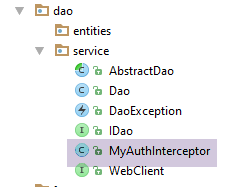
The [MyAuthInterceptor] class is as follows:
package client.android.dao.service;

import org.androidannotations.annotations.EBean;
import org.springframework.http.HttpAuthentication;
import org.springframework.http.HttpBasicAuthentication;
import org.springframework.http.HttpHeaders;
import org.springframework.http.HttpRequest;
import org.springframework.http.client.ClientHttpRequestExecution;
import org.springframework.http.client.ClientHttpRequestInterceptor;
import org.springframework.http.client.ClientHttpResponse;

import java.io.IOException;

@EBean(scope = EBean.Scope.Singleton)
public class MyAuthInterceptor implements ClientHttpRequestInterceptor {

  // user
  private String user;
  // password
  private String mdp;

  public ClientHttpResponse intercept(HttpRequest request, byte[] body, ClientHttpRequestExecution execution) throws IOException {
    // headers HTTP of the HTTP request intercepted
    HttpHeaders headers = request.getHeaders();
    // the HTTP basic authentication header
    HttpAuthentication auth = new HttpBasicAuthentication(user, mdp);
    // added to HTTP headers
    headers.setAuthorization(auth);
    // continue the query life cycle HTTP
    return execution.execute(request, body);
  }

  // authentication elements
  public void setUser(String user, String mdp) {
    this.user = user;
    this.mdp = mdp;
  }
}
This class generates the following HTTP authentication header:
where [code] is the Base64 encoding of the string 'user:mp'. This class is only used if the server jSON expects this form of authentication. There are others.
Note: The use of this class is illustrated in the section 3.6.3.1 .
2.6.4. The [AbstractDao] class
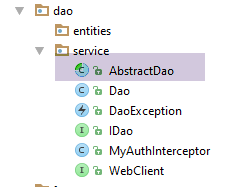
The [AbstractDao] class is as follows:
package client.android.dao.service;

import android.util.Log;
import client.android.architecture.core.Utils;
import com.fasterxml.jackson.core.JsonProcessingException;
import com.fasterxml.jackson.databind.ObjectMapper;
import rx.Observable;
import rx.Subscriber;

public abstract class AbstractDao {

  // mapper jSON
  private ObjectMapper mapper = new ObjectMapper();
  // mode debug
  protected boolean isDebugEnabled;
  // class name
  protected String className;
  // timeout before request execution
  private int delay;

  // manufacturer
  public AbstractDao() {
    // class name
    className = getClass().getName();
    Log.d("AbstractDao", String.format("constructeur, thread=%s", Thread.currentThread().getName()));
  }

  // méthodes protégées ----------------------------------------------------------
  // generic interface
  protected interface IRequest<T> {
    T getResponse();
  }

  // generic request to a web service / jSON
  protected <T> Observable<T> getResponse(final IRequest<T> request) {
    // log
    if (isDebugEnabled) {
      Log.d(String.format("%s", className), String.format("delay=%s", delay));
    }
    // service execution - a single response is expected
    return Observable.create(new Observable.OnSubscribe<T>() {
      @Override
      public void call(Subscriber<? super T> subscriber) {
        DaoException ex = null;
        // service execution
        try {
          // waiting?
          if (delay > 0) {
            Thread.sleep(delay);
          }
          // the synchronous request is executed
          T response = request.getResponse();
          // log
          if (isDebugEnabled) {
            String log;
            if (response instanceof String) {
              log = (String) response;
            } else {
              log = mapper.writeValueAsString(response);
            }
            Log.d(className, String.format("response=%s sur thread [%s]", log, Thread.currentThread().getName()));
          }
          // the response is sent to the observer
          subscriber.onNext(response);
          // we signal the end of the observable
          subscriber.onCompleted();
        } catch (InterruptedException | JsonProcessingException | RuntimeException e) {
          // log
          if (isDebugEnabled) {
            try {
              Log.d(className, String.format("Thread [%s], Exception communication avec serveur : %s", Thread.currentThread().getName(), mapper.writeValueAsString(Utils.getMessagesFromException(e))));
            } catch (JsonProcessingException e1) {
              Log.d(className, String.format("Erreur jSON imprévue"));
            }
          }
          // an exception is issued
          subscriber.onError(new DaoException(e, 100));
        }
      }
    });
  }

  // mode debug
  public void setDebugMode(boolean isDebugEnabled) {
    this.isDebugEnabled = isDebugEnabled;
  }

  public void setDelay(int delay) {
    this.delay = delay;
  }
}
- lines 35–81: The [getResponse] method uses the RxAndroid library to render a [Observable<T>] type. Unlike some examples seen previously, we are not rendering a [Response<T>] type, which is a proprietary type, but rather any T type;
- line 35: the method [getResponse] receives as a parameter an instance of type [IRequest<T>] from lines 30–32, from which the method [IRequest.getReponse()] obtains the type T via a synchronous operation HTTP;
- lines 48–50: we artificially wait for [delay] milliseconds. In production, we will set [delay=0]. During debugging, we will set [delay=qqs secondes] to give the user a chance to cancel the asynchronous operation and thus see how the code behaves;
- line 52: the expected response is requested with a synchronous request;
- line 64: once the response is received, it is passed to the observer;
- line 66: we indicate that there will be no further emissions. This is a special case of an asynchronous action that returns only one element;
- lines 67–78: in the event of an exception, the exception is propagated to the observer (line 77);
2.6.5. The class [Dao]
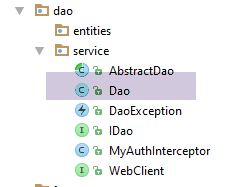
The [Dao] class is as follows:
package client.android.dao.service;

import android.util.Log;
import org.androidannotations.annotations.AfterInject;
import org.androidannotations.annotations.Bean;
import org.androidannotations.annotations.EBean;
import org.androidannotations.rest.spring.annotations.RestService;
import org.springframework.http.client.ClientHttpRequestInterceptor;
import org.springframework.http.client.SimpleClientHttpRequestFactory;
import org.springframework.http.converter.json.MappingJackson2HttpMessageConverter;
import org.springframework.web.client.RestTemplate;
import rx.Observable;

import java.util.ArrayList;
import java.util.List;

@EBean(scope = EBean.Scope.Singleton)
public class Dao extends AbstractDao implements IDao {

  // web service customer
  @RestService
  protected WebClient webClient;
  // safety
  @Bean
  protected MyAuthInterceptor authInterceptor;
  // on RestTemplate
  private RestTemplate restTemplate;
  // factory du RestTemplate
  private SimpleClientHttpRequestFactory factory;

  @AfterInject
  public void afterInject() {
    // log
    Log.d(className, "afterInject");
    // we build the restTemplate
    factory = new SimpleClientHttpRequestFactory();
    restTemplate = new RestTemplate(factory);
    // set the jSON converter
    restTemplate.getMessageConverters().add(new MappingJackson2HttpMessageConverter());
    // set the restTemplate of the web client
    webClient.setRestTemplate(restTemplate);
  }

  @Override
  public void setUrlServiceWebJson(String url) {
    // set the URL of the web service
    webClient.setRootUrl(url);
  }

  @Override
  public void setUser(String user, String mdp) {
    // the user is registered in the interceptor
    authInterceptor.setUser(user, mdp);
  }

  @Override
  public void setTimeout(int timeout) {
    if (isDebugEnabled) {
      Log.d(className, String.format("setTimeout thread=%s, timeout=%s", Thread.currentThread().getName(), timeout));
    }
    // factory configuration
    factory.setReadTimeout(timeout);
    factory.setConnectTimeout(timeout);
  }

  @Override
  public void setBasicAuthentification(boolean isBasicAuthentificationNeeded) {
    if (isDebugEnabled) {
      Log.d(className, String.format("setBasicAuthentification thread=%s, isBasicAuthentificationNeeded=%s", Thread.currentThread().getName(), isBasicAuthentificationNeeded));
    }
    // authentication interceptor?
    if (isBasicAuthentificationNeeded) {
      // add the authentication interceptor
      List<ClientHttpRequestInterceptor> interceptors = new ArrayList<ClientHttpRequestInterceptor>();
      interceptors.add(authInterceptor);
      restTemplate.setInterceptors(interceptors);
    }
  }

  // méthodes privées -------------------------------------------------
  private void log(String message) {
    if (isDebugEnabled) {
      Log.d(className, message);
    }
  }

  // todo: implementation IDao
}
- lines 21-22: injection of the AA and [WebClient] beans, which will handle communication with the web server / jSON;
- lines 24-25: injection of the authentication interceptor;
- lines 31-42: method executed after injection of the fields from lines 21-25;
- line 37: the [RestTemplate] object, which handles client/server communication, is created from a factory. This is not essential, but it is through the factory that we can configure communication timeouts. This is why we do not use the parameterless constructor [RestTemplate()];
- line 39: we add a converter jSON to the converters of [RestTemplate]. This will be the only converter. Thus, when a method of the [WebClient] client receives a jSON string from the server, it will be automatically deserialized into the object that the method must return;
- line 41: the [RestTemplate] object configured in this way is passed to the web client, which will handle client/server communication using it;
- lines 44–48: the root URL of the web server / jSON is set. All URL declared in the [WebClient] class are URL relative to this root URL;
- lines 50-54: this method allows you to specify the connection owner when the connection is controlled by a basic authorization (see section 2.6.3 );
- lines 56-64: set the timeouts for client/server exchanges. This is done via the factory of the [RestTemplate] object that governs the exchanges;
- lines 66-78: this method indicates that the server is protected by basic authentication;
- lines 72–77: if basic authentication is requested, the authentication interceptor injected on line 25 is added to the interceptors of the [RestTemplate] object. This interceptor will automatically add the basic authentication line HTTP, which the server expects, to all requests from the web client;
- the developer will implement the [IDao] interface starting on line 87;
2.7. The fragments
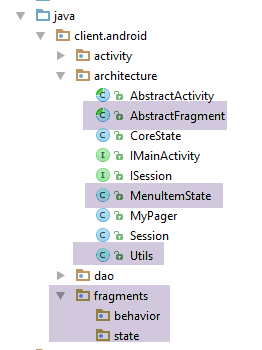
2.7.1. The [MenuItemState] class
The [MenuItemState] class encapsulates the state of a option menu:
package client.android.architecture;

public class MenuItemState {

  // menu option identifier
  private int menuItemId;
  // visibility of the option
  private boolean isVisible;

  // manufacturers
  public MenuItemState() {

  }

  public MenuItemState(int menuItemId, boolean isVisible) {
    this.menuItemId = menuItemId;
    this.isVisible = isVisible;
  }

  // getters and setters
...
}
2.7.2. The [Utils] class
The [Utils] class contains static utility methods:
package client.android.architecture;

import java.util.ArrayList;
import java.util.List;

public class Utils {

  // exception message list - version 1
  static public List<String> getMessagesFromException(Throwable ex) {
    // create a list of error msgs from the exception stack
    List<String> messages = new ArrayList<>();
    Throwable th = ex;
    while (th != null) {
      messages.add(th.getMessage());
      th = th.getCause();
    }
    return messages;
  }

  // exception message list - version 2
  static public String getMessageForAlert(Throwable th) {
    // build the text to be displayed
    StringBuilder texte = new StringBuilder();
    List<String> messages = getMessagesFromException(th);
    int n = messages.size();
    for (String message : messages) {
      texte.append(String.format("%s : %s\n", n, message));
      n--;
    }
    // result
    return texte.toString();
  }

  // exception message list - version 3
  static public String getMessageForAlert(List<String> messages) {
    // build the text to be displayed
    StringBuilder texte = new StringBuilder();
    int n = messages.size();
    for (String message : messages) {
      texte.append(String.format("%s : %s\n", n, message));
      n--;
    }
    // result
    return texte.toString();
  }
}
2.7.3. The parent class [AbstractFragment]
The [AbstractFragment] class contains elements common to all fragments of the application. As in the [AbstractActivity] class, its code is complex. We will analyze it step by step here as well.
2.7.3.1. The skeleton
package client.android.architecture.core;

import android.app.Activity;
import android.os.Bundle;
import android.support.v4.app.Fragment;
import android.util.Log;
import android.view.Menu;
import android.view.MenuInflater;
import android.view.MenuItem;
import client.android.architecture.custom.CoreState;
import client.android.architecture.custom.IMainActivity;
import client.android.architecture.custom.Session;
import com.fasterxml.jackson.core.JsonProcessingException;
import com.fasterxml.jackson.databind.ObjectMapper;
import rx.Observable;
import rx.Subscription;
import rx.android.schedulers.AndroidSchedulers;
import rx.functions.Action0;
import rx.functions.Action1;
import rx.schedulers.Schedulers;

import java.util.ArrayList;
import java.util.List;

public abstract class AbstractFragment extends Fragment {

  // données privées ------------------------------------------------------------
  // subscriptions to observables
  private List<Subscription> abonnements = new ArrayList<>();
  // fragment menu
  private Menu menu;
  private MenuItemState[] menuOptionsStates = new MenuItemState[0];
  // fragment life cycle
  private boolean initDone = false;
  private boolean isVisibleToUser = false;
  private boolean saveFragmentDone = false;
  // fragment status
  private CoreState previousState;
  // mapper jSON
  private ObjectMapper jsonMapper = new ObjectMapper();
  // fragment life cycle
  private boolean fragmentHasToBeInitialized = false;
  private boolean viewHasToBeInitialized = false;
  // asynchronous tasks
  private boolean runningTasksHaveBeenCanceled;

  // data accessible to daughter classes ---------------------------------------
  // mode debug
  final protected boolean isDebugEnabled = IMainActivity.IS_DEBUG_ENABLED;
  // class name
  protected String className;
  // asynchronous tasks
  protected int numberOfRunningTasks;
  // activity
  protected IMainActivity mainActivity;
  protected Activity activity;
  // session
  protected Session session;


  // update Fragment ----------------------------------------------------------------------------------
 ...

  // menu management ------------------------------------------
  ...

  // wait management -------------------------------------------------------------
...

  // asynchronous operation management --------------------------------------------------------------------
...

  // gestion exception -------------------------------------------------------------------
....

  // fragment lifecycle management --------------------------------------------------------
...

  // classes filles -----------------------------------------------------
  public abstract CoreState saveFragment();

  protected abstract int getNumView();

  protected abstract void initFragment(CoreState previousState);

  protected abstract void initView(CoreState previousState);

  protected abstract void updateOnSubmit(CoreState previousState);

  protected abstract void updateOnRestore(CoreState previousState);

  protected abstract void notifyEndOfUpdates();

  protected abstract void notifyEndOfTasks(boolean runningTasksHaveBeenCanceled);

}
- lines 28–45: the class’s private data;
- lines 47–58: protected data accessible by child classes;
- lines 61-62: code that updates the fragment to be displayed;
- lines 64-65: utility code to handle the menu, if present;
- lines 67-68: utility code to handle waiting during an asynchronous operation;
- lines 70-71: code to facilitate communication between the fragment and the [DAO] layer;
- lines 73-74: utility code to handle any exceptions in a standard manner;
- lines 76-77: code managing the fragment's lifecycle;
- lines 80–94: the parent class imposes 8 methods on its child classes;
2.7.3.2. The constructor
The class constructor is as follows:
  // class name
  protected String className;
  // fragment life cycle
  private boolean fragmentHasToBeInitialized = false;
...
  // constructeur ----------------------
  public AbstractFragment() {
    // init
    className = getClass().getSimpleName();
    fragmentHasToBeInitialized = true;
    // log
    if (isDebugEnabled) {
      Log.d(className, "constructeur");
    }
}
- line 9: Note the name of the child class that is instantiated here. This name is used in all logs of the parent class;
- line 10: we note that the fragment is being constructed. This information will be used when the child fragment is asked to update;
2.7.3.3. Menu Management
In our architecture, every fragment must have a menu, even if it is empty. The logs have shown that when the method [onCreateOptionsMenu]—which runs when the fragment has a menu—executes, the fragment has already been associated with its activity, view, and menu and is about to become visible. This is therefore the moment when the visual interface and the menu can be updated. It is in this [onCreateOptionsMenu] method that we instruct the child fragment to update itself.
Menu management includes utility methods that allow the child fragment to display or hide menu items:
  // fragment menu
  private Menu menu;
  private MenuItemState[] menuOptionsStates;
...
  // menu management ------------------------------------------
  private void getMenuOptions(Menu menu, List<Integer> menuOptionsIds) {
    // scroll through all menu items
    for (int i = 0; i < menu.size(); i++) {
      // item n° i
      MenuItem menuItem = menu.getItem(i);
      menuOptionsIds.add(menuItem.getItemId());
      // if item n° i is a sub-menu, then start again
      if (menuItem.hasSubMenu()) {
        // recursivity
        getMenuOptions(menuItem.getSubMenu(), menuOptionsIds);
      }
    }
  }

  private void getMenuOptionsStates(Menu menu) {
    // result
    if (isDebugEnabled) {
      Log.d(className, "getMenuOptionsStates(Menu)");
    }
    // we retrieve the identifiers of the menu options
    List<Integer> menuOptionsIds = new ArrayList<>();
    getMenuOptions(menu, menuOptionsIds);
    // transfer menu options to a table
    menuOptionsStates = new MenuItemState[menuOptionsIds.size()];
    for (int i = 0; i < menuOptionsStates.length; i++) {
      // identifier option
      int id = menuOptionsIds.get(i);
      // status option
      menuOptionsStates[i] = new MenuItemState(id, menu.findItem(id).isVisible());
    }
    // result
    if (isDebugEnabled) {
      Log.d(className, String.format("Nombre d'options de menu=%s", menuOptionsStates.length));
    }
  }

  // menu option status
  private MenuItemState[] getMenuOptionsStates() {
    MenuItemState[] menuOptionsStates = new MenuItemState[this.menuOptionsStates.length];
    for (int i = 0; i < menuOptionsStates.length; i++) {
      // status
      MenuItemState state = this.menuOptionsStates[i];
      // id from the menu
      int id = state.getMenuItemId();
      // initialization status
      menuOptionsStates[i] = new MenuItemState(id, menu.findItem(id).isVisible());
    }
    // result
    return menuOptionsStates;
  }

  // display menu options -----------------------------------
  protected void setAllMenuOptionsStates(boolean isVisible) {
    // update all menu options
    for (MenuItemState menuItemState : menuOptionsStates) {
      menu.findItem(menuItemState.getMenuItemId()).setVisible(isVisible);
    }
  }

  protected void setMenuOptionsStates(MenuItemState[] menuItemStates) {
    // update certain menu options
    for (MenuItemState menuItemState : menuItemStates) {
      menu.findItem(menuItemState.getMenuItemId()).setVisible(menuItemState.isVisible());
    }
}
- lines 6–18: this method retrieves the numerical identifiers of all menu options;
- line 6: the [getMenuOptions] method takes two parameters:
- [Menu menu]: the fragment’s menu;
- [List<Integer> menuOptionsIds]: the list of Android identifiers for the menu options. Initially, this list is empty. It is then populated by a recursive traversal (line 15) of the menu tree;
- lines 20–40: based on the menu, constructs the state array (ID, visibility) for the menu options. This array is stored in line 3. The class [MenuItemState] was described in the section 2.7.1 ;
- lines 43–55: a variant of the previous method. It does the same thing, but instead of recalculating the identifiers for all menu options—which has already been done—it uses the identifiers from the status array in line 3;
- lines 58-63: the [setAllMenuOptionsStates] method allows you to hide or show all of the fragment menu options;
- lines 65–69: The method [setMenuOptionsStates] allows you to selectively show or hide certain menu options;
- The methods [getMenuOptions, getMenuOptionsStates] are declared private because they are used only within [AbstractFragment]. The methods [setAllMenuOptionsStates] (line 58) and [setMenuOptionsStates] (line 65) are declared protected so that they are available to child classes;
2.7.3.4. Handling the wait for the completion of an asynchronous task
   // subscriptions to observables
  private List<Subscription> abonnements = new ArrayList<>();
// asynchronous tasks
  protected int numberOfRunningTasks;
  protected boolean tasksInBackgroundHaveBeenCanceled;
...

  // management of waiting for the end of an asynchronous operation -------------------------------------
  protected void beginRunningTasks(int numberOfRunningTasks) {
    // the number of tasks to be executed is noted
    this.numberOfRunningTasks = numberOfRunningTasks;
    // we put the image on hold
    mainActivity.beginWaiting();
    // empty the subscription list
    abonnements.clear();
    // no cancellations yet
    runningTasksHaveBeenCanceled = false;
  }

  protected void cancelWaitingTasks() {
    // we hide the waiting image
    mainActivity.cancelWaiting();
  }
- lines 9–18: to start one or more asynchronous operations, the child fragment will call the parent method [beginRunningTasks]. The parameter of this method is the number of asynchronous tasks that the child fragment will launch;
- line 11: we store the method’s parameter;
- line 13: the loading screen is made visible;
- line 15: the list of subscriptions to asynchronous operations is cleared. These have not yet been created by the child fragment;
- line 17: a boolean is maintained to indicate that the asynchronous tasks requested by the child fragment have been canceled. Initially, the boolean has the value false;
- lines 20–25: the child fragment calls the parent method [cancelWaitingTasks] to indicate that it wants to cancel the tasks it has launched;
- line 22: the loading image is hidden;
2.7.3.5. Exception Handling
  // gestion exception -------------------------------------------------------------------

  // exception alert display
  protected void showAlert(Throwable th) {
    // display messages from the Throwable th exception stack
    new android.app.AlertDialog.Builder(activity).setTitle("Des erreurs se sont produites").setMessage(Utils.getMessageForAlert(th)).setNeutralButton("Fermer", null).show();
  }

  // message list display
  protected void showAlert(List<String> messages) {
    // the message list is displayed
    new android.app.AlertDialog.Builder(activity).setTitle("Des erreurs se sont produites").setMessage(Utils.getMessageForAlert(messages)).setNeutralButton("Fermer", null).show();
}
- lines 4-7: the [showAlert(Throwable)] method allows a child fragment to display the messages from the exception stack of the Throwable passed as a parameter in a window;
- lines 10–13: The [showAlert(List<String>] method allows a child fragment to display the list of messages passed as a parameter in a window;
- The [Utils] class used in lines 6 and 12 was described in the section “ 2.7.2 ”;
2.7.3.6. Handling Asynchronous Operations
...
  // subscriptions to observables
  private List<Subscription> abonnements = new ArrayList<>();
  // asynchronous tasks
  private boolean runningTasksHaveBeenCanceled;
  protected int numberOfRunningTasks;
...
  // asynchronous task execution with RxAndroid
  protected <T> void executeInBackground(Observable<T> process, Action1<T> consumeResult) {
    // process: the observable to be executed/observed
    // consumeResult: the method that uses the response obtained
    //
    // new subscriptions are only created if they have not been cancelled
    if (!runningTasksHaveBeenCanceled) {
      // execution on I/O thread and observation on Ui thread
      process = process.subscribeOn(Schedulers.io()).observeOn(AndroidSchedulers.mainThread());
      // the observable is executed
      try {
        abonnements.add(process.subscribe(
          // consumption result
          consumeResult,
          // consumption exception
          new Action1<Throwable>() {
            @Override
            public void call(Throwable th) {
              consumeThrowable(th);
            }
          },
          // end of task
          new Action0() {

            @Override
            public void call() {
              endOfTask();
            }
          }));
      } catch (Throwable th) {
        consumeThrowable(th);
      }
    }
  }

  private void endOfTask() {
...
  }

  // an asynchronous operation has thrown an exception
  // or an exception has occurred during the execution of an asynchronous operation
  private void consumeThrowable(Throwable th) {
...
  }
- lines 9–41: execute an asynchronous task;
- line 9: the [executeInBackground] method expects two parameters:
- [Observable<T> process]: the asynchronous process to be executed;
- [Action1<T> consumeResult]: the method of the child fragment to be called to pass it the elements emitted by the process. In our previous examples, the processes have always emitted only one element. The type T of [Action1<T>] is the type T of the result returned by the observed process;
- line 14: the asynchronous task is launched only if it has not already been canceled by the user or by the program (due to an exception);
- line 16: the process is configured to run on an I/O thread and is observed on the Ui thread;
- line 16: the [process.subscribe] instruction launches the process execution in the I/O thread. Within this thread, operations execute synchronously because we are using a HTTP library that is synchronous;
- line 19: the [process.subscribe] method has three parameters:
- line 21: [consumeResult]: the child fragment method that will consume the elements emitted by the process;
- lines 22–28: the method executed when an exception occurred during processing of the asynchronous task. Processing is delegated to the [consumeThrowable] method on line 49;
- lines 29–36: the method executed when the task sends the end-of-transmission notification. Processing is delegated to the [endOfTask] method on line 43;
- line 19: the asynchronous task that has just been launched is recorded in the [abonnements] field, which tracks all launched asynchronous tasks. This will allow them to be canceled if necessary;
- lines 37–39: method executed when an exception occurred during processing of the asynchronous task. Processing is delegated to method [consumeThrowable] on line 49;
The [endOfTask] method is as follows:
  // asynchronous tasks
  protected int numberOfRunningTasks;
...
  private void endOfTask() {
    // one less job to wait for
    numberOfRunningTasks--;
    // finished?
    if (numberOfRunningTasks == 0) {
      // end waiting
      cancelWaitingTasks();
      // the end of tasks is signalled to the daughter class
      notifyEndOfTasks(false);
    }
  }
...
  // classes filles -----------------------------------------------------
...
protected abstract void notifyEndOfTasks(boolean runningTasksHaveBeenCanceled);
- line 6: an asynchronous task has just completed. We decrement the counter of active tasks;
- line 8: if there are no more active tasks, then the child thread has received all its responses;
- line 10: the wait is canceled;
- Line 12: The child fragment is notified that all the tasks it launched have completed by calling its [notifyEndOfTasks] method. The parameter for this method indicates how the tasks ended—normally, or due to cancellation by the user or the code because an exception occurred. On line 12, a normal completion is reported. Note that the child fragment does not need to keep track of which tasks are still active. Its parent class does this for it;
The method [consumeThrowable] is as follows:
  // asynchronous tasks
  protected int numberOfRunningTasks;
  private boolean runningTasksHaveBeenCanceled;
...
    // an asynchronous operation has thrown an exception
  // or an exception has occurred during the execution of an asynchronous operation
  private void consumeThrowable(Throwable th) {
    // th: the exception to be dealt with
    //
    // log
    if (isDebugEnabled) {
      Log.d(className, "Exception reçue");
    }
    // cancel tasks already started
    cancelRunningTasks();
    // error messages are displayed
    showAlert(th);
  }

  // cancel tasks
  protected void cancelRunningTasks() {
    // log
    if (isDebugEnabled) {
      Log.d(className, "Annulation des tâches lancées");
    }
    // cancel all registered asynchronous tasks
    for (Subscription abonnement : abonnements) {
      abonnement.unsubscribe();
    }
    // we note the cancellation
    runningTasksHaveBeenCanceled = true;
    numberOfRunningTasks = 0;
    // end of wait
    cancelWaitingTasks();
    // the cancellation of tasks is reported to the daughter fragment
    notifyEndOfTasks(true);
}

...
  // classes filles -----------------------------------------------------
...
protected abstract void notifyEndOfTasks(boolean runningTasksHaveBeenCanceled);
- line 3: the [consumeThrowable] method catches the exception that occurred;
- line 15: all tasks that are still active are canceled;
- line 17: the exception text is displayed;
- lines 21–37: all tasks are canceled;
- lines 27–29: all subscriptions are canceled;
- line 31: a note is made that a cancellation occurred;
- line 32: the task counter is reset to zero;
- line 34: the wait is canceled;
- line 36: the child fragment is notified that tasks have ended upon cancellation;
2.7.3.7. Fragment Lifecycle Management
  // life cycle --------------------------------------------------------
  @Override
  public void onDestroyView() {
    // parent
    super.onDestroyView();
    // log
    if (isDebugEnabled) {
      Log.d(className, "onDestroyView");
    }
  }

  @Override
  public void onDestroy() {
    // parent
    super.onDestroy();
    // log
    if (isDebugEnabled) {
      Log.d(className, "onDestroy");
    }
  }

  @Override
  public void setUserVisibleHint(boolean isVisibleToUser) {
...
  }

  private void saveState() {
...
  }

  @Override
  public void onActivityCreated(Bundle savedInstanceState) {
...
  }


  @Override
  public void onSaveInstanceState(final Bundle outState) {
...
}
- Lines 2–20: The [onDestroyView, onDestroy] methods are included solely for logging purposes. These logs help the developer better understand the fragment lifecycle;
Saving the fragment during a device rotation is performed by the following [setUserVisibleHint, onSaveInstanceState, saveState] methods:
  // fragment life cycle
  private boolean isVisibleToUser = false;
  private boolean saveFragmentDone = false;
...

@Override
  public void setUserVisibleHint(boolean isVisibleToUser) {
    // parent
    super.setUserVisibleHint(isVisibleToUser);
    // backup?
    if (this.isVisibleToUser && !isVisibleToUser) {
      // the fragment will be hidden - save it
      if (!saveFragmentDone) {
        saveState();
      }
    }
    // memory
    this.isVisibleToUser = isVisibleToUser;
  }

  private void saveState() {
...
  }

  @Override
  public void onSaveInstanceState(final Bundle outState) {
    // log
    if (isDebugEnabled) {
      Log.d(className, String.format("onSaveInstanceState isVisibleToUser=%s, saveFragmentDone=%s", isVisibleToUser, saveFragmentDone));
    }
    // parent
    super.onSaveInstanceState(outState);
    // save fragment only if visible
    if (isVisibleToUser) {
      // perhaps the backup has already been made
      if (!saveFragmentDone) {
        saveState();
      }
      // restoration to be carried out in all cases
      session.setAction(ISession.Action.RESTORE);
    }
}
- lines 6–19: the fragment is saved if it transitions from the displayed state to the hidden state (line 11). The method [setUserVisibleHint] provides this information;
- line 14: the save is performed by the private method in lines 21–23;
- lines 25–41: when the device is rotated, the [onSaveInstanceState] method is called. The fragment is saved under two conditions:
- it is visible (line 34);
- it has not yet been saved (line 36). It is possible that the [setUserVisibleHint, onSaveInstanceState] methods cannot both execute when the fragment is visible, and that therefore managing the [saveFragmentDone] boolean is unnecessary. When in doubt, I preferred to use this one;
- line 40: after saving comes restoration. Note that the next time the fragment needs to update, it must do so via a [RESTORE] operation;
Note the two moments when a save of the fragment is requested:
- when it changes from the visible state to the hidden state;
- when the device rotates;
The private method [saveState] is as follows:
...
  private void saveState() {
    // tasks to cancel?
    if (numberOfRunningTasks != 0) {
      // cancel tasks
      cancelRunningTasks();
    }
    // save fragment state
    CoreState currentState = saveFragment();
    // the fragment has been visited
    currentState.setHasBeenVisited(true);
    // save menu status
    currentState.setMenuOptionsState(getMenuOptionsStates());
    // session setting
    session.setCoreState(getNumView(), currentState);
    // backup done
    saveFragmentDone = true;
    // log
    if (isDebugEnabled) {
      try {
        Log.d(className, String.format("saveFragment state=%s", jsonMapper.writeValueAsString(currentState)));
      } catch (JsonProcessingException e) {
        e.printStackTrace();
      }
    }
  }


...
  // classes filles -----------------------------------------------------
public abstract CoreState saveFragment();

protected abstract int getNumView();
- lines 4-7: Device rotation may occur while asynchronous operations are in progress. Here, the decision is made to cancel them all. This is not a good decision for the user, who will have to make a new, potentially time-consuming request simply because they moved their phone or tablet or received a phone call. It is possible to maintain network connections through a save/restore cycle. However, the solutions are not straightforward, and I have decided not to cover them in this beginner’s course. The way forward is to establish these network connections via a fragment without an attached visual interface that is not destroyed during the backup/restore cycle. To do this, simply use the instruction [Fragment.setRetainInstance(true)];
- line 9: we ask the child fragment to save its state in a type derived from [CoreState] (line 31);
- line 11: we note that the fragment has been visited. This information is useful. When a fragment is visited for the first time, its update may differ from subsequent ones because it has no previous state in the session;
- line 13: the menu state is saved, which will allow us to restore it automatically;
- line 15: this current state is saved in the session. In the session, states are grouped by view/fragment, with each having a state. The view number is provided by the child fragment (line 33);
- line 17: we note that the fragment has been saved. This is because two methods may call the [saveState] method, and it is unnecessary to perform two saves;
The view associated with the fragment is regenerated by the following method:
  @Override
  public void onActivityCreated(Bundle savedInstanceState) {
    // parent
    super.onActivityCreated(savedInstanceState);
    // log
    if (isDebugEnabled) {
      Log.d(className, "onActivityCreated");
    }
    // the view must be restored
    viewHasToBeInitialized = true;
}
In the lifecycle, the [onActivityCreated] method is executed immediately after the [onCreateView] method. The call to the latter method indicates that the view associated with the fragment must be rebuilt. We simply note this on line 10.
2.7.3.8. Updating the fragment
Updating the fragment is the last operation performed on the fragment before it becomes visible and waits for user actions. It is handled by the following code:
  // fragment menu
  private Menu menu;
  private MenuItemState[] menuOptionsStates;
  // fragment life cycle
  private boolean initDone = false;
  private boolean isVisibleToUser = false;
  private boolean saveFragmentDone = false;
  // fragment states
  private CoreState previousState;
  // mapper jSON
  private ObjectMapper jsonMapper = new ObjectMapper();
  // fragment life cycle
  private boolean fragmentHasToBeInitialized = false;
  private boolean viewHasToBeInitialized = false;
...

  // update Fragment ----------------------------------------------------------------------------------
  @Override
  public void onCreateOptionsMenu(Menu menu, MenuInflater inflater) {
    // log
    if (isDebugEnabled) {
      Log.d(className, "onCreateOptionsMenu");
    }
    // memory
    this.menu = menu;
    // retrieve # menu options if not already done
    if (fragmentHasToBeInitialized) {
      // retrieve the # menu options
      getMenuOptionsStates(menu);
      // activity
      this.activity = getActivity();
      this.mainActivity = (IMainActivity) activity;
      this.session = (Session) this.mainActivity.getSession();
    }
    // retrieve the fragment's previous state (the very first time, only the boolean hasBeenVisited represents anything)
    previousState = session.getCoreState(getNumView());
    // multi-stage update of the daughter fragment
    // step 1 - is this your 1st visit?
    if (!previousState.getHasBeenVisited()) {
      if (isDebugEnabled) {
        Log.d(className, "initFragment initView updateForFirstVisit");
      }
  ...
    } else {
      // this is not the 1st visit
      // step 2: does the fragment need to be initialized?
      ...
      // step 3: should the view be initialized?
      ...
    }
    // step 4: a submit, a navigation, a restore?
    ...

    // step 5: terminal updates ----------------------
...
  }
...
  // classes filles -----------------------------------------------------
  protected abstract void initFragment(CoreState previousState);

  protected abstract void initView(CoreState previousState);

  protected abstract void updateOnSubmit(CoreState previousState);

  protected abstract void updateOnRestore(CoreState previousState);

  protected abstract void notifyEndOfUpdates();
- line 19: the [onCreateOptionsMenu] method is used to update the fragment. For this reason, the fragment must have a menu, even if it is empty. When this method is executed, the fragment has been associated with its view and activity and is also visible;
- line 25: the menu passed as a parameter (line 22) to the method is stored;
- lines 27–34: if the fragment needs to be initialized:
- line 29: the states of the menu options are placed in the [menuOptionsStates] array from line 3;
- line 31: the activity is stored as an instance of the Android type [Activity];
- line 32: the activity is stored as an instance of the [IMainActivity] interface;
- line 33: the session is saved. The type change is necessary because the [mainActivity.getSession()] method returns a [ISession] type;
- line 36: the previous state of the fragment is retrieved from the session. If this is the first visit to the fragment, only the boolean [previousState.hasBeenVisited] is meaningful;
- lines 39–44: code executed when this is the first visit to the fragment. In this case, its previous state is not significant;
- lines 44–50: code executed when this is not the first visit to the fragment;
- lines 46–47: code executed if the fragment constructor has been called (fragmentHasToBeInitialized==true);
- lines 48-49: code executed if the view associated with the fragment has been rebuilt (viewHasToBeInitialized==true);
- lines 51-52: code executed depending on the current action (SUBMIT, NAVIGATION, RESTORE);
- lines 54-55: code still being executed;
The five steps of the update are as follows:
Step 1
  // fragment menu
  private Menu menu;
  private MenuItemState[] menuOptionsStates;
  // fragment life cycle
  private boolean initDone = false;
  private boolean isVisibleToUser = false;
  private boolean saveFragmentDone = false;
  // fragment states
  private CoreState previousState;
  // mapper jSON
  private ObjectMapper jsonMapper = new ObjectMapper();
  // fragment life cycle
  private boolean fragmentHasToBeInitialized = false;
  private boolean viewHasToBeInitialized = false;
...


    // retrieve the fragment's previous state (the very first time, only the boolean hasBeenVisited represents anything)
    previousState = session.getCoreState(getNumView());
    // multi-stage update of the daughter fragment
    // step 1 - is this your 1st visit?
    if (!previousState.getHasBeenVisited()) {
      if (isDebugEnabled) {
        Log.d(className, "initFragment initView updateForFirstVisit");
      }
      // fragment and view initialization
      initFragment(null);
      initView(null);
      // raz previousState for the suite
      previousState = null;
    } else {
      // this is not the 1st visit
...

  protected abstract void initFragment(CoreState previousState);

protected abstract void initView(CoreState previousState);
- line 19: the fragment's previous state is retrieved from the session;
- lines 22–31: code executed if the fragment has never been visited;
- line 27: the child class is asked to initialize the fragment. The parameter of the [initFragment] method on line 35 is the fragment’s previous state. Here, null is passed to indicate to the child fragment that this is the first visit;
- line 28: the child class is asked to initialize the view associated with the fragment. The parameter of the [initView] method on line 37 is the fragment’s previous state. Here, null is passed to indicate to the child fragment that this is the first visit;
- line 30: we set the previous state to null for the steps that follow;
steps 2 and 3
// fragment menu
  private Menu menu;
  private MenuItemState[] menuOptionsStates;
  // fragment life cycle
  private boolean initDone = false;
  private boolean isVisibleToUser = false;
  private boolean saveFragmentDone = false;
  // fragment states
  private CoreState previousState;
  // mapper jSON
  private ObjectMapper jsonMapper = new ObjectMapper();
  // fragment life cycle
  private boolean fragmentHasToBeInitialized = false;
  private boolean viewHasToBeInitialized = false;
...


    // retrieve the fragment's previous state (the very first time, only the boolean hasBeenVisited represents anything)
    previousState = session.getCoreState(getNumView());
    // multi-stage update of the daughter fragment
    // step 1 - is this your 1st visit?
    if (!previousState.getHasBeenVisited()) {
...
    } else {
      // this is not the 1st visit
      // step 2: does the fragment need to be initialized?
      if (fragmentHasToBeInitialized) {
        if (isDebugEnabled) {
          Log.d(className, "initialisation fragment");
        }
        // girl fragment
        initFragment(previousState);
      }
      // step 3: should the view be initialized?
      if (viewHasToBeInitialized) {
        if (isDebugEnabled) {
          Log.d(className, "initialisation vue");
        }
        // girl fragment
        initView(previousState);
      }
    }

...

  protected abstract void initFragment(CoreState previousState);

protected abstract void initView(CoreState previousState);
- lines 24–42: executed when this is not the first visit to the fragment;
- lines 27–33: if the fragment has just been rebuilt, it is reinitialized by calling the [initFragment] method of the child class (lines 32, 46). The previous state of the fragment is passed to it;
- lines 35–51: if the view associated with the fragment needs to be initialized or reset, the child fragment is asked to do so (lines 40, 48). Again, the fragment’s last known state is passed to it;
Step 4
// fragment menu
  private Menu menu;
  private MenuItemState[] menuOptionsStates;
  // fragment life cycle
  private boolean initDone = false;
  private boolean isVisibleToUser = false;
  private boolean saveFragmentDone = false;
  // fragment states
  private CoreState previousState;
  // mapper jSON
  private ObjectMapper jsonMapper = new ObjectMapper();
  // fragment life cycle
  private boolean fragmentHasToBeInitialized = false;
  private boolean viewHasToBeInitialized = false;
...


    // retrieve the fragment's previous state (the very first time, only the boolean hasBeenVisited represents anything)
    previousState = session.getCoreState(getNumView());
    // multi-stage update of the daughter fragment
 ...

    // step 4: a submit, a navigation, a restore?
    // log
    if (isDebugEnabled) {
      try {
        Log.d(className, String.format("session=%s", jsonMapper.writeValueAsString(session)));
        Log.d(className, String.format("état précédent=%s", jsonMapper.writeValueAsString(previousState)));
      } catch (JsonProcessingException e) {
        e.printStackTrace();
      }
    }
    // action in progress
    ISession.Action action = session.getAction();
    switch (action) {
      case SUBMIT:
        if (isDebugEnabled) {
          Log.d(className, "updateOnSubmit");
        }
        // girl fragment
        updateOnSubmit(previousState);
        break;
      case NAVIGATION:
        if (isDebugEnabled) {
          Log.d(className, "updateForNavigation");
        }
        if (previousState != null) {
          // catering menu
          setMenuOptionsStates(previousState.getMenuOptionsState());
          // girl fragment
          updateOnRestore(previousState);
        } else {
          // 1st visit - nothing to do
        }
        break;
      case RESTORE:
        // restoration
        if (isDebugEnabled) {
          Log.d(className, "updateOnRestore");
        }
        // menu restoration (previousState cannot be null)
        setMenuOptionsStates(previousState.getMenuOptionsState());
        // girl fragment
        updateOnRestore(previousState);
        break;
    }
....
  protected abstract void updateOnSubmit(CoreState previousState);

protected abstract void updateOnRestore(CoreState previousState);
- lines 34-66: we handle the current action, which can be one of the following three:
- RESTORE: we are restoring the fragment after a device rotation;
- NAVIGATION: returning to the fragment to restore it to the state it was in when last used;
- SUBMIT: all other cases;
- line 34: retrieving the current action;
- lines 36–42: for an action of type SUBMIT, we call the [updateOnSubmit] method of the child fragment (lines 41, 68), passing it the fragment’s last known state;
- lines 43–55: for an action of type NAVIGATION;
- lines 47–54: we want to restore the fragment to its last known state. The NAVIGATION operation can occur during a first visit. This would be the case, for example, in a tabbed application: if I switch from tab 1 to tab 4:
- I must initialize the fragment for tab 4 if this is the first visit;
- restore the fragment of tab 4 to its previous state if it is not the first visit;
- lines 52–54: do nothing if it is the first visit. The child method [initView(CoreState previousState)] will handle this initialization. The first visit is identified by the condition [previousState==null];
- line 49: if this is not the first visit to the fragment, its menu is restored;
- line 51: the child class is asked to update itself by calling the method on line 70. We pass it the fragment’s previous state so it can do its job;
- lines 56–66: in the case of a fragment restore operation, we do the same thing as in the case of a non-first visit to navigation;
Step 5
// fragment menu
  private Menu menu;
  private MenuItemState[] menuOptionsStates;
  // fragment life cycle
  private boolean initDone = false;
  private boolean isVisibleToUser = false;
  private boolean saveFragmentDone = false;
  // fragment states
  private CoreState previousState;
  // mapper jSON
  private ObjectMapper jsonMapper = new ObjectMapper();
  // fragment life cycle
  private boolean fragmentHasToBeInitialized = false;
  private boolean viewHasToBeInitialized = false;
...


    // step 5: terminal updates ----------------------
    // we've changed our view
    session.setPreviousView(getNumView());
    // more action in progress
    session.setAction(ISession.Action.NONE);
    // when leaving this fragment, it must be saved
    saveFragmentDone = false;
    // as long as the fragment has not been rebuilt, it does not need to be initialized
    fragmentHasToBeInitialized = false;
    // as long as the view has not been rebuilt, it does not need to be initialized
    viewHasToBeInitialized = false;
    // returns to normal tab selection operation
    session.setNavigationOnTabSelectionNeeded(true);

    // the fragment is notified that the view is ready
    if (isDebugEnabled) {
      Log.d(className, "notifyEndOfUpdates");
    }
    notifyEndOfUpdates();
...
  protected abstract void notifyEndOfUpdates();
- lines 18–30: when we reach this point, the fragment has been initialized and is ready to be displayed. We then reset all the flags used in the fragment’s lifecycle management to their initial state;
- line 20: the view has changed; this is noted in the session;
- line 22: there are no more actions in progress;
- line 24: when we exit the currently displayed fragment, we will need to save it upon exit;
- line 26: the fragment no longer needs to be reconstructed. This indicator will be set to true when the fragment constructor is executed again;
- line 28: the view associated with the fragment no longer needs to be initialized. This indicator will be set to true again when the [onActivityCreated] method is executed again;
- line 30: the fragment may be displayed in a tabbed application. In this case, when the user clicks on one of the tabs, a fragment change must occur;
- line 36: the child class is notified that the fragment is ready. It can include in the [notifyEndOfUpdates] method any updates that need to be made in all cases, launch an asynchronous operation to retrieve new data, etc.
2.7.4. An example fragment
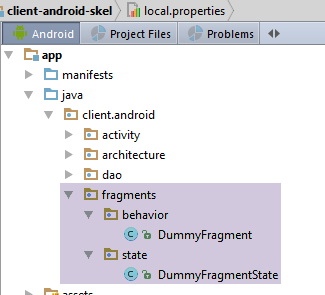
We have included an example fragment in the [client-android-skel] project to show the reader the typical structure of a fragment in an application based on this project.
The [DummyFragment] class is as follows:
package client.android.fragments.behavior;

import client.android.architecture.core.AbstractFragment;
import client.android.architecture.custom.CoreState;
import client.android.fragments.state.DummyFragmentState;

public class DummyFragment extends AbstractFragment {

  // fields inherited from parent class -------------------------------------------------------

  // mode debug
  //-- final protected boolean isDebugEnabled = IMainActivity.IS_DEBUG_ENABLED;
  // class name
  //-- protected String className;
  // asynchronous tasks
  //-- protected int numberOfRunningTasks;
  // activity
  //-- protected IMainActivity mainActivity;
  //-- protected Activity activity;
  // session
  //-- protected Session session;

  // methods inherited from the parent class -------------------------------------------------------

  // display menu options
  //-- protected void setAllMenuOptionsStates(boolean isVisible) {
  //-- protected void setMenuOptionsStates(MenuItemState[] menuItemStates) {
  // management of waiting for the end of a series of asynchronous tasks
  //-- protected void beginRunningTasks(int numberOfRunningTasks) {
  //-- protected void cancelWaitingTasks() {
  // asynchronous task execution with RxAndroid
  //-- protected <T> void executeInBackground(Observable<T> process, Action1<T> consumeResult) {
  // cancel tasks
  //-- protected void cancelRunningTasks() {
  // exception alert display
  //-- protected void showAlert(Throwable th) {
  // message list display
  //-- protected void showAlert(List<String> messages) {

  // methods imposed by the parent class -------------------------------------------------------

  @Override
  public CoreState saveFragment() {
    // save the fragment
    DummyFragmentState state=new DummyFragmentState();
    // ...
    return state;
    // s'il n'y a rien à sauvegarder faire [return new CoreState();] et supprimer la classe [DummyFragmentState]
  }

  @Override
  protected int getNumView() {
    // return the fragment number in the table of fragments managed by the activity (cf MainActivity)
    return 0;
  }

  @Override
  protected void initFragment(CoreState previousState) {
    // the fragment becomes visible and has undergone construction in this or a previous stage
    // this happens on application startup and each time the Android device is rotated
    // is necessarily followed by the execution of [initView]
    // the fields of the fragment that has been rebuilt must be initialized
    // previousState is the fragment's last save - is null if it's the fragment's 1st visit
  }

  @Override
  protected void initView(CoreState previousState) {
    // the fragment becomes visible and the associated view has been reconstructed in this or a previous step
    // cela se produit à chaque fois que [initFragment] est exécutée et à chaque fois que le fragment sort de l'adjacence du fragment affiché
    // initialize the components of the view that has been rebuilt
    // previousState is the fragment's last save - is null if it's the fragment's 1st visit

  }

  @Override
  protected void updateOnSubmit(CoreState previousState) {
    // is executed after [initFragment, initView] if these methods are executed
    // the view will be displayed after an operation of type SUBMIT
    // the fragment and the associated view must generally be initialized from the session
    // previousState is the fragment's last save - is null if it's the fragment's 1st visit
    // there's nothing to be done if the fragment can't be reached by a SUBMIT operation
    // if the fragment can be reached by SUBMIT operations from different fragments, the previous view can be known by [session.getPreviousView]
    // if the fragment can be reached by several SUBMIT operations from the same fragment, then a flag must be set to differentiate between the different types of SUBMIT from this fragment
  }

  @Override
  protected void updateOnRestore(CoreState previousState) {
    // is executed after [initFragment, initView] if these methods are executed
    // the view will be displayed after an operation of type RESTORE or NAVIGATION
    // previousState is the fragment's last backup - never null
    // restore the view to its previous state

  }

  @Override
  protected void notifyEndOfUpdates() {
    // comes after methods [updateOnSubmit, updateOnRestore]
    // when we're there, the view has been built and initialized
    // there's often nothing to do here, but you can also factor in actions that need to be done no matter how you arrive at this view
  }

  @Override
  protected void notifyEndOfTasks(boolean runningTasksHaveBeenCanceled) {
    // called when asynchronous tasks launched by the fragment are either completed or cancelled
    // these two cases can be differentiated using parameter runningTasksHaveBeenCanceled
    // the view generally needs to be reset to a different state from the one it had while waiting for responses from asynchronous tasks

  }
}
The [DummyFragment] class may not have a state. Here, we have added one to remind us of what is expected within it:
package client.android.fragments.state;

import client.android.architecture.custom.CoreState;

public class DummyFragmentState extends CoreState {
  // fragment status [DummyFragment]
  // set only serializable fields to jSON
  // put the annotation @JsonIgnore on the others, but it's hard to see what use they could be
  // don't forget the getters/setters - they are used for serialization/deserialization
}
To illustrate the use of the [client-android-skel] project, we will first use simple examples before moving on to a more comprehensive case study.
2.8. Illustrative exercises
We’ll start by refactoring examples that have already been written.
2.8.1. Example-17B
We’ll revisit Example 17 from the section 1.18 . This is a single-fragment application with no asynchronous tasks and no tabs. We’ll examine it to see how it behaves when the device is rotated. We’ll enter the following:
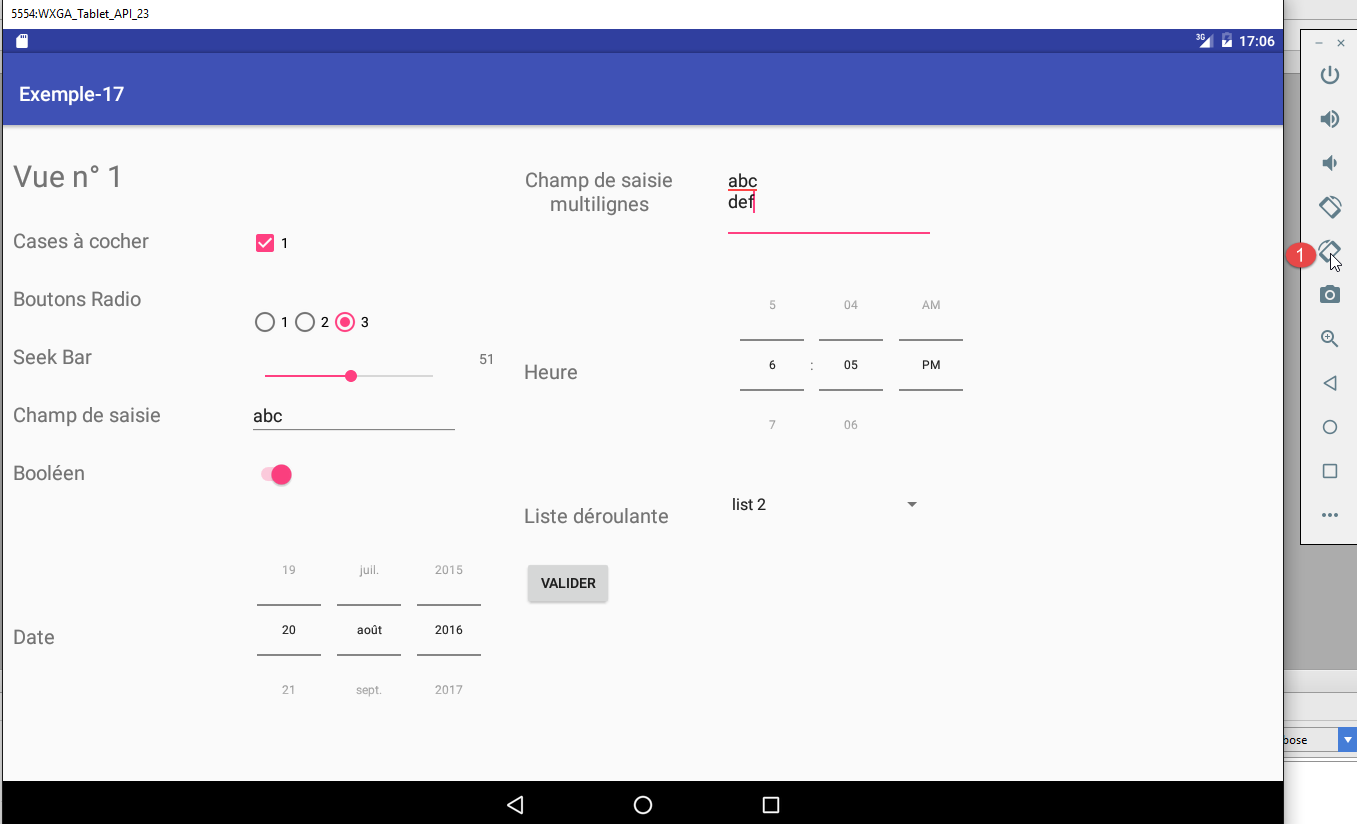
Then, in [1], we rotate the device twice. The new view is as follows:
If we compare the views, everything has been preserved except for the list [2], which is now empty.
Furthermore, if you click the [Valider] button, a dialog box appears showing the entries made on the form. If you rotate the device at that moment, the dialog box disappears.
Therefore, during a rotation, we will need to regenerate:
- the drop-down list and its selected item;
- the dialog box if it was displayed during the rotation;
2.8.1.1. The [Exemple-17B] project
We duplicate the [client-android-skel] project in examples/Example-17B. Then we load the new [1] project:
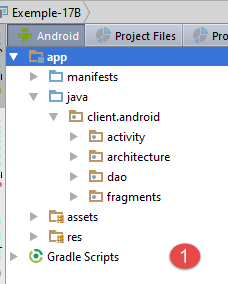
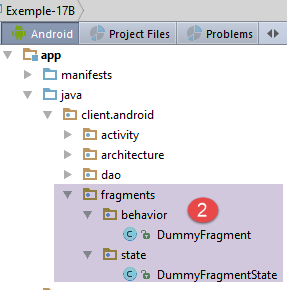
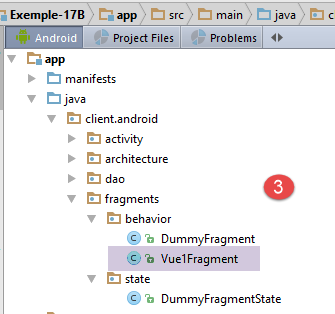
- In [2-3], within the [behavior] folder, we paste the fragment [Vue1Fragment] from the project [Exemple-17];
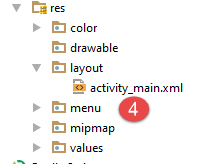
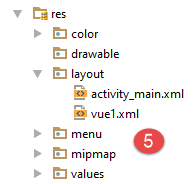
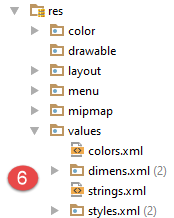
- In [4-5], within the [layout] folder of [Exemple-17B], we paste the view [vue1.xml] from [Exemple-17]. This is the view associated with the fragment;
- In [6], the folder [values] from [Exemple-17B] is replaced by the folder [values] from [Exemple-17];
We will change the top margin of the [vue1.xml] view to 80 dp:
    <TextView
      android:id="@+id/textViewFormulaireTitre"
      android:layout_width="wrap_content"
      android:layout_height="wrap_content"
      android:layout_alignParentLeft="true"
      android:layout_alignParentTop="true"
      android:layout_marginLeft="10dp"
      android:layout_marginTop="80dp"
      android:text="@string/titre_vue1"
android:textSize="30sp"/>
At this point, you can try a first compilation to see the errors. The first errors reported stem from package imports that have been moved. We correct them (Ctrl-Shift-O). Other errors arise because the [Vue1Fragment] view does not implement all the methods required by its parent class [AbstractParent]:

We generate the missing methods (Alt-Enter).
Another compilation error reported is as follows:

We correct this in the module’s [build.gradle] file (line 20 below):
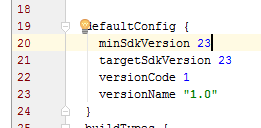
At this point, we can recompile to see the remaining errors. The only error reported is on the [Vue1Fragment.updateFragment] method:
You must remove the annotation [@Override] from line 135. There are now no more errors. We will use this as a starting point to modify the project.
2.8.1.2. The status of the [Vue1Fragment] fragment
The [Vue1Fragment] fragment needs to save information when the device is rotated so that it can be fully restored. We create a [Vue1FragmentState] class for this purpose:
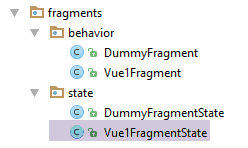
For now, this class is empty:
package client.android.fragments.state;

import client.android.architecture.custom.CoreState;

public class Vue1FragmentState extends CoreState {

}
2.8.1.3. Project Customization
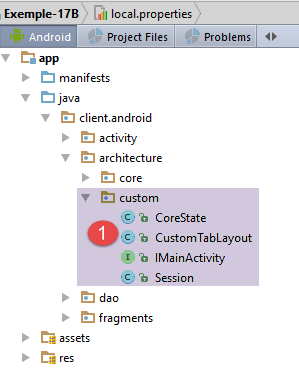
The [custom] folder contains the architecture elements that can be customized by the developer.
The constants for the [IMainActivity] interface will be as follows:
package client.android.architecture.custom;

import client.android.architecture.core.ISession;
import client.android.dao.service.IDao;

public interface IMainActivity extends IDao {

  // session access
  ISession getSession();

  // change of view
  void navigateToView(int position, ISession.Action action);

  // wait management
  void beginWaiting();

  void cancelWaiting();

  // application constants -------------------------------------

  // mode debug
  boolean IS_DEBUG_ENABLED = true;

  // maximum time to wait for server response
  int TIMEOUT = 1000;

  // waiting time before executing customer request
  int DELAY = 0;

  // basic authentication
  boolean IS_BASIC_AUTHENTIFICATION_NEEDED = false;

  // fragment adjacency
  int OFF_SCREEN_PAGE_LIMIT = 1;

  // tab bar
  boolean ARE_TABS_NEEDED = false;

  // waiting image
  boolean IS_WAITING_ICON_NEEDED = false;

  // number of application fragments
  int FRAGMENTS_COUNT = 1;

}
- lines 24–31: the app does not use its [DAO] layer here. These constants will not be used;
- line 34: a fragment adjacency of 1, which is the default value. Since the application has only one fragment (line 43), this value is irrelevant;
- lines 39-40: since there are no operations with the [DAO] layer, there is no need for a placeholder image;
- line 37: this is not a tabbed application;
- line 43: there is only one fragment;
The [Session] class is as follows:
package client.android.architecture.custom;

import client.android.architecture.core.AbstractSession;

public class Session extends AbstractSession {
  // elements that cannot be serialized as jSON must be annotated with @JsonIgnore

}
It is empty. Indeed, since there is only one fragment, there is no need to provide for inter-fragment communication using a session.
Finally, the [CoreState] class is as follows:
package client.android.architecture.custom;

import client.android.architecture.core.MenuItemState;
import client.android.fragments.state.Vue1FragmentState;
import com.fasterxml.jackson.annotation.JsonIgnoreProperties;
import com.fasterxml.jackson.annotation.JsonSubTypes;
import com.fasterxml.jackson.annotation.JsonTypeInfo;

@JsonIgnoreProperties(ignoreUnknown = true)
@JsonTypeInfo(use = JsonTypeInfo.Id.NAME, include = JsonTypeInfo.As.PROPERTY)
@JsonSubTypes({
  @JsonSubTypes.Type(value = Vue1FragmentState.class)}
)
public class CoreState {
  // fragment visited or not
  protected boolean hasBeenVisited = false;
  // status of any fragment menu
  protected MenuItemState[] menuOptionsState;

  // getters and setters
...
}
- lines 11–13: we need to list all classes derived from [CoreState] that store the state of the various fragments. Here, there is only one (line 12);
2.8.1.4. The [MainActivity] activity
The [MainActivity] activity currently looks like this:
package client.android.activity;

import android.util.Log;
import client.android.R;
import client.android.architecture.core.AbstractActivity;
import client.android.architecture.core.AbstractFragment;
import client.android.architecture.custom.Session;
import client.android.dao.service.Dao;
import client.android.dao.service.IDao;
import org.androidannotations.annotations.Bean;
import org.androidannotations.annotations.EActivity;
import org.androidannotations.annotations.OptionsMenu;

@EActivity
@OptionsMenu(R.menu.menu_main)
public class MainActivity extends AbstractActivity {

  // layer [DAO]
  @Bean(Dao.class)
  protected IDao dao;
  // session
  private Session session;

  // methods parent class -----------------------
  @Override
  protected void onCreateActivity() {
    // log
    if (IS_DEBUG_ENABLED) {
      Log.d(className, "onCreateActivity");
    }
    // session
    this.session = (Session) super.session;
    // todo: we continue the initializations started by the parent class
  }

  @Override
  protected IDao getDao() {
    return dao;
  }

  @Override
  protected AbstractFragment[] getFragments() {
    // todo: define fragments here
    return new AbstractFragment[0];
  }


  @Override
  protected CharSequence getFragmentTitle(int position) {
    // todo: define fragment titles here
    return null;
  }

  @Override
  protected void navigateOnTabSelected(int position) {
    // todo: navigation by tabs - define the view to be displayed when tab no. [position] is selected
  }

  @Override
  protected int getFirstView() {
    // todo: define the number of the first view (fragment) to be displayed
    return 0;
  }
}
The comments [//todo] indicate what the developer needs to do. The class [MainActivity] evolves as follows:
package client.android.activity;

import android.util.Log;
import client.android.R;
import client.android.architecture.core.AbstractActivity;
import client.android.architecture.core.AbstractFragment;
import client.android.architecture.custom.Session;
import client.android.dao.service.Dao;
import client.android.dao.service.IDao;
import client.android.fragments.behavior.Vue1Fragment_;
import org.androidannotations.annotations.Bean;
import org.androidannotations.annotations.EActivity;
import org.androidannotations.annotations.OptionsMenu;

@EActivity
@OptionsMenu(R.menu.menu_main)
public class MainActivity extends AbstractActivity {

  // layer [DAO]
  @Bean(Dao.class)
  protected IDao dao;
  // session
  private Session session;

  // methods parent class -----------------------
  @Override
  protected void onCreateActivity() {
    // log
    if (IS_DEBUG_ENABLED) {
      Log.d(className, "onCreateActivity");
    }
    // session
    this.session = (Session) super.session;
  }

  @Override
  protected IDao getDao() {
    return dao;
  }

  @Override
  protected AbstractFragment[] getFragments() {
    return new AbstractFragment[]{new Vue1Fragment_()};
  }

  @Override
  protected CharSequence getFragmentTitle(int position) {
    return null;
  }

  @Override
  protected void navigateOnTabSelected(int position) {

  }

  @Override
  protected int getFirstView() {
    return 0;
  }
}
Only the method in lines 41–44 needs to be modified. It must return the array of the application’s fragments. On line 43, don’t forget to add the underscore after the fragment name.
2.8.1.5. The state of fragment [FragmentState]
Following the rotation tests performed on the [Exemple-17] project, it was decided to store the following elements of the fragment:
- the list of values in the drop-down list;
- the position of the selected item in this list;
- the message displayed by the dialog box if it is present at the time of rotation;
The [Vue1FragmentState] class will be as follows:
package client.android.fragments.state;

import client.android.architecture.custom.CoreState;

import java.util.List;

public class Vue1FragmentState extends CoreState {

  // drop-down list values
  private List<String> list;
  // the item selected from the drop-down list
  private int listSelectedPosition;
  // the message displayed in the
  private String message;

  // getters and setters
...
}
2.8.1.6. The fragment [AbstractFragment]
Currently, the fragment's lifecycle is managed by two methods (lines 6 and 32):
// drop-down list
  private List<String> list;
  private ArrayAdapter<String> dataAdapter;

  @AfterViews
  void afterViews() {
    // check the first button
    radioButton1.setChecked(true);
    // the calendar
    datePicker1.setCalendarViewShown(false);
    // on seekBar
    seekBar.setMax(100);
    seekBar.setOnSeekBarChangeListener(new OnSeekBarChangeListener() {

      public void onStopTrackingTouch(SeekBar seekBar) {
      }

      public void onStartTrackingTouch(SeekBar seekBar) {
      }

      public void onProgressChanged(SeekBar seekBar, int progress, boolean fromUser) {
        seekBarValue.setText(String.valueOf(progress));
      }
    });
    // the drop-down list
    list = new ArrayList<>();
    list.add("list 1");
    list.add("list 2");
    list.add("list 3");
  }
...
  protected void updateFragment() {
    // initialize drop-down list adapter
    dataAdapter = new ArrayAdapter<>(activity, android.R.layout.simple_spinner_item, list);
    dataAdapter.setDropDownViewResource(android.R.layout.simple_spinner_dropdown_item);
    dropDownList.setAdapter(dataAdapter);
  }
The code for these two methods will be migrated to the methods defined by the [AbstractFragment] class as follows:
// fragment lifecycle management ---------------------------------------------------------------------
  @Override
  public CoreState saveFragment() {
    Vue1FragmentState state = new Vue1FragmentState();
    state.setList(list);
    state.setListSelectedPosition(dropDownList.getSelectedItemPosition());
    state.setMessage(message);
    return state;
  }

  @Override
  protected int getNumView() {
    return 0;
  }

  @Override
  protected void initFragment(CoreState previousState) {
    // 1st visit?
    if (previousState == null) {
      // create drop-down list values
      list = new ArrayList<>();
      list.add("list 1");
      list.add("list 2");
      list.add("list 3");
    } else {
      // returns values from the drop-down list
      Vue1FragmentState state = (Vue1FragmentState) previousState;
      list = state.getList();
      // and the
      message = state.getMessage();
    }
    // initialize drop-down list adapter
    dataAdapter = new ArrayAdapter<>(activity, android.R.layout.simple_spinner_item, list);
    dataAdapter.setDropDownViewResource(android.R.layout.simple_spinner_dropdown_item);
  }

  @Override
  protected void initView(CoreState previousState) {
    // the calendar
    datePicker1.setCalendarViewShown(false);
    // on seekBar
    seekBar.setMax(100);
    seekBar.setOnSeekBarChangeListener(new OnSeekBarChangeListener() {

      public void onStopTrackingTouch(SeekBar seekBar) {
      }

      public void onStartTrackingTouch(SeekBar seekBar) {
      }

      public void onProgressChanged(SeekBar seekBar, int progress, boolean fromUser) {
        seekBarValue.setText(String.valueOf(progress));
      }
    });
    // initialize drop-down list adapter
    dropDownList.setAdapter(dataAdapter);
    // 1st visit?
    if (previousState == null) {
      // check the first button
      radioButton1.setChecked(true);
    }
  }

  @Override
  protected void updateOnSubmit(CoreState previousState) {

  }

  @Override
  protected void updateOnRestore(CoreState previousState) {
    // value seekbar
    seekBarValue.setText(String.valueOf(seekBar.getProgress()));
    // item selected from drop-down list
    Vue1FragmentState state = (Vue1FragmentState) previousState;
    dropDownList.setSelection(state.getListSelectedPosition());
    // visible dialogue?
    if (message != null) {
      // we display it
      showMessage();
    }
  }

  @Override
  protected void notifyEndOfUpdates() {

  }

  @Override
  protected void notifyEndOfTasks(boolean runningTasksHaveBeenCanceled) {

}
- lines 2–9: the [saveFragment] method must place the fragment elements to be stored in a class derived from [CoreState] and return an instance of that class;
- lines 11-14: the method [getNumView] must return the fragment number. Here, there is only one fragment with the number 0;
- lines 16–34: The [initFragment] method must initialize the fragment’s fields. It receives the fragment’s previous state. If [previousState] is null, then this is the first visit;
- lines 19–25: during the first visit, the drop-down list values are created;
- lines 26–30: if this is not the first visit, the fragment’s [list, message] fields are restored from the previous state;
- lines 33-34: initialization of the fragment’s [dataAdapter] field. This is the data source for the drop-down list;
- lines 37-62: the [initView] method is used to initialize the visual interface components. It receives the previous state [previousState] as a parameter. If [previousState==null], then this is the first visit;
- Here we find what was previously in the [@AfterViews] method;
- lines 57–61: during the first visit, we ensure that the first radio button is selected;
- lines 64–67: the [updateOnSubmit] method is executed when the current action is [SUBMIT]. Here, there is no inter-fragment navigation and therefore no current action;
- lines 69–81: the method [updateOnRestore] is executed when the current action is [NAVIGATION] or [RESTORE]. Here, there is no inter-fragment navigation, and therefore no [NAVIGATION] action is possible;
- line 72: the value of TextView seekBarValue is recalculated (not restored). This is because, during rotations, its value was sometimes lost;
- lines 74–75: The list is positioned on the item that was selected before the rotation. Without this, the list would default to its first item;
- lines 76-80: the dialog box is redisplayed if the message from the previous state is not null. We will return to the [showMessage] method (line 79);
- lines 83-86: the method [notifyEndOfUpdates] is the last method called by the parent class before leaving the child fragment alone. There is nothing to do here;
- lines 88–91: the [notifyEndOfTasks] method signals the end of the asynchronous tasks launched by the fragment. Here, there are none;
The dialog box is restored as follows:
  // dialog box message
  private String message;
...
  @Click(R.id.formulaireButtonValider)
  protected void doValider() {
    // list of messages to display
    List<String> messages = new ArrayList<>();
    ...
    // display
    doAfficher(messages);
  }

  private void doAfficher(final List<String> messages) {
    // we build the poster text
    StringBuilder texte = new StringBuilder();
    for (String message : messages) {
      texte.append(String.format("%s\n", message));
    }
    // the message is memorized
    message = texte.toString();
    // we display it
    showMessage();
  }

  private void showMessage() {
    // we display it
    new AlertDialog.Builder(activity).setTitle("Valeurs saisies").setMessage(message).setNeutralButton("Fermer", new DialogInterface.OnClickListener() {
      @Override
      public void onClick(DialogInterface dialog, int which) {
        // message reset
        message = null;
      }
    }).show();
}
When the user submits the form, the [doValider] method (line 5) constructs a list of messages, which it then displays (line 10) in the dialog box.
- lines 14–20: the list of messages is concatenated into a single message that is stored in line 2;
- lines 25–33: this is the message displayed by the dialog box, and it is this same message that the [updateOnRestore] method displays;
- line 27: the second parameter of the [setNeutralButton] method is the method executed when the user clicks the [Fermer] button in the dialog box;
- line 31: when the dialog box closes, the message is set to null to indicate that the dialog box is no longer present;
2.8.1.7. Tests
The reader is invited to test this project and verify that the fragment is preserved after one or more successive rotations.
2.8.2. Example-23: Weather Client
Some websites provide weather information in the form of jSON strings. Here is an example:

The URL is in the following format: http://api.openweathermap.org/data/2.5/weather?q={city},{country}&APPID={APPID} where:
- city: the city for which you want the weather, here Angers;
- country: the country of the city, in this case France (fr);
- APPID: a key obtained by registering on the [https://home.openweathermap.org/users/sign_up] website;
2.8.2.1. The Project
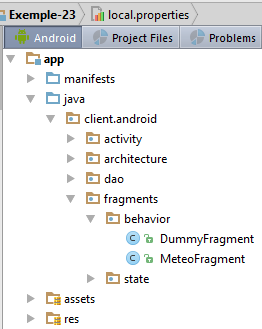
The project was built based on the [client-android-skel] project. It has the following characteristics:
- it has only one fragment whose state does not need to be maintained;
- it makes asynchronous requests;
2.8.2.2. Project Customization
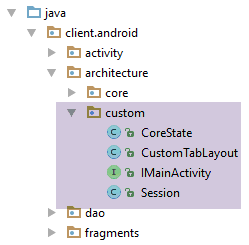
The [IMainActivity] interface allows you to specify certain project characteristics:
package client.android.architecture.custom;

import client.android.architecture.core.ISession;
import client.android.dao.service.IDao;

public interface IMainActivity extends IDao {

  // session access
  ISession getSession();

  // change of view
  void navigateToView(int position, ISession.Action action);

  // wait management
  void beginWaiting();

  void cancelWaiting();

  // application constants -------------------------------------

  // mode debug
  boolean IS_DEBUG_ENABLED = true;

  // maximum time to wait for server response
  int TIMEOUT = 1000;

  // waiting time before executing customer request
  int DELAY = 5000;

  // basic authentication
  boolean IS_BASIC_AUTHENTIFICATION_NEEDED = false;

  // fragment adjacency
  int OFF_SCREEN_PAGE_LIMIT = 1;

  // tab bar
  boolean ARE_TABS_NEEDED = false;

  // waiting image
  boolean IS_WAITING_ICON_NEEDED = true;

  // number of application fragments
  int FRAGMENTS_COUNT = 1;

}
- lines 25, 28, 31, 40: characteristics of the [DAO] layer. Line 31: no basic authentication is required;
- line 34: fragment adjacency. Here, this constant is irrelevant since there is only one fragment;
- line 37: this is not a tabbed application;
- line 43: there is only one fragment;
The [CoreState] class, which stores the state of the fragments, will be as follows:
package client.android.architecture.custom;

import client.android.architecture.core.MenuItemState;
import com.fasterxml.jackson.annotation.JsonIgnoreProperties;
import com.fasterxml.jackson.annotation.JsonTypeInfo;

@JsonIgnoreProperties(ignoreUnknown = true)
@JsonTypeInfo(use = JsonTypeInfo.Id.NAME, include = JsonTypeInfo.As.PROPERTY)
// todo: add subclasses of [CoreState] here
/*@JsonSubTypes({
  @JsonSubTypes.Type(value = Class1.class),
  @JsonSubTypes.Type(value = Class2.class)}
)*/
public class CoreState {
  // fragment visited or not
  protected boolean hasBeenVisited = false;
  // status of any fragment menu
  protected MenuItemState[] menuOptionsState;

  // getters and setters
...
}
- lines 10–13: there is nothing to declare since this application has only one fragment whose state is not saved;
The [Session] class is as follows:
package client.android.architecture.custom;

import client.android.architecture.core.AbstractSession;

public class Session extends AbstractSession {
  // elements that cannot be serialized as jSON must be annotated with @JsonIgnore
}
It is empty because there is no inter-fragment communication in this application.
2.8.2.3. The [DAO] layer
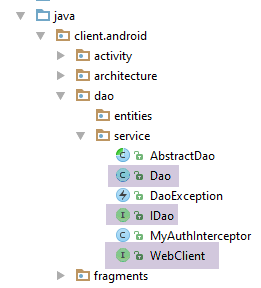
In the [DAO] layer, three classes must be customized:
- the IDao interface;
- its implementation Dao;
- the WebClient interface for communication with the web server / jSON;
The [WebClient] interface will be as follows:
package client.android.dao.service;

import org.androidannotations.rest.spring.annotations.Get;
import org.androidannotations.rest.spring.annotations.Path;
import org.androidannotations.rest.spring.annotations.Rest;
import org.androidannotations.rest.spring.api.RestClientRootUrl;
import org.androidannotations.rest.spring.api.RestClientSupport;
import org.springframework.http.converter.json.MappingJackson2HttpMessageConverter;
import org.springframework.web.client.RestTemplate;

@Rest(converters = {MappingJackson2HttpMessageConverter.class})
public interface WebClient extends RestClientRootUrl, RestClientSupport {

  // RestTemplate
  void setRestTemplate(RestTemplate restTemplate);

  // weather service
  @Get("/data/2.5/weather?q={city},{country}&APPID={APPID}")
  String getWeatherForecast(@Path String city, @Path String country, @Path String APPID);
}
- Lines 18–19: the URL from the weather service. Note that this refers to the client’s root URL (RestClientRootUrl, line 12). Here, this root URL will be [http://api.openweathermap.org/];
The [IDao] interface will be as follows:
package client.android.dao.service;

import rx.Observable;

public interface IDao {
  // Url of the web service
  void setUrlServiceWebJson(String url);

  // user
  void setUser(String user, String mdp);

  // customer timeout
  void setTimeout(int timeout);

  // basic authentication
  void setBasicAuthentification(boolean isBasicAuthentificationNeeded);

  // mode debug
  void setDebugMode(boolean isDebugEnabled);

  // client wait time in milliseconds before request
  void setDelay(int delay);

  //  weather service
  Observable<String> getWeatherForecast(String city, String country, String APPID);
}
- Note that the methods in lines 6–22 are included by default in the IDao interface of the [client-android-skel] project;
- line 25: the [getWeatherForecast] method retrieves the jSON string containing the weather forecast for the city [city] in the country [country]. The third parameter is the key obtained from the [https://home.openweathermap.org/users/sign_up] site;
The [IDao] interface is implemented by the following [Dao] class:
package client.android.dao.service;

import android.util.Log;
import org.androidannotations.annotations.AfterInject;
import org.androidannotations.annotations.Bean;
import org.androidannotations.annotations.EBean;
import org.androidannotations.rest.spring.annotations.RestService;
import org.springframework.http.client.ClientHttpRequestInterceptor;
import org.springframework.http.client.SimpleClientHttpRequestFactory;
import org.springframework.http.converter.json.MappingJackson2HttpMessageConverter;
import org.springframework.web.client.RestTemplate;
import rx.Observable;

import java.util.ArrayList;
import java.util.List;

@EBean(scope = EBean.Scope.Singleton)
public class Dao extends AbstractDao implements IDao {

  // web service customer
  @RestService
  protected WebClient webClient;
  // safety
  @Bean
  protected MyAuthInterceptor authInterceptor;
  // on RestTemplate
  private RestTemplate restTemplate;
  // factory du RestTemplate
  private SimpleClientHttpRequestFactory factory;
  // timeout
  private int timeout;

  @AfterInject
  public void afterInject() {
    // log
    Log.d(className, "afterInject");
    // we build the restTemplate
    factory = new SimpleClientHttpRequestFactory();
    restTemplate = new RestTemplate(factory);
    // set the jSON converter
    restTemplate.getMessageConverters().add(new MappingJackson2HttpMessageConverter());
    // set the restTemplate of the web client
    webClient.setRestTemplate(restTemplate);
  }

  @Override
  public void setUrlServiceWebJson(String url) {
    // set the URL of the web service
    webClient.setRootUrl(url);
  }

  @Override
  public void setUser(String user, String mdp) {
    // the user is registered in the interceptor
    authInterceptor.setUser(user, mdp);
  }

  @Override
  public void setTimeout(int timeout) {
    if (isDebugEnabled) {
      Log.d(className, String.format("setTimeout thread=%s, timeout=%s", Thread.currentThread().getName(), timeout));
    }
    // memory
    this.timeout = timeout;
    // factory configuration
    factory.setReadTimeout(timeout);
    factory.setConnectTimeout(timeout);
  }

  @Override
  public void setBasicAuthentification(boolean isBasicAuthentificationNeeded) {
    if (isDebugEnabled) {
      Log.d(className, String.format("setBasicAuthentification thread=%s, isBasicAuthentificationNeeded=%s", Thread.currentThread().getName(), isBasicAuthentificationNeeded));
    }
    // authentication interceptor?
    if (isBasicAuthentificationNeeded) {
      // add the authentication interceptor
      List<ClientHttpRequestInterceptor> interceptors = new ArrayList<ClientHttpRequestInterceptor>();
      interceptors.add(authInterceptor);
      restTemplate.setInterceptors(interceptors);
    }
  }


  // méthodes privées -------------------------------------------------
  private void log(String message) {
    if (isDebugEnabled) {
      Log.d(className, message);
    }
  }

  // service météo ---------------------------------------------------------
  @Override
  public Observable<String> getWeatherForecast(final String city, final String country, final String APPID) {
    // log
    if (isDebugEnabled) {
      Log.d(className, String.format("getWeatherForecast city=%s, country=%s, APIID=%s, thread=%s, timeout=%s", city, country, APPID, Thread.currentThread().getName(), timeout));
    }
    // result
    return getResponse(new IRequest<String>() {
      @Override
      public String getResponse() {
        return webClient.getWeatherForecast(city, country, APPID);
      }
    });
  }
}
- Note that lines 17–90 are included by default in the [Dao] class of the [client-android-skel] project. You just need to add the implementation methods for the [IDao] interface, specific to the application (line 92);
- Lines 93–105: implementation of the [getWeatherForecast] method. This is very simple and consists of 6 lines, lines 100–105;
- line 100: the method [getResponse] is a method of the parent class [AbstractDao]. It expects a parameter of type [IRequest<T>], where T is the type of the expected response from the server; here, it is a String since we are expecting a jSON string. The type T of [IRequest<T>] must be the type T of the method [Observable<T> getWeatherForecast];
- the [IRequest<T>] interface has only one method: getResponse. Its role is to provide the response of type T that the [Observable<T> getWeatherForecast] method must return;
- Line 103: The [WebClient] interface provides this response. It is passed the three parameters received on line 94. For this reason, these parameters must have the final attribute;
2.8.2.4. The [MainActivity] activity
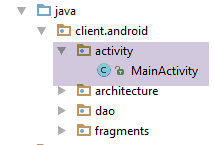
The [MainActivity] activity is as follows:
package client.android.activity;

import android.util.Log;
import client.android.R;
import client.android.architecture.core.AbstractActivity;
import client.android.architecture.core.AbstractFragment;
import client.android.dao.service.Dao;
import client.android.dao.service.IDao;
import client.android.fragments.behavior.MeteoFragment_;
import org.androidannotations.annotations.Bean;
import org.androidannotations.annotations.EActivity;
import org.androidannotations.annotations.OptionsMenu;
import rx.Observable;

@EActivity
@OptionsMenu(R.menu.menu_main)
public class MainActivity extends AbstractActivity {

  // layer [DAO]
  @Bean(Dao.class)
  protected IDao dao;

  // methods parent class -----------------------
  @Override
  protected void onCreateActivity() {
    // log
    if (IS_DEBUG_ENABLED) {
      Log.d(className, "onCreateActivity");
    }
  }

  @Override
  protected IDao getDao() {
    return dao;
  }

  @Override
  protected AbstractFragment[] getFragments() {
    return new AbstractFragment[]{new MeteoFragment_()};
  }


  @Override
  protected CharSequence getFragmentTitle(int position) {
    return null;
  }

  @Override
  protected void navigateOnTabSelected(int position) {
  }

  @Override
  protected int getFirstView() {
    return 0;
  }

  // interface IDao ---------------------------------------------------------------------
  @Override
  public Observable<String> getWeatherForecast(String city, String country, String APPID) {
    return dao.getWeatherForecast(city, country, APPID);
  }
}
- Note that lines 15–55 are included by default in the [client-android-skel] project. You just need to customize them;
- lines 37–40: the table of fragments. There is only one here;
- lines 43–46: no fragment titles needed;
- lines 48–50: no tabs here;
- lines 52-55: the first view to display is view #0, that of [MeteoFragment];
- lines 58-61: implementation of the [IDao] interface. Here, there is nothing to do other than delegate the work to the [DAO] layer on line 21;
2.8.2.5. The fragment [MeteoFragment]
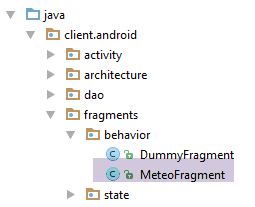
The [MeteoFragment] fragment queries the weather web service / jSON. Its skeleton is as follows:
package client.android.fragments;

import android.util.Log;
import android.widget.Toast;
import client.android.R;
import client.android.architecture.AbstractFragment;
import client.android.architecture.MenuItemState;
import org.androidannotations.annotations.EFragment;
import org.androidannotations.annotations.OptionsItem;
import org.androidannotations.annotations.OptionsMenu;
import rx.functions.Action0;
import rx.functions.Action1;

@EFragment(R.layout.meteo_fragment)
@OptionsMenu(R.menu.menu_meteo)
public class FirstFragment extends AbstractFragment {
...
}
- Line 14: The [res / layout / meteo_fragment.xml] view is as follows:
<?xml version="1.0" encoding="utf-8"?>
<RelativeLayout xmlns:android="http://schemas.android.com/apk/res/android"
                android:layout_width="match_parent"
                android:layout_height="match_parent">

  <TextView
    android:layout_width="wrap_content"
    android:layout_height="wrap_content"
    android:textAppearance="?android:attr/textAppearanceLarge"
    android:text="Construisez votre interface visuelle"
    android:id="@+id/textView" android:layout_alignParentTop="true" android:layout_alignParentLeft="true"
    android:layout_alignParentStart="true" android:layout_marginLeft="64dp" android:layout_marginStart="64dp"
    android:layout_marginTop="120dp"/>
</RelativeLayout>
The view displays only the text on line 10;
- line 15: the menu [res / menu / menu_meteo.xml] is as follows:
<menu xmlns:android="http://schemas.android.com/apk/res/android"
      xmlns:app="http://schemas.android.com/apk/res-auto"
      xmlns:tools="http://schemas.android.com/tools"
      tools:context=".activity.MainActivity">
  <item
    android:id="@+id/menuActions"
    app:showAsAction="ifRoom"
    android:title="@string/menuActions">
    <menu>
      <item
        android:id="@+id/actionMeteo"
        android:title="@string/actionMeteo"/>
      <item
        android:id="@+id/actionAnnuler"
        android:title="@string/actionAnnuler"/>
      <item
        android:id="@+id/actionTerminer"
        android:title="@string/actionTerminer"/>
    </menu>
  </item>
</menu>
- lines 10-12: this menu item is used to request the weather for a city;
- lines 14-15: this menu item is used to cancel this request if it is in progress;
- lines 16-18: this option menu item exits the application;
The complete code for the fragment is as follows:
package client.android.fragments.behavior;

import android.util.Log;
import android.widget.Toast;
import client.android.R;
import client.android.architecture.core.AbstractFragment;
import client.android.architecture.core.MenuItemState;
import client.android.architecture.custom.CoreState;
import org.androidannotations.annotations.EFragment;
import org.androidannotations.annotations.OptionsItem;
import org.androidannotations.annotations.OptionsMenu;
import rx.functions.Action1;

@EFragment(R.layout.meteo_fragment)
@OptionsMenu(R.menu.menu_meteo)
public class MeteoFragment extends AbstractFragment {

  // local data
  private int nbReponsesRecues;

  // gestion des événements ---------------------------------------------------------------------------------------
  // cities whose weather we want
  final String[] paysDeLoire = new String[]{"angers", "le mans", "nantes", "laval", "la roche sur yon"};

  @OptionsItem(R.id.actionMeteo)
  protected void doMeteo() {
    // his country
    String country = "fr";
    // get a API login by creating an account [https://home.openweathermap.org/users/sign_up]
    String APPID = "xyz";
    // URL web service / jSON
    mainActivity.setUrlServiceWebJson("http://api.openweathermap.org");
    // start waiting for [paysDeLoire.length] asynchronous tasks
    beginWaiting(paysDeLoire.length);
    // number of responses received
    nbReponsesRecues = 0;
    // asynchronous calls are made in parallel
    for (String city : paysDeLoire) {
      // weather
      executeInBackground(mainActivity.getWeatherForecast(city, country, APPID), new Action1<String>() {
        @Override
        public void call(String response) {
          // exploiting the answer
          consumeResponse(response);
          // a + response
          nbReponsesRecues++;
        }
      });
    }
  }

  // exploitation server response
  private void consumeResponse(String response) {
    // log
    Log.d(className, String.format("thread=%s, response=%s", Thread.currentThread().getName(), response));
  }

  // start of waiting
  protected void beginWaiting(int numberOfRunningTasks) {
    // log
    if (isDebugEnabled) {
      Log.d(className, "beginWaiting");
    }
    // parent
    beginRunningTasks(numberOfRunningTasks);
    // the option is displayed [Cancel]
    setAllMenuOptionsStates(false);
    setMenuOptionsStates(new MenuItemState[]{
      new MenuItemState(R.id.menuActions, true),
      new MenuItemState(R.id.actionAnnuler, true)});

  }

  @Override
  protected void notifyEndOfTasks(boolean runningTasksHaveBeenCanceled) {
    // menu
    initMenu();
    // displaying results
    String message;
    switch (nbReponsesRecues) {
      case 0:
        message = "Aucune réponse n'a été reçue";
        break;
      case 1:
        message = "Une réponse a été reçue. Consultez vos logs...";
        break;
      default:
        message = String.format("%s réponses ont été reçues. Consultez vos logs...", nbReponsesRecues);
        break;
    }
    Toast.makeText(activity, message, Toast.LENGTH_SHORT).show();
  }

  // private methods -----------------------------------
  private void initMenu() {
    if (isDebugEnabled) {
      Log.d(className, "initMenu");
    }
    // menu
    setAllMenuOptionsStates(true);
    setMenuOptionsStates(new MenuItemState[]{new MenuItemState(R.id.actionAnnuler, false)});
  }

  // life cycle management ---------------------------------------------------------------------------------------
...
}
- lines 25-50: handling the click on the option menu item [Météo];
- line 32: construction of the URL web service / jSON weather service. This is then passed to the [DAO] layer via the activity;
- Line 34: We begin the wait. We pass the number of tasks to be launched so that the parent class can notify us when they are complete. Here, there are five tasks because we are going to retrieve the weather for the five cities listed on line 23;
- line 16: we count the number of responses received so we can display it;
- lines 38–50: we loop through the cities for which we want the weather;
- line 40: we will make 5 HTTP requests in parallel;
- line 40: we ask the parent class [AbstractParent] to query the web service /jSON;
- lines 40–48: the [executeInBackground] method expects two parameters:
- line 40: the process to be observed and executed is provided by the [mainActivity.getWeatherForecast] method;
- lines 40–48: the [Action1] instance to be executed when the response from the asynchronous service is received. The type T of [Action1<T>] must be the type T of the result of the [getWeatherForecast] method;
- line 44: a response has been received. It is passed to the [consumeResponse] method on line 53;
- line 46: the counter for received responses is incremented;
- lines 53–56: processing a response jSON from the weather service;
- line 55: simply log the string jSON;
- lines 59–72: code executed before launching the asynchronous tasks;
- line 65: we pass the number of tasks to be executed to the parent class [AbstractParent]. This allows it to notify us when they are all complete;
- lines 67-70: preparing the menu for a wait. We only keep the option and [Actions/Annuler], which will allow the user to cancel the launched tasks;
- lines 74–92: code executed when the parent class notifies us that all launched tasks are complete;
- line 77: the menu is reset to its initial state. The [initMenu] method (lines 95-102) displays the menu with all its options except option and [Actions/Annuler], which are hidden;
- lines 80–91: the number of responses received is displayed;
Clicking on the option menu item [Annuler] is handled by the following code:
  @OptionsItem(R.id.actionAnnuler)
  protected void doAnnuler() {
    if (isDebugEnabled) {
      Log.d(className, "Annulation demandée");
    }
    // asynchronous tasks are cancelled
    cancelRunningTasks();
}
- line 7: we ask the parent class to cancel the tasks that are still active;
Clicking on the option menu item in [Terminer] is handled by the following code:
  @OptionsItem(R.id.actionTerminer)
  protected void doTerminer() {
    // we stop everything
    System.exit(0);
}
The fragment's lifecycle is managed by the following methods:
  // life cycle management ---------------------------------------------------------------------------------------

  @Override
  public CoreState saveFragment() {
    return new CoreState();
  }

  @Override
  protected int getNumView() {
    return 0;
  }

  @Override
  protected void initFragment(CoreState previousState) {

  }

  @Override
  protected void initView(CoreState previousState) {
    // 1st visit?
    if (previousState == null) {
      initMenu();
    }
  }


  @Override
  protected void updateOnSubmit(CoreState previousState) {

  }

  @Override
  protected void updateOnRestore(CoreState previousState) {

  }

  @Override
  protected void notifyEndOfUpdates() {

}
- Lines 3–6: are used to save the fragment’s state in a class derived from [CoreState]. If the fragment has no state to save, as in this case, we simply return an instance of [CoreState]. Do not return null, as this would eventually cause a crash;
- lines 8–11: must return the view number. Here, the fragment [MeteoFragment] has the number 0;
- lines 13–16: are used to initialize the fragment once it has been constructed (previousState == null) or reconstructed (previousState != null). Here, there is nothing to do. The only field that can be initialized is the following:
  // cities whose weather we want
final String[] paysDeLoire = new String[]{"angers", "le mans", "nantes", "laval", "la roche sur yon"};
but it initializes itself;
- lines 18–24: are used to initialize the view associated with the fragment once it has been constructed (previousState==null) or reconstructed (previousState!=null);
- lines 21-23: if this is the first visit to the fragment, its menu is initialized to hide the option [Annuler];
- lines 27-30: called if, to reach the fragment, there was a navigation with an action of type [SUBMIT]. Here, there is no inter-fragment navigation since there is only one fragment;
- lines 32-35: called during a backup/restore cycle due to a device rotation or another reason. Here, since no state was backed up, there is nothing to do;
- lines 37–40: called when all previous updates have been completed. Here, there is nothing to do;
2.8.2.6. Tests
We now run the example:
The logs are as follows:
07-23 13:24:30.899 2642-2642/client.android D/MainActivity_: constructeur
07-23 13:24:30.945 2642-2642/client.android D/AbstractDao: constructeur, thread=main
07-23 13:24:32.861 2642-2642/client.android D/client.android.dao.service.Dao_: afterInject
07-23 13:24:32.950 2642-2642/client.android D/MainActivity_: onCreate
07-23 13:24:32.951 2642-2642/client.android D/client.android.dao.service.Dao_: setTimeout thread=main, timeout=1000
07-23 13:24:32.952 2642-2642/client.android D/client.android.dao.service.Dao_: setBasicAuthentification thread=main, isBasicAuthentificationNeeded=false
07-23 13:24:33.041 2642-2642/client.android D/MainActivity_: adding loadingPanel
07-23 13:24:33.043 2642-2642/client.android D/MeteoFragment_: constructeur
07-23 13:24:33.044 2642-2642/client.android D/MainActivity_: navigation vers vue 0 sur action NONE
07-23 13:24:33.044 2642-2642/client.android D/MainActivity_: onCreateActivity
07-23 13:24:33.080 2642-2642/client.android D/MainActivity_: onResume
07-23 13:24:33.325 2642-2642/client.android D/MeteoFragment_: onActivityCreated
07-23 13:24:33.518 2642-2642/client.android D/MeteoFragment_: onCreateOptionsMenu
07-23 13:24:33.518 2642-2642/client.android D/MeteoFragment_: getMenuOptionsStates(Menu)
07-23 13:24:33.519 2642-2642/client.android D/MeteoFragment_: Nombre d'menu options=4
07-23 13:24:33.519 2642-2642/client.android D/MeteoFragment_: initFragment initView updateForFirstVisit
07-23 13:24:33.519 2642-2642/client.android D/MeteoFragment_: initMenu
07-23 13:24:33.557 2642-2642/client.android D/MeteoFragment_: session={"action":"NONE","coreStates":[{"@type":"CoreState","hasBeenVisited":false,"menuOptionsState":null}],"previousTab":0,"previousView":0}
07-23 13:24:33.557 2642-2642/client.android D/MeteoFragment_: état précédent=null
07-23 13:24:33.558 2642-2642/client.android D/MeteoFragment_: notifyEndOfUpdates
07-23 13:24:39.766 2642-2642/client.android D/MeteoFragment_: beginWaiting
07-23 13:24:39.831 2642-2642/client.android D/client.android.dao.service.Dao_: getWeatherForecast city=angers, country=fr, APIID=aa6bb491c9a16810c4f0881f17e888c7, thread=main, timeout=1000
07-23 13:24:39.831 2642-2642/client.android D/client.android.dao.service.Dao_: delay=5000
07-23 13:24:39.882 2642-2642/client.android D/client.android.dao.service.Dao_: getWeatherForecast city=le mans, country=fr, APIID=aa6bb491c9a16810c4f0881f17e888c7, thread=main, timeout=1000
07-23 13:24:39.882 2642-2642/client.android D/client.android.dao.service.Dao_: delay=5000
07-23 13:24:39.885 2642-2642/client.android D/client.android.dao.service.Dao_: getWeatherForecast city=nantes, country=fr, APIID=aa6bb491c9a16810c4f0881f17e888c7, thread=main, timeout=1000
07-23 13:24:39.885 2642-2642/client.android D/client.android.dao.service.Dao_: delay=5000
07-23 13:24:39.886 2642-2642/client.android D/client.android.dao.service.Dao_: getWeatherForecast city=laval, country=fr, APIID=aa6bb491c9a16810c4f0881f17e888c7, thread=main, timeout=1000
07-23 13:24:39.886 2642-2642/client.android D/client.android.dao.service.Dao_: delay=5000
07-23 13:24:39.887 2642-2642/client.android D/client.android.dao.service.Dao_: getWeatherForecast city=la roche sur yon, country=fr, APIID=aa6bb491c9a16810c4f0881f17e888c7, thread=main, timeout=1000
07-23 13:24:39.887 2642-2642/client.android D/client.android.dao.service.Dao_: delay=5000
07-23 13:24:45.035 2642-2961/client.android D/client.android.dao.service.Dao_: response={"coord":{"lon":-1.55,"lat":47.22},"weather":[{"id":800,"main":"Clear","description":"clear sky","icon":"01d"}],"base":"cmc stations","main":{"temp":298.05,"pressure":1022,"humidity":47,"temp_min":297.15,"temp_max":299.15},"wind":{"speed":2.6,"deg":310},"clouds":{"all":0},"dt":1469277000,"sys":{"type":1,"id":5641,"message":0.0032,"country":"FR","sunrise":1469248505,"sunset":1469303378},"id":2990969,"name":"Nantes","cod":200} sur thread [RxIoScheduler-4]
07-23 13:24:45.035 2642-2963/client.android D/client.android.dao.service.Dao_: response={} sur thread [RxIoScheduler-6]
07-23 13:24:45.035 2642-2959/client.android D/client.android.dao.service.Dao_: response={} sur thread [RxIoScheduler-2]
07-23 13:24:45.035 2642-2962/client.android D/client.android.dao.service.Dao_: response={} sur thread [RxIoScheduler-5]
07-23 13:24:45.036 2642-2960/client.android D/client.android.dao.service.Dao_: response={} sur thread [RxIoScheduler-3]
07-23 13:24:45.039 2642-2642/client.android D/MeteoFragment_: thread=main, response={"coord":{"lon":-1.55,"lat":47.22},"weather":[{"id":800,"main":"Clear","description":"clear sky","icon":"01d"}],"base":"cmc stations","main":{"temp":298.05,"pressure":1022,"humidity":47,"temp_min":297.15,"temp_max":299.15},"wind":{"speed":2.6,"deg":310},"clouds":{"all":0},"dt":1469277000,"sys":{"type":1,"id":5641,"message":0.0032,"country":"FR","sunrise":1469248505,"sunset":1469303378},"id":2990969,"name":"Nantes","cod":200}
07-23 13:24:45.039 2642-2642/client.android D/MeteoFragment_: thread=main, response={}
07-23 13:24:45.039 2642-2642/client.android D/MeteoFragment_: thread=main, response={}
07-23 13:24:45.039 2642-2642/client.android D/MeteoFragment_: thread=main, response={}
07-23 13:24:45.039 2642-2642/client.android D/MeteoFragment_: thread=main, response={}
07-23 13:24:45.039 2642-2642/client.android D/MeteoFragment_: initMenu
- lines 32-36: the jSON responses are obtained on I/O threads
- lines 37-41: the fragment retrieves the 5 responses on the Ui thread;
Now, we make the request with an incorrect API identifier:
String APIID = "";
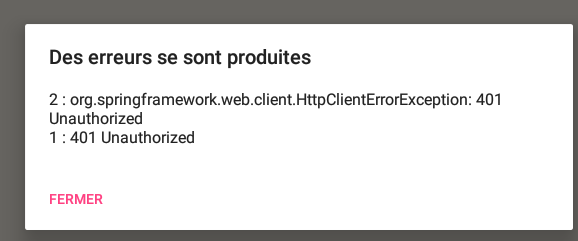
The logs are then as follows:
07-23 13:34:43.853 11240-11240/client.android D/MeteoFragment_: beginWaiting
...
07-23 13:34:49.121 11240-11464/client.android D/client.android.dao.service.Dao_: Thread [RxIoScheduler-2], Exception communication avec serveur : [org.springframework.web.client.HttpClientErrorException,["401 Unauthorized"]]
07-23 13:34:49.121 11240-11466/client.android D/client.android.dao.service.Dao_: Thread [RxIoScheduler-4], Exception communication avec serveur : [org.springframework.web.client.HttpClientErrorException,["401 Unauthorized"]]
07-23 13:34:49.162 11240-11468/client.android D/client.android.dao.service.Dao_: Thread [RxIoScheduler-6], Exception communication avec serveur : [org.springframework.web.client.HttpClientErrorException,["401 Unauthorized"]]
07-23 13:34:49.162 11240-11467/client.android D/client.android.dao.service.Dao_: Thread [RxIoScheduler-5], Exception communication avec serveur : [org.springframework.web.client.HttpClientErrorException,["401 Unauthorized"]]
07-23 13:34:49.163 11240-11240/client.android D/MeteoFragment_: Exception reçue
07-23 13:34:49.163 11240-11240/client.android D/MeteoFragment_: Annulation des tâches lancées
07-23 13:34:49.163 11240-11240/client.android D/MeteoFragment_: initMenu
07-23 13:34:49.167 11240-11465/client.android D/client.android.dao.service.Dao_: Thread [RxIoScheduler-3], Exception communication avec serveur : [org.springframework.web.client.HttpClientErrorException,["401 Unauthorized"]]
- lines 3-6, 10: the 5 HTTP calls generated 5 exceptions;
- line 7: the [MeteoFragment] fragment receives the first exception. It will then cancel all tasks;
Now let’s set a 5-second timeout for [IMainActivity.DELAY] and cancel the operation. The logs are then as follows:
07-21 13:16:20.329 20390-20390/client.android D/MeteoFragment_: beginWaiting
...
07-21 13:16:23.635 20390-20390/client.android D/MeteoFragment_: Annulation demandée
07-21 13:16:23.635 20390-20390/client.android D/MeteoFragment_: Annulation des tâches lancées
07-21 13:16:23.635 20390-20390/client.android D/MeteoFragment_: initMenu
07-21 13:25:02.948 29965-30197/client.android D/client.android.dao.service.Dao_: Thread [RxIoScheduler-6], Exception communication avec serveur : [java.lang.InterruptedException,[null]]
07-21 13:25:02.948 29965-30195/client.android D/client.android.dao.service.Dao_: Thread [RxIoScheduler-4], Exception communication avec serveur : [java.lang.InterruptedException,[null]]
07-21 13:25:02.948 29965-30194/client.android D/client.android.dao.service.Dao_: Thread [RxIoScheduler-3], Exception communication avec serveur : [java.lang.InterruptedException,[null]]
07-21 13:25:02.951 29965-30193/client.android D/client.android.dao.service.Dao_: Thread [RxIoScheduler-2], Exception communication avec serveur : [java.lang.InterruptedException,[null]]
07-21 13:25:02.951 29965-30196/client.android D/client.android.dao.service.Dao_: Thread [RxIoScheduler-5], Exception communication avec serveur : [java.lang.InterruptedException,[null]]
- line 3: cancellation request;
- line 4: the wait is canceled because a cancellation occurred;
- lines 6-10: Canceling the tasks causes an exception on each of the five task threads. The exception type depends on the applications. The exception here is [java.lang.InterruptedException] because the tasks were interrupted while executing the instruction [Thread.sleep(delay)], which causes them to wait artificially for [delay] milliseconds;
2.8.3. Example-16B
Here we refactor Example 16 from the section 1.17 . It presents a fragment that makes asynchronous calls to a random number server. Let’s see how it behaves during a device rotation:
- In [1], we rotate the device twice;
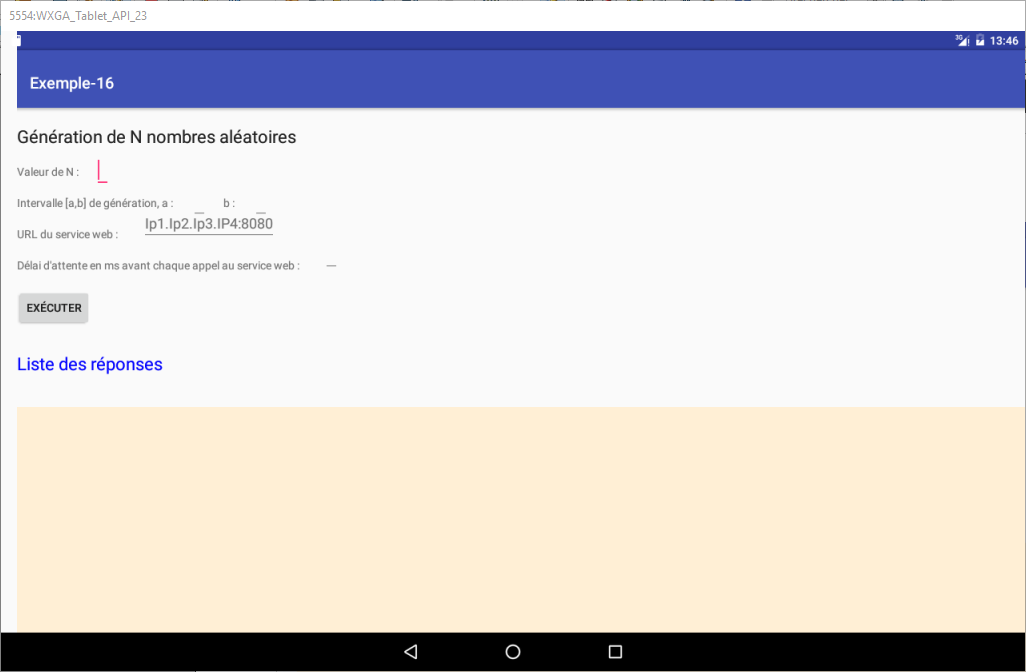
We see that we have lost all the error messages. We will try to improve this.
2.8.3.1. The Example-16B project
We copy the [client-android-skel] project into the [exemples/Exemple-16B] project, then load the new project:
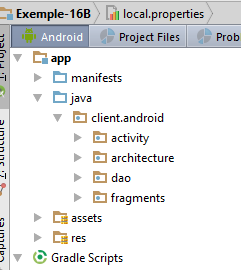
From the initial project [Exemple-16], we copy the following items into [Exemple-16B]:
- the file [res/layout/vue1.xml], the folder [res/values]:
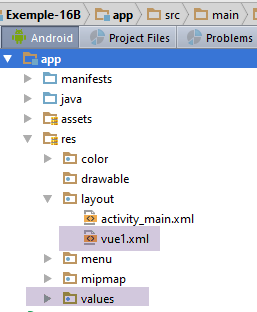
We will change the top margin of the [vue1.xml] view to 80 dp:
  <TextView
    android:id="@+id/txt_Titre2"
    android:layout_width="wrap_content"
    android:layout_height="wrap_content"
    android:layout_marginTop="80dp"
    android:text="@string/aleas"
android:textAppearance="?android:attr/textAppearanceLarge" />
- the fragment [Vue1Fragment]:
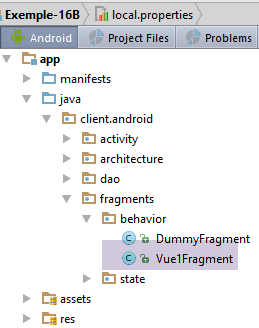
- the [dao / service / Response] class:
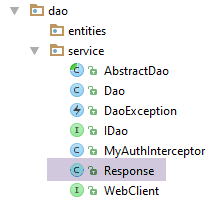
At this stage, we can attempt an initial compilation:
- The first type of error involves imports. Some classes have changed packages during the migration to [Exemple-16B]. We start by correcting this type of error;
- a second type of error is reported on the class [Vue1Fragment] because it does not implement the methods required by the parent class [AbstractParent]. We automatically generate these;
We attempt a second compilation:
- all remaining errors are now concentrated in the [Vue1Fragment] class, the class that will undergo the most changes;
2.8.3.2. Creating a report for the [Vue1Fragment] fragment
We have seen that certain information from the fragment will need to be saved during a rotation in order to restore the fragment to its state prior to the rotation. We therefore create a [Vue1FragmentState] state, which is empty for now:
package client.android.fragments.state;

import client.android.architecture.custom.CoreState;

public class Vue1FragmentState extends CoreState {

}
2.8.3.3. Project Customization
The [IMainActivity] interface allows you to specify certain project characteristics:
package client.android.architecture.custom;

import client.android.architecture.core.ISession;
import client.android.dao.service.IDao;

public interface IMainActivity extends IDao {

  // session access
  ISession getSession();

  // change of view
  void navigateToView(int position, ISession.Action action);

  // wait management
  void beginWaiting();

  void cancelWaiting();

  // application constants -------------------------------------

  // mode debug
  boolean IS_DEBUG_ENABLED = true;

  // maximum time to wait for server response
  int TIMEOUT = 1000;

  // waiting time before executing customer request
  int DELAY = 5000;

  // basic authentication
  boolean IS_BASIC_AUTHENTIFICATION_NEEDED = false;

  // fragment adjacency
  int OFF_SCREEN_PAGE_LIMIT = 1;

  // tab bar
  boolean ARE_TABS_NEEDED = false;

  // waiting image
  boolean IS_WAITING_ICON_NEEDED = true;

  // number of application fragments
  int FRAGMENTS_COUNT = 1;

}
- lines 25, 28, 31, 40: characteristics of the [DAO] layer. Basic authentication is not required;
- line 34: fragment adjacency. Here, this constant is irrelevant since there is only one fragment;
- line 37: this is not a tabbed application;
- line 43: there is only one fragment;
The [CoreState] class that stores the state of the fragments will be as follows:
package client.android.architecture.custom;

import client.android.architecture.core.MenuItemState;
import client.android.fragments.state.Vue1FragmentState;
import com.fasterxml.jackson.annotation.JsonIgnoreProperties;
import com.fasterxml.jackson.annotation.JsonSubTypes;
import com.fasterxml.jackson.annotation.JsonTypeInfo;

@JsonIgnoreProperties(ignoreUnknown = true)
@JsonTypeInfo(use = JsonTypeInfo.Id.NAME, include = JsonTypeInfo.As.PROPERTY)
@JsonSubTypes({
  @JsonSubTypes.Type(value = Vue1FragmentState.class)}
)
public class CoreState {
  // fragment visited or not
  protected boolean hasBeenVisited = false;
  // status of any fragment menu
  protected MenuItemState[] menuOptionsState;

  // getters and setters
...
}
- line 12: we declare the fragment state class [Vue1Fragment];
The [Session] class is as follows:
package client.android.architecture.custom;

import client.android.architecture.core.AbstractSession;

public class Session extends AbstractSession {
  // elements that cannot be serialized as jSON must be annotated with @JsonIgnore
}
It is empty because there is no inter-fragment communication in this application.
2.8.3.4. The [DAO] layer
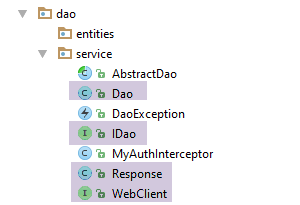
In the [DAO] layer, three classes must be customized:
- the IDao interface;
- its implementation Dao;
- the WebClient interface for communication with the web server / jSON;
The class [Response] comes from the project [Exemple-16], which uses it:
package client.android.dao.service;

import java.util.List;

public class Response<T> {

    // ----------------- properties
    // operation status
    private int status;
    // any error messages
    private List<String> messages;
    // the body of the reply
    private T body;

    // manufacturers
    public Response() {

    }

    public Response(int status, List<String> messages, T body) {
        this.status = status;
        this.messages = messages;
        this.body = body;
    }

    // getters and setters
...
}
The [WebClient] interface will be as follows:
package client.android.dao.service;

import org.androidannotations.rest.spring.annotations.Get;
import org.androidannotations.rest.spring.annotations.Path;
import org.androidannotations.rest.spring.annotations.Rest;
import org.androidannotations.rest.spring.api.RestClientRootUrl;
import org.androidannotations.rest.spring.api.RestClientSupport;
import org.springframework.http.converter.json.MappingJackson2HttpMessageConverter;
import org.springframework.web.client.RestTemplate;

@Rest(converters = {MappingJackson2HttpMessageConverter.class})
public interface WebClient extends RestClientRootUrl, RestClientSupport {

  // RestTemplate
  void setRestTemplate(RestTemplate restTemplate);

  // 1 random number in the range [a,b]
  @Get("/{a}/{b}")
  Response<Integer> getAlea(@Path("a") int a, @Path("b") int b);

}
- lines 18-19: the URL of the random number service. Note that this refers to the client’s root URL (RestClientRootUrl, line 12). Here, this root URL will be [http://localhost:8080];
The [IDao] interface will be as follows:
package client.android.dao.service;

import rx.Observable;

public interface IDao {
  // Url of the web service
  void setUrlServiceWebJson(String url);

  // user
  void setUser(String user, String mdp);

  // customer timeout
  void setTimeout(int timeout);

  // basic authentication
  void setBasicAuthentification(boolean isBasicAuthentificationNeeded);

  // mode debug
  void setDebugMode(boolean isDebugEnabled);

  // client wait time in milliseconds before request
  void setDelay(int delay);

  // random number service
  Observable<Response<Integer>> getAlea(int a, int b);

}
- Note that the methods in lines 6–22 are included by default in the IDao interface of the [client-android-skel] project;
- Line 25: The [getAlea] method returns a random number in the [a,b] range. This number is obtained in a response of type [Response<Integer>], where the random number is in the [body] field of that type;
The [IDao] interface is implemented by the following [Dao] class:
package client.android.dao.service;

import android.util.Log;
import org.androidannotations.annotations.AfterInject;
import org.androidannotations.annotations.Bean;
import org.androidannotations.annotations.EBean;
import org.androidannotations.rest.spring.annotations.RestService;
import org.springframework.http.client.ClientHttpRequestInterceptor;
import org.springframework.http.client.SimpleClientHttpRequestFactory;
import org.springframework.http.converter.json.MappingJackson2HttpMessageConverter;
import org.springframework.web.client.RestTemplate;
import rx.Observable;

import java.util.ArrayList;
import java.util.List;

@EBean(scope = EBean.Scope.Singleton)
public class Dao extends AbstractDao implements IDao {

  // web service customer
  @RestService
  protected WebClient webClient;
  // safety
  @Bean
  protected MyAuthInterceptor authInterceptor;
  // on RestTemplate
  private RestTemplate restTemplate;
  // factory du RestTemplate
  private SimpleClientHttpRequestFactory factory;

  @AfterInject
  public void afterInject() {
    // log
    Log.d(className, "afterInject");
    // we build the restTemplate
    factory = new SimpleClientHttpRequestFactory();
    restTemplate = new RestTemplate(factory);
    // set the jSON converter
    restTemplate.getMessageConverters().add(new MappingJackson2HttpMessageConverter());
    // set the restTemplate of the web client
    webClient.setRestTemplate(restTemplate);
  }

  @Override
  public void setUrlServiceWebJson(String url) {
    // set the URL of the web service
    webClient.setRootUrl(url);
  }

  @Override
  public void setUser(String user, String mdp) {
    // the user is registered in the interceptor
    authInterceptor.setUser(user, mdp);
  }

  @Override
  public void setTimeout(int timeout) {
    if (isDebugEnabled) {
      Log.d(className, String.format("setTimeout thread=%s, timeout=%s", Thread.currentThread().getName(), timeout));
    }
    // factory configuration
    factory.setReadTimeout(timeout);
    factory.setConnectTimeout(timeout);
  }

  @Override
  public void setBasicAuthentification(boolean isBasicAuthentificationNeeded) {
    if (isDebugEnabled) {
      Log.d(className, String.format("setBasicAuthentification thread=%s, isBasicAuthentificationNeeded=%s", Thread.currentThread().getName(), isBasicAuthentificationNeeded));
    }
    // authentication interceptor?
    if (isBasicAuthentificationNeeded) {
      // add the authentication interceptor
      List<ClientHttpRequestInterceptor> interceptors = new ArrayList<ClientHttpRequestInterceptor>();
      interceptors.add(authInterceptor);
      restTemplate.setInterceptors(interceptors);
    }
  }

  // méthodes privées -------------------------------------------------
  private void log(String message) {
    if (isDebugEnabled) {
      Log.d(className, message);
    }
  }

  // random number service
  @Override
  public Observable<Response<Integer>> getAlea(final int a, final int b) {
    // web client execution
    return getResponse(new IRequest<Response<Integer>>() {
      @Override
      public Response<Integer> getResponse() {
        return webClient.getAlea(a, b);
      }
    });
  }

}
- Note that lines 17–85 are included by default in the [Dao] class of the [client-android-skel] project. You just need to add the methods that implement the [IDao] interface;
- lines 88–97: implementation of the [getAlea] method. This is very simple and consists of 6 lines, lines 91–96;
- line 91: the method [getResponse] is a method of the parent class [AbstractDao]. It expects a parameter of type [IRequest<T>], where T is the type of the expected response, in this case a Response<Integer> type. The type T of [IRequest<T>] (line 91) must be the type T of the method [Observable<T> getAlea] (line 89);
- The [IRequest<T>] interface has only one method: getResponse. This method is responsible for providing the T-type response that the [Observable<T> getAlea] method must return;
- Line 94: The [WebClient] interface provides this response. It is passed the two parameters received on line 89. For this reason, these parameters must have the final attribute;
2.8.3.5. The [MainActivity] activity
The [MainActivity] activity is as follows:
package client.android.activity;

import android.util.Log;
import client.android.R;
import client.android.architecture.core.AbstractActivity;
import client.android.architecture.core.AbstractFragment;
import client.android.architecture.core.ISession;
import client.android.dao.service.Dao;
import client.android.dao.service.IDao;
import client.android.dao.service.Response;
import client.android.fragments.behavior.Vue1Fragment_;
import org.androidannotations.annotations.Bean;
import org.androidannotations.annotations.EActivity;
import org.androidannotations.annotations.OptionsMenu;
import rx.Observable;

@EActivity
@OptionsMenu(R.menu.menu_main)
public class MainActivity extends AbstractActivity {

  // layer [DAO]
  @Bean(Dao.class)
  protected IDao dao;

  // methods parent class -----------------------
  @Override
  protected void onCreateActivity() {
    // log
    if (IS_DEBUG_ENABLED) {
      Log.d(className, "onCreateActivity");
    }
    // continue the initializations begun by the parent class
  }

  @Override
  protected IDao getDao() {
    return dao;
  }

  @Override
  protected AbstractFragment[] getFragments() {
    // define fragments here
    return new AbstractFragment[]{new Vue1Fragment_()};
  }


  @Override
  protected CharSequence getFragmentTitle(int position) {
    // define fragment titles here
    return null;
  }

  @Override
  protected void navigateOnTabSelected(int position) {
    // navigation by tabs - define the view to be displayed
  }

  @Override
  protected int getFirstView() {
    return 0;
  }

  // interface IDao ------------------------------------------
  @Override
  public Observable<Response<Integer>> getAlea(int a, int b) {
    return dao.getAlea(a, b);
  }

}
- Note that lines 15–61 are included by default in the [client-android-skel] project. You just need to customize them;
- lines 40–44: the fragment table. There is only one here;
- lines 47–51: no fragment titles are required;
- lines 53–56: no tabs here;
- lines 58–61: the first view to display is view #0, that of [Vue1Fragment];
- lines 64-67: implementation of the [IDao] interface. Here, there is nothing to do other than delegate the work to the [DAO] layer on line 23;
2.8.3.6. The state of the fragment [Vue1Fragment]
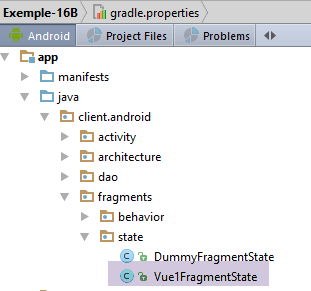
The [Vue1FragmentState] class will be as follows:
package client.android.fragments.state;

import client.android.architecture.custom.CoreState;

import java.util.ArrayList;
import java.util.List;

public class Vue1FragmentState extends CoreState {

  // fragment status ------------------------
  // list of answers
  private List<String> reponses = new ArrayList<>();
  // condition view ------------------------
  // error msg on the number of random numbers requested
  private boolean txtErrorAleasVisible = false;
  // error msg on generation interval [a,b]
  private boolean txtErrorIntervalleVisible = false;
  // error msg on the URL of the web service
  private boolean txtMsgErreurUrlServiceWebVisible = false;
  // waiting time error msg
  private boolean textViewErreurDelayVisible = false;
  // whether or not the Execute button is visible
  private boolean btnExecuterVisible = true;

  // getters and setters
...
}
To determine what needed to be saved in the fragment, we rotated the device in various situations and observed what was lost upon restoration. We concluded that the information in lines 10–23 needed to be saved.
2.8.3.7. The fragment [Vue1Fragment]
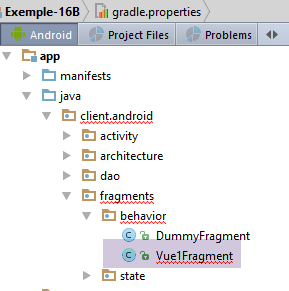
Currently, the [Vue1Fragment] view contains various errors due to the fact that the parent class [AbstractFragment] from which it derives has changed. Rather than describing the changes to be made one by one, we will comment directly on the final version.
The fragment skeleton is as follows:
package client.android.fragments.behavior;

import android.util.Log;
import android.view.View;
import android.widget.*;
import client.android.R;
import client.android.architecture.core.AbstractFragment;
import client.android.architecture.custom.CoreState;
import client.android.dao.service.Response;
import client.android.fragments.state.Vue1FragmentState;
import com.fasterxml.jackson.core.JsonProcessingException;
import com.fasterxml.jackson.databind.ObjectMapper;
import org.androidannotations.annotations.Click;
import org.androidannotations.annotations.EFragment;
import org.androidannotations.annotations.OptionsMenu;
import org.androidannotations.annotations.ViewById;
import rx.Observable;
import rx.functions.Action1;

import java.net.URI;
import java.net.URISyntaxException;
import java.util.ArrayList;
import java.util.List;

@EFragment(R.layout.vue1)
@OptionsMenu(R.menu.menu_vide)
public class Vue1Fragment extends AbstractFragment {

...
}
- Line 26: Note that every fragment must have a menu, even if it is empty. This is the case here.
2.8.3.7.1. Handling the click on the [Exécuter] button
@Click(R.id.btn_Executer)
  protected void doExecuter() {
    // check the data entered
    if (!isPageValid()) {
      return;
    }
    // delete previous answers
    reponses.clear();
    dataAdapterReponses.notifyDataSetChanged();
    // reset the response counter to 0
    nbReponses = 0;
    infoReponses.setText("Liste des réponses (0)");
    // activity initialization
    mainActivity.setUrlServiceWebJson(urlServiceWebJson);
    mainActivity.setDelay(delay);
    // prepare the random task
    beginWaiting(1);
    // we ask for the random numbers
    getAleasInBackground(nbAleas, a, b);
  }

  void getAleasInBackground(int nbAleas, int a, int b) {
    // create the process to be observed
    Observable<Response<Integer>> process = Observable.empty();
    for (int i = 0; i < nbAleas; i++) {
      process = process.mergeWith(mainActivity.getAlea(a, b));
    }
    // we ask for the random numbers
    executeInBackground(process, new Action1<Response<Integer>>() {

      @Override
      public void call(Response<Integer> response) {
        // we consume the answer
        consumeAleaResponse(response);
      }
    });
  }

  protected void consumeAleaResponse(Response<Integer> response) {
    // log
    if (isDebugEnabled) {
      try {
        Log.d(String.format("%s", className), String.format("consumeAleaResponse(%s)", jsonMapper.writeValueAsString(response)));
      } catch (JsonProcessingException e) {
        e.printStackTrace();
      }
    }
    // a + response
    nbReponses++;
    infoReponses.setText(String.format("Liste des réponses (%s)", nbReponses));
    // we analyze the response
    // mistake?
    if (response.getStatus() != 0) {
      // display
      showAlert(response.getMessages());
      // cancellation
      doAnnuler();
      // back to Ui
      return;
    }
    // we add the information to the list of answers
    reponses.add(0, String.valueOf(response.getBody()));
    // refreshing the answers
    dataAdapterReponses.notifyDataSetChanged();
  }

  // cancellation ----------
  @Click(R.id.btn_Annuler)
  protected void doAnnuler() {
    if (isDebugEnabled) {
      Log.d(className, "Annulation demandée");
    }
    // asynchronous tasks are cancelled
    cancelRunningTasks();
}

  private void beginWaiting(int nbRunningTasks) {
    // we set the hourglass
    beginRunningTasks(nbRunningTasks);
    // the [Cancel] button replaces the [Execute] button
    btnExecuter.setVisibility(View.INVISIBLE);
    btnAnnuler.setVisibility(View.VISIBLE);
  }
- lines 4-6: First, we verify that the entries are valid. Error messages may then appear;
- lines 8-9: the list of responses is cleared. This change is reflected in ListView, which displays them;
- lines 11-12: the number of responses received is set to zero;
- line 14: the URL for the random number service is set. This information will be transmitted to the [DAO] layer;
- line 15: the wait time before sending the request to the random number service is set. This information will be transmitted to the [DAO] layer;
- line 17: we prepare to launch 1 asynchronous task (not N; we’ll see why);
- lines 24–27: of the N asynchronous tasks, we turn them into a sequence of operations [merge];
- lines 29–36: the parent class [AbstractParent] is asked to query the web service /jSON for random numbers;
- lines 29–36: the method [executeInBackground] expects two parameters:
- line 29: the process to be observed and executed is the one calculated in the preceding lines;
- lines 29–36: the [Action1] instance to be executed when the response from the asynchronous service is received. The type T of [Action1<T>] must be the type T of the result of the [getAlea] method, i.e., a [Response<Integer>] type;
- line 34: when a response arrives (a random number), it is processed in the method on line 39;
- lines 49–50: we note and signal that we have received a new response;
- lines 53–60: the type [Response<T>] has a field [status], which is an error code. If this code is non-zero, then the server encountered a problem;
- line 55: an error message is displayed. The method [showAlert] belongs to the parent class;
- line 57: the method in lines 68–75 is called. It will cancel any tasks that are still active (line 74);
- line 62: the response is added to the list of responses, which is the data source for ListView;
- line 64: ListView is refreshed;
- lines 77–83: the [beginWaiting(int nbRunningTasks)] method prepares the view for the wait (lines 81–82) and notifies the parent class that [nbRunningTasks] tasks will soon execute (line 79);
2.8.3.7.2. The fragment lifecycle
The fragment lifecycle is managed by the following methods:
  // local data
  private List<String> reponses;
  private ArrayAdapter<String> dataAdapterReponses;
  private int nbReponses = 0;
...
  // life cycle management ---------------------------------------------------------
  @Override
  public CoreState saveFragment() {
    // current view status
    Vue1FragmentState state = new Vue1FragmentState();
    state.setTextViewErreurDelayVisible(textViewErreurDelay.getVisibility() == View.VISIBLE);
    state.setTxtErrorAleasVisible(txtErrorAleas.getVisibility() == View.VISIBLE);
    state.setTxtMsgErreurUrlServiceWebVisible(txtMsgErreurUrlServiceWeb.getVisibility() == View.VISIBLE);
    state.setTxtErrorIntervalleVisible(txtErrorIntervalle.getVisibility() == View.VISIBLE);
    state.setBtnExecuterVisible(btnExecuter.getVisibility() == View.VISIBLE);
    state.setReponses(reponses);
    return state;
  }

  @Override
  protected int getNumView() {
    return 0;
  }

  @Override
  protected void initFragment(CoreState previousState) {
    // 1st visit?
    if (previousState != null) {
      Vue1FragmentState state = (Vue1FragmentState) previousState;
      reponses = state.getReponses();
    } else {
      reponses = new ArrayList<>();
    }
    // listView data source
    dataAdapterReponses = new ArrayAdapter<>(activity, android.R.layout.simple_list_item_1, android.R.id.text1, reponses);
    // nre of responses
    nbReponses = reponses.size();
  }

  @Override
  protected void initView(CoreState previousState) {
    // link listview / adapter
    listReponses.setAdapter(dataAdapterReponses);
    // 1st visit?
    if (previousState == null) {
      // hide error messages
      txtErrorAleas.setVisibility(View.INVISIBLE);
      txtErrorIntervalle.setVisibility(View.INVISIBLE);
      txtMsgErreurUrlServiceWeb.setVisibility(View.INVISIBLE);
      textViewErreurDelay.setVisibility(View.INVISIBLE);
      // buttons
      btnAnnuler.setVisibility(View.INVISIBLE);
      btnExecuter.setVisibility(View.VISIBLE);
    }
  }

  @Override
  protected void updateOnSubmit(CoreState previousState) {

  }

  @Override
  protected void updateOnRestore(CoreState previousState) {
    // previous view status
    Vue1FragmentState state = (Vue1FragmentState) previousState;
    // show / hide error msg
    txtErrorAleas.setVisibility(state.isTxtErrorAleasVisible() ? View.VISIBLE : View.INVISIBLE);
    txtErrorIntervalle.setVisibility(state.isTxtErrorIntervalleVisible() ? View.VISIBLE : View.INVISIBLE);
    txtMsgErreurUrlServiceWeb.setVisibility(state.isTxtMsgErreurUrlServiceWebVisible() ? View.VISIBLE : View.INVISIBLE);
    textViewErreurDelay.setVisibility(state.isTextViewErreurDelayVisible() ? View.VISIBLE : View.INVISIBLE);
    // buttons
    btnAnnuler.setVisibility(state.isBtnExecuterVisible() ? View.INVISIBLE : View.VISIBLE);
    btnExecuter.setVisibility(state.isBtnExecuterVisible() ? View.VISIBLE : View.INVISIBLE);
    // no. of responses
    infoReponses.setText(String.format("Liste des réponses (%s)", nbReponses));
  }

  @Override
  protected void notifyEndOfUpdates() {

  }

  @Override
  protected void notifyEndOfTasks(boolean runningTasksHaveBeenCanceled) {
    // the [Execute] button replaces the [Cancel] button
    btnAnnuler.setVisibility(View.INVISIBLE);
    btnExecuter.setVisibility(View.VISIBLE);

}
- lines 7–18: ensure the fragment is saved when the parent class requests it;
- line 11: displays the error message regarding the timeout;
- line 12: visibility of the error message regarding the number of random numbers requested;
- line 13: visibility of the error message regarding the URL web service / jSON;
- line 14: visibility of the error message regarding the [a,b] random number generation interval;
- line 15: visibility of the [Exécuter] button;
- line 16: the list of received responses;
- lines 20–23: must return the view ID. The fragment ID here is 0 since there is only one;
- lines 25-38: initialization of the fragment fields, either on a first visit (previousState==null) or on a subsequent visit;
- lines 29-30: if this is not the first visit, the field [reponses] is restored from the fragment’s previous state;
- lines 31–33: if this is the first visit, then the field [reponses] is initialized with an empty list;
- lines 34–37: using the [reponses] field, we can construct the data source for the fragment’s ListView (line 35) as well as the number of responses (line 37);
- lines 40–55: executed to initialize the view associated with the fragment, either on a first visit (previousState==null) or on a subsequent visit;
- line 43: the fragment’s ListView is associated with the data source that was just constructed in the [initFragment] method;
- lines 45–54: if this is the first visit, the view is prepared for its first display;
- lines 57–60: executed during an inter-fragment navigation associated with a [SUBMIT]-type action. Here, there is only one fragment and therefore no inter-fragment navigation;
- lines 63–76: executed during an inter-fragment navigation associated with a [NAVIGATION]-type action, or during a backup/restore cycle due to a device rotation or another reason. Here, only the latter case can occur. It is important to remember that here, in all cases, [previousState] is always non-null;
- line 65: the previous state is cast to the fragment state type;
- lines 66–75: the contents of the previous state are used to restore the view;
- lines 78–81: called when all previous updates have been completed. Here, there is nothing to do;
- lines 83-89: executed when all asynchronous tasks are complete. Here, the [Annuler] button is hidden and replaced with the [Exécuter] button;
2.8.3.8. Tests
The reader is invited to perform the following tests:
- create errors and run the device: the error messages must be retained;
- Generate random numbers and run the device: the generated random numbers must remain displayed;
- introduce a delay of several seconds and run the device during the delay: the tasks must have been canceled (this can be seen in the logs);
2.8.4. Example-22B
Here we revisit Example 22 to refactor it according to the model of the [client-android-skel] project. Recall that the [Exemple-22] project correctly handles the save/restore cycle of fragments during rotation and that it served as the basis for the [client-android-skel] project.
We duplicate the [client-android-skel] project into [exemples/Exemple-22B] and load the latter project:
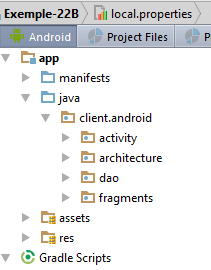
Then we copy various elements from the [Exemple-22] project into the [Exemple-22B] project.
First, we copy elements from the [res] folder:
- [layout/fragment_main.xml, layout/vue1.xml, menu/menu_fragment.xml, menu/menu_main.xml, the [values] folder;
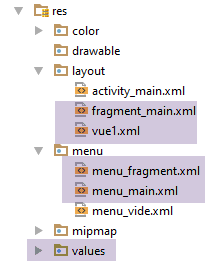
We will change the top margin of both views to 120 dp:
[vue1.xml] :
  <TextView
    android:layout_width="wrap_content"
    android:layout_height="wrap_content"
    android:textAppearance="?android:attr/textAppearanceLarge"
    android:text="@string/titre_vue1"
    android:id="@+id/textViewTitreVue1"
    android:layout_marginTop="120dp"
    android:textSize="50sp"
    android:layout_gravity="center|left"
    android:layout_alignParentTop="true"
android:layout_centerHorizontal="true"/>
[fragment_main] :
  <TextView
    android:id="@+id/section_label"
    android:layout_width="wrap_content"
    android:layout_height="wrap_content"
android:layout_marginTop="120dp"/>
Next, we copy the [Vue1Fragment, PlaceHolderFragment, PlaceHolderFragmentState] elements:
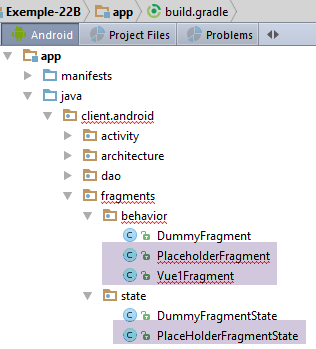
At this point, we can attempt an initial compilation. A first type of error appears: incorrect imports because classes have changed packages. We correct these imports. A second type of error is due to the fact that the fragments do not implement all the methods of their parent class [AbstractFragment]. We correct this by pressing (Alt+Enter).
The remaining errors stem from differences between the old and new [AbstractFragment] classes. For now, we ignore them.
2.8.4.1. Project Customization
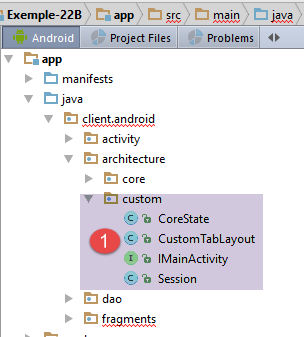
The [custom] folder contains architecture elements that can be customized by the developer.
The [IMainActivity] interface allows you to specify certain project characteristics:
package client.android.architecture.custom;

import client.android.architecture.core.ISession;
import client.android.dao.service.IDao;

public interface IMainActivity extends IDao {

  // session access
  ISession getSession();

  // change of view
  void navigateToView(int position, ISession.Action action);

  // wait management
  void beginWaiting();

  void cancelWaiting();

  // mode debug
  boolean IS_DEBUG_ENABLED = true;

  // maximum time to wait for server response
  int TIMEOUT = 1000;

  // waiting time before executing customer request
  int DELAY = 0;

  // basic authentication
  boolean IS_BASIC_AUTHENTIFICATION_NEEDED = false;

  // fragment adjacency
  int OFF_SCREEN_PAGE_LIMIT = 1;

  // tab bar
  boolean ARE_TABS_NEEDED = true;

  // waiting image
  boolean IS_WAITING_ICON_NEEDED = false;

  // number of fragments
  int FRAGMENTS_COUNT = 5;

}
- lines 23, 26, 29, 38: characteristics of the [DAO] layer. There are none here;
- line 41: there are five fragments here;
- line 32: fragment adjacency. This constant can have a value here in [1,4]. The reader is encouraged to vary this value to see if the application continues to function;
- line 35: this is a tabbed application;
The [CoreState] class that stores the state of the fragments will be as follows:
package client.android.architecture.custom;

import client.android.architecture.core.MenuItemState;
import client.android.fragments.state.PlaceHolderFragmentState;
import com.fasterxml.jackson.annotation.JsonIgnoreProperties;
import com.fasterxml.jackson.annotation.JsonSubTypes;
import com.fasterxml.jackson.annotation.JsonTypeInfo;

@JsonIgnoreProperties(ignoreUnknown = true)
@JsonTypeInfo(use = JsonTypeInfo.Id.NAME, include = JsonTypeInfo.As.PROPERTY)
@JsonSubTypes({
  @JsonSubTypes.Type(value = PlaceHolderFragmentState.class)}
)
public class CoreState {
  // fragment visited or not
  protected boolean hasBeenVisited = false;
  // status of any fragment menu
  protected MenuItemState[] menuOptionsState;

  // getters and setters
...
}
- line 12: we declare the fragment state class [PlaceHolderFragment]. The fragment [Vue1Fragment] has no state;
The [Session] class is as follows:
package client.android.architecture.custom;

import client.android.architecture.core.AbstractSession;

public class Session extends AbstractSession {
  // data to be shared between fragments themselves and between fragments and activities
  // elements that cannot be serialized as jSON must be annotated with @JsonIgnore
  // don't forget the getters and setters required for serialization / deserialization jSON

  // number of fragments visited
  private int numVisit;
  // n° fragment type [PlaceholderFragment] displayed in second tab
  private int numFragment = -1;

  // getters and setters
...
}
This is the session for project [Exemple-22].
2.8.4.2. The [MainActivity] activity
The [MainActivity] activity is as follows:
package client.android.activity;

import android.os.Bundle;
import android.support.design.widget.TabLayout;
import android.util.Log;
import android.view.MenuItem;
import client.android.R;
import client.android.architecture.core.AbstractActivity;
import client.android.architecture.core.AbstractFragment;
import client.android.architecture.core.ISession;
import client.android.architecture.custom.IMainActivity;
import client.android.architecture.custom.Session;
import client.android.dao.service.Dao;
import client.android.dao.service.IDao;
import client.android.fragments.behavior.PlaceholderFragment_;
import client.android.fragments.behavior.Vue1Fragment_;
import org.androidannotations.annotations.Bean;
import org.androidannotations.annotations.EActivity;
import org.androidannotations.annotations.OptionsMenu;

@EActivity
@OptionsMenu(R.menu.menu_main)
public class MainActivity extends AbstractActivity {

  // layer [DAO]
  @Bean(Dao.class)
  protected IDao dao;
  // session
  private Session session;

  // menu management-----------------------
  @Override
  public boolean onOptionsItemSelected(MenuItem item) {
...
  }

  private void showFragment(int i) {
...
  }

  // implementation of parent class methods ---------------------------------------------------
  ...
}
Here, the [MainActivity] class is more substantial than those in the previous examples for two reasons:
- there are tabs to manage;
- there is a menu to manage;
2.8.4.2.1. Implementation of the parent class methods
// methods parent class -----------------------
  @Override
  protected void onCreateActivity() {
    // log
    if (IS_DEBUG_ENABLED) {
      Log.d(className, "onCreateActivity");
    }
    // continue the initializations begun by the parent class
    // session
    this.session = (Session) super.session;
    ...
  }

  @Override
  protected IDao getDao() {
    return dao;
  }

  @Override
  protected AbstractFragment[] getFragments() {
    // fragment no
    final String ARG_SECTION_NUMBER = "section_number";
    // initialization of fragment table
    AbstractFragment[] fragments = new AbstractFragment[FRAGMENTS_COUNT];
    int i;
    for (i = 0; i < fragments.length - 1; i++) {
      // create a fragment
      fragments[i] = new PlaceholderFragment_();
      // you can pass arguments to the
      Bundle args = new Bundle();
      args.putInt(ARG_SECTION_NUMBER, i + 1);
      fragments[i].setArguments(args);
    }
    // a fragment of +
    fragments[i] = new Vue1Fragment_();
    // result
    return fragments;
  }


  @Override
  protected CharSequence getFragmentTitle(int position) {
    // no titles here
    return null;
  }

  @Override
  protected void navigateOnTabSelected(int position) {
...
  }

  @Override
  protected int getFirstView() {
    return IMainActivity.FRAGMENTS_COUNT - 1;
  }
- lines 2–12: The [onCreateActivity] method is called by the parent class [AbstractActivity] when the activity is created for the first time or recreated during a save/restore cycle. When this method is called, the parent class has already restored the session;
- line 10: a local reference to the session is retrieved. The type change is due to the fact that the parent class’s session is of type [AbstractSession];
- lines 19–38: the [getFragments] method must return to the parent class the array of fragments managed by the application. Here there are [FRAGMENTS_COUNT] of them, a number defined in [IMainActivity]. The first [FRAGMENTS_COUNT-1] fragments are of type [PlaceHolderFragment] and the last one is of type [Vue1Fragment];
- lines 41–45: the [getFragmentTitle] method should return the fragment titles when this information is useful. This is not the case here;
- lines 47-50: this method is called by the parent class when the user clicks on a tab. We will return to this in the next section;
- lines 52–55: returns the number of the first view to display when the application starts. Here, the fragment [Vue1Fragment] must be displayed first. The [getFirstView] method could advantageously be replaced by a constant in [IMainActivity];
2.8.4.2.2. Tab Management
Tabs are managed by the following methods:
@Override
  protected void onCreateActivity() {
    // log
    if (IS_DEBUG_ENABLED) {
      Log.d(className, "onCreateActivity");
    }
    // continue the initializations begun by the parent class
    // session
    this.session = (Session) super.session;
    // 1st tab
    TabLayout.Tab tab = tabLayout.newTab();
    tab.setText("Vue 1");
    tabLayout.addTab(tab);
    // 2nd tab ?
    int numFragment = session.getNumFragment();
    if (numFragment != -1) {
      TabLayout.Tab tab2 = tabLayout.newTab();
      tab2.setText(String.format("Fragment n° %s", (numFragment + 1)));
      tabLayout.addTab(tab2);
    }
  }

  @Override
  protected void navigateOnTabSelected(int position) {
    // fragment number to display
    int numFragment;
    switch (position) {
      case 0:
        // fragment no. [Vue1Fragment]
        numFragment = getFirstView();
        break;
      default:
        // fragment no. [PlaceholderFragment]
        numFragment = session.getNumFragment();
    }
    // fragment display
    if (numFragment != mViewPager.getCurrentItem()) {
      navigateToView(numFragment, ISession.Action.SUBMIT);
    }
  }
}
- lines 1–20: The [onCreateActivity] method is called by the parent class [AbstractActivity] when the activity is created for the first time or recreated during a save/restore cycle. When this method is called, the parent class has already restored the session;
- line 9: a local reference to the session is retrieved. The type change is due to the fact that the parent class’s session is of type [AbstractSession];
- lines 11–13: the first tab is created;
- lines 15–20: the second tab is created if a fragment number is stored in the session (line 15). This number is initially set to -1 when the activity is first constructed;
- lines 23-39: this method is called by the parent class when the user clicks on a tab;
- lines 28-31: if tab 0 is clicked, then [Vue1Fragment] must be displayed. We know that this is the first view that was displayed when the application started;
- lines 32–35: if tab 1 is clicked, then the fragment whose number is stored in the session must be displayed;
- lines 37–39: we navigate to the selected fragment. The associated action is [SUBMIT]. Could it have been [NAVIGATION]? In this document, [NAVIGATION] is used only when displaying the new fragment requires knowing only its previous state. Here, that is not the case since the display of the fragment must change from its previous state to show one more visit;
2.8.4.2.3. Menu Management
The activity is associated with the following menu: [menu_main.xml]:
<menu xmlns:android="http://schemas.android.com/apk/res/android"
      xmlns:app="http://schemas.android.com/apk/res-auto"
      xmlns:tools="http://schemas.android.com/tools"
      tools:context="exemples.android.MainActivity">
  <item android:id="@+id/action_settings"
        android:title="@string/action_settings"
        android:orderInCategory="100"
        app:showAsAction="never"/>
  <item android:id="@+id/fragment1"
        android:title="@string/fragment1"
        android:orderInCategory="100"
        app:showAsAction="never"/>
  <item android:id="@+id/fragment2"
        android:title="@string/fragment2"
        android:orderInCategory="100"
        app:showAsAction="never"/>
  <item android:id="@+id/fragment3"
        android:title="@string/fragment3"
        android:orderInCategory="100"
        app:showAsAction="never"/>
  <item android:id="@+id/fragment4"
        android:title="@string/fragment4"
        android:orderInCategory="100"
        app:showAsAction="never"/>
</menu>
which displays the following:
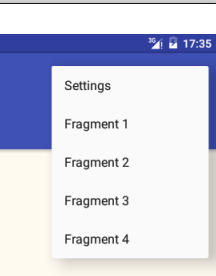
The menu is managed by the following methods:
@Override
  public boolean onOptionsItemSelected(MenuItem item) {
    // log
    if (IS_DEBUG_ENABLED) {
      Log.d(className, "onOptionsItemSelected");
    }
    // processing menu options
    int id = item.getItemId();
    switch (id) {
      case R.id.action_settings: {
        if (IS_DEBUG_ENABLED) {
          Log.d(className, "action_settings selected");
        }
        break;
      }
      case R.id.fragment1: {
        showFragment(0);
        break;
      }
      case R.id.fragment2: {
        showFragment(1);
        break;
      }
      case R.id.fragment3: {
        showFragment(2);
        break;
      }
      case R.id.fragment4: {
        showFragment(3);
        break;
      }
    }
    // item processed
    return true;
  }

  private void showFragment(int i) {
    if (i < FRAGMENTS_COUNT && mViewPager.getCurrentItem() != i) {
      // no navigation on software tab selection
      session.setNavigationOnTabSelectionNeeded(false);
      // we recreate the two tabs for a title font issue
      tabLayout.removeAllTabs();
      tabLayout.addTab(tabLayout.newTab().setText("Vue1"), false);
      tabLayout.addTab(tabLayout.newTab().setText(String.format("Fragment n° %s", (i + 1))), false);
      // the fragment number to be displayed is set in session
      session.setNumFragment(i);
      // tab 2 is selected with navigation
      session.setNavigationOnTabSelectionNeeded(true);
      tabLayout.getTabAt(1).select();
    }
  }
- lines 16-31: handle a click on a option menu item of type [Fragmenti];
- lines 37-50: display fragment #i (these are fragments of type PlaceHolderFragment) in tab #1 (2nd tab);
- lines 42-44: we decide to delete the existing tabs to create two new ones. This decision was made to work around the following issue: when the fragment is simply displayed in the existing tab 1 (without deleting it), curiously its title appears (font, size) differently from the title of tab 0;
- lines 43-44: the two tabs are created but not selected (last parameter set to false);
- line 40: the operations in lines 42–44 may trigger [select] operations on the tabs, which will call the [onTabSelected] handler. If nothing is done, this will result in a navigation call to a fragment. This is prevented by setting the Boolean [navigationOnTabSelectionNeeded] to false in the session. This Boolean is automatically reset to true by the [AbstractFragment] class when a fragment becomes visible;
- line 46: we note the number of the fragment to be displayed in the session;
- lines 48–50: tab 2 is selected using navigation (line 48). This triggers the procedure [onTabSelected], which:
- display the fragment whose number has been set in the session;
- store the number of the selected tab in the session;
2.8.4.3. The fragment [Vue1Fragment]
Here is the final version for the fragment:
package client.android.fragments.behavior;

import android.widget.EditText;
import android.widget.Toast;
import client.android.R;
import client.android.architecture.core.AbstractFragment;
import client.android.architecture.custom.CoreState;
import client.android.architecture.custom.IMainActivity;
import org.androidannotations.annotations.Click;
import org.androidannotations.annotations.EFragment;
import org.androidannotations.annotations.OptionsMenu;
import org.androidannotations.annotations.ViewById;

@EFragment(R.layout.vue1)
@OptionsMenu(R.menu.menu_fragment)
public class Vue1Fragment extends AbstractFragment {

  // visual interface elements
  @ViewById(R.id.editTextNom)
  protected EditText editTextNom;

  // event manager
  @Click(R.id.buttonValider)
  protected void doValider() {
    // the name entered is displayed
    Toast.makeText(activity, String.format("Bonjour %s", editTextNom.getText().toString()), Toast.LENGTH_LONG).show();
  }

  // fragment life cycle -----------------------------------------------
  private void initFragment() {
    // nothing to do
  }

  // save fragment status
  @Override
  public CoreState saveFragment() {
    // view status - nothing to save
    return new CoreState();
  }

  @Override
  protected int getNumView() {
    return IMainActivity.FRAGMENTS_COUNT - 1;
  }

  @Override
  protected void initFragment(CoreState previousState) {
    // nothing to do
  }

  @Override
  protected void initView(CoreState previousState) {
    // 1st visit?
    if (previousState == null) {
      // the visit number is displayed
      showNumVisit();
    }

  }

  @Override
  protected void updateOnSubmit(CoreState previousState) {
    // the visit number is displayed
    showNumVisit();

  }

  @Override
  protected void updateOnRestore(CoreState previousState) {

  }

  @Override
  protected void notifyEndOfUpdates() {

  }

  @Override
  protected void notifyEndOfTasks(boolean runningTasksHaveBeenCanceled) {

  }

  // private methods -------------------------------------
  // display visit no
  private void showNumVisit() {
    // increment visit no
    int numVisit = session.getNumVisit();
    numVisit++;
    session.setNumVisit(numVisit);
    // the visit number is displayed
    Toast.makeText(activity, String.format("Visite n° %s", numVisit), Toast.LENGTH_SHORT).show();
  }
}
The class is almost empty.
- lines 35-39: called by the parent class when the fragment needs to save its state. The fragment [Vue1Fragment] has no state to save. We simply return an instance of the base class [CoreState] (reminder: we must not return null);
- lines 41–44: must return the fragment’s ID. By design, the fragment [Vue1Fragment] has the ID [FRAGMENTS_COUNT-1];
- lines 51–59: called by the parent class when the fragment is constructed for the first time (previousState == null) or on subsequent occasions (previousState != null);
- lines 54–57: if this is the first visit, the visit count is incremented and displayed (lines 85–92);
- lines 61-65: called when the fragment is about to be displayed in association with an action [SUBMIT]. The visit count is incremented and displayed. Here, it is not possible for the visit count to be incremented twice during the lifecycle. In fact, the first visit to the [Vue1Fragment] fragment occurs at application startup when the action is set to [NONE] by design within the session. This ensures that the [updateOnSubmit] method will not be called. After that, it will never be the first visit again, and the method [initView] will do nothing;
- lines 68–71: called during a save/restore cycle. Since the fragment has no state, there is nothing to restore here;
- lines 73–76: called when all previous updates have been completed. Here, there is nothing more to do;
- lines 78-81: called when all launched asynchronous tasks have finished. Here, there are no asynchronous tasks;
2.8.4.4. The state [PlaceHolderFragmentState]
The state of the fragment [PlaceHolderFragment] will be as follows:
package client.android.fragments.state;

import client.android.architecture.custom.CoreState;

public class PlaceHolderFragmentState extends CoreState {
  // text
  private String text;

  // manufacturers
  public PlaceHolderFragmentState() {

  }

  public PlaceHolderFragmentState(String text) {
    super();
    this.text = text;
  }

  // getters and setters
 ...
}
- When we need to save the fragment's state, we'll save the text it was displaying (line 7);
2.8.4.5. The fragment [PlaceHolderFragment]
The fragment [PlaceHolderFragment] will be as follows:
package client.android.fragments.behavior;

import android.util.Log;
import android.widget.TextView;
import client.android.R;
import client.android.architecture.core.AbstractFragment;
import client.android.architecture.custom.CoreState;
import client.android.fragments.state.PlaceHolderFragmentState;
import org.androidannotations.annotations.EFragment;
import org.androidannotations.annotations.OptionsMenu;
import org.androidannotations.annotations.ViewById;

@EFragment(R.layout.fragment_main)
@OptionsMenu(R.menu.menu_fragment)
public class PlaceholderFragment extends AbstractFragment {

  // visual interface components
  @ViewById(R.id.section_label)
  protected TextView textViewInfo;
  @ViewById(R.id.textView1)
  protected TextView textView1;

  // data
  private String text;

  // fragment no
  private static final String ARG_SECTION_NUMBER = "section_number";

  // implementation of parent class methods ----------------------------
  @Override
  public CoreState saveFragment() {
    // save fragment state
    PlaceHolderFragmentState placeHolderFragmentState = new PlaceHolderFragmentState();
    placeHolderFragmentState.setText(textViewInfo.getText().toString());
    return placeHolderFragmentState;
  }

  @Override
  protected int getNumView() {
    return getArguments().getInt(ARG_SECTION_NUMBER) - 1;
  }

  @Override
  protected void initFragment(CoreState previousState) {
    // original text
    text = getString(R.string.section_format, getArguments().getInt(ARG_SECTION_NUMBER));
  }

  @Override
  protected void initView(CoreState previousState) {
  }

  @Override
  protected void updateOnSubmit(CoreState previousState) {
    // update the text displayed
    // increment visit no
    int numVisit = session.getNumVisit();
    numVisit++;
    session.setNumVisit(numVisit);
    // modified text
    textViewInfo.setText(String.format("%s, visite %s", text, numVisit));
    // log
    if (isDebugEnabled) {
      Log.d(className, String.format("updateForSubmit, numvisit=%s, texte affiché=%s, visibility=%s", numVisit, textViewInfo.getText().toString(), textViewInfo.getVisibility()));
    }
  }

  @Override
  protected void updateOnRestore(CoreState previousState) {
    // restore displayed text
    PlaceHolderFragmentState state = (PlaceHolderFragmentState) previousState;
    textViewInfo.setText(state.getText());

  }

  @Override
  protected void notifyEndOfUpdates() {

  }

  @Override
  protected void notifyEndOfTasks(boolean runningTasksHaveBeenCanceled) {

  }

}
- lines 30–36: when the parent class asks the fragment to save its state, we save the text displayed by the fragment (line 34);
- lines 38-41: return the fragment ID. This depends on the section ID passed as an argument during its creation;
- lines 43–47: called during the fragment’s first construction (previousState == null) or during subsequent constructions (previousState != null);
- line 46: here, the previous state is not used. The initial text [text] (line 24) displayed on the first visit is recalculated each time. This is debatable. We could have chosen to include this information in the fragment’s state as well;
- lines 49–51: called during the first construction of the view associated with the fragment (previousState==null) or during subsequent ones (previousState!=null). There is nothing to do;
- lines 53–56: called when the fragment is about to be displayed in association with an action [SUBMIT]. This is always the case except during the save/restore cycle, where the action is [RESTORE]. We therefore increment the visit number and display it;
- lines 68-74: called during a save/restore cycle. We restore the text that was saved in the fragment’s state;
- lines 76–79: called when all previous updates have been completed. Here, there is nothing further to do;
- lines 82-83: called when all launched asynchronous tasks are complete. Here, there are no asynchronous tasks;
2.8.4.6. Tests
The reader is invited to test the application by rotating the device to verify that the displayed fragment does not lose its state. We will also examine the logs.
2.9. Conclusion
At the end of this chapter, we have a [client-android-skel] Android client template project communicating with a web service / jSON with the following characteristics:
- asynchronous communication with the web server / jSON is handled using the RxJava library;
- the lifecycle of a fragment (update, save, restore) is managed by its parent class [AbstractFragment], which calls certain methods of its child classes at specific times. The child fragment thus does not have to concern itself with the stages of the lifecycle but only with implementing certain methods required by its parent class;
- the activity’s lifecycle (save / restore) is managed by an abstract class [AbstractActivity], which also requires the child activity to implement certain methods;
- The [AbstractActivity] class is capable of managing an application with or without tabs, with or without a loading image, and with or without basic authentication against the web server / jSON. The presence or absence of these elements is determined by configuration;
We will now present a case study that is more complex than the previous examples. The new application will be based on the [client-android-skel] template project.