4. Assignment 1: Basic Paystub Management
4.1. Introduction
To apply what we’ve covered previously, we now propose an assignment involving the development of an Android client for tablets, designed to simulate payroll calculations for the employees of an association.
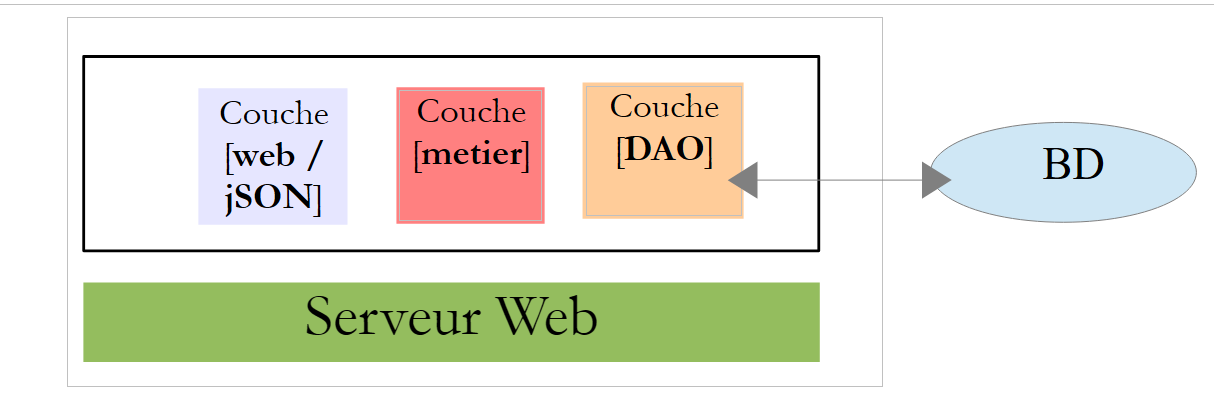
The application will have a client/server architecture:
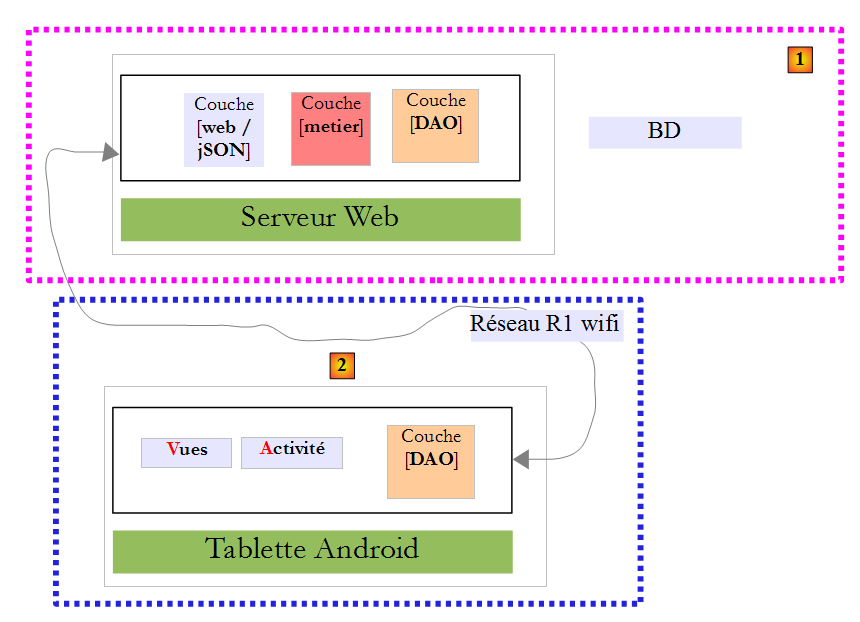
- the server [1] is provided;
- you must build the Android client [2].
4.2. The database
4.2.1. Definition
The static data needed to build the pay stub will be stored in a database that we will refer to hereafter as dbpam. This database contains the following tables:
Structure:
primary key | |
version number – increments with each modification of the row | |
Employee's Social Security number – unique | |
Employee's last name | |
first name | |
their address | |
his/her city | |
his/her ZIP code | |
Foreign key on the [ID] field of the [INDEMNITES] table |
Its content could be as follows:

Structure:
primary key | |
version number – increments with each modification of the row | |
Percentage: General Social Contribution + Contribution to Social Debt Repayment | |
percentage: deductible general social contribution | |
percentage: social security, widowhood, old age | |
percentage: supplemental pension + unemployment insurance |
Its content could be as follows:

Social security contribution rates are independent of the employee. The previous table has only one row.
primary key | |
version number – increments with each modification of the row | |
Processing index – unique | |
Net price in euros for one hour of on-call duty | |
daily allowance in euros per day of care | |
Meal allowance in euros per day of care | |
Paid vacation allowance. This is a percentage applied to the base salary. |
Its content could be as follows:

Note that allowances may vary from one child care provider to another. They are linked to a specific child care provider via their pay grade. For example, Ms. Marie Jouveinal, who has a pay grade of 2 (EMPLOYEES table), has an hourly wage of 2.1 euros (INDEMNITES table).
4.2.2. Generation
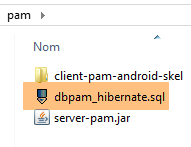
The database generation script [dbpam_hibernate.sql] is provided:
 |
Create the [dbpam_hibernate] database (this is the name of the database used by the web server/jSON) and ensure that the root login (without a password) can access it. You can do this as follows:
Start MySQL, then [PhpMyAdmin]:
 | 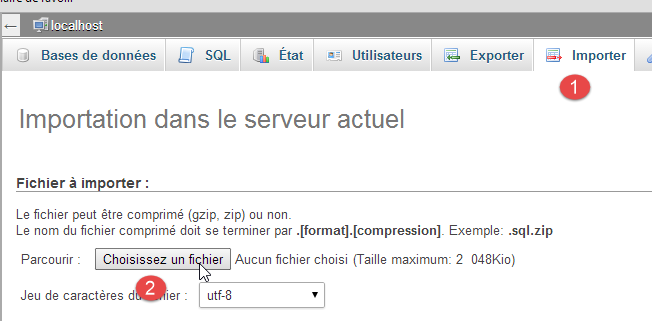 |
- [1-2]: Import the [dbpam_hibernate.sql] script and then execute it;
4.2.3. Java modeling of the database
The elements of the [EMPLOYEES], [ALLOWANCES], and [CONTRIBUTIONS] tables are modeled by the following classes:
package pam.entities;

import java.io.Serializable;

public class Employe implements Serializable {

  private static final long serialVersionUID = 1L;
  private Long id;
  private int version;
  private String SS;
  private String nom;
  private String prenom;
  private String adresse;
  private String ville;
  private String codePostal;
  private int idIndemnite;
  private Indemnite indemnite;

  public Employe() {
  }

  public Employe(String SS, String nom, String prenom, String adresse, String ville, String codePostal, Indemnite indemnite) {
    ...
  }
   // getters and setters
....
}
- lines 8–15: these fields correspond to the columns in the [EMPLOYEES] table;
- line 16: the [indemniteId] field corresponds to the [INDEMNITE_ID] column, which is the foreign key of the [EMPLOYEES] table;
- line 17: the employee's allowance. This field is not always populated:
- it is not filled in when requesting the URL [/employees],
- it is when requesting the URL [/salary];
package pam.entities;

import java.io.Serializable;

public class Indemnite implements Serializable {

    private static final long serialVersionUID = 1L;
    private Long id;
    private int version;
    private int indice;
    private double baseHeure;
    private double entretienJour;
    private double repasJour;
    private double indemnitesCp;

    public Indemnite() {
    }

    public Indemnite(int indice, double baseHeure, double entretienJour, double repasJour, double indemnitesCP) {
        ...
    }

     // getters and setters
   ....
}
- lines 8-14: the fields correspond to the columns of the [INDEMNITES] table;
package pam.entities;

import java.io.Serializable;

public class Cotisation implements Serializable {

    private static final long serialVersionUID = 1L;
    private Long id;
    private int version;
    private double csgrds;
    private double csgd;
    private double secu;
    private double retraite;

    public Cotisation() {
    }

    public Cotisation(double csgrds, double csgd, double secu, double retraite) {
        ...
    }
    // getters and setters
   ...
}
- lines 8-13: the fields correspond to the columns of the [COTISATIONS] table;
4.3. Web server / JSON installation
 |
4.3.1. Installation
The Java binary for the web/jSON server is provided:
 |
To start the web/JSON server, proceed as follows:
- Start the MySQL DBMS;
- make sure the database [dbpam_hibernate] exists;
- Open a command prompt window;
- Navigate to the jar folder;
- type the command:
This assumes that the [java.exe] executable is in your machine's PATH. If this is not the case, type the full path to [java.exe], for example:
Logs are displayed:
- line 16: the URL [/salary/{SS}/{ht}/{jt}] is resolved;
- line 17: the URL [/employees] is discovered;
4.3.2. Web service/JSON URLs
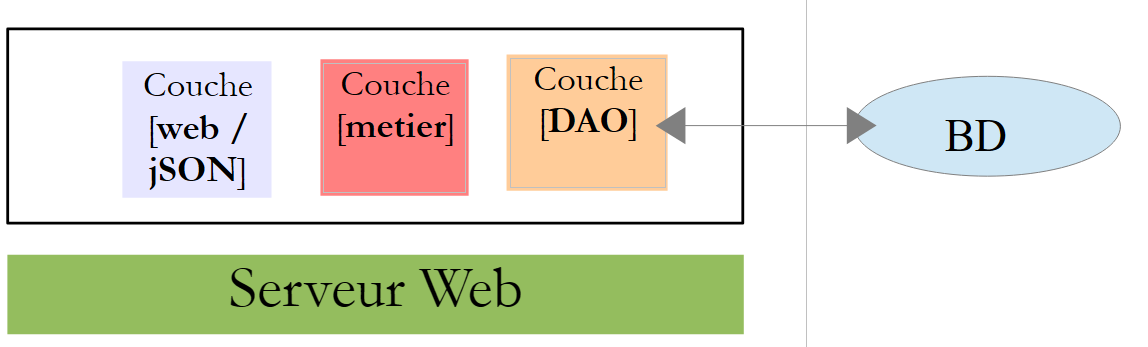 |
The web service / JSON is implemented by Spring MVC and exposes two URLs:
@RequestMapping(value = "/employes", method = RequestMethod.GET, produces = "application/json; charset=UTF-8")
public EmployesResponse getEmployes() {
...
@RequestMapping(value = "/salaire/{SS}/{ht}/{jt}", method = RequestMethod.GET, produces = "application/json; charset=UTF-8")
public FeuilleSalaireResponse getFeuilleSalaire(@PathVariable("SS") String SS, @PathVariable("ht") double ht, @PathVariable("jt") int jt) {
The web service accepts the following two URLs:
- line 1: /employees: to retrieve the list of employees;
- Line 4: /salary/SS/ht/jt: to retrieve the pay stub for employee #[SS] who worked [ht] hours over [jt] days;
Here are some screenshots illustrating this.
We query the employees:

We back up the database, restart the server, and query the employees:

We query a salary:

We request the salary of a non-existent person:

4.3.3. The JSON responses from the web service/JSON
 |
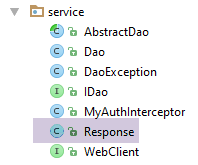 |
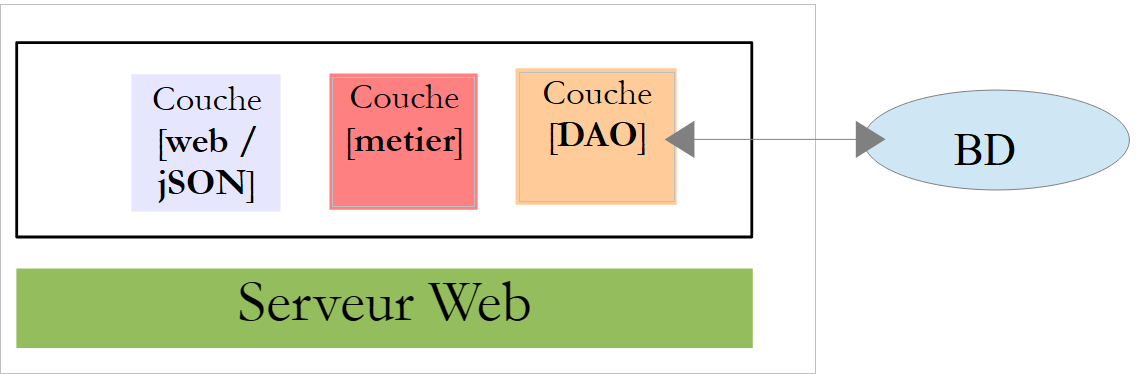
The web service/jSON URLs return responses of type [Response<T>]:
package client.android.dao.service;

import java.util.List;

public class Response<T> {

    // ----------------- properties
    // operation status
    private int status;
    // any status messages
    private List<String> messages;
    // the body of the reply
    private T body;

    // manufacturers
    public Response() {

    }

    public Response(int status, List<String> messages, T body) {
        this.status = status;
        this.messages = messages;
        this.body = body;
    }

    // getters and setters
...
}
- The URL [/employees] returns a Response<List<Employee>>;
- The URL [/salary] returns a Response<PayStub> type;
The [PayrollSheet] class is as follows:
package pam.entities;

import java.io.Serializable;

public class FeuilleSalaire implements Serializable {

    private static final long serialVersionUID = 1L;
    // private fields
    private Employe employe;
    private Cotisation cotisation;
    private ElementsSalaire elementsSalaire;

    // manufacturers
    public FeuilleSalaire() {
    }

    public FeuilleSalaire(Employe employe, Cotisation cotisation, ElementsSalaire elementsSalaire) {
        ...
    }

    // getters and setters
   ...
}
- line 9: the [Employee] class was introduced in section 4.2.3;
- line 10: the [Contribution] class was introduced in section 4.2.3;
The [SalaryElements] class (line 11) is as follows:
package pam.entities;

import java.io.Serializable;

public class ElementsSalaire implements Serializable {

    private static final long serialVersionUID = 1L;
    // private fields
    private double salaireBase;
    private double cotisationsSociales;
    private double indemnitesEntretien;
    private double indemnitesRepas;
    private double salaireNet;

    // manufacturers
    public ElementsSalaire() {

    }

    public ElementsSalaire(double salaireBase, double cotisationsSociales, double indemnitesEntretien, double indemnitesRepas, double salaireNet) {
        ...
    }

    // getters and setters
    ...
}
4.4. Android client tests
 |
The executable binary for the finished Android client is provided below:
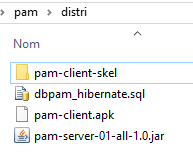 |
Use your mouse to drag the [pam-client.apk] file above onto a tablet emulator [GenyMotion]. It will then be saved and executed. Also launch the web/JSON server if you haven’t already done so. The purpose of the Android client is to retrieve the information returned by the web/JSON server and format it. The different views of the Android client are as follows:
First, you must connect to the web service / JSON:
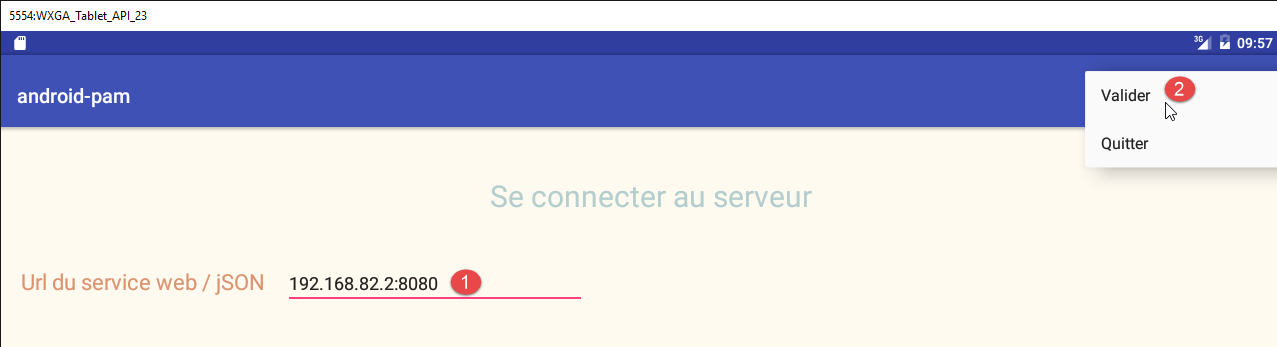
- in [1], enter the URL of the web/JSON service. With the emulator, enter one of the PC’s IP addresses (but not 127.0.0.1). With a tablet, enter the Wi-Fi address of the web/JSON server machine and disable the server’s firewall if it has one, as it may block incoming calls;
- In [2], log in;
You will then be taken to the simulation page:
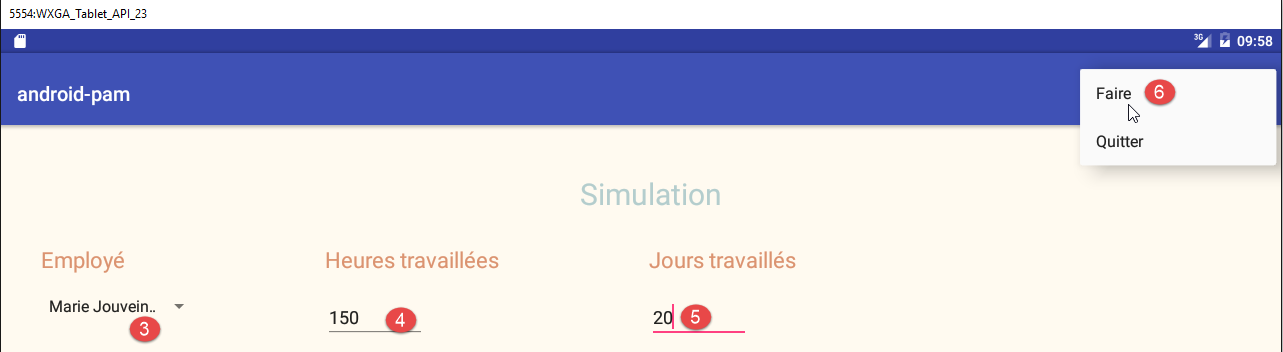
- In [3], select an employee;
- In [4], enter a number of hours;
- In [5], enter the number of days;
- In [6], run the simulation;
The resulting simulation page is as follows:
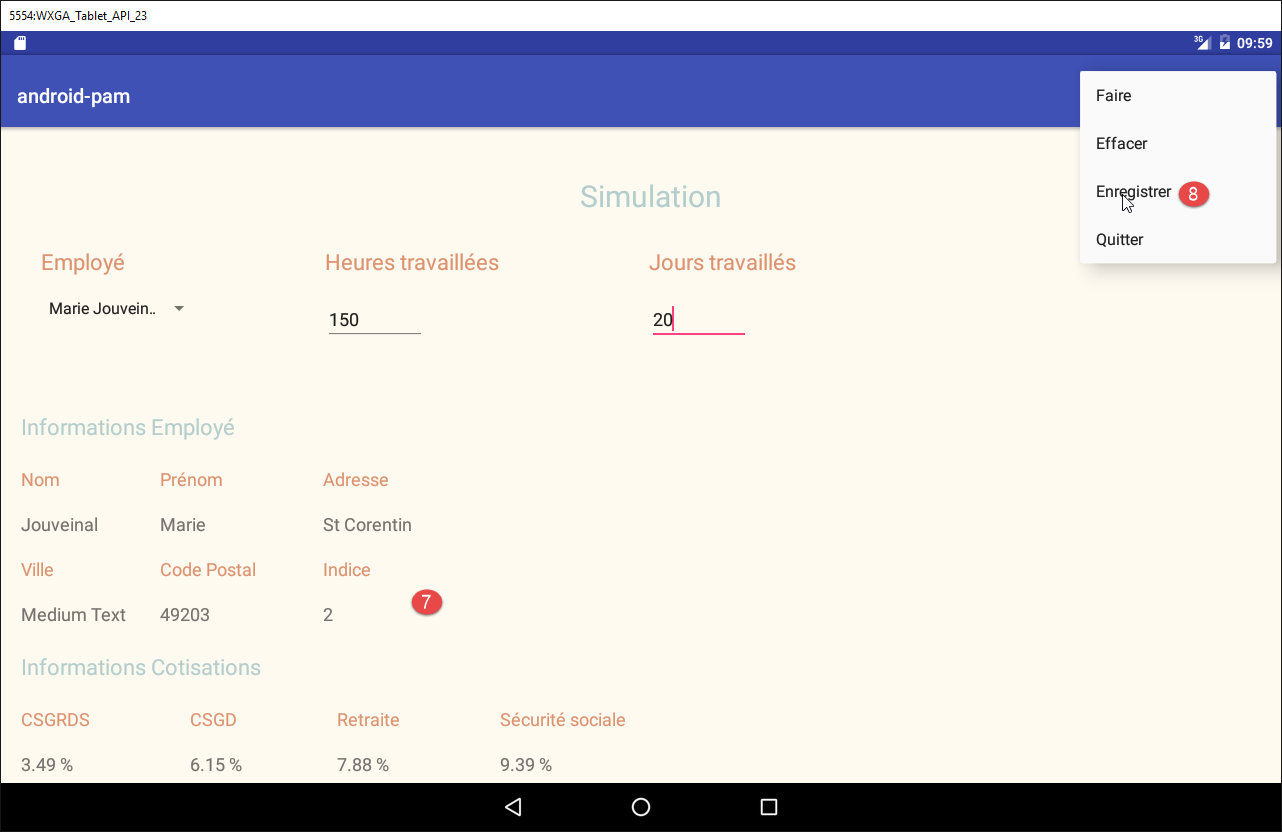
- in [7], the simulation results;
- in [8], save it;
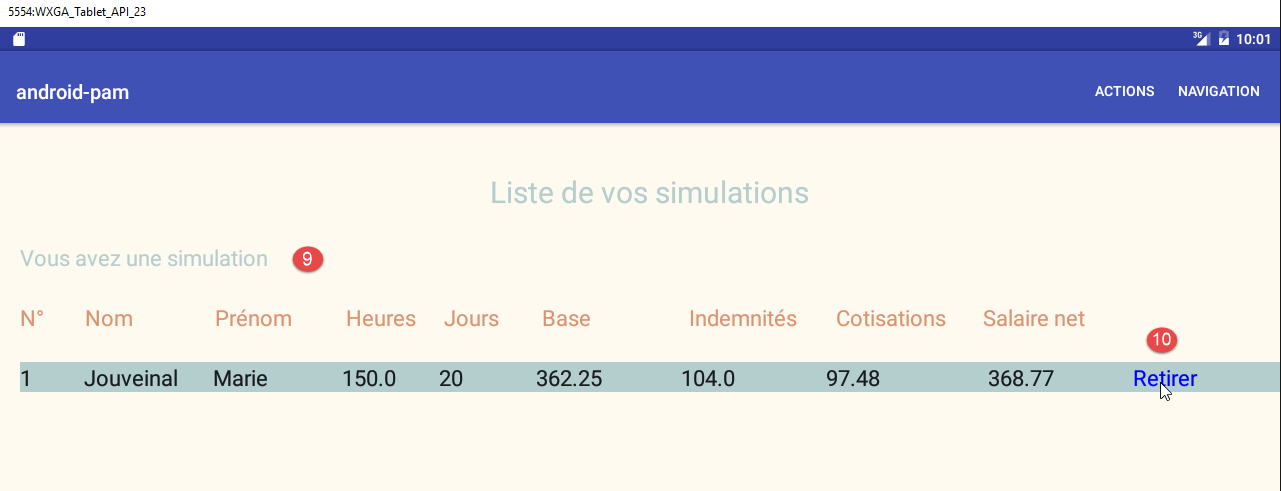
- in [9], the list of simulations;
- in [10], a simulation is deleted;
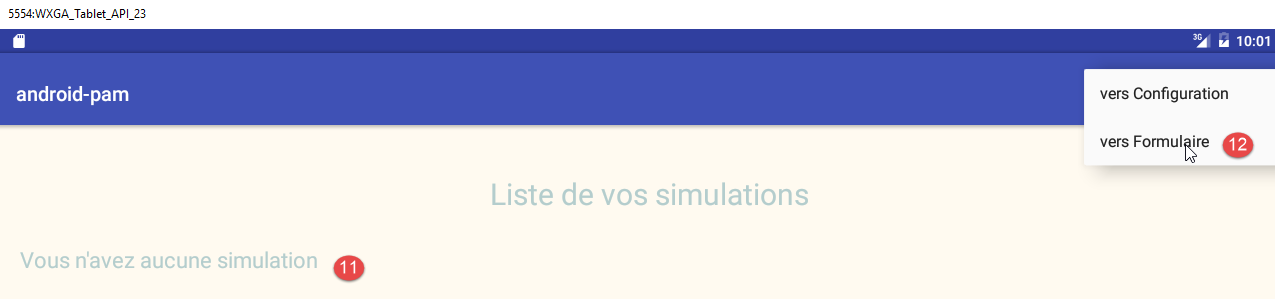
- in [11], there are no more simulations;
- In [12], you return to the simulation form;
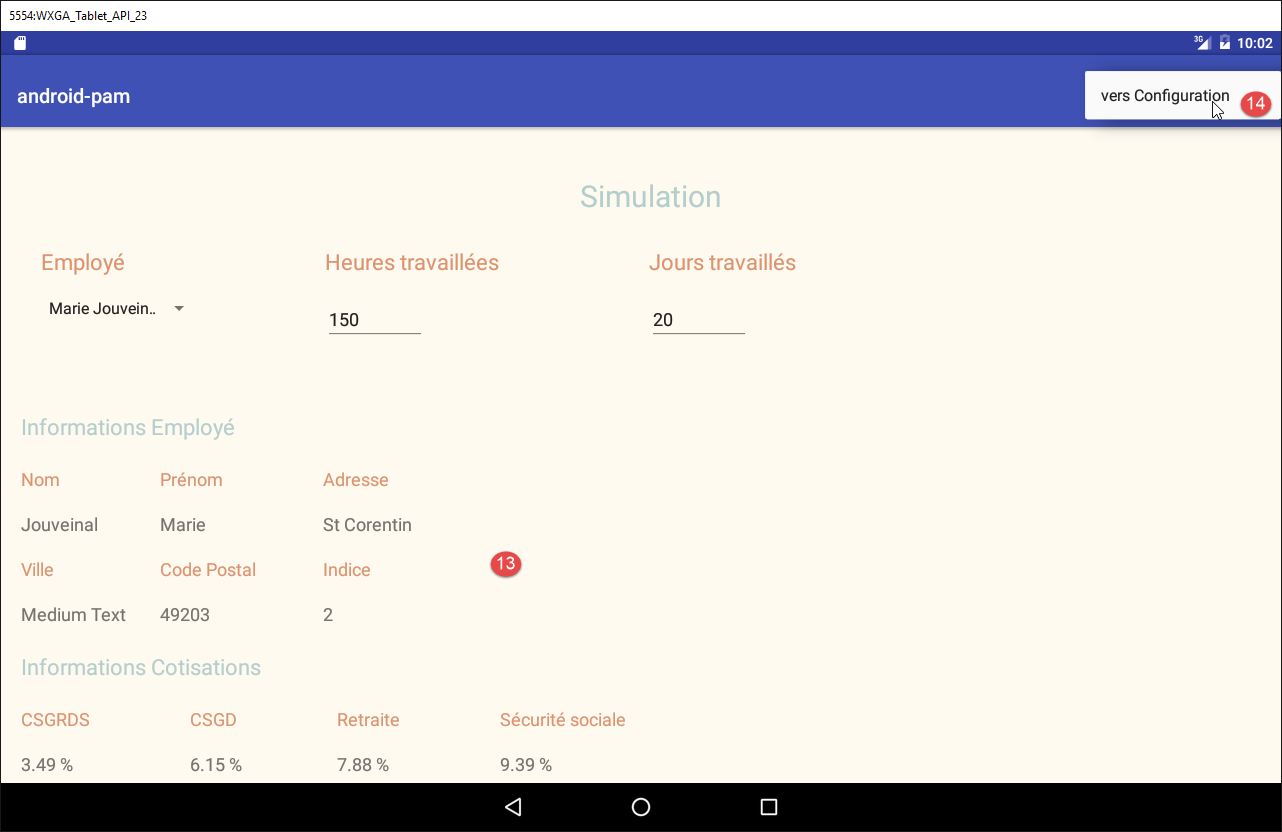
- in [13], you return to the form;
- in [14], you return to the configuration page;
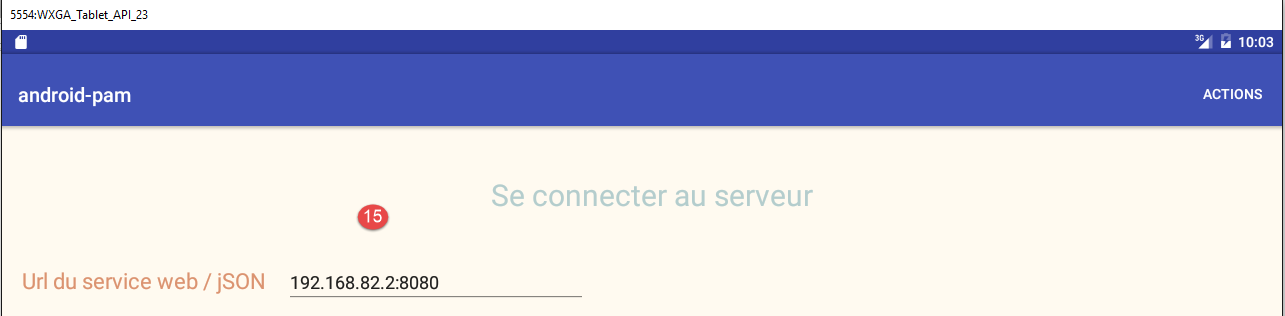
- in [15], you return to the initial login form.
4.5. Work to be done
The Android client skeleton presented earlier is provided to you. It was built from the [client-android-skel] project described in Section 2.
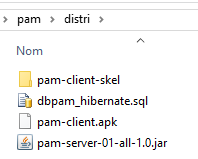 |
The project is executable and already contains the necessary views. You simply need to add code so that the application does what it is supposed to do. The procedure is as follows:
- run the full version to understand the work to be done;
- run the lightweight version and study its code. It follows the design methods used in the previous pages;
- add the missing code;