14. 项目 [vuejs-12]:管理表 HTML
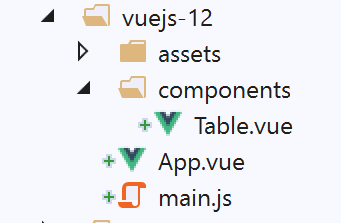
项目 [vuejs-12] 的树形结构如下:
14.1. 主脚本 [main.js]
主脚本恢复为早期项目中的形式:
// 导入
import Vue from 'vue'
import App from './App.vue'

// 插件
import BootstrapVue from 'bootstrap-vue'
Vue.use(BootstrapVue);

// Bootstrap
import 'bootstrap/dist/css/bootstrap.css'
import 'bootstrap-vue/dist/bootstrap-vue.css'

// 配置
Vue.config.productionTip = false

// 项目实例化[App]
new Vue({
  name: "app",
  render: h => h(App),
}).$mount('#应用程序')
14.2. 主视图 [App]
主视图 [App] 的代码如下:
<template>
  <div class="container">
    <b-card>
      <!-- 消息 -->
      <b-alert show variant="success" align="center">
        <h4>[vuejs-12] : gestion des tables</h4>
      </b-alert>
      <!-- Table 组件 -->
      <Table @supprimerLigne="supprimerLigne" :lignes="lignes" @rechargerListe="rechargerListe" />
    </b-card>
  </div>
</template>

<script>
  import Table from "./components/Table";
  export default {
    // 名称
    name: "app",
    // 使用的组件
    components: {
      Table
    },
    // 内部状态
    data() {
      return {
        // 仿真列表
        lignes: [
          { id: 3, marié: "oui", enfants: 2, salaire: 35000, impôt: 1200 },
          { id: 5, marié: "non", enfants: 2, salaire: 35000, impôt: 1900 },
          { id: 7, marié: "non", enfants: 0, salaire: 30000, impôt: 2000 }
        ]
      };
    },

    // 方法
    methods: {
      // 删除一行
      supprimerLigne(index) {
        // eslint-disable-next-line
        console.log("App supprimerLigne", index);
        // 在位置处删除一行 [index]
        this.lignes.splice(index, 1);
      },
      // 重新加载行表
      rechargerListe() {
        // eslint-disable-next-line
        console.log("App rechargerListe");
        // 重新生成行列表
        this.lignes = [
          { id: 3, marié: "oui", enfants: 2, salaire: 35000, impôt: 1200 },
          { id: 5, marié: "non", enfants: 2, salaire: 35000, impôt: 1900 },
          { id: 7, marié: "non", enfants: 0, salaire: 30000, impôt: 2000 }
        ];
      }
    }
  };
</script>
注释
- 主视图显示了一个 [Table] 组件(第 9、15、21 行);
- 第 9 行:组件 [Table] 支持参数 [:lignes],该参数表示要在表格 HTML 中显示的行。这些行由代码第 27-31 行定义;
- 第 9 行:组件 [Table] 可能触发两个事件:
- [supprimerLigne]:用于删除指定索引号的行(第38行);
- [rechargerListe]:用于重新生成第27-31行的列表。实际上,我们将看到用户可以删除部分显示的行;
- 第 38-43 行:负责处理事件 [supprimerLigne] 的方法。该方法接收待删除行的索引作为参数;
- 第45-54行:负责处理事件[rechargerListe]的方法。 通过修改第27行的[lignes]属性,将触发第9行[Table]组件的更新,因为该组件有一个[:lignes="lignes"]参数;
14.3. 组件 [Table]
组件 [Table] 如下所示:
<template>
  <div>
    <!-- 列表为空 -->
    <template v-if="lignes.length==0">
      <b-alert show variant="warning">
        <h4>Votre liste de simulations est vide</h4>
      </b-alert>
      <!-- 刷新按钮-->
      <b-button variant="primary" @click="rechargerListe">Recharger la liste</b-button>
    </template>
    <!-- 列表不为空-->
    <template v-if="lignes.length!=0">
      <b-alert show variant="primary" v-if="lignes.length==0">
        <h4>Liste de vos simulations</h4>
      </b-alert>
      <!-- 模拟表 -->
      <b-table striped hover responsive :items="lignes" :fields="fields">
        <template v-slot:cell(action)="row">
          <b-button variant="link" @click="supprimerLigne(row.index)">Supprimer</b-button>
        </template>
      </b-table>
    </template>
  </div>
</template>

<script>
  export default {
    // 属性
    props: {
      lignes: {
        type: Array
      }
    },
    // 内部状态
    data() {
      return {
        fields: [
          { label: "#", key: "id" },
          { label: "Marié", key: "marié" },
          { label: "Nombre d'enfants", key: "enfants" },
          { label: "Salaire", key: "salaire" },
          { label: "Impôt", key: "impôt" },
          { label: "", key: "action" }
        ]
      };
    },
    // 方法
    methods: {
      // 删除一行
      supprimerLigne(index) {
        // eslint-disable-next-line
        console.log("Table supprimerLigne", index);
        // 将信息传递给父组件
        this.$emit("supprimerLigne", index);
      },
      // 重新加载显示的列表
      rechargerListe() {
        // eslint-disable-next-line
        console.log("Table rechargerListe");
        // 向父组件发送事件
        this.$emit("rechargerListe");
      }
    }
  };
</script>
注释
该组件有两种状态:
- 它在 HTML 表格中显示列表;
- 或者显示一条消息,指出待显示的列表为空;
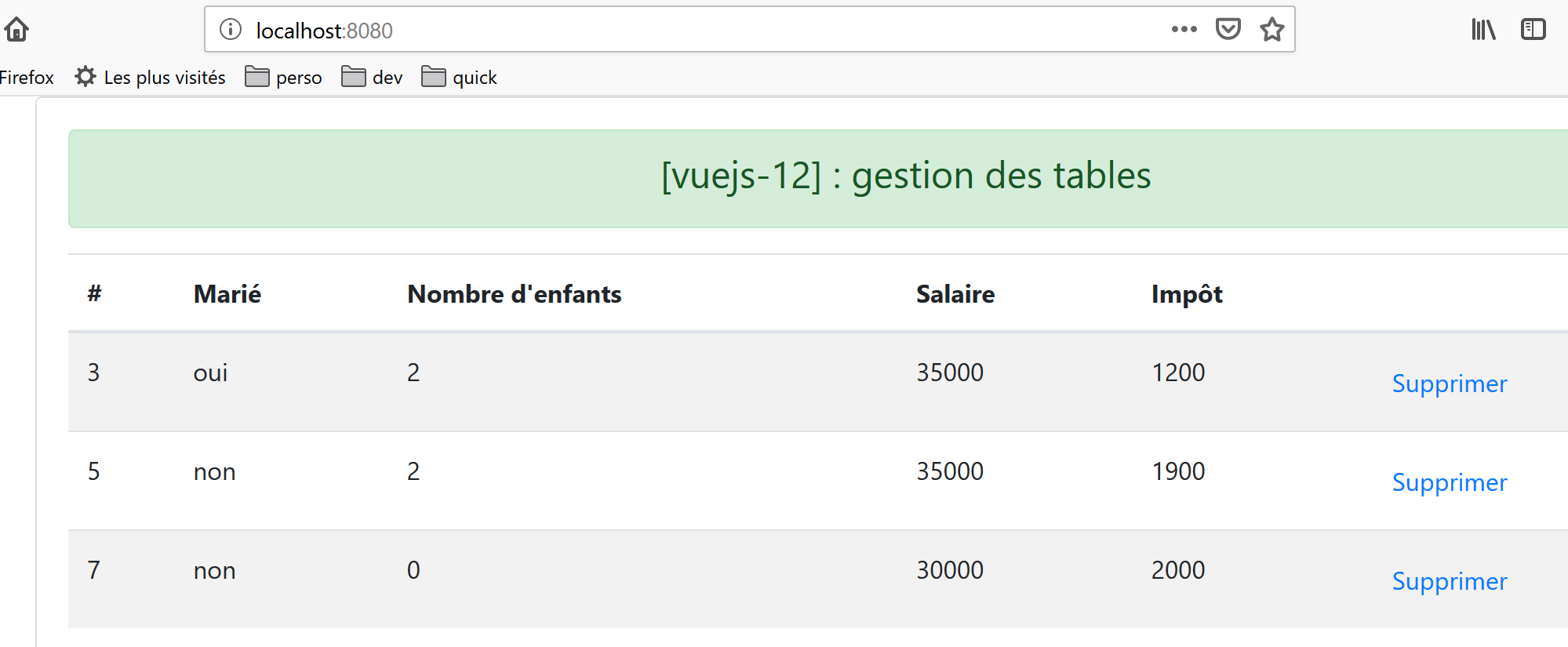
如果条件 [lignes.length!=0] 成立(第 12 行),则显示第一种状态:
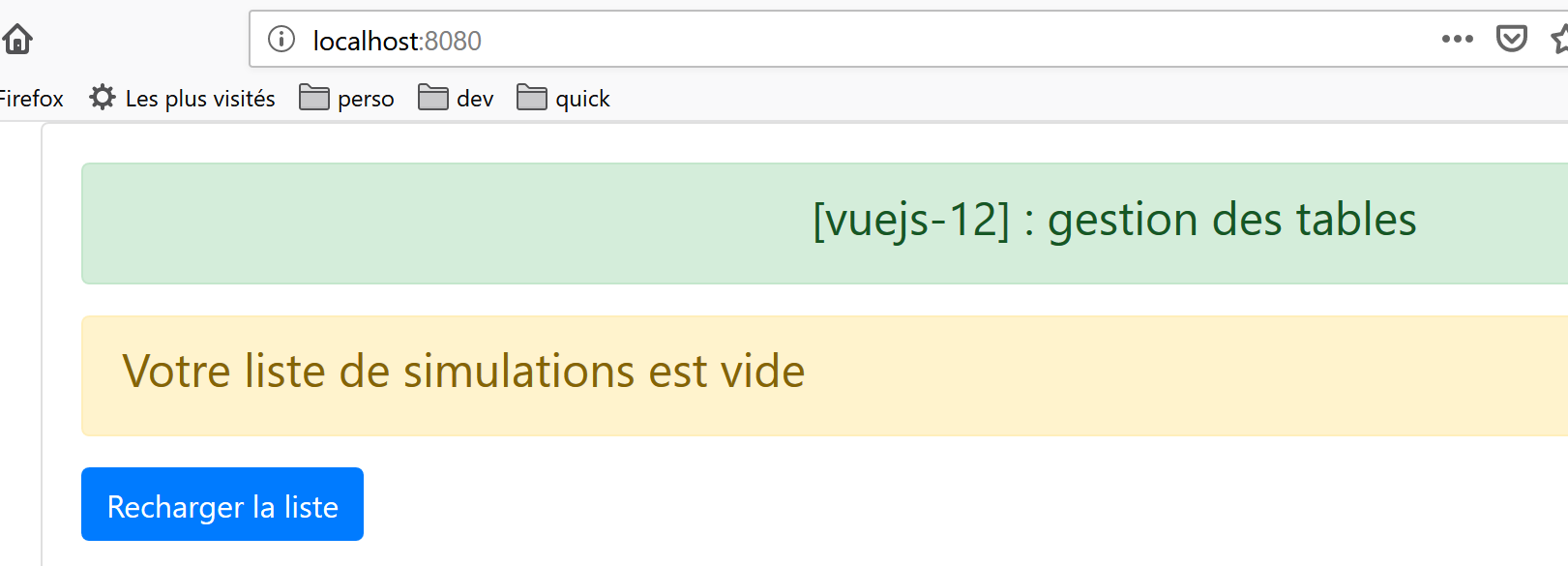
如果满足条件 [lignes.length==0](第 4 行),则显示第二个报表。
- [lignes] 是该组件的输入参数(第 29-33 行);
- 第4-10行:这里没有使用<div>标签引入代码块,而是使用了<template>标签。两者的区别在于,<template>标签不会被插入到生成的HTML代码中;
- 第 9 行:当表格 HTML 显示的列表为空时,会显示一个按钮提示重新生成列表。点击该按钮后,将执行第 57-62 行中的方法 [rechargerListe]。 该方法仅向父组件发送 [rechargerListe] 事件,要求父组件重新生成由表 HTML 显示的列表;
- 第12-22行:当待显示列表不为空时显示的代码;
- 第17行:<b-table>标签用于生成HTML表格。此处使用的属性如下:
- [striped]:行背景色交替显示。偶数行和奇数行分别采用不同的颜色。这有助于提高可视性;
- [hover]:鼠标悬停的行会变色;
- [responsive]:表格大小会根据显示屏幕自动调整;
- [:items]:待显示元素的数组。此处为作为参数传递给组件的数组 [lignes](第 30-32 行);
- [:fields]:一个定义表格 HTML 版式的数组(第 37-44 行);
- 数组 [fields] 的每个元素定义了表 HTML 的一列;
- [label]:表示列标题;
- [key]:表示该列的内容;
- 第 38 行:定义表 HTML 的第 0 列:
- [#]:是该列的标题;
- [id]:是其内容。显示行中的字段 [id] 将填充第 0 列;
- 第 39 行:定义表 HTML 的第 1 列:
- [Marié]:是该列的标题;
- [marié]:是其内容。显示行中的字段 [marié] 将填充第 0 列;
- 第 43 行:定义了表 HTML 的最后一列:
- 该列没有标题;
- 其内容由字段 [action] 定义,该字段在显示的行中并不存在。该键在 [template] 的第 18 行中被引用。因此,该键在此仅用于标识一列;
- 第18-20行:此代码用于定义表HTML的最后一列,即键[action]所在的列:
<template v-slot:cell(action)="row">
语法 [v-slot:cell(action)] 指代主键列 [action]。当表 [fields] 的语法不足以描述该列时,可通过此语法进行定义。 在此,我们希望最后一列包含一个链接,用于删除表 HTML 中的某一行:
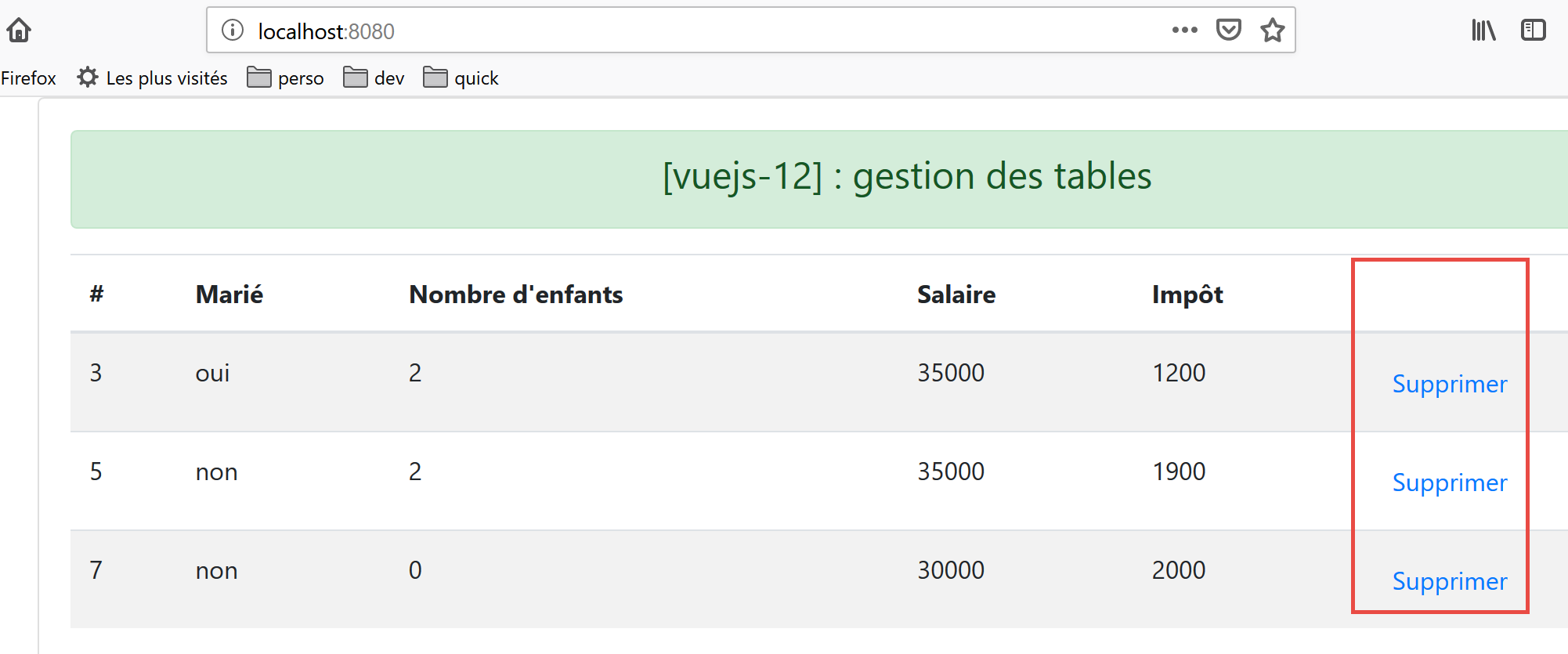
在语法 [<template v-slot:cell(action)="row">] 中,名称 [row] 指代表中的行。名称可以自定义。也可以写成 [<template v-slot:cell(action)="ligne">];
- 第 19 行:一个显示为链接 <b-button> 的按钮 [variant=’link’]。 点击该链接将触发方法 [supprimerLigne(row.index)]。此处 [row] 是代码第 18 行中表格行 HTML 的名称;
- 第 50-55 行:方法 [supprimerLigne];
- 第 54 行:向父组件发送 [supprimerLigne] 事件,并附上待删除行的编号;
- 第 57-62 行:方法 [rechargerListe];
- 第 61 行:向父组件发送事件 [rechargerListe];
14.4. 项目运行
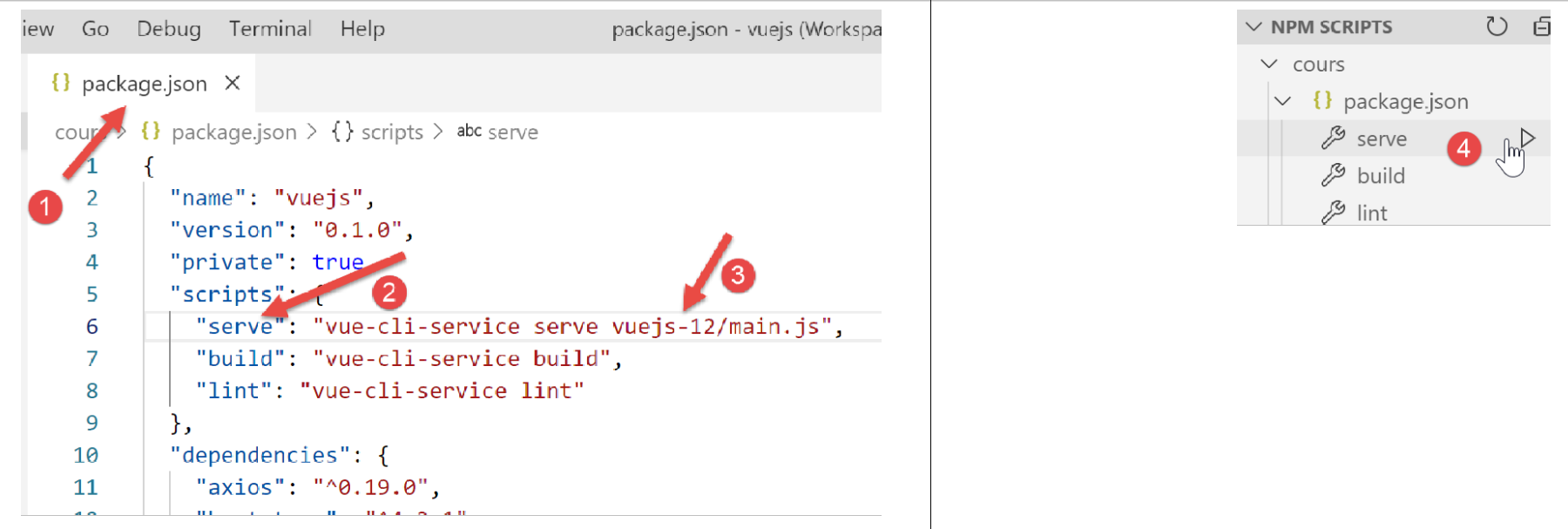
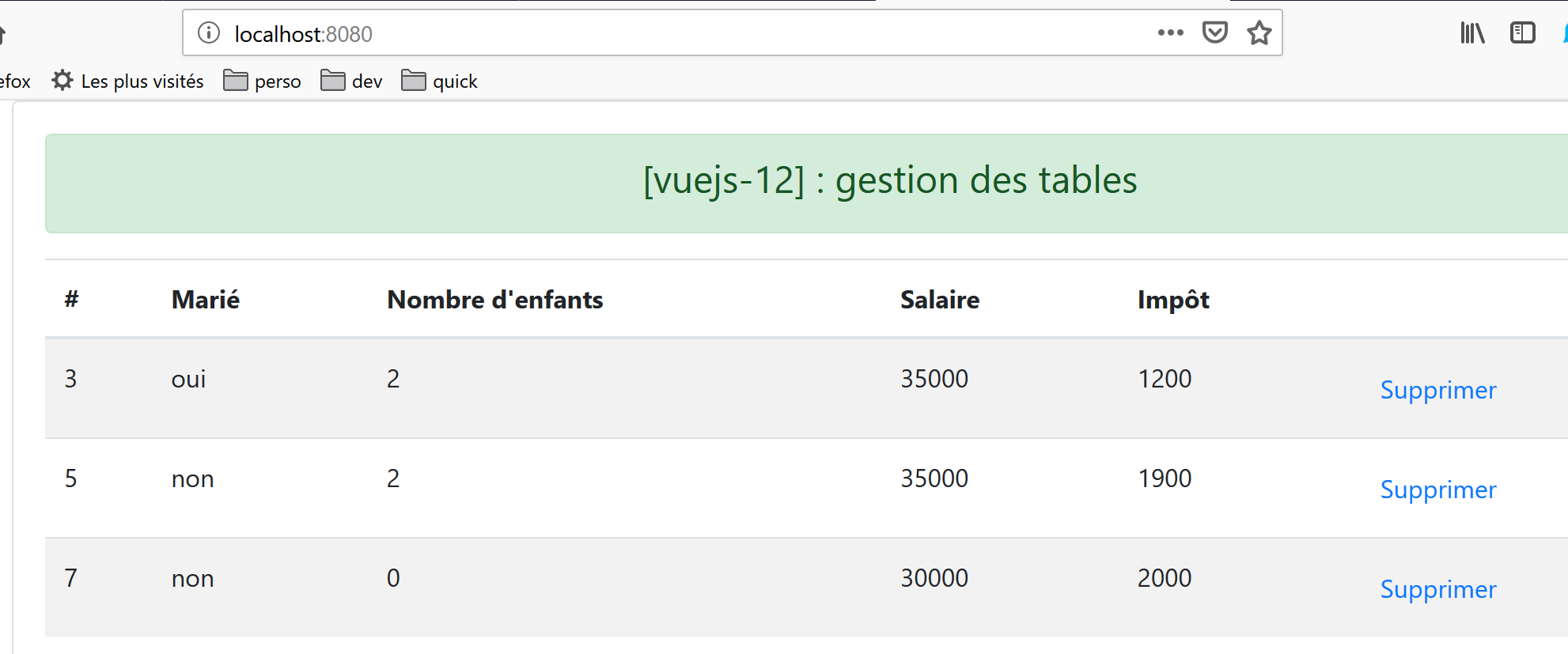
显示的第一个视图如下:
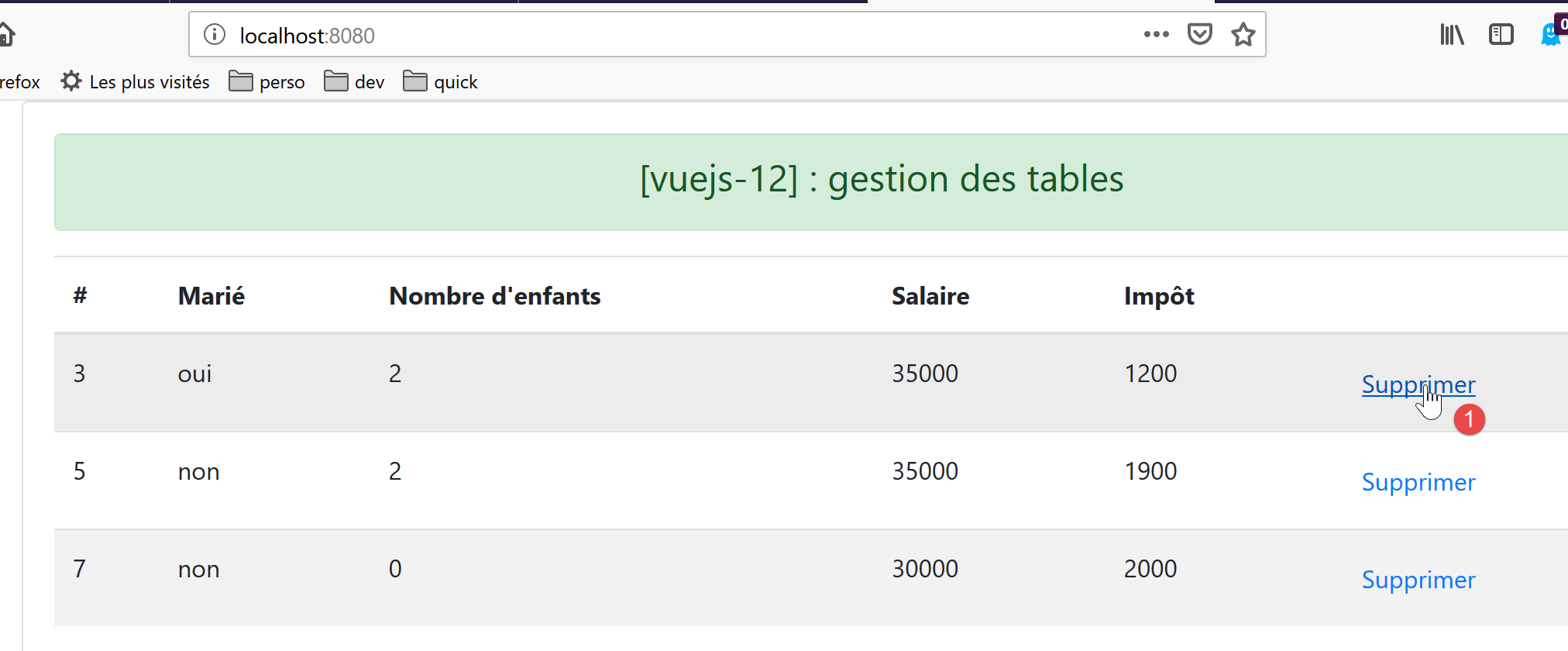
删除第 1 行 [1] 后,视图变为如下所示:
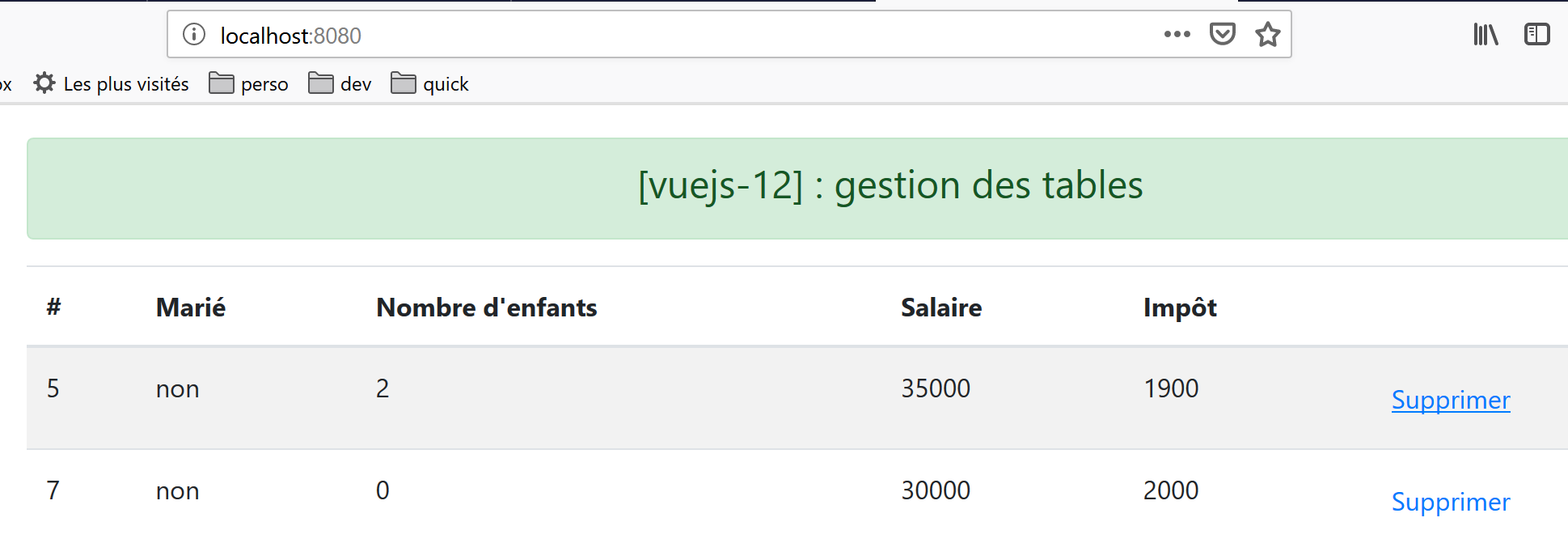
删除所有行后:
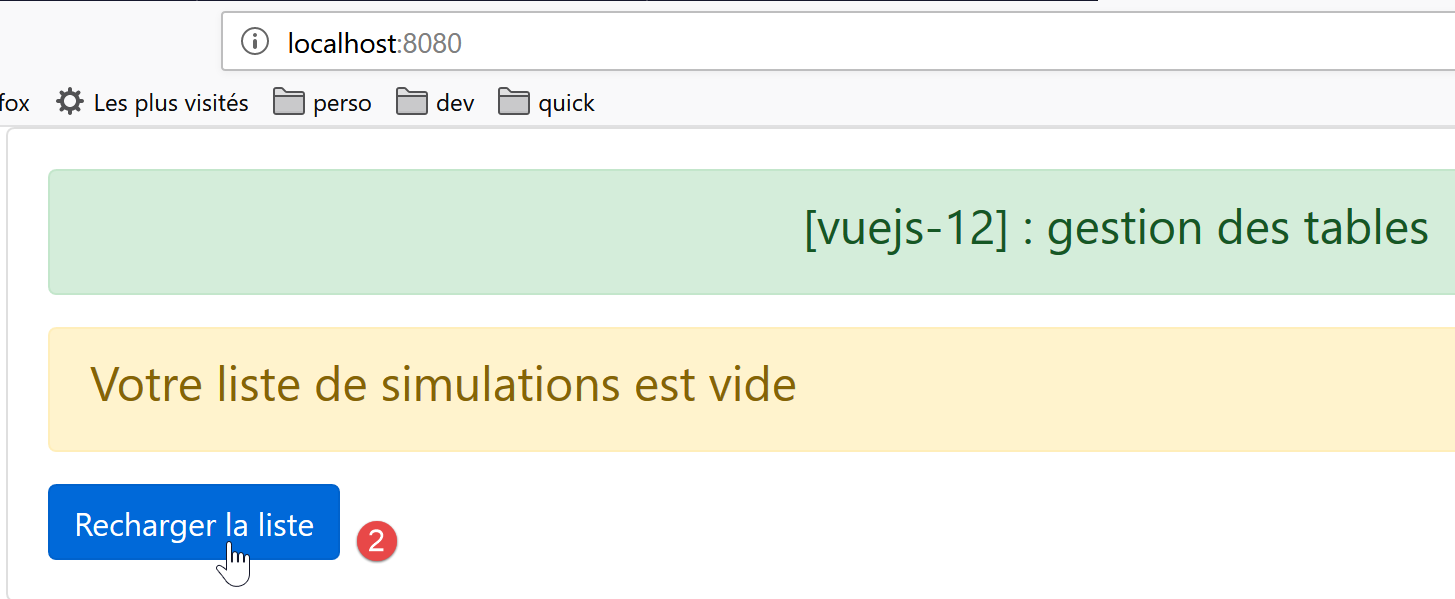
点击按钮 [2] 后,列表再次显示: