8. Cómo usar el conversor de ODT a HTML
El archivo de trabajo se encuentra en |AQUÍ|.
Vamos a ejecutar PyCharm :
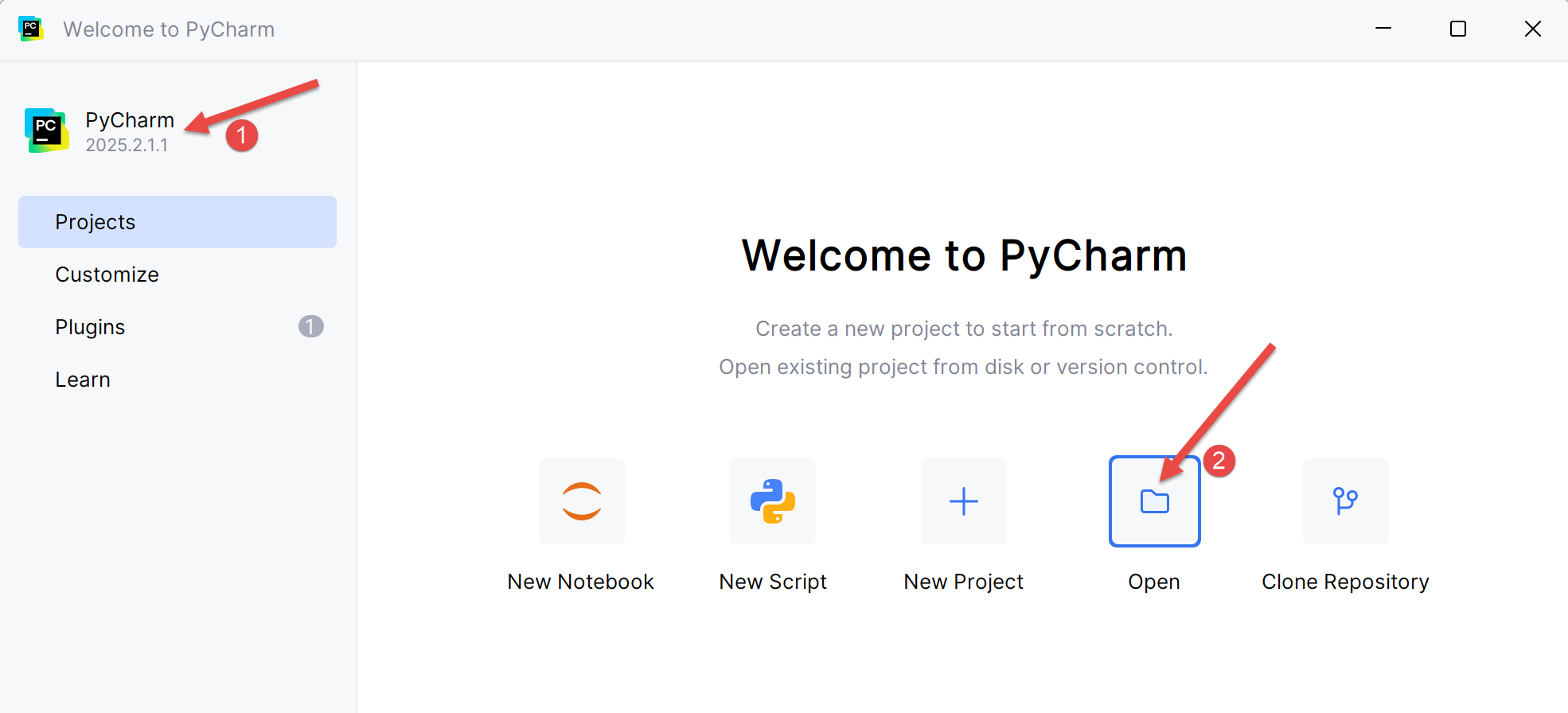 |
- En [2], abra un nuevo proyecto ;
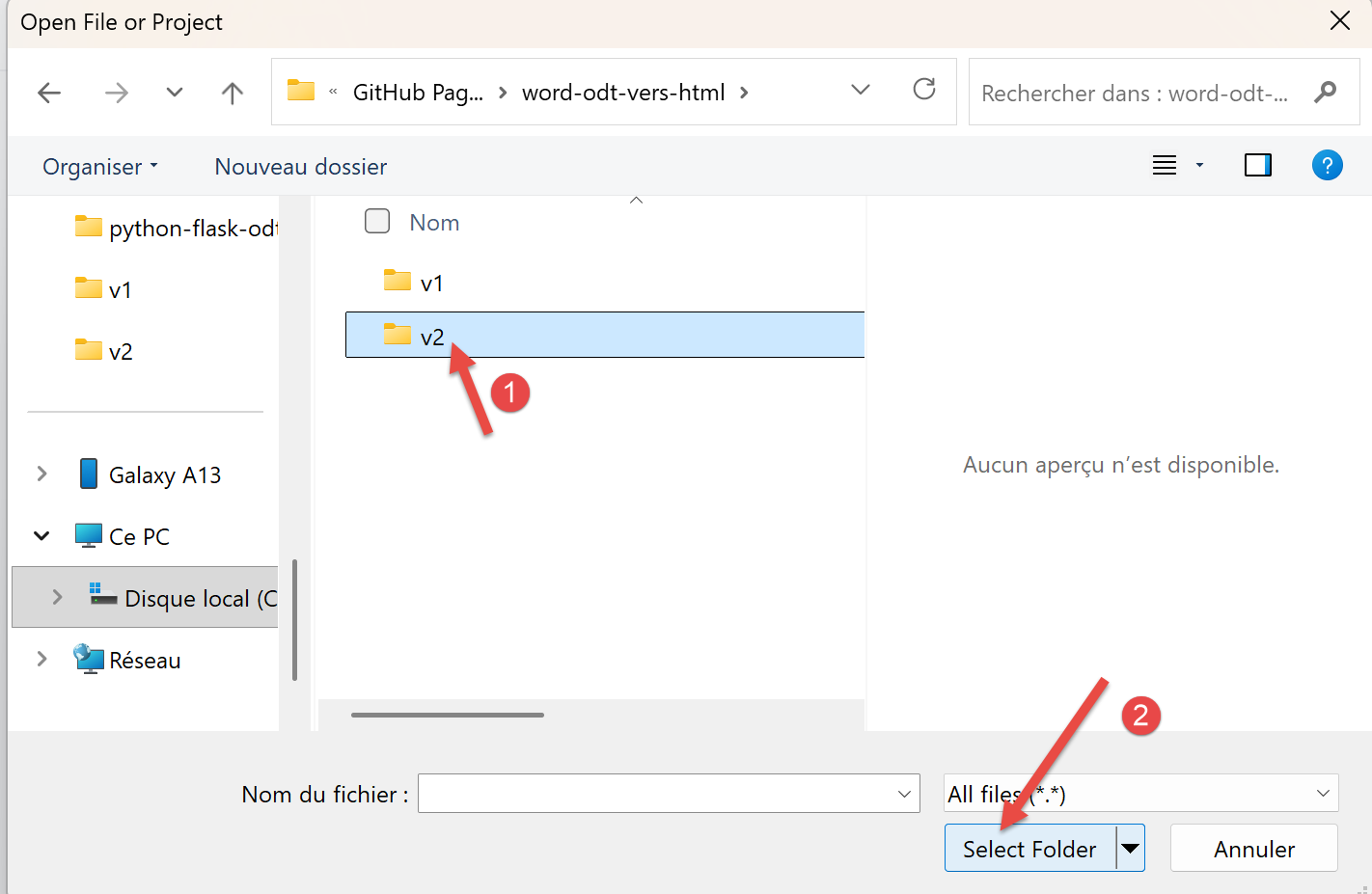 |
- En [1], seleccione la carpeta donde guardó la carpeta de trabajo;
- En [2], confirman esta elección;
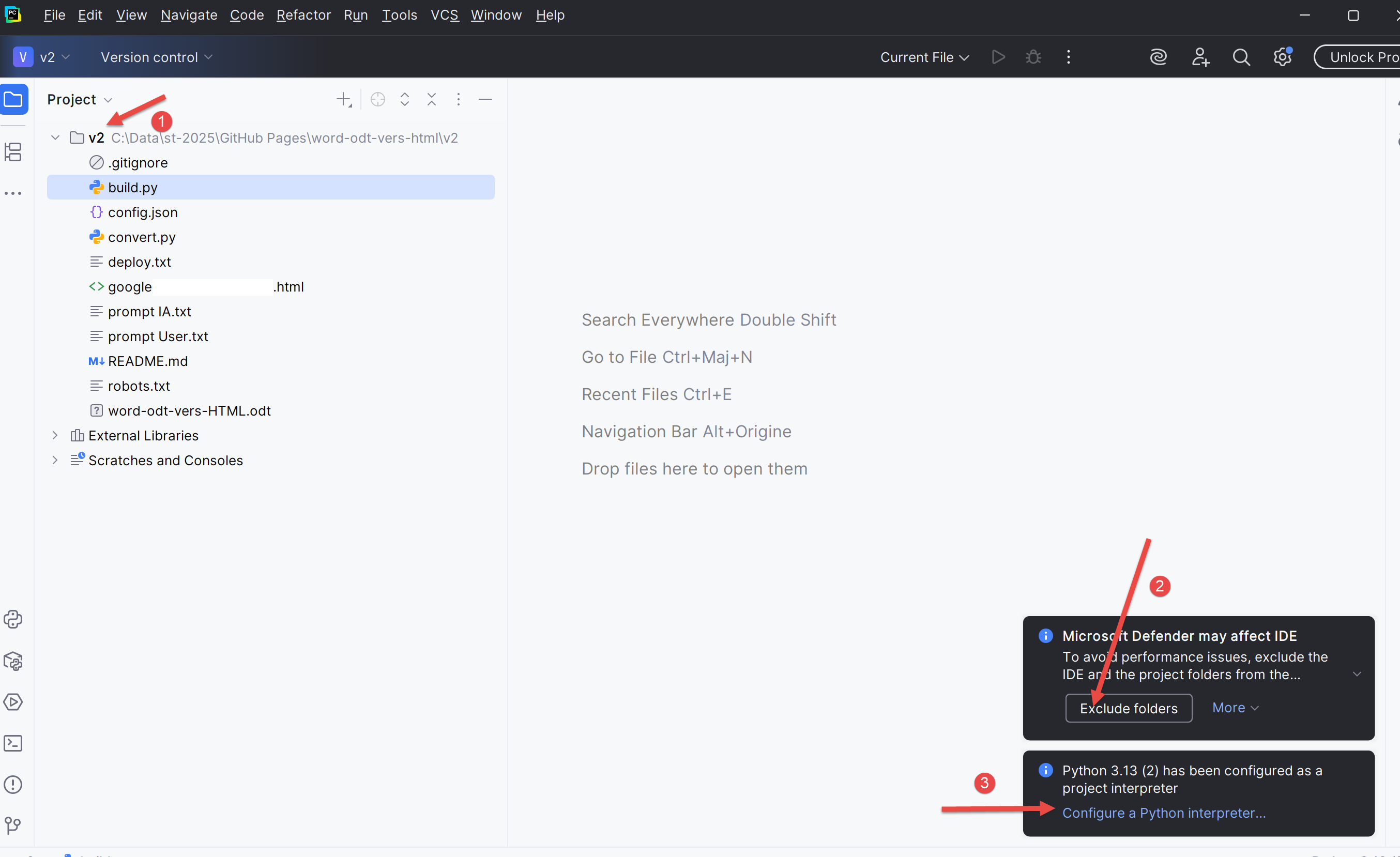 |
- En [1], su Python ;
- En [2], validar para no ser molestado por el sistema de seguridad de Windows;
- En [3], elija un intérprete de Python ;
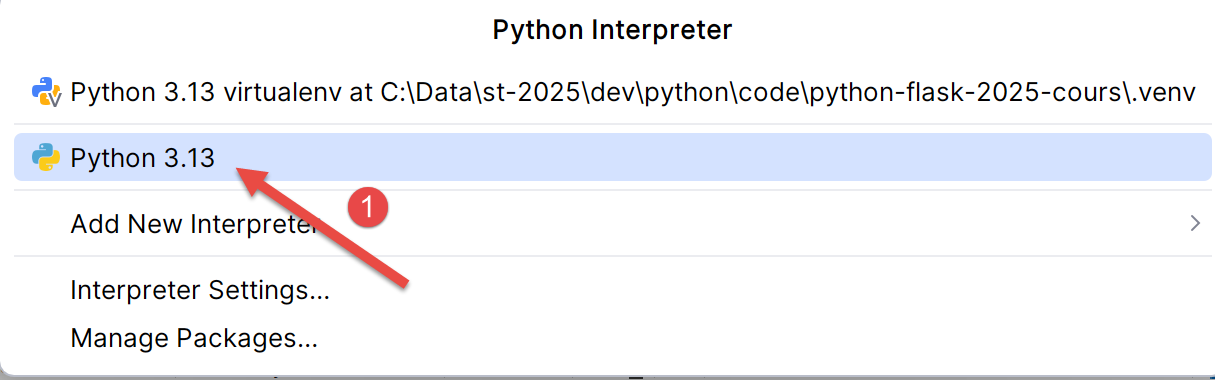 |
- En [1], elija el intérprete de Python que instaló en el párrafo 5 ;
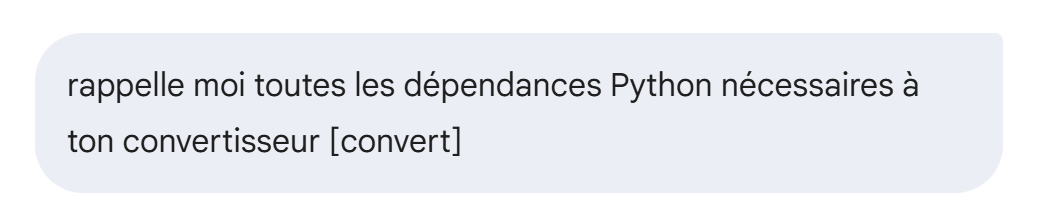
El Gemini / ChatGPT utiliza dependencias de Python que debes instalar. Preguntaremos a Gemini cuáles:
 |
La respuesta de Gemini es la siguiente:
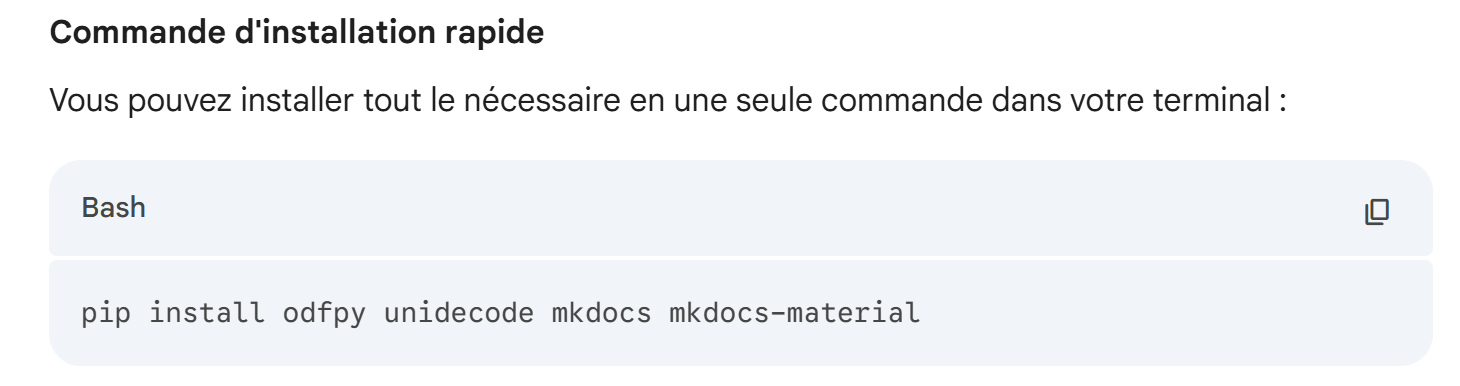 |
Vamos a instalar estos :
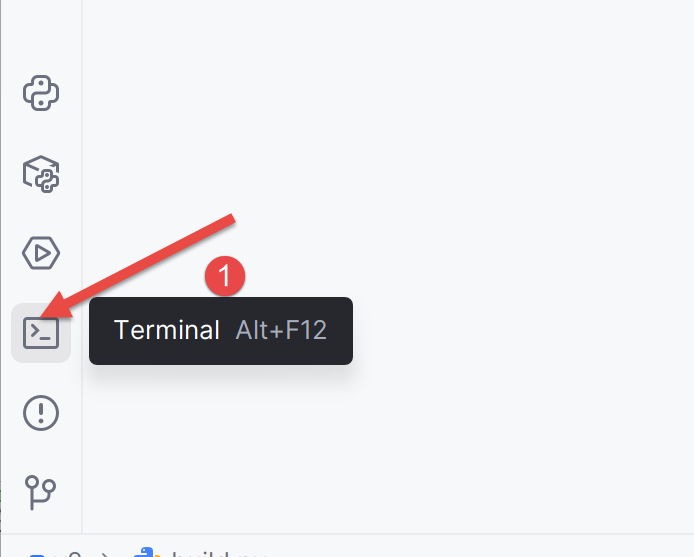 |
- En [1], abre un terminal;
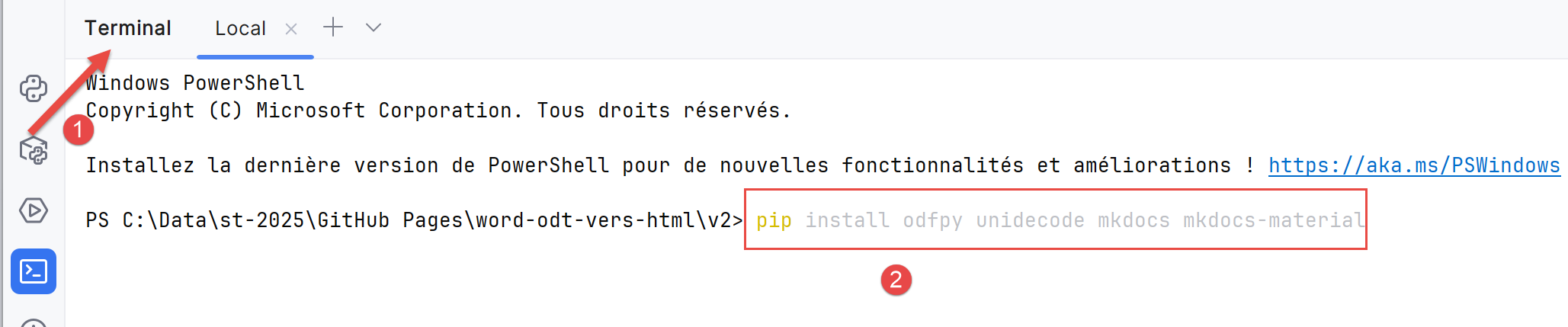 |
- En [2], escriba el comando dado por Gemini ;
La respuesta es la siguiente:
PS C:\Data\st-2025\GitHub Pages\word-odt-vers-html\v2> pip install odfpy unidecode mkdocs mkdocs-material
Defaulting to user installation because normal site-packages is not writeable
Requirement already satisfied: odfpy in c:\users\serge\appdata\roaming\python\python313\site-packages (1.4.1)
Requirement already satisfied: unidecode in c:\users\serge\appdata\roaming\python\python313\site-packages (1.4.0)
Requirement already satisfied: mkdocs in c:\users\serge\appdata\roaming\python\python313\site-packages (1.6.1)
Requirement already satisfied: mkdocs-material in c:\users\serge\appdata\roaming\python\python313\site-packages (9.7.0)
Requirement already satisfied: defusedxml in c:\users\serge\appdata\roaming\python\python313\site-packages (from odfpy) (0.7.1)
Requirement already satisfied: click>=7.0 in c:\users\serge\appdata\roaming\python\python313\site-packages (from mkdocs) (8.3.1)
Requirement already satisfied: colorama>=0.4 in c:\users\serge\appdata\roaming\python\python313\site-packages (from mkdocs) (0.4.6)
Requirement already satisfied: ghp-import>=1.0 in c:\users\serge\appdata\roaming\python\python313\site-packages (from mkdocs) (2.1.0)
Requirement already satisfied: jinja2>=2.11.1 in c:\users\serge\appdata\roaming\python\python313\site-packages (from mkdocs) (3.1.6)
Requirement already satisfied: markdown>=3.3.6 in c:\users\serge\appdata\roaming\python\python313\site-packages (from mkdocs) (3.10)
Requirement already satisfied: markupsafe>=2.0.1 in c:\users\serge\appdata\roaming\python\python313\site-packages (from mkdocs) (3.0.2)
Requirement already satisfied: mergedeep>=1.3.4 in c:\users\serge\appdata\roaming\python\python313\site-packages (from mkdocs) (1.3.4)
Requirement already satisfied: mkdocs-get-deps>=0.2.0 in c:\users\serge\appdata\roaming\python\python313\site-packages (from mkdocs) (0.2.0)
Requirement already satisfied: packaging>=20.5 in c:\users\serge\appdata\roaming\python\python313\site-packages (from mkdocs) (25.0)
Requirement already satisfied: pathspec>=0.11.1 in c:\users\serge\appdata\roaming\python\python313\site-packages (from mkdocs) (0.12.1)
Requirement already satisfied: pyyaml-env-tag>=0.1 in c:\users\serge\appdata\roaming\python\python313\site-packages (from mkdocs) (1.1)
Requirement already satisfied: pyyaml>=5.1 in c:\users\serge\appdata\roaming\python\python313\site-packages (from mkdocs) (6.0.2)
Requirement already satisfied: watchdog>=2.0 in c:\users\serge\appdata\roaming\python\python313\site-packages (from mkdocs) (6.0.0)
Requirement already satisfied: babel>=2.10 in c:\users\serge\appdata\roaming\python\python313\site-packages (from mkdocs-material) (2.17.0)
Requirement already satisfied: backrefs>=5.7.post1 in c:\users\serge\appdata\roaming\python\python313\site-packages (from mkdocs-material) (6.1)
Requirement already satisfied: mkdocs-material-extensions>=1.3 in c:\users\serge\appdata\roaming\python\python313\site-packages (from mkdocs-material) (1.3.1)
Requirement already satisfied: paginate>=0.5 in c:\users\serge\appdata\roaming\python\python313\site-packages (from mkdocs-material) (0.5.7)
Requirement already satisfied: pygments>=2.16 in c:\users\serge\appdata\roaming\python\python313\site-packages (from mkdocs-material) (2.19.2)
Requirement already satisfied: pymdown-extensions>=10.2 in c:\users\serge\appdata\roaming\python\python313\site-packages (from mkdocs-material) (10.17.2)
Requirement already satisfied: requests>=2.26 in c:\users\serge\appdata\roaming\python\python313\site-packages (from mkdocs-material) (2.32.5)
Requirement already satisfied: python-dateutil>=2.8.1 in c:\users\serge\appdata\roaming\python\python313\site-packages (from ghp-import>=1.0->mkdocs) (2.9.0.post0)
Requirement already satisfied: platformdirs>=2.2.0 in c:\users\serge\appdata\roaming\python\python313\site-packages (from mkdocs-get-deps>=0.2.0->mkdocs) (4.5.0)
Requirement already satisfied: six>=1.5 in c:\users\serge\appdata\roaming\python\python313\site-packages (from python-dateutil>=2.8.1->ghp-import>=1.0->mkdocs) (1.17.0)
Requirement already satisfied: charset_normalizer<4,>=2 in c:\users\serge\appdata\roaming\python\python313\site-packages (from requests>=2.26->mkdocs-material) (3.4.3)
Requirement already satisfied: idna<4,>=2.5 in c:\users\serge\appdata\roaming\python\python313\site-packages (from requests>=2.26->mkdocs-material) (3.10)
Requirement already satisfied: urllib3<3,>=1.21.1 in c:\users\serge\appdata\roaming\python\python313\site-packages (from requests>=2.26->mkdocs-material) (2.5.0)
Requirement already satisfied: certifi>=2017.4.17 in c:\users\serge\appdata\roaming\python\python313\site-packages (from requests>=2.26->mkdocs-material) (2025.8.3)
PS C:\Data\st-2025\GitHub Pages\word-odt-vers-html\v2>
En mi PC, todo estaba ya instalado. Si este no es su caso, se instalarán todas las dependencias solicitadas.
Ahora podemos utilizar el conversor. En el terminal abierto, escriba el siguiente comando:
PS C:\Data\st-2025\GitHub Pages\word-odt-vers-html\v2> python .\convert_odt_v356.py .\word-odt-vers-html-janv-2026.odt .\config.py
--- ODT to MkDocs Converter V356 ---
Traitement de .\word-odt-vers-html-janv-2026.odt...
Copié : google5179c0eaff293e02.html
Copié : robots.txt
Copié : word-odt-vers-html-janv-2026.pdf
Copié : word-odt-vers-html-janv-2026.zip
Scan des renvois...
Génération Markdown...
[DEBUG PRE-H1] Tag=text:p Style='Standard' Text='...'
[DEBUG PRE-H1] Tag=text:p Style='Standard' Text='...'
[DEBUG PRE-H1] Tag=text:p Style='Standard' Text='...'
[DEBUG PRE-H1] Tag=text:p Style='Standard' Text='...'
[DEBUG PRE-H1] Tag=text:p Style='Standard' Text='...'
[DEBUG PRE-H1] Tag=text:p Style='Standard' Text='...'
[DEBUG PRE-H1] Tag=text:p Style='Standard' Text='...'
[DEBUG PRE-H1] Tag=text:p Style='Standard' Text='...'
[DEBUG PRE-H1] Tag=text:p Style='Standard' Text='...'
[DEBUG PRE-H1] Tag=text:p Style='Standard (WW)' Text='...'
[DEBUG PRE-H1] Tag=text:p Style='Standard (WW)' Text='...'
[DEBUG PRE-H1] Tag=text:p Style='P1' Text='Convertir un document Word ou ODT vers un site sta...'
>>> TITRE DOCUMENT TROUVÉ : Convertir un document Word ou ODT vers un site statique HTML compatible MkDocs avec les IA Gemini 3 et ChatGPT 5.2
[DEBUG PRE-H1] Tag=text:p Style='P2' Text='...'
[DEBUG PRE-H1] Tag=text:p Style='P2' Text='...'
[DEBUG PRE-H1] Tag=text:p Style='P2' Text='...'
[DEBUG PRE-H1] Tag=text:p Style='P3' Text='Serge Tahé, janvier 2026...'
[DEBUG PRE-H1] Tag=text:p Style='P2' Text='...'
[DEBUG PRE-H1] Tag=text:p Style='P2' Text='...'
[DEBUG PRE-H1] Tag=text:p Style='P2' Text='...'
[DEBUG PRE-H1] Tag=text:p Style='P4' Text='...'
[DEBUG PRE-H1] Tag=text:p Style='P4' Text='...'
[DEBUG PRE-H1] Tag=text:p Style='P4' Text='...'
[DEBUG PRE-H1] Tag=text:p Style='P4' Text='Ce site a été créé avec le convertisseur [Word ou ...'
[DEBUG PRE-H1] Tag=text:h Style='P5' Text='Introduction...'
>>> CHAPITRE 1: 1 Introduction
>>> CHAPITRE 1: 2 Les exemples de ce document
>>> CHAPITRE 2: 2.1 Les listes
>>> CHAPITRE 3: 2.1.1 Listes à puces
>>> CHAPITRE 3: 2.1.2 Listes numérotées
>>> CHAPITRE 3: 2.1.3 Listes mixtes 1
>>> CHAPITRE 3: 2.1.4 Listes mixtes 2
>>> CHAPITRE 2: 2.2 Les blocs de code
>>> CHAPITRE 3: 2.2.1 Blocs de code enrichi (Eclipse, Visual Studio, ...)
>>> CHAPITRE 3: 2.2.2 Blocs de code brut (plain text)
>>> CHAPITRE 2: 2.3 Les liens
>>> CHAPITRE 2: 2.4 L’enrichissement de texte
>>> CHAPITRE 2: 2.5 Un titre peut être également enrichi.
>>> CHAPITRE 2: 2.6 Les images
>>> CHAPITRE 2: 2.7 Les caractères à protéger
>>> CHAPITRE 2: 2.8 Les tableaux
>>> CHAPITRE 2: 2.9 Les notes de bas de page
>>> CHAPITRE 1: 3 Ce qui existe sur internet
>>> CHAPITRE 1: 4 Le prompt initial à Gemini 3
>>> CHAPITRE 1: 5 Créer un environnement de travail Python
>>> CHAPITRE 1: 6 Le dossier de travail du convertisseur
>>> CHAPITRE 1: 7 Le fichier de configuration du convertisseur
>>> CHAPITRE 1: 8 Utilisation du convertisseur ODT → HTML
>>> CHAPITRE 1: 9 Utilisation du convertisseur DOCX → HTML
>>> CHAPITRE 1: 10 Construction du site HTML statique
>>> CHAPITRE 1: 11 Examen du site HTML généré
>>> CHAPITRE 2: 11.1 La barre supérieure du site
>>> CHAPITRE 2: 11.2 Le bas de page du site
>>> CHAPITRE 2: 11.3 La page d’accueil
>>> CHAPITRE 2: 11.4 Les listes à puces
>>> CHAPITRE 2: 11.5 Les listes numérotées
>>> CHAPITRE 3: 11.5.1 Listes mixtes 1
>>> CHAPITRE 3: 11.5.2 Listes mixtes 2
>>> CHAPITRE 2: 11.6 Les blocs de code enrichis
>>> CHAPITRE 3: 11.6.1 Exemple 1
>>> CHAPITRE 3: 11.6.2 Exemple 2
>>> CHAPITRE 3: 11.6.3 Exemple 3
>>> CHAPITRE 2: 11.7 Les blocs de code brut (plain text)
>>> CHAPITRE 3: 11.7.1 Exemple 1
>>> CHAPITRE 3: 11.7.2 Exemple 2
>>> CHAPITRE 3: 11.7.3 Exemple 3
>>> CHAPITRE 2: 11.8 Autres blocs de code
>>> CHAPITRE 2: 11.9 Les liens
>>> CHAPITRE 2: 11.10 L’enrichissement de texte
>>> CHAPITRE 2: 11.11 Les images
>>> CHAPITRE 2: 11.12 Les caractères protégés
>>> CHAPITRE 2: 11.13 Les tableaux
>>> CHAPITRE 2: 11.14 Notes de bas de page
>>> CHAPITRE 2: 11.15 Anomalies connues
>>> CHAPITRE 2: 11.16 Autres cas
>>> CHAPITRE 1: 12 Héberger le site HTML sur GitHub
>>> CHAPITRE 1: 13 Assurer le suivi du site avec Google Analytics et Google Search Console
>>> CHAPITRE 1: 14 Conclusion
Terminé.
- Línea 1: el comando que convierte el documento ODT en el sitio MkDocs [python convertir_odt_v356.py .\word-odt-vers-html-janv-2026.odt .\config.py]. ]. Adapte el número de versión (ici 356) a la versión que ha descargado. El primer parámetro del convertidor es el documento ODT a convertir, el segundo el fichero de configuración del convertidor ;
- 4- líneas7 que el conversor copia en la raíz del sitio MkDocs que crea;
- líneas 10-34 depurar los estilos de los párrafos que preceden al primer título de nivel 1. Estos párrafos constituirán la página de inicio. Uno de los párrafos actúa como título de la página de inicio y, por tanto, del sitio. Este es el párrafo de la línea 21. Observamos su estilo P1. Tenemos que poner este estilo en el archivo de configuración [config_styles] :
STYLES = {
    "style_names": [
        "P1"
    ]
}
- líneas 35-88 pregunté el IA para registrar todos los capítulos que encontrara;
Esta ejecución ha modificado tu carpeta de trabajo:
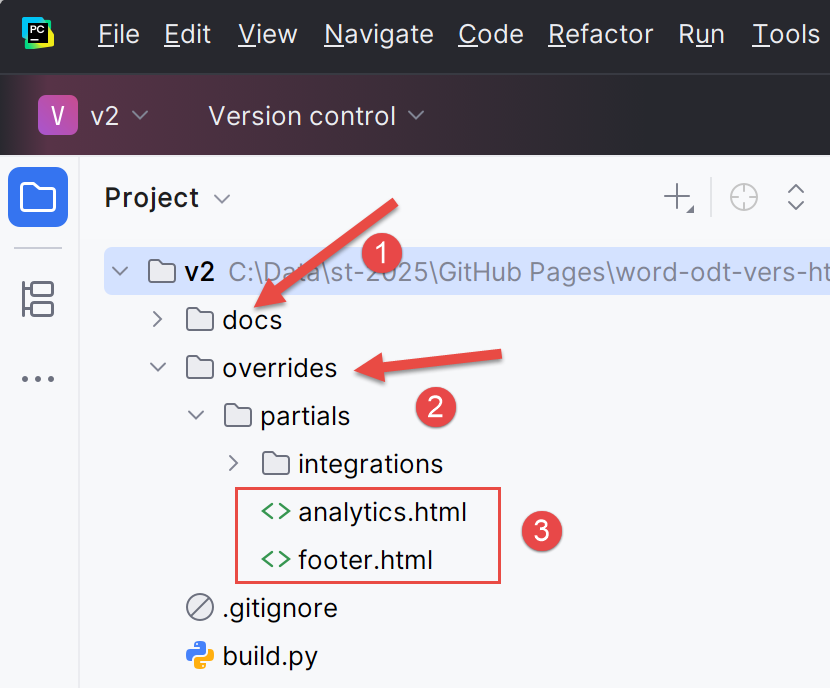 |
- En [1], [docs] es el sitio MkDocs que el convertidor Gemini / ChatGPT ha creado. Quizá le interese visitarlo;
- en [2], se ha creado una carpeta [overrides]. Será utilizada por el constructor [build] del sitio HTML;
- en [3]: [analytics.html] se utilizará para el seguimiento del sitio por parte de Google Analytics. [footer.html] es el pie de página que definió en el archivo [config.py] ;
Ahora mismo podemos utilizar el sitio MkDocs. El comando [python -m mkdocs serve] permite visualizarlo. Puede probar :
PS C:\Data\st-2025\GitHub Pages\word-odt-vers-html\v2> python -m mkdocs serve
INFO    -  Building documentation...
INFO    -  Cleaning site directory
INFO    -  Doc file 'les-exemples.md' contains a link '#_Les_exemples', but there is no such anchor on this page.
INFO    -  Documentation built in 0.41 seconds
INFO    -  [15:46:06] Serving on http://127.0.0.1:8000/word-odt-vers-html-janv-2026/
Ctrl-chaga en el enlace de la línea 6. El sitio MkDocs debe aparecer :
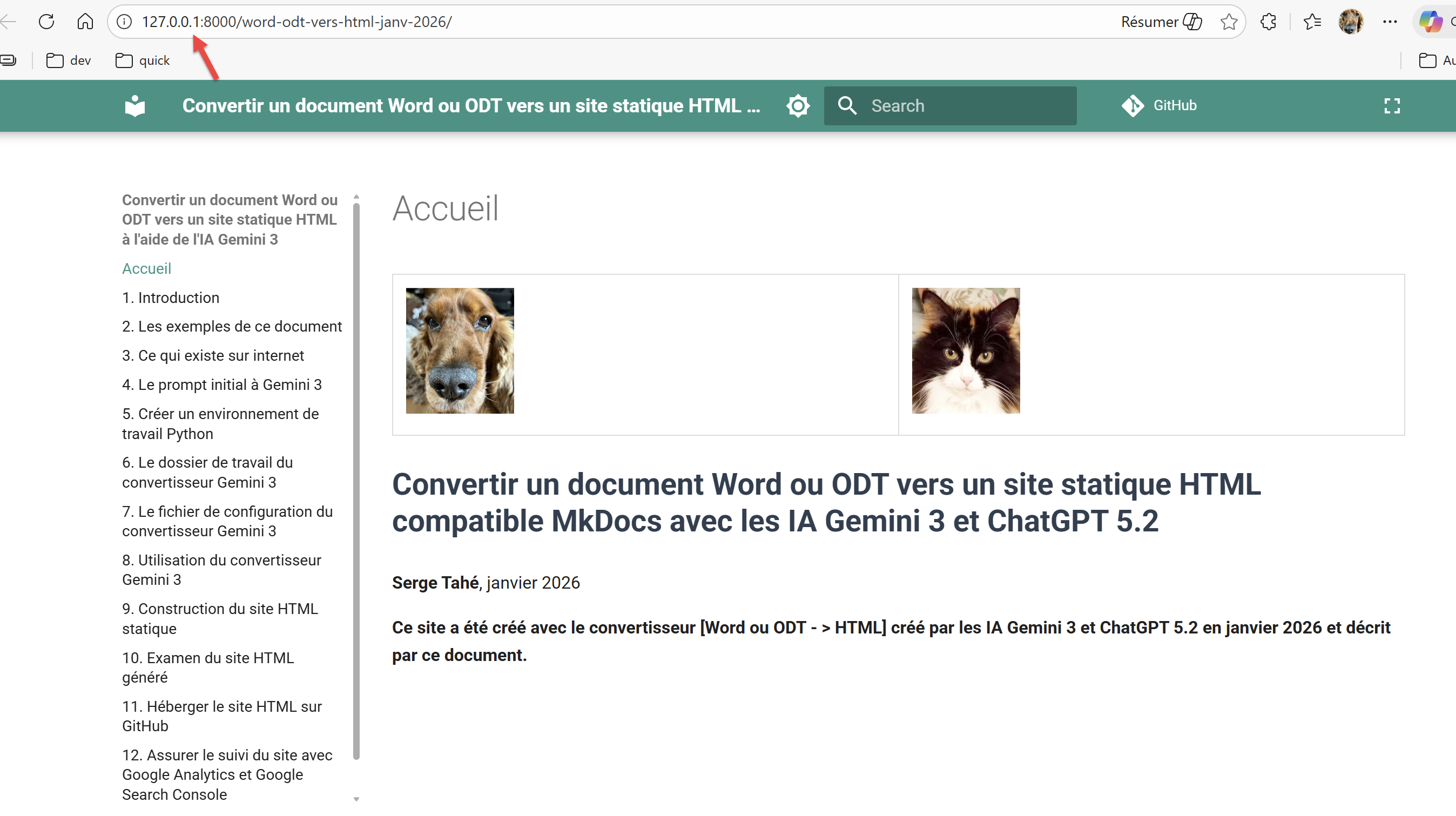 |
Este es el resultado de mucho trabajo. Para detener el servidor MkDocs, basta con pulsar Ctrl-C en el terminal que lo inició.