2. The Spring 4 Server
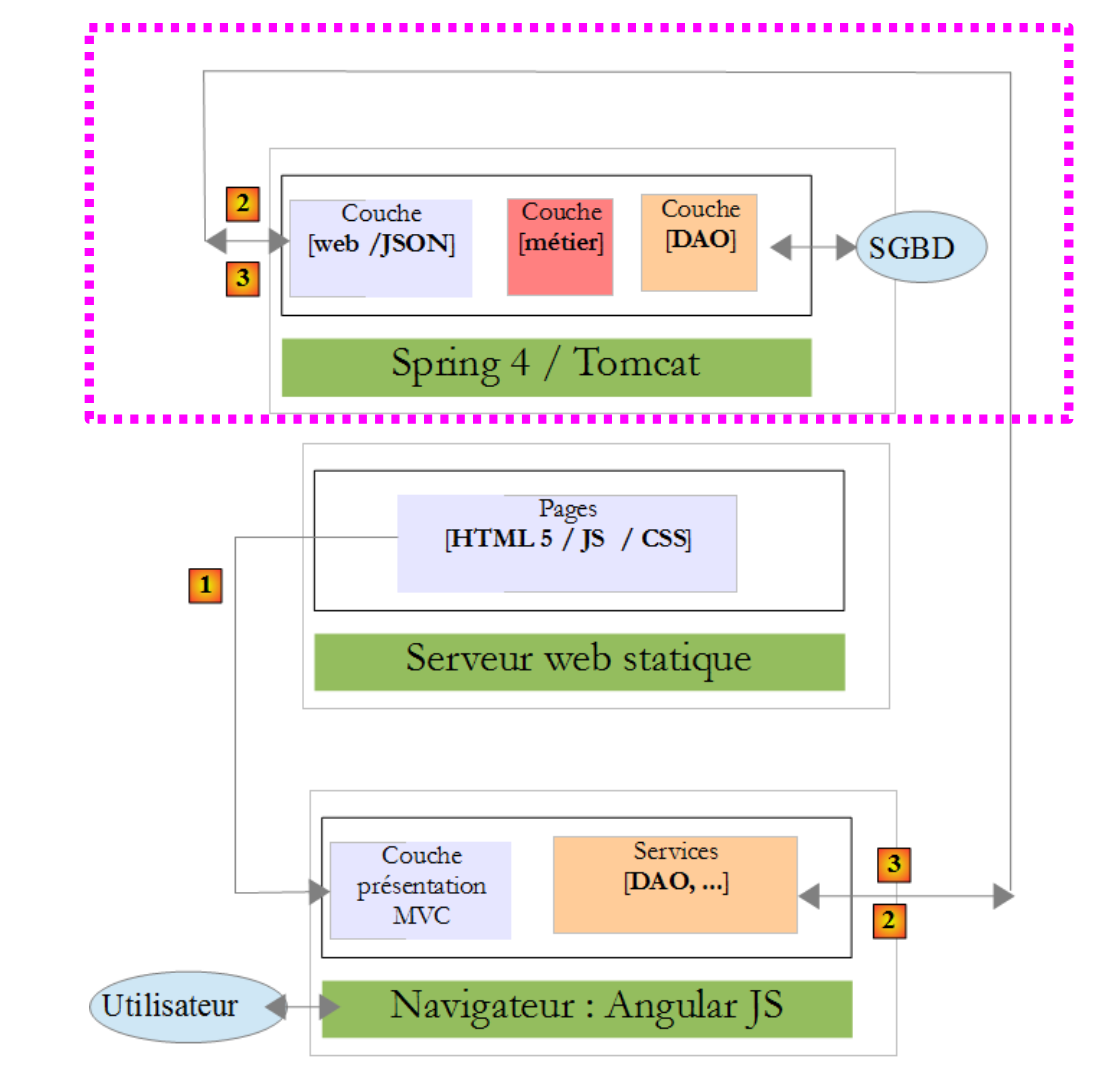 |
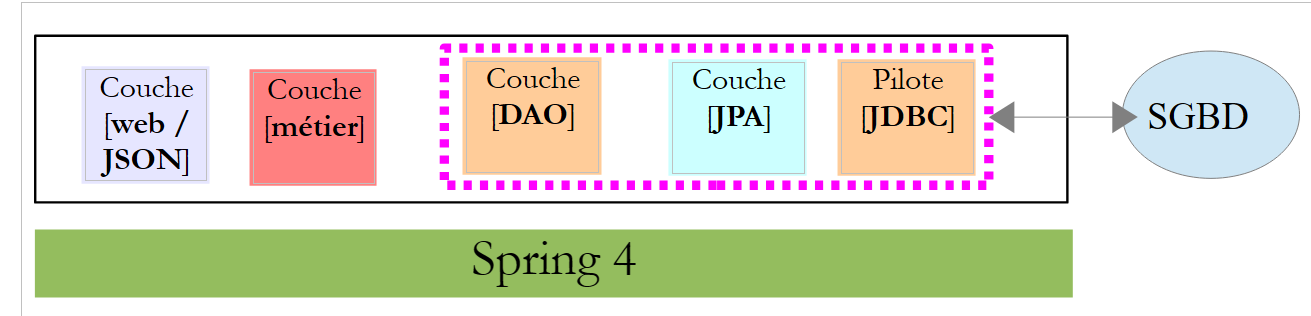
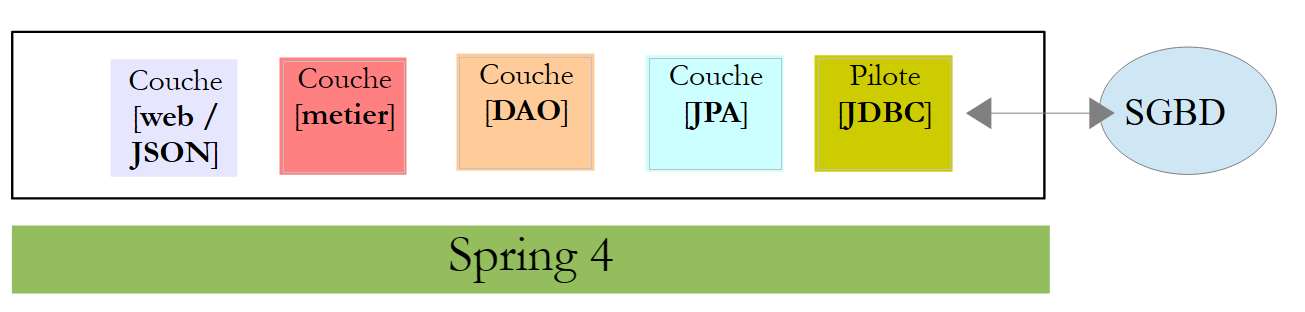
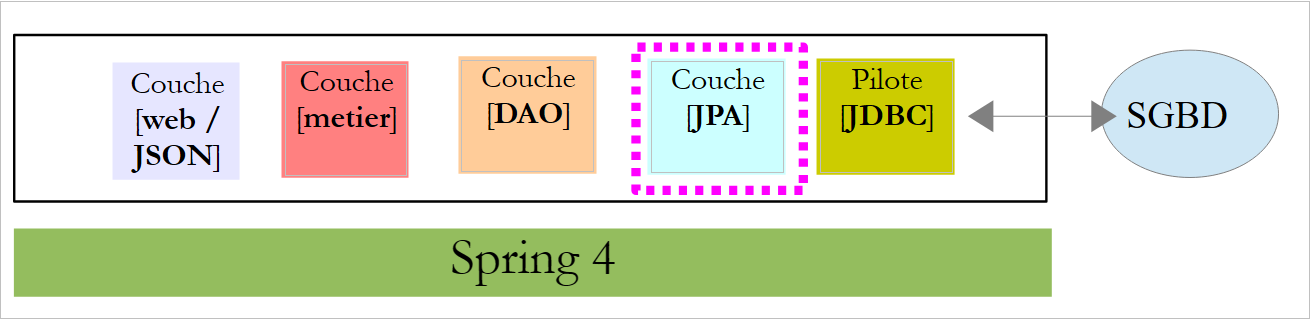
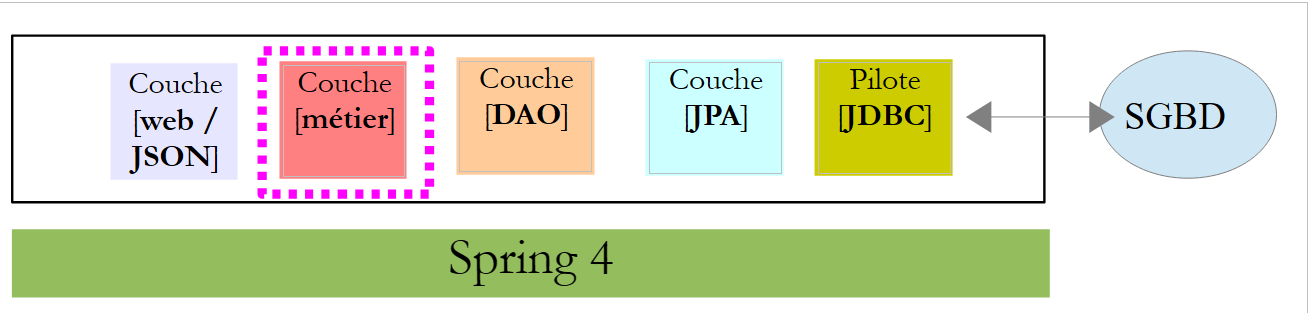
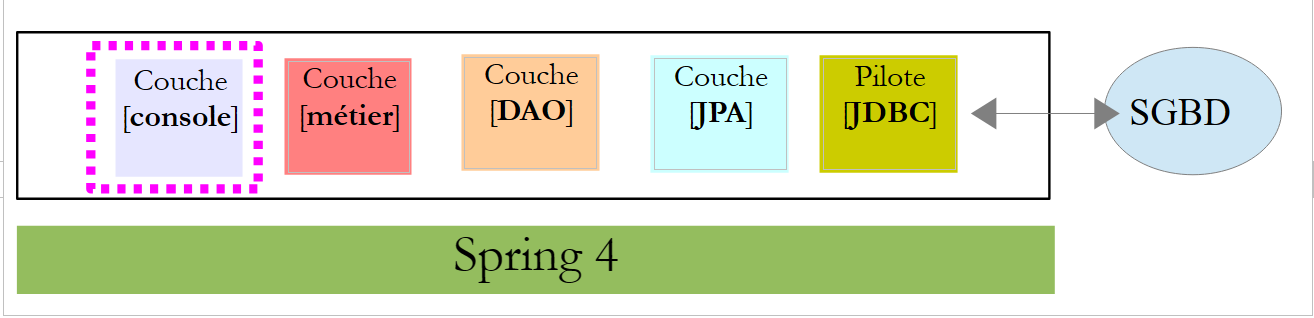
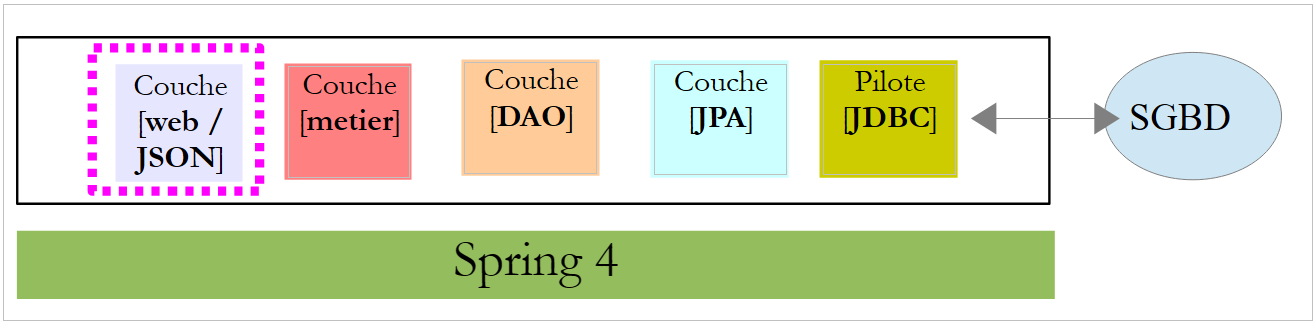
In the architecture above, we will now address the construction of the web service / JSON built with the Spring 4 framework. We will write it in several steps:
- first the [métier] and [DAO] layers (Data Access Object). Here we will use Spring Data;
- then the JSON web service without authentication. Here we will use Spring MVC;
- then we will add the authentication component using Spring Security.
We begin by explaining the structure of the database underlying the application.
2.1. The database
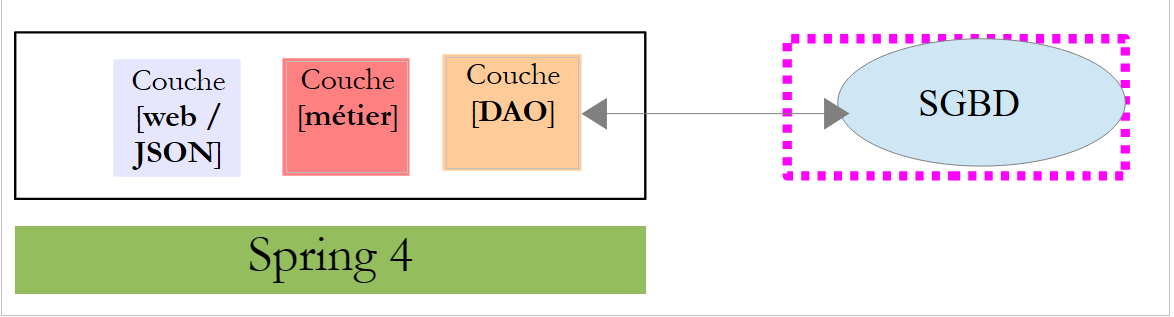 |
The database, hereafter referred to as [dbrdvmedecins] , is a MySQL5 database containing the following tables:
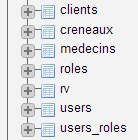 |
Appointments are managed by the following tables:
- [medecins]: contains the list of doctors at the practice;
- [clients]: contains the list of patients at the practice;
- [creneaux]: contains the time slots for each doctor;
- [rv]: contains the list of doctors' appointments.
The tables [roles], [users], and [users_roles] are tables related to authentication. For now, we will not be dealing with them.
The relationships between the tables managing appointments are as follows:
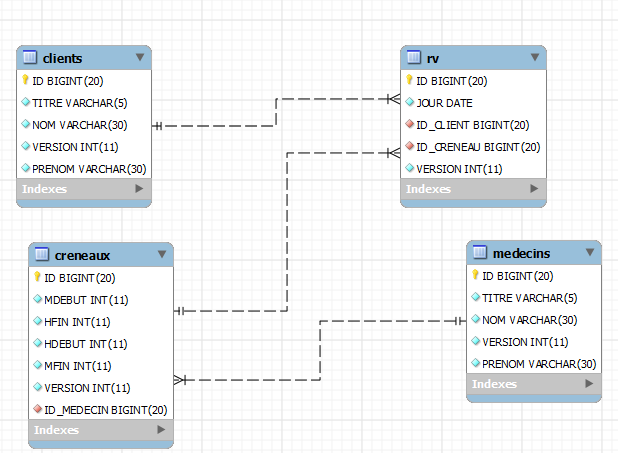 |
- a time slot belongs to a doctor – a doctor has 0 or more time slots;
- an appointment brings together both a client and a doctor via the doctor’s time slot;
- A client has 0 or more appointments;
- a time slot is associated with 0 or more appointments (on different days).
2.1.1. The table [MEDECINS]
It contains information about the doctors managed by the application [RdvMedecins].
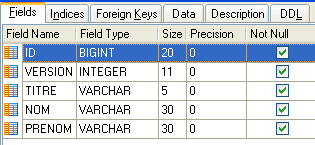 | 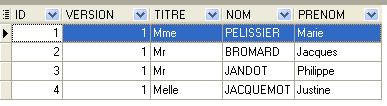 |
- ID: ID number for the doctor—primary key of the table
- VERSION: ID number for the version of the row in the table. This number is incremented by 1 each time a change is made to the row.
- NOM: the doctor’s last name
- PRENOM: their first name
- TITRE: their title (Ms., Mrs., Mr.)
2.1.2. The [CLIENTS] table
The clients values for the various doctors are stored in the [CLIENTS] table:
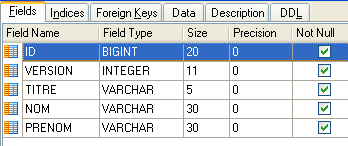 | 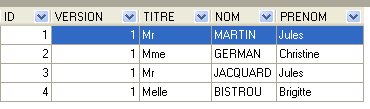 |
- ID: customer ID number—primary key of the table
- VERSION: number identifying the version of the row in the table. This number is incremented by 1 each time a change is made to the row.
- NOM: the customer's last name
- PRENOM: first name
- TITRE: their title (Ms., Mrs., Mr.)
2.1.3. The [CRENEAUX] table
It lists the time slots where RV entries are possible:
 |
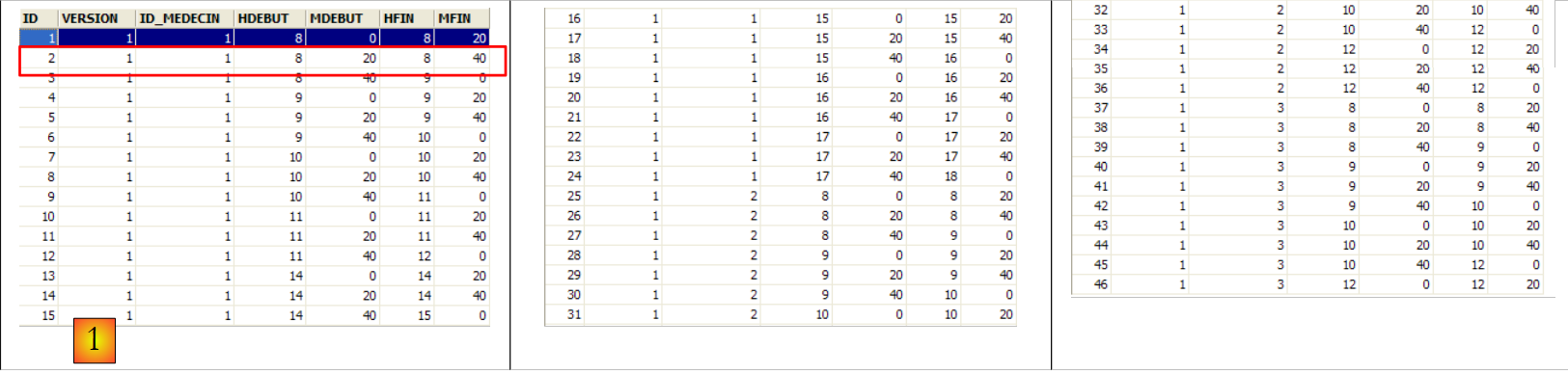 |
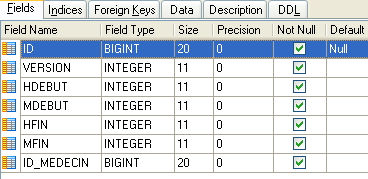
- ID: ID number for the time slot—primary key of the table (row 8)
- VERSION: number identifying the version for the row in the table. This number is incremented by 1 each time a change is made to the row.
- ID_MEDECIN: ID number for the doctor to whom this time slot belongs – foreign key on column MEDECINS(ID).
- HDEBUT: slot start time
- MDEBUT: slot start minutes
- HFIN: slot end hour
- MFIN: slot end minutes
The second row of table [CRENEAUX] (see [1] above) indicates, for example, that slot No. 2 begins at 8:20 a.m. and ends at 8:40 a.m. and belongs to doctor No. 1 (Ms. Marie PELISSIER).
2.1.4. The table [RV]
lists the RV values assigned to each doctor:
 |
- ID: ID number uniquely identifying the RV – primary key
- JOUR: day of the RV
- ID_CRENEAU: time slot for RV – foreign key on the [ID] field in the [CRENEAUX] table – determines both the time slot and the doctor concerned.
- ID_CLIENT: customer ID for whom the reservation is made – foreign key on the [ID] field of the [CLIENTS] table
This table has a uniqueness constraint on the values of the joined columns (JOUR, ID_CRENEAU):
If a row in table [RV] has the value (JOUR1, ID_CRENEAU1) for the columns (JOUR, ID_CRENEAU), this value cannot appear anywhere else. Otherwise, this would mean that two RV entries were recorded at the same time for the same doctor. From a Java programming perspective, the database driver JDBC triggers a SQLException when this occurs.
The id line equal to 3 (see [1] above) means that a RV was booked for slot #20 and client #4 on 08/23/2006. The table [CRENEAUX] tells us that slot no. 20 corresponds to the time slot 4:20 PM – 4:40 PM and belongs to doctor no. 1 (Ms. Marie PELISSIER). Table [CLIENTS] tells us that client #4 is Ms. Brigitte BISTROU.
2.2. Introduction to Spring Data
We will implement the [DAO] layer of the project using Spring Data, a branch of the Spring ecosystem.
 |
The Spring website offers numerous tutorials to get started with Spring [http://spring.io/guides]. We will use one of them to introduce Spring Data. For this, we use Spring Tool Suite (STS).
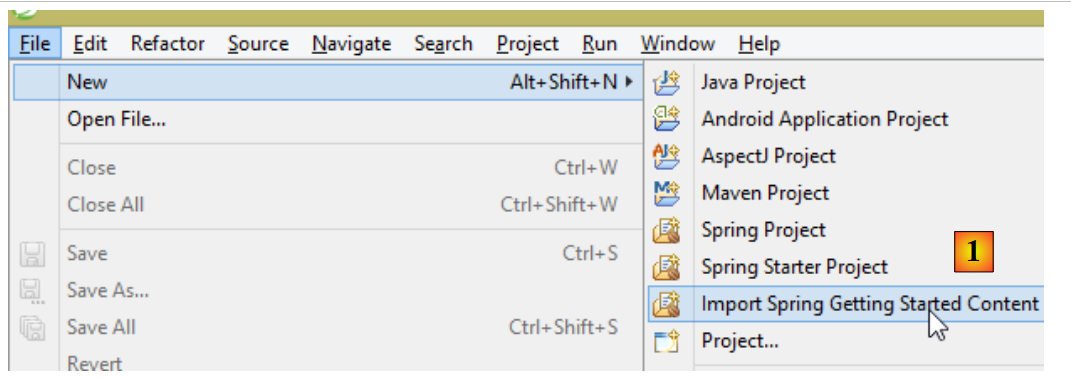 |
- In [1], we import one of the tutorials from [spring.io/guides];
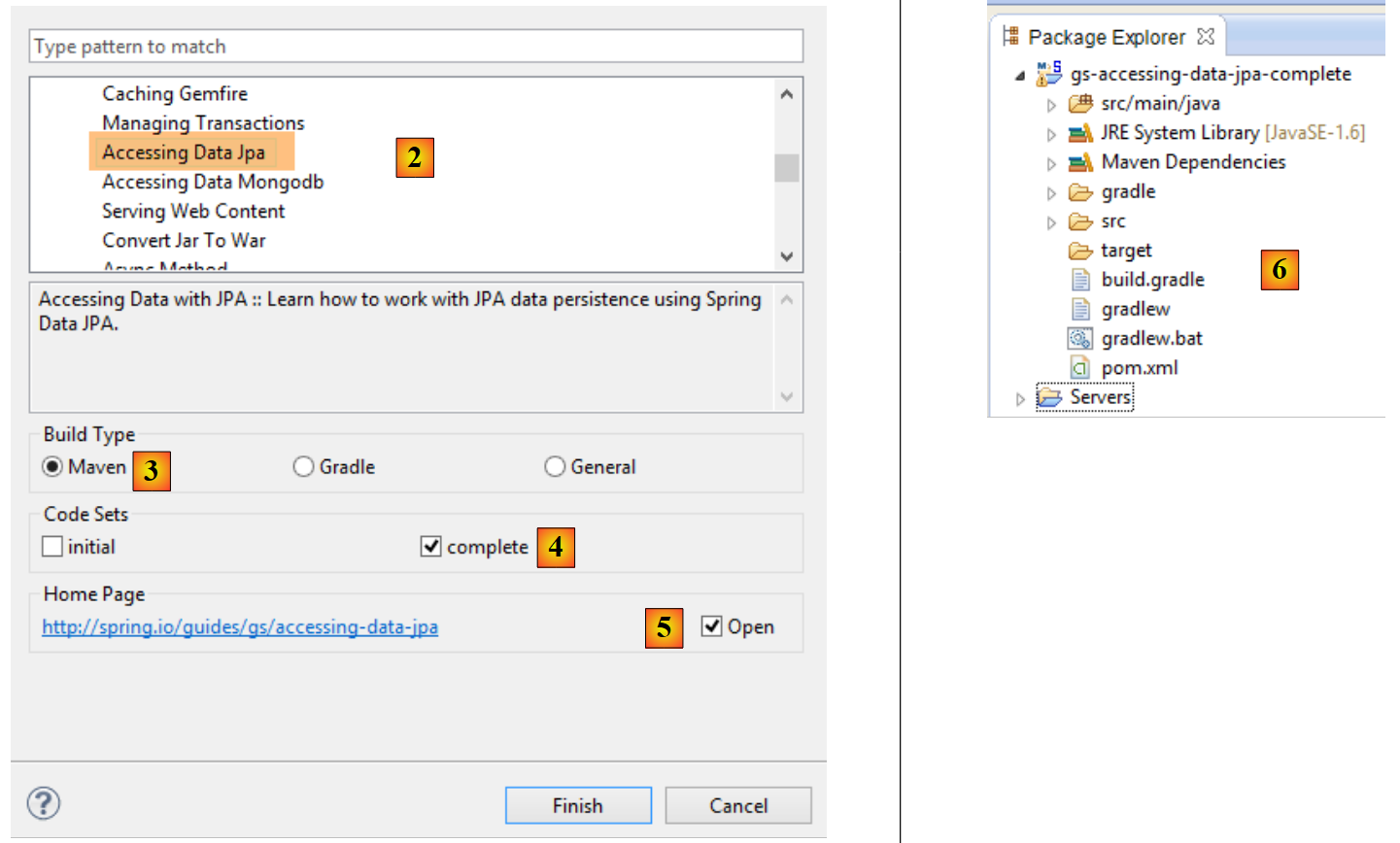 |
- In [2], we select the tutorial [Accessing Data Jpa], which demonstrates how to access a database using Spring Data;
- In [3], we select a project configured by Maven;
- In [4], the tutorial is available in two forms: [initial], which is an empty version that you fill in by following the tutorial, or [complete], which is the final version of the tutorial. We choose the latter;
- In [5], you can choose to view the tutorial in a browser;
- in [6], the final project.
2.2.1. The project’s Maven configuration
The project's Maven dependencies are configured in the [pom.xml] file:
    <groupId>org.springframework</groupId>
    <artifactId>gs-accessing-data-jpa</artifactId>
    <version>0.1.0</version>

    <parent>
        <groupId>org.springframework.boot</groupId>
        <artifactId>spring-boot-starter-parent</artifactId>
        <version>1.0.2.RELEASE</version>
    </parent>

    <dependencies>
        <dependency>
            <groupId>org.springframework.boot</groupId>
            <artifactId>spring-boot-starter-data-jpa</artifactId>
        </dependency>
        <dependency>
            <groupId>com.h2database</groupId>
            <artifactId>h2</artifactId>
        </dependency>
    </dependencies>

    <properties>
        <!-- use UTF-8 for everything -->
        <project.build.sourceEncoding>UTF-8</project.build.sourceEncoding>
        <project.reporting.outputEncoding>UTF-8</project.reporting.outputEncoding>
        <start-class>hello.Application</start-class>
</properties>
- Lines 5–9: define a parent Maven project. This project defines most of the project’s dependencies. They may be sufficient, in which case no additional dependencies are added, or they may not be, in which case the missing dependencies are added;
- Lines 12–15: define a dependency on [spring-boot-starter-data-jpa]. This artifact contains the Spring classes from Data;
- Lines 16–19: define a dependency on SGBD H2, which allows you to create and manage in-memory databases.
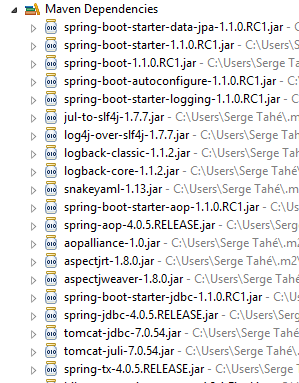
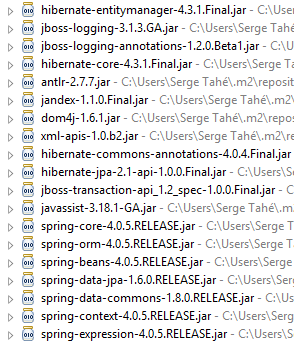
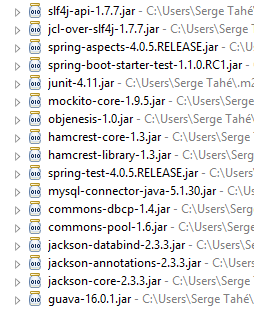
Let’s look at the classes provided by these dependencies:
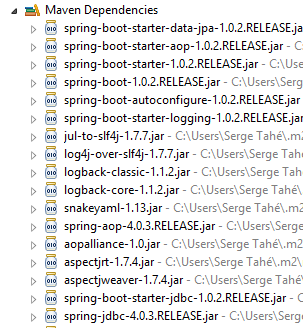 | 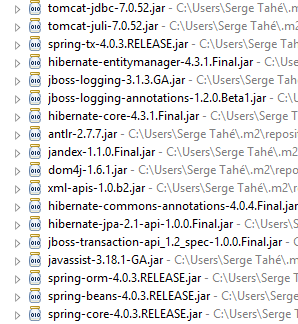 | 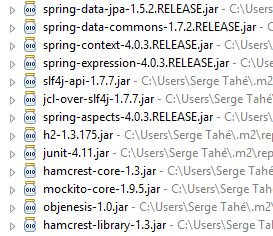 |
There are many of them:
- some belong to the Spring ecosystem (those starting with spring);
- others belong to the Hibernate ecosystem (hibernate, jboss), of which we use the JPA implementation here;
- others are testing libraries (junit, hamcrest);
- others are logging libraries (log4j, logback, slf4j);
We will keep them all. For a production application, only those that are necessary should be kept.
On line 26 of the [pom.xml] file, we find the line:
<start-class>hello.Application</start-class>
This line is linked to the following lines:
<build>
        <plugins>
            <plugin>
                <artifactId>maven-compiler-plugin</artifactId>
            </plugin>
            <plugin>
                <groupId>org.springframework.boot</groupId>
                <artifactId>spring-boot-maven-plugin</artifactId>
            </plugin>
        </plugins>
    </build>
Lines 6–9: The [spring-boot-maven-plugin] plugin is used to generate the application’s executable file, jar. Line 26 of the [pom.xml] file then specifies the executable class for this jar.
2.2.2. The [JPA] layer
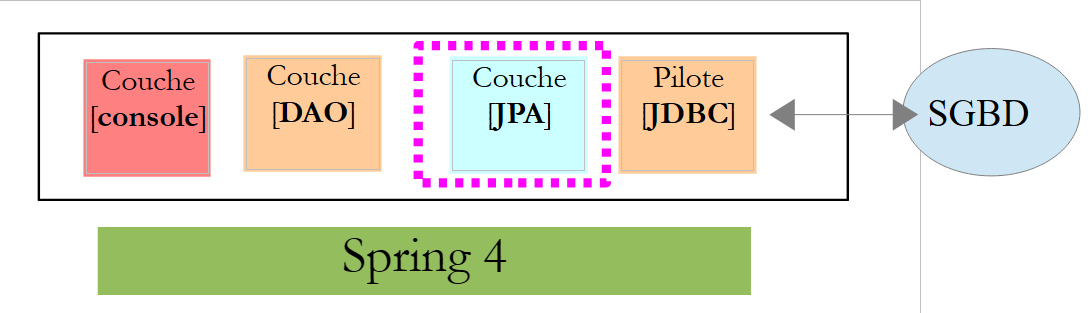
Access to the database is handled through a [JPA] layer, Java Persistence API:
 |
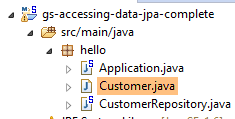 |
The application is basic and handles clients and [Customer]. The [Customer] class is part of the [JPA] layer and is as follows:
package hello;

import javax.persistence.Entity;
import javax.persistence.GeneratedValue;
import javax.persistence.GenerationType;
import javax.persistence.Id;

@Entity
public class Customer {

    @Id
    @GeneratedValue(strategy = GenerationType.AUTO)
    private long id;
    private String firstName;
    private String lastName;

    protected Customer() {
    }

    public Customer(String firstName, String lastName) {
        this.firstName = firstName;
        this.lastName = lastName;
    }

    @Override
    public String toString() {
        return String.format("Customer[id=%d, firstName='%s', lastName='%s']", id, firstName, lastName);
    }

}
A customer has an ID [id], a first name [firstName], and a last name [lastName]. Each instance [Customer] represents a row in a database table.
- Line 8: annotation JPA, which ensures that the persistence of instances [Customer] (Create, Read, Update, Delete) will be managed by an implementation JPA. Based on the Maven dependencies, we can see that the JPA / Hibernate implementation is being used;
- Lines 11–12: JPA annotations that associate the [id] field with the primary key of the [Customer] table. Line 12 indicates that the JPA implementation will use the primary key generation method specific to the SGBD being used, in this case H2;
There are no other annotations for JPA. Default values will therefore be used:
- the [Customer] table will bear the name of the class, i.e., [Customer];
- the columns of this table will be named after the class fields: [id, firstName, lastName], noting that case is not distinguished in table column names;
Note that the JPA implementation used is never named.
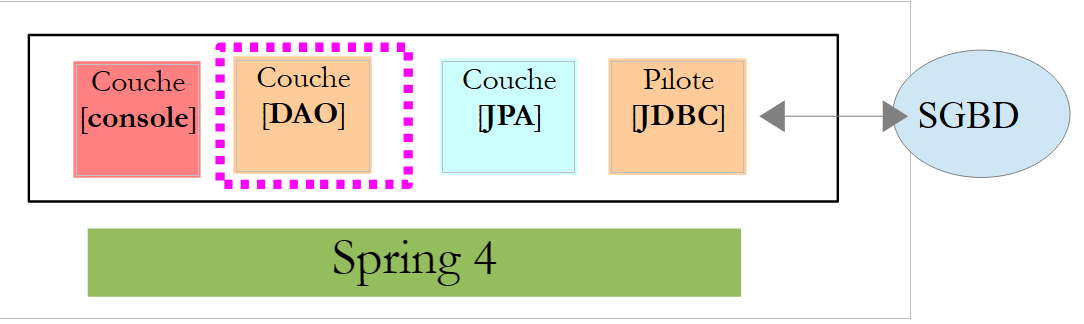
2.2.3. The [DAO] layer
 |
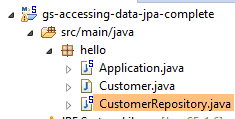 |
The class [CustomerRepository] implements the layer [DAO]. Its code is as follows:
package hello;

import java.util.List;

import org.springframework.data.repository.CrudRepository;

public interface CustomerRepository extends CrudRepository<Customer, Long> {

    List<Customer> findByLastName(String lastName);
}
This is therefore an interface and not a class (line 7). It extends the [CrudRepository] interface, a Spring interface (line 5). This interface is parameterized by two types: the first is the type of the managed elements, here the type [Customer], and the second is the type of the primary key of the managed elements, here a type [Long]. The [CrudRepository] interface is as follows:
package org.springframework.data.repository;

import java.io.Serializable;

@NoRepositoryBean
public interface CrudRepository<T, ID extends Serializable> extends Repository<T, ID> {

    <S extends T> S save(S entity);

    <S extends T> Iterable<S> save(Iterable<S> entities);

    T findOne(ID id);

    boolean exists(ID id);

    Iterable<T> findAll();

    Iterable<T> findAll(Iterable<ID> ids);

    long count();

    void delete(ID id);

    void delete(T entity);

    void delete(Iterable<? extends T> entities);

    void deleteAll();
}
This interface defines the CRUD operations (Create – Read – Update – Delete) that can be performed on a JPA T type:
- Line 8: The save method allows an entity T to be persisted in the database. It persists the entity using the primary key assigned to it by SGBD. It also allows an entity T identified by its primary key id to be updated. The choice between these two actions depends on the value of the primary key id: if it is null, the persistence operation occurs; otherwise, the update operation occurs;
- line 10: same as above, but for a list of entities;
- line 12: the method findOne retrieves an entity T identified by its primary key id;
- line 22: the delete method allows you to delete an entity T identified by its primary key id;
- lines 24–28: variants of the [delete] method;
- line 16: the [findAll] method retrieves all persisted T entities;
- line 18: same as above, but limited to entities for which a list of identifiers has been provided;
Let’s return to the [CustomerRepository] interface:
package hello;

import java.util.List;

import org.springframework.data.repository.CrudRepository;

public interface CustomerRepository extends CrudRepository<Customer, Long> {

    List<Customer> findByLastName(String lastName);
}
- Line 9 allows you to retrieve a [Customer] by its name [lastName];
And that’s all for the [DAO] layer. There is no implementation class for the previous interface. It is generated at runtime by [Spring Data]. The methods of the [CrudRepository] interface are automatically implemented. For the methods added to the [CustomerRepository] interface, it depends. Let’s go back to the definition of [Customer]:
    private long id;
    private String firstName;
private String lastName;
The method on line 9 is automatically implemented by [Spring Data] because it references the [lastName] field (line 3) of [Customer]. When it encounters a [findBySomething] method in the interface to be implemented, Spring Data implements it using the following JPQL (Java Persistence Query Language) query:
Therefore, the type T must have a field named [something]. Thus, the method
will be implemented by code similar to the following:
return [em].createQuery("select c from Customer c where c.lastName=:value").setParameter("value",lastName).getResultList()
where [em] refers to the persistence context JPA. This is only possible if the class [Customer] has a field named [lastName], which is the case.
In conclusion, in simple cases, Spring Data allows us to implement the [DAO] layer with a simple interface.
2.2.4. The [console] layer
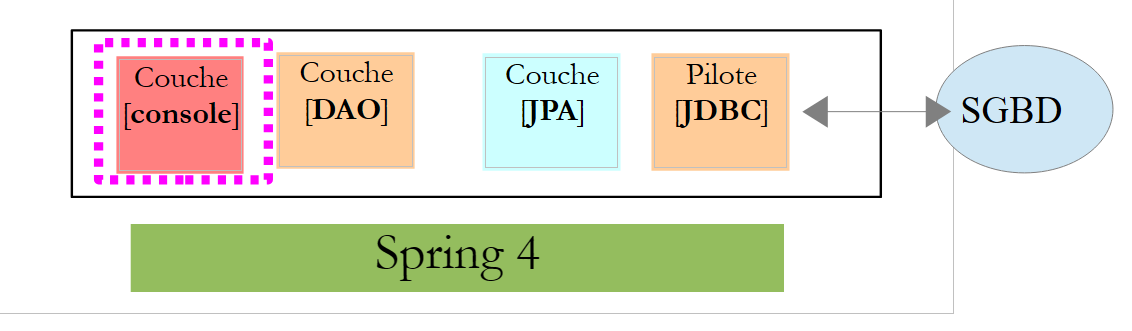 |
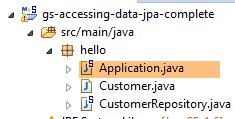 |
The [Application] class is as follows:
package hello;

import java.util.List;

import org.springframework.boot.SpringApplication;
import org.springframework.boot.autoconfigure.EnableAutoConfiguration;
import org.springframework.context.ConfigurableApplicationContext;
import org.springframework.context.annotation.Configuration;

@Configuration
@EnableAutoConfiguration
public class Application {

    public static void main(String[] args) {

        ConfigurableApplicationContext context = SpringApplication.run(Application.class);
        CustomerRepository repository = context.getBean(CustomerRepository.class);

        // save a couple of customers
        repository.save(new Customer("Jack", "Bauer"));
        repository.save(new Customer("Chloe", "O'Brian"));
        repository.save(new Customer("Kim", "Bauer"));
        repository.save(new Customer("David", "Palmer"));
        repository.save(new Customer("Michelle", "Dessler"));

        // fetch all customers
        Iterable<Customer> customers = repository.findAll();
        System.out.println("Customers found with findAll():");
        System.out.println("-------------------------------");
        for (Customer customer : customers) {
            System.out.println(customer);
        }
        System.out.println();

        // fetch an individual customer by ID
        Customer customer = repository.findOne(1L);
        System.out.println("Customer found with findOne(1L):");
        System.out.println("--------------------------------");
        System.out.println(customer);
        System.out.println();

        // fetch customers by last name
        List<Customer> bauers = repository.findByLastName("Bauer");
        System.out.println("Customer found with findByLastName('Bauer'):");
        System.out.println("--------------------------------------------");
        for (Customer bauer : bauers) {
            System.out.println(bauer);
        }

        context.close();
    }

}
- Line 10: indicates that the class is used to configure Spring. Recent versions of Spring can indeed be configured in Java rather than in XML. Both methods can be used simultaneously. In the code of a class annotated with [Configuration], one normally finds Spring beans, i.e., class definitions to be instantiated. Here, no beans are defined. It is important to note that when working with a SGBD, various Spring beans must be defined:
- a [EntityManagerFactory] that defines the JPA implementation to be used,
- a [DataSource] that defines the data source to be used,
- a [TransactionManager] that defines the transaction manager to use;
Here, none of these beans are defined.
- Line 11: The [EnableAutoConfiguration] annotation is an annotation from the [Spring Boot] project (lines 5–6). This annotation instructs Spring Boot via the [SpringApplication] class (line 16) to configure the application based on the libraries found in its classpath. Because the Hibernate libraries are in the classpath, the [entityManagerFactory] bean will be implemented with Hibernate. Because the SGBD H2 library is in the classpath, the [dataSource] bean will be implemented with H2. In the [dataSource] bean, we must also define the user and their password. Here, Spring Boot will use the default H2 administrator, which has no password. Because the [spring-tx] library is in the classpath, Spring’s transaction manager will be used.
Additionally, the folder containing the [Application] class will be scanned for beans implicitly recognized by Spring or explicitly defined by Spring annotations. Thus, the [Customer] and [CustomerRepository] classes will be inspected. Because the first has the annotation [@Entity], it will be cataloged as an entity to be managed by Hibernate. Because the second extends the interface [CrudRepository], it will be registered as a Spring bean.
Let’s examine lines 16–17 of the code:
ConfigurableApplicationContext context = SpringApplication.run(Application.class);
CustomerRepository repository = context.getBean(CustomerRepository.class);
- Line 1: The static method [run] of the [SpringApplication] class in the Spring Boot project is executed. Its parameter is the class that has a [Configuration] or [EnableAutoConfiguration] annotation. Everything explained previously will then take place. The result is a Spring application context, i.e., a set of beans managed by Spring;
- line 17: we request from this Spring context a bean that implements the [CustomerRepository] interface. Here, we retrieve the class generated by Spring, Data, to implement this interface.
The following operations simply use the methods of the bean implementing the [CustomerRepository] interface. Note on line 50 that the context is closed. The console output is as follows:
- lines 1-8: the Spring Boot project logo;
- line 9: the [hello.Application] class is executed;
- line 10: [AnnotationConfigApplicationContext] is a class implementing Spring’s [ApplicationContext] interface. It is a bean container;
- line 11: the bean [entityManagerFactory] is implemented with the class [LocalContainerEntityManagerFactory], a Spring class;
- line 12: [hibernate] appears. It is this JPA implementation that was chosen;
- line 19: a Hibernate dialect is the variant SQL to be used with SGBD. Here, the [H2Dialect] dialect indicates that Hibernate will work with the SGBD H2;
- lines 22–24: the table [CUSTOMER] is created. This means that Hibernate has been configured to generate tables from the JPA definitions; here, the JPA definition of the [Customer] class;
- lines 27–32: Hibernate logs showing row insertions into the [CUSTOMER] table. This means that Hibernate has been configured to generate logs;
- lines 35–39: the five clients records inserted;
- lines 42–44: result of the [findOne] method of the interface;
- lines 47–50: results of the [findByLastName] method;
- lines 51 and following: logs of the Spring context closure.
2.2.5. Manual configuration of the Spring project Data
We duplicate the previous project into the [gs-accessing-data-jpa-2] project:
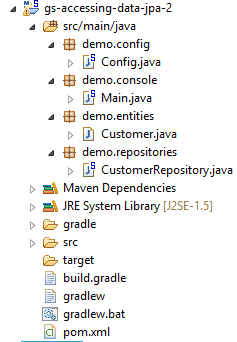 |
In this new project, we will not rely on the automatic configuration provided by Spring Boot. We will configure it manually. This can be useful if the default configurations do not suit our needs.
First, we will specify the necessary dependencies in the [pom.xml] file:
<dependencies>
        <!-- Spring Core -->
        <dependency>
            <groupId>org.springframework</groupId>
            <artifactId>spring-core</artifactId>
            <version>4.0.5.RELEASE</version>
        </dependency>
        <dependency>
            <groupId>org.springframework</groupId>
            <artifactId>spring-context</artifactId>
            <version>4.0.5.RELEASE</version>
        </dependency>
        <dependency>
            <groupId>org.springframework</groupId>
            <artifactId>spring-beans</artifactId>
            <version>4.0.5.RELEASE</version>
        </dependency>
        <!-- Spring transactions -->
        <dependency>
            <groupId>org.springframework</groupId>
            <artifactId>spring-aop</artifactId>
            <version>4.0.5.RELEASE</version>
        </dependency>
        <dependency>
            <groupId>org.springframework</groupId>
            <artifactId>spring-tx</artifactId>
            <version>4.0.5.RELEASE</version>
        </dependency>
        <!-- Spring Data -->
        <dependency>
            <groupId>org.springframework.data</groupId>
            <artifactId>spring-data-jpa</artifactId>
            <version>1.5.2.RELEASE</version>
        </dependency>
        <!-- Spring Boot -->
        <dependency>
            <groupId>org.springframework.boot</groupId>
            <artifactId>spring-boot</artifactId>
            <version>1.0.2.RELEASE</version>
        </dependency>
        <!-- Hibernate -->
        <dependency>
            <groupId>org.hibernate</groupId>
            <artifactId>hibernate-entitymanager</artifactId>
            <version>4.3.4.Final</version>
        </dependency>
        <!-- H2 Database -->
        <dependency>
            <groupId>com.h2database</groupId>
            <artifactId>h2</artifactId>
            <version>1.4.178</version>
        </dependency>
        <!-- Commons DBCP -->
        <dependency>
            <groupId>commons-dbcp</groupId>
            <artifactId>commons-dbcp</artifactId>
            <version>1.4</version>
        </dependency>
        <dependency>
            <groupId>commons-pool</groupId>
            <artifactId>commons-pool</artifactId>
            <version>1.6</version>
        </dependency>
    </dependencies>
- lines 3–17: Spring core libraries;
- lines 19–28: Spring libraries for managing database transactions;
- lines 30-34: Spring Data used to access the database;
- lines 36–40: Spring Boot to launch the application;
- lines 48-52: the H2 database;
- lines 54–63: Databases are often used with open connection pools, which avoid repeatedly opening and closing connections. Here, the implementation used is [commons-dbcp];
Still in [pom.xml], we change the name of the executable class:
    <properties>
...
        <start-class>demo.console.Main</start-class>
</properties>
In the new project, the [Customer] entity and the [CustomerRepository] interface remain unchanged. We will modify the [Application] class, which will be split into two classes:
- [Config], which will be the configuration class:
- [Main], which will be the executable class;
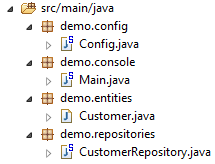 |
The executable class [Main] is the same as before, without the configuration annotations:
package demo.console;

import java.util.List;

import org.springframework.boot.SpringApplication;
import org.springframework.context.ConfigurableApplicationContext;

import demo.config.Config;
import demo.entities.Customer;
import demo.repositories.CustomerRepository;

public class Main {

    public static void main(String[] args) {

        ConfigurableApplicationContext context = SpringApplication.run(Config.class);
        CustomerRepository repository = context.getBean(CustomerRepository.class);
...

        context.close();
    }

}
- line 12: the [Main] class no longer has any configuration annotations;
- line 16: the application is launched with Spring Boot. The [Config.class] parameter is the new project configuration class;
The [Config] class that configures the project is as follows:
package demo.config;

import javax.persistence.EntityManagerFactory;
import javax.sql.DataSource;

import org.apache.commons.dbcp.BasicDataSource;
import org.springframework.context.annotation.Bean;
import org.springframework.context.annotation.Configuration;
import org.springframework.data.jpa.repository.config.EnableJpaRepositories;
import org.springframework.orm.jpa.JpaTransactionManager;
import org.springframework.orm.jpa.JpaVendorAdapter;
import org.springframework.orm.jpa.LocalContainerEntityManagerFactoryBean;
import org.springframework.orm.jpa.vendor.Database;
import org.springframework.orm.jpa.vendor.HibernateJpaVendorAdapter;
import org.springframework.transaction.PlatformTransactionManager;
import org.springframework.transaction.annotation.EnableTransactionManagement;

//@ComponentScan(basePackages = { "demo" })
//@EntityScan(basePackages = { "demo.entities" })
@EnableTransactionManagement
@EnableJpaRepositories(basePackages = { "demo.repositories" })
@Configuration
public class Config {
    // h2 data source
    @Bean
    public DataSource dataSource() {
        BasicDataSource dataSource = new BasicDataSource();
        dataSource.setDriverClassName("org.h2.Driver");
        dataSource.setUrl("jdbc:h2:./demo");
        dataSource.setUsername("sa");
        dataSource.setPassword("");
        return dataSource;
    }

    // the provider JPA
    @Bean
    public JpaVendorAdapter jpaVendorAdapter() {
        HibernateJpaVendorAdapter hibernateJpaVendorAdapter = new HibernateJpaVendorAdapter();
        hibernateJpaVendorAdapter.setShowSql(false);
        hibernateJpaVendorAdapter.setGenerateDdl(true);
        hibernateJpaVendorAdapter.setDatabase(Database.H2);
        return hibernateJpaVendorAdapter;
    }

    // EntityManagerFactory
    @Bean
    public EntityManagerFactory entityManagerFactory(JpaVendorAdapter jpaVendorAdapter, DataSource dataSource) {
        LocalContainerEntityManagerFactoryBean factory = new LocalContainerEntityManagerFactoryBean();
        factory.setJpaVendorAdapter(jpaVendorAdapter);
        factory.setPackagesToScan("demo.entities");
        factory.setDataSource(dataSource);
        factory.afterPropertiesSet();
        return factory.getObject();
    }

    // Transaction manager
    @Bean
    public PlatformTransactionManager transactionManager(EntityManagerFactory entityManagerFactory) {
        JpaTransactionManager txManager = new JpaTransactionManager();
        txManager.setEntityManagerFactory(entityManagerFactory);
        return txManager;
    }

}
- line 22: the [@Configuration] annotation makes the [Config] class a Spring configuration class;
- line 21: the [@EnableJpaRepositories] annotation specifies the directories where the Spring interfaces Data and [CrudRepository] are located. These interfaces will become Spring components and be available in its context;
- line 20: the [@EnableTransactionManagement] annotation indicates that the methods of the [CrudRepository] interfaces must be executed within a transaction;
- line 19: the [@EntityScan] annotation allows you to specify the directories where JPA entities should be searched for. Here it has been commented out, because this information was explicitly provided on line 50. This annotation should be present if using [@EnableAutoConfiguration] mode and the JPA entities are not in the same folder as the configuration class;
- line 18: the [@ComponentScan] annotation allows you to list the directories where Spring components should be searched for. Spring components are classes tagged with Spring annotations such as @Service, @Component, @Controller, etc. Here, there are no others besides those defined within the [Config] class, so the annotation has been commented out;
- Lines 25–33: define the data source, the H2 database. It is the @Bean annotation on line 25 that makes the object created by this method a Spring-managed component. The method name can be anything here. However, it must be named [dataSource] if EntityManagerFactory on line 47 is absent and defined via autoconfiguration;
- line 29: the database will be named [demo] and will be generated in the project folder;
- lines 36–43: define the JPA implementation used, in this case a Hibernate implementation. The method name can be anything here;
- line 39: no logs for SQL;
- line 30: the database will be created if it does not exist;
- lines 46-54: define the EntityManagerFactory that will manage the persistence of JPA. The method must be named [entityManagerFactory];
- line 47: the method receives two parameters of the types of the two beans defined previously. These will then be constructed and injected by Spring as method parameters;
- line 49: sets the JPA implementation to be used;
- line 50: specifies the directories where the JPA entities can be found;
- line 51: specifies the data source to be managed;
- lines 57–62: the transaction manager. The method must be named [transactionManager]. It receives the bean from lines 46–54 as a parameter;
- line 60: the transaction manager is associated with EntityManagerFactory;
The preceding methods can be defined in any order.
Running the project yields the same results. A new file appears in the project folder, the H2 database file:
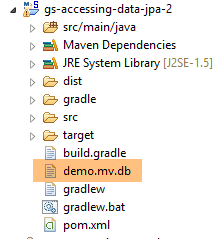 |
Finally, we can do without Spring Boot. We create a second executable class, [Main2]:
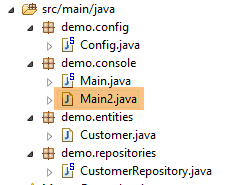 |
The [Main2] class has the following code:
package demo.console;

import java.util.List;

import org.springframework.context.annotation.AnnotationConfigApplicationContext;

import demo.config.Config;
import demo.entities.Customer;
import demo.repositories.CustomerRepository;

public class Main2 {

    public static void main(String[] args) {

        AnnotationConfigApplicationContext context = new AnnotationConfigApplicationContext(Config.class);
        CustomerRepository repository = context.getBean(CustomerRepository.class);
....

        context.close();
    }

}
- Line 15: The configuration class [Config] is now used by the Spring class [AnnotationConfigApplicationContext]. As seen on line 5, there is no longer any dependency on Spring Boot.
Execution yields the same results as before.
2.2.6. Creating an executable archive
To create an executable archive of the project, proceed as follows:
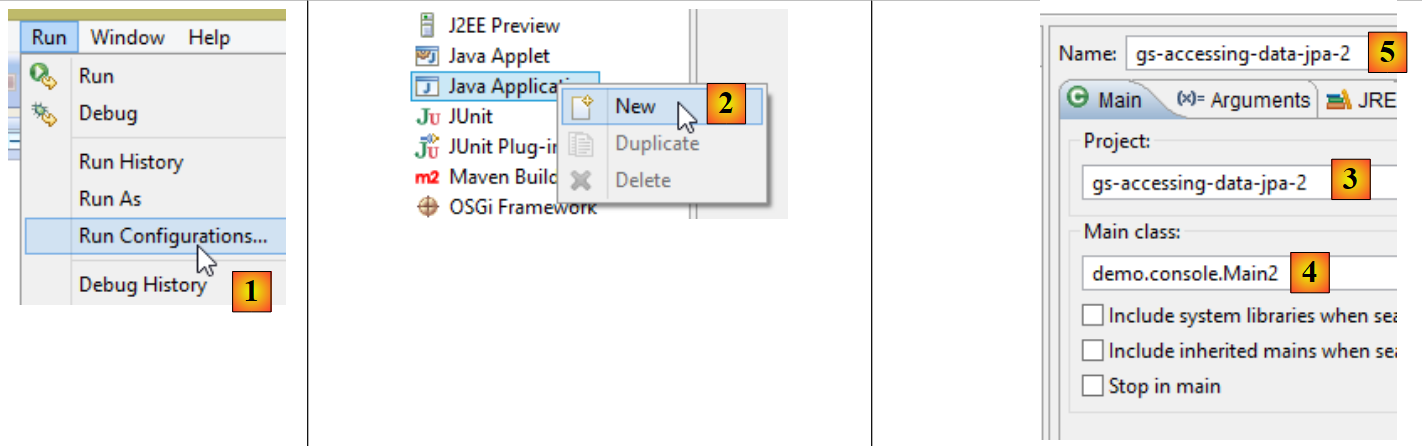 |
- in [1]: create a runtime configuration;
- in [2]: of type [Java Application]
- in [3]: specify the project to be executed (use the Browse button);
- in [4]: specify the class to execute;
- in [5]: the name of the run configuration – can be anything;
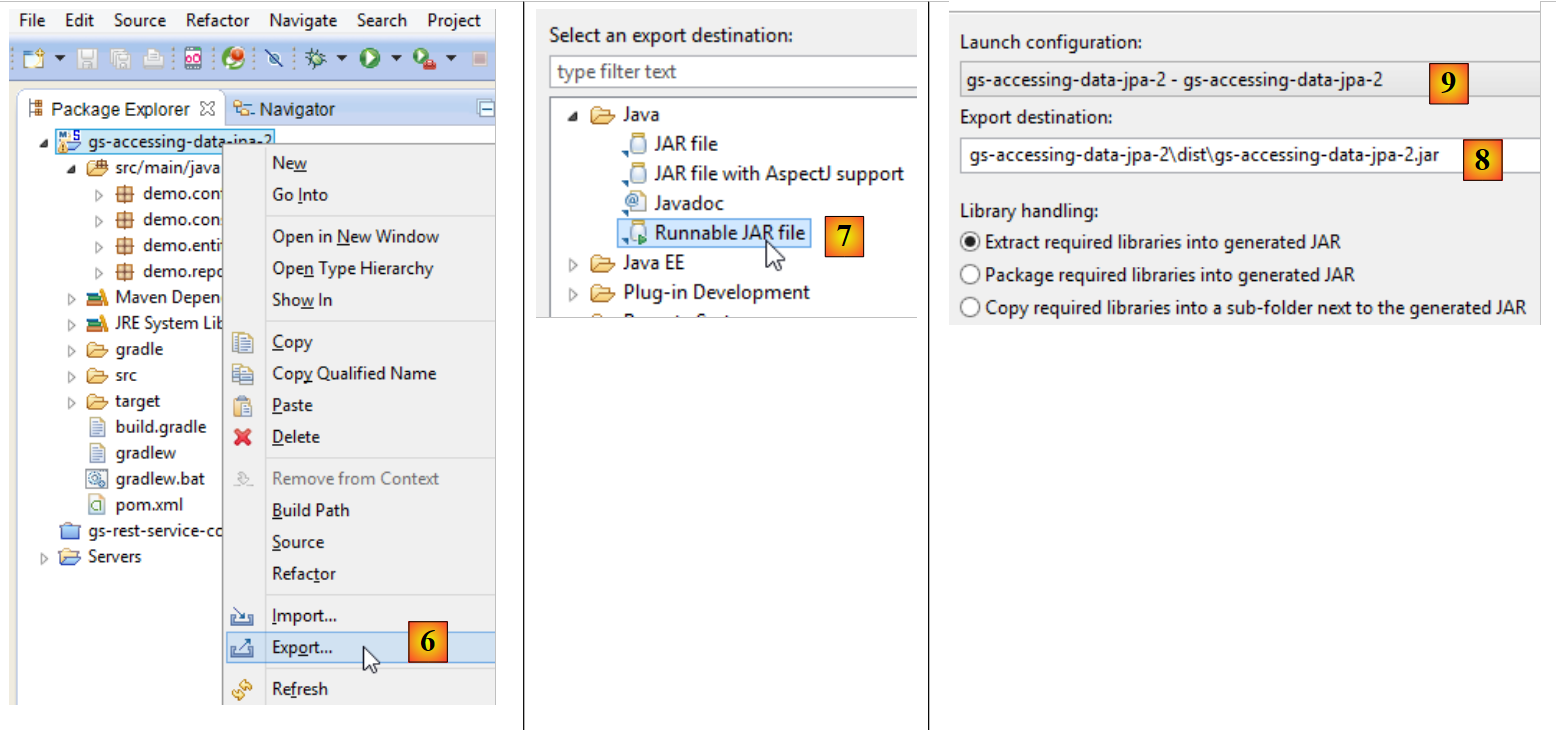 |
- in [6]: the project is exported;
- in [7]: as an executable JAR archive;
- in [8]: specifies the path and name of the executable file to be created;
- in [9]: the name of the execution configuration created in [5];
Once this is done, open a console in the folder containing the executable archive:
The archive is executed as follows:
.....\dist>java -jar gs-accessing-data-jpa-2.jar
The results displayed in the console are as follows:
2.2.7. Create a new Spring project Data
To create a Spring project template Data, proceed as follows:
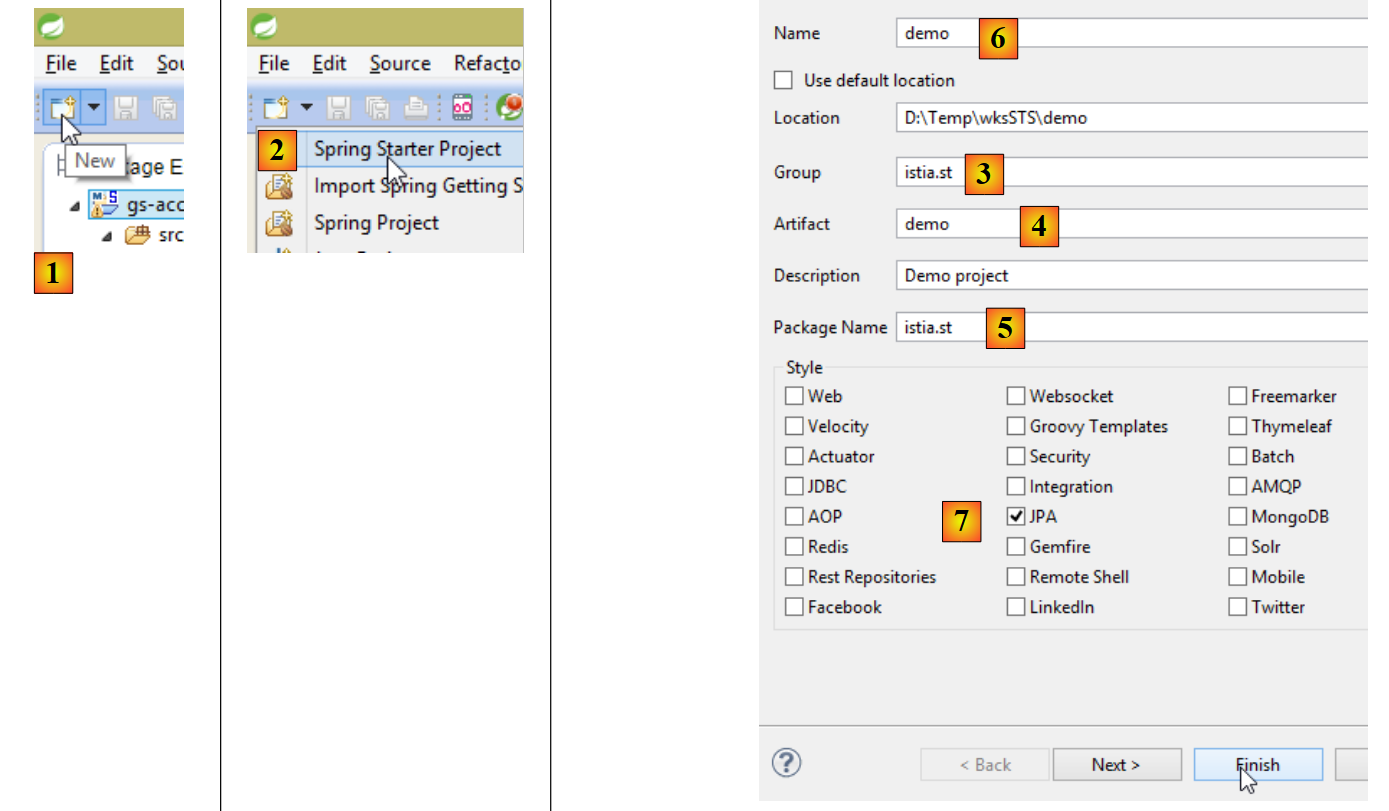 |
- In [1], create a new project;
- In [2]: of type [Spring Starter Project];
- The generated project will be a Maven project. In [3], specify the project group name;
- in [4]: specify the name of the artifact (a jar here) that will be created when the project is built;
- in [5]: specify the package of the executable class that will be created in the project;
- in [6]: the Eclipse name of the project – can be anything (does not have to be identical to [4]);
- in [7]: specify that a project with a [JPA] layer will be created. The dependencies required for such a project will then be included in the [pom.xml] file;
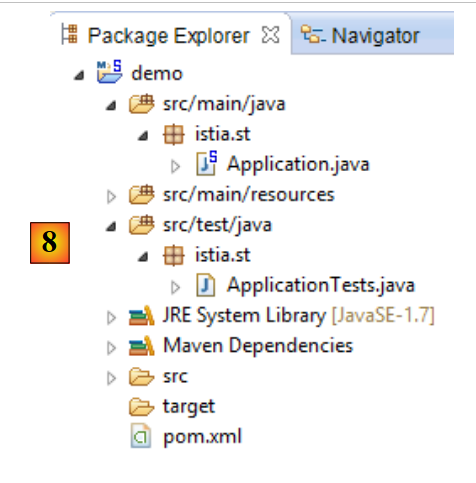 |
- in [8]: the created project;
The file [pom.xml] includes the dependencies required for a project JPA:
    <parent>
        <groupId>org.springframework.boot</groupId>
        <artifactId>spring-boot-starter-parent</artifactId>
        <version>1.1.0.RELEASE</version>
        <relativePath/> <!-- lookup parent from repository -->
    </parent>

    <dependencies>
        <dependency>
            <groupId>org.springframework.boot</groupId>
            <artifactId>spring-boot-starter-data-jpa</artifactId>
        </dependency>
        <dependency>
            <groupId>org.springframework.boot</groupId>
            <artifactId>spring-boot-starter-test</artifactId>
            <scope>test</scope>
        </dependency>
</dependencies>
- lines 9–12: dependencies required for JPA – will include [Spring Data];
- lines 13–17: dependencies required for the JUnit tests integrated with Spring;
The executable class [Application] does nothing but is preconfigured:
package istia.st;

import org.springframework.boot.SpringApplication;
import org.springframework.boot.autoconfigure.EnableAutoConfiguration;
import org.springframework.context.annotation.ComponentScan;
import org.springframework.context.annotation.Configuration;

@Configuration
@ComponentScan
@EnableAutoConfiguration
public class Application {

    public static void main(String[] args) {
        SpringApplication.run(Application.class, args);
    }
}
The test class [ApplicationTests] does nothing but is preconfigured:
package istia.st;

import org.junit.Test;
import org.junit.runner.RunWith;
import org.springframework.boot.test.SpringApplicationConfiguration;
import org.springframework.test.context.junit4.SpringJUnit4ClassRunner;

@RunWith(SpringJUnit4ClassRunner.class)
@SpringApplicationConfiguration(classes = Application.class)
public class ApplicationTests {

    @Test
    public void contextLoads() {
    }

}
- line 9: the [@SpringApplicationConfiguration] annotation allows the [Application] configuration file to be used. The test class will thus benefit from all the beans defined by this file;
- line 8: the [@RunWith] annotation enables the integration of Spring with JUnit: the class will be able to run as a JUnit test. [@RunWith] is a JUnit annotation (line 4), whereas the [SpringJUnit4ClassRunner] class is a Spring class (line 6);
Now that we have a JPA application skeleton, we can complete it to write the server persistence layer project for our appointment management application.
2.3. The Eclipse server project
 |
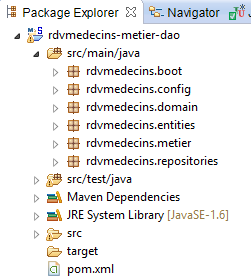 |
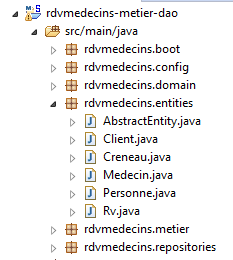
The main elements of the project are as follows:
- [pom.xml]: the project’s Maven configuration file;
- [rdvmedecins.entities]: the entities JPA;
- [rdvmedecins.repositories]: the Spring interfaces Data for accessing the entities JPA;
- [rdvmedecins.metier]: the [métier] layer;
- [rdvmedecins.domain]: the entities manipulated by the layer [métier];
- [rdvmdecins.config]: the configuration classes of the persistence layer;
- [rdvmedecins.boot]: a basic console application;
2.4. The Maven configuration
 |  |  |
The project's [pom.xml] file is as follows:
<?xml version="1.0" encoding="UTF-8"?>
<project xmlns="http://maven.apache.org/POM/4.0.0" xsi:schemaLocation="http://maven.apache.org/POM/4.0.0 http://maven.apache.org/maven-v4_0_0.xsd"
    xmlns:xsi="http://www.w3.org/2001/XMLSchema-instance">
    <modelVersion>4.0.0</modelVersion>
    <groupId>istia.st.spring4.rdvmedecins</groupId>
    <artifactId>rdvmedecins-metier-dao</artifactId>
    <version>0.0.1-SNAPSHOT</version>
    <parent>
        <groupId>org.springframework.boot</groupId>
        <artifactId>spring-boot-starter-parent</artifactId>
        <version>1.0.0.RELEASE</version>
    </parent>
    <dependencies>
        <dependency>
            <groupId>org.springframework.boot</groupId>
            <artifactId>spring-boot-starter-data-jpa</artifactId>
        </dependency>
        <dependency>
            <groupId>org.springframework.boot</groupId>
            <artifactId>spring-boot-starter-test</artifactId>
            <scope>test</scope>
        </dependency>
        <dependency>
            <groupId>mysql</groupId>
            <artifactId>mysql-connector-java</artifactId>
        </dependency>
        <dependency>
            <groupId>commons-dbcp</groupId>
            <artifactId>commons-dbcp</artifactId>
        </dependency>
        <dependency>
            <groupId>commons-pool</groupId>
            <artifactId>commons-pool</artifactId>
        </dependency>
        <dependency>
            <groupId>com.fasterxml.jackson.core</groupId>
            <artifactId>jackson-databind</artifactId>
        </dependency>
        <dependency>
            <groupId>com.google.guava</groupId>
            <artifactId>guava</artifactId>
            <version>16.0.1</version>
        </dependency>
    </dependencies>
    <properties>
        <!-- use UTF-8 for everything -->
        <project.build.sourceEncoding>UTF-8</project.build.sourceEncoding>
        <project.reporting.outputEncoding>UTF-8</project.reporting.outputEncoding>
        <start-class>istia.st.spring.data.main.Application</start-class>
    </properties>
    <build>
        <plugins>
            <plugin>
                <artifactId>maven-compiler-plugin</artifactId>
            </plugin>
            <plugin>
                <groupId>org.springframework.boot</groupId>
                <artifactId>spring-boot-maven-plugin</artifactId>
            </plugin>
        </plugins>
    </build>
    <repositories>
        <repository>
            <id>spring-milestones</id>
            <name>Spring Milestones</name>
            <url>http://repo.spring.io/libs-milestone</url>
            <snapshots>
                <enabled>false</enabled>
            </snapshots>
        </repository>
        <repository>
            <id>org.jboss.repository.releases</id>
            <name>JBoss Maven Release Repository</name>
            <url>https://repository.jboss.org/nexus/content/repositories/releases</url>
            <snapshots>
                <enabled>false</enabled>
            </snapshots>
        </repository>
    </repositories>
    <pluginRepositories>
        <pluginRepository>
            <id>spring-milestones</id>
            <name>Spring Milestones</name>
            <url>http://repo.spring.io/libs-milestone</url>
            <snapshots>
                <enabled>false</enabled>
            </snapshots>
        </pluginRepository>
    </pluginRepositories>
</project>
- Lines 8–12: The project is based on the parent project [spring-boot-starter-parent]. For dependencies already present in the parent project, version is not specified. The version defined in the parent will be used. Other dependencies are declared normally;
- lines 14–17: for Spring Data;
- lines 18–22: for the tests JUnit;
- lines 23–26: driver JDBC for SGBD and MySQL5;
- lines 27-34: Commons connection pool DBCP;
- lines 35-38: Jackson library for managing JSON;
- lines 39-43: Google collection management library;
version 1.1.0.RC1 from [spring-boot-starter-parent] uses the following library versions:
2.5. The JPA entities
 |
The JPA entities are the objects that will encapsulate the rows of the database tables.
 |
The class [AbstractEntity] is the parent class of the entities [Personne, Creneau, Rv]. Its definition is as follows:
package rdvmedecins.entities;

import java.io.Serializable;

import javax.persistence.GeneratedValue;
import javax.persistence.GenerationType;
import javax.persistence.Id;
import javax.persistence.MappedSuperclass;
import javax.persistence.Version;

@MappedSuperclass
public class AbstractEntity implements Serializable {

    private static final long serialVersionUID = 1L;
    @Id
    @GeneratedValue(strategy = GenerationType.AUTO)
    protected Long id;
    @Version
    protected Long version;

    @Override
    public int hashCode() {
        int hash = 0;
        hash += (id != null ? id.hashCode() : 0);
        return hash;
    }

    // initialization
    public AbstractEntity build(Long id, Long version) {
        this.id = id;
        this.version = version;
        return this;
    }

    @Override
    public boolean equals(Object entity) {
        String class1 = this.getClass().getName();
        String class2 = entity.getClass().getName();
        if (!class2.equals(class1)) {
            return false;
        }
        AbstractEntity other = (AbstractEntity) entity;
        return this.id == other.id;
    }

    // getters and setters
    ..
}
- line 11: the annotation [@MappedSuperclass] indicates that the annotated class is a parent of entities JPA and [@Entity];
- lines 15–17: define the primary key [id] for each entity. It is the annotation [@Id] that makes the field [id] a primary key. The annotation [@GeneratedValue(strategy = GenerationType.AUTO)] indicates that the value of this primary key is generated by SGBD and that no generation mode is enforced;
- Lines 18–19: define the version for each entity. The JPA implementation will increment this version number each time the entity is modified. This number is used to prevent simultaneous updates of the entity by two different users: two users, U1 and U2, read entity E with a version number equal to V1. U1 modifies E and commits this change to the database: the version number then changes to V1+1. U2 modifies E in turn and saves this change to the database: they will receive an exception because their version (V1) differs from the one in the database (V1+1);
- lines 29–33: the [build] method initializes the two fields of [AbstractEntity]. This method returns the reference to the [AbstractEntity] instance thus initialized;
- lines 36–44: the class method [equals] is redefined: two entities are considered equal if they have the same class name and the same identifier id;
The entity [Personne] is the parent class of the entities [Medecin] and [Client]:
package rdvmedecins.entities;

import javax.persistence.Column;
import javax.persistence.MappedSuperclass;

@MappedSuperclass
public class Personne extends AbstractEntity {
    private static final long serialVersionUID = 1L;
    // attributes of a person
    @Column(length = 5)
    private String titre;
    @Column(length = 20)
    private String nom;
    @Column(length = 20)
    private String prenom;

    // default builder
    public Personne() {
    }

    // builder with parameters
    public Personne(String titre, String nom, String prenom) {
        this.titre = titre;
        this.nom = nom;
        this.prenom = prenom;
    }

    // toString
    public String toString() {
        return String.format("Personne[%s, %s, %s, %s, %s]", id, version, titre, nom, prenom);
    }

    // getters and setters
    ...
}
- line 6: the annotation [@MappedSuperclass] indicates that the annotated class is a parent of entities JPA and [@Entity];
- lines 10–15: a person has a title (Ms.), a first name (Jacqueline), and a last name (Tatou). No information is provided about the table columns. By default, they will therefore have the same names as the fields;
The entity [Medecin] is as follows:
package rdvmedecins.entities;

import javax.persistence.Entity;
import javax.persistence.Table;

@Entity
@Table(name = "medecins")
public class Medecin extends Personne {

    private static final long serialVersionUID = 1L;

    // default builder
    public Medecin() {
    }

    // builder with parameters
    public Medecin(String titre, String nom, String prenom) {
        super(titre, nom, prenom);
    }

    public String toString() {
        return String.format("Medecin[%s]", super.toString());
    }

}
- line 6: the class is an entity JPA;
- line 7: associated with the [MEDECINS] table in the database;
- line 8: the entity [Medecin] derives from the entity [Personne];
A doctor can be initialized as follows:
If, in addition, we want to assign it an identifier and a version, we can write:
where the method [build] is the one defined in [AbstractEntity].
The [Client] entity is as follows:
package rdvmedecins.entities;

import javax.persistence.Entity;
import javax.persistence.Table;

@Entity
@Table(name = "clients")
public class Client extends Personne {

    private static final long serialVersionUID = 1L;

    // default builder
    public Client() {
    }

    // builder with parameters
    public Client(String titre, String nom, String prenom) {
        super(titre, nom, prenom);
    }

    // identity
    public String toString() {
        return String.format("Client[%s]", super.toString());
    }

}
- line 6: the class is an entity JPA;
- line 7: associated with the [CLIENTS] table in the database;
- line 8: the entity [Client] derives from the entity [Personne];
The entity [Creneau] is as follows:
package rdvmedecins.entities;

import javax.persistence.Column;
import javax.persistence.Entity;
import javax.persistence.FetchType;
import javax.persistence.JoinColumn;
import javax.persistence.ManyToOne;
import javax.persistence.Table;

@Entity
@Table(name = "creneaux")
public class Creneau extends AbstractEntity {

    private static final long serialVersionUID = 1L;
    // characteristics of a RV slot
    private int hdebut;
    private int mdebut;
    private int hfin;
    private int mfin;

    // a slot is linked to a doctor
    @ManyToOne(fetch = FetchType.LAZY)
    @JoinColumn(name = "id_medecin")
    private Medecin medecin;

    // foreign key
    @Column(name = "id_medecin", insertable = false, updatable = false)
    private long idMedecin;

    // default builder
    public Creneau() {
    }

    // builder with parameters
    public Creneau(Medecin medecin, int hdebut, int mdebut, int hfin, int mfin) {
        this.medecin = medecin;
        this.hdebut = hdebut;
        this.mdebut = mdebut;
        this.hfin = hfin;
        this.mfin = mfin;
    }

    // toString
    public String toString() {
        return String.format("Créneau[%d, %d, %d, %d:%d, %d:%d]", id, version, idMedecin, hdebut, mdebut, hfin, mfin);
    }

    // foreign key
    public long getIdMedecin() {
        return idMedecin;
    }

    // setters - getters
    ...
}
- line 10: the class is an entity JPA;
- line 11: associated with the [CRENEAUX] table in the database;
- line 12: the entity [Creneau] derives from theentity [AbstractEntity] and therefore inherits the identifier [id] and the version [version];
- line 16: slot start time (14);
- line 17: start minutes of the slot (20);
- line 18: slot end time (14);
- line 19: end minutes of the slot (40);
- lines 22-24: the doctor who owns the slot. Table [CRENEAUX] has a foreign key on table [MEDECINS]. This relationship is represented by lines 22-24;
- Line 22: The annotation [@ManyToOne] indicates a many-to-one relationship (appointment slots) to one (doctor). The attribute [fetch=FetchType.LAZY] indicates that when an entity [Creneau] is requested from the persistence context and must be retrieved from the database, the entity [Medecin] is not returned with it. The advantage of this mode is that the [Medecin] entity is only retrieved if the developer requests it. This saves memory and improves performance;
- line 23: specifies the name of the foreign key column in the table [CRENEAUX];
- Lines 27–28: the foreign key on the [MEDECINS] table;
- line 27: the column [ID_MEDECIN] has already been used on line 23. This means it can be modified in two different ways, which is not allowed by the standard JPA. We therefore add the [insertable = false, updatable = false] attributes, which means the column can only be read;
The [Rv] entity is as follows:
package rdvmedecins.entities;

import java.util.Date;

import javax.persistence.Column;
import javax.persistence.Entity;
import javax.persistence.FetchType;
import javax.persistence.JoinColumn;
import javax.persistence.ManyToOne;
import javax.persistence.Table;
import javax.persistence.Temporal;
import javax.persistence.TemporalType;

@Entity
@Table(name = "rv")
public class Rv extends AbstractEntity {
    private static final long serialVersionUID = 1L;

    // characteristics of a Rv
    @Temporal(TemporalType.DATE)
    private Date jour;

    // a rv is linked to a customer
    @ManyToOne(fetch = FetchType.LAZY)
    @JoinColumn(name = "id_client")
    private Client client;

    // a rv is linked to a time slot
    @ManyToOne(fetch = FetchType.LAZY)
    @JoinColumn(name = "id_creneau")
    private Creneau creneau;

    // foreign keys
    @Column(name = "id_client", insertable = false, updatable = false)
    private long idClient;
    @Column(name = "id_creneau", insertable = false, updatable = false)
    private long idCreneau;

    // default builder
    public Rv() {
    }

    // with parameters
    public Rv(Date jour, Client client, Creneau creneau) {
        this.jour = jour;
        this.client = client;
        this.creneau = creneau;
    }

    // toString
    public String toString() {
        return String.format("Rv[%d, %s, %d, %d]", id, jour, client.id, creneau.id);
    }

    // foreign keys
    public long getIdCreneau() {
        return idCreneau;
    }

    public long getIdClient() {
        return idClient;
    }

    // getters and setters
...
}
- line 14: the class is an entity JPA;
- line 15: associated with the [RV] table in the database;
- line 16: the entity [Rv] derives from theentity [AbstractEntity] and therefore inherits the identifier [id] and the version [version];
- line 21: the appointment date;
- line 20: the Java type [Date] contains both a date and a time. Here, we specify that only the date is used;
- lines 24–26: the customer for whom this appointment was made. The [RV] table has a foreign key on the [CLIENTS] table. This relationship is represented by lines 24–26;
- lines 29–31: the time slot for the appointment. Table [RV] has a foreign key on table [CRENEAUX]. This relationship is represented by lines 29–31;
- rows 34–35: the foreign key [idClient];
- lines 36–37: the foreign key [idCreneau];
2.6. The [DAO] layer
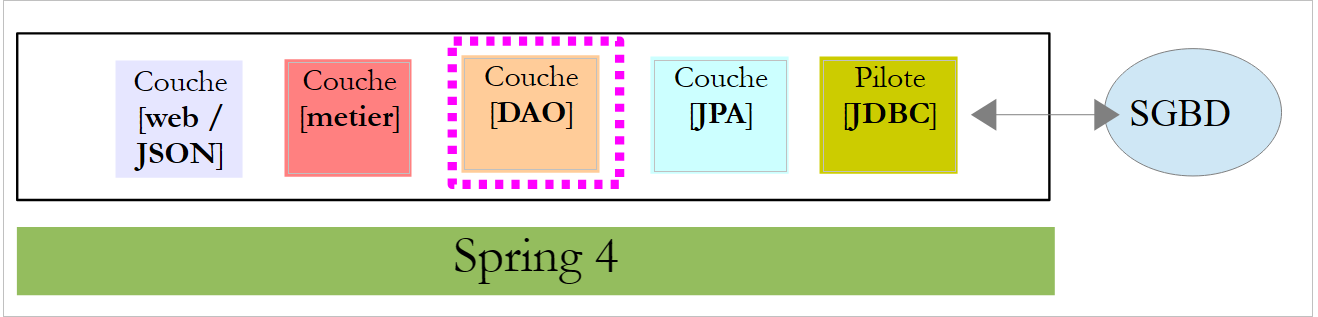 |
We will implement the [DAO] layer with Spring Data:
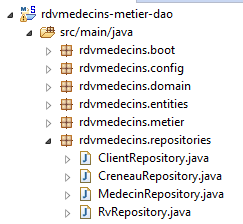 |
The [DAO] layer is implemented with four Spring interfaces Data:
- [ClientRepository]: provides access to the entities JPA and [Client];
- [CreneauRepository]: provides access to the entities JPA and [Creneau];
- [MedecinRepository]: provides access to entities JPA and [Medecin];
- [RvRepository]: provides access to the entities JPA and [Rv];
The [MedecinRepository] interface is as follows:
package rdvmedecins.repositories;

import org.springframework.data.repository.CrudRepository;

import rdvmedecins.entities.Medecin;

public interface MedecinRepository extends CrudRepository<Medecin, Long> {
}
- line 7: the [MedecinRepository] interface simply inherits the methods from the [CrudRepository] interface without adding any others;
The [ClientRepository] interface is as follows:
package rdvmedecins.repositories;

import org.springframework.data.repository.CrudRepository;

import rdvmedecins.entities.Client;

public interface ClientRepository extends CrudRepository<Client, Long> {
}
- line 7: the [ClientRepository] interface simply inherits the methods from the [CrudRepository] interface without adding any others;
The [CreneauRepository] interface is as follows:
package rdvmedecins.repositories;

import org.springframework.data.jpa.repository.Query;
import org.springframework.data.repository.CrudRepository;

import rdvmedecins.entities.Creneau;

public interface CreneauRepository extends CrudRepository<Creneau, Long> {
    // list of physician slots
    @Query("select c from Creneau c where c.medecin.id=?1")
    Iterable<Creneau> getAllCreneaux(long idMedecin);
}
- line 8: the [CreneauRepository] interface inherits the methods of the [CrudRepository] interface;
- lines 10-11: the [getAllCreneaux] method retrieves a doctor's available time slots;
- line 11: the parameter is the doctor’s ID. The result is a list of time slots in the form of a [Iterable<Creneau>] object;
- line 10: the annotation [@Query] is used to specify the query JPQL (Java Persistence Query Language) that implements the method. The parameter [?1] will be replaced by the parameter [idMedecin] of the method;
The [RvRepository] interface is as follows:
package rdvmedecins.repositories;

import java.util.Date;

import org.springframework.data.jpa.repository.Query;
import org.springframework.data.repository.CrudRepository;

import rdvmedecins.entities.Rv;

public interface RvRepository extends CrudRepository<Rv, Long> {

    @Query("select rv from Rv rv left join fetch rv.client c left join fetch rv.creneau cr where cr.medecin.id=?1 and rv.jour=?2")
    Iterable<Rv> getRvMedecinJour(long idMedecin, Date jour);
}
- line 10: the [RvRepository] interface inherits the methods of the [CrudRepository] interface;
- lines 12-13: the [getRvMedecinJour] method retrieves a doctor’s appointments for a given day;
- line 13: the parameters are the doctor’s ID and the day. The result is a list of appointments in the form of a [Iterable<Rv>] object;
- line 12: the annotation [@Query] allows you to specify the query JPQL that implements the method. The parameter [?1] will be replaced by the method’s parameter [idMedecin], and the parameter [?2] will be replaced by the method’s parameter [jour]. The following query JPQL is not sufficient:
because the fields of class Rv, of types [Client] and [Creneau], are obtained in mode [FetchType.LAZY], which means they must be explicitly requested to be obtained. This is done in the query JPQL using the syntax [left join fetch entité], which requests that a join be performed with the table referenced by the foreign key in order to retrieve the referenced entity;
2.7. The [métier] layer
 |
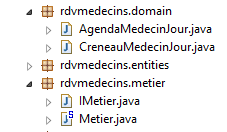 |
- [IMetier] is the interface of the [métier] layer, and [Metier] is its implementation;
- [AgendaMedecinJour] and [CreneauMedecinJour] are two business entities;
2.7.1. The entities
The entity [CreneauMedecinJour] associates a time slot with any appointment scheduled within that slot:
package rdvmedecins.domain;

import java.io.Serializable;

import rdvmedecins.entities.Creneau;
import rdvmedecins.entities.Rv;

public class CreneauMedecinJour implements Serializable {

    private static final long serialVersionUID = 1L;
    // fields
    private Creneau creneau;
    private Rv rv;

    // manufacturers
    public CreneauMedecinJour() {

    }

    public CreneauMedecinJour(Creneau creneau, Rv rv) {
        this.creneau=creneau;
        this.rv=rv;
    }

    // toString
    @Override
    public String toString() {
        return String.format("[%s %s]", creneau, rv);
    }

    // getters and setters
...
}
- line 12: the time slot;
- line 13: the appointment, if any – null otherwise;
The entity [AgendaMedecinJour] is a doctor's agenda for a given day, i.e., the list of their appointments:
package rdvmedecins.domain;

import java.io.Serializable;
import java.text.SimpleDateFormat;
import java.util.Date;

import rdvmedecins.entities.Medecin;

public class AgendaMedecinJour implements Serializable {

    private static final long serialVersionUID = 1L;
    // fields
    private Medecin medecin;
    private Date jour;
    private CreneauMedecinJour[] creneauxMedecinJour;

    // manufacturers
    public AgendaMedecinJour() {

    }

    public AgendaMedecinJour(Medecin medecin, Date jour, CreneauMedecinJour[] creneauxMedecinJour) {
        this.medecin = medecin;
        this.jour = jour;
        this.creneauxMedecinJour = creneauxMedecinJour;
    }

    public String toString() {
        StringBuffer str = new StringBuffer("");
        for (CreneauMedecinJour cr : creneauxMedecinJour) {
            str.append(" ");
            str.append(cr.toString());
        }
        return String.format("Agenda[%s,%s,%s]", medecin, new SimpleDateFormat("dd/MM/yyyy").format(jour), str.toString());
    }

    // getters and setters
...
}
- line 13: the doctor;
- line 14: the day in the agenda;
- line 15: their appointment slots with or without an appointment;
2.7.2. The service
The interface for the [métier] layer is as follows:
package rdvmedecins.metier;

import java.util.Date;
import java.util.List;

import rdvmedecins.domain.AgendaMedecinJour;
import rdvmedecins.entities.Client;
import rdvmedecins.entities.Creneau;
import rdvmedecins.entities.Medecin;
import rdvmedecins.entities.Rv;

public interface IMetier {

    // clients list
    public List<Client> getAllClients();

    // list of doctors
    public List<Medecin> getAllMedecins();

    // list of physician slots
    public List<Creneau> getAllCreneaux(long idMedecin);

    // list of a doctor's Rv on a given day
    public List<Rv> getRvMedecinJour(long idMedecin, Date jour);

    // find a customer identified by his id
    public Client getClientById(long id);

    // find a customer identified by his id
    public Medecin getMedecinById(long id);

    // find a Rv identified by its id
    public Rv getRvById(long id);

    // find a time slot identified by its id
    public Creneau getCreneauById(long id);

    // add a RV to the list
    public Rv ajouterRv(Date jour, Creneau créneau, Client client);

    // delete a RV
    public void supprimerRv(Rv rv);

    // job
    public AgendaMedecinJour getAgendaMedecinJour(long idMedecin, Date jour);

}
The comments explain the role of each method.
The implementation of the [IMetier] interface is the following [Metier] class:
package rdvmedecins.metier;

import java.util.Date;
import java.util.Hashtable;
import java.util.List;
import java.util.Map;

import org.springframework.beans.factory.annotation.Autowired;
import org.springframework.stereotype.Service;

import rdvmedecins.domain.AgendaMedecinJour;
import rdvmedecins.domain.CreneauMedecinJour;
import rdvmedecins.entities.Client;
import rdvmedecins.entities.Creneau;
import rdvmedecins.entities.Medecin;
import rdvmedecins.entities.Rv;
import rdvmedecins.repositories.ClientRepository;
import rdvmedecins.repositories.CreneauRepository;
import rdvmedecins.repositories.MedecinRepository;
import rdvmedecins.repositories.RvRepository;

import com.google.common.collect.Lists;

@Service("métier")
public class Metier implements IMetier {

    // repositories
    @Autowired
    private MedecinRepository medecinRepository;
    @Autowired
    private ClientRepository clientRepository;
    @Autowired
    private CreneauRepository creneauRepository;
    @Autowired
    private RvRepository rvRepository;

    // interface implementation
    @Override
    public List<Client> getAllClients() {
        return Lists.newArrayList(clientRepository.findAll());
    }

    @Override
    public List<Medecin> getAllMedecins() {
        return Lists.newArrayList(medecinRepository.findAll());
    }

    @Override
    public List<Creneau> getAllCreneaux(long idMedecin) {
        return Lists.newArrayList(creneauRepository.getAllCreneaux(idMedecin));
    }

    @Override
    public List<Rv> getRvMedecinJour(long idMedecin, Date jour) {
        return Lists.newArrayList(rvRepository.getRvMedecinJour(idMedecin, jour));
    }

    @Override
    public Client getClientById(long id) {
        return clientRepository.findOne(id);
    }

    @Override
    public Medecin getMedecinById(long id) {
        return medecinRepository.findOne(id);
    }

    @Override
    public Rv getRvById(long id) {
        return rvRepository.findOne(id);
    }

    @Override
    public Creneau getCreneauById(long id) {
        return creneauRepository.findOne(id);
    }

    @Override
    public Rv ajouterRv(Date jour, Creneau créneau, Client client) {
        return rvRepository.save(new Rv(jour, client, créneau));
    }

    @Override
    public void supprimerRv(Rv rv) {
        rvRepository.delete(rv.getId());
    }

    public AgendaMedecinJour getAgendaMedecinJour(long idMedecin, Date jour) {
    ...
    }

}
- line 24: the annotation [@Service] is a Spring annotation that makes the annotated class a Spring-managed component. A component may or may not be given a name. This one is named [métier];
- line 25: the class [Metier] implements the interface [IMetier];
- line 28: the annotation [@Autowired] is a Spring annotation. The value of the field annotated in this way will be initialized (injected) by Spring with the reference of a Spring component of the specified type or name. Here, the annotation [@Autowired] does not specify a name. Therefore, type-based injection will be performed;
- line 29: the field [medecinRepository] will be initialized with the reference to a Spring component of type [MedecinRepository]. This will be the reference to the class generated by Spring, Data, to implement the [MedecinRepository] interface that we have already presented;
- lines 30–35: this process is repeated for the other three interfaces under consideration;
- lines 39–41: implementation of the [getAllClients] method;
- line 40: we use the [findAll] method from the [ClientRepository] interface. This method returns a [Iterable<Client>] type, which we convert to [List<Client>] using the static method [Lists.newArrayList]. The [Lists] class is defined in the Google Guava library. In [pom.xml], this dependency has been imported:
        <dependency>
            <groupId>com.google.guava</groupId>
            <artifactId>guava</artifactId>
            <version>16.0.1</version>
        </dependency>
- lines 38–86: the methods of the [IMetier] interface are implemented using classes from the [DAO] layer;
Only the method on line 88 is specific to the [métier] layer. It was placed here because it performs business logic that goes beyond simple data access. Without this method, there would be no reason to create a [métier] layer. The [getAgendaMedecinJour] method is as follows:
public AgendaMedecinJour getAgendaMedecinJour(long idMedecin, Date jour) {
        // list of doctor's time slots
        List<Creneau> creneauxHoraires = getAllCreneaux(idMedecin);
        // list of bookings for the same doctor on the same day
        List<Rv> reservations = getRvMedecinJour(idMedecin, jour);
        // create a dictionary from the Rv taken
        Map<Long, Rv> hReservations = new Hashtable<Long, Rv>();
        for (Rv resa : reservations) {
            hReservations.put(resa.getCreneau().getId(), resa);
        }
        // create the agenda for the requested day
        AgendaMedecinJour agenda = new AgendaMedecinJour();
        // the doctor
        agenda.setMedecin(getMedecinById(idMedecin));
        // the day
        agenda.setJour(jour);
        // reservation slots
        CreneauMedecinJour[] creneauxMedecinJour = new CreneauMedecinJour[creneauxHoraires.size()];
        agenda.setCreneauxMedecinJour(creneauxMedecinJour);
        // filling reservation slots
        for (int i = 0; i < creneauxHoraires.size(); i++) {
            // line i agenda
            creneauxMedecinJour[i] = new CreneauMedecinJour();
            // time slot
            Creneau créneau = creneauxHoraires.get(i);
            long idCreneau = créneau.getId();
            creneauxMedecinJour[i].setCreneau(créneau);
            // is the slot free or reserved?
            if (hReservations.containsKey(idCreneau)) {
                // the slot is occupied - we note the resa
                Rv resa = hReservations.get(idCreneau);
                creneauxMedecinJour[i].setRv(resa);
            }
        }
        // we return the result
        return agenda;
    }
Readers are encouraged to read the comments. The algorithm is as follows:
- retrieve all time slots for the specified doctor;
- retrieve all their appointments for the specified day;
- with this information, we can determine whether a time slot is available or booked;
2.8. Project Configuration
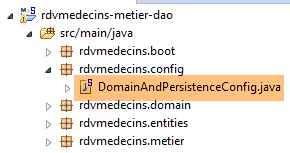 |
The [DomainAndPersitenceConfig] class configures the entire project:
package rdvmedecins.config;

import javax.sql.DataSource;

import org.apache.commons.dbcp.BasicDataSource;
import org.springframework.boot.autoconfigure.EnableAutoConfiguration;
import org.springframework.boot.orm.jpa.EntityScan;
import org.springframework.context.annotation.Bean;
import org.springframework.context.annotation.ComponentScan;
import org.springframework.data.jpa.repository.config.EnableJpaRepositories;
import org.springframework.orm.jpa.JpaVendorAdapter;
import org.springframework.orm.jpa.vendor.Database;
import org.springframework.orm.jpa.vendor.HibernateJpaVendorAdapter;
import org.springframework.transaction.annotation.EnableTransactionManagement;

@EnableJpaRepositories(basePackages = { "rdvmedecins.repositories" })
@EnableAutoConfiguration
@ComponentScan(basePackages = { "rdvmedecins" })
@EntityScan(basePackages = { "rdvmedecins.entities" })
@EnableTransactionManagement
public class DomainAndPersistenceConfig {

    // the MySQL data source
    @Bean
    public DataSource dataSource() {
        BasicDataSource dataSource = new BasicDataSource();
        dataSource.setDriverClassName("com.mysql.jdbc.Driver");
        dataSource.setUrl("jdbc:mysql://localhost:3306/dbrdvmedecins");
        dataSource.setUsername("root");
        dataSource.setPassword("");
        return dataSource;
    }

    // provider JPA - not necessary if you're happy with the default values used by Spring boot
    // here we define it to enable / disable logs SQL
    @Bean
    public JpaVendorAdapter jpaVendorAdapter() {
        HibernateJpaVendorAdapter hibernateJpaVendorAdapter = new HibernateJpaVendorAdapter();
        hibernateJpaVendorAdapter.setShowSql(false);
        hibernateJpaVendorAdapter.setGenerateDdl(false);
        hibernateJpaVendorAdapter.setDatabase(Database.MYSQL);
        return hibernateJpaVendorAdapter;
    }

    // the EntityManagerFactory and TransactionManager are defined with default values by Spring boot

}
- line 45: we will not define the [EntityManagerFactory] and [TransactionManager] beans. Instead, we will rely on Spring Boot’s [@EnableAutoConfiguration] annotation (line 17);
- lines 24–32: define the MySQL5 data source. This is a bean that Spring Boot generally cannot infer;
- lines 36–43: we also configure the JPA implementation to set the Hibernate attribute [showSql] to false (line 39). By default, it is set to true;
- For now, the only components managed by Spring are the beans on lines 25 and 37, plus the [EntityManagerFactory] and [TransactionManager] beans via auto-configuration. We need to add the beans from the [métier] and [DAO] layers;
- line 16 adds to the Spring context the interfaces from the [rdvmdecins.repositories] package that inherit from the [CrudRepository] interface;
- Line 18 adds all classes in the [rdvmedecins] package and its subclasses that have a Spring annotation to the Spring context. In the [rdvmdecins.metier] package, the [Metier] class with its [@Service] annotation will be found and added to the Spring context;
- line 45: a [entityManagerFactory] bean will be defined by default by Spring Boot. This bean must be told where the JPA entities it needs to manage are located. Line 19 does this;
- line 20: specifies that the methods of interfaces inheriting from the [CrudRepository] interface must be executed within a transaction;
2.9. Tests for the [métier] layer
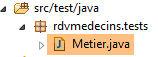 |
The [rdvmedecins.tests.Metier] class is a Spring / JUnit 4 test class:
package rdvmedecins.tests;

import java.text.ParseException;
import java.util.Date;
import java.util.List;

import org.junit.Assert;
import org.junit.Test;
import org.junit.runner.RunWith;
import org.springframework.beans.factory.annotation.Autowired;
import org.springframework.boot.test.SpringApplicationConfiguration;
import org.springframework.test.context.junit4.SpringJUnit4ClassRunner;

import rdvmedecins.config.DomainAndPersistenceConfig;
import rdvmedecins.domain.AgendaMedecinJour;
import rdvmedecins.entities.Client;
import rdvmedecins.entities.Creneau;
import rdvmedecins.entities.Medecin;
import rdvmedecins.entities.Rv;
import rdvmedecins.metier.IMetier;

@SpringApplicationConfiguration(classes = DomainAndPersistenceConfig.class)
@RunWith(SpringJUnit4ClassRunner.class)
public class Metier {

    @Autowired
    private IMetier métier;

    @Test
    public void test1(){
        // display clients
        List<Client> clients = métier.getAllClients();
        display("Liste des clients :", clients);
        // physician display
        List<Medecin> medecins = métier.getAllMedecins();
        display("Liste des médecins :", medecins);
        // display doctor's slots
        Medecin médecin = medecins.get(0);
        List<Creneau> creneaux = métier.getAllCreneaux(médecin.getId());
        display(String.format("Liste des créneaux du médecin %s", médecin), creneaux);
        // list of a doctor's Rv on a given day
        Date jour = new Date();
        display(String.format("Liste des rv du médecin %s, le [%s]", médecin, jour), métier.getRvMedecinJour(médecin.getId(), jour));
        // add a RV
        Rv rv = null;
        Creneau créneau = creneaux.get(2);
        Client client = clients.get(0);
        System.out.println(String.format("Ajout d'un Rv le [%s] dans le créneau %s pour le client %s", jour, créneau,
            client));
        rv = métier.ajouterRv(jour, créneau, client);
        // check
        Rv rv2 = métier.getRvById(rv.getId());
        Assert.assertEquals(rv, rv2);
        display(String.format("Liste des Rv du médecin %s, le [%s]", médecin, jour), métier.getRvMedecinJour(médecin.getId(), jour));
        // add a RV in the same slot on the same day
        // must trigger an exception
        System.out.println(String.format("Ajout d'un Rv le [%s] dans le créneau %s pour le client %s", jour, créneau,
            client));
        Boolean erreur = false;
        try {
            rv = métier.ajouterRv(jour, créneau, client);
            System.out.println("Rv ajouté");
        } catch (Exception ex) {
            Throwable th = ex;
            while (th != null) {
                System.out.println(ex.getMessage());
                th = th.getCause();
            }
            // we note the error
            erreur = true;
        }
        // check for errors
        Assert.assertTrue(erreur);
        // RV list
        display(String.format("Liste des Rv du médecin %s, le [%s]", médecin, jour), métier.getRvMedecinJour(médecin.getId(), jour));
        // display agenda
        AgendaMedecinJour agenda = métier.getAgendaMedecinJour(médecin.getId(), jour);
        System.out.println(agenda);
        Assert.assertEquals(rv, agenda.getCreneauxMedecinJour()[2].getRv());
        // delete a RV
        System.out.println("Suppression du Rv ajouté");
        métier.supprimerRv(rv);
        // check
        rv2 = métier.getRvById(rv.getId());
        Assert.assertNull(rv2);
        display(String.format("Liste des Rv du médecin %s, le [%s]", médecin, jour), métier.getRvMedecinJour(médecin.getId(), jour));
    }

    // utility method - displays items in a collection
    private void display(String message, Iterable<?> elements) {
        System.out.println(message);
        for (Object element : elements) {
            System.out.println(element);
        }
    }

}
- line 22: the [@SpringApplicationConfiguration] annotation allows the use of the [DomainAndPersistenceConfig] configuration file discussed earlier. The test class thus benefits from all the beans defined by this file;
- line 23: the [@RunWith] annotation enables the integration of Spring with JUnit: the class will be able to run as a JUnit test. [@RunWith] is a JUnit annotation (line 9), whereas the [SpringJUnit4ClassRunner] class is a Spring class (line 12);
- lines 26–27: injection into the test class of a reference to the [métier] layer;
- many tests are merely visual tests:
- lines 32-33: list of clients;
- lines 35-36: list of doctors;
- lines 39-40: list of a doctor’s time slots;
- line 43: list of a doctor’s appointments;
- line 50: adding a new appointment. The [ajouterRv] method returns the appointment with additional information, its primary key id;
- line 53: this primary key is used to search for the appointment in the database;
- Line 54: We verify that the appointment being searched for and the appointment found are the same. Note that the [equals] method of the [Rv] entity has been redefined: two appointments are equal if they have the same id. Here, this shows us that the added appointment has indeed been added to the database;
- lines 61–73: we attempt to add the same appointment a second time. This must be rejected by SGBD because there is a uniqueness constraint:
CREATE TABLE IF NOT EXISTS `rv` (
  `ID` bigint(20) NOT NULL AUTO_INCREMENT,
  `JOUR` date NOT NULL,
  `ID_CLIENT` bigint(20) NOT NULL,
  `ID_CRENEAU` bigint(20) NOT NULL,
  `VERSION` int(11) NOT NULL DEFAULT '0',
  PRIMARY KEY (`ID`),
  UNIQUE KEY `UNQ1_RV` (`JOUR`,`ID_CRENEAU`),
  KEY `FK_RV_ID_CRENEAU` (`ID_CRENEAU`),
  KEY `FK_RV_ID_CLIENT` (`ID_CLIENT`)
) ENGINE=InnoDB  DEFAULT CHARSET=utf8 COLLATE=utf8_swedish_ci AUTO_INCREMENT=60 ;
Line 8 above specifies that the combination [JOUR, ID_CRENEAU] must be unique, which prevents two appointments from being scheduled in the same time slot on the same day.
- line 73: we verify that an exception has indeed occurred;
- line 77: we retrieve the agenda for the doctor for whom we just added an appointment;
- line 79: we verify that the added appointment is indeed present in their agenda;
- line 82: delete the added appointment;
- line 84: we search the database for the deleted appointment;
- line 85: verify that a null pointer was retrieved, indicating that the searched-for appointment does not exist;
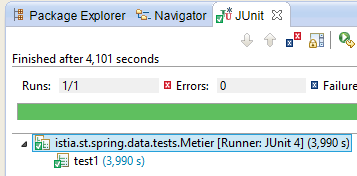
The test runs successfully:
 |
2.10. The console program
 |
 |
The console program is basic. It illustrates how to retrieve a foreign key:
package rdvmedecins.boot;

import java.text.SimpleDateFormat;
import java.util.Date;

import org.springframework.boot.SpringApplication;
import org.springframework.context.ConfigurableApplicationContext;

import rdvmedecins.config.DomainAndPersistenceConfig;
import rdvmedecins.entities.Client;
import rdvmedecins.entities.Creneau;
import rdvmedecins.entities.Rv;
import rdvmedecins.metier.IMetier;

public class Boot {
    // the boot
    public static void main(String[] args) {
        // prepare the configuration
        SpringApplication app = new SpringApplication(DomainAndPersistenceConfig.class);
        app.setLogStartupInfo(false);
        // launch it
        ConfigurableApplicationContext context = app.run(args);
        // business
        IMetier métier = context.getBean(IMetier.class);
        try {
            // add a RV to the list
            Date jour = new Date();
            System.out.println(String.format("Ajout d'un Rv le [%s] dans le créneau 1 pour le client 1", new SimpleDateFormat("dd/MM/yyyy").format(jour)));
            Client client = (Client) new Client().build(1L, 1L);
            Creneau créneau = (Creneau) new Creneau().build(1L, 1L);
            Rv rv = métier.ajouterRv(jour, créneau, client);
            System.out.println(String.format("Rv ajouté = %s", rv));
            // check
            créneau = métier.getCreneauById(1L);
            long idMedecin = créneau.getIdMedecin();
            display("Liste des rendez-vous", métier.getRvMedecinJour(idMedecin, jour));
        } catch (Exception ex) {
            System.out.println("Exception : " + ex.getCause());
        }
        // closing the Spring context
        context.close();
    }

    // utility method - displays items in a collection
    private static <T> void display(String message, Iterable<T> elements) {
        System.out.println(message);
        for (T element : elements) {
            System.out.println(element);
        }
    }

}
The program adds an appointment and then verifies that it has been added.
- line 19: the [SpringApplication] class will use the [DomainAndPersistenceConfig] configuration class;
- line 20: removal of application startup logs;
- line 22: the [SpringApplication] class is executed. It returns a Spring context, i.e., the list of registered beans;
- line 24: a reference is retrieved to the bean implementing the [IMetier] interface. This is therefore a reference to the [métier] layer;
- lines 27–31: a new appointment is added for today, for client #1 in slot #1. The client and slot were created from scratch to demonstrate that only the identifiers are used. We have initialized version here, but we could have entered anything. It is not used here;
- line 34: we want to know which doctor has slot #1. To do this, we need to query the database for slot #1. Because we are in [FetchType.LAZY] mode, the doctor is not returned along with the slot. However, we made sure to include a [idMedecin] field in the [Creneau] entity to retrieve the doctor’s primary key;
- line 35: we retrieve the doctor’s primary key;
- line 36: the list of the doctor's appointments is displayed;
The console results are as follows:
2.11. Introduction to Spring MVC
 |
We will now discuss the construction of the web layer. This layer consists primarily of methods that process specific URL requests and respond with a line of text in JSON format (Javascript Object Notation). This web layer is a web interface sometimes referred to as a API web. We will implement this interface using Spring MVC, another branch of the Spring ecosystem. We will begin by studying one of the guides found on [http://spring.io].
2.11.1. The demo project
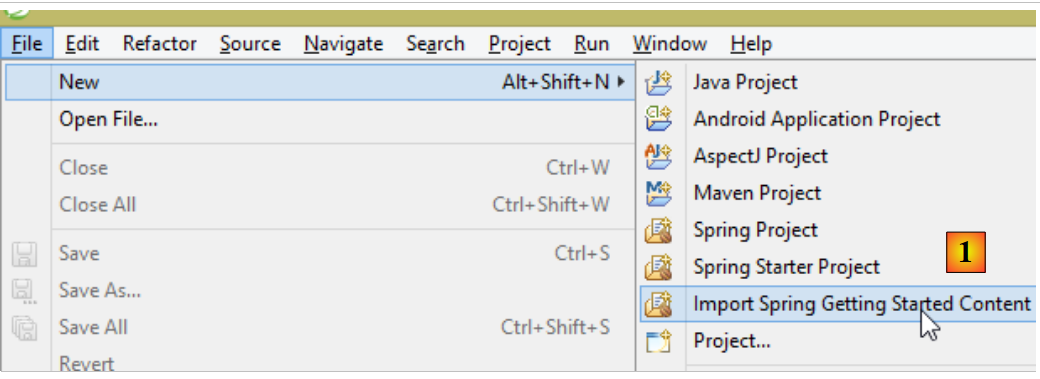 |
- In [1], we import one of the Spring guides;
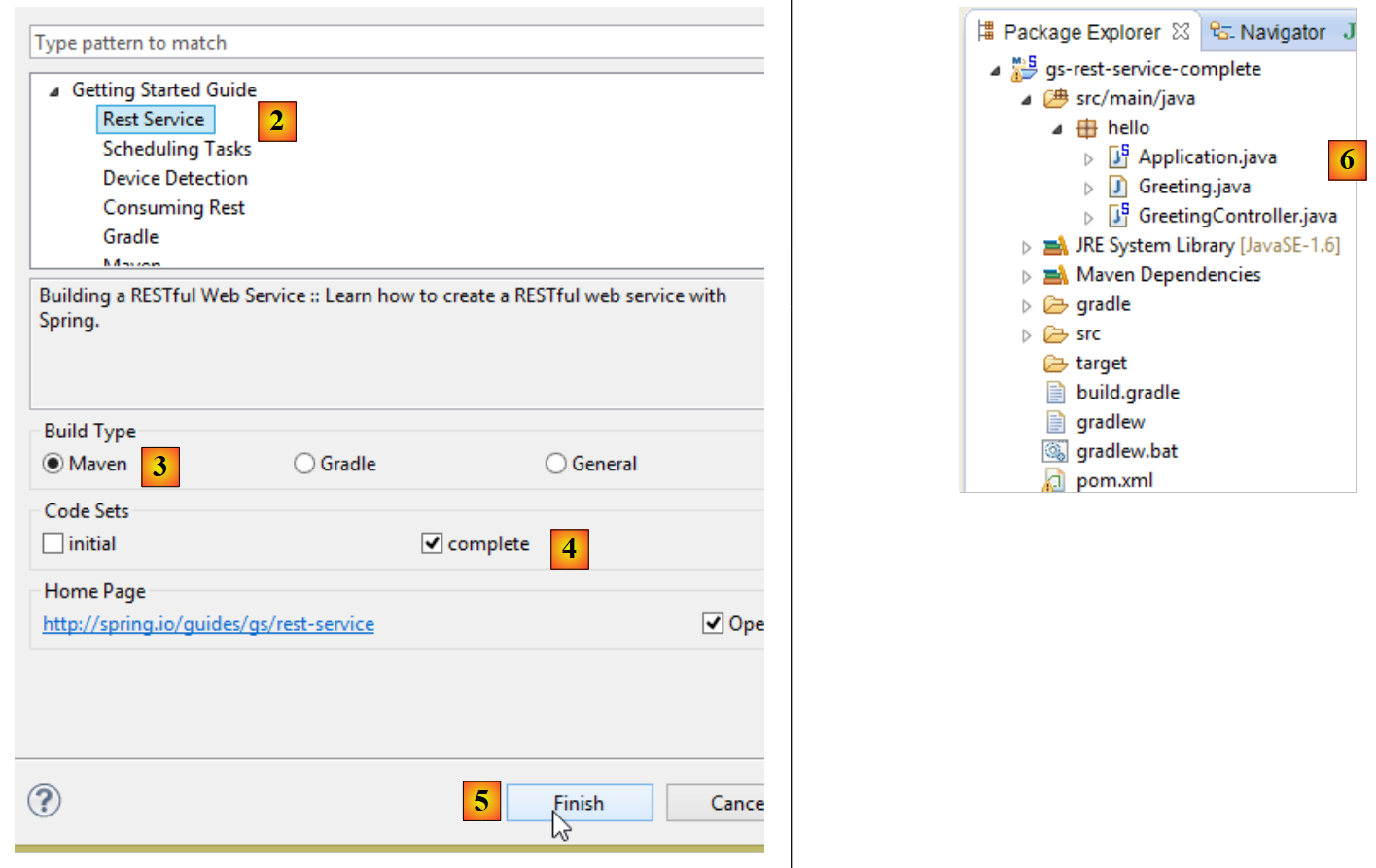 |
- in [2], we select the example [Rest Service];
- in [3], we select the Maven project;
- In [4], we take the final version from the guide;
- in [5], we confirm;
- in [6], the imported project;
Web services accessible via standard URL and that deliver text JSON are often called REST services (REpresentational State Transfer). In this document, I will simply refer to the service we are going to build as a JSON web service. A service is considered RESTful if it adheres to certain rules. I have not attempted to adhere to these rules.
Let’s now examine the imported project, starting with its Maven configuration.
2.11.2. Maven Configuration
The [pom.xml] file is as follows:
<?xml version="1.0" encoding="UTF-8"?>
<project xmlns="http://maven.apache.org/POM/4.0.0" xmlns:xsi="http://www.w3.org/2001/XMLSchema-instance"
    xsi:schemaLocation="http://maven.apache.org/POM/4.0.0 http://maven.apache.org/xsd/maven-4.0.0.xsd">
    <modelVersion>4.0.0</modelVersion>

    <groupId>org.springframework</groupId>
    <artifactId>gs-rest-service</artifactId>
    <version>0.1.0</version>

    <parent>
        <groupId>org.springframework.boot</groupId>
        <artifactId>spring-boot-starter-parent</artifactId>
        <version>1.1.0.RELEASE</version>
    </parent>

    <dependencies>
        <dependency>
            <groupId>org.springframework.boot</groupId>
            <artifactId>spring-boot-starter-web</artifactId>
        </dependency>
        <dependency>
            <groupId>com.fasterxml.jackson.core</groupId>
            <artifactId>jackson-databind</artifactId>
        </dependency>
    </dependencies>

    <properties>
        <start-class>hello.Application</start-class>
    </properties>

    <build>
        <plugins>
            <plugin>
                <artifactId>maven-compiler-plugin</artifactId>
            </plugin>
            <plugin>
                <groupId>org.springframework.boot</groupId>
                <artifactId>spring-boot-maven-plugin</artifactId>
            </plugin>
        </plugins>
    </build>

    <repositories>
        <repository>
            <id>spring-releases</id>
            <url>http://repo.spring.io/release</url>
        </repository>
    </repositories>
    <pluginRepositories>
        <pluginRepository>
            <id>spring-releases</id>
            <url>http://repo.spring.io/release</url>
        </pluginRepository>
    </pluginRepositories>
</project>
- lines 10–14: as in the [Spring Data] project, the parent project [Spring Boot] is found;
- lines 17–20: The [spring-boot-starter-web] artifact includes the libraries required for a Spring project (MVC). In particular, it includes an embedded Tomcat server. The application will run on this server;
- lines 21–24: The Jackson library handles the conversion of a Java object to a string and vice versa;
This configuration includes a large number of libraries:
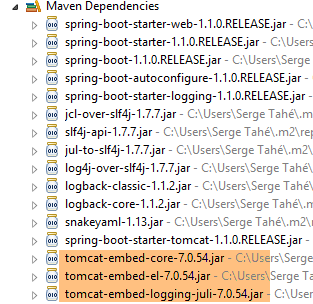 | 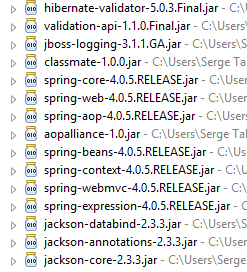 |
Above, we see the three Tomcat server archives.
2.11.3. The architecture of a Spring service REST
Spring MVC implements the so-called MVC architecture model (Model–View–Controller) as follows:
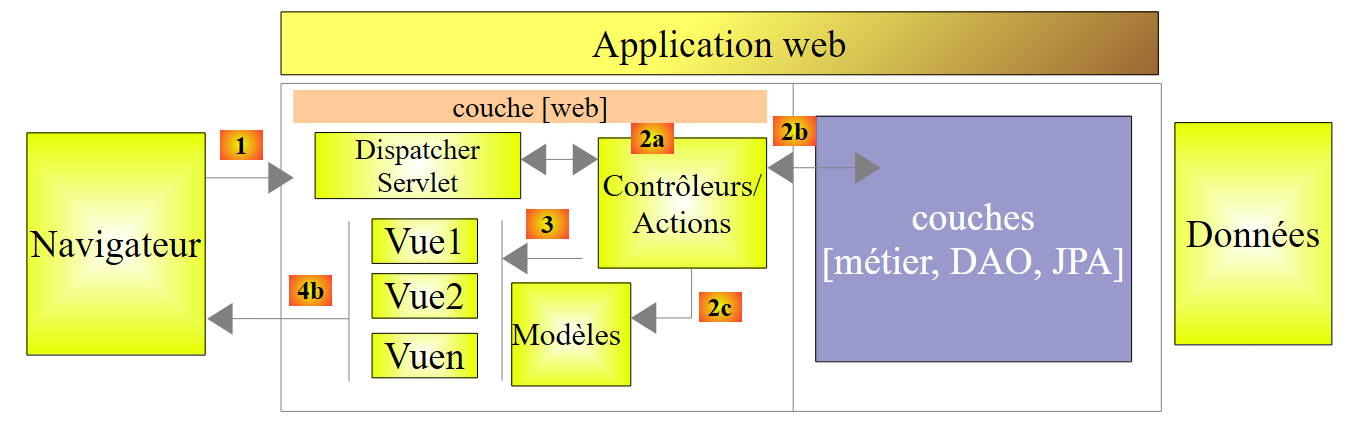 |
The processing of a client request proceeds as follows:
- request - the requested URLs are of the form http://machine:port/context/Action/param1/param2/....?p1=v1&p2=v2&... [Dispatcher Servlet] is the Spring class that processes incoming URL requests. It "routes" the URL to the action that must process it. These actions are methods of specific classes called [Contrôleurs]. The C in MVC is here the string [Dispatcher Servlet, Contrôleur, Action]. If no action has been configured to handle the incoming URL, the [Dispatcher Servlet] servlet will respond that the requested URL was not found (404 error NOT FOUND);
- processing
- The selected action can use the parami parameters that the [Dispatcher Servlet] servlet passed to it. These may come from several sources:
- the [/param1/param2/...] path of the URL,
- the [p1=v1&p2=v2] parameters of the URL,
- from parameters posted by the browser with its request;
- when processing the user’s request, the action may require the [metier] and [2b] layers. Once the client’s request has been processed, it may trigger various responses. A classic example is:
- an error page if the request could not be processed correctly
- a confirmation page otherwise
- the action instructs a specific view to be displayed [3]. This view will display data known as the view model. This is the M in MVC. The action will create this model M [2c] and request that a view V be displayed [3];
- Response—the selected view V uses the model M constructed by the action to initialize the dynamic parts of the response HTML that it must send to the client, then sends this response.
For a web service / JSON, the previous architecture is slightly modified:
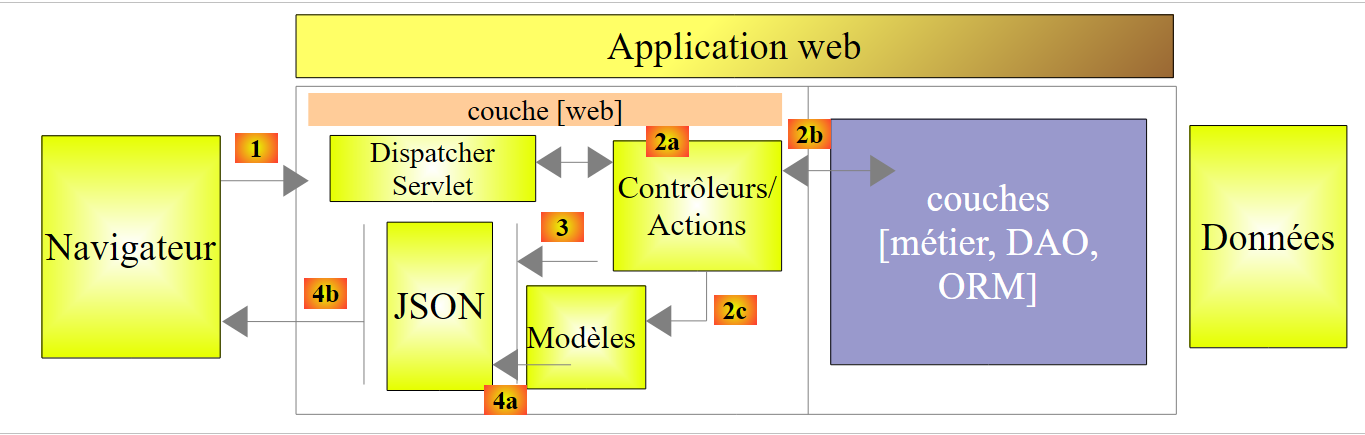 |
- in [4a], the model, which is a Java class, is converted into a string JSON by a library JSON;
- in [4b], this string JSON is sent to the browser;
2.11.4. The C controller
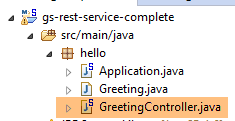 |
The imported application has the following controller:
package hello;

import java.util.concurrent.atomic.AtomicLong;
import org.springframework.stereotype.Controller;
import org.springframework.web.bind.annotation.RequestMapping;
import org.springframework.web.bind.annotation.RequestParam;
import org.springframework.web.bind.annotation.ResponseBody;

@Controller
public class GreetingController {

    private static final String template = "Hello, %s!";
    private final AtomicLong counter = new AtomicLong();

    @RequestMapping("/greeting")
    public @ResponseBody
    Greeting greeting(@RequestParam(value = "name", required = false, defaultValue = "World") String name) {
        return new Greeting(counter.incrementAndGet(), String.format(template, name));
    }
}
- line 9: the [@Controller] annotation makes the [GreetingController] class a Spring controller, i.e., its methods are registered to handle URL;
- line 15: the [@RequestMapping] annotation specifies the URL that the method handles, in this case the URL [/greeting]. We will see later that this URL can be configured and that it is possible to retrieve these settings;
- line 16: the annotation [@ResponseBody] indicates that the method does not generate a template for a view (JSP, JSF, Thymeleaf, ...) that will then be sent to the client browser, but instead generates the response to the browser itself. Here, it produces an object of type [Greeting] (line 18). Although not apparent here, this object will first be converted to JSON before being sent to the browser. It is the presence of a JSON library in the project’s dependencies that causes Spring Boot to automatically configure the project in this way;
- line 17: the [greeting] method has a parameter named [String name]. The [@RequestParam(value = "name", required = false, defaultValue = "World"] annotation indicates that this parameter must be initialized with a parameter named [name](@RequestParam(value = "name"). This can be the parameter of a GET or a POST. This parameter is not required (required = false). In the latter case, the [name] parameter of the method will be initialized with the value [World] (defaultValue = "World").
2.11.5. The M model
The M model produced by the previous method is the following [Greeting] object:
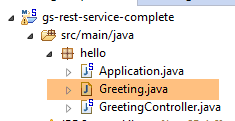 |
package hello;

public class Greeting {

    private final long id;
    private final String content;

    public Greeting(long id, String content) {
        this.id = id;
        this.content = content;
    }

    public long getId() {
        return id;
    }

    public String getContent() {
        return content;
    }
}
The JSON transformation of this object will create the string {"id":n,"content":"text"}. Ultimately, the JSON string produced by the controller method will be in the form:
or
2.11.6. Project Configuration
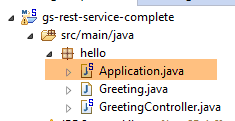 |
The project is configured by the following class: [Application]:
package hello;

import org.springframework.boot.autoconfigure.EnableAutoConfiguration;
import org.springframework.boot.SpringApplication;
import org.springframework.context.annotation.ComponentScan;

@ComponentScan
@EnableAutoConfiguration
public class Application {

    public static void main(String[] args) {
        SpringApplication.run(Application.class, args);
    }
}
- Line 11: Interestingly, this class is executable using a method specific to console applications, [main]. This is indeed the case. The [SpringApplication] class on line 12 will start the Tomcat server present in the dependencies and deploy the REST service on it;
- line 4: we see that the [SpringApplication] class belongs to the [Spring Boot] project;
- line 12: the first parameter is the class that configures the project, the second is any additional parameters;
- line 8: the annotation [@EnableAutoConfiguration] instructs Spring Boot to configure the project;
- line 7: the [@ComponentScan] annotation causes the directory containing the [Application] class to be scanned for Spring components. One will be found: the [GreetingController] class, which has the [@Controller] annotation that makes it a Spring component;
2.11.7. Running the project
Let’s run the project:
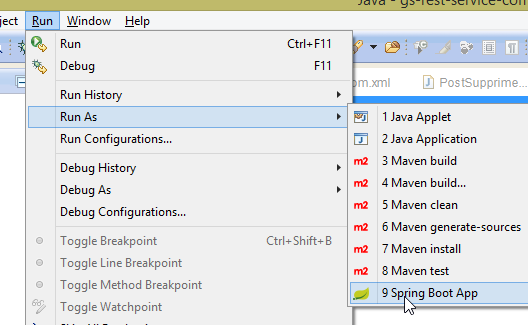 |
We get the following console logs:
____ _ __ _ _
- line 12: the Tomcat server starts on port 8080 (line 11);
- line 16: the [DispatcherServlet] servlet is present;
- line 19: the [GreetingController.greeting] method has been discovered;
To test the web application, we request URL [http://localhost:8080/greeting]:
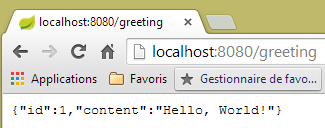 | 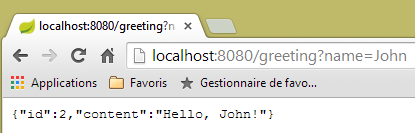 |
We receive the expected JSON string. It may be interesting to view the HTTP headers sent by the server. To do this, we will use the Chrome plugin called [Advanced Rest Client] (see Appendices):
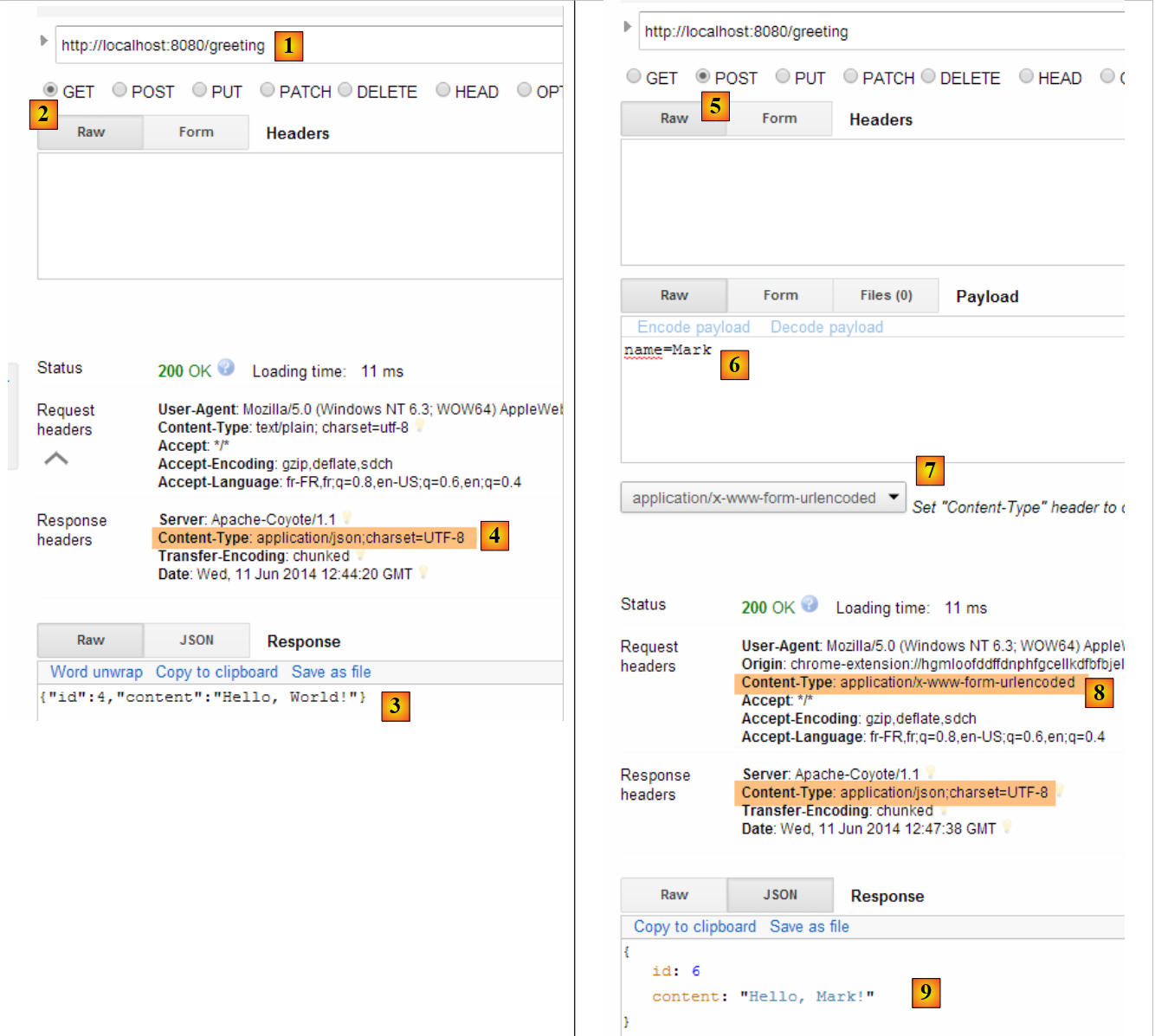 |
- in [1], the requested URL;
- in [2], the GET method is used;
- in [3], the response JSON;
- in [4], the server indicated that it was sending a response in the JSON format;
- in [5], the same URL is requested, but this time with a POST;
- in [7], the information is sent to the server in the form [urlencoded];
- in [6], the parameter name with its value;
- in [8], the browser tells the server that it is sending it information [urlencoded];
- in [9], the server's response JSON;
2.11.8. Creating an executable archive
It is possible to create an executable archive outside of Eclipse. The necessary configuration is in the file [pom.xml]:
    <properties>
        <project.build.sourceEncoding>UTF-8</project.build.sourceEncoding>
        <start-class>istia.st.Application</start-class>
        <java.version>1.7</java.version>
    </properties>

    <build>
        <plugins>
            <plugin>
                <groupId>org.springframework.boot</groupId>
                <artifactId>spring-boot-maven-plugin</artifactId>
            </plugin>
        </plugins>
</build>
- Lines 9–12 define the plugin that will create the executable archive;
- Line 3 defines the project's executable class;
Here’s how to proceed:
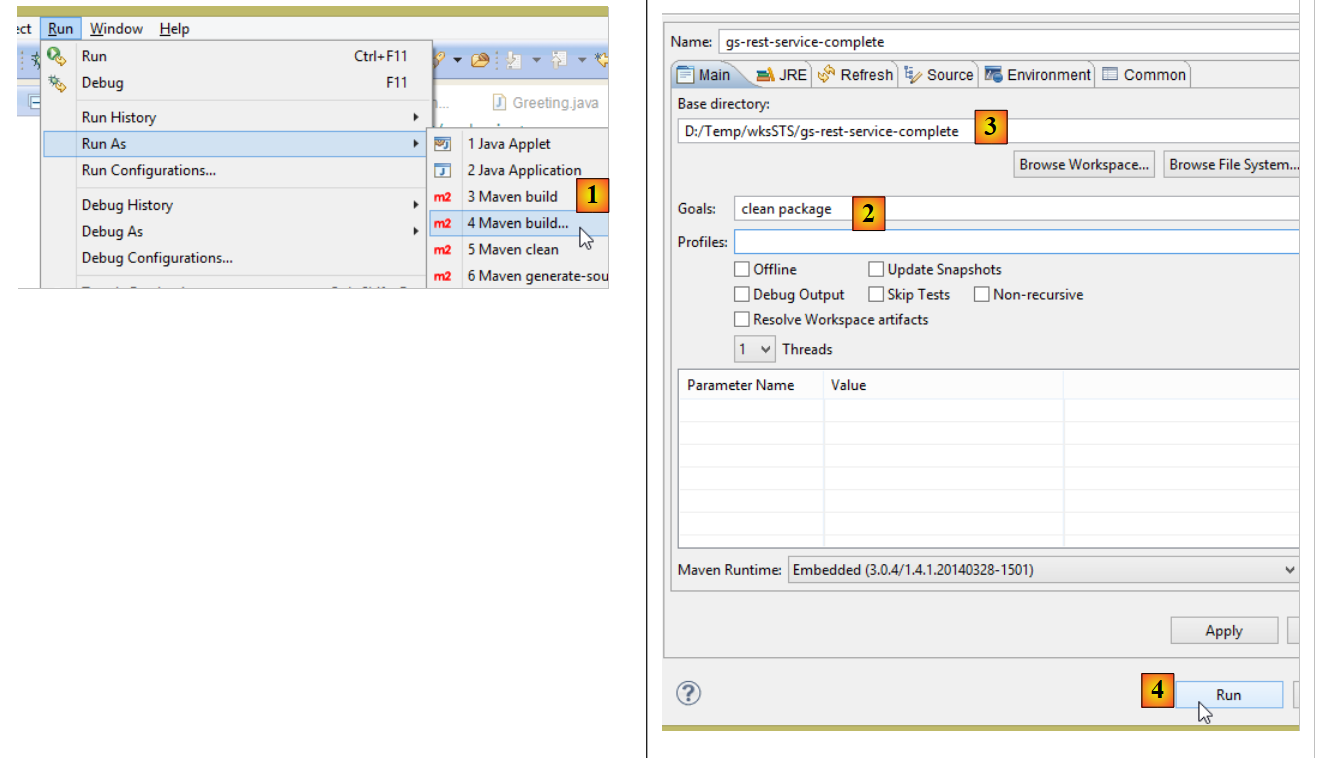 |
- in [1]: we run a Maven target;
- in [2]: there are two goals: [clean] to delete the [target] folder from the Maven project, and [package] to regenerate it;
- in [3]: the generated [target] folder will be created in this folder;
- in [4]: the target is generated;
In the logs that appear in the console, it is important to see the [spring-boot-maven-plugin] plugin appear. This is the one that generates the executable archive.
Using a console, navigate to the generated folder:
- line 5: the generated archive;
This archive is executed as follows:
Now that the web application is running, you can access it using a browser:
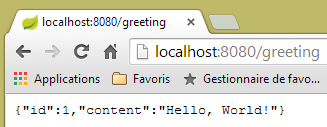 |
2.11.9. Deploying the application on a Tomcat server
While Spring Boot is very convenient in development mode, it is likely that a production application will be deployed on a real Tomcat server. Here’s how to do it:
Modify the [pom.xml] file as follows:
<?xml version="1.0" encoding="UTF-8"?>
<project xmlns="http://maven.apache.org/POM/4.0.0" xmlns:xsi="http://www.w3.org/2001/XMLSchema-instance"
    xsi:schemaLocation="http://maven.apache.org/POM/4.0.0 http://maven.apache.org/xsd/maven-4.0.0.xsd">
    <modelVersion>4.0.0</modelVersion>

    <groupId>org.springframework</groupId>
    <artifactId>gs-rest-service</artifactId>
    <version>0.1.0</version>
    <packaging>war</packaging>

    <parent>
        <groupId>org.springframework.boot</groupId>
        <artifactId>spring-boot-starter-parent</artifactId>
        <version>1.1.0.RELEASE</version>
    </parent>

    <dependencies>
        <dependency>
            <groupId>org.springframework.boot</groupId>
            <artifactId>spring-boot-starter-web</artifactId>
        </dependency>
        <dependency>
            <groupId>com.fasterxml.jackson.core</groupId>
            <artifactId>jackson-databind</artifactId>
        </dependency>
        <dependency>
            <groupId>org.springframework.boot</groupId>
            <artifactId>spring-boot-starter-tomcat</artifactId>
            <scope>provided</scope>
        </dependency>
    </dependencies>

    <properties>
        <start-class>hello.Application</start-class>
    </properties>
....
</project>
Changes must be made in two places:
- line 9: you must specify that you are going to generate a WAR archive (Web ARchive);
- lines 26–30: you must add a dependency on the [spring-boot-starter-tomcat] artifact. This artifact adds all Tomcat classes to the project’s dependencies;
- Line 29: This artifact is [provided], which means that the corresponding archives will not be included in the generated WAR file. Instead, these archives will be located on the Tomcat server where the application will run;
You must also configure the web application. In the absence of the [web.xml] file, this is done using a class that inherits from [SpringBootServletInitializer]:
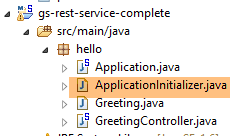 |
The [ApplicationInitializer] class is as follows:
package hello;

import org.springframework.boot.builder.SpringApplicationBuilder;
import org.springframework.boot.context.web.SpringBootServletInitializer;

public class ApplicationInitializer extends SpringBootServletInitializer {

    @Override
    protected SpringApplicationBuilder configure(SpringApplicationBuilder application) {
        return application.sources(Application.class);
    }

}
- line 6: the [ApplicationInitializer] class extends the [SpringBootServletInitializer] class;
- line 9: the [configure] method is redefined (line 8);
- line 10: the class that configures the project is provided;
To run the project, proceed as follows:
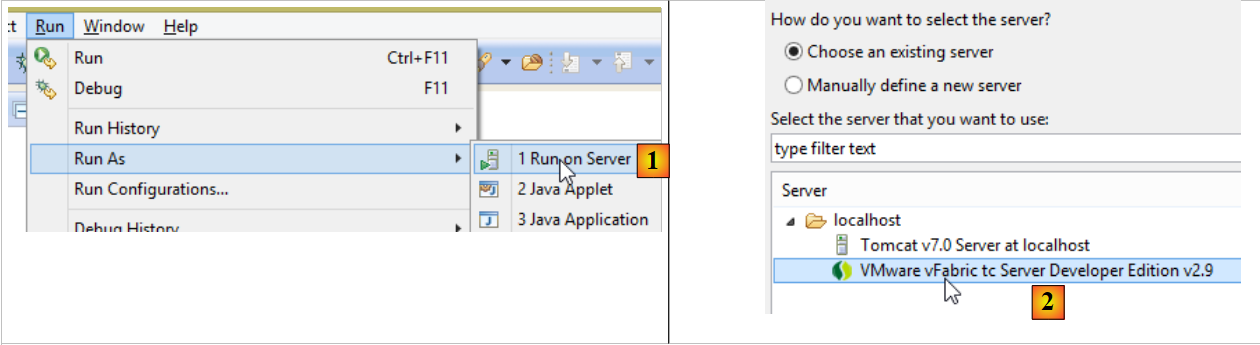 |
- in [1], run the project on one of the servers registered in the IDE Eclipse project;
- In [2], select [tc Server Developer], which is the default option. This is a variant of Tomcat;
Once this is done, you can request the URL [http://localhost:8080/gs-rest-service/greeting/?name=Mitchell] in a browser:
 |
We now know how to generate a WAR archive. Moving forward, we will continue working with Spring Boot and its executable jar archive.
2.11.10. Creating a new web project
To build a new web project, follow these steps:
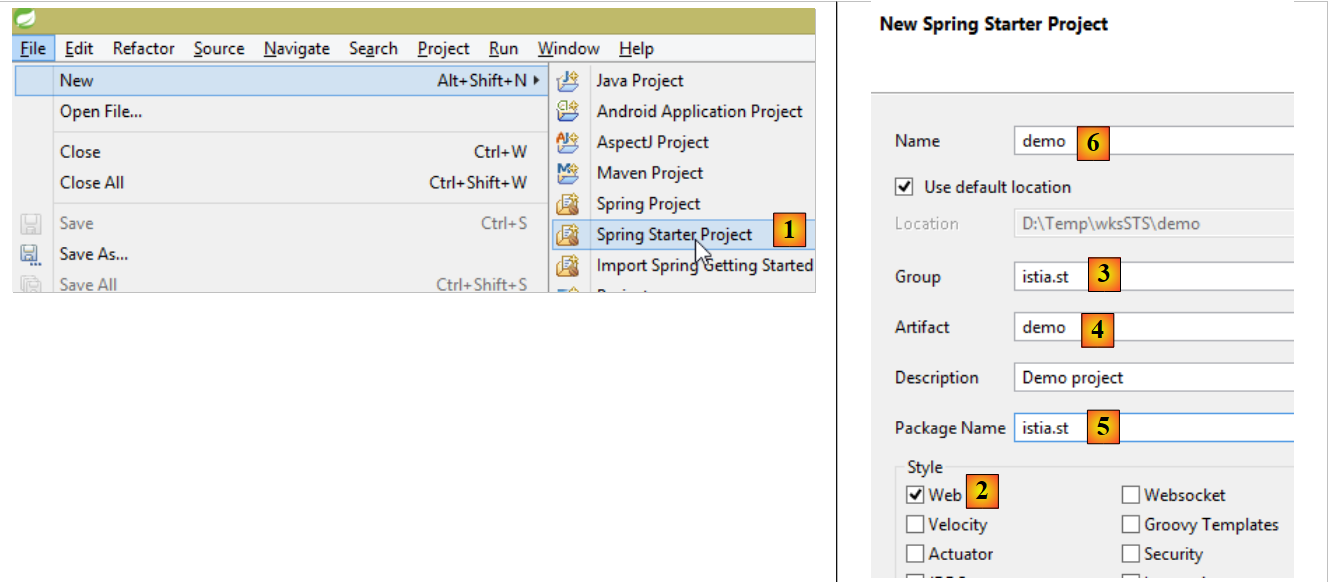 |
- in [1]: File / New / Spring Starter Project
- in [2]: select [Web]. Do not select any view libraries because in a web service / JSON, there are no views;
- the project created will be a Maven project. In [3], enter the group for the Maven artifact to be created; in [4], enter the artifact name;
- in [5], enter the name of the package where Spring will place the project’s configuration class;
- in [6], we give the Eclipse project a name—which may be different from [4];
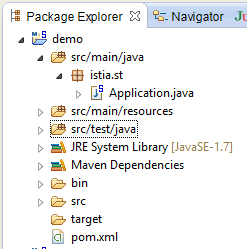 |
2.12. The [web] layer
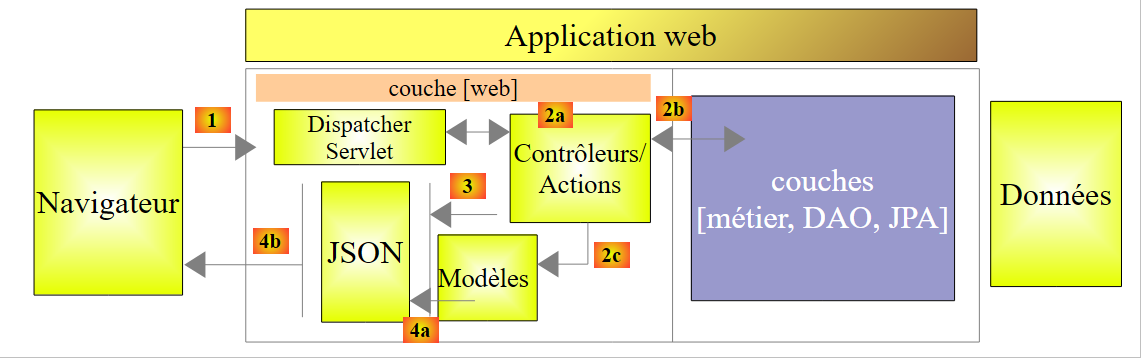 |
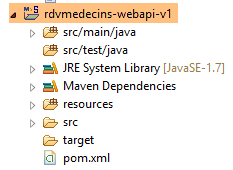 |
We will build the web layer in several steps:
- Step 1: a functional web layer without authentication;
- Step 2: Implementing authentication with Spring Security;
- Step 3: Implementing CORS and [Cross-origin resource sharing (CORS) is a mechanism that allows many resources (e.g. fonts, JavaScript, etc.) on a web page to be requested from another domain outside the domain the resource originated from. (Wikipedia)]. The client for our web service will be an Angular web client that does not necessarily belong to the same domain as our web service. By default, it cannot access the web service unless the web service authorizes it to do so. We will see how;
2.12.1. Maven Configuration
The project’s [pom.xml] file is as follows:
<modelVersion>4.0.0</modelVersion>
    <groupId>istia.st.spring4.mvc</groupId>
    <artifactId>rdvmedecins-webapi-v1</artifactId>
    <version>0.0.1-SNAPSHOT</version>
    <name>rdvmedecins-webapi-v1</name>
    <description>Gestion de RV Médecins</description>
    <parent>
        <groupId>org.springframework.boot</groupId>
        <artifactId>spring-boot-starter-parent</artifactId>
        <version>1.0.0.RELEASE</version>
    </parent>
    <dependencies>
        <dependency>
            <groupId>org.springframework.boot</groupId>
            <artifactId>spring-boot-starter-web</artifactId>
        </dependency>
        <dependency>
            <groupId>istia.st.spring4.rdvmedecins</groupId>
            <artifactId>rdvmedecins-metier-dao</artifactId>
            <version>0.0.1-SNAPSHOT</version>
        </dependency>
    </dependencies>
- lines 7–11: the parent Maven project;
- lines 13-16: dependencies for a Spring project MVC;
- lines 17-21: dependencies on the [métier, DAO, JPA] layer project;
2.12.2. The web service interface
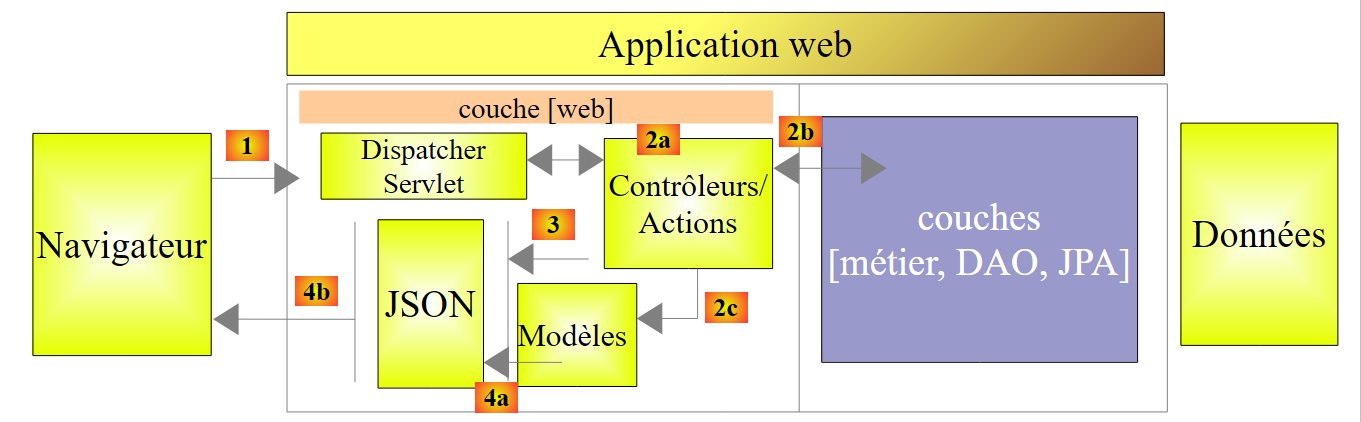 |
- in [1], above, the browser can only request a limited number of URL with a specific syntax;
- in [4], it receives a response JSON;
The responses from our web service will all have the same format corresponding to the transformation JSON of an object of type [Reponse] as follows:
package rdvmedecins.web.models;

public class Reponse {

    // ----------------- properties
    // operation status
    private int status;
    // the answer JSON
    private Object data;

    // ---------------constructeurs
    public Reponse() {
    }

    public Reponse(int status, Object data) {
        this.status = status;
        this.data = data;
    }

    // methods
    public void incrStatusBy(int increment) {
        status += increment;
    }

    // ----------------------getters and setters
...
}
- line 7: response error code 0: OK, otherwise: KO;
- line 9: the response body;
We now present the screenshots illustrating the web service interface / JSON:
List of all patients at the medical practice [/getAllClients]
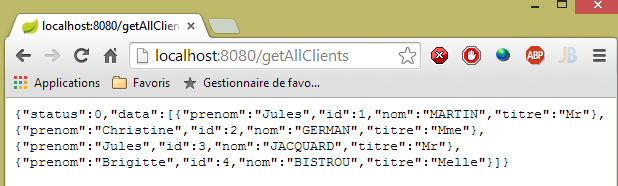 |
List of all doctors at the medical practice [/getAllMedecins]
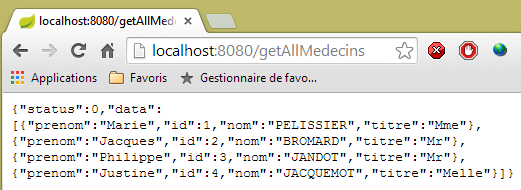 |
List of a doctor’s available time slots [/getAllCreneaux/{idMedecin}]
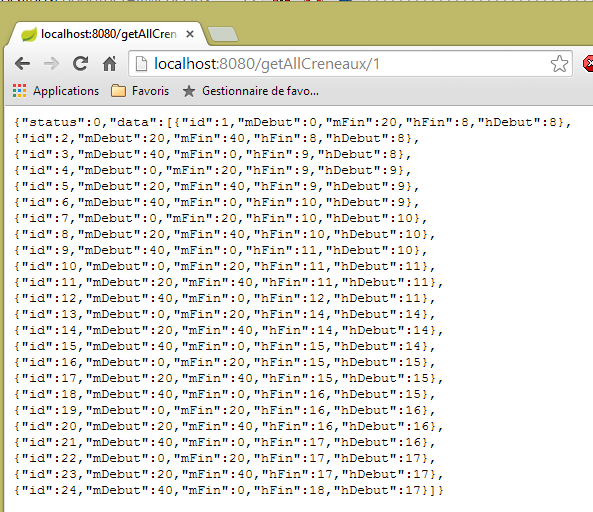 |
List of a doctor's appointments [/getRvMedecinJour/{idMedecin}/{yyyy-mm-dd}
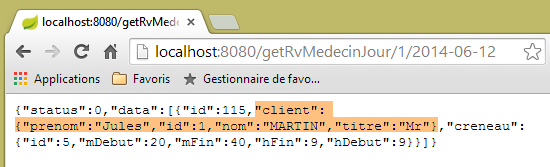 |
Agenda for a doctor [/getAgendaMedecinJour/{idMedecin}/{aaaa-mm-jj}]
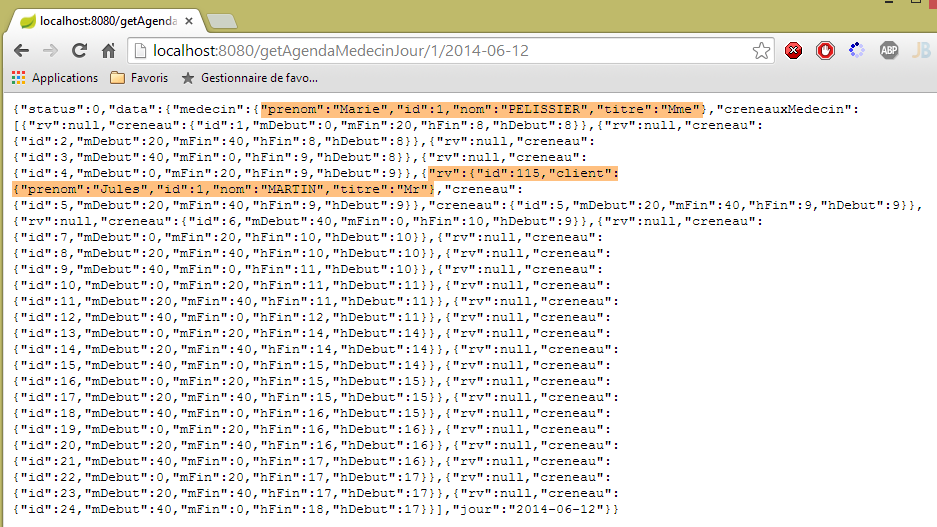 |
To add or delete an appointment, we use the Chrome extension [Advanced Rest Client] because these operations are performed using a POST.
Add an appointment [/ajouterRv]
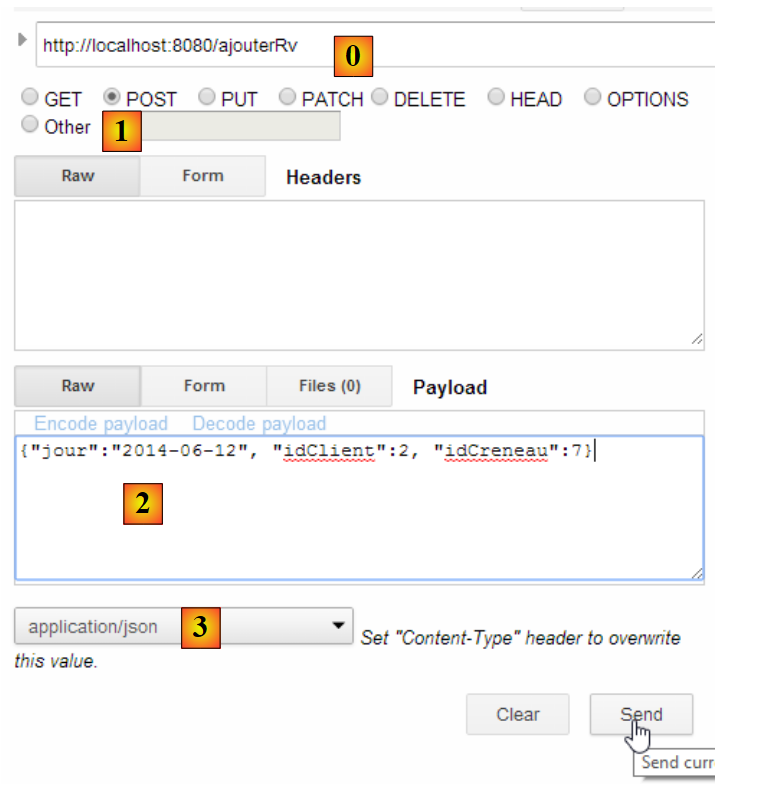 |
- in [0], the URL web service;
- in [1], the POST method is used;
- in [2], the text JSON of the information transmitted to the web service in the form {day, idClient, idCreneau};
- in [3], the client informs the web service that it is sending information in the format JSON;
The response is then as follows:
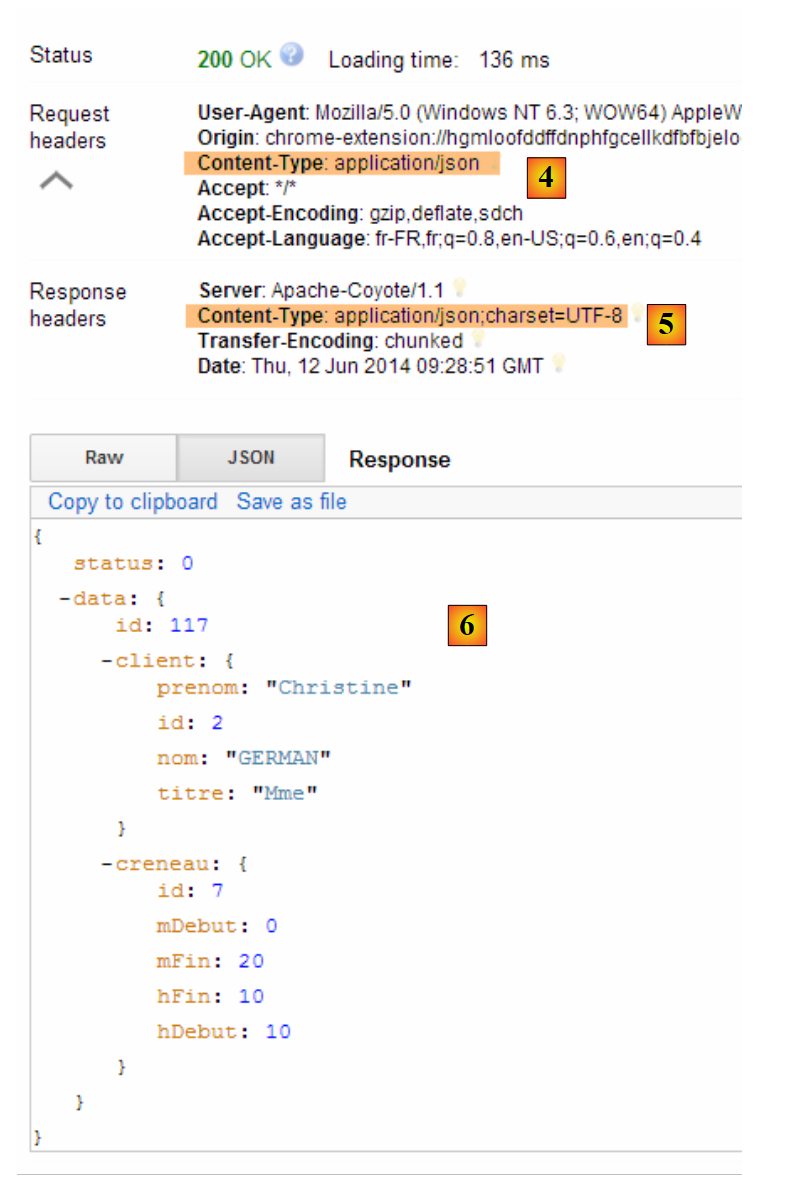 |
- in [4]: the client sends the header indicating that the data it is sending is in the format JSON;
- in [5]: the web service responds that it is also sending JSON;
- in [6]: the web service’s response JSON. The field [data] contains the JSON format of the added appointment;
The presence of the new appointment can be verified:
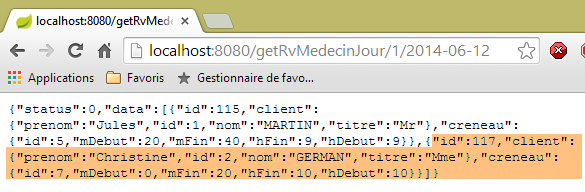 |
Delete an appointment [/supprimerRv]
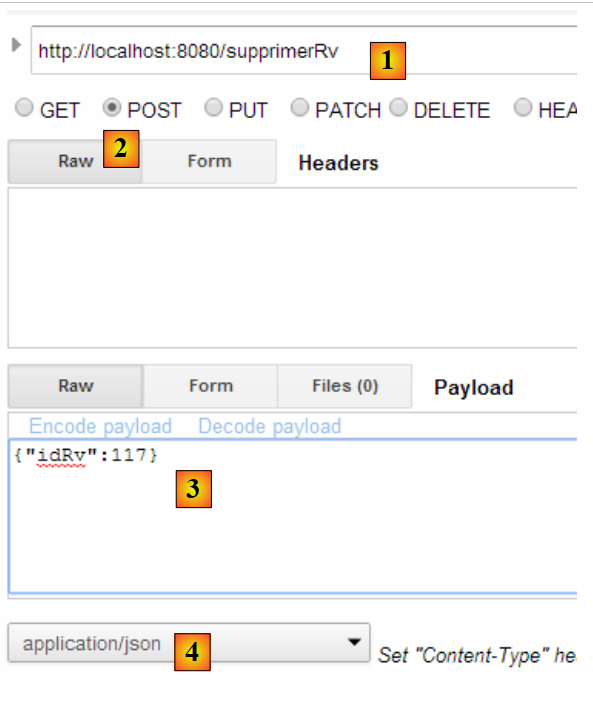 |
- in [1], the URL from the web service;
- in [2], the method POST is used;
- in [3], the text JSON of the information transmitted to the web service in the form {idRv};
- in [4], the client informs the web service that it is sending it JSON information;
The response is then as follows:
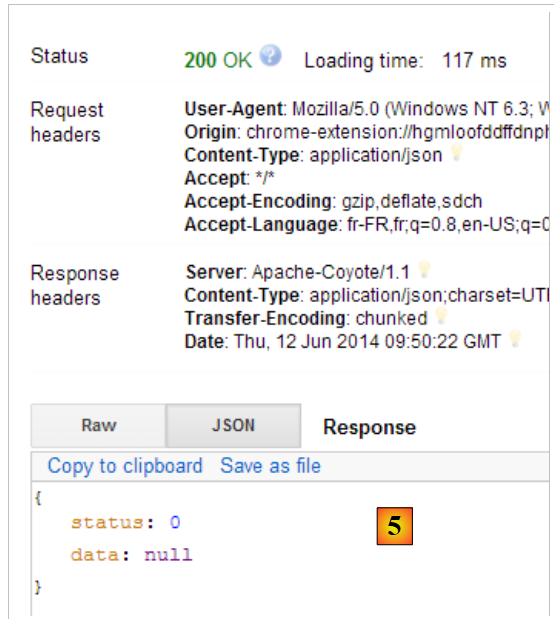 |
- in [5]: the field [status] is set to 0, indicating that the operation was successful;
The deletion of the appointment can be verified:
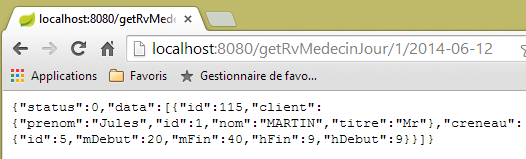 |
Above, the patient's appointment [Mme GERMAN] is no longer present.
The web service also allows retrieving entities by their ID:
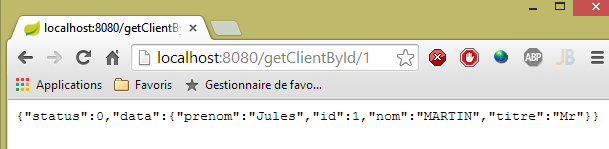 |
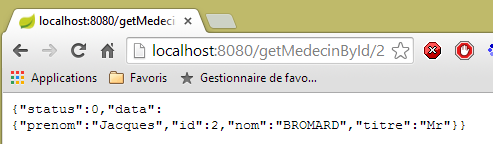 |
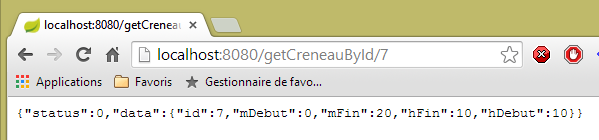 |
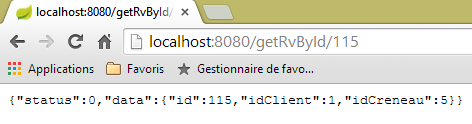 |
All of these URL entities are processed by the [RdvMedecinsController] controller, which we will now present.
2.12.3. The controller framework for [RdvMedecinsController]
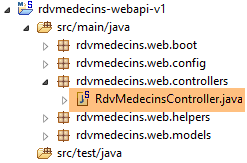 |
The [RdvMedecinsController] controller is as follows:
package rdvmedecins.web.controllers;

import java.text.ParseException;
...

@RestController
public class RdvMedecinsController {

    @Autowired
    private ApplicationModel application;
    private List<String> messages;

    @PostConstruct
    public void init() {
        // application error messages
        messages = application.getMessages();
    }

    // list of doctors
    @RequestMapping(value = "/getAllMedecins", method = RequestMethod.GET)
    public Reponse getAllMedecins() {
...
    }

    // clients list
    @RequestMapping(value = "/getAllClients", method = RequestMethod.GET)
    public Reponse getAllClients() {
...
    }

    // list of physician slots
    @RequestMapping(value = "/getAllCreneaux/{idMedecin}", method = RequestMethod.GET)
    public Reponse getAllCreneaux(@PathVariable("idMedecin") long idMedecin) {
...
    }

    // list of doctor's appointments
    @RequestMapping(value = "/getRvMedecinJour/{idMedecin}/{jour}", method = RequestMethod.GET)
    public Reponse getRvMedecinJour(@PathVariable("idMedecin") long idMedecin,
            @PathVariable("jour") String jour) {
...
    }

    @RequestMapping(value = "/getClientById/{id}", method = RequestMethod.GET)
    public Reponse getClientById(@PathVariable("id") long id) {
...
    }

    @RequestMapping(value = "/getMedecinById/{id}", method = RequestMethod.GET)
    public Reponse getMedecinById(@PathVariable("id") long id) {
...
    }

    @RequestMapping(value = "/getRvById/{id}", method = RequestMethod.GET)
    public Reponse getRvById(@PathVariable("id") long id) {
...
    }

    @RequestMapping(value = "/getCreneauById/{id}", method = RequestMethod.GET)
    public Reponse getCreneauById(@PathVariable("id") long id) {
...
    }

    @RequestMapping(value = "/ajouterRv", method = RequestMethod.POST, consumes = "application/json; charset=UTF-8")
    public Reponse ajouterRv(@RequestBody PostAjouterRv post) {
...
    }

    @RequestMapping(value = "/supprimerRv", method = RequestMethod.POST, consumes = "application/json; charset=UTF-8")
    public Reponse supprimerRv(@RequestBody PostSupprimerRv post) {
...
    }

    @RequestMapping(value = "/getAgendaMedecinJour/{idMedecin}/{jour}", method = RequestMethod.GET)
    public Reponse getAgendaMedecinJour(
            @PathVariable("idMedecin") long idMedecin,
            @PathVariable("jour") String jour) {
...
    }
}
- Line 6: The annotation [@RestController] makes the class [RdvMedecinsController] a Spring controller. Furthermore, it also causes methods handling URL to generate a response that will be automatically converted to JSON;
- lines 9–10: An object of type [ApplicationModel] will be injected here by Spring;
- line 13: the [@PostConstruct] annotation marks a method to be executed immediately after the class is instantiated. When this method is executed, the objects injected by Spring are available;
- all methods return an object of type [Reponse] as follows:
package rdvmedecins.web.models;

public class Reponse {

    // ----------------- properties
    // operation status
    private int status;
    // the answer
    private Object data;
...
}
This object is serialized to JSON before being sent to the client browser;
- line 20: the [@RequestMapping] annotation sets the conditions for calling the method. Here, the method processes a GET request from the URL [/getAllMedecins]. If this URL were requested by a POST, it would be rejected, and Spring MVC would send an error code HTTP to the web client;
- line 32: URL is configured by {idMedecin}. This parameter is retrieved with the annotation [@PathVariable] on line 33;
- line 33: the single parameter [long idMedecin] receives its value from the parameter {idMedecin} of URL [@PathVariable("idMedecin")]. The parameter in URL and the one in the method may have different names. It should be noted here that [@PathVariable("idMedecin")] is of type String (all URLs are Strings) whereas the [long idMedecin] parameter is of type [long]. The type conversion is performed automatically. An error code HTTP is returned if this type change fails;
- line 65: the annotation [@RequestBody] refers to the body of the query. In a GET request, there is almost never a body (but it is possible to include one). In a POST request, there usually is one (but it is possible to omit it). For URL and [ajouterRv], the web client sends the following string in its POST:
The [@RequestBody PostAjouterRv post] syntax (line 65) , combined with the fact that the method expects the JSON [consumes = "application/json; charset=UTF-8"] on line 64, will cause the JSON string sent by the web client to be deserialized into an object of type [PostAjouter]. This is as follows:
package rdvmedecins.web.models;

public class PostAjouterRv {

    // data from post
    private String jour;
    private long idClient;
    private long idCreneau;

    // getters and setters
    ...
}
Here too, the necessary type conversions will occur automatically;
- lines 69–70, there is a similar mechanism for URL [/supprimerRv]. The posted string JSON is as follows:
and the type [PostSupprimerRv] is as follows:
package rdvmedecins.web.models;

public class PostSupprimerRv {

    // data from post
    private long idRv;

    // getters and setters
    ...
}
2.12.4. Web service models
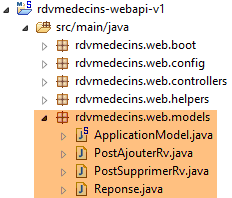 |
We have already presented the [Reponse, PostAjouterRv, PostSupprimerRv] templates. The [ApplicationModel] template is as follows:
package rdvmedecins.web.models;

import java.util.Date;
...

@Component
public class ApplicationModel implements IMetier {

    // the [métier] layer
    @Autowired
    private IMetier métier;

    // data from the [métier] layer
    private List<Medecin> médecins;
    private List<Client> clients;
    // error messages
   private List<String> messages;

    @PostConstruct
    public void init() {
        // we get the doctors and the clients
        try {
            médecins = métier.getAllMedecins();
            clients = métier.getAllClients();
        } catch (Exception ex) {
            messages = Static.getErreursForException(ex);
        }
    }

    // getter
    public List<String> getMessages() {
        return messages;
    }

    // ------------------------- interface layer [métier]
    @Override
    public List<Client> getAllClients() {
        return clients;
    }

    @Override
    public List<Medecin> getAllMedecins() {
        return médecins;
    }

    @Override
    public List<Creneau> getAllCreneaux(long idMedecin) {
        return métier.getAllCreneaux(idMedecin);
    }

    @Override
    public List<Rv> getRvMedecinJour(long idMedecin, Date jour) {
        return métier.getRvMedecinJour(idMedecin, jour);
    }

    @Override
    public Client getClientById(long id) {
        return métier.getClientById(id);
    }

    @Override
    public Medecin getMedecinById(long id) {
        return métier.getMedecinById(id);
    }

    @Override
    public Rv getRvById(long id) {
        return métier.getRvById(id);
    }

    @Override
    public Creneau getCreneauById(long id) {
        return métier.getCreneauById(id);
    }

    @Override
    public Rv ajouterRv(Date jour, Creneau creneau, Client client) {
        return métier.ajouterRv(jour, creneau, client);
    }

    @Override
    public void supprimerRv(Rv rv) {
        métier.supprimerRv(rv);
    }

    @Override
    public AgendaMedecinJour getAgendaMedecinJour(long idMedecin, Date jour) {
        return métier.getAgendaMedecinJour(idMedecin, jour);
    }

}
- line 6: the [@Component] annotation makes the [ApplicationModel] class a Spring component. Like all Spring components seen so far (with the exception of @Controller), only a single object of this type will be instantiated (singleton);
- line 7: the class [ApplicationModel] implements the interface [IMetier];
- lines 10–11: a reference to the [métier] layer is injected by Spring;
- line 19: the [@PostConstruct] annotation ensures that the [init] method will be executed immediately after the instantiation of the [ApplicationModel] class;
- lines 23–24: Retrieve the lists of doctors and clients from the [métier] layer;
- line 26: if an exception occurs, we store the messages from the exception stack in the field on line 17;
The [ApplicationModel] class will serve two purposes:
- as a cache to store the lists of doctors and patients (clients);
- as a single interface for the controllers;
The architecture of the web layer evolves as follows:
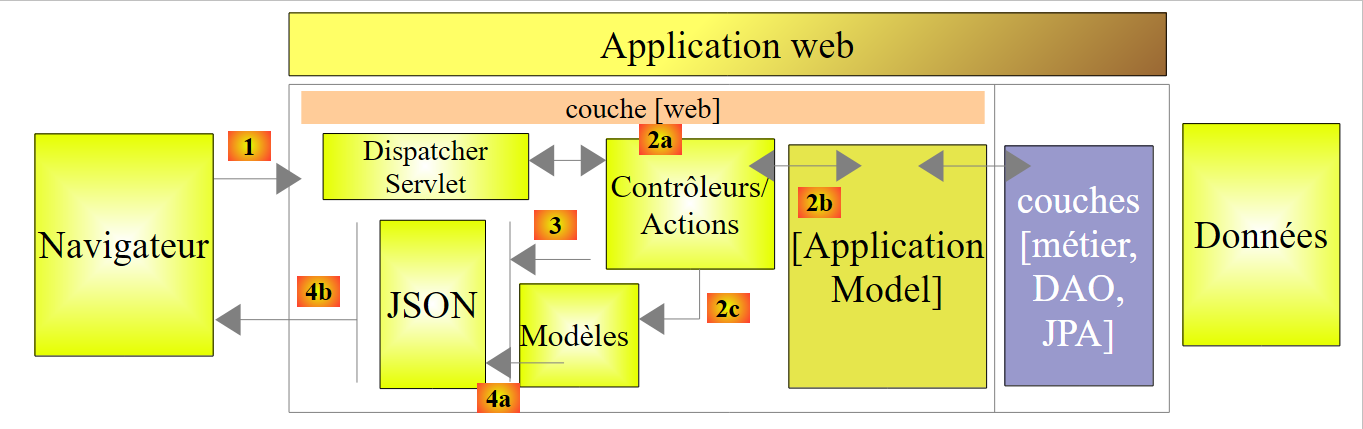 |
- in [2b], the methods of the controller(s) communicate with the singleton [ApplicationModel];
This strategy provides flexibility in cache management. Currently, doctors’ appointment slots are not cached. To cache them, simply modify the [ApplicationModel] class. This has no impact on the controller, which will continue to use the [List<Creneau> getAllCreneaux(long idMedecin)] method as it did before. It is the implementation of this method in [ApplicationModel] that will be changed.
2.12.5. The Static Class
The [Static] class contains a set of static utility methods that have no "business" or "web" aspects:
 |
Its code is as follows:
package rdvmedecins.web.helpers;

import java.text.SimpleDateFormat;
...

public class Static {

    public Static() {
    }

    // list of exception error messages
    public static List<String> getErreursForException(Exception exception) {
        // retrieve the list of exception error messages
        Throwable cause = exception;
        List<String> erreurs = new ArrayList<String>();
        while (cause != null) {
            erreurs.add(cause.getMessage());
            cause = cause.getCause();
        }
        return erreurs;
    }

    // mappers Object --> Map
    // --------------------------------------------------------
....
}
- line 12: the [Static.getErreursForException] method that was used (line 8 below) in the [init] method of the [ApplicationModel] class:
    @PostConstruct
    public void init() {
        // we get the doctors and the clients
        try {
            médecins = métier.getAllMedecins();
            clients = métier.getAllClients();
        } catch (Exception ex) {
            messages = Static.getErreursForException(ex);
        }
}
The method constructs a [List<String>] object with the [exception.getMessage()] error messages from a [exception] exception and those it contains ([exception.getCause()]).
The [Static] class contains other utility methods, which we will discuss when we encounter them.
We will now describe in detail how the web service processes URL. Three main classes are involved in this process:
- the [RdvMedecinsController] controller;
- the [Static] utility methods class;
- the [ApplicationModel] cache class;
 |
2.12.6. The [init] method of the controller
The [RdvMedecinsController] controller (see section 2.12.3) has a [init] method that is executed immediately after its instantiation:
    @Autowired
    private ApplicationModel application;
    private List<String> messages;

    @PostConstruct
    public void init() {
        // application error messages
        messages = application.getMessages();
}
- Line 8: The error messages stored in the [ApplicationModel] application cache are stored locally in the field on line 3. This allows the methods to determine whether the application has initialized correctly.
2.12.7. The URL [/getAllMedecins]
URL [/getAllMedecins] is processed by the following method of the [RdvMedecinsController] controller:
    // list of doctors
    @RequestMapping(value = "/getAllMedecins", method = RequestMethod.GET)
    public Reponse getAllMedecins() {
        // application status
        if (messages != null) {
            return new Reponse(-1, messages);
        }
        // list of doctors
        try {
            return new Reponse(0, application.getAllMedecins());
        } catch (Exception e) {
            return new Reponse(1, Static.getErreursForException(e));
        }
}
- line 5: we check if the application has initialized correctly (messages==null). If not, we return a response with status=-1 and data=messages;
- line 10: otherwise, we return the list of doctors with a status equal to 0. The [application.getAllMedecins()] method does not throw an exception because it simply returns a cached list. Nevertheless, we will keep this exception handling in case the doctors are no longer cached;
We have not yet addressed the case where the application failed to initialize properly. Let’s stop SGBD and MySQL5, start the web service, and then request URL and [/getAllMedecins]:
An error does indeed occur. Under normal circumstances, the following view is displayed:
|
2.12.8. L'URL [/getAllClients]
L'URL [/getAllClients] is processed by the following method of the [RdvMedecinsController] controller:
    // clients list
    @RequestMapping(value = "/getAllClients")
    public Reponse getAllClients() {
        // application status
        if (messages != null) {
            return new Reponse(-1, messages);
        }
        // clients list
        try {
            return new Reponse(0, application.getAllClients());
        } catch (Exception e) {
            return new Reponse(1, Static.getErreursForException(e));
        }
}
It is similar to the [getAllMedecins] method already discussed. The results obtained are as follows:
|
2.12.9. URL [/getAllCreneaux/{idMedecin}]
The URL [/getAllCreneaux/{idMedecin}] is handled by the following method of the [RdvMedecinsController] controller:
// list of physician slots
    @RequestMapping(value = "/getAllCreneaux/{idMedecin}", method = RequestMethod.GET)
    public Reponse getAllCreneaux(@PathVariable("idMedecin") long idMedecin) {
        // application status
        if (messages != null) {
            return new Reponse(-1, messages);
        }
        // we get the doctor back
        Reponse réponse = getMedecin(idMedecin);
        if (réponse.getStatus() != 0) {
            return réponse;
        }
        Medecin médecin = (Medecin) réponse.getData();
        // doctor's slots
        List<Creneau> créneaux = null;
        try {
            créneaux = application.getAllCreneaux(médecin.getId());
        } catch (Exception e1) {
            return new Reponse(3, Static.getErreursForException(e1));
        }
        // we return the answer
        return new Reponse(0, Static.getListMapForCreneaux(créneaux));
    }
- line 9: the doctor identified by the parameter [id] is requested from a local method:
    private Reponse getMedecin(long id) {
        // we get the doctor back
        Medecin médecin = null;
        try {
            médecin = application.getMedecinById(id);
        } catch (Exception e1) {
            return new Reponse(1, Static.getErreursForException(e1));
        }
        // existing doctor?
        if (médecin == null) {
            return new Reponse(2, null);
        }
        // ok
        return new Reponse(0, médecin);
}
We return from this method with a status in [0,1,2]. Let’s go back to the code for the [getAllCreneaux] method:
- lines 10–12: if status ≠ 0, return the response immediately;
- line 13: we retrieve the doctor;
- line 17: we retrieve this doctor’s time slots;
- line 22: a [Static.getListMapForCreneaux(créneaux)] object is sent as the response;
Recall the definition of the [Creneau] class:
@Entity
@Table(name = "creneaux")
public class Creneau extends AbstractEntity {

    private static final long serialVersionUID = 1L;
    // characteristics of a RV slot
    private int hdebut;
    private int mdebut;
    private int hfin;
    private int mfin;

    // a slot is linked to a doctor
    @ManyToOne(fetch = FetchType.LAZY)
    @JoinColumn(name = "id_medecin")
    private Medecin medecin;

    // foreign key
    @Column(name = "id_medecin", insertable = false, updatable = false)
    private long idMedecin;
...
}
- line 13: the doctor is searched for using the [FetchType.LAZY] mode;
Recall the JPQL query that implements the [getAllCreneaux] method in the [DAO] layer:
@Query("select c from Creneau c where c.medecin.id=?1")
The notation [c.medecin.id] forces a join between the tables [CRENEAUX] and [MEDECINS]. As a result, the query returns all of the doctor’s time slots, with the doctor’s ID included in each one. When these time slots are serialized into JSON, the doctor’s ID string (JSON) appears in each one. This is unnecessary. Therefore, rather than serializing a [Creneau] object, we will serialize a [Map] object in which we will include only the desired fields.
Let’s go back to the code we looked at earlier:
// we return the answer
return new Reponse(0, Static.getListMapForCreneaux(créneaux));
The [Static.getListMapForCreneaux] method is as follows:
    // List<Creneau> --> List<Map>
    public static List<Map<String, Object>> getListMapForCreneaux(List<Creneau> créneaux) {
        // dictionary list <String,Object>
        List<Map<String, Object>> liste = new ArrayList<Map<String, Object>>();
        for (Creneau créneau : créneaux) {
            liste.add(Static.getMapForCreneau(créneau));
        }
        // we return the list
        return liste;
}
and the [Static.getMapForCreneau] method is as follows:
    // Creneau --> Map
    public static Map<String, Object> getMapForCreneau(Creneau créneau) {
        // anything to do?
        if (créneau == null) {
            return null;
        }
        // dictionary <String,Object>
        Map<String, Object> hash = new HashMap<String, Object>();
        hash.put("id", créneau.getId());
        hash.put("hDebut", créneau.getHdebut());
        hash.put("mDebut", créneau.getMdebut());
        hash.put("hFin", créneau.getHfin());
        hash.put("mFin", créneau.getMfin());
        // we return the dictionary
        return hash;
}
- line 8: create a dictionary;
- lines 9-13: we add the fields we want to keep from the string JSON. The field [medecin] is not included;
- line 15: return this dictionary;
The results obtained are as follows:
|
or these if the time slot does not exist:
 |
or these in case of a database access error:
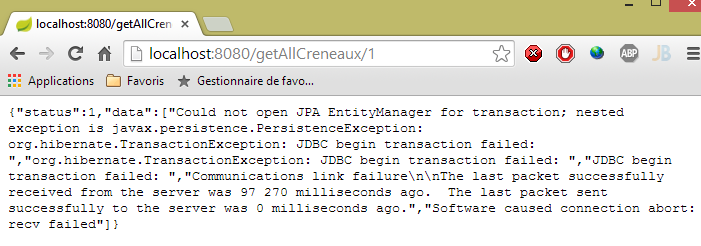 |
2.12.10. URL [/getRvMedecinJour/{idMedecin}/{jour}]
L'URL [/getRvMedecinJour/{idMedecin}/{jour}] is processed by the following method of the [RdvMedecinsController] controller:
// list of doctor's appointments
    @RequestMapping(value = "/getRvMedecinJour/{idMedecin}/{jour}", method = RequestMethod.GET)
    public Reponse getRvMedecinJour(@PathVariable("idMedecin") long idMedecin, @PathVariable("jour") String jour) {
        // application status
        if (messages != null) {
            return new Reponse(-1, messages);
        }
        // check the date
        Date jourAgenda = null;
        SimpleDateFormat sdf = new SimpleDateFormat("yyyy-MM-dd");
        sdf.setLenient(false);
        try {
            jourAgenda = sdf.parse(jour);
        } catch (ParseException e) {
            return new Reponse(3, null);
        }
        // we get the doctor back
        Reponse réponse = getMedecin(idMedecin);
        if (réponse.getStatus() != 0) {
            return réponse;
        }
        Medecin médecin = (Medecin) réponse.getData();
        // list of appointments
        List<Rv> rvs = null;
        try {
            rvs = application.getRvMedecinJour(médecin.getId(), jourAgenda);
        } catch (Exception e1) {
            return new Reponse(4, Static.getErreursForException(e1));
        }
        // we return the answer
        return new Reponse(0, Static.getListMapForRvs(rvs));
}
- line 31: we return a List<Map<String,Object>> object instead of a List<Rv> object. Recall the definition of the [Rv] class:
@Entity
@Table(name = "rv")
public class Rv extends AbstractEntity {
    private static final long serialVersionUID = 1L;

    // characteristics of a Rv
    @Temporal(TemporalType.DATE)
    private Date jour;

    // a rv is linked to a customer
    @ManyToOne(fetch = FetchType.LAZY)
    @JoinColumn(name = "id_client")
    private Client client;

    // a rv is linked to a time slot
    @ManyToOne(fetch = FetchType.LAZY)
    @JoinColumn(name = "id_creneau")
    private Creneau creneau;

    // foreign keys
    @Column(name = "id_client", insertable = false, updatable = false)
    private long idClient;
    @Column(name = "id_creneau", insertable = false, updatable = false)
    private long idCreneau;

...

}
- line 11: the customer is searched for using mode [FetchType.LAZY];
- line 18: the time slot is searched for using mode [FetchType.LAZY];
Recall the JPQL query that retrieves the appointments:
@Query("select rv from Rv rv left join fetch rv.client c left join fetch rv.creneau cr where cr.medecin.id=?1 and rv.jour=?2")
Joins are performed explicitly to retrieve the fields [client] and [creneau]. Furthermore, due to the [cr.medecin.id=?1] join, we will also have the doctor. The doctor will therefore appear in the JSON string for each appointment. However, this duplicated information is also unnecessary. Let’s return to the method’s code:
- line 31: we construct the dictionary to be serialized in JSON ourselves;
The dictionary constructed for an appointment is as follows:
    // Rv --> Map
    public static Map<String, Object> getMapForRv(Rv rv) {
        // anything to do?
        if (rv == null) {
            return null;
        }
        // dictionary <String,Object>
        Map<String, Object> hash = new HashMap<String, Object>();
        hash.put("id", rv.getId());
        hash.put("client", rv.getClient());
        hash.put("creneau", getMapForCreneau(rv.getCreneau()));
        // we return the dictionary
        return hash;
}
- line 11: we use the dictionary from the [Creneau] object that we presented earlier;
The results obtained are as follows:
|
or these with an incorrect day:
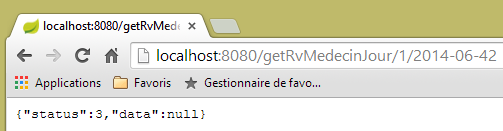 |
or these with an incorrect doctor:
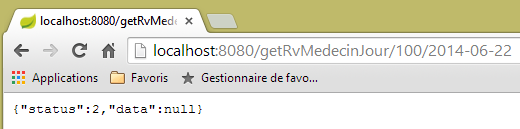 |
2.12.11. The URL [/getAgendaMedecinJour/{idMedecin}/{jour}]
The URL [/getAgendaMedecinJour/{idMedecin}/{jour}] is processed by the following method of the [RdvMedecinsController] controller:
@RequestMapping(value = "/getAgendaMedecinJour/{idMedecin}/{jour}", method = RequestMethod.GET)
    public Reponse getAgendaMedecinJour(@PathVariable("idMedecin") long idMedecin, @PathVariable("jour") String jour) {
        // application status
        if (messages != null) {
            return new Reponse(-1, messages);
        }
        // check the date
        Date jourAgenda = null;
        SimpleDateFormat sdf = new SimpleDateFormat("yyyy-MM-dd");
        sdf.setLenient(false);
        try {
            jourAgenda = sdf.parse(jour);
        } catch (ParseException e) {
            return new Reponse(3, new String[] { String.format("jour [%s] invalide", jour) });
        }
        // we get the doctor back
        Reponse réponse = getMedecin(idMedecin);
        if (réponse.getStatus() != 0) {
            return réponse;
        }
        Medecin médecin = (Medecin) réponse.getData();
        // we retrieve its agenda
        AgendaMedecinJour agenda = null;
        try {
            agenda = application.getAgendaMedecinJour(médecin.getId(), jourAgenda);
        } catch (Exception e1) {
            return new Reponse(4, Static.getErreursForException(e1));
        }
        // ok
        return new Reponse(0, Static.getMapForAgendaMedecinJour(agenda));
    }
}
- line 30, we return an object of type List<Map<String,Object>.
The [Static.getMapForAgendaMedecinJour] method is as follows:
    // AgendaMedecinJour --> Map
    public static Map<String, Object> getMapForAgendaMedecinJour(AgendaMedecinJour agenda) {
        // anything to do?
        if (agenda == null) {
            return null;
        }
        // dictionary <String,Object>
        Map<String, Object> hash = new HashMap<String, Object>();
        hash.put("medecin", agenda.getMedecin());
        hash.put("jour", new SimpleDateFormat("yyyy-MM-dd").format(agenda.getJour()));
        List<Map<String, Object>> créneaux = new ArrayList<Map<String, Object>>();
        for (CreneauMedecinJour créneau : agenda.getCreneauxMedecinJour()) {
            créneaux.add(getMapForCreneauMedecinJour(créneau));
        }
        hash.put("creneauxMedecin", créneaux);
        // we return the dictionary
        return hash;
}
The constructed dictionary has three fields:
- [medecin]: the doctor who owns the agenda. We kept this information because it appears only once, whereas in previous cases, it was repeated in each JSON string;
- [jour]: the day of the agenda;
- [creneauxMedecin]: the list of the doctor’s time slots with a possible appointment in that slot;
The [getMapForCreneauMedecinJour] method used on line 13 is as follows:
    // CreneauMedecinJour --> map
    public static Map<String, Object> getMapForCreneauMedecinJour(CreneauMedecinJour créneau) {
        // anything to do?
        if (créneau == null) {
            return null;
        }
        // dictionary <String,Object>
        Map<String, Object> hash = new HashMap<String, Object>();
        hash.put("creneau", getMapForCreneau(créneau.getCreneau()));
        hash.put("rv", getMapForRv(créneau.getRv()));
        // we return the dictionary
        return hash;
}
- lines 9-10: we use the dictionaries already discussed for the types [Creneau] and [Rv], which therefore do not contain a [Medecin] object;
The results obtained are as follows:
|
or these if the day is incorrect:
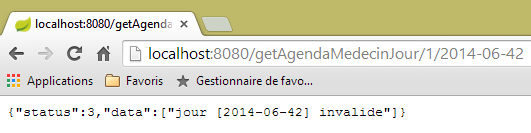 |
or these if the doctor’s ID is invalid:
 |
2.12.12. The URL and [/getMedecinById/{id}]
The URL [/getMedecinById/{id}] is processed by the following method of the [RdvMedecinsController] controller:
    @RequestMapping(value = "/getMedecinById/{id}", method = RequestMethod.GET)
    public Reponse getMedecinById(@PathVariable("id") long id) {
        // application status
        if (messages != null) {
            return new Reponse(-1, messages);
        }
        // we get the doctor back
        return getMedecin(id);
}
Line 8, the [getMedecin] method is as follows:
    private Reponse getMedecin(long id) {
        // we get the doctor back
        Medecin médecin = null;
        try {
            médecin = application.getMedecinById(id);
        } catch (Exception e1) {
            return new Reponse(1, Static.getErreursForException(e1));
        }
        // existing doctor?
        if (médecin == null) {
            return new Reponse(2, null);
        }
        // ok
        return new Reponse(0, médecin);
}
The results obtained are as follows:
|
or these if the doctor's ID is incorrect:
 |
2.12.13. L'URL [/getClientById/{id}]
L'URL [/getClientById/{id}] is handled by the following method of the [RdvMedecinsController] controller:
    @RequestMapping(value = "/getClientById/{id}", method = RequestMethod.GET)
    public Reponse getClientById(@PathVariable("id") long id) {
        // application status
        if (messages != null) {
            return new Reponse(-1, messages);
        }
        // we get the customer back
        return getClient(id);
}
Line 8, the [getClient] method is as follows:
    private Reponse getClient(long id) {
        // we get the customer back
        Client client = null;
        try {
            client = application.getClientById(id);
        } catch (Exception e1) {
            return new Reponse(1, Static.getErreursForException(e1));
        }
        // existing customer?
        if (client == null) {
            return new Reponse(2, null);
        }
        // ok
        return new Reponse(0, client);
}
The results obtained are as follows:
|
or these if the customer number is incorrect:
 |
2.12.14. L'URL [/getCreneauById/{id}]
L'URL [/getCreneauById/{id}] is handled by the following method of the [RdvMedecinsController] controller:
    @RequestMapping(value = "/getCreneauById/{id}", method = RequestMethod.GET)
    public Reponse getCreneauById(@PathVariable("id") long id) {
        // application status
        if (messages != null) {
            return new Reponse(-1, messages);
        }
        // we get the slot back
        Reponse réponse = getCreneau(id);
        if (réponse.getStatus() == 0) {
            réponse.setData(Static.getMapForCreneau((Creneau) réponse.getData()));
        }
        // result
        return réponse;
}
Line 8, the [getCreneau] method is as follows:
    private Reponse getCreneau(long id) {
        // we get the slot back
        Creneau créneau = null;
        try {
            créneau = application.getCreneauById(id);
        } catch (Exception e1) {
            return new Reponse(1, Static.getErreursForException(e1));
        }
        // existing niche?
        if (créneau == null) {
            return new Reponse(2, null);
        }
        // ok
        return new Reponse(0, créneau);
}
The results obtained are as follows:
|
or these if the slot number is incorrect:
 |
2.12.15. L'URL [/getRvById/{id}]
L'URL [/getRvById/{id}] is handled by the following method of the [RdvMedecinsController] controller:
    @RequestMapping(value = "/getRvById/{id}", method = RequestMethod.GET)
    public Reponse getRvById(@PathVariable("id") long id) {
        // application status
        if (messages != null) {
            return new Reponse(-1, messages);
        }
        // we retrieve the rv
        Reponse réponse = getRv(id);
        if (réponse.getStatus() == 0) {
            réponse.setData(Static.getMapForRv2((Rv) réponse.getData()));
        }
        // result
        return réponse;
}
Line 8, the [getRv] method is as follows:
    private Reponse getRv(long id) {
        // we retrieve the Rv
        Rv rv = null;
        try {
            rv = application.getRvById(id);
        } catch (Exception e1) {
            return new Reponse(1, Static.getErreursForException(e1));
        }
        // Rv existing?
        if (rv == null) {
            return new Reponse(2, null);
        }
        // ok
        return new Reponse(0, rv);
}
Line 10, the [Static.getMapForRv2] method is as follows:
// Rv --> Map
    public static Map<String, Object> getMapForRv2(Rv rv) {
        // anything to do?
        if (rv == null) {
            return null;
        }
        // dictionary <String,Object>
        Map<String, Object> hash = new HashMap<String, Object>();
        hash.put("id", rv.getId());
        hash.put("idClient", rv.getIdClient());
        hash.put("idCreneau", rv.getIdCreneau());
        // we return the dictionary
        return hash;
    }
The results obtained are as follows:
|
or these if the appointment number is incorrect:
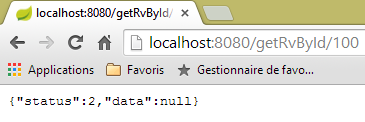 |
2.12.16. L'URL [/ajouterRv]
L'URL [/ajouterRv] is handled by the following method of the [RdvMedecinsController] controller:
@RequestMapping(value = "/ajouterRv", method = RequestMethod.POST, consumes = "application/json; charset=UTF-8")
    public Reponse ajouterRv(@RequestBody PostAjouterRv post) {
        // application status
        if (messages != null) {
            return new Reponse(-1, messages);
        }
        // retrieve posted values
        String jour = post.getJour();
        long idCreneau = post.getIdCreneau();
        long idClient = post.getIdClient();
        // check the date
        Date jourAgenda = null;
        SimpleDateFormat sdf = new SimpleDateFormat("yyyy-MM-dd");
        sdf.setLenient(false);
        try {
            jourAgenda = sdf.parse(jour);
        } catch (ParseException e) {
            return new Reponse(6, null);
        }
        // we get the slot back
        Reponse réponse = getCreneau(idCreneau);
        if (réponse.getStatus() != 0) {
            return réponse;
        }
        Creneau créneau = (Creneau) réponse.getData();
        // we get the customer back
        réponse = getClient(idClient);
        if (réponse.getStatus() != 0) {
            réponse.incrStatusBy(2);
            return réponse;
        }
        Client client = (Client) réponse.getData();
        // we add the Rv
        Rv rv = null;
        try {
            rv = application.ajouterRv(jourAgenda, créneau, client);
        } catch (Exception e1) {
            return new Reponse(5, Static.getErreursForException(e1));
        }
        // we return the answer
        return new Reponse(0, Static.getMapForRv(rv));
    }
There is nothing here that we haven't seen before. On line 41, we return the appointment that was added on line 36.
The results obtained look like this with the [Advanced Rest Client] client:
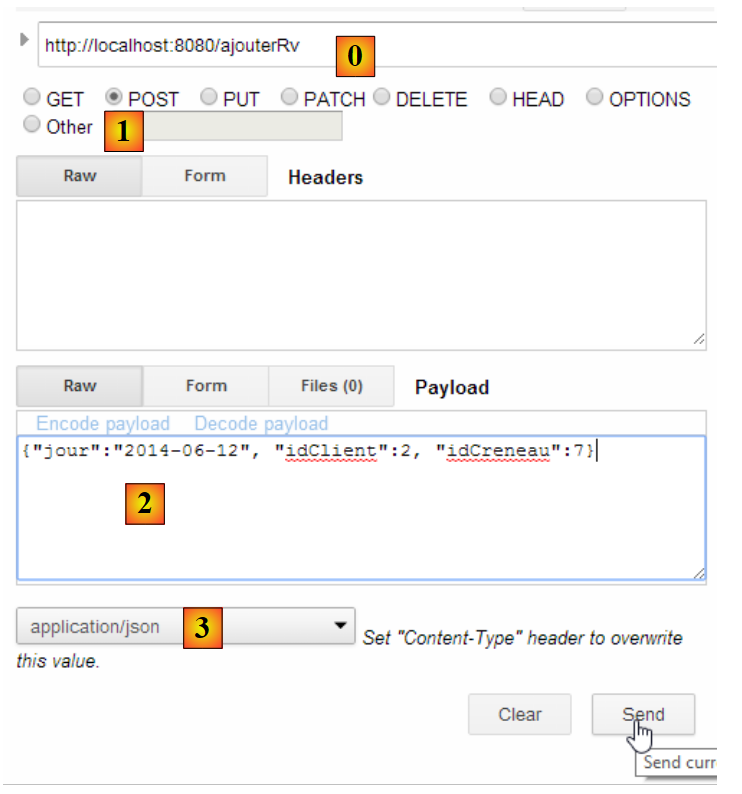 |
or like this if, for example, we provide a non-existent slot number:
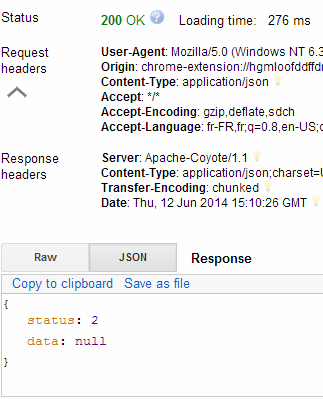 |
|
2.12.17. URL [/supprimerRv]
The URL [/supprimerRv] is handled by the following method of the [RdvMedecinsController] controller:
@RequestMapping(value = "/supprimerRv", method = RequestMethod.POST, consumes = "application/json; charset=UTF-8")
    public Reponse supprimerRv(@RequestBody PostSupprimerRv post) {
        // application status
        if (messages != null) {
            return new Reponse(-1, messages);
        }
        // retrieve posted values
        long idRv = post.getIdRv();
        // we retrieve the rv
        Reponse réponse = getRv(idRv);
        if (réponse.getStatus() != 0) {
            return réponse;
        }
        // deletion of rv
        try {
            application.supprimerRv(idRv);
        } catch (Exception e1) {
            return new Reponse(3, Static.getErreursForException(e1));
        }
        // ok
        return new Reponse(0, null);
    }
The resulting s are as follows:
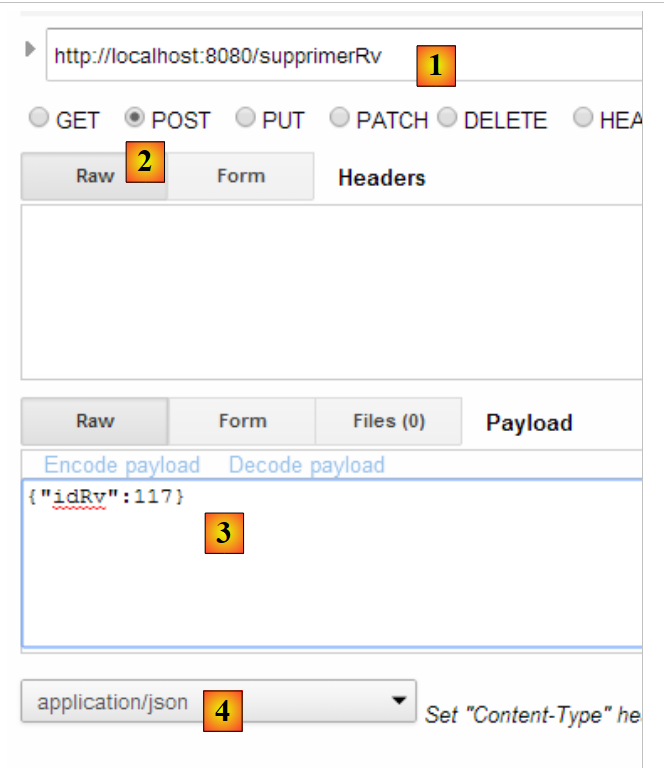 |
or these if the appointment ID does not exist:
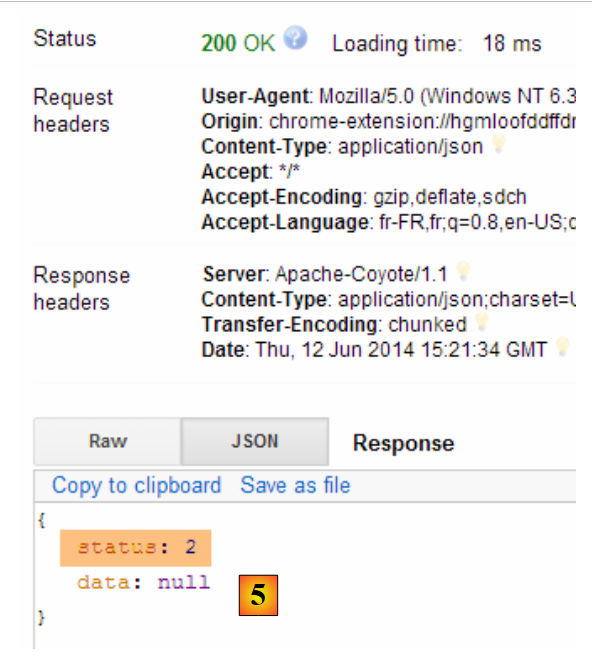 |
We’re done with the controller. Now let’s see how to configure the project.
2.12.18. Web service configuration
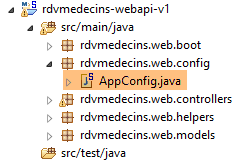 |
The configuration class [AppConfig] is as follows:
package rdvmedecins.web.config;

import org.springframework.boot.autoconfigure.EnableAutoConfiguration;
import org.springframework.context.annotation.ComponentScan;
import org.springframework.context.annotation.Import;

import rdvmedecins.config.DomainAndPersistenceConfig;

@EnableAutoConfiguration
@ComponentScan(basePackages = { "rdvmedecins.web" })
@Import({ DomainAndPersistenceConfig.class })
public class AppConfig {

}
- line 9: we switch to [AutoConfiguration] mode so that Spring Boot can configure the project based on the archives it finds in the project’s classpath;
- line 10: we specify that Spring components should be searched for in the [rdvmedecins.web] package and its subpackages. This is how the following components will be discovered:
- [@RestController RdvMedecinsController] in the [rdvmedecins.web.controllers] package;
- [@Component ApplicationModel] in the [rdvmedecins.web.models] package;
- Line 11: The [DomainAndPersistenceConfig] class is imported, which configures the [rdvmedecins-metier-dao] project to provide access to the beans in that project;
2.12.19. The executable class of the web service
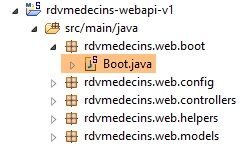 |
The [Boot] class is as follows:
package rdvmedecins.web.boot;

import org.springframework.boot.SpringApplication;

import rdvmedecins.web.config.AppConfig;

public class Boot {

    public static void main(String[] args) {
        SpringApplication.run(AppConfig.class, args);
    }
}
On line 10, the static method [SpringApplication.run] is executed with the project configuration class [AppConfig] as its first parameter. This method will perform the project's auto-configuration, start the Tomcat server embedded in the dependencies, and deploy the [RdvMedecinsController] controller to it.
The execution logs are as follows:
- line 17: the Tomcat server starts;
- lines 23-31: the [métier, DAO, JPA] layers are initializing;
- line 34: the method handling URL [/getRvMedecinJour/{idMedecin}/{jour}] has been discovered. This process of discovering controller methods repeats until line 44;
- line 52: the Spring servlet MVC [DispatcherServlet] is ready to respond to web requests from clients;
We now have a working web service that can be queried by a web client. We will now address securing this service: we want only certain people to be able to manage doctors’ appointments. To do this, we will use the Spring Security framework, a component of the Spring ecosystem.
2.13. Introduction to Spring Security
We will once again import a Spring guide by following steps 1 through 3 below:
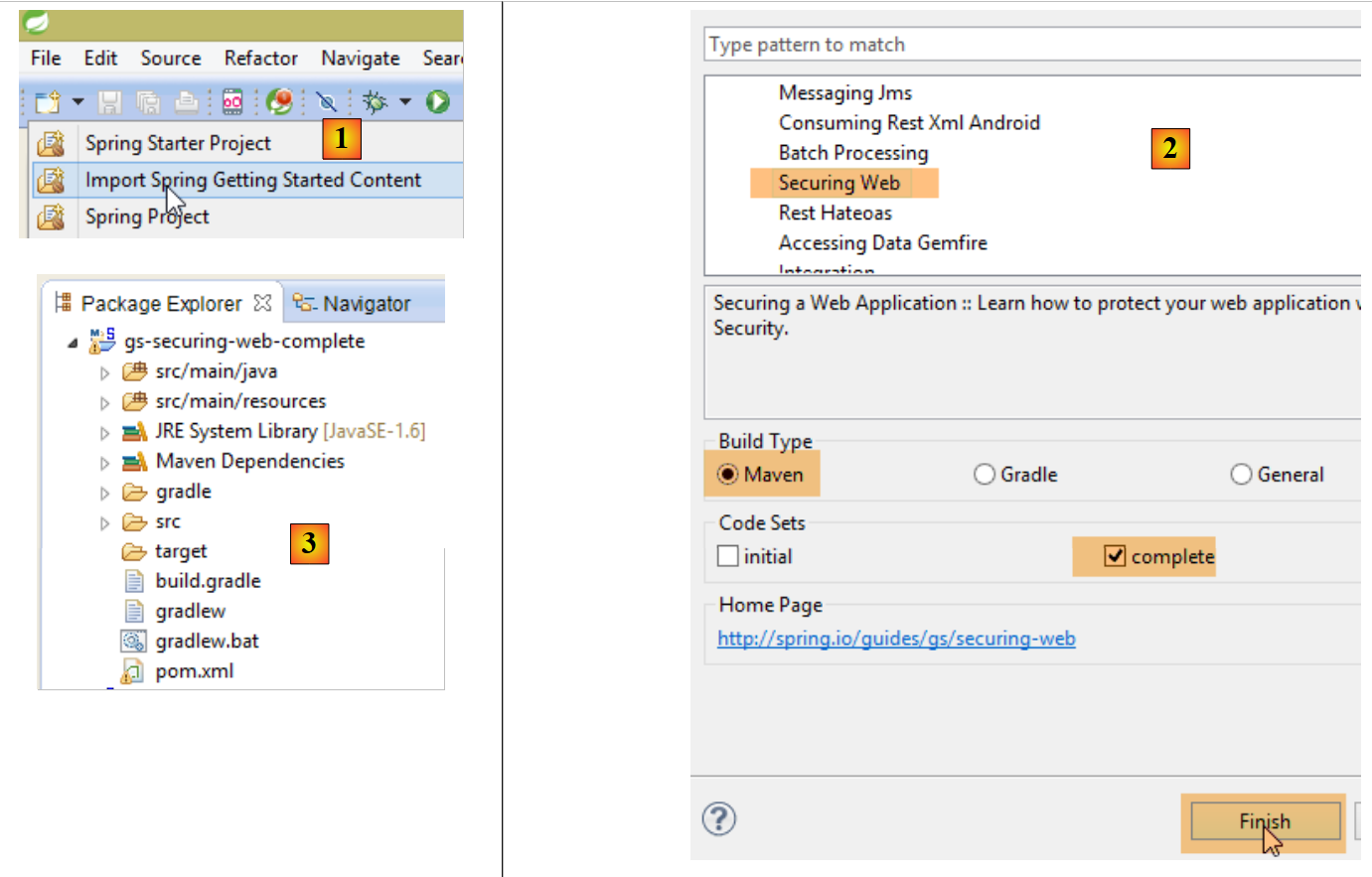 |
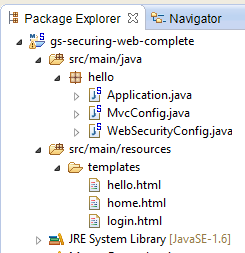 |
The project consists of the following elements:
- in the [templates] folder, you’ll find the HTML pages of the project;
- [Application]: is the project’s executable class;
- [MvcConfig]: is the Spring configuration class MVC;
- [WebSecurityConfig]: is the Spring Security configuration class;
2.13.1. Maven Configuration
The [3] project is a Maven project. Let’s examine its [pom.xml] file to see its dependencies:
    <parent>
        <groupId>org.springframework.boot</groupId>
        <artifactId>spring-boot-starter-parent</artifactId>
        <version>1.1.1.RELEASE</version>
    </parent>

    <dependencies>
        <dependency>
            <groupId>org.springframework.boot</groupId>
            <artifactId>spring-boot-starter-thymeleaf</artifactId>
        </dependency>
        <dependency>
            <groupId>org.springframework.boot</groupId>
            <artifactId>spring-boot-starter-security</artifactId>
        </dependency>
</dependencies>
- lines 1–5: the project is a Spring Boot project;
- lines 8-11: dependency on the [Thymeleaf] framework, which allows for the creation of dynamic HTML pages. This framework can replace JSP (Java Server Pages), which until recently was the default view framework for Spring MVC;
- lines 12–15: dependency on the Spring Security framework;
2.13.2. Thymeleaf views
 |
The [home.html] view is as follows:
 |
<!DOCTYPE html>
<html xmlns="http://www.w3.org/1999/xhtml"
    xmlns:th="http://www.thymeleaf.org"
    xmlns:sec="http://www.thymeleaf.org/thymeleaf-extras-springsecurity3">
<head>
<title>Spring Security Example</title>
</head>
<body>
    <h1>Welcome!</h1>

    <p>
        Click <a th:href="@{/hello}">here</a> to see a greeting.
    </p>
</body>
</html>
- The [th:xx] attributes are Thymeleaf attributes. They are interpreted by Thymeleaf before the HTML page is sent to the client. The client does not see them;
- line 12: the [th:href="@{/hello}"] attribute will generate the [href] attribute of the <a> tag. The value [@{/hello}] will generate the path [<context>/hello], where [context] is the web application context;
The generated code HTML is as follows:
- Line 10: the application context is the root /;
The view [hello.html] is as follows:
 |
<!DOCTYPE html>
<html xmlns="http://www.w3.org/1999/xhtml"
    xmlns:th="http://www.thymeleaf.org"
    xmlns:sec="http://www.thymeleaf.org/thymeleaf-extras-springsecurity3">
<head>
<title>Hello World!</title>
</head>
<body>
    <h1 th:inline="text">Hello [[${#httpServletRequest.remoteUser}]]!</h1>
    <form th:action="@{/logout}" method="post">
        <input type="submit" value="Sign Out" />
    </form>
</body>
</html>
- Line 9: The [th:inline="text"] attribute will generate the text of the <h1> tag. This text contains a $ expression that must be evaluated. The element [[${#httpServletRequest.remoteUser}]] is the value of the [RemoteUser] attribute of the current HTTP query. This is the name of the logged-in user;
- line 10: a HTML form. The [th:action="@{/logout}"] attribute will generate the [action] attribute of the [form] tag. The value [@{/logout}] will generate the path [<context>/logout], where [context] is the web application context;
The generated code HTML is as follows:
- line 8: the translation of Hello [[${#httpServletRequest.remoteUser}]]!;
- line 9: the translation of @{/logout};
- line 11: a hidden field named (attribute name) _csrf;
The final view [login.html] is as follows:
 |
<!DOCTYPE html>
<html xmlns="http://www.w3.org/1999/xhtml"
    xmlns:th="http://www.thymeleaf.org"
    xmlns:sec="http://www.thymeleaf.org/thymeleaf-extras-springsecurity3">
<head>
<title>Spring Security Example</title>
</head>
<body>
    <div th:if="${param.error}">Invalid username and password.</div>
    <div th:if="${param.logout}">You have been logged out.</div>
    <form th:action="@{/login}" method="post">
        <div>
            <label> User Name : <input type="text" name="username" />
            </label>
        </div>
        <div>
            <label> Password: <input type="password" name="password" />
            </label>
        </div>
        <div>
            <input type="submit" value="Sign In" />
        </div>
    </form>
</body>
</html>
- Line 9: The [th:if="${param.error}"] attribute ensures that the <div> tag will only be generated if the URL that displays the login page contains the [error] parameter (http://context/login?error);
- line 10: the [th:if="${param.logout}"] attribute ensures that the <div> tag will only be generated if the URL that displays the login page contains the [logout] parameter (http://context/login?logout);
- lines 11–23: a HTML form;
- line 11: the form will be posted to URL [<context>/login] where <context> is the web application context;
- line 13: an input field named [username];
- line 17: an input field named [password];
The generated code HTML is as follows:
Note on line 21 that Thymeleaf has added a hidden field named [_csrf].
2.13.3. Spring Configuration MVC
 |
The [MvcConfig] class configures the Spring framework MVC:
package hello;

import org.springframework.context.annotation.Configuration;
import org.springframework.web.servlet.config.annotation.ViewControllerRegistry;
import org.springframework.web.servlet.config.annotation.WebMvcConfigurerAdapter;

@Configuration
public class MvcConfig extends WebMvcConfigurerAdapter {

    @Override
    public void addViewControllers(ViewControllerRegistry registry) {
        registry.addViewController("/home").setViewName("home");
        registry.addViewController("/").setViewName("home");
        registry.addViewController("/hello").setViewName("hello");
        registry.addViewController("/login").setViewName("login");
    }

}
- line 7: the annotation [@Configuration] makes the class [MvcConfig] a configuration class;
- line 8: the [MvcConfig] class extends the [WebMvcConfigurerAdapter] class to override certain methods;
- line 10: redefinition of a method from the parent class;
- lines 11–16: the method [addViewControllers] allows URL to be associated with HTML views. The following associations are made there:
view | |
/templates/home.html | |
/templates/hello.html | |
/templates/login.html |
The suffix [html] and the folder [templates] are the default values used by Thymeleaf. They can be changed via configuration. The folder [templates] must be at the root of the project's classpath:
 |
Above [1], the folders [main] and [resources] are both source folders. This means that their contents will be at the root of the project’s classpath. Therefore, in [2], the folders [hello] and [templates] will be at the root of the Classpath.
2.13.4. Spring Security Configuration
 |
The [WebSecurityConfig] class configures the Spring Security framework:
package hello;

import org.springframework.context.annotation.Configuration;
import org.springframework.security.config.annotation.authentication.builders.AuthenticationManagerBuilder;
import org.springframework.security.config.annotation.web.builders.HttpSecurity;
import org.springframework.security.config.annotation.web.configuration.WebSecurityConfigurerAdapter;
import org.springframework.security.config.annotation.web.servlet.configuration.EnableWebMvcSecurity;

@Configuration
@EnableWebMvcSecurity
public class WebSecurityConfig extends WebSecurityConfigurerAdapter {
    @Override
    protected void configure(HttpSecurity http) throws Exception {
        http.authorizeRequests().antMatchers("/", "/home").permitAll().anyRequest().authenticated();
        http.formLogin().loginPage("/login").permitAll().and().logout().permitAll();
    }

    @Override
    protected void configure(AuthenticationManagerBuilder auth) throws Exception {
        auth.inMemoryAuthentication().withUser("user").password("password").roles("USER");
    }
}
- line 9: the [@Configuration] annotation makes the [WebSecurityConfig] class a configuration class;
- line 10: the [@EnableWebSecurity] annotation makes the [WebSecurityConfig] class a Spring Security configuration class;
- line 11: the class [WebSecurity] extends the class [WebSecurityConfigurerAdapter] to override certain methods;
- line 12: redefinition of a method from the parent class;
- lines 13–16: the [configure(HttpSecurity http)] method is redefined to define access rights to the various URL classes in the application;
- line 14: the [http.authorizeRequests()] method allows URLs to be associated with access rights. The following associations are made there:
rule | code | |
access without authentication | | |
authenticated access only |
- line 15: defines the authentication method. Authentication is performed via a form accessible to everyone. Logout is also accessible to everyone.
- Lines 19–21: Redefine the method that manages users;
- line 20: authentication is performed using hard-coded users [auth.inMemoryAuthentication()]. A user is defined here with the login [user], the password [password], and the role [USER]. Users with the same role can be granted the same rights;
2.13.5. Executable class
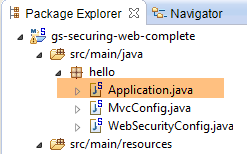 |
The class [Application] is as follows:
package hello;

import org.springframework.boot.autoconfigure.EnableAutoConfiguration;
import org.springframework.boot.SpringApplication;
import org.springframework.context.annotation.ComponentScan;
import org.springframework.context.annotation.Configuration;

@EnableAutoConfiguration
@Configuration
@ComponentScan
public class Application {

    public static void main(String[] args) throws Throwable {
        SpringApplication.run(Application.class, args);
    }

}
- line 8: the [@EnableAutoConfiguration] annotation instructs Spring Boot (line 3) to perform the configuration that the developer has not explicitly set up;
- line 9: makes the [Application] class a Spring configuration class;
- line 10: instructs the system to scan the directory containing the [Application] class to search for Spring components. The two classes [MvcConfig] and [WebSecurityConfig] will thus be discovered because they have the [@Configuration] annotation;
- line 13: the [main] method of the executable class;
- line 14: the static method [SpringApplication.run] is executed with the configuration class [Application] as a parameter. We have already encountered this process and know that the Tomcat server embedded in the project’s Maven dependencies will be launched and the project deployed on it. We have seen that four URL instances were managed by [/, /home, /login, /hello] and that some were protected by access rights.
2.13.6. Application testing
Let's start by requesting the URL [/], which is one of the four accepted URL. It is associated with the [/templates/home.html] view:
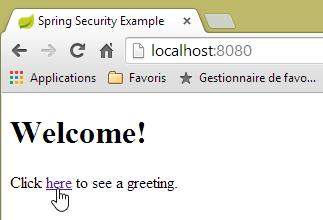 |
The requested URL, [/], is accessible to everyone. That is why we obtained it. The link for [here] is as follows:
The URL [/hello] will be requested when you click on the link. This one is protected:
rule | code | |
access without authentication | | |
authenticated access only |
You must be authenticated to access it. Spring Security will then redirect the client browser to the authentication page. Based on the configuration shown, this is the page URL [/login]. This page is accessible to everyone:
http.formLogin().loginPage("/login").permitAll().and().logout().permitAll();
We therefore get [1]:
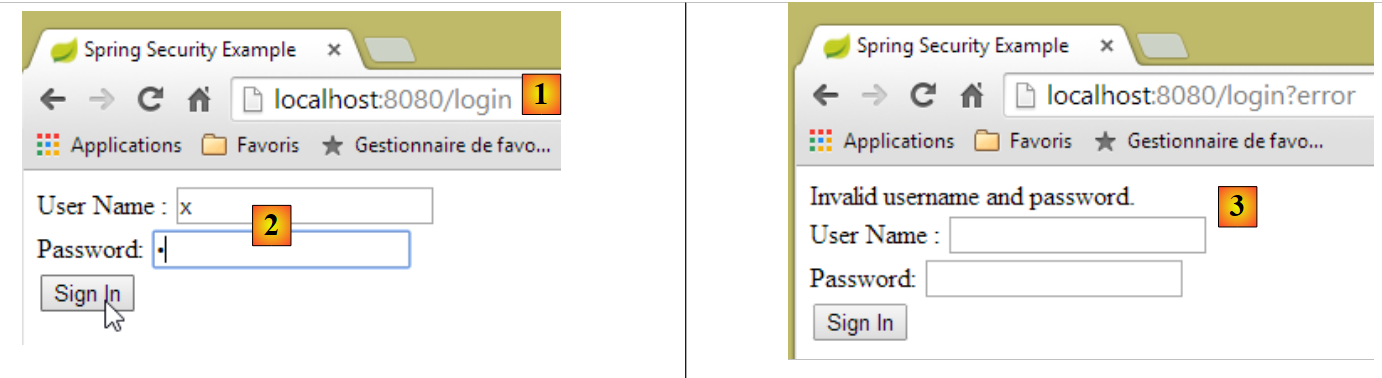 |
The source code for the resulting page is as follows:
- line 7, a hidden field appears that is not in the original [login.html] page. Thymeleaf added it. This code, called CSRF (Cross-Site Request Forgery), is intended to eliminate a security vulnerability. This token must be sent back to Spring Security along with the authentication for it to be accepted;
We recall that only the user/password is recognized by Spring Security. If we enter something else in [2], we get the same page with an error message in [3]. Spring Security redirected the browser to URL [http://localhost:8080/login?error]. The presence of the parameter [error] triggered the display of the tag:
<div th:if="${param.error}">Invalid username and password.</div>
Now, let’s enter the expected user/password values [4]:
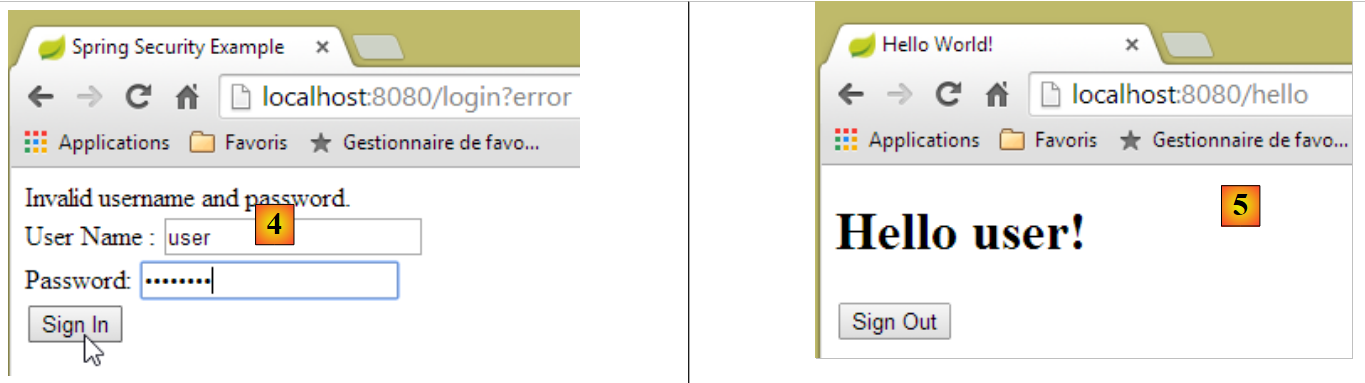 |
- in [4], we log in;
- in [5], Spring Security redirects us to URL [/hello] because that is the URL we requested when we were redirected to the login page. The user's identity was displayed by the following line in [hello.html]:
The [5] page displays the following form:
    <form th:action="@{/logout}" method="post">
        <input type="submit" value="Sign Out" />
</form>
When you click the [Sign Out] button, a POST will be performed on the URL [/logout]. This, like the URL [/login], is accessible to everyone:
http.formLogin().loginPage("/login").permitAll().and().logout().permitAll();
In our URL / views association, we haven’t defined anything for URL and [/logout]. What will happen? Let’s try:
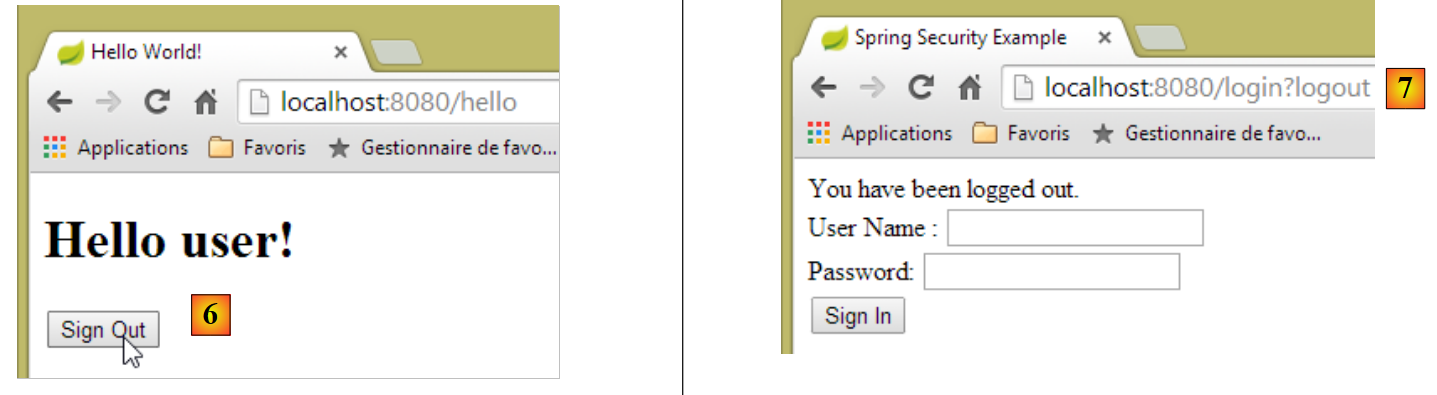 |
- In [6], we click the [Sign Out] button;
- In [7], we see that we have been redirected to URL [http://localhost:8080/login?logout]. Spring Security requested this redirection. The presence of the [logout] parameter in URL caused the following line to be displayed in the view:
<div th:if="${param.logout}">You have been logged out.</div>
2.13.7. Conclusion
In the previous example, we could have written the web application first and then secured it. Spring Security is non-intrusive. You can implement security for a web application that has already been written. Furthermore, we discovered the following points:
- it is possible to define an authentication page;
- authentication must be accompanied by the token CSRF issued by Spring Security;
- if authentication fails, you are redirected to the authentication page with an additional error parameter in the URL;
- If authentication succeeds, you are redirected to the page requested at the time of authentication. If you request the authentication page directly without going through an intermediate page, Spring Security redirects you to the URL [/] (this case was not presented);
- You log out by requesting the URL [/logout] with a POST. Spring Security then redirects us to the authentication page with the logout parameter in the URL;
All these conclusions are based on Spring Security’s default behavior. This behavior can be changed through configuration by overriding certain methods of the [WebSecurityConfigurerAdapter] class.
The previous tutorial will be of little help to us going forward. We will indeed use:
- a database to store users, their passwords, and their roles;
- header-based authentication HTTP;
There are relatively few tutorials available for what we want to do here. The solution we’ll propose is a combination of code snippets found here and there.
2.14. Setting up security for the appointment web service
2.14.1. The database
The [rdvmedecins] database is being updated to account for users, their passwords, and their roles. Three new tables are added:
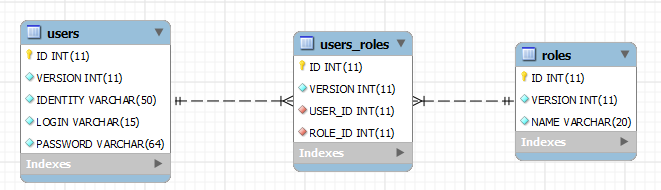
Table [USERS]: users
- ID: primary key;
- VERSION: row versioning column;
- IDENTITY: a descriptive user ID;
- LOGIN: the user's login;
- PASSWORD: their password;
In table USERS, passwords are not stored in plain text:
 |
The algorithm that encrypts the passwords is the BCRYPT algorithm.
Table [ROLES]: roles
- ID: primary key;
- VERSION: row versioning column;
- NAME: role name. By default, Spring Security expects names in the form ROLE_XX, for example ROLE_ADMIN or ROLE_GUEST;
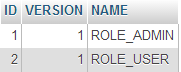 |
Table [USERS_ROLES]: join table for USERS / ROLES
A user can have multiple roles, and a role can include multiple users. This represents a many-to-many relationship, implemented by table [USERS_ROLES].
- ID: primary key;
- VERSION: row versioning column;
- USER_ID: user ID;
- ROLE_ID: role ID;
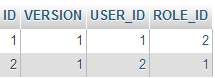 |
Because we are modifying the database, all layers of the [métier, DAO, JPA] project must be modified:
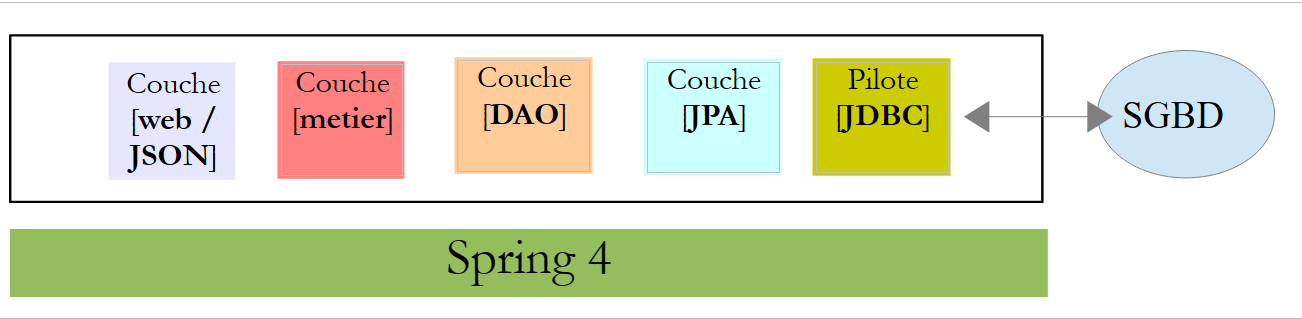 |
2.14.2. The new Eclipse project for [métier, DAO, JPA]
We duplicate the original project [rdvmedecins-metier-dao] into [rdvmedecins-metier-dao-v2]:
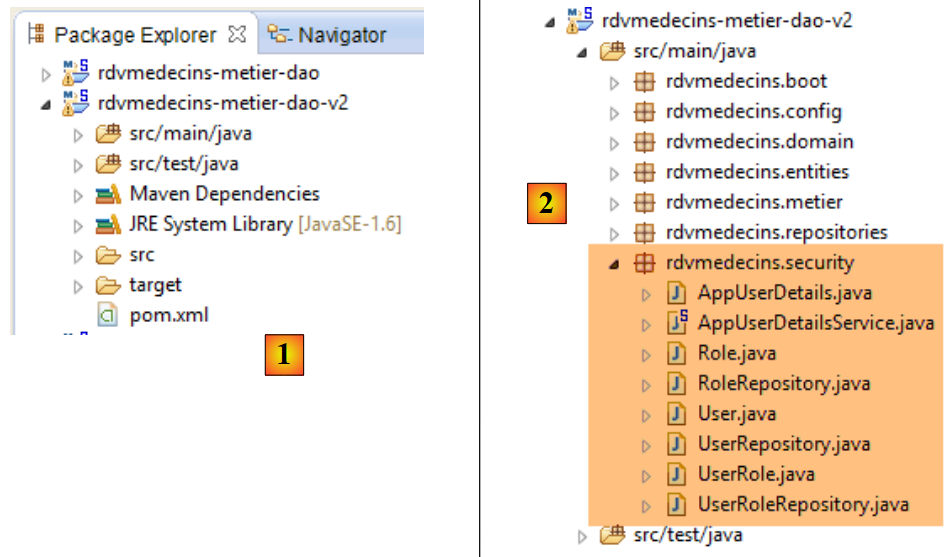 |
- into [1]: the new project;
- into [2]: the changes resulting from security considerations have been consolidated into a single package, [rdvmedecins.security]. These new elements belong to layers [JPA] and [DAO], but for simplicity I have combined them into a single package.
2.14.3. The new features in [JPA]
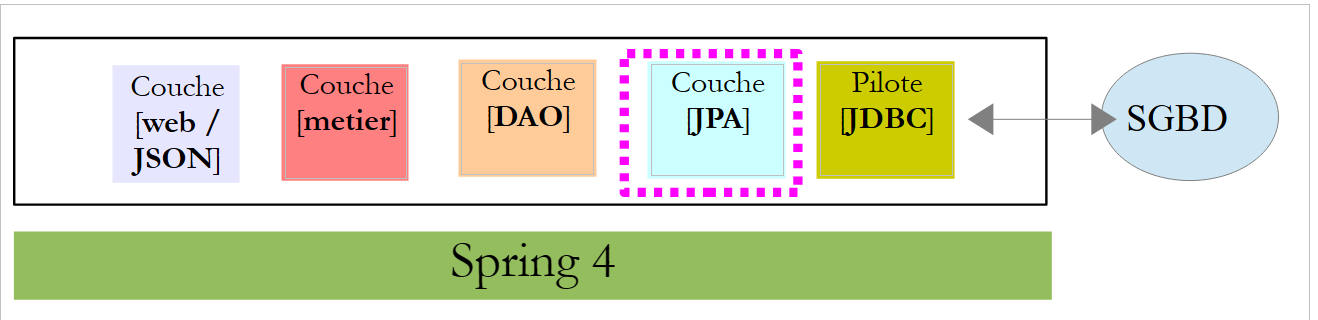 |
The JPA layer defines three new entities:
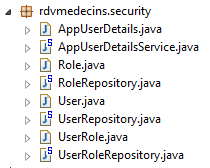 |
The [User] class is a mirror of the [USERS] table:
package rdvmedecins.entities;

import javax.persistence.Column;
import javax.persistence.Entity;
import javax.persistence.Table;

@Entity
@Table(name = "USERS")
public class User extends AbstractEntity {
    private static final long serialVersionUID = 1L;

    // properties
    private String identity;
    private String login;
    private String password;

    // manufacturer
    public User() {
    }

    public User(String identity, String login, String password) {
        this.identity = identity;
        this.login = login;
        this.password = password;
    }

    // identity
    @Override
    public String toString() {
        return String.format("User[%s,%s,%s]", identity, login, password);
    }

    // getters and setters
....
}
- line 9: the class extends the [AbstractEntity] class already used for the other entities;
- lines 13–15: no column names are specified because they have the same names as their associated fields;
The [Role] class is a representation of the [ROLES] table:
package rdvmedecins.entities;

import javax.persistence.Column;
import javax.persistence.Entity;
import javax.persistence.Table;

@Entity
@Table(name = "ROLES")
public class Role extends AbstractEntity {

    private static final long serialVersionUID = 1L;

    // properties
    private String name;

    // manufacturers
    public Role() {
    }

    public Role(String name) {
        this.name = name;
    }

    // identity
    @Override
    public String toString() {
        return String.format("Role[%s]", name);
    }

    // getters and setters
...
}
The [UserRole] class is the mapping of the [USERS_ROLES] table:
package rdvmedecins.entities;

import javax.persistence.Entity;
import javax.persistence.JoinColumn;
import javax.persistence.ManyToOne;
import javax.persistence.Table;

@Entity
@Table(name = "USERS_ROLES")
public class UserRole extends AbstractEntity {

    private static final long serialVersionUID = 1L;

    // a UserRole refers to a User
    @ManyToOne
    @JoinColumn(name = "USER_ID")
    private User user;
    // a UserRole refers to a Role
    @ManyToOne
    @JoinColumn(name = "ROLE_ID")
    private Role role;

    // getters and setters
...
}
- lines 15–17: define the foreign key from table [USERS_ROLES] to table [USERS];
- lines 19-21: define the foreign key from table [USERS_ROLES] to table [ROLES];
2.14.4. Changes to layer [DAO]
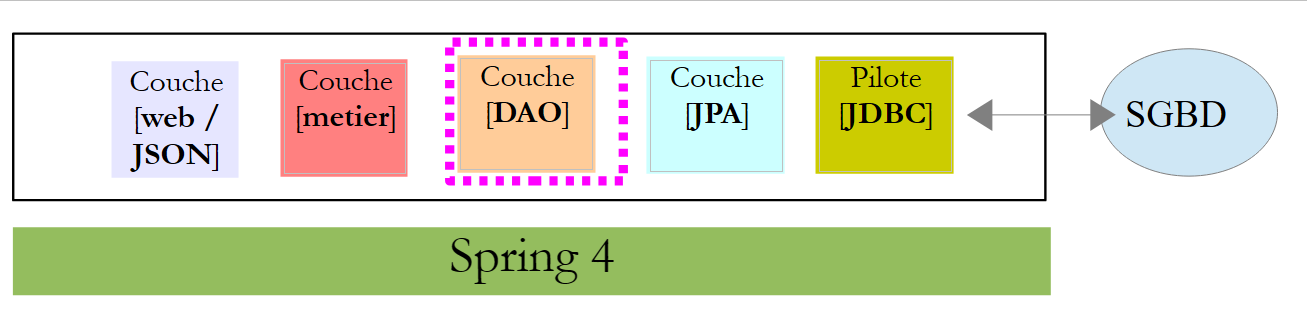 |
The [DAO] layer is expanded with three new [Repository] entries:
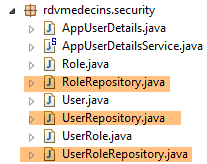 |
The [UserRepository] interface manages access to the [User] entities:
package rdvmedecins.repositories;

import org.springframework.data.jpa.repository.Query;
import org.springframework.data.repository.CrudRepository;

import rdvmedecins.entities.Role;
import rdvmedecins.entities.User;

public interface UserRepository extends CrudRepository<User, Long> {

    // list of user roles identified by id
    @Query("select ur.role from UserRole ur where ur.user.id=?1")
    Iterable<Role> getRoles(long id);

    // list of user roles identified by login and password
    @Query("select ur.role from UserRole ur where ur.user.login=?1 and ur.user.password=?2")
    Iterable<Role> getRoles(String login, String password);

    // search for a user via login
    User findUserByLogin(String login);
}
- line 9: the [UserRepository] interface extends the [CrudRepository] interface from Spring Data (line 4);
- lines 12-13: the [getRoles(User user)] method retrieves all roles for a user identified by their [id]
- lines 16-17: same as above, but for a user identified by their login and password;
The [RoleRepository] interface manages access to [Role] entities:
package rdvmedecins.security;

import org.springframework.data.repository.CrudRepository;

public interface RoleRepository extends CrudRepository<Role, Long> {

    // search for a role by name
    Role findRoleByName(String name);

}
- line 5: the [RoleRepository] interface extends the [CrudRepository] interface;
- line 8: you can search for a role by its name;
The [userRoleRepository] interface manages access to [UserRole] entities:
package rdvmedecins.security;

import org.springframework.data.repository.CrudRepository;

public interface UserRoleRepository extends CrudRepository<UserRole, Long> {

}
- line 5: the [UserRoleRepository] interface simply extends the [CrudRepository] interface without adding any new methods;
2.14.5. User and role management classes
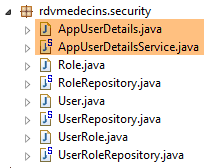 |
Spring Security requires the creation of a class that implements the following [UsersDetail] interface:
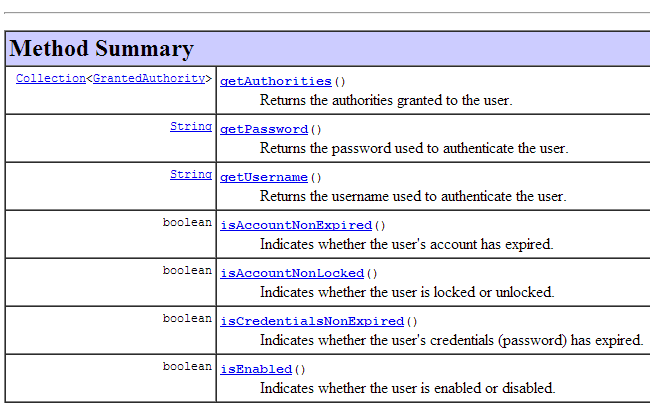 |
This interface is implemented here by the [AppUserDetails] class:
package rdvmedecins.security;

import java.util.ArrayList;
import java.util.Collection;

import org.springframework.security.core.GrantedAuthority;
import org.springframework.security.core.authority.SimpleGrantedAuthority;
import org.springframework.security.core.userdetails.UserDetails;

public class AppUserDetails implements UserDetails {

    private static final long serialVersionUID = 1L;

    // properties
    private User user;
    private UserRepository userRepository;

    // manufacturers
    public AppUserDetails() {
    }

    public AppUserDetails(User user, UserRepository userRepository) {
        this.user = user;
        this.userRepository = userRepository;
    }

    // -------------------------interface
    @Override
    public Collection<? extends GrantedAuthority> getAuthorities() {
        Collection<GrantedAuthority> authorities = new ArrayList<>();
        for (Role role : userRepository.getRoles(user.getId())) {
            authorities.add(new SimpleGrantedAuthority(role.getName()));
        }
        return authorities;
    }

    @Override
    public String getPassword() {
        return user.getPassword();
    }

    @Override
    public String getUsername() {
        return user.getLogin();
    }

    @Override
    public boolean isAccountNonExpired() {
        return true;
    }

    @Override
    public boolean isAccountNonLocked() {
        return true;
    }

    @Override
    public boolean isCredentialsNonExpired() {
        return true;
    }

    @Override
    public boolean isEnabled() {
        return true;
    }

    // getters and setters
    ...
}
- line 10: the [AppUserDetails] class implements the [UserDetails] interface;
- lines 15-16: the class encapsulates a user (line 15) and the repository that provides details about that user (line 16);
- lines 22–25: the constructor that instantiates the class with a user and its repository;
- lines 28–35: implementation of the [getAuthorities] method of the [UserDetails] interface. It must construct a collection of elements of type [GrantedAuthority] or a derived type. Here, we use the derived type [SimpleGrantedAuthority] (line 32), which encapsulates the name of one of the user’s roles from line 15;
- lines 31–33: we iterate through the list of the user’s roles from line 15 to build a list of elements of type [SimpleGrantedAuthority];
- lines 38–40: implement the [getPassword] method of the [UserDetails] interface. The password of the user in line 15 is returned;
- lines 38–40: implement the [getUserName] method of the [UserDetails] interface. The user’s login from line 15 is returned;
- lines 47–50: the user’s account never expires;
- lines 52–55: the user’s account is never locked;
- lines 57-60: the user's credentials never expire;
- lines 62-65: the user's account is always active;
Spring Security also requires the existence of a class that implements the [AppUserDetailsService] interface:
 |
This interface is implemented by the following [AppUserDetails] class:
package rdvmedecins.security;

import org.springframework.beans.factory.annotation.Autowired;
import org.springframework.security.core.userdetails.UserDetails;
import org.springframework.security.core.userdetails.UserDetailsService;
import org.springframework.security.core.userdetails.UsernameNotFoundException;
import org.springframework.stereotype.Service;

@Service
public class AppUserDetailsService implements UserDetailsService {

    @Autowired
    private UserRepository userRepository;

    @Override
    public UserDetails loadUserByUsername(String login) throws UsernameNotFoundException {
        // search for user via login
        User user = userRepository.findUserByLogin(login);
        // found?
        if (user == null) {
            throw new UsernameNotFoundException(String.format("login [%s] inexistant", login));
        }
        // render user details
        return new AppUserDetails(user, userRepository);
    }

}
- line 9: the class will be a Spring component, so it will be available in its context;
- lines 12-13: the [UserRepository] component will be injected here;
- lines 16–25: implementation of the [loadUserByUsername] method of the [UserDetailsService] interface (line 10). The parameter is the user’s login;
- line 18: the user is searched for using their login;
- lines 20–22: if not found, an exception is thrown;
- line 24: a [AppUserDetails] object is constructed and rendered. It is indeed of type [UserDetails] (line 16);
2.14.6. Testing the [DAO] layer
 |
First, we create an executable class [CreateUser] capable of creating a user with a role:
package rdvmedecins.security;

import org.springframework.context.annotation.AnnotationConfigApplicationContext;
import org.springframework.security.crypto.bcrypt.BCrypt;

import rdvmedecins.config.DomainAndPersistenceConfig;
import rdvmedecins.security.Role;
import rdvmedecins.security.RoleRepository;
import rdvmedecins.security.User;
import rdvmedecins.security.UserRepository;
import rdvmedecins.security.UserRole;
import rdvmedecins.security.UserRoleRepository;

public class CreateUser {

    public static void main(String[] args) {
        // syntax: login password roleName

        // three parameters are required
        if (args.length != 3) {
            System.out.println("Syntaxe : [pg] user password role");
            System.exit(0);
        }
        // parameters are retrieved
        String login = args[0];
        String password = args[1];
        String roleName = String.format("ROLE_%s", args[2].toUpperCase());
        // spring context
        AnnotationConfigApplicationContext context = new AnnotationConfigApplicationContext(DomainAndPersistenceConfig.class);
        UserRepository userRepository = context.getBean(UserRepository.class);
        RoleRepository roleRepository = context.getBean(RoleRepository.class);
        UserRoleRepository userRoleRepository = context.getBean(UserRoleRepository.class);
        // does the role already exist?
        Role role = roleRepository.findRoleByName(roleName);
        // if it doesn't exist, we create it
        if (role == null) {
            role = roleRepository.save(new Role(roleName));
        }
        // does the user already exist?
        User user = userRepository.findUserByLogin(login);
        // if it doesn't exist, we create it
        if (user == null) {
            // hash the password with bcrypt
            String crypt = BCrypt.hashpw(password, BCrypt.gensalt());
            // save user
            user = userRepository.save(new User(login, login, crypt));
            // we create the relationship with the role
            userRoleRepository.save(new UserRole(user, role));
        } else {
            // the user already exists - does he/she have the required role?
            boolean trouvé = false;
            for (Role r : userRepository.getRoles(user.getId())) {
                if (r.getName().equals(roleName)) {
                    trouvé = true;
                    break;
                }
            }
            // if not found, we create the relationship with the role
            if (!trouvé) {
                userRoleRepository.save(new UserRole(user, role));
            }
        }

        // closing Spring context
        context.close();
    }

}
- line 17: the class expects three arguments defining a user: their login, password, and role;
- lines 25–27: the three parameters are retrieved;
- line 29: the Spring context is built from the configuration class [DomainAndPersistenceConfig]. This class already existed in the previous project. It must be updated as follows:
@EnableJpaRepositories(basePackages = { "rdvmedecins.repositories", "rdvmedecins.security" })
@EnableAutoConfiguration
@ComponentScan(basePackages = { "rdvmedecins" })
@EntityScan(basePackages = { "rdvmedecins.entities", "rdvmedecins.security" })
@EnableTransactionManagement
public class DomainAndPersistenceConfig {
....
}
- line 1: you must specify that there are now [Repository] components in the [rdvmedecins.security] package;
- line 4: you must specify that there are now JPA entities in the [rdvmedecins.security] package;
Let’s go back to the code for creating a user:
- lines 30–32: retrieve the references for the three [Repository] entities that may be useful for creating the user;
- line 34: we check if the role already exists;
- lines 36–38: if not, we create it in the database. It will have a name of the form [ROLE_XX];
- line 40: we check if the login already exists;
- lines 42–49: if the login does not exist, we create it in the database;
- line 44: we encrypt the password. Here, we use the [BCrypt] class from Spring Security (line 4). We therefore need the archives for this framework. The [pom.xml] file includes a new dependency:
        <dependency>
            <groupId>org.springframework.boot</groupId>
            <artifactId>spring-boot-starter-security</artifactId>
</dependency>
- line 46: the user is persisted in the database;
- line 48: as well as the relationship linking them to their role;
- lines 51–57: if the login already exists, we check whether the role we want to assign to them is already among their roles;
- lines 59–61: if the role being sought is not found, a row is created in the [USERS_ROLES] table to link the user to their role;
- We have not protected against potential exceptions. This is a helper class for quickly creating a user with a role.
When the class is executed with the arguments [x x guest], the following results are obtained in the database:
Table [USERS]
 |
Table [ROLES]
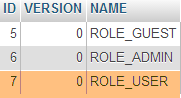 |
Table [USERS_ROLES]
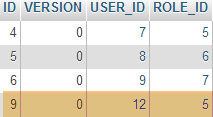 |
Now let’s consider the second class, [UsersTest], which is a test of JUnit:
|
package rdvmedecins.security;

import java.util.List;

import org.junit.Assert;
import org.junit.Test;
import org.junit.runner.RunWith;
import org.springframework.beans.factory.annotation.Autowired;
import org.springframework.boot.test.SpringApplicationConfiguration;
import org.springframework.security.core.authority.SimpleGrantedAuthority;
import org.springframework.security.crypto.bcrypt.BCrypt;
import org.springframework.test.context.junit4.SpringJUnit4ClassRunner;

import rdvmedecins.config.DomainAndPersistenceConfig;

import com.google.common.collect.Lists;

@SpringApplicationConfiguration(classes = DomainAndPersistenceConfig.class)
@RunWith(SpringJUnit4ClassRunner.class)
public class UsersTest {

    @Autowired
    private UserRepository userRepository;
    @Autowired
    private AppUserDetailsService appUserDetailsService;

    @Test
    public void findAllUsersWithTheirRoles() {
        Iterable<User> users = userRepository.findAll();
        for (User user : users) {
            System.out.println(user);
            display("Roles :", userRepository.getRoles(user.getId()));
        }
    }

    @Test
    public void findUserByLogin() {
        // user [admin] is retrieved
        User user = userRepository.findUserByLogin("admin");
        // we check that his password is [admin]
        Assert.assertTrue(BCrypt.checkpw("admin", user.getPassword()));
        // check admin / admin role
        List<Role> roles = Lists.newArrayList(userRepository.getRoles("admin", user.getPassword()));
        Assert.assertEquals(1L, roles.size());
        Assert.assertEquals("ROLE_ADMIN", roles.get(0).getName());
    }

    @Test
    public void loadUserByUsername() {
        // user [admin] is retrieved
        AppUserDetails userDetails = (AppUserDetails) appUserDetailsService.loadUserByUsername("admin");
        // we check that his password is [admin]
        Assert.assertTrue(BCrypt.checkpw("admin", userDetails.getPassword()));
        // check admin / admin role
        @SuppressWarnings("unchecked")
        List<SimpleGrantedAuthority> authorities = (List<SimpleGrantedAuthority>) userDetails.getAuthorities();
        Assert.assertEquals(1L, authorities.size());
        Assert.assertEquals("ROLE_ADMIN", authorities.get(0).getAuthority());
    }

    // utility method - displays items in a collection
    private void display(String message, Iterable<?> elements) {
        System.out.println(message);
        for (Object element : elements) {
            System.out.println(element);
        }
    }
}
- lines 27–34: visual test. We display all users with their roles;
- lines 36–46: we verify that the user [admin] has the password [admin] and the role [ROLE_ADMIN] using the repository [UserRepository];
- line 41: [admin] is the plaintext password. In the database, it is encrypted using the BCrypt algorithm. The [ BCrypt.checkpw] method verifies that the plaintext password, once encrypted, matches the one in the database;
- Lines 48–59: We verify that the user [admin] has the password [admin] and the role [ROLE_ADMIN] using the service [appUserDetailsService];
The tests run successfully with the following logs:
2.14.7. Interim Conclusion
The necessary classes for Spring Security were added with minimal changes to the original project. To recap:
- adding a dependency on Spring Security in the [pom.xml] file;
- creation of three additional tables in the database;
- creation of JPA entities and Spring components in the [rdvmedecins.security] package;
This very favorable scenario stems from the fact that the three tables added to the database are independent of the existing tables. We could even have placed them in a separate database. This was possible because we decided that a user had an existence independent of doctors and clients. If the latter had been potential users, it would have been necessary to create links between the [USERS] table and the [MEDECINS] and [CLIENTS] tables. This would have had a significant impact on the existing project.
2.14.8. The Eclipse project for layer [web]
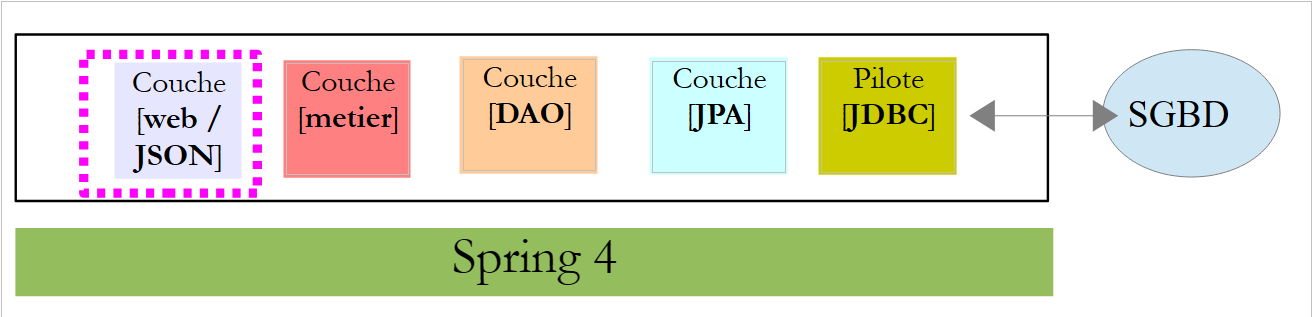 |
The previous [rdvmedecins-webapi] project is duplicated in the [rdvmedecins-webapi-v2] and [1] projects:
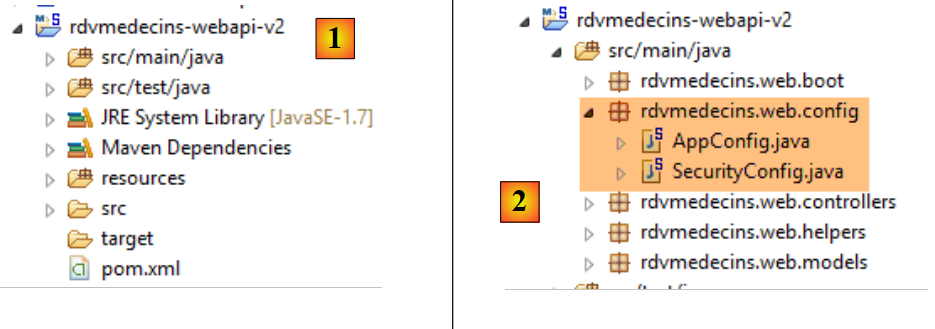 |
The only changes need to be made in the [rdvmedecins.web.config] package, where Spring Security must be configured. We have already encountered a Spring Security configuration class:
package hello;

import org.springframework.context.annotation.Configuration;
import org.springframework.security.config.annotation.authentication.builders.AuthenticationManagerBuilder;
import org.springframework.security.config.annotation.web.builders.HttpSecurity;
import org.springframework.security.config.annotation.web.configuration.WebSecurityConfigurerAdapter;
import org.springframework.security.config.annotation.web.servlet.configuration.EnableWebMvcSecurity;

@Configuration
@EnableWebMvcSecurity
public class WebSecurityConfig extends WebSecurityConfigurerAdapter {
    @Override
    protected void configure(HttpSecurity http) throws Exception {
        http.authorizeRequests().antMatchers("/", "/home").permitAll().anyRequest().authenticated();
        http.formLogin().loginPage("/login").permitAll().and().logout().permitAll();
    }

    @Override
    protected void configure(AuthenticationManagerBuilder auth) throws Exception {
        auth.inMemoryAuthentication().withUser("user").password("password").roles("USER");
    }
}
We will follow the same procedure:
- line 11: define a class that extends the [WebSecurityConfigurerAdapter] class;
- line 13: define a method [configure(HttpSecurity http)] that defines access rights to the various URL methods of the web service;
- line 19: define a method [configure(AuthenticationManagerBuilder auth)] that defines users and their roles;
Spring Security configuration is handled by the [SecurityConfig] class:
package rdvmedecins.web.config;

import org.springframework.beans.factory.annotation.Autowired;
import org.springframework.boot.autoconfigure.EnableAutoConfiguration;
import org.springframework.http.HttpMethod;
import org.springframework.security.config.annotation.authentication.builders.AuthenticationManagerBuilder;
import org.springframework.security.config.annotation.web.builders.HttpSecurity;
import org.springframework.security.config.annotation.web.configuration.EnableWebSecurity;
import org.springframework.security.config.annotation.web.configuration.WebSecurityConfigurerAdapter;
import org.springframework.security.crypto.bcrypt.BCryptPasswordEncoder;

import rdvmedecins.security.AppUserDetailsService;

@EnableAutoConfiguration
@EnableWebSecurity
public class SecurityConfig extends WebSecurityConfigurerAdapter {
    @Autowired
    private AppUserDetailsService appUserDetailsService;

    @Override
    protected void configure(AuthenticationManagerBuilder registry) throws Exception {
        // authentication is performed by the [appUserDetailsService] bean
        // the password is encrypted using the Bcrypt hash algorithm
        registry.userDetailsService(appUserDetailsService).passwordEncoder(new BCryptPasswordEncoder());
    }

    @Override
    protected void configure(HttpSecurity http) throws Exception {
        // CSRF
        http.csrf().disable();
        // the password is transmitted by the header Authorization: Basic xxxx
        http.httpBasic();
        // only the ADMIN role can use the application
        http.authorizeRequests() //
                .antMatchers("/", "/**") // all URL
                .hasRole("ADMIN");
    }
}
- lines 14-15: we have reused the annotations from the example;
- lines 17-18: the [AppUserDetails] class, which provides access to the application's users, is injected;
- lines 20-21: the [configure(HttpSecurity http)] method defines users and their roles. It receives a [AuthenticationManagerBuilder] type as a parameter. This parameter is enriched with two pieces of information:
- a reference to the [appUserDetailsService] service from line 18, which grants access to registered users. Note here that the fact that they are stored in a database is not explicitly stated. They could therefore be stored in a cache, delivered by a web service, etc.
- the type of encryption used for the password. Recall that we used the BCrypt algorithm;
- lines 27–40: the [configure(HttpSecurity http)] method defines access rights to the URL tokens of the web service;
- line 30: we saw in the introductory project that by default Spring Security manages a CSRF token (Cross-Site Request Forgery) that the user wishing to authenticate must send back to the server. Here, this mechanism is disabled;
- line 32: we enable the HTTP header-based authentication mode. The client must send the following HTTP header:
where code is the Base64 encoding of the login:password string. For example, the Base64 encoding of the string admin:admin is YWRtaW46YWRtaW4=. Therefore, a user with the login [admin] and password [admin] will send the following header HTTP to authenticate:
- Lines 34–36: indicate that all URL resources of the web service are accessible to users with the [ROLE_ADMIN] role. This means that a user without this role cannot access the web service;
The [AppConfig] class, which configures the entire application, is defined as follows:
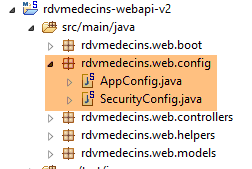 |
package rdvmedecins.web.config;

import org.springframework.boot.autoconfigure.EnableAutoConfiguration;
import org.springframework.context.annotation.ComponentScan;
import org.springframework.context.annotation.Import;

import rdvmedecins.config.DomainAndPersistenceConfig;

@EnableAutoConfiguration
@ComponentScan(basePackages = { "rdvmedecins.web" })
@Import({ DomainAndPersistenceConfig.class, SecurityConfig.class })
public class AppConfig {

}
- The change is made on line 11: it specifies that there are now two configuration files to use, [DomainAndPersistenceConfig] and [SecurityConfig].
2.14.9. Web service testing
We will test the web service with the Chrome client [Advanced Rest Client]. We will need to specify the HTTP authentication header:
where [code] is the Base64-encoded string [login:password]. To generate this code, you can use the following program:
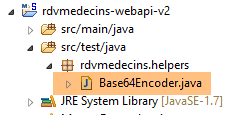 |
package rdvmedecins.helpers;

import org.springframework.security.crypto.codec.Base64;

public class Base64Encoder {

    public static void main(String[] args) {
        // we expect two arguments: login password
        if (args.length != 2) {
            System.out.println("Syntaxe : login password");
            System.exit(0);
        }
        // we retrieve the two arguments
        String chaîne = String.format("%s:%s", args[0], args[1]);
        // encode the string
        byte[] data = Base64.encode(chaîne.getBytes());
        // displays its Base64 encoding
        System.out.println(new String(data));
    }

}
If we run this program with the two arguments [admin admin]:
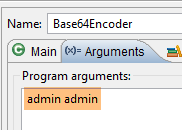 |
we get the following result:
Now that we know how to generate the HTTP authentication header, we launch the now-secure web service. Then, using the Chrome client [Advanced Rest Client], we request the list of all doctors:
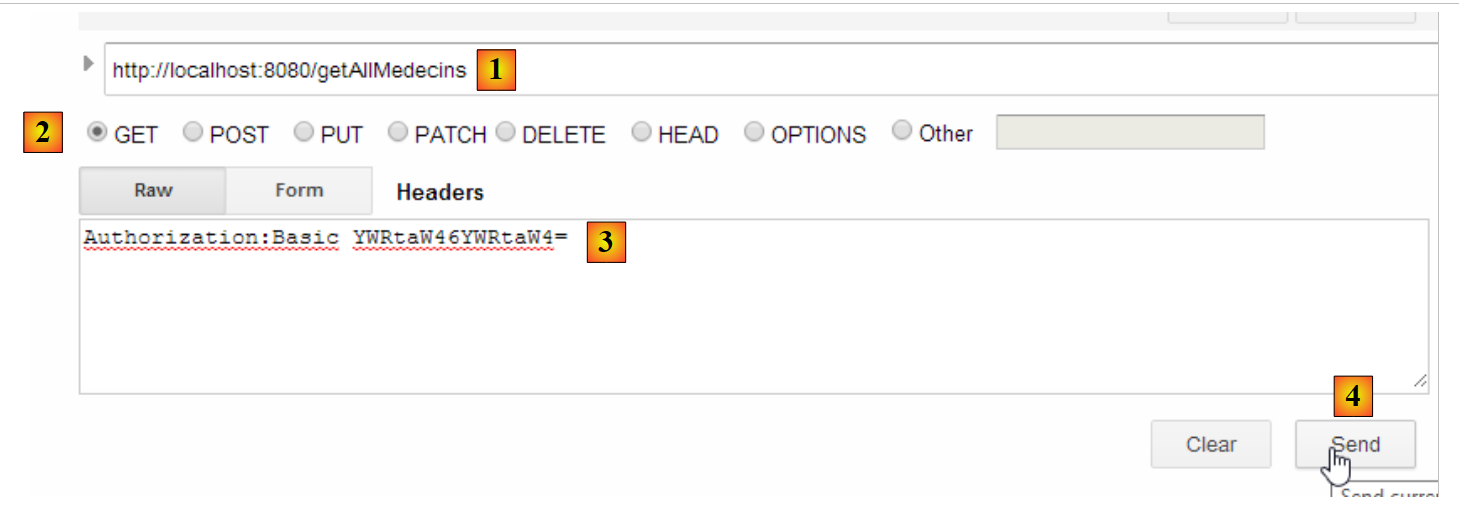 |
- in [1], we request the URL for doctors;
- in [2], using the GET method;
- in [3], we provide the HTTP header for authentication. The code [YWRtaW46YWRtaW4=] is the Base64 encoding of the string [admin:admin];
- In [4], we send the command HTTP;
The server's response is as follows:
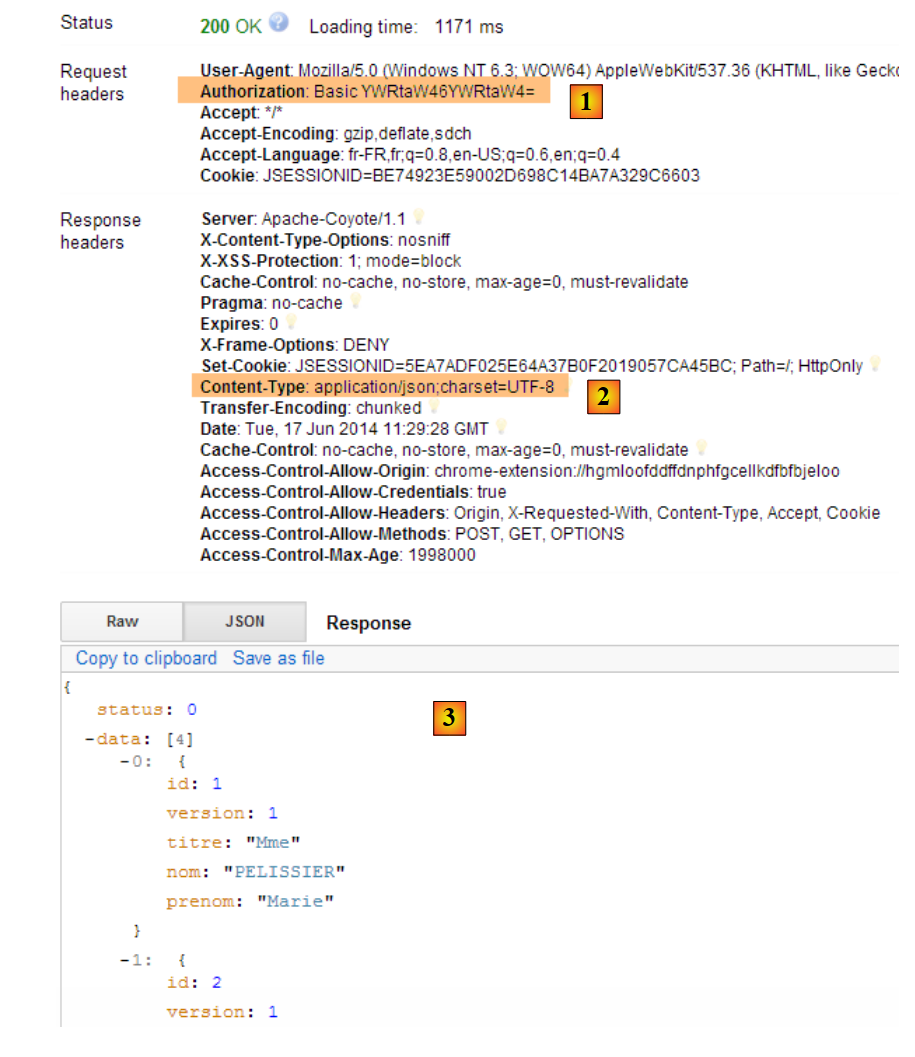 |
- in [1], the authentication header HTTP;
- in [2], the server returns a response JSON;
- in [3], the list of doctors.
Now let’s try a HTTP request with an incorrect authentication header. The response is then as follows:
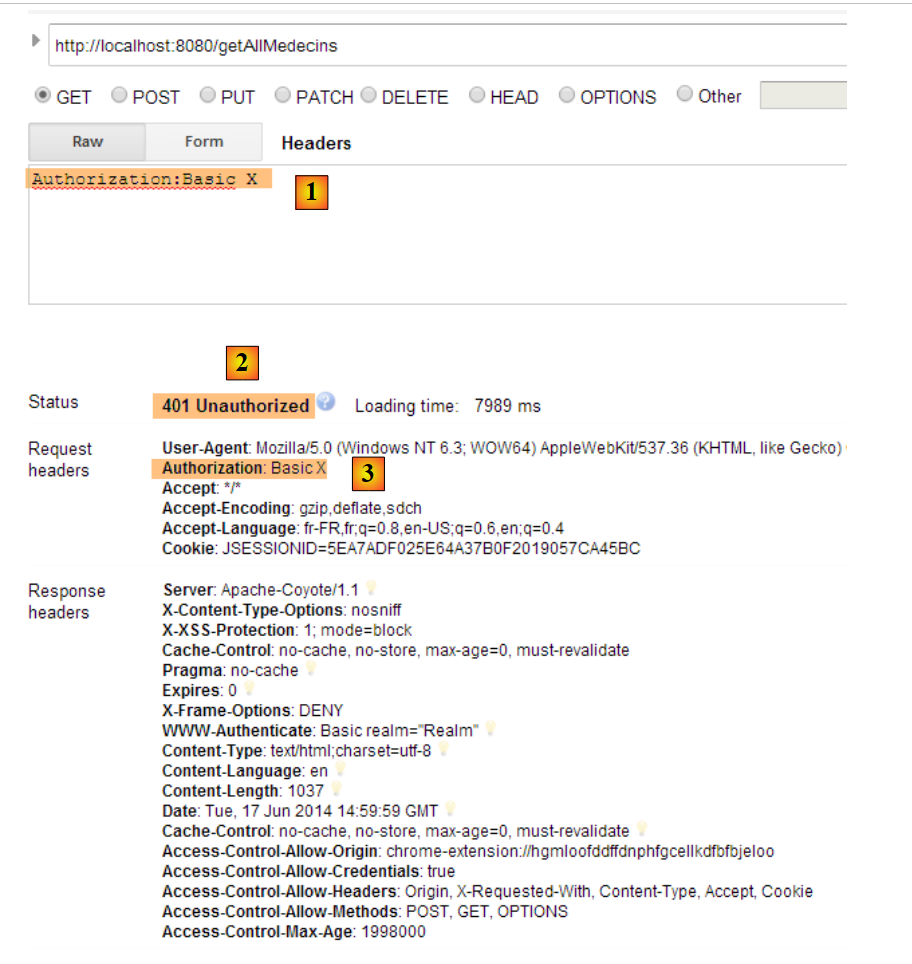 |
- in [1] and [3]: the HTTP authentication header;
- in [2]: the web service response;
Now, let’s try the user / user account. It exists but does not have access to the web service. If we run the Base64 encoding program with the two arguments [user user]:
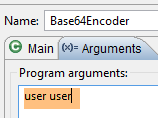 |
we get the following result:
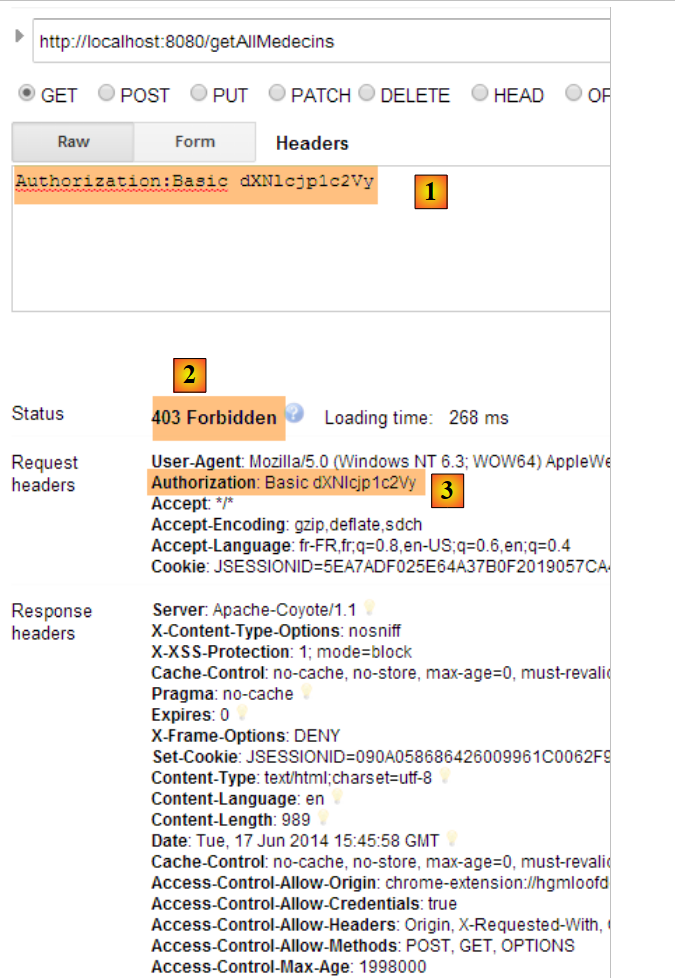 |
- in [1] and [3]: the authentication header HTTP;
- in [2]: the web service response. It differs from the previous one, which was [401 Unauthorized]. This time, the user authenticated successfully but does not have sufficient permissions to access URL;
2.15. Conclusion
Let’s review the overall architecture of our client/server application:
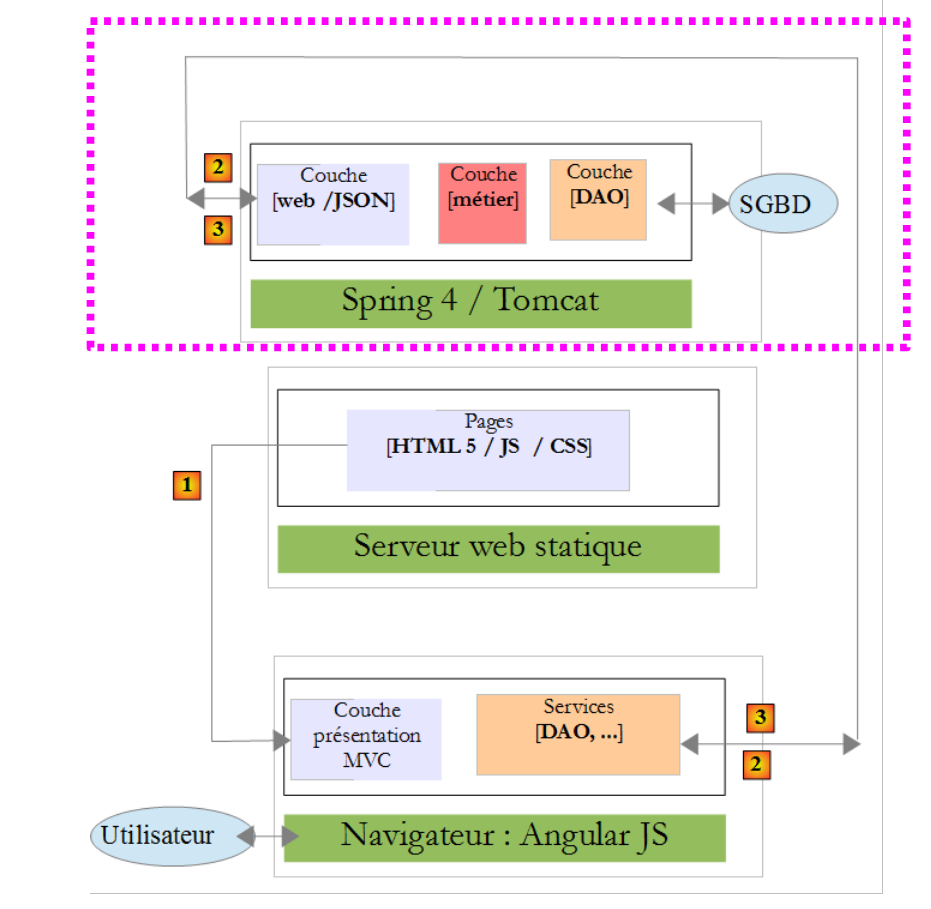 |
A secure web service is now operational. We will see that it will need to be modified due to issues that will arise during the development of the Angular client JS. But we will wait until we encounter the problem to resolve it. We will now build the Angular client that will provide a web interface for managing doctors’ appointments.